ignition BMW ACTIVEHYBRID5 2013 Owner's Guide
[x] Cancel search | Manufacturer: BMW, Model Year: 2013, Model line: ACTIVEHYBRID5, Model: BMW ACTIVEHYBRID5 2013Pages: 224, PDF Size: 4.96 MB
Page 148 of 224
can then be controlled by the button on the
interior rearview mirror.
If the LED does not flash faster after at least
60 seconds, change the distance and repeat
the step. Several more attempts at different
distances may be necessary. Wait at least
15 seconds between attempts.
Canada: if programming with the hand-held
transmitter was interrupted, hold down the
interior rearview mirror button and repeat‐
edly press and release the hand-held trans‐
mitter button for 2 seconds.
Controls
Before operation
Before operating a system using the
integrated universal remote control, ensure that
there are no people, animals, or objects within
the range of movement of the remote-controlled
system; otherwise, there is a risk of injury or
damage.
Also follow the safety instructions of the hand-
held transmitter.◀
The system, such as the garage door, can be
operated using the button on the interior rear‐
view mirror while the engine is running or when
the ignition is started. To do this, hold down the
button within receiving range of the system until
the function is activated. The interior rearview
mirror LED stays lit while the wireless signal is
being transmitted.
Deleting stored functions
Press and hold the left and right button on the
interior rearview mirror simultaneously for ap‐
proximately 20 seconds until the LED flashes
rapidly. All stored functions are deleted. The
functions cannot be deleted individually.
Ashtray/cigarette lighter
Automatic transmission: Front
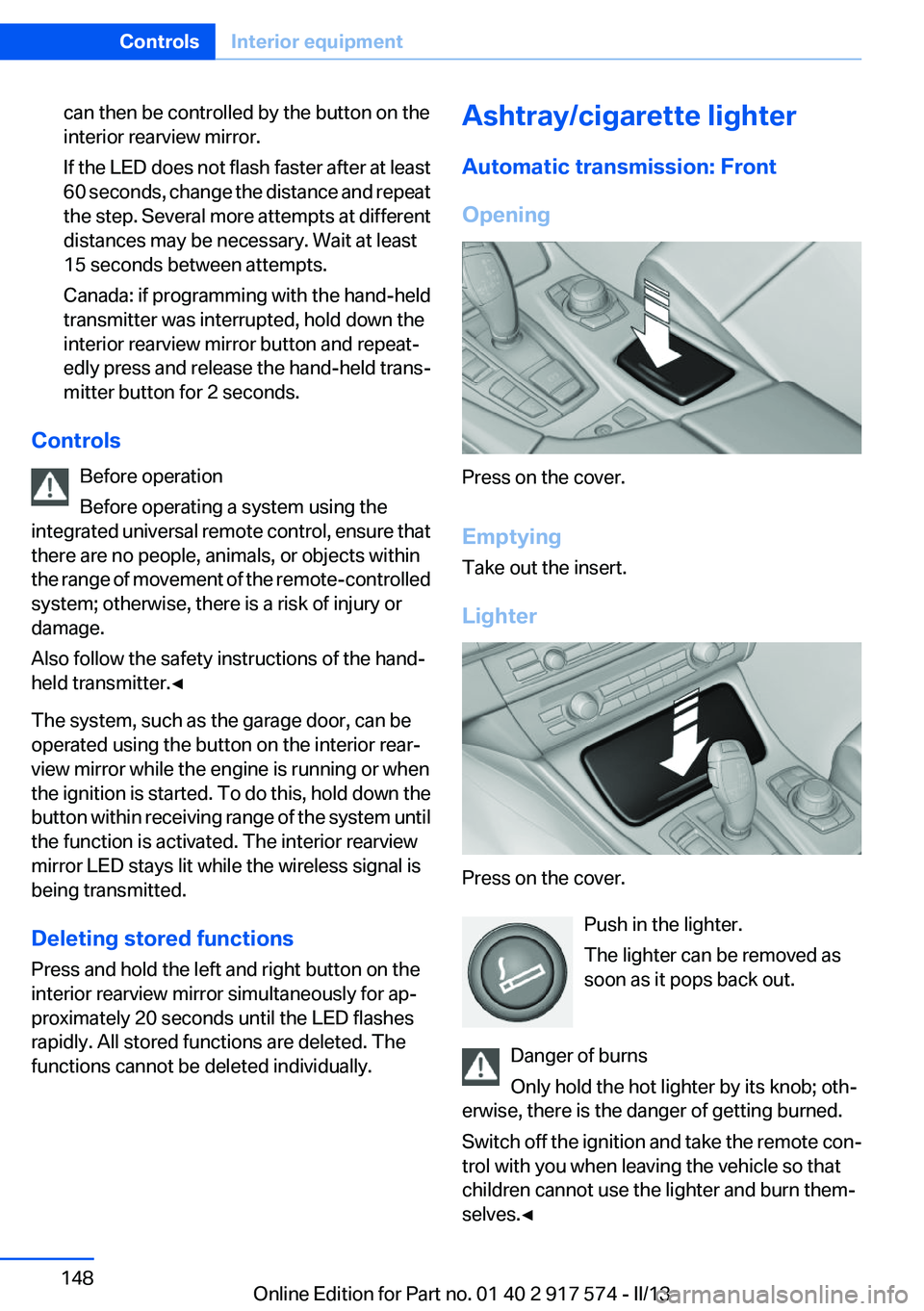
Opening
Press on the cover.
Emptying
Take out the insert.
Lighter
Press on the cover. Push in the lighter.
The lighter can be removed as
soon as it pops back out.
Danger of burns
Only hold the hot lighter by its knob; oth‐
erwise, there is the danger of getting burned.
Switch off the ignition and take the remote con‐
trol with you when leaving the vehicle so that
children cannot use the lighter and burn them‐
selves.◀
Seite 148ControlsInterior equipment148
Online Edition for Part no. 01 40 2 917 574 - II/13
Page 149 of 224
Replace the cover after use
Reinsert the lighter or socket cover after
use, otherwise objects may get into the lighter
socket or fixture and cause a short circuit.◀
Rear
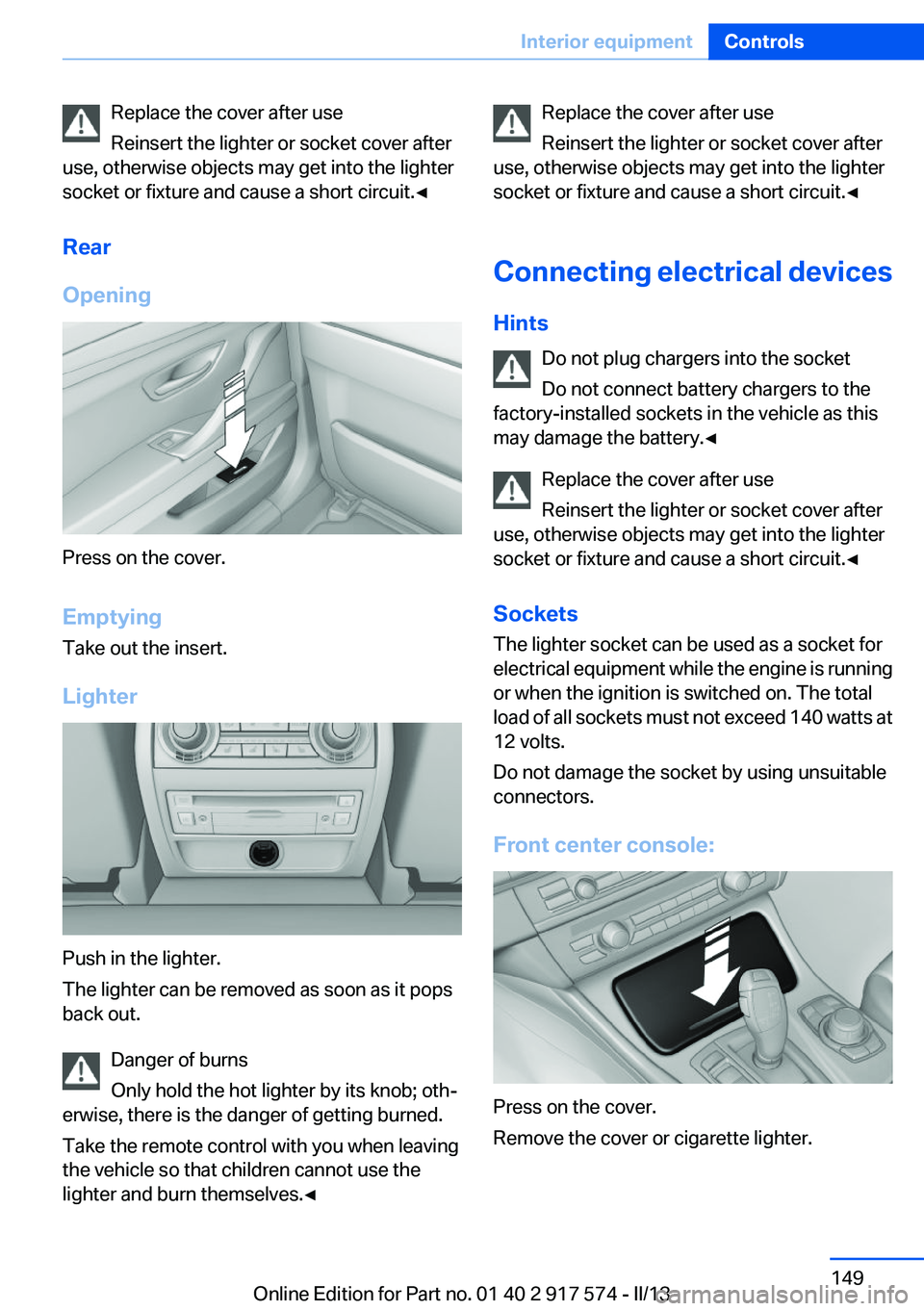
Opening
Press on the cover.
Emptying
Take out the insert.
Lighter
Push in the lighter.
The lighter can be removed as soon as it pops
back out.
Danger of burns
Only hold the hot lighter by its knob; oth‐
erwise, there is the danger of getting burned.
Take the remote control with you when leaving
the vehicle so that children cannot use the
lighter and burn themselves.◀
Replace the cover after use
Reinsert the lighter or socket cover after
use, otherwise objects may get into the lighter
socket or fixture and cause a short circuit.◀
Connecting electrical devices
Hints Do not plug chargers into the socket
Do not connect battery chargers to the
factory-installed sockets in the vehicle as this
may damage the battery.◀
Replace the cover after use
Reinsert the lighter or socket cover after
use, otherwise objects may get into the lighter
socket or fixture and cause a short circuit.◀
Sockets
The lighter socket can be used as a socket for
electrical equipment while the engine is running
or when the ignition is switched on. The total
load of all sockets must not exceed 140 watts at
12 volts.
Do not damage the socket by using unsuitable
connectors.
Front center console:
Press on the cover.
Remove the cover or cigarette lighter.
Seite 149Interior equipmentControls149
Online Edition for Part no. 01 40 2 917 574 - II/13
Page 203 of 224
with appropriately trained personnel. Other‐
wise, there is the risk of fatal injury from electric
shock due to the hybrid system's high voltage. ◀
Hybrid system: contact with water
The hybrid system is typically safe even in the
following example situations:▷Water in the footwell, for instance after a
rainstorm when the glass sunroof is open.▷Vehicle is in the water, such as in the event
of high water levels.▷Liquid escapes in the trunk.
In these cases there is no risk of injury from elec‐
tric shock. Other damage to the vehicle is pos‐
sible.
Hybrid system: automatic deactivation
If an accident occurs, the hybrid system is
switched off automatically to prevent risk of dan‐
ger to occupants and other road users.
Read the information on What to do after an ac‐
cident, refer to page 203.
What to do after an accident
General information After an accident
After an accident, do not touch any high-
voltage components such as orange colored
high-voltage cables or parts that are in contact
with exposed high-voltage cables. Otherwise,
there is the risk of fatal injury from electric shock
due to the hybrid system's high voltage.◀
Escaping fluids
Do not touch any fluids escaping from the
high-voltage battery, or the skin can sustain
chemical burns.◀
If you are involved in an accident with your ve‐
hicle, compliance with the following additional
safety precautions is required with regard to the
hybrid system.
▷Secure the crash site.▷Immediately notify rescue forces, police, or
firefighters of the fact that your vehicle is
equipped with a hybrid system.▷Engage transmission position P, apply the
parking brake, and switch off the ignition.▷Lock the vehicle after exiting.▷Do not inhale any gases escaping from the
high-voltage battery; if necessary, maintain
a safe distance from the vehicle.Seite 203Breakdown assistanceMobility203
Online Edition for Part no. 01 40 2 917 574 - II/13
Page 205 of 224
4.Engage transmission position N.5.Switch the engine off. In this way, the igni‐
tion remains switched on, and a Check-Con‐
trol message is displayed.
Transmission position P with the igni‐
tion off
When the ignition is switched off, position P
is engaged automatically. When in an auto‐
matic car wash, for example, ensure that the
ignition is not switched off accidentally.◀
The vehicle cannot be locked from the outside
when in transmission position N. A signal is
sounded when an attempt is made to lock the
vehicle.
Transmission position
Transmission position P is engaged automati‐
cally:
▷When the ignition is switched off.▷After approx. 15 minutes.
Headlamps
▷Do not rub dry and do not use abrasive or
caustic cleansers.▷Soak areas that have been soiled e.g. due to
insects, with shampoo and wash off with
water.▷Thaw ice with deicing spray; do not use an
ice scraper.
After washing the vehicle
After washing the vehicle, apply the brakes
briefly to dry them; otherwise, braking action can
be reduced and corrosion of the brake discs can
occur.
Completely remove all residues on the windows,
to minimize loss of visibility due to smearing and
to reduce wiper noises and wiper blade wear.
Vehicle care
Car care products
BMW recommends using cleaning and care
products from BMW, since these have been
tested and approved.
Car care and cleaning products
Follow the instructions on the container.
When cleaning the interior, open the doors or
windows.
Only use products intended for cleaning vehi‐
cles.
Cleansers can contain substances that are dan‐
gerous and harmful to your health.◀
Vehicle paint
Regular care contributes to driving safety and
value retention. Environmental influences in
areas with elevated air pollution or natural con‐
taminants, such as tree resin or pollen can affect
the vehicle's paintwork. Tailor the frequency
and extent of your car care to these influences.
Aggressive substances such as spilled fuel, oil,
grease or bird droppings must be removed im‐
mediately to prevent the finish from being al‐
tered or discolored.
Leather care
Remove dust from the leather often, using a
cloth or vacuum cleaner.
Otherwise, particles of dust and road grime
chafe in pores and folds, and lead to increased
wear and premature degradation of the leather
surface.
To guard against discoloration, such as from
clothing, provide leather care roughly every two
months.
Clean light-colored leather more frequently be‐
cause soiling on such surfaces is substantially
more visible.Seite 205CareMobility205
Online Edition for Part no. 01 40 2 917 574 - II/13
Page 218 of 224
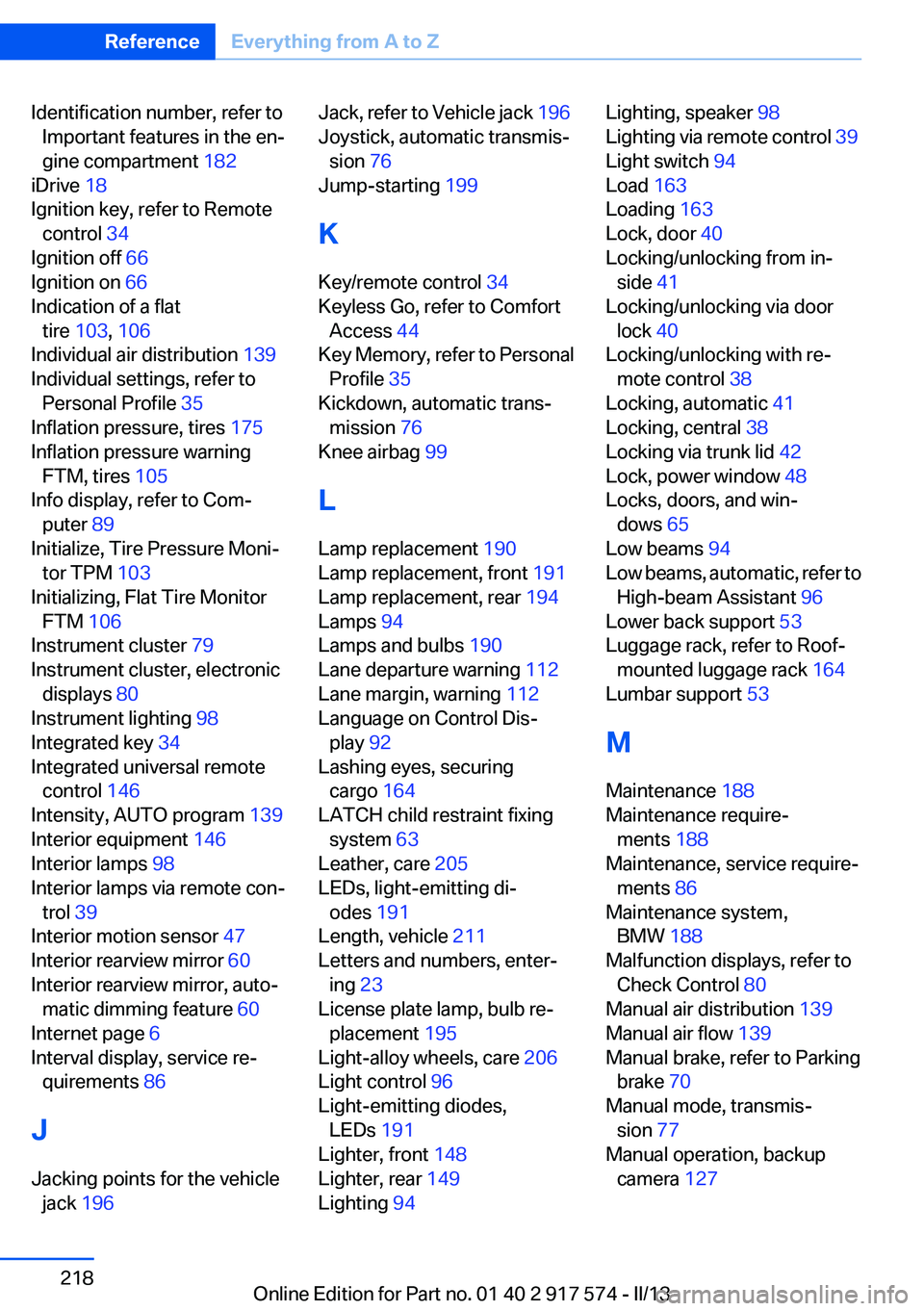
Identification number, refer toImportant features in the en‐
gine compartment 182
iDrive 18
Ignition key, refer to Remote control 34
Ignition off 66
Ignition on 66
Indication of a flat tire 103 , 106
Individual air distribution 139
Individual settings, refer to Personal Profile 35
Inflation pressure, tires 175
Inflation pressure warning FTM, tires 105
Info display, refer to Com‐ puter 89
Initialize, Tire Pressure Moni‐ tor TPM 103
Initializing, Flat Tire Monitor FTM 106
Instrument cluster 79
Instrument cluster, electronic displays 80
Instrument lighting 98
Integrated key 34
Integrated universal remote control 146
Intensity, AUTO program 139
Interior equipment 146
Interior lamps 98
Interior lamps via remote con‐ trol 39
Interior motion sensor 47
Interior rearview mirror 60
Interior rearview mirror, auto‐ matic dimming feature 60
Internet page 6
Interval display, service re‐ quirements 86
J
Jacking points for the vehicle jack 196 Jack, refer to Vehicle jack 196
Joystick, automatic transmis‐ sion 76
Jump-starting 199
K
Key/remote control 34
Keyless Go, refer to Comfort Access 44
Key Memory, refer to Personal Profile 35
Kickdown, automatic trans‐ mission 76
Knee airbag 99
L
Lamp replacement 190
Lamp replacement, front 191
Lamp replacement, rear 194
Lamps 94
Lamps and bulbs 190
Lane departure warning 112
Lane margin, warning 112
Language on Control Dis‐ play 92
Lashing eyes, securing cargo 164
LATCH child restraint fixing system 63
Leather, care 205
LEDs, light-emitting di‐ odes 191
Length, vehicle 211
Letters and numbers, enter‐ ing 23
License plate lamp, bulb re‐ placement 195
Light-alloy wheels, care 206
Light control 96
Light-emitting diodes, LEDs 191
Lighter, front 148
Lighter, rear 149
Lighting 94 Lighting, speaker 98
Lighting via remote control 39
Light switch 94
Load 163
Loading 163
Lock, door 40
Locking/unlocking from in‐ side 41
Locking/unlocking via door lock 40
Locking/unlocking with re‐ mote control 38
Locking, automatic 41
Locking, central 38
Locking via trunk lid 42
Lock, power window 48
Locks, doors, and win‐ dows 65
Low beams 94
Low beams, automatic, refer to High-beam Assistant 96
Lower back support 53
Luggage rack, refer to Roof- mounted luggage rack 164
Lumbar support 53
M
Maintenance 188
Maintenance require‐ ments 188
Maintenance, service require‐ ments 86
Maintenance system, BMW 188
Malfunction displays, refer to Check Control 80
Manual air distribution 139
Manual air flow 139
Manual brake, refer to Parking brake 70
Manual mode, transmis‐ sion 77
Manual operation, backup camera 127 Seite 218ReferenceEverything from A to Z218
Online Edition for Part no. 01 40 2 917 574 - II/13