fuel consumption BMW ACTIVEHYBRID5 2013 Owners Manual
[x] Cancel search | Manufacturer: BMW, Model Year: 2013, Model line: ACTIVEHYBRID5, Model: BMW ACTIVEHYBRID5 2013Pages: 224, PDF Size: 4.96 MB
Page 29 of 224
BMW ActiveHybridVehicle equipment
All standard, country-specific and optional
equipment that is offered in the model series is
described in this chapter. Therefore, equipment
is also described that is not available in a vehicle,
e. g., because of the selected optional equip‐
ment or country variant. This also applies for
safety-related functions and systems.
Hybrid system
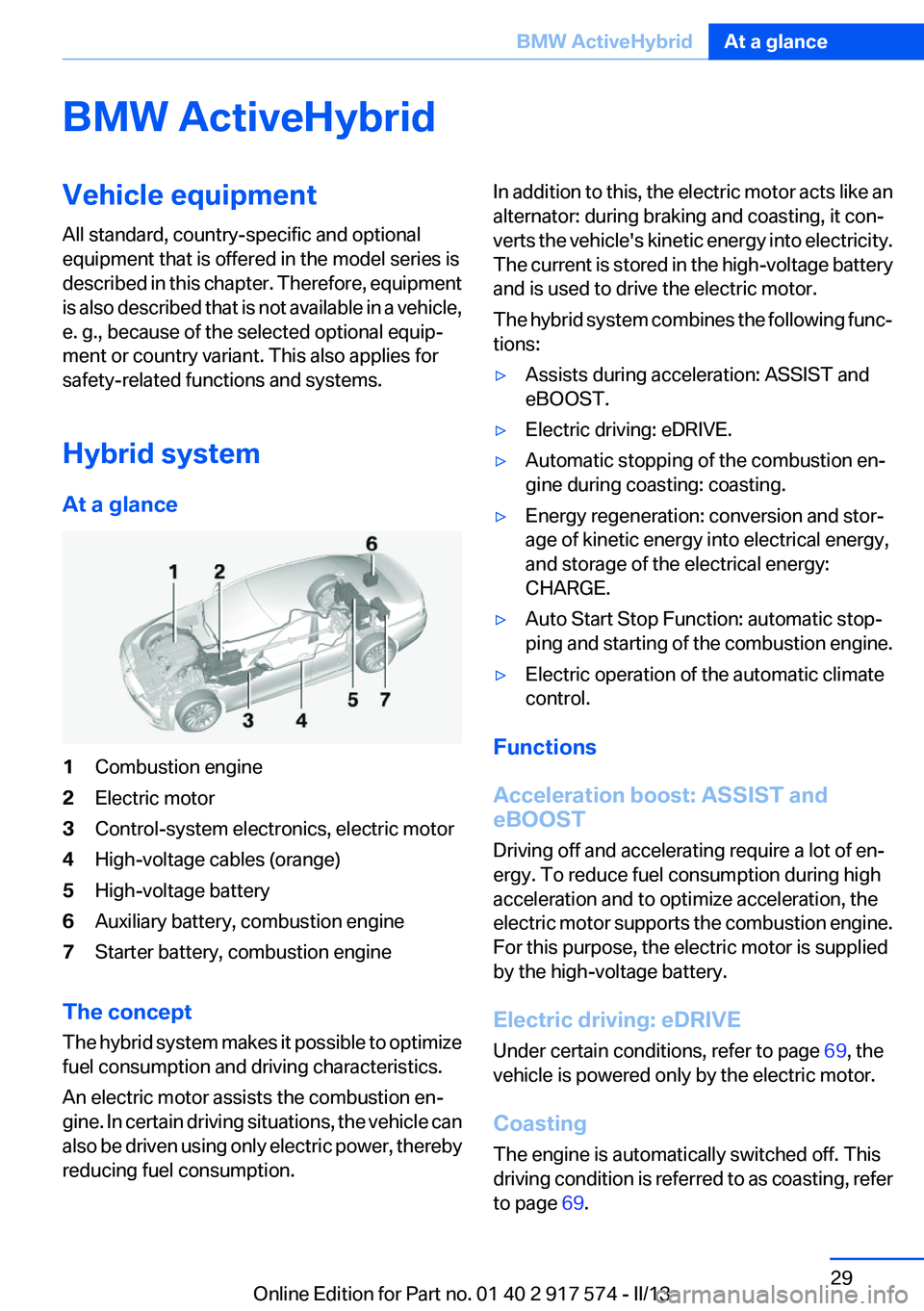
At a glance1Combustion engine2Electric motor3Control-system electronics, electric motor4High-voltage cables (orange)5High-voltage battery6Auxiliary battery, combustion engine7Starter battery, combustion engine
The concept
The hybrid system makes it possible to optimize
fuel consumption and driving characteristics.
An electric motor assists the combustion en‐
gine. In certain driving situations, the vehicle can
also be driven using only electric power, thereby
reducing fuel consumption.
In addition to this, the electric motor acts like an
alternator: during braking and coasting, it con‐
verts the vehicle's kinetic energy into electricity.
The current is stored in the high-voltage battery
and is used to drive the electric motor.
The hybrid system combines the following func‐
tions:▷Assists during acceleration: ASSIST and
eBOOST.▷Electric driving: eDRIVE.▷Automatic stopping of the combustion en‐
gine during coasting: coasting.▷Energy regeneration: conversion and stor‐
age of kinetic energy into electrical energy,
and storage of the electrical energy:
CHARGE.▷Auto Start Stop Function: automatic stop‐
ping and starting of the combustion engine.▷Electric operation of the automatic climate
control.
Functions
Acceleration boost: ASSIST and
eBOOST
Driving off and accelerating require a lot of en‐
ergy. To reduce fuel consumption during high
acceleration and to optimize acceleration, the
electric motor supports the combustion engine.
For this purpose, the electric motor is supplied
by the high-voltage battery.
Electric driving: eDRIVE
Under certain conditions, refer to page 69, the
vehicle is powered only by the electric motor.
Coasting
The engine is automatically switched off. This
driving condition is referred to as coasting, refer
to page 69.
Seite 29BMW ActiveHybridAt a glance29
Online Edition for Part no. 01 40 2 917 574 - II/13
Page 89 of 224
Using the thumbwheel, select the desired set‐
ting and confirm it by pressing the thumbwheel.
Computer
Indication in the info display The information from the on‐
board computer is shown in the
info display in the instrument
cluster.
Calling up information on the info
display
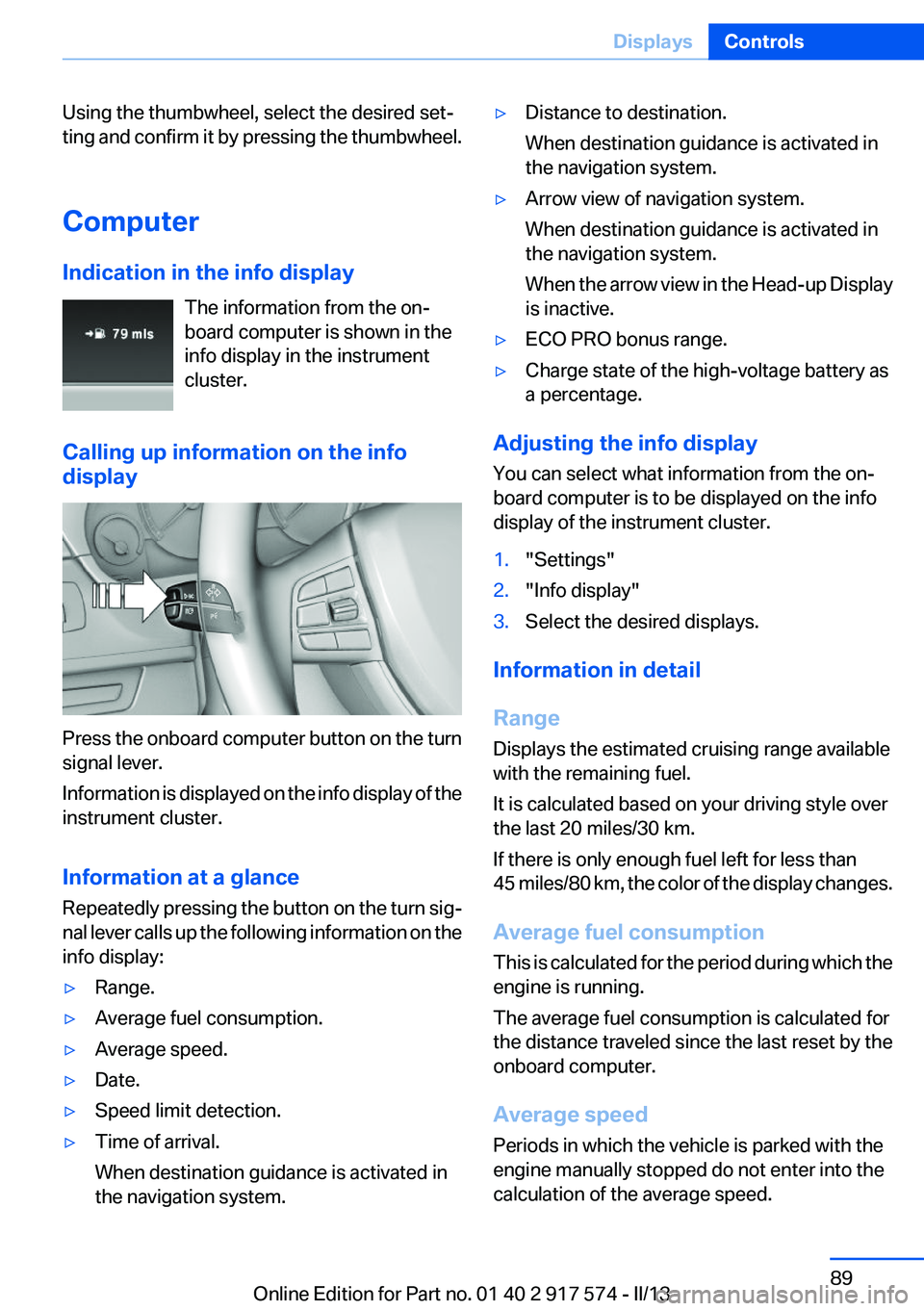
Press the onboard computer button on the turn
signal lever.
Information is displayed on the info display of the
instrument cluster.
Information at a glance
Repeatedly pressing the button on the turn sig‐
nal lever calls up the following information on the
info display:
▷Range.▷Average fuel consumption.▷Average speed.▷Date.▷Speed limit detection.▷Time of arrival.
When destination guidance is activated in
the navigation system.▷Distance to destination.
When destination guidance is activated in
the navigation system.▷Arrow view of navigation system.
When destination guidance is activated in
the navigation system.
When the arrow view in the Head-up Display
is inactive.▷ECO PRO bonus range.▷Charge state of the high-voltage battery as
a percentage.
Adjusting the info display
You can select what information from the on‐
board computer is to be displayed on the info
display of the instrument cluster.
1."Settings"2."Info display"3.Select the desired displays.
Information in detail
Range
Displays the estimated cruising range available
with the remaining fuel.
It is calculated based on your driving style over
the last 20 miles/30 km.
If there is only enough fuel left for less than
45 miles/80 km, the color of the display changes.
Average fuel consumption
This is calculated for the period during which the
engine is running.
The average fuel consumption is calculated for
the distance traveled since the last reset by the
onboard computer.
Average speed
Periods in which the vehicle is parked with the
engine manually stopped do not enter into the
calculation of the average speed.
Seite 89DisplaysControls89
Online Edition for Part no. 01 40 2 917 574 - II/13
Page 91 of 224
"Automatically reset": all values are reset
approx. 4 hours after the vehicle comes to a
standstill.
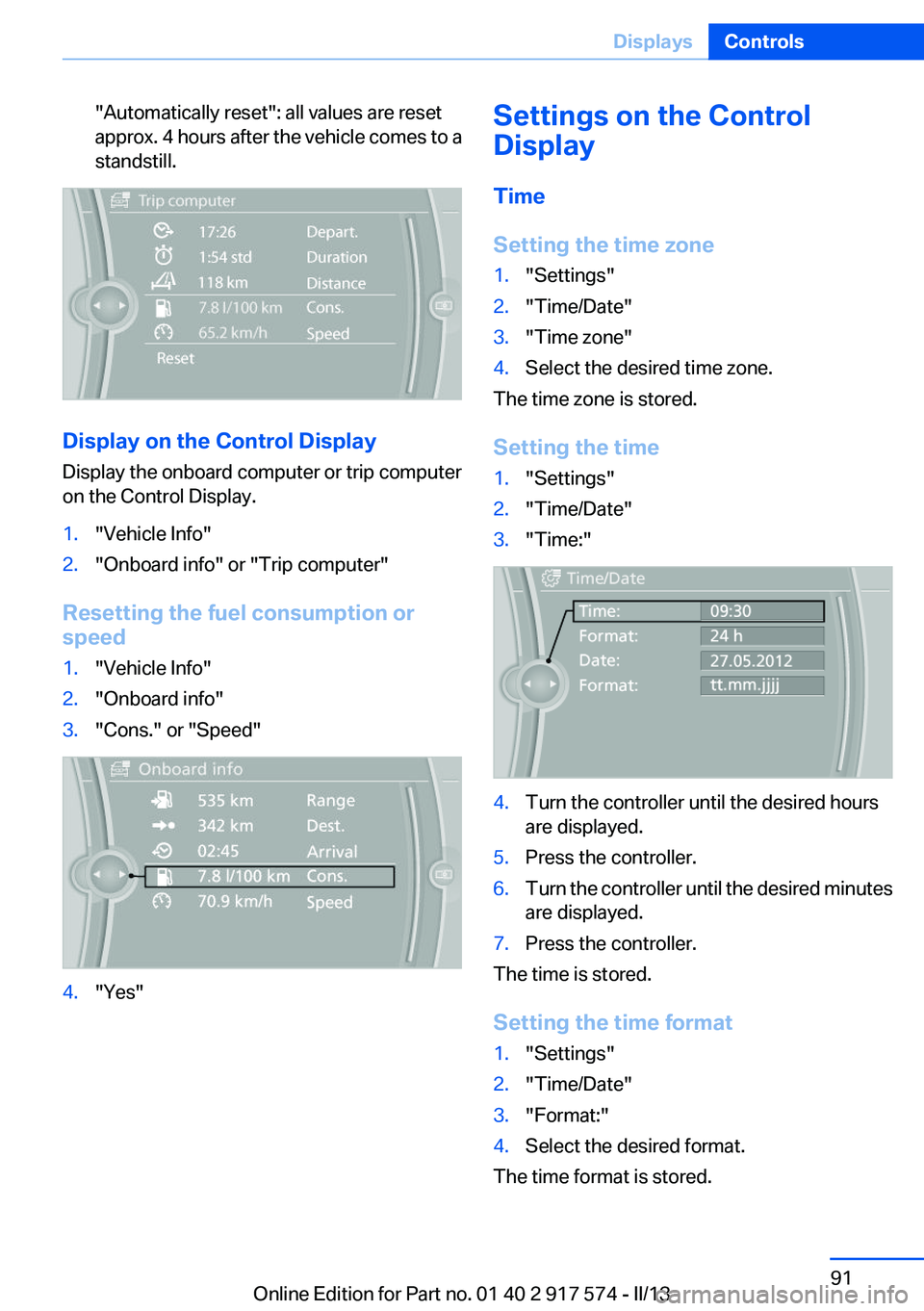
Display on the Control Display
Display the onboard computer or trip computer
on the Control Display.
1."Vehicle Info"2."Onboard info" or "Trip computer"
Resetting the fuel consumption or
speed
1."Vehicle Info"2."Onboard info"3."Cons." or "Speed"4."Yes"Settings on the Control
Display
Time
Setting the time zone1."Settings"2."Time/Date"3."Time zone"4.Select the desired time zone.
The time zone is stored.
Setting the time
1."Settings"2."Time/Date"3."Time:"4.Turn the controller until the desired hours
are displayed.5.Press the controller.6.Turn the controller until the desired minutes
are displayed.7.Press the controller.
The time is stored.
Setting the time format
1."Settings"2."Time/Date"3."Format:"4.Select the desired format.
The time format is stored.
Seite 91DisplaysControls91
Online Edition for Part no. 01 40 2 917 574 - II/13
Page 92 of 224
Date
Setting the date1."Settings"2."Time/Date"3."Date:"4.Turn the controller until the desired day is
displayed.5.Press the controller.6.Make the necessary settings for the month
and year.
The date is stored.
Setting the date format
1."Settings"2."Time/Date"3."Format:"4.Select the desired format.
The date format is stored.
Language
Setting the language
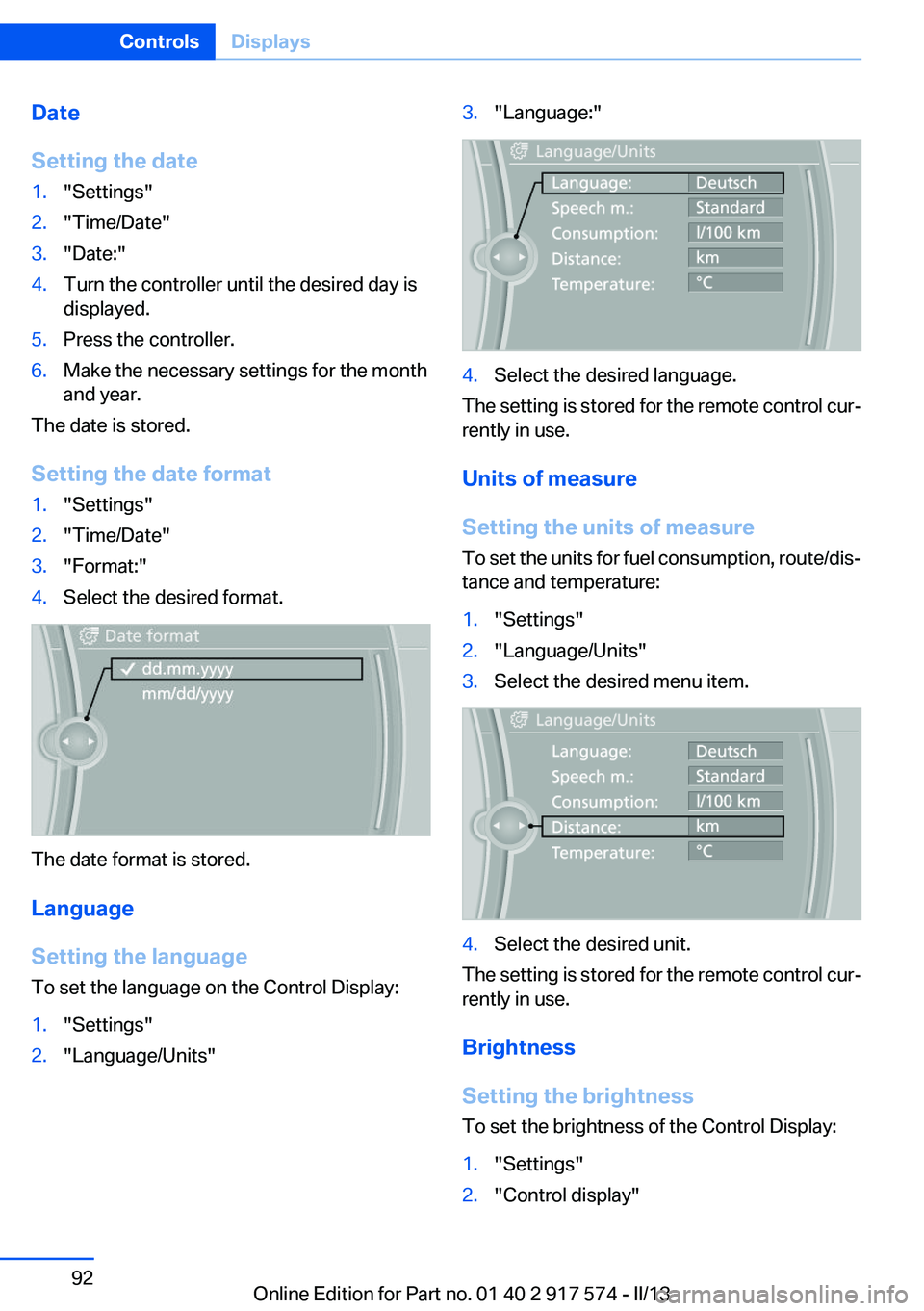
To set the language on the Control Display:
1."Settings"2."Language/Units"3."Language:"4.Select the desired language.
The setting is stored for the remote control cur‐
rently in use.
Units of measure
Setting the units of measure
To set the units for fuel consumption, route/dis‐
tance and temperature:
1."Settings"2."Language/Units"3.Select the desired menu item.4.Select the desired unit.
The setting is stored for the remote control cur‐
rently in use.
Brightness
Setting the brightness
To set the brightness of the Control Display:
1."Settings"2."Control display"Seite 92ControlsDisplays92
Online Edition for Part no. 01 40 2 917 574 - II/13
Page 120 of 224
SPORT
Consistently sporty tuning of the suspension
and engine control for greater driving agility with
maximum driving stabilization.
The program can be configured to individual
specifications.
The configuration is stored for the remote con‐
trol currently in use.
Activating SPORT Press the button repeatedly until
SPORT appears in the tachometer.
Configuring SPORT
When the display is activated on the Control
Display, refer to page 121, the SPORT driving
mode can be set.
After the SPORT driving mode is activated, se‐
lect "Configure SPORT" on the displayed panel
and configure the program.
SPORT can also be configured before it is acti‐
vated:1."Settings"2."SPORT mode" or: "Driving mode"3.Configure driving mode.
This configuration is retrieved when the SPORT
driving mode is activated.
COMFORT
For a balanced tuning with maximum driving sta‐
bilization.
Activating COMFORT Press the button repeatedly until the
program display in the tachometer
goes out.
In certain situations, the system automatically
changes to the NORMAL program, automatic
program change, refer to page 119.
COMFORT+
Comfort-oriented tuning of the shock absorbers
and adapted engine control for optimal traveling
comfort with maximum driving stabilization.
Activating COMFORT+ Press the button repeatedly until COM‐
FORT+ appears in the tachometer.
ECO PRO
ECO PRO, refer to page 167, provides consis‐
tent tuning to minimize fuel consumption for
maximum range with maximum driving stabili‐
zation.
Comfort functions and the engine controller are
adjusted.
Hybrid operation makes it possible to drive with
more electrical power.
The program can be configured to individual
specifications.
Activating ECO PRO Press button repeatedly until ECO PRO
is displayed in the instrument cluster.
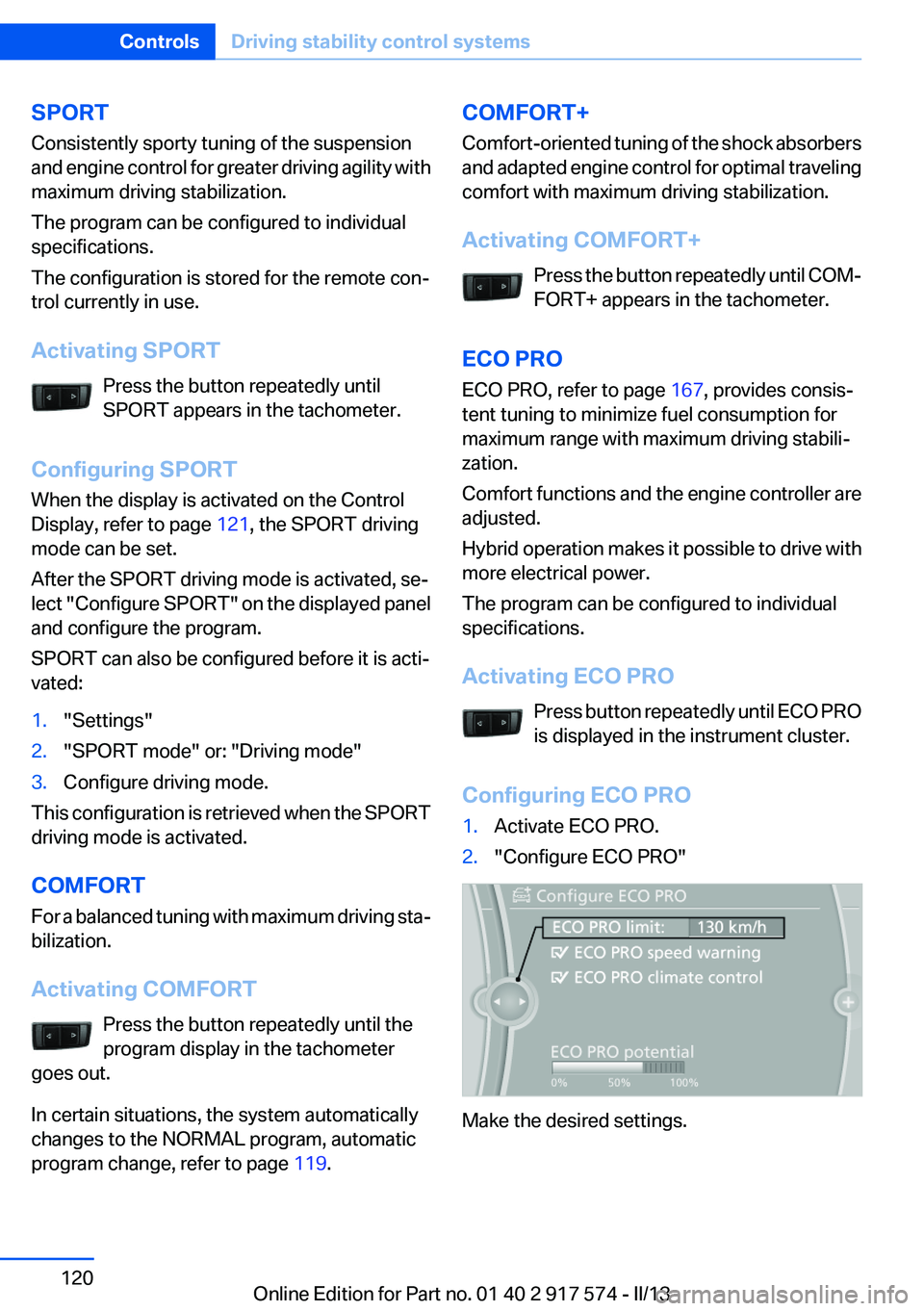
Configuring ECO PRO1.Activate ECO PRO.2."Configure ECO PRO"
Make the desired settings.
Seite 120ControlsDriving stability control systems120
Online Edition for Part no. 01 40 2 917 574 - II/13
Page 166 of 224
Saving fuelVehicle equipment
All standard, country-specific and optional
equipment that is offered in the model series is
described in this chapter. Therefore, equipment
is also described that is not available in a vehicle,
e. g., because of the selected optional equip‐
ment or country variant. This also applies for
safety-related functions and systems.
General information
Your vehicle contains advanced technology for
the reduction of fuel consumption and emis‐
sions.
Fuel consumption depends on a number of dif‐
ferent factors.
The implementation of certain measures, driv‐
ing style and regular maintenance can have an
influence on fuel consumption and on the envi‐
ronmental impact.
Remove unnecessary cargo
Additional weight increases fuel consumption.
Remove attached parts
following use
Remove auxiliary mirrors, roof or rear luggage
racks which are no longer required following
use.
Attached parts on the vehicle impair the aero‐
dynamics and increase the fuel consumption.Close the windows and glass
sunroof
Driving with the glass sunroof and windows
open results in increased air resistance and
raises fuel consumption.
Tires
General information
Tires can affect consumption values in various
ways, for instance consumption can be influ‐
enced by the size of the tires.
Check the tire inflation pressure
regularly
Check and, if necessary, correct the tire inflation
pressure at least twice a month and before start‐
ing on a long trip.
Low tire inflation pressure increases rolling re‐
sistance and thus raises fuel consumption and
tire wear.
Drive away without delay
Do not wait for the engine to warm up while the
vehicle remains stationary. Start driving right
away, but at moderate engine speeds.
This is the fastest way for the cold engine to
reach its operating temperature.
Look well ahead when driving
Avoid unnecessary acceleration and braking.
By maintaining a suitable distance to the vehicle
driving ahead of you.
Driving smoothly and looking ahead reduces
fuel consumption.Seite 166Driving tipsSaving fuel166
Online Edition for Part no. 01 40 2 917 574 - II/13
Page 167 of 224
Braking longer will charge the high-voltage bat‐
tery more.
Use coasting conditions
When approaching a red light, take your foot off
the accelerator and let the vehicle coast to a halt.
On a downhill gradient, take your foot off the ac‐
celerator and let the vehicle roll.
The flow of fuel is interrupted while coasting.
Switch off the engine during
longer stops
Switch off the engine during longer stops, e.g.,
at traffic lights, railroad crossings or in traffic
congestion.
Switch off any functions that
are not currently needed
Functions such as seat heating and the rear win‐
dow defroster require a lot of energy and con‐
sume additional fuel, especially in city and stop-
and-go traffic.
Therefore, switch off these functions if they are
not actually needed.
Have maintenance carried out
Have vehicles maintained regularly to achieve
optimal vehicle economy and operating life.
Have the maintenance carried out by your serv‐
ice center.
Please also note the BMW Maintenance Sys‐
tem, refer to page 188.ECO PRO
The concept
ECO PRO supports a driving style that saves on
fuel consumption. For this purpose, the engine
control and comfort functions, e. g. the climate
control output, are adjusted.
eDRIVE electric driving, refer to page 69, and the
Coasting, refer to page 69, driving status is be‐
coming possible more and more often.
In addition, context-sensitive instructions can
be displayed that assist in driving in a manner
that optimizes fuel consumption.
The extension of the range that is achieved as a
result can be displayed in the instrument cluster.
At a glance
The system includes the following
EfficientDynamics functions and displays:▷ECO PRO bonus range, refer to page 168▷ECO PRO tips driving instruction, refer to
page 169▷ECO PRO climate control, refer to
page 168
Activating ECO PRO
Press button repeatedly until ECO PRO
is displayed in the instrument cluster.
Configuring ECO PRO
Via the Driving Dynamics Control
1.Activate ECO PRO.2."Configure ECO PRO"Seite 167Saving fuelDriving tips167
Online Edition for Part no. 01 40 2 917 574 - II/13
Page 184 of 224
Engine oilVehicle equipment
All standard, country-specific and optional
equipment that is offered in the model series is
described in this chapter. Therefore, equipment
is also described that is not available in a vehicle,
e. g., because of the selected optional equip‐
ment or country variant. This also applies for
safety-related functions and systems.
General information
Engine oil consumption depends on driving
style and driving conditions, e.g., if your driving
style is very sporty engine oil consumption will
be considerably greater.
Therefore, regularly check the engine oil level
after refueling.
Checking the oil level
electronically
Status display
The concept
The oil level is monitored electronically during
driving and shown on the Control Display.
If the oil level reaches the minimum level, a
check control message is displayed.
Requirements
Depending on the previous displays, the status
display appears when the engine is running or
after the vehicle has been driven for at least 30
minutes.
Displaying the oil level1."Vehicle Info"2."Vehicle status"3. "Engine oil level"
Oil level display messages
Different messages appear on the display de‐
pending on the oil level. Pay attention to these
messages.
If oil level is too low, immediately add 1 US
quart/liter of oil.
Take care not to add too much engine oil.
Too much engine oil
Have the vehicle checked immediately;
otherwise, surplus oil can lead to engine dam‐
age.◀
Detailed measurement
The concept
In the detailed measurement the oil level is
checked and displayed via a scale.
During the measurement, the idle speed is in‐
creased somewhat.
General information
A detailed measurement is only possible with
certain engines.
Requirements
▷Automatic transmission: selector lever in
transmission position N or P and accelerator
not depressed.▷Vehicle is on a level road and the engine is
running at operating temperature.
Performing a detailed measurement
In order to perform a detailed measurement of
the engine oil level:
1."Vehicle Info"2."Vehicle status"Seite 184MobilityEngine oil184
Online Edition for Part no. 01 40 2 917 574 - II/13
Page 214 of 224
Everything from A to Z
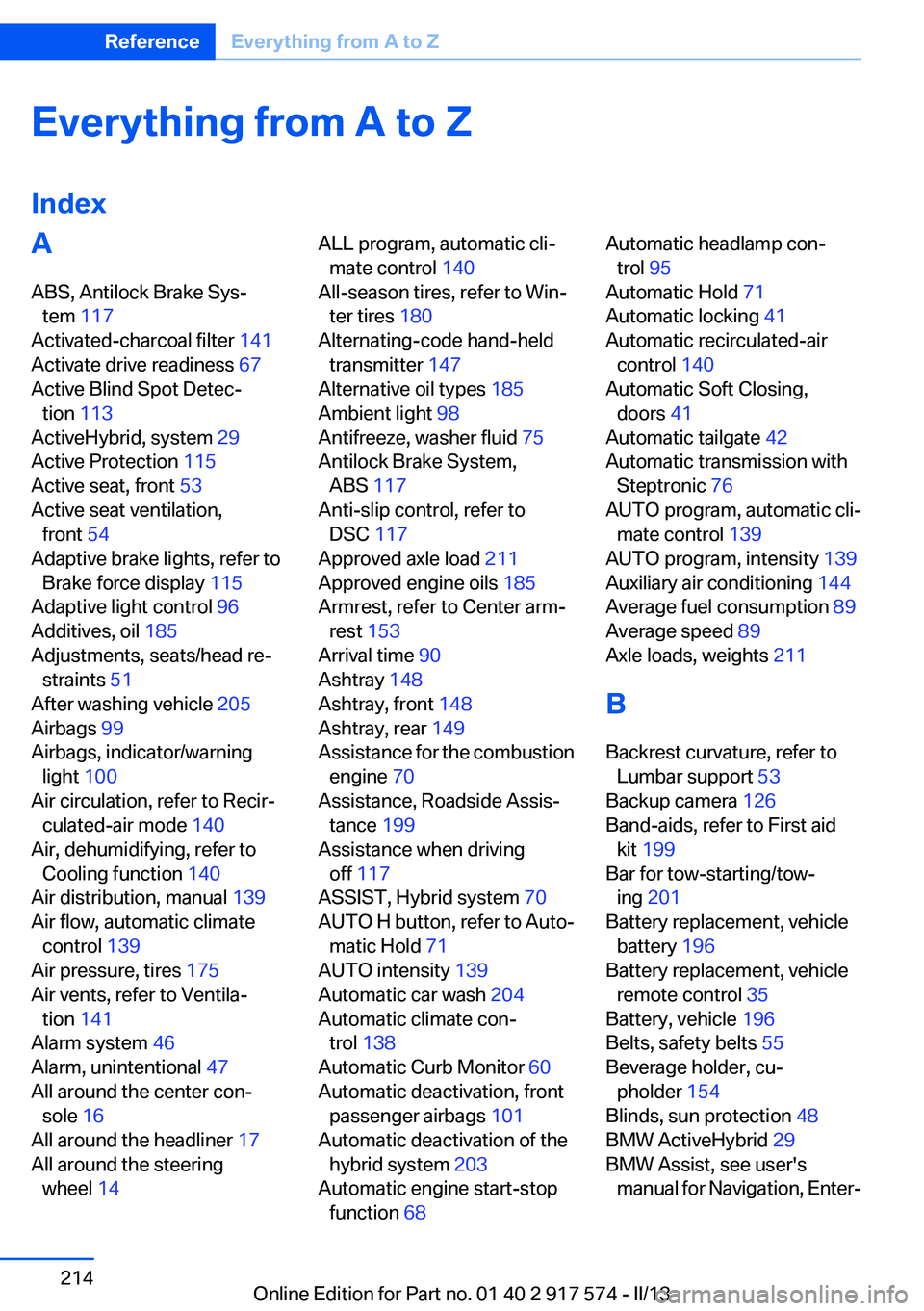
IndexA
ABS, Antilock Brake Sys‐ tem 117
Activated-charcoal filter 141
Activate drive readiness 67
Active Blind Spot Detec‐ tion 113
ActiveHybrid, system 29
Active Protection 115
Active seat, front 53
Active seat ventilation, front 54
Adaptive brake lights, refer to Brake force display 115
Adaptive light control 96
Additives, oil 185
Adjustments, seats/head re‐ straints 51
After washing vehicle 205
Airbags 99
Airbags, indicator/warning light 100
Air circulation, refer to Recir‐ culated-air mode 140
Air, dehumidifying, refer to Cooling function 140
Air distribution, manual 139
Air flow, automatic climate control 139
Air pressure, tires 175
Air vents, refer to Ventila‐ tion 141
Alarm system 46
Alarm, unintentional 47
All around the center con‐ sole 16
All around the headliner 17
All around the steering wheel 14 ALL program, automatic cli‐
mate control 140
All-season tires, refer to Win‐ ter tires 180
Alternating-code hand-held transmitter 147
Alternative oil types 185
Ambient light 98
Antifreeze, washer fluid 75
Antilock Brake System, ABS 117
Anti-slip control, refer to DSC 117
Approved axle load 211
Approved engine oils 185
Armrest, refer to Center arm‐ rest 153
Arrival time 90
Ashtray 148
Ashtray, front 148
Ashtray, rear 149
Assistance for the combustion engine 70
Assistance, Roadside Assis‐ tance 199
Assistance when driving off 117
ASSIST, Hybrid system 70
AUTO H button, refer to Auto‐ matic Hold 71
AUTO intensity 139
Automatic car wash 204
Automatic climate con‐ trol 138
Automatic Curb Monitor 60
Automatic deactivation, front passenger airbags 101
Automatic deactivation of the hybrid system 203
Automatic engine start-stop function 68 Automatic headlamp con‐
trol 95
Automatic Hold 71
Automatic locking 41
Automatic recirculated-air control 140
Automatic Soft Closing, doors 41
Automatic tailgate 42
Automatic transmission with Steptronic 76
AUTO program, automatic cli‐ mate control 139
AUTO program, intensity 139
Auxiliary air conditioning 144
Average fuel consumption 89
Average speed 89
Axle loads, weights 211
B
Backrest curvature, refer to Lumbar support 53
Backup camera 126
Band-aids, refer to First aid kit 199
Bar for tow-starting/tow‐ ing 201
Battery replacement, vehicle battery 196
Battery replacement, vehicle remote control 35
Battery, vehicle 196
Belts, safety belts 55
Beverage holder, cu‐ pholder 154
Blinds, sun protection 48
BMW ActiveHybrid 29
BMW Assist, see user's manual for Navigation, Enter‐Seite 214ReferenceEverything from A to Z214
Online Edition for Part no. 01 40 2 917 574 - II/13
Page 217 of 224
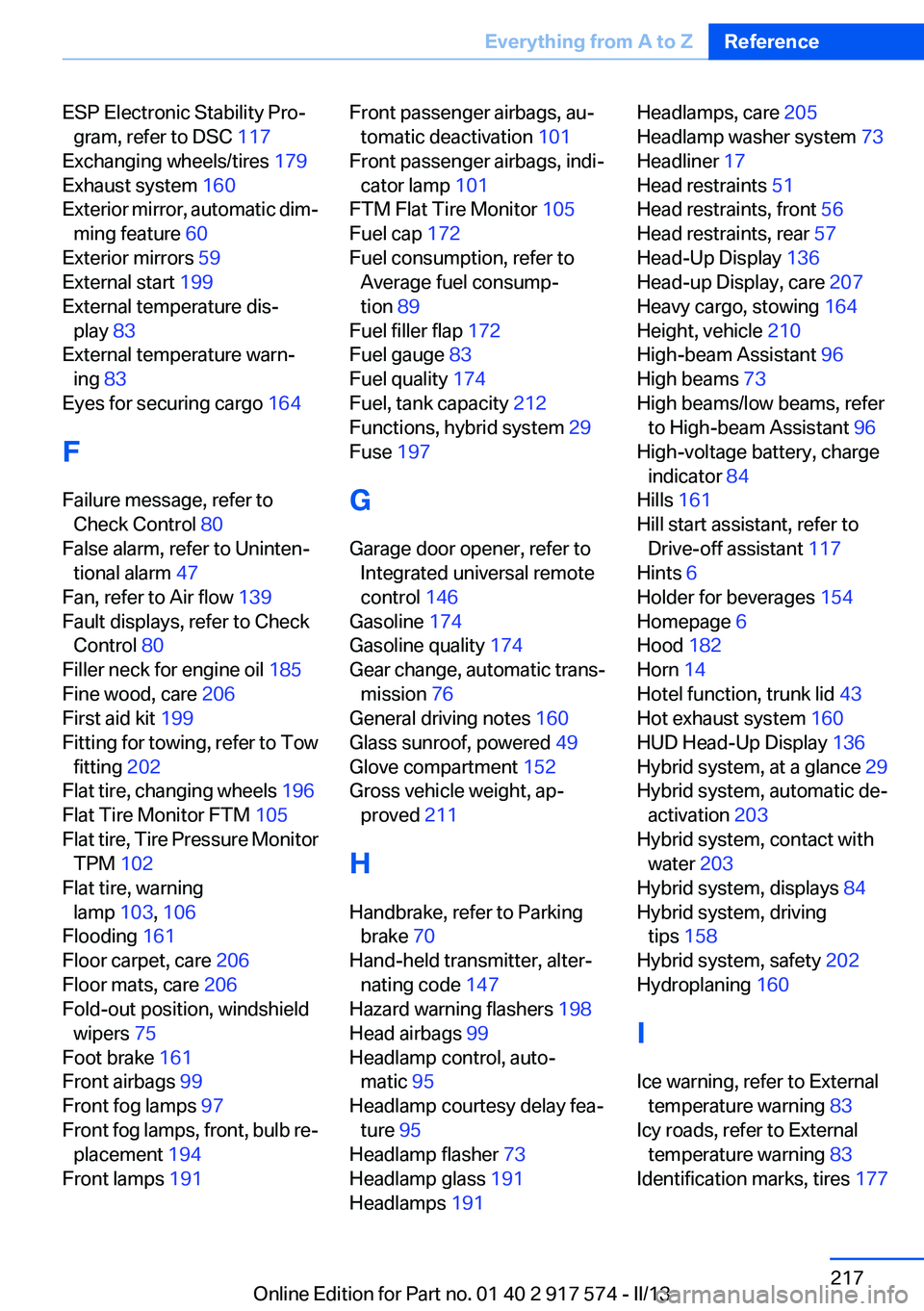
ESP Electronic Stability Pro‐gram, refer to DSC 117
Exchanging wheels/tires 179
Exhaust system 160
Exterior mirror, automatic dim‐ ming feature 60
Exterior mirrors 59
External start 199
External temperature dis‐ play 83
External temperature warn‐ ing 83
Eyes for securing cargo 164
F
Failure message, refer to Check Control 80
False alarm, refer to Uninten‐ tional alarm 47
Fan, refer to Air flow 139
Fault displays, refer to Check Control 80
Filler neck for engine oil 185
Fine wood, care 206
First aid kit 199
Fitting for towing, refer to Tow fitting 202
Flat tire, changing wheels 196
Flat Tire Monitor FTM 105
Flat tire, Tire Pressure Monitor TPM 102
Flat tire, warning lamp 103, 106
Flooding 161
Floor carpet, care 206
Floor mats, care 206
Fold-out position, windshield wipers 75
Foot brake 161
Front airbags 99
Front fog lamps 97
Front fog lamps, front, bulb re‐ placement 194
Front lamps 191 Front passenger airbags, au‐
tomatic deactivation 101
Front passenger airbags, indi‐ cator lamp 101
FTM Flat Tire Monitor 105
Fuel cap 172
Fuel consumption, refer to Average fuel consump‐
tion 89
Fuel filler flap 172
Fuel gauge 83
Fuel quality 174
Fuel, tank capacity 212
Functions, hybrid system 29
Fuse 197
G
Garage door opener, refer to Integrated universal remote
control 146
Gasoline 174
Gasoline quality 174
Gear change, automatic trans‐ mission 76
General driving notes 160
Glass sunroof, powered 49
Glove compartment 152
Gross vehicle weight, ap‐ proved 211
H
Handbrake, refer to Parking brake 70
Hand-held transmitter, alter‐ nating code 147
Hazard warning flashers 198
Head airbags 99
Headlamp control, auto‐ matic 95
Headlamp courtesy delay fea‐ ture 95
Headlamp flasher 73
Headlamp glass 191
Headlamps 191 Headlamps, care 205
Headlamp washer system 73
Headliner 17
Head restraints 51
Head restraints, front 56
Head restraints, rear 57
Head-Up Display 136
Head-up Display, care 207
Heavy cargo, stowing 164
Height, vehicle 210
High-beam Assistant 96
High beams 73
High beams/low beams, refer to High-beam Assistant 96
High-voltage battery, charge indicator 84
Hills 161
Hill start assistant, refer to Drive-off assistant 117
Hints 6
Holder for beverages 154
Homepage 6
Hood 182
Horn 14
Hotel function, trunk lid 43
Hot exhaust system 160
HUD Head-Up Display 136
Hybrid system, at a glance 29
Hybrid system, automatic de‐ activation 203
Hybrid system, contact with water 203
Hybrid system, displays 84
Hybrid system, driving tips 158
Hybrid system, safety 202
Hydroplaning 160
I
Ice warning, refer to External temperature warning 83
Icy roads, refer to External temperature warning 83
Identification marks, tires 177 Seite 217Everything from A to ZReference217
Online Edition for Part no. 01 40 2 917 574 - II/13