charging BMW I8 2014 I12 Owner's Guide
[x] Cancel search | Manufacturer: BMW, Model Year: 2014, Model line: I8, Model: BMW I8 2014 I12Pages: 216, PDF Size: 12.45 MB
Page 167 of 216
Settings are stored. When you change charg‐
ing locations you also might need to change
the setting for charging.
Set the charge current strength at other
household sockets to "Low".
Stopping charging process The charging operation can be stopped at any
time by removing the charging cable and con‐
tinued at a later time by connecting the charg‐
ing cable in order to use other loads on the
power connection or to prevent simultaneous
high power from multiple loads.
The charging operation is interrupted when the
vehicle is unlocked and automatically resumed
after a brief time or when it is locked.
Continue charging operation If the charging operation is interrupted, e.g.,
through a temporary power failure, the charg‐
ing operation is automatically continued after
the interruption.
Terminating charging process1.Removing the charging cable from the ve‐
hicle, refer to page 148.2.Stow the charging cable as required.3.Close the charging port flap.4.Lock vehicle if it is unlocked.
Displays in the instrument
cluster
The charging state indicator light shows the
charging state of the high-voltage battery in
the instrument cluster, if operating readiness is
turned on. If all segments are filled, the high-
voltage battery is fully charged.
Even if no segments are filled, the high-voltage
system is still under high voltage.
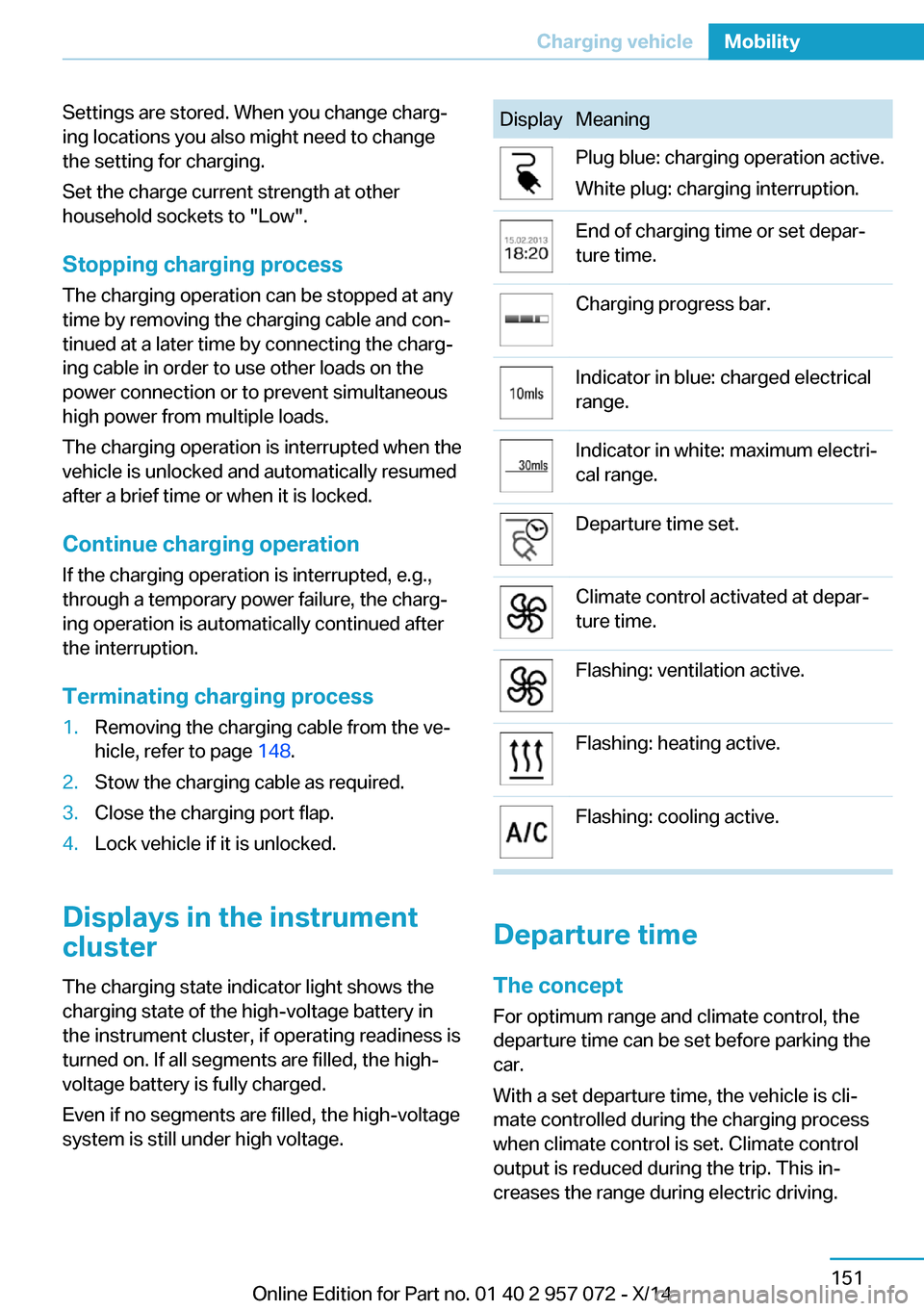
DisplayMeaningPlug blue: charging operation active.
White plug: charging interruption.End of charging time or set depar‐
ture time.Charging progress bar.Indicator in blue: charged electrical
range.Indicator in white: maximum electri‐
cal range.Departure time set.Climate control activated at depar‐
ture time.Flashing: ventilation active.Flashing: heating active.Flashing: cooling active.
Departure time
The concept For optimum range and climate control, the
departure time can be set before parking the
car.
With a set departure time, the vehicle is cli‐
mate controlled during the charging process
when climate control is set. Climate control
output is reduced during the trip. This in‐
creases the range during electric driving.
Seite 151Charging vehicleMobility151
Online Edition for Part no. 01 40 2 957 072 - X/14
Page 168 of 216
The following settings are possible at depar‐
ture time:▷Climate control at departure time.▷Planning a one-time departure time.▷Planning of up to three regular departure
times per day of the week.
If drive readiness is switched off, changes can
be made on the Control Display. Departure
time can only be changed once. Scheduled de‐
parture times are not adjusted. Settings for cli‐
mate control and charging operation are also
applied for scheduled departure times.
Climate control at departure time
1."Settings"2."Departure time"3."Precond. for departure"
Setting departure time
1."Settings"2."Departure time"3."Departure 1:"4.Set the day of the week if needed.
Turn the controller until the desired day of
the week is set and press the controller.
To select other days of the week, repeat
the operation.5.Set the time.
Turn the controller until the desired time is
set and press the controller.
Up to three departure times can be set.
Activating the departure time
1."Settings"2."Departure time"
Set departure times are displayed.3.E. g. "Activate depart. time 1"
Up to three departure times can be activated.
The set departure time will be deactivated, if
the departure time was ignored three times in
a row.
Climate control General information
The following settings for climate control of
the vehicle are possible:▷Activate stationary climate control immedi‐
ately, refer to page 123.
With stationary climate control activated
and no charging cable connected, the
range is reduced.▷Planned climate control at the set depar‐
ture time, refer to page 124.
Discharged high-voltage and
vehicle battery
General information
In addition to the high-voltage battery, the ve‐
hicle has a 12 volt vehicle battery, which is re‐
quired for operation of the onboard electron‐
ics.
With a discharged vehicle battery, no operation
of the vehicle is possible.
Place vehicle in service To place the vehicle in service, charge as
usual.
If there is no possibility of charging on site,
contact the service center.
Charging vehicle with a discharged
vehicle battery
1.Unlock the vehicle, if needed, using the
integrated key, refer to page 36.2.Secure the vehicle against rolling.Seite 152MobilityCharging vehicle152
Online Edition for Part no. 01 40 2 957 072 - X/14
Page 169 of 216
3.Connect either a Level 1 or Level 2 charg‐
ing cable to the household socket or the
port on the charging station.4.Attach charging cable corresponding to
the charging socket connection.
Charging is started. The charging status is
not displayed. Do not open vehicle during
this time.
After several minutes, the vehicle is slightly
charged. The onboard electronics are ready
again. It is again possible to open the vehicle.
The charging status as well as the charging
state of the high-voltage battery can be dis‐
played again.
If the vehicle battery cannot be charged, con‐
tact the service center.
Seite 153Charging vehicleMobility153
Online Edition for Part no. 01 40 2 957 072 - X/14
Page 172 of 216
Observe the following when
refueling
The fuel tank is full when the filler nozzle clicks
off the first time.
Do not overfill the fuel tank
Do not overfill the fuel tank; otherwise
fuel may eslide, causing harm to the environ‐
ment and damaging the vehicle.◀
Handling fuels
Observe safety regulations posted at the
gas station.◀
No simultaneous charging and refueling
Do not refuel while a charging cable is
plugged in, and maintain an adequate safety
distance from highly flammable materials. Oth‐
erwise, there is a danger of personal injury and
property damage from burning fuel vapors,
e.g., if the charging cable is improperly plug‐
ged in or unplugged.◀Seite 156MobilityRefueling156
Online Edition for Part no. 01 40 2 957 072 - X/14
Page 189 of 216
HintsDo not perform any work on the lighting
system
Have any work on the lighting system, includ‐
ing bulb replacement, performed only by a
service center. Due to the high voltage present
in the system, there is a danger of fatal injuries
if work is carried out improperly.◀
Irritation of the retina
Never look directly into the headlights or
their light sources for a lengthy period of time,
otherwise this could irritate your retinas.◀
Do not remove the covers
Do not remove the covers, and never
stare into the unfiltered light for several hours;
otherwise, irritation of the retina could result.◀
Changing wheels
Hints
When sealants are used, an immediate wheel
change when there is a loss of tire inflation
pressure in the event of a flat tire is unneces‐
sary.
Which is why no spare tire is available.
The tools for changing wheels are available as
accessories from your service center.
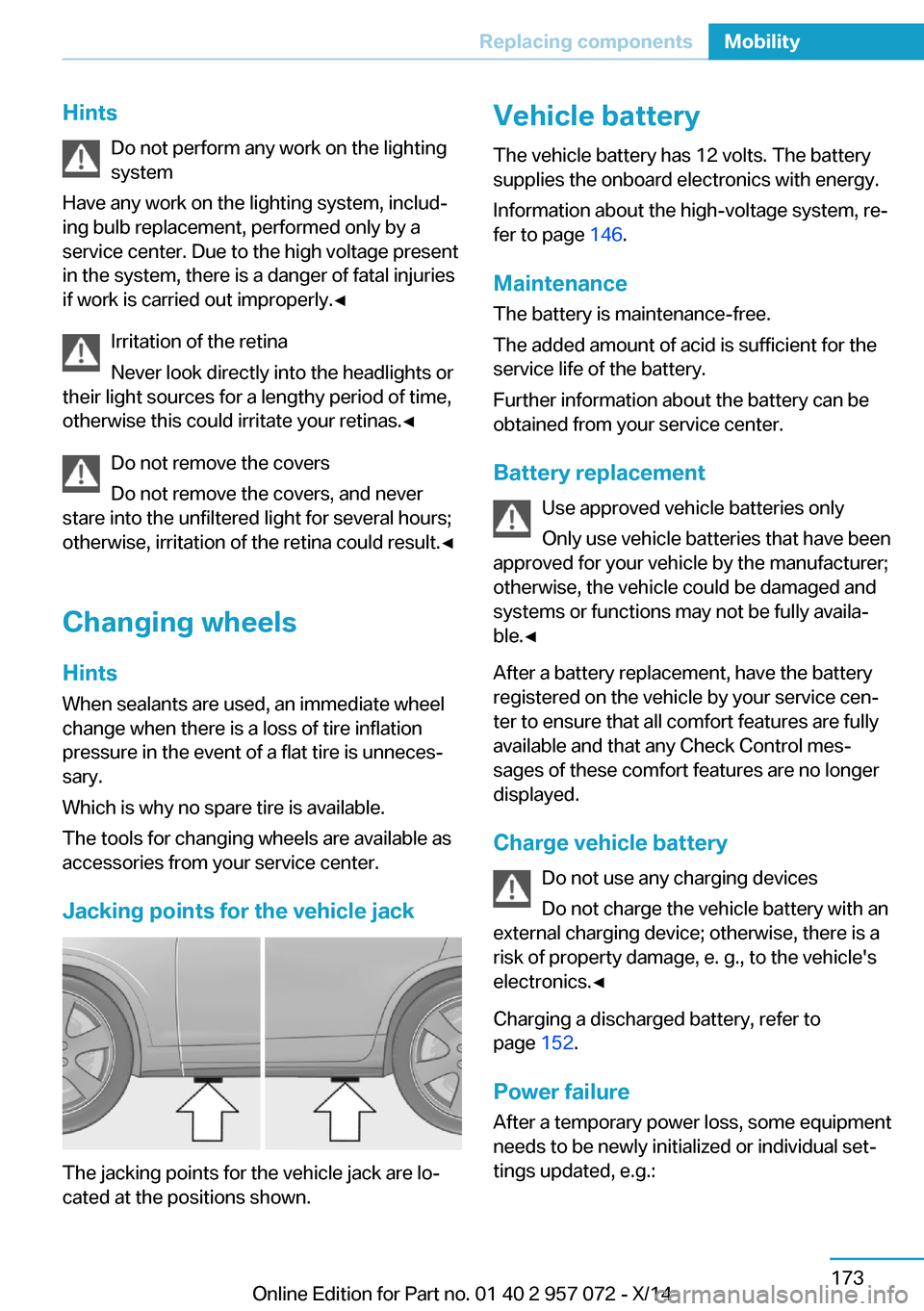
Jacking points for the vehicle jack
The jacking points for the vehicle jack are lo‐
cated at the positions shown.
Vehicle battery
The vehicle battery has 12 volts. The battery
supplies the onboard electronics with energy.
Information about the high-voltage system, re‐
fer to page 146.
Maintenance
The battery is maintenance-free.
The added amount of acid is sufficient for the
service life of the battery.
Further information about the battery can be
obtained from your service center.
Battery replacement Use approved vehicle batteries only
Only use vehicle batteries that have been
approved for your vehicle by the manufacturer;
otherwise, the vehicle could be damaged and
systems or functions may not be fully availa‐
ble.◀
After a battery replacement, have the battery
registered on the vehicle by your service cen‐
ter to ensure that all comfort features are fully
available and that any Check Control mes‐
sages of these comfort features are no longer
displayed.
Charge vehicle battery Do not use any charging devices
Do not charge the vehicle battery with an
external charging device; otherwise, there is a
risk of property damage, e. g., to the vehicle's
electronics.◀
Charging a discharged battery, refer to
page 152.
Power failure
After a temporary power loss, some equipment
needs to be newly initialized or individual set‐
tings updated, e.g.:Seite 173Replacing componentsMobility173
Online Edition for Part no. 01 40 2 957 072 - X/14
Page 192 of 216
steps to help you under certain circum‐
stances.
For this, data are transmitted to the BMW
Response Center which serve to deter‐
mine the necessary rescue measures. E. g.
the current position of the vehicle, if it can
be established.▷If the LED is flashing green, but the BMW
Response Center can no longer be heard
via the speaker, you can nevertheless still
be heard at the BMW Response Center.
Initiating an Emergency Request
automatically
Under certain conditions, an Emergency Re‐
quest is automatically initiated immediately af‐
ter a severe accident. Automatic Collision Noti‐
fication is not affected by pressing the SOS
button.
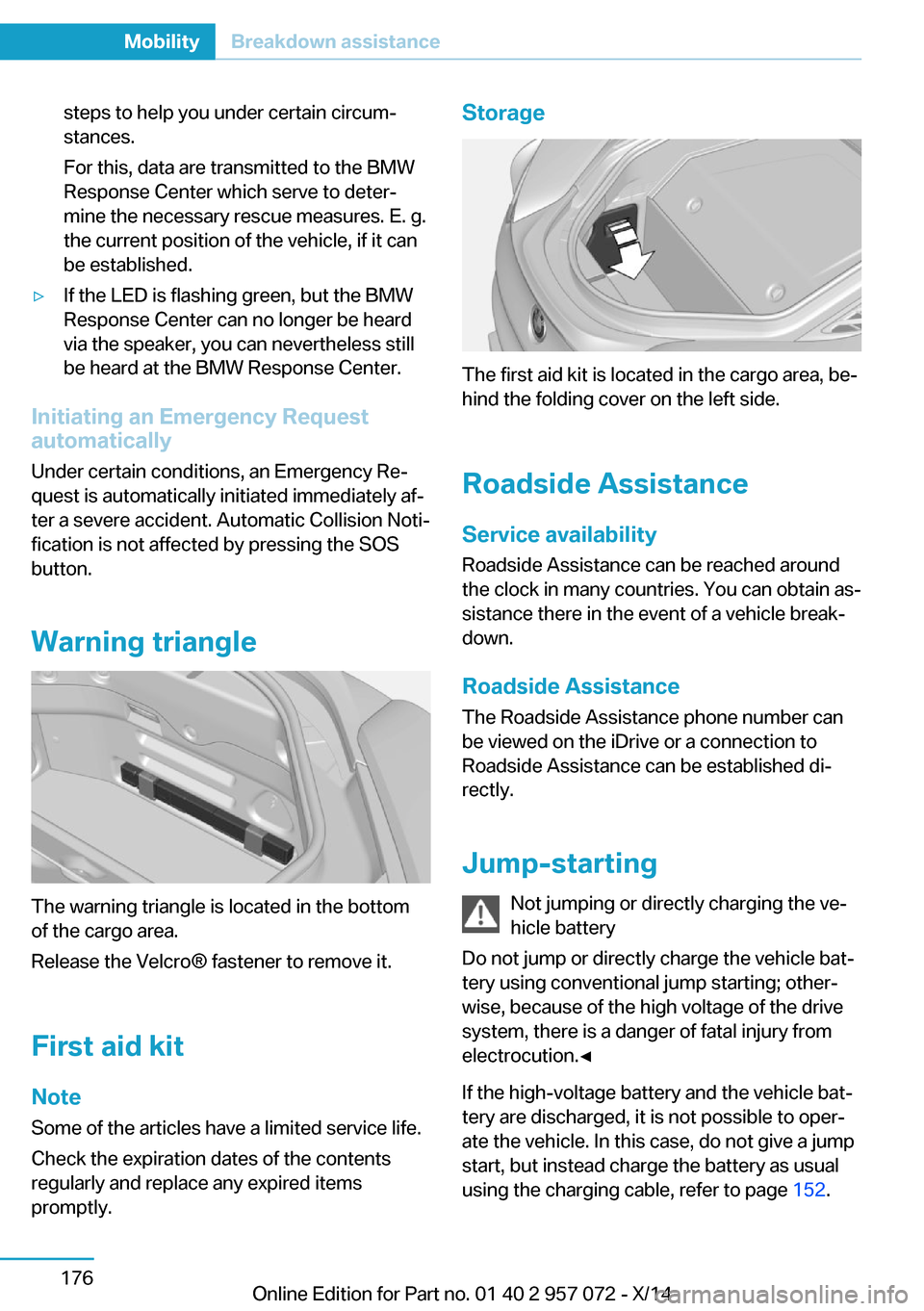
Warning triangle
The warning triangle is located in the bottom
of the cargo area.
Release the Velcro® fastener to remove it.
First aid kit NoteSome of the articles have a limited service life.
Check the expiration dates of the contents
regularly and replace any expired items
promptly.
Storage
The first aid kit is located in the cargo area, be‐
hind the folding cover on the left side.
Roadside Assistance
Service availability Roadside Assistance can be reached around
the clock in many countries. You can obtain as‐
sistance there in the event of a vehicle break‐
down.
Roadside Assistance The Roadside Assistance phone number can
be viewed on the iDrive or a connection to
Roadside Assistance can be established di‐
rectly.
Jump-starting Not jumping or directly charging the ve‐
hicle battery
Do not jump or directly charge the vehicle bat‐
tery using conventional jump starting; other‐
wise, because of the high voltage of the drive
system, there is a danger of fatal injury from
electrocution.◀
If the high-voltage battery and the vehicle bat‐
tery are discharged, it is not possible to oper‐
ate the vehicle. In this case, do not give a jump
start, but instead charge the battery as usual
using the charging cable, refer to page 152.
Seite 176MobilityBreakdown assistance176
Online Edition for Part no. 01 40 2 957 072 - X/14
Page 196 of 216
CareVehicle features and optionsThis chapter describes all standard, country-
specific and optional features offered with the
series. It also describes features that are not
necessarily available in your car, e. g., due to
the selected options or country versions. This
also applies to safety-related functions and
systems.
Car washes
General information
Regularly remove foreign objects, e.g. leaves,
from the air outlet grills in the hood.
Wash your vehicle frequently, particularly in
winter. Intense soiling and road salt can dam‐
age the vehicle.
Hints Closing the charging port flap
Close the charging port flap while wash‐
ing the vehicle. Otherwise, the vehicle could be
damaged.◀
Steam jets or high-pressure washers
When using steam jets or high-pressure
washers, hold them a sufficient distance away
and use a maximum temperature of
140 ℉/60 ℃.
Ensure that a distance of at least 31.5 in‐
ches/80 cm from the charging port flap is
maintained. Holding them too close or using
excessively high pressures or temperatures
can cause damage or preliminary damage that
may then lead to long-term damage.
Follow the user's manual for the high-pressure
washer.◀Cleaning sensors/cameras with high-
pressure washers
When using high-pressure washers, do not
spray the exterior sensors and cameras, e.g.,
Park Distance Control, for extended periods of
time and only from a distance of at least
12 in/30 cm.◀
Have the charging port cleaned by
trained personnel
If the charging port is dirty, have the car
cleaned only by appropriately trained person‐
nel. Otherwise, there is a danger of injury from
high voltage.◀
Automatic car washes
Hints▷Give preference to cloth car washes or
those that use soft brushes in order to
avoid paint damage.▷Make sure that the wheels and tires are not
damaged by the transport mechanisms.▷Fold in the exterior mirrors; otherwise, they
may be damaged, depending on the width
of the vehicle.▷Deactivate the rain sensor, refer to
page 66, to avoid unintentional wiper acti‐
vation.▷In some cases, an unintentional alarm can
be triggered by the interior motion sensor
of the alarm system. Follow the instruc‐
tions on avoiding an unintentional alarm,
refer to page 46.
Guide rails in car washes
Avoid car washes with guide rails higher
than 4 in/10 cm; otherwise, the vehicle body
could be damaged.◀
Seite 180MobilityCare180
Online Edition for Part no. 01 40 2 957 072 - X/14
Page 199 of 216
Do not place additional floor mats over existing
mats or other objects.
Only use floor mats that have been approved
for the vehicle and can be properly attached to
floor.
Ensure that the floor mats are securely fas‐
tened again after they were removed for clean‐
ing, e.g.◀
Floor mats can be removed from the car's inte‐
rior for cleaning.
If the floor carpets are very dirty, clean with a
microfiber cloth and water or a textile cleaner.
To prevent matting of the carpet, rub back and
forth in the direction of travel only.
Sensors/cameras
To clean sensors and cameras, use a cloth
moistened with a small amount of glass
cleaner.
Displays/monitors Cleaning displays and screens
Do not use any chemical or household
cleaning agents; otherwise, surfaces can be af‐
fected.◀
Keeping out moisture
Keep all fluids and moisture away from
the unit; otherwise, electrical components can
be damaged.◀
Avoid pressure
Avoid pressing too hard when cleaning
and do not use abrasive materials; otherwise,
damage can result.◀
Clean with a clean, antistatic microfiber cloth.
Long idle times and long-term vehicle
storage
Do not allow the vehicle to sit idle for ex‐
tended periods with a low charging state
Before storing the vehicle for an extended pe‐
riod, check the battery charge indicator to en‐sure that the high-voltage battery is fully
charged. For longer idle times, park the vehicle
with a charging plug plugged into a suitable
power source. Regularly check charging state.
Otherwise, the high-voltage battery can be
damaged when there is excessive discharge.◀
For idle phases that last several weeks, park
the vehicle with a fully charged battery if possi‐
ble.
Do not park the vehicle for longer than 14 days
if the electric range is less than 6 mls, approx.
10 km.
With storage times of up to three months, if
possible plug the vehicle into a suitable power
source or park it in a nearly fully charged state.
Note The service center can advise you on what to
consider when storing the vehicle for longer
than three months.Seite 183CareMobility183
Online Edition for Part no. 01 40 2 957 072 - X/14
Page 206 of 216
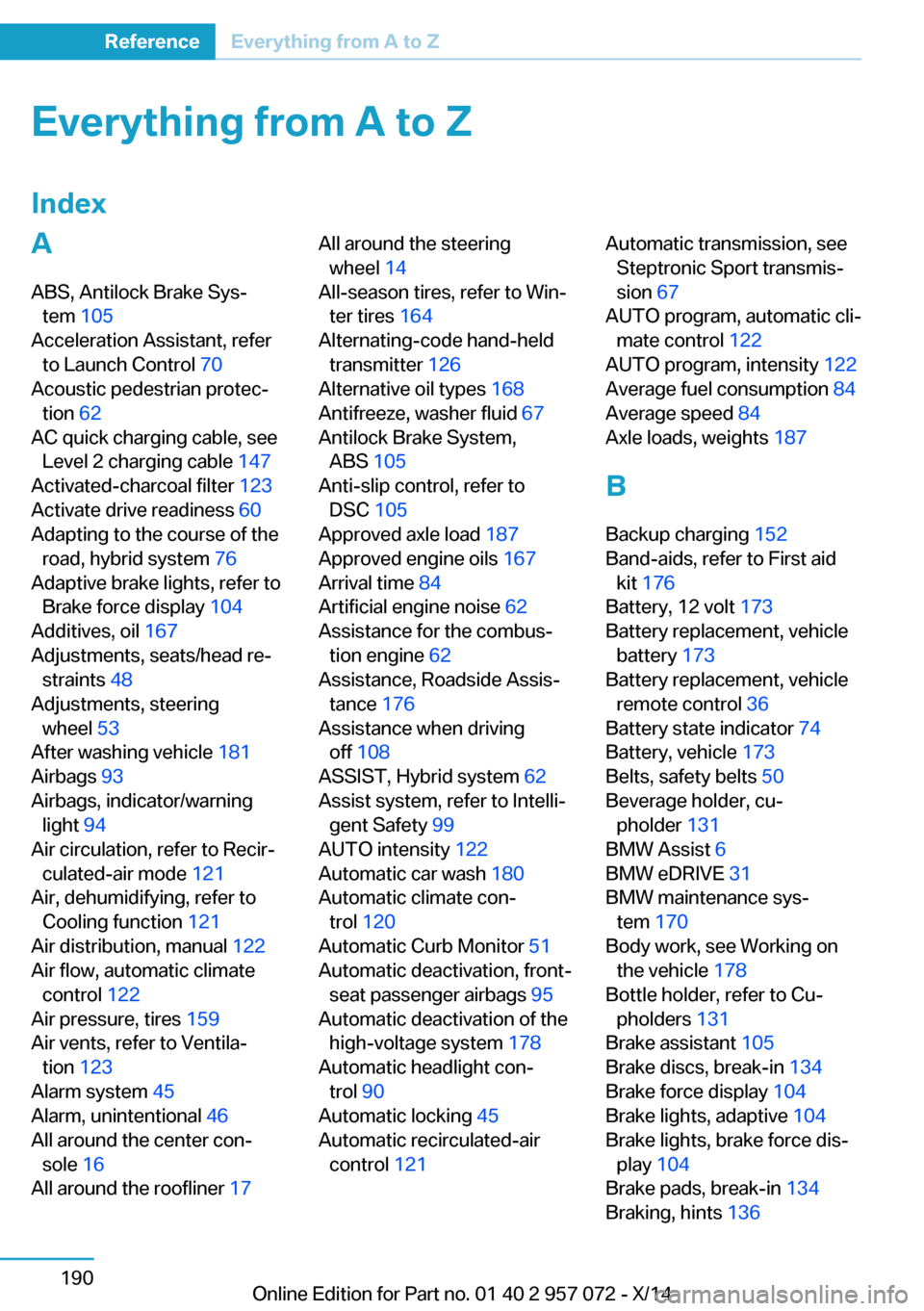
Everything from A to Z
IndexA ABS, Antilock Brake Sys‐ tem 105
Acceleration Assistant, refer to Launch Control 70
Acoustic pedestrian protec‐ tion 62
AC quick charging cable, see Level 2 charging cable 147
Activated-charcoal filter 123
Activate drive readiness 60
Adapting to the course of the road, hybrid system 76
Adaptive brake lights, refer to Brake force display 104
Additives, oil 167
Adjustments, seats/head re‐ straints 48
Adjustments, steering wheel 53
After washing vehicle 181
Airbags 93
Airbags, indicator/warning light 94
Air circulation, refer to Recir‐ culated-air mode 121
Air, dehumidifying, refer to Cooling function 121
Air distribution, manual 122
Air flow, automatic climate control 122
Air pressure, tires 159
Air vents, refer to Ventila‐ tion 123
Alarm system 45
Alarm, unintentional 46
All around the center con‐ sole 16
All around the roofliner 17 All around the steering
wheel 14
All-season tires, refer to Win‐ ter tires 164
Alternating-code hand-held transmitter 126
Alternative oil types 168
Antifreeze, washer fluid 67
Antilock Brake System, ABS 105
Anti-slip control, refer to DSC 105
Approved axle load 187
Approved engine oils 167
Arrival time 84
Artificial engine noise 62
Assistance for the combus‐ tion engine 62
Assistance, Roadside Assis‐ tance 176
Assistance when driving off 108
ASSIST, Hybrid system 62
Assist system, refer to Intelli‐ gent Safety 99
AUTO intensity 122
Automatic car wash 180
Automatic climate con‐ trol 120
Automatic Curb Monitor 51
Automatic deactivation, front- seat passenger airbags 95
Automatic deactivation of the high-voltage system 178
Automatic headlight con‐ trol 90
Automatic locking 45
Automatic recirculated-air control 121 Automatic transmission, see
Steptronic Sport transmis‐
sion 67
AUTO program, automatic cli‐ mate control 122
AUTO program, intensity 122
Average fuel consumption 84
Average speed 84
Axle loads, weights 187
B Backup charging 152
Band-aids, refer to First aid kit 176
Battery, 12 volt 173
Battery replacement, vehicle battery 173
Battery replacement, vehicle remote control 36
Battery state indicator 74
Battery, vehicle 173
Belts, safety belts 50
Beverage holder, cu‐ pholder 131
BMW Assist 6
BMW eDRIVE 31
BMW maintenance sys‐ tem 170
Body work, see Working on the vehicle 178
Bottle holder, refer to Cu‐ pholders 131
Brake assistant 105
Brake discs, break-in 134
Brake force display 104
Brake lights, adaptive 104
Brake lights, brake force dis‐ play 104
Brake pads, break-in 134
Braking, hints 136 Seite 190ReferenceEverything from A to Z190
Online Edition for Part no. 01 40 2 957 072 - X/14
Page 207 of 216
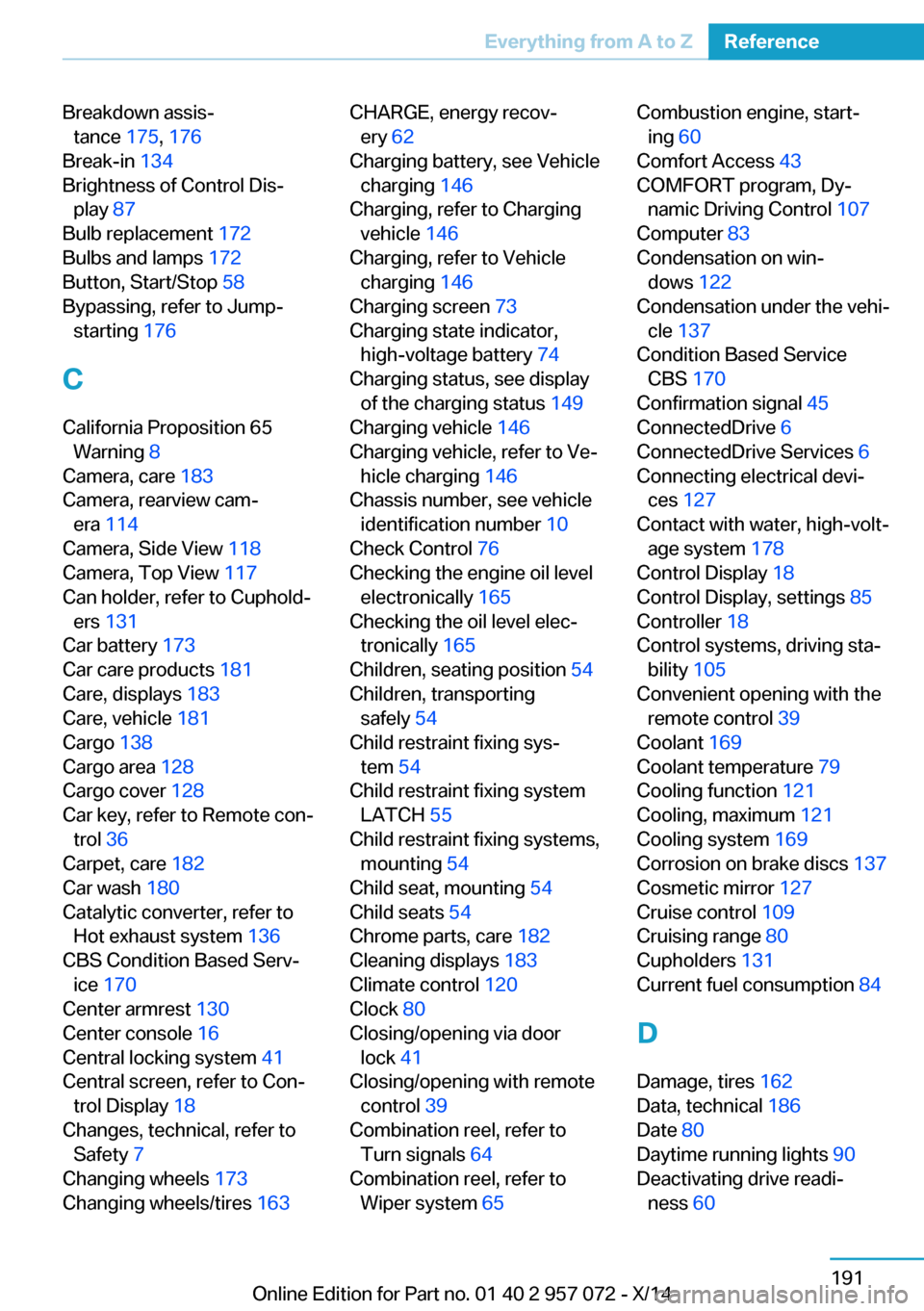
Breakdown assis‐tance 175, 176
Break-in 134
Brightness of Control Dis‐ play 87
Bulb replacement 172
Bulbs and lamps 172
Button, Start/Stop 58
Bypassing, refer to Jump- starting 176
C
California Proposition 65 Warning 8
Camera, care 183
Camera, rearview cam‐ era 114
Camera, Side View 118
Camera, Top View 117
Can holder, refer to Cuphold‐ ers 131
Car battery 173
Car care products 181
Care, displays 183
Care, vehicle 181
Cargo 138
Cargo area 128
Cargo cover 128
Car key, refer to Remote con‐ trol 36
Carpet, care 182
Car wash 180
Catalytic converter, refer to Hot exhaust system 136
CBS Condition Based Serv‐ ice 170
Center armrest 130
Center console 16
Central locking system 41
Central screen, refer to Con‐ trol Display 18
Changes, technical, refer to Safety 7
Changing wheels 173
Changing wheels/tires 163 CHARGE, energy recov‐
ery 62
Charging battery, see Vehicle charging 146
Charging, refer to Charging vehicle 146
Charging, refer to Vehicle charging 146
Charging screen 73
Charging state indicator, high-voltage battery 74
Charging status, see display of the charging status 149
Charging vehicle 146
Charging vehicle, refer to Ve‐ hicle charging 146
Chassis number, see vehicle identification number 10
Check Control 76
Checking the engine oil level electronically 165
Checking the oil level elec‐ tronically 165
Children, seating position 54
Children, transporting safely 54
Child restraint fixing sys‐ tem 54
Child restraint fixing system LATCH 55
Child restraint fixing systems, mounting 54
Child seat, mounting 54
Child seats 54
Chrome parts, care 182
Cleaning displays 183
Climate control 120
Clock 80
Closing/opening via door lock 41
Closing/opening with remote control 39
Combination reel, refer to Turn signals 64
Combination reel, refer to Wiper system 65 Combustion engine, start‐
ing 60
Comfort Access 43
COMFORT program, Dy‐ namic Driving Control 107
Computer 83
Condensation on win‐ dows 122
Condensation under the vehi‐ cle 137
Condition Based Service CBS 170
Confirmation signal 45
ConnectedDrive 6
ConnectedDrive Services 6
Connecting electrical devi‐ ces 127
Contact with water, high-volt‐ age system 178
Control Display 18
Control Display, settings 85
Controller 18
Control systems, driving sta‐ bility 105
Convenient opening with the remote control 39
Coolant 169
Coolant temperature 79
Cooling function 121
Cooling, maximum 121
Cooling system 169
Corrosion on brake discs 137
Cosmetic mirror 127
Cruise control 109
Cruising range 80
Cupholders 131
Current fuel consumption 84
D
Damage, tires 162
Data, technical 186
Date 80
Daytime running lights 90
Deactivating drive readi‐ ness 60 Seite 191Everything from A to ZReference191
Online Edition for Part no. 01 40 2 957 072 - X/14