ECO mode BMW I8 2015 I12 User Guide
[x] Cancel search | Manufacturer: BMW, Model Year: 2015, Model line: I8, Model: BMW I8 2015 I12Pages: 224, PDF Size: 12.46 MB
Page 83 of 224
If the vehicle is slowed down down to a speed
of approx. 2 mph/3 km/h the parking brake is
set.
Releasing
With drive readiness switched on:
Press the reel while stepping on the
brake pedal or selector lever position P is
set.
The LED and indicator lamp go out.
The parking brake is released.
Automatic release For automatic release, step on the accelerator
pedal.
The LED and indicator lamp go out.
The parking brake is automatically released
when you step on the accelerator:▷Drive readiness switched on.▷Drive mode engaged.▷Driver buckled in and doors closed.
Inadvertent operation of the accelerator
pedal
Make sure that the accelerator pedal is not op‐
erated unintentionally; otherwise, the vehicle is
set in motion and there is a risk of an acci‐
dent.◀
Malfunction In the event of a failure or malfunction of the
parking brake, secure the vehicle against roll‐
ing using a wheel chock, e.g., when leaving it.
After a power failure
Putting the parking brake into
operation
1.Switch on the ignition.2. Press the reel while stepping on the
brake pedal or selector lever position P is
set.
It may take several seconds for the brake to be
put into operation. Any sounds associated with
this are normal.
The indicator lamp in the instrument
cluster goes out as soon as the parking
brake is ready for operation.
Turn signal, high beams,
headlight flasher
Turn signal
Hints Do not adjust the exterior mirrors
Do not adjust the exterior mirror while
driving and when turn signals/hazard warning
flashers are on, or else the additional turn sig‐
nal lights in the exterior mirror are out of posi‐
tion and can't be seen.◀
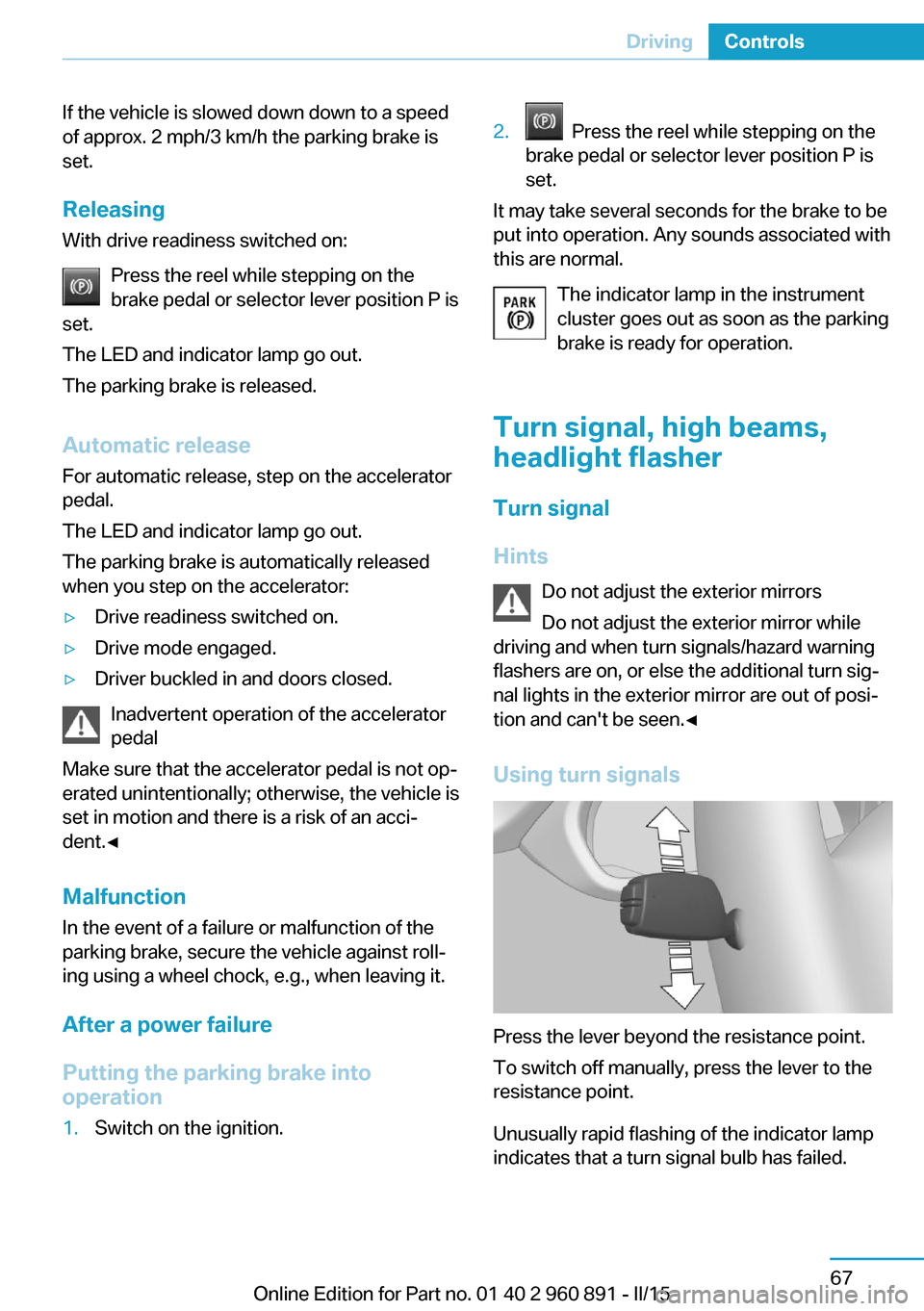
Using turn signals
Press the lever beyond the resistance point.
To switch off manually, press the lever to the
resistance point.
Unusually rapid flashing of the indicator lamp
indicates that a turn signal bulb has failed.
Seite 67DrivingControls67
Online Edition for Part no. 01 40 2 960 891 - II/15
Page 88 of 224
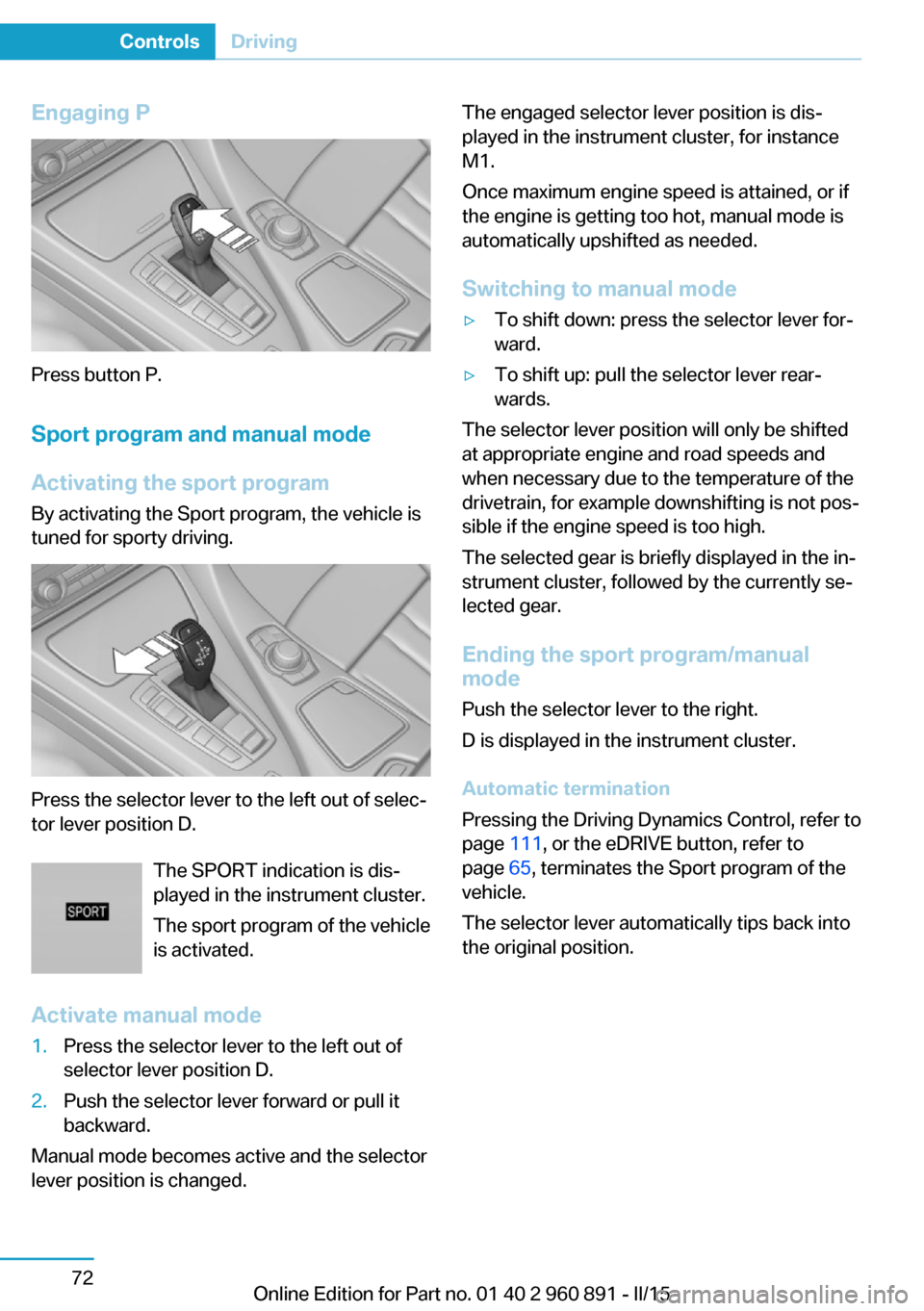
Engaging P
Press button P.Sport program and manual mode
Activating the sport program By activating the Sport program, the vehicle is
tuned for sporty driving.
Press the selector lever to the left out of selec‐
tor lever position D.
The SPORT indication is dis‐
played in the instrument cluster.
The sport program of the vehicle
is activated.
Activate manual mode
1.Press the selector lever to the left out of
selector lever position D.2.Push the selector lever forward or pull it
backward.
Manual mode becomes active and the selector
lever position is changed.
The engaged selector lever position is dis‐
played in the instrument cluster, for instance
M1.
Once maximum engine speed is attained, or if
the engine is getting too hot, manual mode is
automatically upshifted as needed.
Switching to manual mode▷To shift down: press the selector lever for‐
ward.▷To shift up: pull the selector lever rear‐
wards.
The selector lever position will only be shifted
at appropriate engine and road speeds and
when necessary due to the temperature of the
drivetrain, for example downshifting is not pos‐
sible if the engine speed is too high.
The selected gear is briefly displayed in the in‐
strument cluster, followed by the currently se‐
lected gear.
Ending the sport program/manual
mode
Push the selector lever to the right.
D is displayed in the instrument cluster.
Automatic termination
Pressing the Driving Dynamics Control, refer to
page 111, or the eDRIVE button, refer to
page 65, terminates the Sport program of the
vehicle.
The selector lever automatically tips back into
the original position.
Seite 72ControlsDriving72
Online Edition for Part no. 01 40 2 960 891 - II/15
Page 92 of 224

10Overall range 8311Battery charge indicator 7712Fuel gauge 8213Computer 87Variable drive mode displays
ECO PRO displays In ECO PRO, the instrument cluster switches
to the ECO PRO displays. These displays sup‐
port a driving style that saves on fuel con‐
sumption with more prominent representation
of the efficiency display and various ECO PRO
tips. ECO PRO, refer to page 145.Sport program displays
In the Sport program, the instrument cluster
switches the instrument cluster to the Sport
displays. These displays support a sporty driv‐
ing style with more prominent representation
of the tachometer and a clearer representation
of the eBOOST performance in the form of a
blue illuminated ring.
Charging screen
1Charging status 1552End of charging time 155
Departure time with timer 1563Maximum electrical range 1554Stationary climate control 1565Range for electric driving 1556Charging state 77Seite 76ControlsDisplays76
Online Edition for Part no. 01 40 2 960 891 - II/15
Page 93 of 224

Displays of the hybrid
system
Displays in the instrument cluster
The concept The following functions of the hybrid system
are displayed:▷High-voltage battery charge indicator, refer
to page 77.▷Max eDrive, refer to page 64▷Maintaining charging state, refer to
page 78.▷Electric driving: ePOWER, refer to
page 77.▷Acceleration boost: eBOOST, refer to
page 78.▷Energy recovery: CHARGE, refer to
page 78.▷Drive readiness: READY, refer to
page 77.
The display depends on the system's operat‐
ing condition.
High-voltage battery charge indicator
High voltage
Even if no fill level bars are displayed next
to the battery symbol, the high-voltage system
is still under high voltage.◀
The fill level bars indicate the available charg‐
ing state of the high-voltage battery when op‐
erating readiness and drive readiness are
switched on.
In addition, the range for electric driving is dis‐
played.
Drive readiness: READY READY indicates drive readi‐
ness. For further information,
please refer to Drive readiness
in detail, refer to page 62.
Electric driving: ePOWER
The inner narrow blue stripe, arrow 1, marks
the range for electric driving.
If a white mark is located in the range after the
stripe, arrow 2, the combustion engine is
switched on.
In COMFORT and ECO PRO driving mode, the
specified power of the electric motor and the
internal combustion engine is indicated by a
white mark, arrow 3.
In ECO PRO mode, the range for efficient driv‐
ing style is colored blue, arrow 4.
For further information, please refer to Electric
driving: eDRIVE, refer to page 64.
Seite 77DisplaysControls77
Online Edition for Part no. 01 40 2 960 891 - II/15
Page 94 of 224
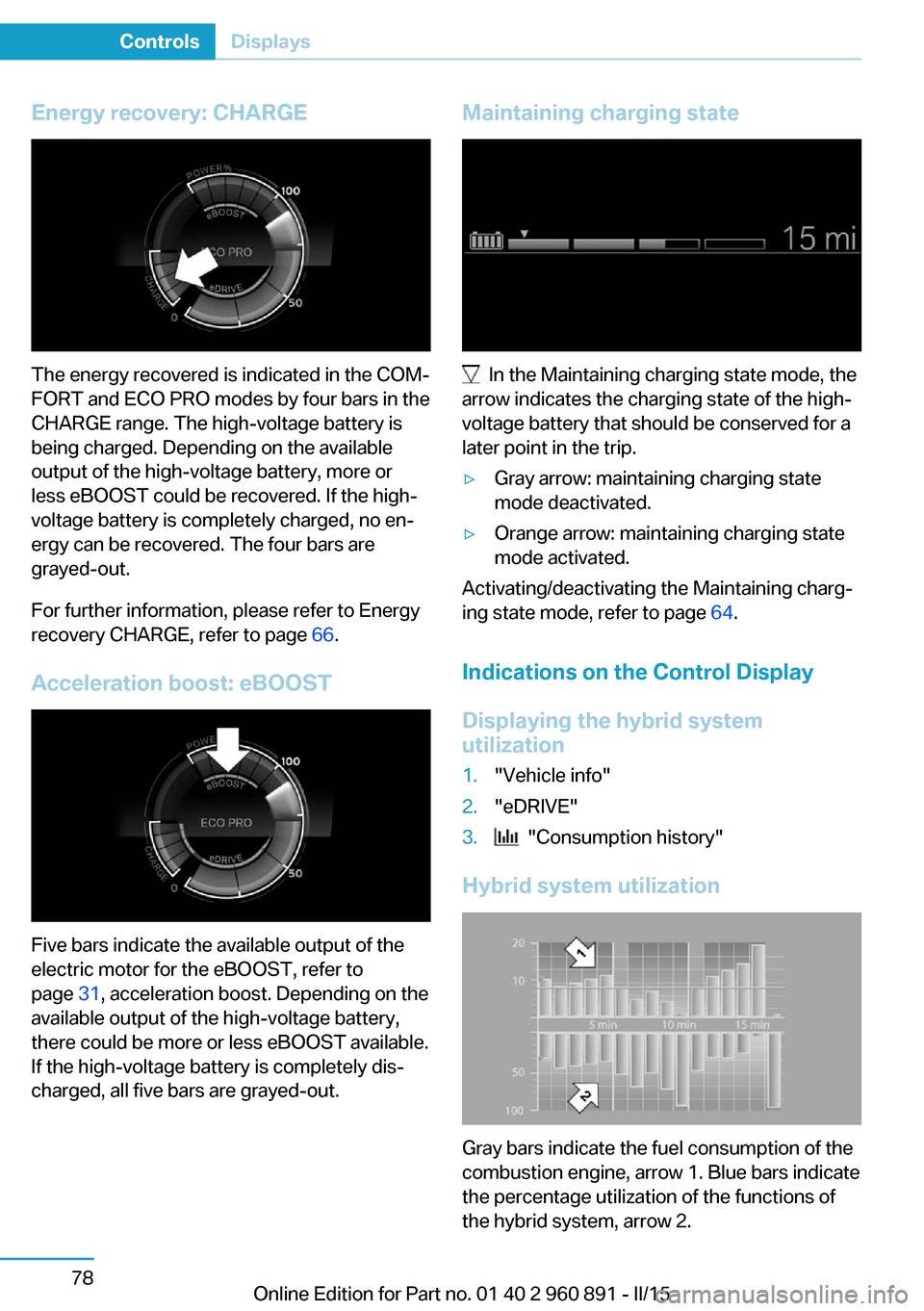
Energy recovery: CHARGE
The energy recovered is indicated in the COM‐
FORT and ECO PRO modes by four bars in the
CHARGE range. The high-voltage battery is
being charged. Depending on the available
output of the high-voltage battery, more or
less eBOOST could be recovered. If the high-
voltage battery is completely charged, no en‐
ergy can be recovered. The four bars are
grayed-out.
For further information, please refer to Energy
recovery CHARGE, refer to page 66.
Acceleration boost: eBOOST
Five bars indicate the available output of the
electric motor for the eBOOST, refer to
page 31, acceleration boost. Depending on the
available output of the high-voltage battery,
there could be more or less eBOOST available.
If the high-voltage battery is completely dis‐
charged, all five bars are grayed-out.
Maintaining charging state
In the Maintaining charging state mode, the
arrow indicates the charging state of the high-
voltage battery that should be conserved for a
later point in the trip.
▷Gray arrow: maintaining charging state
mode deactivated.▷Orange arrow: maintaining charging state
mode activated.
Activating/deactivating the Maintaining charg‐
ing state mode, refer to page 64.
Indications on the Control Display
Displaying the hybrid system
utilization
1."Vehicle info"2."eDRIVE"3. "Consumption history"
Hybrid system utilization
Gray bars indicate the fuel consumption of the
combustion engine, arrow 1. Blue bars indicate
the percentage utilization of the functions of
the hybrid system, arrow 2.
Seite 78ControlsDisplays78
Online Edition for Part no. 01 40 2 960 891 - II/15
Page 101 of 224
Gear shift indicatorThe conceptThe system recommends the most fuel effi‐
cient gear for the current driving situation.
Depending on the vehicle's features and coun‐
try version of the vehicle, the gear shift indica‐
tor is active in the manual mode of the Step‐
tronic transmission.
Suggestions to shift gear up or down are dis‐
played in the instrument cluster.
The gear shift indicator is not available when
Max eDRIVE is activated.
On vehicles without a gear shift indicator, the
engaged gear is displayed.
DisplaysExampleDescriptionFuel efficient gear is set.Shift into fuel efficient gear.
Speed limit detection
The concept
Speed limit detection
Speed limit detection uses a symbol in the
shape of a traffic sign to display the currently
detected speed limit. The camera in the area of
the interior rearview mirror detects traffic signs
at the edge of the road as well as variable over‐
head sign posts. Traffic signs with extra sym‐
bols for wet road conditions, etc. are also de‐
tected and compared with the vehicle's
onboard data, such as for the rain sensor, and
will be displayed depending on the situation.
The system takes into account the information
stored in the navigation system and also dis‐
plays speed limits present on routes without
signs.
Hints Personal judgment
The system cannot serve as a substitute
for the driver's personal judgment of the traffic
situation.
The system assists the driver and does not re‐
place the human eye.◀
At a glance
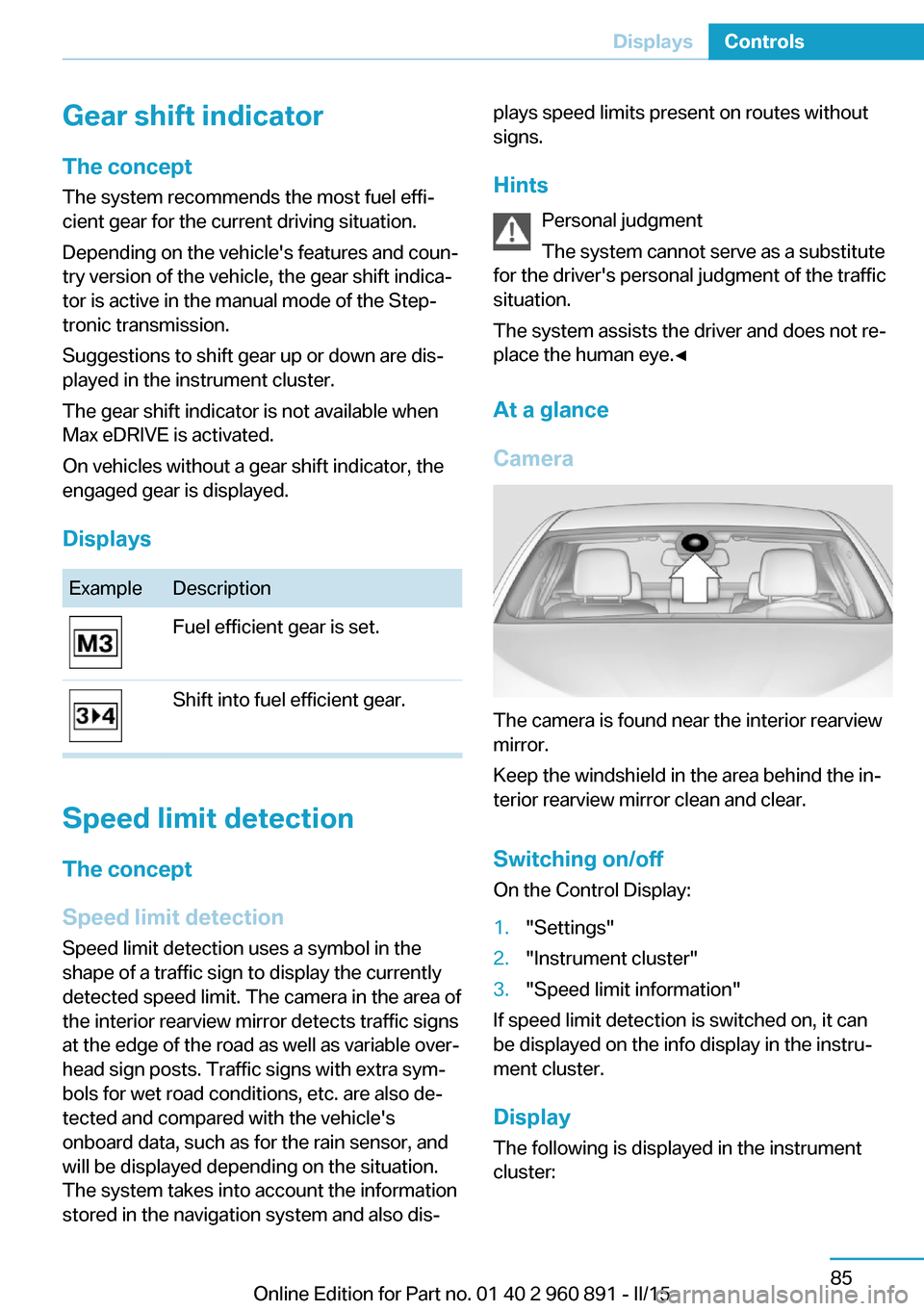
Camera
The camera is found near the interior rearview
mirror.
Keep the windshield in the area behind the in‐
terior rearview mirror clean and clear.
Switching on/offOn the Control Display:
1."Settings"2."Instrument cluster"3."Speed limit information"
If speed limit detection is switched on, it can
be displayed on the info display in the instru‐
ment cluster.
Display
The following is displayed in the instrument
cluster:
Seite 85DisplaysControls85
Online Edition for Part no. 01 40 2 960 891 - II/15
Page 126 of 224
DSC OFF button
Indicator/warning lights The indicator lamp flashes: DSC con‐
trols the drive and braking forces.
The indicator lamp lights up: DSC has
failed.
Deactivating DSC: DSC OFF Automatic switching of the drive type
Depending on the operating state of the
high-voltage system, the drive of the vehicle
automatically switches between front-wheel,
rear-wheel and four-wheel drive.
If DSC is deactivated, this may result in auto‐
matic change of the drive type for unstable driving situations.
To increase vehicle stability, activate DSC
again as soon as possible.◀
When DSC is deactivated, driving stability is
reduced during acceleration and when driving
in curves.
To increase vehicle stability, activate DSC
again as soon as possible.
Deactivating DSC Press and hold this button but not lon‐
ger than approx. 10 seconds, until the
indicator lamp for DSC OFF lights up in the in‐
strument cluster and displays DSC OFF.
The DSC system is switched off.
The steering and, depending on the equip‐
ment, suspension are tuned for sporty driving.
Activating DSC Press button.
DSC OFF and the DSC OFF indicator
lamp go out.Indicator/warning lights
When DSC is deactivated, DSC OFF is dis‐
played in the instrument cluster.
The indicator lamp lights up: DSC is
deactivated.
Automatic activation When DSC is deactivated, automatic activation
occurs in the following situations:▷The high-voltage battery has an insuffi‐
cient charge.▷The vehicle has a flat tire.▷When activating cruise control in TRAC‐
TION or DSC OFF mode.
DTC Dynamic Traction
Control
The concept The DTC system is a version of the DSC where
forward momentum is optimized.
The system ensures maximum headway on
special road conditions or loose road surfaces,
e.g., unplowed snowy roads, but with some‐
what limited driving stability.
Activating the Dynamic Traction Control DTC
provides maximum traction. Driving stability is
limited during acceleration and when driving in
curves.
Therefore drive with appropriate caution.
You may find it useful to briefly activate DTC
under the following special circumstances:
▷When driving in slush or on uncleared,
snow-covered roads.▷When freeing vehicle from deep snow or
driving off from loose grounds.▷When driving with snow chains.Seite 110ControlsDriving stability control systems110
Online Edition for Part no. 01 40 2 960 891 - II/15
Page 128 of 224
Activating ECO PROPress button repeatedly until ECO
PRO is displayed in the instrument
cluster.
Configuring ECO PRO1.Activate ECO PRO.2."Configure ECO PRO"
Make the desired settings.
Displays
Selected program The instrument cluster displays
the selected program.
Display on the Control Display Program changes can be displayed on the
Control Display.
1."Settings"2."Control display"3."Driving mode info"
Drive-off assistant
This system supports driving off on inclines.
The parking brake is not required.
1.Hold the vehicle in place with the foot
brake.2.Release the foot brake and drive off with‐
out delay.
After the foot brake is released, the vehicle is
held in place for approx. 2 seconds.
Depending on the vehicle load, the vehicle may
roll back slightly.
Driving off without delay
After releasing the foot brake, start driv‐
ing without delay, since the drive-off assistant
will not hold the vehicle in place for more than
approx. 2 seconds and the vehicle will begin to
roll back.◀Seite 112ControlsDriving stability control systems112
Online Edition for Part no. 01 40 2 960 891 - II/15
Page 141 of 224
HintsSufficient ventilation
When remaining in the vehicle for an ex‐
tended period of time, ensure sufficient exter‐
nal ventilation. Do not continuously use recir‐
culated-air mode; otherwise the air quality in
the interior continuously deteriorates and win‐
dow condensation increases.◀
Climate control functions in detail
Temperature Turn the ring to set the desired
temperature.
The selected temperature is shown on the dis‐
play of the automatic climate control.
The automatic climate control reaches this
temperature as quickly as possible, if needed
by increasing the cooling or heating output,
and then keeps it constant.
Do not rapidly switch between different tem‐
perature settings. Otherwise, the automatic cli‐
mate control will not have sufficient time to ad‐
just the set temperature.
To reduce the energy consumption, the cool‐
ing or heating output is reduced in ECO-PRO
mode, refer to page 145. ECO PRO is shown
on the display of the automatic climate control.
SYNC program Press button.
The current setting of the temperature
on the driver's side is transferred to the front
passenger side.
The program is switched off if the setting on
the front passenger side is changed.Maximum cooling
Press button.
The system is set to the lowest tem‐
perature, optimum air flow and air circulation
mode.
Air flows out of the vents to the upper body re‐
gion. The vents need to be open for this.
The function is available above an external
temperature of approx. 32 ℉/0 ℃ and with the
engine running or when electrical drive readi‐
ness is indicated is indicated.
Adjust air flow with the program active.
Cooling function The car's interior can be cooled with the sta‐
tionary climate control or via the A/C button
with the engine running and/or with drive readi‐
ness activated.
Press button.
The air will be cooled and dehumidi‐
fied and, depending on the temperature set‐ ting, warmed again.
Depending on the weather, the windshield and
side windows may fog up briefly when the en‐
gine is started or drive readiness is activated.
The cooling function is switched on automati‐
cally with the AUTO program.
When using the automatic climate control,
condensation water, refer to page 141, devel‐
ops that exits underneath the vehicle.
Automatic recirculated-air control/
recirculated-air mode
You may respond to unpleasant odors or pollu‐tants in the immediate environment by tempo‐
rarily suspending the supply of outside air. The
system then recirculates the air currently
within the vehicle.
Press button repeatedly to select an
operating mode:Seite 125Climate controlControls125
Online Edition for Part no. 01 40 2 960 891 - II/15
Page 154 of 224
Things to remember when drivingVehicle features and options
This chapter describes all standard, country-
specific and optional features offered with the
series. It also describes features that are not
necessarily available in your car, e. g., due to
the selected options or country versions. This
also applies to safety-related functions and
systems. The respectively applicable country
provisions must be observed when using the
respective features and systems.
Breaking-in period General information
Moving parts need time to adjust to one an‐
other (break-in time).
The following instructions will help accomplish
a long vehicle life and good efficiency.
During break-in, do not use the Launch Con‐
trol, refer to page 73.
Engine, transmission, and axle drive
Up to 1,200 miles/2,000 km
Do not exceed the maximum engine and road
speed:▷For gasoline engine 4,500 rpm and
100 mph/160 km/h.
Avoid full load or kickdown under all circum‐
stances.
From 1,200 miles/2,000 km The engine and vehicle speed can gradually be
increased.
Tires
Tire traction is not optimal due to manufactur‐
ing circumstances when tires are brand-new;
they achieve their full traction potential after a
break-in time.
Drive conservatively for the first
200 miles/300 km.
Brake system
Brakes require an initial break-in period of ap‐
prox. 300 miles/500 km to achieve optimal per‐
formance between brake discs and brake
pads. Drive moderately during this break-in pe‐
riod.
Following part replacement
The same break-in procedures should be ob‐
served if any of the components above-men‐
tioned have to be renewed in the course of the
vehicle's operating life.
Using eDRIVE efficiently The concept
eDRIVE operates automatically. Proactive driv‐
ing utilizes energy consumption and energy re‐
covery optimally. Energy recovery is used to
charge the high-voltage battery. It is important
for the supply of electrical components and
thus a prerequisite for an extensive range. En‐
ergy consumption and recovery depend very
much, among other things, on your driving
style.
Optimizing driving style
Performance display The driving style can be optimized using the
performance display in ECO PRO mode.Seite 138Driving tipsThings to remember when driving138
Online Edition for Part no. 01 40 2 960 891 - II/15