transmission BMW I8 2015 I12 User Guide
[x] Cancel search | Manufacturer: BMW, Model Year: 2015, Model line: I8, Model: BMW I8 2015 I12Pages: 224, PDF Size: 12.46 MB
Page 154 of 224
Things to remember when drivingVehicle features and options
This chapter describes all standard, country-
specific and optional features offered with the
series. It also describes features that are not
necessarily available in your car, e. g., due to
the selected options or country versions. This
also applies to safety-related functions and
systems. The respectively applicable country
provisions must be observed when using the
respective features and systems.
Breaking-in period General information
Moving parts need time to adjust to one an‐
other (break-in time).
The following instructions will help accomplish
a long vehicle life and good efficiency.
During break-in, do not use the Launch Con‐
trol, refer to page 73.
Engine, transmission, and axle drive
Up to 1,200 miles/2,000 km
Do not exceed the maximum engine and road
speed:▷For gasoline engine 4,500 rpm and
100 mph/160 km/h.
Avoid full load or kickdown under all circum‐
stances.
From 1,200 miles/2,000 km The engine and vehicle speed can gradually be
increased.
Tires
Tire traction is not optimal due to manufactur‐
ing circumstances when tires are brand-new;
they achieve their full traction potential after a
break-in time.
Drive conservatively for the first
200 miles/300 km.
Brake system
Brakes require an initial break-in period of ap‐
prox. 300 miles/500 km to achieve optimal per‐
formance between brake discs and brake
pads. Drive moderately during this break-in pe‐
riod.
Following part replacement
The same break-in procedures should be ob‐
served if any of the components above-men‐
tioned have to be renewed in the course of the
vehicle's operating life.
Using eDRIVE efficiently The concept
eDRIVE operates automatically. Proactive driv‐
ing utilizes energy consumption and energy re‐
covery optimally. Energy recovery is used to
charge the high-voltage battery. It is important
for the supply of electrical components and
thus a prerequisite for an extensive range. En‐
ergy consumption and recovery depend very
much, among other things, on your driving
style.
Optimizing driving style
Performance display The driving style can be optimized using the
performance display in ECO PRO mode.Seite 138Driving tipsThings to remember when driving138
Online Edition for Part no. 01 40 2 960 891 - II/15
Page 161 of 224
Switch off any functions that
are not currently needed
Functions such as seat heating and the rear
window defroster require a lot of energy and
reduce the range, especially in city and stop-
and-go traffic.
Reel off these functions if they are not needed.
The ECO PRO driving program supports the
energy conserving use of comfort features.
These functions are automatically deactivated
partially or completely.
Have maintenance carried
out
Have vehicles maintained regularly to achieve
optimal vehicle efficiency and operating life.
The maintenance should be carried out by
your service center.
Also note the BMW Maintenance System, refer
to page 178.
ECO PRO
The concept
ECO PRO supports a driving style that saves
on fuel consumption. For this purpose, the en‐
gine control and comfort features, e. g. the cli‐
mate control output, are adjusted.
Under certain conditions the engine is auto‐
matically decoupled from the transmission in
the D selector lever position and the engine is
switched off. Selector lever position D remains
engaged.
At a glance
ECO PRO▷Reduce heat output or heating cycle for ex‐
terior mirror, rear window and seat heating.▷What reduces the the cooling and heating
output of the climate control system.
Activate ECO PRO
Press button repeatedly until ECO
PRO is displayed in the instrument
cluster.
Configuring ECO PRO
Via the Driving Dynamics Control
1.Activate ECO PRO.2."Configure ECO PRO"3.Configure the program.
Via the iDrive
1."Settings"2."ECO PRO mode"
Or
1."Settings"2."Driving mode"3."Configure ECO PRO"
Configure the program.
ECO PRO Tip
▷"Limit at:":
Adjust the ECO PRO speed.▷"ECO PRO speed warning":
The output is reduced once the set ECO
PRO speed is reached.
ECO PRO climate control
"ECO PRO climate control"
Climate control is set to be fuel-efficient.
By making a slight change to the set tempera‐
ture, or slowly adjusting the rate of heating or
cooling of the car's interior, fuel consumption
can be economized.
Seite 145Increase rangeDriving tips145
Online Edition for Part no. 01 40 2 960 891 - II/15
Page 202 of 224
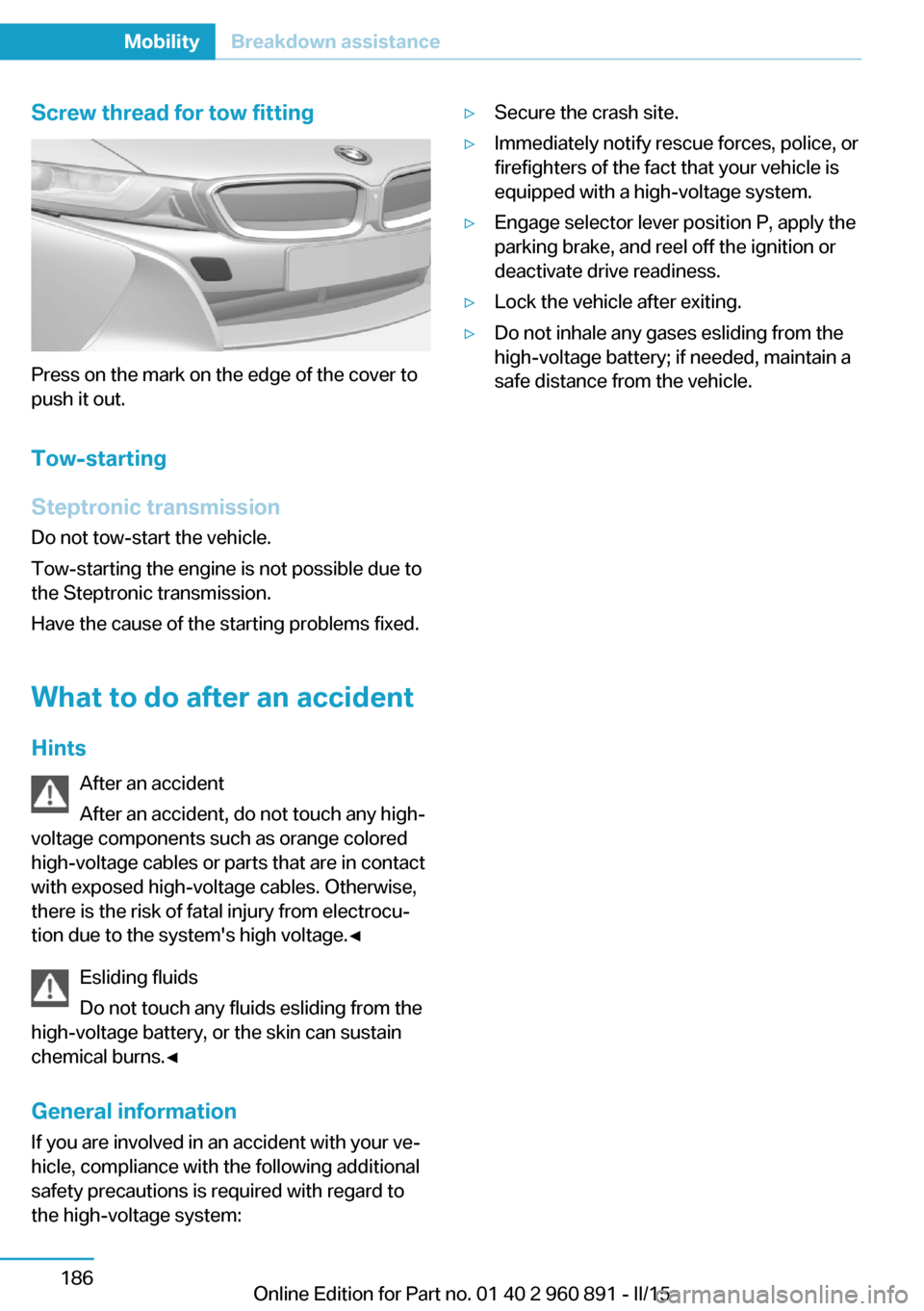
Screw thread for tow fitting
Press on the mark on the edge of the cover to
push it out.
Tow-starting
Steptronic transmission
Do not tow-start the vehicle.
Tow-starting the engine is not possible due to
the Steptronic transmission.
Have the cause of the starting problems fixed.
What to do after an accident
Hints After an accident
After an accident, do not touch any high-
voltage components such as orange colored
high-voltage cables or parts that are in contact
with exposed high-voltage cables. Otherwise,
there is the risk of fatal injury from electrocu‐
tion due to the system's high voltage.◀
Esliding fluids
Do not touch any fluids esliding from the
high-voltage battery, or the skin can sustain
chemical burns.◀
General information
If you are involved in an accident with your ve‐
hicle, compliance with the following additional
safety precautions is required with regard to
the high-voltage system:
▷Secure the crash site.▷Immediately notify rescue forces, police, or
firefighters of the fact that your vehicle is
equipped with a high-voltage system.▷Engage selector lever position P, apply the
parking brake, and reel off the ignition or
deactivate drive readiness.▷Lock the vehicle after exiting.▷Do not inhale any gases esliding from the
high-voltage battery; if needed, maintain a
safe distance from the vehicle.Seite 186MobilityBreakdown assistance186
Online Edition for Part no. 01 40 2 960 891 - II/15
Page 214 of 224
Everything from A to Z
IndexA ABS, Antilock Brake Sys‐ tem 109
Acceleration Assistant, refer to Launch Control 73
Accessories and parts 7
Acoustic pedestrian protec‐ tion 65
AC quick charging cable, see Level 2 charging cable 152
Activated-charcoal filter 127
Activate drive readiness 63
Adapting to the course of the road, hybrid system 79
Adaptive brake lights, refer to Brake force display 108
Additives, oil 175
Adjustments, seats/head re‐ straints 51
Adjustments, steering wheel 56
Advance climate control, refer to Stationary climate con‐
trol 127
After washing vehicle 188
Airbags 96
Airbags, indicator/warning light 97
Air circulation, refer to Recir‐ culated-air mode 125
Air, dehumidifying, refer to Cooling function 125
Air distribution, manual 126
Air flow, automatic climate control 126
Air pressure, tires 163
Air vents, refer to Ventila‐ tion 127
Alarm system 47
Alarm, unintentional 48 All around the center con‐
sole 16
All around the roofliner 17
All around the steering wheel 14
All-season tires, refer to Win‐ ter tires 168
Alternating-code hand-held transmitter 130
Alternative oil types 176
Ambient light 95
Antifreeze, washer fluid 70
Antilock Brake System, ABS 109
Anti-slip control, refer to DSC 109
Approved axle load 195
Approved engine oils, see Suitable engine oil
types 175
Arrival time 88
Artificial engine noise 65
Assistance for the combus‐ tion engine 65
Assistance when driving off 112
ASSIST, Hybrid system 65
Assist system, refer to Intelli‐ gent Safety 102
AUTO intensity 126
Automatic car wash 187
Automatic climate con‐ trol 124
Automatic Curb Monitor 54
Automatic deactivation, front- seat passenger airbags 98
Automatic deactivation of the high-voltage system 34
Automatic headlight con‐ trol 93
Automatic locking 47 Automatic recirculated-air
control 125
Automatic transmission, see Steptronic Sport transmis‐
sion 70
AUTO program, automatic cli‐ mate control 126
AUTO program, intensity 126
Average fuel consumption 87
Average speed 88
Axle loads, weights 195
B Backup charging 156
Band-aids, refer to First aid kit 184
Battery, 12 volt 181
Battery replacement, vehicle battery 181
Battery replacement, vehicle remote control 39
Battery state indicator 77
Battery, vehicle 181
Belts, safety belts 53
BMW Assist 6
BMW eDRIVE 31
BMW Homepage 6
BMW i Driver’s Guide App 6
BMW Internet page 6
BMW maintenance sys‐ tem 178
Body work, see Working on the vehicle 34
Brake assistant 109
Brake discs, break-in 138
Brake force display 108
Brake lights, adaptive 108
Brake lights, brake force dis‐ play 108
Brake pads, break-in 138 Seite 198ReferenceEverything from A to Z198
Online Edition for Part no. 01 40 2 960 891 - II/15
Page 217 of 224
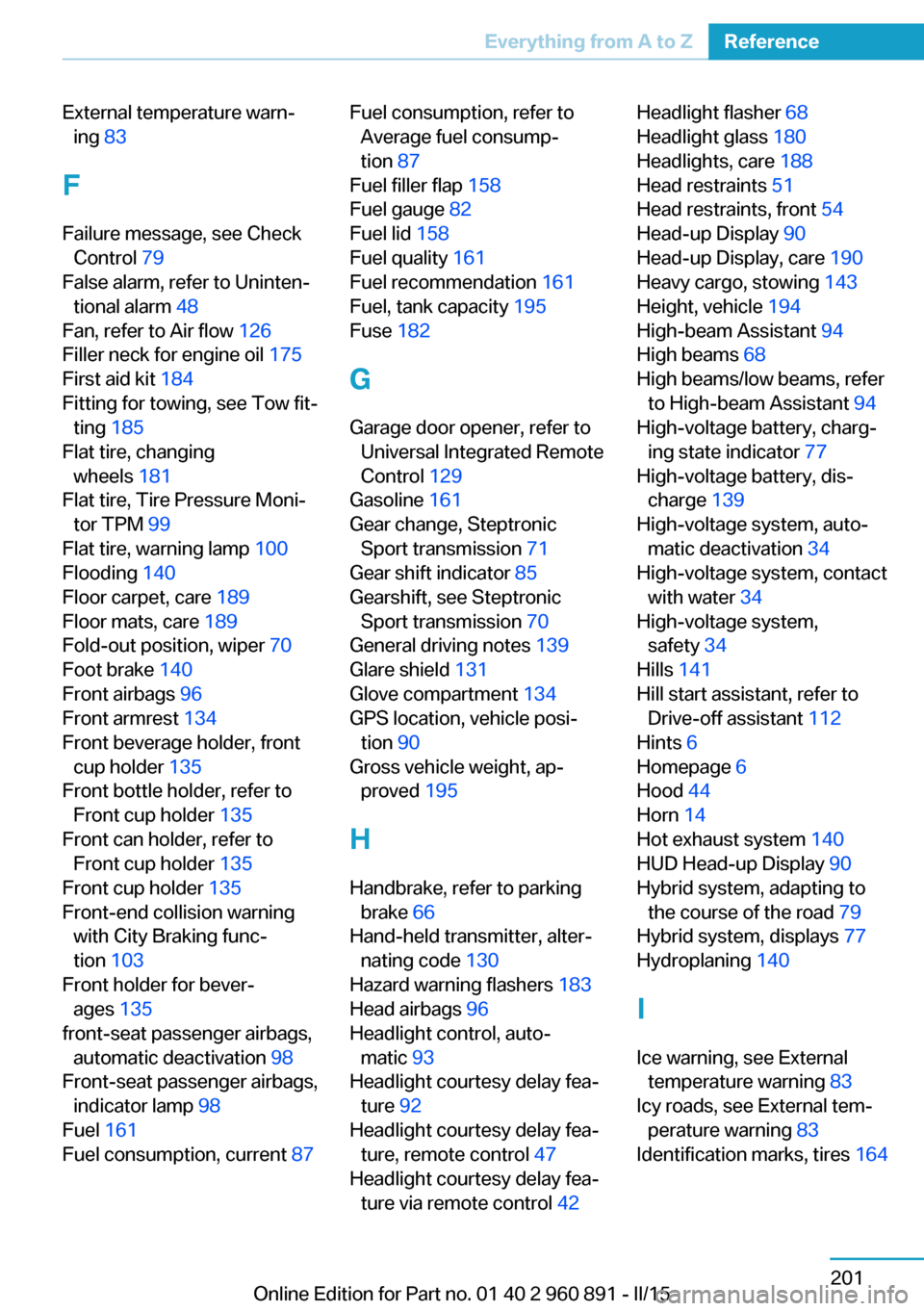
External temperature warn‐ing 83
F Failure message, see Check Control 79
False alarm, refer to Uninten‐ tional alarm 48
Fan, refer to Air flow 126
Filler neck for engine oil 175
First aid kit 184
Fitting for towing, see Tow fit‐ ting 185
Flat tire, changing wheels 181
Flat tire, Tire Pressure Moni‐ tor TPM 99
Flat tire, warning lamp 100
Flooding 140
Floor carpet, care 189
Floor mats, care 189
Fold-out position, wiper 70
Foot brake 140
Front airbags 96
Front armrest 134
Front beverage holder, front cup holder 135
Front bottle holder, refer to Front cup holder 135
Front can holder, refer to Front cup holder 135
Front cup holder 135
Front-end collision warning with City Braking func‐
tion 103
Front holder for bever‐ ages 135
front-seat passenger airbags, automatic deactivation 98
Front-seat passenger airbags, indicator lamp 98
Fuel 161
Fuel consumption, current 87 Fuel consumption, refer to
Average fuel consump‐
tion 87
Fuel filler flap 158
Fuel gauge 82
Fuel lid 158
Fuel quality 161
Fuel recommendation 161
Fuel, tank capacity 195
Fuse 182
G
Garage door opener, refer to Universal Integrated Remote
Control 129
Gasoline 161
Gear change, Steptronic Sport transmission 71
Gear shift indicator 85
Gearshift, see Steptronic Sport transmission 70
General driving notes 139
Glare shield 131
Glove compartment 134
GPS location, vehicle posi‐ tion 90
Gross vehicle weight, ap‐ proved 195
H
Handbrake, refer to parking brake 66
Hand-held transmitter, alter‐ nating code 130
Hazard warning flashers 183
Head airbags 96
Headlight control, auto‐ matic 93
Headlight courtesy delay fea‐ ture 92
Headlight courtesy delay fea‐ ture, remote control 47
Headlight courtesy delay fea‐ ture via remote control 42 Headlight flasher 68
Headlight glass 180
Headlights, care 188
Head restraints 51
Head restraints, front 54
Head-up Display 90
Head-up Display, care 190
Heavy cargo, stowing 143
Height, vehicle 194
High-beam Assistant 94
High beams 68
High beams/low beams, refer to High-beam Assistant 94
High-voltage battery, charg‐ ing state indicator 77
High-voltage battery, dis‐ charge 139
High-voltage system, auto‐ matic deactivation 34
High-voltage system, contact with water 34
High-voltage system, safety 34
Hills 141
Hill start assistant, refer to Drive-off assistant 112
Hints 6
Homepage 6
Hood 44
Horn 14
Hot exhaust system 140
HUD Head-up Display 90
Hybrid system, adapting to the course of the road 79
Hybrid system, displays 77
Hydroplaning 140
I Ice warning, see External temperature warning 83
Icy roads, see External tem‐ perature warning 83
Identification marks, tires 164 Seite 201Everything from A to ZReference201
Online Edition for Part no. 01 40 2 960 891 - II/15
Page 218 of 224
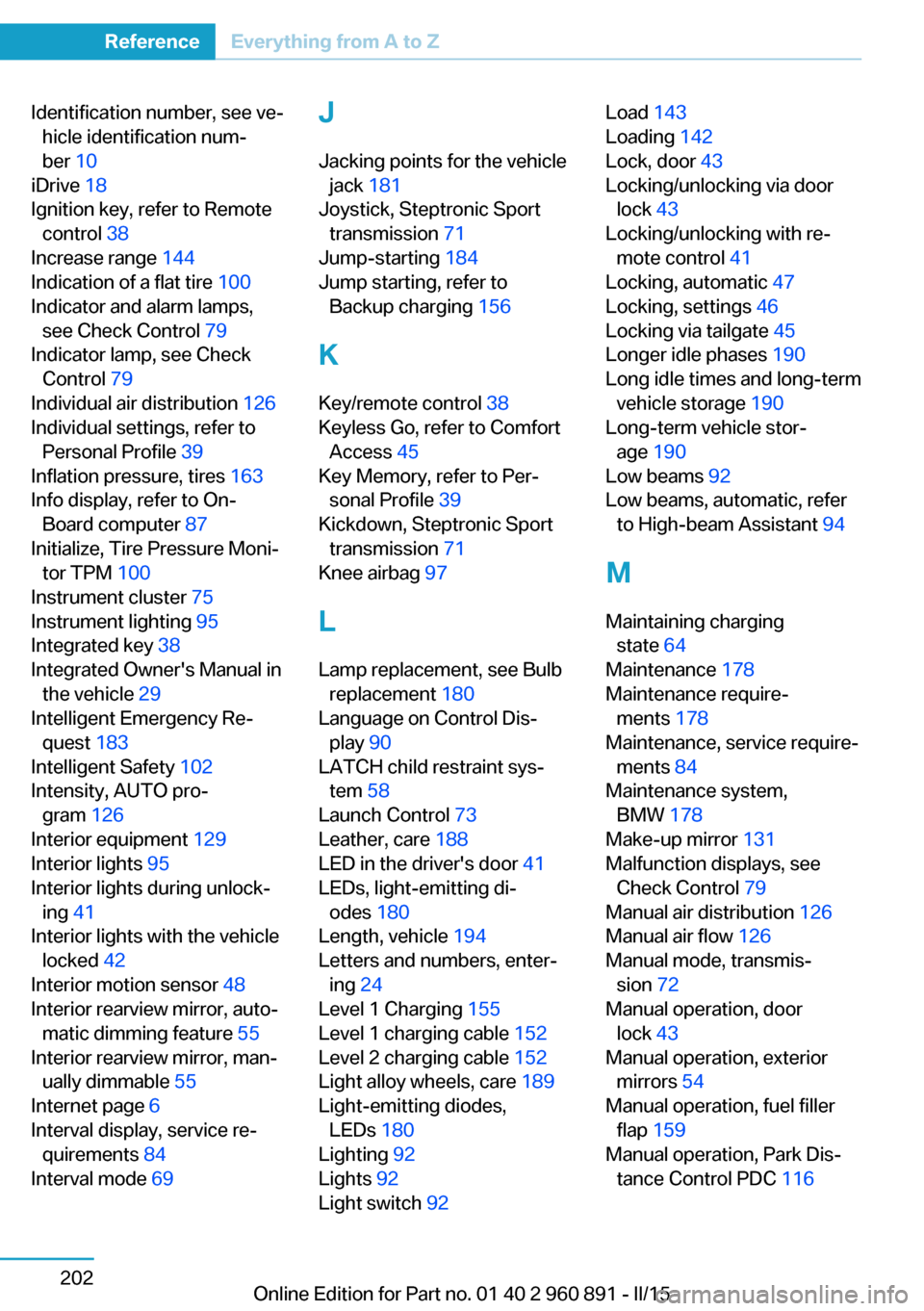
Identification number, see ve‐hicle identification num‐
ber 10
iDrive 18
Ignition key, refer to Remote control 38
Increase range 144
Indication of a flat tire 100
Indicator and alarm lamps, see Check Control 79
Indicator lamp, see Check Control 79
Individual air distribution 126
Individual settings, refer to Personal Profile 39
Inflation pressure, tires 163
Info display, refer to On- Board computer 87
Initialize, Tire Pressure Moni‐ tor TPM 100
Instrument cluster 75
Instrument lighting 95
Integrated key 38
Integrated Owner's Manual in the vehicle 29
Intelligent Emergency Re‐ quest 183
Intelligent Safety 102
Intensity, AUTO pro‐ gram 126
Interior equipment 129
Interior lights 95
Interior lights during unlock‐ ing 41
Interior lights with the vehicle locked 42
Interior motion sensor 48
Interior rearview mirror, auto‐ matic dimming feature 55
Interior rearview mirror, man‐ ually dimmable 55
Internet page 6
Interval display, service re‐ quirements 84
Interval mode 69 J
Jacking points for the vehicle jack 181
Joystick, Steptronic Sport transmission 71
Jump-starting 184
Jump starting, refer to Backup charging 156
K Key/remote control 38
Keyless Go, refer to Comfort Access 45
Key Memory, refer to Per‐ sonal Profile 39
Kickdown, Steptronic Sport transmission 71
Knee airbag 97
L
Lamp replacement, see Bulb replacement 180
Language on Control Dis‐ play 90
LATCH child restraint sys‐ tem 58
Launch Control 73
Leather, care 188
LED in the driver's door 41
LEDs, light-emitting di‐ odes 180
Length, vehicle 194
Letters and numbers, enter‐ ing 24
Level 1 Charging 155
Level 1 charging cable 152
Level 2 charging cable 152
Light alloy wheels, care 189
Light-emitting diodes, LEDs 180
Lighting 92
Lights 92
Light switch 92 Load 143
Loading 142
Lock, door 43
Locking/unlocking via door lock 43
Locking/unlocking with re‐ mote control 41
Locking, automatic 47
Locking, settings 46
Locking via tailgate 45
Longer idle phases 190
Long idle times and long-term vehicle storage 190
Long-term vehicle stor‐ age 190
Low beams 92
Low beams, automatic, refer to High-beam Assistant 94
M
Maintaining charging state 64
Maintenance 178
Maintenance require‐ ments 178
Maintenance, service require‐ ments 84
Maintenance system, BMW 178
Make-up mirror 131
Malfunction displays, see Check Control 79
Manual air distribution 126
Manual air flow 126
Manual mode, transmis‐ sion 72
Manual operation, door lock 43
Manual operation, exterior mirrors 54
Manual operation, fuel filler flap 159
Manual operation, Park Dis‐ tance Control PDC 116 Seite 202ReferenceEverything from A to Z202
Online Edition for Part no. 01 40 2 960 891 - II/15
Page 220 of 224
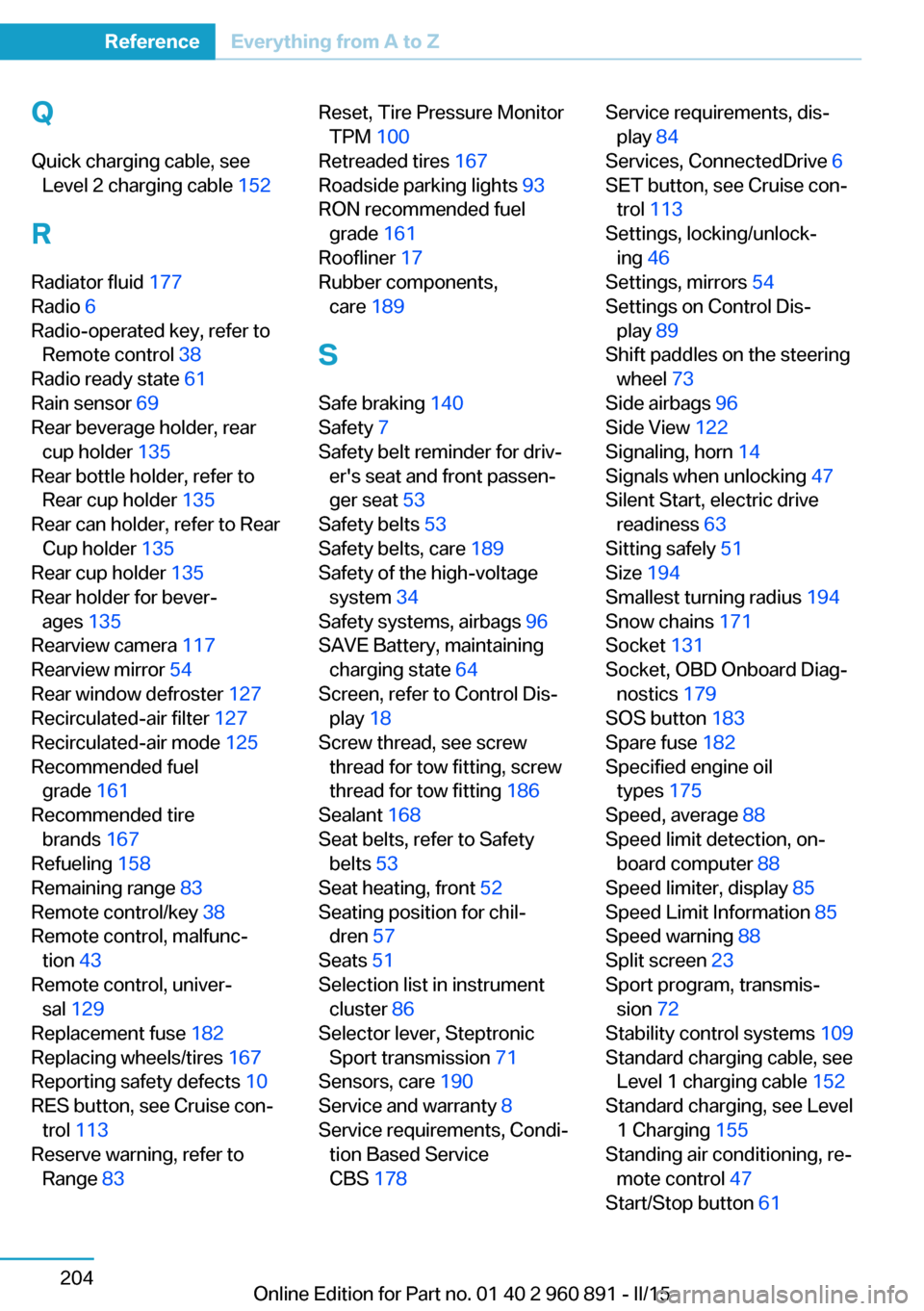
QQuick charging cable, see Level 2 charging cable 152
R Radiator fluid 177
Radio 6
Radio-operated key, refer to Remote control 38
Radio ready state 61
Rain sensor 69
Rear beverage holder, rear cup holder 135
Rear bottle holder, refer to Rear cup holder 135
Rear can holder, refer to Rear Cup holder 135
Rear cup holder 135
Rear holder for bever‐ ages 135
Rearview camera 117
Rearview mirror 54
Rear window defroster 127
Recirculated-air filter 127
Recirculated-air mode 125
Recommended fuel grade 161
Recommended tire brands 167
Refueling 158
Remaining range 83
Remote control/key 38
Remote control, malfunc‐ tion 43
Remote control, univer‐ sal 129
Replacement fuse 182
Replacing wheels/tires 167
Reporting safety defects 10
RES button, see Cruise con‐ trol 113
Reserve warning, refer to Range 83 Reset, Tire Pressure Monitor
TPM 100
Retreaded tires 167
Roadside parking lights 93
RON recommended fuel grade 161
Roofliner 17
Rubber components, care 189
S
Safe braking 140
Safety 7
Safety belt reminder for driv‐ er's seat and front passen‐
ger seat 53
Safety belts 53
Safety belts, care 189
Safety of the high-voltage system 34
Safety systems, airbags 96
SAVE Battery, maintaining charging state 64
Screen, refer to Control Dis‐ play 18
Screw thread, see screw thread for tow fitting, screw
thread for tow fitting 186
Sealant 168
Seat belts, refer to Safety belts 53
Seat heating, front 52
Seating position for chil‐ dren 57
Seats 51
Selection list in instrument cluster 86
Selector lever, Steptronic Sport transmission 71
Sensors, care 190
Service and warranty 8
Service requirements, Condi‐ tion Based Service
CBS 178 Service requirements, dis‐
play 84
Services, ConnectedDrive 6
SET button, see Cruise con‐ trol 113
Settings, locking/unlock‐ ing 46
Settings, mirrors 54
Settings on Control Dis‐ play 89
Shift paddles on the steering wheel 73
Side airbags 96
Side View 122
Signaling, horn 14
Signals when unlocking 47
Silent Start, electric drive readiness 63
Sitting safely 51
Size 194
Smallest turning radius 194
Snow chains 171
Socket 131
Socket, OBD Onboard Diag‐ nostics 179
SOS button 183
Spare fuse 182
Specified engine oil types 175
Speed, average 88
Speed limit detection, on- board computer 88
Speed limiter, display 85
Speed Limit Information 85
Speed warning 88
Split screen 23
Sport program, transmis‐ sion 72
Stability control systems 109
Standard charging cable, see Level 1 charging cable 152
Standard charging, see Level 1 Charging 155
Standing air conditioning, re‐ mote control 47
Start/Stop button 61 Seite 204ReferenceEverything from A to Z204
Online Edition for Part no. 01 40 2 960 891 - II/15
Page 221 of 224
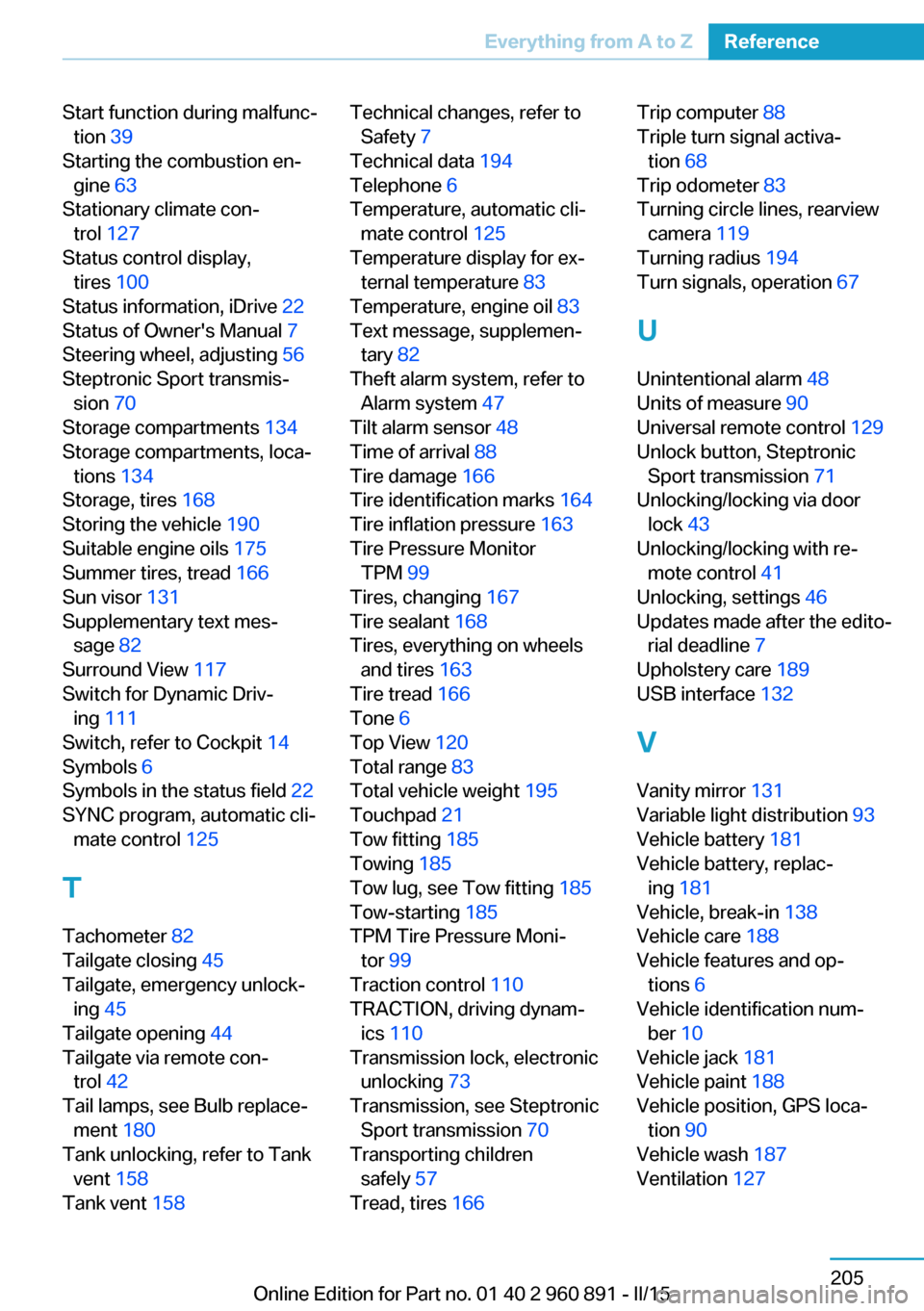
Start function during malfunc‐tion 39
Starting the combustion en‐ gine 63
Stationary climate con‐ trol 127
Status control display, tires 100
Status information, iDrive 22
Status of Owner's Manual 7
Steering wheel, adjusting 56
Steptronic Sport transmis‐ sion 70
Storage compartments 134
Storage compartments, loca‐ tions 134
Storage, tires 168
Storing the vehicle 190
Suitable engine oils 175
Summer tires, tread 166
Sun visor 131
Supplementary text mes‐ sage 82
Surround View 117
Switch for Dynamic Driv‐ ing 111
Switch, refer to Cockpit 14
Symbols 6
Symbols in the status field 22
SYNC program, automatic cli‐ mate control 125
T Tachometer 82
Tailgate closing 45
Tailgate, emergency unlock‐ ing 45
Tailgate opening 44
Tailgate via remote con‐ trol 42
Tail lamps, see Bulb replace‐ ment 180
Tank unlocking, refer to Tank vent 158
Tank vent 158 Technical changes, refer to
Safety 7
Technical data 194
Telephone 6
Temperature, automatic cli‐ mate control 125
Temperature display for ex‐ ternal temperature 83
Temperature, engine oil 83
Text message, supplemen‐ tary 82
Theft alarm system, refer to Alarm system 47
Tilt alarm sensor 48
Time of arrival 88
Tire damage 166
Tire identification marks 164
Tire inflation pressure 163
Tire Pressure Monitor TPM 99
Tires, changing 167
Tire sealant 168
Tires, everything on wheels and tires 163
Tire tread 166
Tone 6
Top View 120
Total range 83
Total vehicle weight 195
Touchpad 21
Tow fitting 185
Towing 185
Tow lug, see Tow fitting 185
Tow-starting 185
TPM Tire Pressure Moni‐ tor 99
Traction control 110
TRACTION, driving dynam‐ ics 110
Transmission lock, electronic unlocking 73
Transmission, see Steptronic Sport transmission 70
Transporting children safely 57
Tread, tires 166 Trip computer 88
Triple turn signal activa‐ tion 68
Trip odometer 83
Turning circle lines, rearview camera 119
Turning radius 194
Turn signals, operation 67
U Unintentional alarm 48
Units of measure 90
Universal remote control 129
Unlock button, Steptronic Sport transmission 71
Unlocking/locking via door lock 43
Unlocking/locking with re‐ mote control 41
Unlocking, settings 46
Updates made after the edito‐ rial deadline 7
Upholstery care 189
USB interface 132
V Vanity mirror 131
Variable light distribution 93
Vehicle battery 181
Vehicle battery, replac‐ ing 181
Vehicle, break-in 138
Vehicle care 188
Vehicle features and op‐ tions 6
Vehicle identification num‐ ber 10
Vehicle jack 181
Vehicle paint 188
Vehicle position, GPS loca‐ tion 90
Vehicle wash 187
Ventilation 127 Seite 205Everything from A to ZReference205
Online Edition for Part no. 01 40 2 960 891 - II/15