alarm BMW I8 2015 I12 Owner's Manual
[x] Cancel search | Manufacturer: BMW, Model Year: 2015, Model line: I8, Model: BMW I8 2015 I12Pages: 224, PDF Size: 12.46 MB
Page 54 of 224
Opening and closingVehicle features and options
This chapter describes all standard, country-
specific and optional features offered with the
series. It also describes features that are not
necessarily available in your car, e. g., due to
the selected options or country versions. This
also applies to safety-related functions and
systems. The respectively applicable country
provisions must be observed when using the
respective features and systems.
Remote control/key General information
The vehicle is supplied with two remote con‐
trols with integrated key.
Every remote control holds a replaceable bat‐
tery.
You may set the key functions depending on
the optional features and country-specific ver‐
sion. For Settings, refer to page 46.
The vehicle stores personal settings for every
remote control. Personal Profile, refer to
page 39.
The remote controls hold information on re‐
quired maintenance. Service data in the re‐
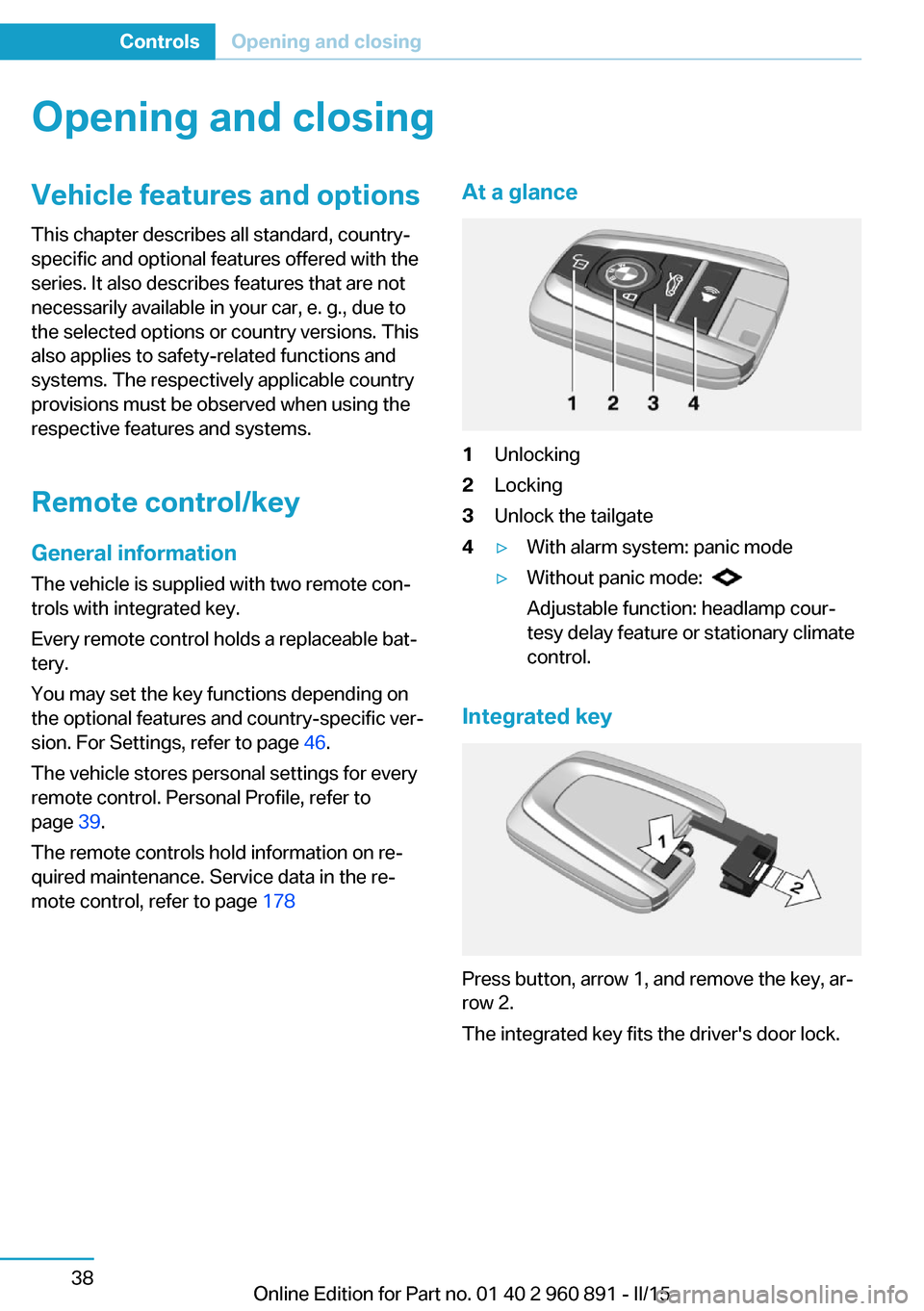
mote control, refer to page 178At a glance1Unlocking2Locking3Unlock the tailgate4▷With alarm system: panic mode▷Without panic mode:
Adjustable function: headlamp cour‐
tesy delay feature or stationary climate
control.
Integrated key
Press button, arrow 1, and remove the key, ar‐
row 2.
The integrated key fits the driver's door lock.
Seite 38ControlsOpening and closing38
Online Edition for Part no. 01 40 2 960 891 - II/15
Page 58 of 224
▷Exterior mirrors folded through convenient
closing are folded open.
You can set how the vehicle is to be unlocked.
For Settings, refer to page 46.
Anti-theft protection is switched off.
The alarm system, refer to page 47, is dis‐
armed.
Convenient opening Press and hold this button on the re‐mote control after unlocking.
The windows are opened, as long as the but‐
ton on the remote control is pressed.
Locking Locking from the outside
Do not lock the vehicle from the outside
with people inside the car, as the vehicle can‐
not be unlocked from inside without special
knowledge.◀
The driver's door must be closed. Press button on the remote control.
All doors and the tailgate are being locked.
Anti-theft protection is switched on. It pre‐
vents the doors from being unlocked using the
door openers.
The alarm system, refer to page 47, is armed.
Switching on interior lights Press button on the remote control with
the vehicle locked.
This function is not available, if the interior
lamps were switched off manually.
If the button is pressed again within 10 sec‐
onds after vehicle was locked, the interior mo‐
tion sensor and tilt alarm sensor of the anti-
theft warning system, refer to page 48, are
turned off. After locking, wait 10 seconds be‐
fore pressing the button again.
Unlocking the tailgate
Press button on the remote control for
approx. 1 second.
The tailgate opens slightly, regardless of
whether the vehicle was previously locked or
unlocked.
Depending on the features and the country
version, it is also possible to have door un‐ locked. Create the settings, refer to page 46.
If the doors were not unlocked, the tailgate is
locked again as soon as it closes.
Do not place the remote control in the
cargo area
Take the remote control with you and do not
leave it in the cargo area; otherwise, the re‐
mote control is locked inside the vehicle when
the tailgate is closed.◀
Provide edge protection
Sharp objects or those with edges can
hit the rear window while driving and damage the heat conductors of the rear window. Pro‐
vide edge protection.◀
Without alarm system: switching the
headlamp courtesy delay feature on
The headlight courtesy delay feature function
must be set for the remote control button. For
Settings, refer to page 46.
Briefly press the button on the remote
control.
The duration can be set in the Control Display.
With alarm system: panic mode You can trigger the alarm system if you find
yourself in a dangerous situation.
Press button on the remote control for
at least 3 seconds.
To reel off the alarm: press any button.Seite 42ControlsOpening and closing42
Online Edition for Part no. 01 40 2 960 891 - II/15
Page 59 of 224
Malfunction
Remote control detection by the vehicle can
among others be malfunctioning under the fol‐
lowing circumstances:▷The battery of the remote control is dis‐
charged. Replace the battery, refer to
page 39.▷Interference of the radio connection from
transmission towers or other equipment
with high transmit power.▷Shielding of the remote control due to
metal objects.▷Interference of the radio connection from
mobile phones or other electronic devices
in direct proximity.
Do not transport the remote control together
with metal objects or electronic devices.
In the case of interference, the vehicle can also
be unlocked and locked from the outside with‐
out remote control, refer to page 43.
For US owners only
The transmitter and receiver units comply with
part 15 of the FCC/Federal Communication
Commission regulations. Operation is gov‐
erned by the following:
FCC ID:
▷LX8766S.▷LX8766E.▷LX8CAS.▷LX8CAS2.▷MYTCAS4.
Compliance statement:
This device complies with part 15 of the FCC
Rules. Operation is subject to the following
two conditions:
▷This device may not cause harmful inter‐
ference, and▷this device must accept any interference
received, including interference that may
cause undesired operation.Any unauthorized modifications or changes to
these devices could void the user's authority to
operate this equipment.
Without remote control
Locking from the outside1.Close the driver's door from the outside.2.Enter the vehicle via the front passenger
side and close front passenger door.3. Press button for central locking
system.
Vehicle is locked.4.Unlock the front passenger door via the
lever in the door frame, refer to page 44.5.Exit the vehicle on the front passenger
side:
Make sure that the remote control is not in
the vehicle.6.Close the front passenger door.
Unlocking from the outside
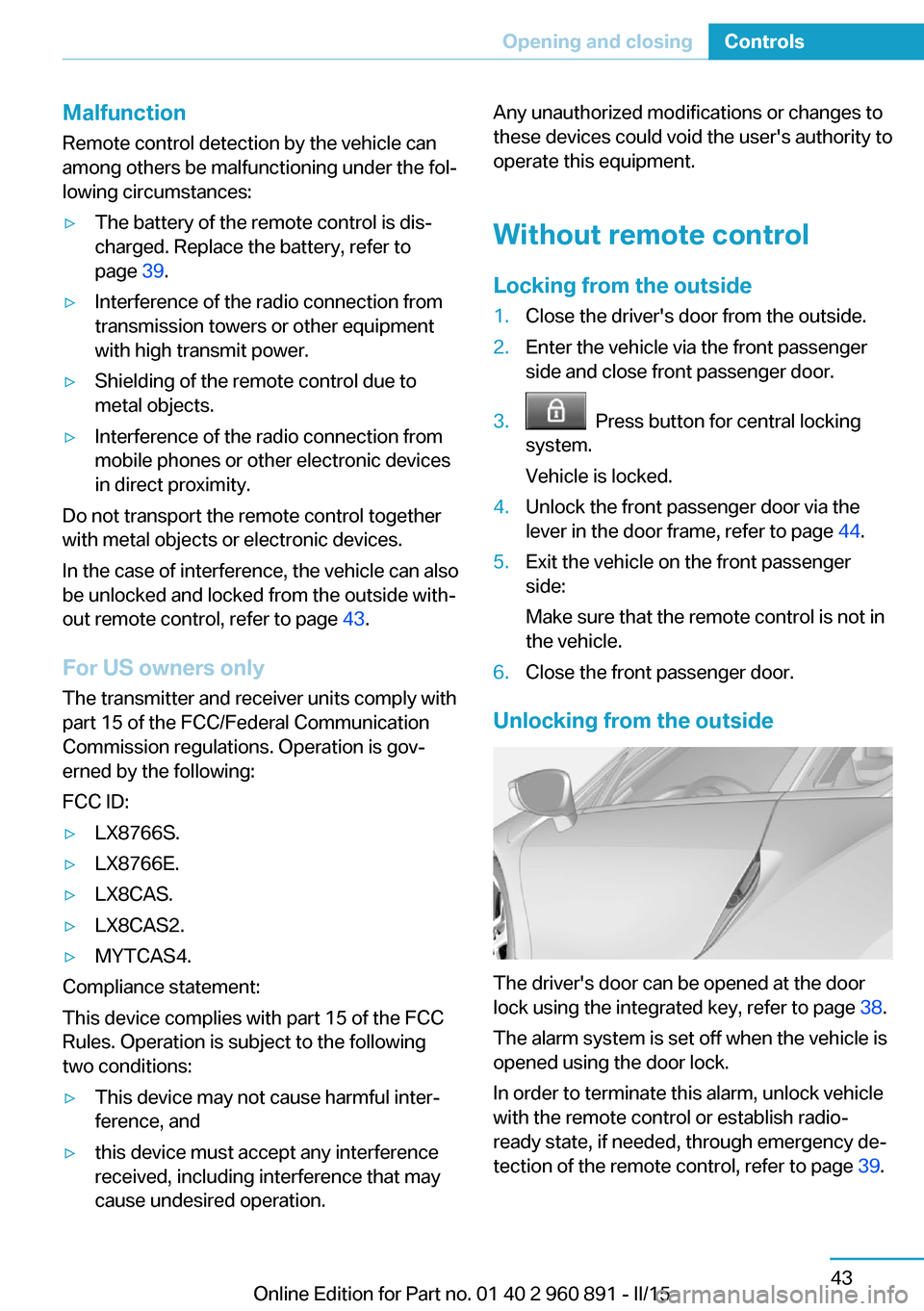
The driver's door can be opened at the door
lock using the integrated key, refer to page 38.
The alarm system is set off when the vehicle is
opened using the door lock.
In order to terminate this alarm, unlock vehicle
with the remote control or establish radio-
ready state, if needed, through emergency de‐
tection of the remote control, refer to page 39.
Seite 43Opening and closingControls43
Online Edition for Part no. 01 40 2 960 891 - II/15
Page 63 of 224
Tailgate
Depending on optional features and country
version, this setting is not offered in some
cases.1."Settings"2."Doors/key"3. Select the symbol.4.Select the desired function:▷"Tailgate"
The tailgate is unlocked.▷"Tailgate + door(s)"
The tailgate and the doors are un‐
locked.
Confirmation signals from the vehicle
The settings are saved in the active profile, re‐
fer to page 39.
1."Settings"2."Doors/key"3.Deactivate or activate the desired confir‐
mation signals.▷"Acoustic sig. lock/unlock"▷"Flash when lock/unlock"
Automatic locking
The settings are saved in the active profile, re‐fer to page 39.
1."Settings"2."Doors/key"3.Select the desired function:▷"Lock if no door is opened"
The vehicle locks automatically after a
short period of time if no door is
opened.▷"Lock after start driving"
The vehicle locks automatically after
you drive off.Without alarm system: headlamp
courtesy delay feature/standing
climate control
The settings are saved in the active profile, re‐
fer to page 39.1."Settings"2."Doors/key"3. Select the symbol.4.Select the desired function:▷"Pathway lighting"
Headlight courtesy delay feature▷"Comfort climate control"
Stationary climate control
Alarm system
The conceptWhen the vehicle is locked, the vehicle alarm
system responds to:
▷Opening a door, the hood or the tailgate.▷Movements in the interior.▷Changes in the vehicle tilt, e. g., during at‐
tempts at stealing a wheel.▷Disconnected battery voltage.
The alarm system briefly signals tampering:
▷By sounding an acoustic alarm.▷By switching on the hazard warning sys‐
tem.▷By flashing the high beams.
Arming and disarming the alarm
system
When you unlock or lock the vehicle, either
with the remote control or via the Comfort Ac‐
cess, the alarm system is disarmed or armed at
the same time.
Seite 47Opening and closingControls47
Online Edition for Part no. 01 40 2 960 891 - II/15
Page 64 of 224
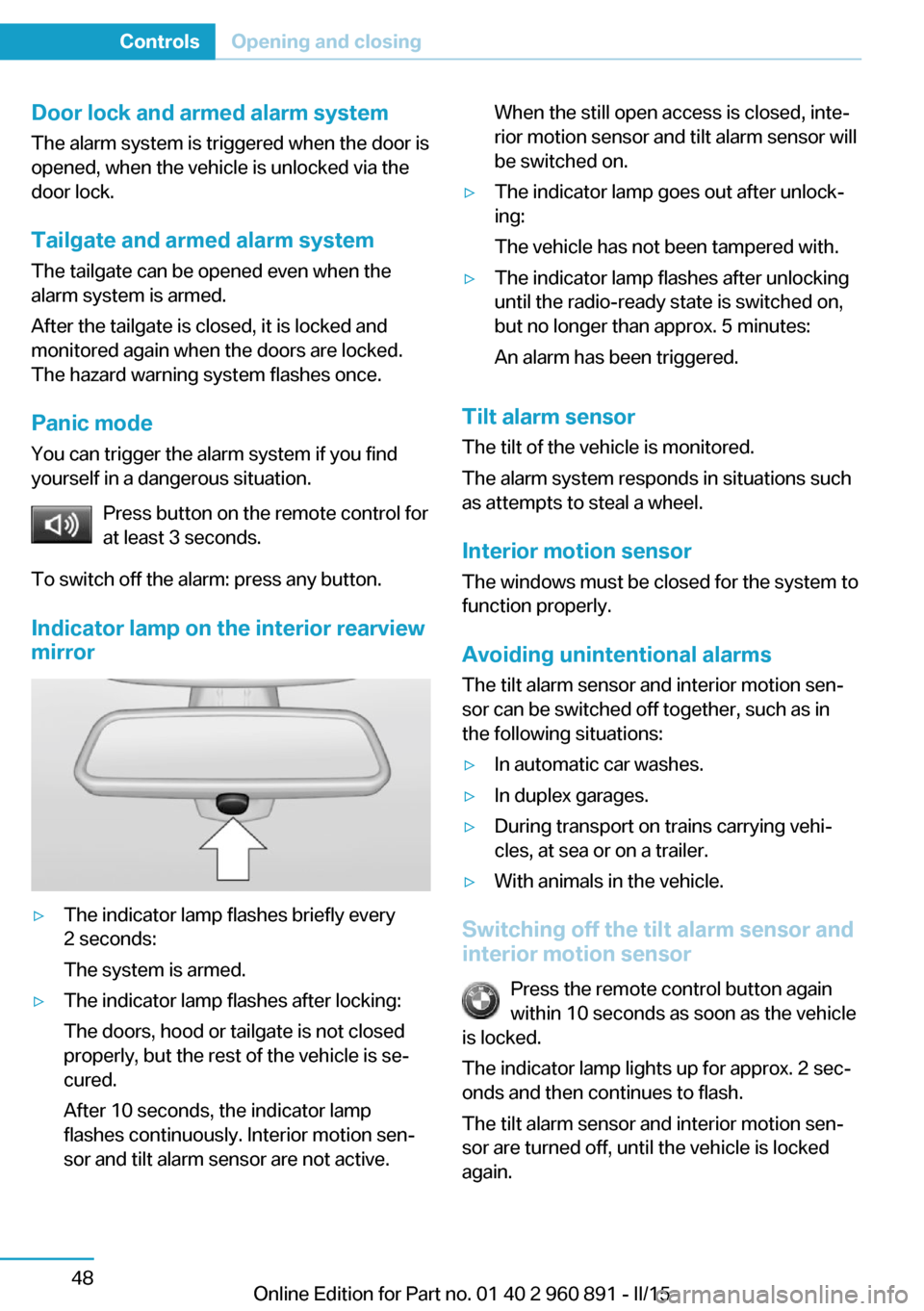
Door lock and armed alarm systemThe alarm system is triggered when the door is
opened, when the vehicle is unlocked via the
door lock.
Tailgate and armed alarm system
The tailgate can be opened even when the alarm system is armed.
After the tailgate is closed, it is locked and
monitored again when the doors are locked.
The hazard warning system flashes once.
Panic mode
You can trigger the alarm system if you find
yourself in a dangerous situation.
Press button on the remote control for
at least 3 seconds.
To switch off the alarm: press any button.
Indicator lamp on the interior rearview
mirror▷The indicator lamp flashes briefly every
2 seconds:
The system is armed.▷The indicator lamp flashes after locking:
The doors, hood or tailgate is not closed
properly, but the rest of the vehicle is se‐
cured.
After 10 seconds, the indicator lamp
flashes continuously. Interior motion sen‐
sor and tilt alarm sensor are not active.When the still open access is closed, inte‐
rior motion sensor and tilt alarm sensor will
be switched on.▷The indicator lamp goes out after unlock‐
ing:
The vehicle has not been tampered with.▷The indicator lamp flashes after unlocking
until the radio-ready state is switched on,
but no longer than approx. 5 minutes:
An alarm has been triggered.
Tilt alarm sensor The tilt of the vehicle is monitored.
The alarm system responds in situations such
as attempts to steal a wheel.
Interior motion sensor The windows must be closed for the system to
function properly.
Avoiding unintentional alarms
The tilt alarm sensor and interior motion sen‐
sor can be switched off together, such as in
the following situations:
▷In automatic car washes.▷In duplex garages.▷During transport on trains carrying vehi‐
cles, at sea or on a trailer.▷With animals in the vehicle.
Switching off the tilt alarm sensor and
interior motion sensor
Press the remote control button again
within 10 seconds as soon as the vehicle
is locked.
The indicator lamp lights up for approx. 2 sec‐
onds and then continues to flash.
The tilt alarm sensor and interior motion sen‐
sor are turned off, until the vehicle is locked again.
Seite 48ControlsOpening and closing48
Online Edition for Part no. 01 40 2 960 891 - II/15
Page 65 of 224
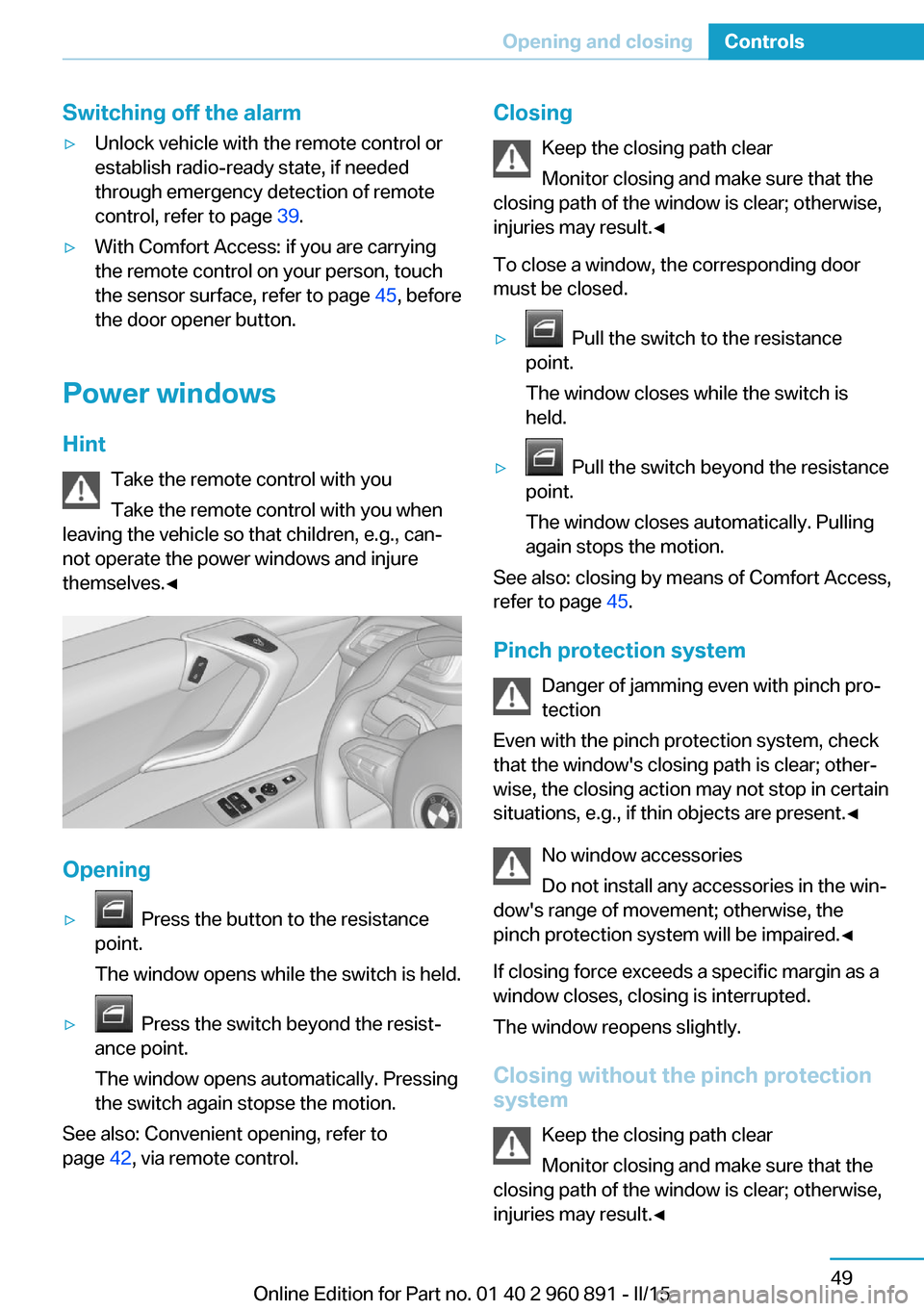
Switching off the alarm▷Unlock vehicle with the remote control or
establish radio-ready state, if needed
through emergency detection of remote
control, refer to page 39.▷With Comfort Access: if you are carrying
the remote control on your person, touch
the sensor surface, refer to page 45, before
the door opener button.
Power windows
Hint Take the remote control with you
Take the remote control with you when
leaving the vehicle so that children, e.g., can‐
not operate the power windows and injure
themselves.◀
Opening
▷ Press the button to the resistance
point.
The window opens while the switch is held.▷ Press the switch beyond the resist‐
ance point.
The window opens automatically. Pressing
the switch again stopse the motion.
See also: Convenient opening, refer to
page 42, via remote control.
Closing
Keep the closing path clear
Monitor closing and make sure that the
closing path of the window is clear; otherwise,
injuries may result.◀
To close a window, the corresponding door
must be closed.▷ Pull the switch to the resistance
point.
The window closes while the switch is
held.▷ Pull the switch beyond the resistance
point.
The window closes automatically. Pulling
again stops the motion.
See also: closing by means of Comfort Access,
refer to page 45.
Pinch protection system Danger of jamming even with pinch pro‐
tection
Even with the pinch protection system, check
that the window's closing path is clear; other‐
wise, the closing action may not stop in certain
situations, e.g., if thin objects are present.◀
No window accessories
Do not install any accessories in the win‐
dow's range of movement; otherwise, the
pinch protection system will be impaired.◀
If closing force exceeds a specific margin as a
window closes, closing is interrupted.
The window reopens slightly.
Closing without the pinch protection
system
Keep the closing path clear
Monitor closing and make sure that the
closing path of the window is clear; otherwise,
injuries may result.◀
Seite 49Opening and closingControls49
Online Edition for Part no. 01 40 2 960 891 - II/15
Page 119 of 224
Front-end collision warning
with City Braking function
The concept The ystem can help prevent accidents. If an
accident cannot be prevented, the system will
help reduce the collision speed.
The system sounds a warning before an immi‐
nent collision and actuates brakes independ‐
ently if needed.
The automatic braking intervention is done
with limited force and duration.
A camera in the area of the rearview mirror
controls the system.
The front-end collision warning is available
even if cruise control has been deactivated.
With the vehicle approaching another vehicle
intentionally the collision warning is delayed
avoiding false alarm.
General information The system warns at two levels of an imminent
danger of collision at speeds from approx.
3 mph/5 km/h. Time of warnings may vary with
the current driving situation.
Appropriate braking kicks in at speeds of up to
35 mph/60 km/h.
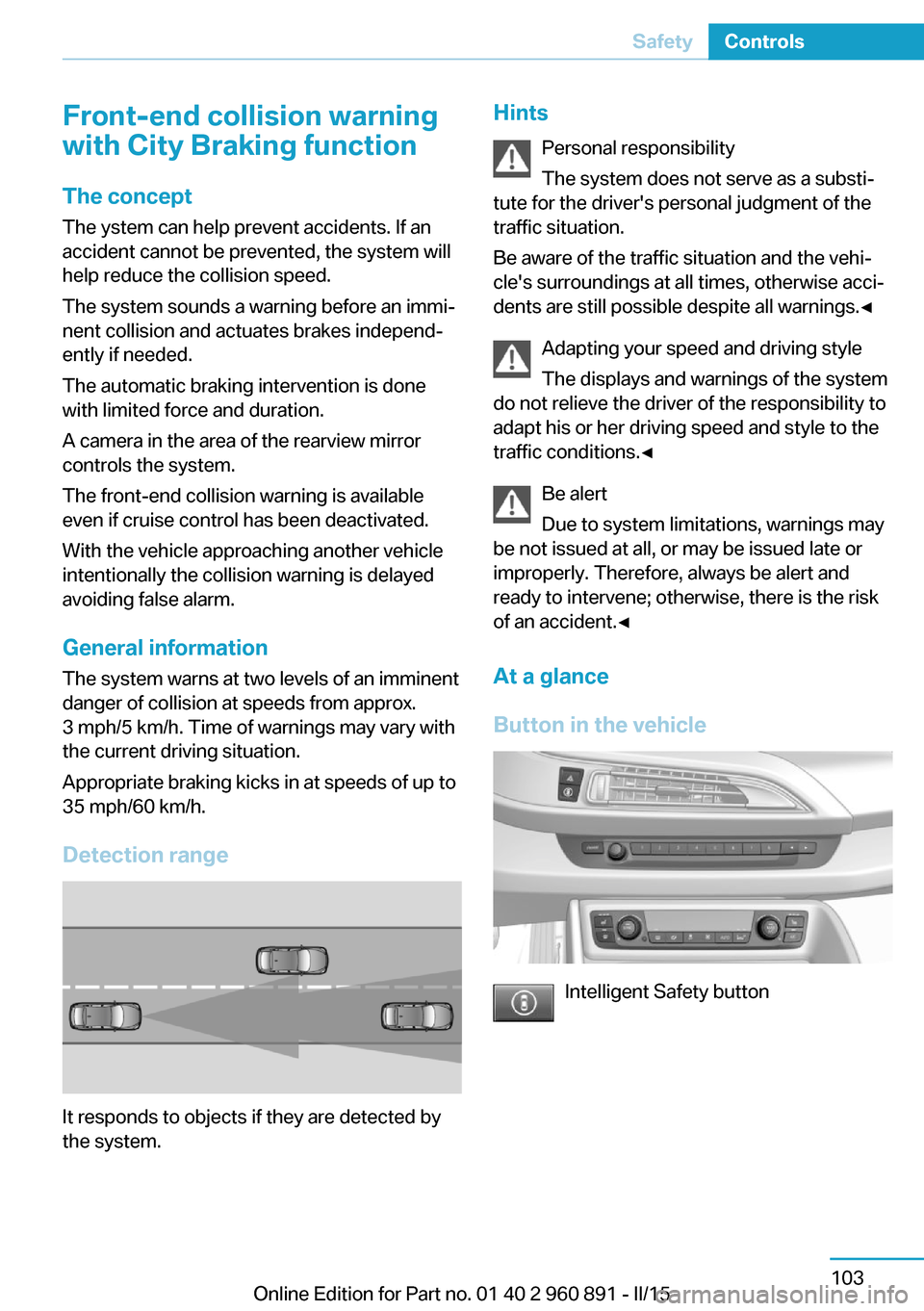
Detection range
It responds to objects if they are detected by
the system.
Hints
Personal responsibility
The system does not serve as a substi‐
tute for the driver's personal judgment of the
traffic situation.
Be aware of the traffic situation and the vehi‐
cle's surroundings at all times, otherwise acci‐
dents are still possible despite all warnings.◀
Adapting your speed and driving style
The displays and warnings of the system
do not relieve the driver of the responsibility to
adapt his or her driving speed and style to the
traffic conditions.◀
Be alert
Due to system limitations, warnings may
be not issued at all, or may be issued late or
improperly. Therefore, always be alert and ready to intervene; otherwise, there is the risk
of an accident.◀
At a glance
Button in the vehicle
Intelligent Safety button
Seite 103SafetyControls103
Online Edition for Part no. 01 40 2 960 891 - II/15
Page 203 of 224
CareVehicle features and optionsThis chapter describes all standard, country-
specific and optional features offered with the
series. It also describes features that are not
necessarily available in your car, e. g., due to
the selected options or country versions. This
also applies to safety-related functions and
systems. The respectively applicable country
provisions must be observed when using the
respective features and systems.
Car washes General information
Regularly remove foreign objects, e.g. leaves,
from the air outlet grills in the hood.
Wash your vehicle frequently, particularly in
winter. Intense soiling and road salt can dam‐
age the vehicle.
Hints Closing the charging port flap
Close the charging port flap while wash‐
ing the vehicle. Otherwise, the vehicle could be
damaged.◀
Steam jets or high-pressure washers
When using steam jets or high-pressure
washers, hold them a sufficient distance away
and use a maximum temperature of
140 ℉/60 ℃.
Ensure that a distance of at least 31.5 in‐
ches/80 cm from the charging port flap is
maintained. Holding them too close or using
excessively high pressures or temperatures
can cause damage or preliminary damage that
may then lead to long-term damage.
Follow the user's manual for the high-pressure
washer.◀Cleaning sensors/camera lenses with
high-pressure washers
When using high-pressure washers, do not
spray the sensors and camera lenses on the
outside of the vehicle for long periods and
maintain a distance of at least 12 in/30 cm.◀
Have the charging port cleaned by
trained personnel
If the charging port is dirty, have the car
cleaned only by appropriately trained person‐
nel. Otherwise, there is a danger of injury from
high voltage.◀
Automatic car washes
Hints▷Give preference to cloth car washes or
those that use soft brushes in order to
avoid paint damage.▷Make sure that the wheels and tires are not
damaged by the transport mechanisms.▷Fold in the exterior mirrors; otherwise, they
may be damaged, depending on the width
of the vehicle.▷Deactivate the rain sensor, refer to
page 69, to avoid unintentional wiper acti‐
vation.▷In some cases, an unintentional alarm can
be triggered by the interior motion sensor
of the alarm system. Follow the instruc‐
tions on avoiding an unintentional alarm,
refer to page 48.
Guide rails in car washes
Avoid car washes with guide rails higher
than 4 in/10 cm; otherwise, the vehicle body
could be damaged.◀
Seite 187CareMobility187
Online Edition for Part no. 01 40 2 960 891 - II/15
Page 214 of 224
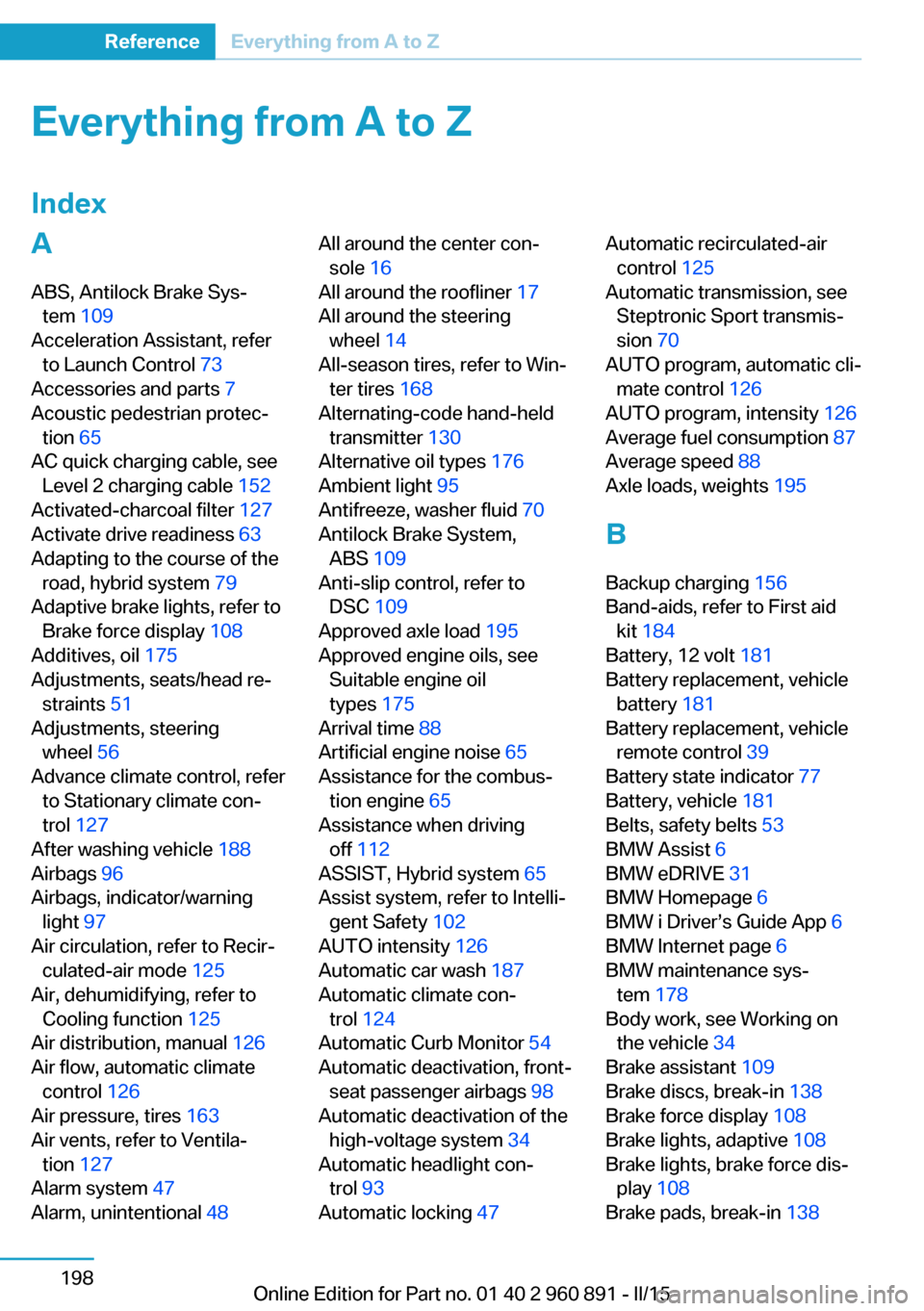
Everything from A to Z
IndexA ABS, Antilock Brake Sys‐ tem 109
Acceleration Assistant, refer to Launch Control 73
Accessories and parts 7
Acoustic pedestrian protec‐ tion 65
AC quick charging cable, see Level 2 charging cable 152
Activated-charcoal filter 127
Activate drive readiness 63
Adapting to the course of the road, hybrid system 79
Adaptive brake lights, refer to Brake force display 108
Additives, oil 175
Adjustments, seats/head re‐ straints 51
Adjustments, steering wheel 56
Advance climate control, refer to Stationary climate con‐
trol 127
After washing vehicle 188
Airbags 96
Airbags, indicator/warning light 97
Air circulation, refer to Recir‐ culated-air mode 125
Air, dehumidifying, refer to Cooling function 125
Air distribution, manual 126
Air flow, automatic climate control 126
Air pressure, tires 163
Air vents, refer to Ventila‐ tion 127
Alarm system 47
Alarm, unintentional 48 All around the center con‐
sole 16
All around the roofliner 17
All around the steering wheel 14
All-season tires, refer to Win‐ ter tires 168
Alternating-code hand-held transmitter 130
Alternative oil types 176
Ambient light 95
Antifreeze, washer fluid 70
Antilock Brake System, ABS 109
Anti-slip control, refer to DSC 109
Approved axle load 195
Approved engine oils, see Suitable engine oil
types 175
Arrival time 88
Artificial engine noise 65
Assistance for the combus‐ tion engine 65
Assistance when driving off 112
ASSIST, Hybrid system 65
Assist system, refer to Intelli‐ gent Safety 102
AUTO intensity 126
Automatic car wash 187
Automatic climate con‐ trol 124
Automatic Curb Monitor 54
Automatic deactivation, front- seat passenger airbags 98
Automatic deactivation of the high-voltage system 34
Automatic headlight con‐ trol 93
Automatic locking 47 Automatic recirculated-air
control 125
Automatic transmission, see Steptronic Sport transmis‐
sion 70
AUTO program, automatic cli‐ mate control 126
AUTO program, intensity 126
Average fuel consumption 87
Average speed 88
Axle loads, weights 195
B Backup charging 156
Band-aids, refer to First aid kit 184
Battery, 12 volt 181
Battery replacement, vehicle battery 181
Battery replacement, vehicle remote control 39
Battery state indicator 77
Battery, vehicle 181
Belts, safety belts 53
BMW Assist 6
BMW eDRIVE 31
BMW Homepage 6
BMW i Driver’s Guide App 6
BMW Internet page 6
BMW maintenance sys‐ tem 178
Body work, see Working on the vehicle 34
Brake assistant 109
Brake discs, break-in 138
Brake force display 108
Brake lights, adaptive 108
Brake lights, brake force dis‐ play 108
Brake pads, break-in 138 Seite 198ReferenceEverything from A to Z198
Online Edition for Part no. 01 40 2 960 891 - II/15
Page 217 of 224
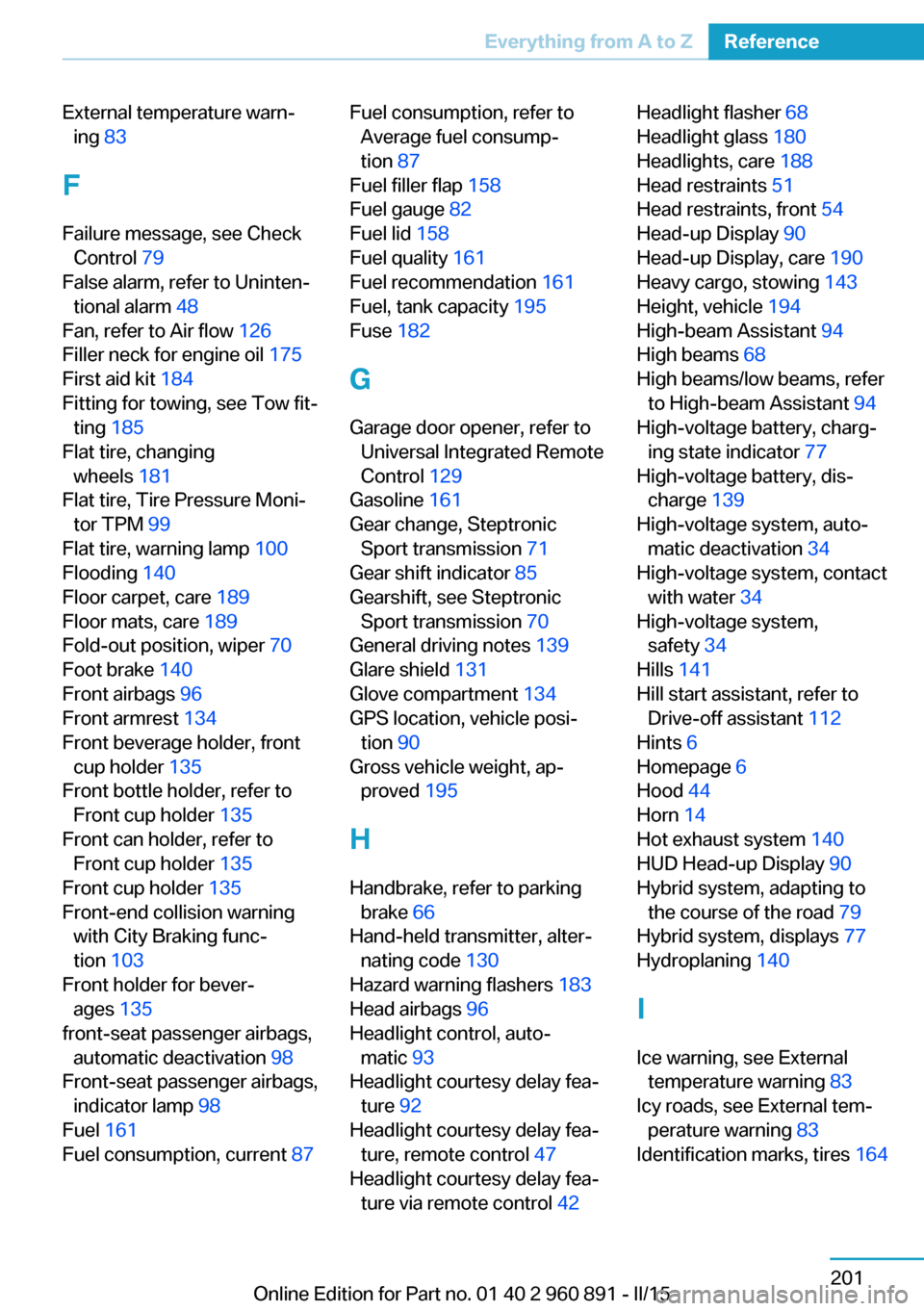
External temperature warn‐ing 83
F Failure message, see Check Control 79
False alarm, refer to Uninten‐ tional alarm 48
Fan, refer to Air flow 126
Filler neck for engine oil 175
First aid kit 184
Fitting for towing, see Tow fit‐ ting 185
Flat tire, changing wheels 181
Flat tire, Tire Pressure Moni‐ tor TPM 99
Flat tire, warning lamp 100
Flooding 140
Floor carpet, care 189
Floor mats, care 189
Fold-out position, wiper 70
Foot brake 140
Front airbags 96
Front armrest 134
Front beverage holder, front cup holder 135
Front bottle holder, refer to Front cup holder 135
Front can holder, refer to Front cup holder 135
Front cup holder 135
Front-end collision warning with City Braking func‐
tion 103
Front holder for bever‐ ages 135
front-seat passenger airbags, automatic deactivation 98
Front-seat passenger airbags, indicator lamp 98
Fuel 161
Fuel consumption, current 87 Fuel consumption, refer to
Average fuel consump‐
tion 87
Fuel filler flap 158
Fuel gauge 82
Fuel lid 158
Fuel quality 161
Fuel recommendation 161
Fuel, tank capacity 195
Fuse 182
G
Garage door opener, refer to Universal Integrated Remote
Control 129
Gasoline 161
Gear change, Steptronic Sport transmission 71
Gear shift indicator 85
Gearshift, see Steptronic Sport transmission 70
General driving notes 139
Glare shield 131
Glove compartment 134
GPS location, vehicle posi‐ tion 90
Gross vehicle weight, ap‐ proved 195
H
Handbrake, refer to parking brake 66
Hand-held transmitter, alter‐ nating code 130
Hazard warning flashers 183
Head airbags 96
Headlight control, auto‐ matic 93
Headlight courtesy delay fea‐ ture 92
Headlight courtesy delay fea‐ ture, remote control 47
Headlight courtesy delay fea‐ ture via remote control 42 Headlight flasher 68
Headlight glass 180
Headlights, care 188
Head restraints 51
Head restraints, front 54
Head-up Display 90
Head-up Display, care 190
Heavy cargo, stowing 143
Height, vehicle 194
High-beam Assistant 94
High beams 68
High beams/low beams, refer to High-beam Assistant 94
High-voltage battery, charg‐ ing state indicator 77
High-voltage battery, dis‐ charge 139
High-voltage system, auto‐ matic deactivation 34
High-voltage system, contact with water 34
High-voltage system, safety 34
Hills 141
Hill start assistant, refer to Drive-off assistant 112
Hints 6
Homepage 6
Hood 44
Horn 14
Hot exhaust system 140
HUD Head-up Display 90
Hybrid system, adapting to the course of the road 79
Hybrid system, displays 77
Hydroplaning 140
I Ice warning, see External temperature warning 83
Icy roads, see External tem‐ perature warning 83
Identification marks, tires 164 Seite 201Everything from A to ZReference201
Online Edition for Part no. 01 40 2 960 891 - II/15