climate control BMW M2 2016 User Guide
[x] Cancel search | Manufacturer: BMW, Model Year: 2016, Model line: M2, Model: BMW M2 2016Pages: 220, PDF Size: 4.71 MB
Page 130 of 220
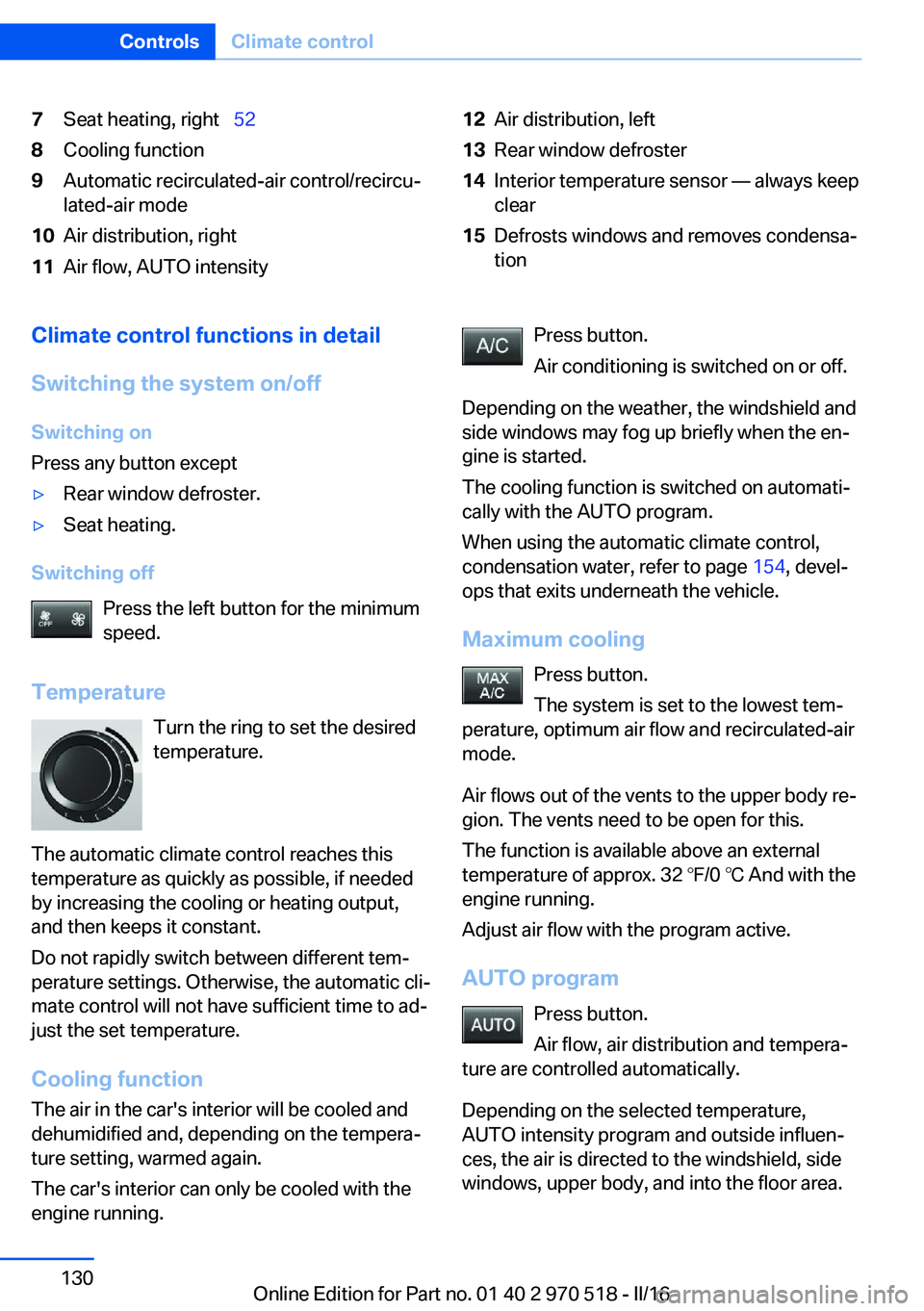
7Seat heating, right 528Cooling function9Automatic recirculated-air control/recircu‐
lated-air mode10Air distribution, right11Air flow, AUTO intensity12Air distribution, left13Rear window defroster14Interior temperature sensor — always keep
clear15Defrosts windows and removes condensa‐
tionClimate control functions in detail
Switching the system on/off
Switching on
Press any button except▷Rear window defroster.▷Seat heating.
Switching off
Press the left button for the minimum
speed.
Temperature Turn the ring to set the desired
temperature.
The automatic climate control reaches this
temperature as quickly as possible, if needed
by increasing the cooling or heating output,
and then keeps it constant.
Do not rapidly switch between different tem‐
perature settings. Otherwise, the automatic cli‐
mate control will not have sufficient time to ad‐
just the set temperature.
Cooling function The air in the car's interior will be cooled and
dehumidified and, depending on the tempera‐
ture setting, warmed again.
The car's interior can only be cooled with the
engine running.
Press button.
Air conditioning is switched on or off.
Depending on the weather, the windshield and
side windows may fog up briefly when the en‐
gine is started.
The cooling function is switched on automati‐
cally with the AUTO program.
When using the automatic climate control,
condensation water, refer to page 154, devel‐
ops that exits underneath the vehicle.
Maximum cooling Press button.
The system is set to the lowest tem‐
perature, optimum air flow and recirculated-air
mode.
Air flows out of the vents to the upper body re‐
gion. The vents need to be open for this.
The function is available above an external
temperature of approx. 32 ℉/0 ℃ And with the engine running.
Adjust air flow with the program active.
AUTO program Press button.
Air flow, air distribution and tempera‐
ture are controlled automatically.
Depending on the selected temperature,
AUTO intensity program and outside influen‐
ces, the air is directed to the windshield, side
windows, upper body, and into the floor area.Seite 130ControlsClimate control130
Online Edition for Part no. 01 40 2 970 518 - II/16
Page 131 of 220
The cooling function, refer to page 130, is
switched on automatically with the AUTO pro‐
gram.
At the same time, a condensation sensor con‐
trols the program so as to prevent window
condensation as much as possible.
Intensity of the AUTO program
With the AUTO program activated, the auto‐
matic intensity control can be changed.
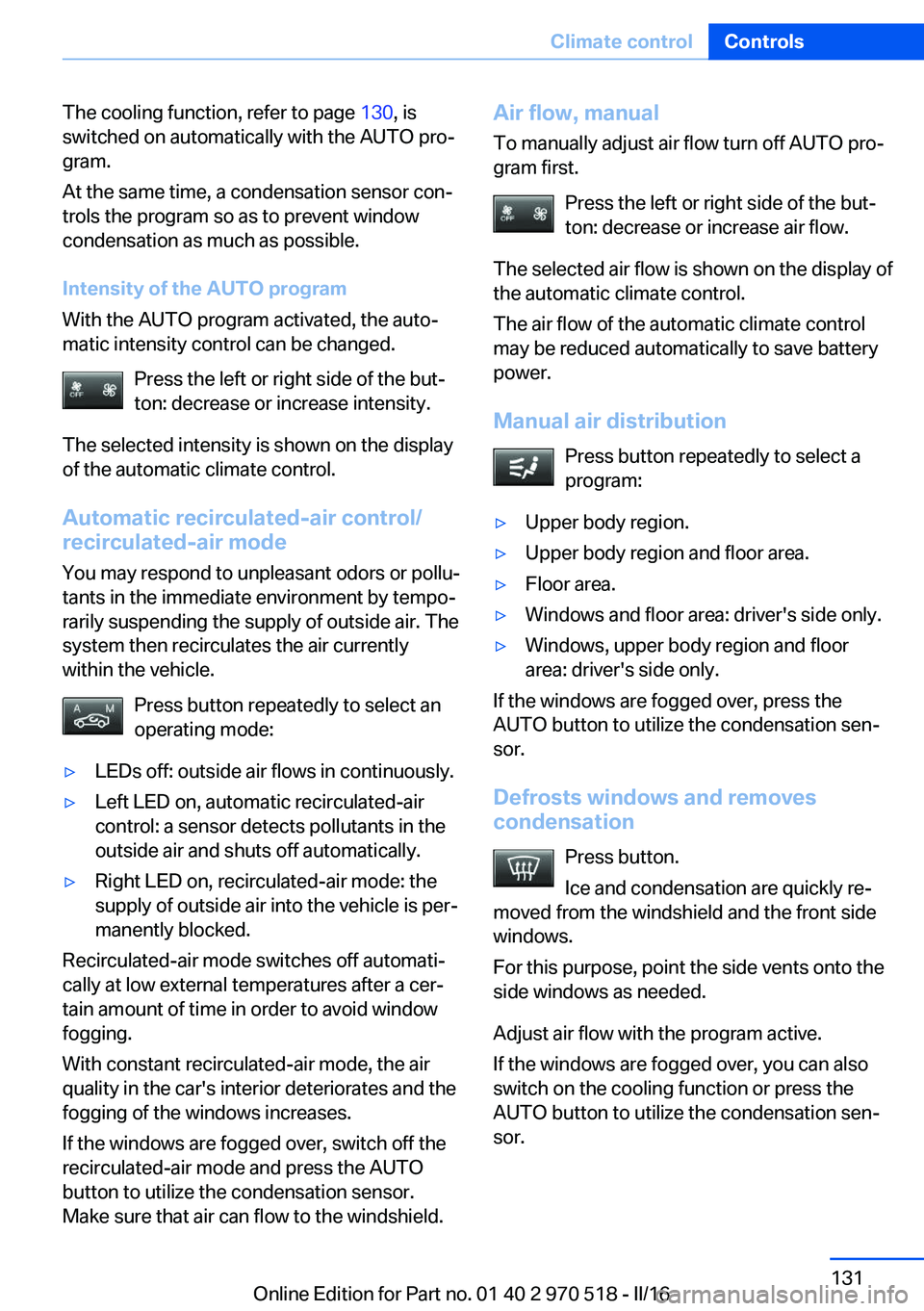
Press the left or right side of the but‐
ton: decrease or increase intensity.
The selected intensity is shown on the display
of the automatic climate control.
Automatic recirculated-air control/
recirculated-air mode
You may respond to unpleasant odors or pollu‐
tants in the immediate environment by tempo‐
rarily suspending the supply of outside air. The
system then recirculates the air currently
within the vehicle.
Press button repeatedly to select an
operating mode:▷LEDs off: outside air flows in continuously.▷Left LED on, automatic recirculated-air
control: a sensor detects pollutants in the
outside air and shuts off automatically.▷Right LED on, recirculated-air mode: the
supply of outside air into the vehicle is per‐
manently blocked.
Recirculated-air mode switches off automati‐
cally at low external temperatures after a cer‐
tain amount of time in order to avoid window
fogging.
With constant recirculated-air mode, the air
quality in the car's interior deteriorates and the
fogging of the windows increases.
If the windows are fogged over, switch off the
recirculated-air mode and press the AUTO
button to utilize the condensation sensor.
Make sure that air can flow to the windshield.
Air flow, manual
To manually adjust air flow turn off AUTO pro‐
gram first.
Press the left or right side of the but‐
ton: decrease or increase air flow.
The selected air flow is shown on the display of
the automatic climate control.
The air flow of the automatic climate control
may be reduced automatically to save battery
power.
Manual air distribution Press button repeatedly to select a
program:▷Upper body region.▷Upper body region and floor area.▷Floor area.▷Windows and floor area: driver's side only.▷Windows, upper body region and floor
area: driver's side only.
If the windows are fogged over, press the
AUTO button to utilize the condensation sen‐
sor.
Defrosts windows and removes
condensation
Press button.
Ice and condensation are quickly re‐
moved from the windshield and the front side
windows.
For this purpose, point the side vents onto the
side windows as needed.
Adjust air flow with the program active.
If the windows are fogged over, you can also
switch on the cooling function or press the
AUTO button to utilize the condensation sen‐
sor.
Seite 131Climate controlControls131
Online Edition for Part no. 01 40 2 970 518 - II/16
Page 132 of 220
Rear window defrosterPress button.
The rear window defroster switches
off automatically after a certain period of time.
Microfilter/activated-charcoal filter In external and recirculated air mode the mi‐crofilter/activated charcoal filter filters dust,
pollen, and gaseous pollutants out of the air.
This filter should be replaced during vehicle
maintenance, refer to page 184.
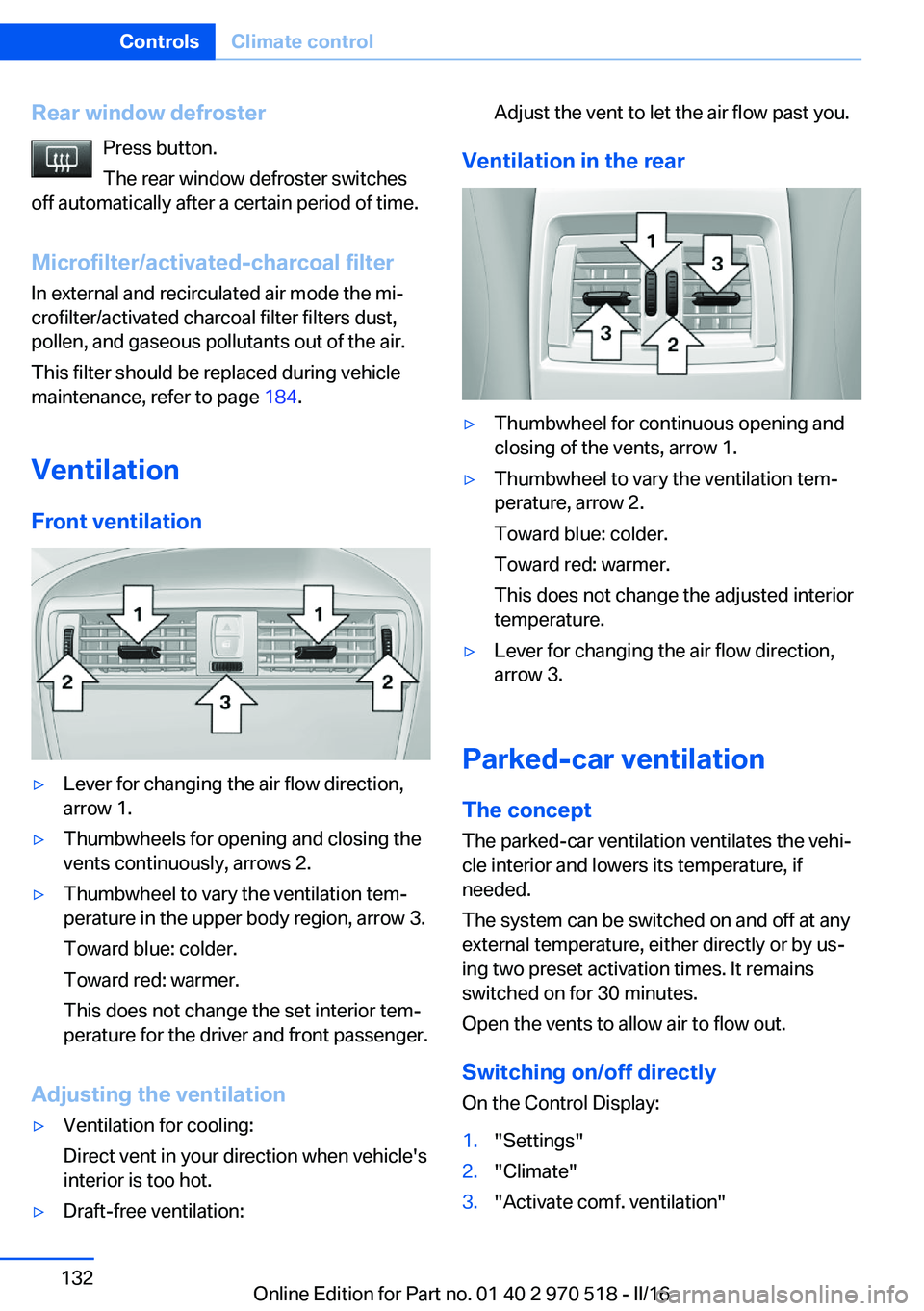
Ventilation Front ventilation▷Lever for changing the air flow direction,
arrow 1.▷Thumbwheels for opening and closing the
vents continuously, arrows 2.▷Thumbwheel to vary the ventilation tem‐
perature in the upper body region, arrow 3.
Toward blue: colder.
Toward red: warmer.
This does not change the set interior tem‐
perature for the driver and front passenger.
Adjusting the ventilation
▷Ventilation for cooling:
Direct vent in your direction when vehicle's
interior is too hot.▷Draft-free ventilation:Adjust the vent to let the air flow past you.
Ventilation in the rear
▷Thumbwheel for continuous opening and
closing of the vents, arrow 1.▷Thumbwheel to vary the ventilation tem‐
perature, arrow 2.
Toward blue: colder.
Toward red: warmer.
This does not change the adjusted interior
temperature.▷Lever for changing the air flow direction,
arrow 3.
Parked-car ventilation
The concept The parked-car ventilation ventilates the vehi‐
cle interior and lowers its temperature, if
needed.
The system can be switched on and off at any
external temperature, either directly or by us‐
ing two preset activation times. It remains
switched on for 30 minutes.
Open the vents to allow air to flow out.
Switching on/off directly
On the Control Display:
1."Settings"2."Climate"3."Activate comf. ventilation"Seite 132ControlsClimate control132
Online Edition for Part no. 01 40 2 970 518 - II/16
Page 133 of 220
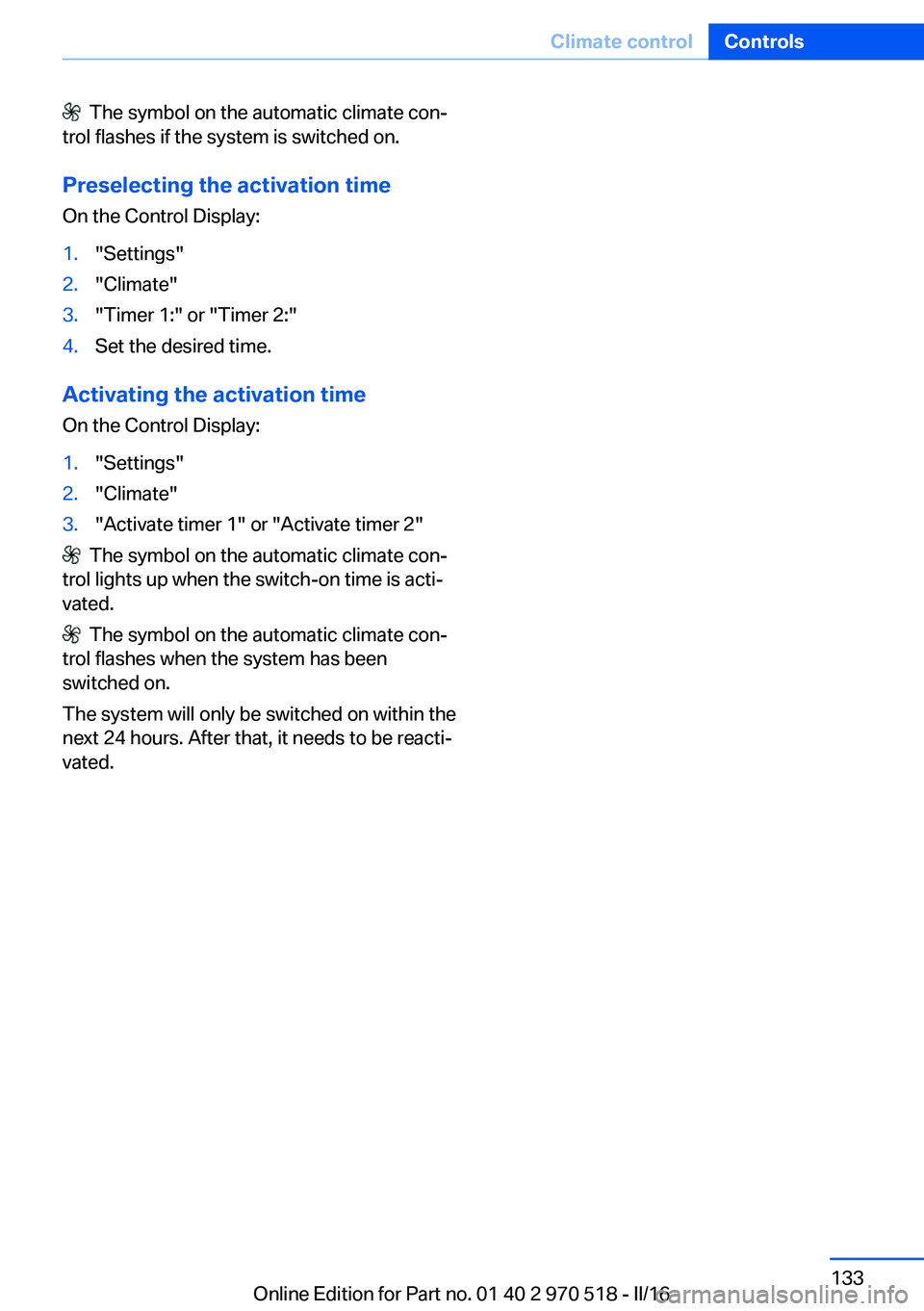
The symbol on the automatic climate con‐
trol flashes if the system is switched on.
Preselecting the activation time
On the Control Display:1."Settings"2."Climate"3."Timer 1:" or "Timer 2:"4.Set the desired time.
Activating the activation time On the Control Display:
1."Settings"2."Climate"3."Activate timer 1" or "Activate timer 2"
The symbol on the automatic climate con‐
trol lights up when the switch-on time is acti‐
vated.
The symbol on the automatic climate con‐
trol flashes when the system has been
switched on.
The system will only be switched on within the
next 24 hours. After that, it needs to be reacti‐
vated.
Seite 133Climate controlControls133
Online Edition for Part no. 01 40 2 970 518 - II/16
Page 154 of 220
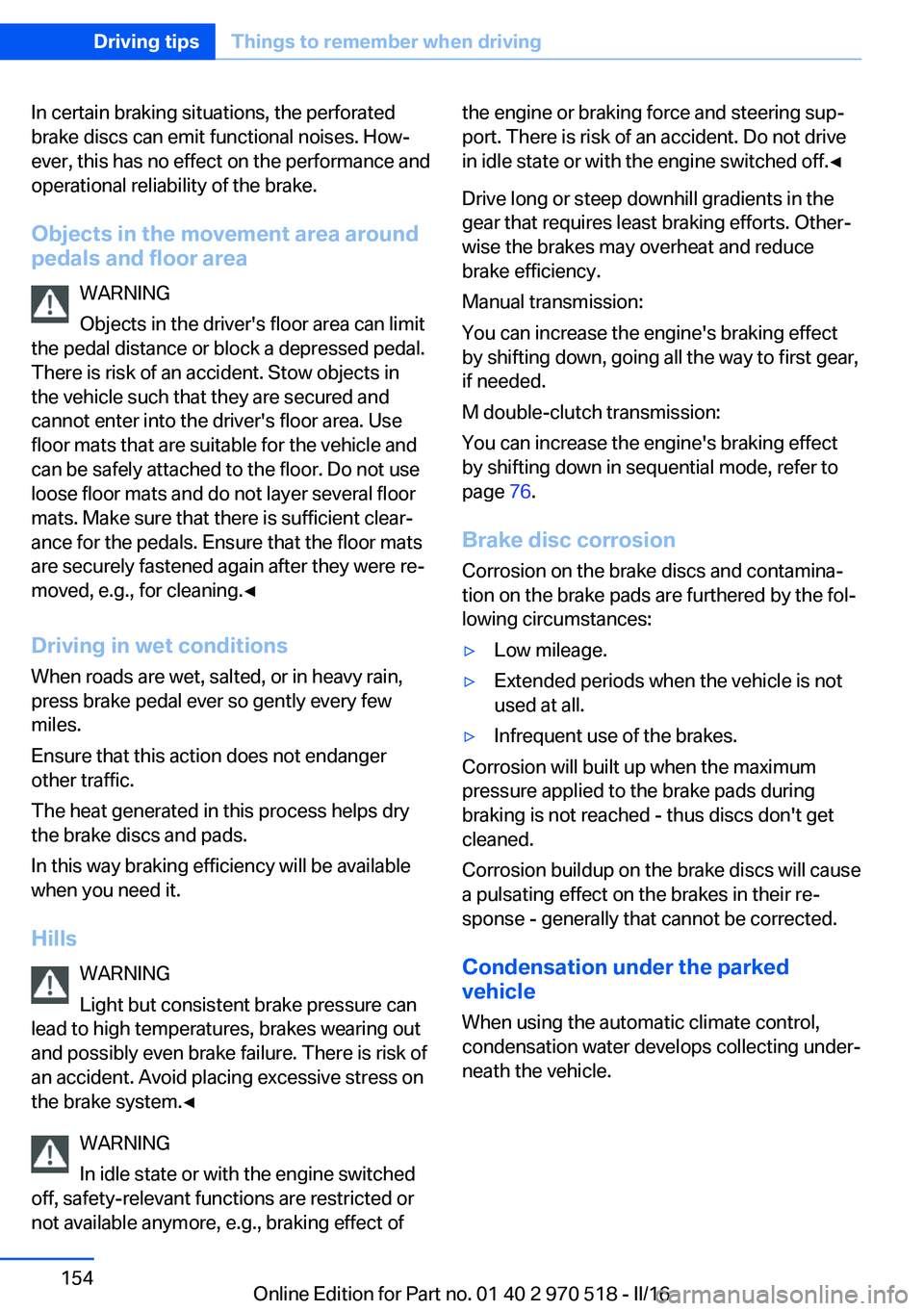
In certain braking situations, the perforated
brake discs can emit functional noises. How‐
ever, this has no effect on the performance and
operational reliability of the brake.
Objects in the movement area around
pedals and floor area
WARNING
Objects in the driver's floor area can limit
the pedal distance or block a depressed pedal.
There is risk of an accident. Stow objects in
the vehicle such that they are secured and
cannot enter into the driver's floor area. Use
floor mats that are suitable for the vehicle and
can be safely attached to the floor. Do not use
loose floor mats and do not layer several floor
mats. Make sure that there is sufficient clear‐
ance for the pedals. Ensure that the floor mats
are securely fastened again after they were re‐
moved, e.g., for cleaning.◀
Driving in wet conditionsWhen roads are wet, salted, or in heavy rain,
press brake pedal ever so gently every few
miles.
Ensure that this action does not endanger
other traffic.
The heat generated in this process helps dry
the brake discs and pads.
In this way braking efficiency will be available
when you need it.
Hills WARNING
Light but consistent brake pressure can
lead to high temperatures, brakes wearing out
and possibly even brake failure. There is risk of
an accident. Avoid placing excessive stress on
the brake system.◀
WARNING
In idle state or with the engine switched
off, safety-relevant functions are restricted or
not available anymore, e.g., braking effect ofthe engine or braking force and steering sup‐
port. There is risk of an accident. Do not drive
in idle state or with the engine switched off.◀
Drive long or steep downhill gradients in the
gear that requires least braking efforts. Other‐
wise the brakes may overheat and reduce
brake efficiency.
Manual transmission:
You can increase the engine's braking effect
by shifting down, going all the way to first gear,
if needed.
M double-clutch transmission:
You can increase the engine's braking effect
by shifting down in sequential mode, refer to
page 76.
Brake disc corrosion
Corrosion on the brake discs and contamina‐
tion on the brake pads are furthered by the fol‐
lowing circumstances:▷Low mileage.▷Extended periods when the vehicle is not
used at all.▷Infrequent use of the brakes.
Corrosion will built up when the maximum
pressure applied to the brake pads during
braking is not reached - thus discs don't get
cleaned.
Corrosion buildup on the brake discs will cause
a pulsating effect on the brakes in their re‐
sponse - generally that cannot be corrected.
Condensation under the parked
vehicle
When using the automatic climate control,
condensation water develops collecting under‐
neath the vehicle.
Seite 154Driving tipsThings to remember when driving154
Online Edition for Part no. 01 40 2 970 518 - II/16
Page 170 of 220
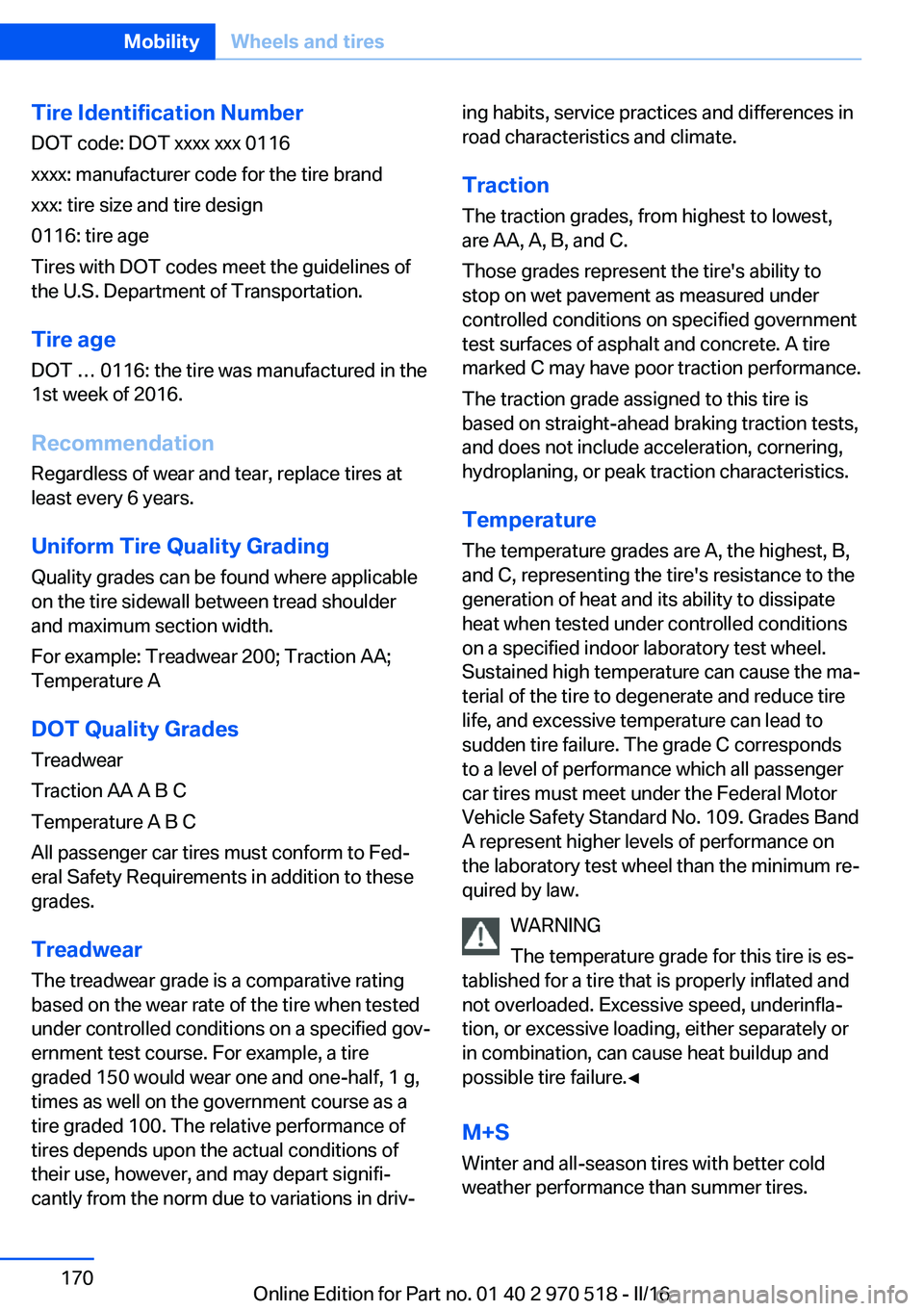
Tire Identification NumberDOT code: DOT xxxx xxx 0116
xxxx: manufacturer code for the tire brand
xxx: tire size and tire design
0116: tire age
Tires with DOT codes meet the guidelines of
the U.S. Department of Transportation.
Tire age DOT … 0116: the tire was manufactured in the
1st week of 2016.
Recommendation
Regardless of wear and tear, replace tires at
least every 6 years.
Uniform Tire Quality Grading Quality grades can be found where applicable
on the tire sidewall between tread shoulder
and maximum section width.
For example: Treadwear 200; Traction AA;
Temperature A
DOT Quality Grades
Treadwear
Traction AA A B C
Temperature A B C
All passenger car tires must conform to Fed‐
eral Safety Requirements in addition to these
grades.
TreadwearThe treadwear grade is a comparative rating
based on the wear rate of the tire when tested
under controlled conditions on a specified gov‐
ernment test course. For example, a tire
graded 150 would wear one and one-half, 1 g,
times as well on the government course as a
tire graded 100. The relative performance of
tires depends upon the actual conditions of
their use, however, and may depart signifi‐
cantly from the norm due to variations in driv‐ing habits, service practices and differences in
road characteristics and climate.
Traction
The traction grades, from highest to lowest,
are AA, A, B, and C.
Those grades represent the tire's ability to
stop on wet pavement as measured under
controlled conditions on specified government
test surfaces of asphalt and concrete. A tire
marked C may have poor traction performance.
The traction grade assigned to this tire is
based on straight-ahead braking traction tests,
and does not include acceleration, cornering,
hydroplaning, or peak traction characteristics.
Temperature
The temperature grades are A, the highest, B, and C, representing the tire's resistance to the
generation of heat and its ability to dissipate
heat when tested under controlled conditions
on a specified indoor laboratory test wheel.
Sustained high temperature can cause the ma‐
terial of the tire to degenerate and reduce tire
life, and excessive temperature can lead to
sudden tire failure. The grade C corresponds
to a level of performance which all passenger
car tires must meet under the Federal Motor
Vehicle Safety Standard No. 109. Grades Band
A represent higher levels of performance on
the laboratory test wheel than the minimum re‐
quired by law.
WARNING
The temperature grade for this tire is es‐
tablished for a tire that is properly inflated and
not overloaded. Excessive speed, underinfla‐
tion, or excessive loading, either separately or
in combination, can cause heat buildup and
possible tire failure.◀
M+S
Winter and all-season tires with better cold
weather performance than summer tires.Seite 170MobilityWheels and tires170
Online Edition for Part no. 01 40 2 970 518 - II/16
Page 210 of 220
Everything from A to Z
IndexA ABS, Antilock Brake Sys‐ tem 114
Acceleration Assistant, see Launch Control 78
Accessories and parts 8
Activated-charcoal filter 132
Activation times, parked-car ventilation 133
Active M differential 116
Adaptive brake lights, see Brake force display 112
Adaptive Light Control 95
Additional information, iDrive 23
Additives, oil 181
Adjustments, seats/head re‐ straints 49
After washing vehicle 200
Airbags 98
Airbags, indicator/warning light 99
Air circulation, see Recircu‐ lated-air mode 128, 131
Air, dehumidifying, see Cool‐ ing function 128, 130
Air distribution, man‐ ual 129 , 131
Air flow, air conditioner 128
Air flow, automatic climate control 131
Air pressure, tires 168
Air vents, see Ventilation 132
Alarm system 44
Alarm, unintentional 45
All around the center con‐ sole 16
All around the roofliner 17
All around the steering wheel 14 All-season tires, see Winter
tires 172
Alternating-code hand-held transmitter 135
Alternative oil types 181
Ambient light 97
Antifreeze, washer fluid 73
Antilock Brake System, ABS 114
Anti-slip control, see DSC 114
App, BMW Driver’s Guide 6
Approved axle load 207
Arrival time 90
Ashtray 138
Assistance, Roadside Assis‐ tance 194
Assistance when driving off 118
Attentiveness assistant 112
AUTO intensity 131
Automatic car wash 199
Automatic climate con‐ trol 127
Automatic climate control with enhanced features 129
Automatic Curb Monitor 58
Automatic deactivation, Front-seat passenger air‐
bags 100
Automatic headlamp con‐ trol 94
Automatic locking 43
Automatic recirculated-air control 131
AUTO program, automatic cli‐ mate control 130
AUTO program, climate con‐ trol 128
AUTO program, intensity 131
Auto Start/Stop function 67 AUX-IN port, general informa‐
tion 139
Average fuel consumption 89
Average speed 89
Axle loads, weights 207
B Backrest curvature, see Lum‐ bar support 51
Backrest, width 52
Band-aids, see First-aid kit 194
Battery replacement, vehicle battery 190
Battery replacement, vehicle remote control 35
Battery, vehicle 190
Being towed, see Tow-start‐ ing and towing 196
Belts, safety belts 53
Beverage holder, cup holder 145
BMW Assist 6
BMW Driver’s Guide app 6
BMW Homepage 6
BMW Internet page 6
BMW maintenance sys‐ tem 184
BMW M technology 150
Bottle holder, see Cup holder 145
Brake assistant 114
Brake discs, break-in 152
Brake force display 112
Brake lights, adaptive 112
Brake lights, brake force dis‐ play 112
Brake pads, break-in 152
Braking, information 153 Seite 210ReferenceEverything from A to Z210
Online Edition for Part no. 01 40 2 970 518 - II/16
Page 211 of 220
Breakdown assis‐tance 193, 194
Break-in 152
Brightness of Control Dis‐ play 92
Bulb replacement 186
Bulb replacement, front 187
Bulb replacement, rear 189
Bulbs and lights 186
Button, Start/Stop 65
Bypassing, see Jump-start‐ ing 194
C
California Proposition 65 Warning 8
Calling up mirror adjust‐ ment 44
Calling up seat adjust‐ ment 44
Camera lenses, care 202
Camera, rearview cam‐ era 124
Can holder, see Cup holder 145
Car battery 190
Care, displays 202
Care, vehicle 200
Cargo 156
Cargo area, enlarging 141
Cargo area, storage compart‐ ments 146
Cargo straps, securing cargo 157
Car key, see Remote con‐ trol 34
Carpet, care 202
Car wash 199
Catalytic converter, see Hot exhaust system 153
CBS Condition Based Serv‐ ice 184
Center armrest 144
Center console 16
Central locking system 40 Central screen, see Control
Display 18
Changes, technical, see Own Safety 7
Changing parts 186
Changing wheels 190
Changing wheels/tires 171
Chassis number, see Vehicle identification number 10
Check Control 80
Checking the engine oil level electronically 179
Checking the oil level elec‐ tronically 179
Children, seating position 61
Children, transporting safely 61
Child restraint fixing system LATCH 63
Child restraint system 61
Child restraint systems, mounting 62
Child seat, mounting 62
Child seats 61
Chrome parts, care 201
Cigarette lighter 138
Cleaning displays 202
Climate control 127, 129
Clock 84
Closing/opening via door lock 39
Closing/opening with remote control 37
Clothes hooks 146
Cockpit 14
Combination switch, see Turn signals 70
Combination switch, see Wiper system 71
Comfort Access 41
COMFORT program, Dy‐ namic Driving Control 118
Compartments in the doors 144
Compass 136
Compound brake 150 Compressor 173
Condensation on win‐ dows 131
Condensation under the vehi‐ cle 154
Condition Based Service CBS 184
Confirmation signal 43
ConnectedDrive 6
ConnectedDrive Services 6
Connecting electrical devi‐ ces 138
Container for washer fluid 73
Control Display 18
Control Display, settings 91
Controller 19
Control systems, driving sta‐ bility 114
Convenient opening with the remote control 38
Coolant 182
Cooling function 128, 130
Cooling, maximum 130
Cooling system 182
Cornering light 95
Corrosion on brake discs 154
Cosmetic mirror 138
Courtesy lamps during un‐ locking 38
Courtesy lamps with the vehi‐ cle locked 38
Cruise control 119
Cruise control without dis‐ tance control, see cruise
control 119
Cruising range 84
Cup holder 145
Current fuel consumption 84
D
Damage, tires 171
Data, technical 206
Date 84
Daytime running lights 95 Seite 211Everything from A to ZReference211
Online Edition for Part no. 01 40 2 970 518 - II/16