lights BMW M3 2008 Owner's Manual
[x] Cancel search | Manufacturer: BMW, Model Year: 2008, Model line: M3, Model: BMW M3 2008Pages: 266, PDF Size: 8.85 MB
Page 103 of 266
Controls
101Reference
At a glance
Driving tips
Communications
Navigation
Entertainment
Mobility
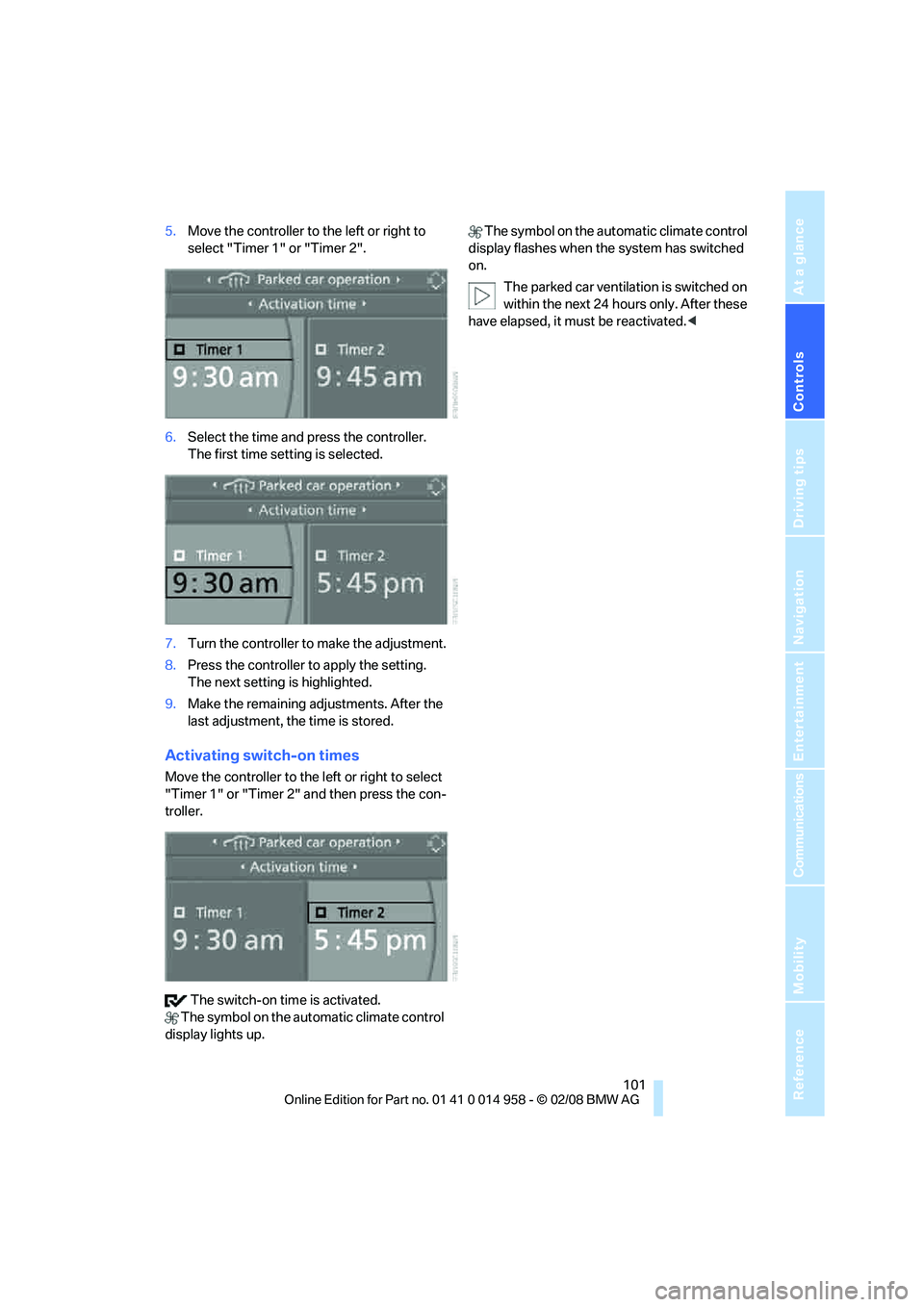
5.Move the controller to the left or right to
select "Timer 1" or "Timer 2".
6.Select the time and press the controller.
The first time setting is selected.
7.Turn the controller to make the adjustment.
8.Press the controller to apply the setting.
The next setting is highlighted.
9.Make the remaining adjustments. After the
last adjustment, the time is stored.
Activating switch-on times
Move the controller to the left or right to select
"Timer 1" or "Timer 2" and then press the con-
troller.
The switch-on time is activated.
The symbol on the automatic climate control
display lights up. The symbol on the automatic climate control
display flashes when the system has switched
on.
The parked car ventilation is switched on
within the next 24 hours only. After these
have elapsed, it must be reactivated.<
Page 215 of 266
Mobility
213Reference
At a glance
Controls
Driving tips
Communications
Navigation
Entertainment
Socket for On-Board
Diagnosis OBD
Primary components that make up exhaust
emissions can be checked by a device via the
OBD socket.
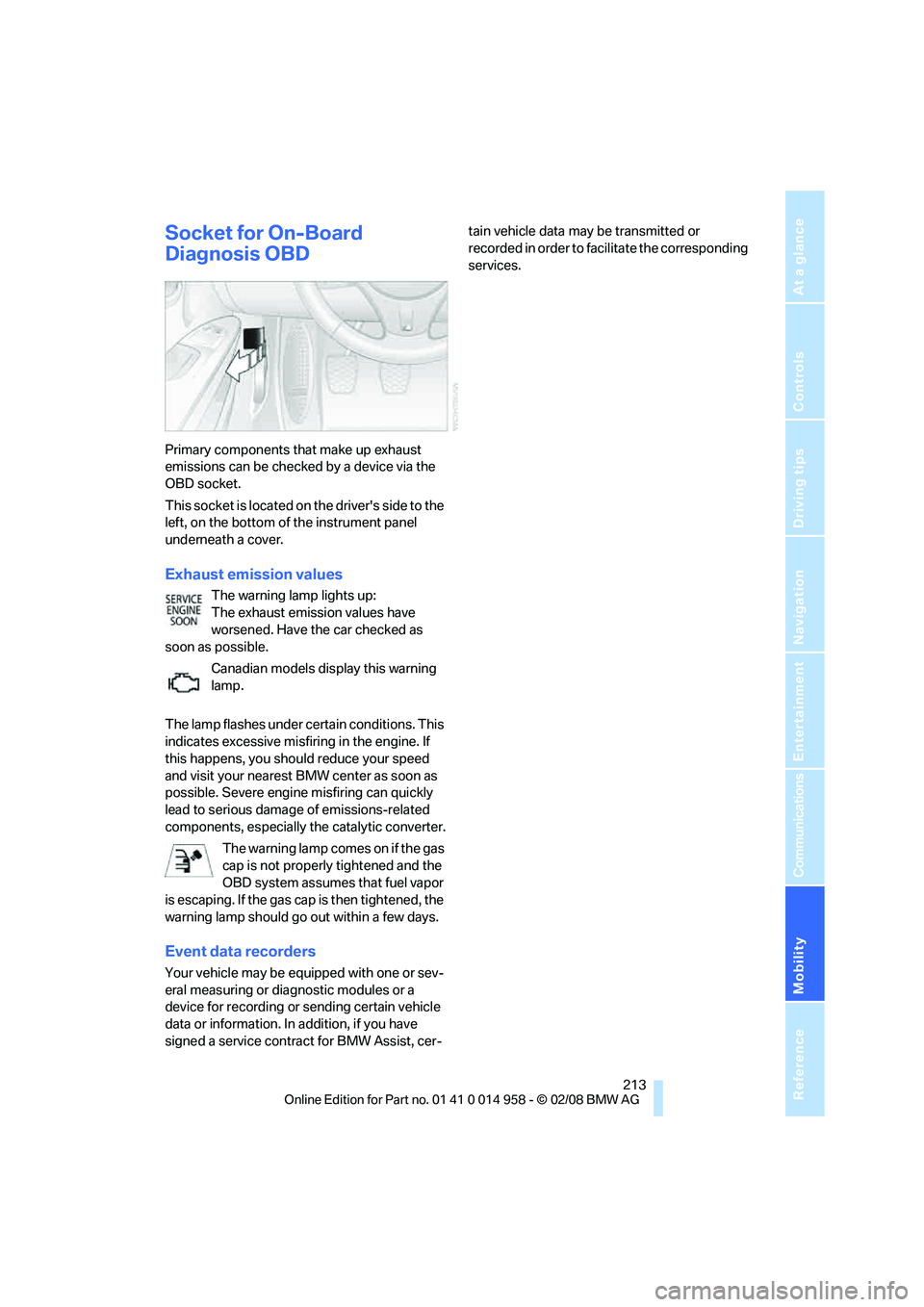
This socket is located on the driver's side to the
left, on the bottom of the instrument panel
underneath a cover.
Exhaust emission values
The warning lamp lights up:
The exhaust emission values have
worsened. Have the car checked as
soon as possible.
Canadian models display this warning
lamp.
The lamp flashes under certain conditions. This
indicates excessive misfiring in the engine. If
this happens, you should reduce your speed
and visit your nearest BMW center as soon as
possible. Severe engine misfiring can quickly
lead to serious damage of emissions-related
components, especially the catalytic converter.
The warning lamp comes on if the gas
cap is not properly tightened and the
OBD system assumes that fuel vapor
is escaping. If the gas cap is then tightened, the
warning lamp should go out within a few days.
Event data recorders
Your vehicle may be equipped with one or sev-
eral measuring or diagnostic modules or a
device for recording or sending certain vehicle
data or information. In addition, if you have
signed a service contract for BMW Assist, cer-tain vehicle data may be transmitted or
recorded in order to facilitate the corresponding
services.
Page 232 of 266
Giving and receiving assistance
230
Giving and receiving assistance
Emergency Request*
Conditions for an Emergency Request:
>Equipment version with full preparation
package mobile phone. This equipment
makes it possible to send an Emergency
Request even if no mobile phone is paired
with the vehicle.
>BMW Assist is activated. Activating
BMW Assist, refer to page198.
>Radio readiness is on.
>The BMW Assist system is logged on to a
mobile phone network.
>The Emergency Request system is opera-
ble.
Once your service contract for BMW Assist
expires, the BMW Assist system can be deacti-
vated by a BMW center without you having to
visit a workshop. Once the BMW Assist system
has been deactivated, Emergency Requests
are not possible. The BMW Assist system can
be reactivated by a BMW center after a new
contract has been signed.
Sending an Emergency Request
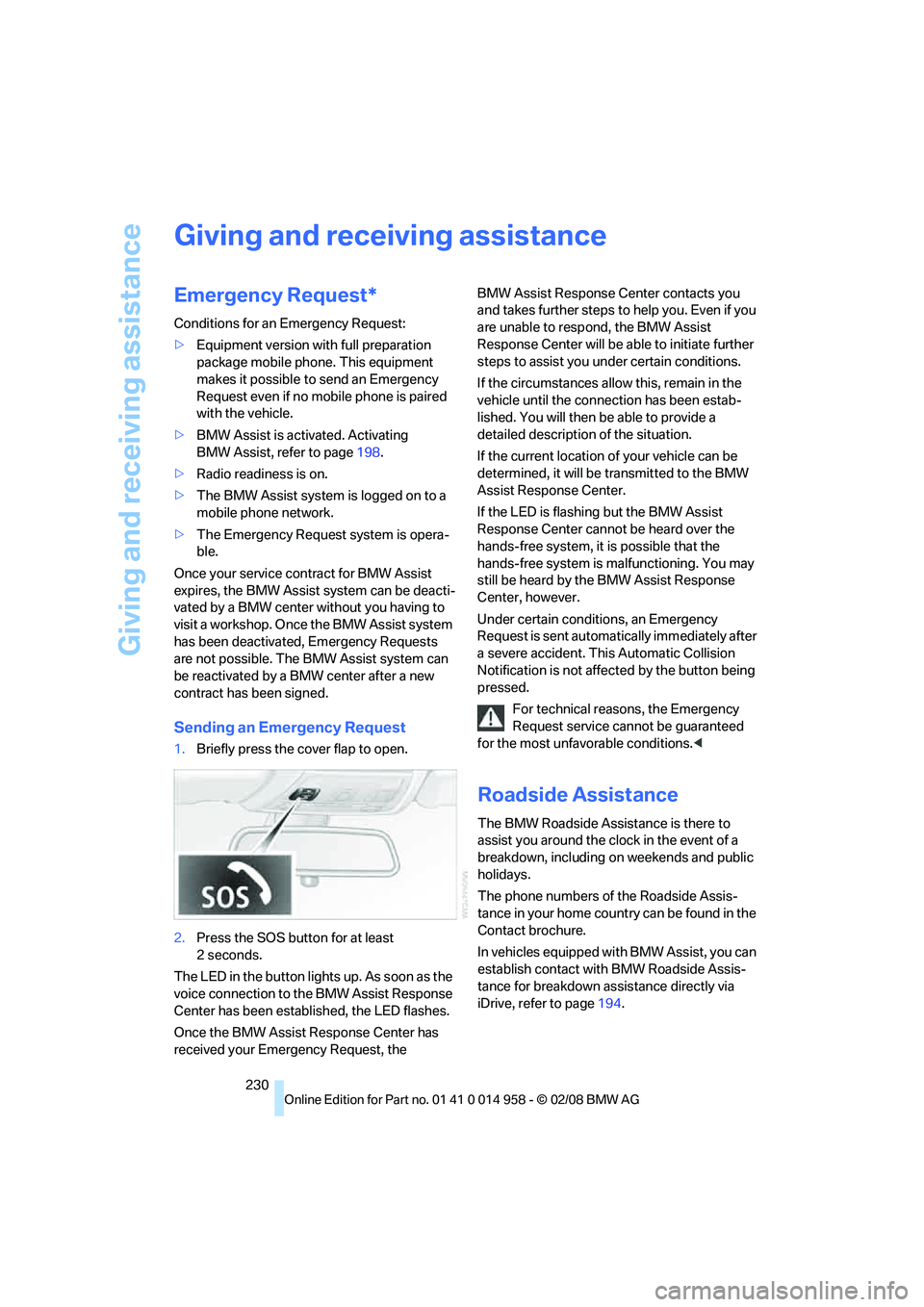
1.Briefly press the cover flap to open.
2.Press the SOS button for at least
2seconds.
The LED in the button lights up. As soon as the
voice connection to the BMW Assist Response
Center has been established, the LED flashes.
Once the BMW Assist Response Center has
received your Emergency Request, the BMW Assist Response Center contacts you
and takes further steps to help you. Even if you
are unable to respond, the BMW Assist
Response Center will be able to initiate further
steps to assist you under certain conditions.
If the circumstances allow this, remain in the
vehicle until the connection has been estab-
lished. You will then be able to provide a
detailed description of the situation.
If the current location of your vehicle can be
determined, it will be transmitted to the BMW
Assist Response Center.
If the LED is flashing but the BMW Assist
Response Center cannot be heard over the
hands-free system, it is possible that the
hands-free system is malfunctioning. You may
still be heard by the BMW Assist Response
Center, however.
Under certain conditions, an Emergency
Request is sent automatically immediately after
a severe accident. This Automatic Collision
Notification is not affected by the button being
pressed.
For technical reasons, the Emergency
Request service cannot be guaranteed
for the most unfavorable conditions.<
Roadside Assistance
The BMW Roadside Assistance is there to
assist you around the clock in the event of a
breakdown, including on weekends and public
holidays.
The phone numbers of the Roadside Assis-
tance in your home country can be found in the
Contact brochure.
In vehicles equipped with BMW Assist, you can
establish contact with BMW Roadside Assis-
tance for breakdown assistance directly via
iDrive, refer to page194.
Page 257 of 266
Reference 255
At a glance
Controls
Driving tips
Communications
Navigation
Entertainment
Mobility
M dual clutch transmission
with Drivelogic57
– kick-down58
– Launch Control62
– neutral58
– reverse gear58
– sequential mode58
– Shift Lights61
– shiftlock58
– tow-starting234
– unlocking transmission lock
manually59
"M Dynamic Mode"83
M Dynamic Mode MDM82
– indicator lamp83
Measurements, refer to
Dimensions239
Memory, refer to Seat and
mirror memory43
M Engine Dynamics
Control63
MENU button16
Menus
– Control Display17
Menus, refer to iDrive16
Message list, traffic
information144
Microfilter
– BMW Maintenance
System212
– for automatic climate
control100
Microfilter/activated-charcoal
filter
– BMW Maintenance
System212
Microphone
– telephone14
– voice input14
Mirror dimming feature46
Mirrors45
– automatic curb monitor46
– exterior mirrors45
– heating46
– interior rearview mirror46
– memory, refer to Seat and
mirror memory43
"Missed calls"186
Missed calls186M Mobility Set226
Mobile phone
– accepted calls186
– adjusting volume183
– calling185
– ending call185
– installation location, refer to
Center armrest106
– missed calls186
– operation via iDrive183
– redialing186
– refer to separate Owner's
Manual
– Top 8186
– touch tone dialing188
Mobile phone, installation
location, refer to Center
armrest106
Mobile phone, refer to the
separate Owner's Manual
Modifications, technical, refer
to For your own safety5
Monitor, refer to iDrive
controls16
Monitoring system for tire
pressures, refer to Flat Tire
Monitor84
"Monitor on / off"47
Most recent mobile phone
numbers186
MP3, refer to Compressed
audio files165
"M settings"48,49
Multifunctional steering
wheel, refer to Buttons on
the steering wheel11
Multifunction switch
– refer to Turn signals/
headlamp flasher63
– refer to Wiper system64
Multimedia screen, refer to
iDrive16
Music tracks, refer to
Tracks166
"Mute on / off"47
N
"Navigation"126,132Navigation announcements,
refer to Switching voice
instructions on/off142
Navigation drive, location124
Navigation DVD124
– drive152
Navigation system124
– address book134
– changing a route143
– destination entry126
– destination guidance in
assistance window124
– destination list133
– displaying current
position147
– entering a destination
manually126,130
– last destinations133
– navigation DVD124
– opening126
– route display140
– route list142
– searching for a special
destination132
– selecting destination using
information132
– selecting destination via
map131
– selecting route criteria137
– starting destination
guidance139
– switching off, refer to
Terminating/continuing
destination guidance139
– terminating/continuing
destination guidance139
– voice instructions142
– volume adjustment143
"Navigation voice
instructions"125
"Navigation voice
instructions" via buttons on
the steering wheel47
Neck support, refer to Head
restraints42
Nets, refer to Storage
compartments106
Neutral58
Page 260 of 266
Everything from A - Z
258 Roof load capacity240
Roof-mounted luggage
rack117
Rope, refer to Tow-starting,
towing away233
Rotary/pushbutton, refer to
iDrive16
Route137
– arrow display140
– changing143
– display140
– displaying streets and
towns/cities142
– displaying town142
– list142
– map display141
– selecting137
– selecting criteria137
S
Safety-belt height
adjustment45
Safety belts44
– damage45
– indicator/warning lamp45
– reminder45
– sitting safely40
Safety systems
– airbags89
– Antilock Brake System
ABS82
– brake system82
– driving stability control
systems82
– Dynamic Stability Control
DSC82
– safety belts44
"SAT"152,162
Satellite radio162
– displaying additional
information163
– enabling162
– selecting channel163
– storing channel163
"Scan"
– sampling radio stations157
– sampling tracks on CD167Scan
– CD changer167
– CD player167
– radio157
"Scan all" for audio mode167
"Scan directory" for audio
mode167
Screen, refer to iDrive
controls16
Screw thread for tow
fitting232
SDARS, refer to Satellite
radio162
Sealant, filling227
Seat adjustment
– electric41
– mechanical41
Seat and mirror memory43
Seat belt reminder, refer to
'Fasten safety belts'
reminder45
Seat heating43
Seats40
– adjusting electrically41
– adjusting the seats41
– heating43
– memory, refer to Seat and
mirror memory43
– saving a setting, refer to Seat
and mirror memory43
– sitting safely40
Securing cargo111
Securing the vehicle
– from inside32
– from outside29
"Select as
destination"133,197
"Select current speed"79
Selecting a country for
navigation127
Selecting an audio source152
Selecting menu items19
Selecting new scale for
navigation141
Selector lever positions57
Sequential M Gearbox with
Drivelogic
– Drivelogic drive programs60
Sequential mode58Service, refer to Roadside
Assistance230
Service car, refer to Roadside
Assistance230
Service data in the remote
control212
"Service Info"73,195,221
Service Interval Display, refer
to Condition Based Service
CBS212
"Service Request"188,195
Service requirement display,
refer to Condition Based
Service CBS212
"Service
requirements"73,195,221
Service requirements72
"Servotronic"48
"Set date"76
"Set time"75
"Settings"199
Settings
– changing settings on the
Control Display79
– clock, 12h/24h format76
– configuring, refer to
MDrive48
– date format76
– language79
Settings and information71
"Settings" for MDrive48,49
"Settings" for unlocking30
Settings menu, refer to
imenu17
Setting times, refer to
Preselecting switch-on
times
100
Shifting59
Shifting gears
– manual transmission56
Shift lever57
Shift Lights61
"Shift lights"48
Shiftlock58
Shift paddles on steering
wheel59
Shift-up display, refer to Shift
Lights61
Page 263 of 266
Reference 261
At a glance
Controls
Driving tips
Communications
Navigation
Entertainment
Mobility
Towing232
– with manual
transmission233
– with M dual clutch
transmission233
Towing and tow-starting232
Towing methods233
Town/city for destination127
"Town / City" in destination
entry127
Tow rope233
Tow-starting232,233
"TPM"87
TPM, refer to Tire Pressure
Monitor86
Tracks
– random play sequence168
– sampling, Scan167
– searching for167
Traction control, refer to
Dynamic Stability Control
DSC82
Traffic information for
navigation
– calling up144
– display on route map145
– during destination
guidance146
– switching on/off143
– symbols146
"Traffic Info settings"144
Traffic jam
– displaying traffic
information143
– driving around146
Transmission
– Drivelogic60
– Launch Control62
– manual transmission56
– reverse gear58
– Shift Lights61
– unlocking transmission lock
manually59
Transmission lock, unlocking
manually59
Transporting children
safely51
Transport securing devices,
refer to Securing cargo117Tread depth, refer to Minimum
tire tread209
Treble, refer to Treble and
bass153
Treble, tone control153
"Trip computer"70
Trip computer70
Trip-distance counter, refer to
Trip odometer67
"Triple turn signal"64
Triple turn signal activation63
Trip odometer67
Trunk lid, refer to Luggage
compartment lid33
Turning circle, refer to
Dimensions239
Turn signal indicators
– indicator/warning lamp12
– triple turn signal63
Turn signals63
Tying down loads, refer to
Cargo loading117
U
"Unchanged"48,61
Uniform Tire Quality Grading/
UTQR208
"Units"71
Units
– average consumption71
– temperature71
Universal garage door opener,
refer to Integrated universal
remote control102
Universal mobile phone
preparation package, refer
to separate Owner's Manual
Universal remote control102
Unlatching, refer to
Unlocking35
"Unlock button"30
Unlocking
– from inside32
– from outside29
– luggage compartment lid36
– without remote control, refer
to Convenient access35
"Update services"196,198USB-audio interface172
"USB" for audio
mode171,173
V
Vehicle
– battery228
– breaking in114
– cargo loading116
– Identification Number, refer
to Engine compartment219
– measurements, refer to
Dimensions239
– parking55
– weight240
"Vehicle / Tires" for
unlocking30
Vehicle jack228
Vehicle position, refer to
Displaying current
position147
Vehicle storage217
Ventilation99
– draft-free99
– in the rear100
Ventilation, refer to Climate96
Ventilation while at a
standstill100
Vents, refer to Ventilation99
"Vent settings"97
Voice commands
– overview23
– short commands242
Voice instructions from
navigation system142
– muting47,143
– repeating47,143
– switching on/off142
– volume143
Voice phone book190
Volume152
– audio sources152
– fuel tank, refer to
Capacities241
– mobile phone183
– speed-dependent
control153
– voice instructions143