change time BMW M3 2009 User Guide
[x] Cancel search | Manufacturer: BMW, Model Year: 2009, Model line: M3, Model: BMW M3 2009Pages: 246, PDF Size: 11.68 MB
Page 94 of 246
Climate
92 The cooling function helps prevent condensa-
tion on the windows or removes it quickly.
Depending on the weather, the windshield may
fog over briefly when the engine is started.
Pressing the AUTO button automatically
switches on the cooling function.
Rear window defroster
The defroster is switched off auto-
matically after a certain time.
Depending on your vehicle's
equipment, the upper wires serve as an antenna
and are not part of the rear window defroster.
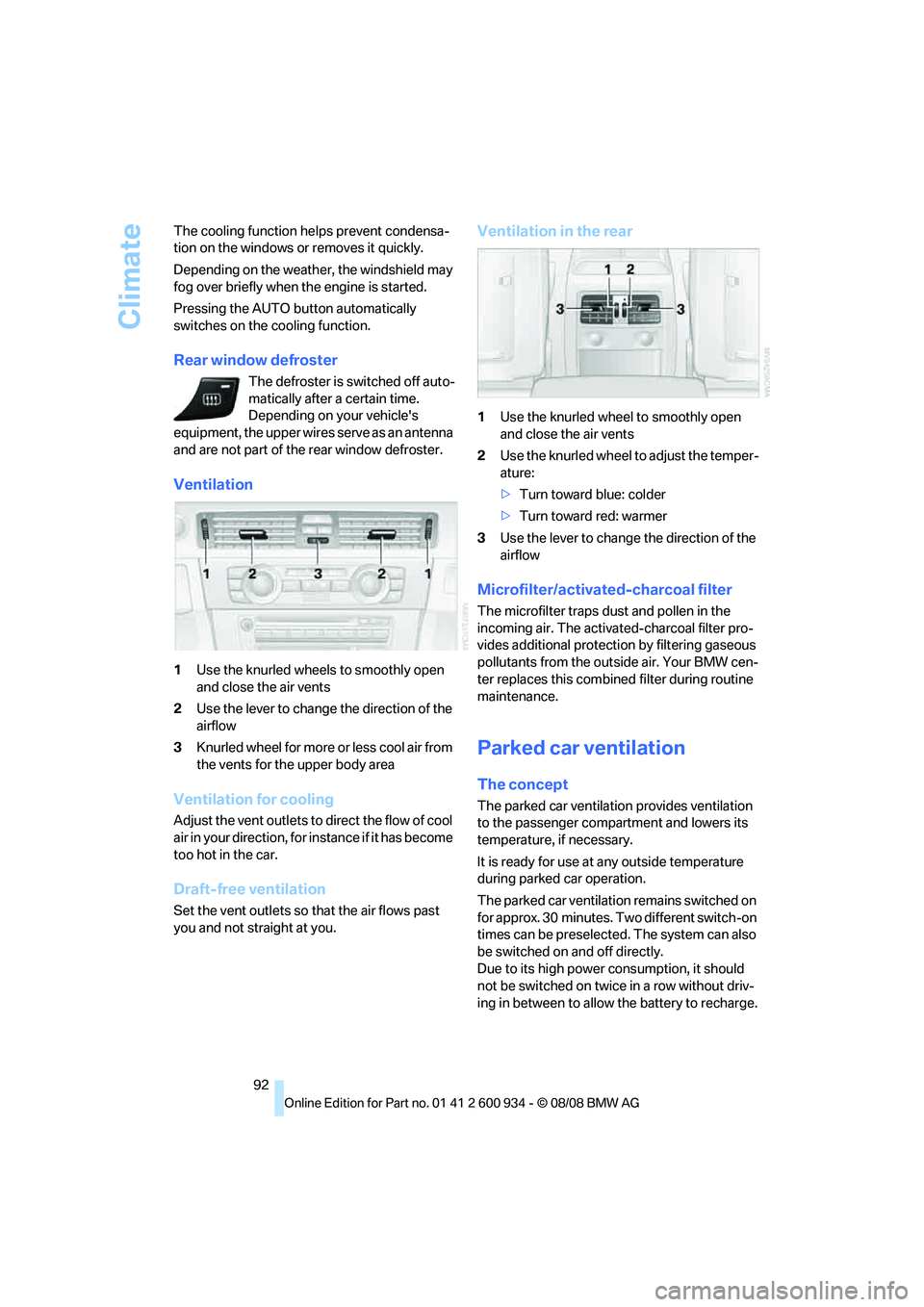
Ventilation
1Use the knurled wheels to smoothly open
and close the air vents
2Use the lever to change the direction of the
airflow
3Knurled wheel for more or less cool air from
the vents for the upper body area
Ventilation for cooling
Adjust the vent outlets to direct the flow of cool
air in your direction, for instance if it has become
too hot in the car.
Draft-free ventilation
Set the vent outlets so that the air flows past
you and not straight at you.
Ventilation in the rear
1Use the knurled wheel to smoothly open
and close the air vents
2Use the knurled wheel to adjust the temper-
ature:
>Turn toward blue: colder
>Turn toward red: warmer
3Use the lever to change the direction of the
airflow
Microfilter/activated-charcoal filter
The microfilter traps dust and pollen in the
incoming air. The activated-charcoal filter pro-
vides additional protection by filtering gaseous
pollutants from the outside air. Your BMW cen-
ter replaces this combined filter during routine
maintenance.
Parked car ventilation
The concept
The parked car ventilation provides ventilation
to the passenger compartment and lowers its
temperature, if necessary.
It is ready for use at any outside temperature
during parked car operation.
The parked car ventilation remains switched on
for approx. 30 minutes. Two different switch-on
times can be preselected. The system can also
be switched on and off directly.
Due to its high power consumption, it should
not be switched on twice in a row without driv-
ing in between to allow the battery to recharge.
ba8_E90M3_cic.book Seite 92 Dienstag, 19. August 2008 11:51 11
Page 120 of 246
Destination entry
118 Delete letters, if necessary:
>To delete individual letters:
Turn the controller to select , and
then press the controller.
>To delete all letters:
Turn the controller to select , and
then press the controller for an extended
period.
>To enter spaces:
Select the symbol.
The list gradually grows smaller each time
you enter a new letter.
2.Move the controller to the right.
3.Select the name of the town/city from the
list. The three destinations stored last are
displayed.
If there are several towns/cities with the same
name:
1.Change to the list of town/city names.
2.Highlight the town/city: a preview map is
displayed.
3.Select the town/city.
Entering the postal code
1.Select "Town/City/Zip Code" or the dis-
played town/city.
2.Select the symbol.
3.Select the digits.
4.Change to the list of postal codes and
towns/cities.
5.Highlight the postal code. A preview map is
displayed in the assistance window.
6.Select the postal code.
Entering street and intersection
1.Select "Street" or the displayed street.
2.Enter a street and intersection as you would
the town/city.
After the street you can also enter the intersec-
tion or the house number.
If there are several streets with the same name:1.Change to the list of street names.
2.Highlight the street: a preview map is dis-
played.
3.Select the street.
Entering a street without a destination
town/city
You can also enter a street without specifying a
town/city. In this case, all streets of the same
name in the specified state/province are
offered. The corresponding town/city is dis-
played after the street name.
If a town/city has already been entered, you can
negate this entry. This could be helpful in
instances where the desired street does not
exist in the entered town/city because it
belongs to another suburb, for example.
1."Navigation"
2."Enter address"
3.Select "Street" or the displayed street.
4.Change to the list of street names.
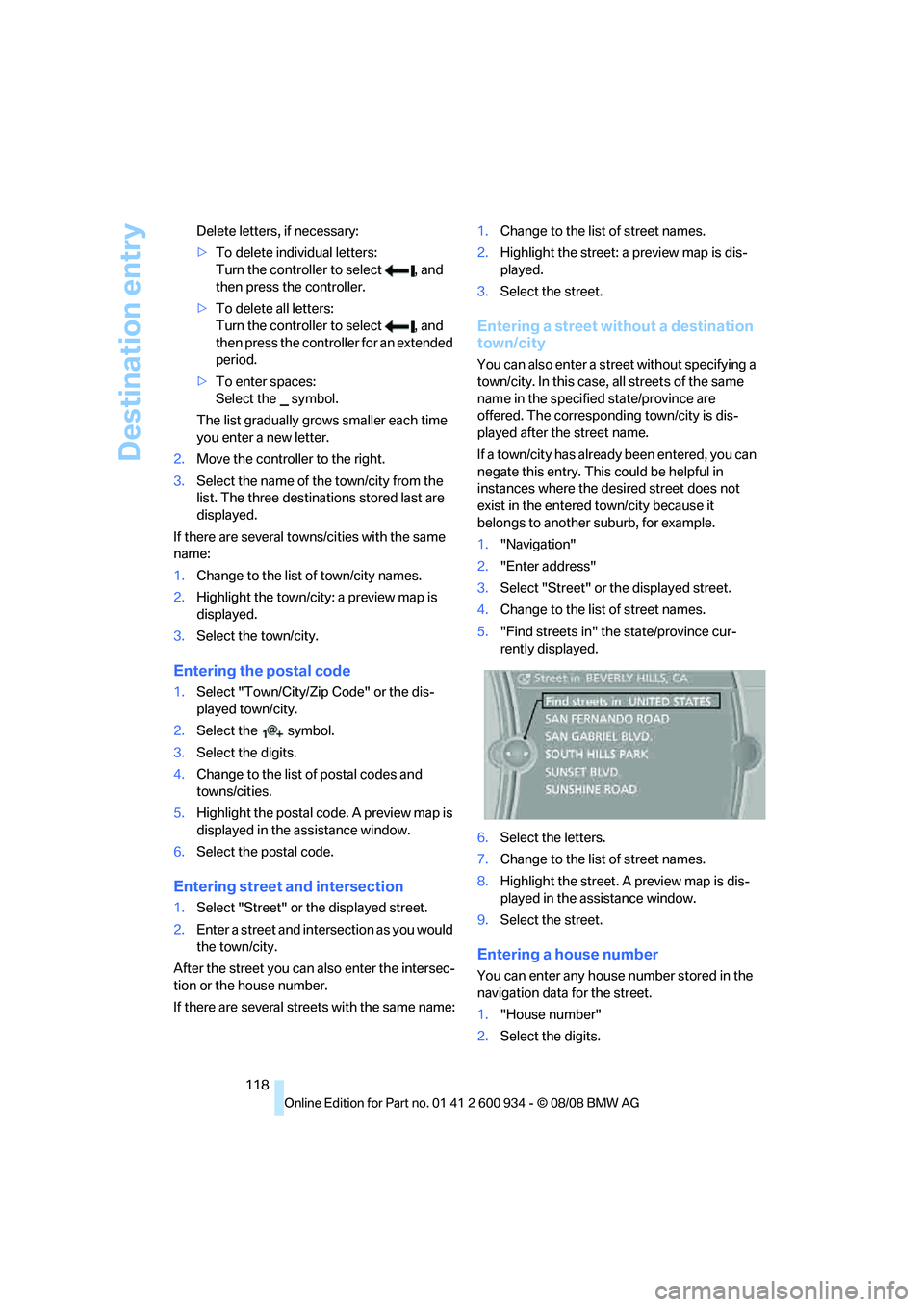
5."Find streets in" the state/province cur-
rently displayed.
6.Select the letters.
7.Change to the list of street names.
8.Highlight the street. A preview map is dis-
played in the assistance window.
9.Select the street.
Entering a house number
You can enter any house number stored in the
navigation data for the street.
1."House number"
2.Select the digits.
ba8_E90M3_cic.book Seite 118 Dienstag, 19. August 2008 11:51 11
Page 123 of 246
Navigation
Driving tips
121Reference
At a glance
Controls
Communications
Entertainment
Mobility
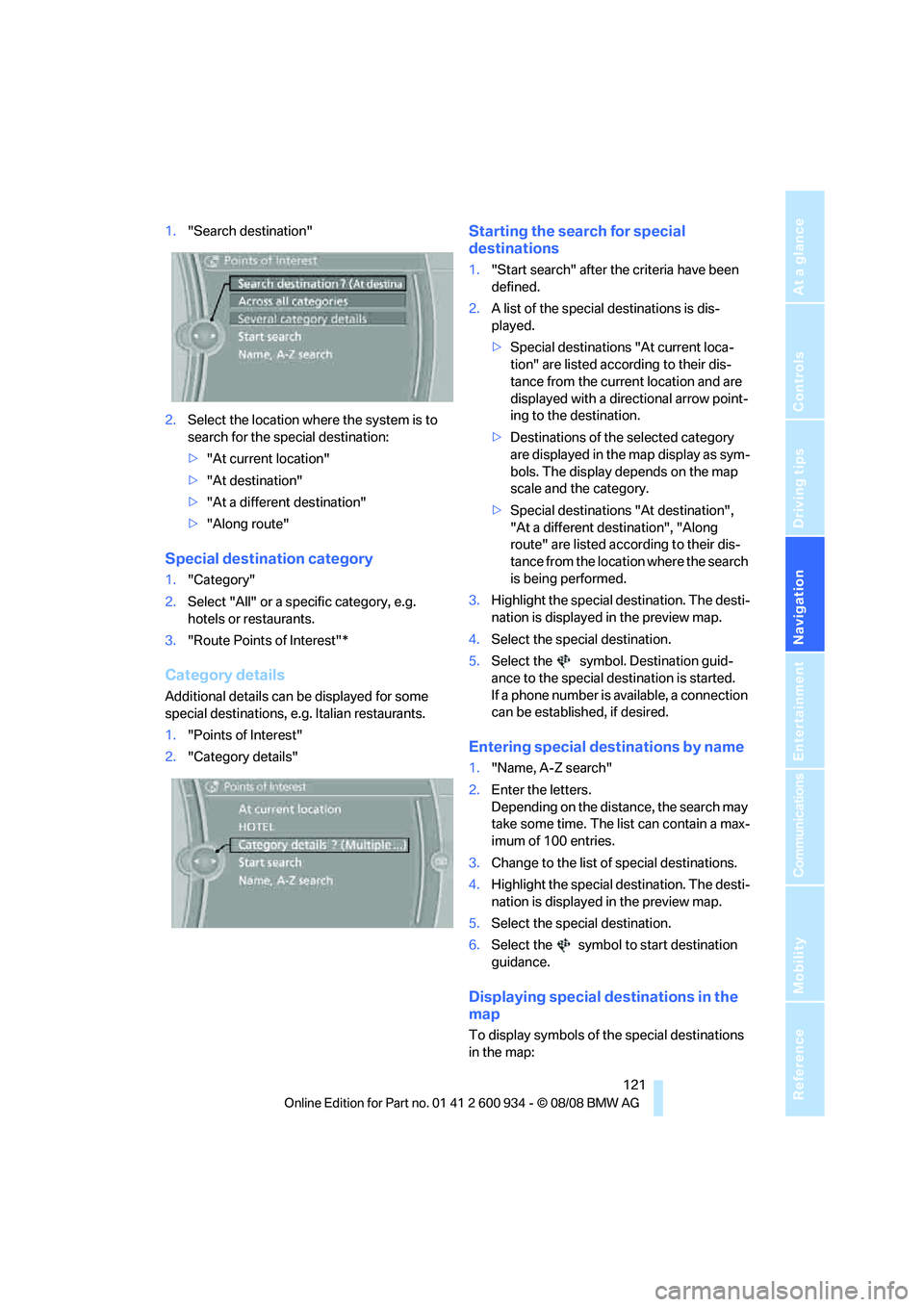
1."Search destination"
2.Select the location where the system is to
search for the special destination:
>"At current location"
>"At destination"
>"At a different destination"
>"Along route"
Special destination category
1."Category"
2.Select "All" or a specific category, e.g.
hotels or restaurants.
3."Route Points of Interest"*
Category details
Additional details can be displayed for some
special destinations, e.g. Italian restaurants.
1."Points of Interest"
2."Category details"
Starting the search for special
destinations
1."Start search" after the criteria have been
defined.
2.A list of the special destinations is dis-
played.
>Special destinations "At current loca-
tion" are listed according to their dis-
tance from the current location and are
displayed with a directional arrow point-
ing to the destination.
>Destinations of the selected category
are displayed in the map display as sym-
bols. The display depends on the map
scale and the category.
>Special destinations "At destination",
"At a different destination", "Along
route" are listed according to their dis-
tance from the location where the search
is being performed.
3.Highlight the special destination. The desti-
nation is displayed in the preview map.
4.Select the special destination.
5.Select the symbol. Destination guid-
ance to the special destination is started.
If a phone number is available, a connection
can be established, if desired.
Entering special destinations by name
1."Name, A-Z search"
2.Enter the letters.
Depending on the distance, the search may
take some time. The list can contain a max-
imum of 100 entries.
3.Change to the list of special destinations.
4.Highlight the special destination. The desti-
nation is displayed in the preview map.
5.Select the special destination.
6.Select the symbol to start destination
guidance.
Displaying special destinations in the
map
To display symbols of the special destinations
in the map:
ba8_E90M3_cic.book Seite 121 Dienstag, 19. August 2008 11:51 11
Page 124 of 246
Destination entry
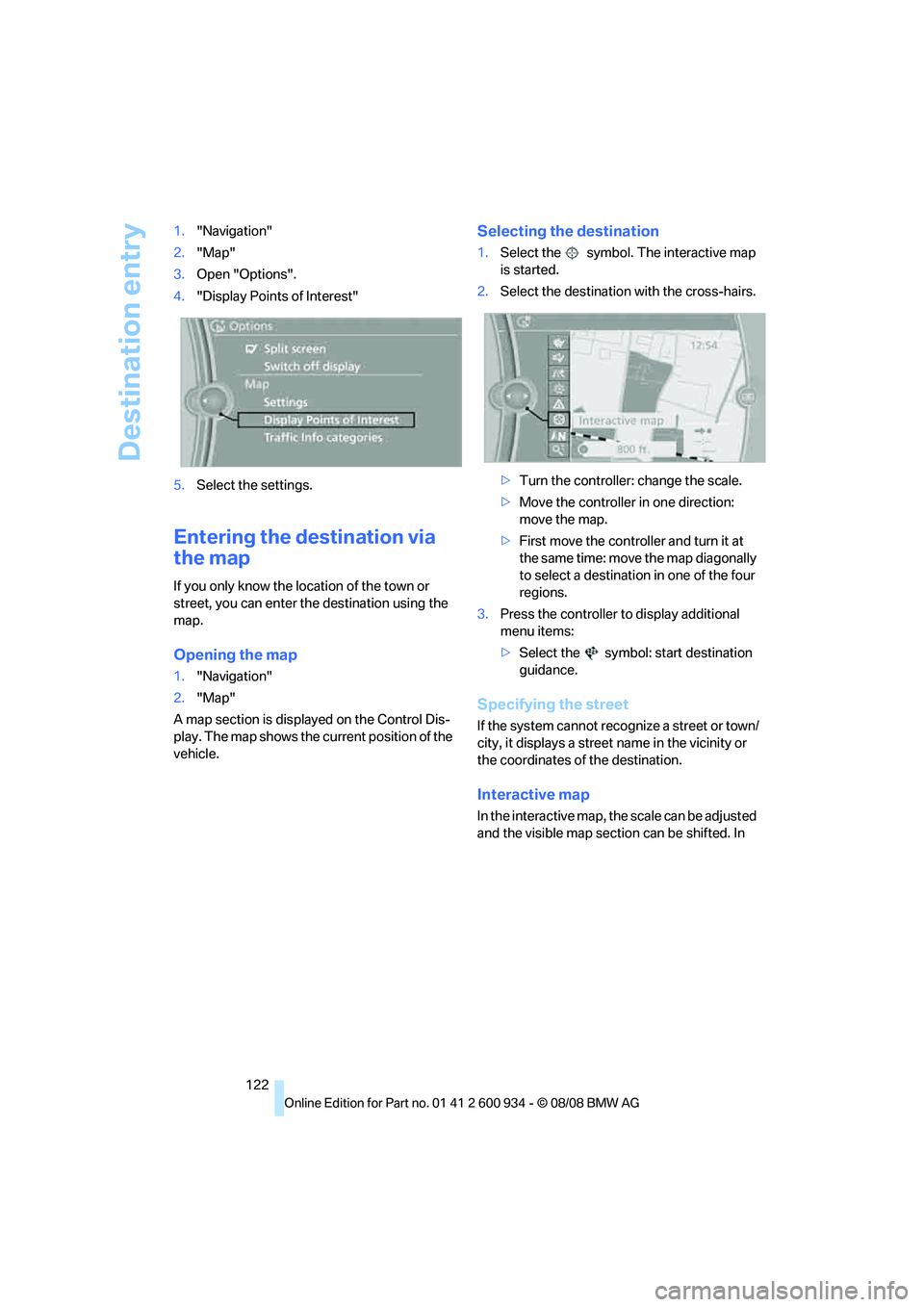
122 1."Navigation"
2."Map"
3.Open "Options".
4."Display Points of Interest"
5.Select the settings.
Entering the destination via
the map
If you only know the location of the town or
street, you can enter the destination using the
map.
Opening the map
1."Navigation"
2."Map"
A map section is displayed on the Control Dis-
play. The map shows the current position of the
vehicle.
Selecting the destination
1.Select the symbol. The interactive map
is started.
2.Select the destination with the cross-hairs.
>Turn the controller: change the scale.
>Move the controller in one direction:
move the map.
>First move the controller and turn it at
the same time: move the map diagonally
to select a destination in one of the four
regions.
3.Press the controller to display additional
menu items:
>Select the symbol: start destination
guidance.
Specifying the street
If the system cannot recognize a street or town/
city, it displays a street name in the vicinity or
the coordinates of the destination.
Interactive map
In the interactive map, the scale can be adjusted
and the visible map section can be shifted. In
ba8_E90M3_cic.book Seite 122 Dienstag, 19. August 2008 11:51 11
Page 129 of 246
Navigation
Driving tips
127Reference
At a glance
Controls
Communications
Entertainment
Mobility
Destination guidance
Starting destination
guidance
1."Navigation"
2."Enter address"
3.Select the destination.
4."Start guidance"
After the route is calculated, the route is dis-
played in the map on the Control Display.
Terminating destination
guidance
1."Navigation"
2."Map"
3.Select the symbol
Continuing destination
guidance
If the destination was not reached at the end of
the last trip, the system asks whether it should
continue destination guidance.
Select "Resume guidance" or "Stop guidance".
Route criteria
General information
You can influence the calculated route by
choosing certain route criteria. You can change
the route criteria as often as you like during des-
tination entry or during destination guidance.
The route is planned according to fixed rules.
The type of road is taken into account, e.g.
whether it is a highway or a winding road. As a
result, the routes recommended by the naviga-
tion system may not always be the same ones
that you would choose based on personal expe-
rience.The settings are stored for the remote control
currently in use.
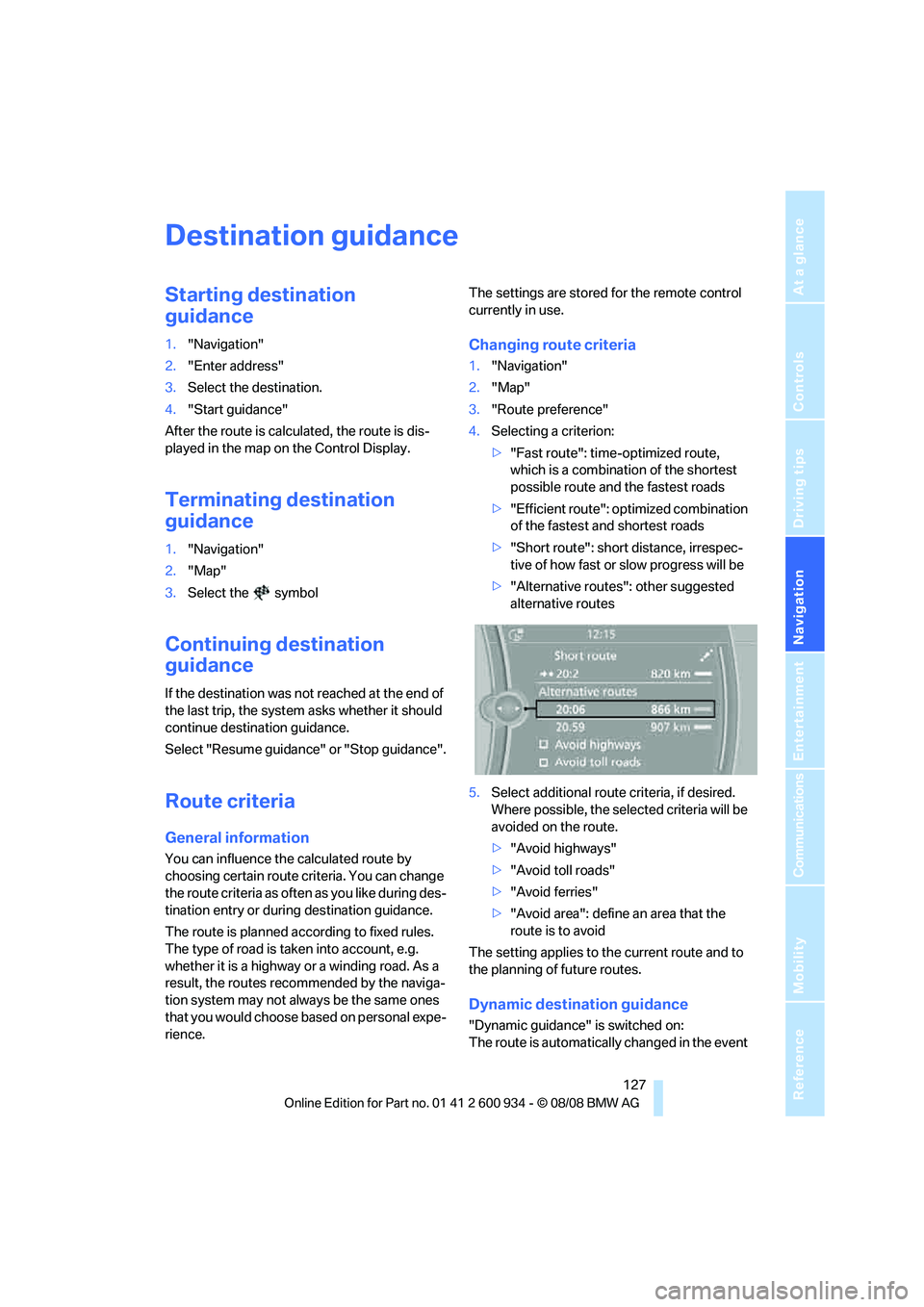
Changing route criteria
1."Navigation"
2."Map"
3."Route preference"
4.Selecting a criterion:
>"Fast route": time-optimized route,
which is a combination of the shortest
possible route and the fastest roads
>"Efficient route": optimized combination
of the fastest and shortest roads
>"Short route": short distance, irrespec-
tive of how fast or slow progress will be
>"Alternative routes": other suggested
alternative routes
5.Select additional route criteria, if desired.
Where possible, the selected criteria will be
avoided on the route.
>"Avoid highways"
>"Avoid toll roads"
>"Avoid ferries"
>"Avoid area": define an area that the
route is to avoid
The setting applies to the current route and to
the planning of future routes.
Dynamic destination guidance
"Dynamic guidance" is switched on:
The route is automatically changed in the event
ba8_E90M3_cic.book Seite 127 Dienstag, 19. August 2008 11:51 11
Page 146 of 246
CD player and CD changer
144
CD player and CD changer
CD/DVD playback
Inserting a CD/DVD
Insert the CD/DVD into the drive with the
printed side up. The CD/DVD is drawn in auto-
matically.
Playback starts automatically if the sound out-
put is on. When playing CDs/DVDs with com-
pressed audio files, it can take the player
approx. 1 minute to read in the data, depending
on the directory structure.
Playable formats
CD/DVD player
>DVD: DVD-ROM, DVD-R, DVD+R, DVD-
RW, DVD+RW, DVD-R DL, DVD+R DL, DVD
audio (video part only), DVD video
>CD: CD-ROM, CD-R, CD-RW, CD-DA,
VCD, SVCD
>Compressed audio files: MP3, WMA, AAC
CD changer
*
>CD: CD-ROM, CD-R, CD-RW, CD-DA
Start playback
Via iDrive
Fill and insert the CD magazine, refer to
page149.
To start playback if a CD is already located in
the player or changer:
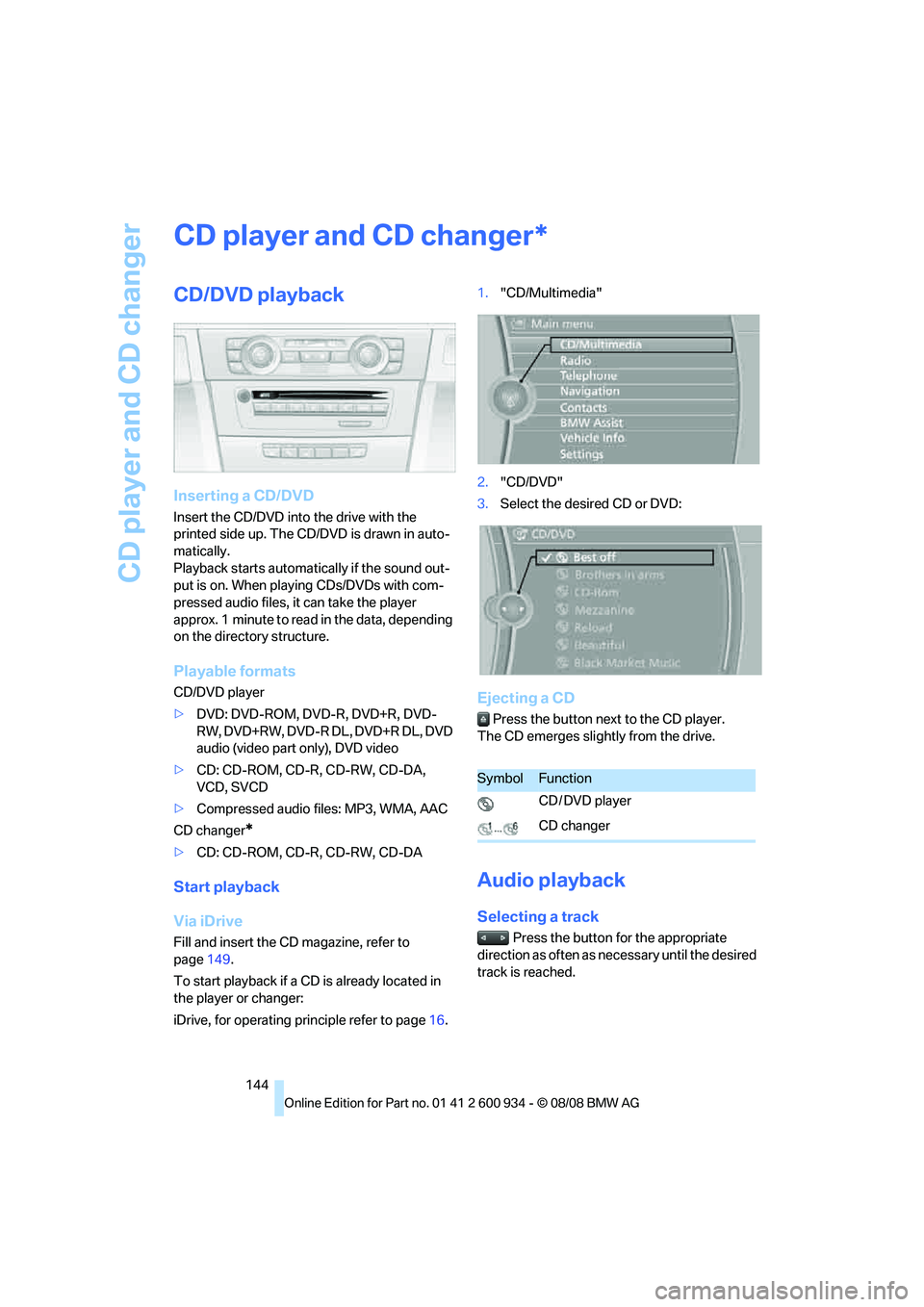
iDrive, for operating principle refer to page16.1."CD/Multimedia"
2."CD/DVD"
3.Select the desired CD or DVD:
Ejecting a CD
Press the button next to the CD player.
The CD emerges slightly from the drive.
Audio playback
Selecting a track
Press the button for the appropriate
direction as often as necessary until the desired
track is reached.
*
SymbolFunction
CD / DVD player
CD changer
ba8_E90M3_cic.book Seite 144 Dienstag, 19. August 2008 11:51 11
Page 149 of 246
Navigation
Entertainment
Driving tips
147Reference
At a glance
Controls
Communications
Mobility
The Video menu is displayed:
In fast forward/reverse: the speed increases
every time the controller is pressed. To stop,
start playback.
DVD menu
1.If necessary, turn the controller to open the
video menu.
2. "DVD menu"
The DVD menu is displayed. The display
depends on the contents of the DVD.
>To select menu items: move and press the
controller.
>To change to the Video menu: turn the con-
troller and select "Back".
DVD/VCD settings
For some DVDs, settings can only be made via
the DVD menu; refer also to the information on
your DVD.
Language*
1.Turn the controller during playback.
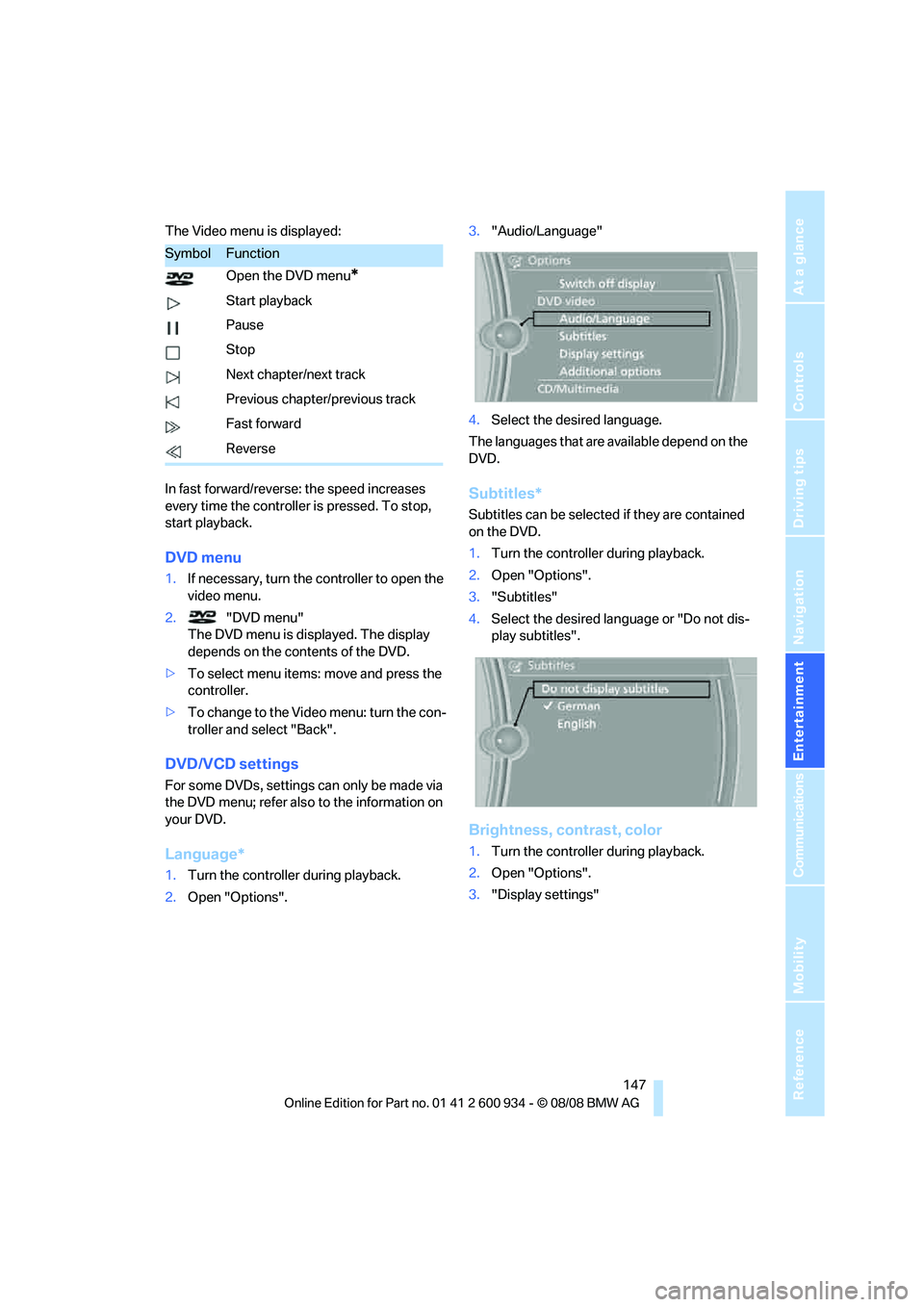
2.Open "Options".3."Audio/Language"
4.Select the desired language.
The languages that are available depend on the
DVD.
Subtitles*
Subtitles can be selected if they are contained
on the DVD.
1.Turn the controller during playback.
2.Open "Options".
3."Subtitles"
4.Select the desired language or "Do not dis-
play subtitles".
Brightness, contrast, color
1.Turn the controller during playback.
2.Open "Options".
3."Display settings"
SymbolFunction
Open the DVD menu
*
Start playback
Pause
Stop
Next chapter/next track
Previous chapter/previous track
Fast forward
Reverse
ba8_E90M3_cic.book Seite 147 Dienstag, 19. August 2008 11:51 11
Page 155 of 246
Navigation
Entertainment
Driving tips
153Reference
At a glance
Controls
Communications
Mobility
Top 50
List of the 50 most frequently played tracks.
1."Top 50"
2.Select the desired track, if necessary.
Albums
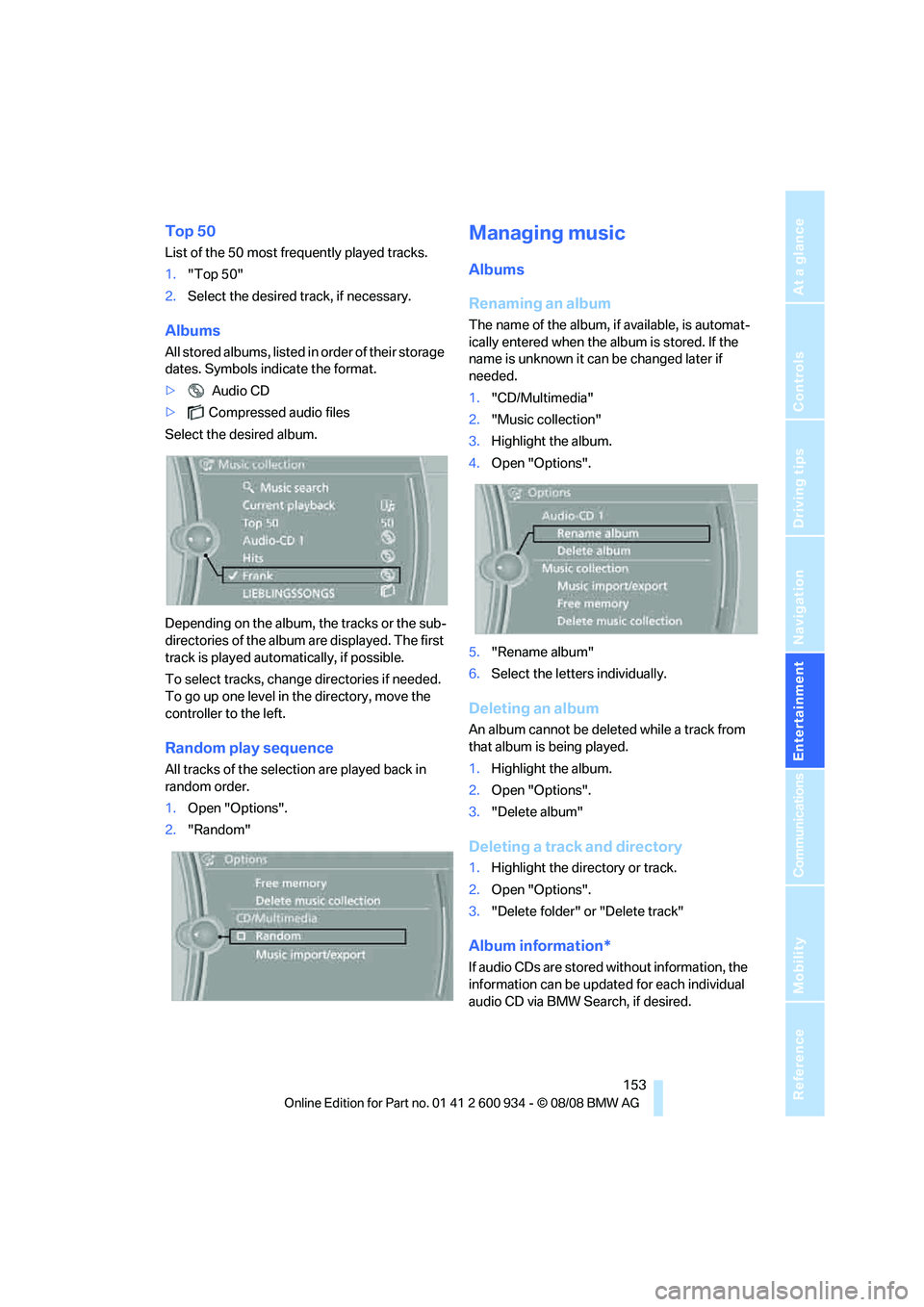
All stored albums, listed in order of their storage
dates. Symbols indicate the format.
> Audio CD
>Compressed audio files
Select the desired album.
Depending on the album, the tracks or the sub-
directories of the album are displayed. The first
track is played automatically, if possible.
To select tracks, change directories if needed.
To go up one level in the directory, move the
controller to the left.
Random play sequence
All tracks of the selection are played back in
random order.
1.Open "Options".
2."Random"
Managing music
Albums
Renaming an album
The name of the album, if available, is automat-
ically entered when the album is stored. If the
name is unknown it can be changed later if
needed.
1."CD/Multimedia"
2."Music collection"
3.Highlight the album.
4.Open "Options".
5."Rename album"
6.Select the letters individually.
Deleting an album
An album cannot be deleted while a track from
that album is being played.
1.Highlight the album.
2.Open "Options".
3."Delete album"
Deleting a track and directory
1.Highlight the directory or track.
2.Open "Options".
3."Delete folder" or "Delete track"
Album information*
If audio CDs are stored without information, the
information can be updated for each individual
audio CD via BMW Search, if desired.
ba8_E90M3_cic.book Seite 153 Dienstag, 19. August 2008 11:51 11
Page 197 of 246
Mobility
195Reference
At a glance
Controls
Driving tips
Communications
Navigation
Entertainment
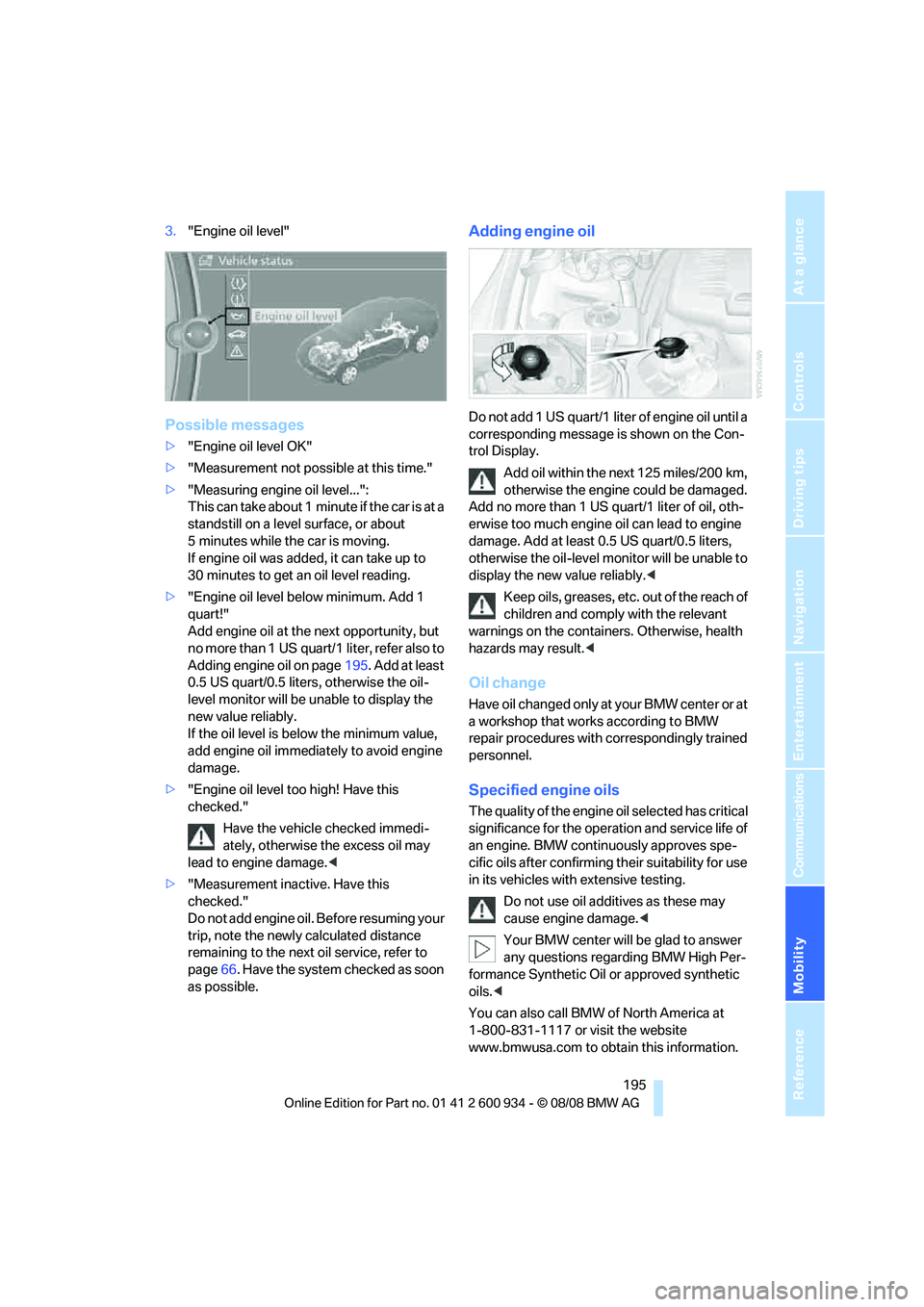
3."Engine oil level"
Possible messages
>"Engine oil level OK"
>"Measurement not possible at this time."
>"Measuring engine oil level...":
This can take about 1 minute if the car is at a
standstill on a level surface, or about
5 minutes while the car is moving.
If engine oil was added, it can take up to
30 minutes to get an oil level reading.
>"Engine oil level below minimum. Add 1
quart!"
Add engine oil at the next opportunity, but
no more than 1 US quart/1 liter, refer also to
Adding engine oil on page195. Add at least
0.5 US quart/0.5 liters, otherwise the oil-
level monitor will be unable to display the
new value reliably.
If the oil level is below the minimum value,
add engine oil immediately to avoid engine
damage.
>"Engine oil level too high! Have this
checked."
Have the vehicle checked immedi-
ately, otherwise the excess oil may
lead to engine damage.<
>"Measurement inactive. Have this
checked."
Do not add engine oil. Before resuming your
trip, note the newly calculated distance
remaining to the next oil service, refer to
page66. Have the system checked as soon
as possible.
Adding engine oil
Do not add 1 US quart/1 liter of engine oil until a
corresponding message is shown on the Con-
trol Display.
Add oil within the next 125 miles/200 km,
otherwise the engine could be damaged.
Add no more than 1 US quart/1 liter of oil, oth-
erwise too much engine oil can lead to engine
damage. Add at least 0.5 US quart/0.5 liters,
otherwise the oil-level monitor will be unable to
display the new value reliably.<
Keep oils, greases, etc. out of the reach of
children and comply with the relevant
warnings on the containers. Otherwise, health
hazards may result.<
Oil change
Have oil changed only at y our B MW c ente r o r a t
a workshop that works according to BMW
repair procedures with correspondingly trained
personnel.
Specified engine oils
The quality of the engine oil selected has critical
significance for the operation and service life of
an engine. BMW continuously approves spe-
cific oils after confirming their suitability for use
in its vehicles with extensive testing.
Do not use oil additives as these may
cause engine damage.<
Your BMW center will be glad to answer
any questions regarding BMW High Per-
formance Synthetic Oil or approved synthetic
oils.<
You can also call BMW of North America at
1-800-831-1117 or visit the website
www.bmwusa.com to obtain this information.
ba8_E90M3_cic.book Seite 195 Dienstag, 19. August 2008 11:51 11
Page 206 of 246
Replacing components
204 light-emitting diodes as light sources. These
light-emitting diodes, which operate using a
concept similar to that applied in conventional
lasers, are officially designated as Class 1 light-
emitting diodes.
Do not remove the covers or expose the
eyes directly to the unfiltered light source
for several hours, otherwise this could cause
irritation to the retina.<
Xenon lamps
These bulbs have a very long service life and are
highly unlikely to fail.
Have any work on the xenon lamp system,
including bulb replacements, performed
only by a BMW center or a workshop that works
according to BMW repair procedures with cor-
respondingly trained personnel. Otherwise, if
such work is carried out improperly, the high
voltage in the system presents the danger of
fatal injuries.<
Accessing the bulbs
1.Switch off the lamps and take the remote
control out of the ignition lock.
2.Remove the upper cover from the head-
lamp. To do so, use a screwdriver to press
the catches towards the rear, see arrows,
and pull the cover forward and out.
Follow the same steps in reverse order to reat-
tach the cover.
Be careful when installing the cover, oth-
erwise leaks could occur and cause dam-
age to the headlamp system.<
Parking lamps and roadside parking
lamps, daytime running lamps
H8 bulb, 35 watts
1.Remove the cover, refer to Accessing the
bulbs.
2.Turn the bulb approx. 90°, see arrow, and
take it out.
3.Disconnect the plug, change the bulb and
reconnect the plug.
4.Insert the bulb and turn it until it stops.
5.Reattach the cover.
Corner-illuminating lamp*
H3 bulb, 55 watts
1.Switch off the lamps and take the remote
control out of the ignition lock.
2.Remove the cover, refer to Accessing the
bulbs.
3.Push the wire bracket out of the anchor
towards the right and fold it up.
4.Disconnect the plug, change the bulb and
reconnect the plug.
5.Insert the bulb.
6.Fold the wire bracket down and engage it.
7.Reattach the cover.
ba8_E90M3_cic.book Seite 204 Dienstag, 19. August 2008 11:51 11