change time BMW M3 2009 Owner's Manual
[x] Cancel search | Manufacturer: BMW, Model Year: 2009, Model line: M3, Model: BMW M3 2009Pages: 246, PDF Size: 11.68 MB
Page 223 of 246
Reference 221
At a glance
Controls
Driving tips
Communications
Navigation
Entertainment
Mobility
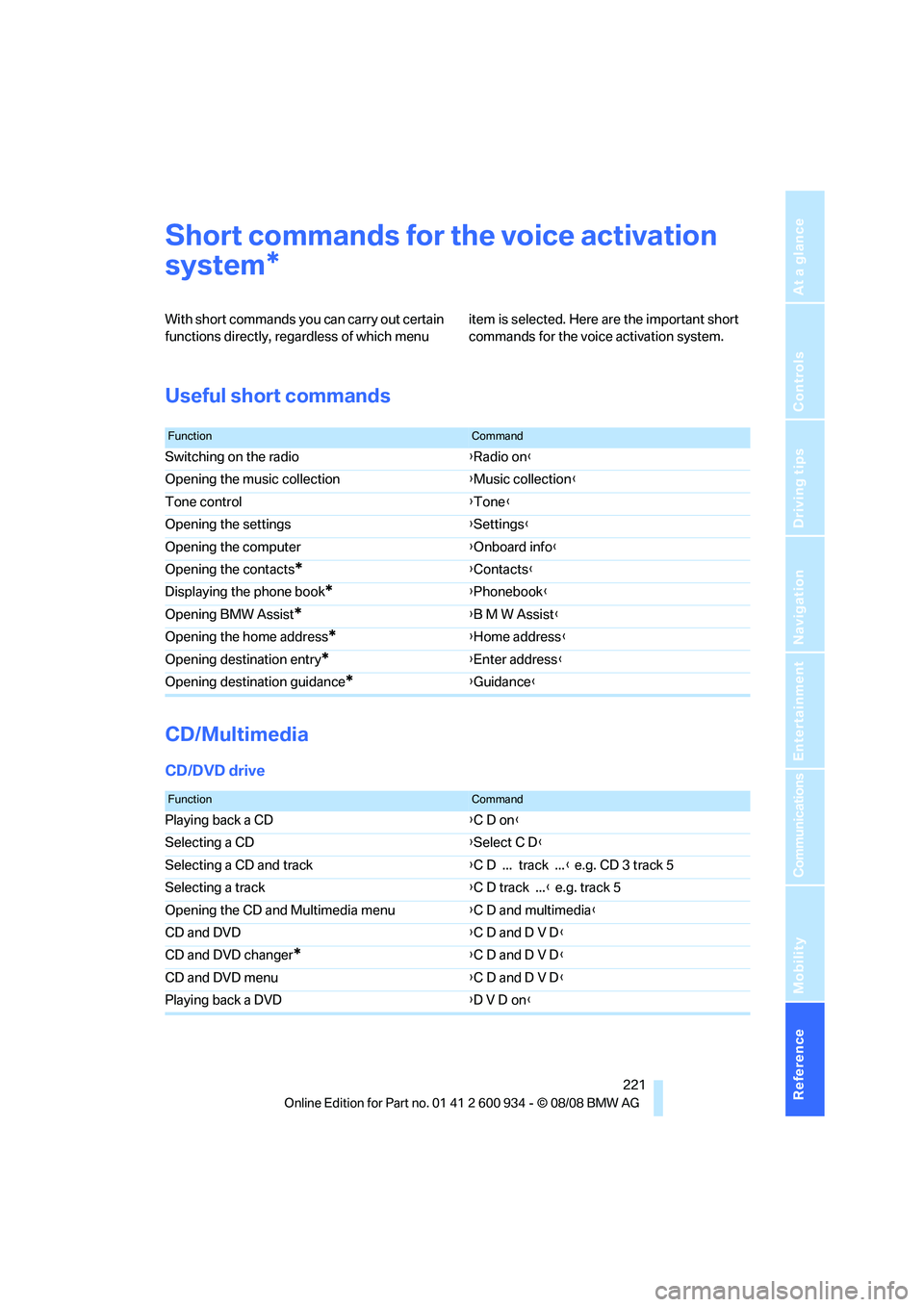
Short commands for the voice activation
system
With short commands you can carry out certain
functions directly, regardless of which menu item is selected. Here are the important short
commands for the voice activation system.
Useful short commands
CD/Multimedia
CD/DVD drive
*
FunctionCommand
Switching on the radio{Radio on}
Opening the music collection{Music collection}
Tone control{Tone}
Opening the settings{Settings}
Opening the computer{Onboard info}
Opening the contacts
*{Contacts}
Displaying the phone book
*{Phonebook}
Opening BMW Assist
*{B M W Assist}
Opening the home address
*{Home address}
Opening destination entry
*{Enter address}
Opening destination guidance
*{Guidance}
FunctionCommand
Playing back a CD{C D on}
Selecting a CD{Select C D}
Selecting a CD and track{C D ... track ...} e.g. CD 3 track 5
Selecting a track{C D track ...} e.g. track 5
Opening the CD and Multimedia menu{C D and multimedia}
CD and DVD{C D and D V D}
CD and DVD changer
*{C D and D V D}
CD and DVD menu{C D and D V D}
Playing back a DVD{D V D on}
ba8_E90M3_cic.book Seite 221 Dienstag, 19. August 2008 11:51 11
Page 232 of 246
Everything from A - Z
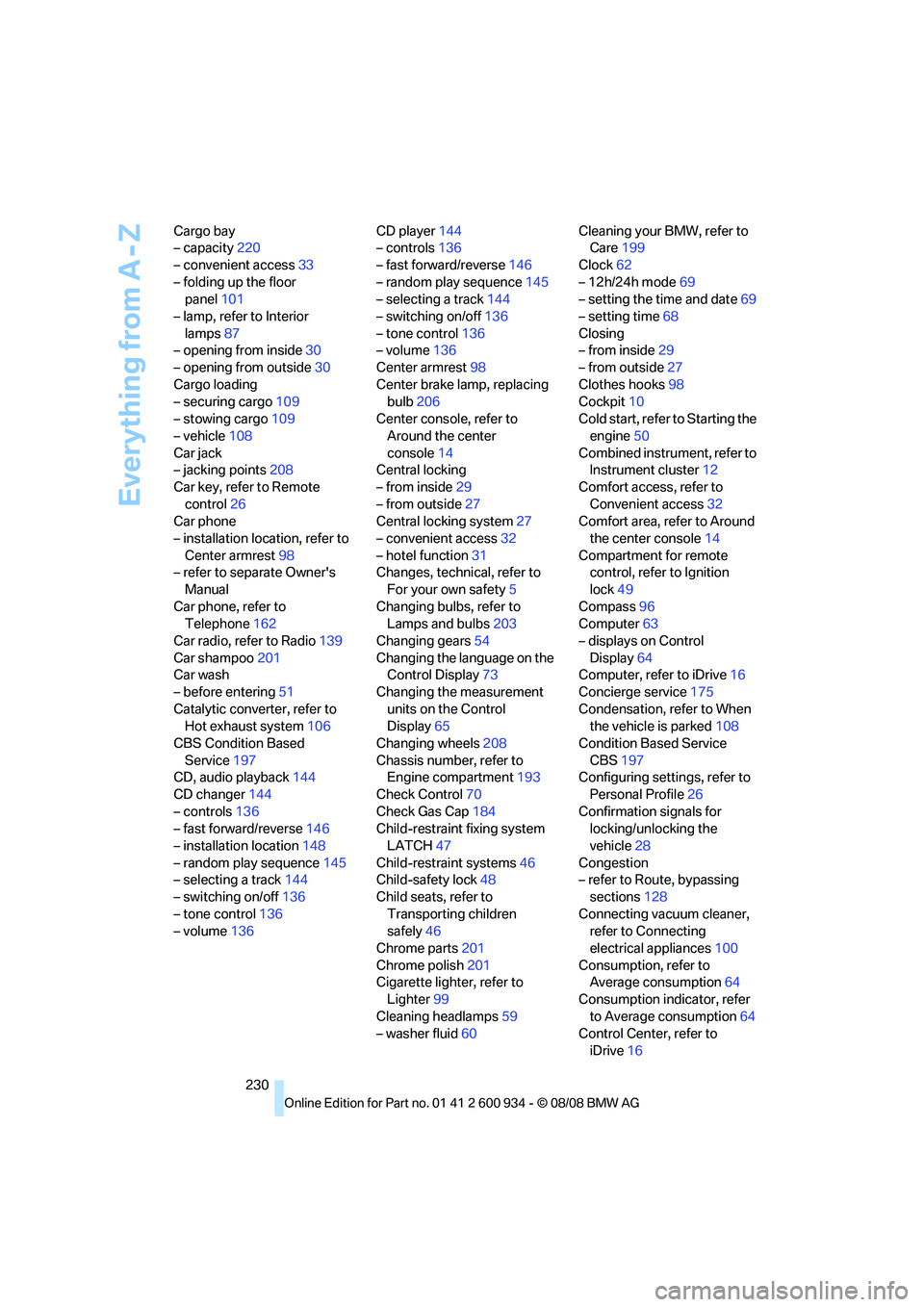
230 Cargo bay
– capacity220
– convenient access33
– folding up the floor
panel101
– lamp, refer to Interior
lamps87
– opening from inside30
– opening from outside30
Cargo loading
– securing cargo109
– stowing cargo109
– vehicle108
Car jack
– jacking points208
Car key, refer to Remote
control26
Car phone
– installation location, refer to
Center armrest98
– refer to separate Owner's
Manual
Car phone, refer to
Telephone162
Car radio, refer to Radio139
Car shampoo201
Car wash
– before entering51
Catalytic converter, refer to
Hot exhaust system106
CBS Condition Based
Service197
CD, audio playback144
CD changer144
– controls136
– fast forward/reverse146
– installation location148
– random play sequence145
– selecting a track144
– switching on/off136
– tone control136
– volume136CD player144
– controls136
– fast forward/reverse146
– random play sequence145
– selecting a track144
– switching on/off136
– tone control136
– volume136
Center armrest98
Center brake lamp, replacing
bulb206
Center console, refer to
Around the center
console14
Central locking
– from inside29
– from outside27
Central locking system27
– convenient access32
– hotel function31
Changes, technical, refer to
For your own safety5
Changing bulbs, refer to
Lamps and bulbs203
Changing gears54
Changing the language on the
Control Display73
Changing the measurement
units on the Control
Display65
Changing wheels208
Chassis number, refer to
Engine compartment193
Check Control70
Check Gas Cap184
Child-restraint fixing system
LATCH47
Child-restraint systems46
Child-safety lock48
Child seats, refer to
Transporting children
safely46
Chrome parts201
Chrome polish201
Cigarette lighter, refer to
Lighter99
Cleaning headlamps59
– washer fluid60Cleaning your BMW, refer to
Care199
Clock62
– 12h/24h mode69
– setting the time and date69
– setting time68
Closing
– from inside29
– from outside27
Clothes hooks98
Cockpit10
Cold start, refer to Starting the
engine50
Combined instrument, refer to
Instrument cluster12
Comfort access, refer to
Convenient access32
Comfort area, refer to Around
the center console14
Compartment for remote
control, refer to Ignition
lock49
Compass96
Computer63
– displays on Control
Display64
Computer, refer to iDrive16
Concierge service175
Condensation, refer to When
the vehicle is parked108
Condition Based Service
CBS197
Configuring settings, refer to
Personal Profile
26
Confirmation signals for
locking/unlocking the
vehicle28
Congestion
– refer to Route, bypassing
sections128
Connecting vacuum cleaner,
refer to Connecting
electrical appliances100
Consumption, refer to
Average consumption64
Consumption indicator, refer
to Average consumption64
Control Center, refer to
iDrive16
ba8_E90M3_cic.book Seite 230 Dienstag, 19. August 2008 11:51 11
Page 236 of 246
Everything from A - Z
234
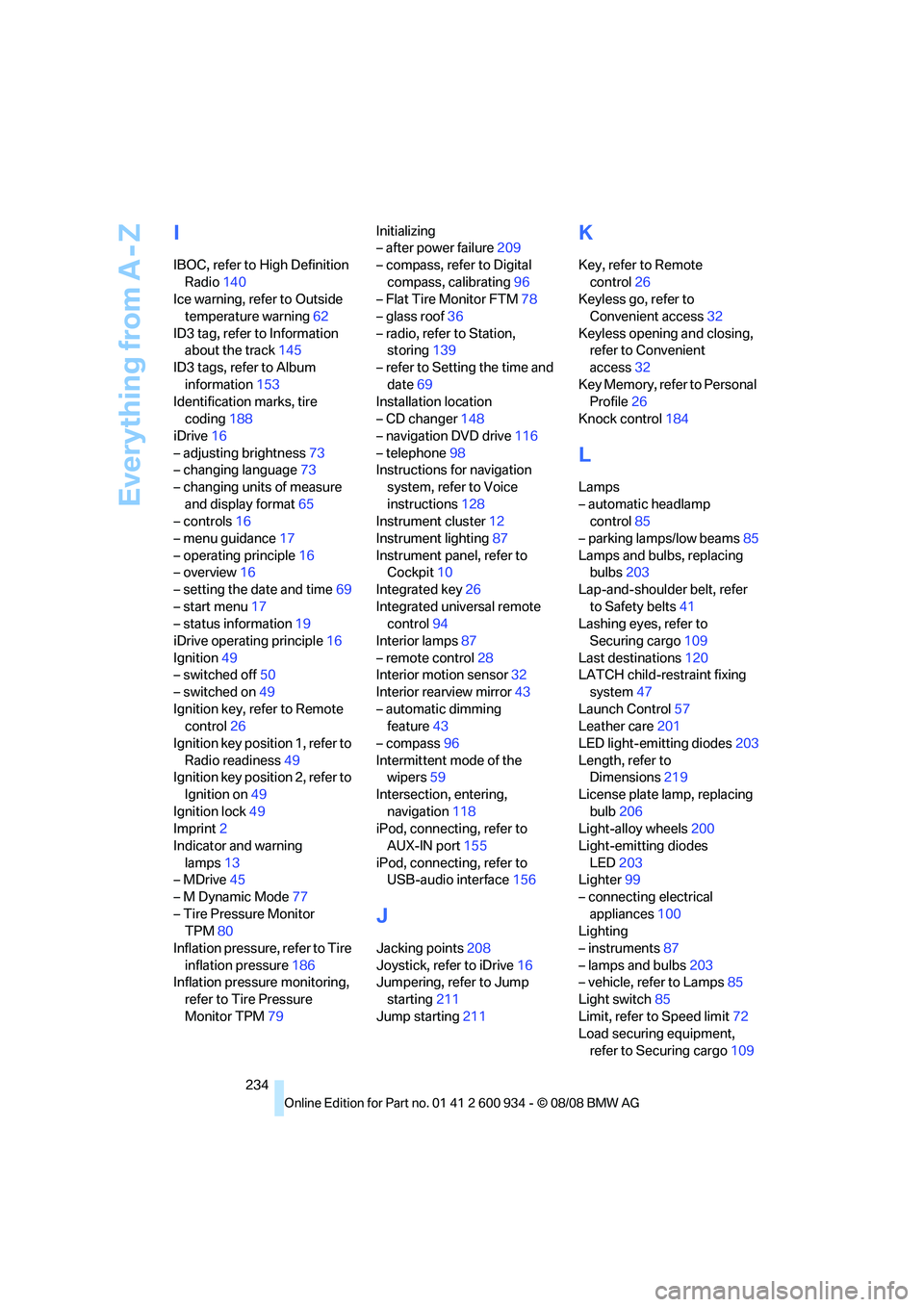
I
IBOC, refer to High Definition
Radio140
Ice warning, refer to Outside
temperature warning62
ID3 tag, refer to Information
about the track145
ID3 tags, refer to Album
information153
Identification marks, tire
coding188
iDrive16
– adjusting brightness73
– changing language73
– changing units of measure
and display format65
– controls16
– menu guidance17
– operating principle16
– overview16
– setting the date and time69
– start menu17
– status information19
iDrive operating principle16
Ignition49
– switched off50
– switched on49
Ignition key, refer to Remote
control26
Ignition key position 1, refer to
Radio readiness49
Ignition key position 2, refer to
Ignition on49
Ignition lock49
Imprint2
Indicator and warning
lamps13
– MDrive45
– M Dynamic Mode77
– Tire Pressure Monitor
TPM80
Inflation pressure, refer to Tire
inflation pressure186
Inflation pressure monitoring,
refer to Tire Pressure
Monitor TPM79Initializing
– after power failure209
– compass, refer to Digital
compass, calibrating96
– Flat Tire Monitor FTM78
– glass roof36
– radio, refer to Station,
storing139
– refer to Setting the time and
date69
Installation location
– CD changer148
– navigation DVD drive116
– telephone98
Instructions for navigation
system, refer to Voice
instructions128
Instrument cluster12
Instrument lighting87
Instrument panel, refer to
Cockpit10
Integrated key26
Integrated universal remote
control94
Interior lamps87
– remote control28
Interior motion sensor32
Interior rearview mirror43
– automatic dimming
feature43
– compass96
Intermittent mode of the
wipers59
Intersection, entering,
navigation118
iPod, connecting, refer to
AUX-IN port155
iPod, connecting, refer to
USB-audio interface156
J
Jacking points208
Joystick, refer to iDrive16
Jumpering, refer to Jump
starting211
Jump starting211
K
Key, refer to Remote
control26
Keyless go, refer to
Convenient access32
Keyless opening and closing,
refer to Convenient
access32
Key Memory, refer to Personal
Profile26
Knock control184
L
Lamps
– automatic headlamp
control85
– parking lamps/low beams85
Lamps and bulbs, replacing
bulbs203
Lap-and-shoulder belt, refer
to Safety belts41
Lashing eyes, refer to
Securing cargo109
Last destinations120
LATCH child-restraint fixing
system47
Launch Control57
Leather care201
LED light-emitting diodes203
Length, refer to
Dimensions219
License plate lamp, replacing
bulb206
Light-alloy wheels200
Light-emitting diodes
LED203
Lighter99
– connecting electrical
appliances100
Lighting
– instruments87
– lamps and bulbs203
– vehicle, refer to Lamps85
Light switch85
Limit, refer to Speed limit72
Load securing equipment,
refer to Securing cargo109
ba8_E90M3_cic.book Seite 234 Dienstag, 19. August 2008 11:51 11
Page 240 of 246
Everything from A - Z
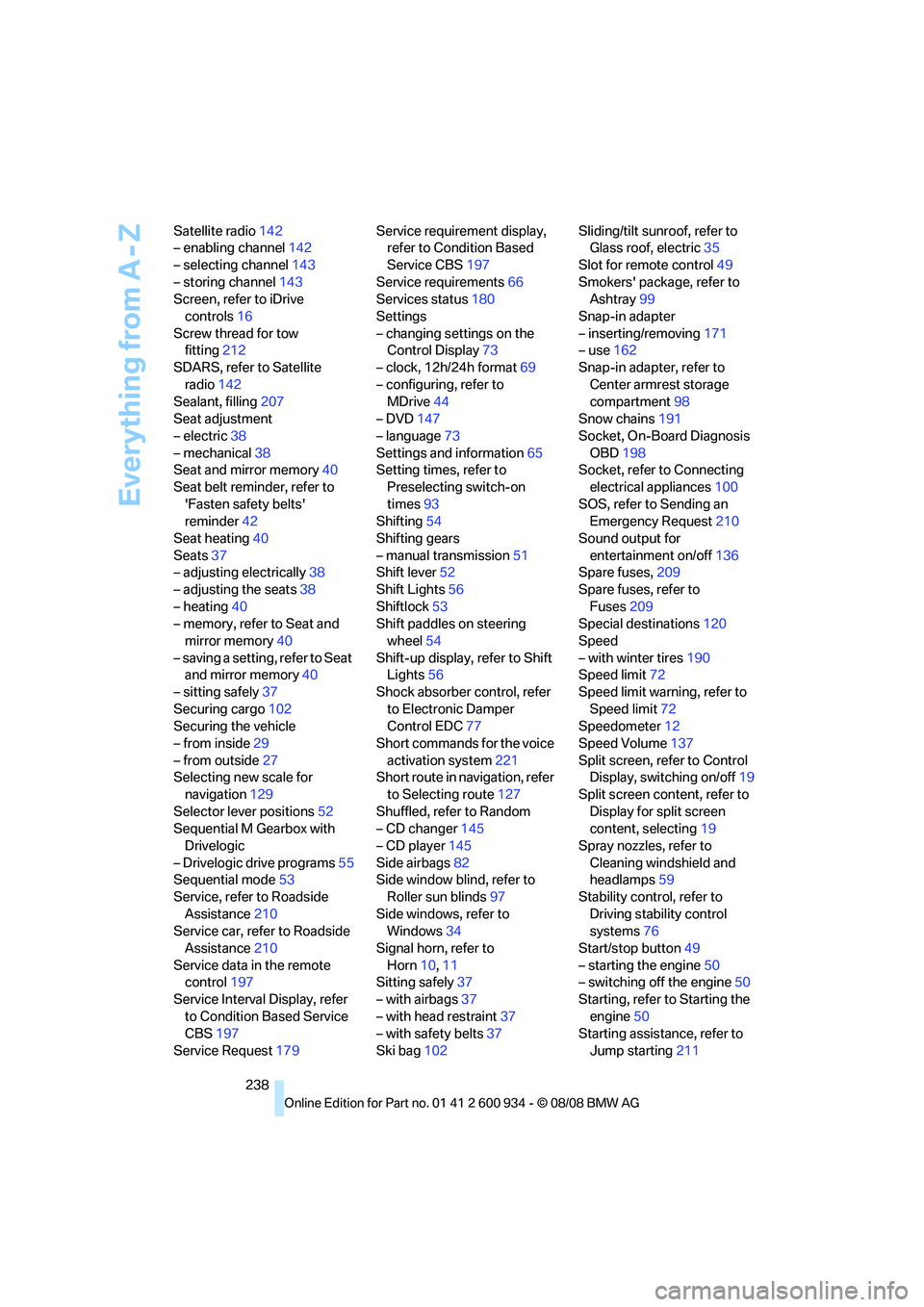
238 Satellite radio142
– enabling channel142
– selecting channel143
– storing channel143
Screen, refer to iDrive
controls16
Screw thread for tow
fitting212
SDARS, refer to Satellite
radio142
Sealant, filling207
Seat adjustment
– electric38
– mechanical38
Seat and mirror memory40
Seat belt reminder, refer to
'Fasten safety belts'
reminder42
Seat heating40
Seats37
– adjusting electrically38
– adjusting the seats38
– heating40
– memory, refer to Seat and
mirror memory40
– saving a setting, refer to Seat
and mirror memory40
– sitting safely37
Securing cargo102
Securing the vehicle
– from inside29
– from outside27
Selecting new scale for
navigation129
Selector lever positions52
Sequential M Gearbox with
Drivelogic
– Drivelogic drive programs55
Sequential mode53
Service, refer to Roadside
Assistance210
Service car, refer to Roadside
Assistance210
Service data in the remote
control197
Service Interval Display, refer
to Condition Based Service
CBS197
Service Request179Service requirement display,
refer to Condition Based
Service CBS197
Service requirements66
Services status180
Settings
– changing settings on the
Control Display73
– clock, 12h/24h format69
– configuring, refer to
MDrive44
– DVD
147
– language73
Settings and information65
Setting times, refer to
Preselecting switch-on
times93
Shifting54
Shifting gears
– manual transmission51
Shift lever52
Shift Lights56
Shiftlock53
Shift paddles on steering
wheel54
Shift-up display, refer to Shift
Lights56
Shock absorber control, refer
to Electronic Damper
Control EDC77
Short commands for the voice
activation system221
Short route in navigation, refer
to Selecting route127
Shuffled, refer to Random
– CD changer145
– CD player145
Side airbags82
Side window blind, refer to
Roller sun blinds97
Side windows, refer to
Windows34
Signal horn, refer to
Horn10,11
Sitting safely37
– with airbags37
– with head restraint37
– with safety belts37
Ski bag102Sliding/tilt sunroof, refer to
Glass roof, electric35
Slot for remote control49
Smokers' package, refer to
Ashtray99
Snap-in adapter
– inserting/removing171
– use162
Snap-in adapter, refer to
Center armrest storage
compartment98
Snow chains191
Socket, On-Board Diagnosis
OBD198
Socket, refer to Connecting
electrical appliances100
SOS, refer to Sending an
Emergency Request210
Sound output for
entertainment on/off136
Spare fuses,209
Spare fuses, refer to
Fuses209
Special destinations120
Speed
– with winter tires190
Speed limit72
Speed limit warning, refer to
Speed limit72
Speedometer12
Speed Volume137
Split screen, refer to Control
Display, switching on/off19
Split screen content, refer to
Display for split screen
content, selecting19
Spray nozzles, refer to
Cleaning windshield and
headlamps59
Stability control, refer to
Driving stability control
systems76
Start/stop button49
– starting the engine50
– switching off the engine50
Starting, refer to Starting the
engine50
Starting assistance, refer to
Jump starting211
ba8_E90M3_cic.book Seite 238 Dienstag, 19. August 2008 11:51 11
Page 241 of 246
Reference 239
At a glance
Controls
Driving tips
Communications
Navigation
Entertainment
Mobility
Starting difficulties
– jump starting211
Starting the engine
– start/stop button49
Start menu17
State/province, for
navigation117
Station, selecting
– radio139
Status of this Owner's Manual
at time of printing5
Steam jet199,200
Steering wheel43
– adjustment43
– buttons on steering
wheel11
– lock49
– locking with convenient
access33
– MDrive button44
– shift paddles54
Steering wheel buttons, refer
to Shift paddles54
Storage202
Storage compartments98
Storage nets101
"Store Channel"
on the radio143
Storing music151
Storing seat positions, refer to
Seat and mirror memory40
Storing tires190
Stowage, refer to Storage
compartments98
Street, entering,
navigation118
Summer tires, refer to Wheels
and tires186
Sun blinds97
Surface ice, refer to Outside
temperature warning62
SVCD146
SW, waveband139
Switches, refer to Cockpit10
Switching off
– engine50Switching on
– audio136
– CD changer136
– CD player136
– radio136
Switching the cooling function
on and off91
Switch-on times of parked car
ventilation, preselecting93
Symbols4
– status information19
– traffic bulletins for navigation
system130
T
Tachometer62
Tail lamp
– replacing bulb206
Tail lamps205
– replacing bulb205
Tank contents, refer to
Capacities220
Technical data218
– capacities220
– dimensions219
Technical modifications, refer
to For your own safety5
Telephone162
– installation location, refer to
Center armrest98
– refer to separate Owner's
Manual
TeleService Diagnosis176
TeleService Help176
Temperature
– automatic climate control90
– changing unit of measure65
– coolant, refer to Coolant
temperature63
Temperature display
– outside temperature62
– outside temperature
warning62
– setting the units65
Tempomat, refer to Cruise
control60
Tensioning straps, refer to
Securing cargo109The individual vehicle5
Third brake lamp, refer to
Center brake lamp206
Through-loading system100
Tilt alarm sensor32
Tilt function, passenger-side
mirror43
Timer, refer to Preselecting
switch-on times93
Tire inflation pressure186
– loss79,80
Tire pressure monitoring,
refer to Flat Tire Monitor78
Tire Pressure Monitor
TPM79
– resetting the system80
– system limitations79
– warning lamp80
Tire puncture, refer to Flat Tire
Monitor79
Tire Quality Grading188
Tires
– age188
– air loss80
– breaking in106
– changing, refer to Changing
wheels208
– condition189
– damage189
– inflation pressure186
– labels188
– minimum tread depth189
– new wheels and tires189
– pressure monitoring, refer to
Flat Tire Monitor78
– pressure monitoring, refer to
Tire Pressure Monitor
TPM79
– puncture79
– replacing189
– size188
– storage190
– tread depth189
– wear indicators, refer to
Minimum tread depth189
– wheel/tire combination, refer
to Correct wheels and
tires190
– winter tires190
ba8_E90M3_cic.book Seite 239 Dienstag, 19. August 2008 11:51 11