ESP BMW M3 2009 Service Manual
[x] Cancel search | Manufacturer: BMW, Model Year: 2009, Model line: M3, Model: BMW M3 2009Pages: 246, PDF Size: 11.68 MB
Page 127 of 246
Navigation
Driving tips
125Reference
At a glance
Controls
Communications
Entertainment
Mobility
Starting the trip
After entering all of the intermediate destina-
tions, open a stored trip directly via "Start guid-
ance" or via "Trip list".
Storing a trip
In the trip planner, created trips can be stored in
the trip list.
1.Open "Options".
2."Store trip"
3.Enter the letters.
The trip is stored in the trip list under the
entered name.
Changing the trip direction
Intermediate destinations are displayed in
reverse order in the list. This function is not
available for imported trips.
1."Trip list"
2.Open "Options".
3."Reverse order of trip dest."
Arranging the order of intermediate
destinations
This function is not available for imported trips.
1."Trip entry"
2.Select an intermediate destination.
3."Reposition dest. in the trip"
4.Move the intermediate destination to
another position in the list.
Deleting an intermediate destination
This function is not available for imported trips.
1."Trip entry"
2.Select an intermediate destination.
3.Open "Options".
4."Delete dest. in the trip"
Deleting a trip
1."Trip list"
2.Select the desired trip.
3.Open "Options".4."Delete all trips" or "Delete trip".
Opening the trip list
The stored trips are listed in alphabetical order
in the trip list.
1."Trip planner"
2."Yes"
3."Trip list"
4.Select a trip.
Importing trips
A maximum of 30 trips with at most
50 intermediate destinations per trip can be
stored.
Connect the USB device to the USB interface in
the glove compartment.
1."Navigation"
2."Trip planner"
3."Yes"
4."Trip list"
5.Highlight the trip.
6.Open "Options".
7.Select "Import trip".
8."USB device" or "BMW Search"
*
9."OK"
Terminating trip planning
To return to the direct entry of destinations:
1."Navigation"
2.Open "Options".
3.Deactivate "Trip with several dest.".
Word-matching principle
The system's word-matching principle makes it
easier for you to enter the names of towns or
streets. The system runs ongoing checks, com-
paring your destination entries with the data
stored in the vehicle as the basis for instant
response. The benefits for you include:
ba8_E90M3_cic.book Seite 125 Dienstag, 19. August 2008 11:51 11
Page 129 of 246
Navigation
Driving tips
127Reference
At a glance
Controls
Communications
Entertainment
Mobility
Destination guidance
Starting destination
guidance
1."Navigation"
2."Enter address"
3.Select the destination.
4."Start guidance"
After the route is calculated, the route is dis-
played in the map on the Control Display.
Terminating destination
guidance
1."Navigation"
2."Map"
3.Select the symbol
Continuing destination
guidance
If the destination was not reached at the end of
the last trip, the system asks whether it should
continue destination guidance.
Select "Resume guidance" or "Stop guidance".
Route criteria
General information
You can influence the calculated route by
choosing certain route criteria. You can change
the route criteria as often as you like during des-
tination entry or during destination guidance.
The route is planned according to fixed rules.
The type of road is taken into account, e.g.
whether it is a highway or a winding road. As a
result, the routes recommended by the naviga-
tion system may not always be the same ones
that you would choose based on personal expe-
rience.The settings are stored for the remote control
currently in use.
Changing route criteria
1."Navigation"
2."Map"
3."Route preference"
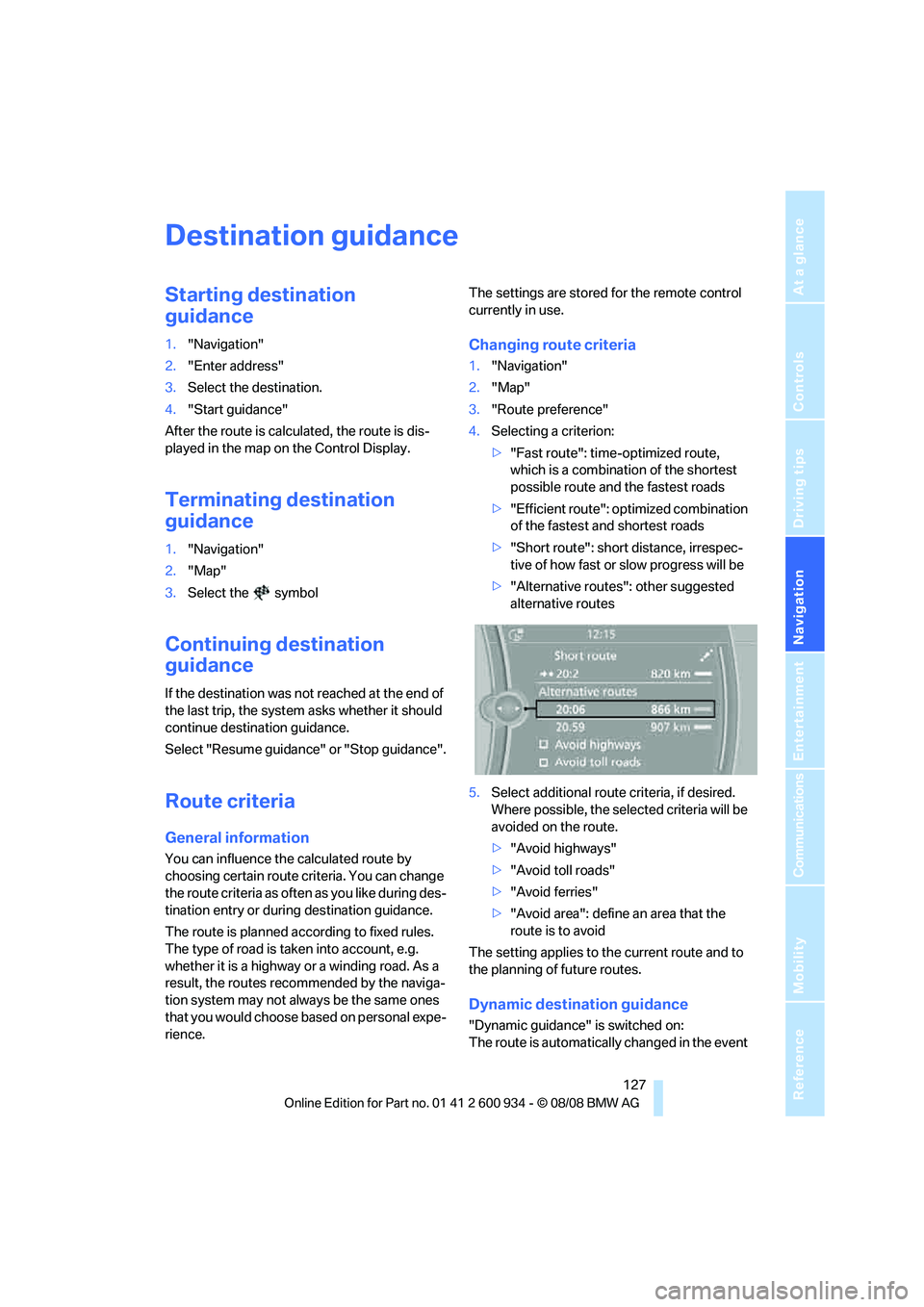
4.Selecting a criterion:
>"Fast route": time-optimized route,
which is a combination of the shortest
possible route and the fastest roads
>"Efficient route": optimized combination
of the fastest and shortest roads
>"Short route": short distance, irrespec-
tive of how fast or slow progress will be
>"Alternative routes": other suggested
alternative routes
5.Select additional route criteria, if desired.
Where possible, the selected criteria will be
avoided on the route.
>"Avoid highways"
>"Avoid toll roads"
>"Avoid ferries"
>"Avoid area": define an area that the
route is to avoid
The setting applies to the current route and to
the planning of future routes.
Dynamic destination guidance
"Dynamic guidance" is switched on:
The route is automatically changed in the event
ba8_E90M3_cic.book Seite 127 Dienstag, 19. August 2008 11:51 11
Page 133 of 246
Navigation
Driving tips
131Reference
At a glance
Controls
Communications
Entertainment
Mobility
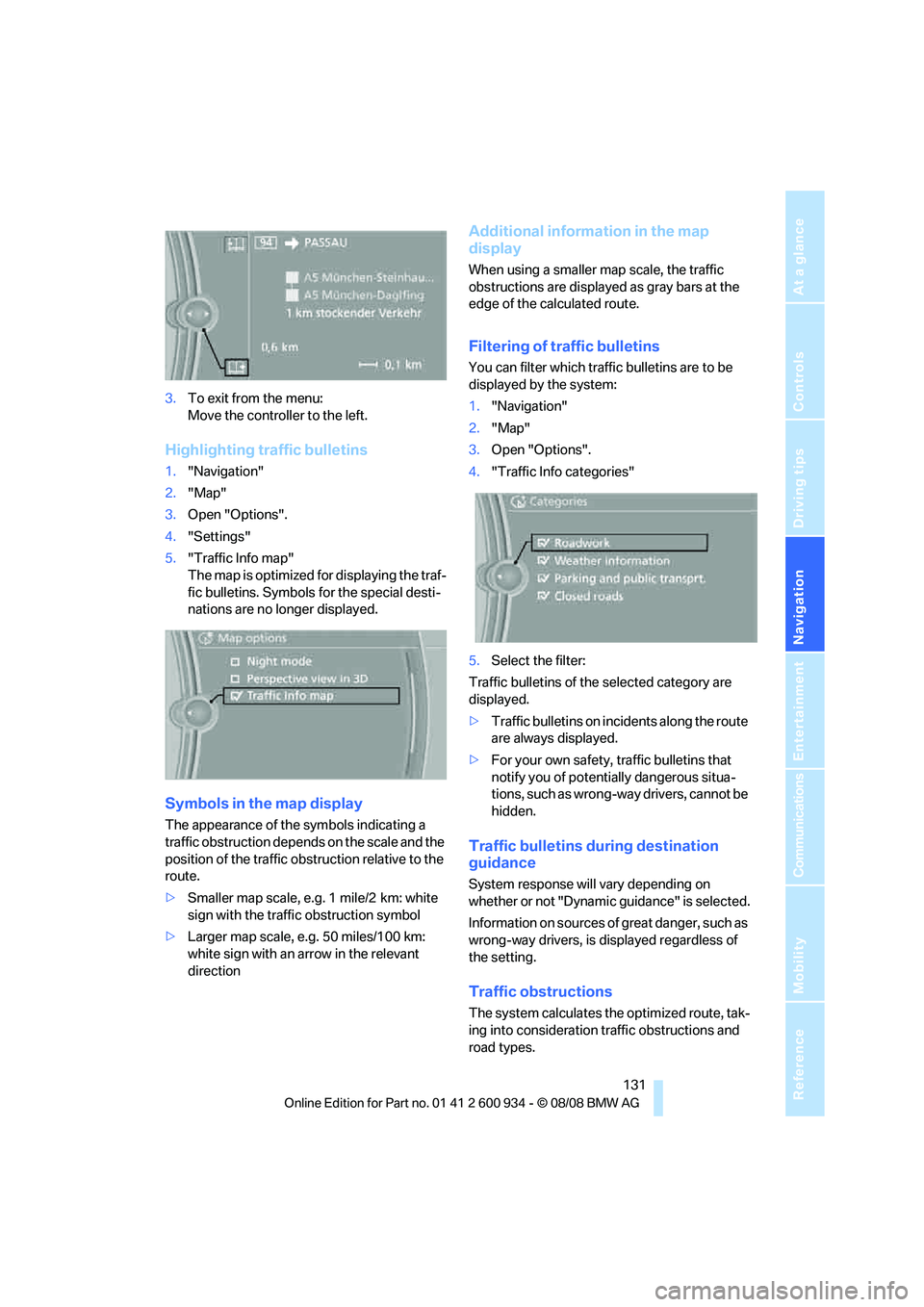
3.To exit from the menu:
Move the controller to the left.
Highlighting traffic bulletins
1."Navigation"
2."Map"
3.Open "Options".
4."Settings"
5."Traffic Info map"
The map is optimized for displaying the traf-
fic bulletins. Symbols for the special desti-
nations are no longer displayed.
Symbols in the map display
The appearance of the symbols indicating a
traffic obstruction depends on the scale and the
position of the traffic obstruction relative to the
route.
>Smaller map scale, e.g. 1 mile/2 km: white
sign with the traffic obstruction symbol
>Larger map scale, e.g. 50 miles/100 km:
white sign with an arrow in the relevant
direction
Additional information in the map
display
When using a smaller map scale, the traffic
obstructions are displayed as gray bars at the
edge of the calculated route.
Filtering of traffic bulletins
You can filter which traffic bulletins are to be
displayed by the system:
1."Navigation"
2."Map"
3.Open "Options".
4."Traffic Info categories"
5.Select the filter:
Traffic bulletins of the selected category are
displayed.
>Traffic bulletins on incidents along the route
are always displayed.
>For your own safety, traffic bulletins that
notify you of potentially dangerous situa-
tions, such as wrong-way drivers, cannot be
hidden.
Traffic bulletins during destination
guidance
System response will vary depending on
whether or not "Dynamic guidance" is selected.
Information on sources of great danger, such as
wrong-way drivers, is displayed regardless of
the setting.
Traffic obstructions
The system calculates the optimized route, tak-
ing into consideration traffic obstructions and
road types.
ba8_E90M3_cic.book Seite 131 Dienstag, 19. August 2008 11:51 11
Page 141 of 246
Navigation
Entertainment
Driving tips
139Reference
At a glance
Controls
Communications
Mobility
Radio
Your radio provides reception of the FM and AM
wavebands.
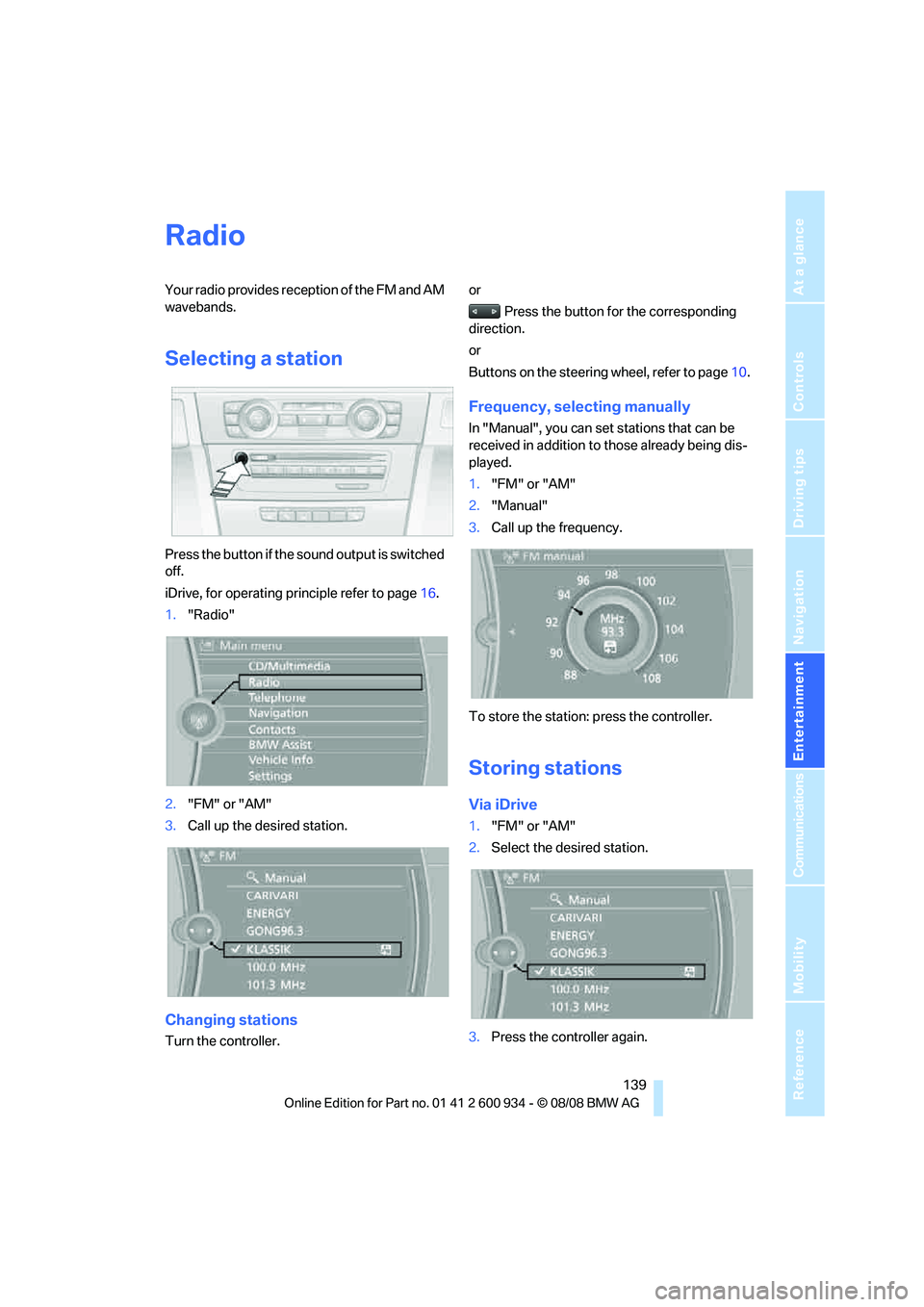
Selecting a station
Press the button if the sound output is switched
off.
iDrive, for operating principle refer to page16.
1."Radio"
2."FM" or "AM"
3.Call up the desired station.
Changing stations
Turn the controller.or
Press the button for the corresponding
direction.
or
Buttons on the steering wheel, refer to page10.
Frequency, selecting manually
In "Manual", you can set stations that can be
received in addition to those already being dis-
played.
1."FM" or "AM"
2."Manual"
3.Call up the frequency.
To store the station: press the controller.
Storing stations
Via iDrive
1."FM" or "AM"
2.Select the desired station.
3.Press the controller again.
ba8_E90M3_cic.book Seite 139 Dienstag, 19. August 2008 11:51 11
Page 144 of 246
Satellite radio
142
Satellite radio
You can receive over 100 different channels
with high sound quality.
The channels are offered to you in predefined
packages. To receive the channels of your
choice, you must have the corresponding pack-
ages enabled.
With this new technology, signal losses
can occur from time to time and result in
audio interruptions.<
Enabling or disabling
channels
Enabling the channels
iDrive, for operating principle refer to page16.
1.Ensure that reception is reliable. It is usually
at its best when you have an unobstructed
view of the sky.
2."Satellite radio"
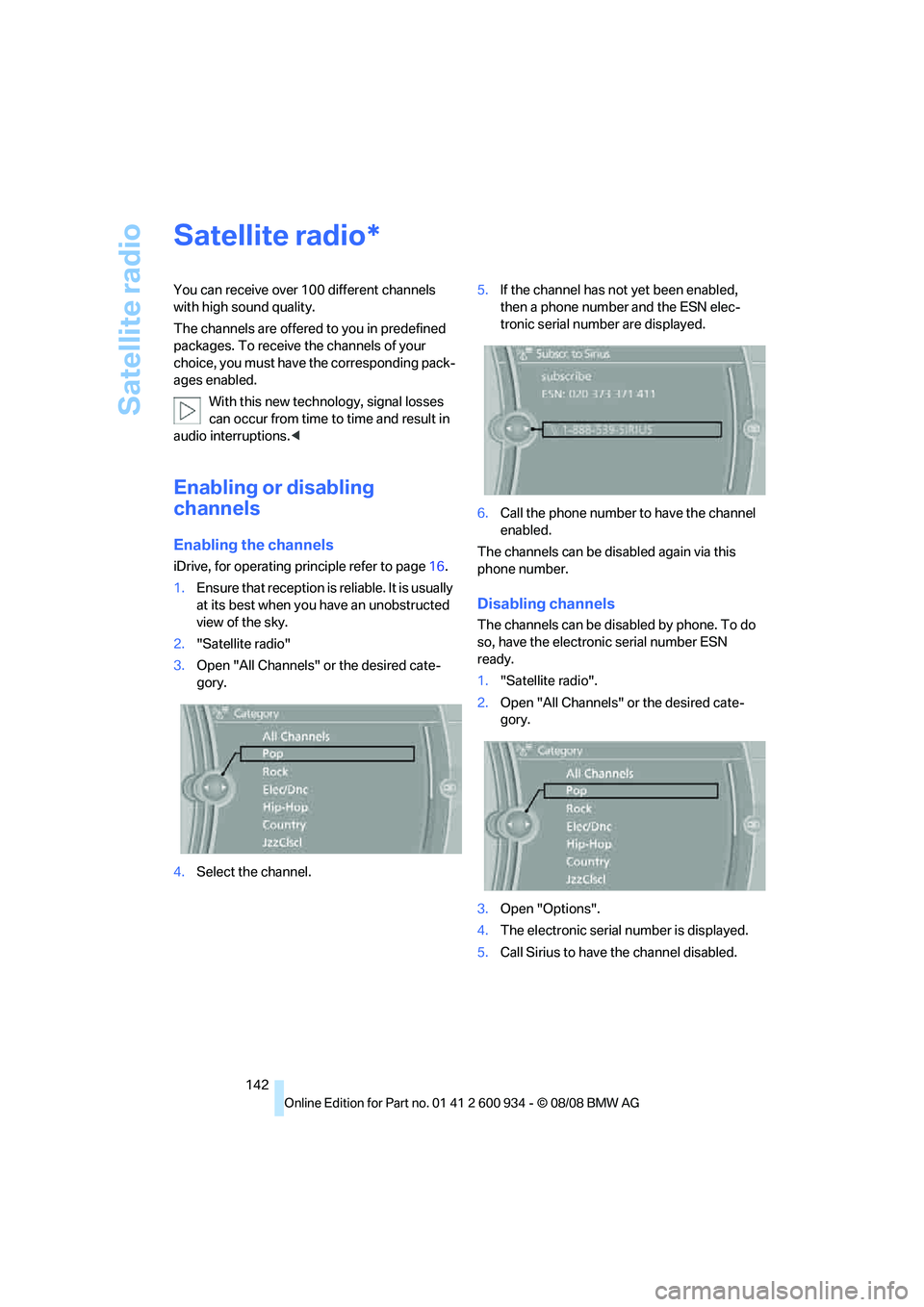
3.Open "All Channels" or the desired cate-
gory.
4.Select the channel.5.If the channel has not yet been enabled,
then a phone number and the ESN elec-
tronic serial number are displayed.
6.Call the phone number to have the channel
enabled.
The channels can be disabled again via this
phone number.
Disabling channels
The channels can be disabled by phone. To do
so, have the electronic serial number ESN
ready.
1."Satellite radio".
2.Open "All Channels" or the desired cate-
gory.
3.Open "Options".
4.The electronic serial number is displayed.
5.Call Sirius to have the channel disabled.
*
ba8_E90M3_cic.book Seite 142 Dienstag, 19. August 2008 11:51 11
Page 145 of 246
Navigation
Entertainment
Driving tips
143Reference
At a glance
Controls
Communications
Mobility
Selecting a channel
Selecting a channel
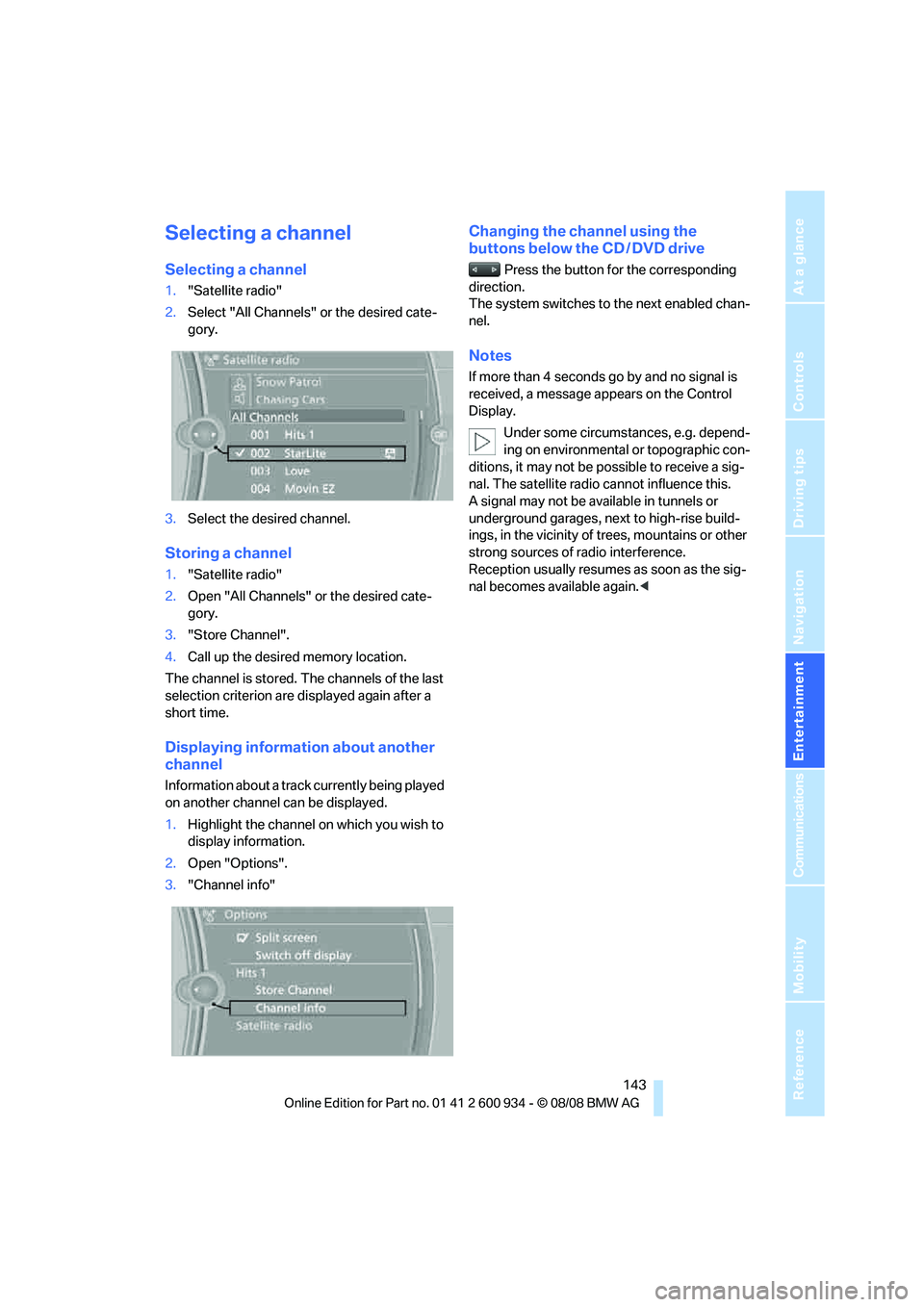
1."Satellite radio"
2.Select "All Channels" or the desired cate-
gory.
3.Select the desired channel.
Storing a channel
1."Satellite radio"
2.Open "All Channels" or the desired cate-
gory.
3."Store Channel".
4.Call up the desired memory location.
The channel is stored. The channels of the last
selection criterion are displayed again after a
short time.
Displaying information about another
channel
Information about a track currently being played
on another channel can be displayed.
1.Highlight the channel on which you wish to
display information.
2.Open "Options".
3."Channel info"
Changing the channel using the
buttons below the CD / DVD drive
Press the button for the corresponding
direction.
The system switches to the next enabled chan-
nel.
Notes
If more than 4 seconds go by and no signal is
received, a message appears on the Control
Display.
Under some circumstances, e.g. depend-
ing on environmental or topographic con-
ditions, it may not be possible to receive a sig-
nal. The satellite radio cannot influence this.
A signal may not be available in tunnels or
underground garages, next to high-rise build-
ings, in the vicinity of trees, mountains or other
strong sources of radio interference.
Reception usually resumes as soon as the sig-
nal becomes available again.<
ba8_E90M3_cic.book Seite 143 Dienstag, 19. August 2008 11:51 11
Page 154 of 246
Music collection
152
Storing from a USB device
The entire content of the USB device is stored
in the music collection as an album. After stor-
ing, the tracks and directories can be deleted
individually.
1.Connect the USB device to the USB inter-
face in the glove compartment.
2."Music collection"
3.Open "Options".
4."Music import/export"
5."Import music (USB)"
Music is stored in the vehicle. The entire con-
tent of the USB device is stored as a separate
album and is named automatically.
Music, playing
Music search
All tracks for which additional information has
been stored can be accessed by the music
search. Tracks without additional information
can be called up via the corresponding album.
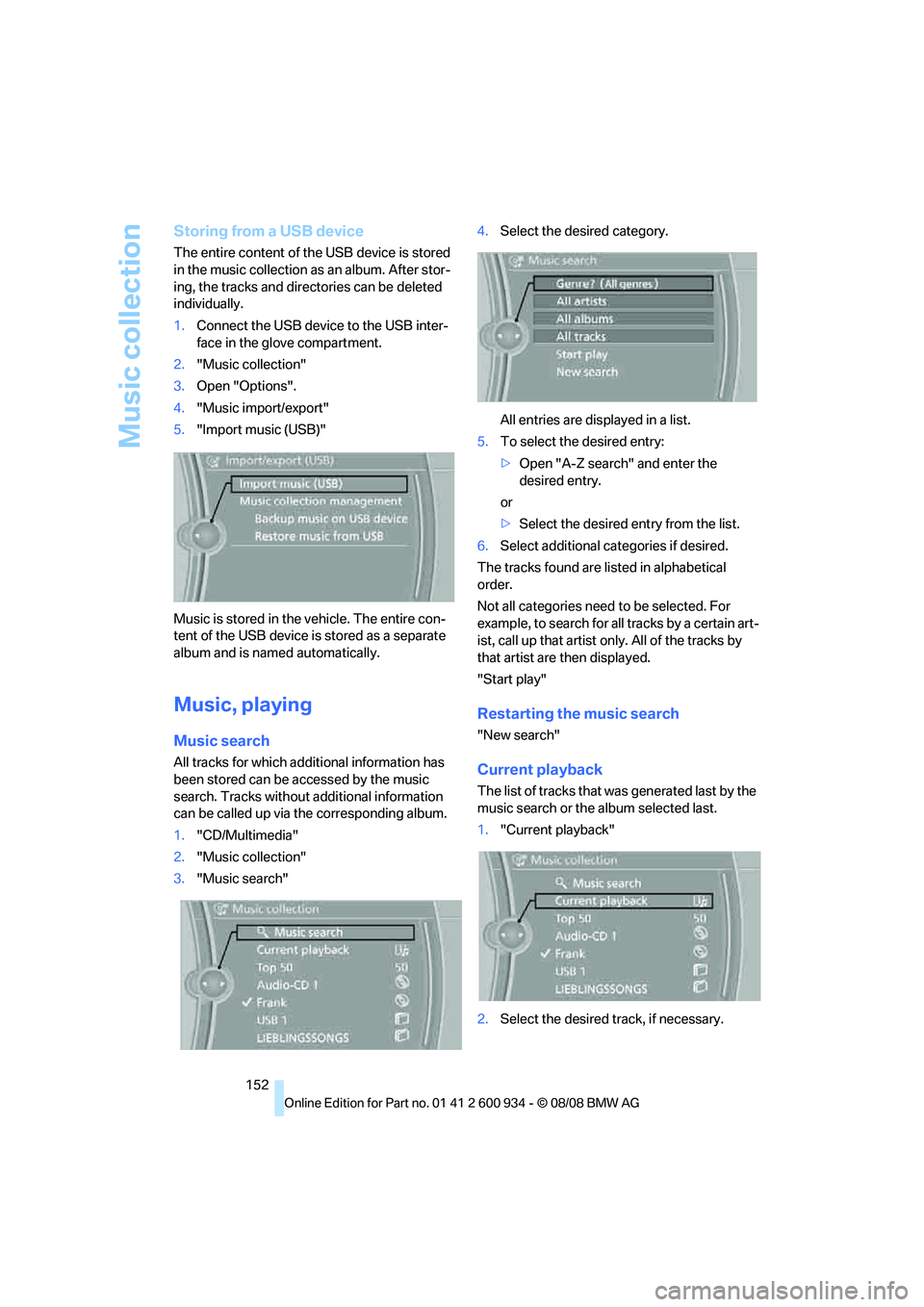
1."CD/Multimedia"
2."Music collection"
3."Music search"4.Select the desired category.
All entries are displayed in a list.
5.To select the desired entry:
>Open "A-Z search" and enter the
desired entry.
or
>Select the desired entry from the list.
6.Select additional categories if desired.
The tracks found are listed in alphabetical
order.
Not all categories need to be selected. For
example, to search for all tracks by a certain art-
ist, call up that artist only. All of the tracks by
that artist are then displayed.
"Start play"
Restarting the music search
"New search"
Current playback
The list of tracks that was generated last by the
music search or the album selected last.
1."Current playback"
2.Select the desired track, if necessary.
ba8_E90M3_cic.book Seite 152 Dienstag, 19. August 2008 11:51 11
Page 166 of 246
Telephone
164 If the pairing was successful, the mobile phone
appears at the top of the list of mobile phones.
As soon as a mobile phone is detected by the
vehicle, the phone book entries stored on the
SIM card or on your mobile phone are transmit-
ted to the vehicle. This data transfer depends
on your mobile phone and can take several min-
utes; please refer to your mobile phone's oper-
ating instructions, if necessary.
If not all phone book entries are displayed:
>Transfer all phone book entries from the
SIM card to the mobile phone, if necessary.
>Phone book entries with special characters
may not be displayed.
Checks to perform if pairing is
unsuccessful
>Is the mobile phone supported by the
mobile phone preparation package? You
can obtain information on the Internet at:
www.bmw.com.
>Do the Bluetooth passkeys on the mobile
phone and vehicle match? The same Blue-
tooth passkey must be entered on the
mobile phone's display and via iDrive.
>Did it take you more than 30 seconds to
enter the Bluetooth passkey? Then repeat
the pairing procedure.
>Only a limited number of devices can be
connected with the mobile phone. If neces-
sary, delete connections with other devices.
>Is the mobile phone no longer responding?
Switch the mobile phone off and on or
briefly disconnect the power supply.
Connecting a particular mobile phone
If more than one mobile phone is detected by
the vehicle, the mobile phone at the top of the
list is connected. A different mobile phone can
be connected by selecting it.
iDrive, for operating principle refer to page16.
1."Telephone"
2."Bluetooth"3.Select the desired mobile phone.
Unpairing the mobile phone from the
vehicle
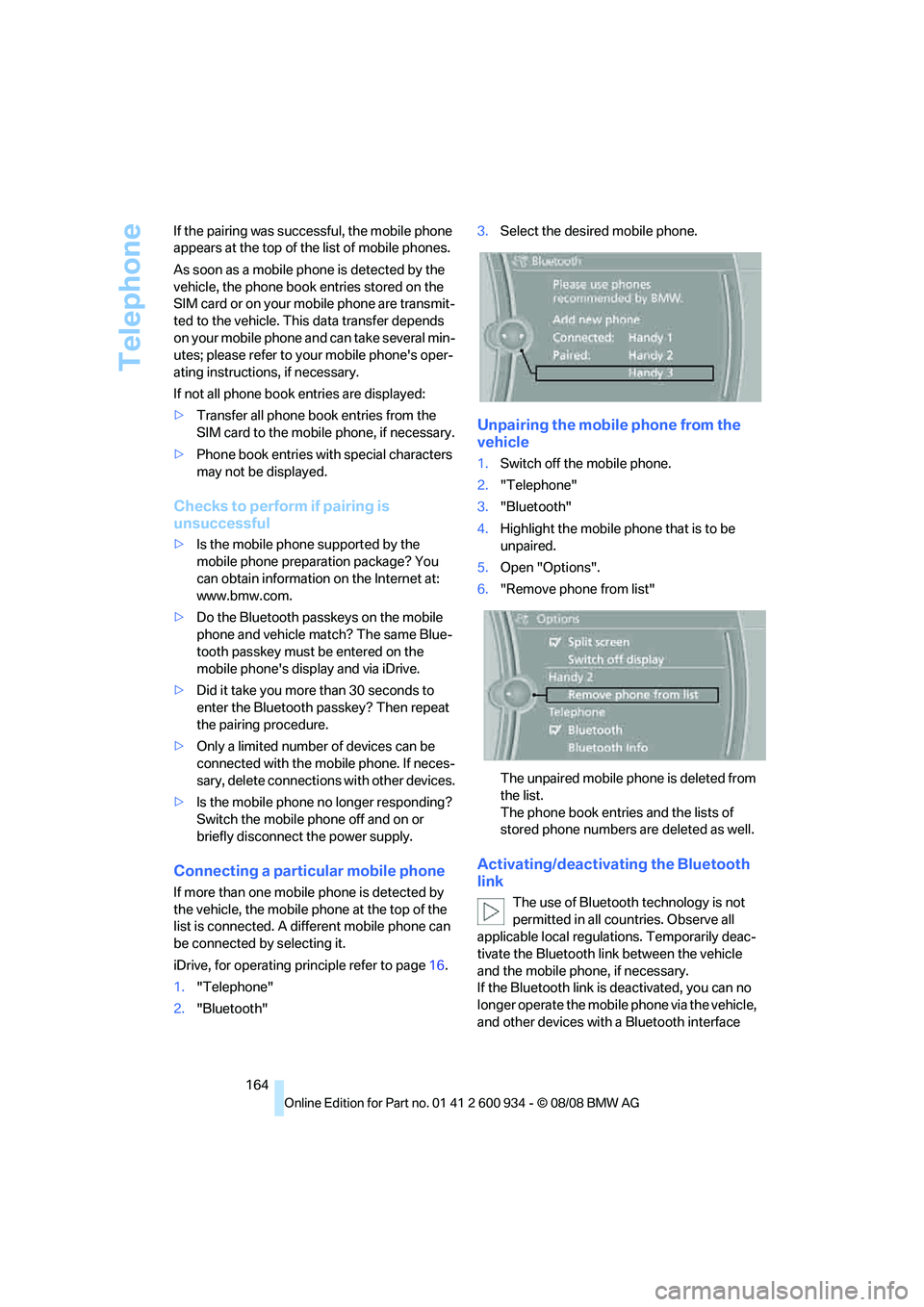
1.Switch off the mobile phone.
2."Telephone"
3."Bluetooth"
4.Highlight the mobile phone that is to be
unpaired.
5.Open "Options".
6."Remove phone from list"
The unpaired mobile phone is deleted from
the list.
The phone book entries and the lists of
stored phone numbers are deleted as well.
Activating/deactivating the Bluetooth
link
The use of Bluetooth technology is not
permitted in all countries. Observe all
applicable local regulations. Temporarily deac-
tivate the Bluetooth link between the vehicle
and the mobile phone, if necessary.
If the Bluetooth link is deactivated, you can no
longer operate the mobile phone via the vehicle,
and other devices with a Bluetooth interface
ba8_E90M3_cic.book Seite 164 Dienstag, 19. August 2008 11:51 11
Page 171 of 246
169
Entertainment
Reference
At a glance
Controls
Driving tips Communications
Navigation
Mobility
Depending on the type of mobile phone you are
using, it may occur that calls are switched from
the hands-free system to the mobile phone if
reception of the wireless network is poor.
Operation by voice
commands*
The concept
You can operate your mobile phone without
having to take a hand off the steering wheel.
During your entries, you will be guided in many
cases by announcements or questions.
The same prerequisites apply as for operation
via iDrive, refer to page165.
Saying commands
Activating the system
1.Briefly press the button on the steering
wheel.
A sound signal indicates that you can say
commands.
2.Say the command.
Ending/canceling operation by voice
commands
Press the button on the steering wheel
or
In dialogs where text, e.g. a name, rather than a
command is spoken, canceling is only possible
using the button on the steering wheel.
Having the possible commands read
aloud
The system recognizes specific commands
that must be pronounced exactly word for word.
You can have the possible commands for any
function read aloud to you:
Using alternative commands
Often there is more than a single command to
run a function, e.g.:
Digits from zero to nine are recognized.
You can say each digit individually or group
them into a sequence to accelerate the input.
Example: dialing phone numbers
Start the dialog:
Press the button on the steering wheel.
Adjusting the volume of the
instructions
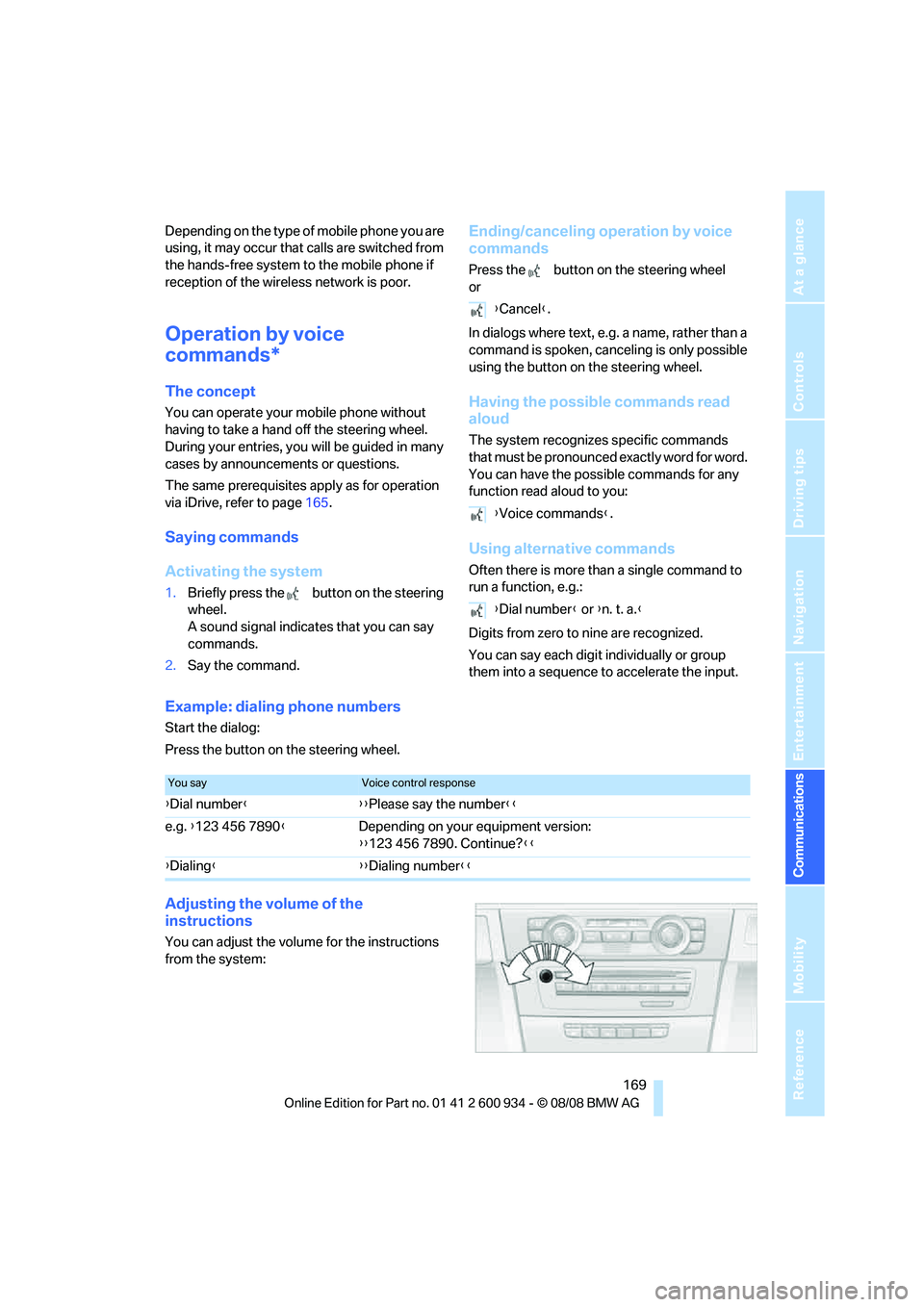
You can adjust the volume for the instructions
from the system:
{Cancel}.
{Voice commands}.
{Dial number} or {n. t. a.}
You sayVoice control response
{Dial number}{{Please say the number}}
e.g. {123 456 7890}Depending on your equipment version:
{{123 456 7890. Continue?}}
{Dialing}{{Dialing number}}
ba8_E90M3_cic.book Seite 169 Dienstag, 19. August 2008 11:51 11
Page 177 of 246
175
Entertainment
Reference
At a glance
Controls
Driving tips Communications
Navigation
Mobility
BMW Assist
Concierge service*
When you call the BMW Assist Concierge, you
can obtain information about, for example, res-
taurants, emergency pharmacy services, gas
stations or hotels, as well as receive the corre-
sponding telephone numbers and addresses.
You can then dial a phone number directly or
use an address for destination guidance.
Starting the concierge service
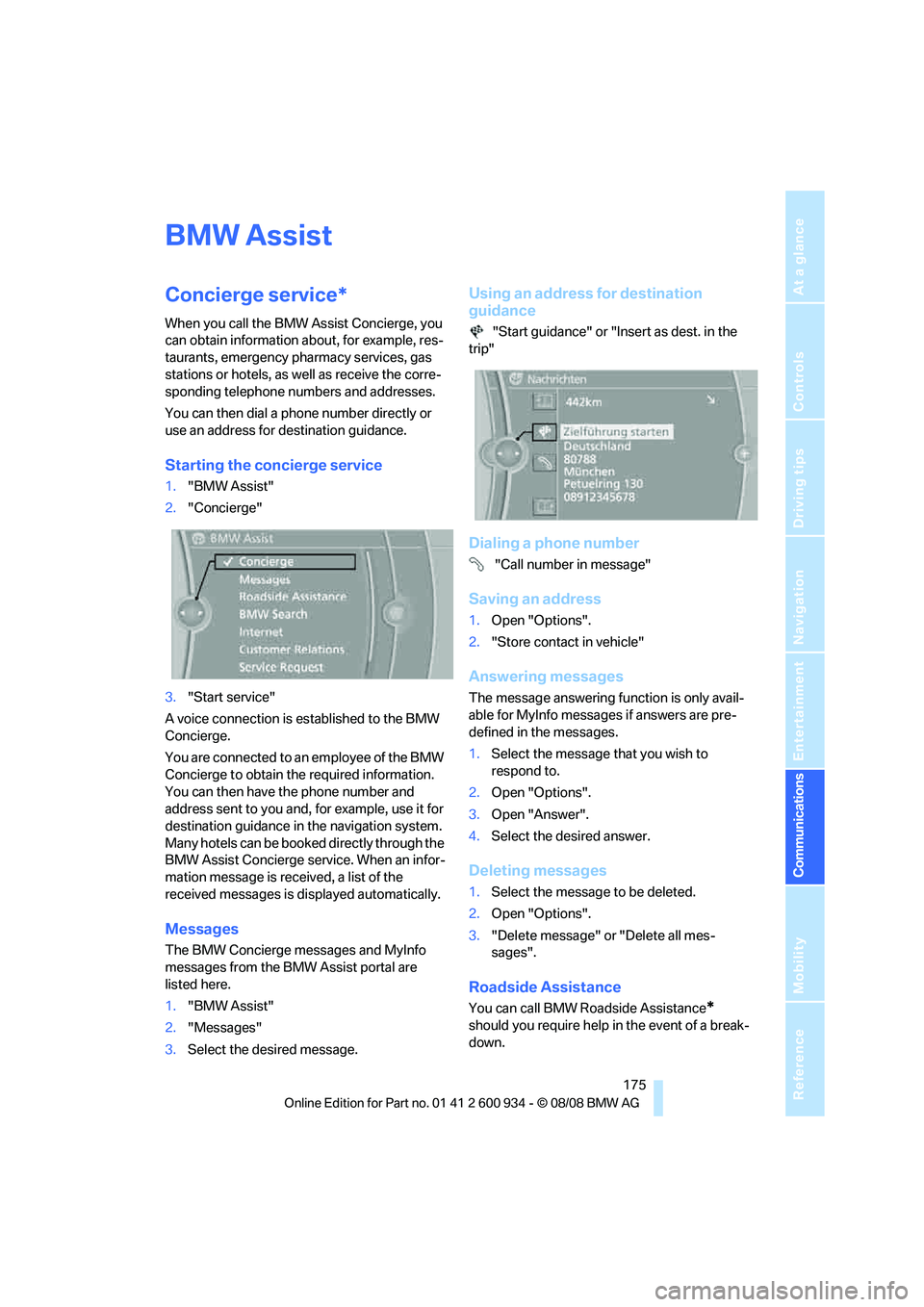
1."BMW Assist"
2."Concierge"
3."Start service"
A voice connection is established to the BMW
Concierge.
You are connected to an employee of the BMW
Concierge to obtain the required information.
You can then have the phone number and
address sent to you and, for example, use it for
destination guidance in the navigation system.
Many hotels can be booked directly through the
BMW Assist Concierge service. When an infor-
mation message is received, a list of the
received messages is displayed automatically.
Messages
The BMW Concierge messages and MyInfo
messages from the BMW Assist portal are
listed here.
1."BMW Assist"
2."Messages"
3.Select the desired message.
Using an address for destination
guidance
"Start guidance" or "Insert as dest. in the
trip"
Dialing a phone number
"Call number in message"
Saving an address
1.Open "Options".
2."Store contact in vehicle"
Answering messages
The message answering function is only avail-
able for MyInfo messages if answers are pre-
defined in the messages.
1.Select the message that you wish to
respond to.
2.Open "Options".
3.Open "Answer".
4.Select the desired answer.
Deleting messages
1.Select the message to be deleted.
2.Open "Options".
3."Delete message" or "Delete all mes-
sages".
Roadside Assistance
You can call BMW Roadside Assistance*
should you require help in the event of a break-
down.
ba8_E90M3_cic.book Seite 175 Dienstag, 19. August 2008 11:51 11