light BMW M3 CONVERTIBLE 2003 E46 User Guide
[x] Cancel search | Manufacturer: BMW, Model Year: 2003, Model line: M3 CONVERTIBLE, Model: BMW M3 CONVERTIBLE 2003 E46Pages: 166, PDF Size: 4.29 MB
Page 53 of 166
53
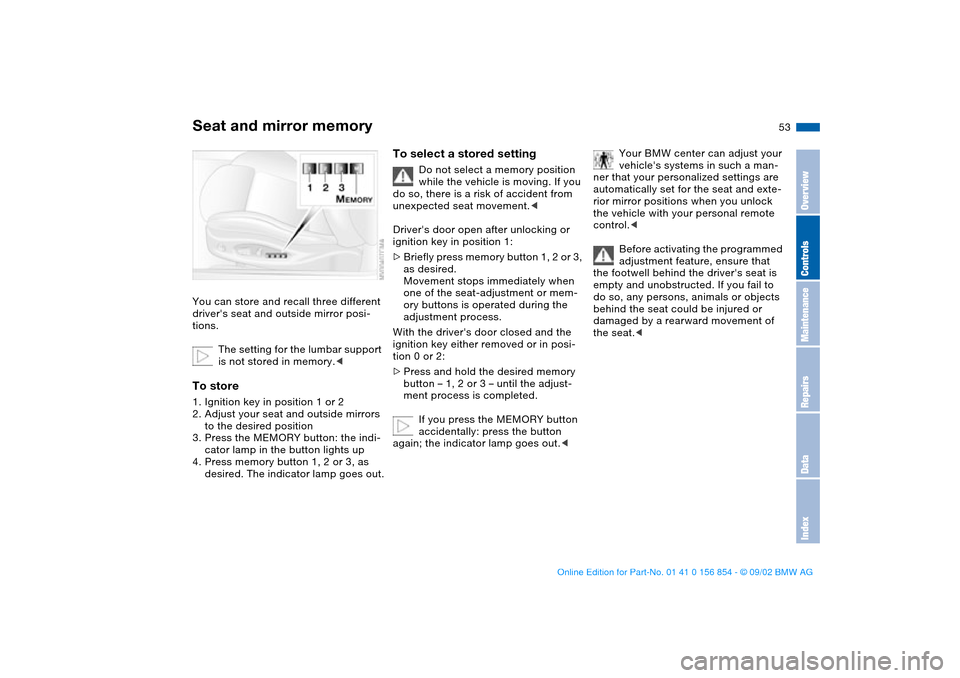
Seat and mirror memory You can store and recall three different
driver's seat and outside mirror posi-
tions.
The setting for the lumbar support
is not stored in memory.
to the desired position
3. Press the MEMORY button: the indi-
cator lamp in the button lights up
4. Press memory button 1, 2 or 3, as
desired. The indicator lamp goes out.
To select a stored setting
Do not select a memory position
while the vehicle is moving. If you
do so, there is a risk of accident from
unexpected seat movement.<
Driver's door open after unlocking or
ignition key in position 1:
>Briefly press memory button 1, 2 or 3,
as desired.
Movement stops immediately when
one of the seat-adjustment or mem-
ory buttons is operated during the
adjustment process.
With the driver's door closed and the
ignition key either removed or in posi-
tion 0 or 2:
>Press and hold the desired memory
button – 1, 2 or 3 – until the adjust-
ment process is completed.
If you press the MEMORY button
accidentally: press the button
again; the indicator lamp goes out.<
Your BMW center can adjust your
vehicle's systems in such a man-
ner that your personalized settings are
automatically set for the seat and exte-
rior mirror positions when you unlock
the vehicle with your personal remote
control.<
Before activating the programmed
adjustment feature, ensure that
the footwell behind the driver's seat is
empty and unobstructed. If you fail to
do so, any persons, animals or objects
behind the seat could be injured or
damaged by a rearward movement of
the seat.<
OverviewControlsMaintenanceRepairsDataIndex
handbook.book Page 53 Tuesday, July 30, 2002 9:28 AM
Page 54 of 166
54
Passenger-side exterior mirror tilt
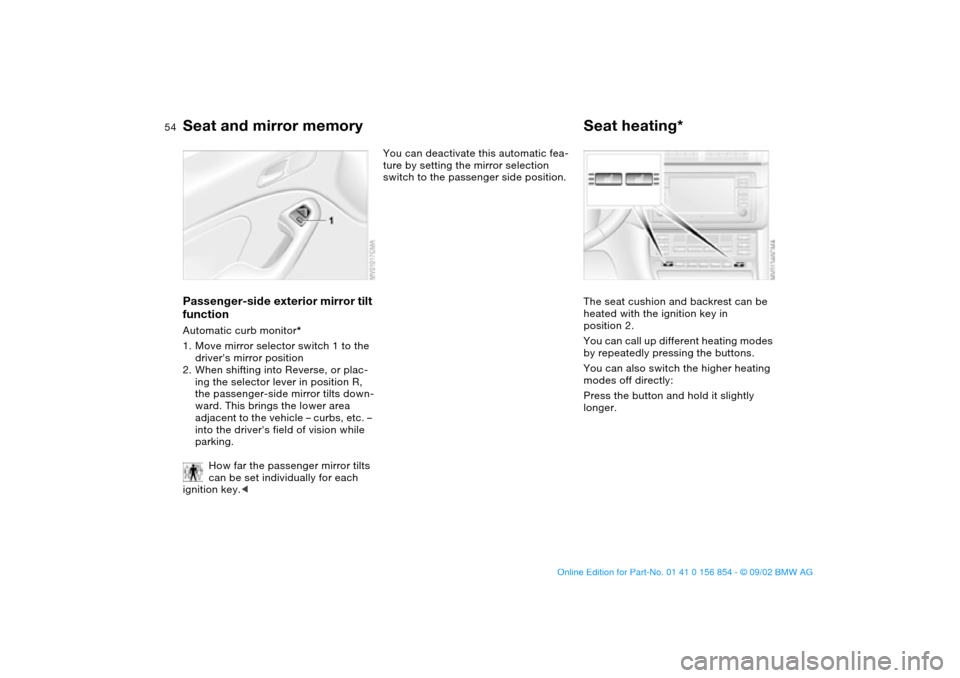
functionAutomatic curb monitor*
1. Move mirror selector switch 1 to the
driver's mirror position
2. When shifting into Reverse, or plac-
ing the selector lever in position R,
the passenger-side mirror tilts down-
ward. This brings the lower area
adjacent to the vehicle – curbs, etc. –
into the driver's field of vision while
parking.
How far the passenger mirror tilts
can be set individually for each
ignition key.<
You can deactivate this automatic fea-
ture by setting the mirror selection
switch to the passenger side position.
Seat heating*The seat cushion and backrest can be
heated with the ignition key in
position 2.
You can call up different heating modes
by repeatedly pressing the buttons.
You can also switch the higher heating
modes off directly:
Press the button and hold it slightly
longer.
Seat and mirror memory
handbook.book Page 54 Tuesday, July 30, 2002 9:28 AM
Page 56 of 166
56
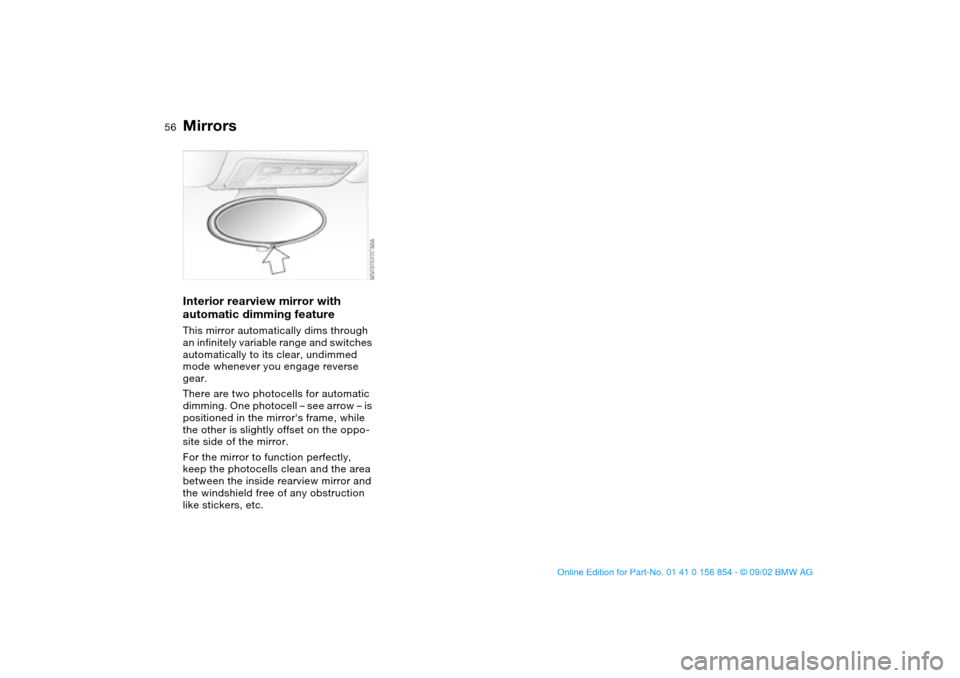
Interior rearview mirror with
automatic dimming featureThis mirror automatically dims through
an infinitely variable range and switches
automatically to its clear, undimmed
mode whenever you engage reverse
gear.
There are two photocells for automatic
dimming. One photocell – see arrow – is
positioned in the mirror's frame, while
the other is slightly offset on the oppo-
site side of the mirror.
For the mirror to function perfectly,
keep the photocells clean and the area
between the inside rearview mirror and
the windshield free of any obstruction
like stickers, etc.Mirrors
handbook.book Page 56 Tuesday, July 30, 2002 9:28 AM
Page 58 of 166
58
erly positioned at all times and not
place their heads on or near the side
airbag. Therefore, we recommend that
the rear seat side airbags, if provided,
be deactivated if you plan to transport
children in the rear seat.
The rear seat side airbags may already
have been deactivated, either at the
time of manufacture or by a BMW cen-
ter. Labels in the door opening should
indicate the status of your rear-seat
side airbags. If you are uncertain of
their status, or wish to have the airbags
activated or deactivated, please con-
tact your BMW center.<
Even when all these guidelines are
observed, there is still a small residual
risk of injuries to the face, hands and
arms occurring from airbag deployment
in isolated instances.
The ignition and inflation noise may
provoke a mild temporary hearing loss
in extremely sensitive individuals.
Airbag warning information is also pro-
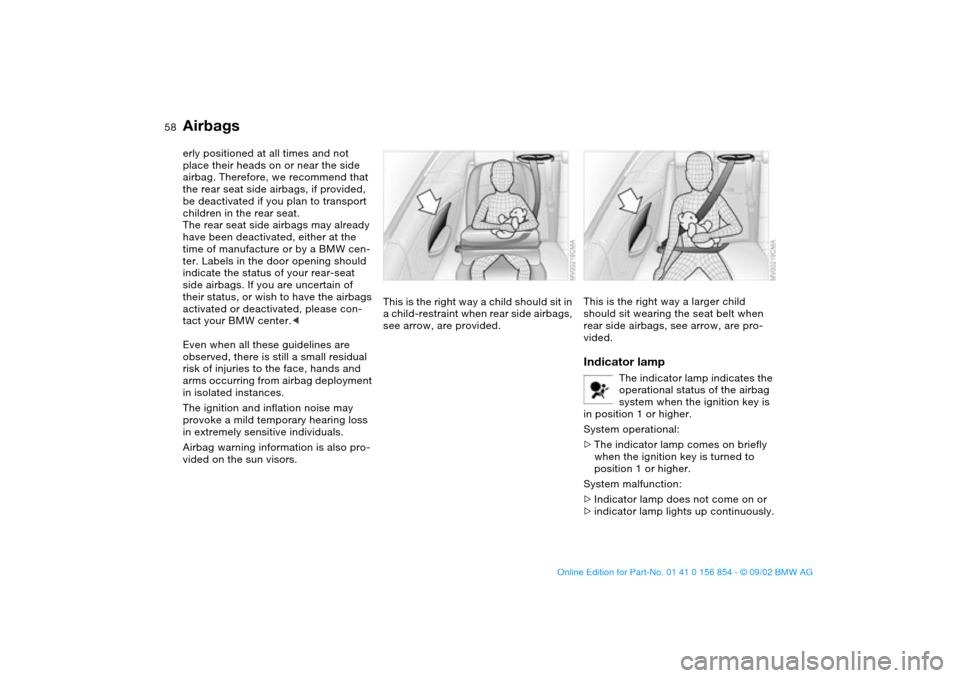
vided on the sun visors.This is the right way a child should sit in
a child-restraint when rear side airbags,
see arrow, are provided.
This is the right way a larger child
should sit wearing the seat belt when
rear side airbags, see arrow, are pro-
vided.Indicator lamp
The indicator lamp indicates the
operational status of the airbag
system when the ignition key is
in position 1 or higher.
System operational:
>The indicator lamp comes on briefly
when the ignition key is turned to
position 1 or higher.
System malfunction:
>Indicator lamp does not come on or
>indicator lamp lights up continuously.
Airbags
handbook.book Page 58 Tuesday, July 30, 2002 9:28 AM
Page 66 of 166
66Driving
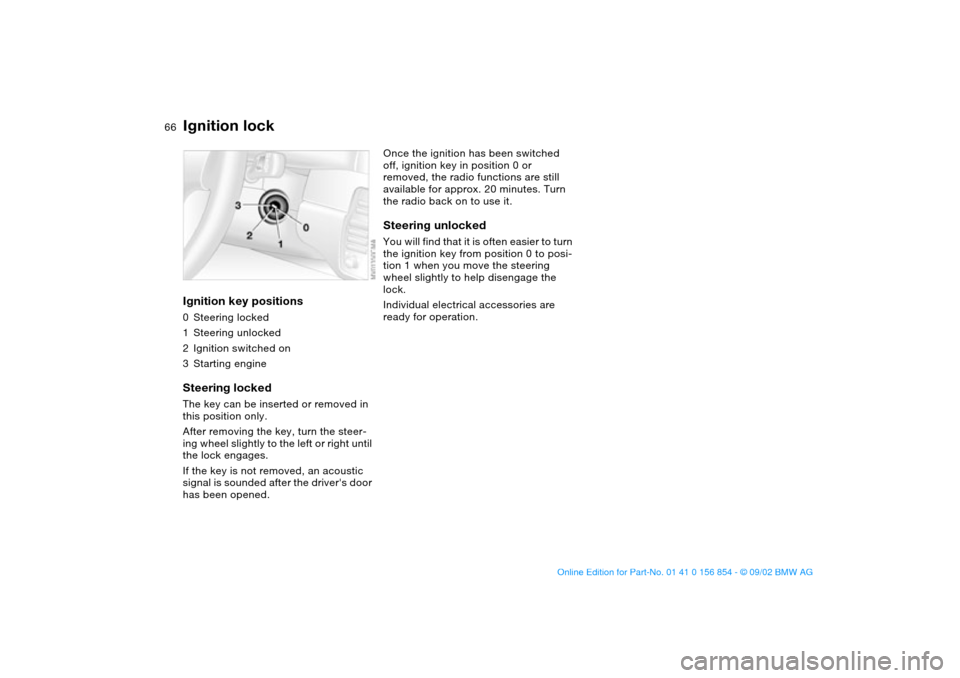
Ignition lockIgnition key positions0Steering locked
1Steering unlocked
2Ignition switched on
3Starting engineSteering lockedThe key can be inserted or removed in
this position only.
After removing the key, turn the steer-
ing wheel slightly to the left or right until
the lock engages.
If the key is not removed, an acoustic
signal is sounded after the driver's door
has been opened.
Once the ignition has been switched
off, ignition key in position 0 or
removed, the radio functions are still
available for approx. 20 minutes. Turn
the radio back on to use it.Steering unlockedYou will find that it is often easier to turn
the ignition key from position 0 to posi-
tion 1 when you move the steering
wheel slightly to help disengage the
lock.
Individual electrical accessories are
ready for operation.
handbook.book Page 66 Tuesday, July 30, 2002 9:28 AM
Page 69 of 166
69
Switching off the engine
You should never remove the igni-
tion key when the vehicle is in
motion, as the steering lock could
engage.
When you leave the vehicle, always
remove the ignition key and engage the
steering lock.<
Always engage the parking brake
when parking on downhill roads.
Engaging a gear may not sufficiently
secure the vehicle against rolling.<
Manual transmissionTurn the ignition key to position 1 or 0.Sequential M gearbox SMG IIIf you turn the ignition key to position 1
or 0 with the selector lever in the for-
ward or reverse position, a gear auto-
matically remains engaged.
If you turn the ignition key to position 1
or 0 with the selector lever in position 0,
a warning tone and the flashing gear
indicator in the SMG display remind you
that the vehicle is not secured against
rolling.
The warning stops after approx. ten
seconds. If you move the selector lever
into a forward or reverse position dur-
ing this time, a gear is automatically
engaged.
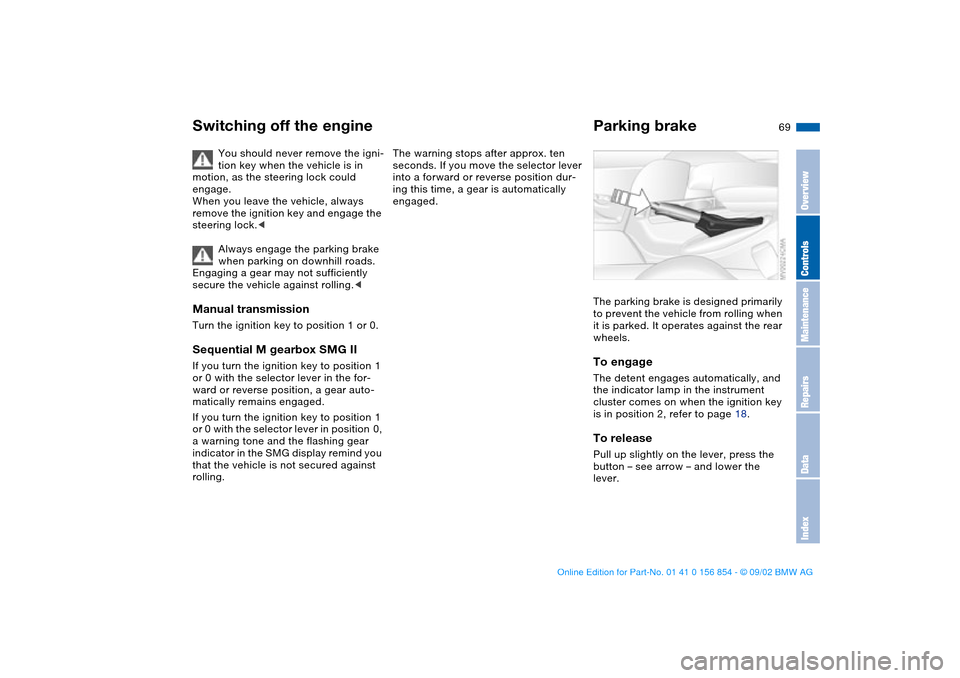
Parking brakeThe parking brake is designed primarily
to prevent the vehicle from rolling when
it is parked. It operates against the rear
wheels.To engageThe detent engages automatically, and
the indicator lamp in the instrument
cluster comes on when the ignition key
is in position 2, refer to page 18.To releasePull up slightly on the lever, press the
button – see arrow – and lower the
lever.
OverviewControlsMaintenanceRepairsDataIndex
handbook.book Page 69 Tuesday, July 30, 2002 9:28 AM
Page 70 of 166
70
If exceptional circumstances
make it necessary to engage the
parking brake while the vehicle is in
motion, do not pull it with excessive
pressure. Keep your thumb pressed
against the release button while care-
fully pulling the lever up.
Excessive pressure can lead to over-
braking and loss of traction – fishtailing
– at the rear axle.
The brake lamps do not come on when
the parking brake is engaged.
Always engage the parking brake when
parking on downhill roads. Engaging a
gear may not sufficiently secure the
vehicle against rolling.<
To avoid corrosion and one-sided
braking, apply the parking brake
lightly from time to time when coasting
to a standstill – at a traffic signal, for
example – provided that it is safe to do
so.<
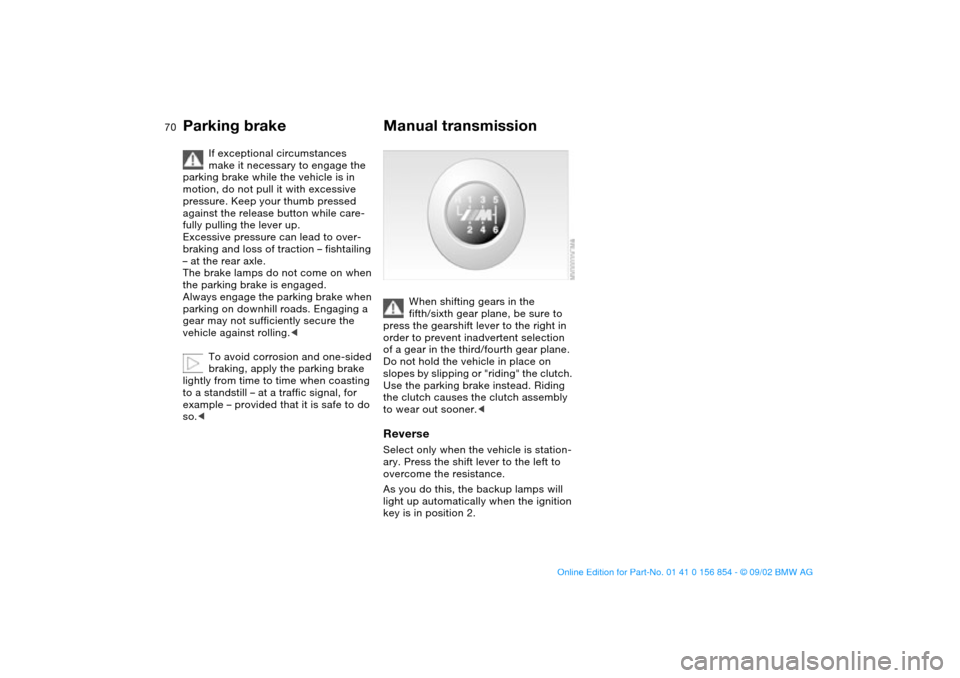
Manual transmission
When shifting gears in the
fifth/sixth gear plane, be sure to
press the gearshift lever to the right in
order to prevent inadvertent selection
of a gear in the third/fourth gear plane.
Do not hold the vehicle in place on
slopes by slipping or "riding" the clutch.
Use the parking brake instead. Riding
the clutch causes the clutch assembly
to wear out sooner.<
ReverseSelect only when the vehicle is station-
ary. Press the shift lever to the left to
overcome the resistance.
As you do this, the backup lamps will
light up automatically when the ignition
key is in position 2.
Parking brake
handbook.book Page 70 Tuesday, July 30, 2002 9:28 AM
Page 71 of 166
71
Sequential M gearbox SMG II*The conceptThe sequential M gearbox SMG II is an
automated manual gearbox with which
clutching and shifting is assumed by an
electro-hydraulic system.
The SMG II is operated via two shift
paddles on the steering wheel and the
selector lever in the center console.
It offers the following functions:
>Sequential and automated shifting
mode
>Ability to choose between different
driving programs, Drivelogic
>Gradient assistance, refer to page 74
>Upshift display and shift lights, refer
to page 75
>RPM matching on downshifts
>Driving dependent functions:
The respective driving situation, e.g.
cornering, mountain driving or brak-
ing, is detected by sensors and taken
into account for shifting, e.g. to
achieve optimum gear selection dur-
ing deceleration and subsequent
acceleration
>Slip recognition at the rear axle for
increasing driving stability, e.g. dur-
ing downshifting on slippery road
surfaces
>Operating safety through protection
against misshifting.Under normal operating conditions, fuel
consumption is lowest when driving in
the first driving program of the auto-
mated shifting mode.
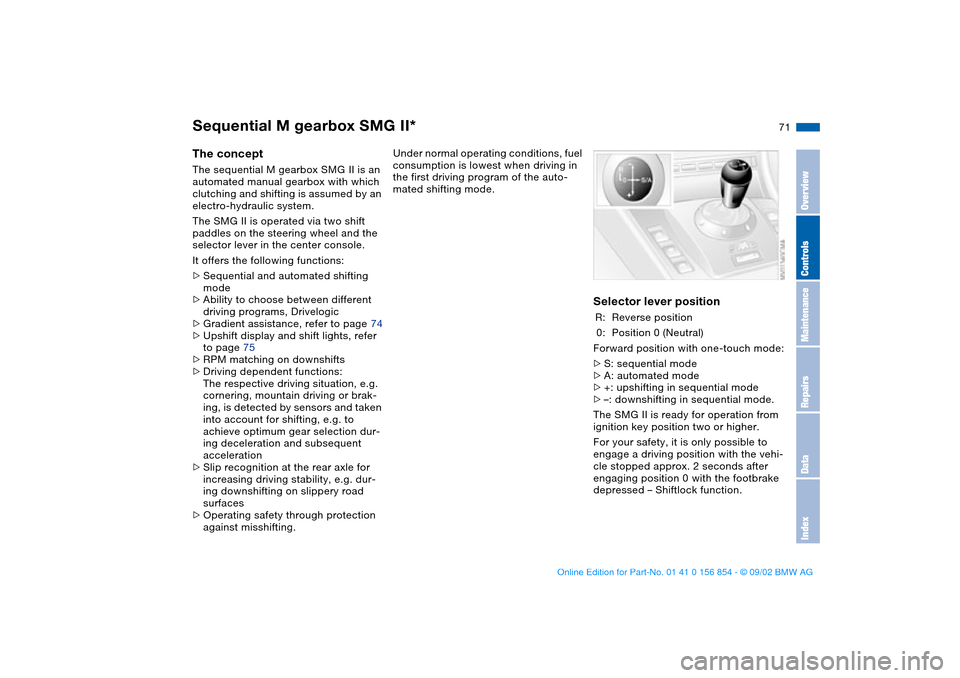
Selector lever positionR: Reverse position
0: Position 0 (Neutral)
Forward position with one-touch mode:
>S: sequential mode
>A: automated mode
>+: upshifting in sequential mode
>–: downshifting in sequential mode.
The SMG II is ready for operation from
ignition key position two or higher.
For your safety, it is only possible to
engage a driving position with the vehi-
cle stopped approx. 2 seconds after
engaging position 0 with the footbrake
depressed – Shiftlock function.
OverviewControlsMaintenanceRepairsDataIndex
handbook.book Page 71 Tuesday, July 30, 2002 9:28 AM
Page 73 of 166
73
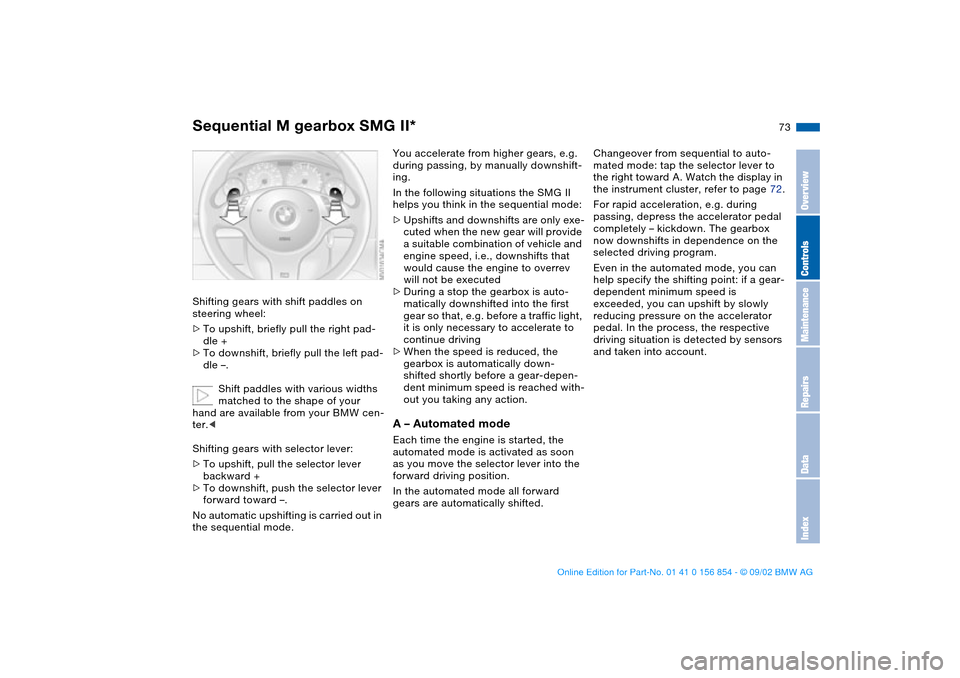
Shifting gears with shift paddles on
steering wheel:
>To upshift, briefly pull the right pad-
dle +
>To downshift, briefly pull the left pad-
dle –.
Shift paddles with various widths
matched to the shape of your
hand are available from your BMW cen-
ter.<
Shifting gears with selector lever:
>To upshift, pull the selector lever
backward +
>To downshift, push the selector lever
forward toward –.
No automatic upshifting is carried out in
the sequential mode.
You accelerate from higher gears, e.g.
during passing, by manually downshift-
ing.
In the following situations the SMG II
helps you think in the sequential mode:
>Upshifts and downshifts are only exe-
cuted when the new gear will provide
a suitable combination of vehicle and
engine speed, i.e., downshifts that
would cause the engine to overrev
will not be executed
>During a stop the gearbox is auto-
matically downshifted into the first
gear so that, e.g. before a traffic light,
it is only necessary to accelerate to
continue driving
>When the speed is reduced, the
gearbox is automatically down-
shifted shortly before a gear-depen-
dent minimum speed is reached with-
out you taking any action.A – Automated modeEach time the engine is started, the
automated mode is activated as soon
as you move the selector lever into the
forward driving position.
In the automated mode all forward
gears are automatically shifted.Changeover from sequential to auto-
mated mode: tap the selector lever to
the right toward A. Watch the display in
the instrument cluster, refer to page 72.
For rapid acceleration, e.g. during
passing, depress the accelerator pedal
completely – kickdown. The gearbox
now downshifts in dependence on the
selected driving program.
Even in the automated mode, you can
help specify the shifting point: if a gear-
dependent minimum speed is
exceeded, you can upshift by slowly
reducing pressure on the accelerator
pedal. In the process, the respective
driving situation is detected by sensors
and taken into account.
Sequential M gearbox SMG II*
OverviewControlsMaintenanceRepairsDataIndex
handbook.book Page 73 Tuesday, July 30, 2002 9:28 AM
Page 74 of 166
74
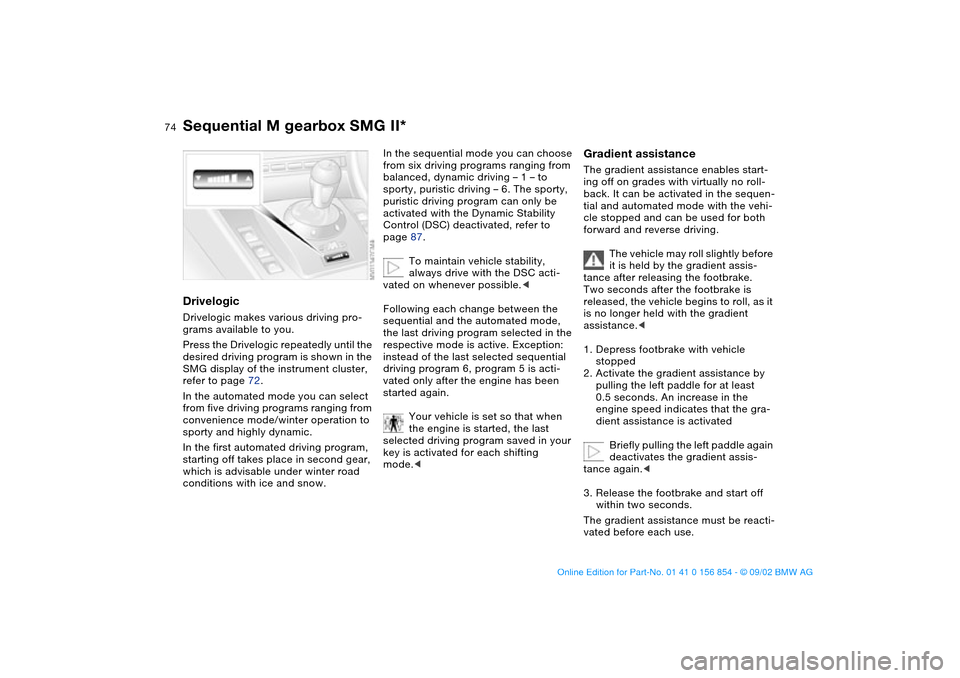
DrivelogicDrivelogic makes various driving pro-
grams available to you.
Press the Drivelogic repeatedly until the
desired driving program is shown in the
SMG display of the instrument cluster,
refer to page 72.
In the automated mode you can select
from five driving programs ranging from
convenience mode/winter operation to
sporty and highly dynamic.
In the first automated driving program,
starting off takes place in second gear,
which is advisable under winter road
conditions with ice and snow.
In the sequential mode you can choose
from six driving programs ranging from
balanced, dynamic driving – 1 – to
sporty, puristic driving – 6. The sporty,
puristic driving program can only be
activated with the Dynamic Stability
Control (DSC) deactivated, refer to
page 87.
To maintain vehicle stability,
always drive with the DSC acti-
vated on whenever possible.<
Following each change between the
sequential and the automated mode,
the last driving program selected in the
respective mode is active. Exception:
instead of the last selected sequential
driving program 6, program 5 is acti-
vated only after the engine has been
started again.
Your vehicle is set so that when
the engine is started, the last
selected driving program saved in your
key is activated for each shifting
mode.<
Gradient assistanceThe gradient assistance enables start-
ing off on grades with virtually no roll-
back. It can be activated in the sequen-
tial and automated mode with the vehi-
cle stopped and can be used for both
forward and reverse driving.
The vehicle may roll slightly before
it is held by the gradient assis-
tance after releasing the footbrake.
Two seconds after the footbrake is
released, the vehicle begins to roll, as it
is no longer held with the gradient
assistance.<
1. Depress footbrake with vehicle
stopped
2. Activate the gradient assistance by
pulling the left paddle for at least
0.5 seconds. An increase in the
engine speed indicates that the gra-
dient assistance is activated
Briefly pulling the left paddle again
deactivates the gradient assis-
tance again.<
3. Release the footbrake and start off
within two seconds.
The gradient assistance must be reacti-
vated before each use.
Sequential M gearbox SMG II*
handbook.book Page 74 Tuesday, July 30, 2002 9:28 AM