wheel BMW M3 CONVERTIBLE 2006 E46 User Guide
[x] Cancel search | Manufacturer: BMW, Model Year: 2006, Model line: M3 CONVERTIBLE, Model: BMW M3 CONVERTIBLE 2006 E46Pages: 174, PDF Size: 2.68 MB
Page 55 of 174
55 Passenger safety systems
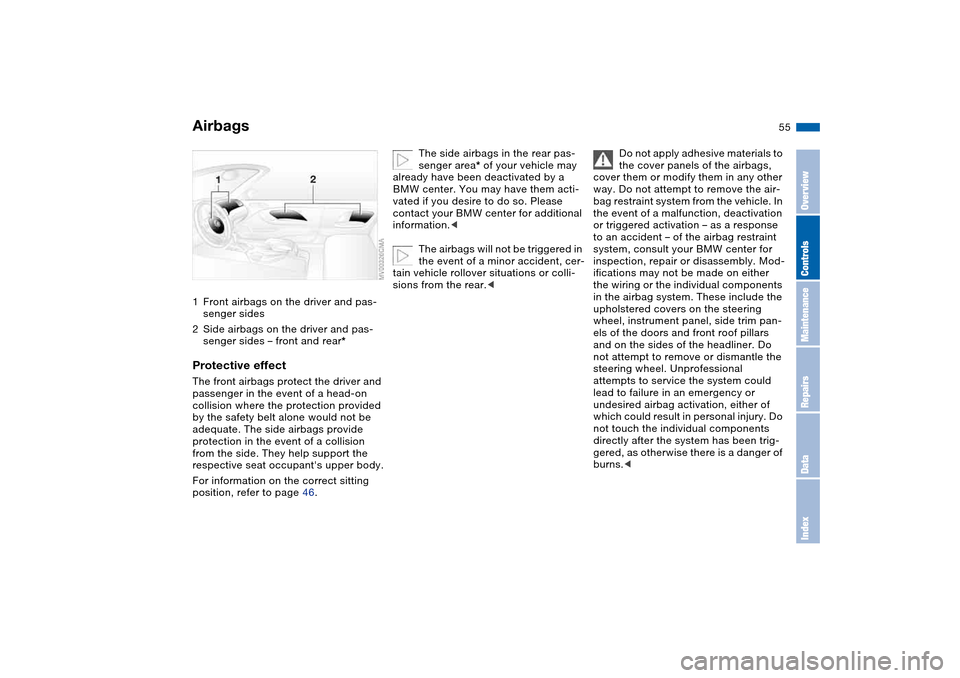
Airbags1Front airbags on the driver and pas-
senger sides
2Side airbags on the driver and pas-
senger sides – front and rear*Protective effectThe front airbags protect the driver and
passenger in the event of a head-on
collision where the protection provided
by the safety belt alone would not be
adequate. The side airbags provide
protection in the event of a collision
from the side. They help support the
respective seat occupant's upper body.
For information on the correct sitting
position, refer to page 46.
The side airbags in the rear pas-
senger area* of your vehicle may
already have been deactivated by a
BMW center. You may have them acti-
vated if you desire to do so. Please
contact your BMW center for additional
information.<
The airbags will not be triggered in
the event of a minor accident, cer-
tain vehicle rollover situations or colli-
sions from the rear.<
Do not apply adhesive materials to
the cover panels of the airbags,
cover them or modify them in any other
way. Do not attempt to remove the air-
bag restraint system from the vehicle. In
the event of a malfunction, deactivation
or triggered activation – as a response
to an accident – of the airbag restraint
system, consult your BMW center for
inspection, repair or disassembly. Mod-
ifications may not be made on either
the wiring or the individual components
in the airbag system. These include the
upholstered covers on the steering
wheel, instrument panel, side trim pan-
els of the doors and front roof pillars
and on the sides of the headliner. Do
not attempt to remove or dismantle the
steering wheel. Unprofessional
attempts to service the system could
lead to failure in an emergency or
undesired airbag activation, either of
which could result in personal injury. Do
not touch the individual components
directly after the system has been trig-
gered, as otherwise there is a danger of
burns.<
OverviewControlsMaintenanceRepairsDataIndex
Page 65 of 174
65 Driving
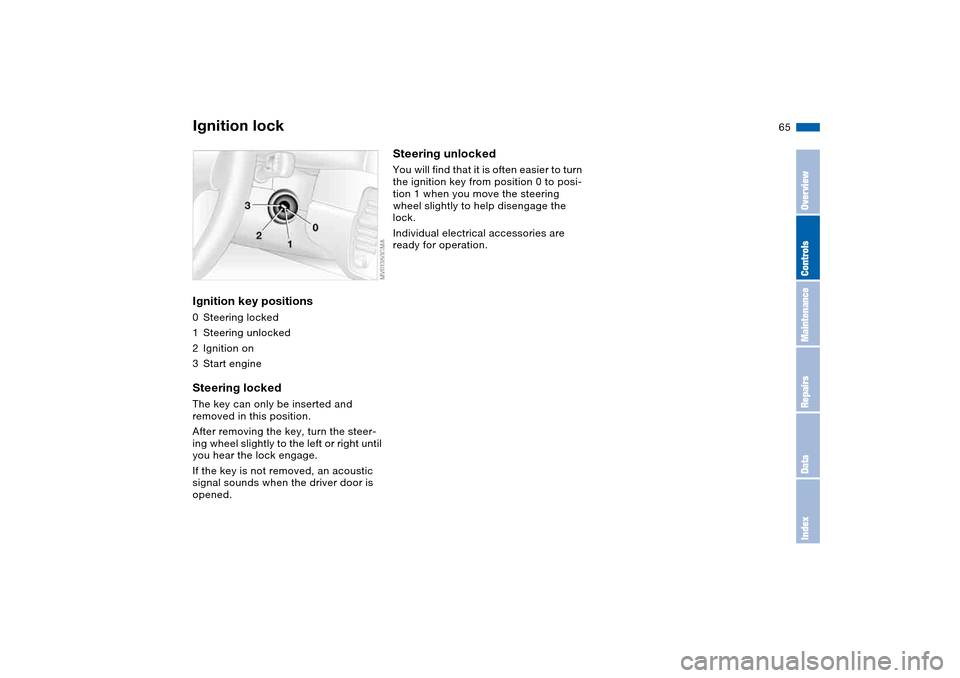
Ignition lockIgnition key positions0Steering locked
1Steering unlocked
2Ignition on
3Start engineSteering lockedThe key can only be inserted and
removed in this position.
After removing the key, turn the steer-
ing wheel slightly to the left or right until
you hear the lock engage.
If the key is not removed, an acoustic
signal sounds when the driver door is
opened.
Steering unlockedYou will find that it is often easier to turn
the ignition key from position 0 to posi-
tion 1 when you move the steering
wheel slightly to help disengage the
lock.
Individual electrical accessories are
ready for operation.
OverviewControlsMaintenanceRepairsDataIndex
Page 68 of 174
68
Switching off the engine
You should never remove the igni-
tion key when the vehicle is in
motion, as the steering lock could
engage.
When you leave the vehicle, always
remove the ignition key and engage the
steering lock.<
Always engage the parking brake
when parking on downhill roads.
Engaging a gear may not provide ade-
quate resistance to rolling.<
Manual transmissionTurn the ignition key to position 1 or 0.Sequential M gearbox with
DrivelogicIf you turn the ignition key to position 1
or 0 with the selector lever in the for-
ward or reverse position, a gear auto-
matically remains engaged.
If you turn the ignition key to position 1
or 0 with the selector lever in
position N, a warning tone and the
flashing gear indicator in the SMG
Drivelogic display remind you that no
gear is engaged to secure the vehicle
against rolling.
The warning stops after approx. ten
seconds. If you move the selector lever
into a forward or reverse position dur-
ing this time, a gear is automatically
engaged.
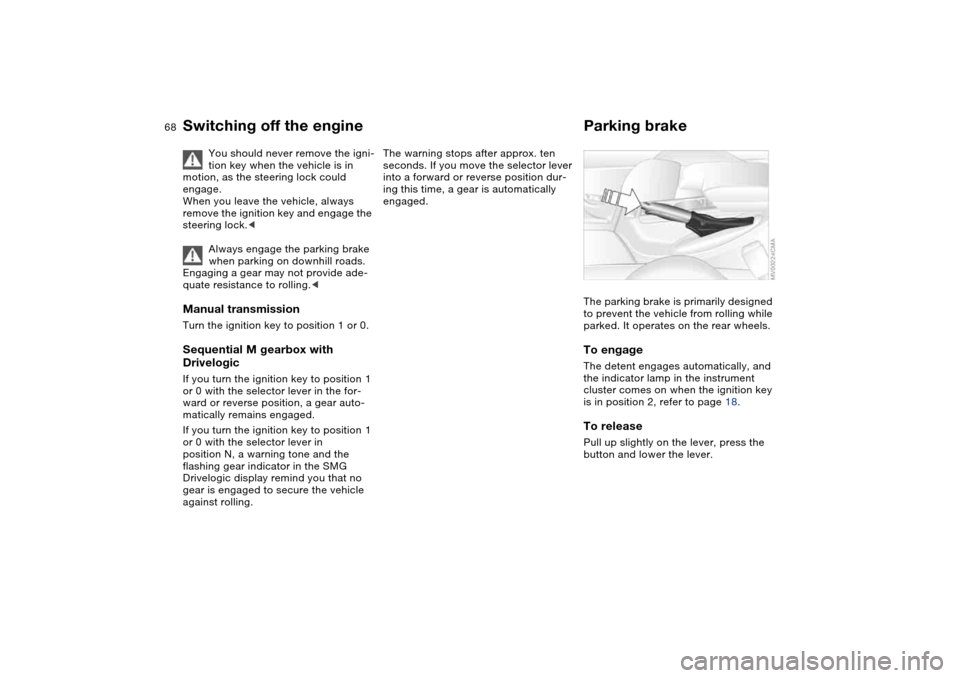
Parking brakeThe parking brake is primarily designed
to prevent the vehicle from rolling while
parked. It operates on the rear wheels.To engageThe detent engages automatically, and
the indicator lamp in the instrument
cluster comes on when the ignition key
is in position 2, refer to page 18.To releasePull up slightly on the lever, press the
button and lower the lever.
Page 70 of 174
70
Sequential M gearbox with Drivelogic*The conceptThe sequential M gearbox with
Drivelogic is an automated manual
gearbox with which clutching and shift-
ing is assumed by an electro-hydraulic
system.
The SMG Drivelogic is operated via two
shift paddles on the steering wheel and
the selector lever in the center console.
It offers the following functions:
>Sequential and automated shifting
mode
>Ability to choose between different
driving programs – Drivelogic
>Gradient assistance, refer to page 73
>Upshift display and shift lights, refer
to page 74
>RPM matching on downshifts
>Driving dependent functions:
The respective driving situation, e.g.
cornering, mountain driving or brak-
ing, is detected by sensors and taken
into account for shifting, e.g. to
achieve optimum gear selection dur-
ing deceleration and subsequent
acceleration
>Slip recognition at the rear axle for
increasing driving stability, e.g. dur-
ing downshifting on slippery road
surfaces>Operating safety through protection
against misshifting.
Under normal operating conditions, fuel
consumption is lowest when driving in
the first driving program of the auto-
mated shifting mode.
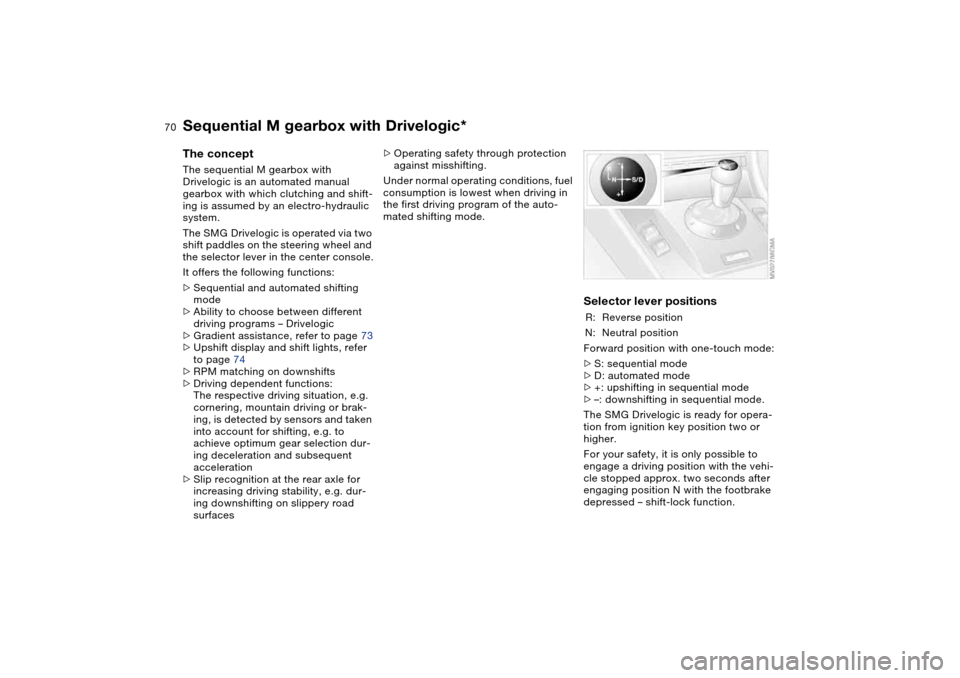
Selector lever positionsR: Reverse position
N: Neutral position
Forward position with one-touch mode:
>S: sequential mode
>D: automated mode
>+: upshifting in sequential mode
>–: downshifting in sequential mode.
The SMG Drivelogic is ready for opera-
tion from ignition key position two or
higher.
For your safety, it is only possible to
engage a driving position with the vehi-
cle stopped approx. two seconds after
engaging position N with the footbrake
depressed – shift-lock function.
Page 71 of 174
71
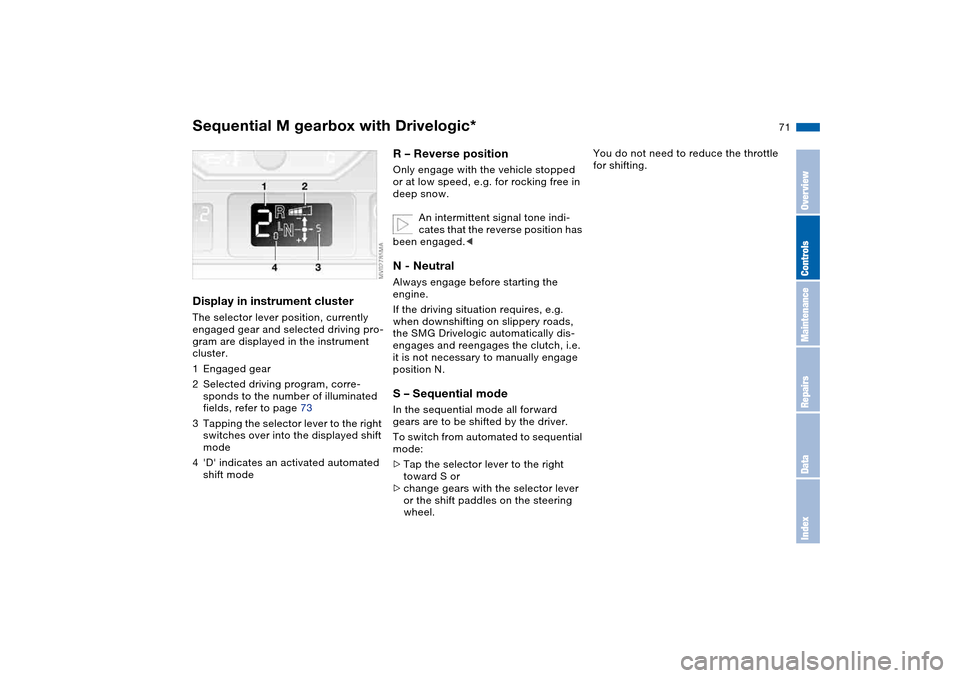
Display in instrument clusterThe selector lever position, currently
engaged gear and selected driving pro-
gram are displayed in the instrument
cluster.
1Engaged gear
2Selected driving program, corre-
sponds to the number of illuminated
fields, refer to page 73
3Tapping the selector lever to the right
switches over into the displayed shift
mode
4'D' indicates an activated automated
shift mode
R – Reverse positionOnly engage with the vehicle stopped
or at low speed, e.g. for rocking free in
deep snow.
An intermittent signal tone indi-
cates that the reverse position has
been engaged.
If the driving situation requires, e.g.
when downshifting on slippery roads,
the SMG Drivelogic automatically dis-
engages and reengages the clutch, i.e.
it is not necessary to manually engage
position N.S – Sequential modeIn the sequential mode all forward
gears are to be shifted by the driver.
To switch from automated to sequential
mode:
>Tap the selector lever to the right
toward S or
>change gears with the selector lever
or the shift paddles on the steering
wheel.
You do not need to reduce the throttle
for shifting.
Sequential M gearbox with Drivelogic*
OverviewControlsMaintenanceRepairsDataIndex
Page 72 of 174
72
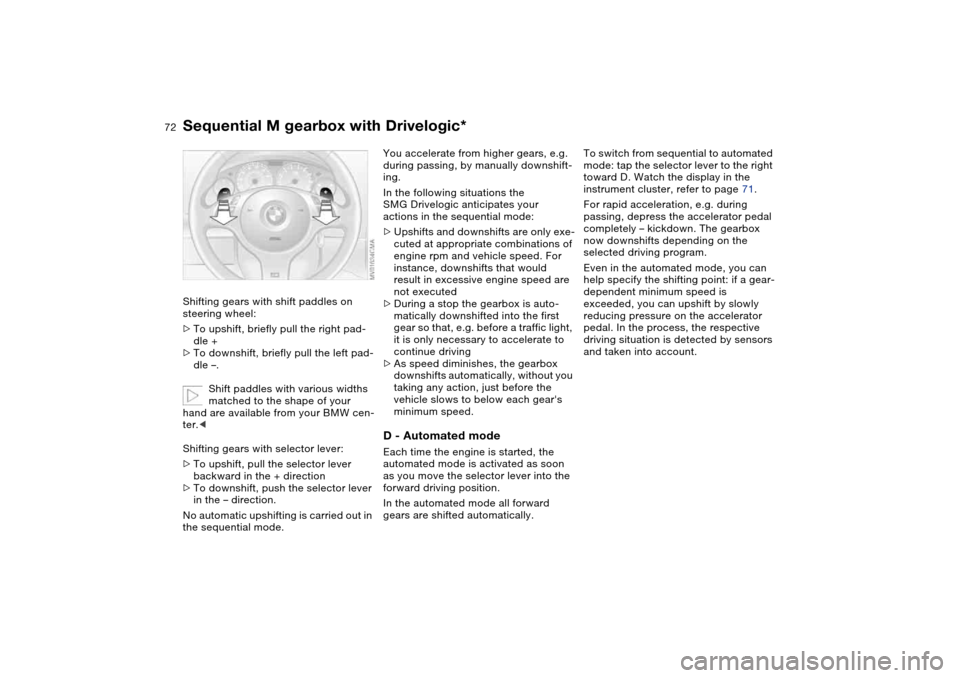
Shifting gears with shift paddles on
steering wheel:
>To upshift, briefly pull the right pad-
dle +
>To downshift, briefly pull the left pad-
dle –.
Shift paddles with various widths
matched to the shape of your
hand are available from your BMW cen-
ter.<
Shifting gears with selector lever:
>To upshift, pull the selector lever
backward in the + direction
>To downshift, push the selector lever
in the – direction.
No automatic upshifting is carried out in
the sequential mode.
You accelerate from higher gears, e.g.
during passing, by manually downshift-
ing.
In the following situations the
SMG Drivelogic anticipates your
actions in the sequential mode:
>Upshifts and downshifts are only exe-
cuted at appropriate combinations of
engine rpm and vehicle speed. For
instance, downshifts that would
result in excessive engine speed are
not executed
>During a stop the gearbox is auto-
matically downshifted into the first
gear so that, e.g. before a traffic light,
it is only necessary to accelerate to
continue driving
>As speed diminishes, the gearbox
downshifts automatically, without you
taking any action, just before the
vehicle slows to below each gear's
minimum speed.D - Automated modeEach time the engine is started, the
automated mode is activated as soon
as you move the selector lever into the
forward driving position.
In the automated mode all forward
gears are shifted automatically.To switch from sequential to automated
mode: tap the selector lever to the right
toward D. Watch the display in the
instrument cluster, refer to page 71.
For rapid acceleration, e.g. during
passing, depress the accelerator pedal
completely – kickdown. The gearbox
now downshifts depending on the
selected driving program.
Even in the automated mode, you can
help specify the shifting point: if a gear-
dependent minimum speed is
exceeded, you can upshift by slowly
reducing pressure on the accelerator
pedal. In the process, the respective
driving situation is detected by sensors
and taken into account.
Sequential M gearbox with Drivelogic*
Page 74 of 174
74
Indicator lamp
The gearbox indicator lamp in
the instrument cluster goes out
after the engine is started.
>If it does not go out, or if it lights up
during driving, a malfunction has
occurred. The available functions
may be limited under certain circum-
stances.
Drive carefully and with the Dynamic
Stability Control (DSC) activated.
Have the system checked by the
nearest BMW center
>If the indicator lamp flashes while
driving, the system is overloaded.
Avoid high loads until the indicator
lamp goes out again permanently.
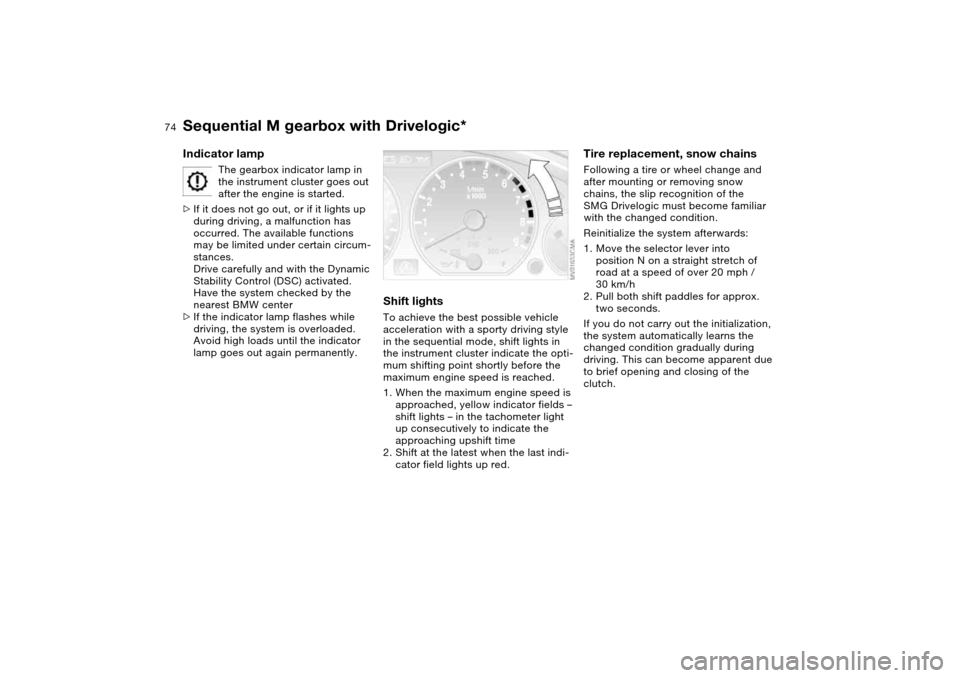
Shift lightsTo achieve the best possible vehicle
acceleration with a sporty driving style
in the sequential mode, shift lights in
the instrument cluster indicate the opti-
mum shifting point shortly before the
maximum engine speed is reached.
1. When the maximum engine speed is
approached, yellow indicator fields –
shift lights – in the tachometer light
up consecutively to indicate the
approaching upshift time
2. Shift at the latest when the last indi-
cator field lights up red.
Tire replacement, snow chainsFollowing a tire or wheel change and
after mounting or removing snow
chains, the slip recognition of the
SMG Drivelogic must become familiar
with the changed condition.
Reinitialize the system afterwards:
1. Move the selector lever into
position N on a straight stretch of
road at a speed of over 20 mph /
30 km/h
2. Pull both shift paddles for approx.
two seconds.
If you do not carry out the initialization,
the system automatically learns the
changed condition gradually during
driving. This can become apparent due
to brief opening and closing of the
clutch.
Sequential M gearbox with Drivelogic*
Page 77 of 174
77
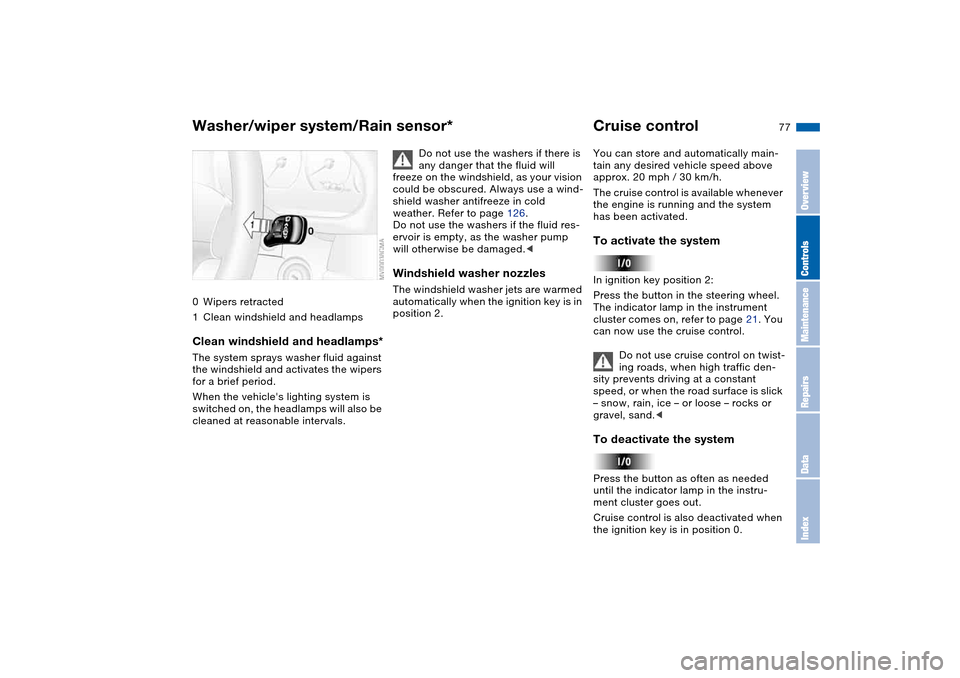
0Wipers retracted
1Clean windshield and headlampsClean windshield and headlamps*The system sprays washer fluid against
the windshield and activates the wipers
for a brief period.
When the vehicle's lighting system is
switched on, the headlamps will also be
cleaned at reasonable intervals.
Do not use the washers if there is
any danger that the fluid will
freeze on the windshield, as your vision
could be obscured. Always use a wind-
shield washer antifreeze in cold
weather. Refer to page 126.
Do not use the washers if the fluid res-
ervoir is empty, as the washer pump
will otherwise be damaged.<
Windshield washer nozzlesThe windshield washer jets are warmed
automatically when the ignition key is in
position 2.
Cruise controlYou can store and automatically main-
tain any desired vehicle speed above
approx. 20 mph / 30 km/h.
The cruise control is available whenever
the engine is running and the system
has been activated.To activate the systemIn ignition key position 2:
Press the button in the steering wheel.
The indicator lamp in the instrument
cluster comes on, refer to page 21. You
can now use the cruise control.
Do not use cruise control on twist-
ing roads, when high traffic den-
sity prevents driving at a constant
speed, or when the road surface is slick
– snow, rain, ice – or loose – rocks or
gravel, sand.
ment cluster goes out.
Cruise control is also deactivated when
the ignition key is in position 0.
Washer/wiper system/Rain sensor*
OverviewControlsMaintenanceRepairsDataIndex
Page 86 of 174
86
Dynamic Stability Control DSCThe conceptDSC supports vehicle stability, even in
critical driving situations.
DSC optimizes driving stability and
traction during acceleration and when
you are starting from a standstill. In
addition, it also recognizes unstable
vehicle conditions, such as understeer-
ing and oversteering. By reducing
engine power and applying brakes at
the wheels, DSC helps to keep the
vehicle on a steady course within phys-
ically feasible limits.
The system starts up automatically
each time you start the engine.
The laws of physics cannot be
repealed, even with DSC. The
driver remains responsible for the con-
sequences of any inadequate driving
style. Therefore, do not take any risks
because of the additional safety pro-
vided. Do not make any modifications
to the DSC system. Allow only autho-
rized technicians to perform service
procedures on the DSC.<
Indicator lamp for DSC
The indicator lamp in the instru-
ment cluster will go out shortly
after the ignition has been
switched on, refer to page 20.
>The indicator lamp flashes: DSC is
active and is controlling the drive
torque based on driving conditions
>The indicator lamp does not go out
after the engine is started or lights up
continuously while you are driving:
DSC has been deactivated via the
button or is defective.
Please consult your BMW center for
repairs.
You can continue to drive the vehicle
normally without DSC. In the event of a
malfunction, contact a BMW center or a
workshop that works according to
BMW requirements with appropriately
trained personnel.
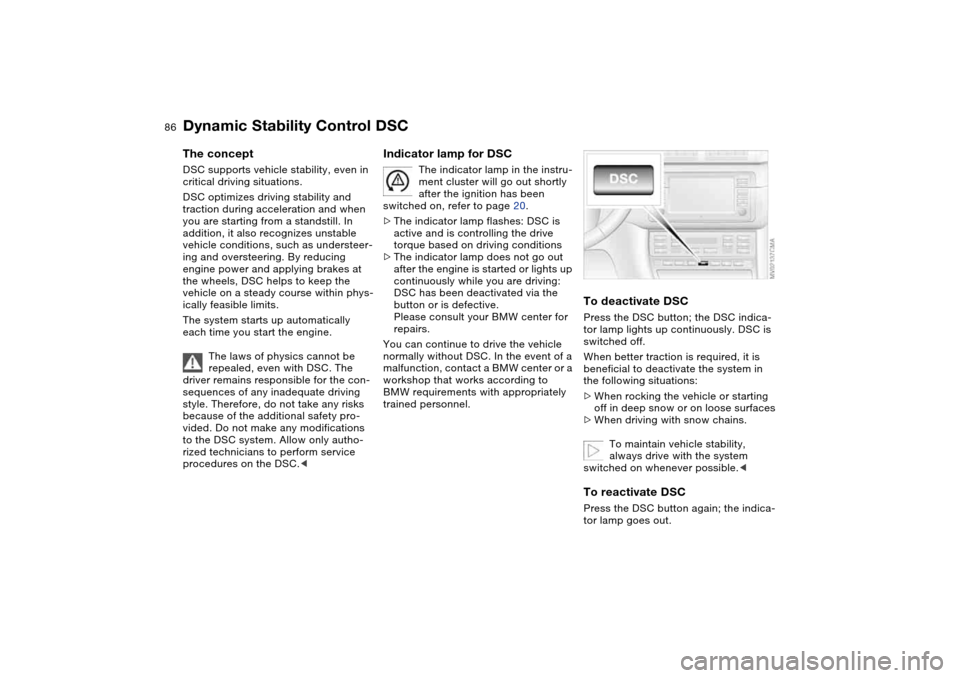
To deactivate DSCPress the DSC button; the DSC indica-
tor lamp lights up continuously. DSC is
switched off.
When better traction is required, it is
beneficial to deactivate the system in
the following situations:
>When rocking the vehicle or starting
off in deep snow or on loose surfaces
>When driving with snow chains.
To maintain vehicle stability,
always drive with the system
switched on whenever possible.
Page 87 of 174
87
Flat Tire MonitorThe conceptAs you drive, the Flat Tire Monitor
keeps track of pressure levels in all four
tires. The system alerts you whenever
the inflation pressure of a tire falls sig-
nificantly below the pressure of another
tire.
In the event of tire pressure loss, the
rolling radius of the tire changes, and
thereby the rotational speed of the
wheel. This change is detected, and a
flat tire warning is issued to the driver.Functional requirementsTo ensure a reliable flat tire warning,
the system must be initialized with the
correct tire inflation pressures.
Initialize the system immediately
after you have corrected a tire
inflation pressure, or changed the tire
or wheel.
vide you with advance warning of
sudden and severe tire damage caused
by external factors and does not detect
the balanced and very gradual pressure
loss that takes place in all four tires
over an extended period of time.<
The system could issue a false warning
or function in a delayed manner in the
following situations:
>System was not initialized
>You are driving on a snow-covered or
slippery road surface
>Performance-oriented driving: slip at
the drive wheels, high levels of lateral
acceleration
>You are driving with snow chains.Initializing the system
The initialization is completed
while you are driving, and can be
interrupted at any time. Initialization is
automatically continued when you con-
tinue driving. When driving with snow
chains, do not initialize the system.<
1. Before driving off, start the engine
but do not start driving
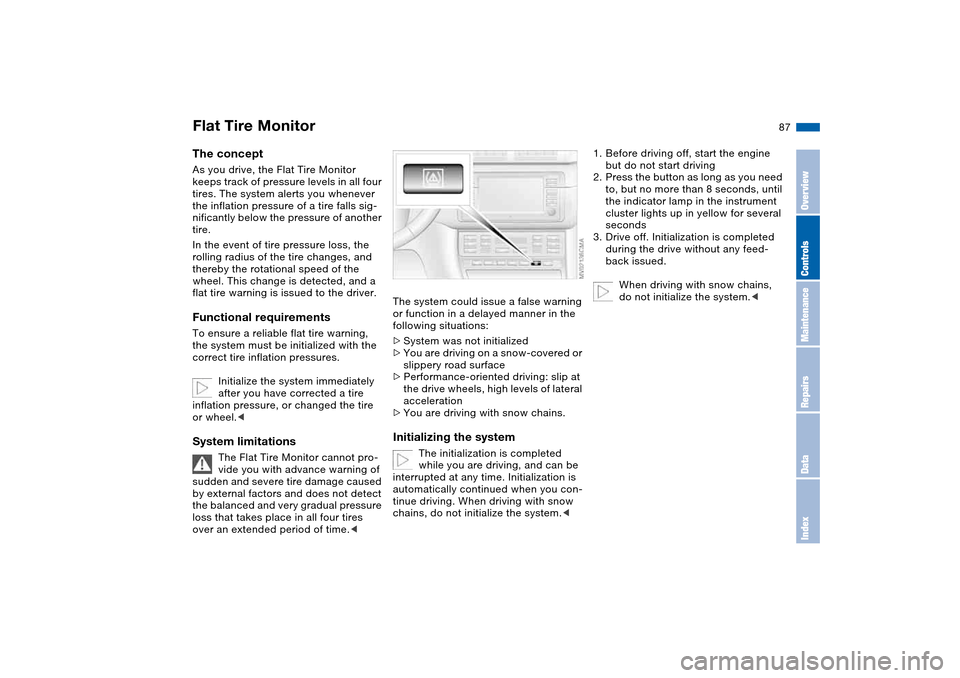
2. Press the button as long as you need
to, but no more than 8 seconds, until
the indicator lamp in the instrument
cluster lights up in yellow for several
seconds
3. Drive off. Initialization is completed
during the drive without any feed-
back issued.
When driving with snow chains,
do not initialize the system.<
OverviewControlsMaintenanceRepairsDataIndex