phone BMW M3 CONVERTIBLE 2012 User Guide
[x] Cancel search | Manufacturer: BMW, Model Year: 2012, Model line: M3 CONVERTIBLE, Model: BMW M3 CONVERTIBLE 2012Pages: 255, PDF Size: 6.32 MB
Page 143 of 255
142
EntertainmentBMW Professional radio
BMW Professional radio
Vehicle equipment
In this chapter, all pr oduction, country, and
optional equipment that is offered in the model
range is described. Equipment is also described
that is not available because of, for example,
selected options or country version. This also
applies to safety related functions and systems.
Switching radio on/off
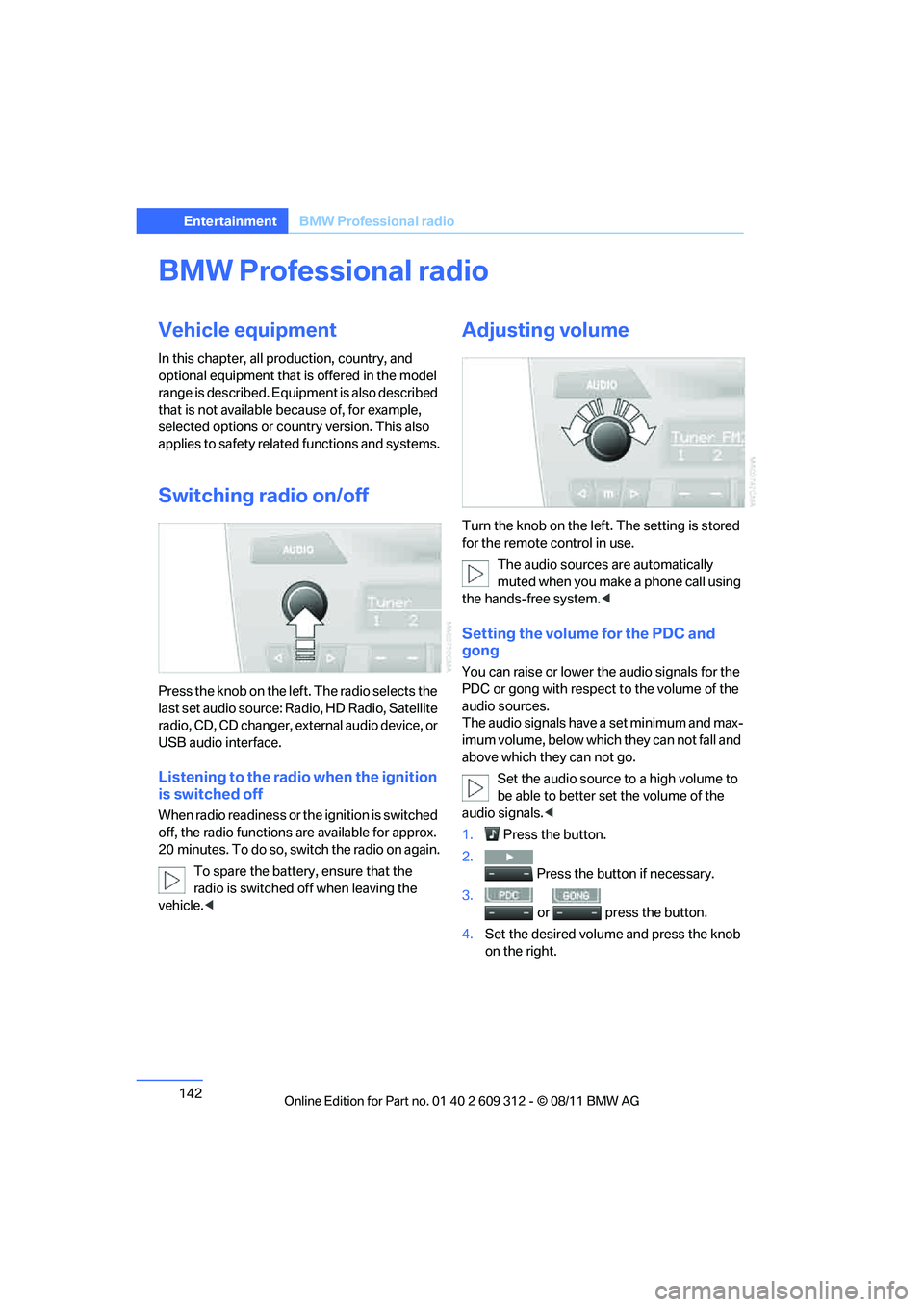
Press the knob on the left. The radio selects the
last set audio source: Ra dio, HD Radio, Satellite
radio, CD, CD changer, ex ternal audio device, or
USB audio interface.
Listening to the radio when the ignition
is switched off
When radio readiness or th e ignition is switched
off, the radio functions are available for approx.
20 minutes. To do so, switch the radio on again.
To spare the battery , ensure that the
radio is switched off when leaving the
vehicle. <
Adjusting volume
Turn the knob on the left. The setting is stored
for the remote control in use.
The audio sources are automatically
muted when you make a phone call using
the hands-free system. <
Setting the volume for the PDC and
gong
You can raise or lower th e audio signals for the
PDC or gong with respect to the volume of the
audio sources.
The audio signals have a set minimum and max-
imum volume, below which they can not fall and
above which they can not go.
Set the audio source to a high volume to
be able to better se t the volume of the
audio signals.<
1. Press the button.
2. Press the button if necessary.
3.
or press the button.
4. Set the desired volume and press the knob
on the right.
Online Edition for Part no. 01 40 2 609 312 - \251 08/11 BMW AG
Page 147 of 255
146
EntertainmentBMW Professional radio
Selecting programs from a digital
station
Some stations broadcast several programs. To
select one of these programs:
1. Press the button re peatedly until the
desired digital station is displayed.
If a station broadcasts several programs,
then, e.g., "HD1" is displayed.
2. Press the button.
3. Select the desired program.
Up to eight programs per station can be
selected, "HD1" to "HD8".
Displaying additional information
For digital stations, additional information about
the current track is displa yed, e.g., the name of
the artist.
Press the button.
The information is displayed.
Operation indicators
> "Acquiring": a search for digital stations is
being conducted.
> "No signal": there are no digital stations
within range.
Satellite radio
You can receive more than 100 different chan-
nels of high audio qua lity. The channels are
offered in fixed packages and have to be acti-
vated.
You may experience signal drops and
muting events related to this new tech-
nology. <
Activating or deactivating channels
1. Press the button.
2. Press the button. 3.
Press the button.
4. Select the desired category.
The channels are displayed. This symbol indicate s the current channel.
Activating
1.Turn the knob on the ri ght to select a chan-
nel that is not yet activated.
2. Press the knob on the right to confirm a
channel.
A phone number and the electronic serial
number, ESN, are displayed. When activat-
ing, the electronic serial number is required.
3. To activate the channels:
Dial the phone number.
Deactivating
1. Press the button.
2. Press the button.
3. Press the button for a longer
period.
A phone number and the electronic serial
number, ESN, are displayed. For deactivat-
ing, the electronic serial number is required.
4. To deactivate channels:
Dial the phone number.
Selecting and storing a channel
1. Press the button.
2. Press the button.
3. Press the button.
4. Select the desired category.
5. Select desired channel.
To display all the channels:
Press the button.
Online Edition for Part no. 01 40 2 609 312 - \251 08/11 BMW AG
Page 152 of 255
151
BMW Professional radio
Entertainment
AUX-IN port
Overview
>
It is possible to connect audio devices, e.g.
MP3 players. Sound is output over the vehi-
cle speakers.
> Recommended settings: mid-level tone and
volume settings on th e audio device. Tone
may depend on the quality of the audio files.
Connecting
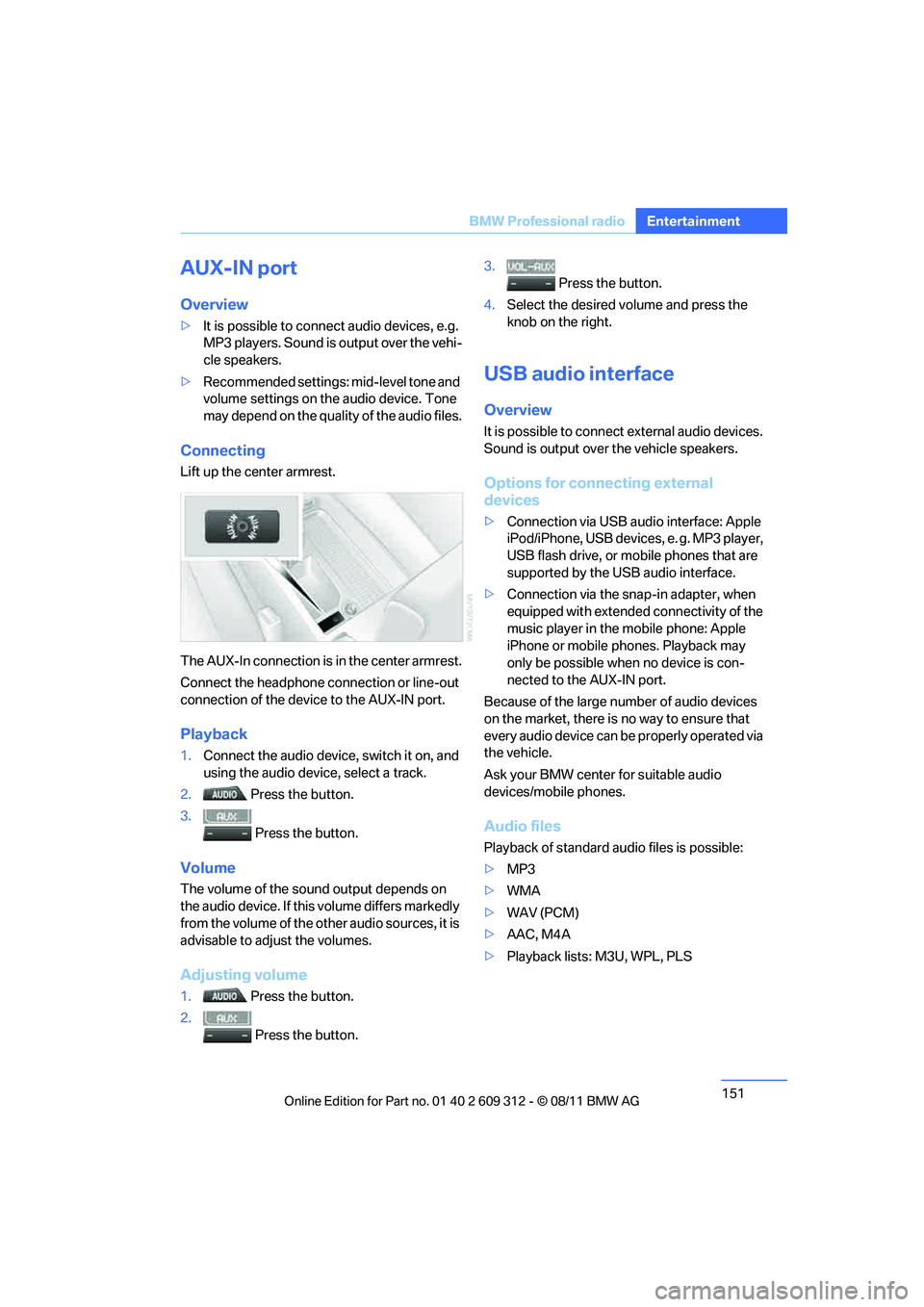
Lift up the center armrest.
The AUX-In connection is in the center armrest.
Connect the headphone connection or line-out
connection of the device to the AUX-IN port.
Playback
1. Connect the audio device, switch it on, and
using the audio device, select a track.
2. Press the button.
3. Press the button.
Volume
The volume of the sound output depends on
the audio device. If this volume differs markedly
from the volume of the ot her audio sources, it is
advisable to adjust the volumes.
Adjusting volume
1. Press the button.
2. Press the button. 3.
Press the button.
4. Select the desired volume and press the
knob on the right.
USB audio interface
Overview
It is possible to connect external audio devices.
Sound is output over the vehicle speakers.
Options for connecting external
devices
> Connection via USB audio interface: Apple
iPod/iPhone, USB devices, e. g. MP3 player,
USB flash drive, or mobile phones that are
supported by the USB audio interface.
> Connection via the snap-in adapter, when
equipped with extended connectivity of the
music player in the mobile phone: Apple
iPhone or mobile phones. Playback may
only be possible when no device is con-
nected to the AUX-IN port.
Because of the large number of audio devices
on the market, there is no way to ensure that
every audio device can be properly operated via
the vehicle.
Ask your BMW center for suitable audio
devices/mobile phones.
Audio files
Playback of standard audio files is possible:
> MP3
> WMA
> WAV (PCM)
> AAC, M4A
> Playback lists: M3U, WPL, PLS
Online Edition for Part no. 01 40 2 609 312 - \251 08/11 BMW AG
Page 153 of 255
152
EntertainmentBMW Professional radio
File systems
Popular file systems for USB devices are sup-
ported. The format FAT 32 is recommended.
Connecting
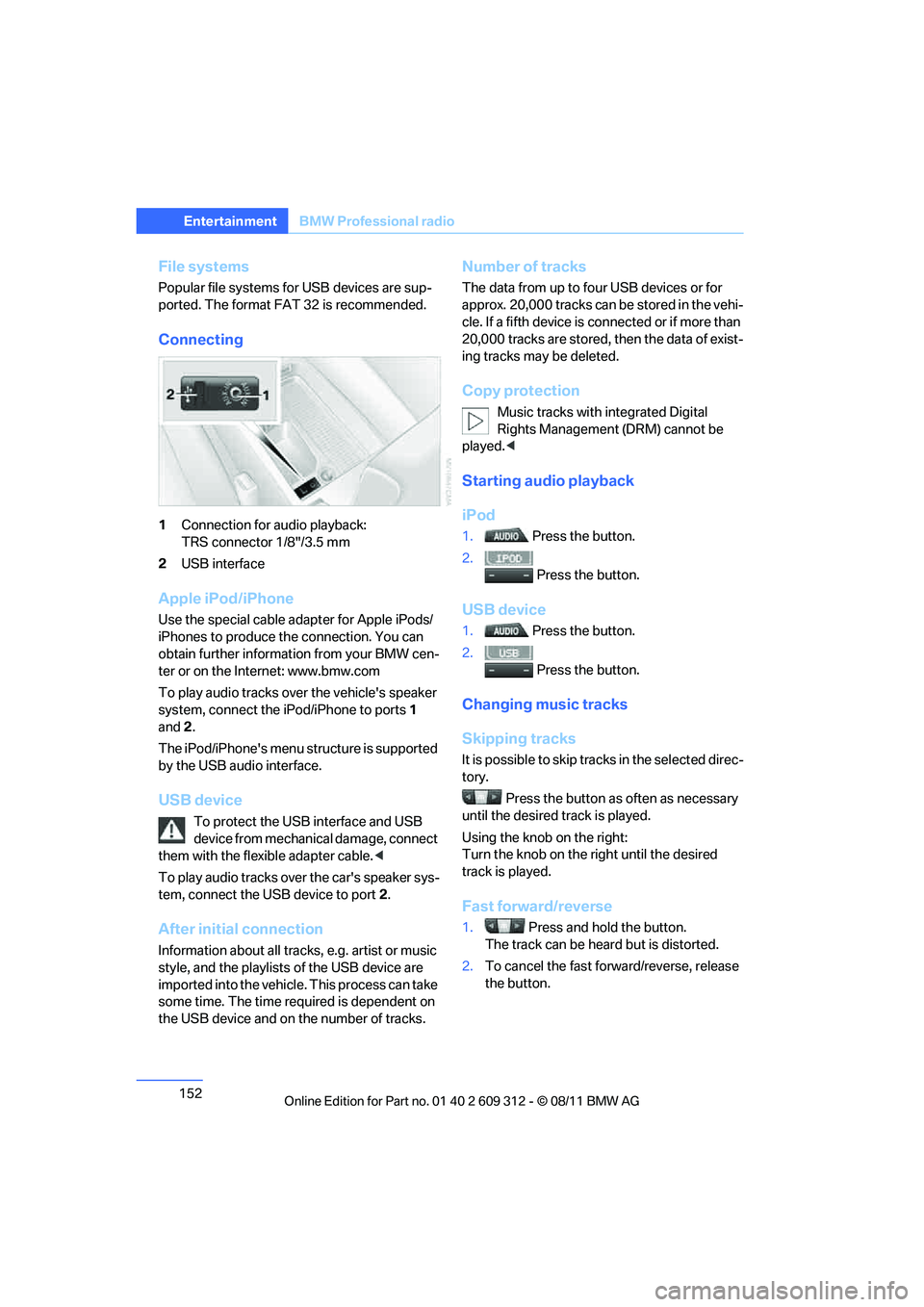
1Connection for audio playback:
TRS connector 1/8"/3.5 mm
2 USB interface
Apple iPod/iPhone
Use the special cable adapter for Apple iPods/
iPhones to produce the connection. You can
obtain further informat ion from your BMW cen-
ter or on the Internet: www.bmw.com
To play audio tracks over the vehicle's speaker
system, connect the iPod/iPhone to ports 1
and 2.
The iPod/iPhone's menu structure is supported
by the USB audio interface.
USB device
To protect the USB interface and USB
device from mechanical damage, connect
them with the flexible adapter cable. <
To play audio tracks over the car's speaker sys-
tem, connect the USB device to port 2.
After initial connection
Information about all tracks, e.g. artist or music
style, and the playlists of the USB device are
imported into the vehicle. This process can take
some time. The time required is dependent on
the USB device and on the number of tracks.
Number of tracks
The data from up to four USB devices or for
approx. 20,000 tracks can be stored in the vehi-
cle. If a fifth device is connected or if more than
20,000 tracks are stored, then the data of exist-
ing tracks may be deleted.
Copy protection
Music tracks with integrated Digital
Rights Management (DRM) cannot be
played. <
Starting audio playback
iPod
1. Press the button.
2. Press the button.
USB device
1. Press the button.
2. Press the button.
Changing music tracks
Skipping tracks
It is possible to skip tr acks in the selected direc-
tory.
Press the button as often as necessary
until the desired track is played.
Using the knob on the right:
Turn the knob on the right until the desired
track is played.
Fast forward/reverse
1. Press and hold the button.
The track can be hear d but is distorted.
2. To cancel the fast forward/reverse, release
the button.
Online Edition for Part no. 01 40 2 609 312 - \251 08/11 BMW AG
Page 156 of 255
This chapter describes how to usethe telephone, BMW Assist and BMW TeleServices.
Communications
Online Edition for Part no. 01 40 2 609 312 - \251 08/11 BMW AG
Page 157 of 255
156
CommunicationsTe l e p h o n e
Telephone
Vehicle equipment
In this chapter, all production, country, and
optional equipment that is offered in the model
range is described. Equipment is also described
that is not available because of, for example,
selected options or country version. This also
applies to safety related functions and systems.
Overview
Note
Your BMW is equipped with a full preparation
package mobile phone or hands-free system.
The concept
Mobile phones can be connected to the vehicle
through Bluetooth.
After a suitable mobile phone is paired with the
vehicle once, the mobile phone can be con-
trolled via the radio, the buttons on the steering
wheel, and by voice.
Bluetooth® is a registered trademark of Blue-
tooth® SIG, Inc.
Only make entries when traffic conditions
permit. Do not hold the mobile phone in
your hand while you are driving; use the hands-
free system instead. If you do not observe this
precaution, your being di stracted can endanger
vehicle occupants and other road users. <
Snap-in adapter
The snap-in adapter, refer to page165, makes
it possible to:
> Accommodate the mobile phone.
> Recharge its battery.
> Connect it to an exte rnal antenna of the
vehicle. This assures a better
network connection
and constant sound quality.
A mobile phone that is connected to the vehicle
should not be operated via the mobile phone
keypad; otherwise, ma lfunctions may occur.
Suitable mobile phones
For precise information about which mobile
phones with a Bluetooth interface are sup-
ported by the complete mobile phone prepara-
tion package, go to www.bmwusa.com/
bluetooth.
Notes
At high temperatures, the charging function of
the mobile phone may be limited and some
functions may no longer be carried out.
When using the mobile phone via the vehicle,
follow the instructions given in the owner's
manual for the mobile phone.
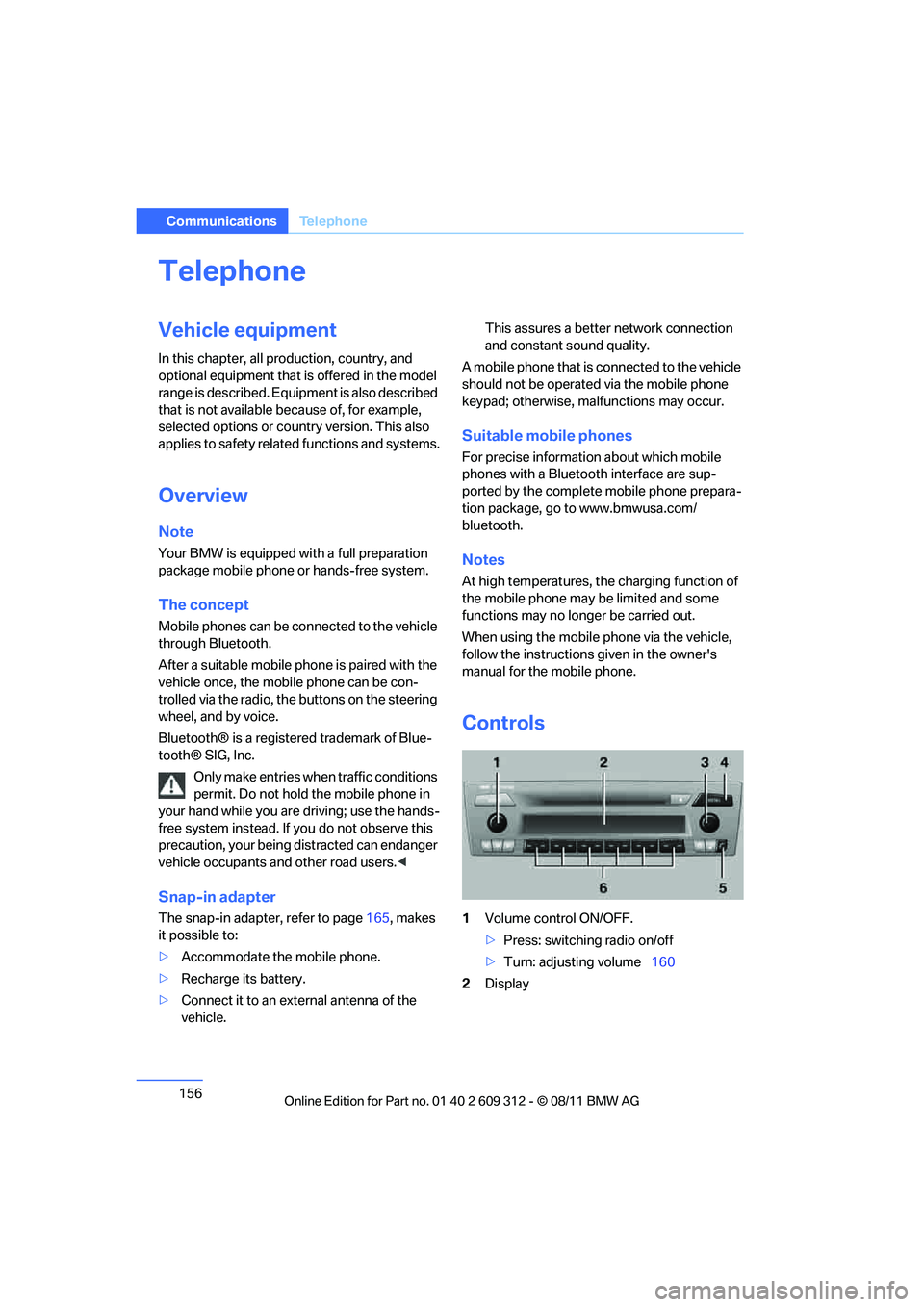
Controls
1 Volume control ON/OFF.
>Press: switching radio on/off
> Turn: adjusting volume 160
2 Display
Online Edition for Part no. 01 40 2 609 312 - \251 08/11 BMW AG
Page 158 of 255
157
Te l e p h o n e
Communications
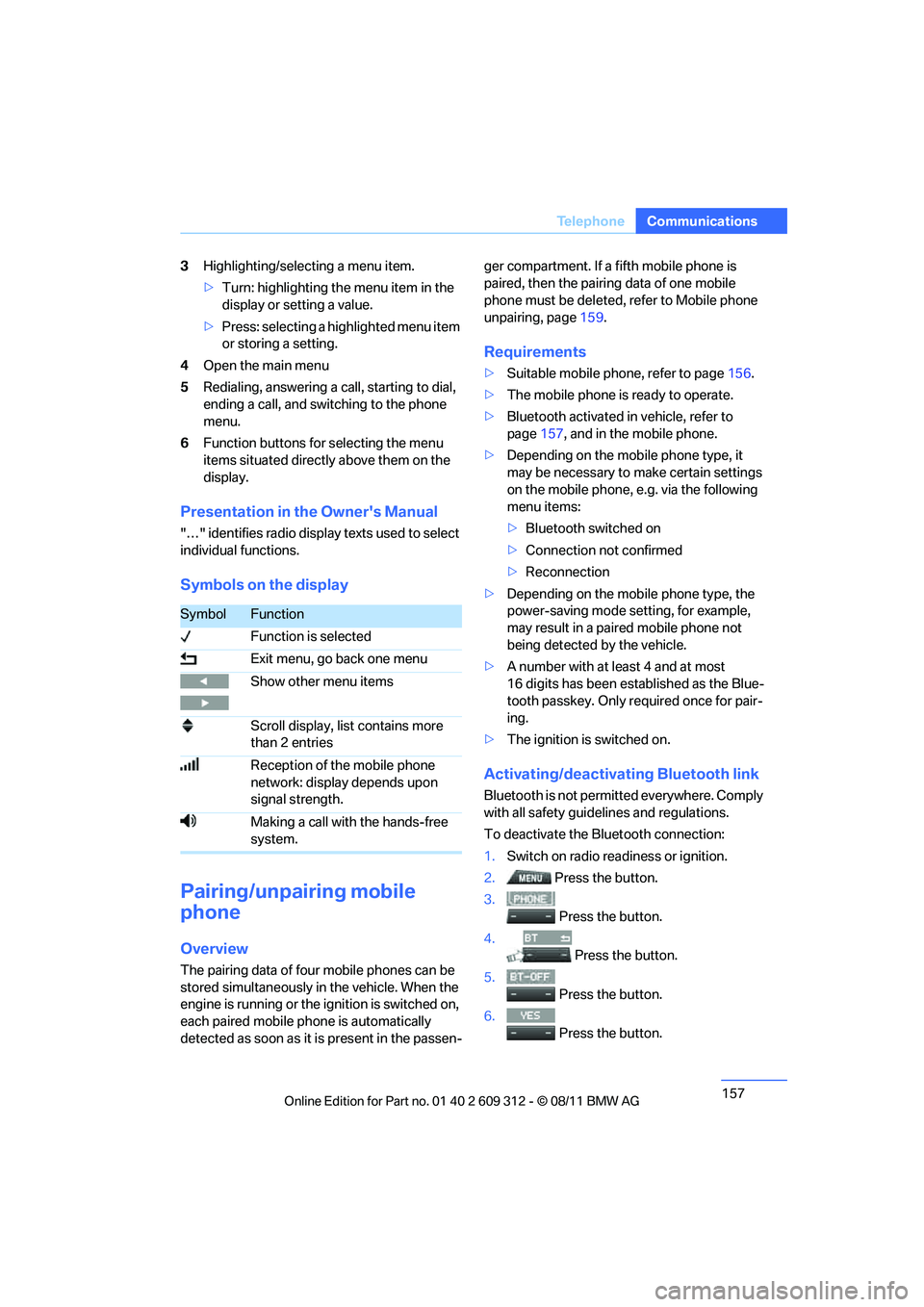
3
Highlighting/selecting a menu item.
>Turn: highlighting the menu item in the
display or setting a value.
> Press: selecting a highlighted menu item
or storing a setting.
4 Open the main menu
5 Redialing, answering a call, starting to dial,
ending a call, and switching to the phone
menu.
6 Function buttons for selecting the menu
items situated directly above them on the
display.
Presentation in the Owner's Manual
"…" identifies radio displa y texts used to select
individual functions.
Symbols on the display
Pairing/unpairing mobile
phone
Overview
The pairing data of four mobile phones can be
stored simultaneously in the vehicle. When the
engine is running or the ignition is switched on,
each paired mobile ph one is automatically
detected as soon as it is present in the passen- ger compartment. If a fifth mobile phone is
paired, then the pairing data of one mobile
phone must be deleted, refer to Mobile phone
unpairing, page
159.
Requirements
>Suitable mobile phone, refer to page 156.
> The mobile phone is ready to operate.
> Bluetooth activated in vehicle, refer to
page 157, and in the mobile phone.
> Depending on the mobile phone type, it
may be necessary to make certain settings
on the mobile phone, e.g. via the following
menu items:
>Bluetooth switched on
> Connection not confirmed
> Reconnection
> Depending on the mobile phone type, the
power-saving mode setting, for example,
may result in a paired mobile phone not
being detected by the vehicle.
> A number with at least 4 and at most
16 digits has been established as the Blue-
tooth passkey. Only re quired once for pair-
ing.
> The ignition is switched on.
Activating/deactivating Bluetooth link
Bluetooth is not permi tted everywhere. Comply
with all safety guide lines and regulations.
To deactivate the Bluetooth connection:
1. Switch on radio readiness or ignition.
2. Press the button.
3.
Press the button.
4. Press the button.
5.
Press the button.
6.
Press the button.
SymbolFunction
Function is selected
Exit menu, go back one menu
Show other menu items
Scroll display, list contains more
than 2 entries
Reception of the mobile phone
network: display depends upon
signal strength.
Making a call with the hands-free
system.
Online Edition for Part no. 01 40 2 609 312 - \251 08/11 BMW AG
Page 159 of 255
158
CommunicationsTe l e p h o n e
To reactivate the Bluetooth connection:
1.
Press the button.
2. Press the button.
Pairing and connecting
Only pair the mob ile phone when the
vehicle is stopped; otherwise, inattention
may lead to endangerment of passengers or
other road users. <
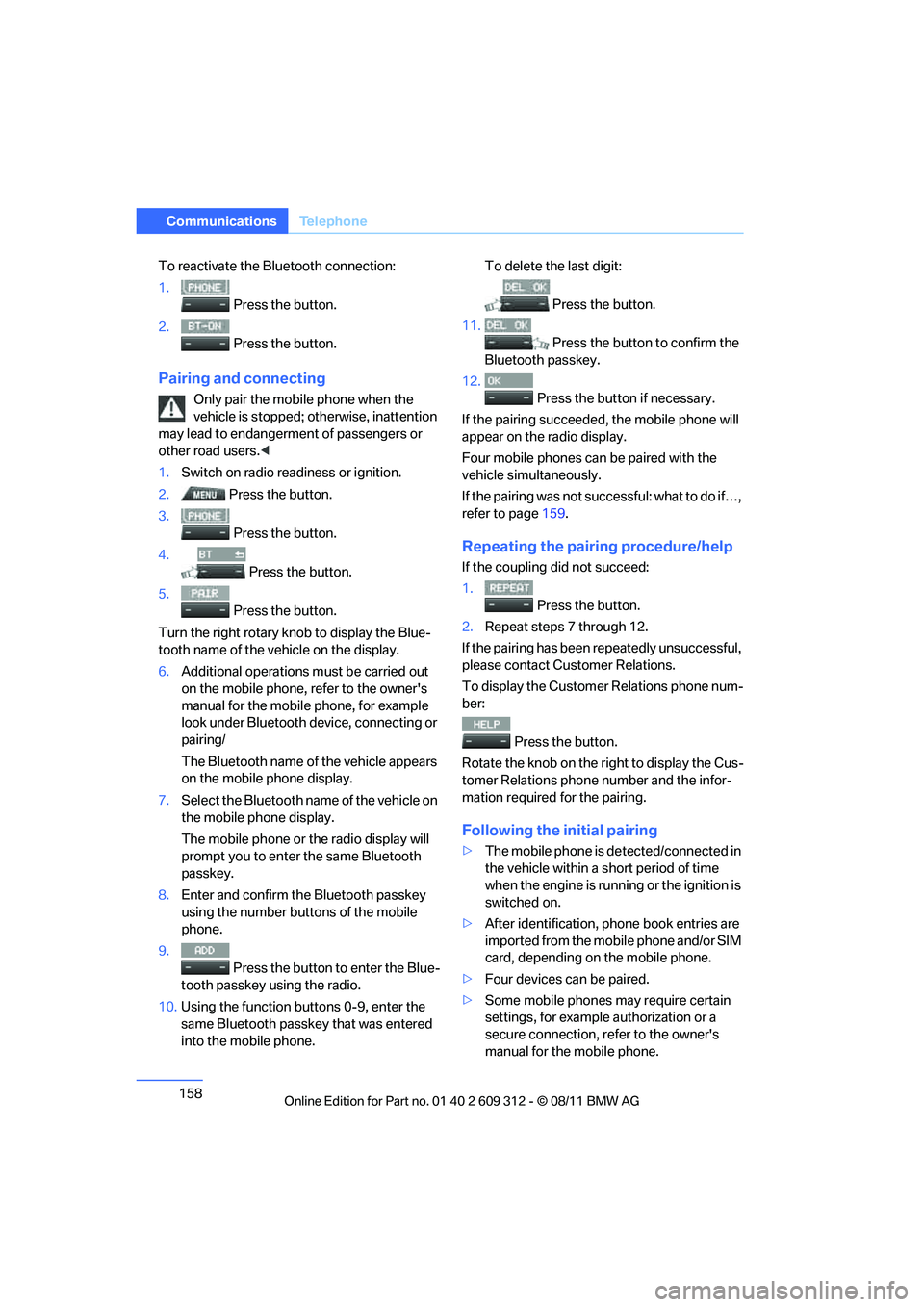
1. Switch on radio read iness or ignition.
2. Press the button.
3. Press the button.
4. Press the button.
5. Press the button.
Turn the right rotary kn ob to display the Blue-
tooth name of the vehicle on the display.
6. Additional operations must be carried out
on the mobile phone, refer to the owner's
manual for the mobile phone, for example
look under Bluetooth device, connecting or
pairing/
The Bluetooth name of the vehicle appears
on the mobile phone display.
7. Select the Bluetooth name of the vehicle on
the mobile phone display.
The mobile phone or the radio display will
prompt you to enter the same Bluetooth
passkey.
8. Enter and confirm the Bluetooth passkey
using the number buttons of the mobile
phone.
9. Press the button to enter the Blue-
tooth passkey using the radio.
10. Using the function buttons 0-9, enter the
same Bluetooth passkey that was entered
into the mobile phone. To delete the last digit:
Press the button.
11.
Press the button to confirm the
Bluetooth passkey.
12. Press the button if necessary.
If the pairing succeeded, the mobile phone will
appear on the radio display.
Four mobile phones ca n be paired with the
vehicle simultaneously.
If the pairing was not succ essful: what to do if…,
refer to page 159.
Repeating the pairing procedure/help
If the coupling did not succeed:
1.
Press the button.
2. Repeat steps 7 through 12.
If the pairing has been repeatedly unsuccessful,
please contact Customer Relations.
To display the Customer Relations phone num-
ber:
Press the button.
Rotate the knob on the right to display the Cus-
tomer Relations phone number and the infor-
mation required for the pairing.
Following the initial pairing
> The mobile phone is de tected/connected in
the vehicle within a short period of time
when the engine is running or the ignition is
switched on.
> After identification, phone book entries are
imported from the mobile phone and/or SIM
card, depending on the mobile phone.
> Four devices can be paired.
> Some mobile phones may require certain
settings, for example authorization or a
secure connection, refer to the owner's
manual for the mobile phone.
Online Edition for Part no. 01 40 2 609 312 - \251 08/11 BMW AG
Page 160 of 255
159
Te l e p h o n e
Communications
Connecting a particular mobile phone
If more than one mobile
phone is detected by
the vehicle, the mobile phone at the top of the
list is connected. It is possible that another
detected mobile phone is linked to the vehicle.
A different mobile phone can be connected by
selecting it.
The connected mobile phone is denoted with
the following symbol in the radio display:
To change the sequence of mobile phones in
the list:
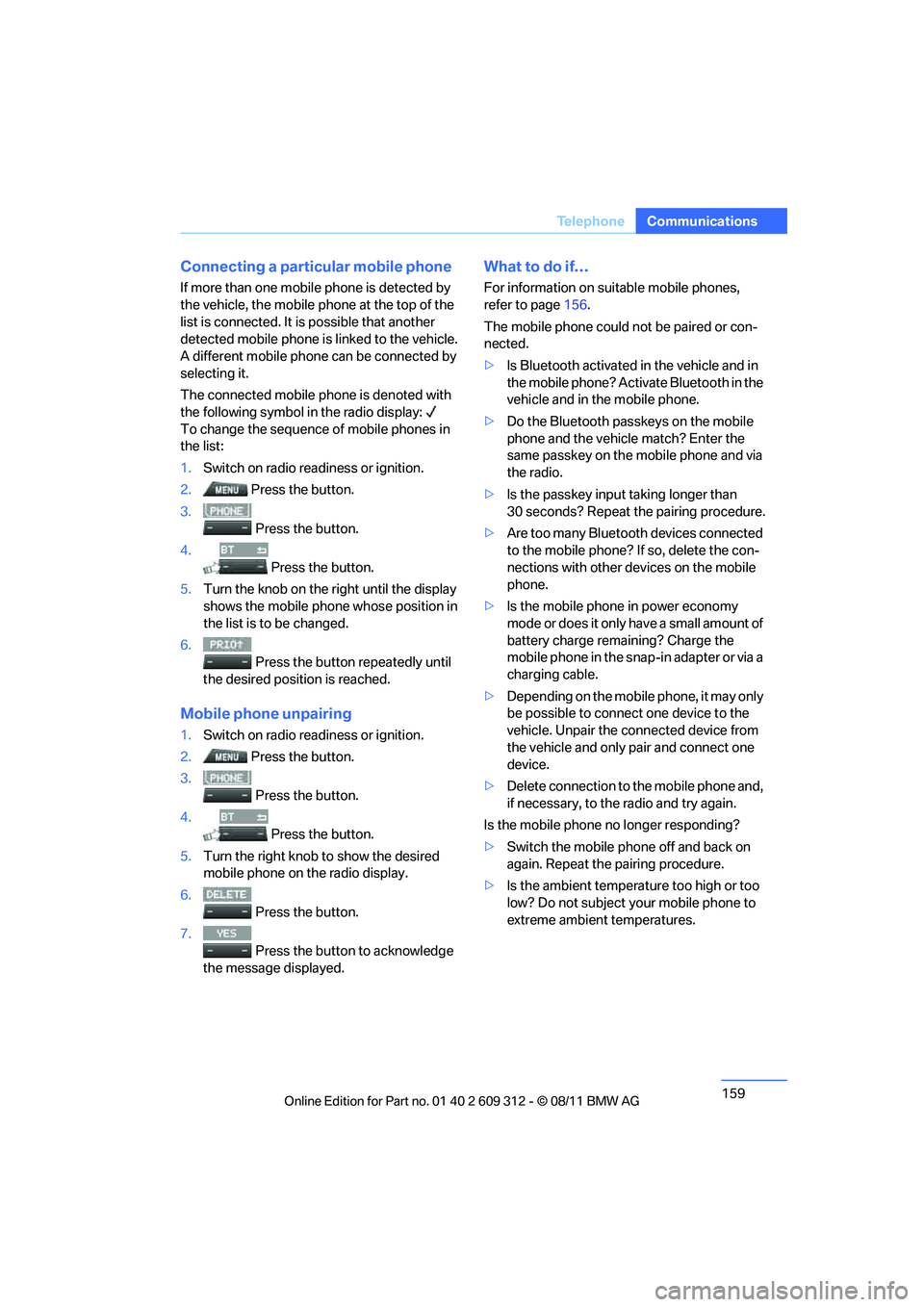
1. Switch on radio readiness or ignition.
2. Press the button.
3. Press the button.
4. Press the button.
5. Turn the knob on the right until the display
shows the mobile phone whose position in
the list is to be changed.
6. Press the button repeatedly until
the desired position is reached.
Mobile phon e unpairing
1.Switch on radio readiness or ignition.
2. Press the button.
3.
Press the button.
4. Press the button.
5. Turn the right knob to show the desired
mobile phone on the radio display.
6. Press the button.
7.
Press the button to acknowledge
the message displayed.
What to do if…
For information on suitable mobile phones,
refer to page 156.
The mobile phone could not be paired or con-
nected.
> Is Bluetooth activated in the vehicle and in
the mobile phone? Activate Bluetooth in the
vehicle and in the mobile phone.
> Do the Bluetooth passkeys on the mobile
phone and the vehicle match? Enter the
same passkey on the mobile phone and via
the radio.
> Is the passkey input taking longer than
30 seconds? Repeat the pairing procedure.
> Are too many Bluetooth devices connected
to the mobile phone? If so, delete the con-
nections with other de vices on the mobile
phone.
> Is the mobile phone in power economy
mode or does it only have a small amount of
battery charge remaining? Charge the
mobile phone in the snap-in adapter or via a
charging cable.
> Depending on the mobile phone, it may only
be possible to connect one device to the
vehicle. Unpair the connected device from
the vehicle and only pair and connect one
device.
> Delete connection to the mobile phone and,
if necessary, to the radio and try again.
Is the mobile phone no longer responding?
> Switch the mobile ph one off and back on
again. Repeat the pairing procedure.
> Is the ambient temperature too high or too
low? Do not subject yo ur mobile phone to
extreme ambient temperatures.
Online Edition for Part no. 01 40 2 609 312 - \251 08/11 BMW AG
Page 161 of 255
160
CommunicationsTe l e p h o n e
Phone book entries are not displayed, not all of
them are displayed, or they are displayed
incompletely.
>The transfer of phone book entries has not
yet completed.
> In some cases, only the phone book entries
of the mobile phone or the SIM card will be
transferred.
> It may not be possible to display phone
book entries with special characters.
> The number of phone book entries to be
stored is too high.
> The data volume of the phone book entry is
too great, e.g. due to additionally stored
information such as no tes? Reduce the data
volume.
The telephone connection quality is low.
> Depending on the mobile phone, it is possi-
ble to adjust the strength of the Bluetooth
signal.
> Insert the mobile phone into the snap-in
adapter or place it in the vicinity of the cen-
ter console.
> Adjust the volume of the microphone and
speaker separately.
If you have gone through all items in the list and
still cannot activate the de sired function, please
contact Customer Relations or your BMW cen-
ter.
Operation
The following functions can be operated using
the radio:
> Accepting/refusing a call
> Dialing phone numbers
> Dialing a phone number from the phone
book
> Dialing a stored number, e.g., from a list of
accepted calls >
In connection with the preparation for
mobile phone Business: BMW Assist, refer
to page 167
When the ignition is switched off and radio
readiness switched on, e. g. after removal of the
infrared remote control, an ongoing conversa-
tion can be continued for a maximum of
25 minutes using the hands-free system.
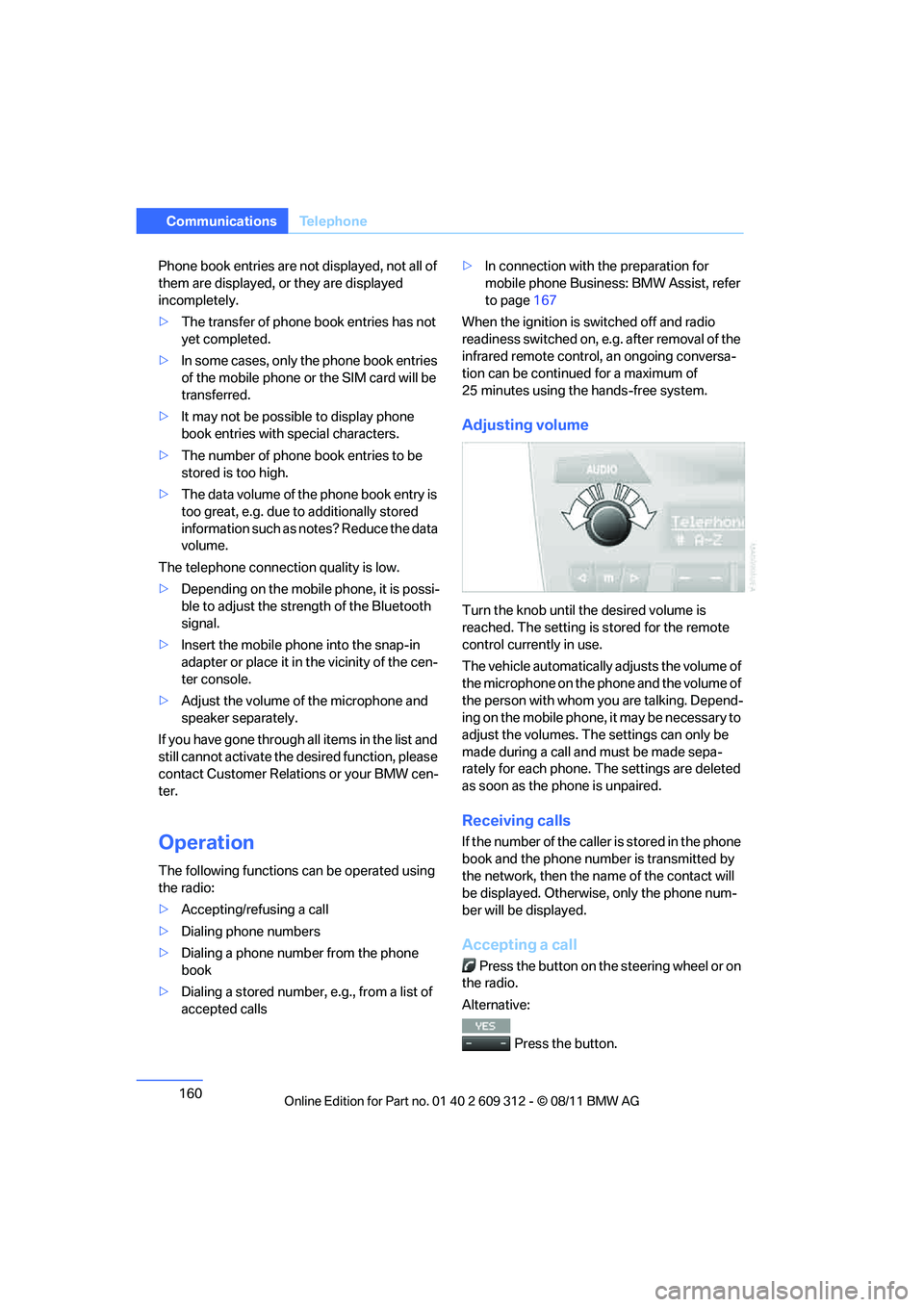
Adjusting volume
Turn the knob until the desired volume is
reached. The setting is stored for the remote
control currently in use.
The vehicle automatically adjusts the volume of
the microphone on the phone and the volume of
the person with whom yo u are talking. Depend-
ing on the mobile phone, it may be necessary to
adjust the volumes. The settings can only be
made during a call and must be made sepa-
rately for each phone. The settings are deleted
as soon as the phone is unpaired.
Receiving calls
If the number of the caller is stored in the phone
book and the phone number is transmitted by
the network, then the na me of the contact will
be displayed. Otherwise, only the phone num-
ber will be displayed.
Accepting a call
Press the button on the steering wheel or on
the radio.
Alternative:
Press the button.
Online Edition for Part no. 01 40 2 609 312 - \251 08/11 BMW AG