CD player BMW M3 CONVERTIBLE 2012 Owners Manual
[x] Cancel search | Manufacturer: BMW, Model Year: 2012, Model line: M3 CONVERTIBLE, Model: BMW M3 CONVERTIBLE 2012Pages: 255, PDF Size: 6.32 MB
Page 19 of 255
18
At a glanceRadio
Radio
Vehicle equipment
In this chapter, all pr oduction, country, and
optional equipment that is offered in the model
range is described. For this reason, descrip-
tions will be given of some equipment that may not be available in a vehi
cle, for example due to
the special options or national-market version
selected. This also app lies to safety related
functions and systems.
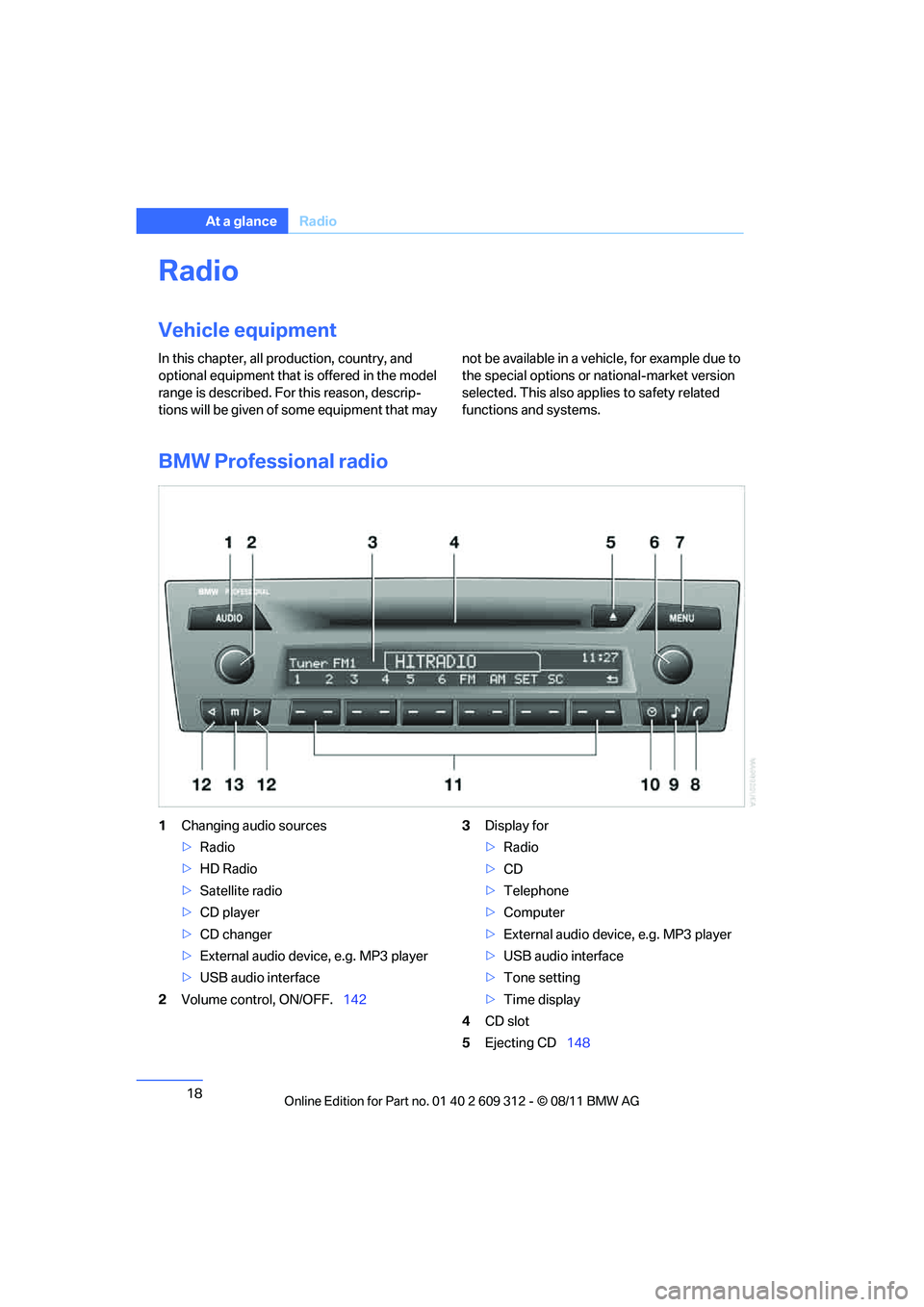
BMW Professional radio
1 Changing audio sources
>Radio
> HD Radio
> Satellite radio
> CD player
> CD changer
> External audio device, e.g. MP3 player
> USB audio interface
2 Volume control, ON/OFF. 1423
Display for
>Radio
> CD
> Telephone
> Computer
> External audio device, e.g. MP3 player
> USB audio interface
> Tone setting
> Time display
4 CD slot
5 Ejecting CD 148
Online Edition for Part no. 01 40 2 609 312 - \251 08/11 BMW AG
Page 20 of 255
19
Radio
At a glance
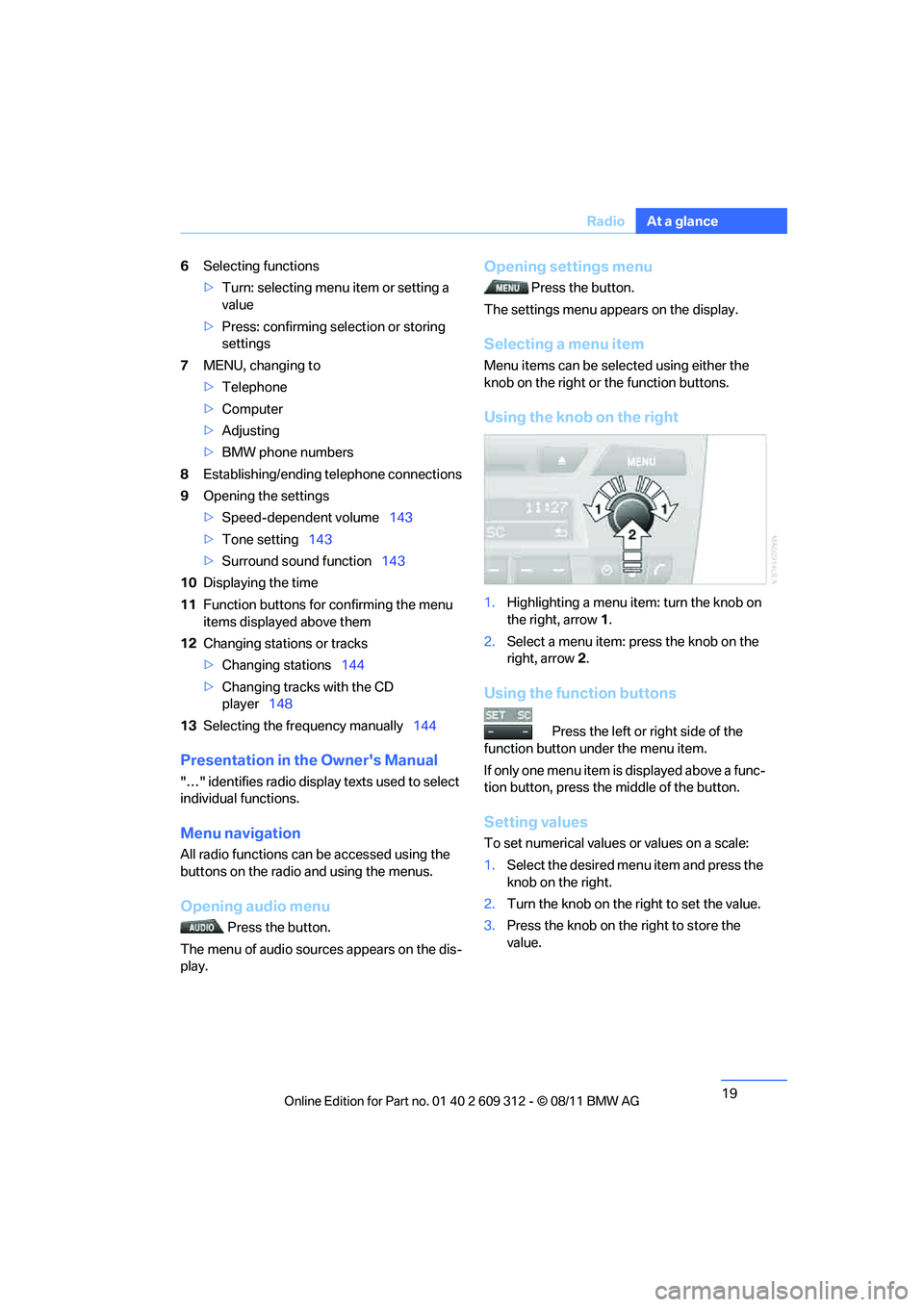
6
Selecting functions
>Turn: selecting menu item or setting a
value
> Press: confirming selection or storing
settings
7 MENU, changing to
>Telephone
> Computer
> Adjusting
> BMW phone numbers
8 Establishing/ending telephone connections
9 Opening the settings
>Speed-dependent volume 143
> Tone setting 143
> Surround sound function 143
10 Displaying the time
11 Function buttons for confirming the menu
items displayed above them
12 Changing stations or tracks
>Changing stations 144
> Changing tracks with the CD
player 148
13 Selecting the frequency manually 144
Presentation in the Owner's Manual
"…" identifies radio display texts used to select
individual functions.
Menu navigation
All radio functions can be accessed using the
buttons on the radio and using the menus.
Opening audio menu
Press the button.
The menu of audio sources appears on the dis-
play.
Opening settings menu
Press the button.
The settings menu appears on the display.
Selecting a menu item
Menu items can be sele cted using either the
knob on the right or the function buttons.
Using the knob on the right
1. Highlighting a menu item: turn the knob on
the right, arrow 1.
2. Select a menu item: press the knob on the
right, arrow 2.
Using the function buttons
Press the left or right side of the
function button under the menu item.
If only one menu item is displayed above a func-
tion button, press the middle of the button.
Setting values
To set numerical values or values on a scale:
1. Select the desired menu item and press the
knob on the right.
2. Turn the knob on the right to set the value.
3. Press the knob on th e right to store the
value.
Online Edition for Part no. 01 40 2 609 312 - \251 08/11 BMW AG
Page 122 of 255
121
Practical interior accessories
Controls
Connection for external audio device
You can connect an external audio device such
as a CD or MP3 player and play audio tracks
over the vehicle speakers:
>
AUX-IN port, refer to page 151
> USB audio interface, refer to page 151.
Storage compartments inside
the vehicle
Depending on your vehicle's equipment, you
will find compartments beside the steering col-
umn, in the front doors and in the center con-
sole.
Nets are provided on the front-seat backrests.
Do not place unsecured objects in them;
otherwise, they could endanger the car's
occupants, e.g. in the event of braking or eva-
sive maneuvers. <
Do not place non-slip pads, e.g. anti-slip
mats, on the dashboard; the materials of
these pads may damage it. <
Storage compartments in the rear
console
Depending on your vehicle's equipment ver-
sion, the following storage compartments can
be found in the rear console:
> Storage tray
> Storage compartment with cover
> Cupholders
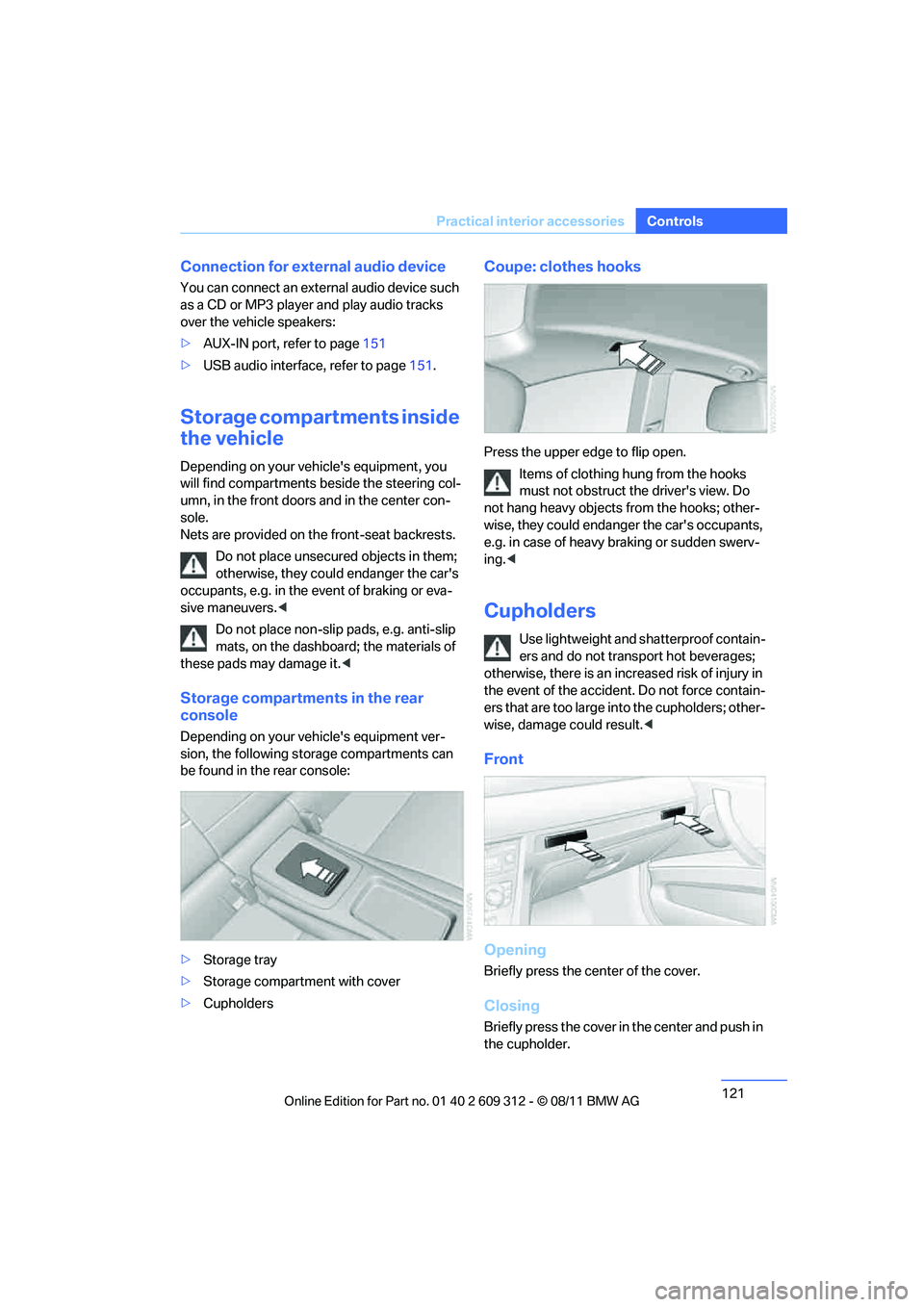
Coupe: clothes hooks
Press the upper edge to flip open.
Items of clothing hung from the hooks
must not obstruct the driver's view. Do
not hang heavy objects from the hooks; other-
wise, they could endanger the car's occupants,
e.g. in case of heavy braking or sudden swerv-
ing. <
Cupholders
Use lightweight and sh atterproof contain-
ers and do not transport hot beverages;
otherwise, there is an incr eased risk of injury in
the event of the accident. Do not force contain-
ers that are too large in to the cupholders; other-
wise, damage could result. <
Front
Opening
Briefly press the center of the cover.
Closing
Briefly press the cover in the center and push in
the cupholder.
Online Edition for Part no. 01 40 2 609 312 - \251 08/11 BMW AG
Page 144 of 255
143
BMW Professional radio
Entertainment
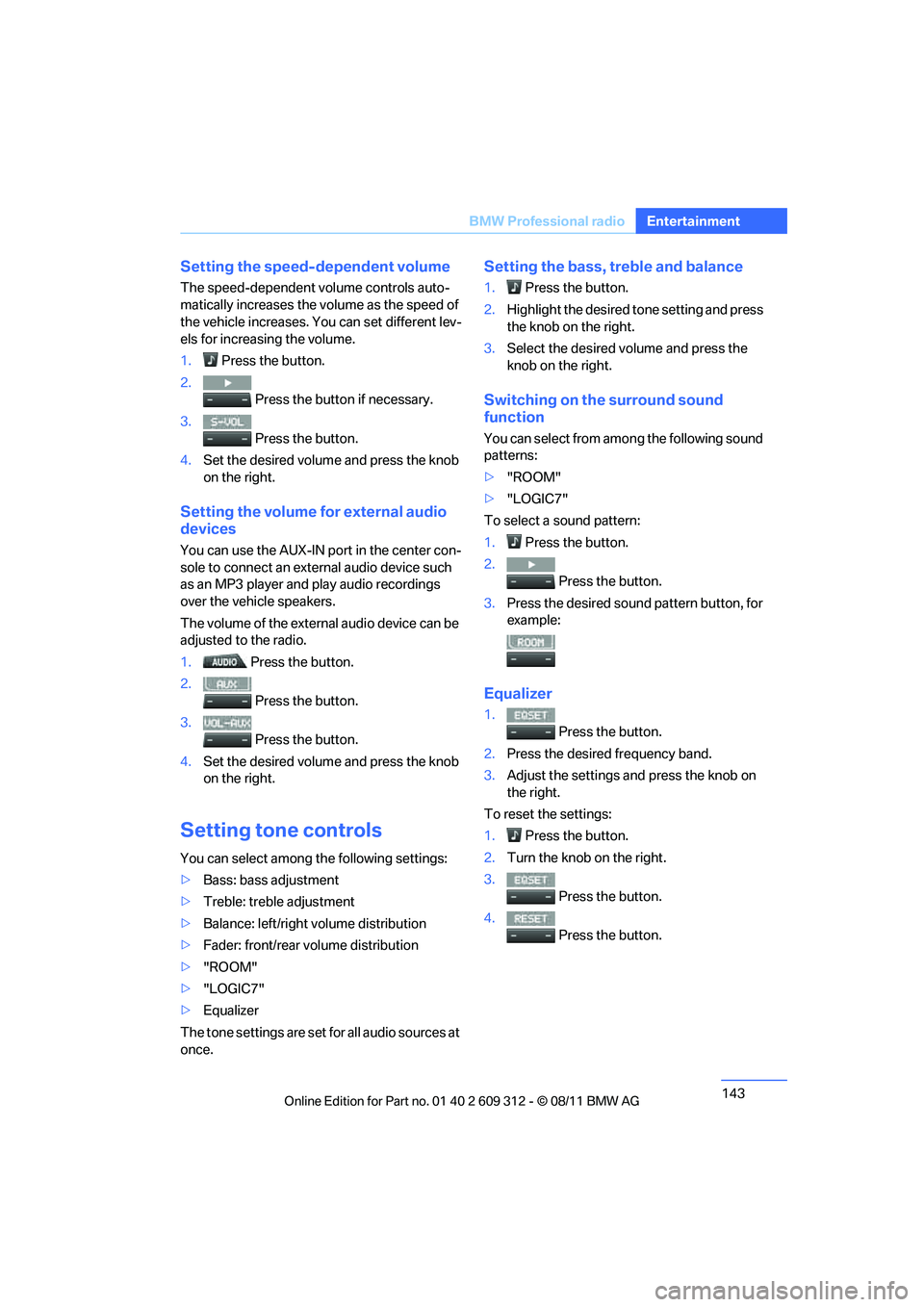
Setting the speed-dependent volume
The speed-dependent volume controls auto-
matically increases the vo
lume as the speed of
the vehicle increases. You can set different lev-
els for increasing the volume.
1. Press the button.
2. Press the button if necessary.
3. Press the button.
4. Set the desired volume and press the knob
on the right.
Setting the volume for external audio
devices
You can use the AUX-IN port in the center con-
sole to connect an exte rnal audio device such
as an MP3 player and play audio recordings
over the vehicle speakers.
The volume of the external audio device can be
adjusted to the radio.
1. Press the button.
2. Press the button.
3. Press the button.
4. Set the desired volume and press the knob
on the right.
Setting tone controls
You can select among the following settings:
>Bass: bass adjustment
> Treble: treble adjustment
> Balance: left/right volume distribution
> Fader: front/rear volume distribution
> "ROOM"
> "LOGIC7"
> Equalizer
The tone settings are set for all audio sources at
once.
Setting the bass, treble and balance
1. Press the button.
2. Highlight the desired tone setting and press
the knob on the right.
3. Select the desired volume and press the
knob on the right.
Switching on the surround sound
function
You can select from among the following sound
patterns:
>"ROOM"
> "LOGIC7"
To select a sound pattern:
1. Press the button.
2. Press the button.
3. Press the desired sound pattern button, for
example:
Equalizer
1. Press the button.
2. Press the desired frequency band.
3. Adjust the settings and press the knob on
the right.
To reset the settings:
1. Press the button.
2. Turn the knob on the right.
3. Press the button.
4. Press the button.
Online Edition for Part no. 01 40 2 609 312 - \251 08/11 BMW AG
Page 148 of 255
147
BMW Professional radio
Entertainment
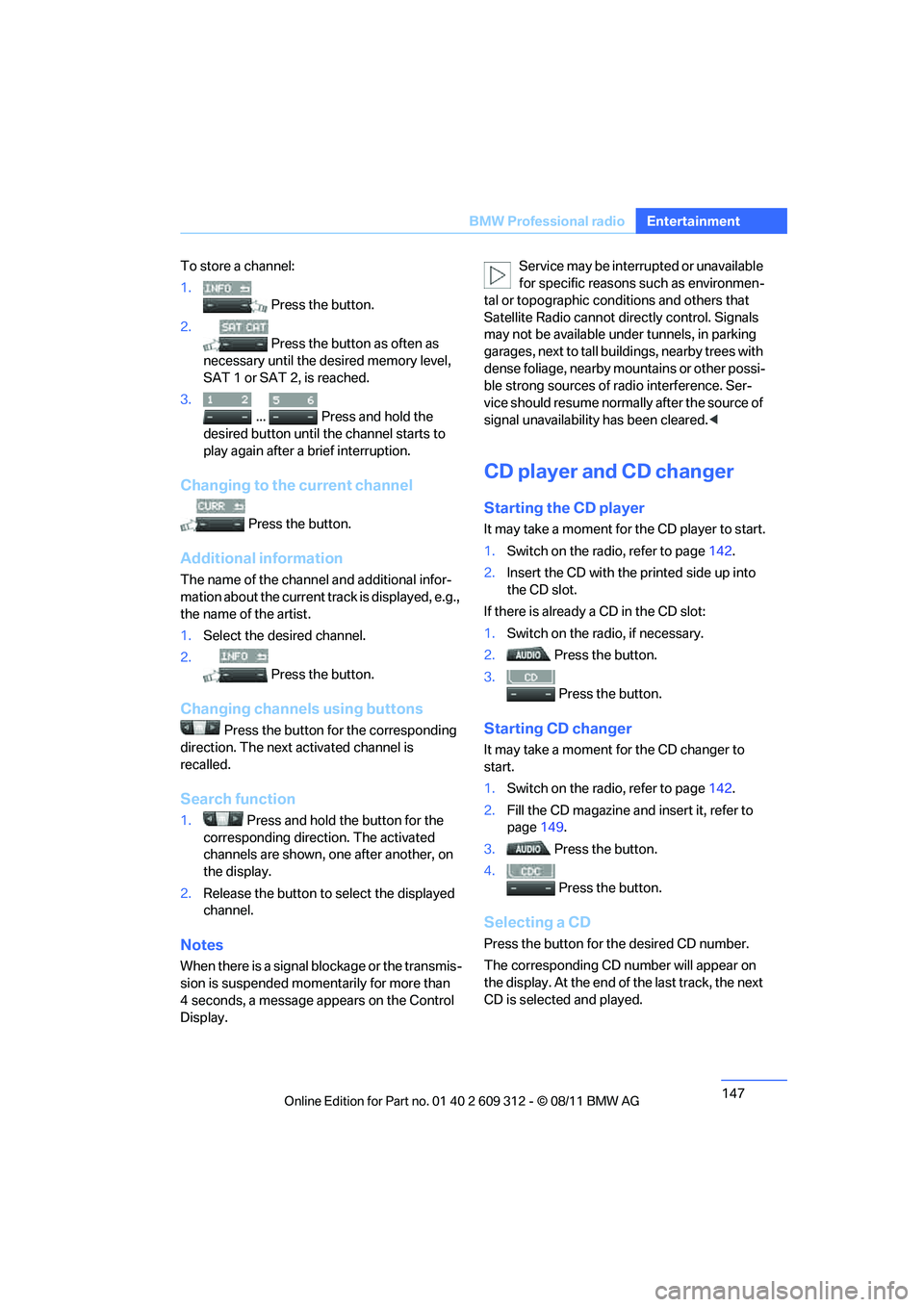
To store a channel:
1.
Press the button.
2. Press the button as often as
necessary until the de sired memory level,
SAT 1 or SAT 2, is reached.
3.
... Press and hold the
desired button until the channel starts to
play again after a brief interruption.
Changing to the current channel
Press the button.
Additional information
The name of the channel and additional infor-
mation about the current track is displayed, e.g.,
the name of the artist.
1. Select the desired channel.
2. Press the button.
Changing channels using buttons
Press the button for the corresponding
direction. The next activated channel is
recalled.
Search function
1. Press and hold the button for the
corresponding direction. The activated
channels are shown, one after another, on
the display.
2. Release the button to select the displayed
channel.
Notes
When there is a signal blockage or the transmis-
sion is suspended mome ntarily for more than
4 seconds, a message appears on the Control
Display. Service may be interrupted or unavailable
for specific reasons such as environmen-
tal or topographic conditions and others that
Satellite Radio cannot directly control. Signals
may not be available under tunnels, in parking
garages, next to tall build ings, nearby trees with
dense foliage, nearby mo untains or other possi-
ble strong sources of radio interference. Ser-
vice should resume normally after the source of
signal unavailability has been cleared. <
CD player and CD changer
Starting the CD player
It may take a moment for the CD player to start.
1. Switch on the radio, refer to page 142.
2. Insert the CD with the printed side up into
the CD slot.
If there is already a CD in the CD slot:
1. Switch on the radio, if necessary.
2. Press the button.
3. Press the button.
Starting CD changer
It may take a moment for the CD changer to
start.
1. Switch on the radio, refer to page 142.
2. Fill the CD magazine and insert it, refer to
page 149.
3. Press the button.
4. Press the button.
Selecting a CD
Press the button for the desired CD number.
The corresponding CD nu mber will appear on
the display. At the end of the last track, the next
CD is selected and played.
Online Edition for Part no. 01 40 2 609 312 - \251 08/11 BMW AG
Page 149 of 255
148
EntertainmentBMW Professional radio
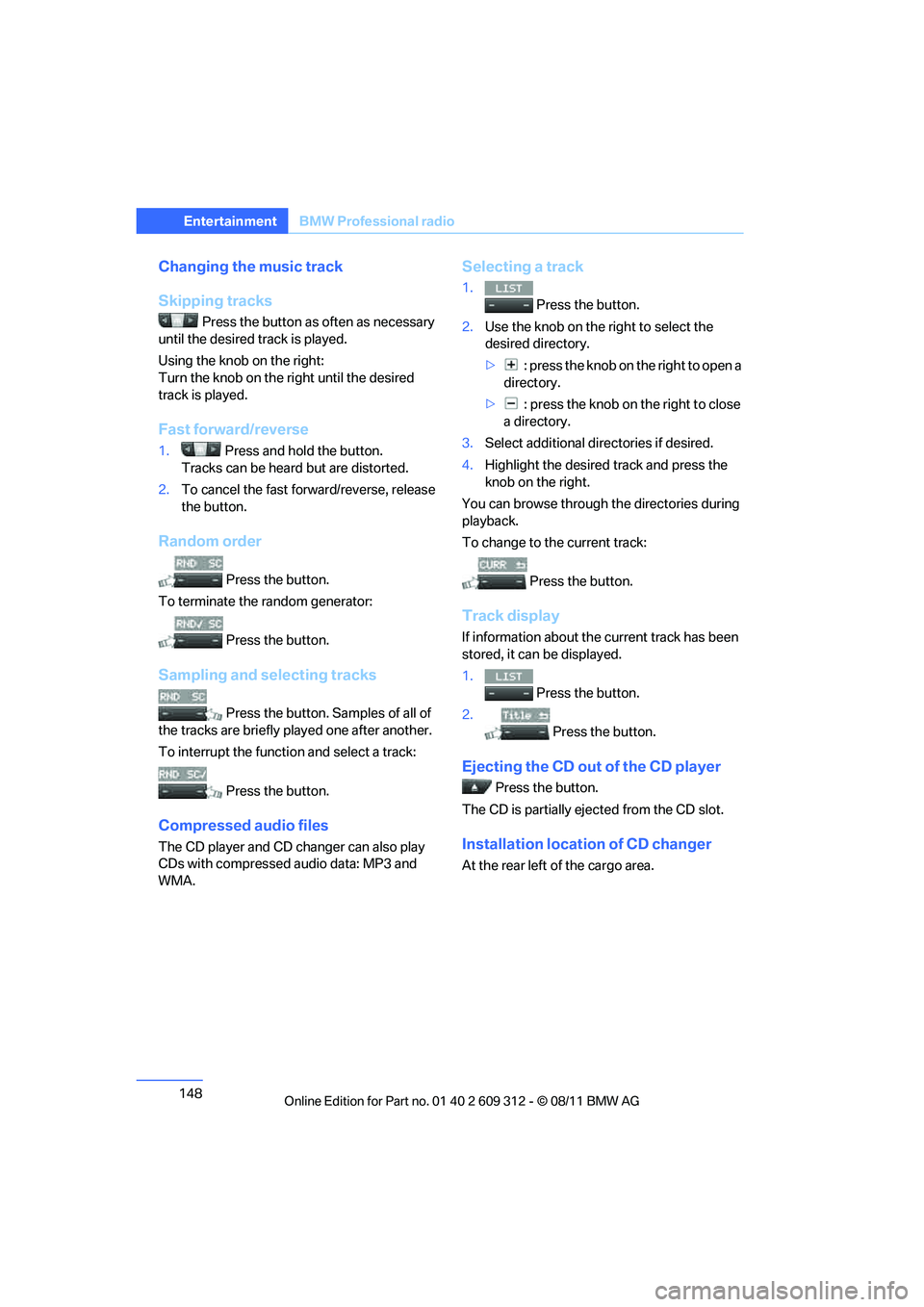
Changing the music track
Skipping tracks
Press the button as often as necessary
until the desired track is played.
Using the knob on the right:
Turn the knob on the right until the desired
track is played.
Fast forward/reverse
1. Press and hold the button.
Tracks can be heard but are distorted.
2. To cancel the fast forward/reverse, release
the button.
Random order
Press the button.
To terminate the random generator:
Press the button.
Sampling and selecting tracks
Press the button. Samples of all of
the tracks are briefly pl ayed one after another.
To interrupt the functi on and select a track:
Press the button.
Compressed audio files
The CD player and CD changer can also play
CDs with compressed audio data: MP3 and
WMA.
Selecting a track
1. Press the button.
2. Use the knob on the right to select the
desired directory.
> : press the knob on the right to open a
directory.
> : press the knob on the right to close
a directory.
3. Select additional di rectories if desired.
4. Highlight the desired track and press the
knob on the right.
You can browse through the directories during
playback.
To change to the current track:
Press the button.
Track display
If information about the current track has been
stored, it can be displayed.
1.
Press the button.
2. Press the button.
Ejecting the CD out of the CD player
Press the button.
The CD is partially ejec ted from the CD slot.
Installation location of CD changer
At the rear left of the cargo area.
Online Edition for Part no. 01 40 2 609 312 - \251 08/11 BMW AG
Page 151 of 255
150
EntertainmentBMW Professional radio
Operation indicators
CD player
>"Insert CD"
The CD slot is empty.
> "Error CD"
The CD can not be read or is defective.
> "Temp. CD"
The operating temperature is too high.
CD changer
>"Insert CD"
The CD has been inserted incorrectly or the
magazine is empty.
> "Insert MAG"
No magazine is inserted.
> "Load MAG"
The CD contents are currently being read
in.
> "Temp. CDC"
The operating temperature is too high.
Notes
BMW CD players and CD changers are
Class 1 laser products. Do not operate if
the cover is damaged; otherwise, serious eye
injury may result.
Do not use CDs with afte r-market labels; other-
wise, the labels can loosen as a result of the
heat generated during playback and possibly
cause irreparable damage to the system.
Only use round CDs with a standard diameter of
4.7 in/12 cm and do not play CDs with adapters,
e.g. single CDs; otherwise, the CDs or adapters
may jam and it may not be possible to eject
them.
Do not use a combined CD/DVD, e.g. DVD
Plus;
otherwise, the CD/DVD can jam and will no
longer eject. <
General malfunctions
BMW CD players and CD changers are opti-
mized for operation in the vehicle. They may be more sensitive to defective CDs than players for
stationary use.
If a CD can not be played,
first check if the CD is
properly inserted.
Humidity
If there is high humidity, the CD or the focusing
lens for the laser beam may fog up, making it
temporarily impossible to play the CD.
Malfunctions with individual CDs
If there are malfunctions with individual CDs,
then they may be due to the following causes.
CDs that you burned yourself
Potential problems with home-burned CDs are,
for example, inconsistent data generation and
burning processes, as well as low quality or
excessive aging of the blanks that are used.
Only write on the upper surface of CDs with a
writing instrument that is suitable for the pur-
pose.
Damaged CDs
Avoid leaving fingerprints, as well as dust,
scratches or moisture on the CDs/DVDs.
Store CDs in sleeves.
Do not expose CDs to a temperature greater
than 50 6/122 7, elevated humidity, or direct
sunlight.
CDs with copy protection
CDs are often provided with copy protection
from the manufacturer. This can result in CDs
not playing or playing back in only a limited
fashion.
Care
If necessary, clean the reflecting side of the CD
with a commercially available cleaning cloth by
wiping in a straight line from the center out-
wards.
Online Edition for Part no. 01 40 2 609 312 - \251 08/11 BMW AG
Page 152 of 255
151
BMW Professional radio
Entertainment
AUX-IN port
Overview
>
It is possible to connect audio devices, e.g.
MP3 players. Sound is output over the vehi-
cle speakers.
> Recommended settings: mid-level tone and
volume settings on th e audio device. Tone
may depend on the quality of the audio files.
Connecting
Lift up the center armrest.
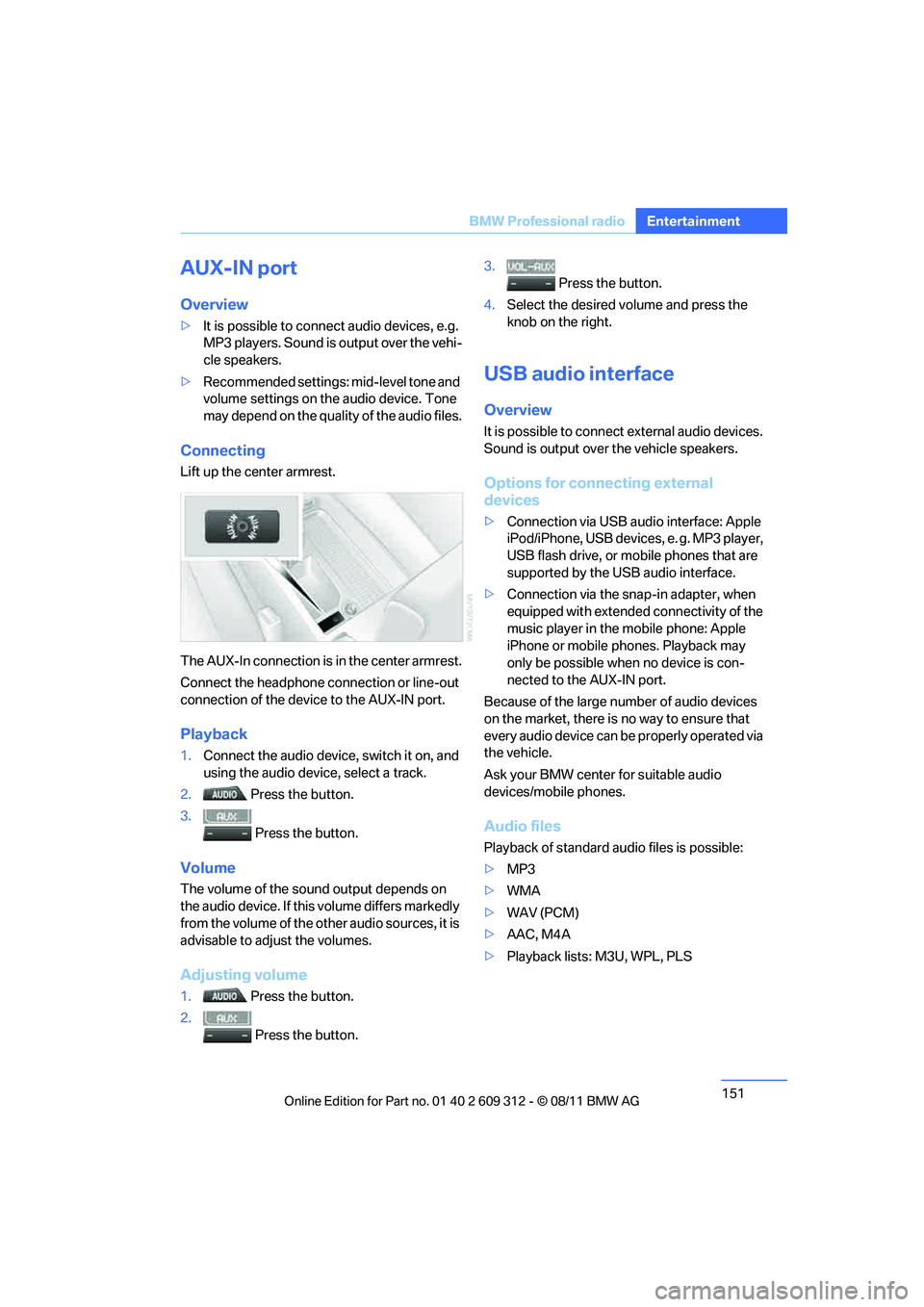
The AUX-In connection is in the center armrest.
Connect the headphone connection or line-out
connection of the device to the AUX-IN port.
Playback
1. Connect the audio device, switch it on, and
using the audio device, select a track.
2. Press the button.
3. Press the button.
Volume
The volume of the sound output depends on
the audio device. If this volume differs markedly
from the volume of the ot her audio sources, it is
advisable to adjust the volumes.
Adjusting volume
1. Press the button.
2. Press the button. 3.
Press the button.
4. Select the desired volume and press the
knob on the right.
USB audio interface
Overview
It is possible to connect external audio devices.
Sound is output over the vehicle speakers.
Options for connecting external
devices
> Connection via USB audio interface: Apple
iPod/iPhone, USB devices, e. g. MP3 player,
USB flash drive, or mobile phones that are
supported by the USB audio interface.
> Connection via the snap-in adapter, when
equipped with extended connectivity of the
music player in the mobile phone: Apple
iPhone or mobile phones. Playback may
only be possible when no device is con-
nected to the AUX-IN port.
Because of the large number of audio devices
on the market, there is no way to ensure that
every audio device can be properly operated via
the vehicle.
Ask your BMW center for suitable audio
devices/mobile phones.
Audio files
Playback of standard audio files is possible:
> MP3
> WMA
> WAV (PCM)
> AAC, M4A
> Playback lists: M3U, WPL, PLS
Online Edition for Part no. 01 40 2 609 312 - \251 08/11 BMW AG
Page 243 of 255
242
ReferenceEverything from A to Z
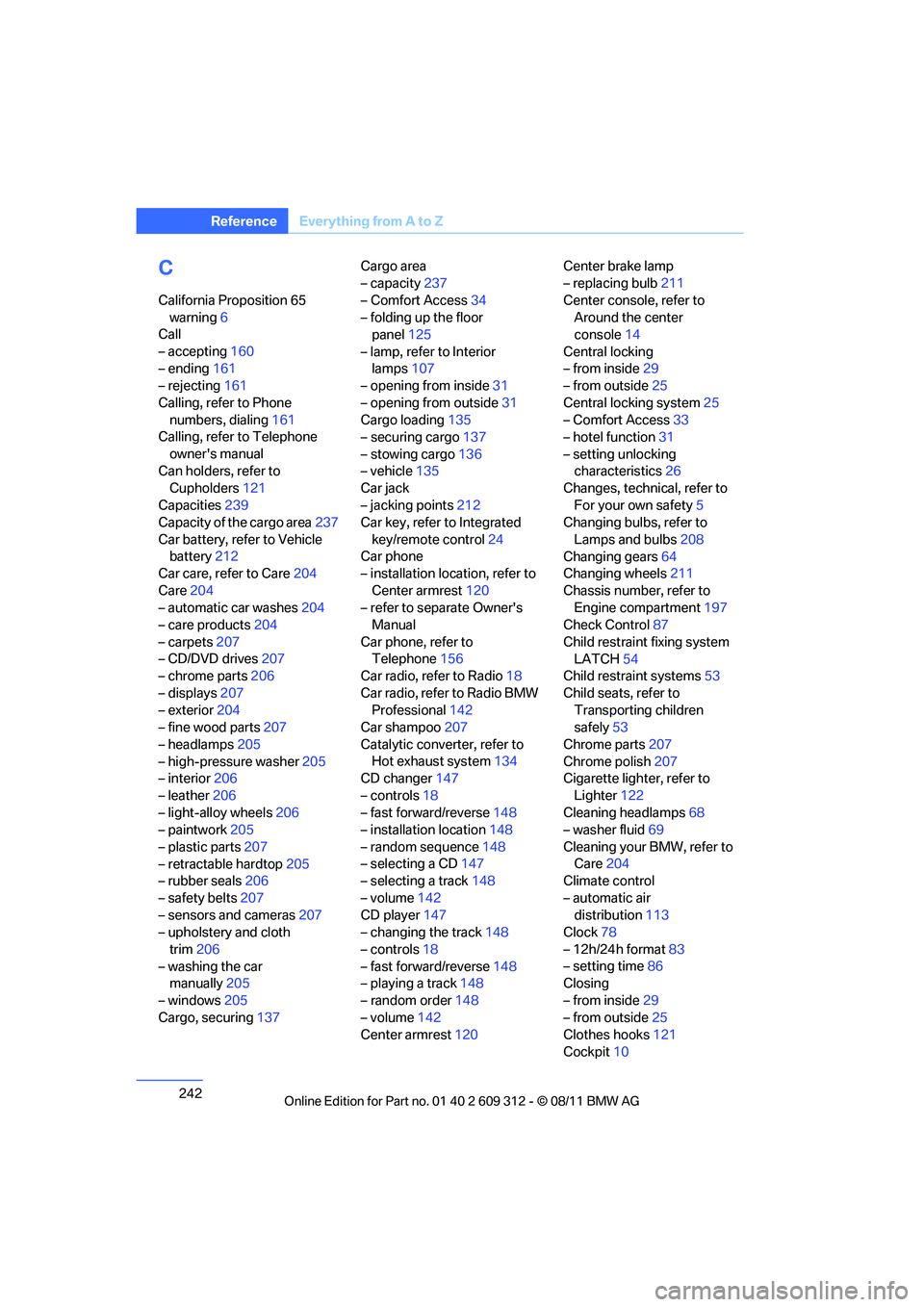
C
California Proposition 65
warning 6
Call
– accepting 160
– ending 161
– rejecting 161
Calling, refer to Phone numbers, dialing 161
Calling, refer to Telephone
owner's manual
Can holders, refer to Cupholders 121
Capacities 239
Capacity of the cargo area 237
Car battery, refer to Vehicle battery 212
Car care, refer to Care 204
Care 204
– automatic car washes 204
– care products 204
– carpets 207
– CD/DVD drives 207
– chrome parts 206
– displays 207
– exterior 204
– fine wood parts 207
– headlamps 205
– high-pressure washer 205
– interior 206
– leather 206
– light-alloy wheels 206
– paintwork 205
– plastic parts 207
– retractable hardtop 205
– rubber seals 206
– safety belts 207
– sensors and cameras 207
– upholstery and cloth
trim 206
– washing the car manually 205
– windows 205
Cargo, securing 137 Cargo area
– capacity
237
– Comfort Access 34
– folding up the floor panel 125
– lamp, refer to Interior lamps 107
– opening from inside 31
– opening from outside 31
Cargo loading 135
– securing cargo 137
– stowing cargo 136
– vehicle 135
Car jack
– jacking points 212
Ca
r key, refer to Integrated
key/remote control 24
Car phone
– installation location, refer to
Center armrest 120
– refer to separate Owner's Manual
Car phone, refer to Telephone 156
Car radio, refer to Radio 18
Car radio, refer to Radio BMW Professional 142
Car shampoo 207
Catalytic converter, refer to Hot exhaust system 134
CD changer 147
– controls 18
– fast forward/reverse 148
– installation location 148
– random sequence 148
– selecting a CD 147
– selecting a track 148
– volume 142
CD player 147
– changing the track 148
– controls 18
– fast forward/reverse 148
– playing a track 148
– random order 148
– volume 142
Center armrest 120 Center brake lamp
– replacing bulb
211
Center console, refer to Around the center
console 14
Central locking
– from inside 29
– from outside 25
Central locking system 25
– Comfort Access 33
– hotel function 31
– setting unlocking characteristics 26
Changes, technical, refer to
For your own safety 5
Changing bulbs, refer to
Lamps and bulbs 208
Changing gears 64
Changing wheels 211
Chassis number, refer to Engine compartment 197
Check Control 87
Child restraint fixing system LATCH 54
Child restraint systems 53
Child seats, refer to Transporting children
safely 53
Chrome parts 207
Chrome polish 207
Cigarette lighter, refer
to
Lighter 122
Cleaning headlamps 68
– washer fluid 69
Cleaning your BMW, refer to Care 204
Climate control
– automatic air distribution 113
Clock 78
– 12h/24h format 83
– setting time 86
Closing
– from inside 29
– from outside 25
Clothes hooks 121
Cockpit 10
Online Edition for Part no. 01 40 2 609 312 - \251 08/11 BMW AG
Page 251 of 255
250
ReferenceEverything from A to Z
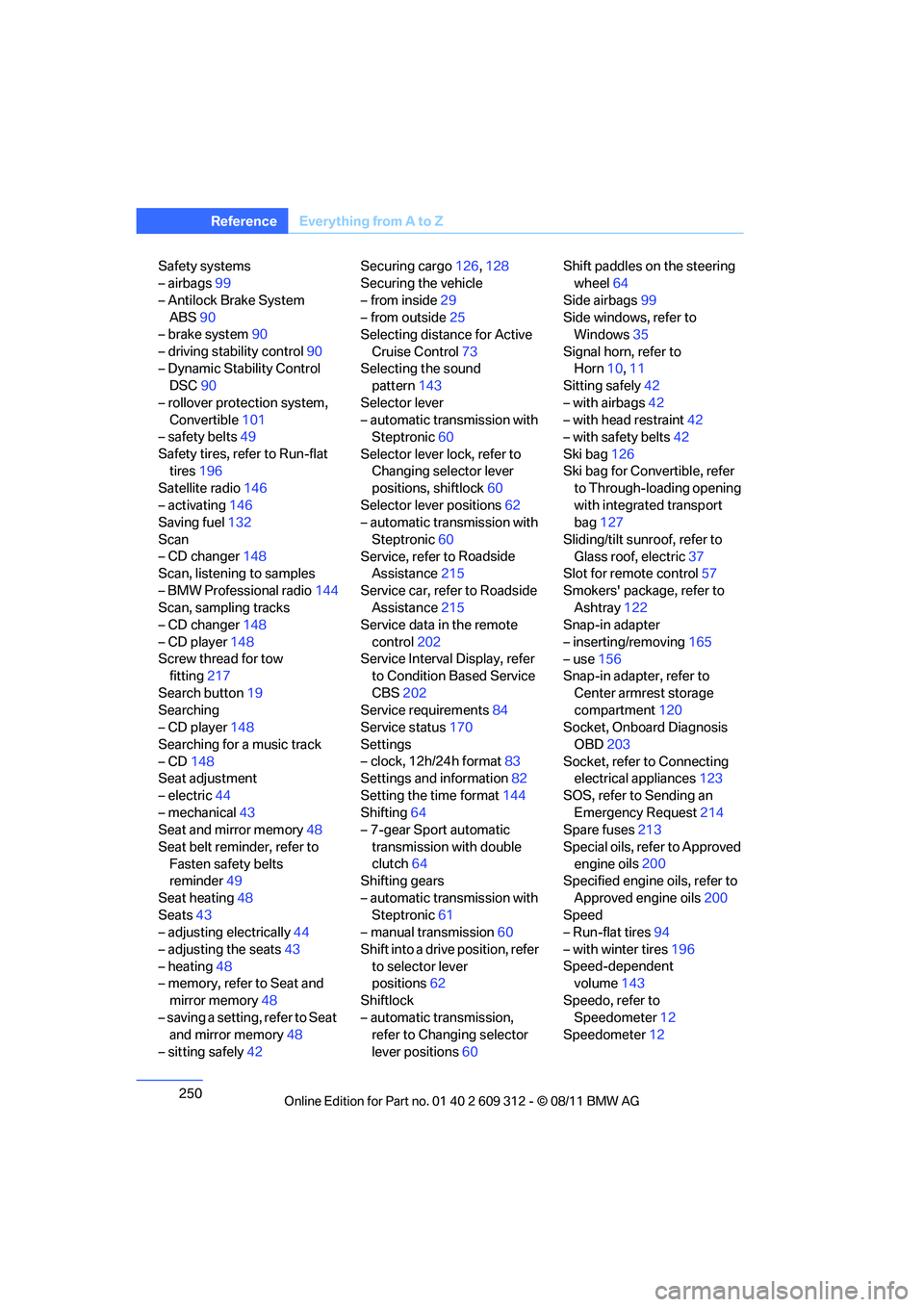
Safety systems
– airbags99
– Antilock Brake System ABS 90
– brake system 90
– driving stability control 90
– Dynamic Stability Control DSC 90
– rollover protection system, Convertible 101
– safety belts 49
Safety tires, refer to Run-flat tires 196
Satellite radio 146
– activating 146
Saving fuel 132
Scan
– CD changer 148
Scan, listening to samples
– BMW Professional radio 144
Scan, sampling tracks
– CD changer 148
– CD player 148
Screw thread for tow fitting 217
Search button 19
Searching
– CD player 148
Searching for a music track
– CD 148
Seat adjustment
– electric 44
– mechanical 43
Seat and mirror memory 48
Seat belt reminder, refer to Fasten safety belts
reminder 49
Seat heating 48
Seats 43
– adjusting electrically 44
– adjusting the seats 43
– heating 48
– memory, refer to Seat and
mirror memory 48
– saving a setting, refer to Seat and mirror memory 48
– sitting safely 42 Securing cargo
126,128
Securing the vehicle
– from inside 29
– from outside 25
Selecting distance for Active
Cruise Control 73
Selecting the sound pattern 143
Selector lever
– automatic transmission with Steptronic 60
Selector lever lock, refer to Changing selector lever
positions, shiftlock 60
Selector lever positions 62
– automatic transmission with
Steptronic 60
Service, refer to
Roadside
Assistance 215
Service car, refer to Roadside Assistance 215
Service data in the remote
control 202
Service Interval Display, refer to Condition Based Service
CBS 202
Service requirements 84
Service status 170
Settings
– clock, 12h/24h format 83
Settings and information 82
Setting the time format 144
Shifting 64
– 7-gear Sport automatic
transmission with double
clutch 64
Shifting gears
– automatic transmission with Steptronic 61
– manual transmission 60
Shift into a drive position, refer to selector lever
positions 62
Shiftlock
– automatic transmission, refer to Changing selector
lever positions 60 Shift paddles on the steering
wheel 64
Side airbags 99
Side windows, refer to Windows 35
Signal horn, refer to Horn 10,11
Sitting safely 42
– with airbags 42
– with head restraint 42
– with safety belts 42
Ski bag 126
Ski bag for Convertible, refer to Through-loading opening
with integrated transport
bag 127
Sliding/tilt sunroof, refer to Glass roof, electric 37
Slot for remote control 57
Smokers' package, refer to Ashtray 122
Snap-in adapter
– inserting/removing 165
– use 156
Snap-in adapter, refer to
Center armrest storage
compartment 120
Socket, Onboard Diagnosis
OBD 203
Socket, refer to Connecting electrical appliances 123
SOS, refer to Sending an Emergency Request 214
Spare fuses 213
Special oils, refer to Approved engine o
ils200
Specified engine oils, refer to
Approved engine oils 200
Speed
– Run-flat tires 94
– with winter tires 196
Speed-dependent volume 143
Speedo, refer to Speedometer 12
Speedometer 12
Online Edition for Part no. 01 40 2 609 312 - \251 08/11 BMW AG