lock BMW M3 COUPE 2001 E46 Owner's Guide
[x] Cancel search | Manufacturer: BMW, Model Year: 2001, Model line: M3 COUPE, Model: BMW M3 COUPE 2001 E46Pages: 183, PDF Size: 1.65 MB
Page 42 of 183
42n
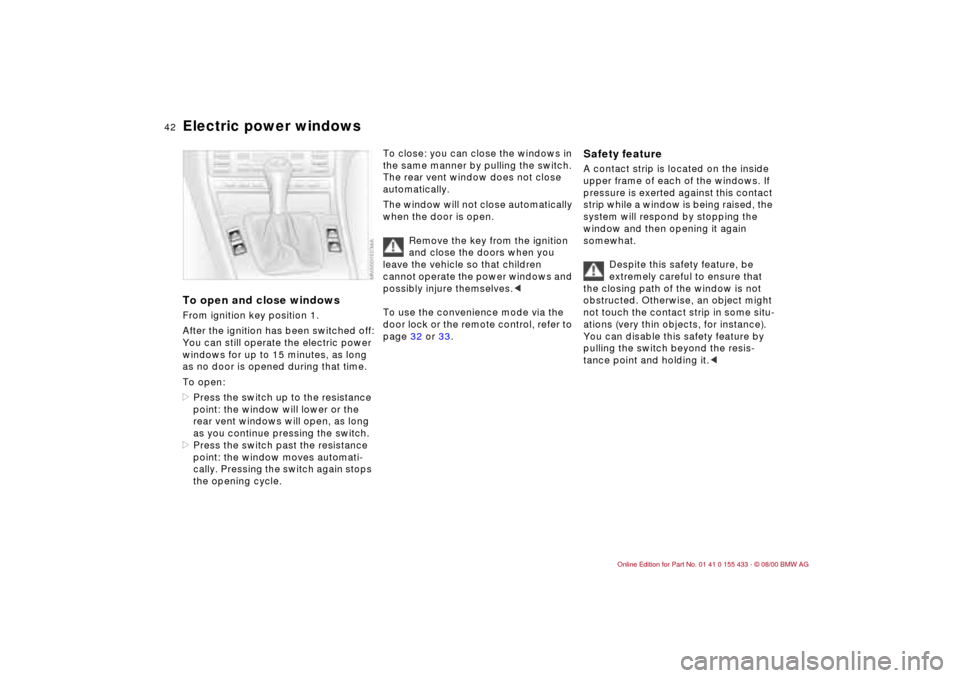
Electric power windowsTo open and close windowsFrom ignition key position 1.
After the ignition has been switched off:
You can still operate the electric power
windows for up to 15 minutes, as long
as no door is opened during that time.
To open:
>Press the switch up to the resistance
point: the window will lower or the
rear vent windows will open, as long
as you continue pressing the switch.
>Press the switch past the resistance
point: the window moves automati-
cally. Pressing the switch again stops
the opening cycle.
To close: you can close the windows in
the same manner by pulling the switch.
The rear vent window does not close
automatically.
The window will not close automatically
when the door is open.
Remove the key from the ignition
and close the doors when you
leave the vehicle so that children
cannot operate the power windows and
possibly injure themselves.<
To use the convenience mode via the
door lock or the remote control, refer to
page 32 or 33.
Safety feature A contact strip is located on the inside
upper frame of each of the windows. If
pressure is exerted against this contact
strip while a window is being raised, the
system will respond by stopping the
window and then opening it again
somewhat.
Despite this safety feature, be
extremely careful to ensure that
the closing path of the window is not
obstructed. Otherwise, an object might
not touch the contact strip in some situ-
ations (very thin objects, for instance).
You can disable this safety feature by
pulling the switch beyond the resis-
tance point and holding it.<
Page 43 of 183
43n
IndexDataTechnologyRepairsCar careControlsOverview
Sliding/tilt sunroof
*
To prevent injuries, exercise care
when closing the sliding/tilt
sunroof and keep it in your field of
vision until it is shut.
Remove the key from the ignition and
close the doors when you leave the
vehicle so that children cannot operate
the sunroof and possibly injure them-
selves.<
A vacuum or a draft in the passenger
compartment can be avoided when the
roof is opened or raised by keeping the
vent outlets on the instrument panel
open and possibly increasing the air
supply. Refer to page 87.
If the sunroof is completely open, air
disturbances may be caused in the
vehicle when you are driving at higher
speeds. Close the roof as far as neces-
sary until this natural phenomenon
ceases.
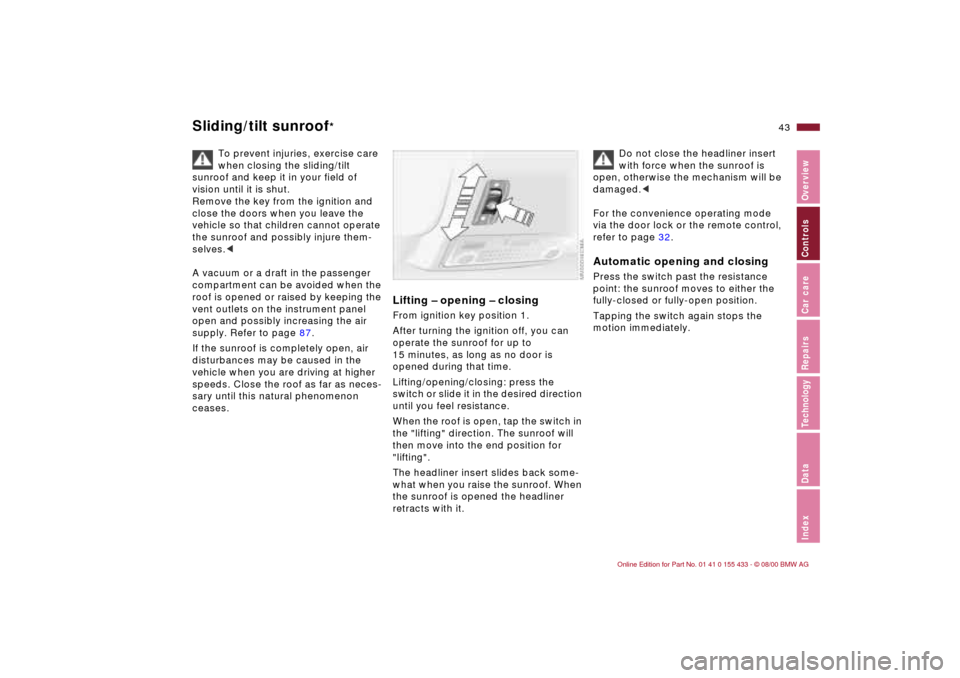
Lifting Ð opening Ð closingFrom ignition key position 1.
After turning the ignition off, you can
operate the sunroof for up to
15 minutes, as long as no door is
opened during that time.
Lifting/opening/closing: press the
switch or slide it in the desired direction
until you feel resistance.
When the roof is open, tap the switch in
the "lifting" direction. The sunroof will
then move into the end position for
"lifting".
The headliner insert slides back some-
what when you raise the sunroof. When
the sunroof is opened the headliner
retracts with it.
Do not close the headliner insert
with force when the sunroof is
open, otherwise the mechanism will be
damaged.<
For the convenience operating mode
via the door lock or the remote control,
refer to page 32.
Automatic opening and closingPress the switch past the resistance
point: the sunroof moves to either the
fully-closed or fully-open position.
Tapping the switch again stops the
motion immediately.
Page 47 of 183
47n
IndexDataTechnologyRepairsCar careControlsOverview
Entering the rear Power seat* Seat adjustmentPull up on the lever and push the
backrest toward the front.
Lock both backrests while driving,
otherwise there is a danger of an
unexpected movement causing an
accident.<
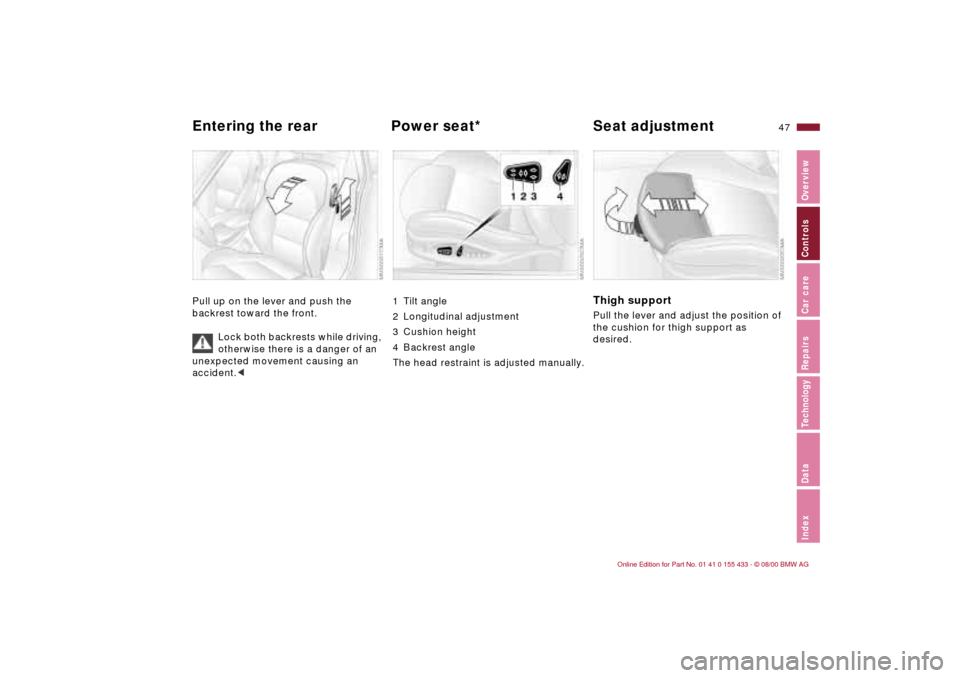
1 Tilt angle
2 Longitudinal adjustment
3 Cushion height
4 Backrest angle
The head restraint is adjusted manually.
Thigh support Pull the lever and adjust the position of
the cushion for thigh support as
desired.
Page 51 of 183
51n
IndexDataTechnologyRepairsCar careControlsOverview
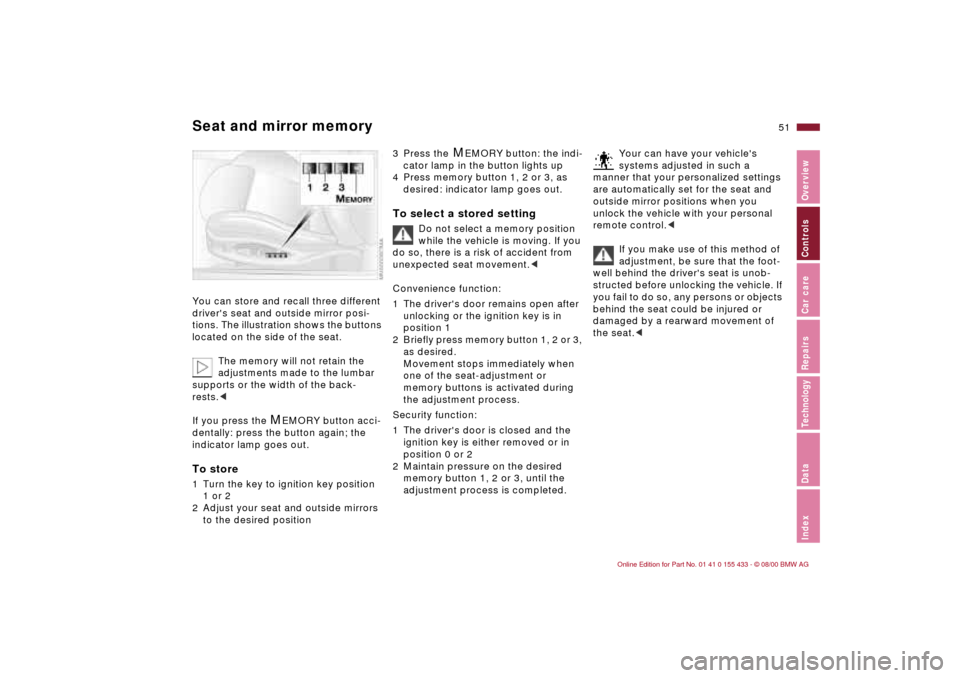
Seat and mirror memoryYou can store and recall three different
driver's seat and outside mirror posi-
tions. The illustration shows the buttons
located on the side of the seat.
The memory will not retain the
adjustments made to the lumbar
supports or the width of the back-
rests.<
If you press the
M
EMORY button acci-
dentally: press the button again; the
indicator lamp goes out.
To store1 Turn the key to ignition key position
1 or 2
2 Adjust your seat and outside mirrors
to the desired position
3 Press the
M
EMORY button: the indi-
cator lamp in the button lights up
4 Press memory button 1, 2 or 3, as
desired: indicator lamp goes out.
To select a stored setting
Do not select a memory position
while the vehicle is moving. If you
do so, there is a risk of accident from
unexpected seat movement.<
Convenience function:
1 The driver's door remains open after
unlocking or the ignition key is in
position 1
2 Briefly press memory button 1, 2 or 3,
as desired.
Movement stops immediately when
one of the seat-adjustment or
memory buttons is activated during
the adjustment process.
Security function:
1 The driver's door is closed and the
ignition key is either removed or in
position 0 or 2
2 Maintain pressure on the desired
memory button 1, 2 or 3, until the
adjustment process is completed.
Your can have your vehicle's
systems adjusted in such a
manner that your personalized settings
are automatically set for the seat and
outside mirror positions when you
unlock the vehicle with your personal
remote control.<
If you make use of this method of
adjustment, be sure that the foot-
well behind the driver's seat is unob-
structed before unlocking the vehicle. If
you fail to do so, any persons or objects
behind the seat could be injured or
damaged by a rearward movement of
the seat.<
Page 52 of 183
52n
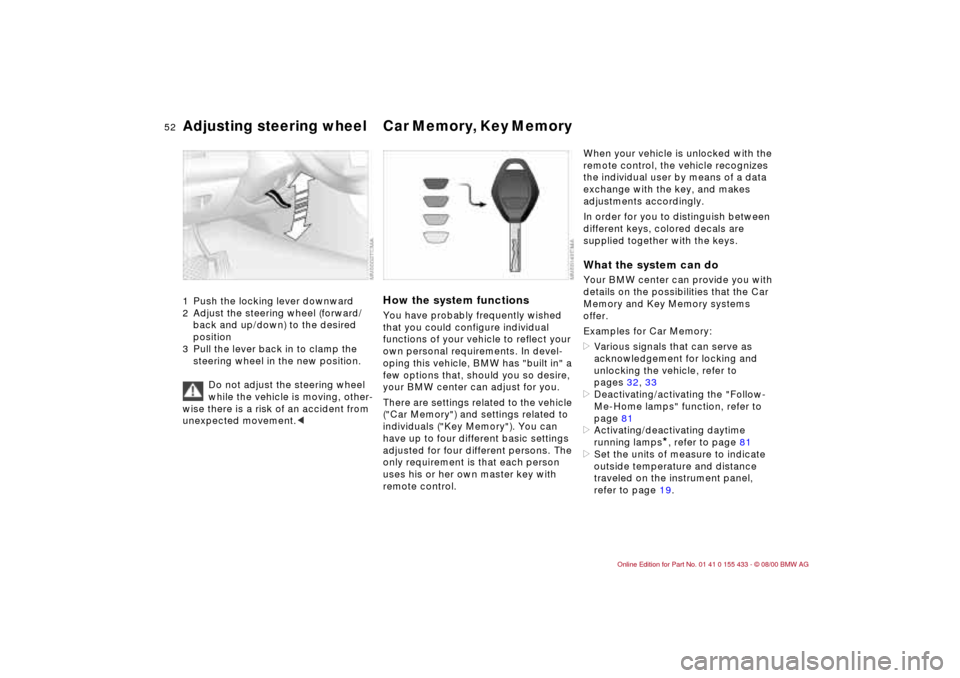
Adjusting steering wheel Car Memory, Key Memory 1 Push the locking lever downward
2 Adjust the steering wheel (forward/
back and up/down) to the desired
position
3 Pull the lever back in to clamp the
steering wheel in the new position.
Do not adjust the steering wheel
while the vehicle is moving, other-
wise there is a risk of an accident from
unexpected movement.<
How the system functionsYou have probably frequently wished
that you could configure individual
functions of your vehicle to reflect your
own personal requirements. In devel-
oping this vehicle, BMW has "built in" a
few options that, should you so desire,
your BMW center can adjust for you.
There are settings related to the vehicle
("Car Memory") and settings related to
individuals ("Key Memory"). You can
have up to four different basic settings
adjusted for four different persons. The
only requirement is that each person
uses his or her own master key with
remote control.
When your vehicle is unlocked with the
remote control, the vehicle recognizes
the individual user by means of a data
exchange with the key, and makes
adjustments accordingly.
In order for you to distinguish between
different keys, colored decals are
supplied together with the keys.What the system can doYour BMW center can provide you with
details on the possibilities that the Car
Memory and Key Memory systems
offer.
Examples for Car Memory:
>Various signals that can serve as
acknowledgement for locking and
unlocking the vehicle, refer to
pages 32, 33
>Deactivating/activating the "Follow-
Me-Home lamps" function, refer to
page 81
>Activating/deactivating daytime
running lamps
*, refer to page 81
>Set the units of measure to indicate
outside temperature and distance
traveled on the instrument panel,
refer to page 19.
Page 53 of 183

53n
IndexDataTechnologyRepairsCar careControlsOverview
Car Memory, Key MemoryExamples for Key Memory:
>Locking your vehicle after starting off,
refer to page 36
>Unlocking and lowering the driver's
window at the same time, refer to
page 34
>Automatically moving the seat and
outside mirror into position for the
respective person when unlocking
the vehicle, refer to page 51
>Calling up customized settings for
the automatic climate control when
unlocking using the remote control,
refer to page 86.
You will see this symbol
throughout the Owner's Manual. It
is to remind you at appropriate places
of the settings that are available to
you.<
Page 60 of 183
60n
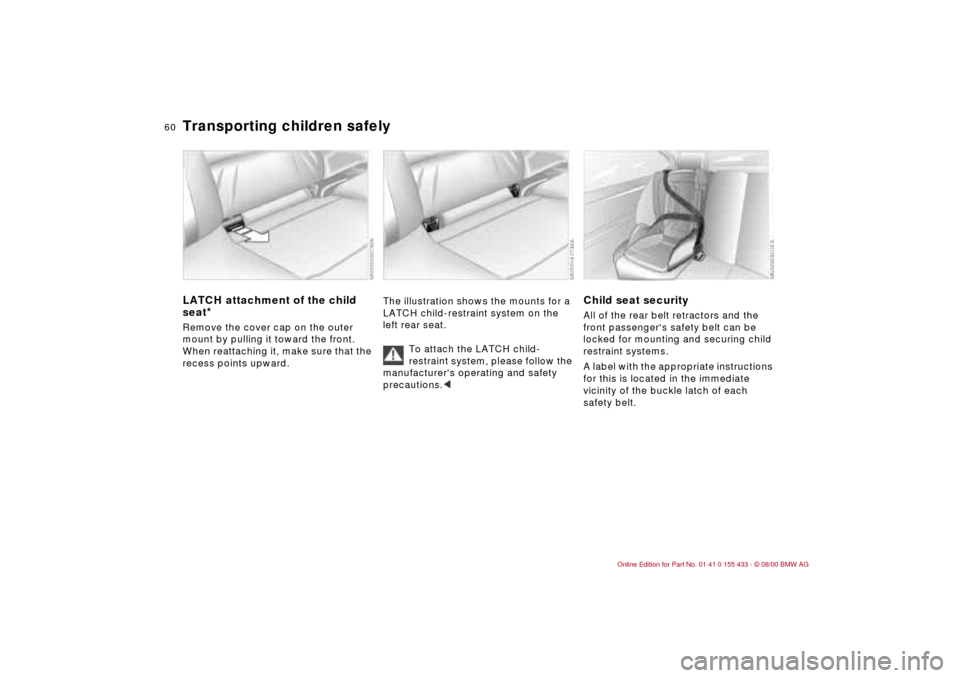
Transporting children safelyLATCH attachment of the child
seat
*
Remove the cover cap on the outer
mount by pulling it toward the front.
When reattaching it, make sure that the
recess points upward.
The illustration shows the mounts for a
LATCH child-restraint system on the
left rear seat.
To attach the LATCH child-
restraint system, please follow the
manufacturer's operating and safety
precautions.<< < <
Child seat securityAll of the rear belt retractors and the
front passenger's safety belt can be
locked for mounting and securing child
restraint systems.
A label with the appropriate instructions
for this is located in the immediate
vicinity of the buckle latch of each
safety belt.
Page 61 of 183

61n
IndexDataTechnologyRepairsCar careControlsOverview
Transporting children safelyTo lock the beltExtract the entire length of the belt from
the inertia reel mechanism. Allow the
reel to retract the belt somewhat and
engage the buckle, then tighten the belt
against the child restraint system. The
retraction mechanism is now locked.
The belt cannot be extracted further.
Always comply with the installation
instructions provided by the manufac-
turer of the child restraint system.
To release the beltRelease the safety belt, remove the
child's seat and retract the safety belt
to its end position on the belt retractor.
Page 62 of 183
62n
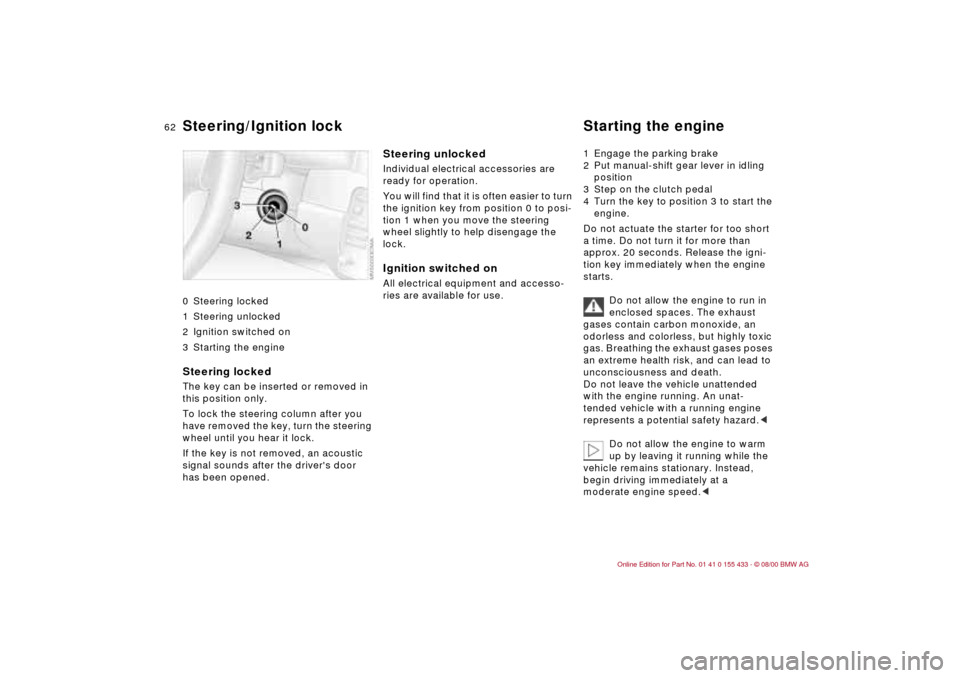
0 Steering locked
1 Steering unlocked
2 Ignition switched on
3 Starting the engine
Steering locked The key can be inserted or removed in
this position only.
To lock the steering column after you
have removed the key, turn the steering
wheel until you hear it lock.
If the key is not removed, an acoustic
signal sounds after the driver's door
has been opened.
Steering unlocked Individual electrical accessories are
ready for operation.
You will find that it is often easier to turn
the ignition key from position 0 to posi-
tion 1 when you move the steering
wheel slightly to help disengage the
lock. Ignition switched onAll electrical equipment and accesso-
ries are available for use. 1 Engage the parking brake
2 Put manual-shift gear lever in idling
position
3 Step on the clutch pedal
4 Turn the key to position 3 to start the
engine.
Do not actuate the starter for too short
a time. Do not turn it for more than
approx. 20 seconds. Release the igni-
tion key immediately when the engine
starts.
Do not allow the engine to run in
enclosed spaces. The exhaust
gases contain carbon monoxide, an
odorless and colorless, but highly toxic
gas. Breathing the exhaust gases poses
an extreme health risk, and can lead to
unconsciousness and death.
Do not leave the vehicle unattended
with the engine running. An unat-
tended vehicle with a running engine
represents a potential safety hazard.<
Do not allow the engine to warm
up by leaving it running while the
vehicle remains stationary. Instead,
begin driving immediately at a
moderate engine speed.<
Steering/Ignition lock Starting the engine
Page 63 of 183
63n
IndexDataTechnologyRepairsCar careControlsOverview
Starting the engine Switching off engine Parking brake If the engine does not start on the first
attempt (if the engine is very hot or
cold, for instance):
>Press the accelerator pedal halfway
down while engaging the starter.
Cold starts at very low temperatures,
starting at about +5 7 (Ð15 6) and
at high altitudes over 3,300 ft
(1,000 meters):
>On the first start attempt, engage the
starter for a longer period (approx.
10 seconds)
>Press the accelerator pedal halfway
down while engaging the starter.
Engine idle speed is controlled by the
engine computer system. Increased
speeds at startup are normal and
should decrease as the engine warms
up. If engine speed does not decrease,
service is required.
To prevent the battery from
discharging, always deactivate elec-
trical devices that are not in use. Switch
the ignition off when the vehicle is not
being driven.Turn the ignition key to position 1 or 0.
Do not remove the ignition key
while the vehicle is still moving. If
you do so, the steering will lock, making
it impossible to steer the vehicle.
When you leave the vehicle, always
remove the ignition key and engage
the steering lock.
Set the parking brake when parking on
steep hills, because under certain
conditions, putting the vehicle into first
gear or reverse may not be enough to
prevent it from rolling away.
The power assist is not available when
the engine is not on. This means that
more effort is required to apply the
brakes.<
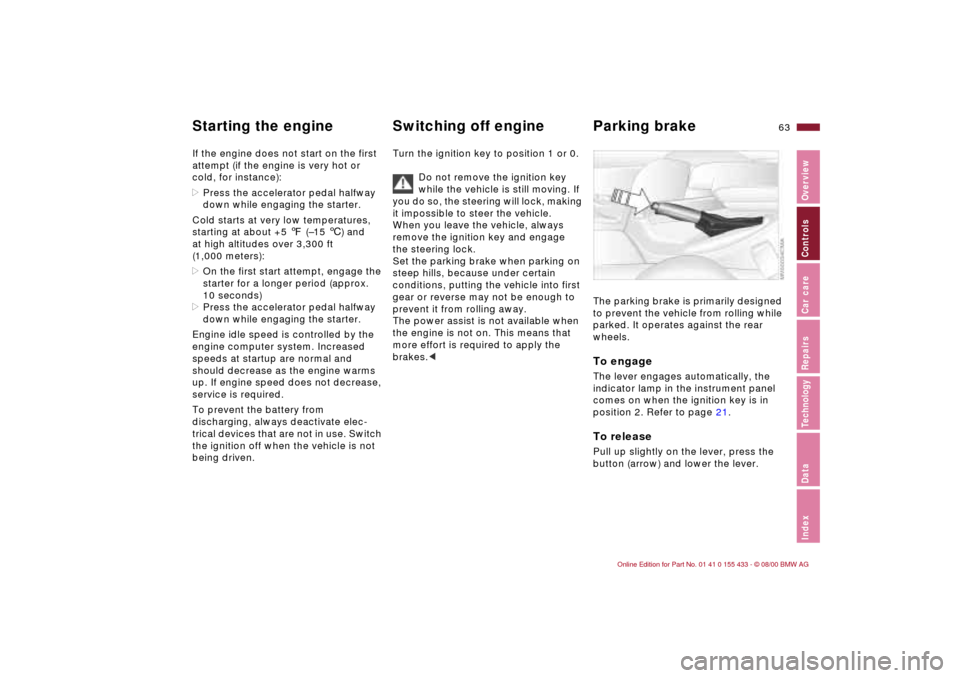
The parking brake is primarily designed
to prevent the vehicle from rolling while
parked. It operates against the rear
wheels. To engageThe lever engages automatically, the
indicator lamp in the instrument panel
comes on when the ignition key is in
position 2. Refer to page 21.To releasePull up slightly on the lever, press the
button (arrow) and lower the lever.