instrument cluster BMW M3 COUPE 2002 E46 User Guide
[x] Cancel search | Manufacturer: BMW, Model Year: 2002, Model line: M3 COUPE, Model: BMW M3 COUPE 2002 E46Pages: 151, PDF Size: 2.14 MB
Page 70 of 151
70n
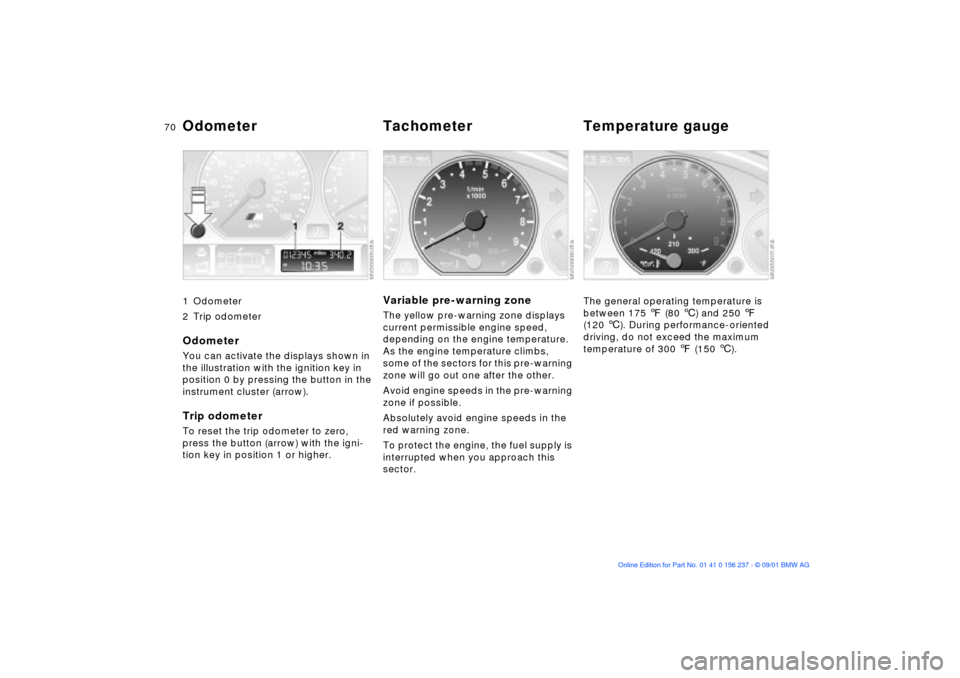
1 Odometer
2 Trip odometer
OdometerYou can activate the displays shown in
the illustration with the ignition key in
position 0 by pressing the button in the
instrument cluster (arrow).Trip odometerTo reset the trip odometer to zero,
press the button (arrow) with the igni-
tion key in position 1 or higher.
Variable pre-warning zoneThe yellow pre-warning zone displays
current permissible engine speed,
depending on the engine temperature.
As the engine temperature climbs,
some of the sectors for this pre-warning
zone will go out one after the other.
Avoid engine speeds in the pre-warning
zone if possible.
Absolutely avoid engine speeds in the
red warning zone.
To protect the engine, the fuel supply is
interrupted when you approach this
sector.
The general operating temperature is
between 175 7 (80 6) and 250 7
(120 6). During performance-oriented
driving, do not exceed the maximum
temperature of 300 7 (150 6).
Odometer Tachometer Temperature gauge
Page 72 of 151
72n
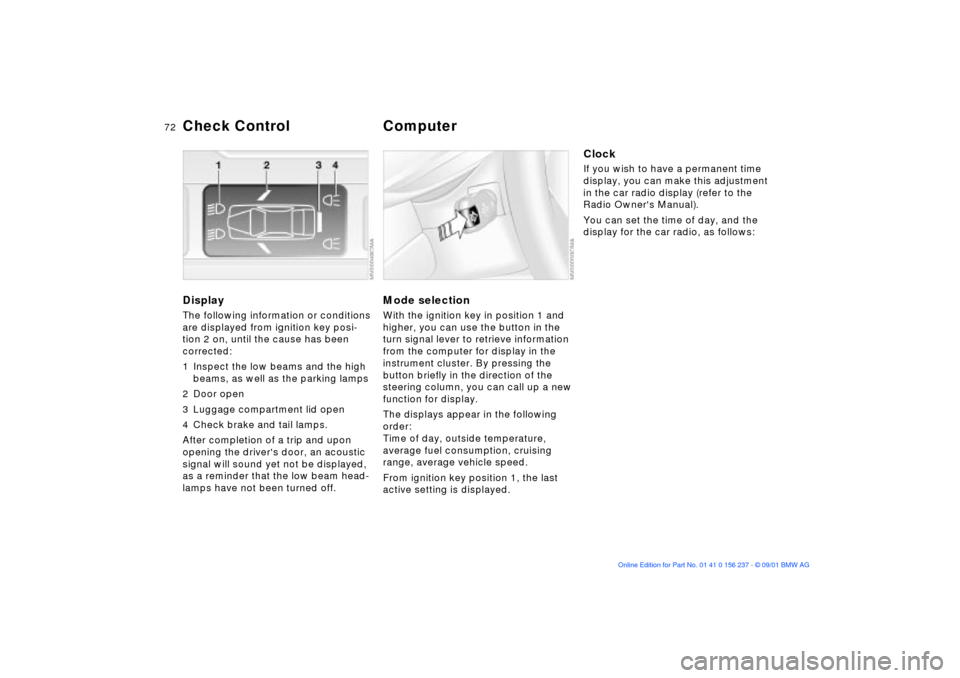
DisplayThe following information or conditions
are displayed from ignition key posi-
tion 2 on, until the cause has been
corrected:
1 Inspect the low beams and the high
beams, as well as the parking lamps
2 Door open
3 Luggage compartment lid open
4 Check brake and tail lamps.
After completion of a trip and upon
opening the driver's door, an acoustic
signal will sound yet not be displayed,
as a reminder that the low beam head-
lamps have not been turned off.
Mode selectionWith the ignition key in position 1 and
higher, you can use the button in the
turn signal lever to retrieve information
from the computer for display in the
instrument cluster. By pressing the
button briefly in the direction of the
steering column, you can call up a new
function for display.
The displays appear in the following
order:
Time of day, outside temperature,
average fuel consumption, cruising
range, average vehicle speed.
From ignition key position 1, the last
active setting is displayed.
ClockIf you wish to have a permanent time
display, you can make this adjustment
in the car radio display (refer to the
Radio Owner's Manual).
You can set the time of day, and the
display for the car radio, as follows:
Check Control
Computer
Page 73 of 151
73n
OverviewControlsMaintenanceRepairsDataIndex
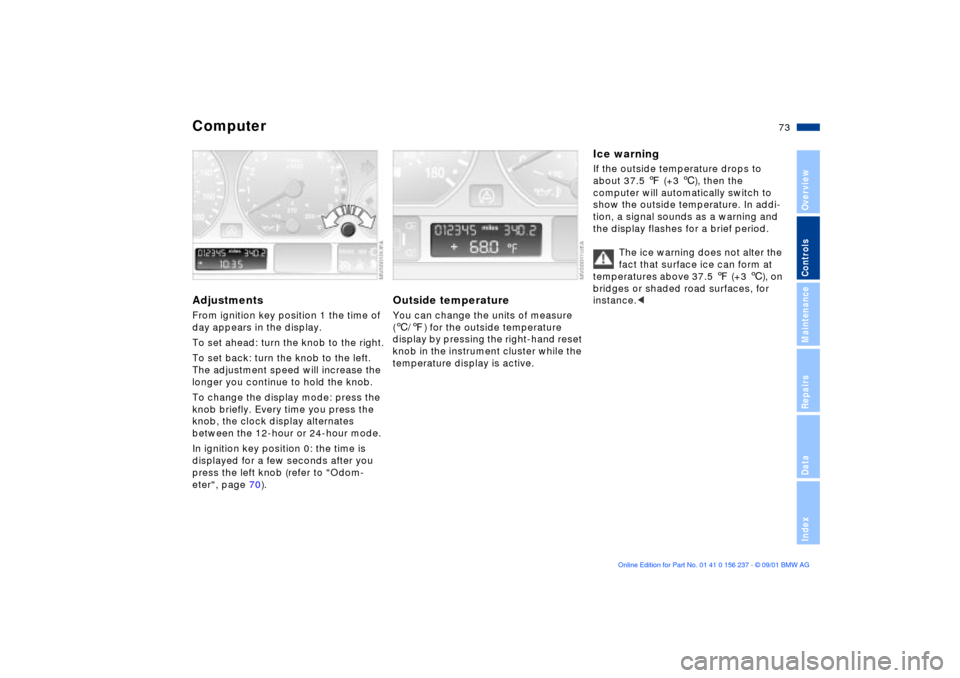
ComputerAdjustments From ignition key position 1 the time of
day appears in the display.
To set ahead: turn the knob to the right.
To set back: turn the knob to the left.
The adjustment speed will increase the
longer you continue to hold the knob.
To change the display mode: press the
knob briefly. Every time you press the
knob, the clock display alternates
between the 12-hour or 24-hour mode.
In ignition key position 0: the time is
displayed for a few seconds after you
press the left knob (refer to "Odom-
eter", page 70).
Outside temperature You can change the units of measure
(6/7) for the outside temperature
display by pressing the right-hand reset
knob in the instrument cluster while the
temperature display is active.
Ice warning If the outside temperature drops to
about 37.5 7 (+3 6), then the
computer will automatically switch to
show the outside temperature. In addi-
tion, a signal sounds as a warning and
the display flashes for a brief period.
The ice warning does not alter the
fact that surface ice can form at
temperatures above 37.5 7 (+3 6), on
bridges or shaded road surfaces, for
instance.<
Page 79 of 151
79n
OverviewControlsMaintenanceRepairsDataIndex
Flat Tire Monitor
M Engine dynamics control
In the event of a flat tire
The indicator lamp in the instru-
ment cluster will light up red in
the event of a flat tire with
ensuing loss in pressure. In addition, an
acoustic signal is sounded. To come to
an immediate stop, reduce speed, while
avoiding any sudden, jerky braking or
steering maneuvers.
Fix the flat tire using the M Mobility
system, refer to page 126.
Reset the indicator lamp: the red indi-
cator lamp has to be switched off
manually after putting on a new wheel.
At this point, hold the Flat Tire Monitor
button down until the indicator lamp
goes out. Reinitialize the system after-
ward.
The Flat Tire Monitor cannot alert
you to severe and sudden tire
damage caused by external factors.
Another factor which the Flat Tire
Monitor does not recognize is the
balanced and very gradual pressure
loss that takes place in all tires over an
extended period of time.<
Check the tire inflation pressure
on a regular basis and correct if
necessary, refer to page 24.
Under certain circumstances, there
may be false warnings or a delayed
detection of losses in pressure when
driving on snow-covered or slippery
road surfaces.
Performance-oriented driving (slip at
the drive wheels, high levels of lateral
acceleration) can also delay the
appearance of status reports in the Flat
Tire Monitor's display.<
System malfunctionAs long as there is still a malfunction,
the indicator lamp in the instrument
cluster will stay lit up yellow.
Please contact your BMW center for
additional information.
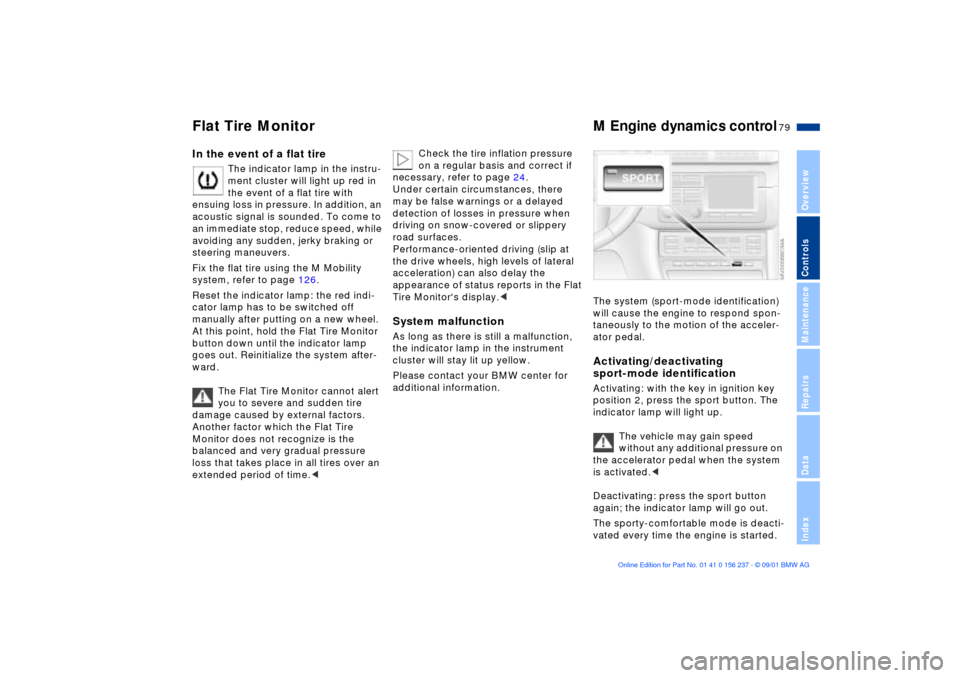
The system (sport-mode identification)
will cause the engine to respond spon-
taneously to the motion of the acceler-
ator pedal. Activating/deactivating
sport-mode identificationActivating: with the key in ignition key
position 2, press the sport button. The
indicator lamp will light up.
The vehicle may gain speed
without any additional pressure on
the accelerator pedal when the system
is activated.<
Deactivating: press the sport button
again; the indicator lamp will go out.
The sporty-comfortable mode is deacti-
vated every time the engine is started.
Page 82 of 151
82n
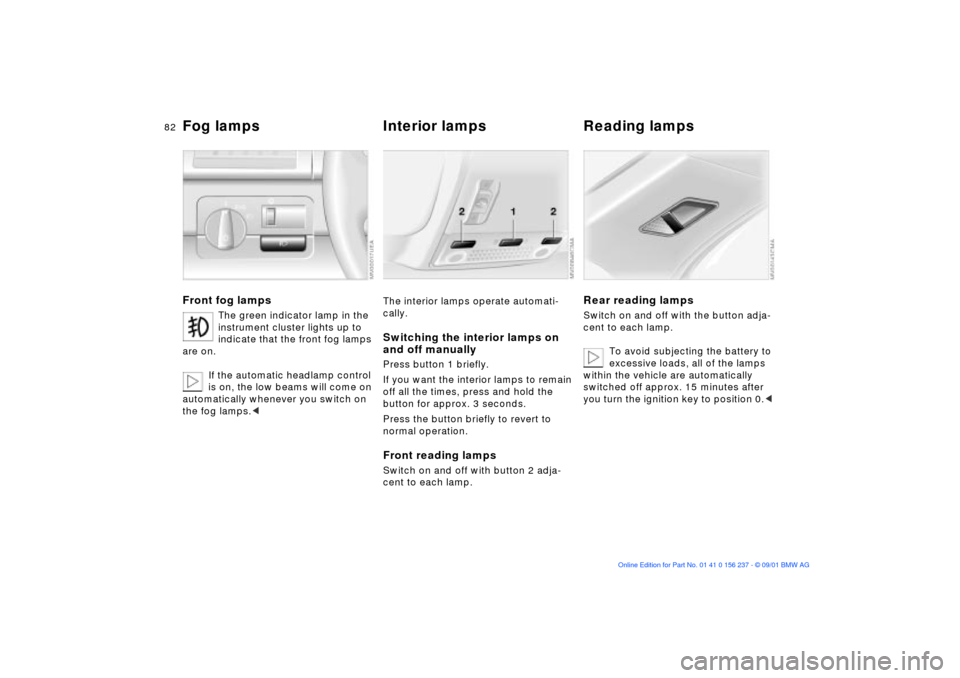
Fog lamps
Interior lamps Reading lamps
Front fog lamps
The green indicator lamp in the
instrument cluster lights up to
indicate that the front fog lamps
are on.
If the automatic headlamp control
is on, the low beams will come on
automatically whenever you switch on
the fog lamps.<
The interior lamps operate automati-
cally.Switching the interior lamps on
and off manuallyPress button 1 briefly.
If you want the interior lamps to remain
off all the times, press and hold the
button for approx. 3 seconds.
Press the button briefly to revert to
normal operation.Front reading lampsSwitch on and off with button 2 adja-
cent to each lamp.
Rear reading lampsSwitch on and off with the button adja-
cent to each lamp.
To avoid subjecting the battery to
excessive loads, all of the lamps
within the vehicle are automatically
switched off approx. 15 minutes after
you turn the ignition key to position 0.<
Page 145 of 151

Everything from A to Z
145n
OverviewControlsMaintenanceRepairsDataIndex
INSPECTION71
Instrument cluster15
Instrument lighting81
Instrument panel15
Interface socket
for Onboard
Diagnostics116
Interior lamps31, 82
remote control31
Interior motion
sensor37, 38
avoiding unintentional
alarms38
deactivate31
operating via remote
control31
Interior rearview mirror with
automatic dimming
feature49 J
Jump-starting131 K
Key28
with remote control28
Key Memory55
L
Lamps80, 120
LAMPS ON warning80
Lashing eyes97
LATCH child-restraint
system installation53
Leather care, refer to the
"Caring for your vehicle"
manual
Length137
License plate lamp
bulb replacement125t
Lighting, refer to lamps
Load-securing devices97
Locking luggage
compartment lid
separately34
Louvers83, 86
Low ambient
temperatures111
Low beams80
bulb replacement121t
Luggage compartment
capacity138
floor mat36
floor panel36
lighting34
operating via remote
control31 Luggage compartment
lid34
electrical malfunction34
emergency release from
luggage compartment's
interior36
locking it separately34
manual operation34t
Luggage rack97
Lumbar support,
adjusting43
M
M Engine dynamics
control79
M+S-tires106
Maintenance71, 114
Malfunction displays72
Manual operation
doors29t
fuel filler door22t
luggage compartment
lid34t
sliding/tilt sunroof41t
Manual transmission58
Master key28 MFL (Multifunction steering
wheel)21
Microfilter85, 89
Mirror memory46
Mirrors48
automatic curb
monitor48
Modifications,
technical10, 115
Multifunction steering wheel
(MFL)21
N
Navigation system, refer to
the "Onboard Computer
Owner's Manual"
Neckrest44 O
OBD interface socket116
Obstruction protection39
Odometer70
Oil
additives111
capacity139
quality111
specifications111
viscosity111