steering BMW M3 COUPE 2003 E46 User Guide
[x] Cancel search | Manufacturer: BMW, Model Year: 2003, Model line: M3 COUPE, Model: BMW M3 COUPE 2003 E46Pages: 158, PDF Size: 4.18 MB
Page 65 of 158
65
Sequential M gearbox SMG II*The conceptThe sequential M gearbox SMG II is an
automated manual gearbox with which
clutching and shifting is assumed by an
electro-hydraulic system.
The SMG II is operated via two shift
paddles on the steering wheel and the
selector lever in the center console.
It offers the following functions:
>Sequential and automated shifting
mode
>Ability to choose between different
driving programs – Drivelogic
>Gradient assistance, refer to page 68
>Upshift display and shift lights, refer
to page 69
>RPM matching on downshifts
>Driving dependent functions:
The respective driving situation, e.g.
cornering, mountain driving or brak-
ing, is detected by sensors and taken
into account for shifting, e.g. to
achieve optimum gear selection dur-
ing deceleration and subsequent
acceleration
>Slip recognition at the rear axle for
increasing driving stability, e.g. dur-
ing downshifting on slippery road
surfaces
>Operating safety through protection
against misshifting.Under normal operating conditions, fuel
consumption is lowest when driving in
the first driving program of the auto-
mated shifting mode.
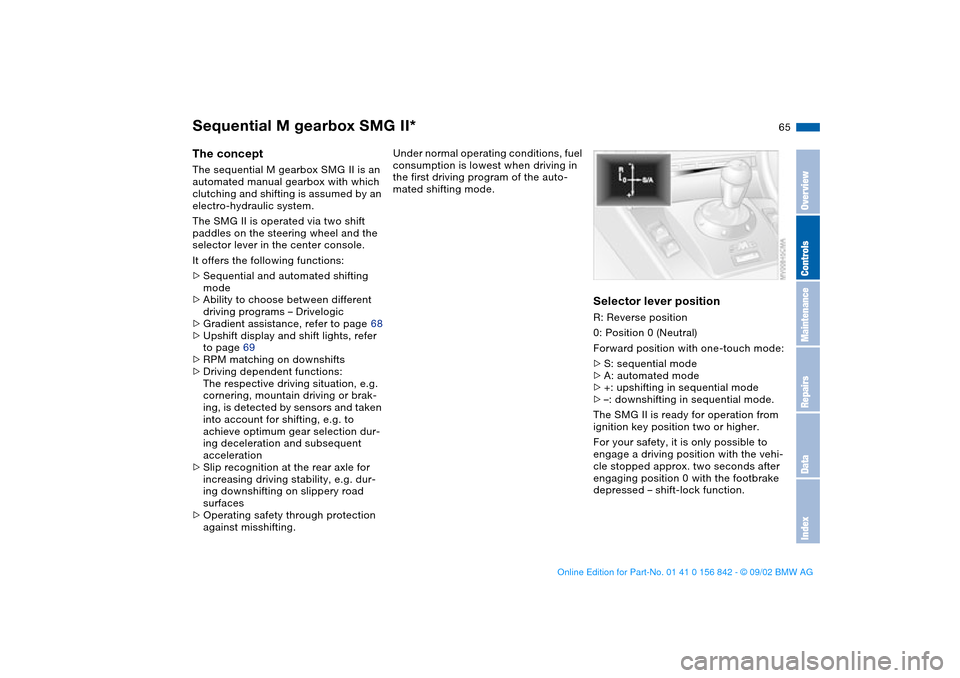
Selector lever positionR: Reverse position
0: Position 0 (Neutral)
Forward position with one-touch mode:
>S: sequential mode
>A: automated mode
>+: upshifting in sequential mode
>–: downshifting in sequential mode.
The SMG II is ready for operation from
ignition key position two or higher.
For your safety, it is only possible to
engage a driving position with the vehi-
cle stopped approx. two seconds after
engaging position 0 with the footbrake
depressed – shift-lock function.
OverviewControlsMaintenanceRepairsDataIndex
handbook.book Page 65 Saturday, July 27, 2002 1:12 PM
Page 66 of 158
66
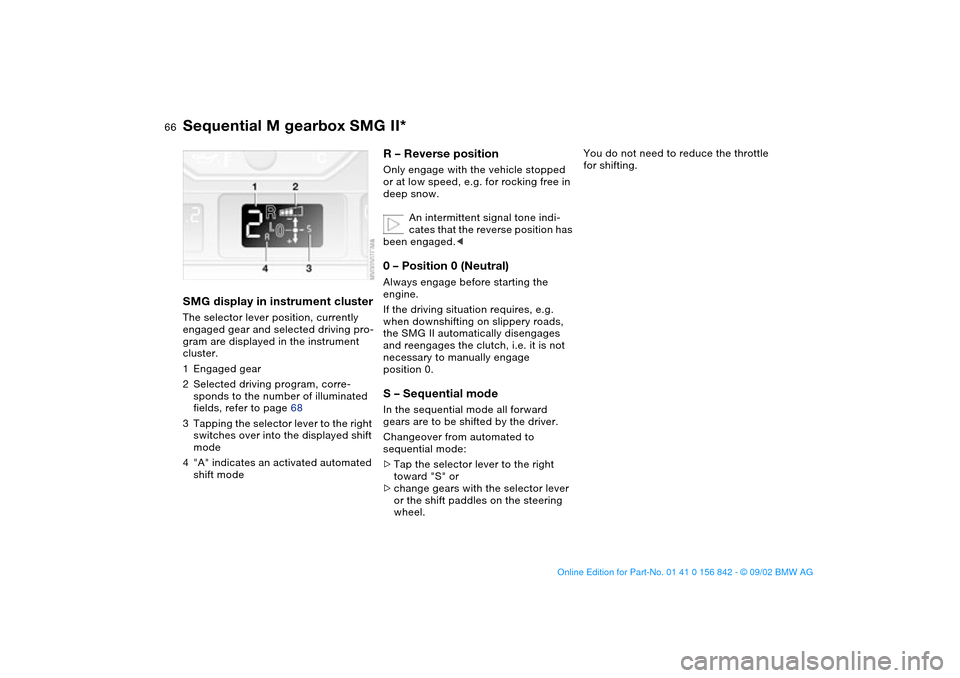
SMG display in instrument clusterThe selector lever position, currently
engaged gear and selected driving pro-
gram are displayed in the instrument
cluster.
1Engaged gear
2Selected driving program, corre-
sponds to the number of illuminated
fields, refer to page 68
3Tapping the selector lever to the right
switches over into the displayed shift
mode
4"A" indicates an activated automated
shift mode
R – Reverse position Only engage with the vehicle stopped
or at low speed, e.g. for rocking free in
deep snow.
An intermittent signal tone indi-
cates that the reverse position has
been engaged.<0 – Position 0 (Neutral)Always engage before starting the
engine.
If the driving situation requires, e.g.
when downshifting on slippery roads,
the SMG II automatically disengages
and reengages the clutch, i.e. it is not
necessary to manually engage
position 0.S – Sequential modeIn the sequential mode all forward
gears are to be shifted by the driver.
Changeover from automated to
sequential mode:
>Tap the selector lever to the right
toward "S" or
>change gears with the selector lever
or the shift paddles on the steering
wheel.
You do not need to reduce the throttle
for shifting.
Sequential M gearbox SMG II*
handbook.book Page 66 Saturday, July 27, 2002 1:12 PM
Page 67 of 158
67
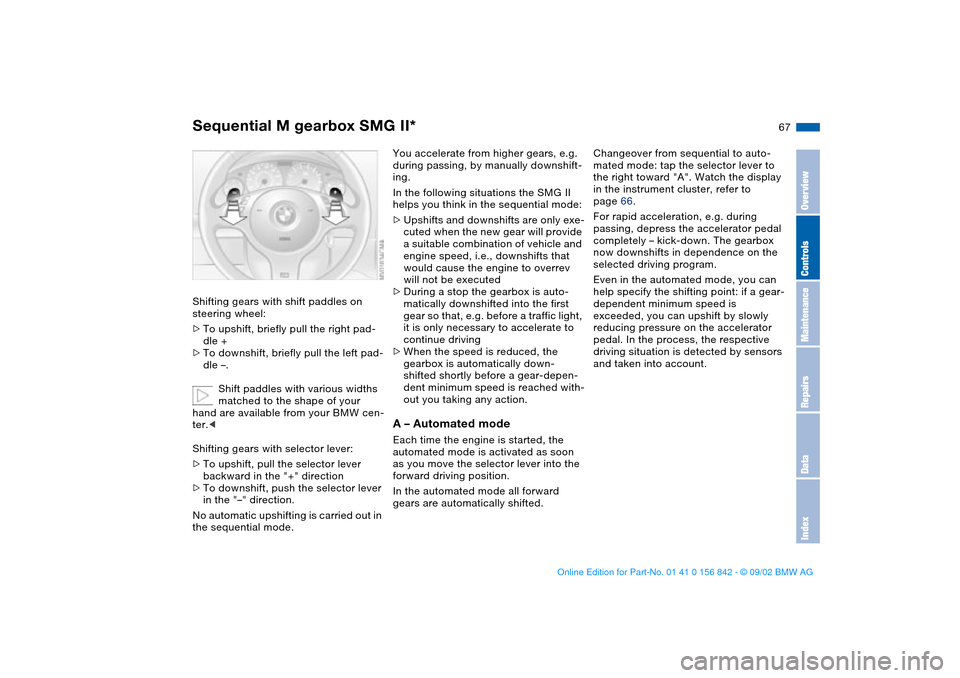
Shifting gears with shift paddles on
steering wheel:
>To upshift, briefly pull the right pad-
dle +
>To downshift, briefly pull the left pad-
dle –.
Shift paddles with various widths
matched to the shape of your
hand are available from your BMW cen-
ter.<
Shifting gears with selector lever:
>To upshift, pull the selector lever
backward in the "+" direction
>To downshift, push the selector lever
in the "–" direction.
No automatic upshifting is carried out in
the sequential mode.
You accelerate from higher gears, e.g.
during passing, by manually downshift-
ing.
In the following situations the SMG II
helps you think in the sequential mode:
>Upshifts and downshifts are only exe-
cuted when the new gear will provide
a suitable combination of vehicle and
engine speed, i.e., downshifts that
would cause the engine to overrev
will not be executed
>During a stop the gearbox is auto-
matically downshifted into the first
gear so that, e.g. before a traffic light,
it is only necessary to accelerate to
continue driving
>When the speed is reduced, the
gearbox is automatically down-
shifted shortly before a gear-depen-
dent minimum speed is reached with-
out you taking any action.A – Automated modeEach time the engine is started, the
automated mode is activated as soon
as you move the selector lever into the
forward driving position.
In the automated mode all forward
gears are automatically shifted.Changeover from sequential to auto-
mated mode: tap the selector lever to
the right toward "A". Watch the display
in the instrument cluster, refer to
page 66.
For rapid acceleration, e.g. during
passing, depress the accelerator pedal
completely – kick-down. The gearbox
now downshifts in dependence on the
selected driving program.
Even in the automated mode, you can
help specify the shifting point: if a gear-
dependent minimum speed is
exceeded, you can upshift by slowly
reducing pressure on the accelerator
pedal. In the process, the respective
driving situation is detected by sensors
and taken into account.
Sequential M gearbox SMG II*
OverviewControlsMaintenanceRepairsDataIndex
handbook.book Page 67 Saturday, July 27, 2002 1:12 PM
Page 78 of 158
78
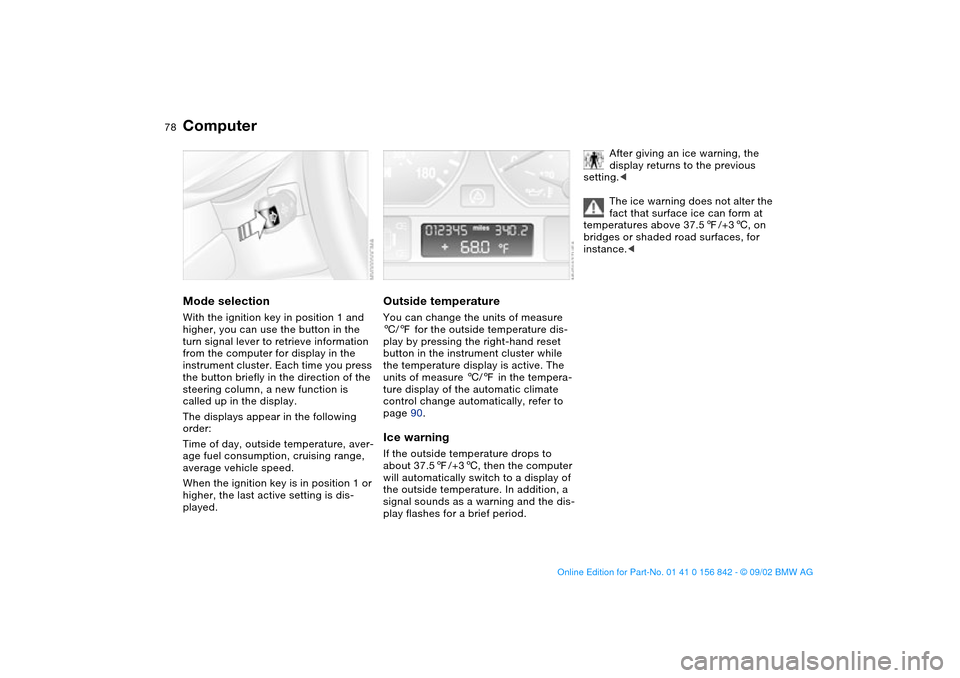
ComputerMode selectionWith the ignition key in position 1 and
higher, you can use the button in the
turn signal lever to retrieve information
from the computer for display in the
instrument cluster. Each time you press
the button briefly in the direction of the
steering column, a new function is
called up in the display.
The displays appear in the following
order:
Time of day, outside temperature, aver-
age fuel consumption, cruising range,
average vehicle speed.
When the ignition key is in position 1 or
higher, the last active setting is dis-
played.
Outside temperatureYou can change the units of measure
6/7 for the outside temperature dis-
play by pressing the right-hand reset
button in the instrument cluster while
the temperature display is active. The
units of measure 6/7 in the tempera-
ture display of the automatic climate
control change automatically, refer to
page 90.Ice warningIf the outside temperature drops to
about 37.57/+36, then the computer
will automatically switch to a display of
the outside temperature. In addition, a
signal sounds as a warning and the dis-
play flashes for a brief period.
After giving an ice warning, the
display returns to the previous
setting.<
The ice warning does not alter the
fact that surface ice can form at
temperatures above 37.57/+36, on
bridges or shaded road surfaces, for
instance.<
handbook.book Page 78 Saturday, July 27, 2002 1:12 PM
Page 81 of 158
81
Dynamic Stability Control (DSC)The conceptDSC maintains vehicle stability, even in
critical driving situations.
The system optimizes vehicle stability
during acceleration and when starting
from a full stop, as well as optimizing
traction. In addition, it recognizes
unstable vehicle conditions, such as
understeering or oversteering, and,
within physically feasible limits, helps
keeping the vehicle on a steady course
by reducing the engine speed and
brake applications to the individual
wheels.
DSC starts up automatically each time
you start the engine.
The laws of physics cannot be
repealed, even with DSC. The
results of driving irresponsibly rest with
the driver. We therefore urge you to
avoid using the additional safety margin
of the system as an excuse for taking
risks.
Do not make any modifications to the
DSC system. Allow only authorized
technicians to perform service proce-
dures on the DSC. At first, you may
need some time to become accus-
tomed to this system's intervention.
However, it guarantees optimum drive
force and at the same time, the best
possible vehicle stability.
ment cluster will go out shortly
after the ignition has been
switched on, refer to page 20.
>Indicator lamp flashes: DSC is active
and is controlling the drive torque
based on driving conditions
>If the indicator lamp fails to go out
after the engine has been started, or
if it comes on during normal driving
and stays on: DSC has been deacti-
vated via the button or is defective.
You can continue to drive the vehicle
normally, but without DSC. Please
consult your BMW center for repairs.
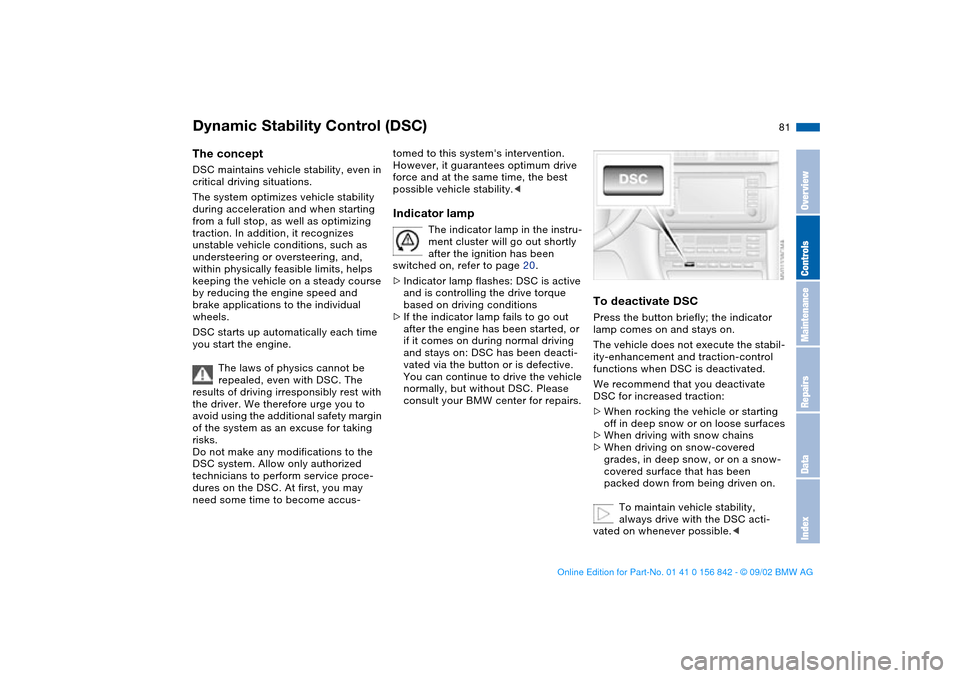
To deactivate DSCPress the button briefly; the indicator
lamp comes on and stays on.
The vehicle does not execute the stabil-
ity-enhancement and traction-control
functions when DSC is deactivated.
We recommend that you deactivate
DSC for increased traction:
>When rocking the vehicle or starting
off in deep snow or on loose surfaces
>When driving with snow chains
>When driving on snow-covered
grades, in deep snow, or on a snow-
covered surface that has been
packed down from being driven on.
To maintain vehicle stability,
always drive with the DSC acti-
vated on whenever possible.<
OverviewControlsMaintenanceRepairsDataIndex
handbook.book Page 81 Saturday, July 27, 2002 1:12 PM
Page 84 of 158
84
Flat tire
The red warning lamp in the
instrument cluster lights up to
warn of pressure loss and tire
failure. In addition, an acoustic signal is
sounded. To come to an immediate
stop, reduce speed, while avoiding any
sudden, jerky braking or steering
maneuvers.
Fix the flat tire using the M Mobility sys-
tem, refer to page 133.
To reset the warning lamp: the red indi-
cator lamp has to be switched off man-
ually after putting on a new wheel. At
this point, hold the Flat Tire Monitor
button down until the indicator lamp
goes out. Reinitialize the system after-
ward.
The Flat Tire Monitor cannot pro-
vide you with advance warning of
sudden and severe tire damage caused
by external factors.
Another factor which the Flat Tire Moni-
tor does not recognize is the balanced
and very gradual pressure loss that
takes place in all tires over an extended
period of time.<
Check tire inflation pressures on a
regular basis, correcting them as
necessary, refer to page 25.
Under certain circumstances, there
may be false warnings or a delayed
detection of losses in pressure when
driving on snow-covered or slippery
road surfaces.
Performance-oriented driving, slip at
the drive wheels and high levels of lat-
eral acceleration can also delay the
appearance of status reports in the Flat
Tire Monitor's display panel.<
System malfunctionsAs long as there is still a malfunction,
the indicator lamp in the instrument
cluster will stay lit up yellow.
Please contact your BMW center for
additional information.
Flat Tire Monitor
handbook.book Page 84 Saturday, July 27, 2002 1:12 PM
Page 103 of 158
103
Securing the cargo in the luggage
compartment >For small, light items, use the rubber-
lined non-skid side of the floor mat or
secure with a luggage compartment
net* or elastic straps, refer to page 37
>For large, heavy pieces, see your
BMW center for load-securing
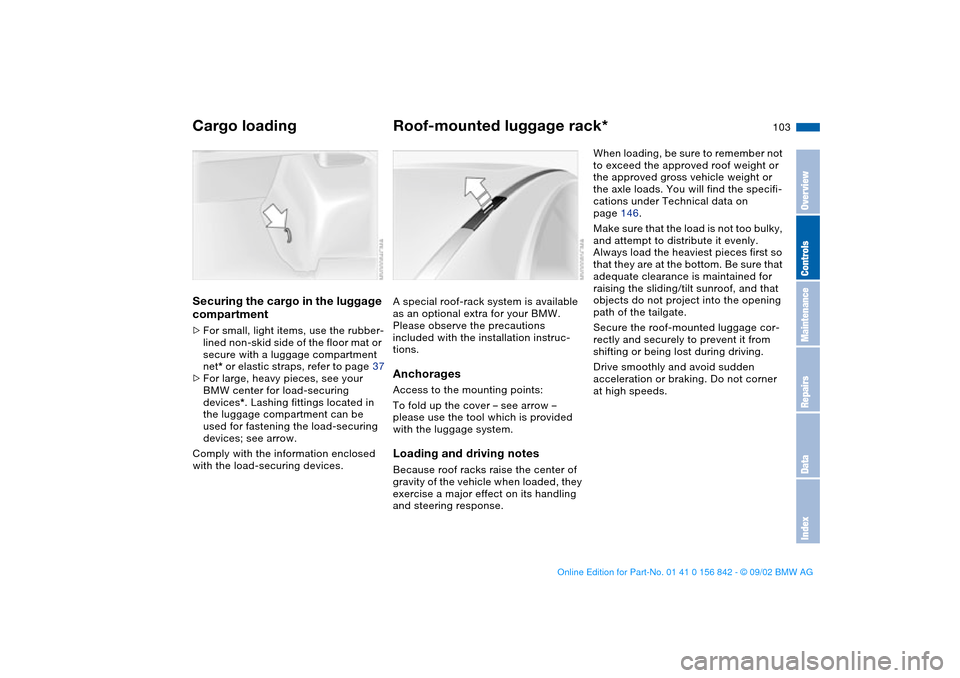
devices*. Lashing fittings located in
the luggage compartment can be
used for fastening the load-securing
devices; see arrow.
Comply with the information enclosed
with the load-securing devices.
Roof-mounted luggage rack*A special roof-rack system is available
as an optional extra for your BMW.
Please observe the precautions
included with the installation instruc-
tions.AnchoragesAccess to the mounting points:
To fold up the cover – see arrow –
please use the tool which is provided
with the luggage system.Loading and driving notesBecause roof racks raise the center of
gravity of the vehicle when loaded, they
exercise a major effect on its handling
and steering response.
When loading, be sure to remember not
to exceed the approved roof weight or
the approved gross vehicle weight or
the axle loads. You will find the specifi-
cations under Technical data on
page 146.
Make sure that the load is not too bulky,
and attempt to distribute it evenly.
Always load the heaviest pieces first so
that they are at the bottom. Be sure that
adequate clearance is maintained for
raising the sliding/tilt sunroof, and that
objects do not project into the opening
path of the tailgate.
Secure the roof-mounted luggage cor-
rectly and securely to prevent it from
shifting or being lost during driving.
Drive smoothly and avoid sudden
acceleration or braking. Do not corner
at high speeds.
Cargo loading
OverviewControlsMaintenanceRepairsDataIndex
handbook.book Page 103 Saturday, July 27, 2002 1:12 PM
Page 107 of 158
107
Driving notes
Brakes: do not rest your foot on
the brake pedal while driving.
Even light but consistent pedal pres-
sure can lead to high temperatures,
brake wear and possibly even brake
failure.
Hydroplaning: when driving on wet or
slushy roads, reduce road speed. If you
do not, a wedge of water can form
between tires and road surface. This
phenomenon is referred to as hydro-
planing, and can lead to partial or com-
plete loss of traction, vehicle control
and braking effectiveness.
Driving through water: do not drive
through water on the road if it is deeper
than 1 ft/30 cm, and then only at walk-
ing speed. Otherwise, the vehicle's
engine, the electrical systems and the
transmission may be damaged.
Rear parcel tray: never use it to store
heavy or hard objects; otherwise, occu-
pants could be injured if the vehicle is
braked hard.
Clothes hooks: when suspending cloth-
ing from the hooks, be sure that they
will not obstruct the driver's vision. Do
not hang heavy objects on the hooks. If
you do so, they could cause personal
injury during braking or evasive maneu-
vers.<
Antilock Brake System (ABS)The conceptABS keeps the wheels from locking
during braking, thereby enhancing
active driving safety.Braking with ABSIf you are in a situation that requires full
braking, you will exploit the full benefits
of the ABS system if you apply maxi-
mum pedal pressure – panic stop.
Since the vehicle maintains steering
responsiveness, you can avoid possible
obstacles with a minimum of steering
effort, despite the full brake application.
Pulsation at the brake pedal combines
with sounds from the hydraulic circuits
to indicate to the driver that ABS is in
its active mode.Cornering Brake Control (CBC)CBC is an advanced engineering
design of the ABS. When braking while
cornering at high speed or braking dur-
ing high lateral acceleration, or when
braking during a lane change, vehicle
stability is improved and steering
response is enhanced.
OverviewControlsMaintenanceRepairsDataIndex
handbook.book Page 107 Saturday, July 27, 2002 1:12 PM
Page 108 of 158
108
Brake systemBrake fluid levelLow brake fluid level in the reservoir
combined with longer than usual pedal
travel may indicate a defect in one of
the brake system's hydraulic circuits.
Proceed to the nearest BMW cen-
ter. Higher brake application pres-
sure may be necessary when stopping,
and the vehicle may exhibit a slight ten-
dency to pull to one side. Brake dis-
tances may even be longer. Please
remember to adapt your driving style
accordingly.
the vehicle is not used at all, and in
operating conditions where brake appli-
cations are less frequent, there is an
increased tendency for corrosion of the
rotors and accumulation of contamina-
tion on the brake pads. This occurs
because the minimal pressure that must
be exerted by the pads to clean the
rotors by brake applications is not
reached.
Corrosion on brake rotors is signaled by
a running or pulsation during braking;
even extended subsequent braking will
not cure this phenomenon.
It is a good idea to periodically dry the
brakes with a gentle application when
driving in rain and on wet roads. Watch
traffic conditions to ensure that this
maneuver does not endanger other
road users. The heat generated in this
process helps dry the pads and rotors
to ensure that your brake system will
respond with undiminished efficiency
when you need it.
Extended or steep mountain descents
should be driven in the gear in which
only minimal periodic brake applica-
tions are required. This helps avoid
placing excessive loads on the brake
system. Stay within the allowable rpm
range. For additional information, refer
to page 74.
Do not coast with the clutch
depressed or with the gearshift
lever in idle. Do not coast with the
engine switched off. If you do so the
engine provides no braking effect and
there is no power assist for braking or
steering when the engine is not run-
ning.<
Brake pads
For your own safety: use only
brake pads which BMW has
approved for your specific vehicle
model. BMW cannot evaluate non-
approved brake pads to determine if
they are suitable for use, and therefore
cannot ensure the operating safety of
the vehicle if they are installed.<
handbook.book Page 108 Saturday, July 27, 2002 1:12 PM
Page 109 of 158
109 Wheels and tires
Tire inflation pressureInformation for your safetyThe factory-approved tires are matched
to your vehicle and have been selected
to provide optimum safety and driving
comfort when used properly.
It is not merely the tire's service life, but
also driving comfort and – above all else
– driving safety that depend on the con-
dition of the tires and the maintenance
of the specified tire pressure.
Incorrect tire inflation pressure is
a frequent cause of tire damage. It
also significantly influences the road-
holding ability of your BMW. Check tire
inflation pressures on a regular basis,
refer to page 25, at least every two
weeks and before beginning a longer
trip. Incorrect tire pressure can other-
wise lead to driving instability, tire dam-
age and accidents.<
Tire conditionTire tread – tire damageInspect your tires frequently for tread
wear, signs of damage and for foreign
objects lodged in the tread. Check the
tread depth.
Tread depth should not be allowed to
go below 1/8 in / 3 mm, even though
the legally specified minimum tread
depth is only 1/16 in / 1.6 mm.
Below 1/8 in / 3 mm tread depth, there
is a great risk of hydroplaning, even at
relatively moderate speeds and with
only small amounts of water on the
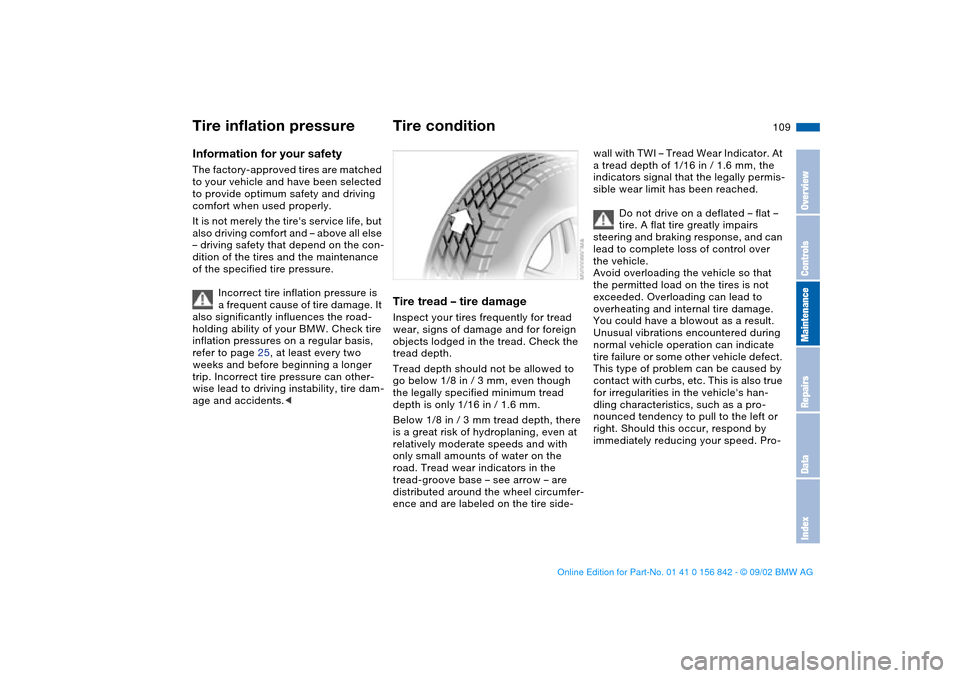
road. Tread wear indicators in the
tread-groove base – see arrow – are
distributed around the wheel circumfer-
ence and are labeled on the tire side-
wall with TWI – Tread Wear Indicator. At
a tread depth of 1/16 in / 1.6 mm, the
indicators signal that the legally permis-
sible wear limit has been reached.
Do not drive on a deflated – flat –
tire. A flat tire greatly impairs
steering and braking response, and can
lead to complete loss of control over
the vehicle.
Avoid overloading the vehicle so that
the permitted load on the tires is not
exceeded. Overloading can lead to
overheating and internal tire damage.
You could have a blowout as a result.
Unusual vibrations encountered during
normal vehicle operation can indicate
tire failure or some other vehicle defect.
This type of problem can be caused by
contact with curbs, etc. This is also true
for irregularities in the vehicle's han-
dling characteristics, such as a pro-
nounced tendency to pull to the left or
right. Should this occur, respond by
immediately reducing your speed. Pro-
OverviewControlsMaintenanceRepairsDataIndex
handbook.book Page 109 Saturday, July 27, 2002 1:12 PM