maintenance BMW M3 COUPE 2003 E46 Owner's Guide
[x] Cancel search | Manufacturer: BMW, Model Year: 2003, Model line: M3 COUPE, Model: BMW M3 COUPE 2003 E46Pages: 158, PDF Size: 4.18 MB
Page 67 of 158
67
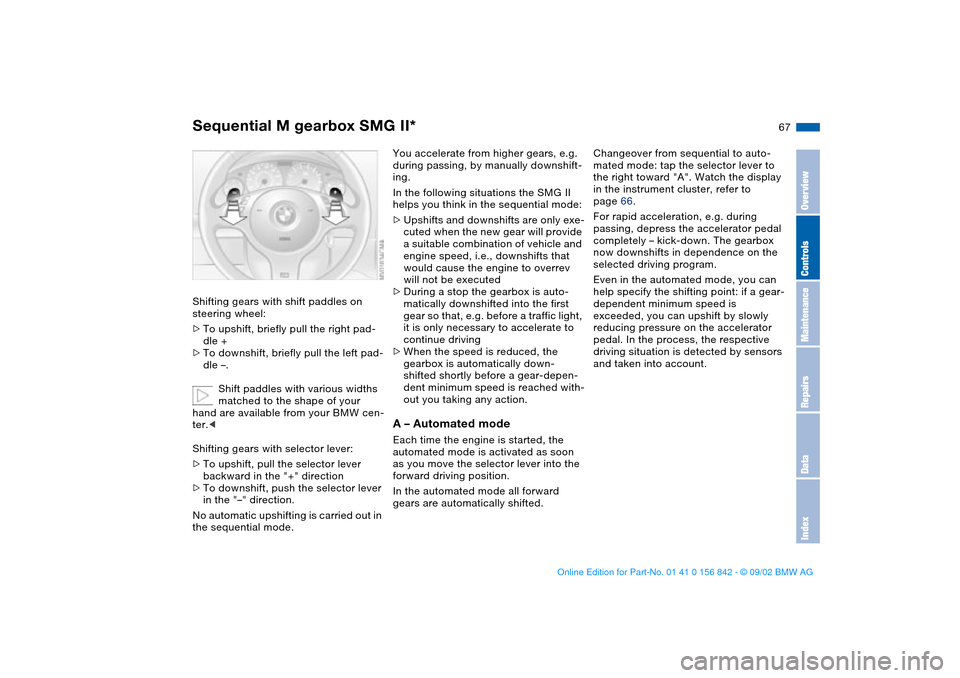
Shifting gears with shift paddles on
steering wheel:
>To upshift, briefly pull the right pad-
dle +
>To downshift, briefly pull the left pad-
dle –.
Shift paddles with various widths
matched to the shape of your
hand are available from your BMW cen-
ter.<
Shifting gears with selector lever:
>To upshift, pull the selector lever
backward in the "+" direction
>To downshift, push the selector lever
in the "–" direction.
No automatic upshifting is carried out in
the sequential mode.
You accelerate from higher gears, e.g.
during passing, by manually downshift-
ing.
In the following situations the SMG II
helps you think in the sequential mode:
>Upshifts and downshifts are only exe-
cuted when the new gear will provide
a suitable combination of vehicle and
engine speed, i.e., downshifts that
would cause the engine to overrev
will not be executed
>During a stop the gearbox is auto-
matically downshifted into the first
gear so that, e.g. before a traffic light,
it is only necessary to accelerate to
continue driving
>When the speed is reduced, the
gearbox is automatically down-
shifted shortly before a gear-depen-
dent minimum speed is reached with-
out you taking any action.A – Automated modeEach time the engine is started, the
automated mode is activated as soon
as you move the selector lever into the
forward driving position.
In the automated mode all forward
gears are automatically shifted.Changeover from sequential to auto-
mated mode: tap the selector lever to
the right toward "A". Watch the display
in the instrument cluster, refer to
page 66.
For rapid acceleration, e.g. during
passing, depress the accelerator pedal
completely – kick-down. The gearbox
now downshifts in dependence on the
selected driving program.
Even in the automated mode, you can
help specify the shifting point: if a gear-
dependent minimum speed is
exceeded, you can upshift by slowly
reducing pressure on the accelerator
pedal. In the process, the respective
driving situation is detected by sensors
and taken into account.
Sequential M gearbox SMG II*
OverviewControlsMaintenanceRepairsDataIndex
handbook.book Page 67 Saturday, July 27, 2002 1:12 PM
Page 69 of 158
69
Indicator lamp
The transmission indicator lamp
in the instrument cluster goes
out after the engine is started.
>If it does not go out, or if it lights up
during driving, a fault has occurred.
The available functions may be lim-
ited under certain circumstances.
Drive carefully and with the Dynamic
Stability Control (DSC) activated.
Have the system checked by the
nearest BMW center
>If the indicator lamp flashes while
driving, the system is overloaded.
Avoid high loads until the indicator
lamp goes out again permanently.
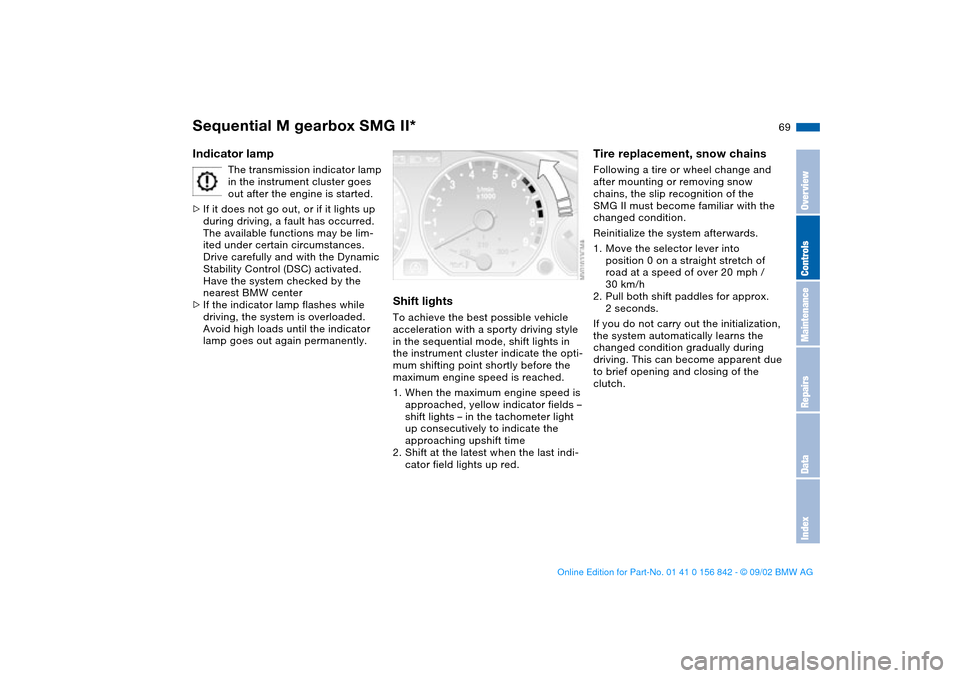
Shift lightsTo achieve the best possible vehicle
acceleration with a sporty driving style
in the sequential mode, shift lights in
the instrument cluster indicate the opti-
mum shifting point shortly before the
maximum engine speed is reached.
1. When the maximum engine speed is
approached, yellow indicator fields –
shift lights – in the tachometer light
up consecutively to indicate the
approaching upshift time
2. Shift at the latest when the last indi-
cator field lights up red.
Tire replacement, snow chainsFollowing a tire or wheel change and
after mounting or removing snow
chains, the slip recognition of the
SMG II must become familiar with the
changed condition.
Reinitialize the system afterwards.
1. Move the selector lever into
position 0 on a straight stretch of
road at a speed of over 20 mph /
30 km/h
2. Pull both shift paddles for approx.
2 seconds.
If you do not carry out the initialization,
the system automatically learns the
changed condition gradually during
driving. This can become apparent due
to brief opening and closing of the
clutch.
Sequential M gearbox SMG II*
OverviewControlsMaintenanceRepairsDataIndex
handbook.book Page 69 Saturday, July 27, 2002 1:12 PM
Page 71 of 158
71
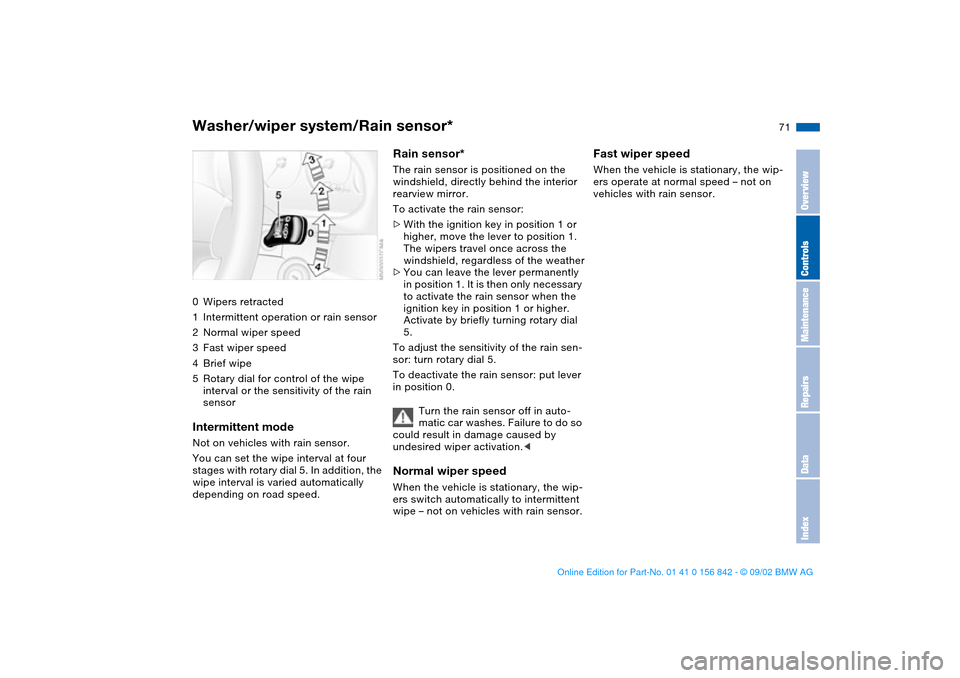
Washer/wiper system/Rain sensor*0Wipers retracted
1Intermittent operation or rain sensor
2Normal wiper speed
3Fast wiper speed
4Brief wipe
5Rotary dial for control of the wipe
interval or the sensitivity of the rain
sensorIntermittent modeNot on vehicles with rain sensor.
You can set the wipe interval at four
stages with rotary dial 5. In addition, the
wipe interval is varied automatically
depending on road speed.
Rain sensor*The rain sensor is positioned on the
windshield, directly behind the interior
rearview mirror.
To activate the rain sensor:
>With the ignition key in position 1 or
higher, move the lever to position 1.
The wipers travel once across the
windshield, regardless of the weather
>You can leave the lever permanently
in position 1. It is then only necessary
to activate the rain sensor when the
ignition key in position 1 or higher.
Activate by briefly turning rotary dial
5.
To adjust the sensitivity of the rain sen-
sor: turn rotary dial 5.
To deactivate the rain sensor: put lever
in position 0.
Turn the rain sensor off in auto-
matic car washes. Failure to do so
could result in damage caused by
undesired wiper activation.
wipe – not on vehicles with rain sensor.
Fast wiper speedWhen the vehicle is stationary, the wip-
ers operate at normal speed – not on
vehicles with rain sensor.
OverviewControlsMaintenanceRepairsDataIndex
handbook.book Page 71 Saturday, July 27, 2002 1:12 PM
Page 73 of 158
73
Cruise control is also deactivated when
the ignition key is in position 0.
The speed stored in memory is deleted.To store and maintain speed or to
acceleratePress button "+" briefly.
The system stores and maintains the
current vehicle speed. Every time you
tap the button, the speed increases by
0.6 mph / 1 km/h.
Press and hold button "+":
The vehicle accelerates without pres-
sure on the accelerator pedal. When
you release the button, the system
stores and maintains the current speed.
If on a downhill gradient the
engine braking effect is not suffi-
cient, the controlled speed can be
exceeded. Speed can drop on uphill
grades if the engine output is insuffi-
cient.
of the button reduces the speed by
approx. 0.6 mph / 1 km/h.
Press and hold button "–":
With the cruise control active, the sys-
tem automatically reduces the throttle
opening to slow the vehicle. When you
release the button, the system stores
and maintains the current speed.To interrupt the cruise controlWhen the system is activated, press the
button. The indicator lamp stays on.
You can use the cruise control again
whenever you want by calling up the
speed that was stored last.
In addition, cruise control is interrupted
automatically:
>When the brakes are applied
>When pressing down the clutch pedal
>If you exceed or fall below the pro-
grammed speed for an extended
period – by depressing the accelera-
tor, for example
>Sequential M gearbox SMG II – refer
to page 65: when shifting in the
sequential mode.
To recall the stored settingPress button:
The vehicle accelerates to and main-
tains the last speed stored.
Cruise control
OverviewControlsMaintenanceRepairsDataIndex
handbook.book Page 73 Saturday, July 27, 2002 1:12 PM
Page 75 of 158
75
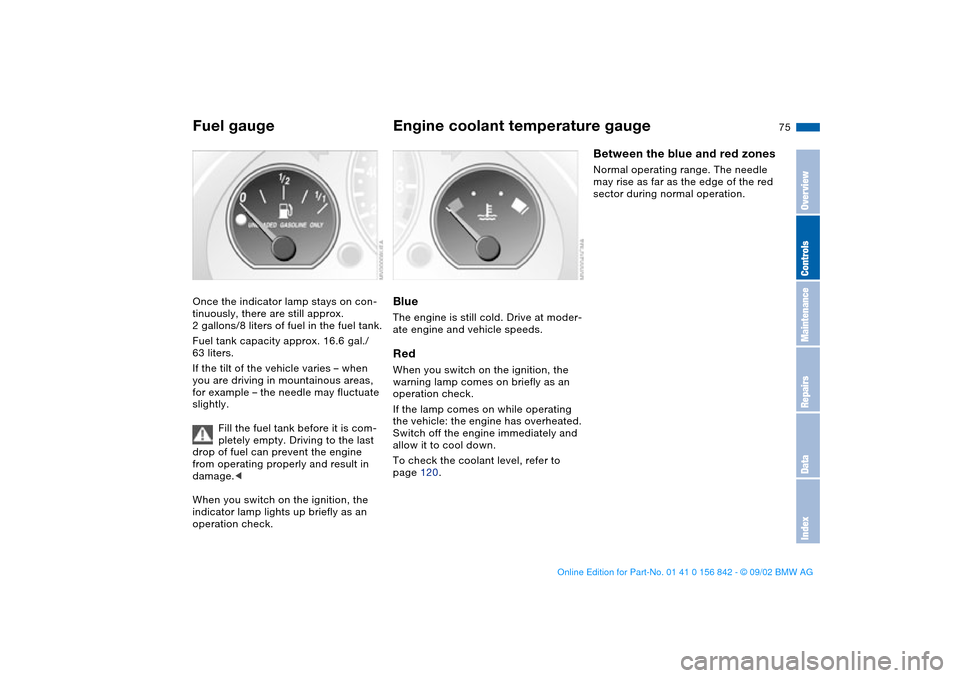
Fuel gaugeOnce the indicator lamp stays on con-
tinuously, there are still approx.
2 gallons/8 liters of fuel in the fuel tank.
Fuel tank capacity approx. 16.6 gal./
63 liters.
If the tilt of the vehicle varies – when
you are driving in mountainous areas,
for example – the needle may fluctuate
slightly.
Fill the fuel tank before it is com-
pletely empty. Driving to the last
drop of fuel can prevent the engine
from operating properly and result in
damage.<
When you switch on the ignition, the
indicator lamp lights up briefly as an
operation check.
Engine coolant temperature gaugeBlueThe engine is still cold. Drive at moder-
ate engine and vehicle speeds.RedWhen you switch on the ignition, the
warning lamp comes on briefly as an
operation check.
If the lamp comes on while operating
the vehicle: the engine has overheated.
Switch off the engine immediately and
allow it to cool down.
To check the coolant level, refer to
page 120.
Between the blue and red zonesNormal operating range. The needle
may rise as far as the edge of the red
sector during normal operation.
OverviewControlsMaintenanceRepairsDataIndex
handbook.book Page 75 Saturday, July 27, 2002 1:12 PM
Page 77 of 158
77
ClockIf you wish to have a permanent time
display, you can make this adjustment
in the car radio display*, refer to the
Owner's Manual for Radio.
You can set the time of day, and the
display for the car radio, as follows.
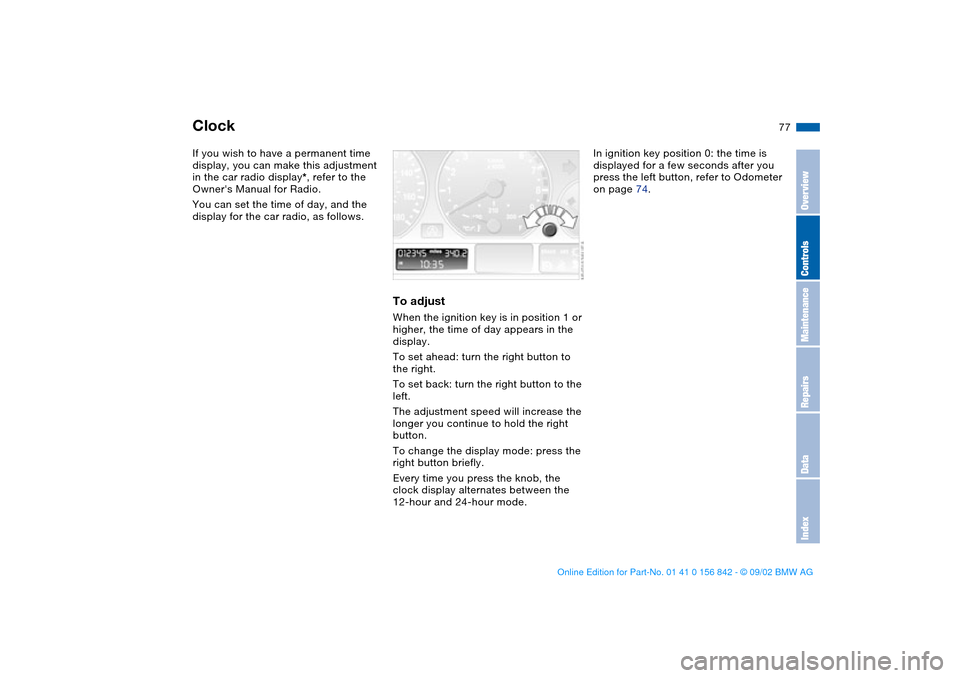
To adjustWhen the ignition key is in position 1 or
higher, the time of day appears in the
display.
To set ahead: turn the right button to
the right.
To set back: turn the right button to the
left.
The adjustment speed will increase the
longer you continue to hold the right
button.
To change the display mode: press the
right button briefly.
Every time you press the knob, the
clock display alternates between the
12-hour and 24-hour mode.
In ignition key position 0: the time is
displayed for a few seconds after you
press the left button, refer to Odometer
on page 74.
OverviewControlsMaintenanceRepairsDataIndex
handbook.book Page 77 Saturday, July 27, 2002 1:12 PM
Page 79 of 158
79
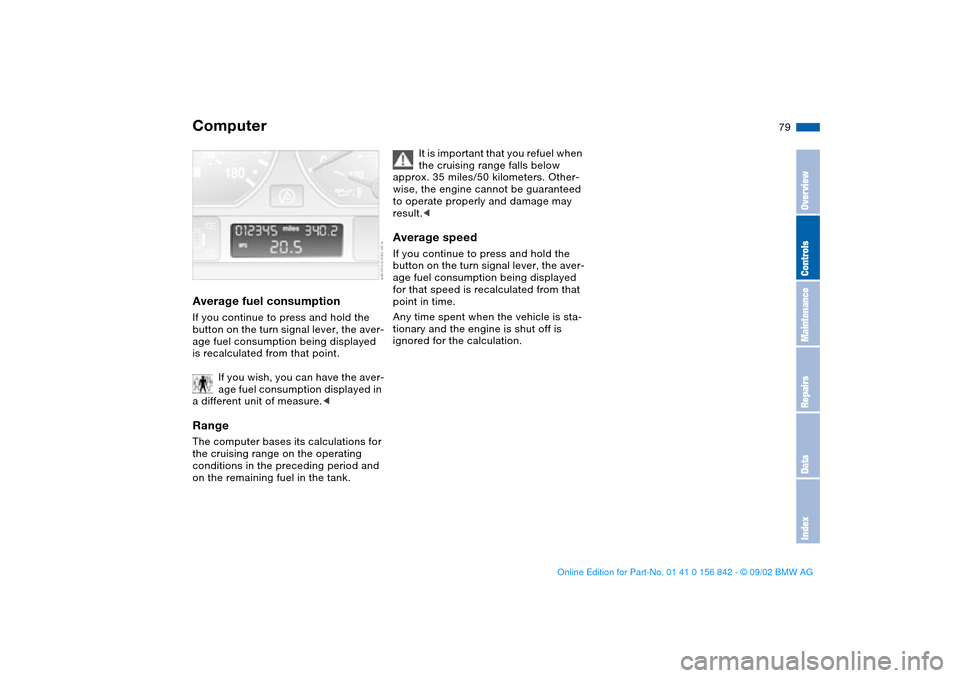
Average fuel consumptionIf you continue to press and hold the
button on the turn signal lever, the aver-
age fuel consumption being displayed
is recalculated from that point.
If you wish, you can have the aver-
age fuel consumption displayed in
a different unit of measure.
conditions in the preceding period and
on the remaining fuel in the tank.
It is important that you refuel when
the cruising range falls below
approx. 35 miles/50 kilometers. Other-
wise, the engine cannot be guaranteed
to operate properly and damage may
result.<
Average speedIf you continue to press and hold the
button on the turn signal lever, the aver-
age fuel consumption being displayed
for that speed is recalculated from that
point in time.
Any time spent when the vehicle is sta-
tionary and the engine is shut off is
ignored for the calculation.
Computer
OverviewControlsMaintenanceRepairsDataIndex
handbook.book Page 79 Saturday, July 27, 2002 1:12 PM
Page 81 of 158
81
Dynamic Stability Control (DSC)The conceptDSC maintains vehicle stability, even in
critical driving situations.
The system optimizes vehicle stability
during acceleration and when starting
from a full stop, as well as optimizing
traction. In addition, it recognizes
unstable vehicle conditions, such as
understeering or oversteering, and,
within physically feasible limits, helps
keeping the vehicle on a steady course
by reducing the engine speed and
brake applications to the individual
wheels.
DSC starts up automatically each time
you start the engine.
The laws of physics cannot be
repealed, even with DSC. The
results of driving irresponsibly rest with
the driver. We therefore urge you to
avoid using the additional safety margin
of the system as an excuse for taking
risks.
Do not make any modifications to the
DSC system. Allow only authorized
technicians to perform service proce-
dures on the DSC. At first, you may
need some time to become accus-
tomed to this system's intervention.
However, it guarantees optimum drive
force and at the same time, the best
possible vehicle stability.
ment cluster will go out shortly
after the ignition has been
switched on, refer to page 20.
>Indicator lamp flashes: DSC is active
and is controlling the drive torque
based on driving conditions
>If the indicator lamp fails to go out
after the engine has been started, or
if it comes on during normal driving
and stays on: DSC has been deacti-
vated via the button or is defective.
You can continue to drive the vehicle
normally, but without DSC. Please
consult your BMW center for repairs.
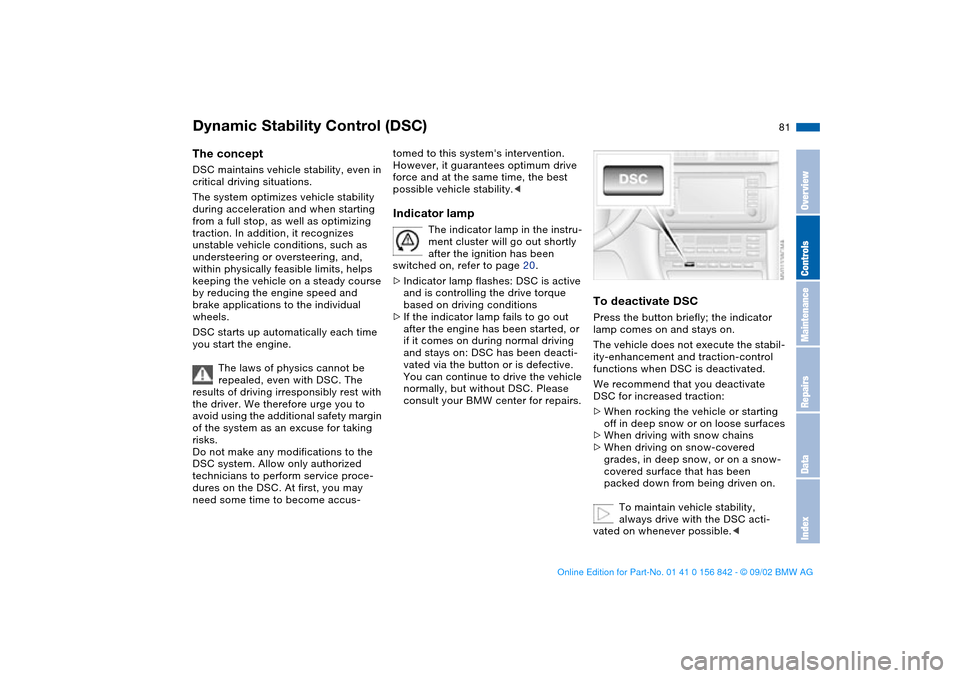
To deactivate DSCPress the button briefly; the indicator
lamp comes on and stays on.
The vehicle does not execute the stabil-
ity-enhancement and traction-control
functions when DSC is deactivated.
We recommend that you deactivate
DSC for increased traction:
>When rocking the vehicle or starting
off in deep snow or on loose surfaces
>When driving with snow chains
>When driving on snow-covered
grades, in deep snow, or on a snow-
covered surface that has been
packed down from being driven on.
To maintain vehicle stability,
always drive with the DSC acti-
vated on whenever possible.<
OverviewControlsMaintenanceRepairsDataIndex
handbook.book Page 81 Saturday, July 27, 2002 1:12 PM
Page 83 of 158
83
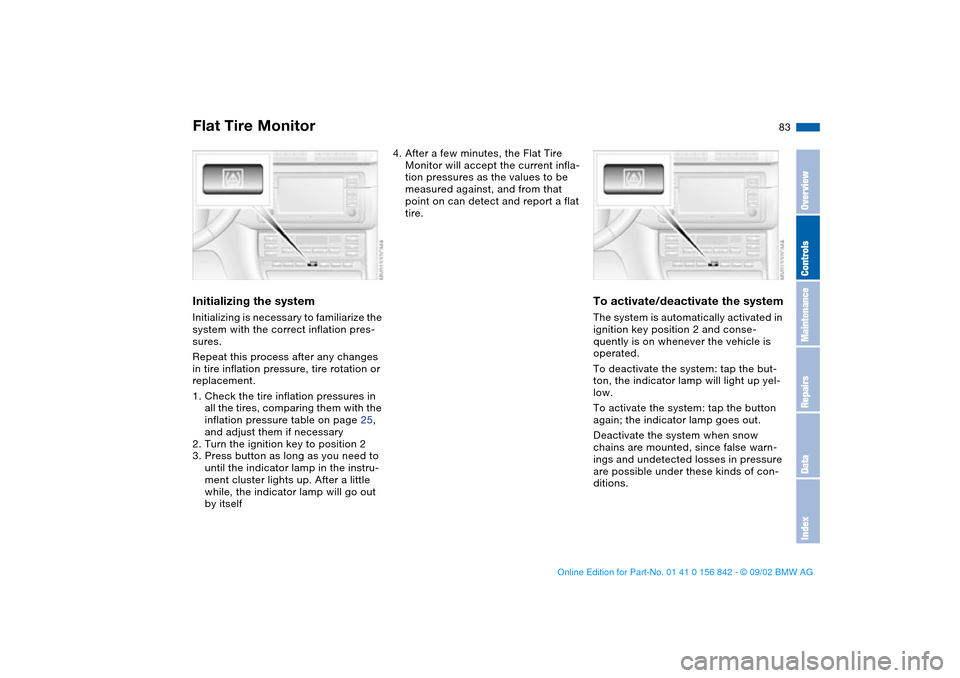
Initializing the systemInitializing is necessary to familiarize the
system with the correct inflation pres-
sures.
Repeat this process after any changes
in tire inflation pressure, tire rotation or
replacement.
1. Check the tire inflation pressures in
all the tires, comparing them with the
inflation pressure table on page 25,
and adjust them if necessary
2. Turn the ignition key to position 2
3. Press button as long as you need to
until the indicator lamp in the instru-
ment cluster lights up. After a little
while, the indicator lamp will go out
by itself
4. After a few minutes, the Flat Tire
Monitor will accept the current infla-
tion pressures as the values to be
measured against, and from that
point on can detect and report a flat
tire.
To activate/deactivate the systemThe system is automatically activated in
ignition key position 2 and conse-
quently is on whenever the vehicle is
operated.
To deactivate the system: tap the but-
ton, the indicator lamp will light up yel-
low.
To activate the system: tap the button
again; the indicator lamp goes out.
Deactivate the system when snow
chains are mounted, since false warn-
ings and undetected losses in pressure
are possible under these kinds of con-
ditions.
Flat Tire Monitor
OverviewControlsMaintenanceRepairsDataIndex
handbook.book Page 83 Saturday, July 27, 2002 1:12 PM
Page 85 of 158
85
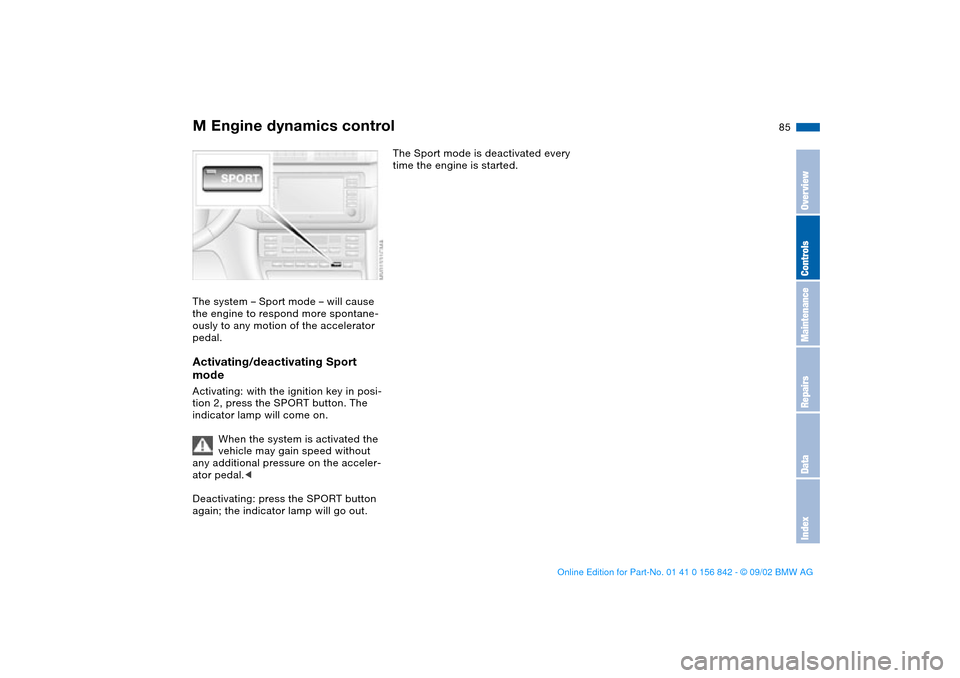
M Engine dynamics controlThe system – Sport mode – will cause
the engine to respond more spontane-
ously to any motion of the accelerator
pedal.Activating/deactivating Sport
modeActivating: with the ignition key in posi-
tion 2, press the SPORT button. The
indicator lamp will come on.
When the system is activated the
vehicle may gain speed without
any additional pressure on the acceler-
ator pedal.<
Deactivating: press the SPORT button
again; the indicator lamp will go out.
The Sport mode is deactivated every
time the engine is started.
OverviewControlsMaintenanceRepairsDataIndex
handbook.book Page 85 Saturday, July 27, 2002 1:12 PM