buttons BMW M3 COUPE 2003 E46 Owner's Manual
[x] Cancel search | Manufacturer: BMW, Model Year: 2003, Model line: M3 COUPE, Model: BMW M3 COUPE 2003 E46Pages: 158, PDF Size: 4.18 MB
Page 8 of 158
Contents
Notes
About this Owner's Manual4
Symbols used4
Your individual vehicle4
Status at time of printing5
For your own safety5
Symbol on vehicle parts6
Service and warranty6
Reporting safety defects6
Overview
Cockpit14
Instrument cluster16
Indicator and warning lamps18
Steering wheel with multifunction
buttons22
Hazard warning triangle*23
First-aid kit*23
Refueling24
Fuel specifications25
Tire inflation pressure25
Controls and features
Opening and closing:
Keys30
Central locking system30
Opening and closing – via the
remote control31
Opening and closing – via the
door lock33
Opening and closing – from the
inside34
Luggage compartment lid35
Luggage compartment37
Alarm system*38
Electric power windows40
Sliding/tilt sunroof*40
To adjust:
Safe seating position43
Seats44
Manual seat adjustment44
Power seat adjustment*45
Head restraints46
Entering the rear47
Safety belts47
Seat and mirror memory*49
Seat heating*50
Steering wheel51
Mirrors51
Passenger safety systems:
Airbags53
Transporting children safely55
Vehicle Memory, Key
Memory59
handbook.book Page 8 Saturday, July 27, 2002 1:12 PM
Page 20 of 158
20
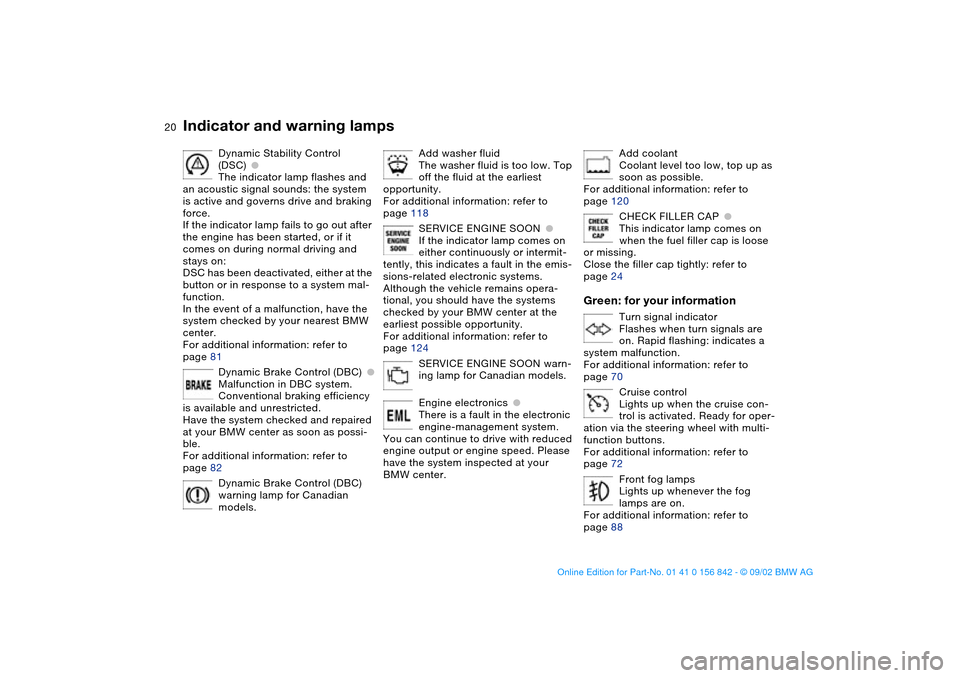
Dynamic Stability Control
(DSC)
●
The indicator lamp flashes and
an acoustic signal sounds: the system
is active and governs drive and braking
force.
If the indicator lamp fails to go out after
the engine has been started, or if it
comes on during normal driving and
stays on:
DSC has been deactivated, either at the
button or in response to a system mal-
function.
In the event of a malfunction, have the
system checked by your nearest BMW
center.
For additional information: refer to
page 81
Dynamic Brake Control (DBC)
●
Malfunction in DBC system.
Conventional braking efficiency
is available and unrestricted.
Have the system checked and repaired
at your BMW center as soon as possi-
ble.
For additional information: refer to
page 82
Dynamic Brake Control (DBC)
warning lamp for Canadian
models.
Add washer fluid
The washer fluid is too low. Top
off the fluid at the earliest
opportunity.
For additional information: refer to
page 118
SERVICE ENGINE SOON
●
If the indicator lamp comes on
either continuously or intermit-
tently, this indicates a fault in the emis-
sions-related electronic systems.
Although the vehicle remains opera-
tional, you should have the systems
checked by your BMW center at the
earliest possible opportunity.
For additional information: refer to
page 124
SERVICE ENGINE SOON warn-
ing lamp for Canadian models.
Engine electronics
●
There is a fault in the electronic
engine-management system.
You can continue to drive with reduced
engine output or engine speed. Please
have the system inspected at your
BMW center.
Add coolant
Coolant level too low, top up as
soon as possible.
For additional information: refer to
page 120
CHECK FILLER CAP
●
This indicator lamp comes on
when the fuel filler cap is loose
or missing.
Close the filler cap tightly: refer to
page 24
Green: for your information
Turn signal indicator
Flashes when turn signals are
on. Rapid flashing: indicates a
system malfunction.
For additional information: refer to
page 70
Cruise control
Lights up when the cruise con-
trol is activated. Ready for oper-
ation via the steering wheel with multi-
function buttons.
For additional information: refer to
page 72
Front fog lamps
Lights up whenever the fog
lamps are on.
For additional information: refer to
page 88
Indicator and warning lamps
handbook.book Page 20 Saturday, July 27, 2002 1:12 PM
Page 22 of 158
22
Steering wheel with multifunction buttons
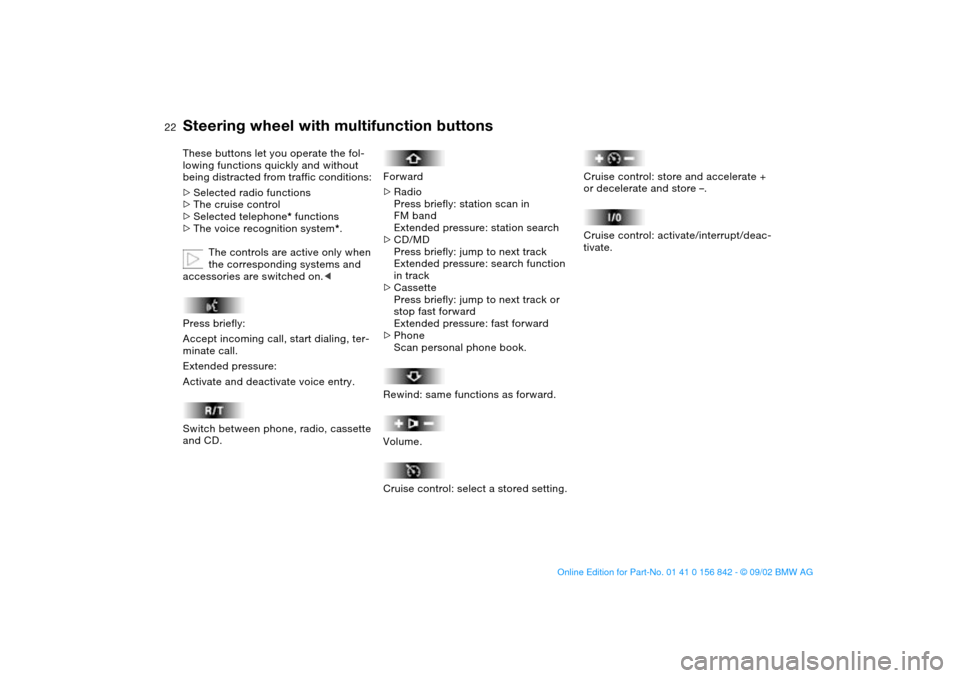
These buttons let you operate the fol-
lowing functions quickly and without
being distracted from traffic conditions:
>
Selected radio functions
>
The cruise control
>
Selected telephone
*
functions
>
The voice recognition system
*
.
The controls are active only when
the corresponding systems and
accessories are switched on.
<
Press briefly:
Accept incoming call, start dialing, ter-
minate call.
Extended pressure:
Activate and deactivate voice entry.
Switch between phone, radio, cassette
and CD.
Forward
>Radio
Press briefly: station scan in
FM band
Extended pressure: station search
>CD/MD
Press briefly: jump to next track
Extended pressure: search function
in track
>Cassette
Press briefly: jump to next track or
stop fast forward
Extended pressure: fast forward
>Phone
Scan personal phone book.
Rewind: same functions as forward.
Volume.
Cruise control: select a stored setting.
Cruise control: store and accelerate +
or decelerate and store –.
Cruise control: activate/interrupt/deac-
tivate.
handbook.book Page 22 Saturday, July 27, 2002 1:12 PM
Page 30 of 158
30Opening and closing
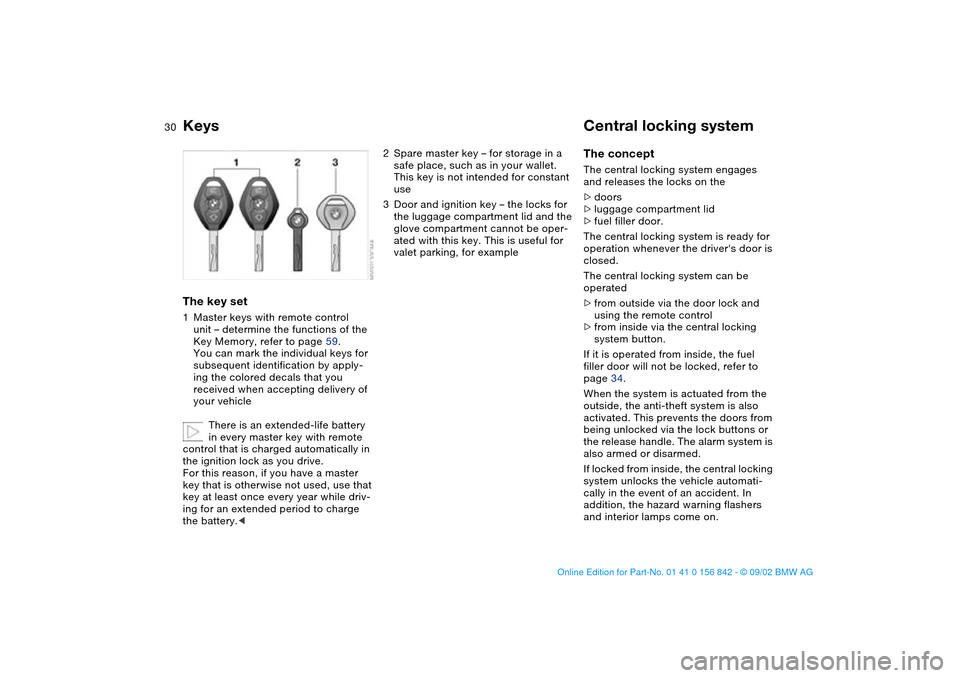
KeysThe key set1Master keys with remote control
unit – determine the functions of the
Key Memory, refer to page 59.
You can mark the individual keys for
subsequent identification by apply-
ing the colored decals that you
received when accepting delivery of
your vehicle
There is an extended-life battery
in every master key with remote
control that is charged automatically in
the ignition lock as you drive.
For this reason, if you have a master
key that is otherwise not used, use that
key at least once every year while driv-
ing for an extended period to charge
the battery.<
2Spare master key – for storage in a
safe place, such as in your wallet.
This key is not intended for constant
use
3Door and ignition key – the locks for
the luggage compartment lid and the
glove compartment cannot be oper-
ated with this key. This is useful for
valet parking, for example
Central locking systemThe conceptThe central locking system engages
and releases the locks on the
>doors
>luggage compartment lid
>fuel filler door.
The central locking system is ready for
operation whenever the driver's door is
closed.
The central locking system can be
operated
>from outside via the door lock and
using the remote control
>from inside via the central locking
system button.
If it is operated from inside, the fuel
filler door will not be locked, refer to
page 34.
When the system is actuated from the
outside, the anti-theft system is also
activated. This prevents the doors from
being unlocked via the lock buttons or
the release handle. The alarm system is
also armed or disarmed.
If locked from inside, the central locking
system unlocks the vehicle automati-
cally in the event of an accident. In
addition, the hazard warning flashers
and interior lamps come on.
handbook.book Page 30 Saturday, July 27, 2002 1:12 PM
Page 34 of 158
34
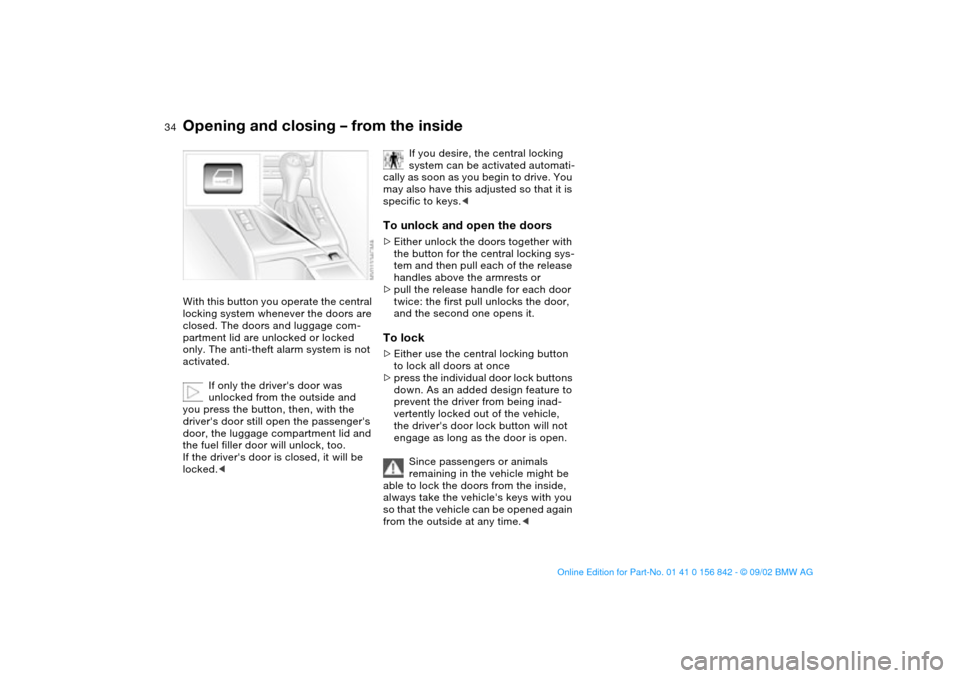
Opening and closing – from the insideWith this button you operate the central
locking system whenever the doors are
closed. The doors and luggage com-
partment lid are unlocked or locked
only. The anti-theft alarm system is not
activated.
If only the driver's door was
unlocked from the outside and
you press the button, then, with the
driver's door still open the passenger's
door, the luggage compartment lid and
the fuel filler door will unlock, too.
If the driver's door is closed, it will be
locked.<
If you desire, the central locking
system can be activated automati-
cally as soon as you begin to drive. You
may also have this adjusted so that it is
specific to keys.<
To unlock and open the doors>Either unlock the doors together with
the button for the central locking sys-
tem and then pull each of the release
handles above the armrests or
>pull the release handle for each door
twice: the first pull unlocks the door,
and the second one opens it.To lock>Either use the central locking button
to lock all doors at once
>press the individual door lock buttons
down. As an added design feature to
prevent the driver from being inad-
vertently locked out of the vehicle,
the driver's door lock button will not
engage as long as the door is open.
Since passengers or animals
remaining in the vehicle might be
able to lock the doors from the inside,
always take the vehicle's keys with you
so that the vehicle can be opened again
from the outside at any time.<
handbook.book Page 34 Saturday, July 27, 2002 1:12 PM
Page 49 of 158
49
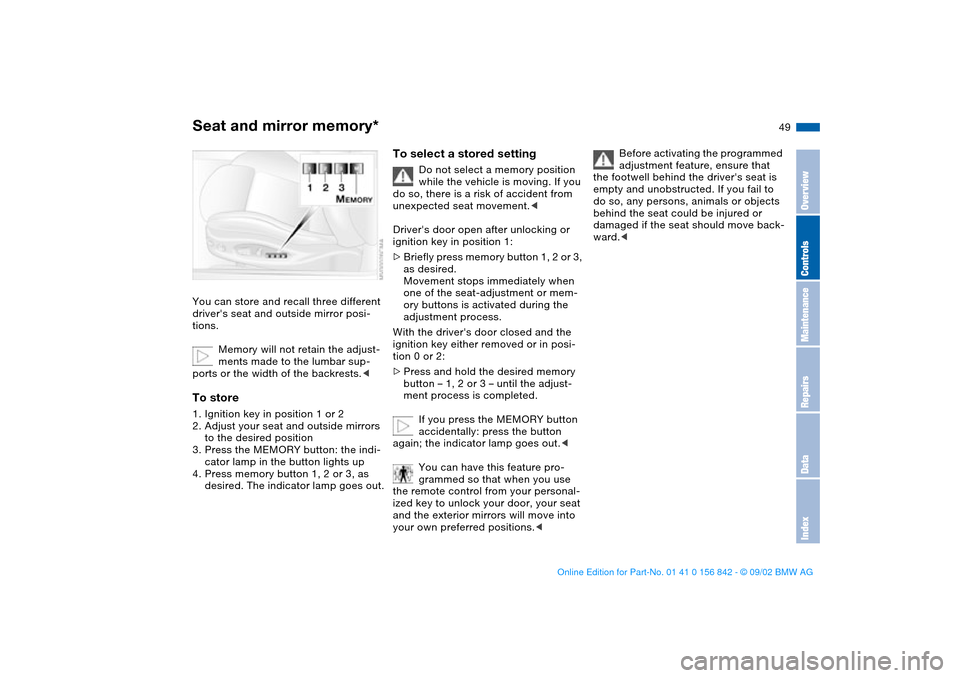
Seat and mirror memory*You can store and recall three different
driver's seat and outside mirror posi-
tions.
Memory will not retain the adjust-
ments made to the lumbar sup-
ports or the width of the backrests.
to the desired position
3. Press the MEMORY button: the indi-
cator lamp in the button lights up
4. Press memory button 1, 2 or 3, as
desired. The indicator lamp goes out.
To select a stored setting
Do not select a memory position
while the vehicle is moving. If you
do so, there is a risk of accident from
unexpected seat movement.<
Driver's door open after unlocking or
ignition key in position 1:
>Briefly press memory button 1, 2 or 3,
as desired.
Movement stops immediately when
one of the seat-adjustment or mem-
ory buttons is activated during the
adjustment process.
With the driver's door closed and the
ignition key either removed or in posi-
tion 0 or 2:
>Press and hold the desired memory
button – 1, 2 or 3 – until the adjust-
ment process is completed.
If you press the MEMORY button
accidentally: press the button
again; the indicator lamp goes out.<
You can have this feature pro-
grammed so that when you use
the remote control from your personal-
ized key to unlock your door, your seat
and the exterior mirrors will move into
your own preferred positions.<
Before activating the programmed
adjustment feature, ensure that
the footwell behind the driver's seat is
empty and unobstructed. If you fail to
do so, any persons, animals or objects
behind the seat could be injured or
damaged if the seat should move back-
ward.<
OverviewControlsMaintenanceRepairsDataIndex
handbook.book Page 49 Saturday, July 27, 2002 1:12 PM
Page 50 of 158
50
Passenger-side exterior mirror tilt
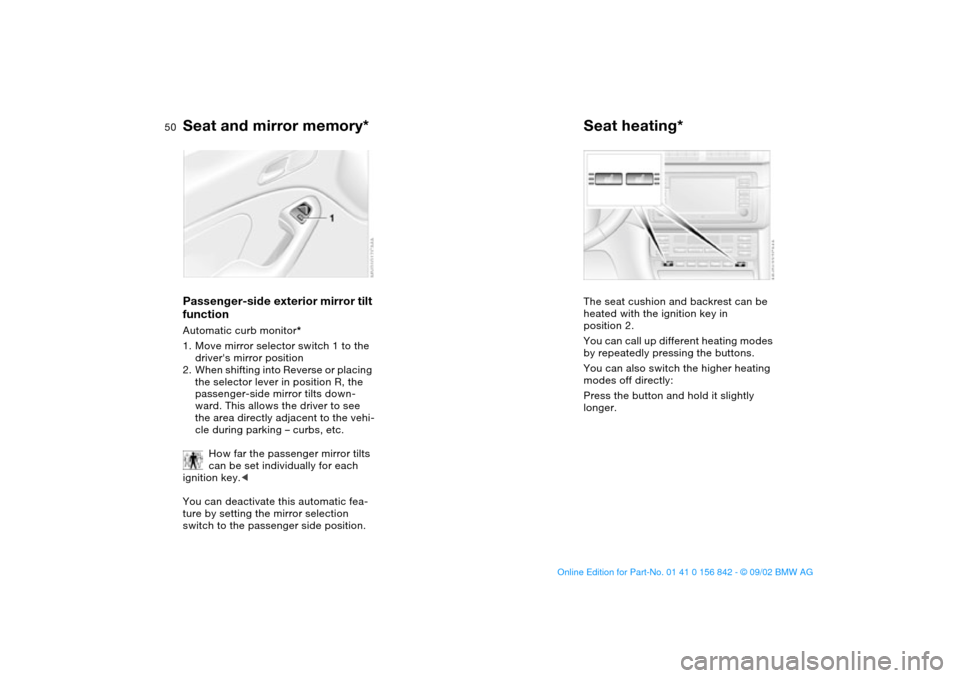
functionAutomatic curb monitor*
1. Move mirror selector switch 1 to the
driver's mirror position
2. When shifting into Reverse or placing
the selector lever in position R, the
passenger-side mirror tilts down-
ward. This allows the driver to see
the area directly adjacent to the vehi-
cle during parking – curbs, etc.
How far the passenger mirror tilts
can be set individually for each
ignition key.<
You can deactivate this automatic fea-
ture by setting the mirror selection
switch to the passenger side position.
Seat heating*The seat cushion and backrest can be
heated with the ignition key in
position 2.
You can call up different heating modes
by repeatedly pressing the buttons.
You can also switch the higher heating
modes off directly:
Press the button and hold it slightly
longer.
Seat and mirror memory*
handbook.book Page 50 Saturday, July 27, 2002 1:12 PM
Page 57 of 158
57
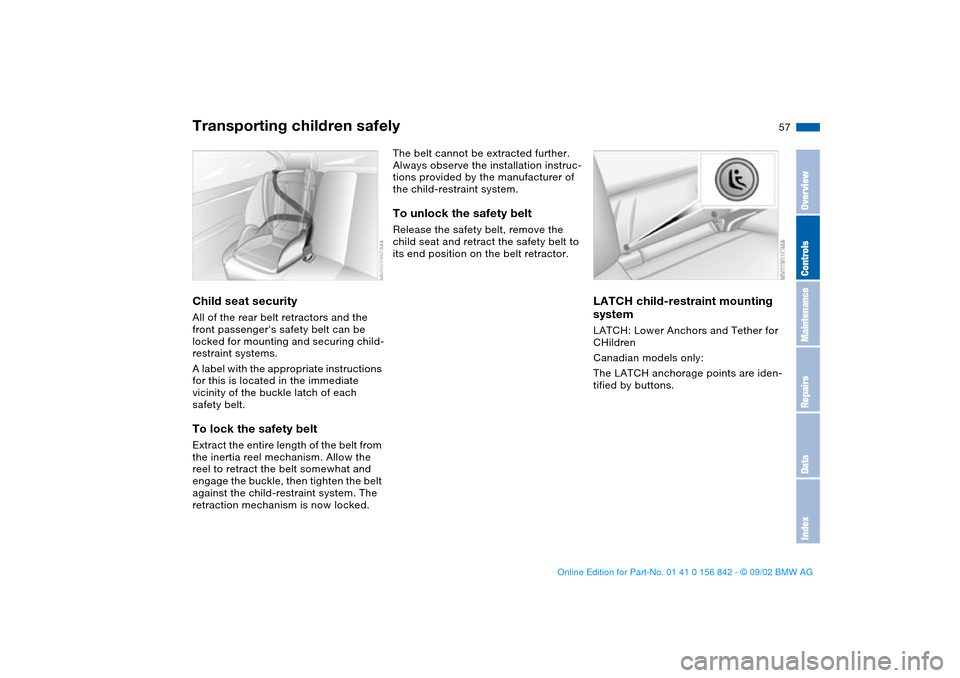
Child seat securityAll of the rear belt retractors and the
front passenger's safety belt can be
locked for mounting and securing child-
restraint systems.
A label with the appropriate instructions
for this is located in the immediate
vicinity of the buckle latch of each
safety belt.To lock the safety beltExtract the entire length of the belt from
the inertia reel mechanism. Allow the
reel to retract the belt somewhat and
engage the buckle, then tighten the belt
against the child-restraint system. The
retraction mechanism is now locked.
The belt cannot be extracted further.
Always observe the installation instruc-
tions provided by the manufacturer of
the child-restraint system.To unlock the safety belt Release the safety belt, remove the
child seat and retract the safety belt to
its end position on the belt retractor.
LATCH child-restraint mounting
systemLATCH: Lower Anchors and Tether for
CHildren
Canadian models only:
The LATCH anchorage points are iden-
tified by buttons.
Transporting children safely
OverviewControlsMaintenanceRepairsDataIndex
handbook.book Page 57 Saturday, July 27, 2002 1:12 PM
Page 151 of 158
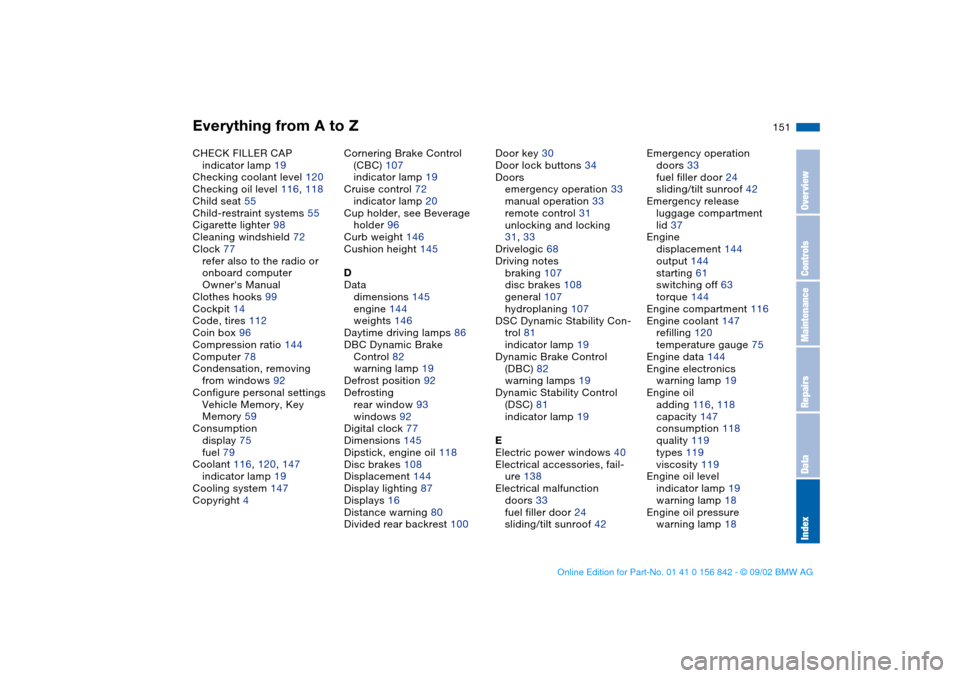
Everything from A to Z
151
CHECK FILLER CAP
indicator lamp 19
Checking coolant level 120
Checking oil level 116, 118
Child seat 55
Child-restraint systems 55
Cigarette lighter 98
Cleaning windshield 72
Clock 77
refer also to the radio or
onboard computer
Owner's Manual
Clothes hooks 99
Cockpit 14
Code, tires 112
Coin box 96
Compression ratio 144
Computer 78
Condensation, removing
from windows 92
Configure personal settings
Vehicle Memory, Key
Memory 59
Consumption
display 75
fuel 79
Coolant 116, 120, 147
indicator lamp 19
Cooling system 147
Copyright 4Cornering Brake Control
(CBC) 107
indicator lamp 19
Cruise control 72
indicator lamp 20
Cup holder, see Beverage
holder 96
Curb weight 146
Cushion height 145
D
Data
dimensions 145
engine 144
weights 146
Daytime driving lamps 86
DBC Dynamic Brake
Control 82
warning lamp 19
Defrost position 92
Defrosting
rear window 93
windows 92
Digital clock 77
Dimensions 145
Dipstick, engine oil 118
Disc brakes 108
Displacement 144
Display lighting 87
Displays 16
Distance warning 80
Divided rear backrest 100Door key 30
Door lock buttons 34
Doors
emergency operation 33
manual operation 33
remote control 31
unlocking and locking
31, 33
Drivelogic 68
Driving notes
braking 107
disc brakes 108
general 107
hydroplaning 107
DSC Dynamic Stability Con-
trol 81
indicator lamp 19
Dynamic Brake Control
(DBC) 82
warning lamps 19
Dynamic Stability Control
(DSC) 81
indicator lamp 19
E
Electric power windows 40
Electrical accessories, fail-
ure 138
Electrical malfunction
doors 33
fuel filler door 24
sliding/tilt sunroof 42Emergency operation
doors 33
fuel filler door 24
sliding/tilt sunroof 42
Emergency release
luggage compartment
lid 37
Engine
displacement 144
output 144
starting 61
switching off 63
torque 144
Engine compartment 116
Engine coolant 147
refilling 120
temperature gauge 75
Engine data 144
Engine electronics
warning lamp 19
Engine oil
adding 116, 118
capacity 147
consumption 118
quality 119
types 119
viscosity 119
Engine oil level
indicator lamp 19
warning lamp 18
Engine oil pressure
warning lamp 18
OverviewControlsMaintenanceRepairsDataIndex
handbook.book Page 151 Saturday, July 27, 2002 1:12 PM
Page 154 of 158
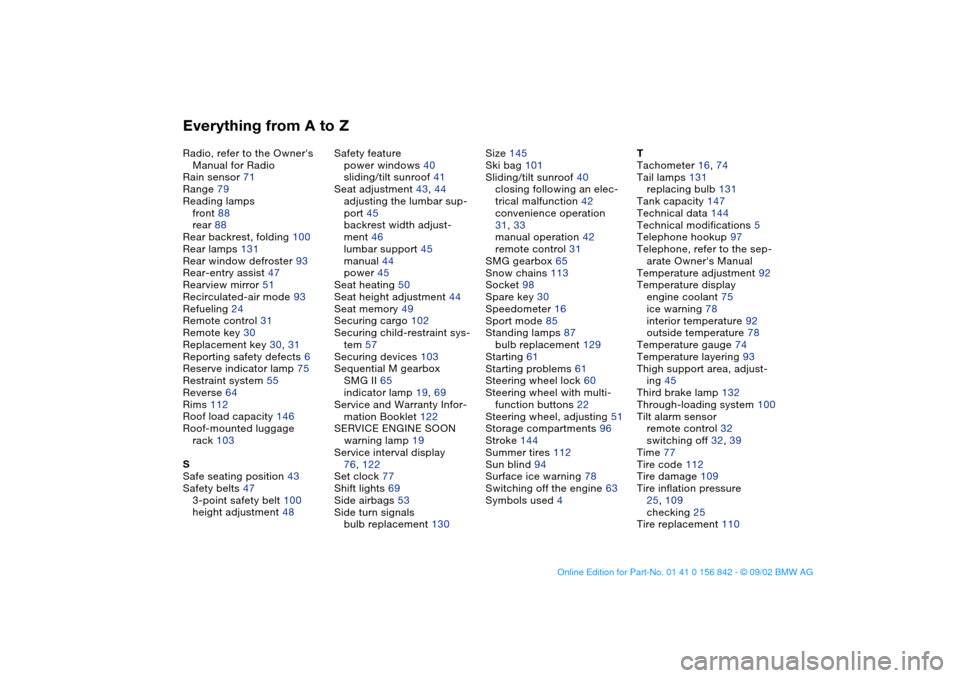
Everything from A to ZRadio, refer to the Owner's
Manual for Radio
Rain sensor 71
Range 79
Reading lamps
front 88
rear 88
Rear backrest, folding 100
Rear lamps 131
Rear window defroster 93
Rear-entry assist 47
Rearview mirror 51
Recirculated-air mode 93
Refueling 24
Remote control 31
Remote key 30
Replacement key 30, 31
Reporting safety defects 6
Reserve indicator lamp 75
Restraint system 55
Reverse 64
Rims 112
Roof load capacity 146
Roof-mounted luggage
rack 103
S
Safe seating position 43
Safety belts 47
3-point safety belt 100
height adjustment 48Safety feature
power windows 40
sliding/tilt sunroof 41
Seat adjustment 43, 44
adjusting the lumbar sup-
port 45
backrest width adjust-
ment 46
lumbar support 45
manual 44
power 45
Seat heating 50
Seat height adjustment 44
Seat memory 49
Securing cargo 102
Securing child-restraint sys-
tem 57
Securing devices 103
Sequential M gearbox
SMG II 65
indicator lamp 19, 69
Service and Warranty Infor-
mation Booklet 122
SERVICE ENGINE SOON
warning lamp 19
Service interval display
76, 122
Set clock 77
Shift lights 69
Side airbags 53
Side turn signals
bulb replacement 130Size 145
Ski bag 101
Sliding/tilt sunroof 40
closing following an elec-
trical malfunction 42
convenience operation
31, 33
manual operation 42
remote control 31
SMG gearbox 65
Snow chains 113
Socket 98
Spare key 30
Speedometer 16
Sport mode 85
Standing lamps 87
bulb replacement 129
Starting 61
Starting problems 61
Steering wheel lock 60
Steering wheel with multi-
function buttons 22
Steering wheel, adjusting 51
Storage compartments 96
Stroke 144
Summer tires 112
Sun blind 94
Surface ice warning 78
Switching off the engine 63
Symbols used 4T
Tachometer 16, 74
Tail lamps 131
replacing bulb 131
Tank capacity 147
Technical data 144
Technical modifications 5
Telephone hookup 97
Telephone, refer to the sep-
arate Owner's Manual
Temperature adjustment 92
Temperature display
engine coolant 75
ice warning 78
interior temperature 92
outside temperature 78
Temperature gauge 74
Temperature layering 93
Thigh support area, adjust-
ing 45
Third brake lamp 132
Through-loading system 100
Tilt alarm sensor
remote control 32
switching off 32, 39
Time 77
Tire code 112
Tire damage 109
Tire inflation pressure
25, 109
checking 25
Tire replacement 110
handbook.book Page 154 Saturday, July 27, 2002 1:12 PM