ESP BMW M3 COUPE 2004 E46 User Guide
[x] Cancel search | Manufacturer: BMW, Model Year: 2004, Model line: M3 COUPE, Model: BMW M3 COUPE 2004 E46Pages: 170, PDF Size: 2.62 MB
Page 51 of 170
51
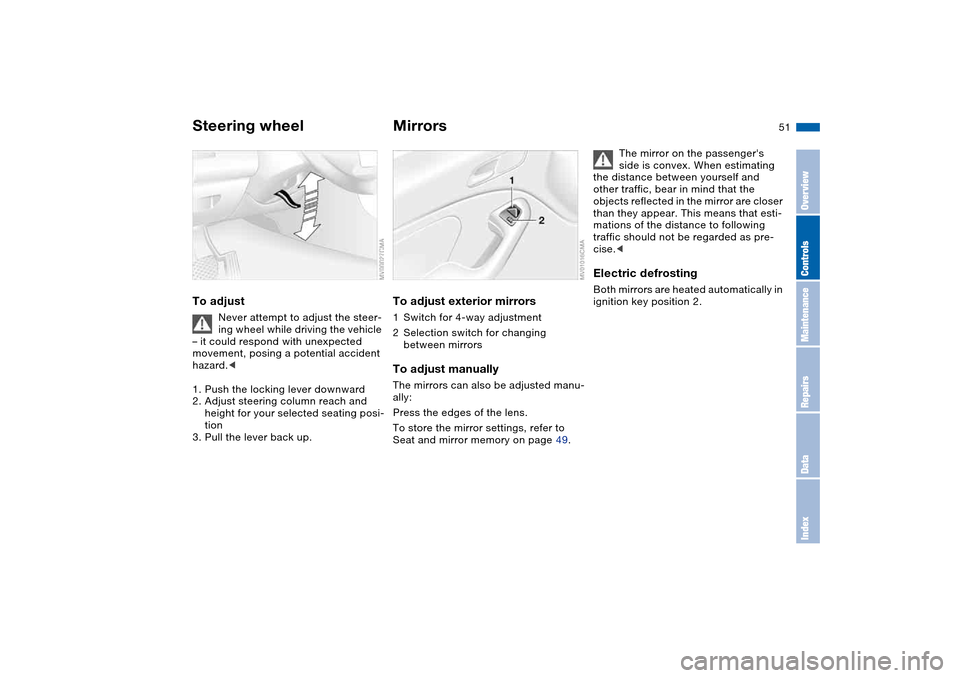
Steering wheelTo adjust
Never attempt to adjust the steer-
ing wheel while driving the vehicle
– it could respond with unexpected
movement, posing a potential accident
hazard.<
1. Push the locking lever downward
2. Adjust steering column reach and
height for your selected seating posi-
tion
3. Pull the lever back up.
MirrorsTo adjust exterior mirrors1Switch for 4-way adjustment
2Selection switch for changing
between mirrorsTo adjust manuallyThe mirrors can also be adjusted manu-
ally:
Press the edges of the lens.
To store the mirror settings, refer to
Seat and mirror memory on page 49.
The mirror on the passenger's
side is convex. When estimating
the distance between yourself and
other traffic, bear in mind that the
objects reflected in the mirror are closer
than they appear. This means that esti-
mations of the distance to following
traffic should not be regarded as pre-
cise.<
Electric defrostingBoth mirrors are heated automatically in
ignition key position 2.
OverviewControlsMaintenanceRepairsDataIndex
Page 52 of 170
52
Interior rearview mirror with
automatic dimming featureThis mirror automatically responds to
ambient light and headlamp glare from
following vehicles by dimming through
an infinitely variable range and auto-
matically reverts to its clear, undimmed
setting whenever you shift into Reverse
or move the selector lever into
position R.
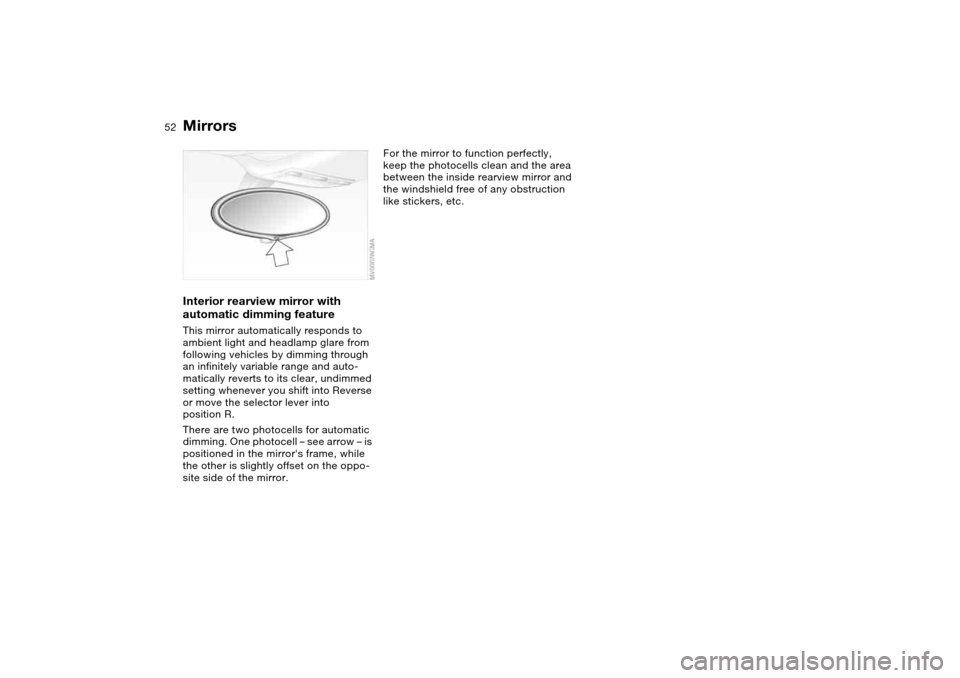
There are two photocells for automatic
dimming. One photocell – see arrow – is
positioned in the mirror's frame, while
the other is slightly offset on the oppo-
site side of the mirror.
For the mirror to function perfectly,
keep the photocells clean and the area
between the inside rearview mirror and
the windshield free of any obstruction
like stickers, etc.
Mirrors
Page 53 of 170
53 Passenger safety systems
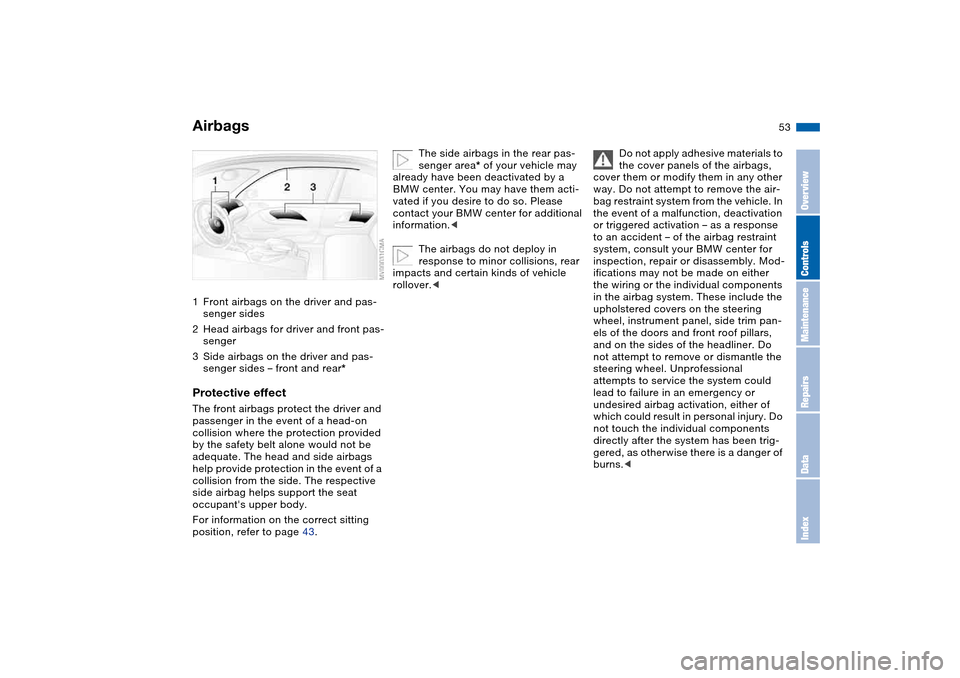
Airbags1Front airbags on the driver and pas-
senger sides
2Head airbags for driver and front pas-
senger
3Side airbags on the driver and pas-
senger sides – front and rear*Protective effectThe front airbags protect the driver and
passenger in the event of a head-on
collision where the protection provided
by the safety belt alone would not be
adequate. The head and side airbags
help provide protection in the event of a
collision from the side. The respective
side airbag helps support the seat
occupant's upper body.
For information on the correct sitting
position, refer to page 43.
The side airbags in the rear pas-
senger area* of your vehicle may
already have been deactivated by a
BMW center. You may have them acti-
vated if you desire to do so. Please
contact your BMW center for additional
information.<
The airbags do not deploy in
response to minor collisions, rear
impacts and certain kinds of vehicle
rollover.<
Do not apply adhesive materials to
the cover panels of the airbags,
cover them or modify them in any other
way. Do not attempt to remove the air-
bag restraint system from the vehicle. In
the event of a malfunction, deactivation
or triggered activation – as a response
to an accident – of the airbag restraint
system, consult your BMW center for
inspection, repair or disassembly. Mod-
ifications may not be made on either
the wiring or the individual components
in the airbag system. These include the
upholstered covers on the steering
wheel, instrument panel, side trim pan-
els of the doors and front roof pillars,
and on the sides of the headliner. Do
not attempt to remove or dismantle the
steering wheel. Unprofessional
attempts to service the system could
lead to failure in an emergency or
undesired airbag activation, either of
which could result in personal injury. Do
not touch the individual components
directly after the system has been trig-
gered, as otherwise there is a danger of
burns.<
OverviewControlsMaintenanceRepairsDataIndex
Page 55 of 170
55
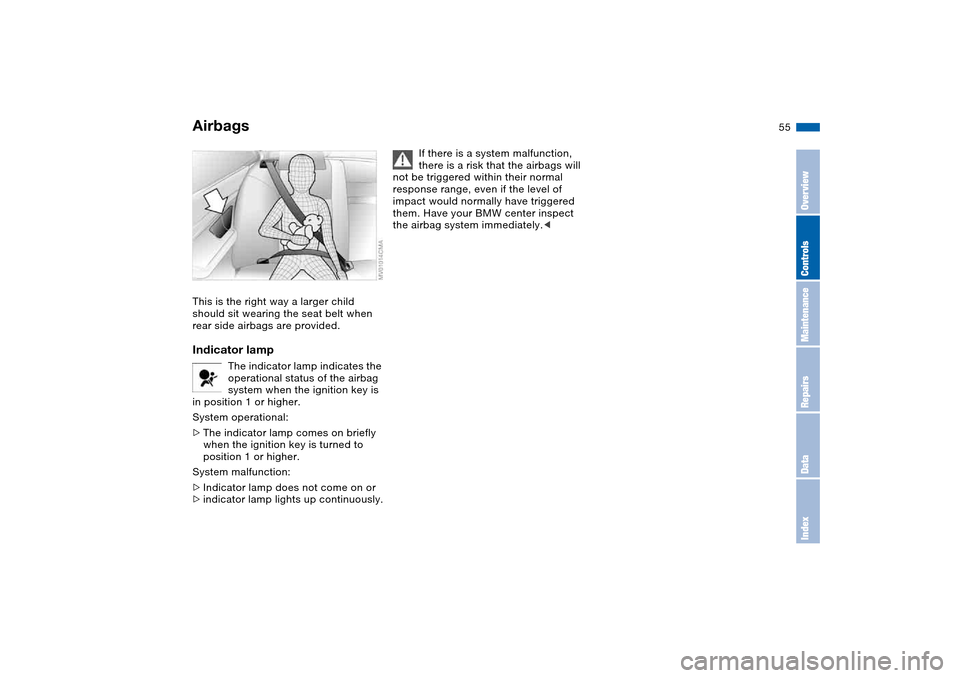
This is the right way a larger child
should sit wearing the seat belt when
rear side airbags are provided.Indicator lamp
The indicator lamp indicates the
operational status of the airbag
system when the ignition key is
in position 1 or higher.
System operational:
>The indicator lamp comes on briefly
when the ignition key is turned to
position 1 or higher.
System malfunction:
>Indicator lamp does not come on or
>indicator lamp lights up continuously.
If there is a system malfunction,
there is a risk that the airbags will
not be triggered within their normal
response range, even if the level of
impact would normally have triggered
them. Have your BMW center inspect
the airbag system immediately.<
Airbags
OverviewControlsMaintenanceRepairsDataIndex
Page 56 of 170
56
Transporting children safelyCommercially available child-restraint
systems are designed to be secured
with a lap belt or with the lap belt por-
tion of a combination lap/shoulder belt.
Improperly or inadequately installed
restraint systems can increase the risk
of injury to children. Always read and
follow the instructions that come with
the system.Correct location for installingIn your BMW, all seats equipped with a
three-point safety belt – except for the
driver's seat – are suitable for installing
universal child-restraint systems of all
age classes and which have been
approved for the age group in question.
Child-restraint system with tether
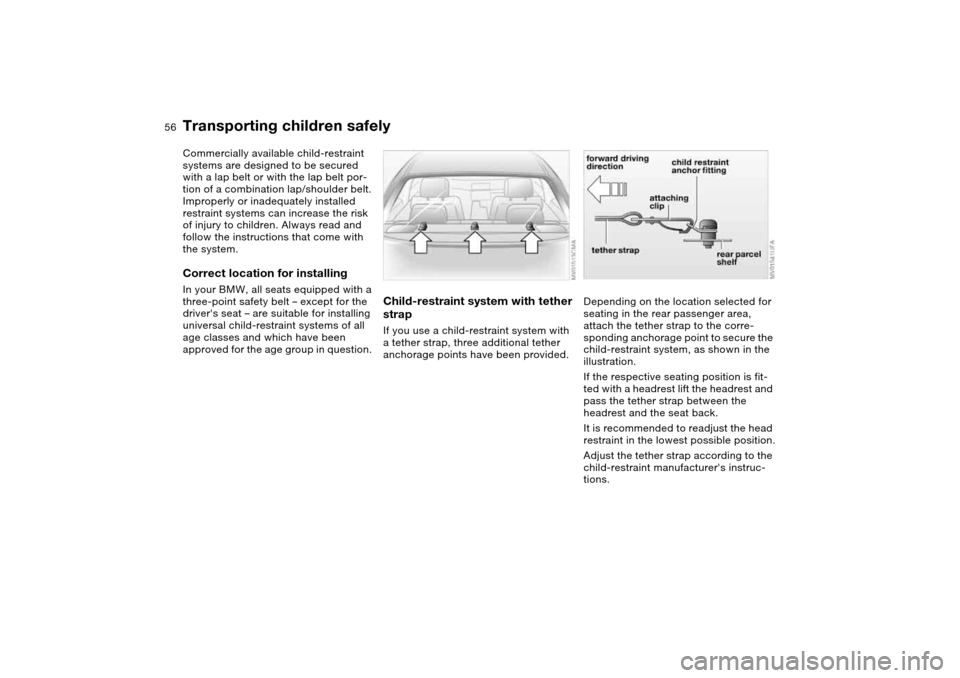
strapIf you use a child-restraint system with
a tether strap, three additional tether
anchorage points have been provided.
Depending on the location selected for
seating in the rear passenger area,
attach the tether strap to the corre-
sponding anchorage point to secure the
child-restraint system, as shown in the
illustration.
If the respective seating position is fit-
ted with a headrest lift the headrest and
pass the tether strap between the
headrest and the seat back.
It is recommended to readjust the head
restraint in the lowest possible position.
Adjust the tether strap according to the
child-restraint manufacturer's instruc-
tions.
Page 67 of 170
67
Sequential M gearbox with Drivelogic*The conceptThe sequential M gearbox with
Drivelogic is an automated manual
gearbox with which clutching and shift-
ing is assumed by an electro-hydraulic
system.
The SMG Drivelogic is operated via two
shift paddles on the steering wheel and
the selector lever in the center console.
It offers the following functions:
>Sequential and automated shifting
mode
>Ability to choose between different
driving programs – Drivelogic
>Gradient assistance, refer to page 70
>Upshift display and shift lights, refer
to page 71
>RPM matching on downshifts
>Driving dependent functions:
The respective driving situation, e.g.
cornering, mountain driving or brak-
ing, is detected by sensors and taken
into account for shifting, e.g. to
achieve optimum gear selection dur-
ing deceleration and subsequent
acceleration
>Slip recognition at the rear axle for
increasing driving stability, e.g. dur-
ing downshifting on slippery road
surfaces>Operating safety through protection
against misshifting.
Under normal operating conditions, fuel
consumption is lowest when driving in
the first driving program of the auto-
mated shifting mode.
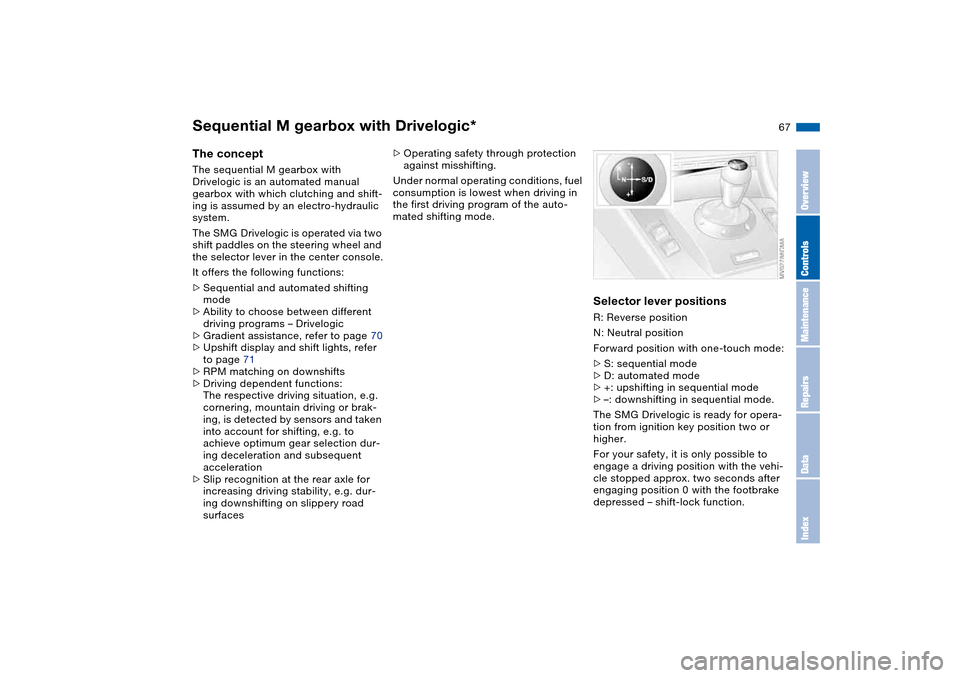
Selector lever positionsR: Reverse position
N: Neutral position
Forward position with one-touch mode:
>S: sequential mode
>D: automated mode
>+: upshifting in sequential mode
>–: downshifting in sequential mode.
The SMG Drivelogic is ready for opera-
tion from ignition key position two or
higher.
For your safety, it is only possible to
engage a driving position with the vehi-
cle stopped approx. two seconds after
engaging position 0 with the footbrake
depressed – shift-lock function.
OverviewControlsMaintenanceRepairsDataIndex
Page 69 of 170
69
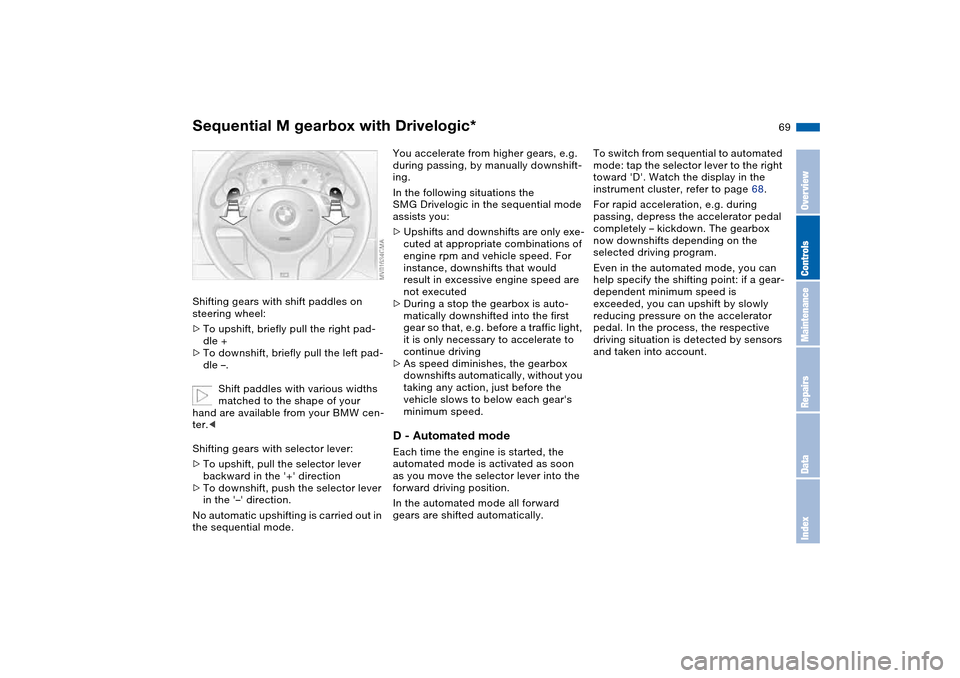
Shifting gears with shift paddles on
steering wheel:
>To upshift, briefly pull the right pad-
dle +
>To downshift, briefly pull the left pad-
dle –.
Shift paddles with various widths
matched to the shape of your
hand are available from your BMW cen-
ter.<
Shifting gears with selector lever:
>To upshift, pull the selector lever
backward in the '+' direction
>To downshift, push the selector lever
in the '–' direction.
No automatic upshifting is carried out in
the sequential mode.
You accelerate from higher gears, e.g.
during passing, by manually downshift-
ing.
In the following situations the
SMG Drivelogic in the sequential mode
assists you:
>Upshifts and downshifts are only exe-
cuted at appropriate combinations of
engine rpm and vehicle speed. For
instance, downshifts that would
result in excessive engine speed are
not executed
>During a stop the gearbox is auto-
matically downshifted into the first
gear so that, e.g. before a traffic light,
it is only necessary to accelerate to
continue driving
>As speed diminishes, the gearbox
downshifts automatically, without you
taking any action, just before the
vehicle slows to below each gear's
minimum speed.D - Automated modeEach time the engine is started, the
automated mode is activated as soon
as you move the selector lever into the
forward driving position.
In the automated mode all forward
gears are shifted automatically.To switch from sequential to automated
mode: tap the selector lever to the right
toward 'D'. Watch the display in the
instrument cluster, refer to page 68.
For rapid acceleration, e.g. during
passing, depress the accelerator pedal
completely – kickdown. The gearbox
now downshifts depending on the
selected driving program.
Even in the automated mode, you can
help specify the shifting point: if a gear-
dependent minimum speed is
exceeded, you can upshift by slowly
reducing pressure on the accelerator
pedal. In the process, the respective
driving situation is detected by sensors
and taken into account.
Sequential M gearbox with Drivelogic*
OverviewControlsMaintenanceRepairsDataIndex
Page 70 of 170
70
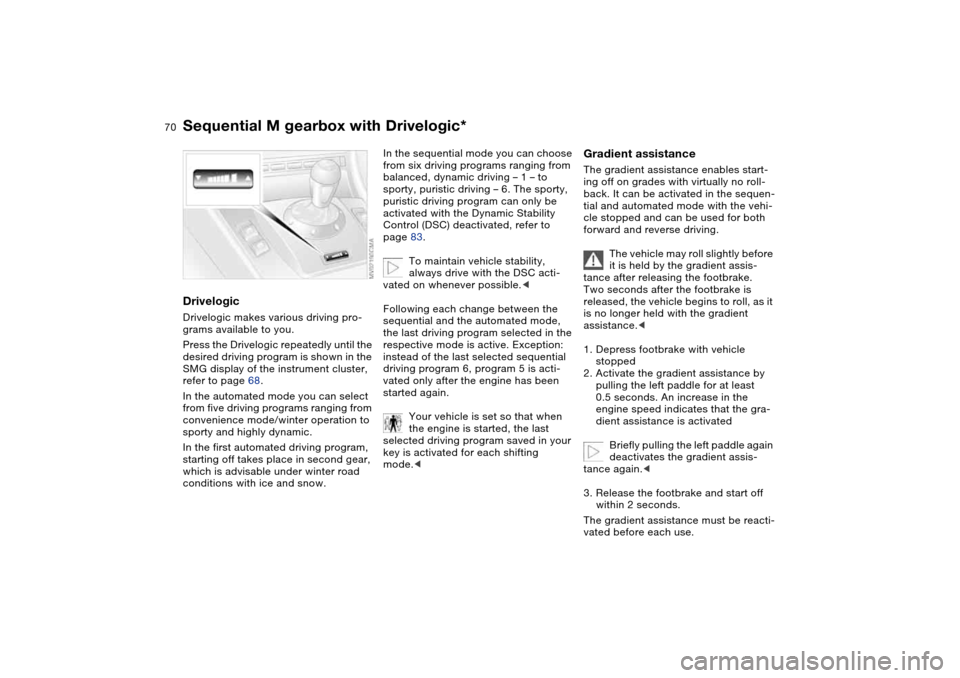
DrivelogicDrivelogic makes various driving pro-
grams available to you.
Press the Drivelogic repeatedly until the
desired driving program is shown in the
SMG display of the instrument cluster,
refer to page 68.
In the automated mode you can select
from five driving programs ranging from
convenience mode/winter operation to
sporty and highly dynamic.
In the first automated driving program,
starting off takes place in second gear,
which is advisable under winter road
conditions with ice and snow.
In the sequential mode you can choose
from six driving programs ranging from
balanced, dynamic driving – 1 – to
sporty, puristic driving – 6. The sporty,
puristic driving program can only be
activated with the Dynamic Stability
Control (DSC) deactivated, refer to
page 83.
To maintain vehicle stability,
always drive with the DSC acti-
vated on whenever possible.<
Following each change between the
sequential and the automated mode,
the last driving program selected in the
respective mode is active. Exception:
instead of the last selected sequential
driving program 6, program 5 is acti-
vated only after the engine has been
started again.
Your vehicle is set so that when
the engine is started, the last
selected driving program saved in your
key is activated for each shifting
mode.<
Gradient assistanceThe gradient assistance enables start-
ing off on grades with virtually no roll-
back. It can be activated in the sequen-
tial and automated mode with the vehi-
cle stopped and can be used for both
forward and reverse driving.
The vehicle may roll slightly before
it is held by the gradient assis-
tance after releasing the footbrake.
Two seconds after the footbrake is
released, the vehicle begins to roll, as it
is no longer held with the gradient
assistance.<
1. Depress footbrake with vehicle
stopped
2. Activate the gradient assistance by
pulling the left paddle for at least
0.5 seconds. An increase in the
engine speed indicates that the gra-
dient assistance is activated
Briefly pulling the left paddle again
deactivates the gradient assis-
tance again.<
3. Release the footbrake and start off
within 2 seconds.
The gradient assistance must be reacti-
vated before each use.
Sequential M gearbox with Drivelogic*
Page 82 of 170
82Technology for safety and driving convenience
Park Distance Control (PDC)*The conceptPDC assists you when you back into a
parking space. Acoustic signals alert
you to the momentary distance to an
object behind your vehicle. To do this,
four ultrasonic sensors in the rear
bumper measure the distance to the
nearest object. The range for the sen-
sors located at both rear corners ends
approx. 2 ft/60 cm behind the bumpers.
The range for the two middle sensors is
slightly less than 5 ft/1.50 m.
PDC is a parking aid that can
identify objects if they are
approached slowly, as is generally the
case when parking. Avoid driving
towards objects rapidly; due to underly-
ing physical principles, the system may
otherwise alert you too late for you to
take evasive steps.<
The system starts to operate automati-
cally approx. one second after you shift
into Reverse or move the selector lever
into the R position with the ignition key
in position 2.
Let this short period elapse before
driving backwards.<
PDC is deactivated when you shift back
out of Reverse.
You can have a signal set to con-
firm that the PDC has been acti-
vated. The signal then sounds when
you shift into Reverse or move the
selector lever into the R position.
intervals. As the distance between vehi-
cle and object decreases, the intervals
between the tones become shorter. A
continuous tone indicates the pres-
ence of an object less than 1 ft/30 cm
away.
The warning signal is canceled after
approx. three seconds if the distance to
the object remains constant during this
time – if you are moving parallel to
a wall, for instance.
System malfunctions will be indicated
by a continuous high-pitched tone
when the system is activated the first
time. Please have your BMW center
resolve the problem.
PDC does not replace the driver's
personal responsibility for evaluat-
ing the distance between the vehicle
and any objects. Even when sensors
are involved, there is a blind spot in
which objects cannot be detected. This
applies especially in those cases where
the system approaches the physical
limits of ultrasonic measurement, as
occurs with tow bars and trailer cou-
plings, and in the vicinity of thin or
wedge-shaped objects. Moreover, low
objects that have already been
detected – such as a curb edge – can
disappear out of the detection range of
the sensors before a continuous tone
sounds.
Loud sources of sound from outside or
inside the vehicle could drown out the
PDC signal tone.<
Keep the sensors clean and free
of ice or snow in order to ensure
that they will continue to operate effec-
tively.
Do not apply high pressure spray to the
sensors for a prolonged period of time.
Always maintain a distance of more
than 4 in/10 cm.<
Page 83 of 170
83
Dynamic Stability Control (DSC)The conceptDSC maintains vehicle stability, even in
critical driving situations.
The system optimizes vehicle stability
during acceleration and when starting
from a full stop, as well as optimizing
traction. In addition, it recognizes
unstable vehicle conditions, such as
understeering or oversteering, and,
within physically feasible limits, helps
keeping the vehicle on a steady course
by reducing the engine speed and
brake applications to the individual
wheels.
DSC starts up automatically each time
you start the engine.The laws of physics cannot be
repealed, even with DSC. The
results of driving irresponsibly rest with
the driver. We therefore urge you to
avoid using the additional safety margin
of the system as an excuse for taking
risks.
Do not make any modifications to the
DSC system. Allow only authorized
technicians to perform service proce-
dures on the DSC. At first, you may
need some time to become accus-
tomed to this system's intervention.
However, it guarantees optimum drive
force and at the same time, the best
possible vehicle stability.<
Indicator lamp
The indicator lamp in the instru-
ment cluster will go out shortly
after the ignition has been
switched on, refer to page 20.
>Indicator lamp flashes: DSC is active
and is controlling the drive torque
based on driving conditions
>If the indicator lamp fails to go out
after the engine has been started, or
if it comes on during normal driving
and stays on: DSC has been deacti-
vated via the button or is defective.
Please consult your BMW center for
repairs.
You can continue to drive the vehicle
normally without DSC.
OverviewControlsMaintenanceRepairsDataIndex