instrument cluster BMW M3 COUPE 2004 E46 User Guide
[x] Cancel search | Manufacturer: BMW, Model Year: 2004, Model line: M3 COUPE, Model: BMW M3 COUPE 2004 E46Pages: 170, PDF Size: 2.62 MB
Page 76 of 170
76Everything under control
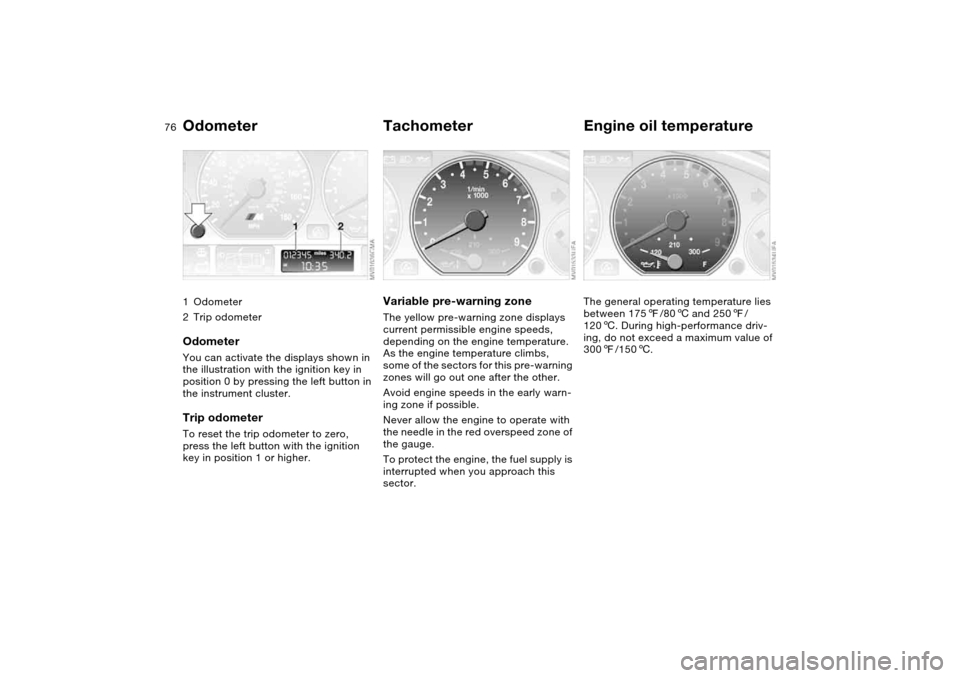
Odometer1Odometer
2Trip odometerOdometerYou can activate the displays shown in
the illustration with the ignition key in
position 0 by pressing the left button in
the instrument cluster.Trip odometerTo reset the trip odometer to zero,
press the left button with the ignition
key in position 1 or higher.
TachometerVariable pre-warning zoneThe yellow pre-warning zone displays
current permissible engine speeds,
depending on the engine temperature.
As the engine temperature climbs,
some of the sectors for this pre-warning
zones will go out one after the other.
Avoid engine speeds in the early warn-
ing zone if possible.
Never allow the engine to operate with
the needle in the red overspeed zone of
the gauge.
To protect the engine, the fuel supply is
interrupted when you approach this
sector.
Engine oil temperatureThe general operating temperature lies
between 1757/806 and 2507/
1206. During high-performance driv-
ing, do not exceed a maximum value of
3007/1506.
Page 79 of 170
79
ClockIf you wish to have a permanent time
display, you can make this adjustment
in the car radio display, refer to the
Owner's Manual for Radio.
You can set the time of day, and the
display for the car radio, as follows.
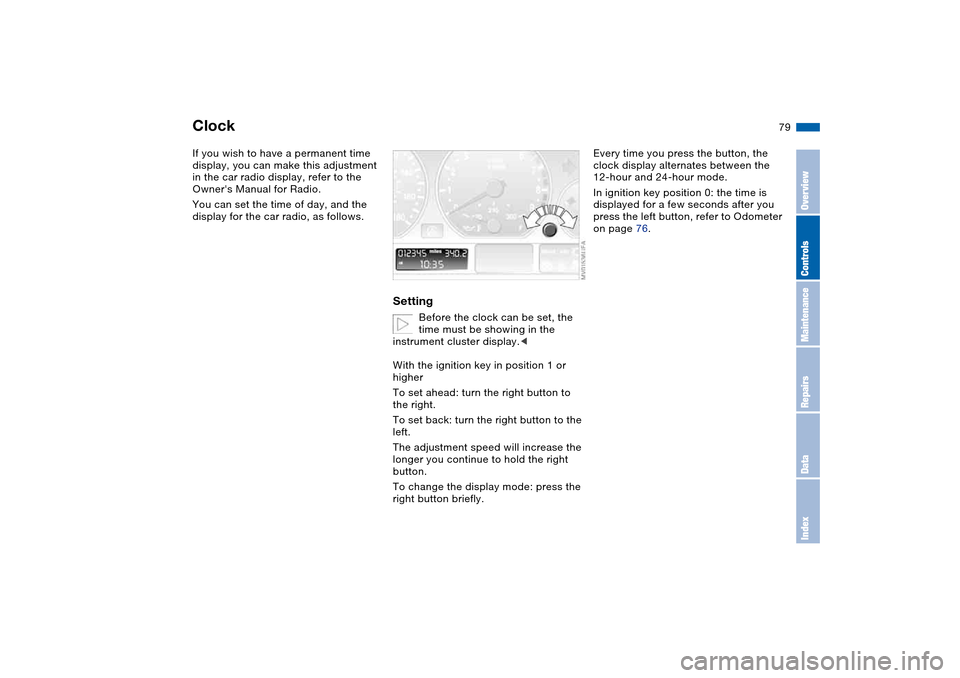
Setting
Before the clock can be set, the
time must be showing in the
instrument cluster display.<
With the ignition key in position 1 or
higher
To set ahead: turn the right button to
the right.
To set back: turn the right button to the
left.
The adjustment speed will increase the
longer you continue to hold the right
button.
To change the display mode: press the
right button briefly.
Every time you press the button, the
clock display alternates between the
12-hour and 24-hour mode.
In ignition key position 0: the time is
displayed for a few seconds after you
press the left button, refer to Odometer
on page 76.
OverviewControlsMaintenanceRepairsDataIndex
Page 80 of 170
80
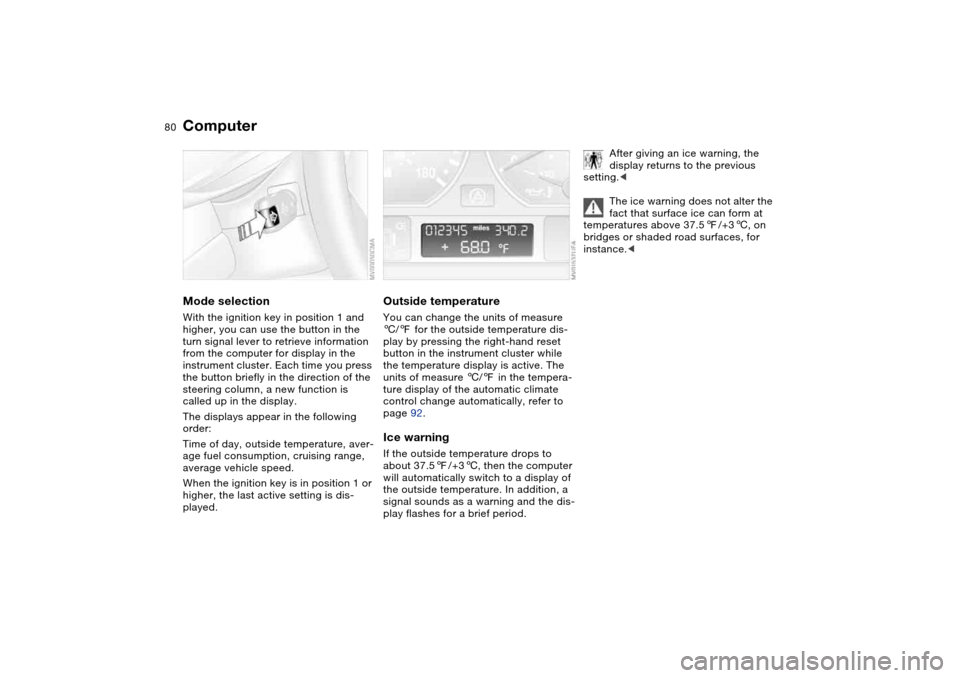
ComputerMode selectionWith the ignition key in position 1 and
higher, you can use the button in the
turn signal lever to retrieve information
from the computer for display in the
instrument cluster. Each time you press
the button briefly in the direction of the
steering column, a new function is
called up in the display.
The displays appear in the following
order:
Time of day, outside temperature, aver-
age fuel consumption, cruising range,
average vehicle speed.
When the ignition key is in position 1 or
higher, the last active setting is dis-
played.
Outside temperatureYou can change the units of measure
6/7 for the outside temperature dis-
play by pressing the right-hand reset
button in the instrument cluster while
the temperature display is active. The
units of measure 6/7 in the tempera-
ture display of the automatic climate
control change automatically, refer to
page 92.Ice warningIf the outside temperature drops to
about 37.57/+36, then the computer
will automatically switch to a display of
the outside temperature. In addition, a
signal sounds as a warning and the dis-
play flashes for a brief period.
After giving an ice warning, the
display returns to the previous
setting.<
The ice warning does not alter the
fact that surface ice can form at
temperatures above 37.57/+36, on
bridges or shaded road surfaces, for
instance.<
Page 85 of 170
85
System limitations
The Flat Tire Monitor cannot pro-
vide you with advance warning of
sudden and severe tire damage caused
by external factors and does not detect
the balanced and very gradual pressure
loss that takes place in all four tires
over an extended period of time.<
On the other hand, the following situa-
tions can lead to a delayed detection of
pressure loss and even to the system
not functioning:
>Driving on snow-covered or slippery
roads
>Performance-oriented driving: slip at
the drive wheels, high levels of lateral
acceleration
>When driving with snow chains, false
warnings and undetected pressure
losses may occur.
Initializing the system
Each time you correct the pres-
sure in a tire, or change a wheel or
tire, reinitialize the system immediately
afterwards. This requires a bit of driv-
ing.<
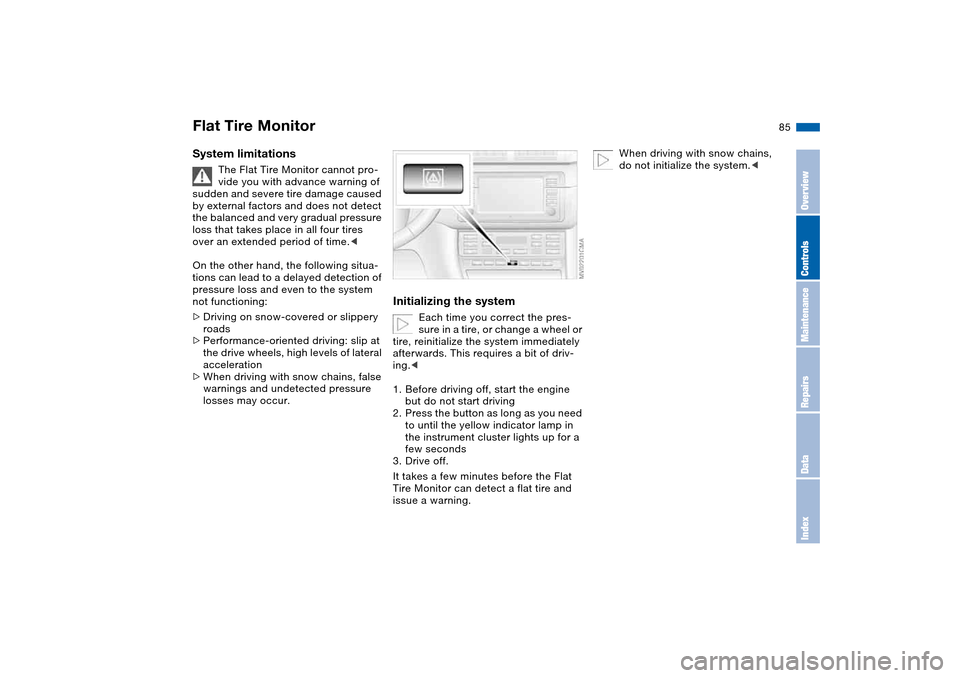
1. Before driving off, start the engine
but do not start driving
2. Press the button as long as you need
to until the yellow indicator lamp in
the instrument cluster lights up for a
few seconds
3. Drive off.
It takes a few minutes before the Flat
Tire Monitor can detect a flat tire and
issue a warning.
When driving with snow chains,
do not initialize the system.<
Flat Tire Monitor
OverviewControlsMaintenanceRepairsDataIndex
Page 90 of 170
90
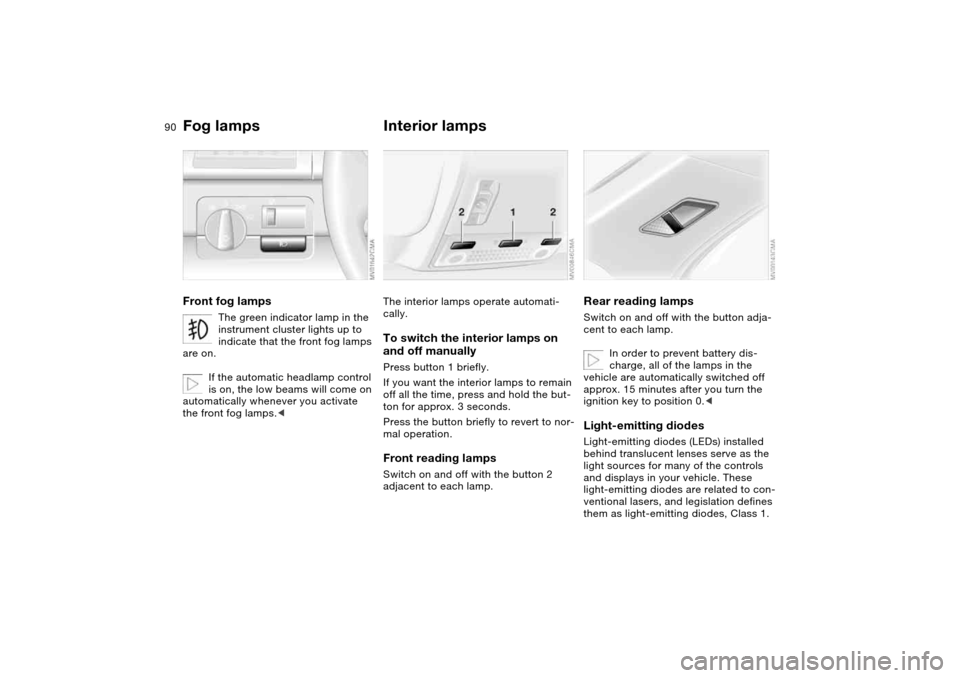
Fog lampsFront fog lamps
The green indicator lamp in the
instrument cluster lights up to
indicate that the front fog lamps
are on.
If the automatic headlamp control
is on, the low beams will come on
automatically whenever you activate
the front fog lamps.<
Interior lampsThe interior lamps operate automati-
cally.To switch the interior lamps on
and off manuallyPress button 1 briefly.
If you want the interior lamps to remain
off all the time, press and hold the but-
ton for approx. 3 seconds.
Press the button briefly to revert to nor-
mal operation.Front reading lampsSwitch on and off with the button 2
adjacent to each lamp.
Rear reading lampsSwitch on and off with the button adja-
cent to each lamp.
In order to prevent battery dis-
charge, all of the lamps in the
vehicle are automatically switched off
approx. 15 minutes after you turn the
ignition key to position 0.
light sources for many of the controls
and displays in your vehicle. These
light-emitting diodes are related to con-
ventional lasers, and legislation defines
them as light-emitting diodes, Class 1.
Page 158 of 170
Everything from A to ZCoin box 98
Cold start, refer to Starting
the engine 63
Compact disc operation,
refer to the Owner's Man-
ual for Radio/Onboard
Computer
Compartments 98
Compression ratio, refer to
Engine data 150
Computer 80
Condensation, refer to Air
conditioning mode 94
Configuring settings, refer to
Vehicle Memory, Key
Memory 60
Connecting a vacuum
cleaner, refer to Cigarette
lighter 100
Consumption, refer to Aver-
age fuel consumption 81
Control elements, refer to
Cockpit 14
Convenience operation
from outside 33
glass sunroof 32
windows 32
Coolant 124
indicator lamp 19, 77
level 124
temperature gauge 77Coolant water, refer to Cool-
ant 124
Cooling, refer to Tempera-
ture 94
Copyright 4
Cornering Brake Control
(CBC) 112
warning lamp 19
Correct tires 117
Cruise control 74
indicator lamp 20
Cup holders, see Beverage
holders 98, 99
Curb weight, refer to
Weights 152
Cylinders, refer to Engine
data 150
D
Dashboard, refer to
Cockpit 14
Data
capacities 153
dimensions 151
engine 150
weights 152
Daytime driving lamps 88
DBC Dynamic Brake
Control 112
warning lamp 19
Deep water, refer to Water
on roadways 111Defrost position, refer to
Defrosting windows 94
Defrosting and demisting
windows
automatic climate
control 94
Defrosting windows 94
Defrosting windshield, refer
to Defrosting windows 94
Demisting windows
automatic climate
control 94
Determining the maximum
load 104
Differential
breaking in 110
Digital clock 79
Dimensions 151
Dipstick, engine oil 122
Disc brakes 112
Displacement, refer to
Engine data 150
Display lighting, refer to
Instrument lighting 89
Displays, refer to Instrument
cluster 16
Disposal
oil 123
vehicle battery 140
Distance warning, refer to
Park Distance Control
(PDC) 82Divided rear backrest 102
Door key 30
Door lock 33
Doors
emergency operation 33
Draft-free ventilation 95
Drivelogic 70
Driving light, refer to Parking
lamps/Low beams 88
Driving notes 111
Dry air, refer to Air condi-
tioning mode 94
DSC Dynamic Stability Con-
trol 83
indicator lamp 19, 83
DTC Dynamic Traction Con-
trol
indicator lamp 19
Dynamic Brake Control
(DBC) 112
warning lamp 19
Dynamic Stability Control
(DSC) 19, 83
Dynamic Traction Control
(DTC)
indicator lamp 19
E
Easy entry, refer to Entering
the rear 47
Electric glass sunroof 41
Electric power windows 40
Page 160 of 170
Everything from A to ZGearbox malfunction
sequential M gearbox with
Drivelogic 71
Gearbox, sequential 67
Gearshift lever
manual transmission 66
sequential M gearbox with
Drivelogic 67
General driving notes 111
Glass sunroof
convenience operation 32
Glass sunroof, electric 41
closing following an elec-
trical malfunction 42
convenience operation 33
remote control 31, 32
Glove compartment 97
Gradient assistance 70
Grills, refer to Ventilation 92
Gross weight, refer to
Weights 152
H
Handbrake, refer to Parking
brake 65
Hands-free system 99
Harman Kardon premium
sound system 97
Hazard warning flashers 14
Hazard warning triangle 23
Head airbags 53
Head restraints 46Headlamp cleaning system
cleaning headlamps 74
washer fluid 122, 153
Headlamp control 88
Headlamp flasher 89
indicator lamp 21
Headlamps
bulb replacement 133
care, refer to the Caring
for your vehicle brochure
Heated mirror 51
Heated rear window
automatic climate
control 95
Heated seats 50
Heating
exterior mirrors 51
rear window 95
seats 50
Heating and ventilation 92
Heavy loads, refer to Cargo
loading 105
Height adjustment
seats 45
steering wheel 51
Height, refer to
Dimensions 151
High beams 72, 89
bulb replacement 133
headlamp flasher 89
indicator lamp 21Holder for
beverages 98, 99
litter bag 99
Hood release 119
Horn 14
Hydraulic brake assistant,
refer to DBC 112
Hydraulic system
brakes 112
Hydroplaning 111
I
Ice warning 80
Ignition 62
Ignition key 30
positions 62
Ignition lock 62
Imprint 4
Indicator lamps 18Indicator/warning lamp
airbags 18
alarm system 39
brakes 18, 19
Check Gas Cap 19
coolant 19, 77
DSC 19
Flat Tire Monitor
18, 19, 86
fog lamps 20
Please fasten safety
belts 18
reserve 77
Service Engine Soon 19
Individual air distribution 94
Individual settings, refer to
Vehicle Memory, Key
Memory 60
Inflation pressure monitor-
ing, refer to Flat Tire Moni-
tor 84
Inflation pressure, tires
25, 114
INSPECTION 78
Instrument cluster 16
Instrument lighting 89
Instrument panel 14
Interface socket for onboard
diagnostics (OBD) 128
Interior lamps 90
remote control 32