steering wheel BMW M3 COUPE 2006 E46 User Guide
[x] Cancel search | Manufacturer: BMW, Model Year: 2006, Model line: M3 COUPE, Model: BMW M3 COUPE 2006 E46Pages: 170, PDF Size: 2.63 MB
Page 67 of 170
67
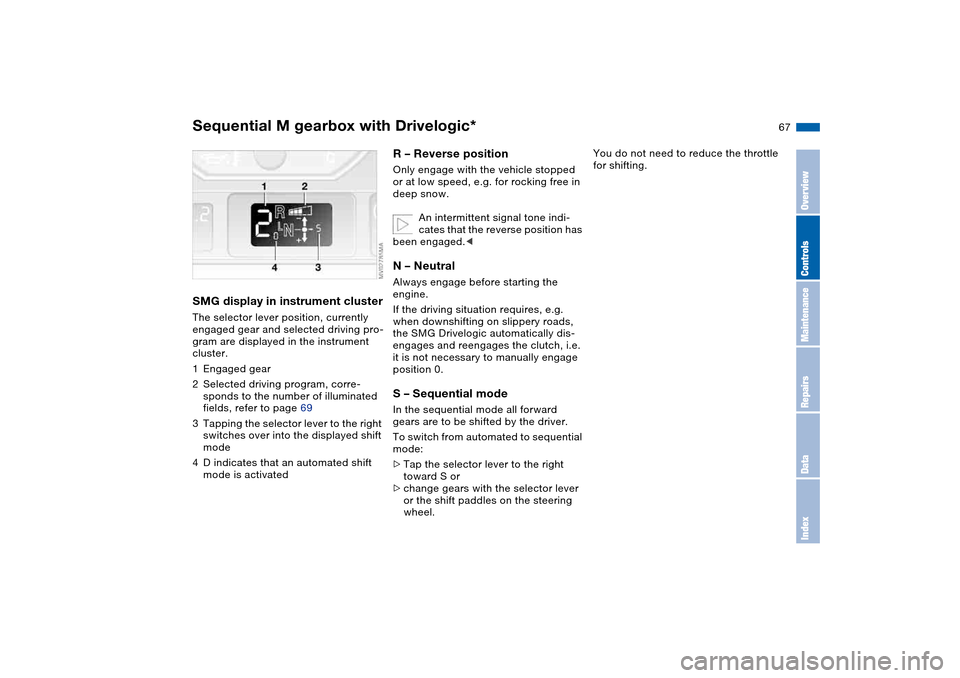
SMG display in instrument clusterThe selector lever position, currently
engaged gear and selected driving pro-
gram are displayed in the instrument
cluster.
1Engaged gear
2Selected driving program, corre-
sponds to the number of illuminated
fields, refer to page 69
3Tapping the selector lever to the right
switches over into the displayed shift
mode
4D indicates that an automated shift
mode is activated
R – Reverse position Only engage with the vehicle stopped
or at low speed, e.g. for rocking free in
deep snow.
An intermittent signal tone indi-
cates that the reverse position has
been engaged.
If the driving situation requires, e.g.
when downshifting on slippery roads,
the SMG Drivelogic automatically dis-
engages and reengages the clutch, i.e.
it is not necessary to manually engage
position 0.S – Sequential modeIn the sequential mode all forward
gears are to be shifted by the driver.
To switch from automated to sequential
mode:
>Tap the selector lever to the right
toward S or
>change gears with the selector lever
or the shift paddles on the steering
wheel.
You do not need to reduce the throttle
for shifting.
Sequential M gearbox with Drivelogic*
OverviewControlsMaintenanceRepairsDataIndex
Page 68 of 170
68
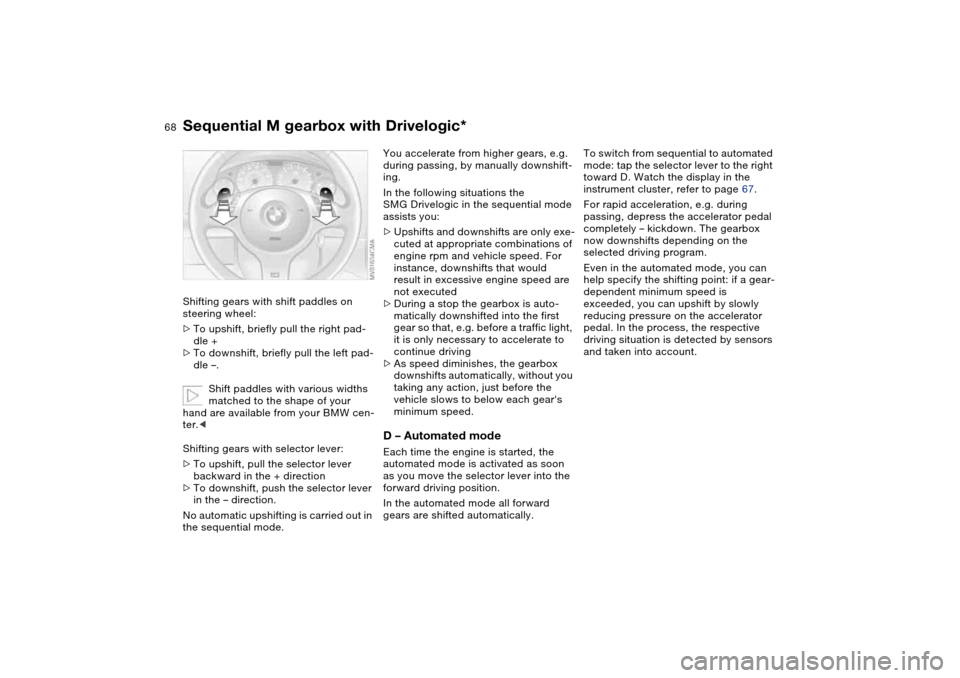
Shifting gears with shift paddles on
steering wheel:
>To upshift, briefly pull the right pad-
dle +
>To downshift, briefly pull the left pad-
dle –.
Shift paddles with various widths
matched to the shape of your
hand are available from your BMW cen-
ter.<
Shifting gears with selector lever:
>To upshift, pull the selector lever
backward in the + direction
>To downshift, push the selector lever
in the – direction.
No automatic upshifting is carried out in
the sequential mode.
You accelerate from higher gears, e.g.
during passing, by manually downshift-
ing.
In the following situations the
SMG Drivelogic in the sequential mode
assists you:
>Upshifts and downshifts are only exe-
cuted at appropriate combinations of
engine rpm and vehicle speed. For
instance, downshifts that would
result in excessive engine speed are
not executed
>During a stop the gearbox is auto-
matically downshifted into the first
gear so that, e.g. before a traffic light,
it is only necessary to accelerate to
continue driving
>As speed diminishes, the gearbox
downshifts automatically, without you
taking any action, just before the
vehicle slows to below each gear's
minimum speed.D – Automated modeEach time the engine is started, the
automated mode is activated as soon
as you move the selector lever into the
forward driving position.
In the automated mode all forward
gears are shifted automatically.To switch from sequential to automated
mode: tap the selector lever to the right
toward D. Watch the display in the
instrument cluster, refer to page 67.
For rapid acceleration, e.g. during
passing, depress the accelerator pedal
completely – kickdown. The gearbox
now downshifts depending on the
selected driving program.
Even in the automated mode, you can
help specify the shifting point: if a gear-
dependent minimum speed is
exceeded, you can upshift by slowly
reducing pressure on the accelerator
pedal. In the process, the respective
driving situation is detected by sensors
and taken into account.
Sequential M gearbox with Drivelogic*
Page 73 of 170
73
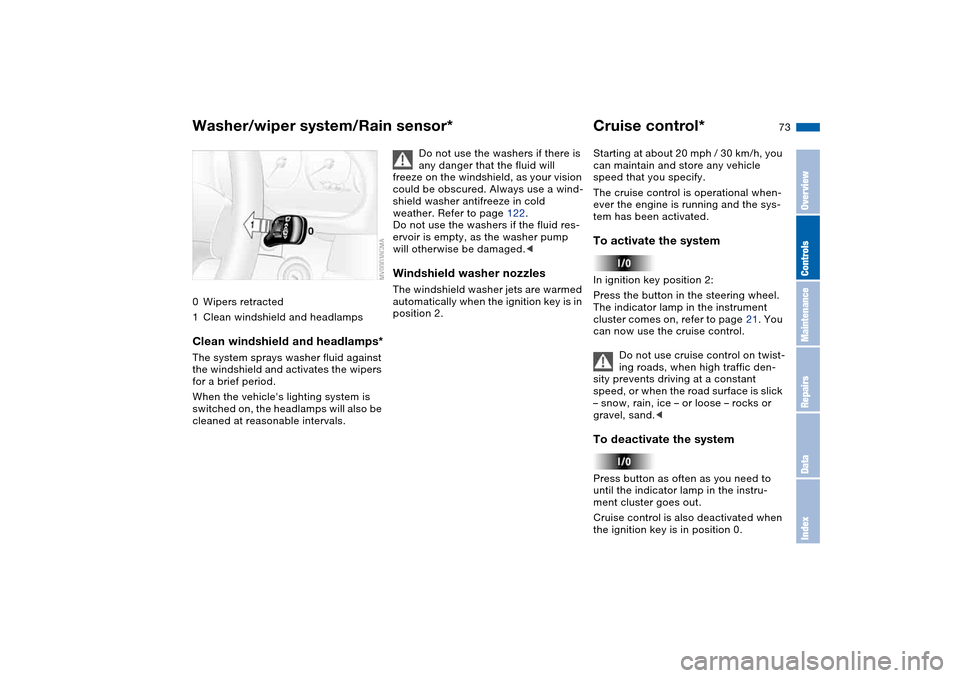
0Wipers retracted
1Clean windshield and headlampsClean windshield and headlamps*The system sprays washer fluid against
the windshield and activates the wipers
for a brief period.
When the vehicle's lighting system is
switched on, the headlamps will also be
cleaned at reasonable intervals.
Do not use the washers if there is
any danger that the fluid will
freeze on the windshield, as your vision
could be obscured. Always use a wind-
shield washer antifreeze in cold
weather. Refer to page 122.
Do not use the washers if the fluid res-
ervoir is empty, as the washer pump
will otherwise be damaged.<
Windshield washer nozzlesThe windshield washer jets are warmed
automatically when the ignition key is in
position 2.
Cruise control*Starting at about 20 mph / 30 km/h, you
can maintain and store any vehicle
speed that you specify.
The cruise control is operational when-
ever the engine is running and the sys-
tem has been activated.To activate the systemIn ignition key position 2:
Press the button in the steering wheel.
The indicator lamp in the instrument
cluster comes on, refer to page 21. You
can now use the cruise control.
Do not use cruise control on twist-
ing roads, when high traffic den-
sity prevents driving at a constant
speed, or when the road surface is slick
– snow, rain, ice – or loose – rocks or
gravel, sand.
ment cluster goes out.
Cruise control is also deactivated when
the ignition key is in position 0.
Washer/wiper system/Rain sensor*
OverviewControlsMaintenanceRepairsDataIndex
Page 82 of 170
82
Dynamic Stability Control (DSC)The conceptDSC supports vehicle stability, even in
critical driving situations.
DSC optimizes driving stability and
traction during acceleration and when
you are starting from a standstill. In
addition, it also recognizes unstable
vehicle conditions, such as understeer-
ing and oversteering. By reducing
engine power and applying brakes at
the wheels, DSC helps to keep the
vehicle on a steady course within phys-
ically feasible limits.
DSC starts up automatically each time
you start the engine.
The laws of physics cannot be
repealed, even with DSC. The
driver remains responsible for the con-
sequences of any inadequate driving
style. Therefore, do not take any risks
because of the additional safety pro-
vided. Do not make any modifications
to the DSC system. Allow only autho-
rized technicians to perform service
procedures on the DSC.<
Indicator lamp for DSC
The indicator lamp in the instru-
ment cluster will go out shortly
after the ignition has been
switched on, refer to page 20.
>The indicator lamp flashes: DSC is
active and is controlling the drive
torque based on driving conditions
>The indicator lamp does not go out
after the engine is started or lights up
continuously while you are driving:
DSC has been deactivated via the
button or is defective.
You can continue to drive the vehicle
normally without DSC. In the event of a
malfunction, contact a BMW center or a
workshop that works according to
BMW requirements with appropriately
trained personnel.
M Track mode*M track mode is a feature of the
Dynamic Stability Control DSC,
designed for driving on dry roads. It
allows you to drive with higher longitu-
dinal and lateral acceleration, whereas
driving stability is somewhat reduced.
Only in its absolute limit range will the
system try to stabilize the vehicle by
reducing engine power and applying
brakes to the wheels. Under these driv-
ing conditions the driver must be pre-
pared to perform corrective steering
movements if necessary.
By default, M Track mode is off after
each engine start.
While M Track mode is active, sta-
bilising interventions are per-
formed to a reduced extent only.<
To maintain vehicle stability,
always drive with DSC switched
on and M Track mode switched off
whenever possible.
shortly after the ignition is
switched on.
>Indicator lamp stays on: M Track
mode ist on
>Indicator lamp stays on and DSC
indicator lamp flashes:
M Track mode is actively regulating
drive torque and braking forces.
Page 85 of 170
85
Flat tire
The indicator lamp in the instru-
ment cluster lights up red. In
addition, an acoustic signal is
sounded.
1. Carefully reduce speed and come to
a stop. Avoid sudden braking and
steering maneuvers
2. Determine which wheel is damaged
If this cannot be determined, con-
tact your BMW center.<
3. Fix the flat tire using the M Mobility
system, refer to page 137
4. Press the button for approx.
4 seconds. The red indicator lamp
goes out.
After replacing the damaged tire, initial-
ize the system.
System malfunction
The indicator lamp in the instru-
ment cluster lights up yellow.
The Flat Tire Monitor is malfunc-
tioning or out of order. Please contact
your BMW center for additional infor-
mation.
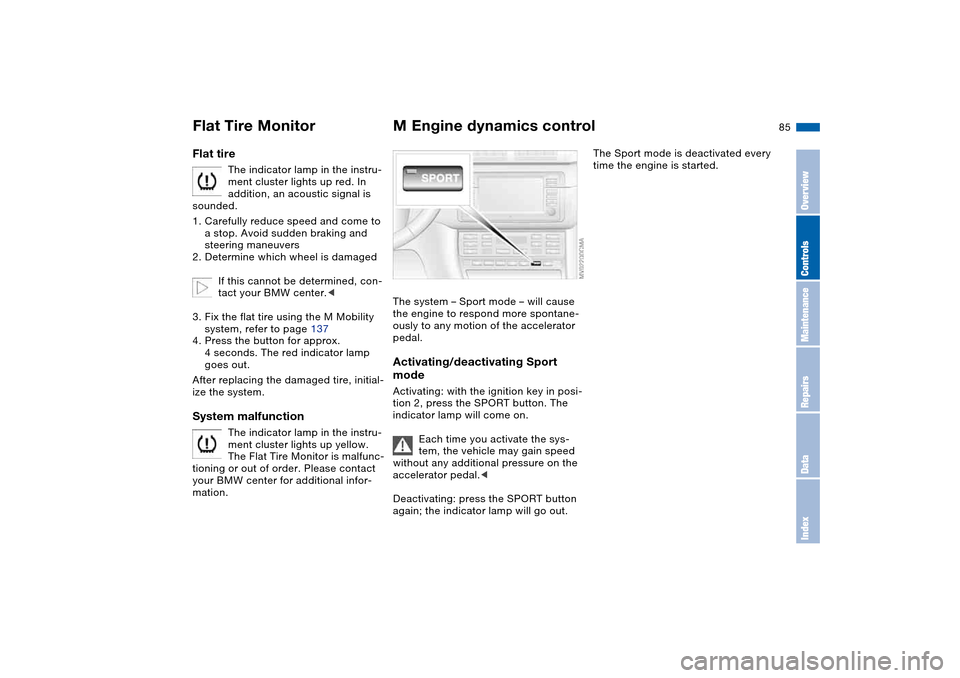
M Engine dynamics controlThe system – Sport mode – will cause
the engine to respond more spontane-
ously to any motion of the accelerator
pedal.Activating/deactivating Sport
modeActivating: with the ignition key in posi-
tion 2, press the SPORT button. The
indicator lamp will come on.
Each time you activate the sys-
tem, the vehicle may gain speed
without any additional pressure on the
accelerator pedal.<
Deactivating: press the SPORT button
again; the indicator lamp will go out.
The Sport mode is deactivated every
time the engine is started.
Flat Tire Monitor
OverviewControlsMaintenanceRepairsDataIndex
Page 111 of 170
111
Antilock Brake System (ABS)The conceptABS keeps the wheels from locking
during braking, thereby enhancing
active driving safety.Braking with ABSIf you are in a situation that requires full
braking, you will exploit the full benefits
of the ABS system if you apply maxi-
mum pedal pressure: panic stop. Since
the vehicle maintains steering respon-
siveness, you can avoid possible obsta-
cles with a minimum of steering effort.
Pulsation at the brake pedal combines
with sounds from the hydraulic circuits
to indicate to the driver that ABS is in
its active mode.Dynamic Brake Control (DBC)DBC is included in the DSC, refer to
page 82.
If you apply the brakes rapidly, this sys-
tem automatically generates maximum
braking force boost and thus helps to
achieve the shortest possible braking
distance in panic braking situations. All
of the benefits of the ABS are exploited
under these circumstances.Do not reduce the pressure on the
brake pedal for the duration of the
brake application. When the brake
pedal is released, the DBC is deacti-
vated.
Cornering Brake Control (CBC)CBC is an advanced engineering
design of the ABS. When braking while
cornering at high speed or braking dur-
ing high lateral acceleration, or when
braking during a lane change, vehicle
stability is improved and steering
response is enhanced.
OverviewControlsMaintenanceRepairsDataIndex
Page 112 of 170
112Wheels and tires
Tire inflation pressureInformation for your safetyIt is not merely the tire's service life, but
also driving comfort and, above all else,
driving safety that depend on the condi-
tion of the tires and the maintenance of
the specified tire pressure.Checking tire pressuresOnly check the tire inflation pressures
of cold tires. This means after driving a
maximum of 1.25 miles/2 km or after
the vehicle has been parked for at least
2 hours. Warm tires have higher infla-
tion pressures.
Check tire inflation pressures reg-
ularly and correct them if neces-
sary: at least twice a month and before
beginning a longer trip. Otherwise,
incorrect tire pressures can cause driv-
ing instability or tire damage, ultimately
resulting in accidents. Do not drive on a
deflated, i.e. flat, tire. A flat tire greatly
impairs steering and braking response,
and can lead to complete loss of con-
trol over the vehicle.<
After correcting the tire inflation pres-
sure, reinitialize the Flat Tire Monitor,
refer to page 84.
Inflation pressures for original
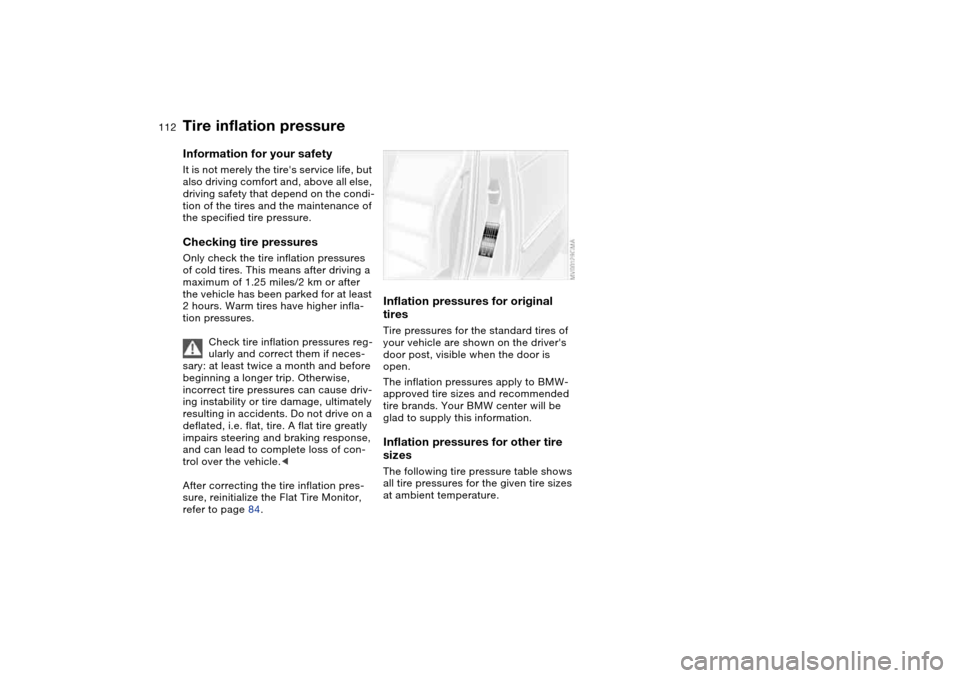
tiresTire pressures for the standard tires of
your vehicle are shown on the driver's
door post, visible when the door is
open.
The inflation pressures apply to BMW-
approved tire sizes and recommended
tire brands. Your BMW center will be
glad to supply this information.Inflation pressures for other tire
sizesThe following tire pressure table shows
all tire pressures for the given tire sizes
at ambient temperature.
Page 137 of 170
137
Tire repair with the M Mobility system
Precautions in case of a flat tire:
Stop the vehicle as far as possible
from passing traffic and position it on a
firm surface. Turn on the hazard warn-
ing flashers.
Turn the steering wheel to the straight-
ahead position and engage the steering
lock. Engage the parking brake and
shift into 1st or reverse gear.
All passengers should be outside the
vehicle and well away from your imme-
diate working area – behind a guardrail,
for instance.
If necessary, set up your warning trian-
gle or portable hazard warning lamp on
the roadside at an appropriate distance
from the rear of the vehicle. Comply
with all local safety guidelines and reg-
ulations.<
You will find an M Mobility system in the
BMW M3 for repairing flat tires. With
this system you can apply a sealant to
the inside of the tire, thus seal off the
damaged point, then reinflate the tire
and continue driving.
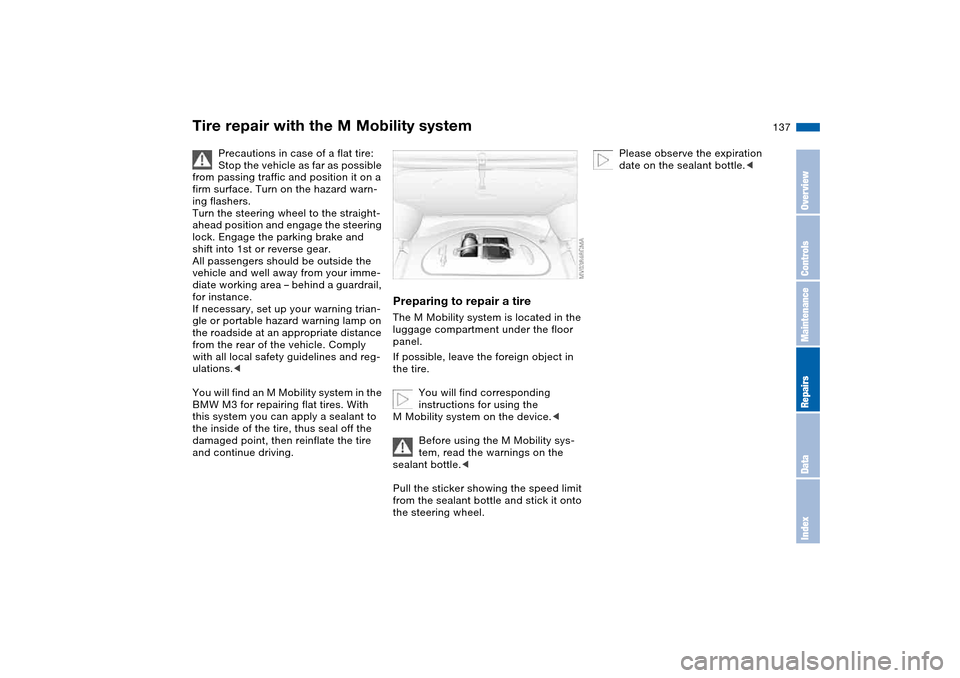
Preparing to repair a tireThe M Mobility system is located in the
luggage compartment under the floor
panel.
If possible, leave the foreign object in
the tire.
You will find corresponding
instructions for using the
M Mobility system on the device.<
Before using the M Mobility sys-
tem, read the warnings on the
sealant bottle.<
Pull the sticker showing the speed limit
from the sealant bottle and stick it onto
the steering wheel.
Please observe the expiration
date on the sealant bottle.<
OverviewControlsMaintenanceRepairsDataIndex
Page 157 of 170
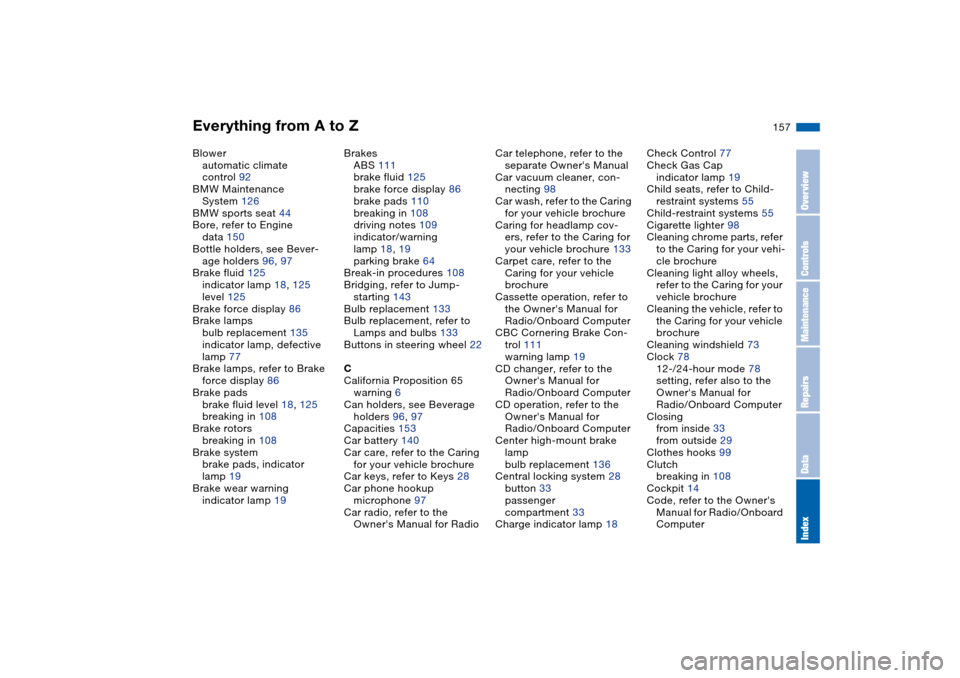
Everything from A to Z
157
Blower
automatic climate
control 92
BMW Maintenance
System 126
BMW sports seat 44
Bore, refer to Engine
data 150
Bottle holders, see Bever-
age holders 96, 97
Brake fluid 125
indicator lamp 18, 125
level 125
Brake force display 86
Brake lamps
bulb replacement 135
indicator lamp, defective
lamp 77
Brake lamps, refer to Brake
force display 86
Brake pads
brake fluid level 18, 125
breaking in 108
Brake rotors
breaking in 108
Brake system
brake pads, indicator
lamp 19
Brake wear warning
indicator lamp 19Brakes
ABS 111
brake fluid 125
brake force display 86
brake pads 110
breaking in 108
driving notes 109
indicator/warning
lamp 18, 19
parking brake 64
Break-in procedures 108
Bridging, refer to Jump-
starting 143
Bulb replacement 133
Bulb replacement, refer to
Lamps and bulbs 133
Buttons in steering wheel 22
C
California Proposition 65
warning 6
Can holders, see Beverage
holders 96, 97
Capacities 153
Car battery 140
Car care, refer to the Caring
for your vehicle brochure
Car keys, refer to Keys 28
Car phone hookup
microphone 97
Car radio, refer to the
Owner's Manual for RadioCar telephone, refer to the
separate Owner's Manual
Car vacuum cleaner, con-
necting 98
Car wash, refer to the Caring
for your vehicle brochure
Caring for headlamp cov-
ers, refer to the Caring for
your vehicle brochure 133
Carpet care, refer to the
Caring for your vehicle
brochure
Cassette operation, refer to
the Owner's Manual for
Radio/Onboard Computer
CBC Cornering Brake Con-
trol 111
warning lamp 19
CD changer, refer to the
Owner's Manual for
Radio/Onboard Computer
CD operation, refer to the
Owner's Manual for
Radio/Onboard Computer
Center high-mount brake
lamp
bulb replacement 136
Central locking system 28
button 33
passenger
compartment 33
Charge indicator lamp 18Check Control 77
Check Gas Cap
indicator lamp 19
Child seats, refer to Child-
restraint systems 55
Child-restraint systems 55
Cigarette lighter 98
Cleaning chrome parts, refer
to the Caring for your vehi-
cle brochure
Cleaning light alloy wheels,
refer to the Caring for your
vehicle brochure
Cleaning the vehicle, refer to
the Caring for your vehicle
brochure
Cleaning windshield 73
Clock 78
12-/24-hour mode 78
setting, refer also to the
Owner's Manual for
Radio/Onboard Computer
Closing
from inside 33
from outside 29
Clothes hooks 99
Clutch
breaking in 108
Cockpit 14
Code, refer to the Owner's
Manual for Radio/Onboard
Computer
OverviewControlsMaintenanceRepairsDataIndex
Page 160 of 170
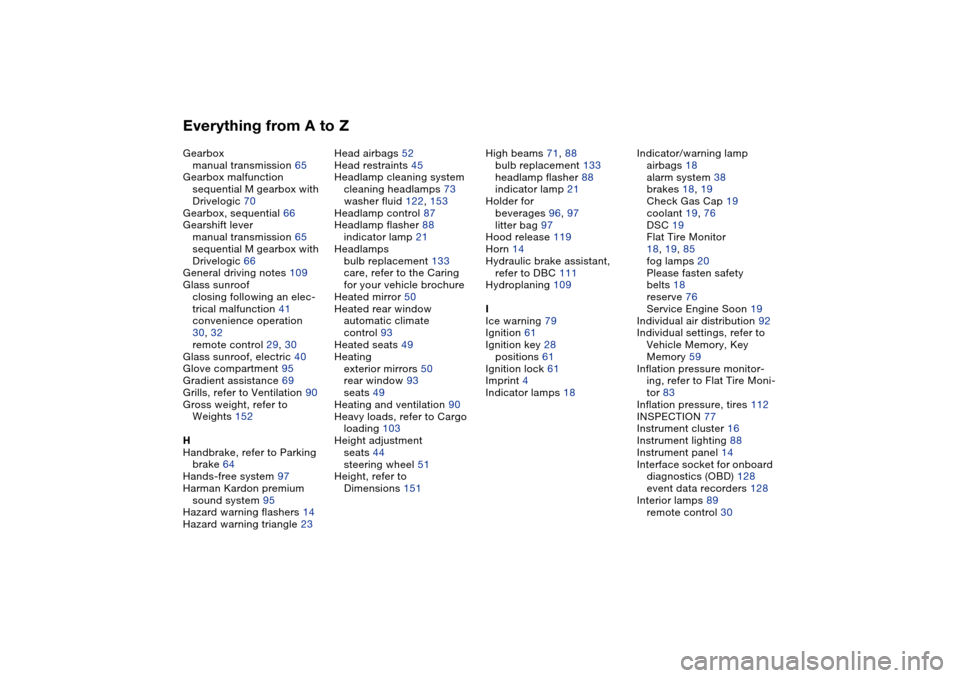
Everything from A to ZGearbox
manual transmission 65
Gearbox malfunction
sequential M gearbox with
Drivelogic 70
Gearbox, sequential 66
Gearshift lever
manual transmission 65
sequential M gearbox with
Drivelogic 66
General driving notes 109
Glass sunroof
closing following an elec-
trical malfunction 41
convenience operation
30, 32
remote control 29, 30
Glass sunroof, electric 40
Glove compartment 95
Gradient assistance 69
Grills, refer to Ventilation 90
Gross weight, refer to
Weights 152
H
Handbrake, refer to Parking
brake 64
Hands-free system 97
Harman Kardon premium
sound system 95
Hazard warning flashers 14
Hazard warning triangle 23Head airbags 52
Head restraints 45
Headlamp cleaning system
cleaning headlamps 73
washer fluid 122, 153
Headlamp control 87
Headlamp flasher 88
indicator lamp 21
Headlamps
bulb replacement 133
care, refer to the Caring
for your vehicle brochure
Heated mirror 50
Heated rear window
automatic climate
control 93
Heated seats 49
Heating
exterior mirrors 50
rear window 93
seats 49
Heating and ventilation 90
Heavy loads, refer to Cargo
loading 103
Height adjustment
seats 44
steering wheel 51
Height, refer to
Dimensions 151High beams 71, 88
bulb replacement 133
headlamp flasher 88
indicator lamp 21
Holder for
beverages 96, 97
litter bag 97
Hood release 119
Horn 14
Hydraulic brake assistant,
refer to DBC 111
Hydroplaning 109
I
Ice warning 79
Ignition 61
Ignition key 28
positions 61
Ignition lock 61
Imprint 4
Indicator lamps 18Indicator/warning lamp
airbags 18
alarm system 38
brakes 18, 19
Check Gas Cap 19
coolant 19, 76
DSC 19
Flat Tire Monitor
18, 19, 85
fog lamps 20
Please fasten safety
belts 18
reserve 76
Service Engine Soon 19
Individual air distribution 92
Individual settings, refer to
Vehicle Memory, Key
Memory 59
Inflation pressure monitor-
ing, refer to Flat Tire Moni-
tor 83
Inflation pressure, tires 112
INSPECTION 77
Instrument cluster 16
Instrument lighting 88
Instrument panel 14
Interface socket for onboard
diagnostics (OBD) 128
event data recorders 128
Interior lamps 89
remote control 30