lock BMW M3 COUPE 2006 E46 Owner's Guide
[x] Cancel search | Manufacturer: BMW, Model Year: 2006, Model line: M3 COUPE, Model: BMW M3 COUPE 2006 E46Pages: 170, PDF Size: 2.63 MB
Page 51 of 170
51
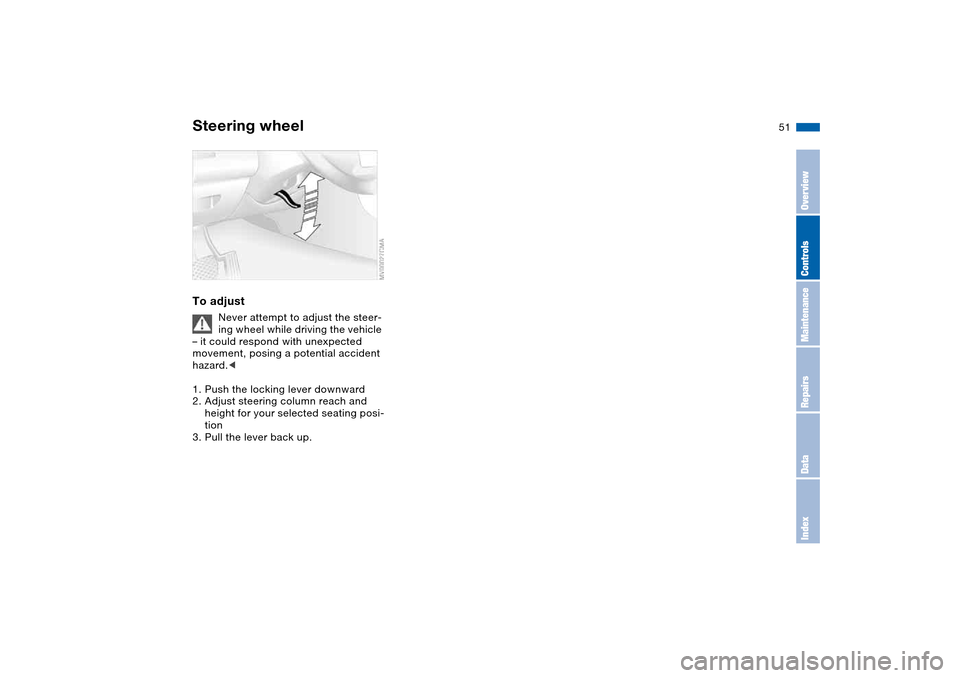
Steering wheelTo adjust
Never attempt to adjust the steer-
ing wheel while driving the vehicle
– it could respond with unexpected
movement, posing a potential accident
hazard.<
1. Push the locking lever downward
2. Adjust steering column reach and
height for your selected seating posi-
tion
3. Pull the lever back up.
OverviewControlsMaintenanceRepairsDataIndex
Page 57 of 170
57
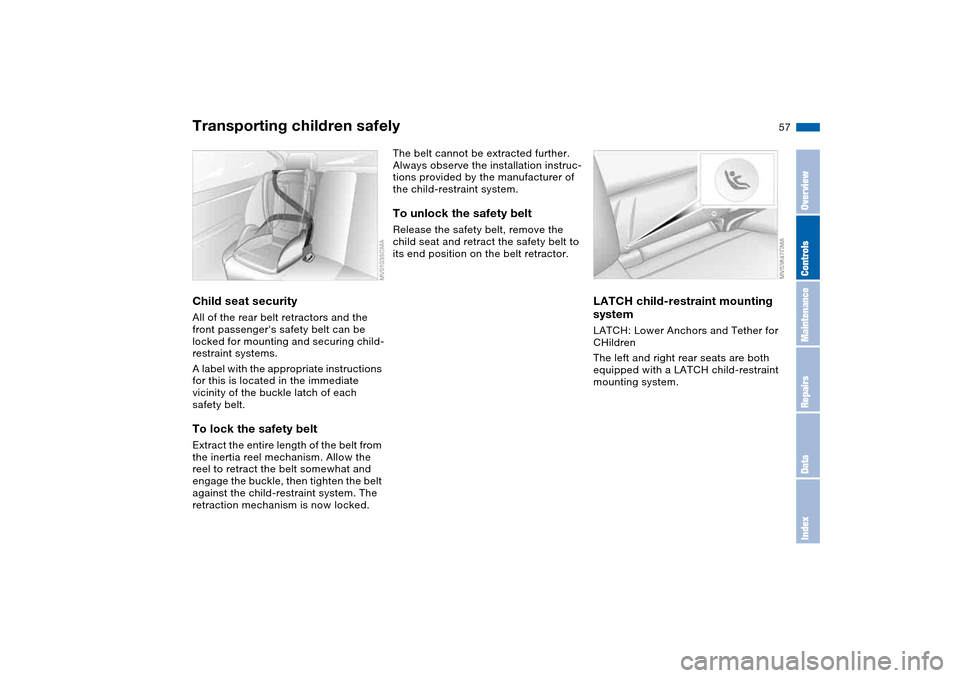
Child seat securityAll of the rear belt retractors and the
front passenger's safety belt can be
locked for mounting and securing child-
restraint systems.
A label with the appropriate instructions
for this is located in the immediate
vicinity of the buckle latch of each
safety belt.To lock the safety beltExtract the entire length of the belt from
the inertia reel mechanism. Allow the
reel to retract the belt somewhat and
engage the buckle, then tighten the belt
against the child-restraint system. The
retraction mechanism is now locked.
The belt cannot be extracted further.
Always observe the installation instruc-
tions provided by the manufacturer of
the child-restraint system.To unlock the safety belt Release the safety belt, remove the
child seat and retract the safety belt to
its end position on the belt retractor.
LATCH child-restraint mounting
systemLATCH: Lower Anchors and Tether for
CHildren
The left and right rear seats are both
equipped with a LATCH child-restraint
mounting system.
Transporting children safely
OverviewControlsMaintenanceRepairsDataIndex
Page 59 of 170
59
Vehicle Memory, Key MemoryHow the system functionsYou have probably frequently wished
that you could configure individual
functions of your vehicles to reflect your
own personal requirements. In engi-
neering your vehicle, BMW has pro-
vided for a number of options for per-
sonal adjustment that can be
programmed into your vehicle at your
BMW center.
The available configuration data fall into
two categories, according to whether
their primary orientation is the vehicle –
Vehicle Memory – or the individual –
Key Memory. You can have up to four
different basic settings adjusted for four
different persons. The only require-
ment is that each person uses his or her
own remote control key.
When your vehicle is unlocked with the
remote control, the vehicle recognizes
the individual user by means of a data
exchange with the key, and makes
adjustments accordingly.
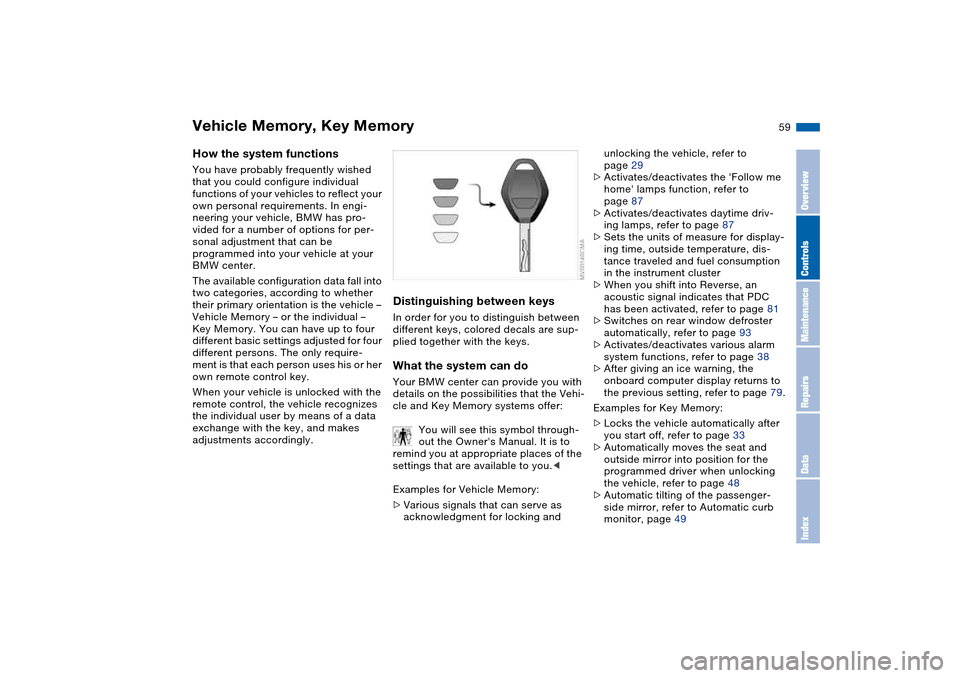
Distinguishing between keysIn order for you to distinguish between
different keys, colored decals are sup-
plied together with the keys.What the system can doYour BMW center can provide you with
details on the possibilities that the Vehi-
cle and Key Memory systems offer:
You will see this symbol through-
out the Owner's Manual. It is to
remind you at appropriate places of the
settings that are available to you.<
Examples for Vehicle Memory:
>Various signals that can serve as
acknowledgment for locking and
unlocking the vehicle, refer to
page 29
>Activates/deactivates the 'Follow me
home' lamps function, refer to
page 87
>Activates/deactivates daytime driv-
ing lamps, refer to page 87
>Sets the units of measure for display-
ing time, outside temperature, dis-
tance traveled and fuel consumption
in the instrument cluster
>When you shift into Reverse, an
acoustic signal indicates that PDC
has been activated, refer to page 81
>Switches on rear window defroster
automatically, refer to page 93
>Activates/deactivates various alarm
system functions, refer to page 38
>After giving an ice warning, the
onboard computer display returns to
the previous setting, refer to page 79.
Examples for Key Memory:
>Locks the vehicle automatically after
you start off, refer to page 33
>Automatically moves the seat and
outside mirror into position for the
programmed driver when unlocking
the vehicle, refer to page 48
>Automatic tilting of the passenger-
side mirror, refer to Automatic curb
monitor, page 49
OverviewControlsMaintenanceRepairsDataIndex
Page 61 of 170
61 Driving
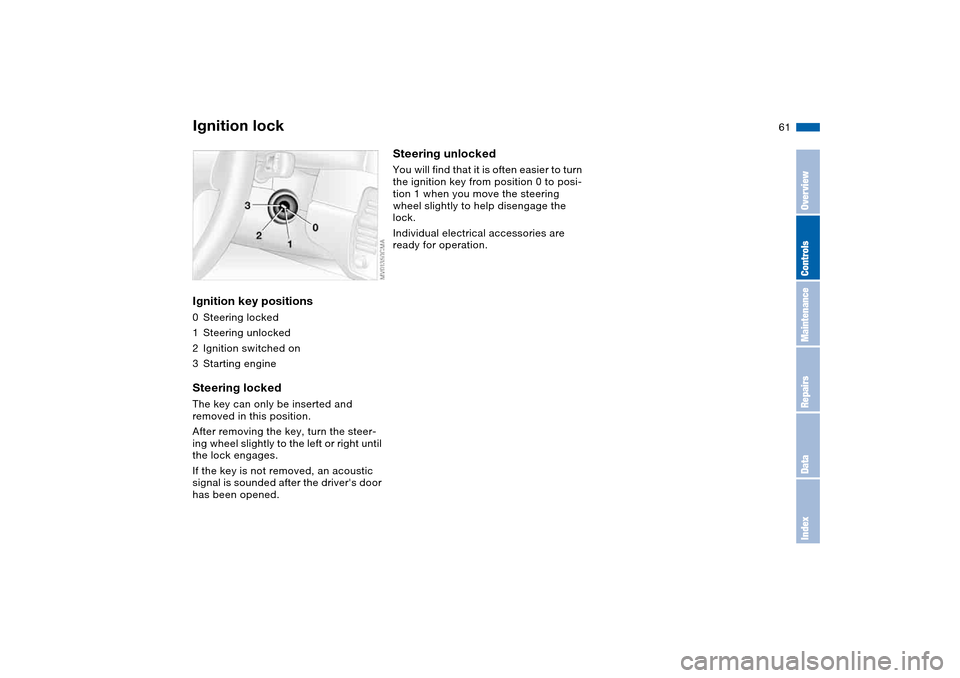
Ignition lockIgnition key positions0Steering locked
1Steering unlocked
2Ignition switched on
3Starting engineSteering lockedThe key can only be inserted and
removed in this position.
After removing the key, turn the steer-
ing wheel slightly to the left or right until
the lock engages.
If the key is not removed, an acoustic
signal is sounded after the driver's door
has been opened.
Steering unlockedYou will find that it is often easier to turn
the ignition key from position 0 to posi-
tion 1 when you move the steering
wheel slightly to help disengage the
lock.
Individual electrical accessories are
ready for operation.
OverviewControlsMaintenanceRepairsDataIndex
Page 64 of 170
64
Switching off the engine
You should never remove the igni-
tion key when the vehicle is in
motion, as the steering lock could
engage.
When you leave the vehicle, always
remove the ignition key and engage the
steering lock.<
Always engage the parking brake
when parking on downhill roads.
Engaging a gear may not sufficiently
secure the vehicle against rolling.<
Manual transmissionTurn the ignition key to position 1 or 0.Sequential M gearbox with
DrivelogicIf you turn the ignition key to position 1
or 0 with the selector lever in the for-
ward or reverse position, a gear auto-
matically remains engaged.
If you turn the ignition key to position 1
or 0 with the selector lever in position
N, a warning tone and the flashing gear
indicator in the SMG Drivelogic display
remind you that no gear is engaged to
secure the vehicle against rolling.
The warning stops after approx.
10 seconds. If you move the selector
lever into a forward or reverse position
during this time, a gear is automatically
engaged.
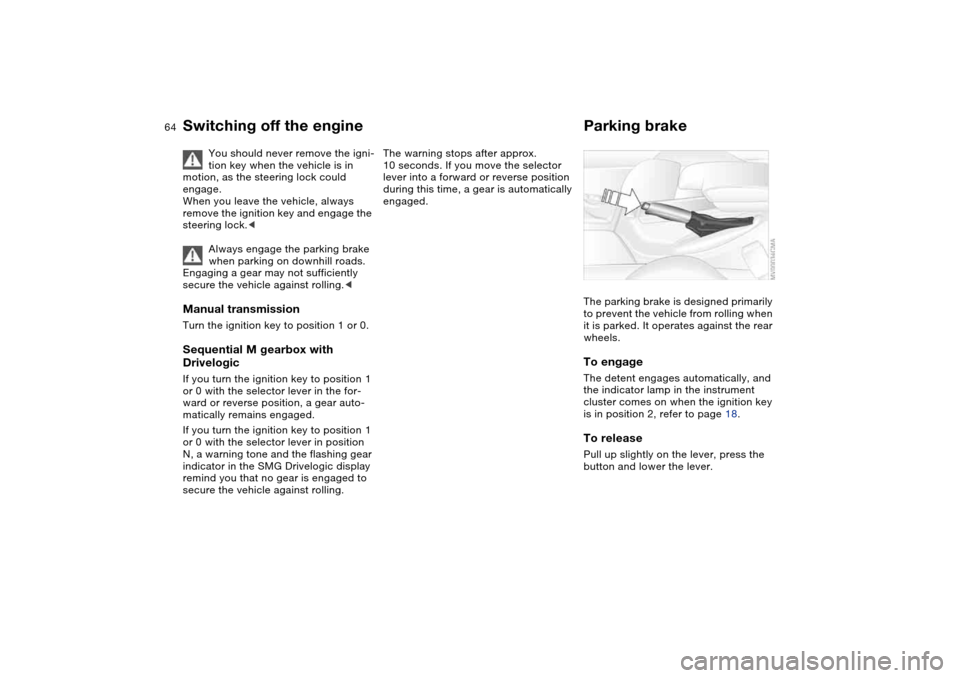
Parking brakeThe parking brake is designed primarily
to prevent the vehicle from rolling when
it is parked. It operates against the rear
wheels.To engageThe detent engages automatically, and
the indicator lamp in the instrument
cluster comes on when the ignition key
is in position 2, refer to page 18.To releasePull up slightly on the lever, press the
button and lower the lever.
Page 66 of 170
66
Sequential M gearbox with Drivelogic*The conceptThe sequential M gearbox with
Drivelogic is an automated manual
gearbox with which clutching and shift-
ing is assumed by an electro-hydraulic
system.
The SMG Drivelogic is operated via two
shift paddles on the steering wheel and
the selector lever in the center console.
It offers the following functions:
>Sequential and automated shifting
mode
>Ability to choose between different
driving programs – Drivelogic
>Gradient assistance, refer to page 69
>Upshift display and shift lights, refer
to page 70
>RPM matching on downshifts
>Driving dependent functions:
The respective driving situation, e.g.
cornering, mountain driving or brak-
ing, is detected by sensors and taken
into account for shifting, e.g. to
achieve optimum gear selection dur-
ing deceleration and subsequent
acceleration
>Slip recognition at the rear axle for
increasing driving stability, e.g. dur-
ing downshifting on slippery road
surfaces>Operating safety through protection
against misshifting.
Under normal operating conditions, fuel
consumption is lowest when driving in
the first driving program of the auto-
mated shifting mode.
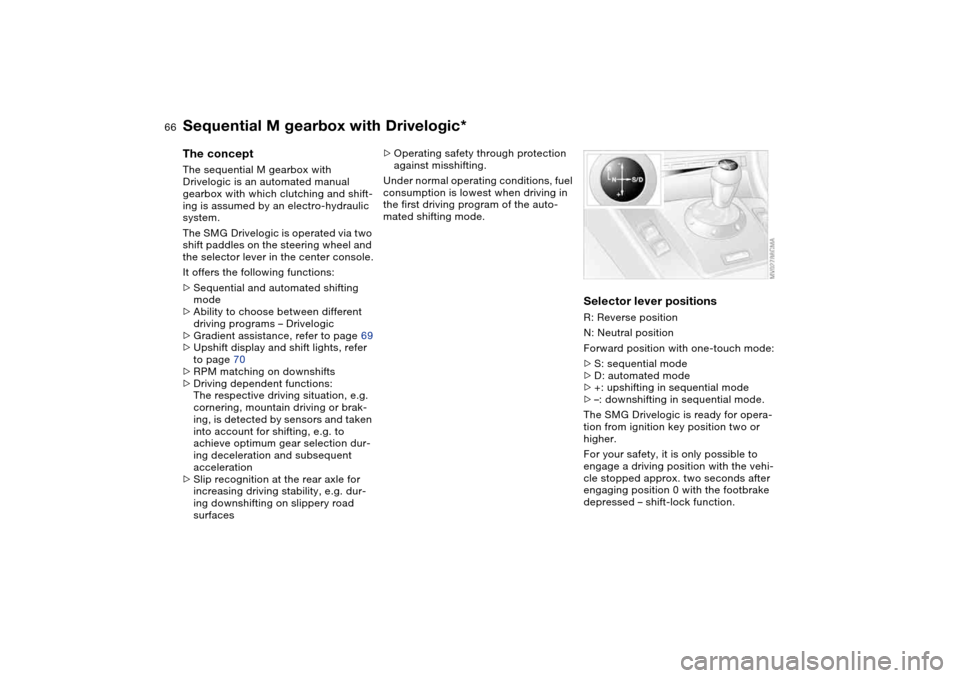
Selector lever positionsR: Reverse position
N: Neutral position
Forward position with one-touch mode:
>S: sequential mode
>D: automated mode
>+: upshifting in sequential mode
>–: downshifting in sequential mode.
The SMG Drivelogic is ready for opera-
tion from ignition key position two or
higher.
For your safety, it is only possible to
engage a driving position with the vehi-
cle stopped approx. two seconds after
engaging position 0 with the footbrake
depressed – shift-lock function.
Page 78 of 170
78
ClockIf you wish to have a permanent time
display, you can make this adjustment
in the car radio display, refer to the
Owner's Manual for Radio.
You can set the time of day, and the
display for the car radio, as follows.
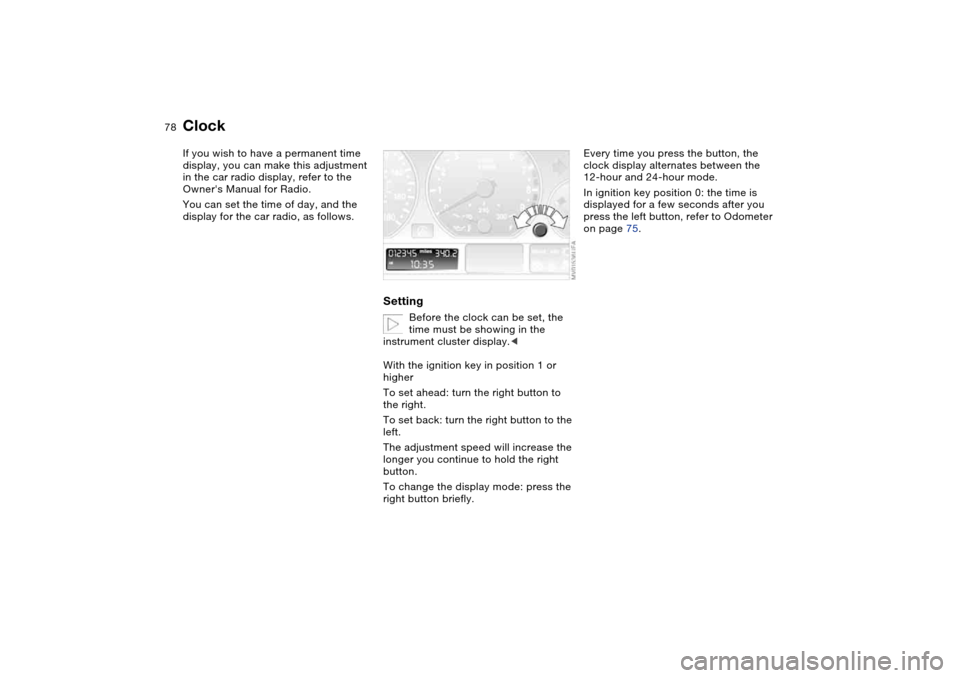
Setting
Before the clock can be set, the
time must be showing in the
instrument cluster display.<
With the ignition key in position 1 or
higher
To set ahead: turn the right button to
the right.
To set back: turn the right button to the
left.
The adjustment speed will increase the
longer you continue to hold the right
button.
To change the display mode: press the
right button briefly.
Every time you press the button, the
clock display alternates between the
12-hour and 24-hour mode.
In ignition key position 0: the time is
displayed for a few seconds after you
press the left button, refer to Odometer
on page 75.
Page 92 of 170
92
Tips for pleasant drivingUse the automatic mode – switch on
with AUTO button 6. Select the desired
interior temperature.
Detailed setting options are described
for you in the following sections.
You can make the settings of your
vehicle in such a manner that,
when you unlock the vehicle with the
remote control of your personal key,
your own personalized setting for the
automatic climate control is initiated.
air supply and the air distribu-
tion to the windshield and the side win-
dows, towards the upper body and to
the footwells, and in addition adapts
the temperature to external influences:
summer, winter.
The cooling function is automatically
switched on when you are using the
AUTO program.
Individual air distribution
You can cancel the AUTO pro-
gram by selecting specific dis-
tribution patterns to suit your
own individual requirements.
While the AUTO program is then deacti-
vated, the automatic airflow control
remains in operation. Air flows onto
the windows , toward the upper
body , and into the footwell . You
can reactivate the automatic air supply
by pressing the AUTO button.Temperature
The interior temperature that
appears in the display panel is a
general figure intended for refer-
ence purposes. We recommend 727/
+226 as a comfortable setting, even if
the air conditioning is on. When you
start the vehicle, the system ensures
that the selected temperature is
reached as quickly as possible. It then
maintains this temperature, regardless
of the season.
To select the units of measure 7/6 of
the display, refer to page 79.
Air supply/Blower
By pressing the upper or lower
button, you can vary the air sup-
ply. This deactivates the auto-
matic air supply – the AUTO display dis-
appears from the panel. Nevertheless,
the automatic air distribution remains
unchanged. You can reactivate the
automatic air supply by pressing the
AUTO button.
When the lowest blower speed is set
and you press the lower button, all of
the displays are canceled: the blower,
heating and air conditioner are
switched off, and the air supply is
stopped. You can reactivate the system
by pressing any button for the auto-
matic climate control.To defrost windows and remove
condensation
This program quickly removes
ice and condensation from the
windshield and the side windows.
Air conditioning
The air is cooled and dehumidi-
fied and – depending on the
temperature setting – rewarmed.
Depending on the weather, the wind-
shield may fog over briefly when the
engine is started. Air conditioning helps
prevent the windows from fogging up.
The cooling function is automatically
switched on when you are using the
AUTO program.
Automatic climate control
Page 93 of 170
93
Condensation forms during opera-
tion of the air conditioning system,
which then exits under the vehicle.
Traces of condensed water of this kind
are thus normal.<
Outside air/Automatic
recirculated-air control (AUC)/
Recirculated air
You can respond to unpleasant
external odors or pollutants by
temporarily stopping the flow of outside
air. The system then recirculates the air
currently within the vehicle.
By repeatedly pressing the button, you
can select one of three different operat-
ing modes.
>Indicator lamps off: outside air always
flowing into the vehicle
>Left-hand indicator lamp on – auto-
matic mode: the system detects pol-
lutants in the outside air and
responds by deactivating the outside
airflow as required. The system then
recirculates the air currently within
the vehicle.
Depending on air quality require-
ments, the system automatically
switches between outside air supply
and recirculation of the air already
within the vehicle
>Right-hand indicator lamp on: the
flow of outside air is permanently
blocked. The system recirculates the
air already within the vehicle.
If the windows fog over in the
recirculated-air mode, switch the
recirculated-air mode off and increase
the air supply as required.
is activated, the indicator lamp
comes on. The rear window defroster
switches off automatically after a short
while.
You can have your vehicle pro-
grammed in such a way that the
rear window defroster switches on
automatically. This occurs within 5 min-
utes after starting the engine when out-
side temperatures are below approx.
397/+46.<
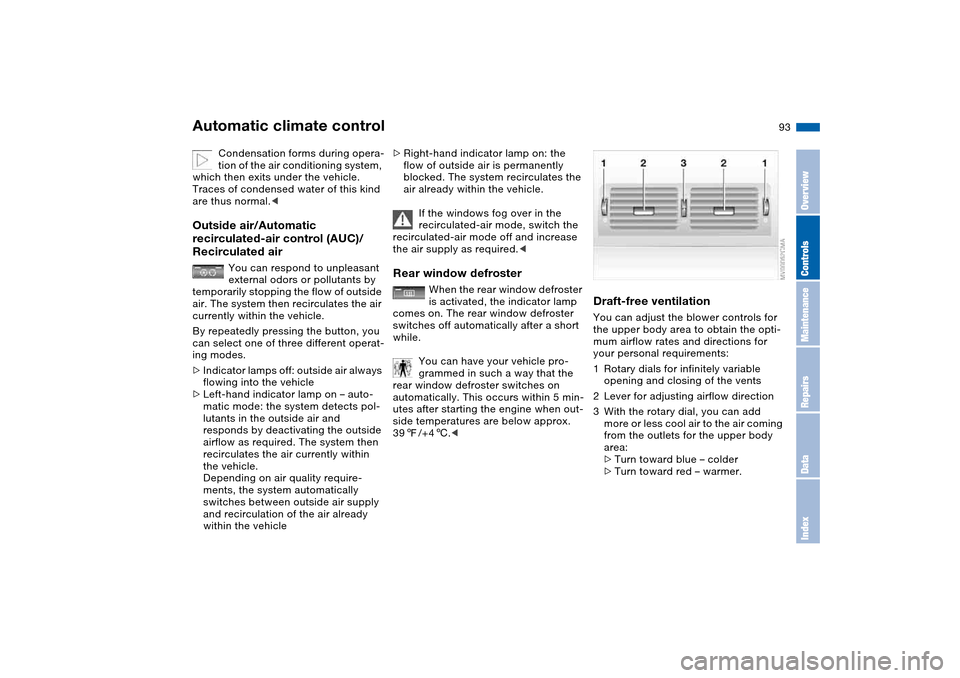
Draft-free ventilationYou can adjust the blower controls for
the upper body area to obtain the opti-
mum airflow rates and directions for
your personal requirements:
1Rotary dials for infinitely variable
opening and closing of the vents
2Lever for adjusting airflow direction
3With the rotary dial, you can add
more or less cool air to the air coming
from the outlets for the upper body
area:
>Turn toward blue – colder
>Turn toward red – warmer.
Automatic climate control
OverviewControlsMaintenanceRepairsDataIndex
Page 95 of 170
95 Interior conveniences
Premium sound system*Harman Kardon premium sound
systemWhen the system is activated, the
impression of a significantly larger pas-
senger compartment is created at all
seating areas, together with an
improvement of the stereo effect.
The system responds to poor reception
conditions by repeatedly alternating
between the stereo and monophonic
modes. You should then switch the sys-
tem off.
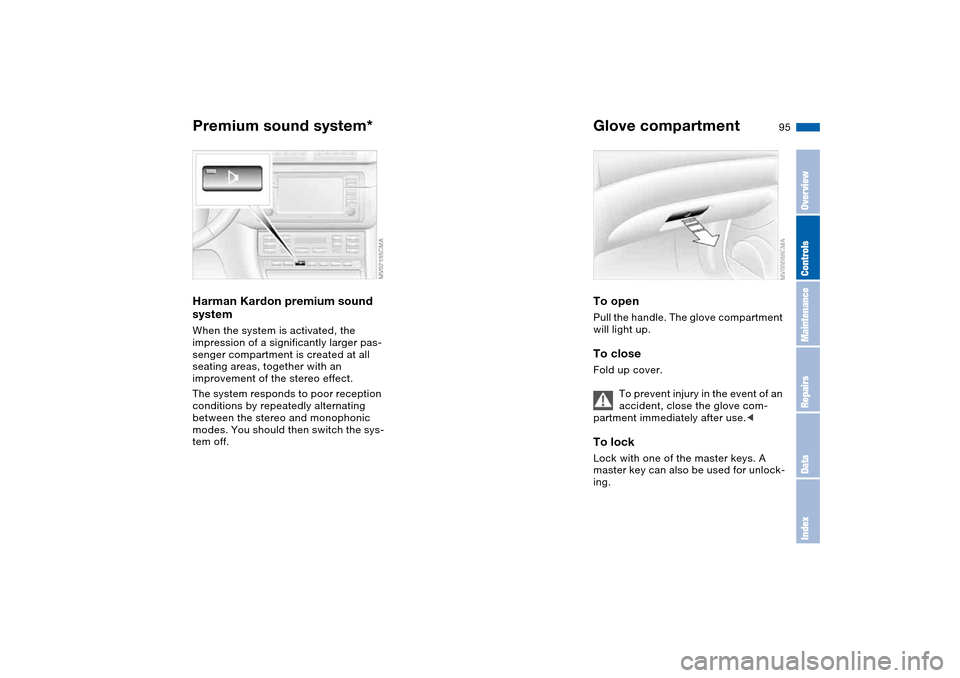
Glove compartmentTo openPull the handle. The glove compartment
will light up.To closeFold up cover.
To prevent injury in the event of an
accident, close the glove com-
partment immediately after use.
ing.
OverviewControlsMaintenanceRepairsDataIndex