lock BMW M3 COUPE 2006 E46 Owner's Guide
[x] Cancel search | Manufacturer: BMW, Model Year: 2006, Model line: M3 COUPE, Model: BMW M3 COUPE 2006 E46Pages: 170, PDF Size: 2.63 MB
Page 111 of 170
111
Antilock Brake System (ABS)The conceptABS keeps the wheels from locking
during braking, thereby enhancing
active driving safety.Braking with ABSIf you are in a situation that requires full
braking, you will exploit the full benefits
of the ABS system if you apply maxi-
mum pedal pressure: panic stop. Since
the vehicle maintains steering respon-
siveness, you can avoid possible obsta-
cles with a minimum of steering effort.
Pulsation at the brake pedal combines
with sounds from the hydraulic circuits
to indicate to the driver that ABS is in
its active mode.Dynamic Brake Control (DBC)DBC is included in the DSC, refer to
page 82.
If you apply the brakes rapidly, this sys-
tem automatically generates maximum
braking force boost and thus helps to
achieve the shortest possible braking
distance in panic braking situations. All
of the benefits of the ABS are exploited
under these circumstances.Do not reduce the pressure on the
brake pedal for the duration of the
brake application. When the brake
pedal is released, the DBC is deacti-
vated.
Cornering Brake Control (CBC)CBC is an advanced engineering
design of the ABS. When braking while
cornering at high speed or braking dur-
ing high lateral acceleration, or when
braking during a lane change, vehicle
stability is improved and steering
response is enhanced.
OverviewControlsMaintenanceRepairsDataIndex
Page 119 of 170
119 In the engine compartment
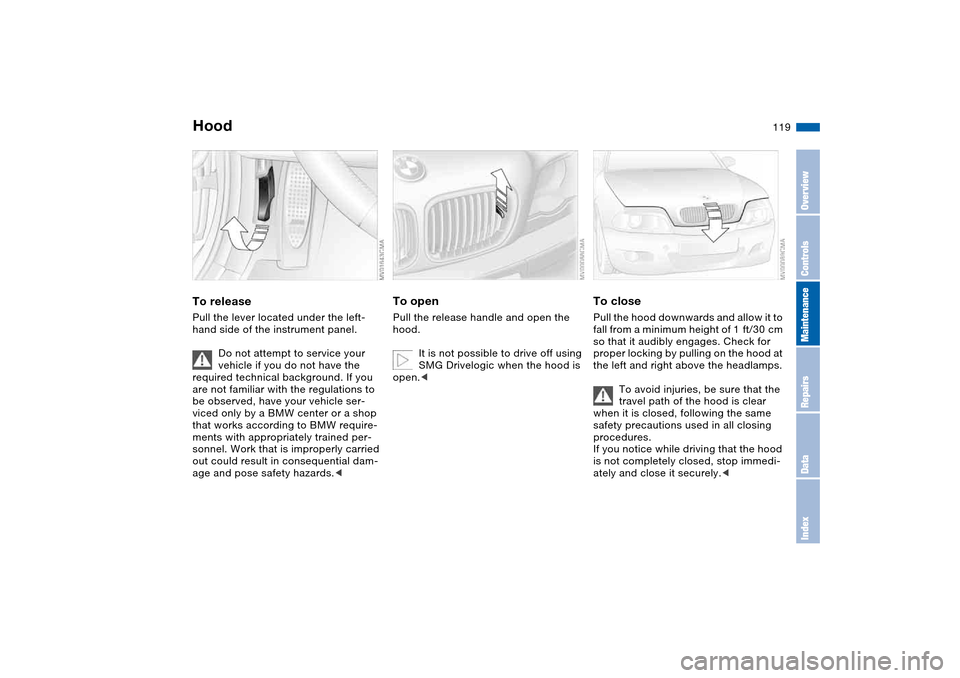
HoodTo releasePull the lever located under the left-
hand side of the instrument panel.
Do not attempt to service your
vehicle if you do not have the
required technical background. If you
are not familiar with the regulations to
be observed, have your vehicle ser-
viced only by a BMW center or a shop
that works according to BMW require-
ments with appropriately trained per-
sonnel. Work that is improperly carried
out could result in consequential dam-
age and pose safety hazards.<
To openPull the release handle and open the
hood.
It is not possible to drive off using
SMG Drivelogic when the hood is
open.<
To closePull the hood downwards and allow it to
fall from a minimum height of 1 ft/30 cm
so that it audibly engages. Check for
proper locking by pulling on the hood at
the left and right above the headlamps.
To avoid injuries, be sure that the
travel path of the hood is clear
when it is closed, following the same
safety precautions used in all closing
procedures.
If you notice while driving that the hood
is not completely closed, stop immedi-
ately and close it securely.<
OverviewControlsMaintenanceRepairsDataIndex
Page 124 of 170
124
Low ambient temperaturesThe oils used by BMW at the factory for
your vehicle model can be used at virtu-
ally any ambient temperature.
However, if the vehicle is exposed to
temperatures below –47/–206 for
extended periods, please have your
BMW center recommend a suitable oil.
Coolant
Do not open the cooling system
when the engine is hot. If you do,
escaping coolant can cause burns.<
Coolant consists of water and coolant
additives. Not all commercially available
additives are suitable for your BMW.
Your BMW center knows which addi-
tives are appropriate.
Only use approved additives, as
the engine could otherwise be
damaged. The additives are hazardous
to health.<
Comply with the applicable envi-
ronmental laws regulating
the disposal of coolant additives.<
Checking the coolant level1. The engine must be at ambient tem-
perature
2. Open the cap for the expansion tank
by turning it slightly counterclock-
wise to allow accumulated pressure
to escape. Then open
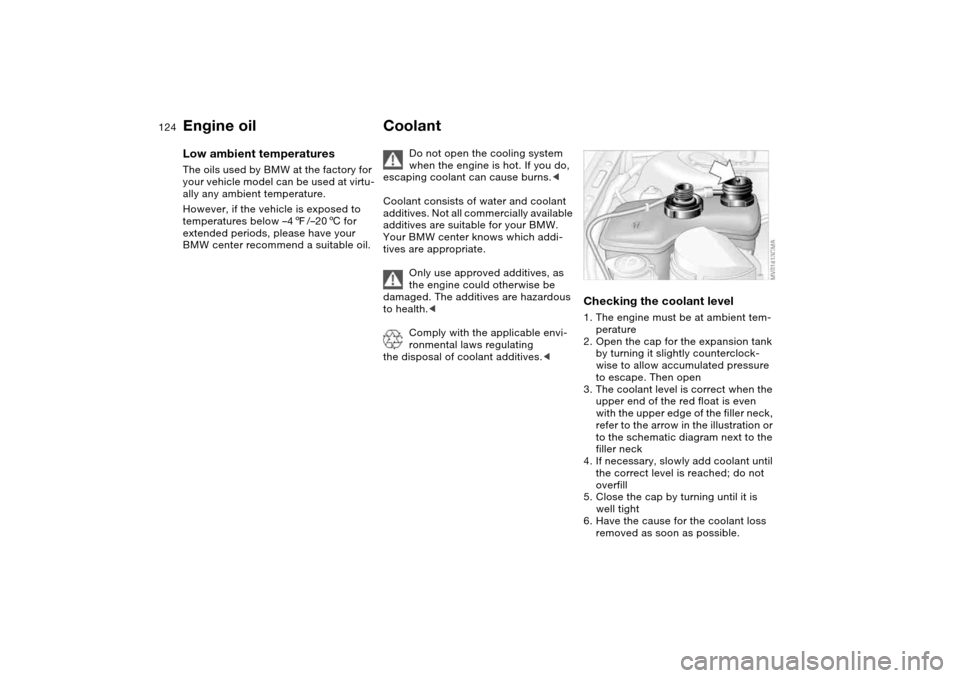
3. The coolant level is correct when the
upper end of the red float is even
with the upper edge of the filler neck,
refer to the arrow in the illustration or
to the schematic diagram next to the
filler neck
4. If necessary, slowly add coolant until
the correct level is reached; do not
overfill
5. Close the cap by turning until it is
well tight
6. Have the cause for the coolant loss
removed as soon as possible.
Engine oil
Page 137 of 170
137
Tire repair with the M Mobility system
Precautions in case of a flat tire:
Stop the vehicle as far as possible
from passing traffic and position it on a
firm surface. Turn on the hazard warn-
ing flashers.
Turn the steering wheel to the straight-
ahead position and engage the steering
lock. Engage the parking brake and
shift into 1st or reverse gear.
All passengers should be outside the
vehicle and well away from your imme-
diate working area – behind a guardrail,
for instance.
If necessary, set up your warning trian-
gle or portable hazard warning lamp on
the roadside at an appropriate distance
from the rear of the vehicle. Comply
with all local safety guidelines and reg-
ulations.<
You will find an M Mobility system in the
BMW M3 for repairing flat tires. With
this system you can apply a sealant to
the inside of the tire, thus seal off the
damaged point, then reinflate the tire
and continue driving.
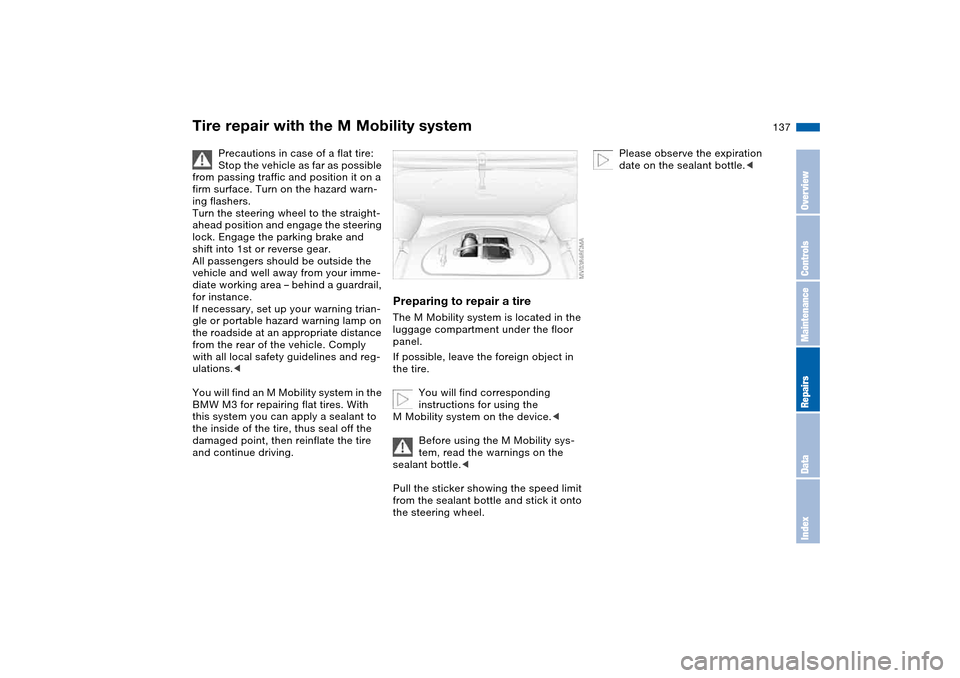
Preparing to repair a tireThe M Mobility system is located in the
luggage compartment under the floor
panel.
If possible, leave the foreign object in
the tire.
You will find corresponding
instructions for using the
M Mobility system on the device.<
Before using the M Mobility sys-
tem, read the warnings on the
sealant bottle.<
Pull the sticker showing the speed limit
from the sealant bottle and stick it onto
the steering wheel.
Please observe the expiration
date on the sealant bottle.<
OverviewControlsMaintenanceRepairsDataIndex
Page 141 of 170
141
Disposal
After changing the battery, have
the old battery disposed of by
your BMW center or bring it to a recy-
cling point. Maintain the battery in an
upright position for transport and stor-
age. Secure the battery against tilting in
transit.<
Power lossAfter a temporary power loss, e.g. due
to a discharged battery, some equip-
ment will be limited in its use and will
have to be reinitialized. Individual set-
tings are also lost and must be reset:
>Seat and mirror memory
The position settings must be stored
again, refer to page 48
>Clock
must be reset, refer to page 78
>Radio
Stations must be reset, refer to the
Owner's Manual for Radio/Onboard
Computer
>Navigation system
The system will not be operable
immediately, refer to the Owner's
Manual for Radio/Onboard Com-
puter.
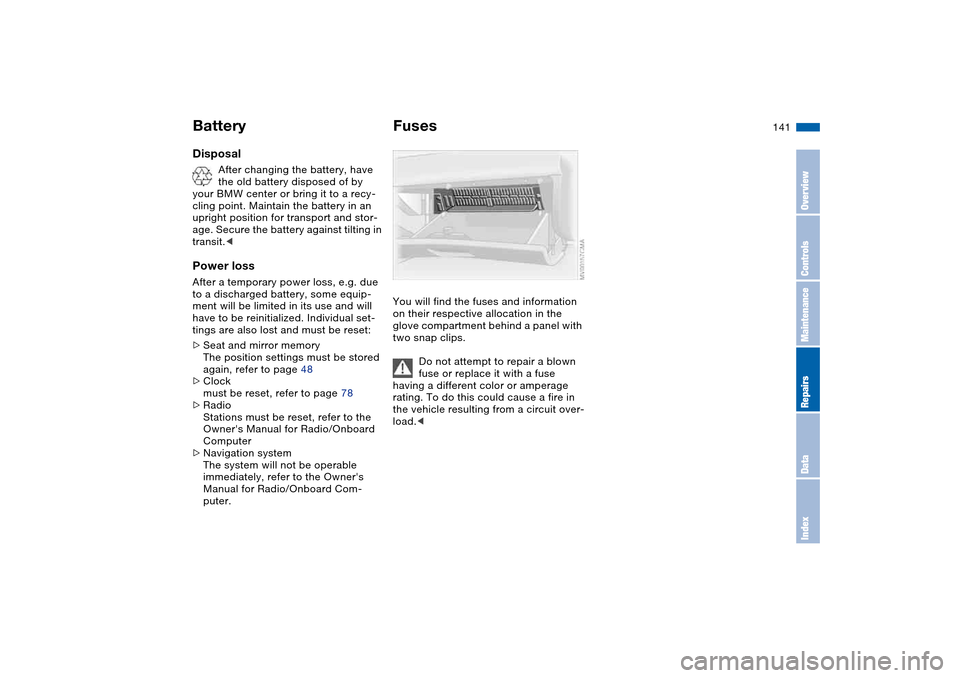
FusesYou will find the fuses and information
on their respective allocation in the
glove compartment behind a panel with
two snap clips.
Do not attempt to repair a blown
fuse or replace it with a fuse
having a different color or amperage
rating. To do this could cause a fire in
the vehicle resulting from a circuit over-
load.<
Battery
OverviewControlsMaintenanceRepairsDataIndex
Page 145 of 170
145
Towing and tow-starting the vehicle
Always observe all applicable
towing laws and regulations.<
Using the towing eyeletThe screw-in towing eyelet is stored in
the luggage compartment under the
floor panel and must remain with the
vehicle at all times. It can be attached
at the front or rear of your BMW.
Observe the following instruc-
tions in order to avoid damaging
the towing eyelet or the vehicle: use
only the towing eyelet supplied with the
vehicle, and screw it in firmly until it
stops. Use the towing eyelet for towing
on paved roads only. Avoid subjecting
the towing eyelet to lateral loads, e.g.
do not lift the vehicle using the towing
eyelet.<
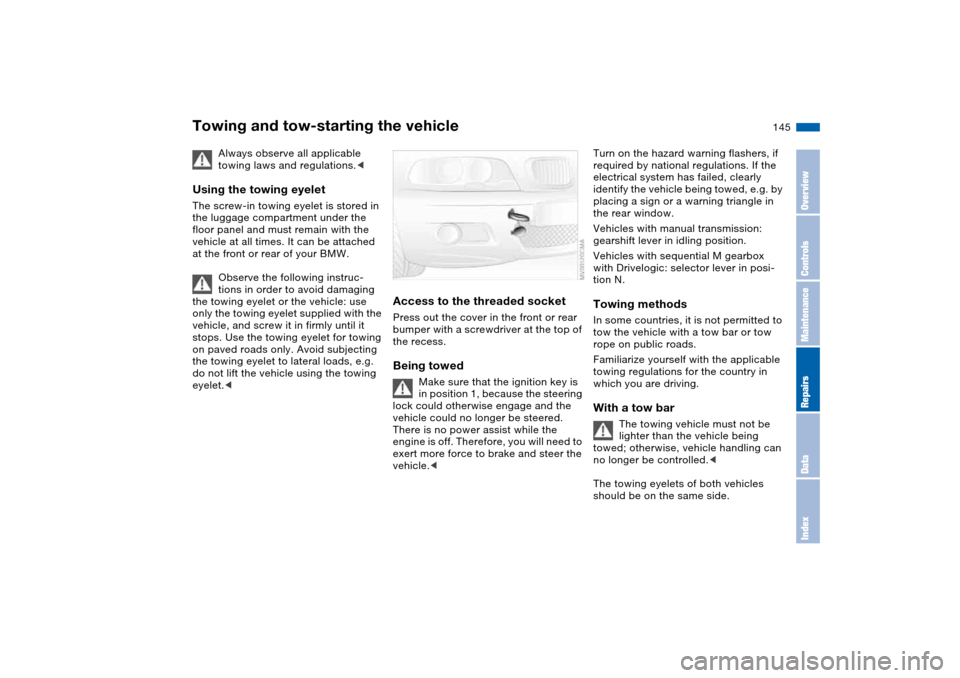
Access to the threaded socketPress out the cover in the front or rear
bumper with a screwdriver at the top of
the recess.Being towed
Make sure that the ignition key is
in position 1, because the steering
lock could otherwise engage and the
vehicle could no longer be steered.
There is no power assist while the
engine is off. Therefore, you will need to
exert more force to brake and steer the
vehicle.<
Turn on the hazard warning flashers, if
required by national regulations. If the
electrical system has failed, clearly
identify the vehicle being towed, e.g. by
placing a sign or a warning triangle in
the rear window.
Vehicles with manual transmission:
gearshift lever in idling position.
Vehicles with sequential M gearbox
with Drivelogic: selector lever in posi-
tion N.Towing methodsIn some countries, it is not permitted to
tow the vehicle with a tow bar or tow
rope on public roads.
Familiarize yourself with the applicable
towing regulations for the country in
which you are driving.With a tow bar
The towing vehicle must not be
lighter than the vehicle being
towed; otherwise, vehicle handling can
no longer be controlled.<
The towing eyelets of both vehicles
should be on the same side.
OverviewControlsMaintenanceRepairsDataIndex
Page 156 of 170
Everything from A to ZA
ABS Antilock Brake
System 111
indicator lamp 19
Accessories, refer to For
your own safety 6
Accident, refer to Emer-
gency call 142
Activated-charcoal filter 94
Adaptive brake lamp, refer
to Brake force display 86
Adding brake fluid 125
Additional sources of infor-
mation 4
Air conditioning mode
automatic climate
control 92
Air distribution
automatic climate
control 92
individual 92
Air outlets, refer to Ventila-
tion 90
Air pressure, refer to Tire
inflation pressure 112
Air recirculation, refer to
Recirculated-air mode 93
Air supply
automatic climate
control 92
Air, drying, refer to Air con-
ditioning mode 92Airbags 52
deactivating 52
indicator lamp 18, 54
safe seating position 42
Airing out, refer to Ventila-
tion 90
AKI, refer to Fuel specifica-
tions 25
Alarm system 37
avoiding unintentional
alarms 38
All-season tires, refer to
Winter tires 116
Alternative oil types 123
Antifreeze 124
coolant 124
washer fluid 122
Antilock Brake System
(ABS) 111
indicator lamp 19
Anti-theft system 28
Anti-theft warning system,
refer to Alarm system 37
Approved axle loads, refer
to Weights 152
Approved gross weight,
refer to Weights 152
Armrest
front 96
rear 97Artificial leather, refer to the
Caring for your vehicle
brochure
Ashtray
front 98
rear 98
Assistant systems, refer to
Dynamic Stability Control
(DSC) 82
AUC Automatic recircu-
lated-air control 93
AUTO program 92
Automatic
cruise control 73
headlamp control 87
Automatic air distribution,
refer to AUTO program 92
Automatic air supply, refer
to AUTO program 92
Automatic car wash, refer to
the Caring for your vehicle
brochure
Automatic climate control 90
Automatic curb monitor 49
Automatic dimming, interior
rearview mirror 50
Automatic recirculated-air
control (AUC) 93
Automatic windshield
washer, refer to Rain sen-
sor 72Average fuel
consumption 80
Average speed 80
Avoiding unintentional
alarms 38
Axle loads, refer to
Weights 152
B
Backrest
adjusting 43
unlocking 46
width adjustment 45
Backrest, refer to Seat
adjustment 44
Backup lamps 65
bulb replacement 135
Bandages, refer to First-aid
kit 23
Bar, for towing 145
Battery 140
charge 140
disposal 141
indicator lamp 18
jump-starting 143
remote control 28, 29
Battery charge current 18
Belts, refer to Safety
belts 46
Beverage holders 96, 97
Page 157 of 170
Everything from A to Z
157
Blower
automatic climate
control 92
BMW Maintenance
System 126
BMW sports seat 44
Bore, refer to Engine
data 150
Bottle holders, see Bever-
age holders 96, 97
Brake fluid 125
indicator lamp 18, 125
level 125
Brake force display 86
Brake lamps
bulb replacement 135
indicator lamp, defective
lamp 77
Brake lamps, refer to Brake
force display 86
Brake pads
brake fluid level 18, 125
breaking in 108
Brake rotors
breaking in 108
Brake system
brake pads, indicator
lamp 19
Brake wear warning
indicator lamp 19Brakes
ABS 111
brake fluid 125
brake force display 86
brake pads 110
breaking in 108
driving notes 109
indicator/warning
lamp 18, 19
parking brake 64
Break-in procedures 108
Bridging, refer to Jump-
starting 143
Bulb replacement 133
Bulb replacement, refer to
Lamps and bulbs 133
Buttons in steering wheel 22
C
California Proposition 65
warning 6
Can holders, see Beverage
holders 96, 97
Capacities 153
Car battery 140
Car care, refer to the Caring
for your vehicle brochure
Car keys, refer to Keys 28
Car phone hookup
microphone 97
Car radio, refer to the
Owner's Manual for RadioCar telephone, refer to the
separate Owner's Manual
Car vacuum cleaner, con-
necting 98
Car wash, refer to the Caring
for your vehicle brochure
Caring for headlamp cov-
ers, refer to the Caring for
your vehicle brochure 133
Carpet care, refer to the
Caring for your vehicle
brochure
Cassette operation, refer to
the Owner's Manual for
Radio/Onboard Computer
CBC Cornering Brake Con-
trol 111
warning lamp 19
CD changer, refer to the
Owner's Manual for
Radio/Onboard Computer
CD operation, refer to the
Owner's Manual for
Radio/Onboard Computer
Center high-mount brake
lamp
bulb replacement 136
Central locking system 28
button 33
passenger
compartment 33
Charge indicator lamp 18Check Control 77
Check Gas Cap
indicator lamp 19
Child seats, refer to Child-
restraint systems 55
Child-restraint systems 55
Cigarette lighter 98
Cleaning chrome parts, refer
to the Caring for your vehi-
cle brochure
Cleaning light alloy wheels,
refer to the Caring for your
vehicle brochure
Cleaning the vehicle, refer to
the Caring for your vehicle
brochure
Cleaning windshield 73
Clock 78
12-/24-hour mode 78
setting, refer also to the
Owner's Manual for
Radio/Onboard Computer
Closing
from inside 33
from outside 29
Clothes hooks 99
Clutch
breaking in 108
Cockpit 14
Code, refer to the Owner's
Manual for Radio/Onboard
Computer
OverviewControlsMaintenanceRepairsDataIndex
Page 158 of 170
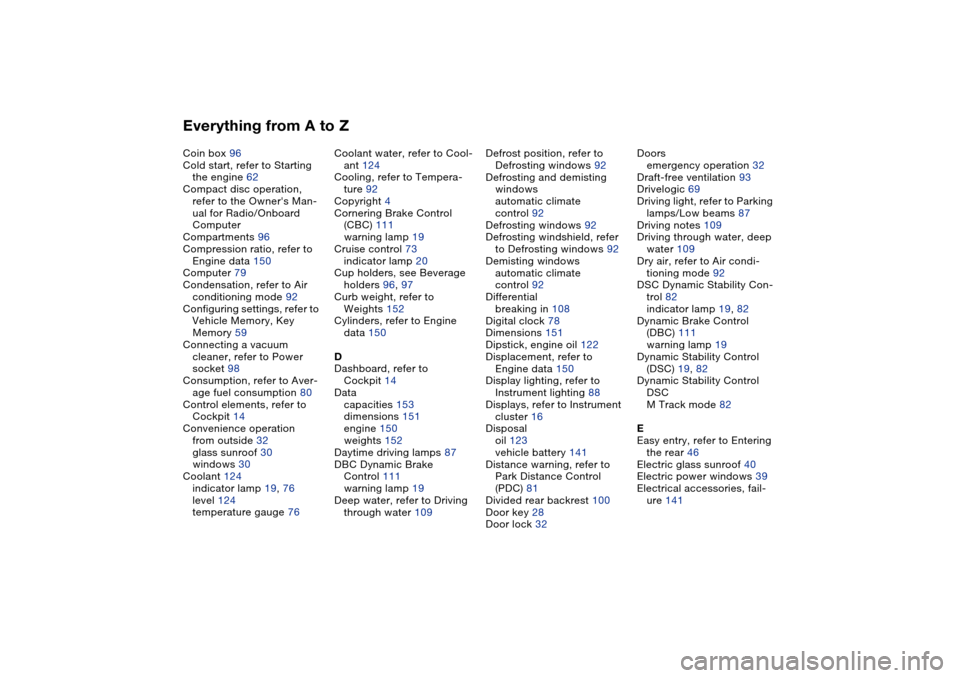
Everything from A to ZCoin box 96
Cold start, refer to Starting
the engine 62
Compact disc operation,
refer to the Owner's Man-
ual for Radio/Onboard
Computer
Compartments 96
Compression ratio, refer to
Engine data 150
Computer 79
Condensation, refer to Air
conditioning mode 92
Configuring settings, refer to
Vehicle Memory, Key
Memory 59
Connecting a vacuum
cleaner, refer to Power
socket 98
Consumption, refer to Aver-
age fuel consumption 80
Control elements, refer to
Cockpit 14
Convenience operation
from outside 32
glass sunroof 30
windows 30
Coolant 124
indicator lamp 19, 76
level 124
temperature gauge 76Coolant water, refer to Cool-
ant 124
Cooling, refer to Tempera-
ture 92
Copyright 4
Cornering Brake Control
(CBC) 111
warning lamp 19
Cruise control 73
indicator lamp 20
Cup holders, see Beverage
holders 96, 97
Curb weight, refer to
Weights 152
Cylinders, refer to Engine
data 150
D
Dashboard, refer to
Cockpit 14
Data
capacities 153
dimensions 151
engine 150
weights 152
Daytime driving lamps 87
DBC Dynamic Brake
Control 111
warning lamp 19
Deep water, refer to Driving
through water 109Defrost position, refer to
Defrosting windows 92
Defrosting and demisting
windows
automatic climate
control 92
Defrosting windows 92
Defrosting windshield, refer
to Defrosting windows 92
Demisting windows
automatic climate
control 92
Differential
breaking in 108
Digital clock 78
Dimensions 151
Dipstick, engine oil 122
Displacement, refer to
Engine data 150
Display lighting, refer to
Instrument lighting 88
Displays, refer to Instrument
cluster 16
Disposal
oil 123
vehicle battery 141
Distance warning, refer to
Park Distance Control
(PDC) 81
Divided rear backrest 100
Door key 28
Door lock 32Doors
emergency operation 32
Draft-free ventilation 93
Drivelogic 69
Driving light, refer to Parking
lamps/Low beams 87
Driving notes 109
Driving through water, deep
water 109
Dry air, refer to Air condi-
tioning mode 92
DSC Dynamic Stability Con-
trol 82
indicator lamp 19, 82
Dynamic Brake Control
(DBC) 111
warning lamp 19
Dynamic Stability Control
(DSC) 19, 82
Dynamic Stability Control
DSC
M Track mode 82
E
Easy entry, refer to Entering
the rear 46
Electric glass sunroof 40
Electric power windows 39
Electrical accessories, fail-
ure 141
Page 159 of 170
Everything from A to Z
159
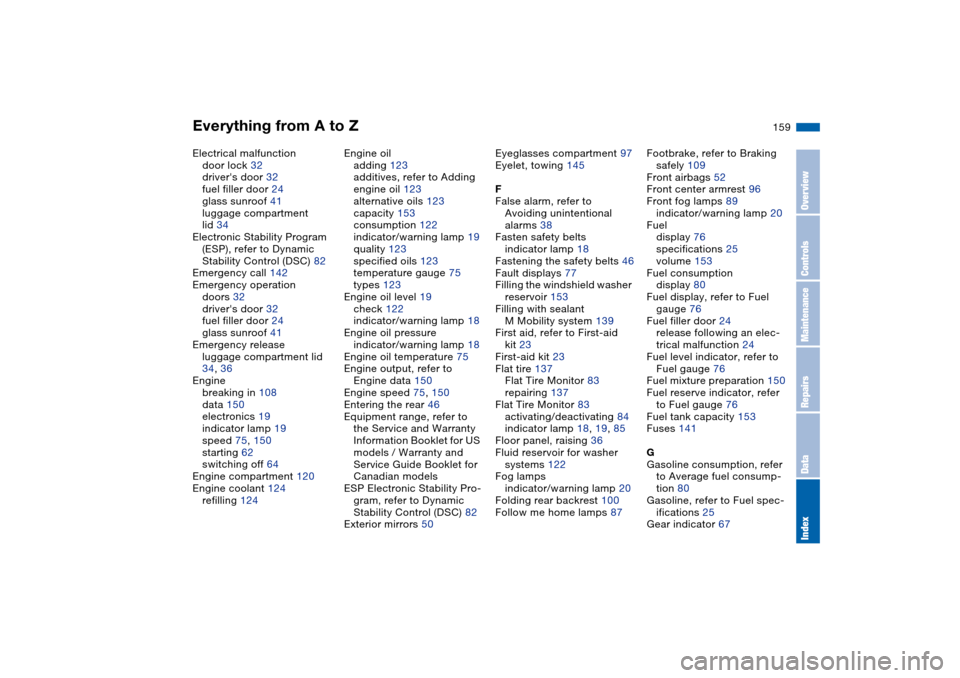
Electrical malfunction
door lock 32
driver's door 32
fuel filler door 24
glass sunroof 41
luggage compartment
lid 34
Electronic Stability Program
(ESP), refer to Dynamic
Stability Control (DSC) 82
Emergency call 142
Emergency operation
doors 32
driver's door 32
fuel filler door 24
glass sunroof 41
Emergency release
luggage compartment lid
34, 36
Engine
breaking in 108
data 150
electronics 19
indicator lamp 19
speed 75, 150
starting 62
switching off 64
Engine compartment 120
Engine coolant 124
refilling 124Engine oil
adding 123
additives, refer to Adding
engine oil 123
alternative oils 123
capacity 153
consumption 122
indicator/warning lamp 19
quality 123
specified oils 123
temperature gauge 75
types 123
Engine oil level 19
check 122
indicator/warning lamp 18
Engine oil pressure
indicator/warning lamp 18
Engine oil temperature 75
Engine output, refer to
Engine data 150
Engine speed 75, 150
Entering the rear 46
Equipment range, refer to
the Service and Warranty
Information Booklet for US
models / Warranty and
Service Guide Booklet for
Canadian models
ESP Electronic Stability Pro-
gram, refer to Dynamic
Stability Control (DSC) 82
Exterior mirrors 50Eyeglasses compartment 97
Eyelet, towing 145
F
False alarm, refer to
Avoiding unintentional
alarms 38
Fasten safety belts
indicator lamp 18
Fastening the safety belts 46
Fault displays 77
Filling the windshield washer
reservoir 153
Filling with sealant
M Mobility system 139
First aid, refer to First-aid
kit 23
First-aid kit 23
Flat tire 137
Flat Tire Monitor 83
repairing 137
Flat Tire Monitor 83
activating/deactivating 84
indicator lamp 18, 19, 85
Floor panel, raising 36
Fluid reservoir for washer
systems 122
Fog lamps
indicator/warning lamp 20
Folding rear backrest 100
Follow me home lamps 87Footbrake, refer to Braking
safely 109
Front airbags 52
Front center armrest 96
Front fog lamps 89
indicator/warning lamp 20
Fuel
display 76
specifications 25
volume 153
Fuel consumption
display 80
Fuel display, refer to Fuel
gauge 76
Fuel filler door 24
release following an elec-
trical malfunction 24
Fuel level indicator, refer to
Fuel gauge 76
Fuel mixture preparation 150
Fuel reserve indicator, refer
to Fuel gauge 76
Fuel tank capacity 153
Fuses 141
G
Gasoline consumption, refer
to Average fuel consump-
tion 80
Gasoline, refer to Fuel spec-
ifications 25
Gear indicator 67
OverviewControlsMaintenanceRepairsDataIndex