change time BMW M3 COUPE 2006 E46 Owner's Manual
[x] Cancel search | Manufacturer: BMW, Model Year: 2006, Model line: M3 COUPE, Model: BMW M3 COUPE 2006 E46Pages: 170, PDF Size: 2.63 MB
Page 59 of 170
59
Vehicle Memory, Key MemoryHow the system functionsYou have probably frequently wished
that you could configure individual
functions of your vehicles to reflect your
own personal requirements. In engi-
neering your vehicle, BMW has pro-
vided for a number of options for per-
sonal adjustment that can be
programmed into your vehicle at your
BMW center.
The available configuration data fall into
two categories, according to whether
their primary orientation is the vehicle –
Vehicle Memory – or the individual –
Key Memory. You can have up to four
different basic settings adjusted for four
different persons. The only require-
ment is that each person uses his or her
own remote control key.
When your vehicle is unlocked with the
remote control, the vehicle recognizes
the individual user by means of a data
exchange with the key, and makes
adjustments accordingly.
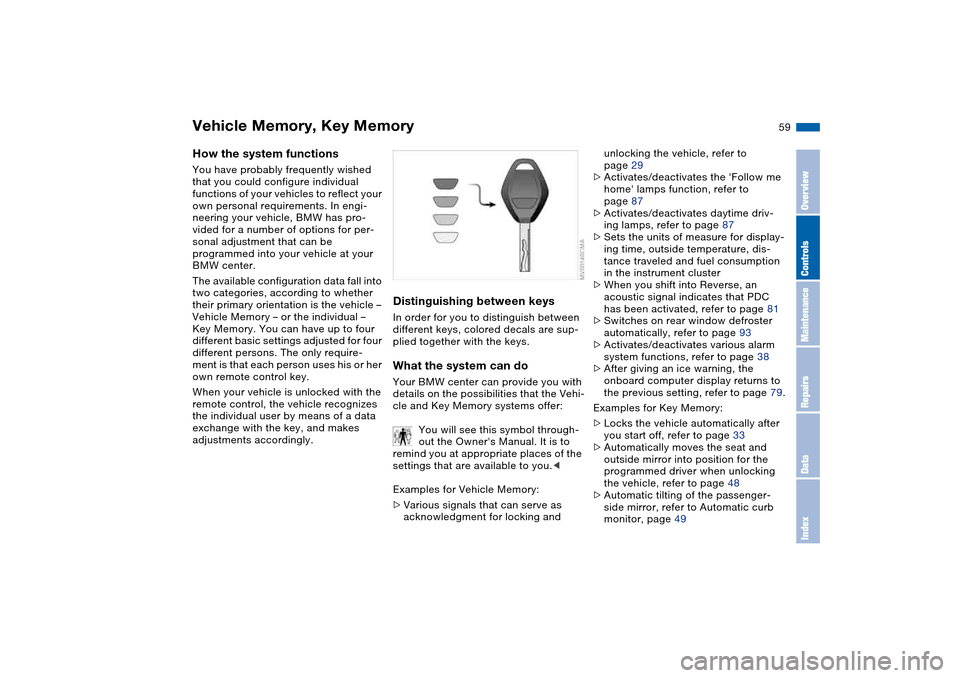
Distinguishing between keysIn order for you to distinguish between
different keys, colored decals are sup-
plied together with the keys.What the system can doYour BMW center can provide you with
details on the possibilities that the Vehi-
cle and Key Memory systems offer:
You will see this symbol through-
out the Owner's Manual. It is to
remind you at appropriate places of the
settings that are available to you.<
Examples for Vehicle Memory:
>Various signals that can serve as
acknowledgment for locking and
unlocking the vehicle, refer to
page 29
>Activates/deactivates the 'Follow me
home' lamps function, refer to
page 87
>Activates/deactivates daytime driv-
ing lamps, refer to page 87
>Sets the units of measure for display-
ing time, outside temperature, dis-
tance traveled and fuel consumption
in the instrument cluster
>When you shift into Reverse, an
acoustic signal indicates that PDC
has been activated, refer to page 81
>Switches on rear window defroster
automatically, refer to page 93
>Activates/deactivates various alarm
system functions, refer to page 38
>After giving an ice warning, the
onboard computer display returns to
the previous setting, refer to page 79.
Examples for Key Memory:
>Locks the vehicle automatically after
you start off, refer to page 33
>Automatically moves the seat and
outside mirror into position for the
programmed driver when unlocking
the vehicle, refer to page 48
>Automatic tilting of the passenger-
side mirror, refer to Automatic curb
monitor, page 49
OverviewControlsMaintenanceRepairsDataIndex
Page 70 of 170
70
Indicator lamp
The gearbox indicator lamp in
the instrument cluster goes out
after the engine is started.
>If it does not go out, or if it lights up
during driving, a malfunction has
occurred. The available functions
may be limited under certain circum-
stances.
Drive carefully and with the Dynamic
Stability Control (DSC) activated.
Have the system checked by the
nearest BMW center
>If the indicator lamp flashes while
driving, the system is overloaded.
Avoid high loads until the indicator
lamp goes out again permanently.
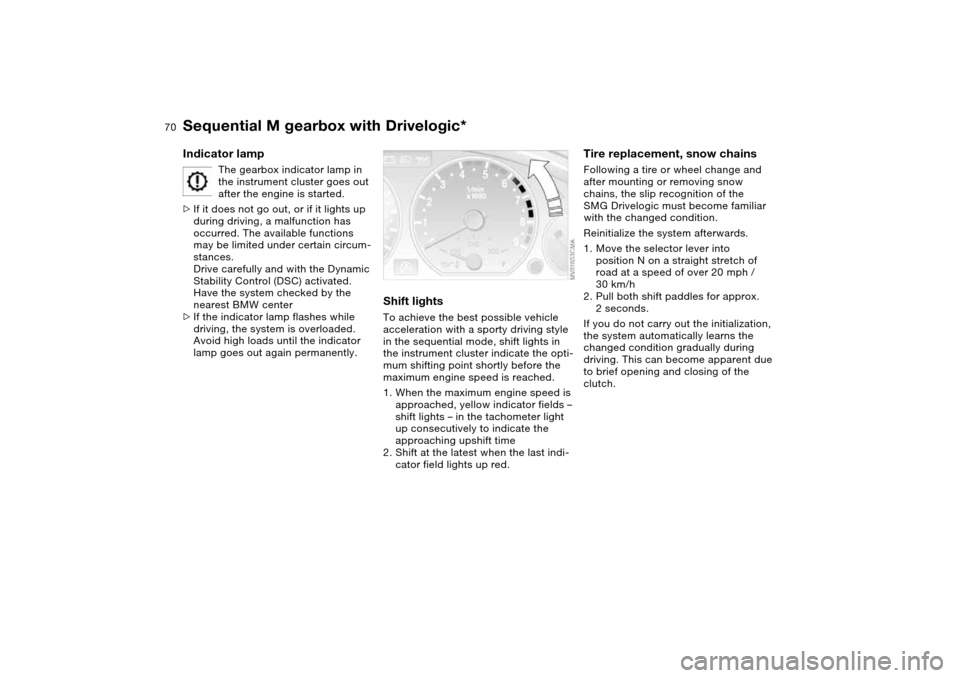
Shift lightsTo achieve the best possible vehicle
acceleration with a sporty driving style
in the sequential mode, shift lights in
the instrument cluster indicate the opti-
mum shifting point shortly before the
maximum engine speed is reached.
1. When the maximum engine speed is
approached, yellow indicator fields –
shift lights – in the tachometer light
up consecutively to indicate the
approaching upshift time
2. Shift at the latest when the last indi-
cator field lights up red.
Tire replacement, snow chainsFollowing a tire or wheel change and
after mounting or removing snow
chains, the slip recognition of the
SMG Drivelogic must become familiar
with the changed condition.
Reinitialize the system afterwards.
1. Move the selector lever into
position N on a straight stretch of
road at a speed of over 20 mph /
30 km/h
2. Pull both shift paddles for approx.
2 seconds.
If you do not carry out the initialization,
the system automatically learns the
changed condition gradually during
driving. This can become apparent due
to brief opening and closing of the
clutch.
Sequential M gearbox with Drivelogic*
Page 78 of 170
78
ClockIf you wish to have a permanent time
display, you can make this adjustment
in the car radio display, refer to the
Owner's Manual for Radio.
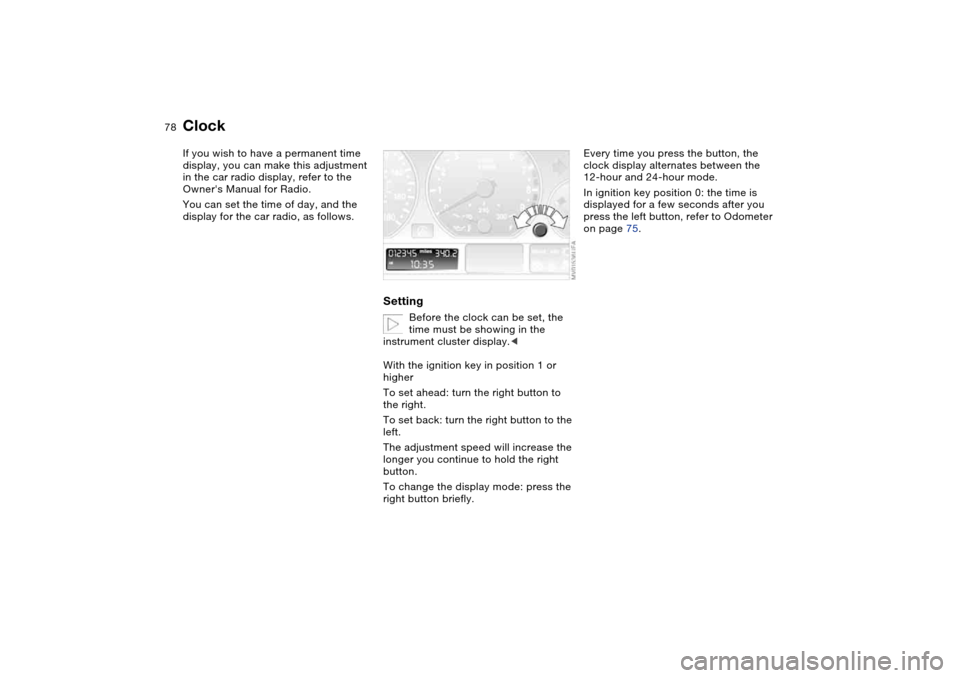
You can set the time of day, and the
display for the car radio, as follows.
Setting
Before the clock can be set, the
time must be showing in the
instrument cluster display.<
With the ignition key in position 1 or
higher
To set ahead: turn the right button to
the right.
To set back: turn the right button to the
left.
The adjustment speed will increase the
longer you continue to hold the right
button.
To change the display mode: press the
right button briefly.
Every time you press the button, the
clock display alternates between the
12-hour and 24-hour mode.
In ignition key position 0: the time is
displayed for a few seconds after you
press the left button, refer to Odometer
on page 75.
Page 79 of 170
79
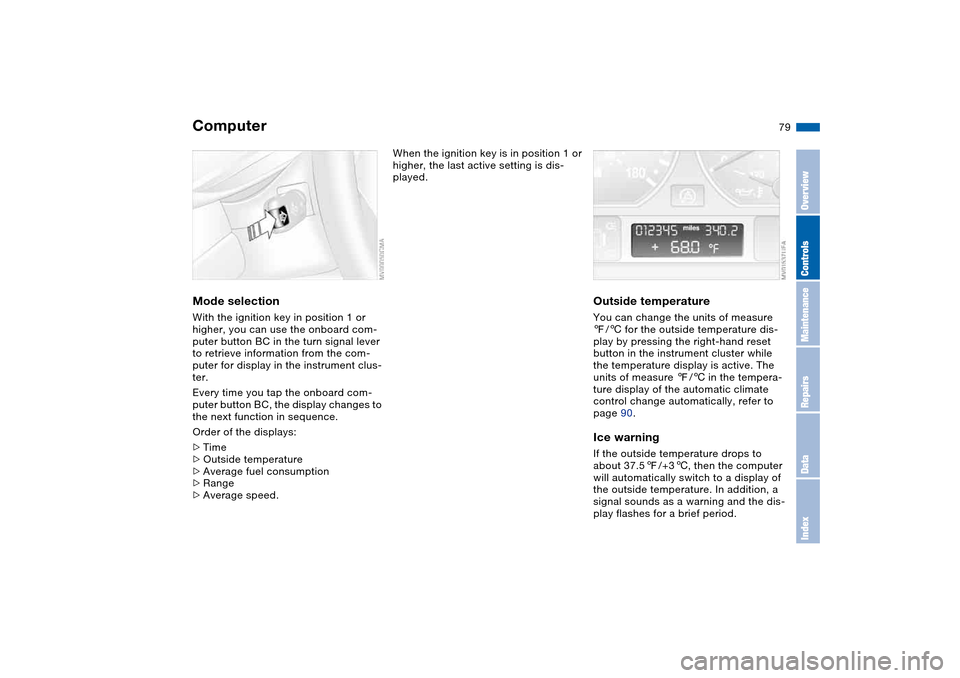
ComputerMode selectionWith the ignition key in position 1 or
higher, you can use the onboard com-
puter button BC in the turn signal lever
to retrieve information from the com-
puter for display in the instrument clus-
ter.
Every time you tap the onboard com-
puter button BC, the display changes to
the next function in sequence.
Order of the displays:
>Time
>Outside temperature
>Average fuel consumption
>Range
>Average speed.
When the ignition key is in position 1 or
higher, the last active setting is dis-
played.
Outside temperatureYou can change the units of measure
7/6 for the outside temperature dis-
play by pressing the right-hand reset
button in the instrument cluster while
the temperature display is active. The
units of measure 7/6 in the tempera-
ture display of the automatic climate
control change automatically, refer to
page 90.Ice warningIf the outside temperature drops to
about 37.57/+36, then the computer
will automatically switch to a display of
the outside temperature. In addition, a
signal sounds as a warning and the dis-
play flashes for a brief period.
OverviewControlsMaintenanceRepairsDataIndex
Page 83 of 170
83
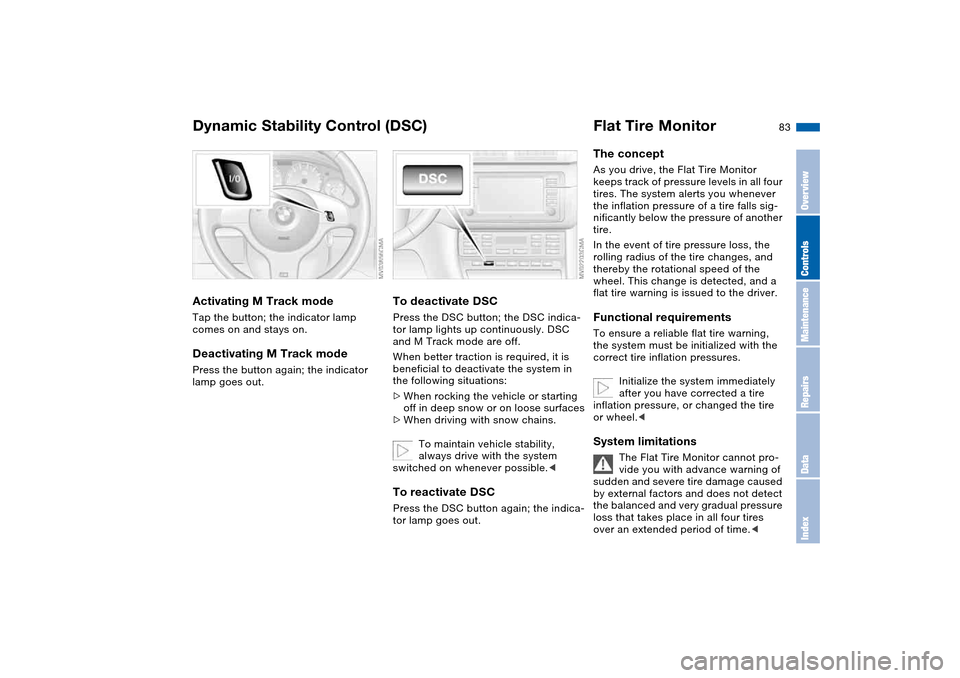
Activating M Track modeTap the button; the indicator lamp
comes on and stays on.Deactivating M Track modePress the button again; the indicator
lamp goes out.
To deactivate DSCPress the DSC button; the DSC indica-
tor lamp lights up continuously. DSC
and M Track mode are off.
When better traction is required, it is
beneficial to deactivate the system in
the following situations:
>When rocking the vehicle or starting
off in deep snow or on loose surfaces
>When driving with snow chains.
To maintain vehicle stability,
always drive with the system
switched on whenever possible.
Flat Tire MonitorThe conceptAs you drive, the Flat Tire Monitor
keeps track of pressure levels in all four
tires. The system alerts you whenever
the inflation pressure of a tire falls sig-
nificantly below the pressure of another
tire.
In the event of tire pressure loss, the
rolling radius of the tire changes, and
thereby the rotational speed of the
wheel. This change is detected, and a
flat tire warning is issued to the driver.Functional requirementsTo ensure a reliable flat tire warning,
the system must be initialized with the
correct tire inflation pressures.
Initialize the system immediately
after you have corrected a tire
inflation pressure, or changed the tire
or wheel.
vide you with advance warning of
sudden and severe tire damage caused
by external factors and does not detect
the balanced and very gradual pressure
loss that takes place in all four tires
over an extended period of time.<
Dynamic Stability Control (DSC)
OverviewControlsMaintenanceRepairsDataIndex
Page 87 of 170
87 Lamps
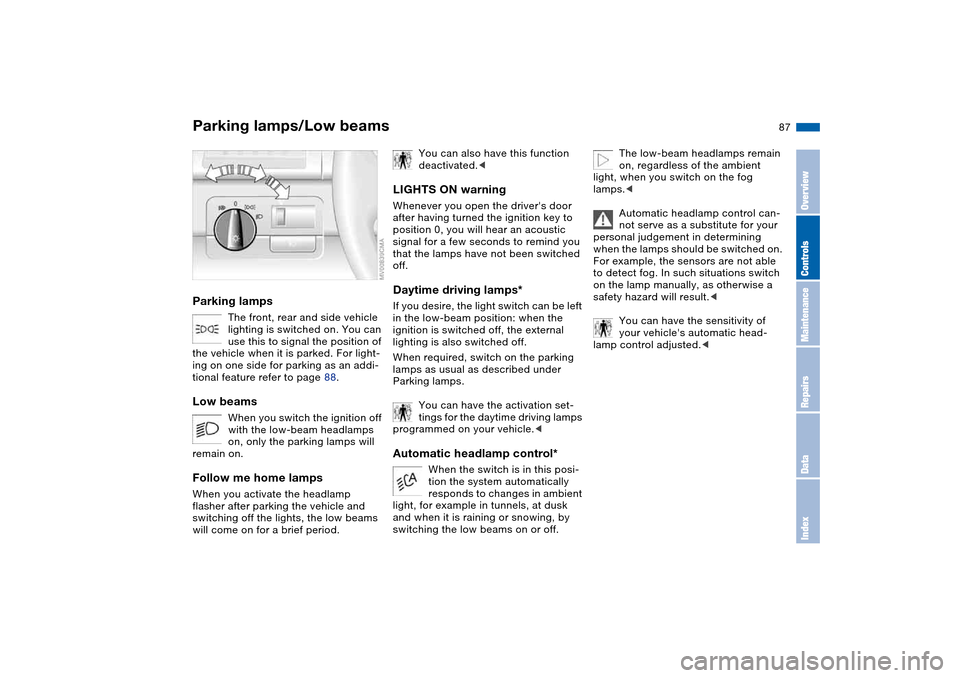
Parking lamps/Low beamsParking lamps
The front, rear and side vehicle
lighting is switched on. You can
use this to signal the position of
the vehicle when it is parked. For light-
ing on one side for parking as an addi-
tional feature refer to page 88.
Low beams
When you switch the ignition off
with the low-beam headlamps
on, only the parking lamps will
remain on.
Follow me home lampsWhen you activate the headlamp
flasher after parking the vehicle and
switching off the lights, the low beams
will come on for a brief period.
You can also have this function
deactivated.<
LIGHTS ON warningWhenever you open the driver's door
after having turned the ignition key to
position 0, you will hear an acoustic
signal for a few seconds to remind you
that the lamps have not been switched
off.Daytime driving lamps*If you desire, the light switch can be left
in the low-beam position: when the
ignition is switched off, the external
lighting is also switched off.
When required, switch on the parking
lamps as usual as described under
Parking lamps.
You can have the activation set-
tings for the daytime driving lamps
programmed on your vehicle.
tion the system automatically
responds to changes in ambient
light, for example in tunnels, at dusk
and when it is raining or snowing, by
switching the low beams on or off.
The low-beam headlamps remain
on, regardless of the ambient
light, when you switch on the fog
lamps.<
Automatic headlamp control can-
not serve as a substitute for your
personal judgement in determining
when the lamps should be switched on.
For example, the sensors are not able
to detect fog. In such situations switch
on the lamp manually, as otherwise a
safety hazard will result.<
You can have the sensitivity of
your vehicle's automatic head-
lamp control adjusted.<
OverviewControlsMaintenanceRepairsDataIndex
Page 125 of 170
125
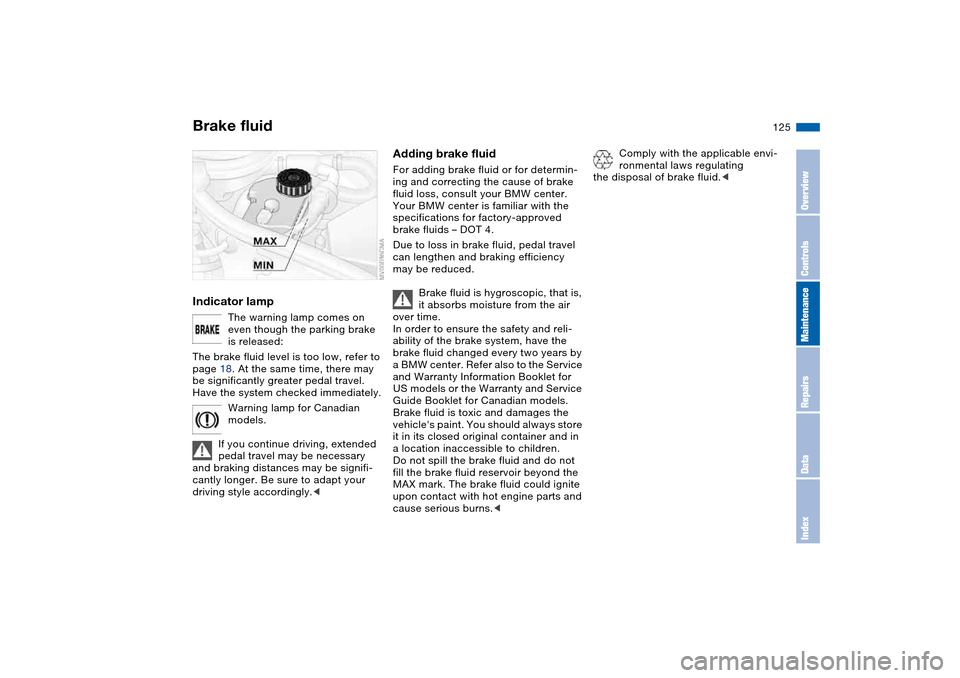
Brake fluidIndicator lamp
The warning lamp comes on
even though the parking brake
is released:
The brake fluid level is too low, refer to
page 18. At the same time, there may
be significantly greater pedal travel.
Have the system checked immediately.
Warning lamp for Canadian
models.
If you continue driving, extended
pedal travel may be necessary
and braking distances may be signifi-
cantly longer. Be sure to adapt your
driving style accordingly.<
Adding brake fluidFor adding brake fluid or for determin-
ing and correcting the cause of brake
fluid loss, consult your BMW center.
Your BMW center is familiar with the
specifications for factory-approved
brake fluids – DOT 4.
Due to loss in brake fluid, pedal travel
can lengthen and braking efficiency
may be reduced.
Brake fluid is hygroscopic, that is,
it absorbs moisture from the air
over time.
In order to ensure the safety and reli-
ability of the brake system, have the
brake fluid changed every two years by
a BMW center. Refer also to the Service
and Warranty Information Booklet for
US models or the Warranty and Service
Guide Booklet for Canadian models.
Brake fluid is toxic and damages the
vehicle's paint. You should always store
it in its closed original container and in
a location inaccessible to children.
Do not spill the brake fluid and do not
fill the brake fluid reservoir beyond the
MAX mark. The brake fluid could ignite
upon contact with hot engine parts and
cause serious burns.<
Comply with the applicable envi-
ronmental laws regulating
the disposal of brake fluid.<
OverviewControlsMaintenanceRepairsDataIndex
Page 126 of 170
126Maintenance
BMW Maintenance SystemThe BMW Maintenance System helps
maintain your vehicle's road safety and
operational safety. Comfort-related
aspects, such as the timely change of
filters for the air inside the vehicle, are
taken into consideration. The goal is to
optimize maintenance with respect to
low total cost of ownership.
If you should sell your BMW one day,
consistent service and maintenance will
prove to your advantage.
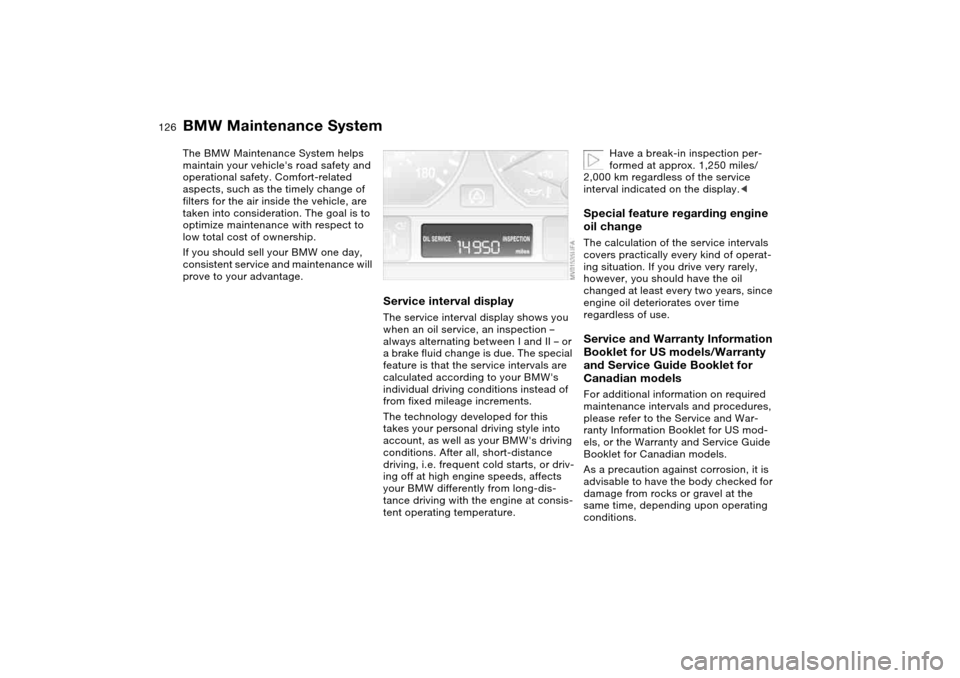
Service interval displayThe service interval display shows you
when an oil service, an inspection –
always alternating between I and II – or
a brake fluid change is due. The special
feature is that the service intervals are
calculated according to your BMW's
individual driving conditions instead of
from fixed mileage increments.
The technology developed for this
takes your personal driving style into
account, as well as your BMW's driving
conditions. After all, short-distance
driving, i.e. frequent cold starts, or driv-
ing off at high engine speeds, affects
your BMW differently from long-dis-
tance driving with the engine at consis-
tent operating temperature.
Have a break-in inspection per-
formed at approx. 1,250 miles/
2,000 km regardless of the service
interval indicated on the display.<
Special feature regarding engine
oil changeThe calculation of the service intervals
covers practically every kind of operat-
ing situation. If you drive very rarely,
however, you should have the oil
changed at least every two years, since
engine oil deteriorates over time
regardless of use.Service and Warranty Information
Booklet for US models/Warranty
and Service Guide Booklet for
Canadian modelsFor additional information on required
maintenance intervals and procedures,
please refer to the Service and War-
ranty Information Booklet for US mod-
els, or the Warranty and Service Guide
Booklet for Canadian models.
As a precaution against corrosion, it is
advisable to have the body checked for
damage from rocks or gravel at the
same time, depending upon operating
conditions.