radio controls BMW M3 COUPE 2009 E92 Owner's Guide
[x] Cancel search | Manufacturer: BMW, Model Year: 2009, Model line: M3 COUPE, Model: BMW M3 COUPE 2009 E92Pages: 256, PDF Size: 12.03 MB
Page 183 of 256
181
Entertainment
Reference
At a glance
Controls
Driving tips Communications
Navigation
Mobility
Selecting an entry
The connection to the phone number of the
selected entry is established.
Redialing
To redial the phone number dialed last:
Notes
Important for voice commands
For voice commands, bear in mind the follow-
ing:
>Pronounce the commands smoothly and at
normal volume, avoiding excessive empha-
ses and pauses.
>Keep the doors, windows and glass roof
closed to prevent interference from outside
noise.
>Avoid ambient noise in the vehicle while
speaking.
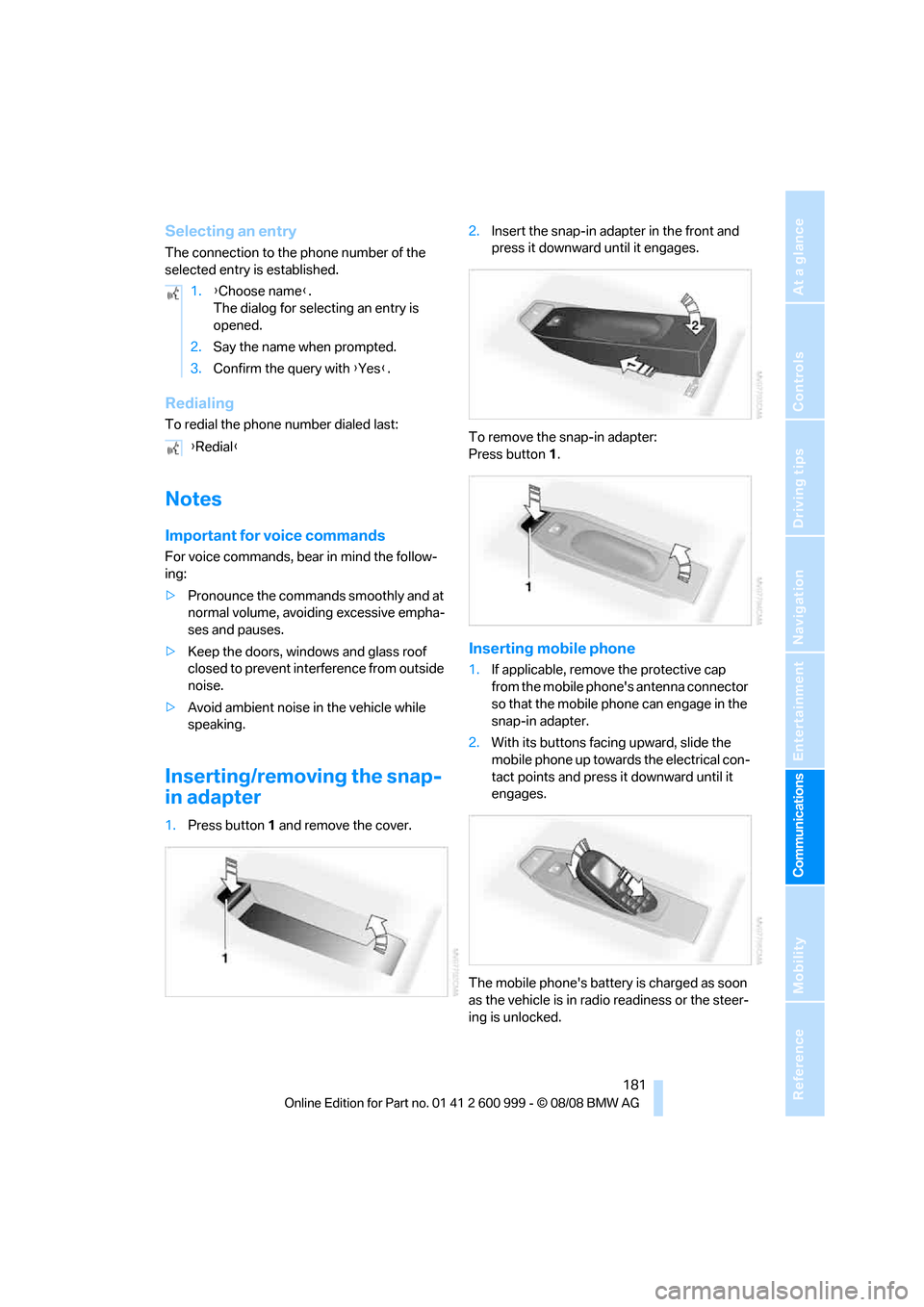
Inserting/removing the snap-
in adapter
1.Press button1 and remove the cover.2.Insert the snap-in adapter in the front and
press it downward until it engages.
To remove the snap-in adapter:
Press button 1.
Inserting mobile phone
1.If applicable, remove the protective cap
from the mobile phone's antenna connector
so that the mobile phone can engage in the
snap-in adapter.
2.With its buttons facing upward, slide the
mobile phone up towards the electrical con-
tact points and press it downward until it
engages.
The mobile phone's battery is charged as soon
as the vehicle is in radio readiness or the steer-
ing is unlocked. 1.{Choose name}.
The dialog for selecting an entry is
opened.
2.Say the name when prompted.
3.Confirm the query with {Yes}.
{Redial}
ba8_E9293M3_cic.book Seite 181 Dienstag, 19. August 2008 12:01 12
Page 213 of 256
Mobility
211Reference
At a glance
Controls
Driving tips
Communications
Navigation
Entertainment
Light-alloy wheels
For technical reasons, dust is generated during
braking that is deposited on the light-alloy
wheels. Remove the dust regularly using acid-
free rim cleaner.
Do not use aggressive, acidic, strongly
alkaline and abrasive cleaning agents or
steam jets over 1407/606, otherwise dam-
age may occur.<
Outside sensors / cameras
Keep the sensors and cameras on the
outside of the vehicle, e.g. Park Distance
Control, clean and free of ice to ensure that they
remain fully functional.<
Interior care
Upholstery / cloth trim
Vacuum regularly with a vacuum cleaner to
remove superficial dirt.
To treat severe stains, e.g. from beverages, use
a soft sponge or lint-free microfiber cloth in
combination with suitable interior cleaners. Fol-
low the instructions on the packaging.
Clean the upholstery down to the seams
using a sweeping motion. Avoid strong
rubbing.<
Opened Velcro fasteners on pants or
other articles of clothing can damage the
seat covers. Ensure that Velcro fasteners are
closed.<
Leather / leather trim
The leather used by BMW is a high quality
natural product. Slight irregularities in the
leather are a typical characteristic of natural
leather.<
Dust and road grit in the pores and folds of the
leather have an abrasive effect, leading to
increased wear and causing the leather surface
to become brittle prematurely. Therefore, fre-
quently clean the leather of dust using a cloth or
vacuum cleaner.In particular, ensure that light-colored leather is
cleaned regularly as it has a tendency to soil
more easily.
Treat the leather twice a year using a leather
lotion as dirt and grease will gradually attack the
leather's protective layer.
Carpets / cargo bay
You can vacuum the carpets and floor mats or
clean them with interior cleaner if heavily soiled.
The floor mats can be removed for cleaning.
When replacing the mats, ensure that the seat
rails do not extend over the floor mats, as this
may damage the mats.
Lint on the floor mats occurs for technical rea-
sons and can be removed by vacuuming
repeatedly.
Interior plastic parts
>Imitation leather surfaces
>Lamp glasses
>Display pane of instrument cluster
>Matt parts
Clean with water and, if necessary, with sol-
vent-free plastic cleaner.
Fine wood parts
Clean fine wood trim and fine wood parts with a
damp cloth. Wipe dry with a soft cloth.
Safety belts
Do not clean with cleaning agents as
these may destroy the fabric.<
Interior sensors / cameras
To clean interior sensors and cameras, use a
lint-free cloth moistened with glass cleaner.
Displays
To clean the displays, e.g. of the radio or instru-
ment cluster, use a display cleaning cloth or a
soft, non-abrasive, lint-free cloth.
Avoid applying excessive pressure when
cleaning the displays, otherwise damage
may occur.<
ba8_E9293M3_cic.book Seite 211 Dienstag, 19. August 2008 12:01 12
Page 223 of 256
Mobility
221Reference
At a glance
Controls
Driving tips
Communications
Navigation
Entertainment
Giving and receiving assistance
Emergency Request*
Conditions for an Emergency Request:
>Equipment version with Full preparation
package mobile phone. This equipment
makes it possible to send an Emergency
Request even if no mobile phone is paired
with the vehicle.
>BMW Assist is activated. Activating
BMW Assist, refer to page186.
>Radio readiness is on.
>The BMW Assist system is logged on to a
wireless network.
>The Emergency Request system is opera-
ble.
Once your service contract for BMW Assist
expires, the BMW Assist system can be deacti-
vated by a BMW center without you having to
visit a workshop. Once the BMW Assist system
has been deactivated, Emergency Requests
are not possible. The BMW Assist system can
be reactivated by a BMW center after a new
contract has been signed.
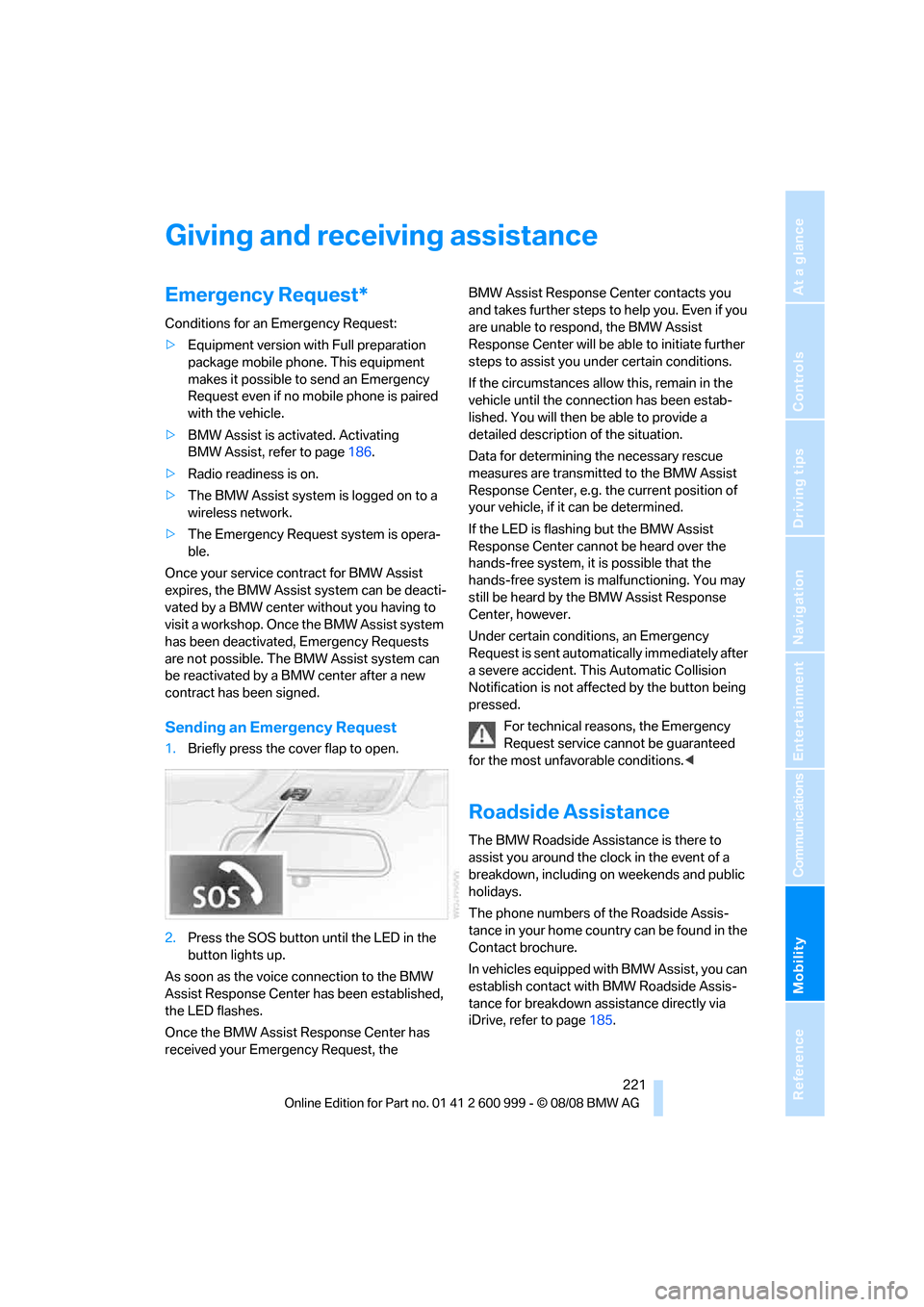
Sending an Emergency Request
1.Briefly press the cover flap to open.
2.Press the SOS button until the LED in the
button lights up.
As soon as the voice connection to the BMW
Assist Response Center has been established,
the LED flashes.
Once the BMW Assist Response Center has
received your Emergency Request, the BMW Assist Response Center contacts you
and takes further steps to help you. Even if you
are unable to respond, the BMW Assist
Response Center will be able to initiate further
steps to assist you under certain conditions.
If the circumstances allow this, remain in the
vehicle until the connection has been estab-
lished. You will then be able to provide a
detailed description of the situation.
Data for determining the necessary rescue
measures are transmitted to the BMW Assist
Response Center, e.g. the current position of
your vehicle, if it can be determined.
If the LED is flashing but the BMW Assist
Response Center cannot be heard over the
hands-free system, it is possible that the
hands-free system is malfunctioning. You may
still be heard by the BMW Assist Response
Center, however.
Under certain conditions, an Emergency
Request is sent automatically immediately after
a severe accident. This Automatic Collision
Notification is not affected by the button being
pressed.
For technical reasons, the Emergency
Request service cannot be guaranteed
for the most unfavorable conditions.<
Roadside Assistance
The BMW Roadside Assistance is there to
assist you around the clock in the event of a
breakdown, including on weekends and public
holidays.
The phone numbers of the Roadside Assis-
tance in your home country can be found in the
Contact brochure.
In vehicles equipped with BMW Assist, you can
establish contact with BMW Roadside Assis-
tance for breakdown assistance directly via
iDrive, refer to page185.
ba8_E9293M3_cic.book Seite 221 Dienstag, 19. August 2008 12:01 12
Page 235 of 256
Reference 233
At a glance
Controls
Driving tips
Communications
Navigation
Entertainment
Mobility
Music collection
External devices
Tone control
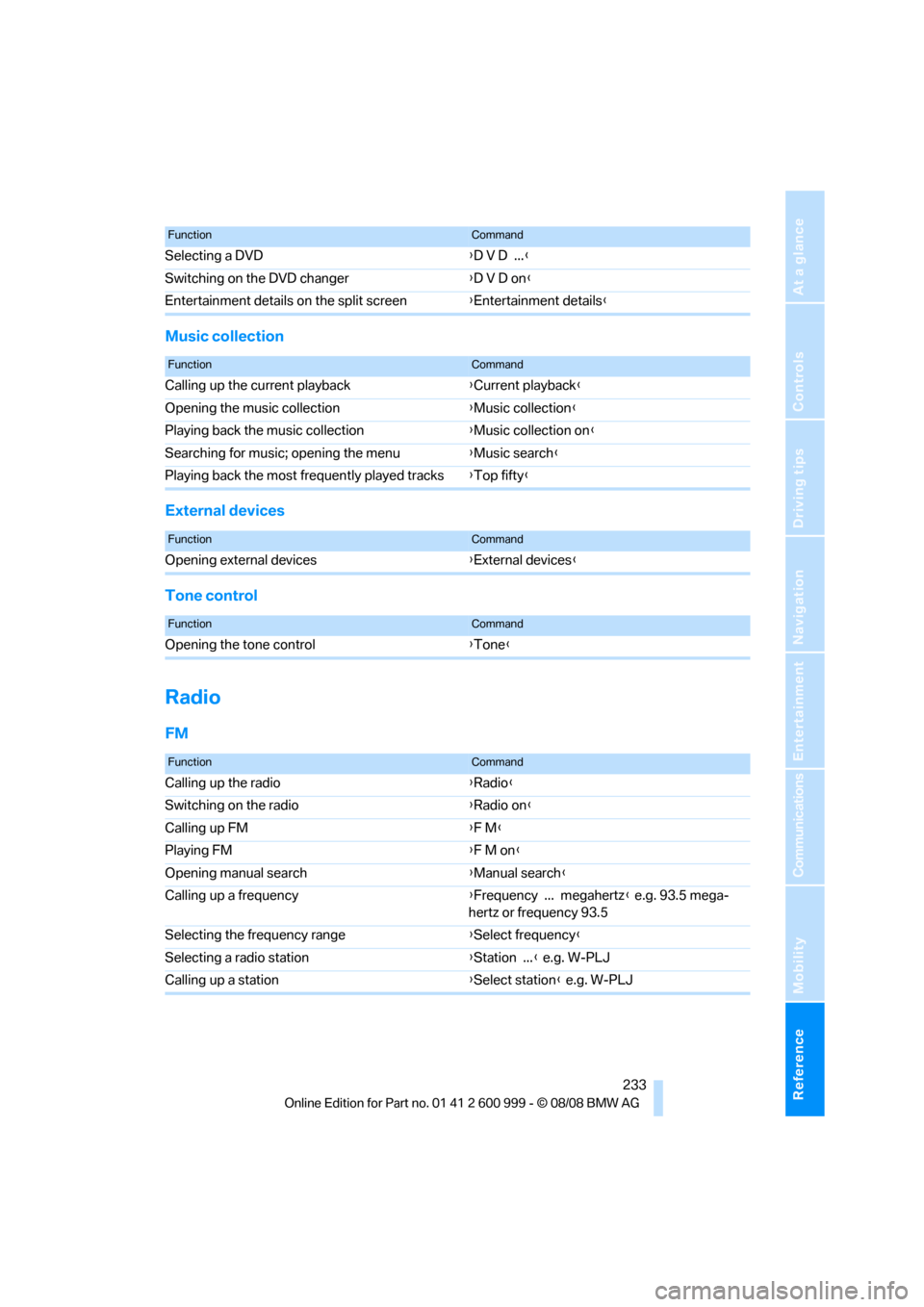
Radio
FM
Selecting a DVD{D V D ...}
Switching on the DVD changer{D V D on}
Entertainment details on the split screen{Entertainment details}
FunctionCommand
FunctionCommand
Calling up the current playback{Current playback}
Opening the music collection{Music collection}
Playing back the music collection{Music collection on}
Searching for music; opening the menu{Music search}
Playing back the most frequently played tracks{Top fifty}
FunctionCommand
Opening external devices{External devices}
FunctionCommand
Opening the tone control{Tone}
FunctionCommand
Calling up the radio{Radio}
Switching on the radio{Radio on}
Calling up FM{F M}
Playing FM{F M on}
Opening manual search{Manual search}
Calling up a frequency{Frequency ... megahertz} e.g. 93.5 mega-
hertz or frequency 93.5
Selecting the frequency range{Select frequency}
Selecting a radio station{Station ...} e.g. W-PLJ
Calling up a station{Select station} e.g. W-PLJ
ba8_E9293M3_cic.book Seite 233 Dienstag, 19. August 2008 12:01 12
Page 242 of 256
Everything from A - Z
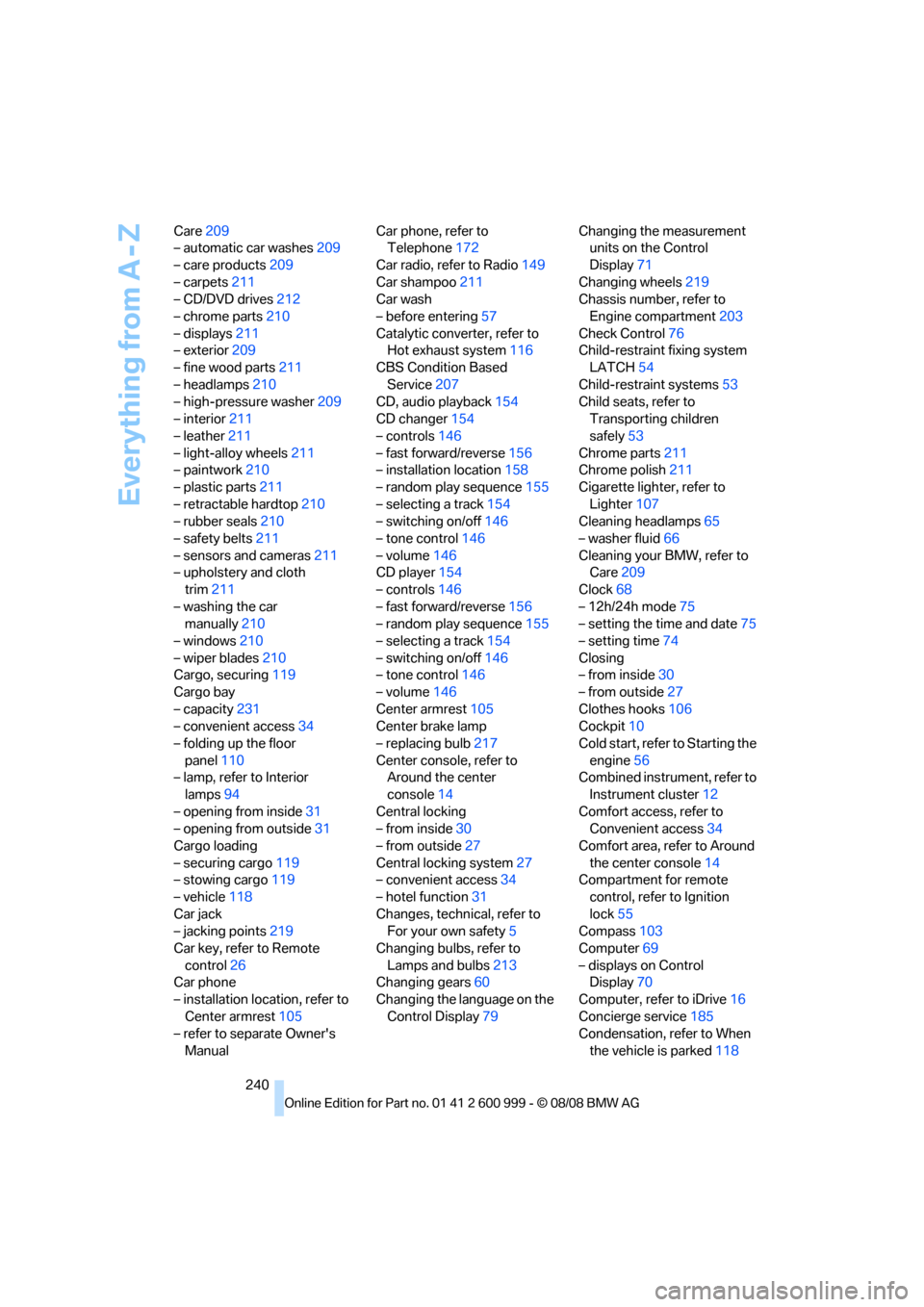
240 Care209
– automatic car washes209
– care products209
– carpets211
– CD/DVD drives212
– chrome parts210
– displays211
– exterior209
– fine wood parts211
– headlamps210
– high-pressure washer209
– interior211
– leather211
– light-alloy wheels211
– paintwork210
– plastic parts211
– retractable hardtop210
– rubber seals210
– safety belts211
– sensors and cameras211
– upholstery and cloth
trim211
– washing the car
manually210
– windows210
– wiper blades210
Cargo, securing119
Cargo bay
– capacity231
– convenient access34
– folding up the floor
panel110
– lamp, refer to Interior
lamps94
– opening from inside31
– opening from outside31
Cargo loading
– securing cargo119
– stowing cargo119
– vehicle118
Car jack
– jacking points219
Car key, refer to Remote
control26
Car phone
– installation location, refer to
Center armrest105
– refer to separate Owner's
ManualCar phone, refer to
Telephone172
Car radio, refer to Radio149
Car shampoo211
Car wash
– before entering57
Catalytic converter, refer to
Hot exhaust system116
CBS Condition Based
Service
207
CD, audio playback154
CD changer154
– controls146
– fast forward/reverse156
– installation location158
– random play sequence155
– selecting a track154
– switching on/off146
– tone control146
– volume146
CD player154
– controls146
– fast forward/reverse156
– random play sequence155
– selecting a track154
– switching on/off146
– tone control146
– volume146
Center armrest105
Center brake lamp
– replacing bulb217
Center console, refer to
Around the center
console14
Central locking
– from inside30
– from outside27
Central locking system27
– convenient access34
– hotel function31
Changes, technical, refer to
For your own safety5
Changing bulbs, refer to
Lamps and bulbs213
Changing gears60
Changing the language on the
Control Display79Changing the measurement
units on the Control
Display71
Changing wheels219
Chassis number, refer to
Engine compartment203
Check Control76
Child-restraint fixing system
LATCH54
Child-restraint systems53
Child seats, refer to
Transporting children
safely53
Chrome parts211
Chrome polish211
Cigarette lighter, refer to
Lighter107
Cleaning headlamps65
– washer fluid66
Cleaning your BMW, refer to
Care209
Clock
68
– 12h/24h mode75
– setting the time and date75
– setting time74
Closing
– from inside30
– from outside27
Clothes hooks106
Cockpit10
Cold start, refer to Starting the
engine56
Combined instrument, refer to
Instrument cluster12
Comfort access, refer to
Convenient access34
Comfort area, refer to Around
the center console14
Compartment for remote
control, refer to Ignition
lock55
Compass103
Computer69
– displays on Control
Display70
Computer, refer to iDrive16
Concierge service185
Condensation, refer to When
the vehicle is parked118
ba8_E9293M3_cic.book Seite 240 Dienstag, 19. August 2008 12:01 12
Page 243 of 256
Reference 241
At a glance
Controls
Driving tips
Communications
Navigation
Entertainment
Mobility
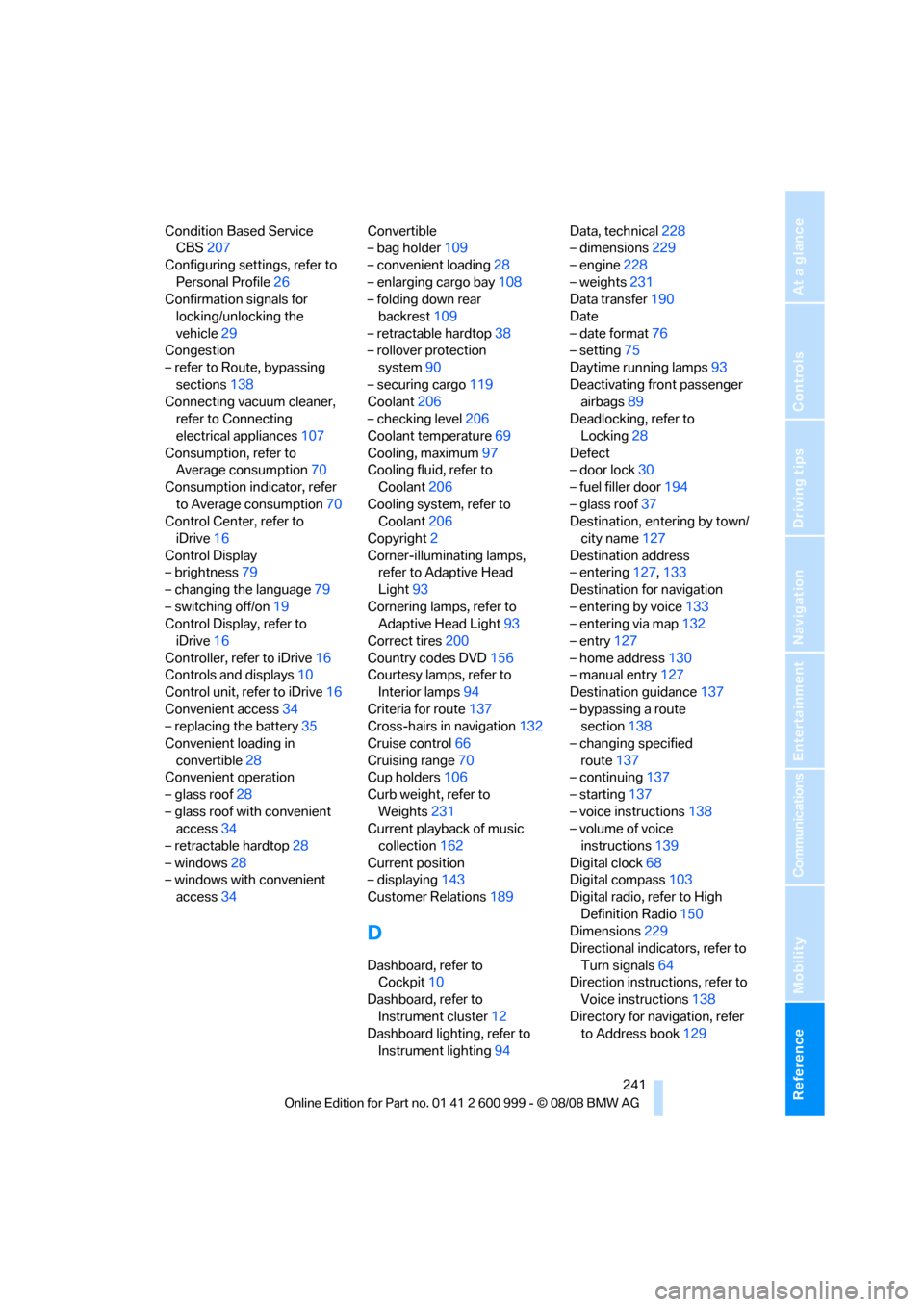
Condition Based Service
CBS207
Configuring settings, refer to
Personal Profile26
Confirmation signals for
locking/unlocking the
vehicle29
Congestion
– refer to Route, bypassing
sections138
Connecting vacuum cleaner,
refer to Connecting
electrical appliances107
Consumption, refer to
Average consumption70
Consumption indicator, refer
to Average consumption70
Control Center, refer to
iDrive16
Control Display
– brightness79
– changing the language79
– switching off/on19
Control Display, refer to
iDrive16
Controller, refer to iDrive16
Controls and displays10
Control unit, refer to iDrive16
Convenient access34
– replacing the battery35
Convenient loading in
convertible28
Convenient operation
– glass roof28
– glass roof with convenient
access34
– retractable hardtop28
– windows28
– windows with convenient
access34Convertible
– bag holder109
– convenient loading28
– enlarging cargo bay108
– folding down rear
backrest109
– retractable hardtop38
– rollover protection
system90
– securing cargo119
Coolant206
– checking level206
Coolant temperature69
Cooling, maximum97
Cooling fluid, refer to
Coolant206
Cooling system, refer to
Coolant206
Copyright2
Corner-illuminating lamps,
refer to Adaptive Head
Light93
Cornering lamps, refer to
Adaptive Head Light93
Correct tires200
Country codes DVD156
Courtesy lamps, refer to
Interior lamps94
Criteria for route137
Cross-hairs in navigation132
Cruise control66
Cruising range70
Cup holders106
Curb weight, refer to
Weights231
Current playback of music
collection162
Current position
– displaying143
Customer Relations189
D
Dashboard, refer to
Cockpit10
Dashboard, refer to
Instrument cluster12
Dashboard lighting, refer to
Instrument lighting94Data, technical228
– dimensions229
– engine228
– weights231
Data transfer190
Date
– date format76
– setting75
Daytime running lamps93
Deactivating front passenger
airbags89
Deadlocking, refer to
Locking28
Defect
– door lock30
– fuel filler door194
– glass roof37
Destination, entering by town/
city name127
Destination address
– entering127,133
Destination for navigation
– entering by voice133
– entering via map132
– entry127
– home address130
– manual entry127
Destination guidance137
– bypassing a route
section138
– changing specified
route137
– continuing137
– starting137
– voice instructions138
– volume of voice
instructions139
Digital clock68
Digital compass103
Digital radio, refer to High
Definition Radio150
Dimensions229
Directional indicators, refer to
Turn signals64
Direction instructions, refer to
Voice instructions138
Directory for navigation, refer
to Address book129
ba8_E9293M3_cic.book Seite 241 Dienstag, 19. August 2008 12:01 12
Page 245 of 256
Reference 243
At a glance
Controls
Driving tips
Communications
Navigation
Entertainment
Mobility
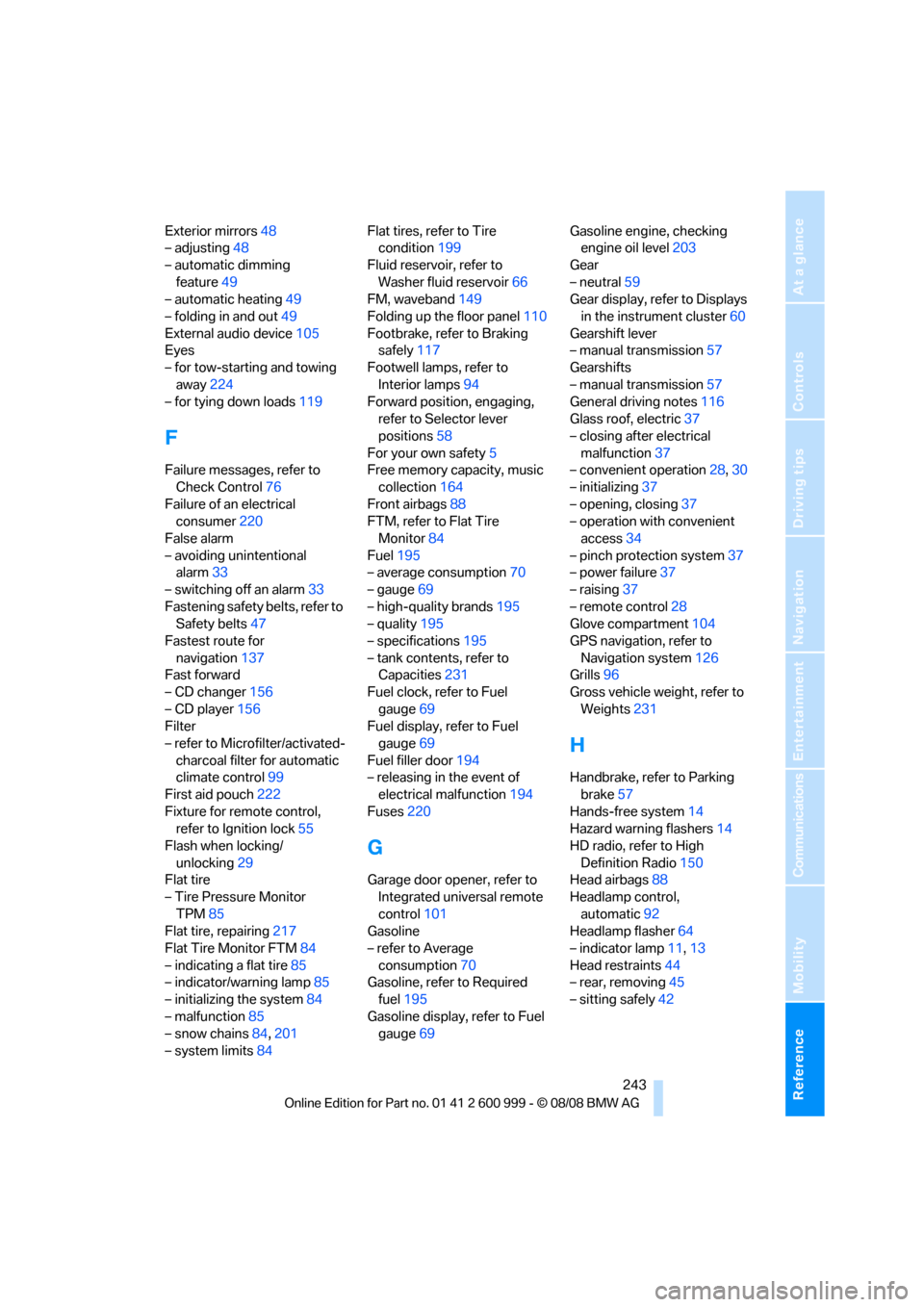
Exterior mirrors48
– adjusting48
– automatic dimming
feature49
– automatic heating49
– folding in and out49
External audio device105
Eyes
– for tow-starting and towing
away224
– for tying down loads119
F
Failure messages, refer to
Check Control76
Failure of an electrical
consumer220
False alarm
– avoiding unintentional
alarm33
– switching off an alarm33
Fastening safety belts, refer to
Safety belts47
Fastest route for
navigation137
Fast forward
– CD changer156
– CD player156
Filter
– refer to Microfilter/activated-
charcoal filter for automatic
climate control99
First aid pouch222
Fixture for remote control,
refer to Ignition lock55
Flash when locking/
unlocking29
Flat tire
– Tire Pressure Monitor
TPM85
Flat tire, repairing217
Flat Tire Monitor FTM84
– indicating a flat tire85
– indicator/warning lamp85
– initializing the system84
– malfunction85
– snow chains84,201
– system limits84Flat tires, refer to Tire
condition199
Fluid reservoir, refer to
Washer fluid reservoir66
FM, waveband149
Folding up the floor panel110
Footbrake, refer to Braking
safely117
Footwell lamps, refer to
Interior lamps94
Forward position, engaging,
refer to Selector lever
positions58
For your own safety5
Free memory capacity, music
collection164
Front airbags88
FTM, refer to Flat Tire
Monitor84
Fuel195
– average consumption70
– gauge69
– high-quality brands195
– quality195
– specifications195
– tank contents, refer to
Capacities231
Fuel clock, refer to Fuel
gauge69
Fuel display, refer to Fuel
gauge69
Fuel filler door194
– releasing in the event of
electrical malfunction194
Fuses220
G
Garage door opener, refer to
Integrated universal remote
control101
Gasoline
– refer to Average
consumption70
Gasoline, refer to Required
fuel195
Gasoline display, refer to Fuel
gauge69Gasoline engine, checking
engine oil level203
Gear
– neutral59
Gear display, refer to Displays
in the instrument cluster60
Gearshift lever
– manual transmission57
Gearshifts
– manual transmission57
General driving notes116
Glass roof, electric37
– closing after electrical
malfunction37
– convenient operation28,30
– initializing37
– opening, closing37
– operation with convenient
access34
– pinch protection system37
– power failure37
– raising37
– remote control28
Glove compartment104
GPS navigation, refer to
Navigation system126
Grills96
Gross vehicle weight, refer to
Weights231
H
Handbrake, refer to Parking
brake57
Hands-free system14
Hazard warning flashers14
HD radio, refer to High
Definition Radio150
Head airbags88
Headlamp control,
automatic92
Headlamp flasher64
– indicator lamp11,13
Head restraints44
– rear, removing45
– sitting safely42
ba8_E9293M3_cic.book Seite 243 Dienstag, 19. August 2008 12:01 12
Page 246 of 256
Everything from A - Z
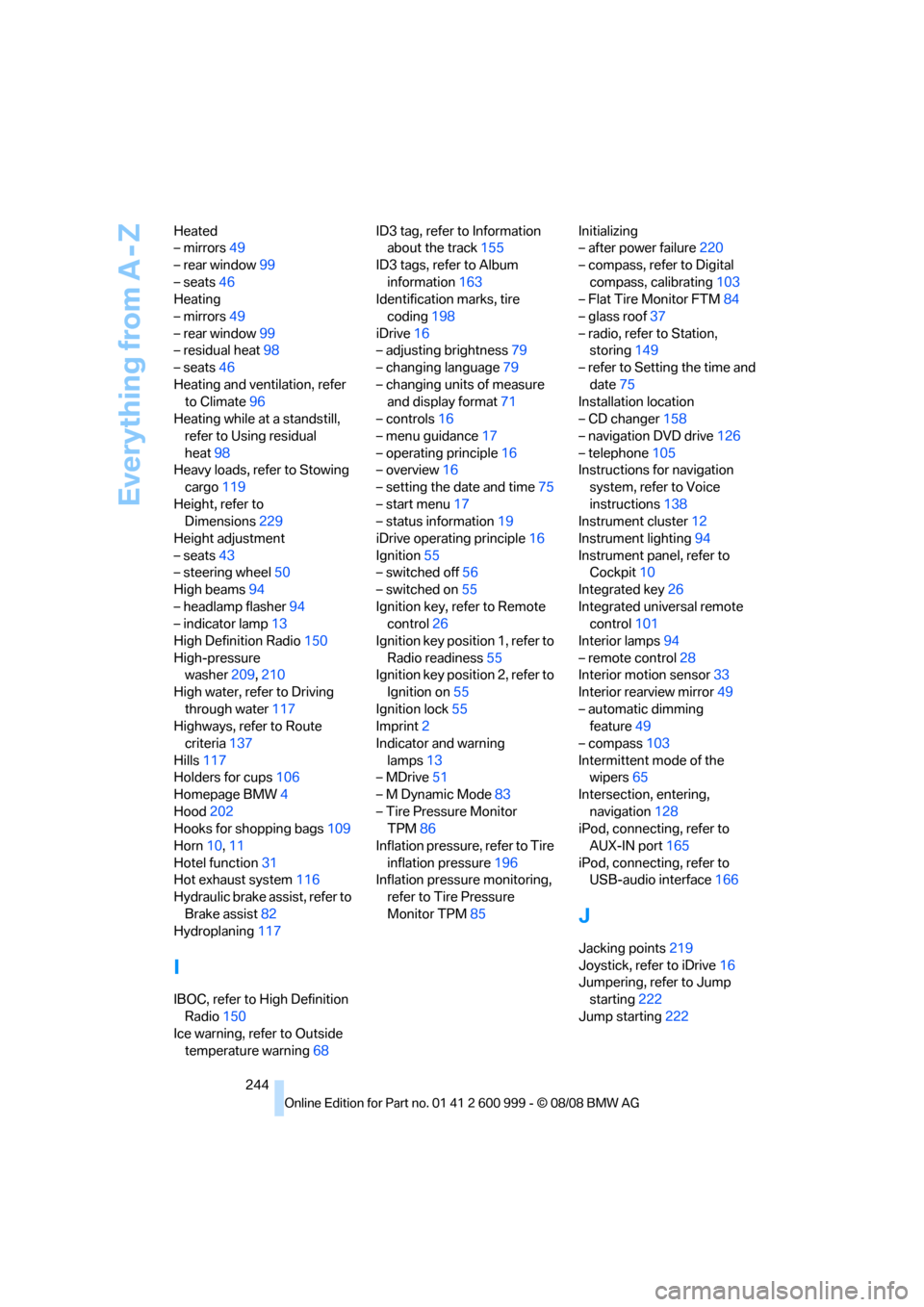
244 Heated
– mirrors49
– rear window99
– seats46
Heating
– mirrors49
– rear window99
– residual heat98
– seats46
Heating and ventilation, refer
to Climate96
Heating while at a standstill,
refer to Using residual
heat98
Heavy loads, refer to Stowing
cargo119
Height, refer to
Dimensions229
Height adjustment
– seats43
– steering wheel50
High beams94
– headlamp flasher94
– indicator lamp13
High Definition Radio150
High-pressure
washer209,210
High water, refer to Driving
through water117
Highways, refer to Route
criteria137
Hills117
Holders for cups106
Homepage BMW4
Hood202
Hooks for shopping bags109
Horn10,11
Hotel function31
Hot exhaust system116
Hydraulic brake assist, refer to
Brake assist82
Hydroplaning117
I
IBOC, refer to High Definition
Radio150
Ice warning, refer to Outside
temperature warning68ID3 tag, refer to Information
about the track155
ID3 tags, refer to Album
information163
Identification marks, tire
coding198
iDrive16
– adjusting brightness79
– changing language79
– changing units of measure
and display format71
– controls16
– menu guidance17
– operating principle16
– overview16
– setting the date and time75
– start menu17
– status information19
iDrive operating principle16
Ignition55
– switched off56
– switched on55
Ignition key, refer to Remote
control26
Ignition key position 1, refer to
Radio readiness55
Ignition key position 2, refer to
Ignition on55
Ignition lock55
Imprint2
Indicator and warning
lamps13
– MDrive51
– M Dynamic Mode83
– Tire Pressure Monitor
TPM86
Inflation pressure, refer to Tire
inflation pressure196
Inflation pressure monitoring,
refer to Tire Pressure
Monitor TPM85Initializing
– after power failure220
– compass, refer to Digital
compass, calibrating103
– Flat Tire Monitor FTM84
– glass roof37
– radio, refer to Station,
storing149
– refer to Setting the time and
date75
Installation location
– CD changer158
– navigation DVD drive126
– telephone105
Instructions for navigation
system, refer to Voice
instructions138
Instrument cluster12
Instrument lighting94
Instrument panel, refer to
Cockpit10
Integrated key26
Integrated universal remote
control101
Interior lamps94
– remote control28
Interior motion sensor33
Interior rearview mirror49
– automatic dimming
feature49
– compass103
Intermittent mode of the
wipers65
Intersection, entering,
navigation128
iPod, connecting, refer to
AUX-IN port165
iPod, connecting, refer to
USB-audio interface166
J
Jacking points219
Joystick, refer to iDrive16
Jumpering, refer to Jump
starting222
Jump starting222
ba8_E9293M3_cic.book Seite 244 Dienstag, 19. August 2008 12:01 12
Page 248 of 256
Everything from A - Z
246 Mirror dimming feature49
Mirrors48
– automatic curb monitor49
– exterior mirrors48
– heating49
– interior rearview mirror49
– memory, refer to Seat and
mirror memory46
Mirrors, folding in before
entering a car wash49
M Mobility System217
Mobile phone
– adjusting volume175
– connecting, refer to Mobile
phone, pairing172
– installation location, refer to
Center armrest105
– operation via iDrive175
– pairing172
– refer to separate Owner's
Manual
Mobile phone, installation
location, refer to Center
armrest105
Mobile phone, refer to
Telephone172
Mobile phone, refer to the
separate Owner's Manual
Modifications, technical, refer
to For your own safety5
Monitor, refer to iDrive
controls16
Monitoring system for tire
pressures, refer to Flat Tire
Monitor84
MP3 player, connecting, refer
to AUX-IN port165
MP3 player, connecting, refer
to USB-audio interface166
Multifunctional steering
wheel, refer to Buttons on
the steering wheel11
Multifunction switch
– refer to Turn signals/
headlamp flasher64
– refer to Wiper system65
Multimedia screen, refer to
iDrive16
Music, playing162Music collection161
– backup164
– importing164
Music player, connecting,
refer to AUX-IN port165
Music player, connecting,
refer to USB-audio
interface166
Music search162
N
Navigation announcements,
refer to Switching voice
instructions on/off138
Navigation data126
Navigation drive, location126
Navigation DVD126
Navigation system126
– address book129
– bypassing a route
section138
– continuing destination
guidance137
– destination entry127
– displaying current
position143
– entering a destination by
voice133
– entering a destination
manually127
– route list138
– selecting destination via
map132
– selecting route criteria137
– special destinations130
– starting destination
guidance137
– terminating destination
guidance137
– voice instructions138
– volume adjustment139
Neck support, refer to Head
restraints44
Nets, refer to Storage
compartments105
Neutral59
New tires199
North-facing map139Nozzles96
Number of cylinders, refer to
Engine data228
Nylon rope, refer to Tow
rope225
O
OBD socket, refer to Socket
for On-Board Diagnosis208
Octane ratings, refer to Fuel
specifications195
Odometer68
Oil, refer to Engine oil203
Oil consumption203
Oil level203
Old batteries, refer to
Disposal219
Onboard tool kit213
Opening and closing
– convenient access34
– from inside30
– from outside27
– using the door lock30
– via the remote control27
Options, selecting for
navigation137
Orientation menu, refer to
Start menu17
Outlets
– refer to Ventilation99
Output, refer to Engine
data228
Outside-air mode
– automatic climate control98
Outside temperature
display68
– changing units of
measure71
– in computer71
Outside temperature
warning68
Overheated engine, refer to
Coolant temperature69
Overview
– radio control146
ba8_E9293M3_cic.book Seite 246 Dienstag, 19. August 2008 12:01 12
Page 249 of 256
Reference 247
At a glance
Controls
Driving tips
Communications
Navigation
Entertainment
Mobility
P
Paintwork care210
Park assistant, refer to Park
Distance Control81
Park Distance Control PDC81
Parked car ventilation99
– preselecting switch-on
times100
– switching on and off
directly100
Parking
– vehicle56
Parking aid, refer to Park
Distance Control PDC81
Parking brake57
– indicator lamp57
Parking lamps92
Parking lamps/low beams92
Passenger-side mirror tilt
function49
Pathway lighting93
Personal Profile26
Phone book175
Phone numbers
– dialing176
Pinch protection system
– glass roof, electric37
– windows36
Placing a call, refer to
telephone owner's manual
Polish211
Pollen
– refer to Microfilter/activated-
charcoal filter for automatic
climate control99
Position, refer to Current
position, displaying143
Postal code, entering for
navigation128
Power failure220
Power windows35
Power windows, refer to
Windows35
Pressure, tires196
Pressure monitoring, tires84
– Flat Tire Monitor84Pressure monitoring of tires,
refer to Tire Pressure
Monitor TPM85
Programmable buttons on the
steering wheel11
Protection function, refer to
Pinch protection system
– glass roof, electric37
– windows36
Providing medical assistance,
refer to First aid pouch222
Puncture
– Flat Tire Monitor84
R
Radio
– controls146
– High Definition Radio150
– satellite radio152
– selecting a waveband149
– storing stations149
– switching on/off146
– tone control146
– volume146
Radio-operated key, refer to
Remote control26
Radio position, refer to Radio
readiness55
Radio readiness55
– switched off56
– switched on55
Rain sensor65
Reading lamps95
Rear lamps, refer to Tail
lamps215
– replacing bulb215
Rear seats
– adjusting head restraints45
– folding down backrests108
Rear turn signals
– replacing bulb215
Rear ventilation99
Rearview mirror, refer to
Mirrors48
Rear window defroster99
Rear window roller blind, refer
to Roller sun blinds104Receiving level of mobile
phone, refer to Status
information19
Reception
– quality150
– radio station150
Recirculated-air mode98
Recirculation of air, refer to
Recirculated-air mode98
Reclining seat, refer to
Backrest43
Refueling194
Releasing
– hood202
Remaining distance, refer to
Cruising range70
Remote control26
– battery renewal35
– convenient access34
– garage door opener101
– luggage compartment lid28
– malfunction29,35
– removing from the ignition
lock55
– service data207
Replacement remote
control
26
Replacing bulbs, refer to
Lamps and bulbs213
Replacing tires199
Replacing tires, refer to New
wheels and tires199
Reporting safety defects6
Reserve warning, refer to Fuel
gauge69
Reset, refer to Resetting tone
settings148
Residual heat98
Restraint systems
– for children53
– refer to Safety belts47
Retractable hardtop38
– convenient operation28
– opening and closing39
– remote control28
Reverse
– CD changer156
– CD player156
ba8_E9293M3_cic.book Seite 247 Dienstag, 19. August 2008 12:01 12