wheel BMW M3 COUPE 2009 E92 Service Manual
[x] Cancel search | Manufacturer: BMW, Model Year: 2009, Model line: M3 COUPE, Model: BMW M3 COUPE 2009 E92Pages: 256, PDF Size: 12.03 MB
Page 213 of 256
Mobility
211Reference
At a glance
Controls
Driving tips
Communications
Navigation
Entertainment
Light-alloy wheels
For technical reasons, dust is generated during
braking that is deposited on the light-alloy
wheels. Remove the dust regularly using acid-
free rim cleaner.
Do not use aggressive, acidic, strongly
alkaline and abrasive cleaning agents or
steam jets over 1407/606, otherwise dam-
age may occur.<
Outside sensors / cameras
Keep the sensors and cameras on the
outside of the vehicle, e.g. Park Distance
Control, clean and free of ice to ensure that they
remain fully functional.<
Interior care
Upholstery / cloth trim
Vacuum regularly with a vacuum cleaner to
remove superficial dirt.
To treat severe stains, e.g. from beverages, use
a soft sponge or lint-free microfiber cloth in
combination with suitable interior cleaners. Fol-
low the instructions on the packaging.
Clean the upholstery down to the seams
using a sweeping motion. Avoid strong
rubbing.<
Opened Velcro fasteners on pants or
other articles of clothing can damage the
seat covers. Ensure that Velcro fasteners are
closed.<
Leather / leather trim
The leather used by BMW is a high quality
natural product. Slight irregularities in the
leather are a typical characteristic of natural
leather.<
Dust and road grit in the pores and folds of the
leather have an abrasive effect, leading to
increased wear and causing the leather surface
to become brittle prematurely. Therefore, fre-
quently clean the leather of dust using a cloth or
vacuum cleaner.In particular, ensure that light-colored leather is
cleaned regularly as it has a tendency to soil
more easily.
Treat the leather twice a year using a leather
lotion as dirt and grease will gradually attack the
leather's protective layer.
Carpets / cargo bay
You can vacuum the carpets and floor mats or
clean them with interior cleaner if heavily soiled.
The floor mats can be removed for cleaning.
When replacing the mats, ensure that the seat
rails do not extend over the floor mats, as this
may damage the mats.
Lint on the floor mats occurs for technical rea-
sons and can be removed by vacuuming
repeatedly.
Interior plastic parts
>Imitation leather surfaces
>Lamp glasses
>Display pane of instrument cluster
>Matt parts
Clean with water and, if necessary, with sol-
vent-free plastic cleaner.
Fine wood parts
Clean fine wood trim and fine wood parts with a
damp cloth. Wipe dry with a soft cloth.
Safety belts
Do not clean with cleaning agents as
these may destroy the fabric.<
Interior sensors / cameras
To clean interior sensors and cameras, use a
lint-free cloth moistened with glass cleaner.
Displays
To clean the displays, e.g. of the radio or instru-
ment cluster, use a display cleaning cloth or a
soft, non-abrasive, lint-free cloth.
Avoid applying excessive pressure when
cleaning the displays, otherwise damage
may occur.<
ba8_E9293M3_cic.book Seite 211 Dienstag, 19. August 2008 12:01 12
Page 217 of 256
Mobility
215Reference
At a glance
Controls
Driving tips
Communications
Navigation
Entertainment
3.Push the wire bracket out of the anchor
towards the right and fold it up.
4.Disconnect the plug, change the bulb and
reconnect the plug.
5.Insert the bulb.
6.Fold the wire bracket down and engage it.
7.Reattach the cover.
Turn signals, front
PY24W Silver Vision bulb, 24 watts
The turn signal bulb can be changed via a cover
in the wheel arch.
1.Turn the respective wheel inwards.
2.Using a coin, turn both locks of the cover all
the way to the left, arrows 1, and remove the
cover.
3.Turn the bulb holder to the left, arrow2, and
take it out.
4.Turn the bulb socket in the bulb holder to
the right for removal and replacement.
5.Insert the bulb holder and lock it by turning
it to the right.
6.Attach the cover by positioning the bottom
edge first and then turning both locks all the
way to the right using a coin.
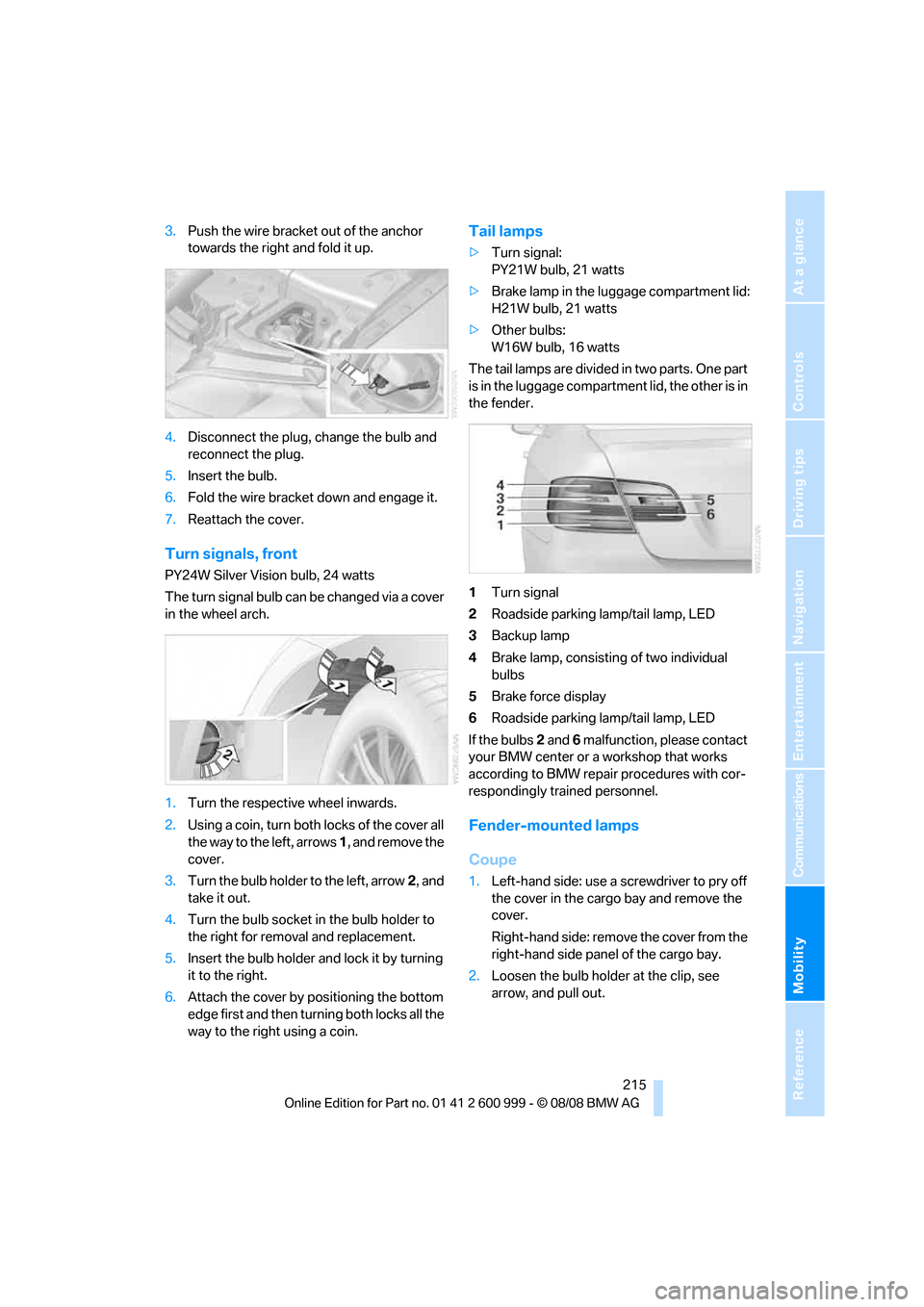
Tail lamps
>Turn signal:
PY21W bulb, 21 watts
>Brake lamp in the luggage compartment lid:
H21W bulb, 21 watts
>Other bulbs:
W16W bulb, 16 watts
The tail lamps are divided in two parts. One part
is in the luggage compartment lid, the other is in
the fender.
1Turn signal
2Roadside parking lamp/tail lamp, LED
3Backup lamp
4Brake lamp, consisting of two individual
bulbs
5Brake force display
6Roadside parking lamp/tail lamp, LED
If the bulbs 2 and 6 malfunction, please contact
your BMW center or a workshop that works
according to BMW repair procedures with cor-
respondingly trained personnel.
Fender-mounted lamps
Coupe
1.Left-hand side: use a screwdriver to pry off
the cover in the cargo bay and remove the
cover.
Right-hand side: remove the cover from the
right-hand side panel of the cargo bay.
2.Loosen the bulb holder at the clip, see
arrow, and pull out.
ba8_E9293M3_cic.book Seite 215 Dienstag, 19. August 2008 12:01 12
Page 219 of 256
Mobility
217Reference
At a glance
Controls
Driving tips
Communications
Navigation
Entertainment
Convertible
1.Take the warning triangle out of its holder,
refer to page222. Unscrew the holder using
the screwdriver from the onboard tool kit.
2.Pry out the plastic plugs in the trim of the
luggage compartment lid using a screw-
driver and remove the trim.
3.Release the bulb holder, see arrow, and
remove.
4.Apply gentle pressure to the bulb while
turning it to the left for removal and replace-
ment.
5.Attach the bulb holder.
6.Reattach the trim of the luggage compart-
ment lid and the holder for the warning tri-
angle.
License plate lamp, center brake lamp,
parking/tail lamp and side turn signal
indicators
These lamps use LED technology for operation.
In the event of a malfunction, please contact
your BMW center or a workshop that works
according to BMW repair procedures with cor-
respondingly trained personnel.
Repairing a flat tire with the
M Mobility System
To repair a flat tire, your BMW M3 includes an
M Mobility System. With this system you can
apply a sealant to the inside of the tire to seal
the damaged section, restore the tire inflation
pressure and continue on your trip.
Safety measures in the event of a flat tire:
Park the vehicle as far away from moving traffic as possible and on a firm surface. Switch
on the hazard warning flashers.
Apply the parking brake and engage first gear
or reverse. Have all occupants leave the vehicle
and move beyond the danger zone, e. g. behind
the guard rails.
If necessary, erect a warning triangle
* or warn-
ing flasher
* at a suitable distance. Adhere to
country-specific regulations.<
Preparations
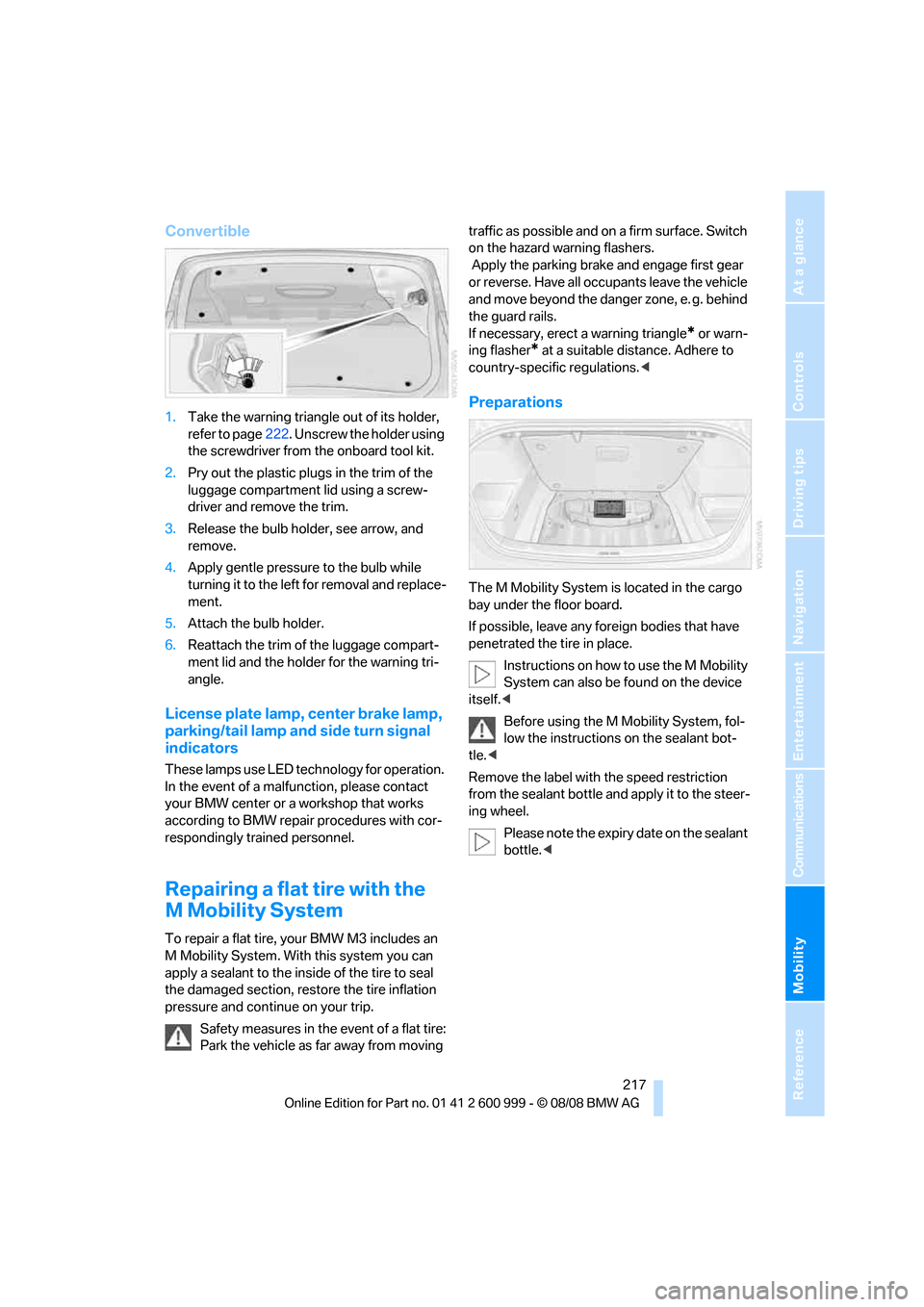
The M Mobility System is located in the cargo
bay under the floor board.
If possible, leave any foreign bodies that have
penetrated the tire in place.
Instructions on how to use the M Mobility
System can also be found on the device
itself.<
Before using the M Mobility System, fol-
low the instructions on the sealant bot-
tle.<
Remove the label with the speed restriction
from the sealant bottle and apply it to the steer-
ing wheel.
Please note the expiry date on the sealant
bottle.<
ba8_E9293M3_cic.book Seite 217 Dienstag, 19. August 2008 12:01 12
Page 220 of 256
Replacing components
218
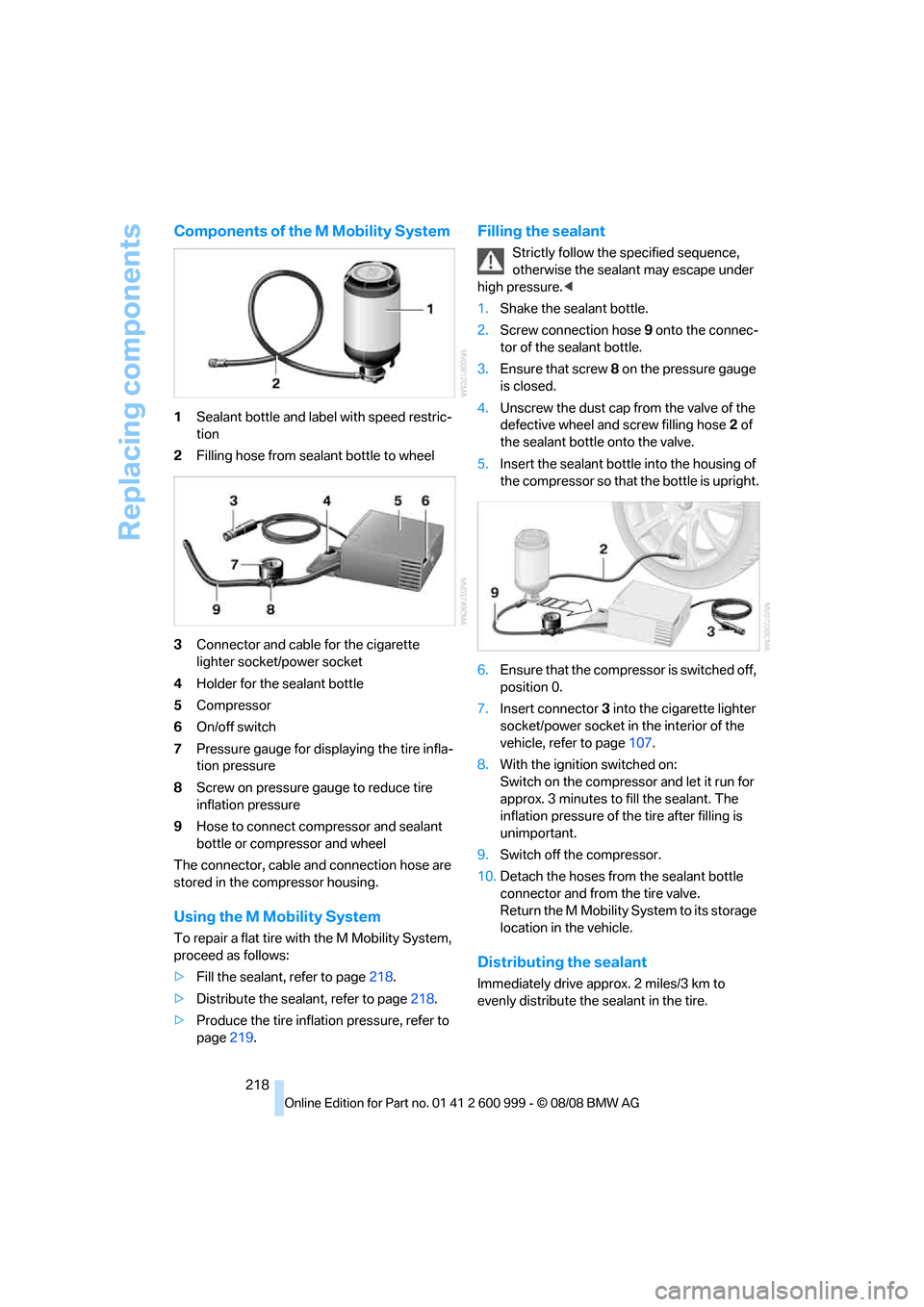
Components of the M Mobility System
1Sealant bottle and label with speed restric-
tion
2Filling hose from sealant bottle to wheel
3Connector and cable for the cigarette
lighter socket/power socket
4Holder for the sealant bottle
5Compressor
6On/off switch
7Pressure gauge for displaying the tire infla-
tion pressure
8Screw on pressure gauge to reduce tire
inflation pressure
9Hose to connect compressor and sealant
bottle or compressor and wheel
The connector, cable and connection hose are
stored in the compressor housing.
Using the M Mobility System
To repair a flat tire with the M Mobility System,
proceed as follows:
>Fill the sealant, refer to page218.
>Distribute the sealant, refer to page218.
>Produce the tire inflation pressure, refer to
page219.
Filling the sealant
Strictly follow the specified sequence,
otherwise the sealant may escape under
high pressure.<
1.Shake the sealant bottle.
2.Screw connection hose 9 onto the connec-
tor of the sealant bottle.
3.Ensure that screw 8 on the pressure gauge
is closed.
4.Unscrew the dust cap from the valve of the
defective wheel and screw filling hose 2 of
the sealant bottle onto the valve.
5.Insert the sealant bottle into the housing of
the compressor so that the bottle is upright.
6.Ensure that the compressor is switched off,
position 0.
7.Insert connector 3 into the cigarette lighter
socket/power socket in the interior of the
vehicle, refer to page107.
8.With the ignition switched on:
Switch on the compressor and let it run for
approx. 3 minutes to fill the sealant. The
inflation pressure of the tire after filling is
unimportant.
9.Switch off the compressor.
10.Detach the hoses from the sealant bottle
connector and from the tire valve.
Return the M Mobility System to its storage
location in the vehicle.
Distributing the sealant
Immediately drive approx. 2 miles/3 km to
evenly distribute the sealant in the tire.
ba8_E9293M3_cic.book Seite 218 Dienstag, 19. August 2008 12:01 12
Page 221 of 256
Mobility
219Reference
At a glance
Controls
Driving tips
Communications
Navigation
Entertainment
Do not exceed a speed of 35 mph/
60 km/h. If possible, do not fall below a
speed of 12 mph/20 km/h.<
Producing the tire inflation pressure
1.After driving approx. 2 miles/3 km, stop at a
suitable location.
2.Connect connection hose9 of the com-
pressor directly to the tire valve.
3.Insert connector 3 into the cigarette lighter
socket/power socket in the interior of the
vehicle.
4.Adjust the tire inflation pressure to 29 psi/
200 kPa. With the ignition switched on, pro-
ceed as follows:
>To increase the inflation pressure:
Switch on the compressor, position I. To
check the current inflation pressure set-
ting, briefly switch off the compressor.
Do not let the compressor run for
more than 10 minutes, otherwise the
device will overheat and may be dam-
aged.<
>To reduce the inflation pressure: turn
screw 8 on the pressure gauge.
If the inflation pressure is not maintained,
drive the vehicle a second time, refer to
Distributing the sealant. Then repeat steps 1 to
4.
Use of the M Mobility System may be ineffec-
tual for tire damage larger than approx. 0.16 in/
4 mm. Please contact the nearest BMW center,
refer to page221, or a workshop that works
according to BMW repair procedures with cor-
respondingly trained personnel if the tire can-
not be made roadworthy with the M Mobility
System.<
The tire inflation pressure must be at least
29 psi/200 kPa. If it is not, do not continue
driving.<
Continuing your trip
Do not exceed the maximum allowable
speed of 50 mph/80 km/h to avoid the risk
of an accident.
Have the faulty tire and the sealant bottle of the
M Mobility System replaced as soon as possi-
ble.<
Changing wheels
The tools for changing wheels are avail-
able as optional accessories from your
BMW center.<
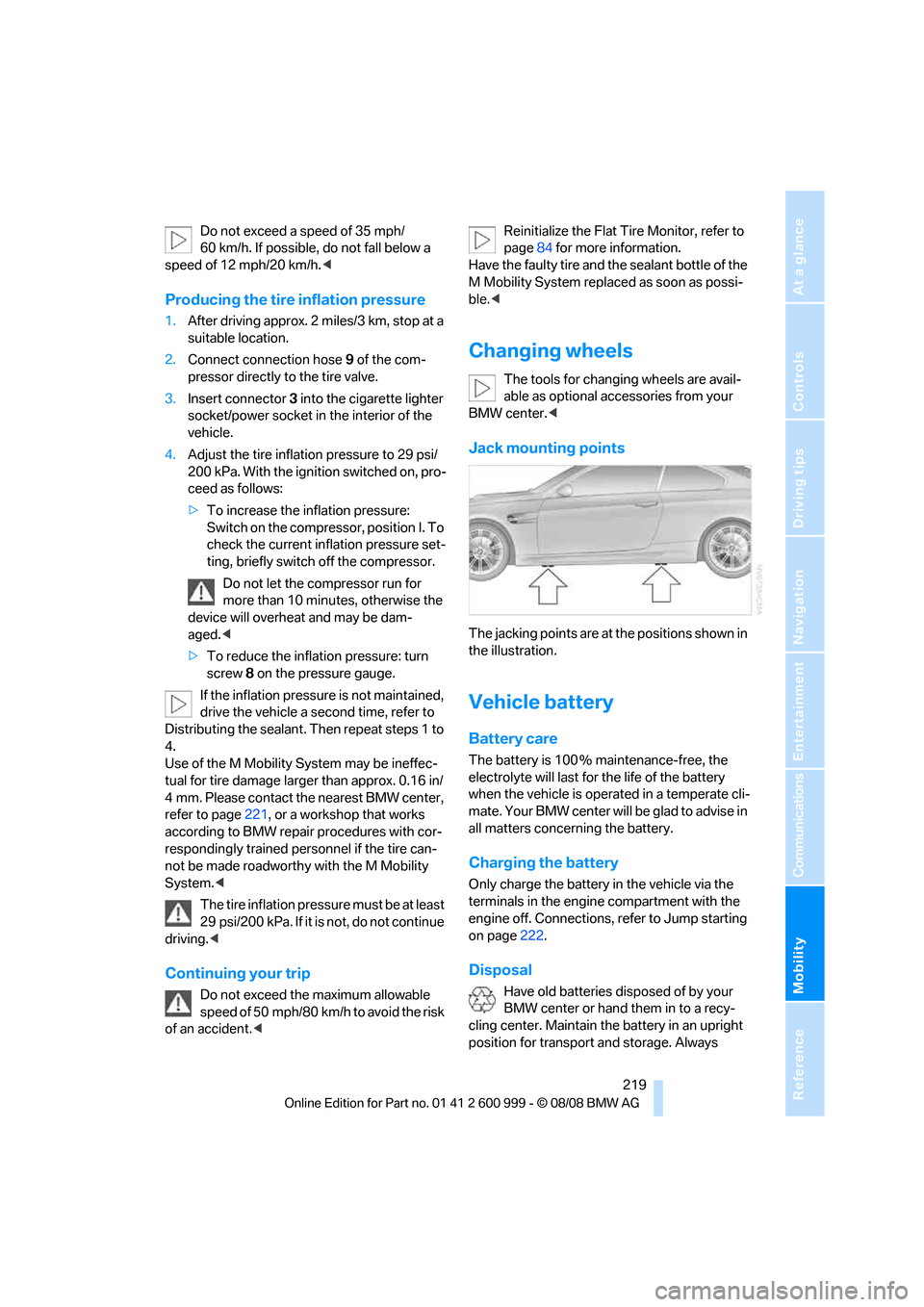
Jack mounting points
The jacking points are at the positions shown in
the illustration.
Vehicle battery
Battery care
The battery is 100 % maintenance-free, the
electrolyte will last for the life of the battery
when the vehicle is operated in a temperate cli-
mate. Your BMW center will be glad to advise in
all matters concerning the battery.
Charging the battery
Only charge the battery in the vehicle via the
terminals in the engine compartment with the
engine off. Connections, refer to Jump starting
on page222.
Disposal
Have old batteries disposed of by your
BMW center or hand them in to a recy-
cling center. Maintain the battery in an upright
position for transport and storage. Always
ba8_E9293M3_cic.book Seite 219 Dienstag, 19. August 2008 12:01 12
Page 226 of 256
Giving and receiving assistance
224
Using a tow fitting
The screw-in tow fitting must always be carried
in the car. It can be screwed in at the front or
rear of the BMW.
Coupe: it is stored in the onboard tool kit under-
neath the cover on the right-hand side of the
cargo bay, refer to page213.
Convertible: it is stored in the onboard tool kit
underneath the cargo bay floor, refer to
page213.
Use only the tow fitting provided with the
vehicle and screw it all the way in. Use the
tow fitting for towing on paved roads only. Avoid
lateral loading of the tow fitting, e.g. do not lift
the vehicle by the tow fitting. Otherwise the tow
fitting and the vehicle could be damaged.<
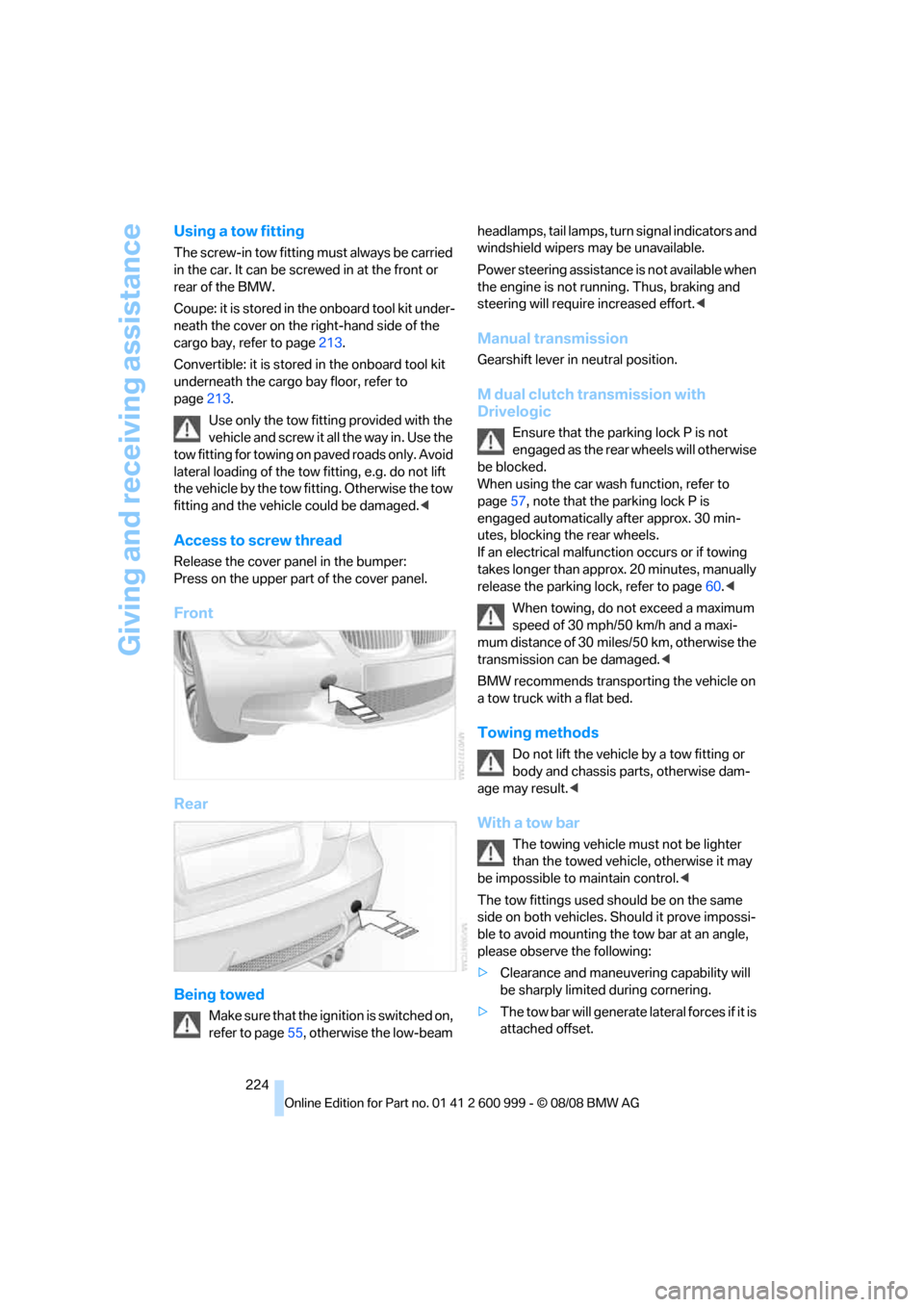
Access to screw thread
Release the cover panel in the bumper:
Press on the upper part of the cover panel.
Front
Rear
Being towed
Make sure that the ignition is switched on,
refer to page55, otherwise the low-beam headlamps, tail lamps, turn s i g n a l i n d i c a t o r s a n d
windshield wipers may be unavailable.
Power steering assistance is not available when
the engine is not running. Thus, braking and
steering will require increased effort.<
Manual transmission
Gearshift lever in neutral position.
M dual clutch transmission with
Drivelogic
Ensure that the parking lock P is not
engaged as the rear wheels will otherwise
be blocked.
When using the car wash function, refer to
page57, note that the parking lock P is
engaged automatically after approx. 30 min-
utes, blocking the rear wheels.
If an electrical malfunction occurs or if towing
takes longer than approx. 20 minutes, manually
release the parking lock, refer to page60.<
When towing, do not exceed a maximum
speed of 30 mph/50 km/h and a maxi-
mum distance of 30 miles/50 km, otherwise the
transmission can be damaged.<
BMW recommends transporting the vehicle on
a tow truck with a flat bed.
Towing methods
Do not lift the vehicle by a tow fitting or
body and chassis parts, otherwise dam-
age may result.<
With a tow bar
The towing vehicle must not be lighter
than the towed vehicle, otherwise it may
be impossible to maintain control.<
The tow fittings used should be on the same
side on both vehicles. Should it prove impossi-
ble to avoid mounting the tow bar at an angle,
please observe the following:
>Clearance and maneuvering capability will
be sharply limited during cornering.
>The tow bar will generate lateral forces if it is
attached offset.
ba8_E9293M3_cic.book Seite 224 Dienstag, 19. August 2008 12:01 12
Page 241 of 256
Reference 239
At a glance
Controls
Driving tips
Communications
Navigation
Entertainment
Mobility
B
Backrest contour, refer to
Lumbar support43
Backrests, refer to Seat
adjustment43
Backrest width adjustment44
Back seats
– refer to Rear seats45
Backup lamps
– replacing bulb215
Backup lamps, refer to Tail
lamps215
Bag holder109
Band-aids, refer to First-aid
pouch222
Bar, refer to Towing
methods224
Base plate for telephone or
mobile phone
– refer to Snap-in adapter181
– refer to Snap-in adapter in
the center armrest storage
compartment105
Bass, tone setting146
Battery219
– charging219
– disposal35,219
– jump starting222
– remote control26
– temporary power failure220
Battery for mobile phone181
Battery renewal
– remote control35
– remote control for vehicle35
Being towed224
Belt hand-over48
Belts, refer to Safety belts47
Belt tensioner, refer to Safety
belts47
Beverage holders, refer to
Cup holders106
Blinds, refer to Roller sun
blinds104
Blower, refer to Air flow
rate98
Bluetooth, activating/
deactivating174Bluetooth, refer to separate
Owner's Manual
BMW
– car shampoo211
BMW Assist, activating186
BMW Assist185
BMW center190
BMW Homepage4
BMW Maintenance
System207
BMW Search186
BMW webpage4
Bottle holders, refer to Cup
holders106
Brake assist82
Brake fluid, refer to Service
requirements72
Brake force display88
– bulb change216
Brake lamps
– replacing bulb215
Brake lights
– brake force display88
Brake pads116
– breaking in116
Brake rotors117
– brakes116
– breaking in116
Brakes
– ABS82
– BMW Maintenance
System207
– brake force display88
– breaking in116
– parking brake57
– service requirements72
Brakes, refer to Braking
safely117
Brake system116
– BMW Maintenance
System207
– breaking in116
– disc brakes117
Breakdown services, refer to
Roadside Assistance221
Breaking in the clutch116
Breaking in the differential,
refer to Engine and
differential116Break-in period116
Brightness of the Control
Display79
Bulb changing, refer to Lamps
and bulbs213
Button for starting the engine,
refer to Start/stop button55
Buttons on the steering
wheel11
C
California Proposition 65
warning6
Call
– accepting175
– ending176
– rejecting176
Calling, refer to Phone
numbers, dialing176
Can holders, refer to Cup
holders106
Capacities231
Capacity of the cargo bay231
Car battery, refer to Vehicle
battery219
Car care, refer to Care209
ba8_E9293M3_cic.book Seite 239 Dienstag, 19. August 2008 12:01 12
Page 242 of 256
Everything from A - Z
240 Care209
– automatic car washes209
– care products209
– carpets211
– CD/DVD drives212
– chrome parts210
– displays211
– exterior209
– fine wood parts211
– headlamps210
– high-pressure washer209
– interior211
– leather211
– light-alloy wheels211
– paintwork210
– plastic parts211
– retractable hardtop210
– rubber seals210
– safety belts211
– sensors and cameras211
– upholstery and cloth
trim211
– washing the car
manually210
– windows210
– wiper blades210
Cargo, securing119
Cargo bay
– capacity231
– convenient access34
– folding up the floor
panel110
– lamp, refer to Interior
lamps94
– opening from inside31
– opening from outside31
Cargo loading
– securing cargo119
– stowing cargo119
– vehicle118
Car jack
– jacking points219
Car key, refer to Remote
control26
Car phone
– installation location, refer to
Center armrest105
– refer to separate Owner's
ManualCar phone, refer to
Telephone172
Car radio, refer to Radio149
Car shampoo211
Car wash
– before entering57
Catalytic converter, refer to
Hot exhaust system116
CBS Condition Based
Service
207
CD, audio playback154
CD changer154
– controls146
– fast forward/reverse156
– installation location158
– random play sequence155
– selecting a track154
– switching on/off146
– tone control146
– volume146
CD player154
– controls146
– fast forward/reverse156
– random play sequence155
– selecting a track154
– switching on/off146
– tone control146
– volume146
Center armrest105
Center brake lamp
– replacing bulb217
Center console, refer to
Around the center
console14
Central locking
– from inside30
– from outside27
Central locking system27
– convenient access34
– hotel function31
Changes, technical, refer to
For your own safety5
Changing bulbs, refer to
Lamps and bulbs213
Changing gears60
Changing the language on the
Control Display79Changing the measurement
units on the Control
Display71
Changing wheels219
Chassis number, refer to
Engine compartment203
Check Control76
Child-restraint fixing system
LATCH54
Child-restraint systems53
Child seats, refer to
Transporting children
safely53
Chrome parts211
Chrome polish211
Cigarette lighter, refer to
Lighter107
Cleaning headlamps65
– washer fluid66
Cleaning your BMW, refer to
Care209
Clock
68
– 12h/24h mode75
– setting the time and date75
– setting time74
Closing
– from inside30
– from outside27
Clothes hooks106
Cockpit10
Cold start, refer to Starting the
engine56
Combined instrument, refer to
Instrument cluster12
Comfort access, refer to
Convenient access34
Comfort area, refer to Around
the center console14
Compartment for remote
control, refer to Ignition
lock55
Compass103
Computer69
– displays on Control
Display70
Computer, refer to iDrive16
Concierge service185
Condensation, refer to When
the vehicle is parked118
ba8_E9293M3_cic.book Seite 240 Dienstag, 19. August 2008 12:01 12
Page 244 of 256
Everything from A - Z
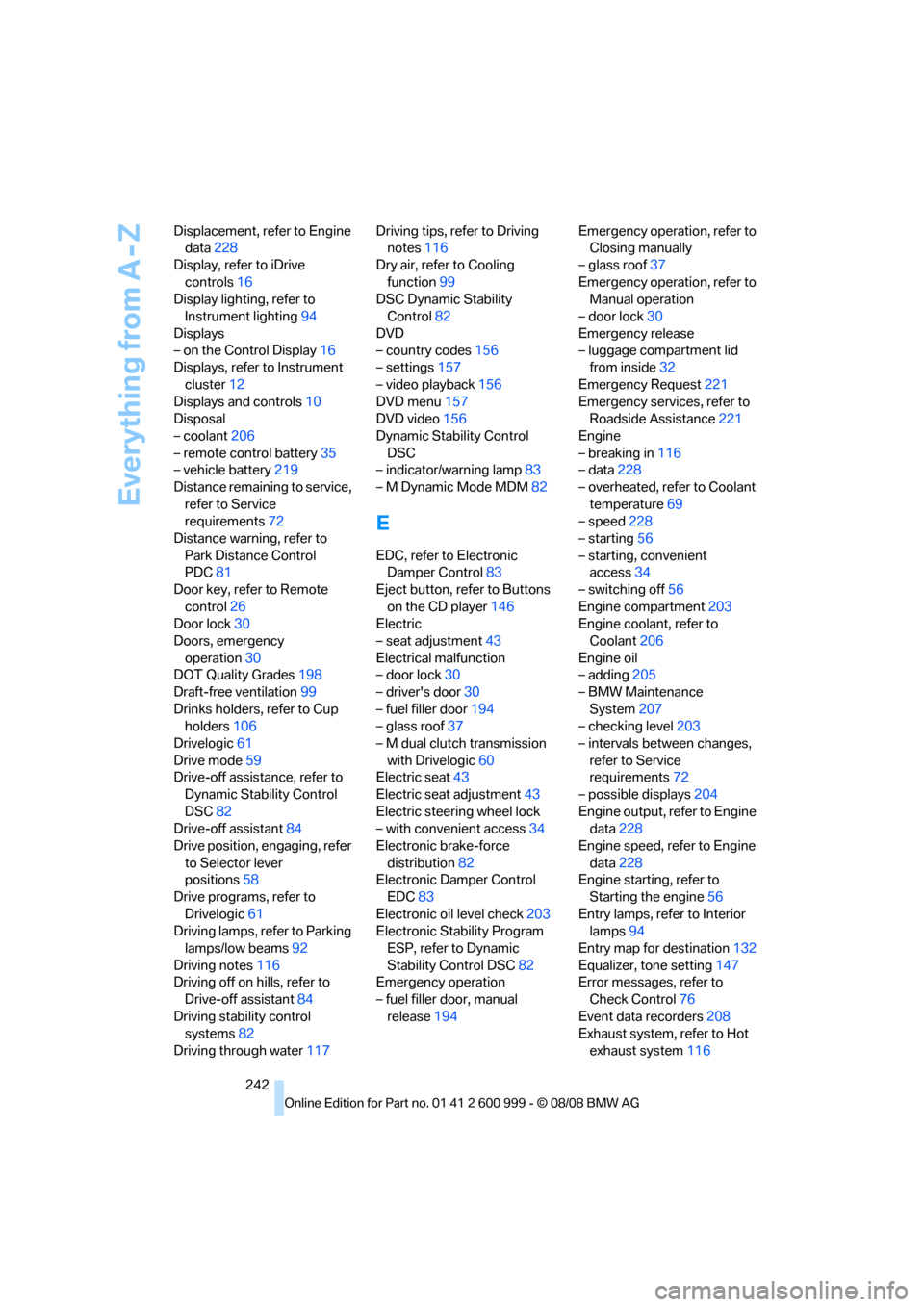
242 Displacement, refer to Engine
data228
Display, refer to iDrive
controls16
Display lighting, refer to
Instrument lighting94
Displays
– on the Control Display16
Displays, refer to Instrument
cluster12
Displays and controls10
Disposal
– coolant206
– remote control battery35
– vehicle battery219
Distance remaining to service,
refer to Service
requirements72
Distance warning, refer to
Park Distance Control
PDC81
Door key, refer to Remote
control26
Door lock30
Doors, emergency
operation30
DOT Quality Grades198
Draft-free ventilation99
Drinks holders, refer to Cup
holders106
Drivelogic61
Drive mode59
Drive-off assistance, refer to
Dynamic Stability Control
DSC82
Drive-off assistant84
Drive position, engaging, refer
to Selector lever
positions58
Drive programs, refer to
Drivelogic61
Driving lamps, refer to Parking
lamps/low beams92
Driving notes116
Driving off on hills, refer to
Drive-off assistant84
Driving stability control
systems82
Driving through water117Driving tips, refer to Driving
notes116
Dry air, refer to Cooling
function99
DSC Dynamic Stability
Control82
DVD
– country codes156
– settings157
– video playback156
DVD menu157
DVD video156
Dynamic Stability Control
DSC
– indicator/warning lamp83
– M Dynamic Mode MDM82
E
EDC, refer to Electronic
Damper Control83
Eject button, refer to Buttons
on the CD player146
Electric
– seat adjustment43
Electrical malfunction
– door lock30
– driver's door30
– fuel filler door194
– glass roof37
– M dual clutch transmission
with Drivelogic60
Electric seat43
Electric seat adjustment43
Electric steering wheel lock
– with convenient access34
Electronic brake-force
distribution82
Electronic Damper Control
EDC83
Electronic oil level check203
Electronic Stability Program
ESP, refer to Dynamic
Stability Control DSC82
Emergency operation
– fuel filler door, manual
release194Emergency operation, refer to
Closing manually
– glass roof37
Emergency operation, refer to
Manual operation
– door lock30
Emergency release
– luggage compartment lid
from inside32
Emergency Request221
Emergency services, refer to
Roadside Assistance221
Engine
– breaking in116
– data228
– overheated, refer to Coolant
temperature69
– speed228
– starting56
– starting, convenient
access34
– switching off56
Engine compartment203
Engine coolant, refer to
Coolant206
Engine oil
– adding205
– BMW Maintenance
System207
– checking level203
– intervals between changes,
refer to Service
requirements72
– possible displays204
Engine output, refer to Engine
data228
Engine speed, refer to Engine
data228
Engine starting, refer to
Starting the engine56
Entry lamps, refer to Interior
lamps94
Entry map for destination132
Equalizer, tone setting147
Error messages, refer to
Check Control76
Event data recorders208
Exhaust system, refer to Hot
exhaust system116
ba8_E9293M3_cic.book Seite 242 Dienstag, 19. August 2008 12:01 12
Page 246 of 256
Everything from A - Z
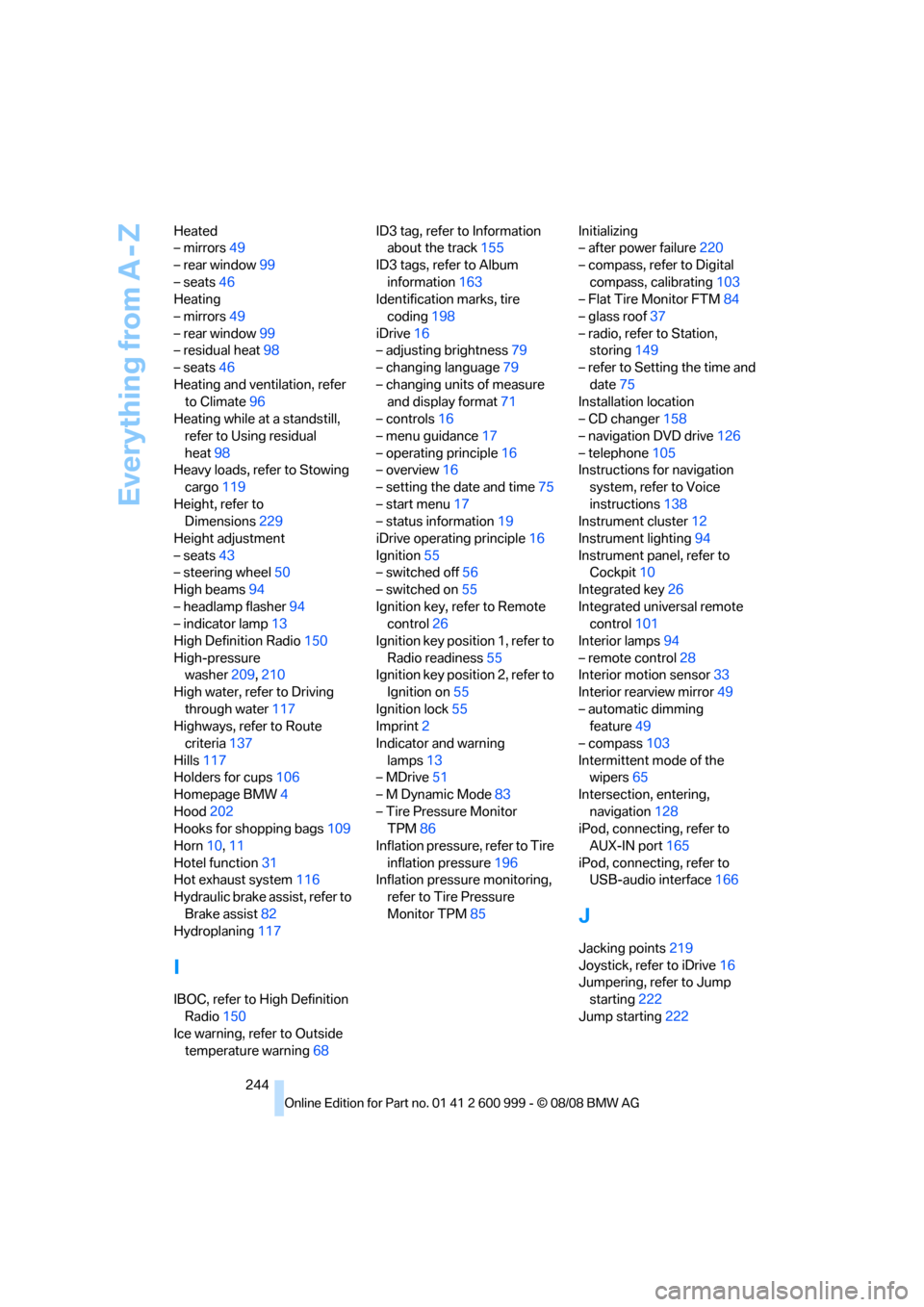
244 Heated
– mirrors49
– rear window99
– seats46
Heating
– mirrors49
– rear window99
– residual heat98
– seats46
Heating and ventilation, refer
to Climate96
Heating while at a standstill,
refer to Using residual
heat98
Heavy loads, refer to Stowing
cargo119
Height, refer to
Dimensions229
Height adjustment
– seats43
– steering wheel50
High beams94
– headlamp flasher94
– indicator lamp13
High Definition Radio150
High-pressure
washer209,210
High water, refer to Driving
through water117
Highways, refer to Route
criteria137
Hills117
Holders for cups106
Homepage BMW4
Hood202
Hooks for shopping bags109
Horn10,11
Hotel function31
Hot exhaust system116
Hydraulic brake assist, refer to
Brake assist82
Hydroplaning117
I
IBOC, refer to High Definition
Radio150
Ice warning, refer to Outside
temperature warning68ID3 tag, refer to Information
about the track155
ID3 tags, refer to Album
information163
Identification marks, tire
coding198
iDrive16
– adjusting brightness79
– changing language79
– changing units of measure
and display format71
– controls16
– menu guidance17
– operating principle16
– overview16
– setting the date and time75
– start menu17
– status information19
iDrive operating principle16
Ignition55
– switched off56
– switched on55
Ignition key, refer to Remote
control26
Ignition key position 1, refer to
Radio readiness55
Ignition key position 2, refer to
Ignition on55
Ignition lock55
Imprint2
Indicator and warning
lamps13
– MDrive51
– M Dynamic Mode83
– Tire Pressure Monitor
TPM86
Inflation pressure, refer to Tire
inflation pressure196
Inflation pressure monitoring,
refer to Tire Pressure
Monitor TPM85Initializing
– after power failure220
– compass, refer to Digital
compass, calibrating103
– Flat Tire Monitor FTM84
– glass roof37
– radio, refer to Station,
storing149
– refer to Setting the time and
date75
Installation location
– CD changer158
– navigation DVD drive126
– telephone105
Instructions for navigation
system, refer to Voice
instructions138
Instrument cluster12
Instrument lighting94
Instrument panel, refer to
Cockpit10
Integrated key26
Integrated universal remote
control101
Interior lamps94
– remote control28
Interior motion sensor33
Interior rearview mirror49
– automatic dimming
feature49
– compass103
Intermittent mode of the
wipers65
Intersection, entering,
navigation128
iPod, connecting, refer to
AUX-IN port165
iPod, connecting, refer to
USB-audio interface166
J
Jacking points219
Joystick, refer to iDrive16
Jumpering, refer to Jump
starting222
Jump starting222
ba8_E9293M3_cic.book Seite 244 Dienstag, 19. August 2008 12:01 12