buttons BMW M4 2016 User Guide
[x] Cancel search | Manufacturer: BMW, Model Year: 2016, Model line: M4, Model: BMW M4 2016Pages: 228, PDF Size: 4.88 MB
Page 34 of 228
If several drivers each use their own remote
control, the vehicle will adapt to their personal
settings when it is unlocked. These settings
are also resaved if the vehicle is used in the in‐
tervening period by someone with a different
remote control.
Changes to settings are saved automatically in
the personal profile.
Three personal profiles and a guest profile can
be created.
Settings
Settings for the following systems and func‐
tions are saved in the active profile. The extent
of settings that can be saved depends on the
country and equipment.▷Unlocking and locking.▷Light.▷Air conditioning.▷Radio.▷Instrument cluster.▷Favourites buttons.▷Volumes, sound.▷Control Display.▷Navigation.▷TV.▷Park Distance Control PDC.▷Rear-view camera.▷Side view.▷Head-Up Display.▷M Drive: configurations.▷Driver's seat position, exterior mirror posi‐
tion, steering wheel position.▷Cruise Control.▷Intelligent Safety.▷Lane change warning.Profile management
Calling up profiles Independently of the remote control that is
used, another profile can be called up.
Via iDrive:1."Settings"2."Profiles"3.Select a profile.▷The settings saved in the called-up profile
are made automatically.▷The profile called up is assigned to the re‐
mote control currently used.▷If the profile has already been allocated to
another remote control, this profile applies
to both remote controls. It is no longer
possible to differentiate between the set‐
tings of both remote controls.
Renaming profiles
To avoid mixing up the profiles, each profile
can be given a personal name.
On the Control Display:
1."Settings"2."Profiles"3.Call up "Options".4."Rename current profile"
Resetting profiles Settings of the active profile are reset to fac‐
tory settings.
On the Control Display:
1."Settings"2."Profiles"3.Call up "Options".4."Reset current profile"
Exporting profiles Most of the settings of the active profile can be
exported.
Seite 34ControlsOpening and closing34
Online Edition for Part no. 01 40 2 964 013 - VI/15
Page 36 of 228
on. This function is not available if the inte‐
rior light was switched off manually.▷The welcome light is switched on if this
function was activated.▷Exterior mirrors folded in using comfort
closing are folded out.▷Anti-theft system is switched off.▷The alarm system, see page 42, is dis‐
armed.
Press the button on the remote con‐
trol twice in direct succession.
When a door is opened, the window is lowered
further to make it easier to get in. This function
must be activated in the settings, see
page 41.
Comfort opening Keep the button on the remote control
pressed after unlocking.
The windows and Glass Roof are opened for as
long as the button on the remote control is
pressed.
Locking WARNING
If the vehicle is locked from the outside, it
cannot be unlocked from the inside in some
country versions.
If persons must remain in the vehicle for an ex‐
tended period of time and are exposed to ex‐
treme heat or cold, there is a risk of injury or
life. Do not lock the vehicle from the outside
when there is someone inside it.◀
The driver's door must be closed. Press the button on the remote control.
All doors, boot lid and fuel filler flap are locked.
Anti-theft system is switched on. It prevents
the doors from being able to be unlocked using
the locking buttons or the door openers.
The alarm system, see page 42, is armed.
Comfort closing Keep the button on the remote control
pressed after locking.
The windows and the Glass Roof are closed for
as long as the button on the remote control is
pressed.
Exterior mirrors are folded in.
WARNING
Body parts can be trapped during com‐
fort closing. Danger of injury. During comfort
closing, make sure that the area of movement
is free.◀
Switching on interior light and
courtesy light
With the vehicle locked, press the button
on the remote control.
The courtesy light is only switched on at dark.
This function is not available if the interior light
was switched off manually.
If the button is pressed again within 10 sec‐
onds of locking, passenger compartment pro‐
tection and tilt alarm sensor of alarm system,
see page 43, are switched off. After locking,
wait 10 seconds before pressing the button
again.
Opening boot lid Press the button on the remote con‐
trol for approximately one second.
The boot lid opens, regardless of whether the
vehicle was locked or unlocked.
The boot lids swings rearwards and upwards
when opened. Make sure that there is suffi‐
cient space.
Depending on the equipment and country ver‐
sion it can be set whether the doors are also
locked. Adjust the settings, see page 41.Seite 36ControlsOpening and closing36
Online Edition for Part no. 01 40 2 964 013 - VI/15
Page 41 of 228
The boot lid opens, regardless of whether it
was locked or unlocked.
The hazard warning lights flash before open‐
ing.
If the remote control is within the sensor range,
the boot lid can be accidentally opened by an
unintentional or supposedly recognized foot
movement.
The sensor range extends to approx. 1.50 m,
5 ft behind the rear area.
WARNING
Operating the boot lid can lead to parts
of the body becoming trapped. Danger of in‐
jury. When opening and closing, make sure
that the area of movement of the boot lid is
free.◀
ATTENTION
The boot lids swings rearwards and up‐
wards when opened. Danger of damage to
property. When opening and closing, make
sure that the area of movement of the boot lid
is free.◀
Malfunction
Detection of the remote control by the vehicle
may be disrupted by the following circumstan‐
ces, amongst others:▷The battery of the remote control is dis‐
charged. Replacing the battery, see
page 33.▷Disruption of the radio link by transmission
masts or other equipment transmitting
powerful signals.▷Shielding of the remote control by metallic
objects.▷Disruption of the radio link by mobile tele‐
phones or other electronic devices in the
immediate vicinity.
Do not transport the remote control together
with metallic objects or electronic devices.
In case of a fault, unlock and lock the vehicle
with the buttons on the remote control or with
the integrated key, see page 37.
Settings UnlockingSettings are saved in active profile, see
page 33.
Doors1."Settings"2."Doors/key"3. Select the symbol.4.Select the desired function:▷"Driver's door only"
Only the driver's door and fuel filler flap
are unlocked. Pressing again unlocks
the entire vehicle.▷"All doors"
The entire vehicle is unlocked.▷"Comfort entry"
The entire vehicle is unlocked.
Pressing the button on the remote
control twice in direct succession cau‐
ses the window to be lowered further
when the door is subsequently opened.
Boot lid
Depending on the equipment and country ver‐
sion, these settings are not provided.
1."Settings"2."Doors/key"3. Select the symbol.4.Select the desired function:▷"Tailgate"
Boot lid is opened.▷"Tailgate + door(s)"Seite 41Opening and closingControls41
Online Edition for Part no. 01 40 2 964 013 - VI/15
Page 55 of 228
Saving1.Switch on ignition.2.Set desired position.3.Press button briefly. LED in button
is illuminated.4.Press the desired button 1 or 2 while the
LED is lit. LED turns off.
If SET button was pressed inadvertently:
Press the button again.
LED turns off.
Recalling
General
There are two possibilities of calling up the
memory function:
▷Comfort function, see page 55.▷Safety function, see page 55.
Convenience function
1.Open the driver's door.2.Switch ignition off if necessary.3.Briefly press button 1 or 2 as desired.
The relevant seat adjustment is done automat‐
ically.
The process is cancelled if a seat adjustment
switch or one of the buttons is pressed.
Safety function
1.Close the driver’s door or switch the igni‐
tion on.2.Keep button 1 or 2 pressed as desired until
the adjustment procedure has been con‐
cluded.
Calling up has been disabled
After a short time, calling up saved seat posi‐
tions is disabled to prevent the battery from
being discharged.
To reactivate calling up:
▷Open and close a door or the boot lid.▷Press a button on the remote control.▷Press the start/stop button.
Mirrors
Exterior mirrors
General Depending on the equipment, the mirror set‐
ting is saved for the profile currently in use.
When the vehicle is unlocked using the remote
control, this position is called up automatically
if the setting for this has been enabled.
Note WARNING
Objects reflected in the mirrors are
closer than they appear. The distance to road
users behind the vehicle could be incorrectly
estimated, for example when changing lane.
Danger of accidents. Look over your shoulder
to estimate the distance from following traf‐
fic.◀
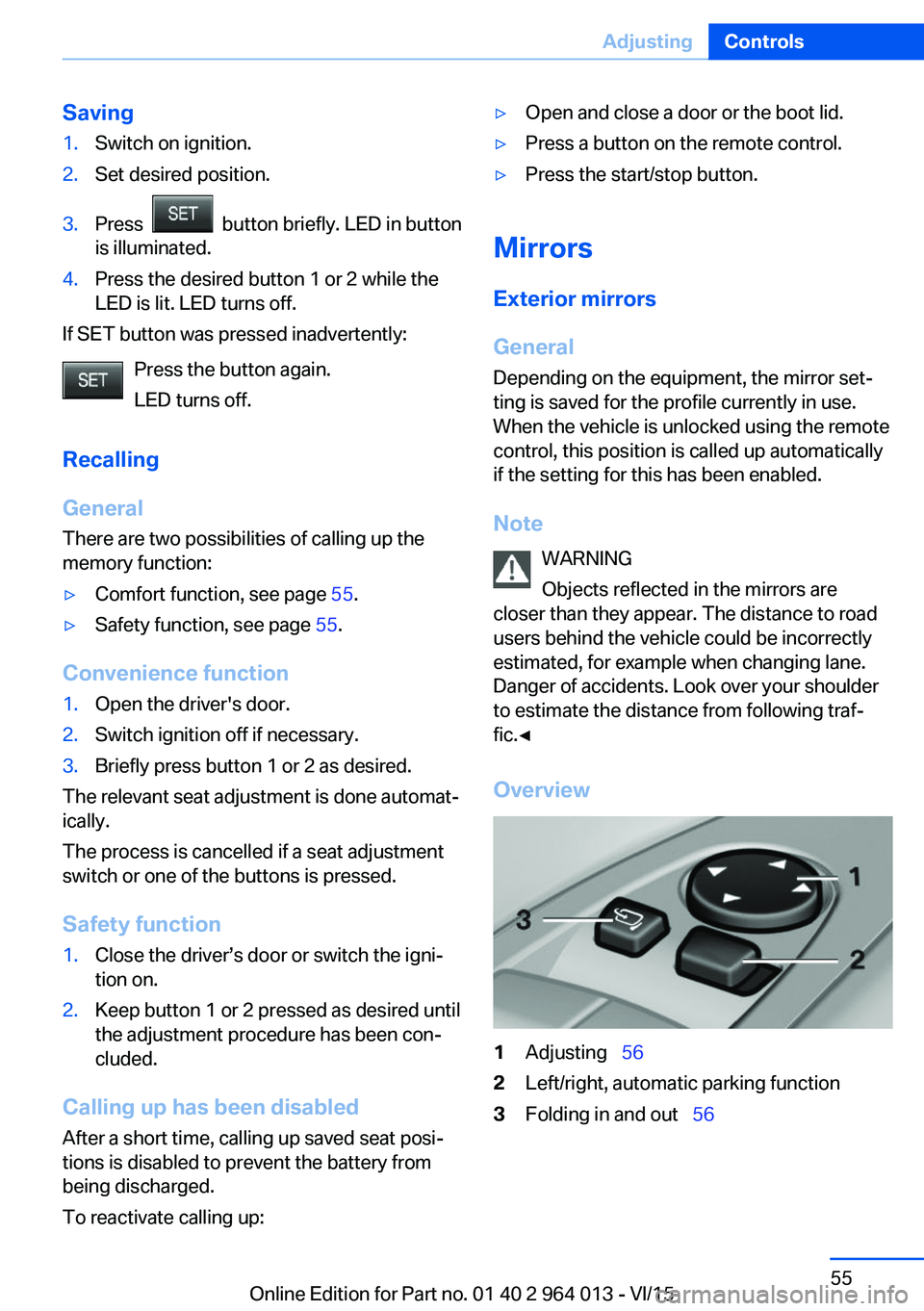
Overview
1Adjusting 562Left/right, automatic parking function3Folding in and out 56Seite 55AdjustingControls55
Online Edition for Part no. 01 40 2 964 013 - VI/15
Page 90 of 228
System limits
The function may be disabled or inaccurate
under certain conditions, for example:▷In thick fog and heavy rain or snow.▷If road signs are obscured by objects.▷If the vehicle is moving too close to the ve‐
hicle ahead.▷With bright oncoming light.▷When the windscreen in front of the rear-
view mirror is covered with condensation,
dirt, stickers, etc.▷Due to possible wrong detections of the
camera.▷If the speed limits saved in the navigation
system are wrong.▷In areas not covered by the navigation sys‐
tem.▷If there are deviations in relation to the nav‐
igation, for example due to changes in the
road routing.▷On overtaking buses or trucks with speed
stickers.▷If traffic signs do not correspond to the
standard.▷During the calibration process of the cam‐
era immediately after the vehicle is sup‐
plied.
Selection lists in the
instrument cluster
Principle Depending on equipment, the following can be
displayed or operated via the buttons and the
knurled wheel on the steering wheel and using
the displays in the instrument cluster and
Head-Up Display:
▷Current audio source.▷Repeat dialling for telephone.▷Activating the voice control system.Display
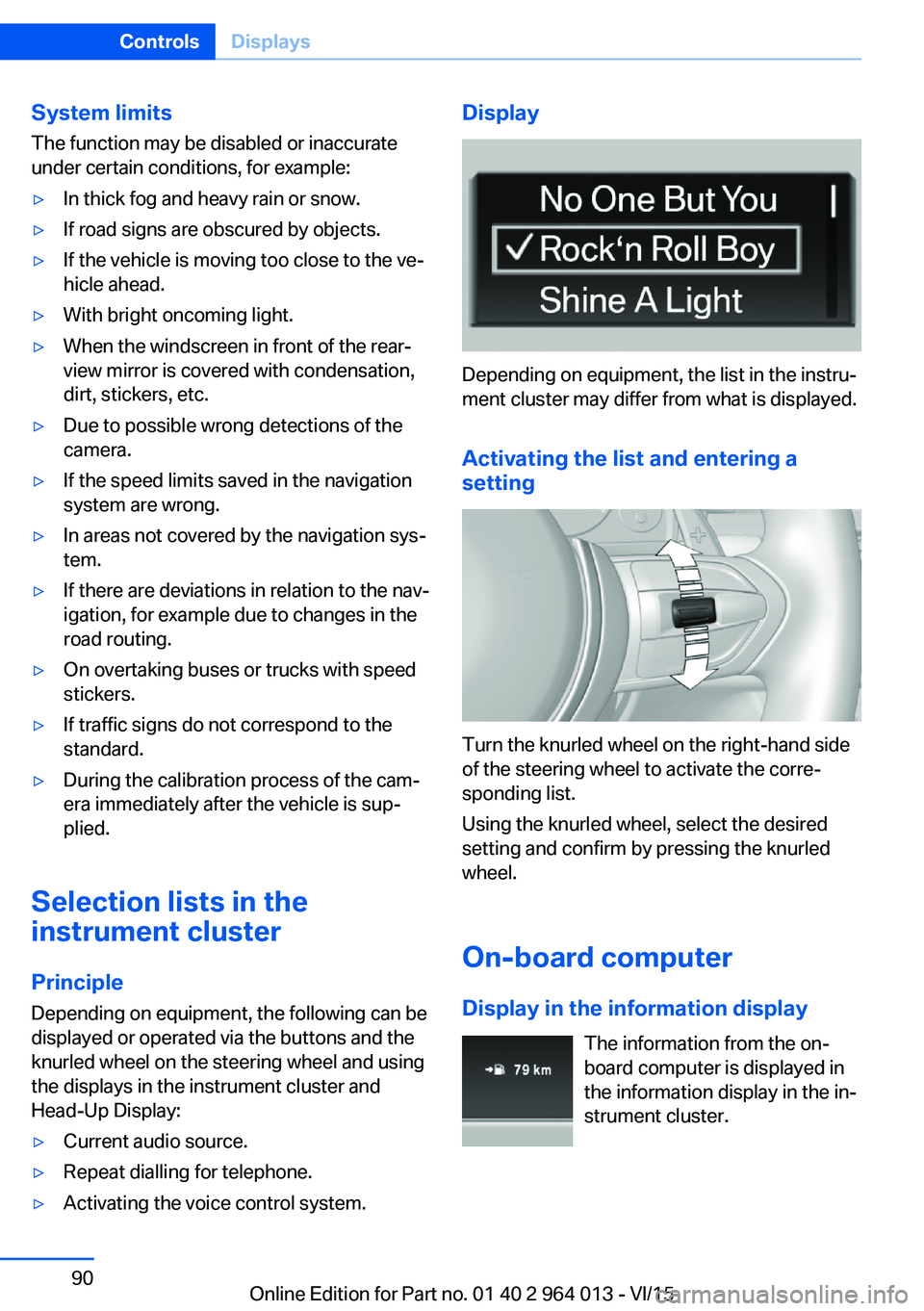
Depending on equipment, the list in the instru‐
ment cluster may differ from what is displayed.
Activating the list and entering a
setting
Turn the knurled wheel on the right-hand side
of the steering wheel to activate the corre‐
sponding list.
Using the knurled wheel, select the desired
setting and confirm by pressing the knurled
wheel.
On-board computer
Display in the information display The information from the on-
board computer is displayed in
the information display in the in‐
strument cluster.
Seite 90ControlsDisplays90
Online Edition for Part no. 01 40 2 964 013 - VI/15
Page 96 of 228
Adjusting rotation
The image of the Head-Up Display can be ro‐
tated around its axis.
On the Control Display:1."Settings"2."Head-up display"3."Rotation"4.Turn the Controller until the desired set‐
ting is reached.5.Press the Controller.
The setting is saved for the currently used pro‐
file.
Special windscreen
The windscreen constitutes part of the sys‐
tem.
The shape of the windscreen enables a precise
projection.
A film in the windscreen prevents double im‐
ages occurring.
For this reason, have the special windscreen
replaced by a Service Partner or a qualified
specialist workshop.
Shift Lights General
The display is on the Head-Up Display and in
the instrument cluster.
Shift Lights in the instrument cluster
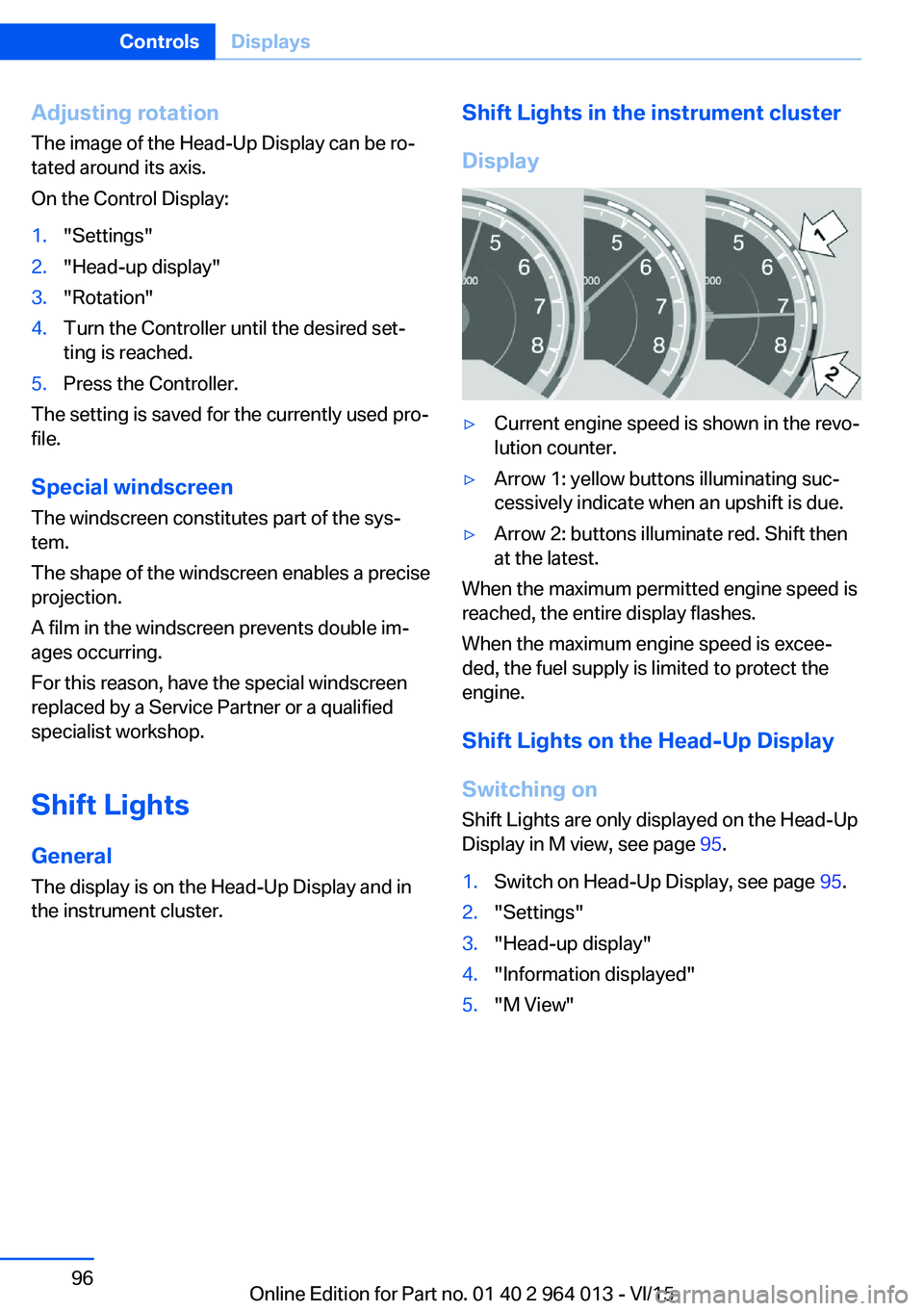
Display▷Current engine speed is shown in the revo‐
lution counter.▷Arrow 1: yellow buttons illuminating suc‐
cessively indicate when an upshift is due.▷Arrow 2: buttons illuminate red. Shift then
at the latest.
When the maximum permitted engine speed is
reached, the entire display flashes.
When the maximum engine speed is excee‐
ded, the fuel supply is limited to protect the
engine.
Shift Lights on the Head-Up DisplaySwitching on Shift Lights are only displayed on the Head-Up
Display in M view, see page 95.
1.Switch on Head-Up Display, see page 95.2."Settings"3."Head-up display"4."Information displayed"5."M View"Seite 96ControlsDisplays96
Online Edition for Part no. 01 40 2 964 013 - VI/15
Page 97 of 228
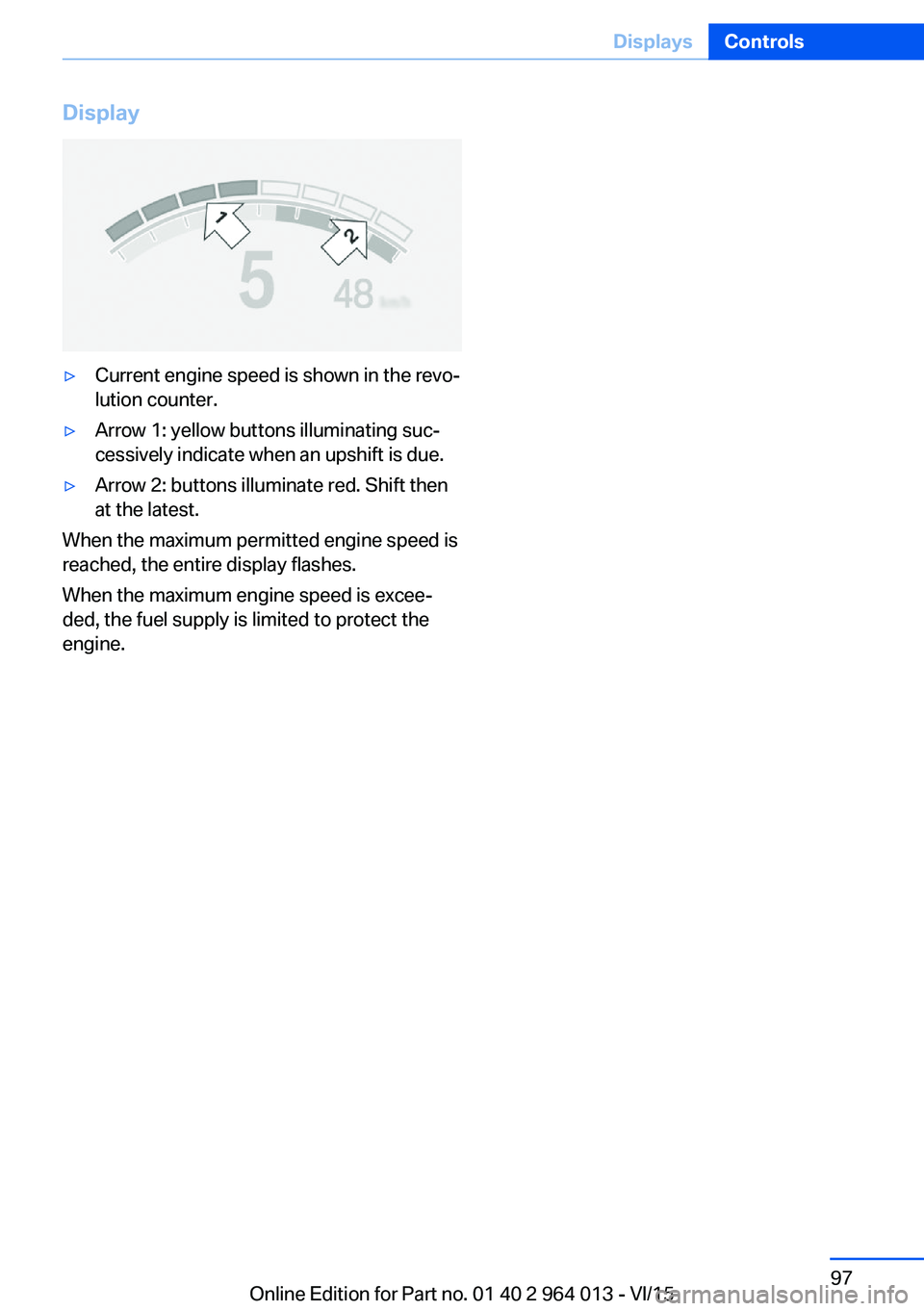
Display▷Current engine speed is shown in the revo‐
lution counter.▷Arrow 1: yellow buttons illuminating suc‐
cessively indicate when an upshift is due.▷Arrow 2: buttons illuminate red. Shift then
at the latest.
When the maximum permitted engine speed is
reached, the entire display flashes.
When the maximum engine speed is excee‐
ded, the fuel supply is limited to protect the
engine.
Seite 97DisplaysControls97
Online Edition for Part no. 01 40 2 964 013 - VI/15
Page 119 of 228
Manual speed limiterPrinciple With the system, the speed can be restricted
from a value of 30 km/h/20 mph. There are no
restrictions below the set speed limit.
Exceeding the speed limit In particular situations the speed limit can be
deliberately exceeded by accelerating strongly.
The system gives a warning if the travelling
speed exceeds the set speed limit.
No brake intervention
If the set speed limit has been reached or unin‐
tentionally exceeded (for example driving
downhill) there is no brake intervention.
If you set a speed limit during the journey
which is below the current speed, the vehicle
rolls until the driving speed drops below the
speed limit.
Overview
Buttons on the steering wheelPress the but‐
tonFunctionSwitching system on/off,
see page 119Rocker switch:
Change speed limit, see
page 119
Controls
Switching on Press the button on the steering
wheel.
The current speed is assumed as the speed
limit.
When switching on when at a standstill
30 km/h/20 mph is set as the speed limit.
The speedometer marker is set to the corre‐
sponding speed.
When activating the speed limit it is possible
that Dynamic Stability Control, DSC is activa‐
ted.
Switching off Press the button on the steering
wheel.
For example, the system is also deactivated in
the following situations:▷When engaging reverse gear.▷When switching the engine off.▷When switching on Cruise Control.
The indicators turn off.
Change speed limit
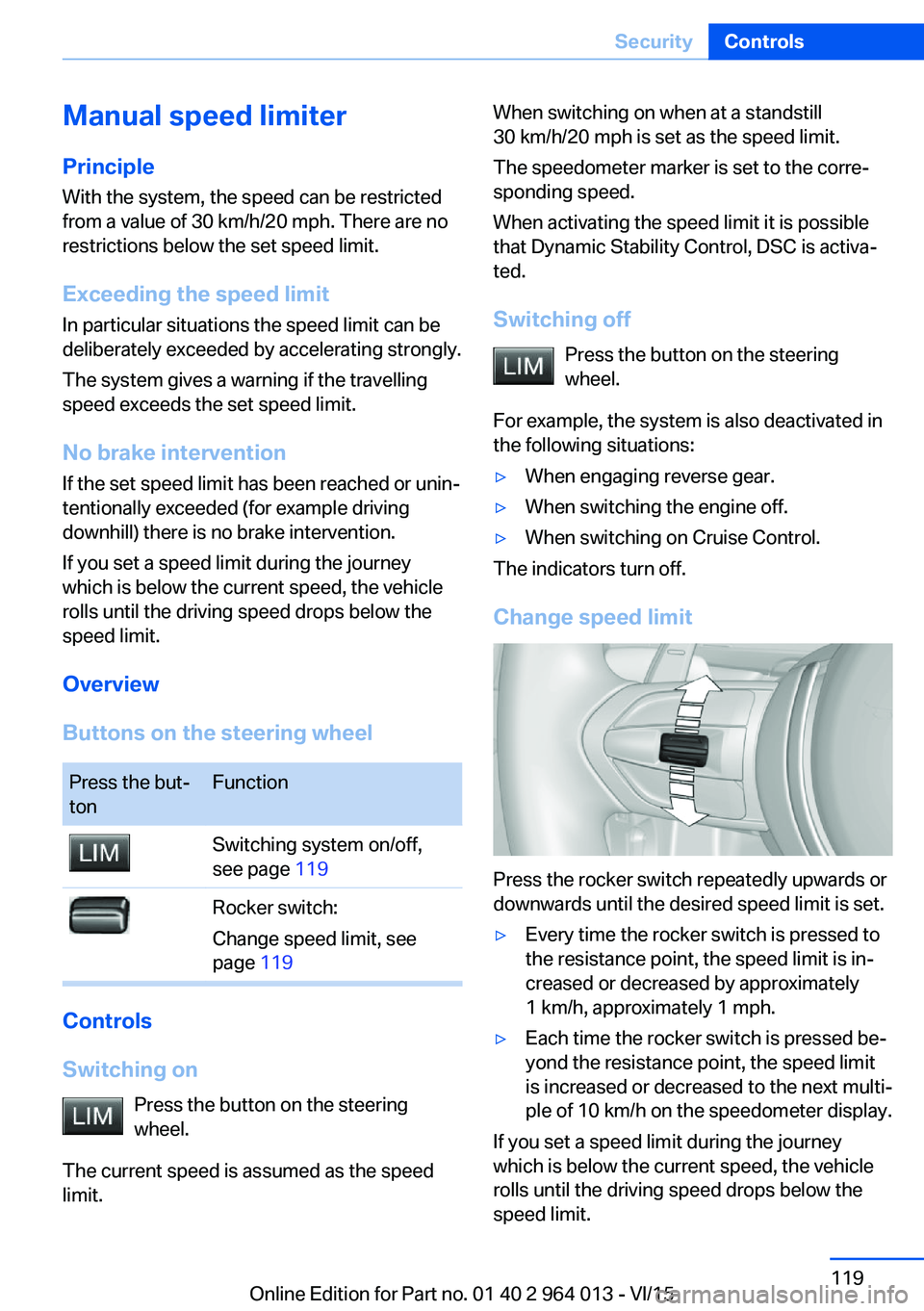
Press the rocker switch repeatedly upwards or
downwards until the desired speed limit is set.
▷Every time the rocker switch is pressed to
the resistance point, the speed limit is in‐
creased or decreased by approximately
1 km/h, approximately 1 mph.▷Each time the rocker switch is pressed be‐
yond the resistance point, the speed limit
is increased or decreased to the next multi‐
ple of 10 km/h on the speedometer display.
If you set a speed limit during the journey
which is below the current speed, the vehicle
rolls until the driving speed drops below the
speed limit.
Seite 119SecurityControls119
Online Edition for Part no. 01 40 2 964 013 - VI/15
Page 124 of 228
3.Selected desired adjustment option.4.Select the desired channel.
The individual settings are stored for the cur‐
rently used profile.
With M Drive activated a change is made im‐
mediately on the Control Display setting.
Activating/deactivating M Drive
Activating Press the relevant button on the steering
wheel.
▷Activate M Drive 1▷Activate M Drive 2
If in M Drive, DSC OFF or MDM is set, a mes‐
sage appears in the instrument cluster. This
message is operated by pressing the button
again.
Deactivating Press the relevant button on the steering
wheel again.
Indicator Lights
▷Indicator light illuminates: corre‐
sponding M Drive is activated.▷Indicator light flashes: M Drive
could not be activated. Anti-block‐
ing system ABS or Dynamic Stabil‐
ity Control DSC control drive stabil‐
ity directly.
Reactivate M Drive if the indicator
stops flashing.
Information
With activated M Drive individual settings out‐
side of the M Drive can also be changed, for
example, using buttons in the centre console.
That deactivates the M Drive.
To reactivate all the settings made on the Con‐
trol Display for M Drive, briefly press one of the
following buttons:▷▷
To accept the change settings in M Drive,
press the corresponding button for a long time.
Reset M Drive Individual settings can be reset to default val‐
ues.
1."Settings"2."M Drive 1" or "M Drive 2"3."Reset M Drive 1" or "Reset M Drive 2"4."Yes"
To interrupt resetting: "No"
Dynamic Stability Control,
DSC
Principle DSC prevents the driven wheels losing traction
when you pull away from rest or accelerate.
DSC is also able to detect unstable driving
conditions such as loss of traction at the rear
or vehicle slip over the front wheels. DSC re‐
duces engine output and applies the brakes at
individual wheels, helping, within the limits im‐
posed by the laws of physics, to keep the vehi‐
cle safely on course.
Note Adapt the driving style to the situation as it is
always the driver's responsibility to adapt a
suitable driving style.
Not even DSC can overcome the laws of phys‐
ics.
Do not limit the additional safety afforded by
this system by taking driving risks.
Seite 124ControlsDriving stability control systems124
Online Edition for Part no. 01 40 2 964 013 - VI/15
Page 129 of 228
Driving comfortVehicle equipment
This chapter describes all standard, national
and special equipment provided in the model
series. Equipment not available in the vehicle is
therefore also described, for example the se‐
lected special equipment or national version.
This also applies to safety-relevant functions
and systems. Comply with the relevant na‐
tional regulations when using the correspond‐
ing functions and systems.
Cruise Control
Principle System keeps to speed set using buttons on
steering wheel. On downhill gradients, the sys‐
tem will brake the vehicle if the braking action
of the engine alone is insufficient.
General Characteristics of Cruise Control may change
in certain areas depending on vehicle setting.
Information WARNING
Using the system in the following situa‐
tions can lead to an increased danger of acci‐
dent:▷On stretches with many corners and
bends.▷In heavy traffic.▷If the road is icy, if there is fog, snow, rain
or a loose road surface.
Danger of accident or damage to property.
Only use the system if it is possible to drive at
a constant speed.◀
Overview
Buttons on the steering wheelPress the
buttonFunctionCruise Control on, off, inter‐
rupt, see page 129.Resume speed, see
page 130.Rocker switch: change, hold
or set speed, see page 130.
Controls
Switching on Press the button on the steering
wheel.
The speedometer marker is set to the current
speed.
Cruise Control can be used.
If necessary, Dynamic Stability Control DSC
will be switched on.
Switching off WARNING
The system does not take your personal
responsibility from you when you are estimat‐
ing the traffic situation. Due to limits of the sys‐
tem, it cannot respond independently in a rea‐
sonable way in all traffic conditions. Danger of
accidents. Adapt driving style to the driving
conditions. Observe the traffic situation and in‐
tervene actively if the situation warrants it.◀
Press the button on the steering
wheel.
▷When activated: press twice.Seite 129Driving comfortControls129
Online Edition for Part no. 01 40 2 964 013 - VI/15