mirror controls BMW M4 2016 User Guide
[x] Cancel search | Manufacturer: BMW, Model Year: 2016, Model line: M4, Model: BMW M4 2016Pages: 228, PDF Size: 4.88 MB
Page 71 of 228
Wiper systemSwitching the wipers on/off and flick-
wiping
General
Do not use wipers with a dry windscreen, oth‐
erwise the wiper blades will wear or become
damaged more quickly.
Notes ATTENTION
If the wipers have frozen on, switching on
can cause the wiper blades to tear and the
wiper motor to overheat. Danger of damage to
property. Defrost the windscreen before
switching on the wipers.◀
WARNING
If the wipers start moving when they are
folded away from the windscreen, this can
damage parts of the vehicle, or trap body parts.
Danger of injury or damage to property. Make
sure that the vehicle is switched off when the
wipers are folded away from the windscreen,
and that the wipers are in contact with the
windscreen when switching on.◀
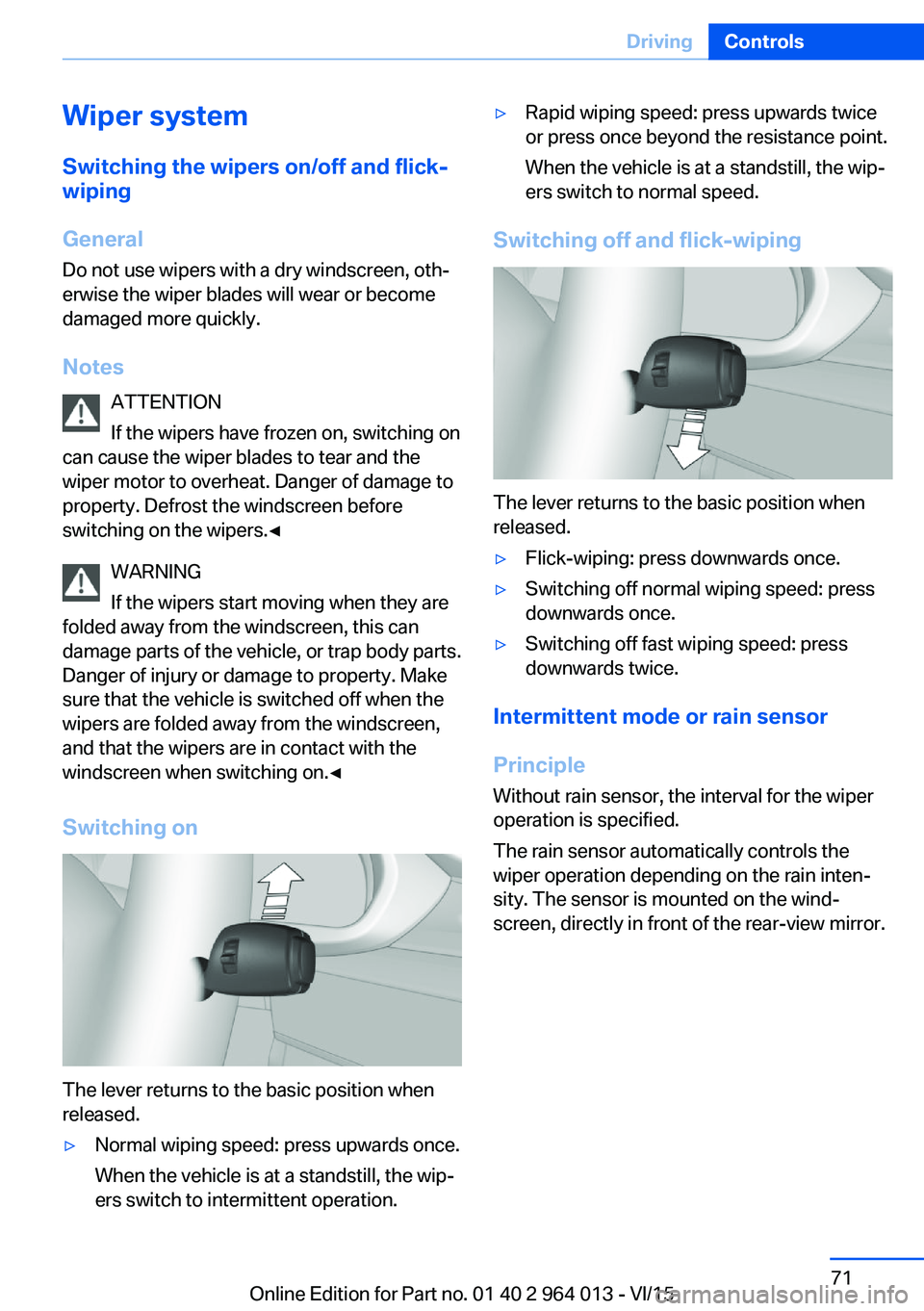
Switching on
The lever returns to the basic position when
released.
▷Normal wiping speed: press upwards once.
When the vehicle is at a standstill, the wip‐
ers switch to intermittent operation.▷Rapid wiping speed: press upwards twice
or press once beyond the resistance point.
When the vehicle is at a standstill, the wip‐
ers switch to normal speed.
Switching off and flick-wiping
The lever returns to the basic position when
released.
▷Flick-wiping: press downwards once.▷Switching off normal wiping speed: press
downwards once.▷Switching off fast wiping speed: press
downwards twice.
Intermittent mode or rain sensor
Principle Without rain sensor, the interval for the wiper
operation is specified.
The rain sensor automatically controls the
wiper operation depending on the rain inten‐
sity. The sensor is mounted on the wind‐
screen, directly in front of the rear-view mirror.
Seite 71DrivingControls71
Online Edition for Part no. 01 40 2 964 013 - VI/15
Page 88 of 228
On the Control Display:1."Vehicle information"2."Vehicle status"3.Call up "Options".4."Last Teleservice Call"
Service history
General Have maintenance work carried out by a Serv‐
ice Partner or a qualified specialist workshop.
Performed maintenance work is recorded in
the vehicle data, see page 191.
The maintenance visits entered can be shown
on the Control Display. Operation is available
as soon as a maintenance visit has been en‐
tered in the vehicle data.
Displaying service history
On the Control Display:
1."Vehicle information"2."Vehicle status"3. "Service requirements"4. "Service history"
Maintenance visits carried out are shown.5.Select an entry to display more detailed in‐
formation.
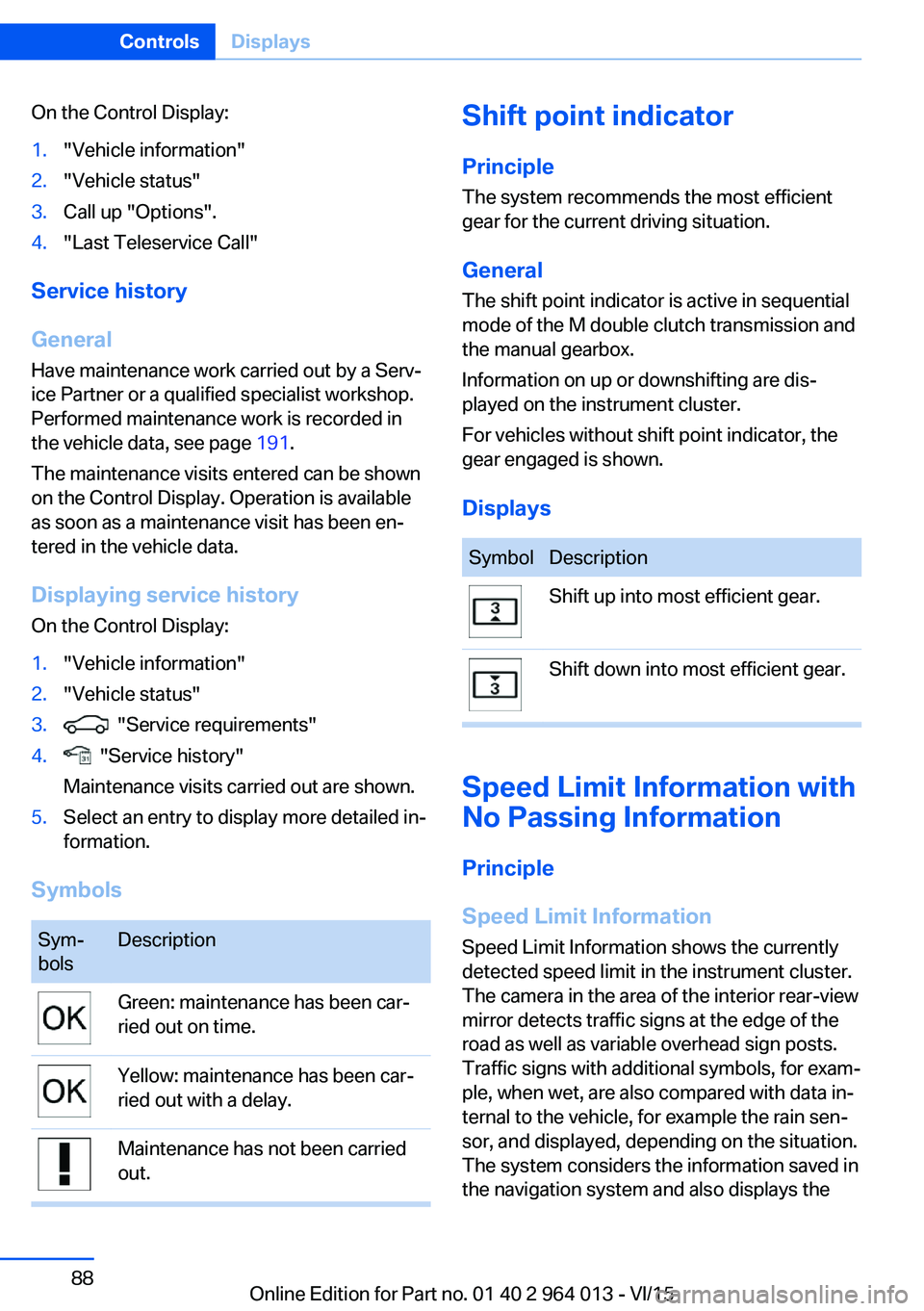
Symbols
Sym‐
bolsDescriptionGreen: maintenance has been car‐
ried out on time.Yellow: maintenance has been car‐
ried out with a delay.Maintenance has not been carried
out.Shift point indicator
Principle The system recommends the most efficient
gear for the current driving situation.
General
The shift point indicator is active in sequential
mode of the M double clutch transmission and
the manual gearbox.
Information on up or downshifting are dis‐
played on the instrument cluster.
For vehicles without shift point indicator, the
gear engaged is shown.
DisplaysSymbolDescriptionShift up into most efficient gear.Shift down into most efficient gear.
Speed Limit Information with
No Passing Information
Principle
Speed Limit Information Speed Limit Information shows the currently
detected speed limit in the instrument cluster.
The camera in the area of the interior rear-view mirror detects traffic signs at the edge of the
road as well as variable overhead sign posts. Traffic signs with additional symbols, for exam‐
ple, when wet, are also compared with data in‐
ternal to the vehicle, for example the rain sen‐
sor, and displayed, depending on the situation.
The system considers the information saved in
the navigation system and also displays the
Seite 88ControlsDisplays88
Online Edition for Part no. 01 40 2 964 013 - VI/15
Page 89 of 228
speed limits present on unmarked sections of
road.
No Passing Information No Passing Information displays with corre‐
sponding symbols in the instrument cluster no
passing restrictions and their removal detected
by the camera. The system only considers no passing restrictions and lifting the restriction
made known by signage.
Nothing will be displayed in the following situa‐
tions:▷In countries in which no passing is primar‐
ily shown by road markings.▷On routes without signage.▷On railway crossings, lane markings or in
other situations which would not indicate
an unsigned no passing restriction.
Notes
WARNING
The system does not take your personal
responsibility from you when you are estimat‐
ing the visibility conditions and traffic situation.
Danger of accidents. Adapt driving style to the driving conditions. Observe the traffic situation
and intervene actively if the situation warrants
it.◀
Overview
Camera
The camera is in the area of the base of the
rear-view mirror.
Keep the windscreen clean and clear in the
area in front of the rear view mirror.
Switching on/offOn the Control Display:1."Settings"2."Instr. cluster display"3."Limit info"
If Speed Limit Information is switched on, this
can be displayed through the on-board com‐
puter on the information display in the instru‐
ment cluster.
No Passing Information is displayed together
with activated Speed Limit information.
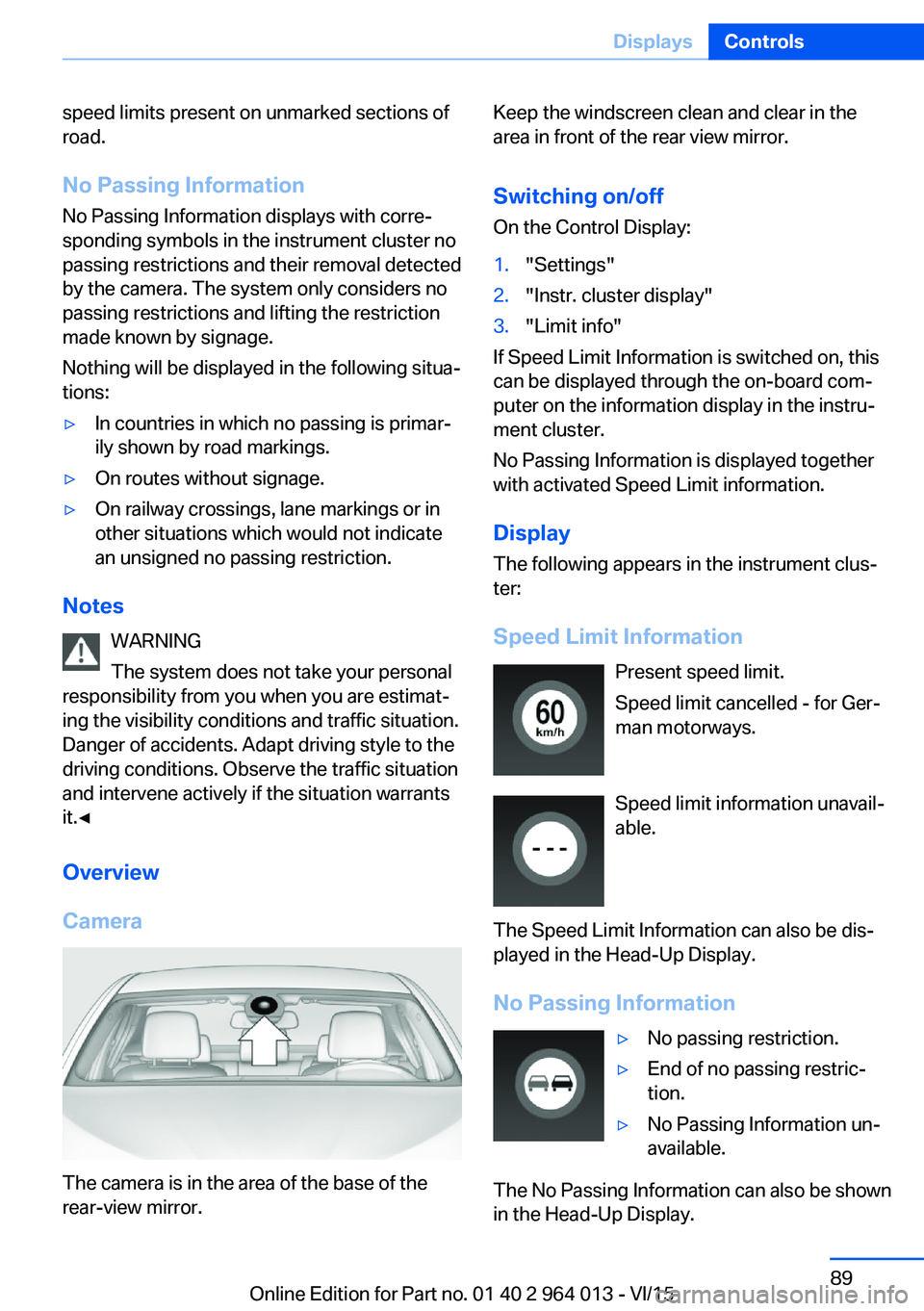
Display
The following appears in the instrument clus‐
ter:
Speed Limit Information Present speed limit.
Speed limit cancelled - for Ger‐
man motorways.
Speed limit information unavail‐
able.
The Speed Limit Information can also be dis‐
played in the Head-Up Display.
No Passing Information
▷No passing restriction.▷End of no passing restric‐
tion.▷No Passing Information un‐
available.
The No Passing Information can also be shown
in the Head-Up Display.
Seite 89DisplaysControls89
Online Edition for Part no. 01 40 2 964 013 - VI/15
Page 90 of 228
System limits
The function may be disabled or inaccurate
under certain conditions, for example:▷In thick fog and heavy rain or snow.▷If road signs are obscured by objects.▷If the vehicle is moving too close to the ve‐
hicle ahead.▷With bright oncoming light.▷When the windscreen in front of the rear-
view mirror is covered with condensation,
dirt, stickers, etc.▷Due to possible wrong detections of the
camera.▷If the speed limits saved in the navigation
system are wrong.▷In areas not covered by the navigation sys‐
tem.▷If there are deviations in relation to the nav‐
igation, for example due to changes in the
road routing.▷On overtaking buses or trucks with speed
stickers.▷If traffic signs do not correspond to the
standard.▷During the calibration process of the cam‐
era immediately after the vehicle is sup‐
plied.
Selection lists in the
instrument cluster
Principle Depending on equipment, the following can be
displayed or operated via the buttons and the
knurled wheel on the steering wheel and using
the displays in the instrument cluster and
Head-Up Display:
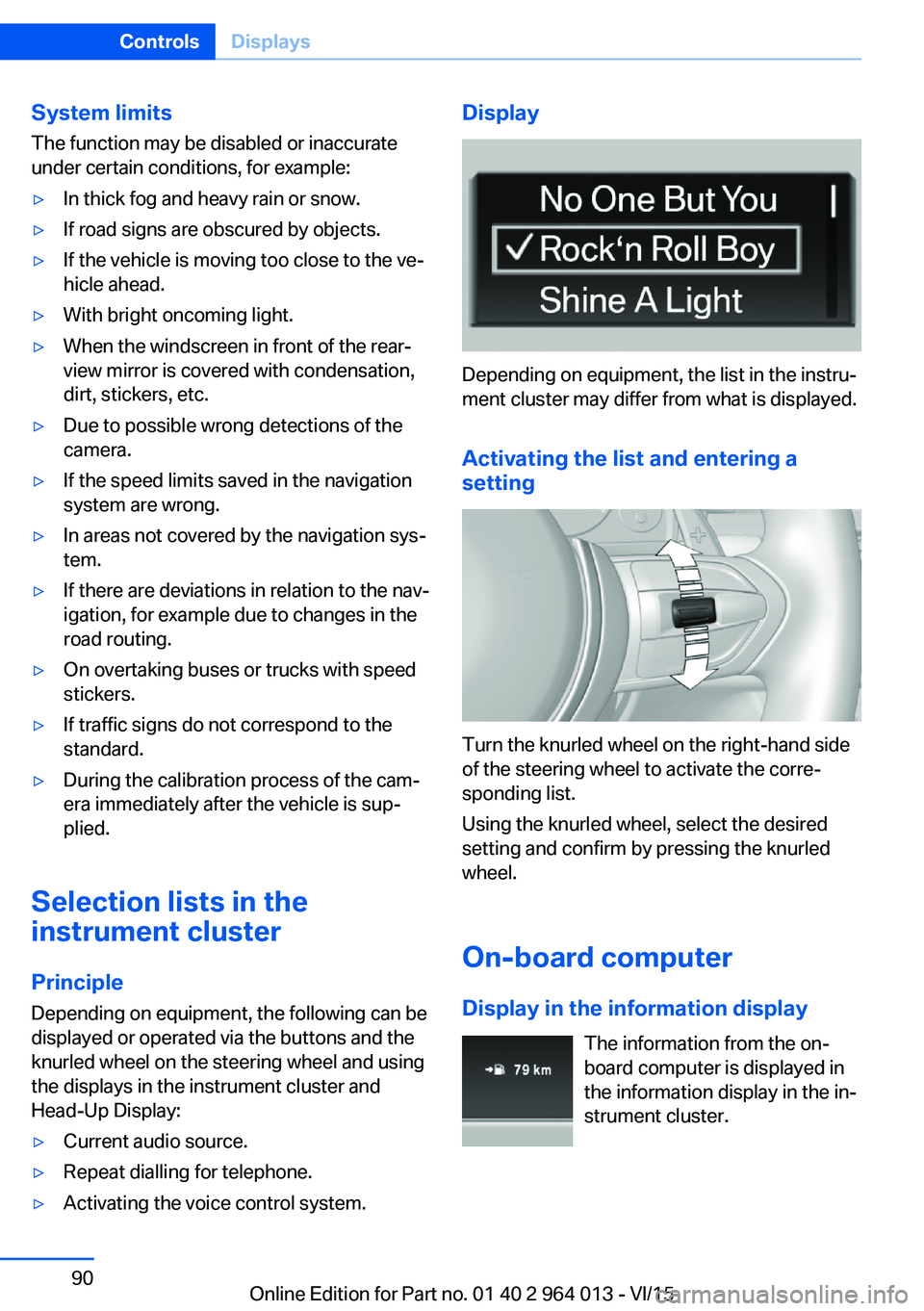
▷Current audio source.▷Repeat dialling for telephone.▷Activating the voice control system.Display
Depending on equipment, the list in the instru‐
ment cluster may differ from what is displayed.
Activating the list and entering a
setting
Turn the knurled wheel on the right-hand side
of the steering wheel to activate the corre‐
sponding list.
Using the knurled wheel, select the desired
setting and confirm by pressing the knurled
wheel.
On-board computer
Display in the information display The information from the on-
board computer is displayed in
the information display in the in‐
strument cluster.
Seite 90ControlsDisplays90
Online Edition for Part no. 01 40 2 964 013 - VI/15
Page 100 of 228
System limits
The automatic driving lights control is no sub‐
stitute for your individual judgement of when it
is necessary to switch on the lights.
The sensors are unable, for instance, to recog‐
nise fog or hazy weather. In such situations,
switch on the lights manually to avoid any
safety risk.
Daytime driving lights Switch position:
,
The daytime driving lights illuminate with the
ignition switched on.
Activating/deactivating
In some countries daytime driving lights are
compulsory, which is why the daytime driving
lights cannot be deactivated.
On the Control Display:
1."Settings"2."Lights"3."Daytime driving lights"
The setting is saved for the currently used pro‐
file.
Adaptive HeadlightsPrinciple
Adaptive Headlights is a variable headlight
control system that makes it possible to illumi‐
nate the road surface responsively.
The beams from the headlights follow the road
ahead on the basis of the steering angle and
other parameters.
Depending on the speed, the variable light dis‐
tribution ensures even better illumination of
the roadway.
The light distribution is automatically adapted
to the speed. The city light is switched on if the
speed of 50 km/h, approx. 30 mph is not ex‐
ceeded while accelerating or if the speed of
40 km/h, approx. 25 mph is undercut while
braking. The motorway light is switched on at a speed higher than 110 km/h, 68 mph after ap‐
proximately 30 seconds or as of a speed of
140 km/h, 87 mph.
Activating Switch position
with the ignition switched
on.
So as not to dazzle oncoming vehicles, the
adaptive cornering light does not swivel to the
driver's side when stationary.
A cornering light is activated automatically de‐
pending on the steering angle or use of the
turn indicators.
The cornering light may be switched on when
driving in reverse, irrespective of the steering
angle.
Malfunction
A Check Control message is displayed.
Adaptive Headlights are faulty or have failed.
Have the system checked as soon as possible.
High-beam assistance
Principle When low-beam headlights are switched on,this system automatically switches the high-
beam headlights on and off or fades out the
areas which dazzle oncoming vehicles. This
process is controlled by a camera on the front
of the rear-view mirror. It ensures that the
high-beam headlights are switched on when‐
ever the traffic situation allows. You can also
control the lights yourself at any time and
switch them on and off as usual. The high-
beam headlights are not switched on by the
system in the low speed range.
Seite 100ControlsLights100
Online Edition for Part no. 01 40 2 964 013 - VI/15
Page 102 of 228
▷When the windscreen in front of the rear-
view mirror is covered with condensation,
dirt, stickers, labels, etc.
Fog lights
Rear fog lights
The low-beam headlights must be switched
on.
Press the button. The yellow indicator
light is illuminated.
If automatic driving lights control, see page 99,
has been activated, the low-beam headlights
come on automatically when the rear fog lights
are switched on.
Left-hand/right-hand traffic GeneralWhen driving in countries where the opposite
rule of the road applies, you need to prevent
your headlights from dazzling oncoming vehi‐
cles.
Xenon headlight
Light distribution of the headlights avoids daz‐
zling of the low-beam headlights when driving
in a country in which the traffic drives on the
opposite side.
Adaptive Headlights
When driving in a country where you drive on
the opposite side of the road from the country
the vehicle is licensed, do not drive with the
setting, otherwise this could cause a daz‐
zling effect from the variable light distribution.
LED headlights The Service Partner or a qualified specialist
workshop has light benders available. Proceed
in accordance with the enclosed information
when affixing the light benders to the head‐
lights.
Adaptive Headlights
When driving in a country where you drive on
the opposite side of the road from the country
the vehicle is licensed, do not drive with the
setting, otherwise this could cause a daz‐
zling effect from the variable light distribution.
Instrument lightingAdjusting The brightness can only be ad‐justed when the side lights or
the low-beam headlights are
switched on.
The brightness can be set using
the knurled wheel.
Interior light GeneralThe interior light, the footwell lights, door entry
lighting and the courtesy lighting are controlled
automatically.
The brightness of some equipment is influ‐
enced by the knurled wheel for the instrument
lighting.
Seite 102ControlsLights102
Online Edition for Part no. 01 40 2 964 013 - VI/15
Page 110 of 228
▷Dynamic driving style, causing the drive
gears to spin, high lateral acceleration.▷Driving with snow chains.
Intelligent Safety
Principle
Intelligent Safety permits central operation of
driver assistance systems.
Depending on equipment, Intelligent Safety
consists of one or more systems which can
help to avoid the risk of a collision. These sys‐
tems are automatically active each time you
start the engine with the start/stop button:
▷Front-end collision warning with city brak‐
ing function, see page 111.▷Person warning, see page 113.
Notes
WARNING
Displays and warnings do not take your
personal responsibility from you. System limi‐
tations can mean that warnings or system re‐
sponses are not issued, are issued too late, or are issued incorrectly. Danger of accidents.
Adapt driving style to the driving conditions.
Observe the traffic situation and intervene ac‐
tively if the situation warrants it.◀
WARNING
Due to system limitations, there may be
malfunctions of individual functions when tow-
starting/towing with activated Intelligent Safety Systems, for example approach control warn‐
ing with light braking function. Danger of acci‐
dents. Switch off all Intelligent Safety Systems
before tow-starting/towing.◀
Overview
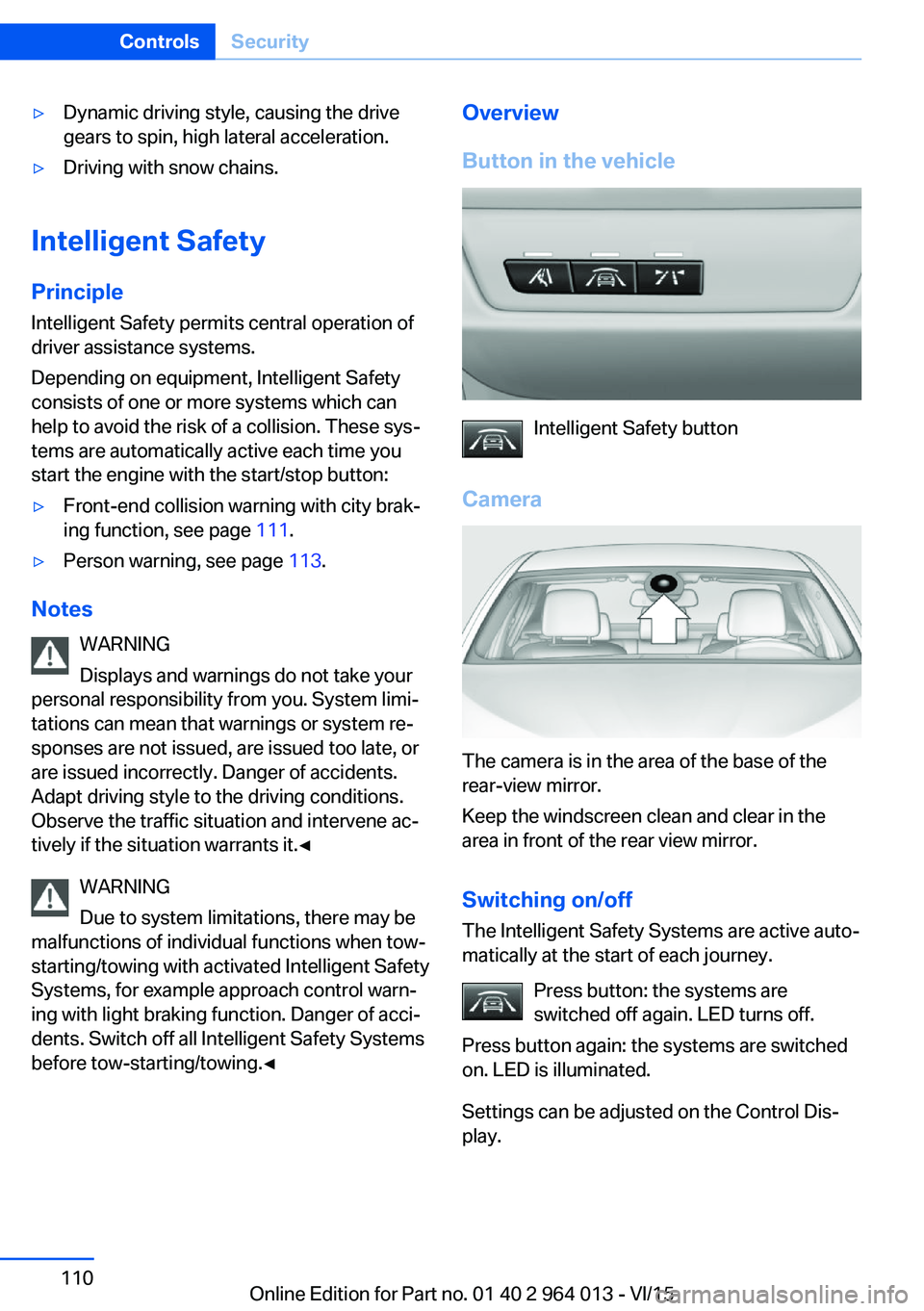
Button in the vehicle
Intelligent Safety button
Camera
The camera is in the area of the base of the
rear-view mirror.
Keep the windscreen clean and clear in the
area in front of the rear view mirror.
Switching on/offThe Intelligent Safety Systems are active auto‐
matically at the start of each journey.
Press button: the systems are
switched off again. LED turns off.
Press button again: the systems are switched
on. LED is illuminated.
Settings can be adjusted on the Control Dis‐
play.
Seite 110ControlsSecurity110
Online Edition for Part no. 01 40 2 964 013 - VI/15
Page 111 of 228
Front-end collision warning
with city braking function
Principle The system can help avoid accidents. If an ac‐
cident cannot be avoided, the system helps to
reduce the collision speed.
The system warns of the possible risk of colli‐
sion and brakes automatically, as necessary.
The automatic braking intervention is done
with limited force and duration.
The system is controlled by a camera in the
area of the rear-view mirror.
The front-end collision warning is also avail‐
able if the Cruise Control is disabled.
When deliberately approaching a vehicle, the
approach control warning and braking inter‐
vention are activated later to avoid unjustified
system responses.
General
The system warns from approximately 5 km/h,
approximately 3 mph in two stages of any risk
of collision with vehicles. The timing of these
warnings may vary depending on the current
driving situation.
Up to approximately 60km/h, 35 mph.
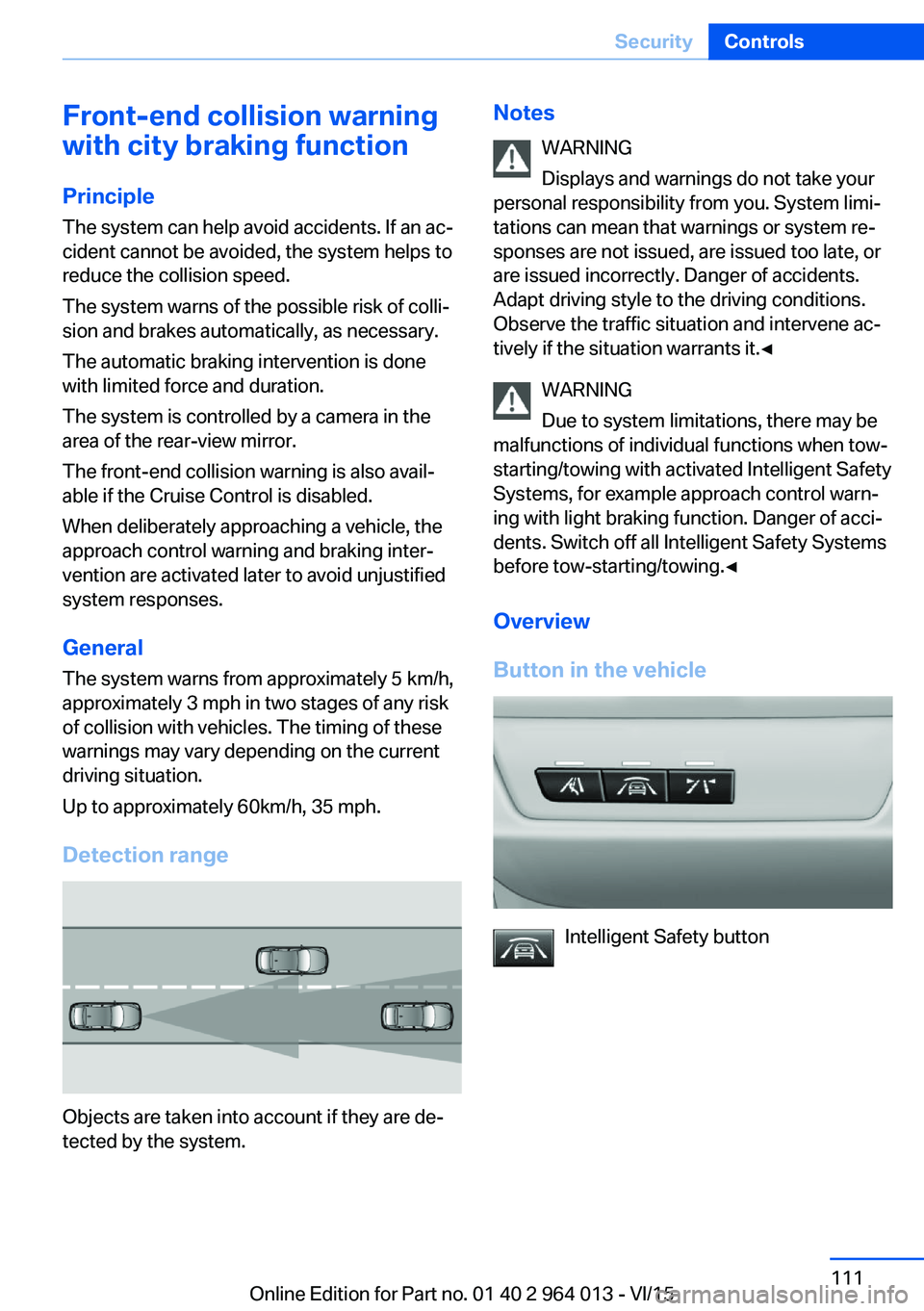
Detection range
Objects are taken into account if they are de‐
tected by the system.
Notes
WARNING
Displays and warnings do not take your
personal responsibility from you. System limi‐
tations can mean that warnings or system re‐
sponses are not issued, are issued too late, or are issued incorrectly. Danger of accidents.
Adapt driving style to the driving conditions.
Observe the traffic situation and intervene ac‐
tively if the situation warrants it.◀
WARNING
Due to system limitations, there may be
malfunctions of individual functions when tow-
starting/towing with activated Intelligent Safety Systems, for example approach control warn‐
ing with light braking function. Danger of acci‐
dents. Switch off all Intelligent Safety Systems
before tow-starting/towing.◀
Overview
Button in the vehicle
Intelligent Safety button
Seite 111SecurityControls111
Online Edition for Part no. 01 40 2 964 013 - VI/15
Page 112 of 228
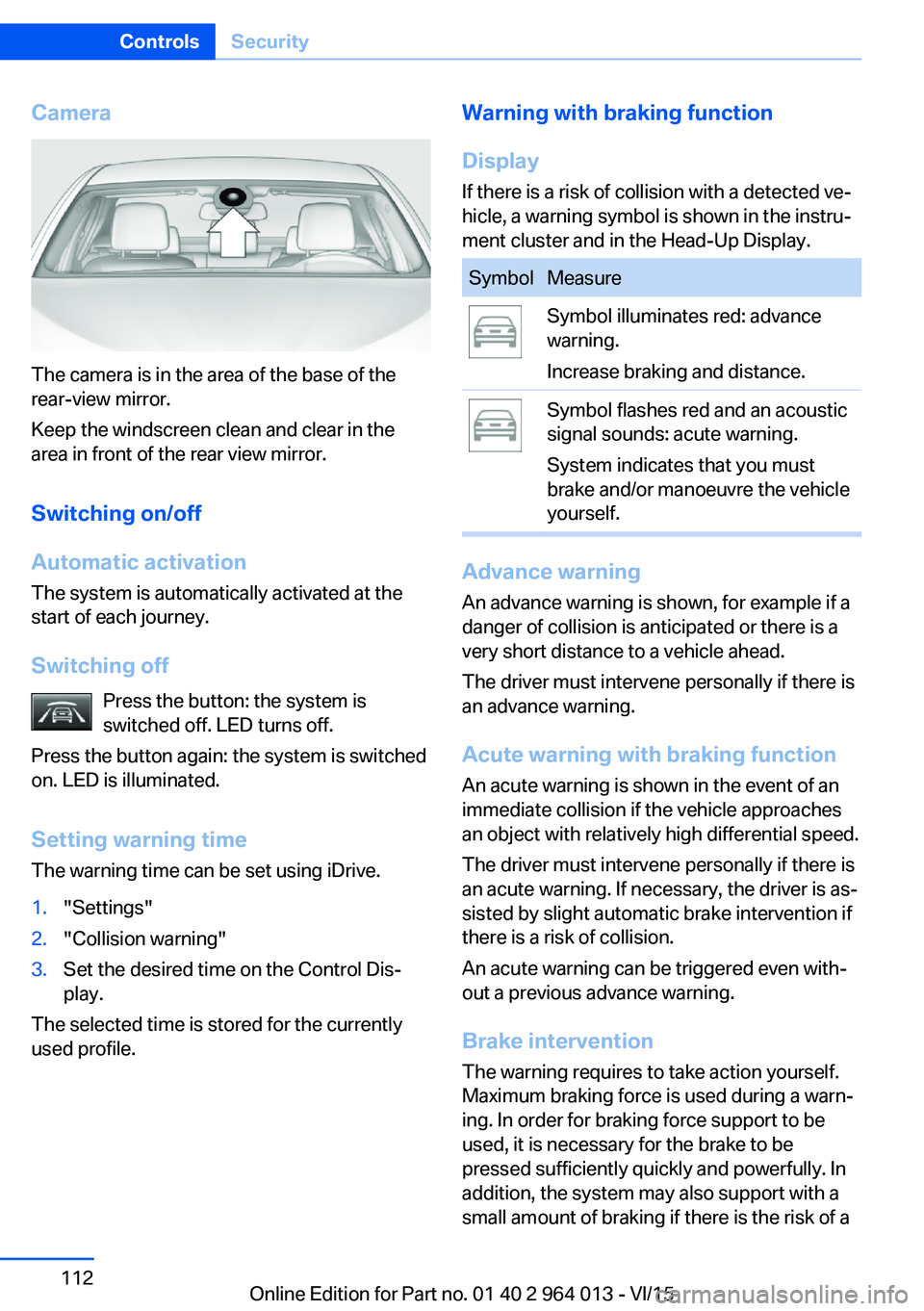
Camera
The camera is in the area of the base of the
rear-view mirror.
Keep the windscreen clean and clear in the
area in front of the rear view mirror.
Switching on/off
Automatic activation The system is automatically activated at the
start of each journey.
Switching off Press the button: the system is
switched off. LED turns off.
Press the button again: the system is switched
on. LED is illuminated.
Setting warning time
The warning time can be set using iDrive.
1."Settings"2."Collision warning"3.Set the desired time on the Control Dis‐
play.
The selected time is stored for the currently
used profile.
Warning with braking function
Display
If there is a risk of collision with a detected ve‐
hicle, a warning symbol is shown in the instru‐
ment cluster and in the Head-Up Display.SymbolMeasureSymbol illuminates red: advance
warning.
Increase braking and distance.Symbol flashes red and an acoustic
signal sounds: acute warning.
System indicates that you must
brake and/or manoeuvre the vehicle
yourself.
Advance warning
An advance warning is shown, for example if a
danger of collision is anticipated or there is a very short distance to a vehicle ahead.
The driver must intervene personally if there is
an advance warning.
Acute warning with braking function
An acute warning is shown in the event of an
immediate collision if the vehicle approaches
an object with relatively high differential speed.
The driver must intervene personally if there is
an acute warning. If necessary, the driver is as‐
sisted by slight automatic brake intervention if
there is a risk of collision.
An acute warning can be triggered even with‐
out a previous advance warning.
Brake interventionThe warning requires to take action yourself.
Maximum braking force is used during a warn‐
ing. In order for braking force support to be
used, it is necessary for the brake to be
pressed sufficiently quickly and powerfully. In
addition, the system may also support with a
small amount of braking if there is the risk of a
Seite 112ControlsSecurity112
Online Edition for Part no. 01 40 2 964 013 - VI/15
Page 113 of 228
collision. The vehicle can be braked at low
speed until it comes to a stop.
Manual gearbox: When brakes are engaged
until it comes to a stop, the engine may shut
off.
There will only be brake intervention if Dy‐
namic Stability Control, DSC is activated and
M Dynamic Mode MDM is not activated.
Braking can be discontinued either by pressing
the accelerator pedal or by actively moving the
steering wheel.
Detection of objects can be restricted. Limita‐
tions of the detection range and functional re‐
strictions are to be considered.
System limits
Detection range
The detection ability of the system is limited.
For this reason, system responses may be
missing or delayed.
It is possible that the following are not detec‐
ted:▷Slow-moving vehicle when approaching at
high speed.▷Vehicles suddenly cutting in or decelerat‐
ing heavily.▷Vehicles with unusual rear view.▷Two-wheeled vehicles ahead.
Restrictions of the function
The function can be restricted, for example in
the following situations:
▷In thick fog, rain, spray or snowfall.▷On sharp bends.▷When restricting or deactivating vehicle
stability control systems, for example DSC
OFF.▷If the field of view of the camera in the mir‐
ror is soiled or covered.▷Up to 10 seconds after starting the engine
using the start/stop button.▷During the calibration process of the cam‐
era immediately after the vehicle is sup‐
plied.▷When there is sustained glare effect due to
light opposite, for example the sun low in
the sky.
Sensitivity of the warnings
The greater the sensitivity of the warning set‐
tings, for example warning time, the more
warnings will be displayed. As a result, there
may be an increased number of incorrect
warnings.
Person warning with city
braking function
Principle The system can help to avoid accidents with
pedestrians.
The system warns of the possible risk of colli‐
sion with pedestrians in the urban speed area
and also contains a braking function.
The system is controlled by the camera in the
area of the rear-view mirror.
General
The system warns with sufficient brightness
from approx. 10 km/h, approx. 6 mph up to ap‐
prox. 60 km/h, approx. 35 mph of any risk of
collision with pedestrians and supports this by
briefly applying the brakes before a collision.
Here, persons are taken into account if they
are located within the detection range of the
system.
Seite 113SecurityControls113
Online Edition for Part no. 01 40 2 964 013 - VI/15