phone BMW M4 2016 User Guide
[x] Cancel search | Manufacturer: BMW, Model Year: 2016, Model line: M4, Model: BMW M4 2016Pages: 228, PDF Size: 4.88 MB
Page 105 of 228
Notes on optimum protective effect of
the airbag
WARNING
If the seat position is wrong or the de‐
ployment area of the airbag is impaired, the air‐
bag system cannot provide the intended pro‐
tection, or may cause additional injuries when
it deploys. Danger of injury or life. Comply with
these notes for optimum protective effect.◀▷Keep your distance from the airbags.▷Make sure that vehicle occupants keep
their head away from the side airbag.▷Always grip the steering wheel on the
steering wheel rim. Keep you hands in the
3 o'clock and 9 o'clock positions to reduce
the risk of injury to hands or arms when the
airbag deploys.▷Make sure that the front-seat passenger is
sitting correctly, in other words with feet or
legs in the footwell, not resting on the
dashboard.▷Do not position any other persons, pets or
objects between the airbags and persons.▷Never attach any material to the airbag
covers with adhesive; never place material
over them or modify them in any way.▷Keep the dashboard and windscreen in the
area of the passenger's side free, for exam‐
ple do not attach adhesive foil or covers
and do not fit brackets for navigation devi‐
ces or mobile telephones.▷Do not use the front airbag cover on the
front passenger's side as a tray.▷Do not fit seat covers, cushions or other
objects not specifically suitable for seats
with integral side airbags to the front seats.▷Do not hang items of clothing such as
coats or jackets over the backrests.▷Do not modify individual components of
the system or its wiring in any way. This
also applies to the covers of the steering
wheel, the dashboard and seats.▷Do not dismantle the airbag system.
Even if all these notes are complied with, de‐
pending on the circumstances in which an ac‐
cident occurs, certain injuries as a result of
contact with the airbag cannot be entirely ruled
out.
The noise caused by the deployment of an air‐
bag may lead to temporary hearing loss for ve‐
hicle occupants sensitive to noise.
Operational readiness of the airbag
system
Notes WARNING
Individual components of the airbag sys‐
tem can be hot after triggering. Danger of in‐ jury. Do not touch individual components.◀
WARNING
Work carried out incorrectly can lead to a
failure, a malfunction or accidental triggering of
the airbag system. If there is a malfunction, the
airbag system might not trigger as intended in
an accident, in spite of the accident being of
the appropriate severity. Danger of injury or
life. Have the airbag system tested, repaired or
removed and scrapped by a Service Partner or a qualified specialist workshop.◀
Correct function When the ignition is switched on, the
warning light in the instrument cluster
briefly illuminates in order to show the
functional readiness of the entire airbag sys‐
tem and the belt tensioner.
Airbag system disrupted
▷Warning light does not illuminate after the
ignition is switched on.▷Warning lamp is permanently illuminated.Seite 105SecurityControls105
Online Edition for Part no. 01 40 2 964 013 - VI/15
Page 151 of 228
▷Do not connect up USB hard drives.▷Do not use the USB audio interface for
charging external devices.
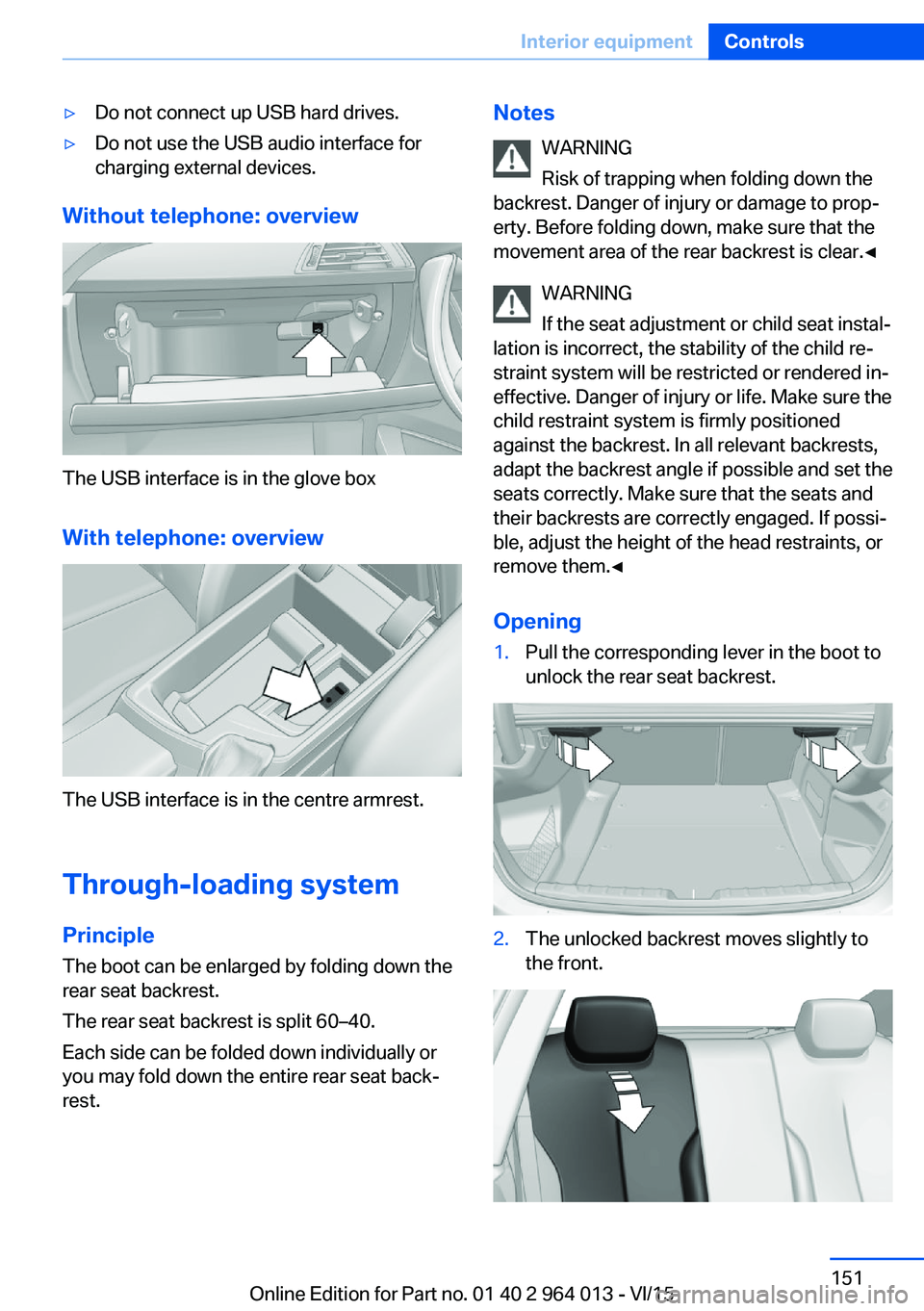
Without telephone: overview
The USB interface is in the glove box
With telephone: overview
The USB interface is in the centre armrest.
Through-loading system PrincipleThe boot can be enlarged by folding down the
rear seat backrest.
The rear seat backrest is split 60–40.
Each side can be folded down individually or
you may fold down the entire rear seat back‐ rest.
Notes
WARNING
Risk of trapping when folding down the
backrest. Danger of injury or damage to prop‐
erty. Before folding down, make sure that the
movement area of the rear backrest is clear.◀
WARNING
If the seat adjustment or child seat instal‐
lation is incorrect, the stability of the child re‐
straint system will be restricted or rendered in‐
effective. Danger of injury or life. Make sure the
child restraint system is firmly positioned
against the backrest. In all relevant backrests,
adapt the backrest angle if possible and set the
seats correctly. Make sure that the seats and
their backrests are correctly engaged. If possi‐
ble, adjust the height of the head restraints, or
remove them.◀
Opening1.Pull the corresponding lever in the boot to
unlock the rear seat backrest.2.The unlocked backrest moves slightly to
the front.Seite 151Interior equipmentControls151
Online Edition for Part no. 01 40 2 964 013 - VI/15
Page 163 of 228
General driving information
Closing the boot lid WARNING
An open boot lid projects beyond the ve‐
hicle, and in the event of an accident, braking
or avoidance manoeuvres, it can endanger ve‐ hicle occupants and other road users, or dam‐
age the vehicle. There is also the danger of ex‐
haust fumes entering the interior of the
vehicle. Danger of injury or damage to prop‐
erty. Do not drive with the boot lid open.◀
If there is no alternative to driving with the tail‐
gate open:▷Close all windows and the Glass Roof.▷Turn up the blower to a high output level.▷Maintain moderate speed.
Hot exhaust system
WARNING
During driving, high temperatures can be
generated under the body, for example be‐
cause of the exhaust system. If flammable ma‐
terials, for example leaves of grass, come into
contact with hot parts of the exhaust system,
these materials can catch fire. Danger of injury
or damage to property.
Never remove the heat shields fitted here, or
apply underseal to them. Make sure that when driving, idling or parking, no flammable materi‐
als can come into contact with hot vehicle
parts. Do not touch the hot exhaust system.◀
Radio signals WARNING
Certain vehicle functions may be affec‐
ted by interference from high-frequency radio
signals. Such signals are output from a series
of transmission systems, for example, from air
traffic beacons or relay stations for mobile tele‐
communications.
We recommend you consult a Service Partner
or a qualified specialist workshop should you
experience any difficulties.◀
Mobile communication equipment WARNING
The vehicle's electronics and mobile
radio devices can interfere. The transmission
operation of mobile radio devices generates
radiation. Danger of injury or damage to prop‐
erty. If possible, only use mobile radio devices,
e.g. mobile telephones, in the interior with di‐
rect connection to an external antenna to ex‐
clude mutual interference and to dissipate the
radiation from the vehicle's interior.◀
Aquaplaning
On wet or slushy roads, a wedge of water can
form between the tyres and the road.
This situation, known as aquaplaning, means
that the tyre can actually lose contact com‐
pletely with the road surface and the vehicle
can neither be steered nor the brakes properly
applied.
Wading ATTENTION
Driving through excessively deep water
too fast can result in water entering the engine
compartment, electrical system or transmis‐
sion. Danger of damage to property. When
driving through water, do not exceed the maxi‐
mum specified water depth and maximum
fording speed.◀
Only if the water is calm and only up to a water
depth of max. 25 cm, approximately 9.8 inches
and at this depth drive no faster than walking
speed up to 5 km/h, approximately 3 mph.
Safe braking Your vehicle is equipped with ABS as standard.Seite 163Driving precautionsDriving hints163
Online Edition for Part no. 01 40 2 964 013 - VI/15
Page 202 of 228
Help in the event of a breakdownVehicle equipment
This chapter describes all standard, national
and special equipment provided in the model
series. Equipment not available in the vehicle is
therefore also described, for example the se‐
lected special equipment or national version.
This also applies to safety-relevant functions
and systems. Comply with the relevant na‐
tional regulations when using the correspond‐
ing functions and systems.
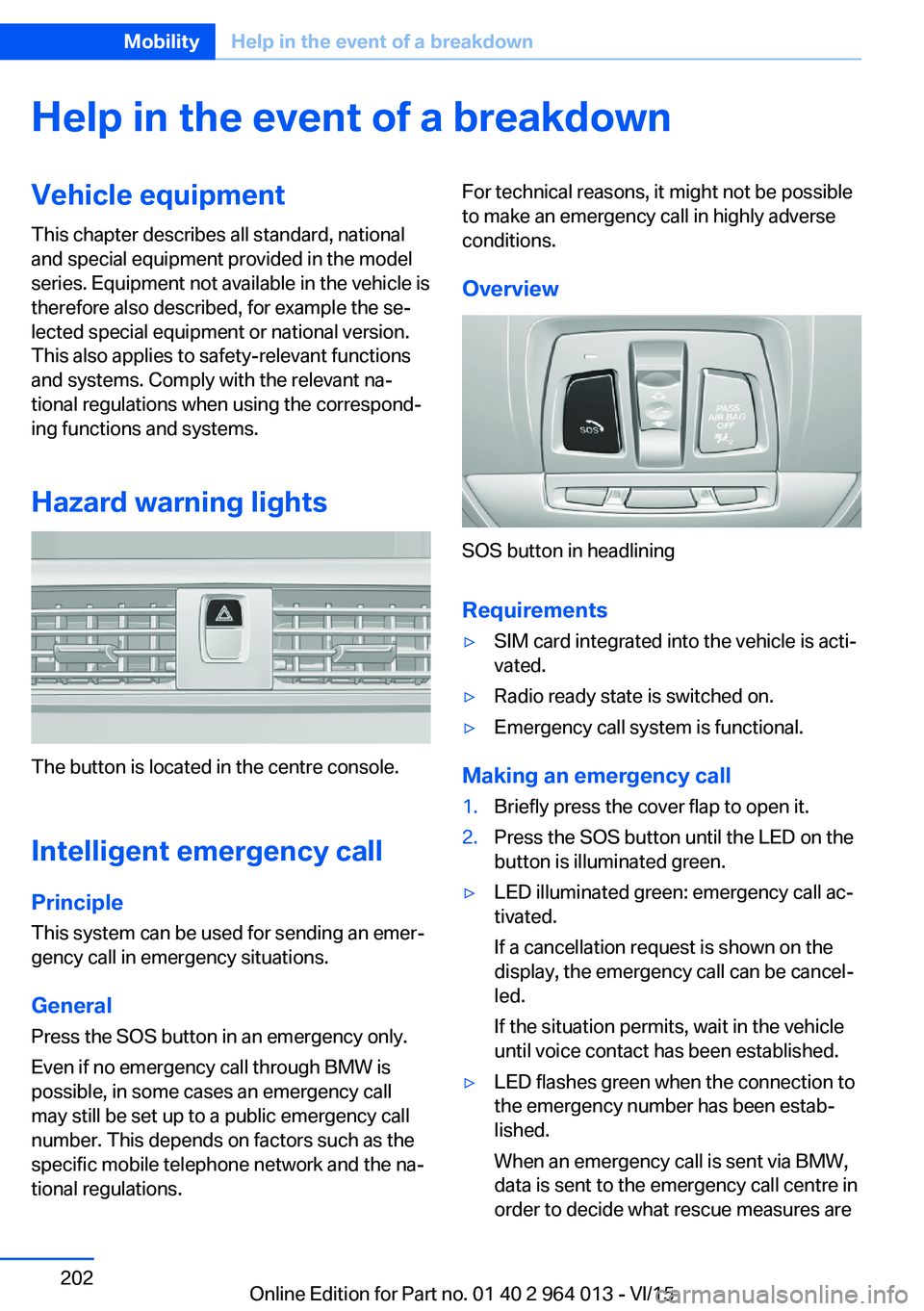
Hazard warning lights
The button is located in the centre console.
Intelligent emergency call
Principle This system can be used for sending an emer‐
gency call in emergency situations.
General Press the SOS button in an emergency only.
Even if no emergency call through BMW is
possible, in some cases an emergency call may still be set up to a public emergency call
number. This depends on factors such as the
specific mobile telephone network and the na‐
tional regulations.
For technical reasons, it might not be possible
to make an emergency call in highly adverse
conditions.
Overview
SOS button in headlining
Requirements
▷SIM card integrated into the vehicle is acti‐
vated.▷Radio ready state is switched on.▷Emergency call system is functional.
Making an emergency call
1.Briefly press the cover flap to open it.2.Press the SOS button until the LED on the
button is illuminated green.▷LED illuminated green: emergency call ac‐
tivated.
If a cancellation request is shown on the
display, the emergency call can be cancel‐
led.
If the situation permits, wait in the vehicle
until voice contact has been established.▷LED flashes green when the connection to
the emergency number has been estab‐
lished.
When an emergency call is sent via BMW,
data is sent to the emergency call centre in
order to decide what rescue measures areSeite 202MobilityHelp in the event of a breakdown202
Online Edition for Part no. 01 40 2 964 013 - VI/15
Page 225 of 228
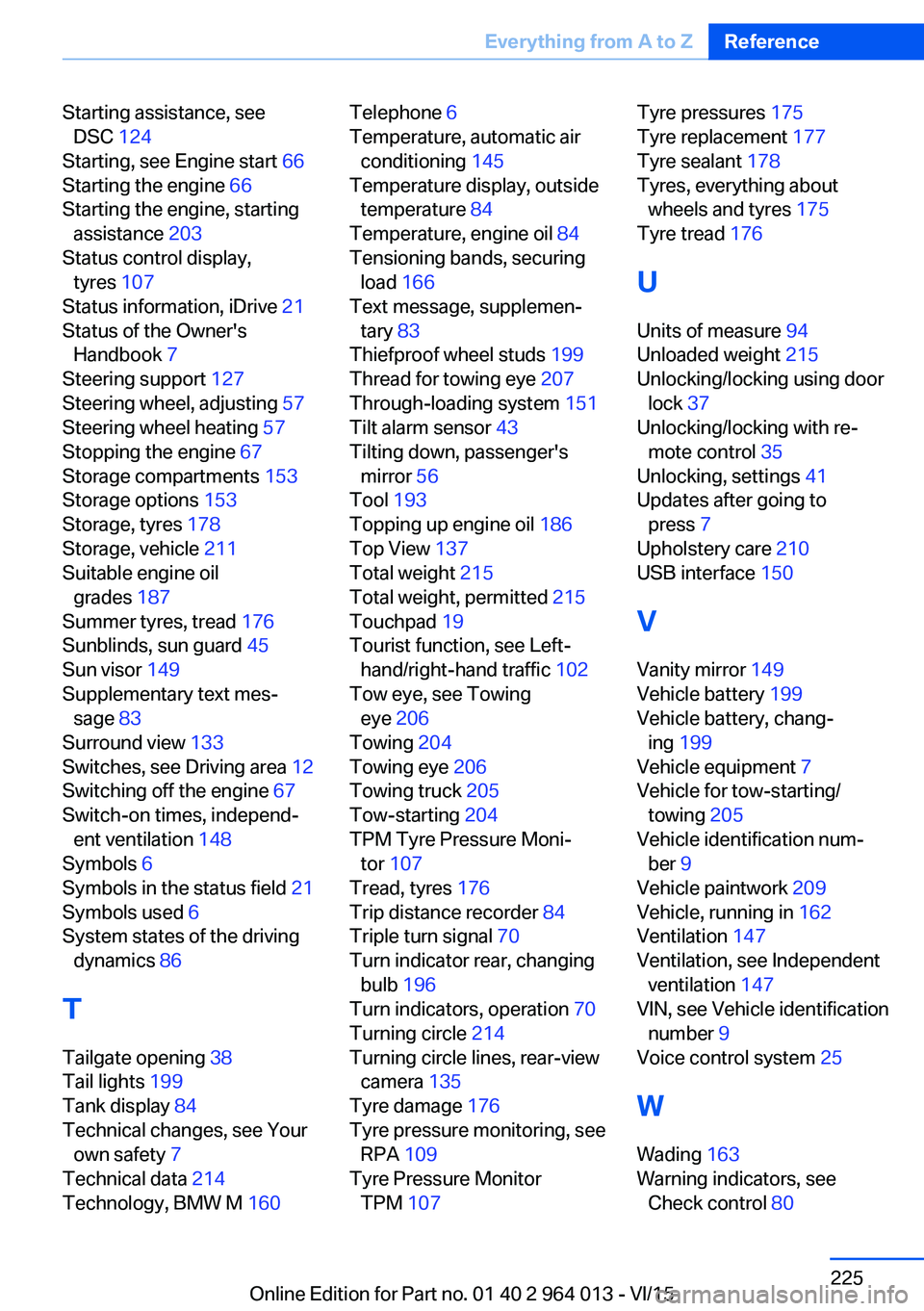
Starting assistance, seeDSC 124
Starting, see Engine start 66
Starting the engine 66
Starting the engine, starting assistance 203
Status control display, tyres 107
Status information, iDrive 21
Status of the Owner's Handbook 7
Steering support 127
Steering wheel, adjusting 57
Steering wheel heating 57
Stopping the engine 67
Storage compartments 153
Storage options 153
Storage, tyres 178
Storage, vehicle 211
Suitable engine oil grades 187
Summer tyres, tread 176
Sunblinds, sun guard 45
Sun visor 149
Supplementary text mes‐ sage 83
Surround view 133
Switches, see Driving area 12
Switching off the engine 67
Switch-on times, independ‐ ent ventilation 148
Symbols 6
Symbols in the status field 21
Symbols used 6
System states of the driving dynamics 86
T
Tailgate opening 38
Tail lights 199
Tank display 84
Technical changes, see Your own safety 7
Technical data 214
Technology, BMW M 160 Telephone 6
Temperature, automatic air conditioning 145
Temperature display, outside temperature 84
Temperature, engine oil 84
Tensioning bands, securing load 166
Text message, supplemen‐ tary 83
Thiefproof wheel studs 199
Thread for towing eye 207
Through-loading system 151
Tilt alarm sensor 43
Tilting down, passenger's mirror 56
Tool 193
Topping up engine oil 186
Top View 137
Total weight 215
Total weight, permitted 215
Touchpad 19
Tourist function, see Left- hand/right-hand traffic 102
Tow eye, see Towing eye 206
Towing 204
Towing eye 206
Towing truck 205
Tow-starting 204
TPM Tyre Pressure Moni‐ tor 107
Tread, tyres 176
Trip distance recorder 84
Triple turn signal 70
Turn indicator rear, changing bulb 196
Turn indicators, operation 70
Turning circle 214
Turning circle lines, rear-view camera 135
Tyre damage 176
Tyre pressure monitoring, see RPA 109
Tyre Pressure Monitor TPM 107 Tyre pressures 175
Tyre replacement 177
Tyre sealant 178
Tyres, everything about wheels and tyres 175
Tyre tread 176
U
Units of measure 94
Unloaded weight 215
Unlocking/locking using door lock 37
Unlocking/locking with re‐ mote control 35
Unlocking, settings 41
Updates after going to press 7
Upholstery care 210
USB interface 150
V Vanity mirror 149
Vehicle battery 199
Vehicle battery, chang‐ ing 199
Vehicle equipment 7
Vehicle for tow-starting/ towing 205
Vehicle identification num‐ ber 9
Vehicle paintwork 209
Vehicle, running in 162
Ventilation 147
Ventilation, see Independent ventilation 147
VIN, see Vehicle identification number 9
Voice control system 25
W Wading 163
Warning indicators, see Check control 80 Seite 225Everything from A to ZReference225
Online Edition for Part no. 01 40 2 964 013 - VI/15