warning BMW M4 2016 Manual PDF
[x] Cancel search | Manufacturer: BMW, Model Year: 2016, Model line: M4, Model: BMW M4 2016Pages: 228, PDF Size: 4.88 MB
Page 137 of 228
Cleaning camera lenses, see page 211.
Switching on/off Switching on/off manually Press the button.
Automatic switching off when moving
forwards
The system switches off when a certain dis‐
tance or speed is exceeded.
Switch the system back on if necessary.
Display
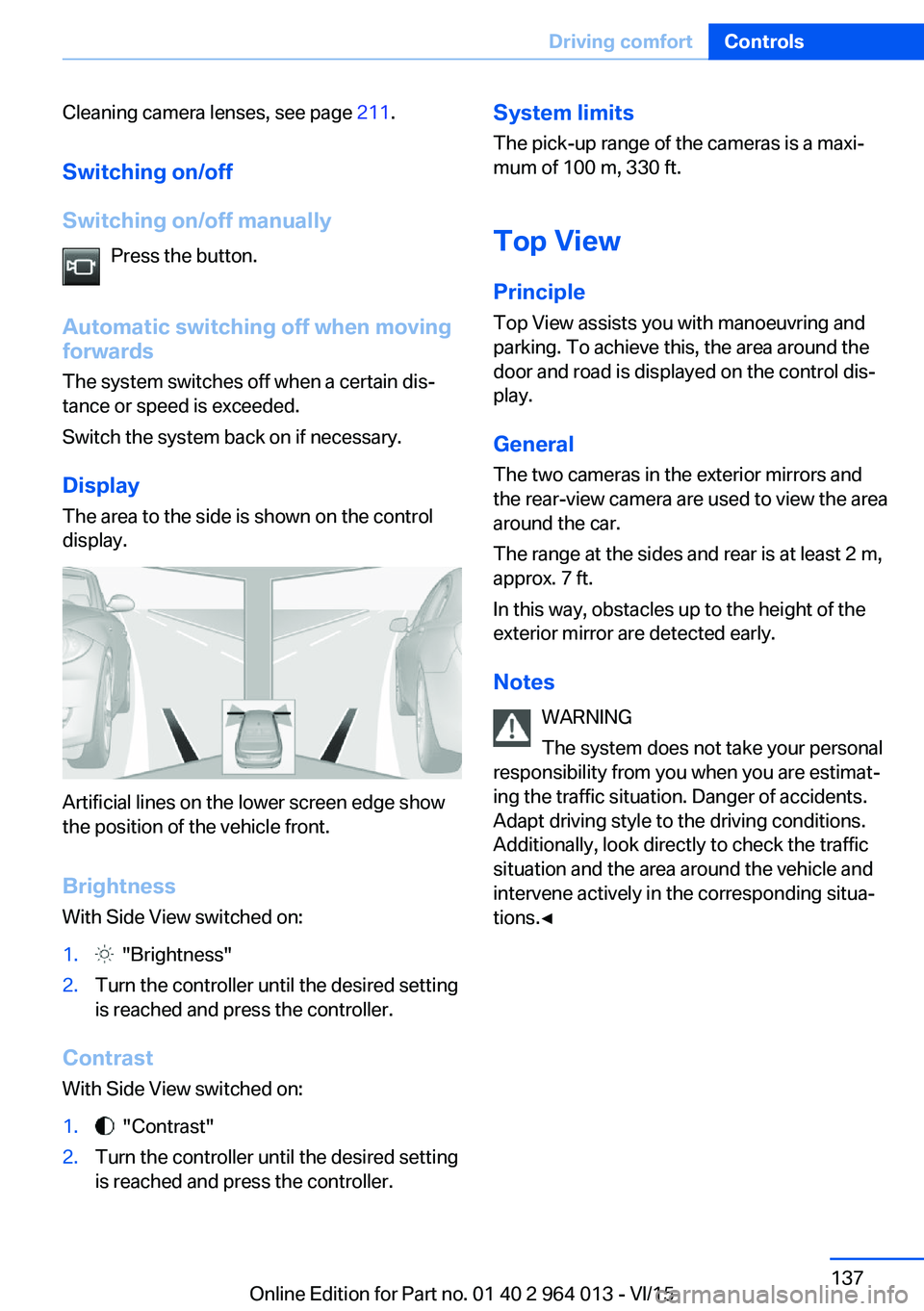
The area to the side is shown on the control
display.
Artificial lines on the lower screen edge show
the position of the vehicle front.
Brightness
With Side View switched on:
1. "Brightness"2.Turn the controller until the desired setting
is reached and press the controller.
Contrast
With Side View switched on:
1. "Contrast"2.Turn the controller until the desired setting
is reached and press the controller.System limits
The pick-up range of the cameras is a maxi‐
mum of 100 m, 330 ft.
Top View
Principle Top View assists you with manoeuvring and
parking. To achieve this, the area around the
door and road is displayed on the control dis‐
play.
General
The two cameras in the exterior mirrors and
the rear-view camera are used to view the area
around the car.
The range at the sides and rear is at least 2 m,
approx. 7 ft.
In this way, obstacles up to the height of the
exterior mirror are detected early.
Notes WARNING
The system does not take your personal
responsibility from you when you are estimat‐
ing the traffic situation. Danger of accidents.
Adapt driving style to the driving conditions.
Additionally, look directly to check the traffic
situation and the area around the vehicle and
intervene actively in the corresponding situa‐
tions.◀Seite 137Driving comfortControls137
Online Edition for Part no. 01 40 2 964 013 - VI/15
Page 138 of 228
Overview
Button in the vehicle
Top View
Cameras
The lenses of the Top View cameras are loca‐
ted in the base of the mirror housings. Dirt can
impair the quality of the picture.
Cleaning camera lenses, see page 211.
Switching on/off Automatic activation While the engine is running, engage selector
lever position R.
The images from Top View and PDC are dis‐
played if the system was switched on using the
iDrive.
Automatic switching off when movingforwards
The system switches off when a certain dis‐
tance or speed is exceeded.
Switch the system back on if necessary.
Switching on/off manually Press the button.▷On: LED is illuminated.▷Off: LED turns off.
Top View is shown.
Display
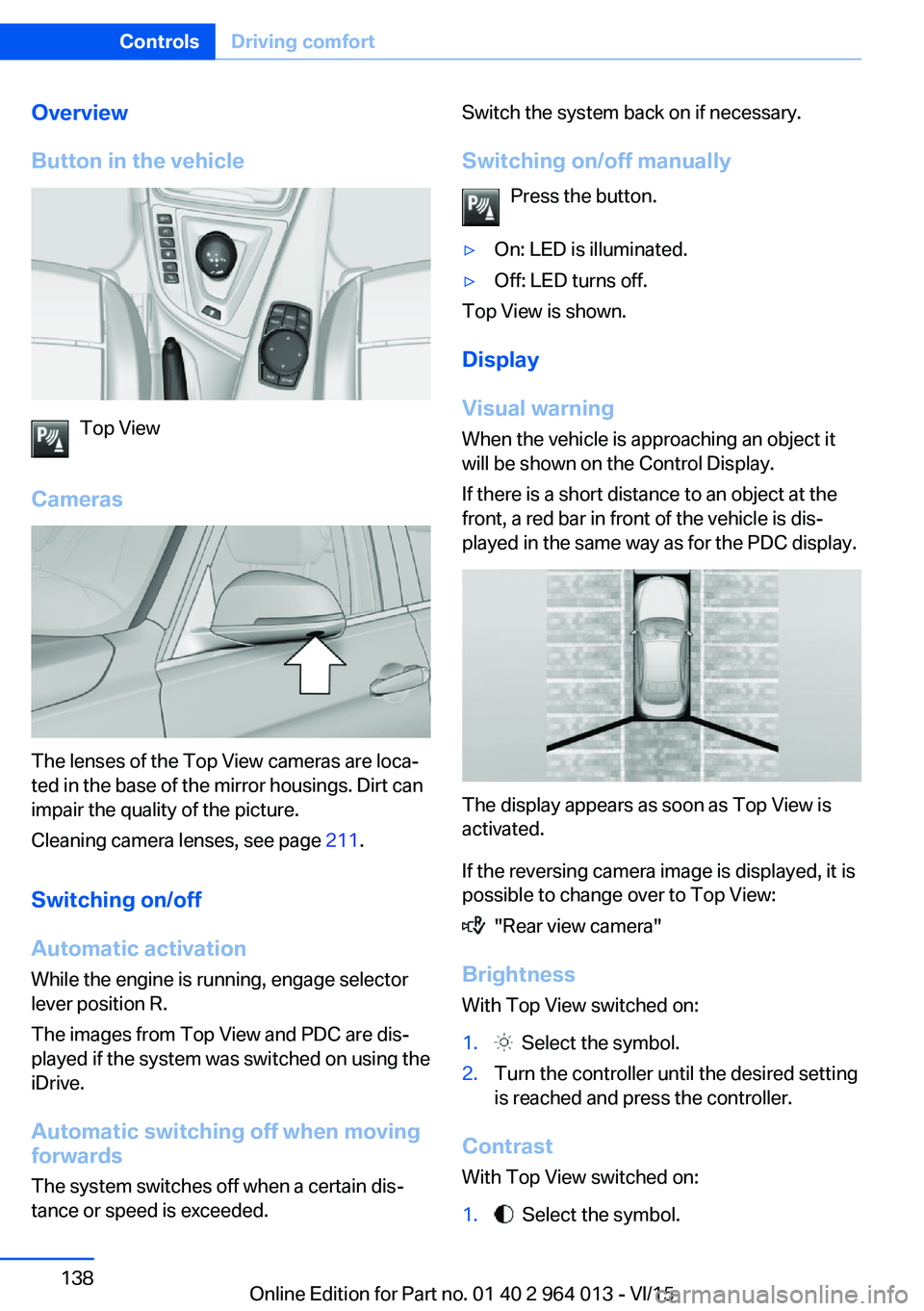
Visual warning
When the vehicle is approaching an object it
will be shown on the Control Display.
If there is a short distance to an object at the
front, a red bar in front of the vehicle is dis‐
played in the same way as for the PDC display.
The display appears as soon as Top View is
activated.
If the reversing camera image is displayed, it is
possible to change over to Top View:
"Rear view camera"
Brightness
With Top View switched on:
1. Select the symbol.2.Turn the controller until the desired setting
is reached and press the controller.
Contrast
With Top View switched on:
1. Select the symbol.Seite 138ControlsDriving comfort138
Online Edition for Part no. 01 40 2 964 013 - VI/15
Page 139 of 228
2.Turn the controller until the desired setting
is reached and press the controller.
Displaying the turning circle and
driving lane line
▷The static red turning circle line indicates
the space requirement to the side with full
steering angle.▷The variable green driving lane line helps to
estimate the actual space requirement to
the side.
The lane line depends on the engaged
gear and the current steering angle. The
lane line is continuously adjusted by the
steering wheel movement.
"Parking guidance lines"
The turning circle and driving lane lines are
displayed.
System limits
Top View cannot be used in the following sit‐
uations:
▷With a door open.▷With the boot lid open.▷With an exterior mirror folded in.▷In poor light conditions.
In some of these situations a Check Control
message is displayed.
Park Assistant
Principle
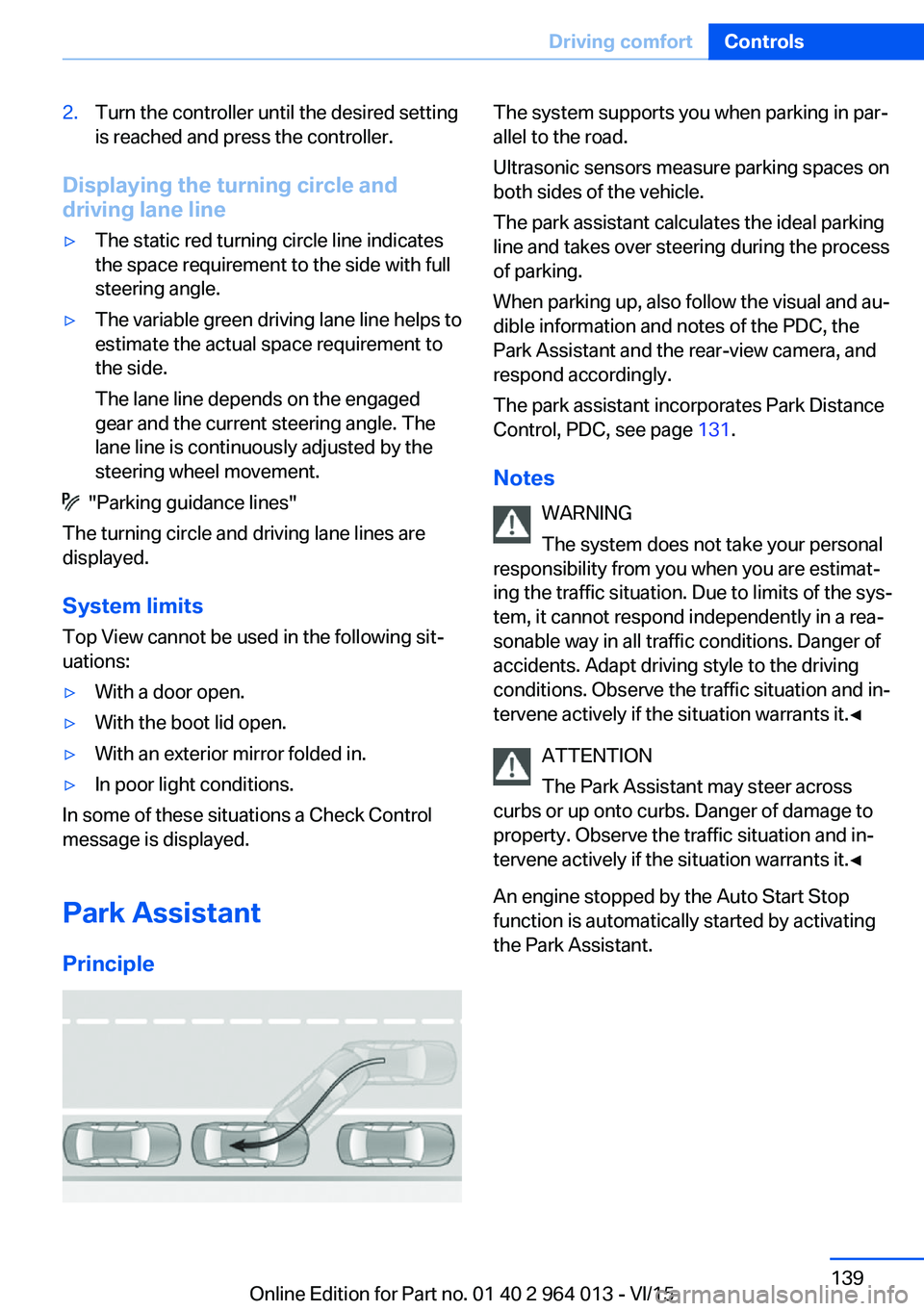
The system supports you when parking in par‐
allel to the road.
Ultrasonic sensors measure parking spaces on
both sides of the vehicle.
The park assistant calculates the ideal parking
line and takes over steering during the process
of parking.
When parking up, also follow the visual and au‐
dible information and notes of the PDC, the
Park Assistant and the rear-view camera, and
respond accordingly.
The park assistant incorporates Park Distance
Control, PDC, see page 131.
Notes WARNING
The system does not take your personal
responsibility from you when you are estimat‐
ing the traffic situation. Due to limits of the sys‐
tem, it cannot respond independently in a rea‐
sonable way in all traffic conditions. Danger of
accidents. Adapt driving style to the driving
conditions. Observe the traffic situation and in‐
tervene actively if the situation warrants it.◀
ATTENTION
The Park Assistant may steer across
curbs or up onto curbs. Danger of damage to
property. Observe the traffic situation and in‐
tervene actively if the situation warrants it.◀
An engine stopped by the Auto Start Stop
function is automatically started by activating
the Park Assistant.Seite 139Driving comfortControls139
Online Edition for Part no. 01 40 2 964 013 - VI/15
Page 141 of 228
Display on the Control Display
System is activated/deactivatedSymbolMeaning Grey: system not available.
White: system available but not ac‐
tivated. System is activated.
Status of the system
▷Coloured symbols, see arrows, on the side
of the vehicle display. Park Assistant is ac‐
tivated and parking space search is active.▷Suitable parking spaces are shown on the
Control Display on the edge of the roadway
next to the vehicle symbol. With active
Park Assistant, the suitable parking spaces
are highlighted in colour.▷Parking process active.
Steering has been taken
over.▷The parking space search is always active
with slow straight forward driving, even
with deactivated system. With deactivated
system, the displays on the Control Display
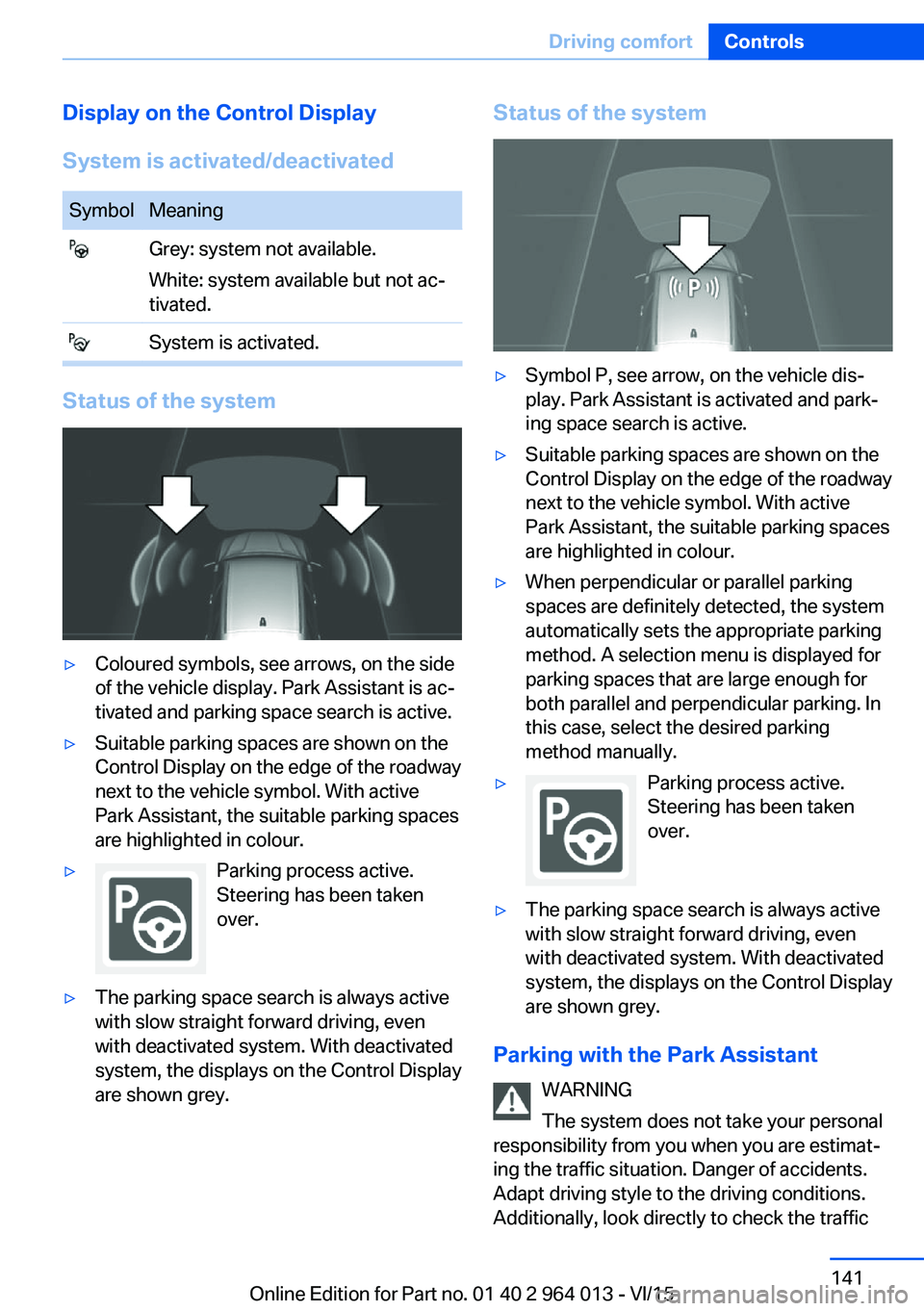
are shown grey.Status of the system▷Symbol P, see arrow, on the vehicle dis‐
play. Park Assistant is activated and park‐
ing space search is active.▷Suitable parking spaces are shown on the
Control Display on the edge of the roadway
next to the vehicle symbol. With active
Park Assistant, the suitable parking spaces
are highlighted in colour.▷When perpendicular or parallel parking
spaces are definitely detected, the system
automatically sets the appropriate parking
method. A selection menu is displayed for
parking spaces that are large enough for
both parallel and perpendicular parking. In
this case, select the desired parking
method manually.▷Parking process active.
Steering has been taken
over.▷The parking space search is always active
with slow straight forward driving, even
with deactivated system. With deactivated
system, the displays on the Control Display
are shown grey.
Parking with the Park Assistant
WARNING
The system does not take your personal
responsibility from you when you are estimat‐
ing the traffic situation. Danger of accidents.
Adapt driving style to the driving conditions.
Additionally, look directly to check the traffic
Seite 141Driving comfortControls141
Online Edition for Part no. 01 40 2 964 013 - VI/15
Page 149 of 228
Interior equipmentVehicle equipmentThis chapter describes all standard, national
and special equipment provided in the model
series. Equipment not available in the vehicle is
therefore also described, for example the se‐
lected special equipment or national version.
This also applies to safety-relevant functions
and systems. Comply with the relevant na‐
tional regulations when using the correspond‐
ing functions and systems.
Sun visor Glare protection Fold the sun visor downwards or upwards.
Vanity mirror
A vanity mirror is situated in the sun visor be‐
hind a cover. The mirror light switches on
when the cover is opened.
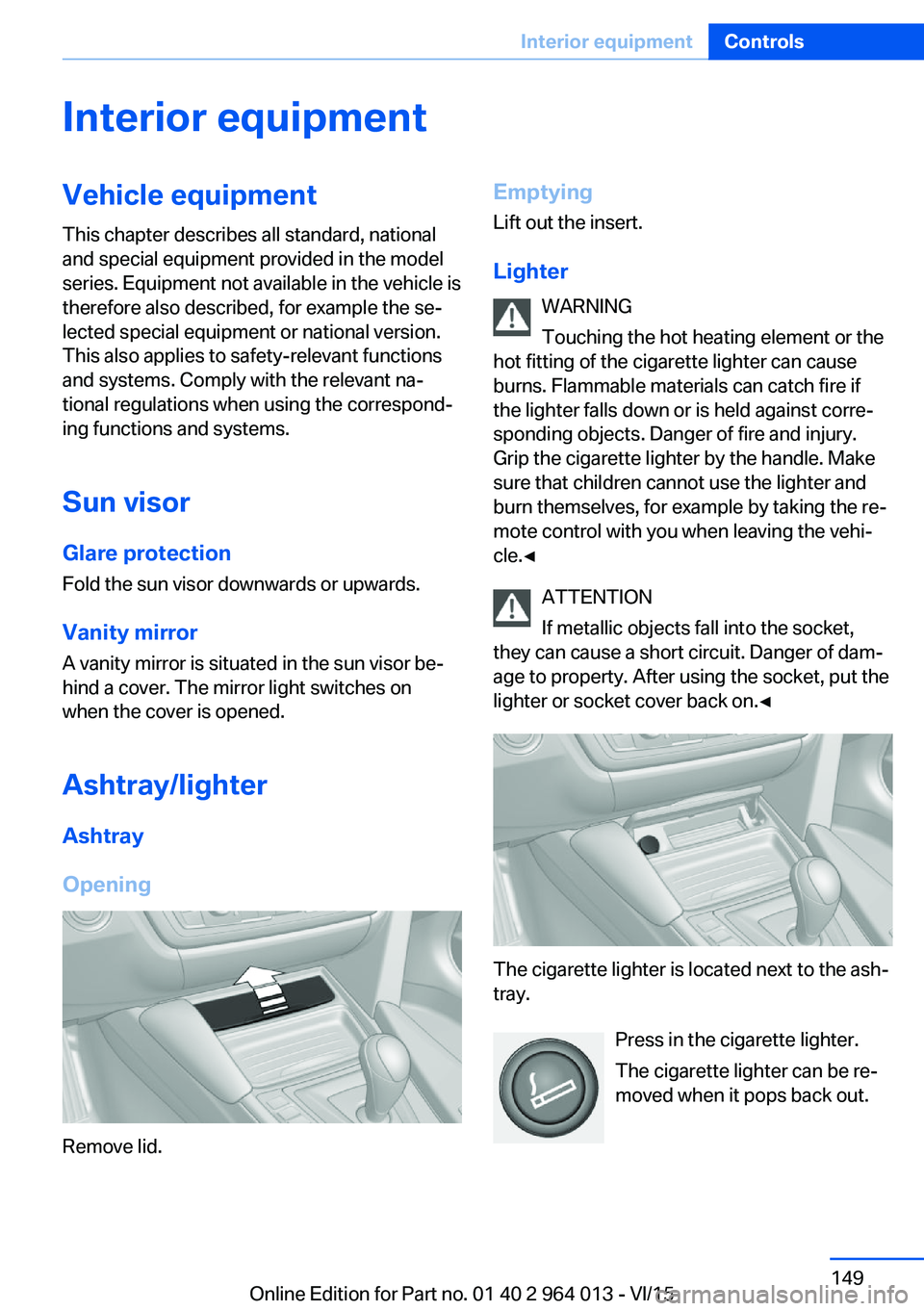
Ashtray/lighter Ashtray
Opening
Remove lid.
Emptying Lift out the insert.
Lighter WARNING
Touching the hot heating element or the
hot fitting of the cigarette lighter can cause
burns. Flammable materials can catch fire if
the lighter falls down or is held against corre‐
sponding objects. Danger of fire and injury.
Grip the cigarette lighter by the handle. Make
sure that children cannot use the lighter and
burn themselves, for example by taking the re‐ mote control with you when leaving the vehi‐
cle.◀
ATTENTION
If metallic objects fall into the socket,
they can cause a short circuit. Danger of dam‐
age to property. After using the socket, put the
lighter or socket cover back on.◀
The cigarette lighter is located next to the ash‐
tray.
Press in the cigarette lighter.
The cigarette lighter can be re‐
moved when it pops back out.
Seite 149Interior equipmentControls149
Online Edition for Part no. 01 40 2 964 013 - VI/15
Page 151 of 228
▷Do not connect up USB hard drives.▷Do not use the USB audio interface for
charging external devices.
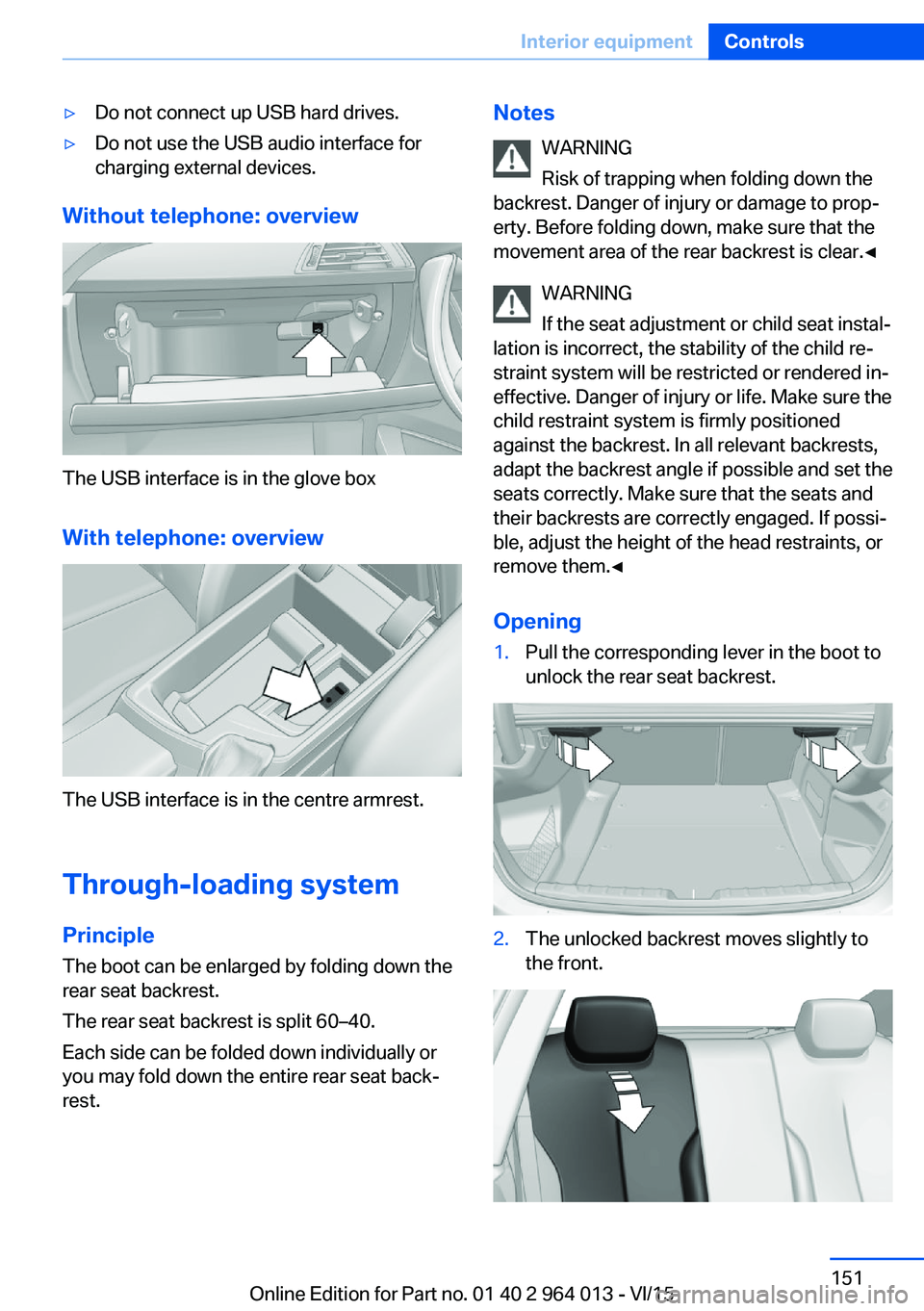
Without telephone: overview
The USB interface is in the glove box
With telephone: overview
The USB interface is in the centre armrest.
Through-loading system PrincipleThe boot can be enlarged by folding down the
rear seat backrest.
The rear seat backrest is split 60–40.
Each side can be folded down individually or
you may fold down the entire rear seat back‐ rest.
Notes
WARNING
Risk of trapping when folding down the
backrest. Danger of injury or damage to prop‐
erty. Before folding down, make sure that the
movement area of the rear backrest is clear.◀
WARNING
If the seat adjustment or child seat instal‐
lation is incorrect, the stability of the child re‐
straint system will be restricted or rendered in‐
effective. Danger of injury or life. Make sure the
child restraint system is firmly positioned
against the backrest. In all relevant backrests,
adapt the backrest angle if possible and set the
seats correctly. Make sure that the seats and
their backrests are correctly engaged. If possi‐
ble, adjust the height of the head restraints, or
remove them.◀
Opening1.Pull the corresponding lever in the boot to
unlock the rear seat backrest.2.The unlocked backrest moves slightly to
the front.Seite 151Interior equipmentControls151
Online Edition for Part no. 01 40 2 964 013 - VI/15
Page 152 of 228
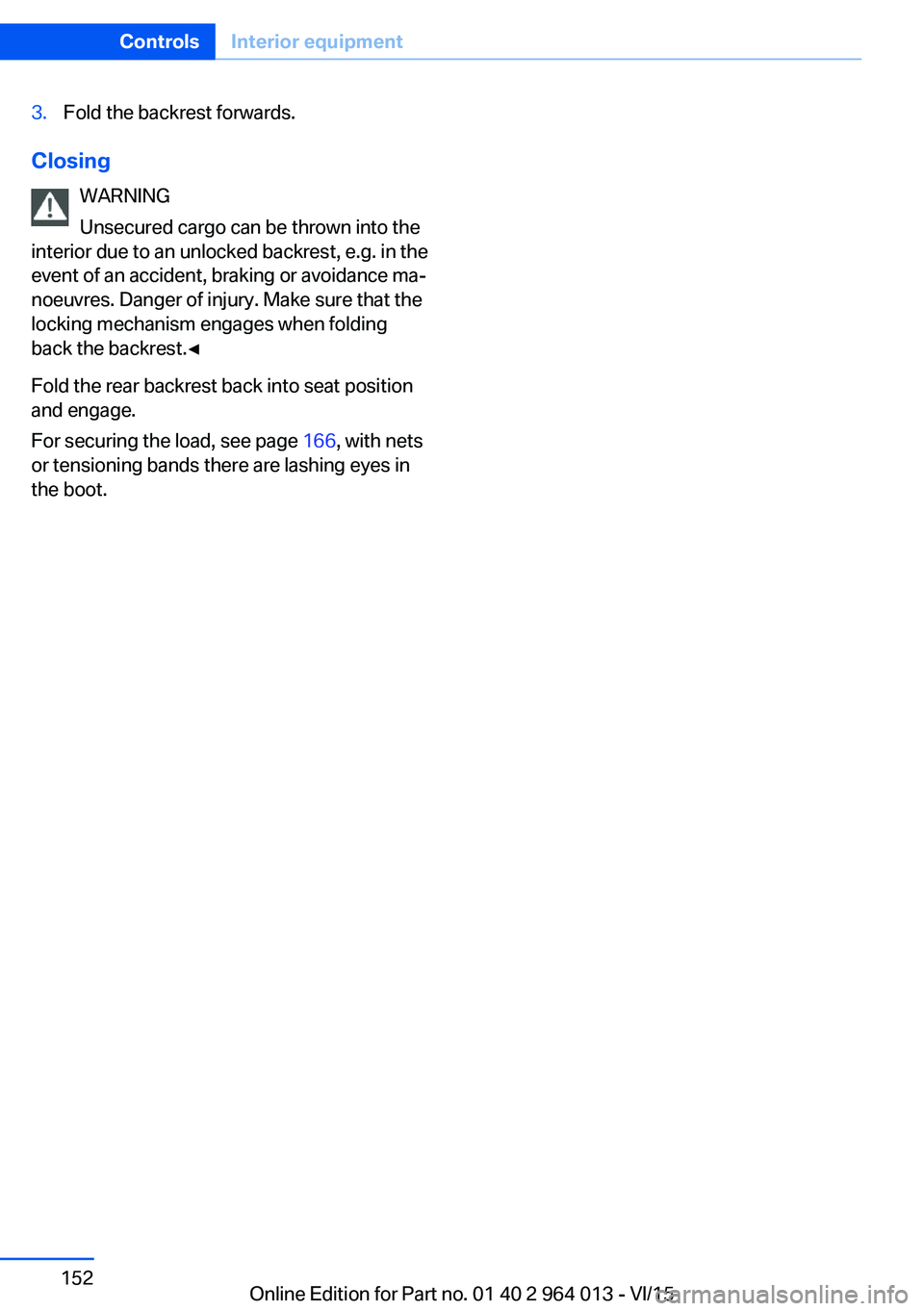
3.Fold the backrest forwards.
ClosingWARNING
Unsecured cargo can be thrown into the
interior due to an unlocked backrest, e.g. in the
event of an accident, braking or avoidance ma‐
noeuvres. Danger of injury. Make sure that the locking mechanism engages when folding
back the backrest.◀
Fold the rear backrest back into seat position
and engage.
For securing the load, see page 166, with nets
or tensioning bands there are lashing eyes in
the boot.
Seite 152ControlsInterior equipment152
Online Edition for Part no. 01 40 2 964 013 - VI/15
Page 153 of 228
Storage compartmentsVehicle equipmentThis chapter describes all standard, national
and special equipment provided in the model
series. Equipment not available in the vehicle is
therefore also described, for example the se‐
lected special equipment or national version.
This also applies to safety-relevant functions
and systems. Comply with the relevant na‐
tional regulations when using the correspond‐
ing functions and systems.
Notes WARNING
Loose objects in the interior can be
thrown into the interior during the journey, for
example in an accident or during braking and
evasive manoeuvres. Danger of injury. Secure
loose objects in the interior.◀
ATTENTION
Anti-slip mats can damage the dash‐
board. Danger of damage to property. Do not
use anti-slip mats.◀
Storage options The following storage options are located in
the interior:▷Glove box on the passenger side, see
page 153.▷Glove box on the driver's side, see
page 154.▷Without smoker's package: front compart‐
ment, in front of cupholders, see
page 154.▷Storage compartment in the front centre
armrest, see page 154.▷Pockets in the doors, see page 154.▷Nets on the backrests of the front seats.▷Storage compartment between the rear
seats, see page 155.
Glove box
Front passenger's side
Note WARNING
The glove box projects into the interior
when it is opened. Objects in the glove box can
be thrown into the interior during the journey,
for example in an accident or during braking
and evasive manoeuvres. Danger of injury. Im‐
mediately close the glove box after using it.◀
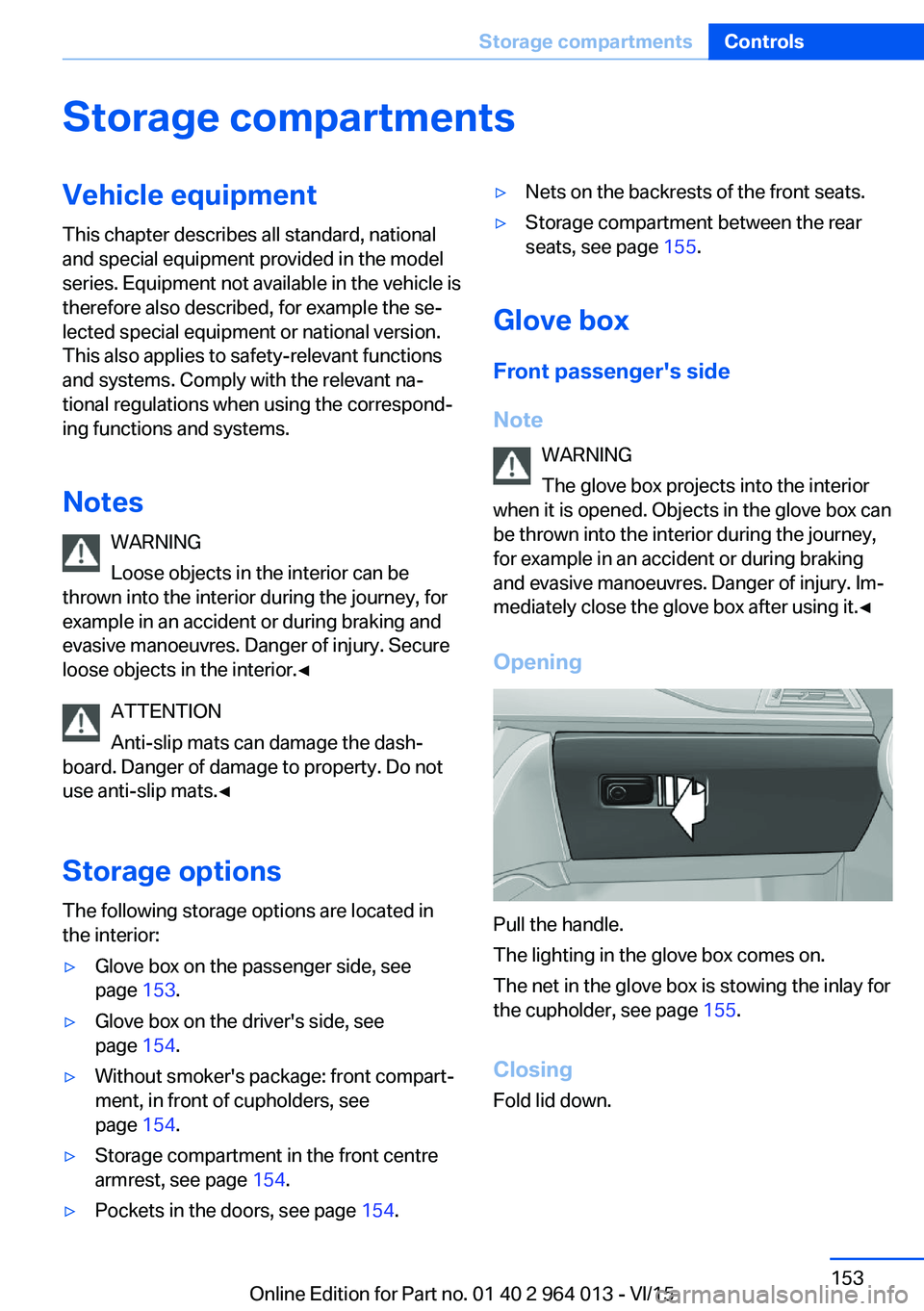
Opening
Pull the handle.
The lighting in the glove box comes on.
The net in the glove box is stowing the inlay for
the cupholder, see page 155.
Closing
Fold lid down.
Seite 153Storage compartmentsControls153
Online Edition for Part no. 01 40 2 964 013 - VI/15
Page 154 of 228
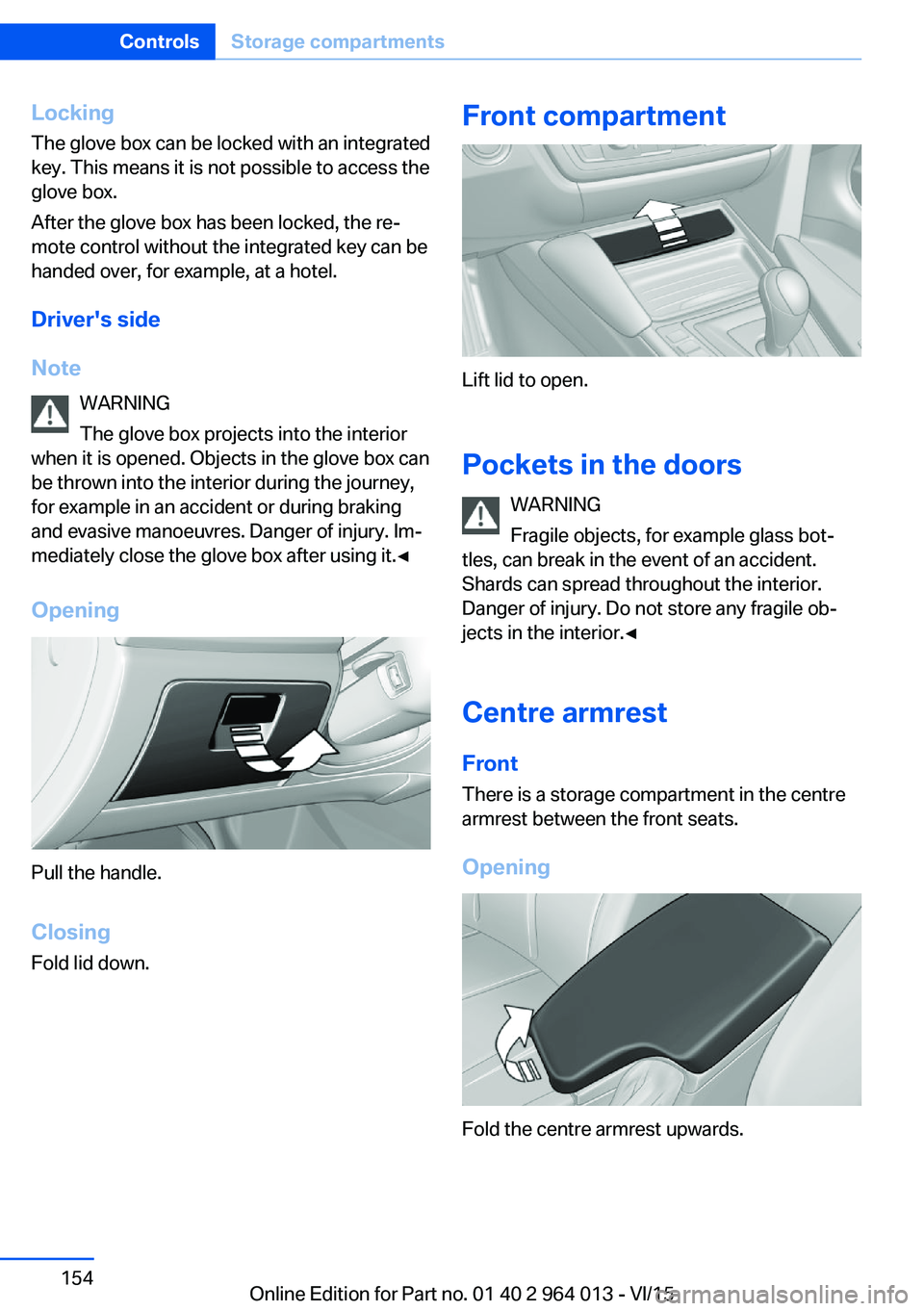
LockingThe glove box can be locked with an integrated
key. This means it is not possible to access the
glove box.
After the glove box has been locked, the re‐
mote control without the integrated key can be
handed over, for example, at a hotel.
Driver's side
Note WARNING
The glove box projects into the interior
when it is opened. Objects in the glove box can
be thrown into the interior during the journey,
for example in an accident or during braking
and evasive manoeuvres. Danger of injury. Im‐
mediately close the glove box after using it.◀
Opening
Pull the handle.
ClosingFold lid down.
Front compartment
Lift lid to open.
Pockets in the doors WARNING
Fragile objects, for example glass bot‐
tles, can break in the event of an accident.
Shards can spread throughout the interior.
Danger of injury. Do not store any fragile ob‐
jects in the interior.◀
Centre armrest
Front There is a storage compartment in the centre
armrest between the front seats.
Opening
Fold the centre armrest upwards.
Seite 154ControlsStorage compartments154
Online Edition for Part no. 01 40 2 964 013 - VI/15
Page 155 of 228
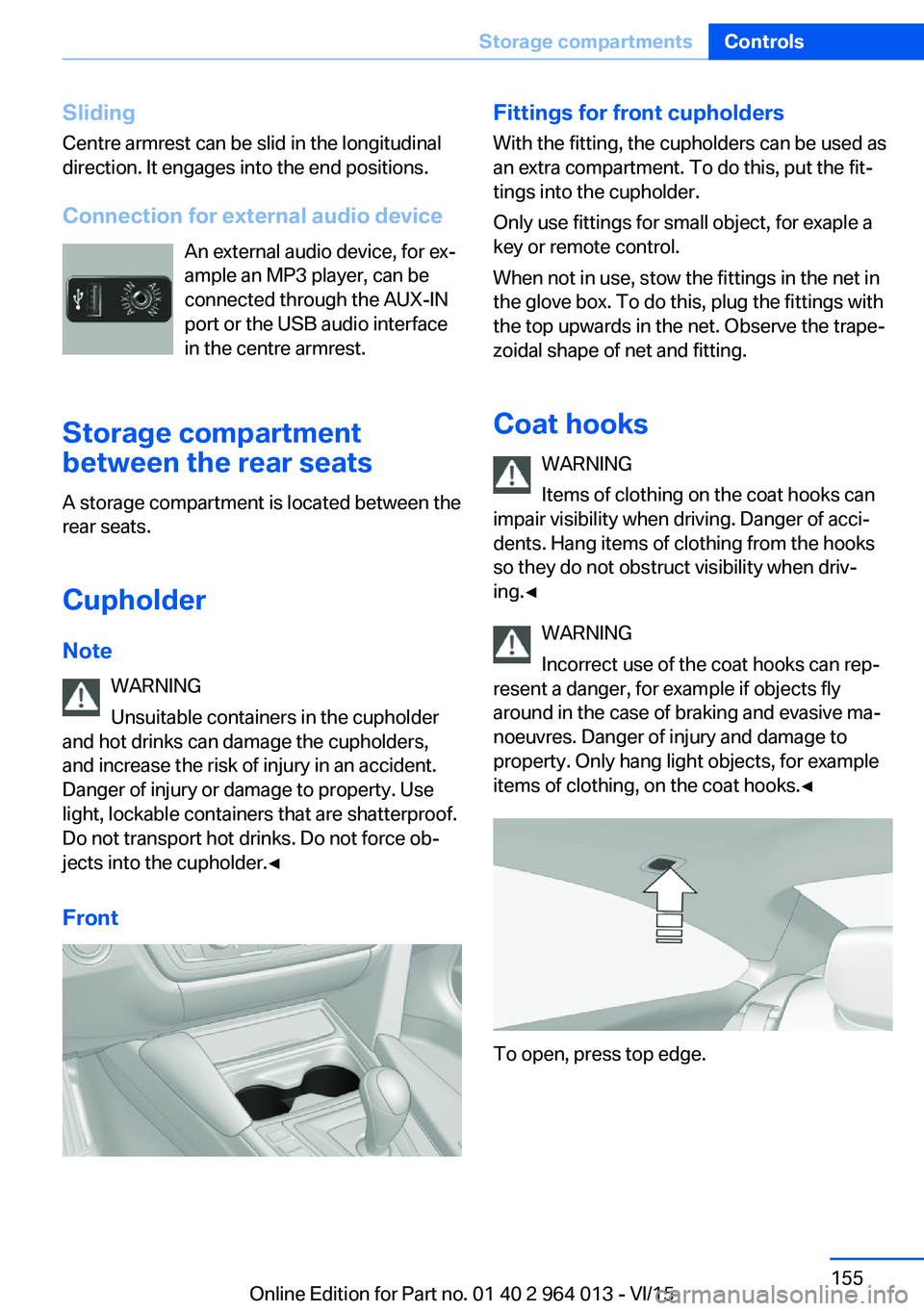
SlidingCentre armrest can be slid in the longitudinal
direction. It engages into the end positions.
Connection for external audio device An external audio device, for ex‐
ample an MP3 player, can be
connected through the AUX-IN
port or the USB audio interface
in the centre armrest.
Storage compartment
between the rear seats
A storage compartment is located between the
rear seats.
Cupholder
Note WARNING
Unsuitable containers in the cupholder
and hot drinks can damage the cupholders,
and increase the risk of injury in an accident.
Danger of injury or damage to property. Use
light, lockable containers that are shatterproof.
Do not transport hot drinks. Do not force ob‐
jects into the cupholder.◀
FrontFittings for front cupholders
With the fitting, the cupholders can be used as
an extra compartment. To do this, put the fit‐
tings into the cupholder.
Only use fittings for small object, for exaple a
key or remote control.
When not in use, stow the fittings in the net in
the glove box. To do this, plug the fittings with
the top upwards in the net. Observe the trape‐
zoidal shape of net and fitting.
Coat hooks WARNING
Items of clothing on the coat hooks can
impair visibility when driving. Danger of acci‐
dents. Hang items of clothing from the hooks
so they do not obstruct visibility when driv‐
ing.◀
WARNING
Incorrect use of the coat hooks can rep‐
resent a danger, for example if objects fly
around in the case of braking and evasive ma‐
noeuvres. Danger of injury and damage to
property. Only hang light objects, for example items of clothing, on the coat hooks.◀
To open, press top edge.
Seite 155Storage compartmentsControls155
Online Edition for Part no. 01 40 2 964 013 - VI/15