check oil BMW M4 2016 Owners Manual
[x] Cancel search | Manufacturer: BMW, Model Year: 2016, Model line: M4, Model: BMW M4 2016Pages: 228, PDF Size: 4.88 MB
Page 79 of 228
DisplaysVehicle equipmentThis chapter describes all standard, national
and special equipment provided in the model
series. Equipment not available in the vehicle is
therefore also described, for example the se‐lected special equipment or national version.
This also applies to safety-relevant functions
and systems. Comply with the relevant na‐
tional regulations when using the correspond‐
ing functions and systems.
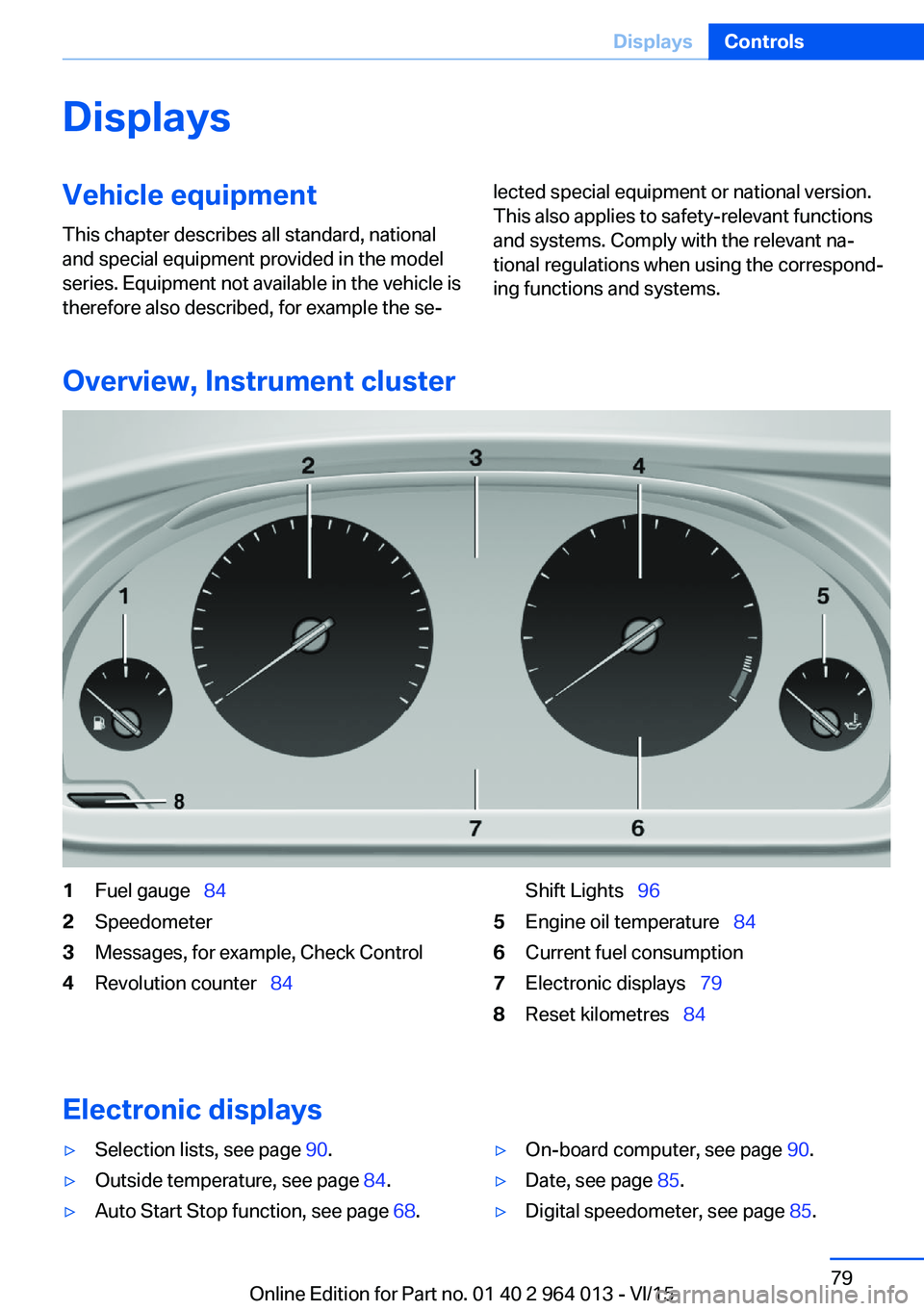
Overview, Instrument cluster
1Fuel gauge 842Speedometer3Messages, for example, Check Control4Revolution counter 84Shift Lights 965Engine oil temperature 846Current fuel consumption7Electronic displays 798Reset kilometres 84
Electronic displays
▷Selection lists, see page 90.▷Outside temperature, see page 84.▷Auto Start Stop function, see page 68.▷On-board computer, see page 90.▷Date, see page 85.▷Digital speedometer, see page 85.Seite 79DisplaysControls79
Online Edition for Part no. 01 40 2 964 013 - VI/15
Page 84 of 228
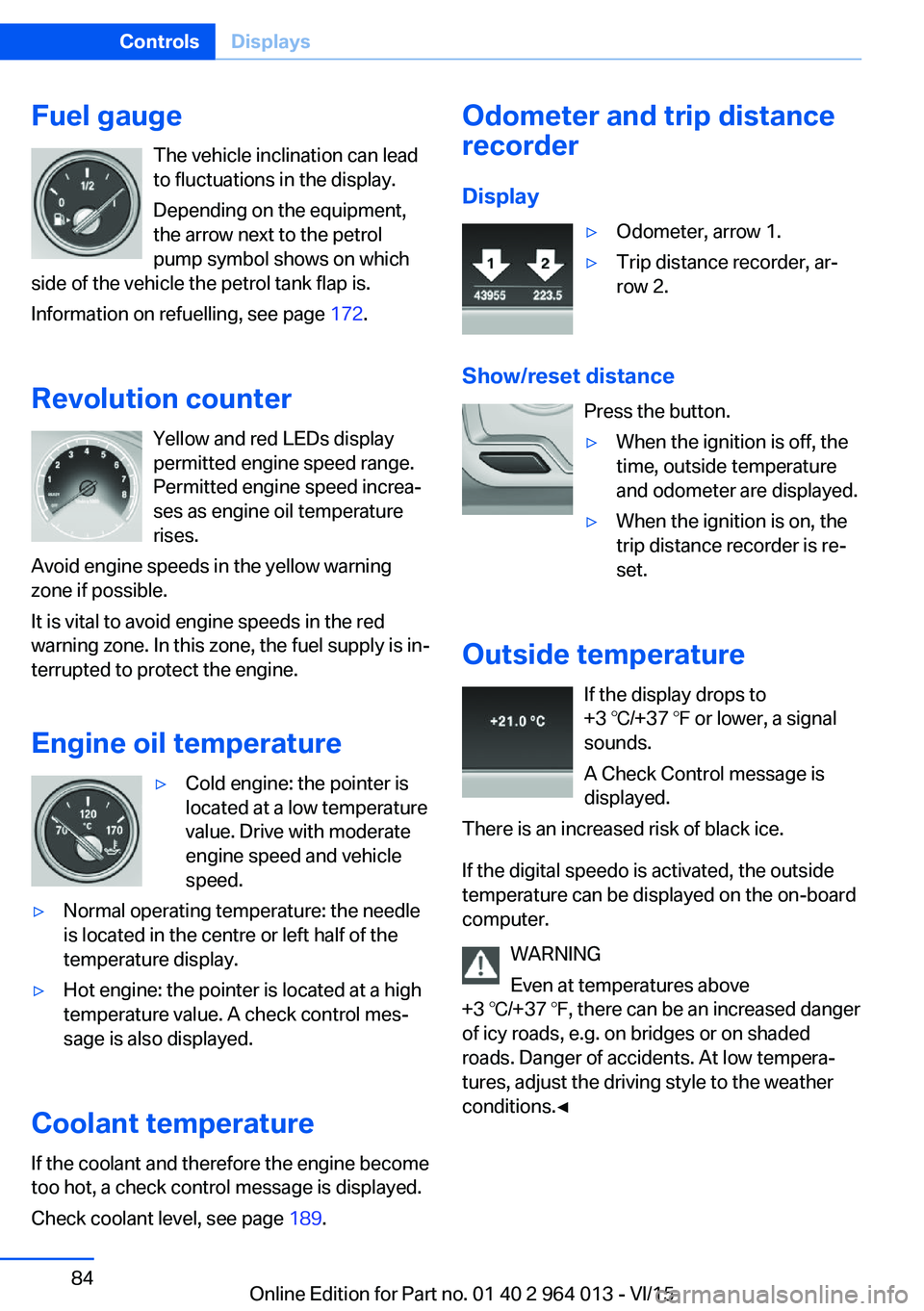
Fuel gaugeThe vehicle inclination can lead
to fluctuations in the display.
Depending on the equipment,
the arrow next to the petrol
pump symbol shows on which
side of the vehicle the petrol tank flap is.
Information on refuelling, see page 172.
Revolution counter Yellow and red LEDs display
permitted engine speed range.
Permitted engine speed increa‐
ses as engine oil temperature
rises.
Avoid engine speeds in the yellow warning zone if possible.
It is vital to avoid engine speeds in the red
warning zone. In this zone, the fuel supply is in‐
terrupted to protect the engine.
Engine oil temperature▷Cold engine: the pointer is
located at a low temperature
value. Drive with moderate
engine speed and vehicle
speed.▷Normal operating temperature: the needle
is located in the centre or left half of the
temperature display.▷Hot engine: the pointer is located at a high
temperature value. A check control mes‐
sage is also displayed.
Coolant temperature
If the coolant and therefore the engine become
too hot, a check control message is displayed.
Check coolant level, see page 189.
Odometer and trip distance
recorder
Display▷Odometer, arrow 1.▷Trip distance recorder, ar‐
row 2.
Show/reset distance
Press the button.
▷When the ignition is off, the
time, outside temperature
and odometer are displayed.▷When the ignition is on, the
trip distance recorder is re‐
set.
Outside temperature
If the display drops to
+3 ℃/+37 ℉ or lower, a signal
sounds.
A Check Control message is
displayed.
There is an increased risk of black ice.
If the digital speedo is activated, the outside
temperature can be displayed on the on-board
computer.
WARNING
Even at temperatures above
+3 ℃/+37 ℉, there can be an increased danger
of icy roads, e.g. on bridges or on shaded
roads. Danger of accidents. At low tempera‐
tures, adjust the driving style to the weather
conditions.◀
Seite 84ControlsDisplays84
Online Edition for Part no. 01 40 2 964 013 - VI/15
Page 118 of 228
Overview
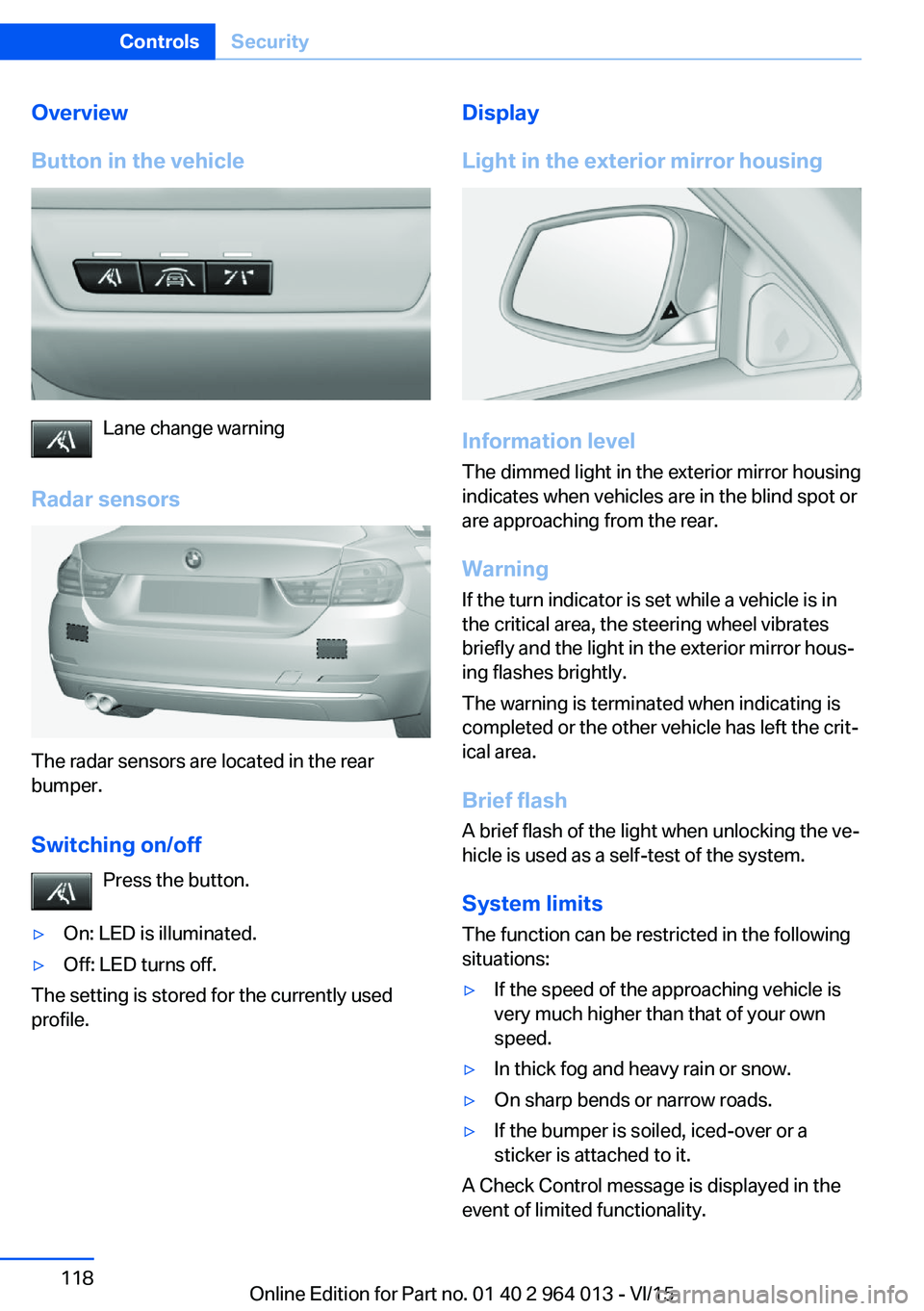
Button in the vehicle
Lane change warning
Radar sensors
The radar sensors are located in the rear
bumper.
Switching on/off Press the button.
▷On: LED is illuminated.▷Off: LED turns off.
The setting is stored for the currently used
profile.
Display
Light in the exterior mirror housing
Information level
The dimmed light in the exterior mirror housing
indicates when vehicles are in the blind spot or
are approaching from the rear.
Warning
If the turn indicator is set while a vehicle is in
the critical area, the steering wheel vibrates
briefly and the light in the exterior mirror hous‐
ing flashes brightly.
The warning is terminated when indicating is
completed or the other vehicle has left the crit‐
ical area.
Brief flashA brief flash of the light when unlocking the ve‐
hicle is used as a self-test of the system.
System limits
The function can be restricted in the following
situations:
▷If the speed of the approaching vehicle is
very much higher than that of your own
speed.▷In thick fog and heavy rain or snow.▷On sharp bends or narrow roads.▷If the bumper is soiled, iced-over or a
sticker is attached to it.
A Check Control message is displayed in the
event of limited functionality.
Seite 118ControlsSecurity118
Online Edition for Part no. 01 40 2 964 013 - VI/15
Page 161 of 228
Drivetrain
In this vehicle, particular attention is paid to the
direct connection from the engine to the drive‐
train. Due to the torsionally stiff design of the
drivetrain, as usual in a sports car, the trans‐
mission of the torque is can also be heard.
When there are load changes, it can therefore
cause clattering noises. They do not affect the
functioning or durability of the components.
Driving on a racing track
Requirements For driving on a racing track:▷Participation in a training course from
BMW Driving Experience.▷Check engine oil level and top up with en‐
gine oil as required.▷Have vehicle checked by a Service Partner
or a qualified specialist workshop.
Notes
Racing track operation causes increased wear. The vehicle is not designed for use in motor‐
sport competitions. This wear is not covered by the warranty.
The standard brake pads and the wear dis‐
plays are not designed for racing track opera‐
tion. Further information and advice are avail‐
able from a Service Partner or a qualified
specialist workshop.
Seite 161BMW M4 TechnologyDriving hints161
Online Edition for Part no. 01 40 2 964 013 - VI/15
Page 178 of 228
ted speed for the tyres fitted must be dis‐
played in the driver's field of view. The sticker
is available from a Service Partner or a qualified
specialist workshop.
If winter tyres are fitted, observe and comply
with the respectively permitted maximum
speed.
Interchanging front and rear wheels
The manufacturer of your vehicle advises
against interchanging the front and rear
wheels. This could impair vehicle handling
Such a change is not permitted in vehicles with
different tyre or rim dimensions on the front
and rear axles.
Tyre storage
Store wheels and tyres in a cool, dry and pref‐
erably dark place when not in use.
Protect tyres against contamination from oil,
grease and fuel.
Do not exceed the maximum tyre pressure in‐
dicated on the tyre's side wall.
Remedying flat tyres Safety measures▷Park the vehicle on a solid surface and as
far away from moving traffic as possible.▷Switch on hazard warning lights.▷Protect the vehicle against rolling, by ap‐
plying the parking brake.▷Engage the steering wheel lock in the
straight ahead position of the wheels.▷Allow all vehicle occupants get out of the
vehicle and guide them out of the danger
area, for example behind the crash barrier.▷Set up warning triangle an appropriate dis‐
tance away.Mobility system
Principle With the mobility system, minor tyre damage
can be quickly sealed, to allow you to drive on.
To do that, liquid sealant is pumped into the
tyres which encloses the damage from the in‐ side when it hardens.
The compressor can be used to check the tyre
inflation pressure.
Notes▷Please observe the notes on the applica‐
tion of the Mobility system which are on
the compressor and the sealant container.▷Applying the Mobility system can be inef‐
fective for tyre damage as from a size of
approximately 4 mm.▷Contact a Service Partner or a qualified
specialist workshop if you are unable to put
the tyre back in operation.▷If possible, foreign matter that has penetra‐
ted the tyre should remain inside the tyre.▷Remove the speed limit sticker from the
sealant container and attach to the steer‐
ing wheel.▷Using sealants can damage the TPM wheel
electronics. If sealant is used, check the
electronics as soon as you get an opportu‐
nity and have them replaced if necessary.
DANGER
A blocked exhaust pipe or inadequate
ventilation can allow harmful exhaust fumes to
penetrate the vehicle. The exhaust gas con‐
tains carbon monoxide, which is colourless and
odourless, but highly toxic. In enclosed spaces,
the exhaust fumes can also build up outside
the vehicle. Danger of fatal injury. Keep the ex‐
haust pipe clear and ensure sufficient ventila‐
tion.◀
Storage
Mobility system is located under boot floor.
Seite 178MobilityWheels and tyres178
Online Edition for Part no. 01 40 2 964 013 - VI/15
Page 185 of 228
Engine oilVehicle equipment
This chapter describes all standard, national
and special equipment provided in the model
series. Equipment not available in the vehicle is
therefore also described, for example the se‐
lected special equipment or national version.
This also applies to safety-relevant functions
and systems. Comply with the relevant na‐
tional regulations when using the correspond‐
ing functions and systems.
General
The engine oil consumption depends on the
driving style and operating conditions.
Engine oil consumption can be increased, for
example, in the following situations:▷Dynamic driving style.▷Running in the engine.▷Engine idling.▷Use of engine oil grades categorised as
unsuitable.
Therefore check the engine oil level regularly
after each time you fill up with fuel.
With dynamic driving, for example, rapid cor‐
nering, the system cannot make any oil meas‐
urement. With this driving mode, the engine oil
is measured using a detailed measurement,
see page 186.
The vehicle has electronic oil measurement.
Electronic oil measurement has two measure‐
ment principles:
▷Status display▷Detailed measurementElectronic oil measurement
Status display
Principle
The engine oil level is electronically monitored
when travelling and shown on the Control Dis‐
play.
If the engine oil level reaches the minimum, a
check control message is shown.
RequirementsA current measurement is available after ap‐
proximately 30 minutes of driving. With a
shorter trip, the status of the last sufficiently
long trip is shown.
When frequently making short trips, regularly
take a detailed measurement.
Displaying engine oil level On the Control Display:1."Vehicle information"2."Vehicle status"3. "Engine oil level"
Messages for the engine oil level
ATTENTION
Too little engine oil causes engine dam‐
age. Danger of damage to property. Immedi‐
ately replenish engine oil.◀
Ensure not to top up with too much engine oil. ATTENTION
Too much engine oil can damage the en‐
gine or the catalytic converter. Danger of dam‐
age to property. Do not top up with too much
engine oil. If you fill too much engine oil, have
the excess extracted by a Service Partner or a
qualified specialist workshop.◀
Seite 185Engine oilMobility185
Online Edition for Part no. 01 40 2 964 013 - VI/15
Page 186 of 228
Different messages are shown on the display,
depending on the engine oil level. Follow these
messages.
If there is too little engine oil, within the next
200 km, approximately 120 miles top up en‐
gine oil, see page 186.
Detailed measurement
Principle In the detailed measurement, the engine oil
level is checked and shown on a scale.
If the engine oil level reaches the minimum, a
Check Control message is shown.
During the measurement, the idle speed is
slightly raised.
Requirements▷Vehicle is on an even road.▷Manual gearbox: gear lever in neutral posi‐
tion, clutch and accelerator pedal not de‐
pressed.▷M double clutch transmission: selector
lever in selector lever position N and accel‐
erator pedal not depressed.▷Engine is running and is at operating tem‐
perature.
Carrying out a detailed measurement
Carry out a detailed measurement of the en‐
gine oil level:
1."Vehicle information"2."Vehicle status"3. "Measure engine oil level"4."Start measurement"
The engine oil level is checked and shown on a
scale.
Duration: approximately 1 minute.
Adding engine oil
Notes ATTENTION
Too little engine oil causes engine dam‐
age. Danger of damage to property.
Top up the engine oil within the next 200 km,
approximately 120 miles.◀
ATTENTION
Too much engine oil can damage the en‐
gine or the catalytic converter. Danger of dam‐
age to property. Do not top up with too much
engine oil. If you fill too much engine oil, have
the excess extracted by a Service Partner or a
qualified specialist workshop.◀
WARNING
Service products, for example oils,
greases, coolants and fuels, can contain sub‐
stances that are harmful to health. Danger of
injury or life. Comply with the notes on the
containers. Do not allow service products to
come into contact with clothing, skin eyes. Do
not pour service products into other bottles.
Keep service products out of the reach of chil‐
dren.◀
General Do not top up engine oil unless message isdisplayed in instrument cluster. The top-up
amount is specified in the message on the in‐
strument cluster.
Switch off the ignition and securely stop the
vehicle before topping up with engine oil.
Spilled engine oil can damage carbon parts.
Wipe up spilled engine oil with a lint-free cloth.
Overview
The oil filler neck is in the engine compart‐
ment, see page 182.Seite 186MobilityEngine oil186
Online Edition for Part no. 01 40 2 964 013 - VI/15
Page 209 of 228
Manual gearbox:1.Drive into the car wash.2.Engage idle position.3.Stop the engine.4.Switch on ignition.
M double clutch transmission:
1.Drive into the car wash.2.Engage selector lever position N.3.Stop the engine.
In this way the ignition remains switched
on and a Check Control message is dis‐
played.
It is not possible to lock the vehicle from the
outside in selector lever position N. If an at‐
tempt is made to lock the vehicle, a signal
sounds.
When starting engine with manual gearbox:
1.Press clutch pedal.2.Press the start/stop button.
When starting engine with M double clutch
transmission:
1.Press the brake.2.Press the start/stop button.
Pressing the start/stop button or depressing
the brake switches off the ignition.
Transmission position
Transmission position P is automatically en‐
gaged:
▷With the ignition switched off.▷After approximately 15 minutes.
Headlights
▷Do not rub them when dry or use abrasive
or corrosive cleaning agents.▷Soak impurities such as insects with sham‐
poo and wash off with water.▷Remove ice with a de-icer spray; do not
use an ice scraper.After washing the car
After washing the car, drive it briefly and apply
the brakes to dry them out; this is necessary to
prevent reduced braking action, and also to
avoid corrosion of the brake discs.
Completely remove residues on the wind‐
screens to avoid affecting visibility due to
smearing, and to reduce wiping noise and
wiper blade wear.
Car care Care products The manufacturer of your vehicle recommends
the use of BMW care and cleaning products,
as they are tested by BMW and categorised as
suitable for the use on the vehicle.
WARNING
Cleaning agents can contain hazardous
substances or constitute a health risk. Danger
of injury. When cleaning the interior, open the
doors or windows. Use only products that are
intended for cleaning the vehicle's interior. Ob‐
serve the notes on the pack.◀
Vehicle paintwork Regular care promotes driving safety and pre‐
serves your vehicle's value. Environmental ef‐
fects in areas with higher air pollution or natu‐
ral contaminations, for example tree resin or
leaf dust, may have an effect on the vehicle
paintwork. Base the frequency and extent of
vehicle care on such factors.
Remove corrosive substances, such as run-off
fuel, oil, grease or bird droppings immediately
to avoid changes to the paint or discoloura‐
tions.
Only use suitable cleaning and care products
for matt paintwork. Suitable matt paintwork
care products are available from a Service
Partner or a qualified specialist workshop.Seite 209General careMobility209
Online Edition for Part no. 01 40 2 964 013 - VI/15
Page 219 of 228
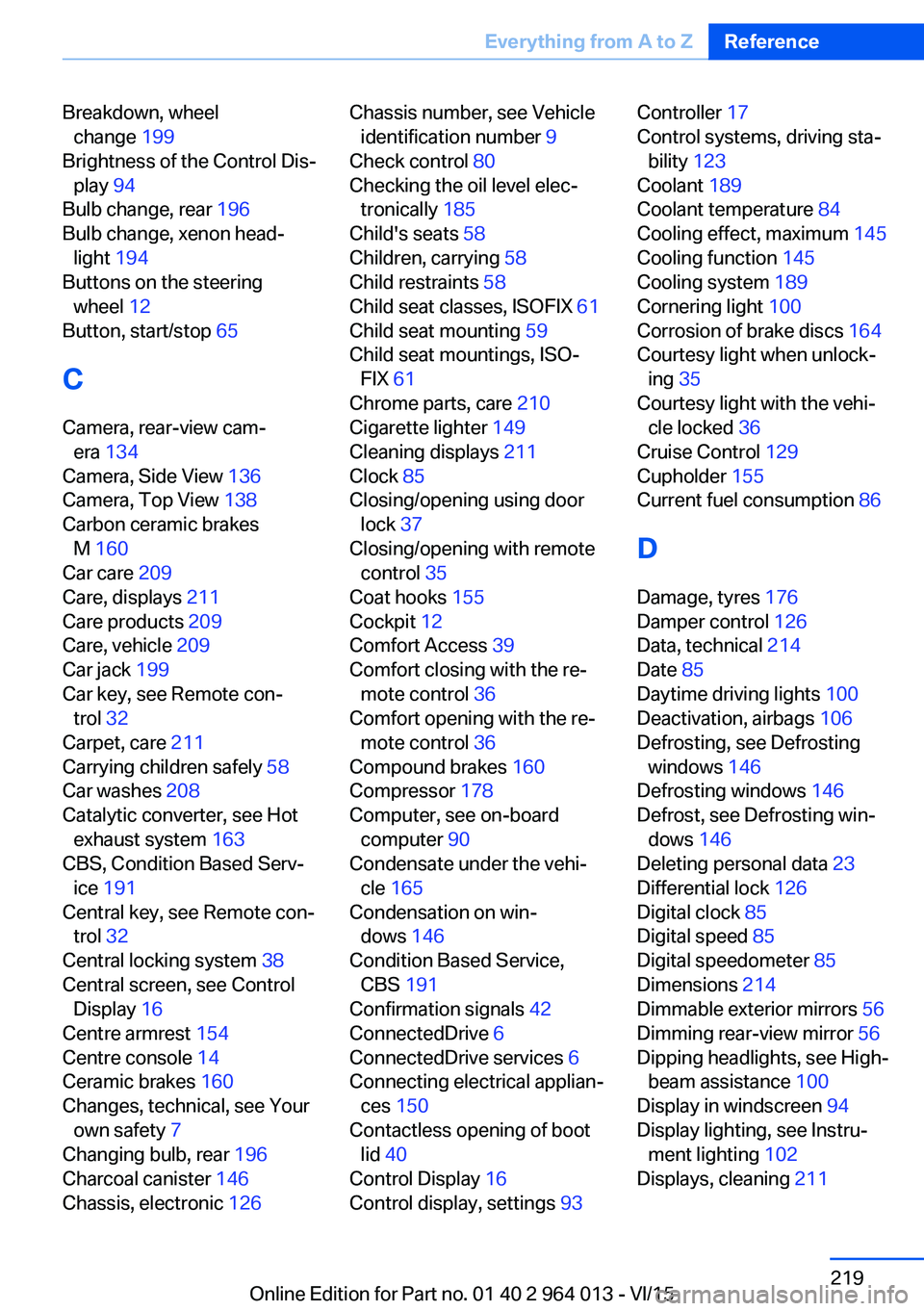
Breakdown, wheelchange 199
Brightness of the Control Dis‐ play 94
Bulb change, rear 196
Bulb change, xenon head‐ light 194
Buttons on the steering wheel 12
Button, start/stop 65
C
Camera, rear-view cam‐ era 134
Camera, Side View 136
Camera, Top View 138
Carbon ceramic brakes M 160
Car care 209
Care, displays 211
Care products 209
Care, vehicle 209
Car jack 199
Car key, see Remote con‐ trol 32
Carpet, care 211
Carrying children safely 58
Car washes 208
Catalytic converter, see Hot exhaust system 163
CBS, Condition Based Serv‐ ice 191
Central key, see Remote con‐ trol 32
Central locking system 38
Central screen, see Control Display 16
Centre armrest 154
Centre console 14
Ceramic brakes 160
Changes, technical, see Your own safety 7
Changing bulb, rear 196
Charcoal canister 146
Chassis, electronic 126 Chassis number, see Vehicle
identification number 9
Check control 80
Checking the oil level elec‐ tronically 185
Child's seats 58
Children, carrying 58
Child restraints 58
Child seat classes, ISOFIX 61
Child seat mounting 59
Child seat mountings, ISO‐ FIX 61
Chrome parts, care 210
Cigarette lighter 149
Cleaning displays 211
Clock 85
Closing/opening using door lock 37
Closing/opening with remote control 35
Coat hooks 155
Cockpit 12
Comfort Access 39
Comfort closing with the re‐ mote control 36
Comfort opening with the re‐ mote control 36
Compound brakes 160
Compressor 178
Computer, see on-board computer 90
Condensate under the vehi‐ cle 165
Condensation on win‐ dows 146
Condition Based Service, CBS 191
Confirmation signals 42
ConnectedDrive 6
ConnectedDrive services 6
Connecting electrical applian‐ ces 150
Contactless opening of boot lid 40
Control Display 16
Control display, settings 93 Controller 17
Control systems, driving sta‐ bility 123
Coolant 189
Coolant temperature 84
Cooling effect, maximum 145
Cooling function 145
Cooling system 189
Cornering light 100
Corrosion of brake discs 164
Courtesy light when unlock‐ ing 35
Courtesy light with the vehi‐ cle locked 36
Cruise Control 129
Cupholder 155
Current fuel consumption 86
D
Damage, tyres 176
Damper control 126
Data, technical 214
Date 85
Daytime driving lights 100
Deactivation, airbags 106
Defrosting, see Defrosting windows 146
Defrosting windows 146
Defrost, see Defrosting win‐ dows 146
Deleting personal data 23
Differential lock 126
Digital clock 85
Digital speed 85
Digital speedometer 85
Dimensions 214
Dimmable exterior mirrors 56
Dimming rear-view mirror 56
Dipping headlights, see High- beam assistance 100
Display in windscreen 94
Display lighting, see Instru‐ ment lighting 102
Displays, cleaning 211 Seite 219Everything from A to ZReference219
Online Edition for Part no. 01 40 2 964 013 - VI/15
Page 220 of 228
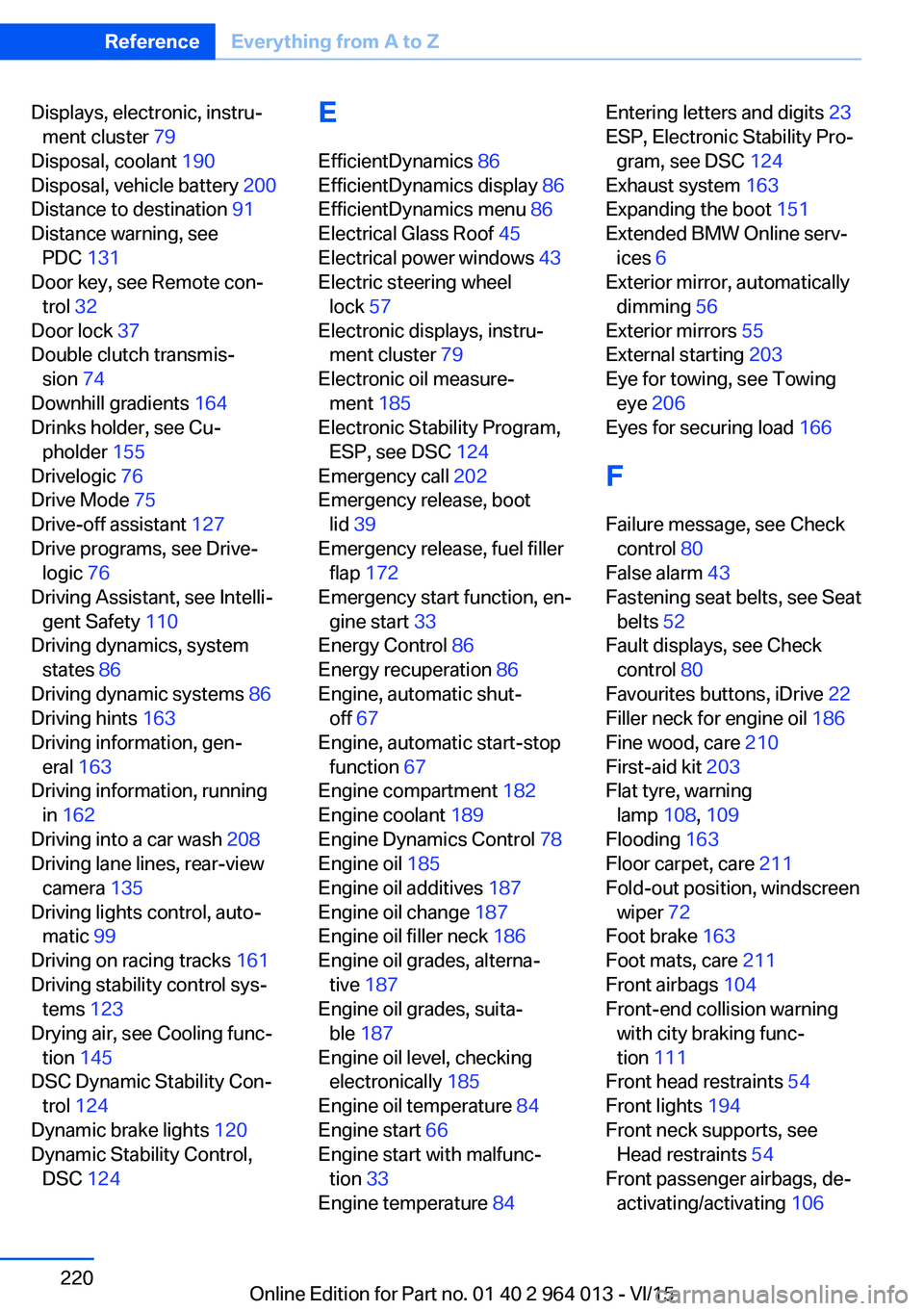
Displays, electronic, instru‐ment cluster 79
Disposal, coolant 190
Disposal, vehicle battery 200
Distance to destination 91
Distance warning, see PDC 131
Door key, see Remote con‐ trol 32
Door lock 37
Double clutch transmis‐ sion 74
Downhill gradients 164
Drinks holder, see Cu‐ pholder 155
Drivelogic 76
Drive Mode 75
Drive-off assistant 127
Drive programs, see Drive‐ logic 76
Driving Assistant, see Intelli‐ gent Safety 110
Driving dynamics, system states 86
Driving dynamic systems 86
Driving hints 163
Driving information, gen‐ eral 163
Driving information, running in 162
Driving into a car wash 208
Driving lane lines, rear-view camera 135
Driving lights control, auto‐ matic 99
Driving on racing tracks 161
Driving stability control sys‐ tems 123
Drying air, see Cooling func‐ tion 145
DSC Dynamic Stability Con‐ trol 124
Dynamic brake lights 120
Dynamic Stability Control, DSC 124 E
EfficientDynamics 86
EfficientDynamics display 86
EfficientDynamics menu 86
Electrical Glass Roof 45
Electrical power windows 43
Electric steering wheel lock 57
Electronic displays, instru‐ ment cluster 79
Electronic oil measure‐ ment 185
Electronic Stability Program, ESP, see DSC 124
Emergency call 202
Emergency release, boot lid 39
Emergency release, fuel filler flap 172
Emergency start function, en‐ gine start 33
Energy Control 86
Energy recuperation 86
Engine, automatic shut- off 67
Engine, automatic start-stop function 67
Engine compartment 182
Engine coolant 189
Engine Dynamics Control 78
Engine oil 185
Engine oil additives 187
Engine oil change 187
Engine oil filler neck 186
Engine oil grades, alterna‐ tive 187
Engine oil grades, suita‐ ble 187
Engine oil level, checking electronically 185
Engine oil temperature 84
Engine start 66
Engine start with malfunc‐ tion 33
Engine temperature 84 Entering letters and digits 23
ESP, Electronic Stability Pro‐ gram, see DSC 124
Exhaust system 163
Expanding the boot 151
Extended BMW Online serv‐ ices 6
Exterior mirror, automatically dimming 56
Exterior mirrors 55
External starting 203
Eye for towing, see Towing eye 206
Eyes for securing load 166
F Failure message, see Check control 80
False alarm 43
Fastening seat belts, see Seat belts 52
Fault displays, see Check control 80
Favourites buttons, iDrive 22
Filler neck for engine oil 186
Fine wood, care 210
First-aid kit 203
Flat tyre, warning lamp 108, 109
Flooding 163
Floor carpet, care 211
Fold-out position, windscreen wiper 72
Foot brake 163
Foot mats, care 211
Front airbags 104
Front-end collision warning with city braking func‐
tion 111
Front head restraints 54
Front lights 194
Front neck supports, see Head restraints 54
Front passenger airbags, de‐ activating/activating 106 Seite 220ReferenceEverything from A to Z220
Online Edition for Part no. 01 40 2 964 013 - VI/15