radio controls BMW M5 2007 Owner's Manual
[x] Cancel search | Manufacturer: BMW, Model Year: 2007, Model line: M5, Model: BMW M5 2007Pages: 253, PDF Size: 8.57 MB
Page 183 of 253
181
Entertainment
Reference
At a glance
Controls
Driving tips Communications
Navigation
Mobility
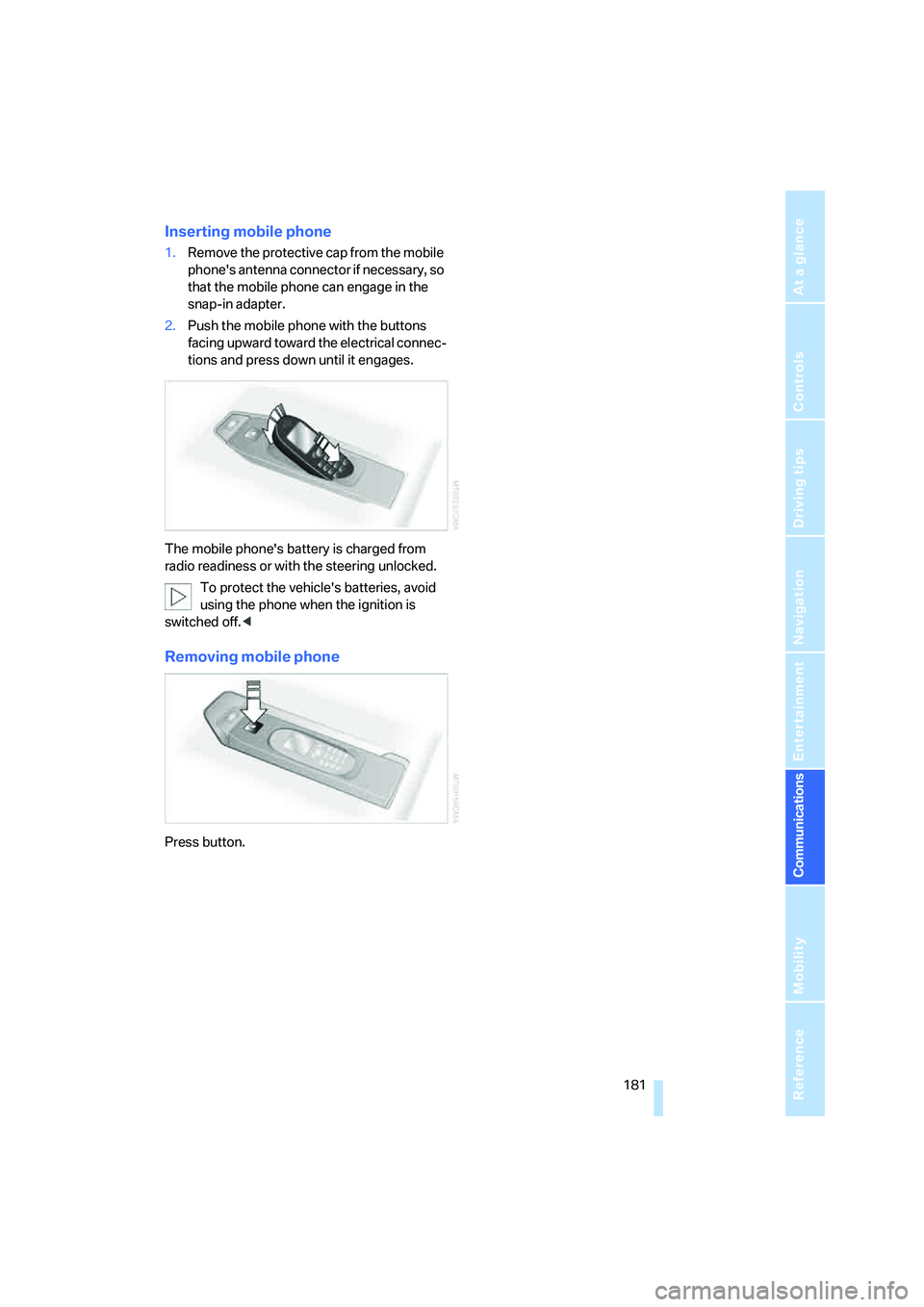
Inserting mobile phone
1.Remove the protective cap from the mobile
phone's antenna connector if necessary, so
that the mobile phone can engage in the
snap-in adapter.
2.Push the mobile phone with the buttons
facing upward toward the electrical connec-
tions and press down until it engages.
The mobile phone's battery is charged from
radio readiness or with the steering unlocked.
To protect the vehicle's batteries, avoid
using the phone when the ignition is
switched off.<
Removing mobile phone
Press button.
Page 189 of 253
187
Entertainment
Reference
At a glance
Controls
Driving tips Communications
Navigation
Mobility
Blocking services*
If you block the services, the connection to
BMW Assist is deactivated.
1.Press the button.
This opens the start menu.
2.Press the controller to open the menu.
3.Turn the controller until "Settings" is
selected and press the controller.
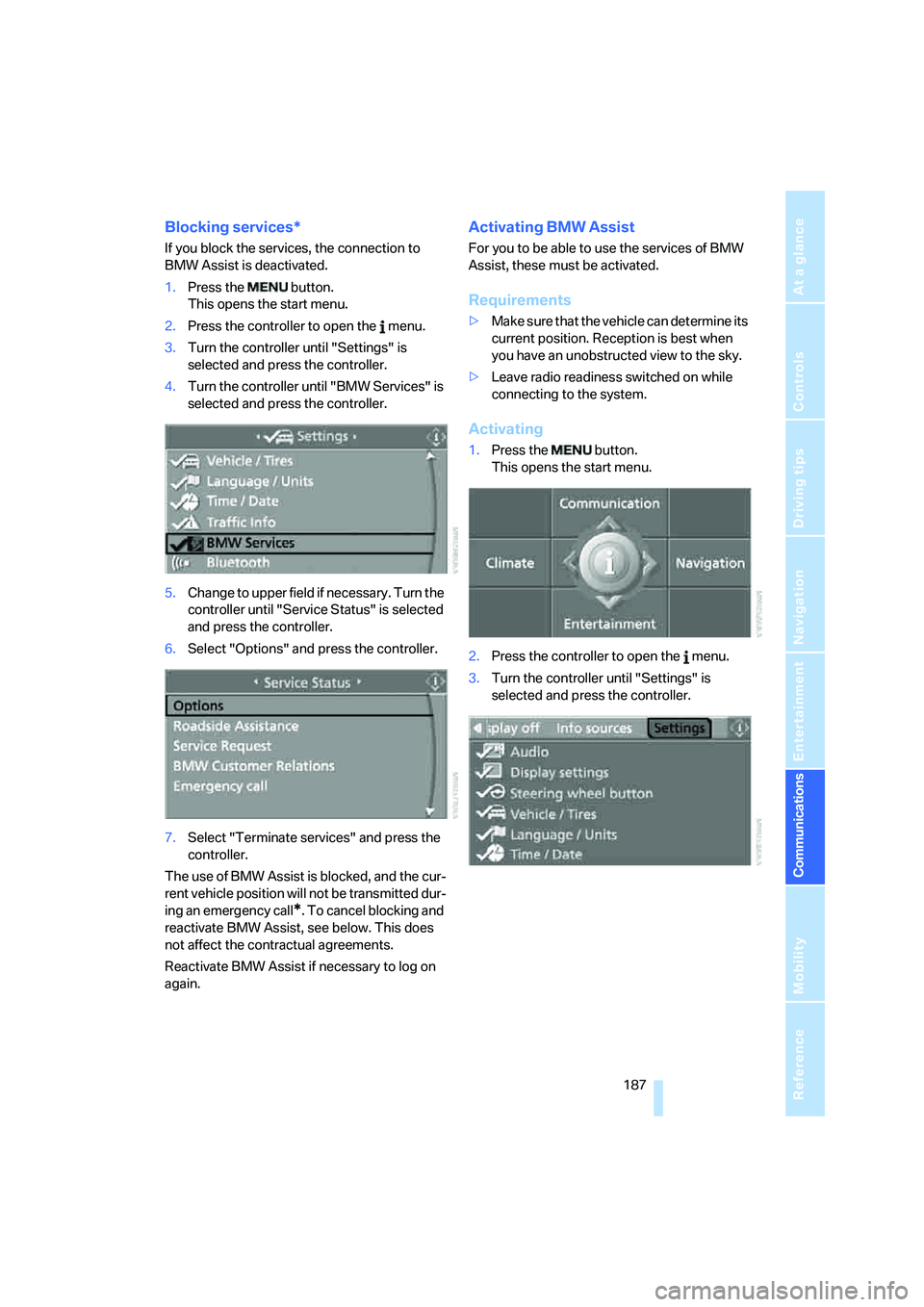
4.Turn the controller until "BMW Services" is
selected and press the controller.
5.Change to upper field if necessary. Turn the
controller until "Service Status" is selected
and press the controller.
6.Select "Options" and press the controller.
7.Select "Terminate services" and press the
controller.
The use of BMW Assist is blocked, and the cur-
rent vehicle position will not be transmitted dur-
ing an emergency call
*. To cancel blocking and
reactivate BMW Assist, see below. This does
not affect the contractual agreements.
Reactivate BMW Assist if necessary to log on
again.
Activating BMW Assist
For you to be able to use the services of BMW
Assist, these must be activated.
Requirements
>Make sure that the vehicle can determine its
current position. Reception is best when
you have an unobstructed view to the sky.
>Leave radio readiness switched on while
connecting to the system.
Activating
1.Press the button.
This opens the start menu.
2.Press the controller to open the menu.
3.Turn the controller until "Settings" is
selected and press the controller.
Page 215 of 253
Mobility
213Reference
At a glance
Controls
Driving tips
Communications
Navigation
Entertainment
Vehicle battery
Battery care
The battery is 100 % maintenance-free, i.e., the
electrolyte will last for the life of the battery
when the vehicle is operated in a temperate cli-
mate. Your BMW center will be glad to advise in
all matters concerning the battery.
Charging battery
Only charge the battery in the vehicle via the
terminals in the engine compartment with the
engine switched off. Connections, refer to
Jump starting on page215.
Disposal
Have old batteries disposed of by your
BMW center or hand them in to a recy-
cling center. Maintain the battery in an upright
position for transport and storage. Always
restrain the battery to prevent it from tipping
over during transport.<
Power failure
After a temporary power loss, the functioning of
some equipment may be limited and require
reinitialization. Individual settings are also lost
and must be updated:
>Seat, mirror and steering wheel memory
The positions must be stored again, refer to
page43.
>Time and Date
The values must be updated, refer to
page74.
>Radio
Stations must be stored again if necessary,
refer to page152.
>Navigation system
Wait until the system starts, refer to
page120.
Fuses
Never attempt to repair a blown fuse and
do not replace a defective fuse with a sub-
stitute of another color or amperage rating, as
this could lead to a circuit overload, ultimately
resulting in a fire in the vehicle.<
Spare fuses, plastic tweezers and fuse alloca-
tion diagram are located in the compartment for
the onboard tool kit, refer to page206.
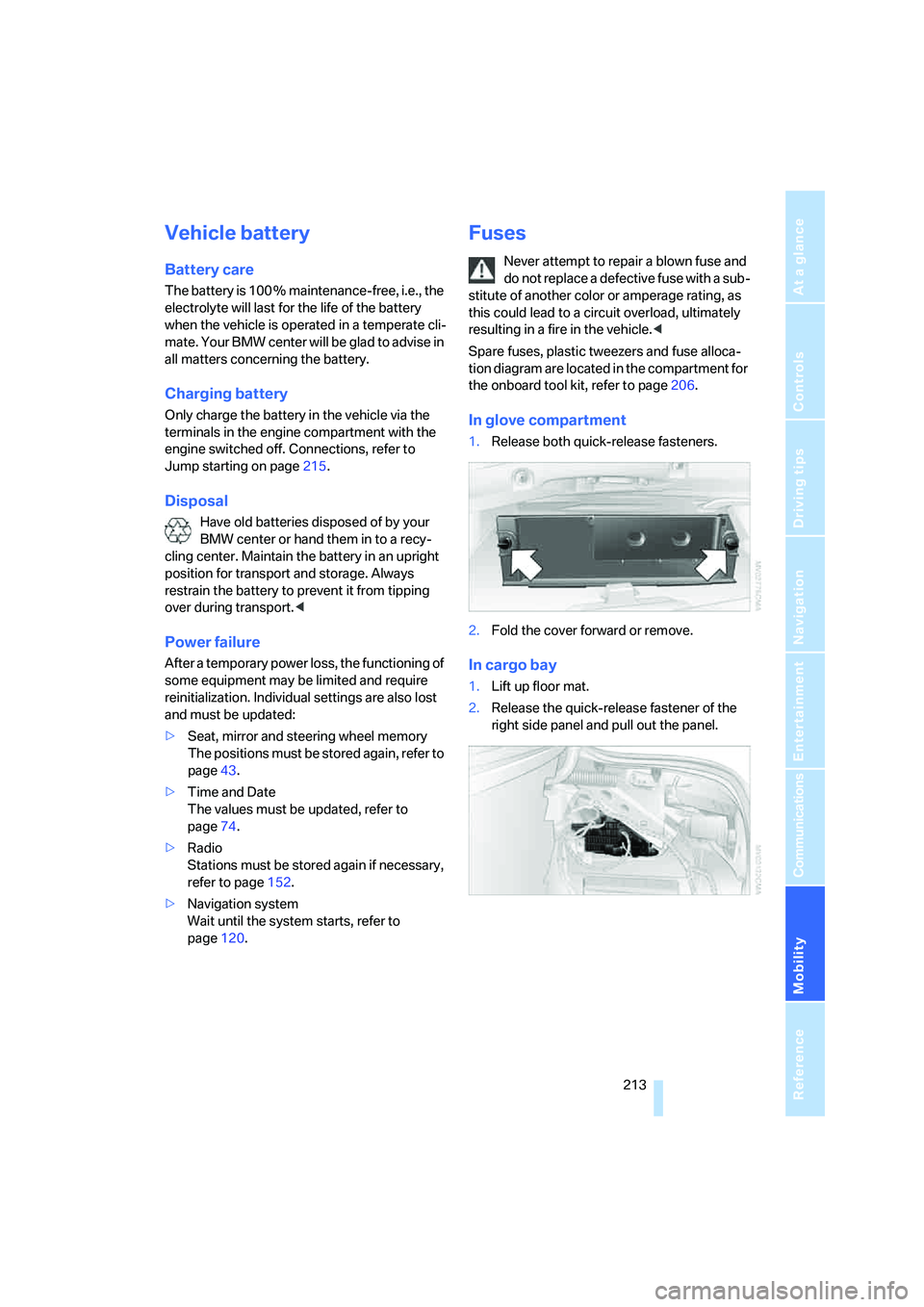
In glove compartment
1.Release both quick-release fasteners.
2.Fold the cover forward or remove.
In cargo bay
1.Lift up floor mat.
2.Release the quick-release fastener of the
right side panel and pull out the panel.
Page 229 of 253
Reference 227
At a glance
Controls
Driving tips
Communications
Navigation
Entertainment
Mobility
Entertainment
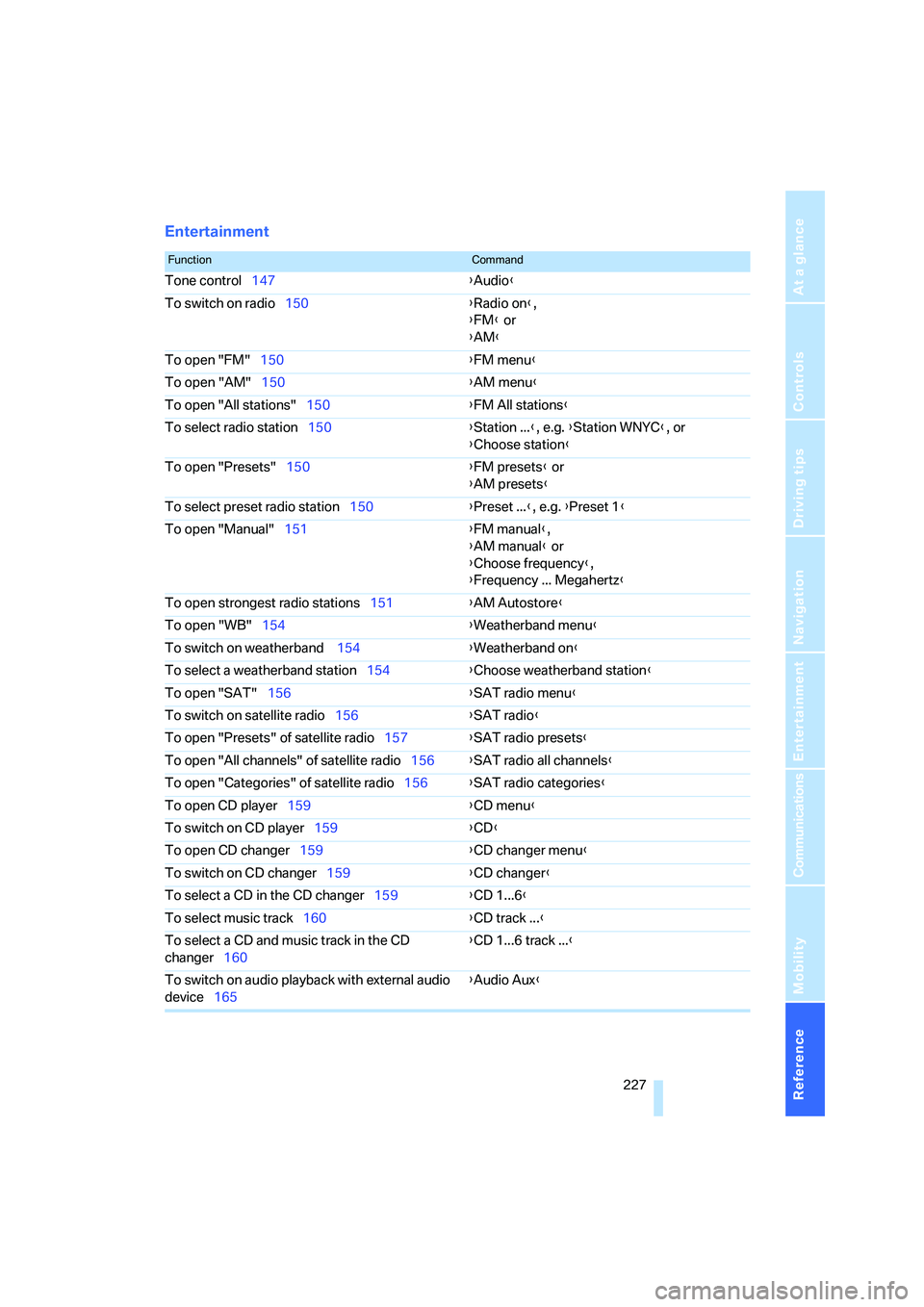
FunctionCommand
Tone control147{Audio}
To switch on radio150{Radio on},
{FM} or
{AM}
To open "FM"150{FM menu}
To open "AM"150{AM menu}
To open "All stations"150{FM All stations}
To select radio station150{Station ...}, e.g. {Station WNYC}, or
{Choose station}
To open "Presets"150{FM presets} or
{AM presets}
To select preset radio station150{Preset ...}, e.g. {Preset 1}
To open "Manual"151{FM manual},
{AM manual} or
{Choose frequency},
{Frequency ... Megahertz}
To open strongest radio stations151{AM Autostore}
To open "WB"154{Weatherband menu}
To switch on weatherband 154{Weatherband on}
To select a weatherband station154{Choose weatherband station}
To open "SAT"156{SAT radio menu}
To switch on satellite radio156{SAT radio}
To open "Presets" of satellite radio157{SAT radio presets}
To open "All channels" of satellite radio156{SAT radio all channels}
To open "Categories" of satellite radio156{SAT radio categories}
To open CD player159{CD menu}
To switch on CD player159{CD}
To open CD changer159{CD changer menu}
To switch on CD changer159{CD changer}
To select a CD in the CD changer159{CD 1...6}
To select music track160{CD track ...}
To select a CD and music track in the CD
changer160{CD 1...6 track ...}
To switch on audio playback with external audio
device165{Audio Aux}
Page 233 of 253
Reference 231
At a glance
Controls
Driving tips
Communications
Navigation
Entertainment
Mobility
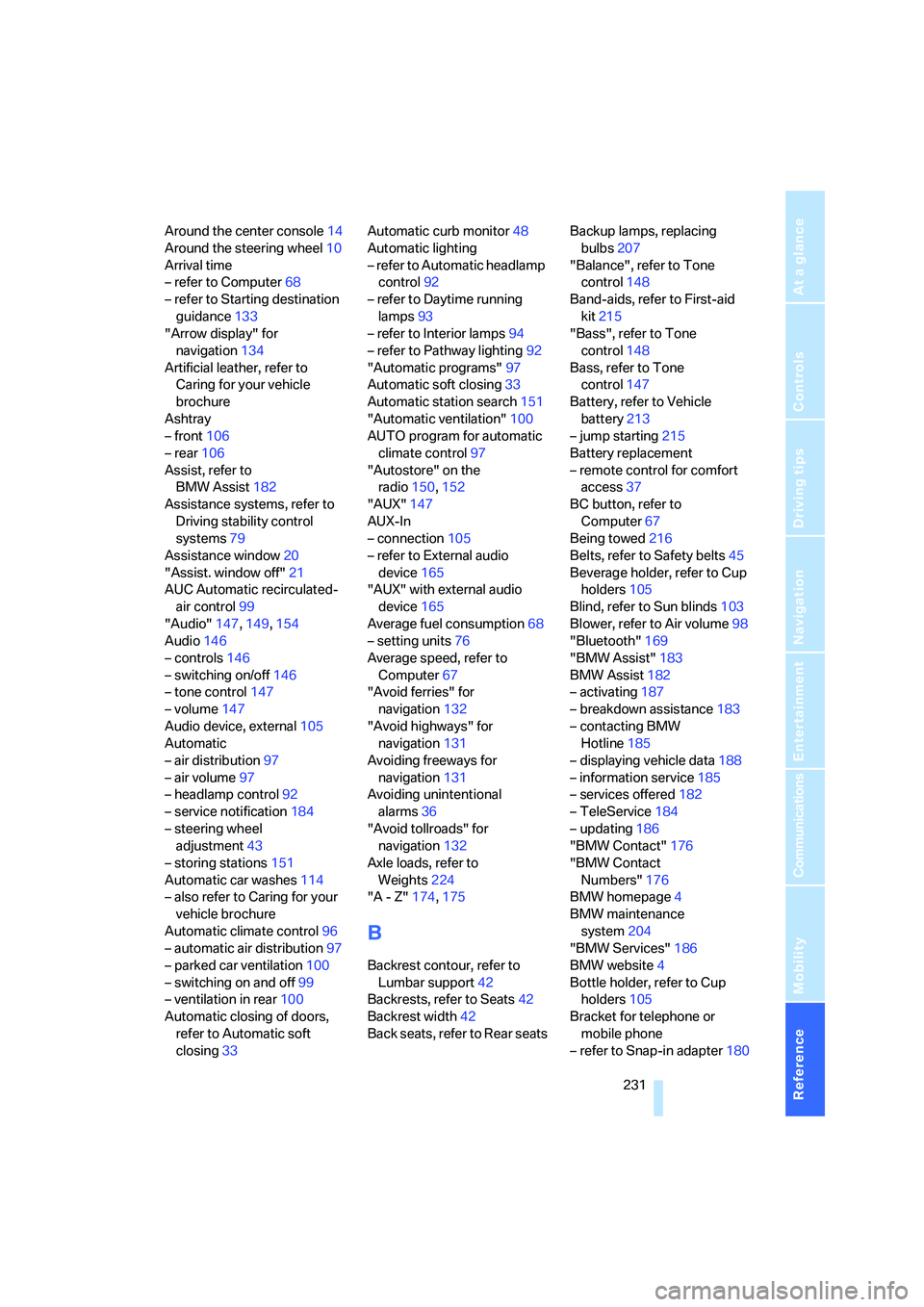
Around the center console14
Around the steering wheel10
Arrival time
– refer to Computer68
– refer to Starting destination
guidance133
"Arrow display" for
navigation134
Artificial leather, refer to
Caring for your vehicle
brochure
Ashtray
– front106
– rear106
Assist, refer to
BMW Assist182
Assistance systems, refer to
Driving stability control
systems79
Assistance window20
"Assist. window off"21
AUC Automatic recirculated-
air control99
"Audio"147,149,154
Audio146
– controls146
– switching on/off146
– tone control147
– volume147
Audio device, external105
Automatic
– air distribution97
– air volume97
– headlamp control92
– service notification184
– steering wheel
adjustment43
– storing stations151
Automatic car washes114
– also refer to Caring for your
vehicle brochure
Automatic climate control96
– automatic air distribution97
– parked car ventilation100
– switching on and off99
– ventilation in rear100
Automatic closing of doors,
refer to Automatic soft
closing33Automatic curb monitor48
Automatic lighting
– refer to Automatic headlamp
control92
– refer to Daytime running
lamps93
– refer to Interior lamps94
– refer to Pathway lighting92
"Automatic programs"97
Automatic soft closing33
Automatic station search151
"Automatic ventilation"100
AUTO program for automatic
climate control97
"Autostore" on the
radio150,152
"AUX"147
AUX-In
– connection105
– refer to External audio
device165
"AUX" with external audio
device165
Average fuel consumption68
– setting units76
Average speed, refer to
Computer67
"Avoid ferries" for
navigation132
"Avoid highways" for
navigation131
Avoiding freeways for
navigation131
Avoiding unintentional
alarms36
"Avoid tollroads" for
navigation132
Axle loads, refer to
Weights224
"A - Z"174,175
B
Backrest contour, refer to
Lumbar support42
Backrests, refer to Seats42
Backrest width42
Back seats, refer to Rear seatsBackup lamps, replacing
bulbs207
"Balance", refer to Tone
control148
Band-aids, refer to First-aid
kit215
"Bass", refer to Tone
control148
Bass, refer to Tone
control147
Battery, refer to Vehicle
battery213
– jump starting215
Battery replacement
– remote control for comfort
access37
BC button, refer to
Computer67
Being towed216
Belts, refer to Safety belts45
Beverage holder, refer to Cup
holders105
Blind, refer to Sun blinds103
Blower, refer to Air volume98
"Bluetooth"169
"BMW Assist"183
BMW Assist182
– activating187
– breakdown assistance183
– contacting BMW
Hotline185
– displaying vehicle data188
– information service185
– services offered182
– TeleService184
– updating186
"BMW Contact"176
"BMW Contact
Numbers"176
BMW homepage4
BMW maintenance
system204
"BMW Services"186
BMW website4
Bottle holder, refer to Cup
holders105
Bracket for telephone or
mobile phone
– refer to Snap-in adapter180
Page 236 of 253
Everything from A to Z
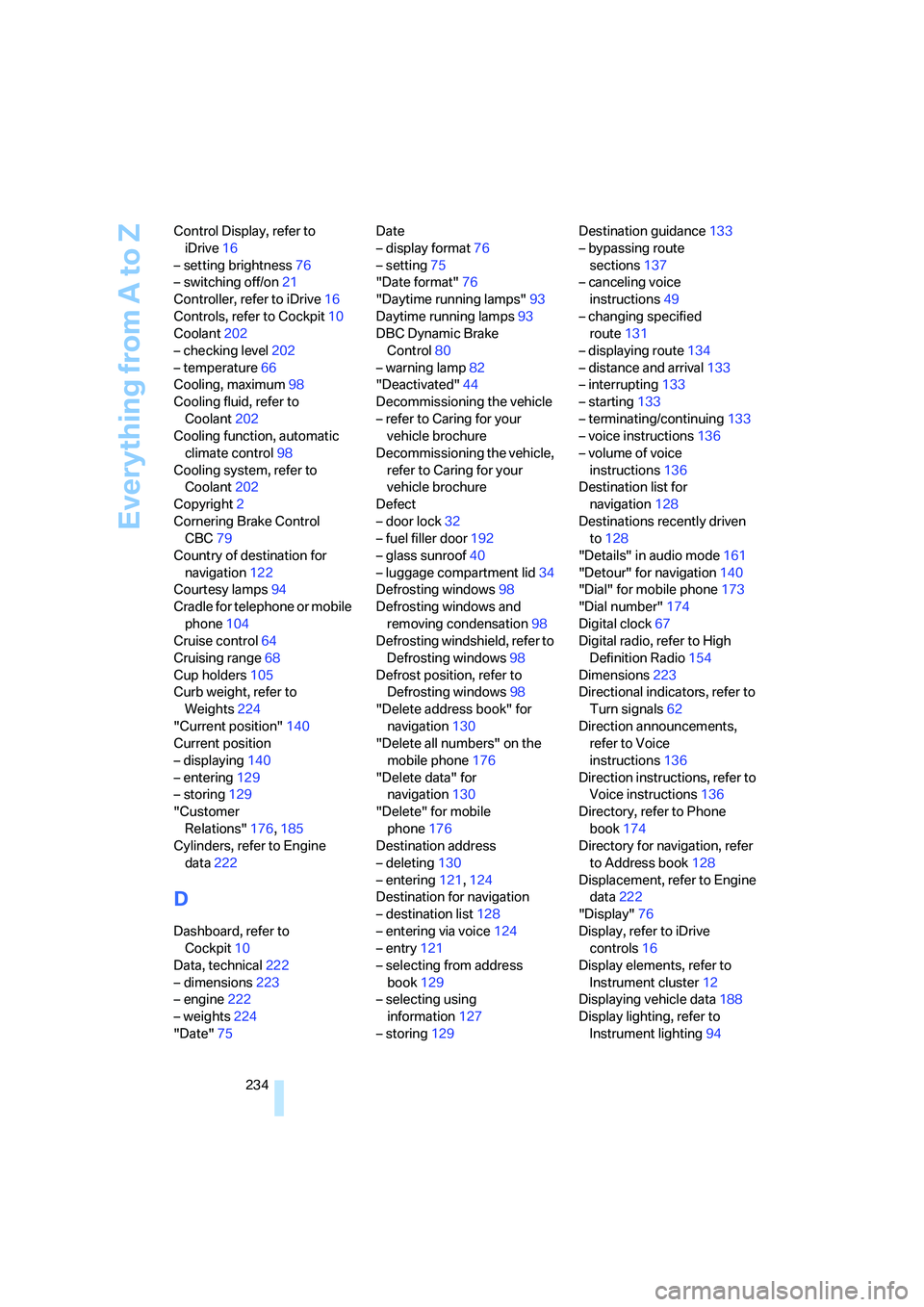
234 Control Display, refer to
iDrive16
– setting brightness76
– switching off/on21
Controller, refer to iDrive16
Controls, refer to Cockpit10
Coolant202
– checking level202
– temperature66
Cooling, maximum98
Cooling fluid, refer to
Coolant202
Cooling function, automatic
climate control98
Cooling system, refer to
Coolant202
Copyright2
Cornering Brake Control
CBC79
Country of destination for
navigation122
Courtesy lamps94
Cradle for telephone or mobile
phone104
Cruise control64
Cruising range68
Cup holders105
Curb weight, refer to
Weights224
"Current position"140
Current position
– displaying140
– entering129
– storing129
"Customer
Relations"176,185
Cylinders, refer to Engine
data222
D
Dashboard, refer to
Cockpit10
Data, technical222
– dimensions223
– engine222
– weights224
"Date"75Date
– display format76
– setting75
"Date format"76
"Daytime running lamps"93
Daytime running lamps93
DBC Dynamic Brake
Control80
– warning lamp82
"Deactivated"44
Decommissioning the vehicle
– refer to Caring for your
vehicle brochure
Decommissioning the vehicle,
refer to Caring for your
vehicle brochure
Defect
– door lock32
– fuel filler door192
– glass sunroof40
– luggage compartment lid34
Defrosting windows98
Defrosting windows and
removing condensation98
Defrosting windshield, refer to
Defrosting windows98
Defrost position, refer to
Defrosting windows98
"Delete address book" for
navigation130
"Delete all numbers" on the
mobile phone176
"Delete data" for
navigation130
"Delete" for mobile
phone176
Destination address
– deleting130
– entering121,124
Destination for navigation
– destination list128
– entering via voice124
– entry121
– selecting from address
book129
– selecting using
information127
– storing129Destination guidance133
– bypassing route
sections137
– canceling voice
instructions49
– changing specified
route131
– displaying route
134
– distance and arrival133
– interrupting133
– starting133
– terminating/continuing133
– voice instructions136
– volume of voice
instructions136
Destination list for
navigation128
Destinations recently driven
to128
"Details" in audio mode161
"Detour" for navigation140
"Dial" for mobile phone173
"Dial number"174
Digital clock67
Digital radio, refer to High
Definition Radio154
Dimensions223
Directional indicators, refer to
Turn signals62
Direction announcements,
refer to Voice
instructions136
Direction instructions, refer to
Voice instructions136
Directory, refer to Phone
book174
Directory for navigation, refer
to Address book128
Displacement, refer to Engine
data222
"Display"76
Display, refer to iDrive
controls16
Display elements, refer to
Instrument cluster12
Displaying vehicle data188
Display lighting, refer to
Instrument lighting94
Page 239 of 253
Reference 237
At a glance
Controls
Driving tips
Communications
Navigation
Entertainment
Mobility
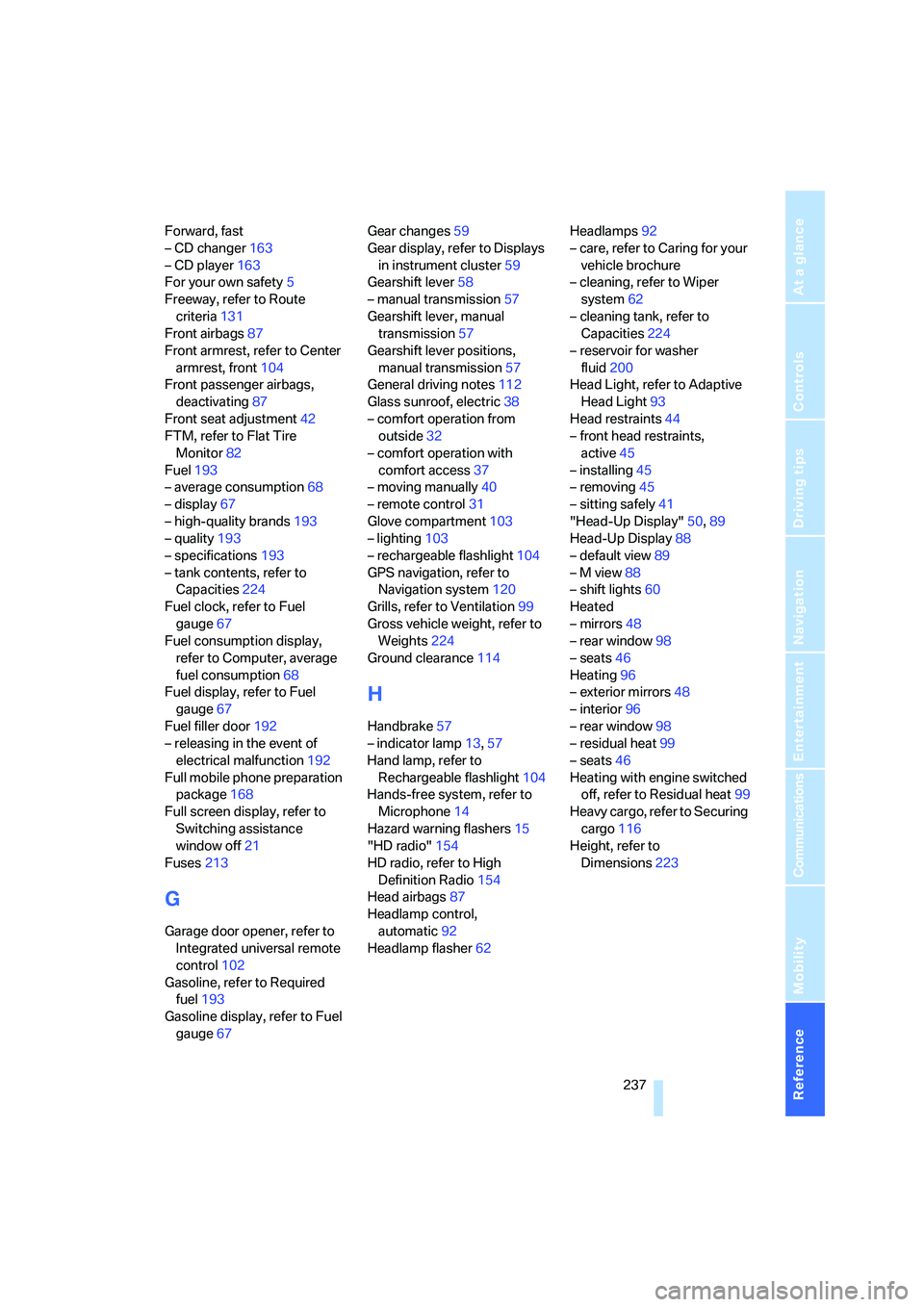
Forward, fast
– CD changer163
– CD player163
For your own safety5
Freeway, refer to Route
criteria131
Front airbags87
Front armrest, refer to Center
armrest, front104
Front passenger airbags,
deactivating87
Front seat adjustment42
FTM, refer to Flat Tire
Monitor82
Fuel193
– average consumption68
– display67
– high-quality brands193
– quality193
– specifications193
– tank contents, refer to
Capacities224
Fuel clock, refer to Fuel
gauge67
Fuel consumption display,
refer to Computer, average
fuel consumption68
Fuel display, refer to Fuel
gauge67
Fuel filler door192
– releasing in the event of
electrical malfunction192
Full mobile phone preparation
package168
Full screen display, refer to
Switching assistance
window off21
Fuses213
G
Garage door opener, refer to
Integrated universal remote
control102
Gasoline, refer to Required
fuel193
Gasoline display, refer to Fuel
gauge67Gear changes59
Gear display, refer to Displays
in instrument cluster59
Gearshift lever58
– manual transmission57
Gearshift lever, manual
transmission57
Gearshift lever positions,
manual transmission57
General driving notes112
Glass sunroof, electric38
– comfort operation from
outside32
– comfort operation with
comfort access37
– moving manually40
– remote control31
Glove compartment103
– lighting103
– rechargeable flashlight104
GPS navigation, refer to
Navigation system120
Grills, refer to Ventilation99
Gross vehicle weight, refer to
Weights224
Ground clearance114
H
Handbrake57
– indicator lamp13,57
Hand lamp, refer to
Rechargeable flashlight104
Hands-free system, refer to
Microphone14
Hazard warning flashers15
"HD radio"154
HD radio, refer to High
Definition Radio154
Head airbags87
Headlamp control,
automatic92
Headlamp flasher62Headlamps92
– care, refer to Caring for your
vehicle brochure
– cleaning, refer to Wiper
system62
– cleaning tank, refer to
Capacities224
– reservoir for washer
fluid200
Head Light, refer to Adaptive
Head Light93
Head restraints44
– front head restraints,
active45
– installing45
– removing45
– sitting safely41
"Head-Up Display"50,89
Head-Up Display88
– default view89
– M view88
– shift lights60
Heated
– mirrors48
– rear window98
– seats46
Heating96
– exterior mirrors48
– interior96
– rear window98
– residual heat99
– seats46
Heating with engine switched
off, refer to Residual heat99
Heavy cargo, refer to Securing
cargo116
Height, refer to
Dimensions223
Page 240 of 253
Everything from A to Z
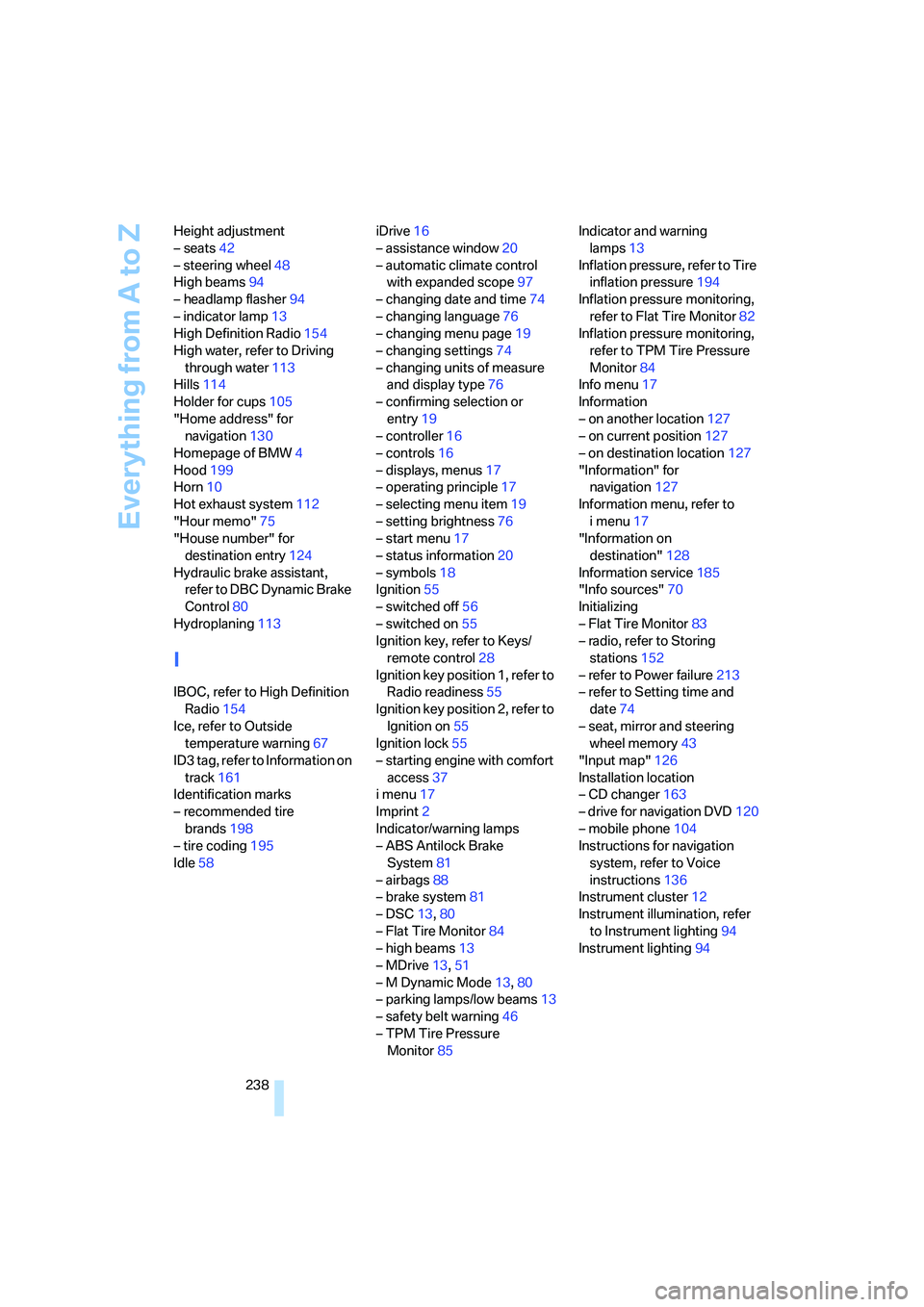
238 Height adjustment
– seats42
– steering wheel48
High beams94
– headlamp flasher94
– indicator lamp13
High Definition Radio154
High water, refer to Driving
through water113
Hills114
Holder for cups105
"Home address" for
navigation130
Homepage of BMW4
Hood199
Horn10
Hot exhaust system112
"Hour memo"75
"House number" for
destination entry124
Hydraulic brake assistant,
refer to DBC Dynamic Brake
Control80
Hydroplaning113
I
IBOC, refer to High Definition
Radio154
Ice, refer to Outside
temperature warning67
ID3 tag, refer to Information on
track161
Identification marks
– recommended tire
brands198
– tire coding195
Idle58iDrive16
– assistance window20
– automatic climate control
with expanded scope97
– changing date and time74
– changing language76
– changing menu page19
– changing settings74
– changing units of measure
and display type76
– confirming selection or
entry19
– controller16
– controls16
– displays, menus17
– operating principle17
– selecting menu item19
– setting brightness76
– start menu17
– status information20
– symbols18
Ignition55
– switched off56
– switched on55
Ignition key, refer to Keys/
remote control28
Ignition key position 1, refer to
Radio readiness55
Ignition key position 2, refer to
Ignition on55
Ignition lock55
– starting engine with comfort
access37
i menu17
Imprint2
Indicator/warning lamps
– ABS Antilock Brake
System81
– airbags88
– brake system81
– DSC13,80
– Flat Tire Monitor84
– high beams13
– MDrive13,51
– M Dynamic Mode
13,80
– parking lamps/low beams13
– safety belt warning46
– TPM Tire Pressure
Monitor85Indicator and warning
lamps13
Inflation pressure, refer to Tire
inflation pressure194
Inflation pressure monitoring,
refer to Flat Tire Monitor82
Inflation pressure monitoring,
refer to TPM Tire Pressure
Monitor84
Info menu17
Information
– on another location127
– on current position127
– on destination location127
"Information" for
navigation127
Information menu, refer to
imenu17
"Information on
destination"128
Information service185
"Info sources"70
Initializing
– Flat Tire Monitor83
– radio, refer to Storing
stations152
– refer to Power failure213
– refer to Setting time and
date74
– seat, mirror and steering
wheel memory43
"Input map"126
Installation location
– CD changer163
– drive for navigation DVD120
– mobile phone104
Instructions for navigation
system, refer to Voice
instructions136
Instrument cluster12
Instrument illumination, refer
to Instrument lighting94
Instrument lighting94
Page 243 of 253
Reference 241
At a glance
Controls
Driving tips
Communications
Navigation
Entertainment
Mobility
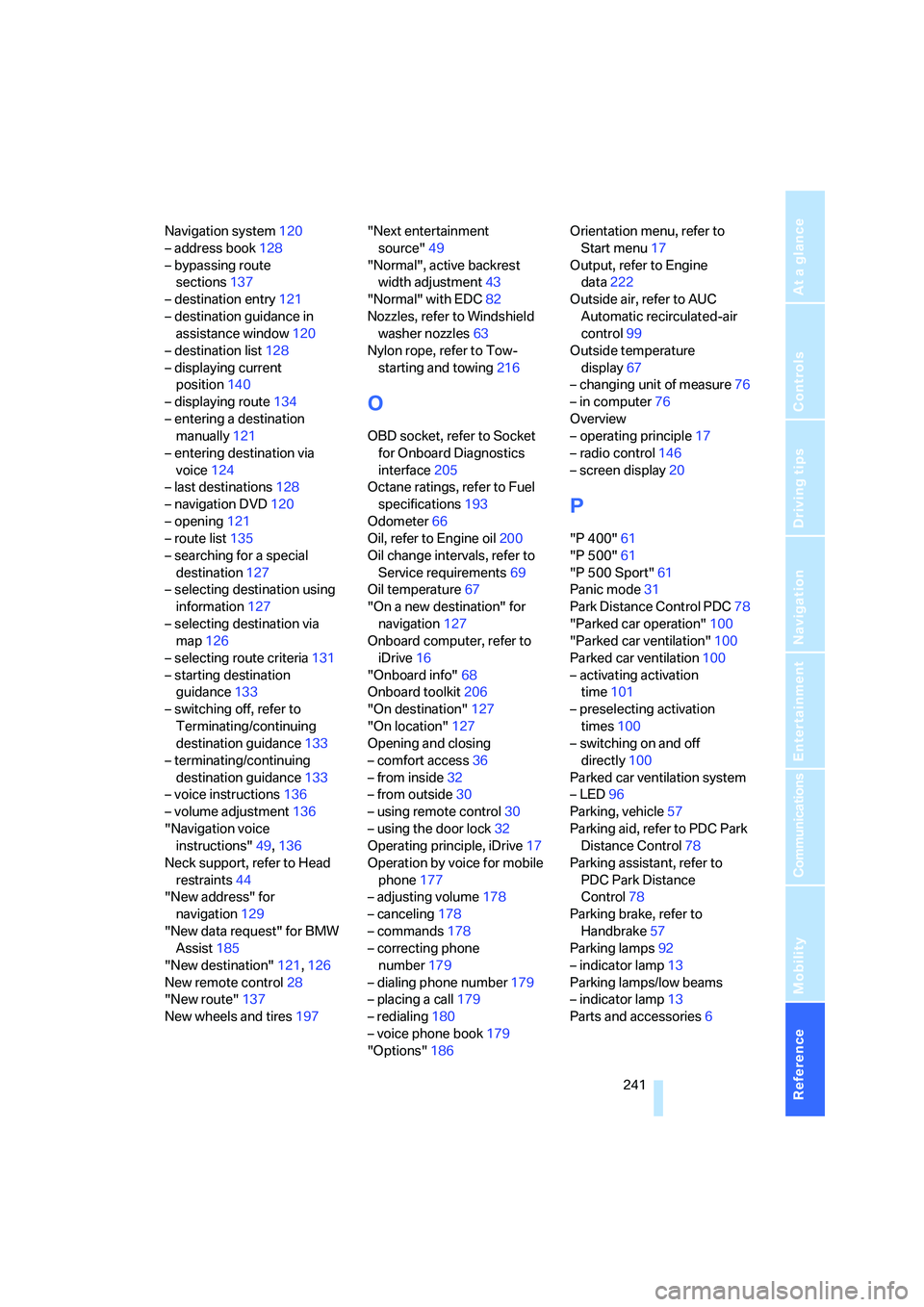
Navigation system120
– address book128
– bypassing route
sections137
– destination entry121
– destination guidance in
assistance window120
– destination list128
– displaying current
position140
– displaying route134
– entering a destination
manually121
– entering destination via
voice124
– last destinations128
– navigation DVD120
– opening121
– route list135
– searching for a special
destination127
– selecting destination using
information127
– selecting destination via
map126
– selecting route criteria131
– starting destination
guidance133
– switching off, refer to
Terminating/continuing
destination guidance133
– terminating/continuing
destination guidance133
– voice instructions136
– volume adjustment136
"Navigation voice
instructions"49,136
Neck support, refer to Head
restraints44
"New address" for
navigation129
"New data request" for BMW
Assist185
"New destination"121,126
New remote control28
"New route"137
New wheels and tires197"Next entertainment
source"49
"Normal", active backrest
width adjustment43
"Normal" with EDC82
Nozzles, refer to Windshield
washer nozzles63
Nylon rope, refer to Tow-
starting and towing216
O
OBD socket, refer to Socket
for Onboard Diagnostics
interface205
Octane ratings, refer to Fuel
specifications193
Odometer66
Oil, refer to Engine oil200
Oil change intervals, refer to
Service requirements69
Oil temperature67
"On a new destination" for
navigation127
Onboard computer, refer to
iDrive16
"Onboard info"68
Onboard toolkit206
"On destination"127
"On location"127
Opening and closing
– comfort access36
– from inside32
– from outside30
– using remote control30
– using the door lock32
Operating principle, iDrive17
Operation by voice for mobile
phone177
– adjusting volume178
– canceling178
– commands178
– correcting phone
number179
– dialing phone number179
– placing a call179
– redialing180
– voice phone book179
"Options"186Orientation menu, refer to
Start menu17
Output, refer to Engine
data222
Outside air, refer to AUC
Automatic recirculated-air
control99
Outside temperature
display67
– changing unit of measure76
– in computer76
Overview
– operating principle17
– radio control146
– screen display20
P
"P 400"61
"P 500"61
"P 500 Sport"61
Panic mode31
Park Distance Control PDC78
"Parked car operation"100
"Parked car ventilation"100
Parked car ventilation100
– activating activation
time101
– preselecting activation
times100
– switching on and off
directly100
Parked car ventilation system
– LED96
Parking, vehicle57
Parking aid, refer to PDC Park
Distance Control78
Parking assistant, refer to
PDC Park Distance
Control78
Parking brake, refer to
Handbrake57
Parking lamps92
– indicator lamp13
Parking lamps/low beams
– indicator lamp13
Parts and accessories6
Page 244 of 253
Everything from A to Z
242 Passenger airbags,
deactivating, refer to
Exception for front
passenger seat52
Passenger-side exterior
mirror, tilting down48
"Pathway lighting"93
Pathway lighting92
"PDC"79
"PDC display on"79
PDC Park Distance Control78
Personal Profile29
"Perspective"135
"Phone"170,173
Phone book172
– changing entry174
– creating and editing voice
phone book179
– deleting all entries176
– deleting entry176
– dialing phone number174
Phone numbers
– deleting from phone
book176
– dialing173
– most recent numbers175
– selecting in phone book175
– Top 8175
Pinch protection system
– glass sunroof, electric39
– power windows38
Plasters, refer to First-aid
kit215
Plastic, refer to Caring for your
vehicle brochure
"Play" for radio157
"Play" in audio mode160
Plug-in unit for remote
control, refer to Ignition
lock55
Pollen, refer to Microfilter/
activated charcoal filter100
Position
– displaying140
– storing129
"POWER"50
POWER, refer to M Engine
Dynamic Control61Power failure213
Power windows, refer to
Windows37
Preselecting activation times
of the parked car
ventilation100
"Presets" on the
radio150,156
Pressure, tires194
– producing with M Mobility
System208
Pressure monitoring of tires,
refer to TPM Tire Pressure
Monitor84
"Profile"188
Programmable button on
steering wheel49
Programming button function,
refer to Programmable
button on steering wheel49
Protective function, refer to
Pinch protection system
– glass sunroof, electric39
– windows38
R
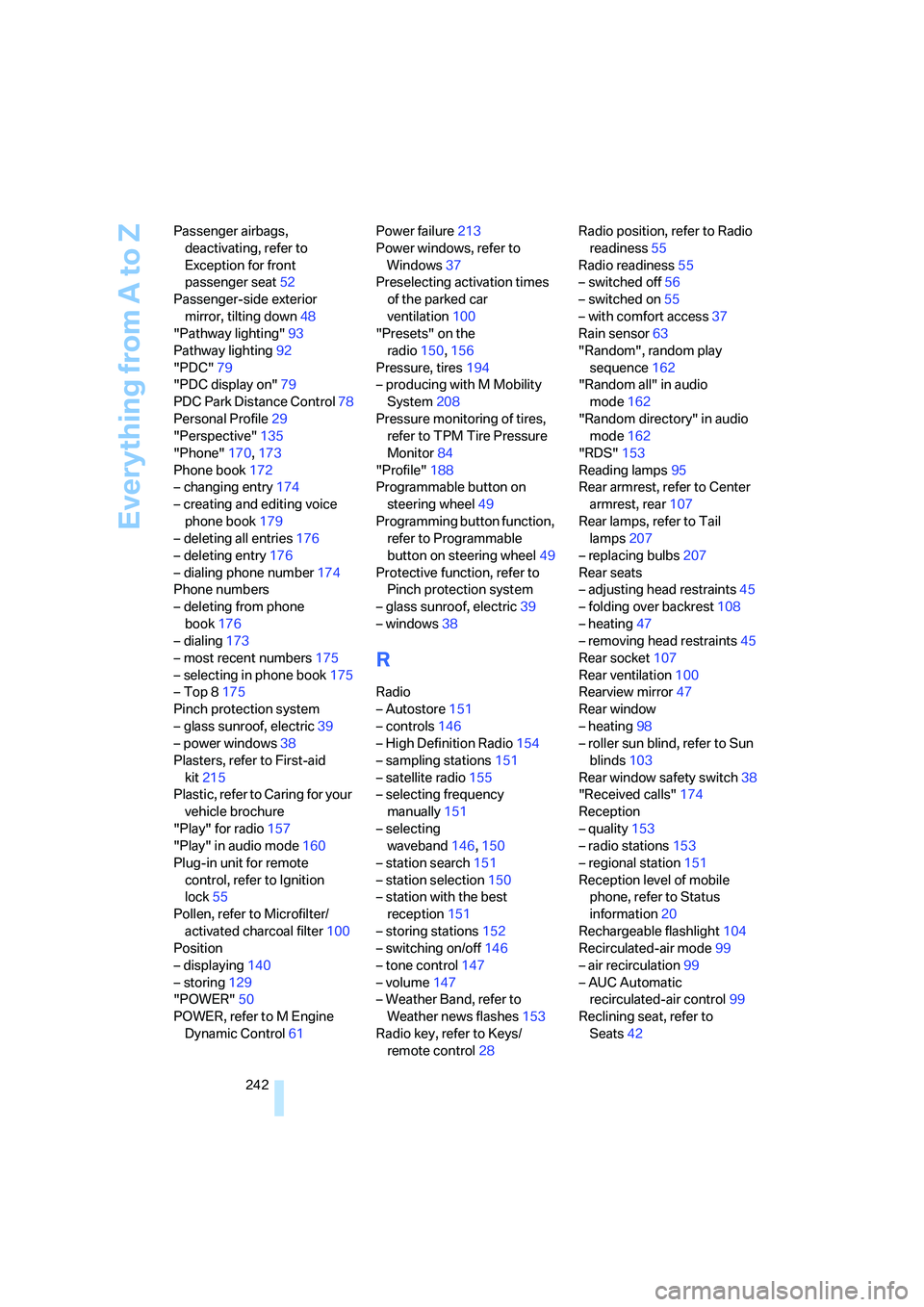
Radio
– Autostore151
– controls146
– High Definition Radio154
– sampling stations151
– satellite radio155
– selecting frequency
manually151
– selecting
waveband146,150
– station search151
– station selection150
– station with the best
reception151
– storing stations152
– switching on/off146
– tone control147
– volume147
– Weather Band, refer to
Weather news flashes153
Radio key, refer to Keys/
remote control28Radio position, refer to Radio
readiness55
Radio readiness55
– switched off56
– switched on55
– with comfort access37
Rain sensor63
"Random", random play
sequence162
"Random all" in audio
mode162
"Random directory" in audio
mode162
"RDS"153
Reading lamps95
Rear armrest, refer to Center
armrest, rear107
Rear lamps, refer to Tail
lamps207
– replacing bulbs207
Rear seats
– adjusting head restraints45
– folding over backrest108
– heating47
– removing head restraints45
Rear socket107
Rear ventilation100
Rearview mirror47
Rear window
– heating98
– roller sun blind, refer to Sun
blinds103
Rear window safety switch38
"Received calls"174
Reception
– quality153
– radio stations
153
– regional station151
Reception level of mobile
phone, refer to Status
information20
Rechargeable flashlight104
Recirculated-air mode99
– air recirculation99
– AUC Automatic
recirculated-air control99
Reclining seat, refer to
Seats42