maintenance BMW M5 2010 User Guide
[x] Cancel search | Manufacturer: BMW, Model Year: 2010, Model line: M5, Model: BMW M5 2010Pages: 266, PDF Size: 9.08 MB
Page 203 of 266
Mobility
This section helps you maintain your car's
mobility by supplying important information
on vital topics, including fuels and lubricants,
wheels and tires, service, maintenance and
breakdown assistance.
Mobility
Page 205 of 266
Mobility
203Reference
At a glance
Controls
Driving tips
Communications
Navigation
Entertainment
A message* is displayed if the cap is loose or
missing.
Fuel specifications
Do not use leaded gasoline, otherwise
permanent damage to the catalytic con-
verter will result.
Do not use E85, i.e. fuel that consists of 85%
ethanol, or Flex Fuel. Otherwise permanent
damage to the engine and the fuel supply sys-
tem will result.<
Required fuel
Super Premium Gasoline/AKI 93
Always use this premium grade fuel to obtain
maximum fuel economy and performance.
The minimum approved fuel grade is AKI 91.
Do not use gasoline below the specified
minimum quality, otherwise engine dam-
age can result.<
Use high-quality brands
Field experience has indicated significant dif-
ferences in fuel quality: volatility, composition,
additives, etc., among gasolines offered for sale
in the United States and Canada. Fuels contain-
ing up to and including 10 % ethanol or other
oxygenates with up to 2.8 % oxygen by weight,
that is, 15 % MTBE or 3 % methanol plus an
equivalent amount of co-solvent, will not void
the applicable warranties with respect to
defects in materials or workmanship.
The use of poor-quality fuels may result in
drivability, starting and stalling problems
especially under certain environmental condi-
tions such as high ambient temperature and
high altitude.
Should you encounter drivability problems
which you suspect could be related to the fuel
you are using, we recommend that you respond
by switching to a recognized high-quality brand
such as gasoline that is advertised as Top Tier
Detergent Gasoline.
Failure to comply with these recommendations
may also result in unscheduled maintenance.<
Page 206 of 266
Wheels and tires
204
Wheels and tires
Tire inflation pressure
Information for your safety
The condition of the tires and the maintenance
of the specified tire pressure are crucial not only
to the tire's service life, but also to driving com-
fort and most importantly, driving safety.
Checking pressure
Only check tire inflation pressure when the tires
are cold. This means after a maximum of
1.25 miles/2 km driving or when the vehicle has
been parked for at least 2 hours. When tires are
warm, the tire inflation pressure increases.
Check the tire inflation pressure regularly
and correct if necessary, including on the
spare wheel
*: at least twice a month and before
starting long trips. Otherwise driving instability
or tire damage, and therefore accidents, can
result from incorrect tire inflation pressures. Do
not drive with a depressurized, i.e. flat, tire. A flat
tire will seriously impair your vehicle's handling
and braking response. Attempts to drive on a
flat tire can lead to a loss of control over the
vehicle.<
After correcting the tire inflation pressure,
reinitialize the Flat Tire Monitor, refer to
page84, or reset the Tire Pressure Monitor,
refer to page86.<
Pressure specifications
The tables below provide all the correct inflation
pressures for the specified tire sizes at ambient
temperature.
The inflation pressures apply to the tire
sizes and tire brands respectively
approved and recommended by BMW; a list of
these is available from your BMW center.<
For correct identification of the right tire infla-
tion pressure for your tires, observe the follow-
ing:
>Tire sizes of your vehicle>Load conditions
>Maximum allowable driving speed
Tire inflation pressures for speeds
up to 100 mph/160 km/h
For normal driving up to 100 mph/160 km/h,
adjust pressures to the respective tire inflation
pressures listed on the following pages in the
column Traveling speeds up to max. 100 mph/
160 km/h to achieve optimum driving comfort.
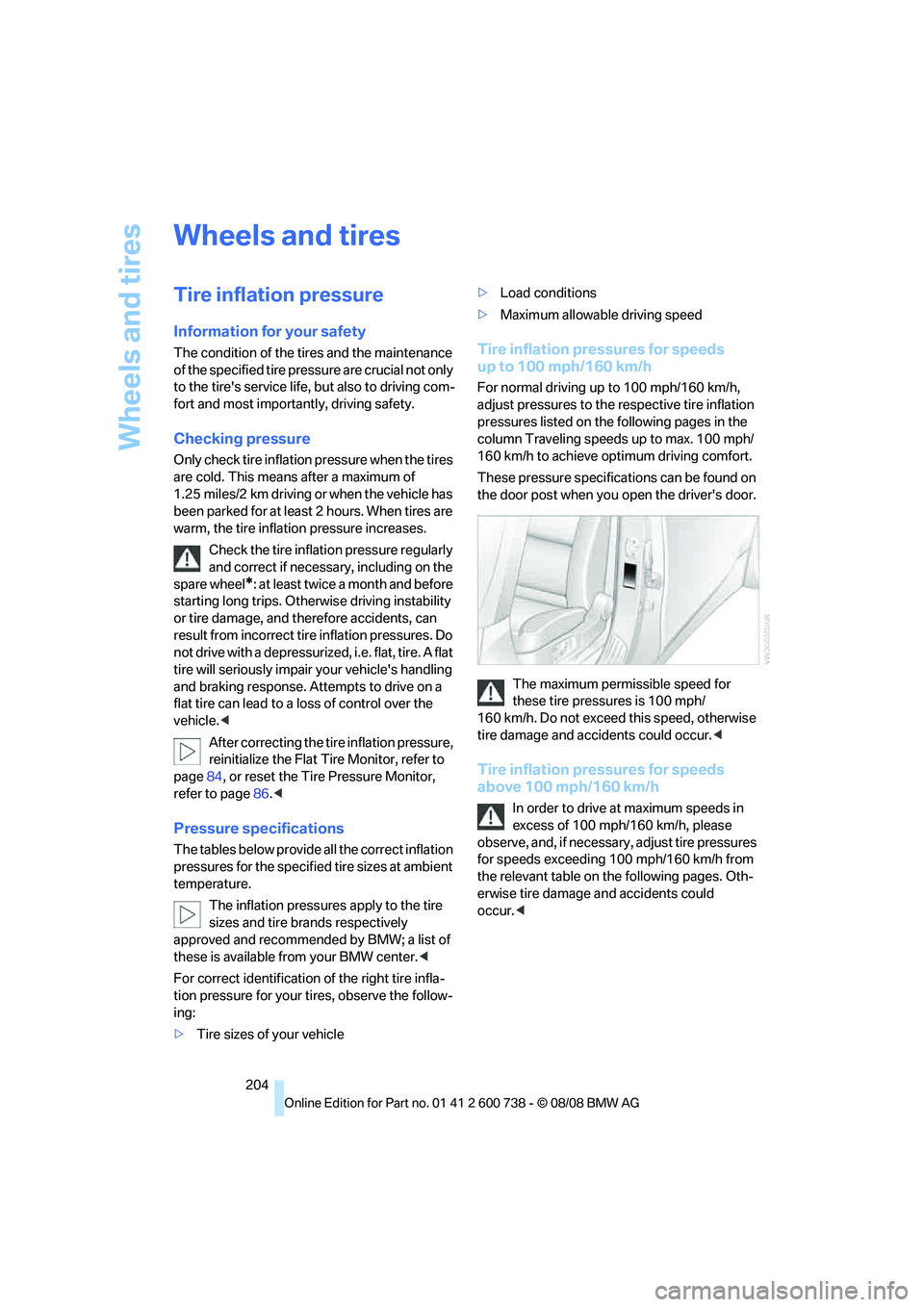
These pressure specifications can be found on
the door post when you open the driver's door.
The maximum permissible speed for
these tire pressures is 100 mph/
160 km/h. Do not exceed this speed, otherwise
tire damage and accidents could occur.<
Tire inflation pressures for speeds
above 100 mph/160 km/h
In order to drive at maximum speeds in
excess of 100 mph/160 km/h, please
o b s e r v e , a n d , i f n e c e s s a r y , a d j u s t t i r e p r e s s u r e s
for speeds exceeding 100 mph/160 km/h from
the relevant table on the following pages. Oth-
erwise tire damage and accidents could
occur.<
Page 218 of 266
Maintenance
216
Maintenance
BMW maintenance system
The BMW maintenance system supports the
preservation of the traffic and operating safety
of your BMW. The ultimate objective is to
ensure economical maintenance by providing
the ideal service for your vehicle.
Should the day come when you decide to sell
your BMW, a complete dealer service history
will prove to be an asset of inestimable value.
CBS Condition Based Service
Sensors and special algorithms take the differ-
ent driving conditions of your BMW into
account. Condition Based Service uses this to
determine the current and future service
requirements. By letting you define a service
and maintenance regimen that reflects your
own individual requirements, the system builds
the basis for trouble-free driving.
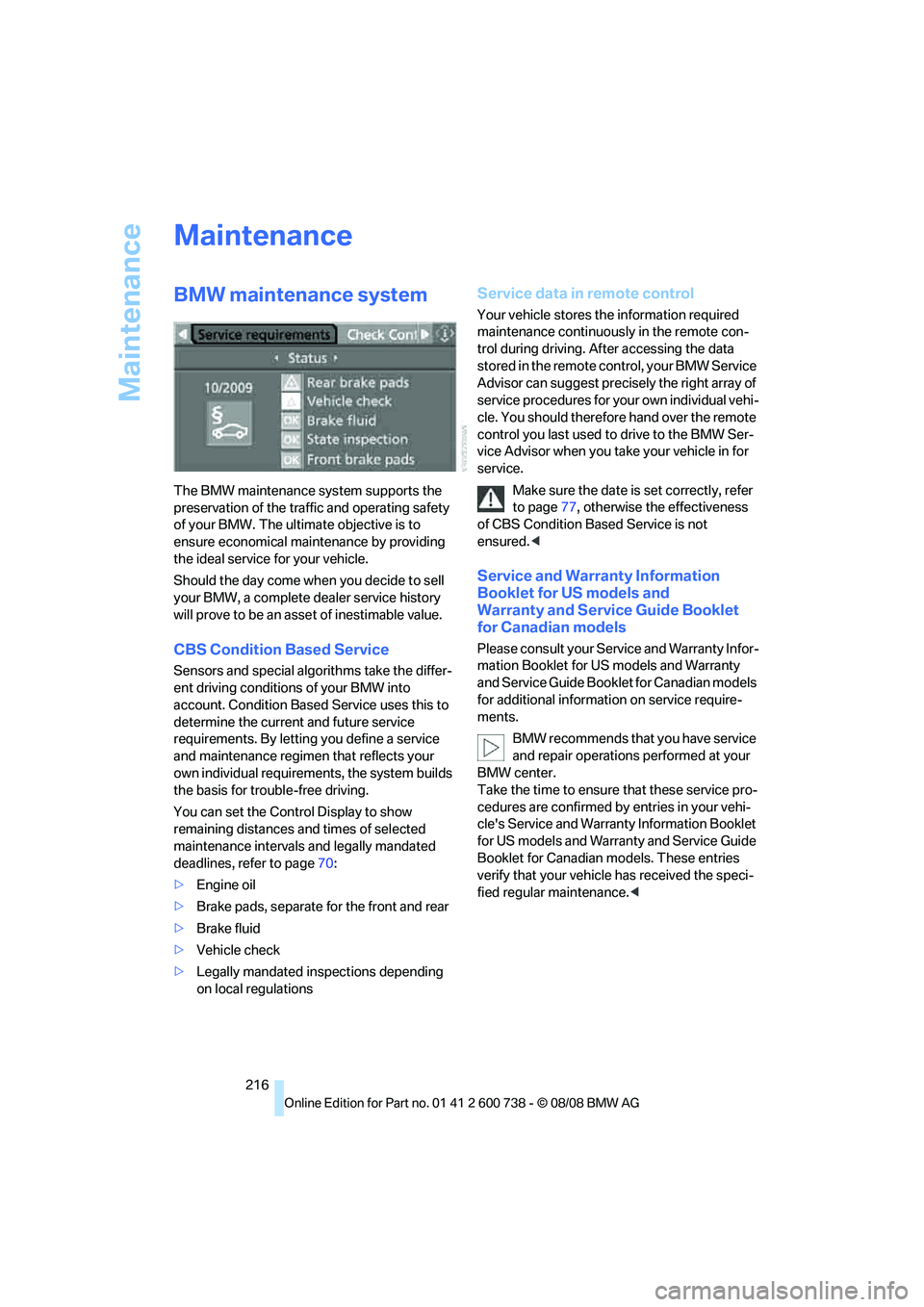
You can set the Control Display to show
remaining distances and times of selected
maintenance intervals and legally mandated
deadlines, refer to page70:
>Engine oil
>Brake pads, separate for the front and rear
>Brake fluid
>Vehicle check
>Legally mandated inspections depending
on local regulations
Service data in remote control
Your vehicle stores the information required
maintenance continuously in the remote con-
trol during driving. After accessing the data
stored in the remote control, your BMW Service
Advisor can suggest precisely the right array of
service procedures for your own individual vehi-
cle. You should therefore hand over the remote
control you last used to drive to the BMW Ser-
vice Advisor when you take your vehicle in for
service.
Make sure the date is set correctly, refer
to page77, otherwise the effectiveness
of CBS Condition Based Service is not
ensured.<
Service and Warranty Information
Booklet for US models and
Warranty and Service Guide Booklet
for Canadian models
Please consult your Service and Warranty Infor-
mation Booklet for US models and Warranty
and Service Guide Booklet for Canadian models
for additional information on service require-
ments.
BMW recommends that you have service
and repair operations performed at your
BMW center.
Take the time to ensure that these service pro-
cedures are confirmed by entries in your vehi-
cle's Service and Warranty Information Booklet
for US models and Warranty and Service Guide
Booklet for Canadian models. These entries
verify that your vehicle has received the speci-
fied regular maintenance.<
Page 232 of 266
Replacing components
230
Vehicle battery
Battery care
The battery is 100 % maintenance-free, i.e., the
electrolyte will last for the life of the battery
when the vehicle is operated in a temperate cli-
mate. Your BMW center will be glad to advise in
all matters concerning the battery.
Charging battery
Only charge the battery in the vehicle via the
terminals in the engine compartment with the
engine switched off. Connections, refer to
Jump starting on page232.
Disposal
Have old batteries disposed of by your
BMW center or hand them in to a recy-
cling center. Maintain the battery in an upright
position for transport and storage. Always
restrain the battery to prevent it from tipping
over during transport.<
Power failure
Following a temporary power failure, e.g. due to
a discharged battery, the use of some equip-
ment will be restricted, requiring its reinitializa-
tion. In the same way, individual settings are lost
and must be updated again:
>Seat, mirror and steering wheel memory
The positions must be stored again, refer to
page45.
>Time and date
Must be updated again, refer to page76.
>Radio
Radio stations must be stored again, refer
to page156.
>Navigation system
You must wait until the system becomes
functional again, refer to page124.
>Glass roof, electric
It may only be possible to raise the glass
roof. The system must be initialized, refer to
page41.
>Power windows
The pinch prevention system for the power windows must be reinitialized, refer to
page39.
Talk to your BMW center before placing
the stored vehicle back in service.<
Fuses
Never attempt to repair a blown fuse and
do not replace a defective fuse with a sub-
stitute of another color or amperage rating, as
this could lead to a circuit overload, ultimately
resulting in a fire in the vehicle.<
Spare fuses, plastic tweezers and fuse alloca-
tion diagram are located in the compartment for
the onboard tool kit, refer to page222.
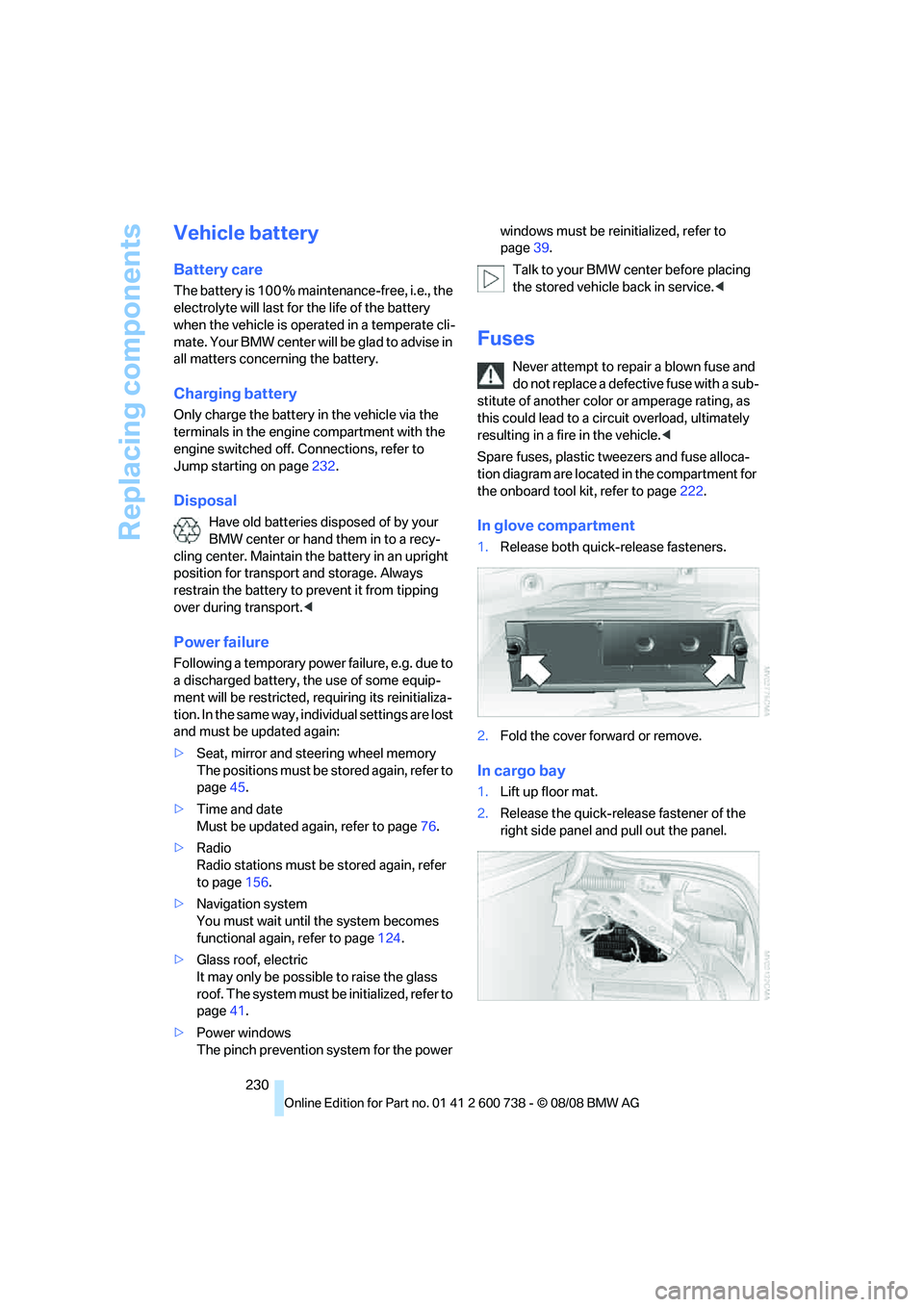
In glove compartment
1.Release both quick-release fasteners.
2.Fold the cover forward or remove.
In cargo bay
1.Lift up floor mat.
2.Release the quick-release fastener of the
right side panel and pull out the panel.
Page 247 of 266
Reference 245
At a glance
Controls
Driving tips
Communications
Navigation
Entertainment
Mobility
Assistance window21
"Assist. window off"22
AUC Automatic recirculated-
air control101
"Audio"151,153,158
Audio150
– controls150
– switching on/off150
– tone control151
– volume151
Audio device, external108
Automatic
– air distribution99
– air volume99
– headlamp control93
– service notification193
– steering wheel
adjustment45
– storing stations156
Automatic car washes118
Automatic climate control98
– automatic air distribution99
– parked car ventilation102
– switching on and off102
– ventilation in rear102
Automatic closing of doors,
refer to Automatic soft
closing35
Automatic curb monitor50
Automatic lighting
– refer to Automatic headlamp
control93
– refer to Daytime running
lamps94
– refer to Interior lamps97
– refer to Pathway lighting94
– refer to Welcome lamps93
Automatic lights
– refer to High-beam
assistant95
Automatic low beams, refer to
High-beam assistant95
"Automatic programs"99
Automatic soft closing35
Automatic station search155
"Automatic ventilation"103
AUTO program for automatic
climate control99
"Auto Request"193"Autostore" on the
radio154,156
"AUX"150,170,172
AUX-IN connection
170
"AUX IN" in audio mode170
Average fuel consumption69
– setting units77
Average speed, refer to
Computer68
"Avoid ferries" in
navigation137
"Avoid highways" in
navigation137
Avoiding freeways for
navigation136
Avoiding unintentional
alarms37
"Avoid tollroads" in
navigation137
Axle loads, refer to
Weights239
"A - Z"184
B
"Backrest"53
Backrest contour, refer to
Lumbar support44
Backrests, refer to Seats43
Backrest width44
Back seats, refer to Rear seats
Backup lamps, replacing
bulbs224
"Balance", tone control152
Band-aids, refer to First-aid
kit232
Bass, refer to Tone
control151
"Bass", tone control151
Battery, refer to Vehicle
battery230
– jump starting232
Battery replacement
– remote control for comfort
access39
BC button, refer to
Computer68
Being towed233
Belts, refer to Safety belts47Beverage holder, refer to Cup
holders109
Blind, refer to Sun blinds106
Blower, refer to Air
volume100
"Bluetooth"177
BMW
– Car Shampoo220
"BMW Assist"192,193
BMW Assist191
– activating197
– BMW TeleServices193
– concierge service194
– contacting BMW Customer
Relations194
– displaying vehicle data198
– offered services191
– roadside assistance192
– updating196
BMW Assist My Info195
"BMW Contact"186
"BMW Contact
Numbers"186
BMW homepage4
BMW maintenance
system216
"BMW Service settings"196
BMW TeleServices193
BMW TeleServices services
– displaying194
– updating194
BMW website4
Bottle holder, refer to Cup
holders109
Bracket for telephone or
mobile phone
– refer to Snap-in adapter189
Brake assistant80
Brake force display88
Brake lamps
– replacing bulbs224
– two-stage88
Brake rotors
– breaking-in116
– refer to Braking safely117
Page 255 of 266
Reference 253
At a glance
Controls
Driving tips
Communications
Navigation
Entertainment
Mobility
Loading
– securing cargo119
– stowing cargo119
– vehicle118
Load securing equipment,
refer to Securing cargo119
"Lock after driving"35
Lock buttons in the doors,
refer to Lokking35
Locking33
– confirmation signals33
– from inside35
– from outside33
– without key, refer to Comfort
access38
Locking and unlocking doors
– confirmation signals33
– from inside34
– from outside32
Low beams93
– automatic93
– indicator lamp13
Lower back support, refer to
Lumbar support44
Lug bolts228
– tightening torque, refer to
After mounting229
– wrench228
Luggage compartment lid35
– emergency release36
– locking with remote
control33
– opening from inside35
– opening from outside36
– opening with remote
control33
– unlocking and locking from
inside34
Luggage compartment lid/
tailgate
– comfort access39
Luggage rack, refer to Roof-
mounted luggage rack119
Lumbar support44LW, waveband154
M
M Dynamic Mode MDM81
– indicator lamp13,81
M Engine Dynamic Control59
– "P 400"60
– "P 500"60
– "P 500 Sport"60
M Mobility System225
M+S tires, refer to Winter
tires208
Maintenance216
– refer to Service and
Warranty Information
Booklet for US models216
– refer to Service
requirements70
– refer to Warranty and
Service Guide Booklet for
Canadian models216
Maintenance system216
Malfunction warnings, refer to
Check Control72
Manual air distribution100
"Manual" in radio mode155
Manual operation
– door lock34
– driver's door34
– fuel filler door202
– glass sunroof41
– luggage compartment lid36
Manual transmission59
– tow-starting234
"Map direction of travel"140
Map display140
"Map facing north"140
Map for navigation
– changing scale140
– destination entry131
Map view facing north140
Master key, refer to Keys/
remote control30
Maximum cooling101
Maximum speed with winter
tires208MDM, refer to M Dynamic
Mode81
MDrive52
"M Dynamic Mode"81
Measurements, refer to
Dimensions238
Memory, refer to Seat, mirror
and steering wheel
memory45
MENU, button refer to Start
menu18
Menus, refer to iDrive16
Message list for traffic
information143
Microfilter102
Microphone
– for telephone14
– for voice command
system14
Mirror dimming feature51
Mirrors50
– automatic curb monitor50
– folding in and out50
– heating50
– memory, refer to Seat, mirror
and steering wheel
memory45
"Missed calls"184
Missed calls185
Mobile phone
– accepted calls185
– adjusting volume182
– calling183
– ending call183
– installation location, refer to
Center armrest107
– missed calls185
– operation by voice187
– operation via iDrive182
– redialing185
– refer to separate operating
instructions107
– Top 8185
– touch tone dialing, refer to
Tone dialing method186
Mobile phone battery190
Mobility System225
Monitor, refer to iDrive16