ignition BMW M5 SEDAN 2002 Owners Manual
[x] Cancel search | Manufacturer: BMW, Model Year: 2002, Model line: M5 SEDAN, Model: BMW M5 SEDAN 2002Pages: 154, PDF Size: 2.17 MB
Page 4 of 154

Contents
© 2001 BMW M GmbH
Munich, Germany
Reprinting, including excerpts, only with the
written consent of BMW AG, Munich.
Order no. 01 41 0 156 225
US English VIII/01
Printed in Germany
Printed on environmentally friendly paper
(bleached without chlorine, suitable for recycling).
Overview
Controls and features
Cockpit14
Instrument cluster15
Indicator and warning lamps16
Steering wheel with multifunction
buttons19
Warning triangle20
First-aid kit20
Refueling20
Fuel specifications22
Tire inflation pressure22
Opening and closing:
Keys26
Central locking system26
Opening and closing Ð via the
door lock27
Opening and closing Ð via the
remote control28
Opening and closing Ð
from the inside31
Luggage compartment lid32
Luggage compartment34
Alarm system35
Electric power windows36
Sliding/tilt sunroof38
Adjustments:
Correct sitting posture40
Seats40
BMW M sport seat41
BMW comfort seat42
Head restraints43
BMW active seat43
Safety belts44
Seat, mirror and
steering wheel memory45
Seat heating46
Steering wheel47
Mirrors48
Passenger safety systems:
Airbags49
Transporting children safely52
Vehicle Memory, Key
Memory55
Driving:
Steering/Ignition lock56
Starting the engine56
Switching off the engine57
Parking brake58
Manual transmission58
Turn signal/Headlamp flasher59
Washer/Wiper system/Rain
sensor60
Cruise control61
Everything under control:
Odometer, outside temperature
display63
Tachometer64
Engine oil temperature64
Fuel gauge64
Temperature gauge65
Service Interval Display65
Check Control66
Multi-Information Display
(MID)69
Digital clock70
Computer73
Contents
Page 26 of 154
26n
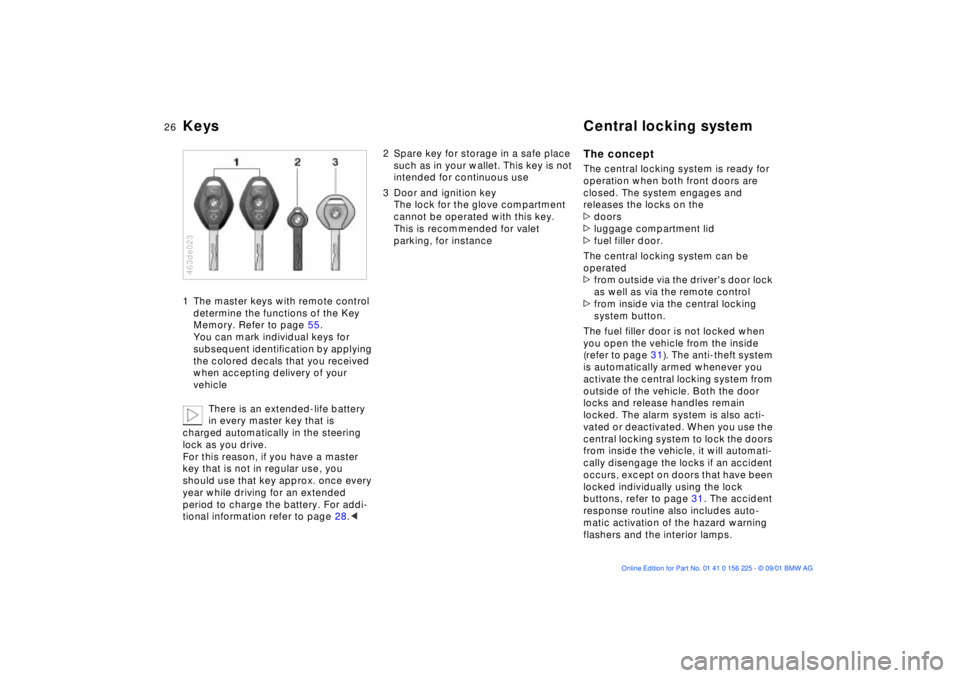
Keys Central locking system1 The master keys with remote control
determine the functions of the Key
Memory. Refer to page 55.
You can mark individual keys for
subsequent identification by applying
the colored decals that you received
when accepting delivery of your
vehicle
There is an extended-life battery
in every master key that is
charged automatically in the steering
lock as you drive.
For this reason, if you have a master
key that is not in regular use, you
should use that key approx. once every
year while driving for an extended
period to charge the battery. For addi-
tional information refer to page 28.< 463de023
2 Spare key for storage in a safe place
such as in your wallet. This key is not
intended for continuous use
3 Door and ignition key
The lock for the glove compartment
cannot be operated with this key.
This is recommended for valet
parking, for instance
The conceptThe central locking system is ready for
operation when both front doors are
closed. The system engages and
releases the locks on the
>doors
>luggage compartment lid
>fuel filler door.
The central locking system can be
operated
>from outside via the driver's door lock
as well as via the remote control
>from inside via the central locking
system button.
The fuel filler door is not locked when
you open the vehicle from the inside
(refer to page 31). The anti-theft system
is automatically armed whenever you
activate the central locking system from
outside of the vehicle. Both the door
locks and release handles remain
locked. The alarm system is also acti-
vated or deactivated. When you use the
central locking system to lock the doors
from inside the vehicle, it will automati-
cally disengage the locks if an accident
occurs, except on doors that have been
locked individually using the lock
buttons, refer to page 31. The accident
response routine also includes auto-
matic activation of the hazard warning
flashers and the interior lamps.
Page 28 of 154
28n
Opening and closing Ð via the remote control
The concept
The remote control gives you an excep-
tionally convenient method for
unlocking and locking your vehicle.
Furthermore, it provides two additional
functions that can only be executed by
means of the remote control:
>
To switch on interior lamps, refer to
page 29
With this function, you can also
"search for" your vehicle Ð when
parked in an underground garage, for
instance
>
To open the luggage compartment
lid, refer to page 29
The luggage compartment lid will
open slightly, regardless of whether it
was previously locked or unlocked
>
Panic mode, refer to page 29
In case of danger, you can trigger an
alarm.
When you unlock (lock) your vehicle the
system automatically deactivates (acti-
vates) the anti-theft system and disarms
(arms)
the alarm system while also
switching on (off) the interior lamps.
You can have a signal set as an
acknowledgment message that
the vehicle is closed correctly.
<
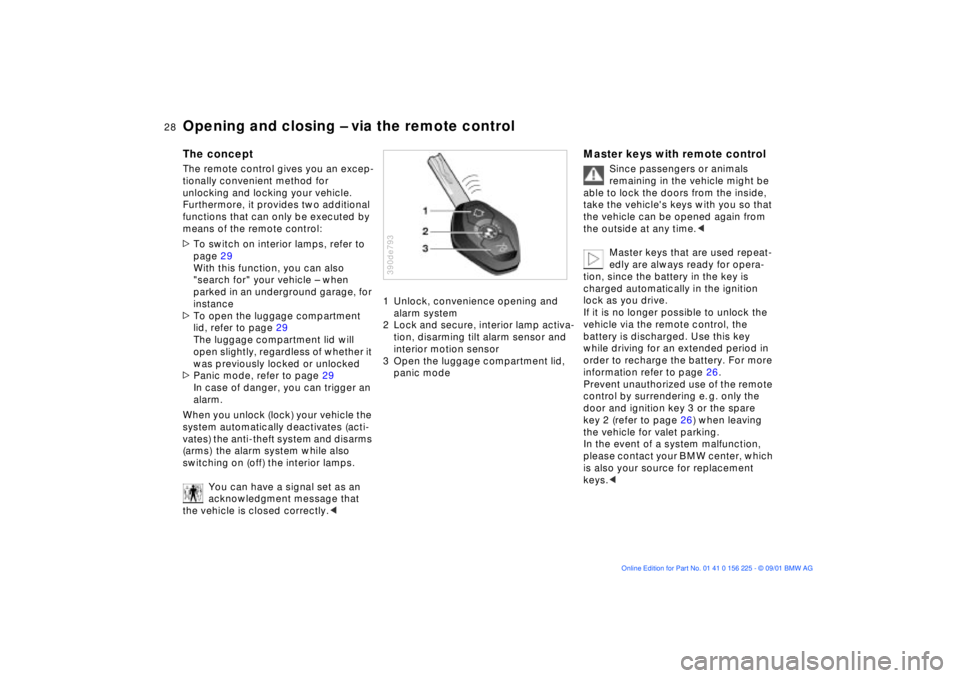
1 Unlock, convenience opening and
alarm system
2 Lock and secure, interior lamp activa-
tion, disarming tilt alarm sensor and
interior motion sensor
3 Open the luggage compartment lid,
panic mode390de793
Master keys with remote control
Since passengers or animals
remaining in the vehicle might be
able to lock the doors from the inside,
take the vehicle's keys with you so that
the vehicle can be opened again from
the outside at any time.
<
Master keys that are used repeat-
edly are always ready for opera-
tion, since the battery in the key is
charged automatically in the ignition
lock as you drive.
If it is no longer possible to unlock the
vehicle via the remote control, the
battery is discharged. Use this key
while driving for an extended period in
order to recharge the battery. For more
information refer to page 26.
Prevent unauthorized use of the remote
control by surrendering e. g. only the
door and ignition key 3 or the spare
key 2 (refer to page 26) when leaving
the vehicle for valet parking.
In the event of a system malfunction,
please contact your BMW center, which
is also your source for replacement
keys.
<
Page 32 of 154
32n
Luggage compartment lidThe lock Only the master key (refer to page 26)
fits in the lock for the luggage compart-
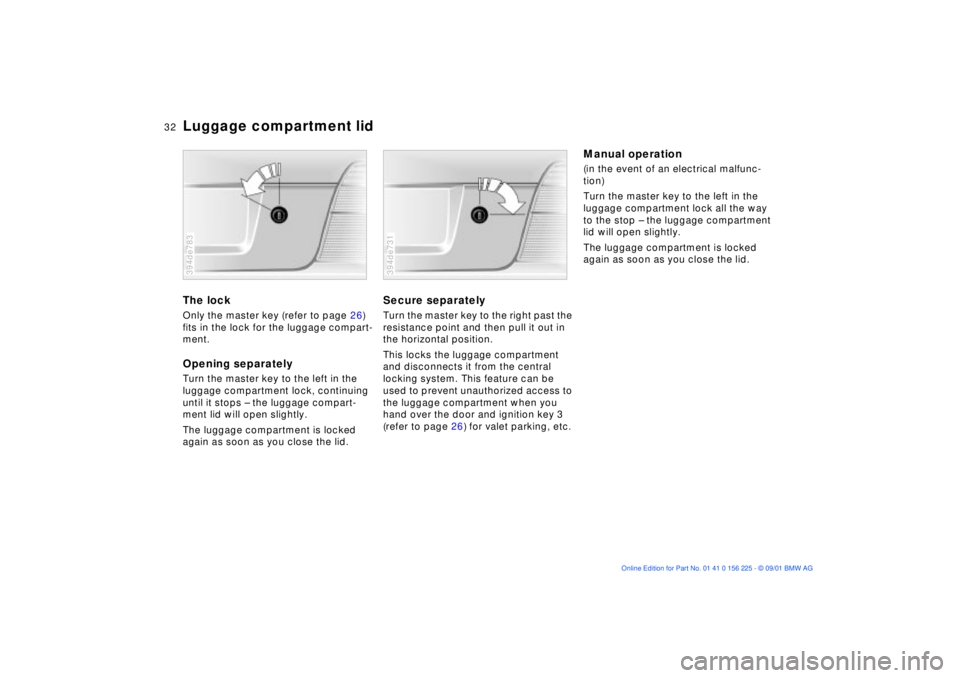
ment. Opening separatelyTurn the master key to the left in the
luggage compartment lock, continuing
until it stops Ð the luggage compart-
ment lid will open slightly.
The luggage compartment is locked
again as soon as you close the lid.394de783
Secure separatelyTurn the master key to the right past the
resistance point and then pull it out in
the horizontal position.
This locks the luggage compartment
and disconnects it from the central
locking system. This feature can be
used to prevent unauthorized access to
the luggage compartment when you
hand over the door and ignition key 3
(refer to page 26) for valet parking, etc. 394de731
Manual operation (in the event of an electrical malfunc-
tion)
Turn the master key to the left in the
luggage compartment lock all the way
to the stop Ð the luggage compartment
lid will open slightly.
The luggage compartment is locked
again as soon as you close the lid.
Page 36 of 154
36n
Alarm system Electric power windows>If the indicator lamp flashes for
10 seconds when the system is
disarmed: an attempted entry has
been detected in the period since the
system was armed.
Following triggering of an alarm, the
indicator lamp will flash continuously.Avoiding unintentional alarms The tilt alarm sensor and interior motion
sensor may be switched off at the same
time. You can do this to prevent a false
alarm from being triggered (in garages
with elevator ramps, for instance), or
when the vehicle is transported by
trailer or train:
Actuate the lock (= arm the system)
twice; in other words, press button 2 of
the remote control twice in succession
(refer to page 29). You may also actuate
the locks twice with the key (refer to
page 27).
The indicator lamp lights up briefly and
then flashes continuously. The tilt alarm
sensor and the interior motion sensor
are deactivated as long as the system is
armed.
Interior motion sensorIn order for the interior motion sensor to
function properly, the windows and
sliding/tilt sunroof must be completely
closed.
Nevertheless, you should deactivate
the interior motion sensor (refer to
"Avoiding unintentional alarms") if
>children or animals are left in the
vehicle
>the windows or the sliding/tilt sunroof
are being left open.
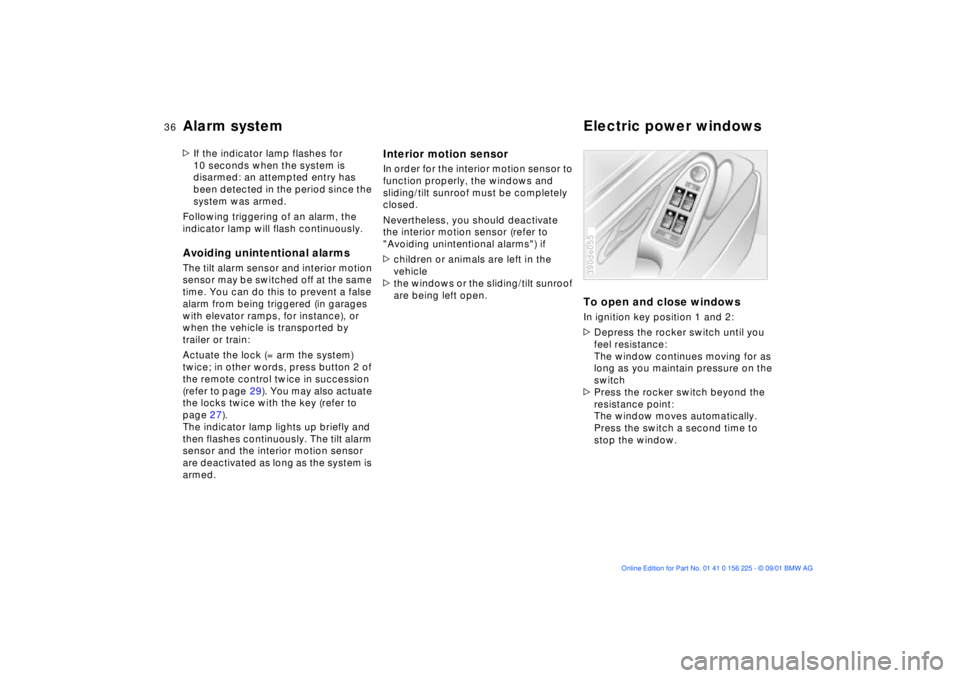
To open and close windowsIn ignition key position 1 and 2:
>Depress the rocker switch until you
feel resistance:
The window continues moving for as
long as you maintain pressure on the
switch
>Press the rocker switch beyond the
resistance point:
The window moves automatically.
Press the switch a second time to
stop the window.390de055
Page 37 of 154
37n
OverviewControlsMaintenanceRepairsDataIndex
Electric power windows
After the ignition has been switched off:
>You can still operate the power
windows as long as neither of the
front doors has been opened. To
open a window, press the switch
beyond the resistance point.
When leaving the vehicle, always
extract the ignition key from the
lock and remember to close the doors
to prevent children from operating the
power windows and injuring them-
selves, etc.<
For convenience operation via the door
lock or remote control, refer to page 27
or 29.Safety featureA contact strip is located on the inside
upper frame of each of the windows. If
pressure is exerted against this contact
strip while a window is being raised, the
system will respond by stopping the
window and then retracting it slightly.
Despite this safety feature, be
extremely careful to ensure that
the closing path of the window is not
obstructed. Otherwise, an object might
not touch the contact strip in some situ-
ations (very thin objects, for instance).
You can disable this safety feature by
pressing the switch beyond the pres-
sure point and holding it.
Because the power windows are sealed
at high pressure to prevent wind noise
when closed, a powerful motor is
required for efficient closing. When
closing the windows, always be sure
that they are not obstructed in any way.
Unsupervised use of these systems can
result in serious personal injury.
Remove the ignition key to deactivate
the electric power windows whenever
you leave the vehicle. Never leave the
keys in the vehicle with unsupervised
children. Never place anything that
could obstruct the driver's vision on or
next to the windows.<
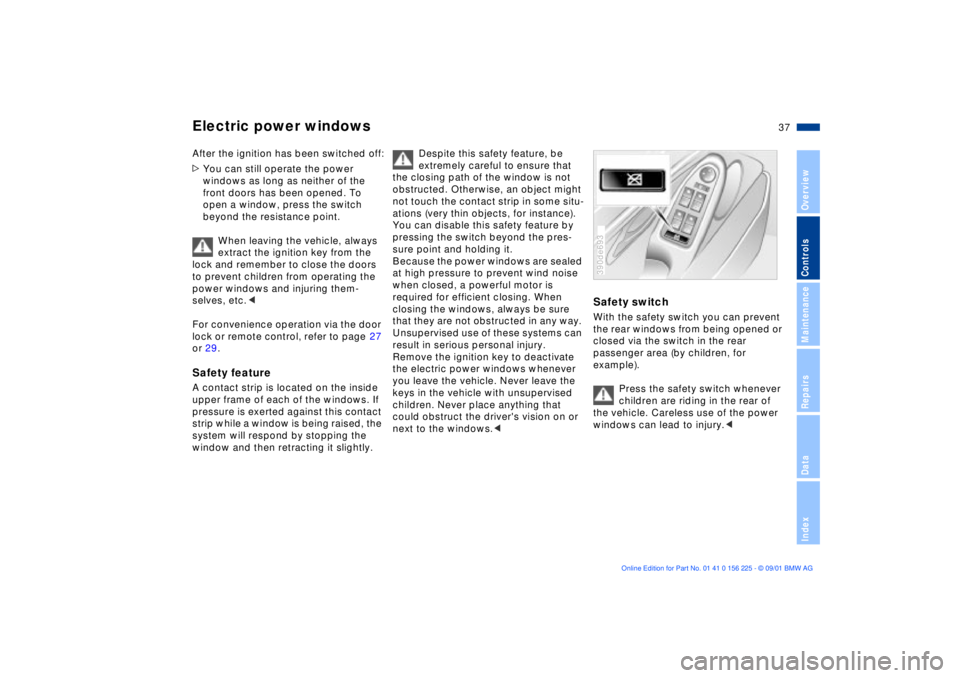
Safety switchWith the safety switch you can prevent
the rear windows from being opened or
closed via the switch in the rear
passenger area (by children, for
example).
Press the safety switch whenever
children are riding in the rear of
the vehicle. Careless use of the power
windows can lead to injury.<390de693
Page 38 of 154
38n
Sliding/tilt sunroof
*
To prevent injuries, exercise care
when closing the sliding/tilt
sunroof and keep it in your field of
vision until it is shut.
Before leaving the vehicle, switch off
the electric sunroof mechanism by
taking out the ignition key. Do not leave
children unattended in the vehicle with
access to vehicle keys. The key can be
used to start the engine and to operate
vehicle systems such as the power
sunroof, etc. Unsupervised use of these
systems can result in serious personal
injury.<
For convenience operation via the door
lock or remote control, refer to page 27
or 29.
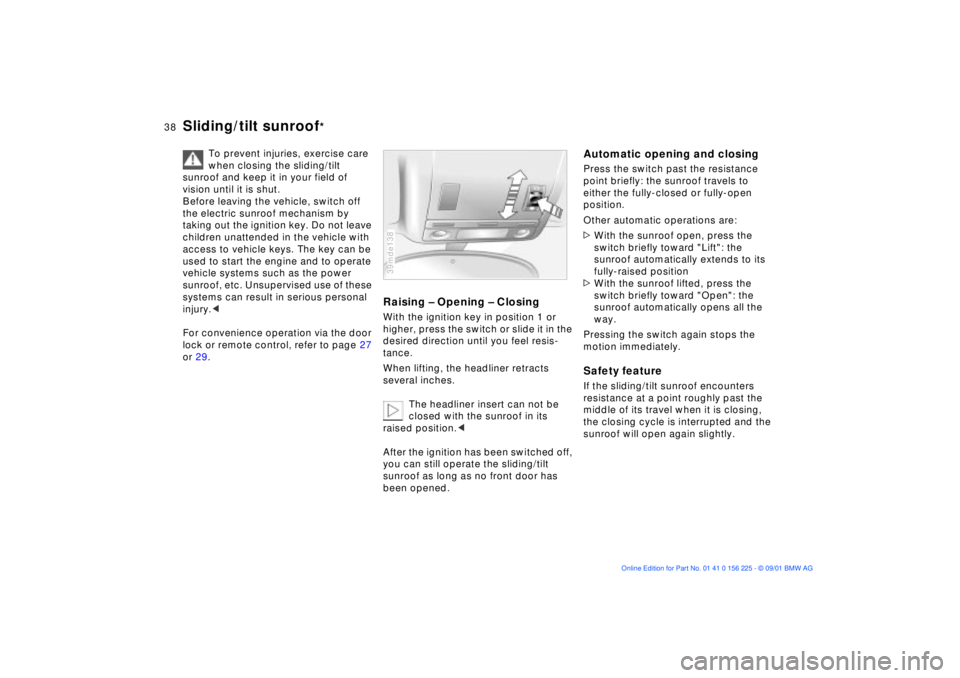
Raising Ð Opening Ð ClosingWith the ignition key in position 1 or
higher, press the switch or slide it in the
desired direction until you feel resis-
tance.
When lifting, the headliner retracts
several inches.
The headliner insert can not be
closed with the sunroof in its
raised position.<
After the ignition has been switched off,
you can still operate the sliding/tilt
sunroof as long as no front door has
been opened.39mde138
Automatic opening and closingPress the switch past the resistance
point briefly: the sunroof travels to
either the fully-closed or fully-open
position.
Other automatic operations are:
>With the sunroof open, press the
switch briefly toward "Lift": the
sunroof automatically extends to its
fully-raised position
>With the sunroof lifted, press the
switch briefly toward "Open": the
sunroof automatically opens all the
way.
Pressing the switch again stops the
motion immediately.Safety featureIf the sliding/tilt sunroof encounters
resistance at a point roughly past the
middle of its travel when it is closing,
the closing cycle is interrupted and the
sunroof will open again slightly.
Page 45 of 154
45n
OverviewControlsMaintenanceRepairsDataIndex
Seat, mirror and steering wheel memory
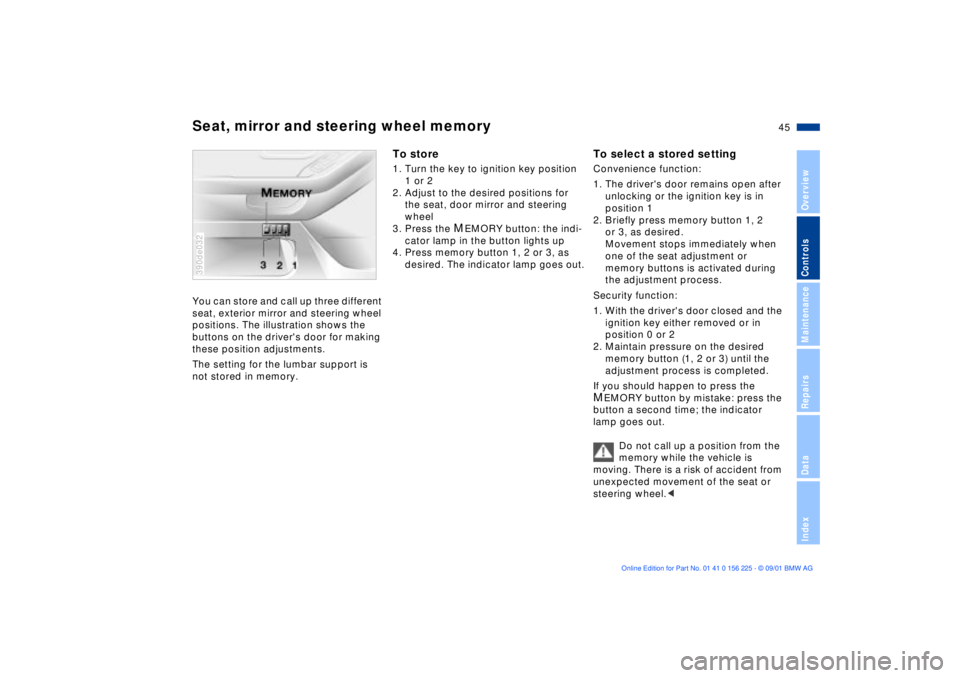
You can store and call up three different
seat, exterior mirror and steering wheel
positions. The illustration shows the
buttons on the driver's door for making
these position adjustments.
The setting for the lumbar support is
not stored in memory. 390de032
To store1. Turn the key to ignition key position
1 or 2
2. Adjust to the desired positions for
the seat, door mirror and steering
wheel
3. Press the
MEMORY button: the indi-
cator lamp in the button lights up
4. Press memory button 1, 2 or 3, as
desired. The indicator lamp goes out.
To select a stored settingConvenience function:
1. The driver's door remains open after
unlocking or the ignition key is in
position 1
2. Briefly press memory button 1, 2
or 3, as desired.
Movement stops immediately when
one of the seat adjustment or
memory buttons is activated during
the adjustment process.
Security function:
1. With the driver's door closed and the
ignition key either removed or in
position 0 or 2
2. Maintain pressure on the desired
memory button (1, 2 or 3) until the
adjustment process is completed.
If you should happen to press the MEMORY button by mistake: press the
button a second time; the indicator
lamp goes out.
Do not call up a position from the
memory while the vehicle is
moving. There is a risk of accident from
unexpected movement of the seat or
steering wheel.<
Page 46 of 154
46n
Seat, mirror and steering wheel memory Seat heating
Your BMW center can adjust your
vehicle's systems in such a
manner that your personalized settings
are automatically called up for the seat,
mirror and steering wheel positions
when you unlock the vehicle with your
personal remote control key.<
Before using the key memory
feature to unlock the vehicle
always ensure that no objects are
stored in the footwell behind the
driver's seat. If you fail to do so,
persons or objects could be injured or
damaged if the seat should move back-
ward.<
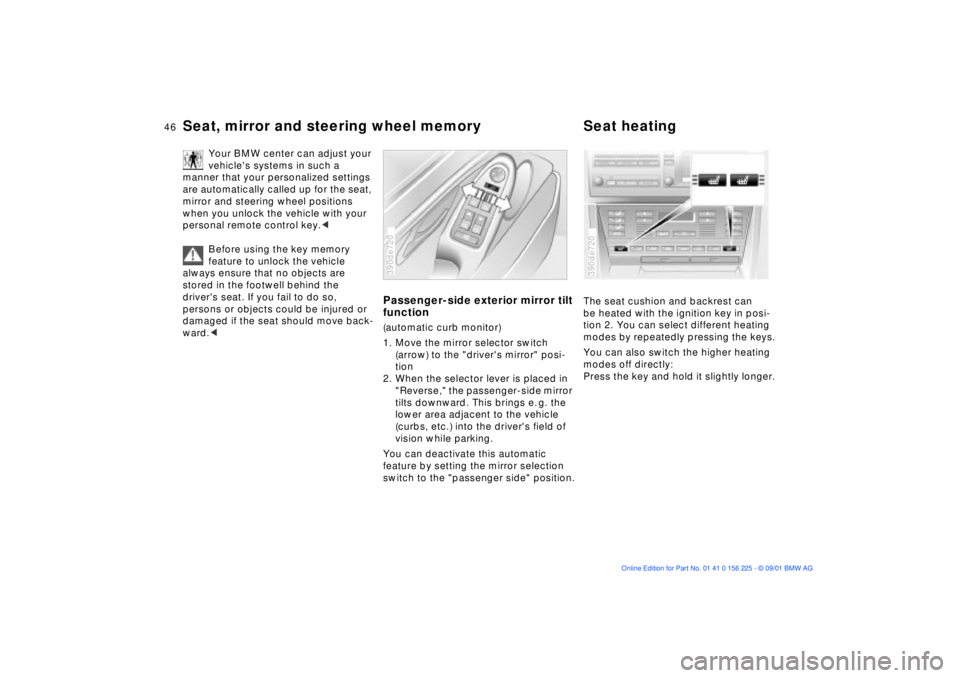
Passenger-side exterior mirror tilt
function(automatic curb monitor)
1. Move the mirror selector switch
(arrow) to the "driver's mirror" posi-
tion
2. When the selector lever is placed in
"Reverse," the passenger-side mirror
tilts downward. This brings e. g. the
lower area adjacent to the vehicle
(curbs, etc.) into the driver's field of
vision while parking.
You can deactivate this automatic
feature by setting the mirror selection
switch to the "passenger side" position.390de720
The seat cushion and backrest can
be heated with the ignition key in posi-
tion 2. You can select different heating
modes by repeatedly pressing the keys.
You can also switch the higher heating
modes off directly:
Press the key and hold it slightly longer.390de720
Page 47 of 154
47n
OverviewControlsMaintenanceRepairsDataIndex
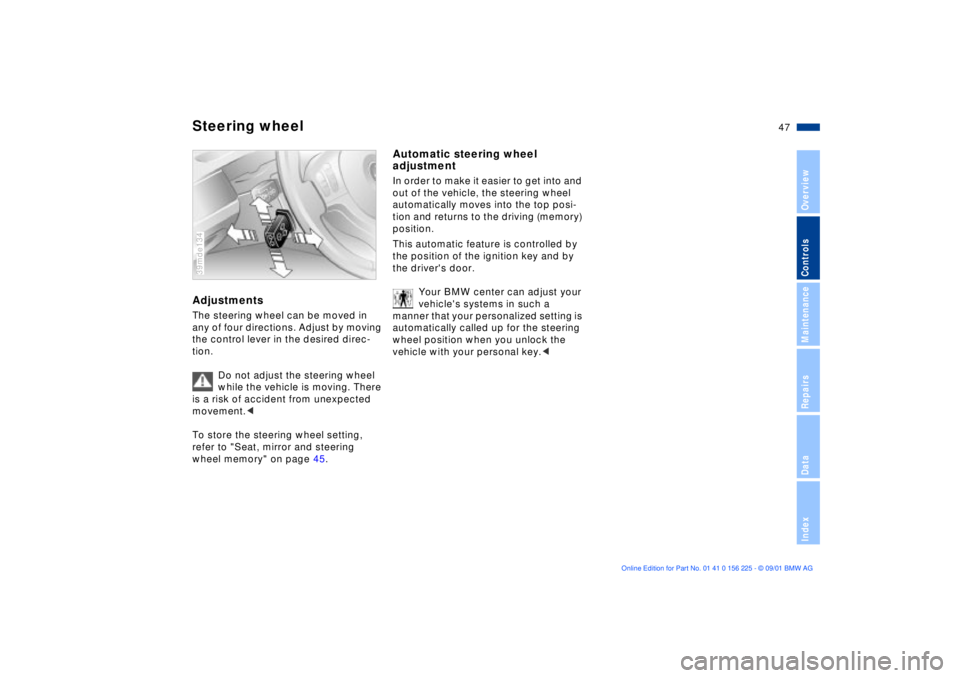
Steering wheelAdjustmentsThe steering wheel can be moved in
any of four directions. Adjust by moving
the control lever in the desired direc-
tion.
Do not adjust the steering wheel
while the vehicle is moving. There
is a risk of accident from unexpected
movement.<
To store the steering wheel setting,
refer to "Seat, mirror and steering
wheel memory" on page 45.39mde134
Automatic steering wheel
adjustmentIn order to make it easier to get into and
out of the vehicle, the steering wheel
automatically moves into the top posi-
tion and returns to the driving (memory)
position.
This automatic feature is controlled by
the position of the ignition key and by
the driver's door.
Your BMW center can adjust your
vehicle's systems in such a
manner that your personalized setting is
automatically called up for the steering
wheel position when you unlock the
vehicle with your personal key.<