sunroof BMW M5 SEDAN 2002 Owners Manual
[x] Cancel search | Manufacturer: BMW, Model Year: 2002, Model line: M5 SEDAN, Model: BMW M5 SEDAN 2002Pages: 154, PDF Size: 2.17 MB
Page 4 of 154

Contents
© 2001 BMW M GmbH
Munich, Germany
Reprinting, including excerpts, only with the
written consent of BMW AG, Munich.
Order no. 01 41 0 156 225
US English VIII/01
Printed in Germany
Printed on environmentally friendly paper
(bleached without chlorine, suitable for recycling).
Overview
Controls and features
Cockpit14
Instrument cluster15
Indicator and warning lamps16
Steering wheel with multifunction
buttons19
Warning triangle20
First-aid kit20
Refueling20
Fuel specifications22
Tire inflation pressure22
Opening and closing:
Keys26
Central locking system26
Opening and closing Ð via the
door lock27
Opening and closing Ð via the
remote control28
Opening and closing Ð
from the inside31
Luggage compartment lid32
Luggage compartment34
Alarm system35
Electric power windows36
Sliding/tilt sunroof38
Adjustments:
Correct sitting posture40
Seats40
BMW M sport seat41
BMW comfort seat42
Head restraints43
BMW active seat43
Safety belts44
Seat, mirror and
steering wheel memory45
Seat heating46
Steering wheel47
Mirrors48
Passenger safety systems:
Airbags49
Transporting children safely52
Vehicle Memory, Key
Memory55
Driving:
Steering/Ignition lock56
Starting the engine56
Switching off the engine57
Parking brake58
Manual transmission58
Turn signal/Headlamp flasher59
Washer/Wiper system/Rain
sensor60
Cruise control61
Everything under control:
Odometer, outside temperature
display63
Tachometer64
Engine oil temperature64
Fuel gauge64
Temperature gauge65
Service Interval Display65
Check Control66
Multi-Information Display
(MID)69
Digital clock70
Computer73
Contents
Page 27 of 154
27n
OverviewControlsMaintenanceRepairsDataIndex
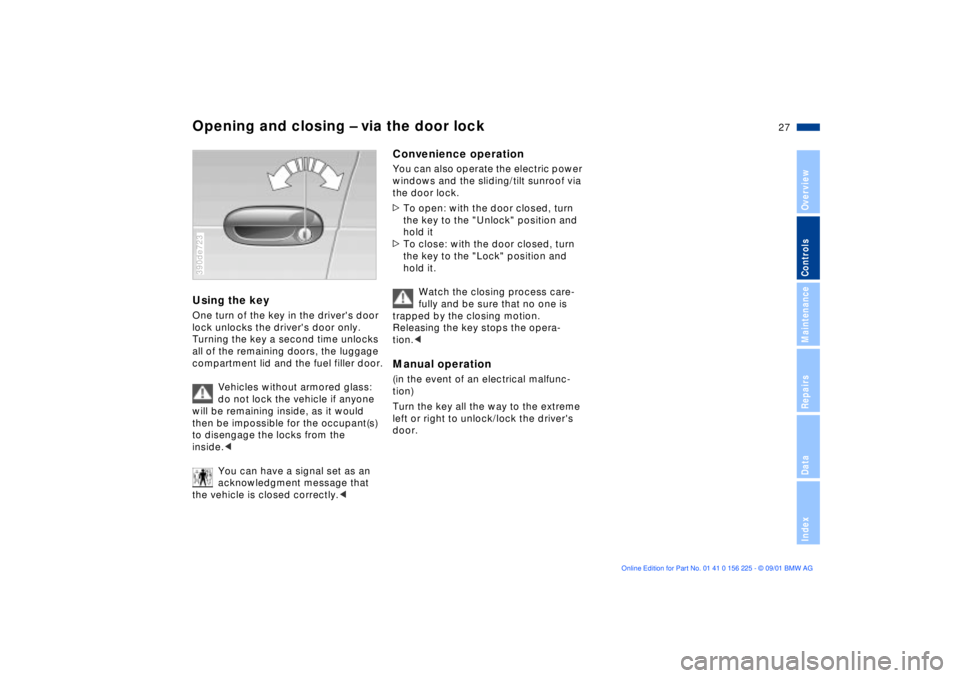
Opening and closing Ð via the door lockUsing the key One turn of the key in the driver's door
lock unlocks the driver's door only.
Turning the key a second time unlocks
all of the remaining doors, the luggage
compartment lid and the fuel filler door.
Vehicles without armored glass:
do not lock the vehicle if anyone
will be remaining inside, as it would
then be impossible for the occupant(s)
to disengage the locks from the
inside.<
You can have a signal set as an
acknowledgment message that
the vehicle is closed correctly.<390de723
Convenience operationYou can also operate the electric power
windows and the sliding/tilt sunroof via
the door lock.
>To open: with the door closed, turn
the key to the "Unlock" position and
hold it
>To close: with the door closed, turn
the key to the "Lock" position and
hold it.
Watch the closing process care-
fully and be sure that no one is
trapped by the closing motion.
Releasing the key stops the opera-
tion.< Manual operation (in the event of an electrical malfunc-
tion)
Turn the key all the way to the extreme
left or right to unlock/lock the driver's
door.
Page 29 of 154
29n
OverviewControlsMaintenanceRepairsDataIndex
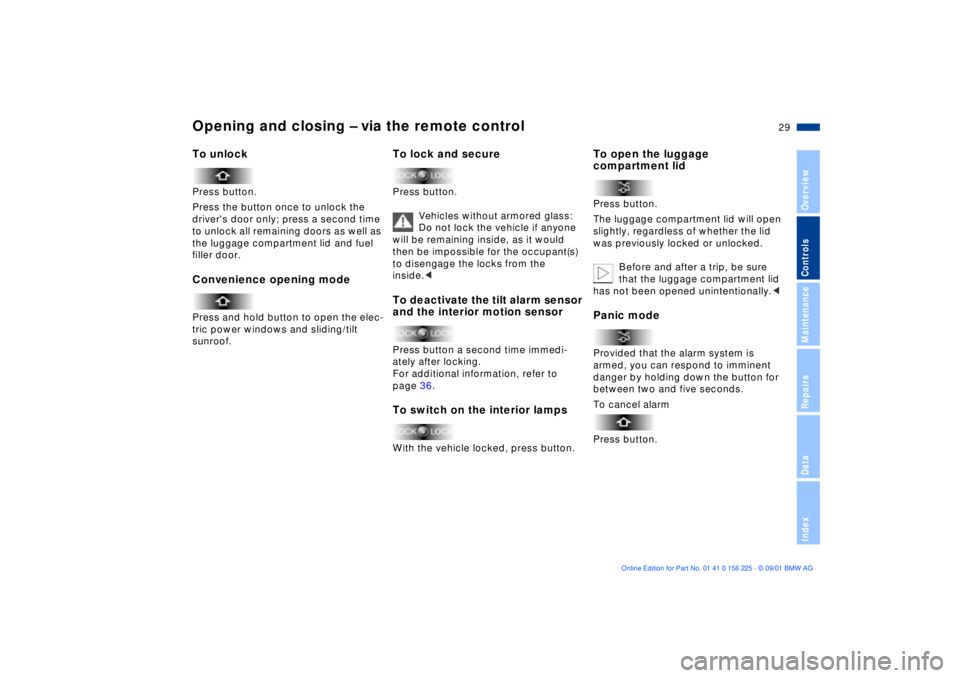
Opening and closing Ð via the remote control To unlockPress button.
Press the button once to unlock the
driver's door only; press a second time
to unlock all remaining doors as well as
the luggage compartment lid and fuel
filler door.Convenience opening modePress and hold button to open the elec-
tric power windows and sliding/tilt
sunroof.
To lock and secure Press button.
Vehicles without armored glass:
Do not lock the vehicle if anyone
will be remaining inside, as it would
then be impossible for the occupant(s)
to disengage the locks from the
inside.< To deactivate the tilt alarm sensor
and the interior motion sensorPress button a second time immedi-
ately after locking.
For additional information, refer to
page 36.To switch on the interior lampsWith the vehicle locked, press button.
To open the luggage
compartment lidPress button.
The luggage compartment lid will open
slightly, regardless of whether the lid
was previously locked or unlocked.
Before and after a trip, be sure
that the luggage compartment lid
has not been opened unintentionally.
danger by holding down the button for
between two and five seconds.
To cancel alarm
Press button.
Page 33 of 154
33n
OverviewControlsMaintenanceRepairsDataIndex
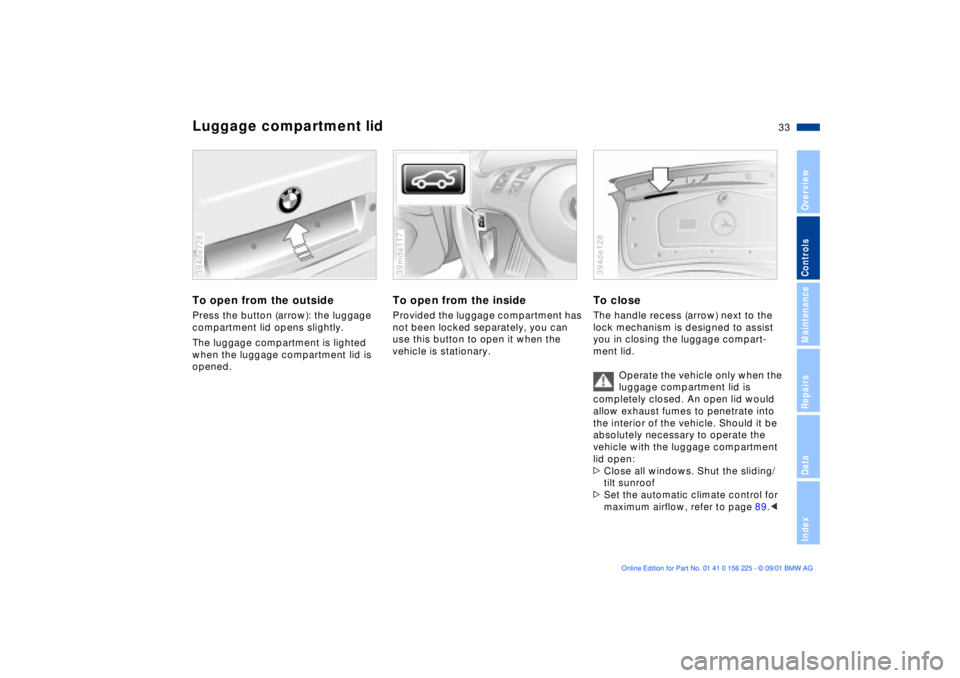
Luggage compartment lidTo open from the outsidePress the button (arrow): the luggage
compartment lid opens slightly.
The luggage compartment is lighted
when the luggage compartment lid is
opened. 394de728
To open from the insideProvided the luggage compartment has
not been locked separately, you can
use this button to open it when the
vehicle is stationary. 39mde117
To closeThe handle recess (arrow) next to the
lock mechanism is designed to assist
you in closing the luggage compart-
ment lid.
Operate the vehicle only when the
luggage compartment lid is
completely closed. An open lid would
allow exhaust fumes to penetrate into
the interior of the vehicle. Should it be
absolutely necessary to operate the
vehicle with the luggage compartment
lid open:
>Close all windows. Shut the sliding/
tilt sunroof>Set the automatic climate control for
maximum airflow, refer to page 89.
<
394de128
Page 36 of 154
36n
Alarm system Electric power windows>If the indicator lamp flashes for
10 seconds when the system is
disarmed: an attempted entry has
been detected in the period since the
system was armed.
Following triggering of an alarm, the
indicator lamp will flash continuously.Avoiding unintentional alarms The tilt alarm sensor and interior motion
sensor may be switched off at the same
time. You can do this to prevent a false
alarm from being triggered (in garages
with elevator ramps, for instance), or
when the vehicle is transported by
trailer or train:
Actuate the lock (= arm the system)
twice; in other words, press button 2 of
the remote control twice in succession
(refer to page 29). You may also actuate
the locks twice with the key (refer to
page 27).
The indicator lamp lights up briefly and
then flashes continuously. The tilt alarm
sensor and the interior motion sensor
are deactivated as long as the system is
armed.
Interior motion sensorIn order for the interior motion sensor to
function properly, the windows and
sliding/tilt sunroof must be completely
closed.
Nevertheless, you should deactivate
the interior motion sensor (refer to
"Avoiding unintentional alarms") if
>children or animals are left in the
vehicle
>the windows or the sliding/tilt sunroof
are being left open.
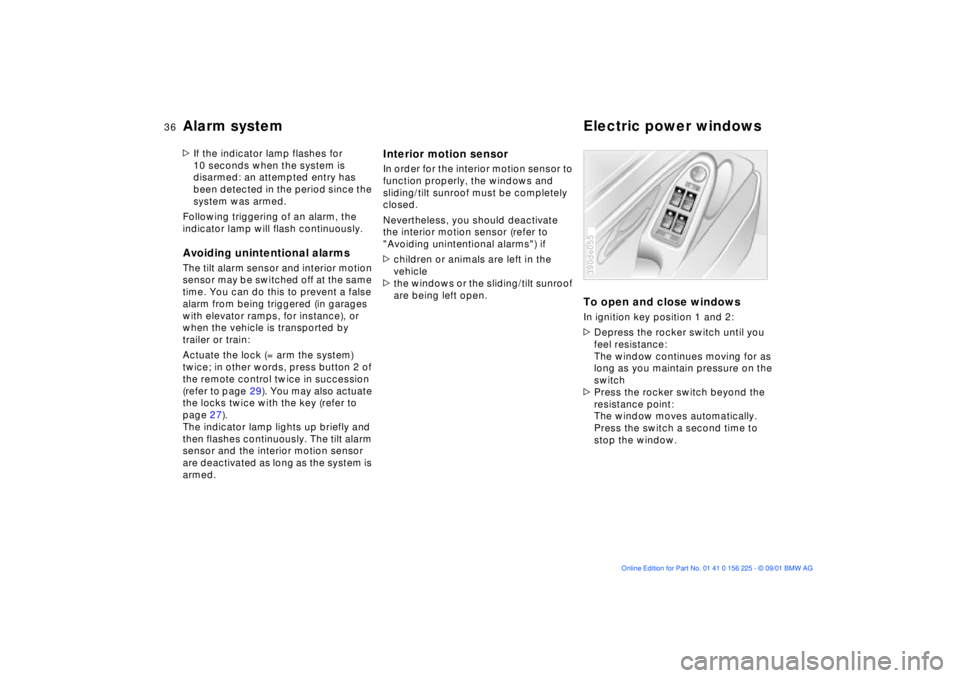
To open and close windowsIn ignition key position 1 and 2:
>Depress the rocker switch until you
feel resistance:
The window continues moving for as
long as you maintain pressure on the
switch
>Press the rocker switch beyond the
resistance point:
The window moves automatically.
Press the switch a second time to
stop the window.390de055
Page 38 of 154
38n
Sliding/tilt sunroof
*
To prevent injuries, exercise care
when closing the sliding/tilt
sunroof and keep it in your field of
vision until it is shut.
Before leaving the vehicle, switch off
the electric sunroof mechanism by
taking out the ignition key. Do not leave
children unattended in the vehicle with
access to vehicle keys. The key can be
used to start the engine and to operate
vehicle systems such as the power
sunroof, etc. Unsupervised use of these
systems can result in serious personal
injury.<
For convenience operation via the door
lock or remote control, refer to page 27
or 29.
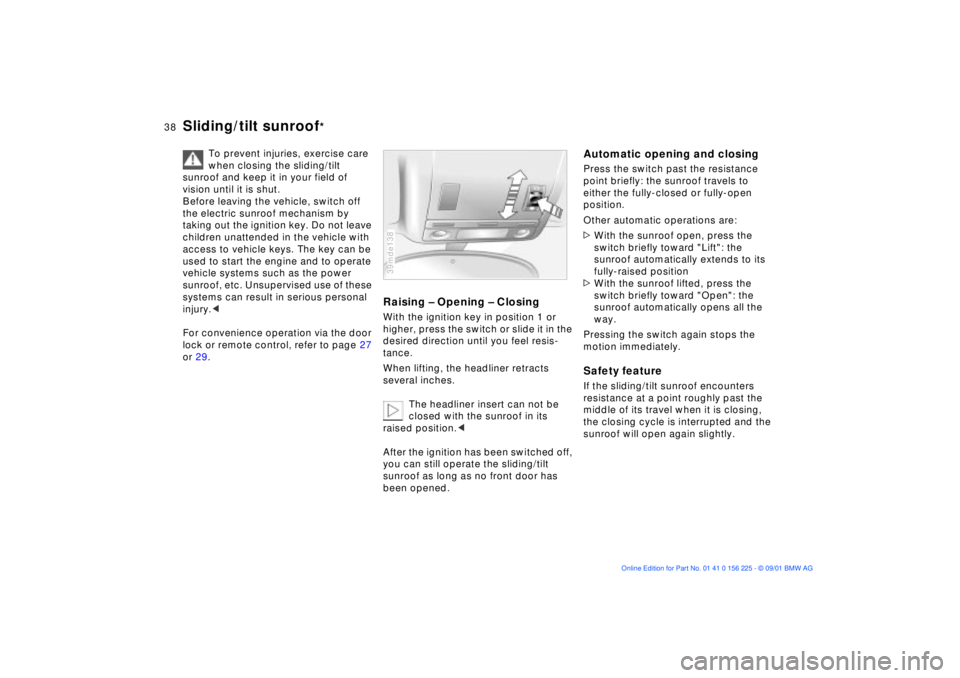
Raising Ð Opening Ð ClosingWith the ignition key in position 1 or
higher, press the switch or slide it in the
desired direction until you feel resis-
tance.
When lifting, the headliner retracts
several inches.
The headliner insert can not be
closed with the sunroof in its
raised position.<
After the ignition has been switched off,
you can still operate the sliding/tilt
sunroof as long as no front door has
been opened.39mde138
Automatic opening and closingPress the switch past the resistance
point briefly: the sunroof travels to
either the fully-closed or fully-open
position.
Other automatic operations are:
>With the sunroof open, press the
switch briefly toward "Lift": the
sunroof automatically extends to its
fully-raised position
>With the sunroof lifted, press the
switch briefly toward "Open": the
sunroof automatically opens all the
way.
Pressing the switch again stops the
motion immediately.Safety featureIf the sliding/tilt sunroof encounters
resistance at a point roughly past the
middle of its travel when it is closing,
the closing cycle is interrupted and the
sunroof will open again slightly.
Page 39 of 154
39n
OverviewControlsMaintenanceRepairsDataIndex
Sliding/tilt sunroof
*
Despite this safety feature, be
extremely careful to ensure that
the closing path of the roof is not
obstructed. Remember that the safety
mechanism may not be able to detect
every kind of potential obstruction (very
thin objects, for instance). You can
disable this safety feature by pressing
the switch beyond the pressure point
and holding it.<
Sliding/tilt sunroof with moonroof
insert
*
The options and control procedures are
essentially the same as those previ-
ously described for the sliding/tilt
sunroof. In order to open the raised
roof, press the control switch towards
"Open" and maintain pressure until the
roof has reached the desired position.
The headliner insert slides back some-
what when you raise the sunroof, and
retracts along with the sunroof panel
when you slide it back. The insert then
remains open, and you can slide it back
and forth to adjust it whenever the
sunroof is not fully retracted.
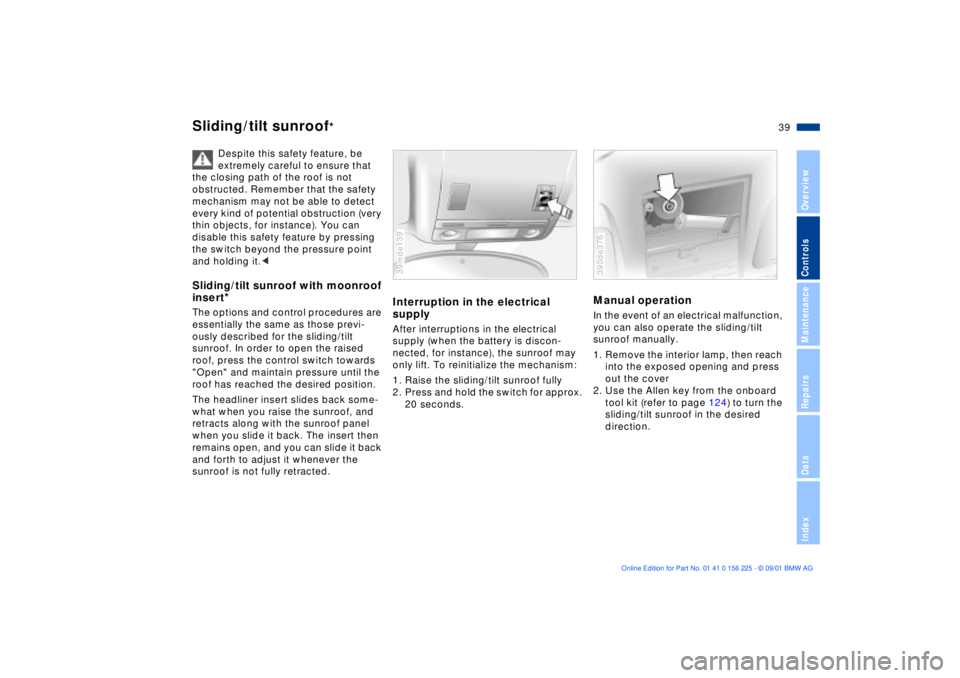
Interruption in the electrical
supplyAfter interruptions in the electrical
supply (when the battery is discon-
nected, for instance), the sunroof may
only lift. To reinitialize the mechanism:
1. Raise the sliding/tilt sunroof fully
2. Press and hold the switch for approx.
20 seconds.39mde139
Manual operation In the event of an electrical malfunction,
you can also operate the sliding/tilt
sunroof manually.
1. Remove the interior lamp, then reach
into the exposed opening and press
out the cover
2. Use the Allen key from the onboard
tool kit (refer to page 124) to turn the
sliding/tilt sunroof in the desired
direction. 390de376
Page 103 of 154
103n
OverviewControlsMaintenanceRepairsDataIndex
Cargo loading Roof-mounted luggage rack
*
Always position and secure the
load correctly. If you do not, it can
endanger the passengers during
braking or evasive maneuvers.
Never exceed either the approved
gross vehicle weight or the approved
weights for either of the axles (refer to
page 142), as overloading the vehicle
beyond the legally approved levels can
severely compromise its operating
safety.
Do not carry hard or heavy objects
unsecured in the passenger compart-
ment. If you do so, they may be
projected through the air during braking
and evasive maneuvers, thus endan-
gering vehicle occupants.<
A special roof-rack system is available
as an optional extra for your BMW.
Please observe the precautions
included with the installation instruc-
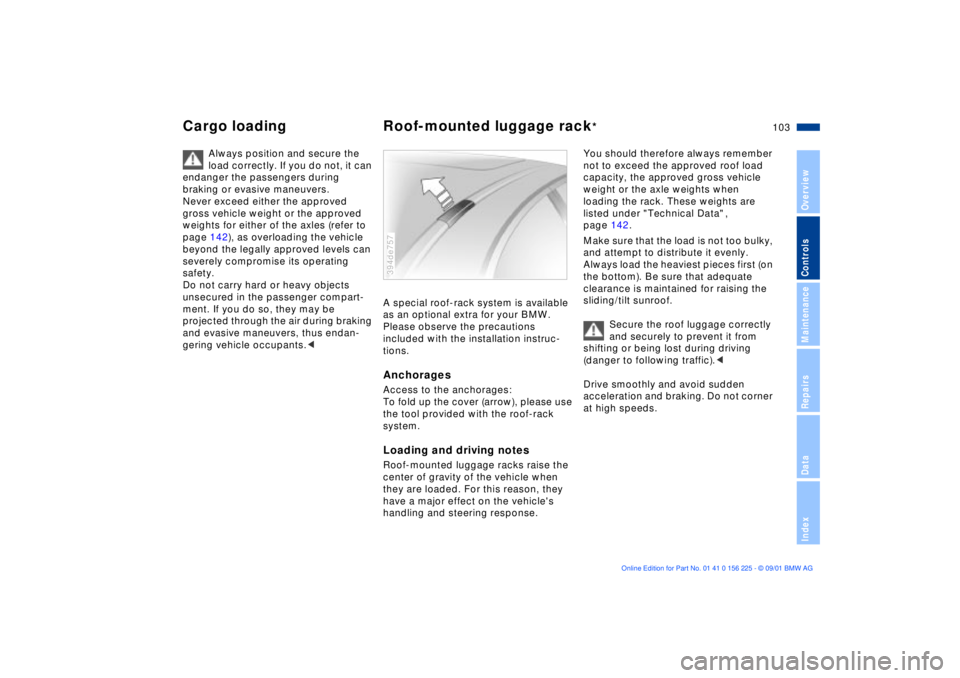
tions.AnchoragesAccess to the anchorages:
To fold up the cover (arrow), please use
the tool provided with the roof-rack
system.Loading and driving notesRoof-mounted luggage racks raise the
center of gravity of the vehicle when
they are loaded. For this reason, they
have a major effect on the vehicle's
handling and steering response.394de757
You should therefore always remember
not to exceed the approved roof load
capacity, the approved gross vehicle
weight or the axle weights when
loading the rack. These weights are
listed under "Technical Data" ,
page 142.
Make sure that the load is not too bulky,
and attempt to distribute it evenly.
Always load the heaviest pieces first (on
the bottom). Be sure that adequate
clearance is maintained for raising the
sliding/tilt sunroof.
Secure the roof luggage correctly
and securely to prevent it from
shifting or being lost during driving
(danger to following traffic).<
Drive smoothly and avoid sudden
acceleration and braking. Do not corner
at high speeds.
Page 147 of 154

Everything from A to Z
147n
OverviewControlsMaintenanceRepairsDataIndex
Check Control66
Check engine oil
level115t
Child seat safety53
Child seats52
Cigarette lighter98
Clock70
refer also to the "Onboard
Computer Owner's
Manual"
Cockpit14
Code76
activating76
deactivating76
refer also to the "Onboard
Computer Owner's
Manual"
selecting76
Comfort seat42
Compartments96
Computer73
refer also to the "Onboard
Computer Owner's
Manual"
remote control77
Configuring individual
adjustments55
Consumption75 Convenience operation of
windows and sliding/tilt
sunroof27
Coolant118
disposal118
Coolant temperature
gauge65
Cooling, maximum90
Copyright notice4
Cover, sun blinds92
Cruising range75
Cup holder97
Cup holder, refer to
beverage holder97
Curb weight142
D
Date
calling up70
changing70
refer also to the "Onboard
Computer Owner's
Manual"
Daytime driving lamps84
DBC (Dynamic Brake
Control)17, 80
Deactivating
alarm system tilt
sensor36t
the interior motion
sensor36t Deep water107
Defrosting position89
Defrosting the
windows89t
Digital clock70
refer also to the "Onboard
Computer Owner's
Manual"
Dimensions141
Disconnect the
battery133t
Displacement140
Display lighting85
Displays, instrument
panel15
Disposal
brake fluid118
coolant118
engine oil116
Distance from
destination74
Divided rear backrest99
Door key26
Doors
manual operation27
remote control28
unlocking and locking27
DOT Quality Grades110
Driving notes107 DSC (Dynamic Stability
Control)17, 80
Dynamic Brake Control
(DBC)17, 80
Dynamic Driving Control81
Dynamic Stability Control
(DSC)17, 80
E
Electric power windows36
Electrical heating, exterior
mirror48
Electrical malfunction
doors27t
fuel filler door20t
luggage compartment
lid32t
sliding/tilt sunroof39t
Elements of operation14
Emergency release of
luggage compartment lid
from luggage
compartment's interior34
Engine compartment114
Engine coolant118
Engine coolant temperature
gauge65
Engine data140
Page 149 of 154

Everything from A to Z
149n
OverviewControlsMaintenanceRepairsDataIndex
Length141
License plate lamps, bulb
replacement127t
Lighter98
Lights-on warning84
Locking and unlocking the
doors27
Low beams14, 84
Low-fuel warning lamp64
Luggage compartment34
capacity142
manual operation32t
opening from the
inside33
opening separately32
securing separately32
Luggage compartment
lid32
emergency release from
luggage compartment's
interior34
opening from the
inside33
opening from the
outside33
remote control29
securing separately32
unlock in case of electrical
malfunction32t
Luggage net34
Luggage straps34
Lumbar support41
M
M Dynamic Driving
Control81
M+S tires112
Maintenance65, 119t
Malfunction displays66
Manual operation
doors27t
fuel filler door20t
luggage compartment
lid32t
sliding/tilt sunroof39t
Maximum cooling90
Memory
adjustment of seat, mirror,
steering wheel45
Microfilter91
MID (Multi-Information
Display)69
Mirrors48
adjusting48
heating48
position adjustment
memory45
self-defrosting48
Modifications,
technical120
Multifunction buttons,
steering wheel19 Multifunction switch59
Multi-Information Display
(MID)69
O
OBD interface socket121
Odometer63
Oil
additives116
checking level115
consumption115
grades117
pressure, indicator
lamp16
Oil change interval, refer to
the Service and Warranty
Information Booklet
Oil specification117
OILSERVICE65
Onboard tool kit124t
Opening and closing
from inside31
from outside27
with the key27
Outside temperature
display63
P
Parked-car ventilation
system92
activating72
refer also to the "Onboard
Computer Owner's
Manual"
Parking brake17, 58
Parking lamps14, 84
Passenger-side mirror tilt
function46
Performance Recognition for
M Dynamic Driving
Control81
Pocket flashlight96
Pollen filter91
Power seat41
Power windows36
safety switch37
Pressure monitor, tires82
Pressure, tires22t, 109 Q
Quality grades, tires110 R
Rain sensor60
Reading lamps86
Rear backrest, folding99