stop start BMW M5 SEDAN 2002 Owners Manual
[x] Cancel search | Manufacturer: BMW, Model Year: 2002, Model line: M5 SEDAN, Model: BMW M5 SEDAN 2002Pages: 154, PDF Size: 2.17 MB
Page 16 of 154
16n
Indicator and warning lamps
Technology that monitors itself
The system runs a check on the
warning and indicator lamps marked by
"
l
" each time you switch on the igni-
tion. They each light up once for
different periods of time.
If a fault should occur in one of these
systems, the corresponding lamp does
not go out after the engine is started or
it lights up while the vehicle is moving.
The following section describes how
you should respond.
Red: stop immediately
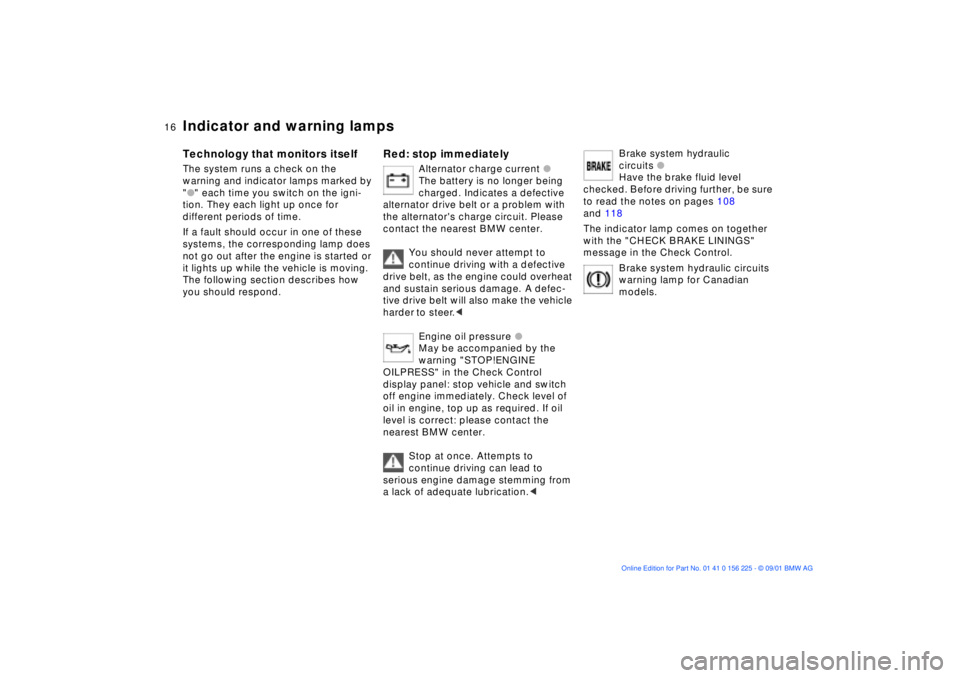
Alternator charge current
l
The battery is no longer being
charged. Indicates a defective
alternator drive belt or a problem with
the alternator's charge circuit. Please
contact the nearest BMW center.
You should never attempt to
continue driving with a defective
drive belt, as the engine could overheat
and sustain serious damage. A defec-
tive drive belt will also make the vehicle
harder to steer.
<
Engine oil pressure
l
May be accompanied by the
warning "STOP!ENGINE
OILPRESS" in the Check Control
display panel: stop vehicle and switch
off engine immediately. Check level of
oil in engine, top up as required. If oil
level is correct: please contact the
nearest BMW center.
Stop at once. Attempts to
continue driving can lead to
serious engine damage stemming from
a lack of adequate lubrication.
<
Brake system hydraulic
circuits
l
Have the brake fluid level
checked. Before driving further, be sure
to read the notes on pages 108
and 118
The indicator lamp comes on together
with the "CHECK BRAKE LININGS"
message in the Check Control.
Brake system hydraulic circuits
warning lamp for Canadian
models.
Page 38 of 154
38n
Sliding/tilt sunroof
*
To prevent injuries, exercise care
when closing the sliding/tilt
sunroof and keep it in your field of
vision until it is shut.
Before leaving the vehicle, switch off
the electric sunroof mechanism by
taking out the ignition key. Do not leave
children unattended in the vehicle with
access to vehicle keys. The key can be
used to start the engine and to operate
vehicle systems such as the power
sunroof, etc. Unsupervised use of these
systems can result in serious personal
injury.<
For convenience operation via the door
lock or remote control, refer to page 27
or 29.
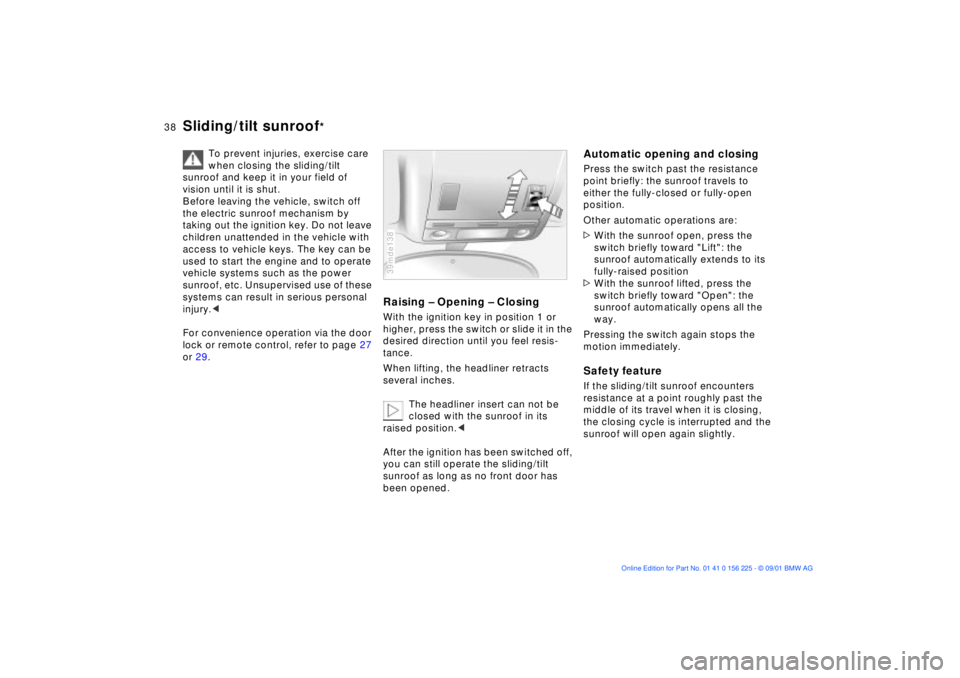
Raising Ð Opening Ð ClosingWith the ignition key in position 1 or
higher, press the switch or slide it in the
desired direction until you feel resis-
tance.
When lifting, the headliner retracts
several inches.
The headliner insert can not be
closed with the sunroof in its
raised position.<
After the ignition has been switched off,
you can still operate the sliding/tilt
sunroof as long as no front door has
been opened.39mde138
Automatic opening and closingPress the switch past the resistance
point briefly: the sunroof travels to
either the fully-closed or fully-open
position.
Other automatic operations are:
>With the sunroof open, press the
switch briefly toward "Lift": the
sunroof automatically extends to its
fully-raised position
>With the sunroof lifted, press the
switch briefly toward "Open": the
sunroof automatically opens all the
way.
Pressing the switch again stops the
motion immediately.Safety featureIf the sliding/tilt sunroof encounters
resistance at a point roughly past the
middle of its travel when it is closing,
the closing cycle is interrupted and the
sunroof will open again slightly.
Page 58 of 154
58n
Parking brake Manual transmission The parking brake is designed primarily
to prevent the vehicle from rolling when
it is parked. It operates at the rear
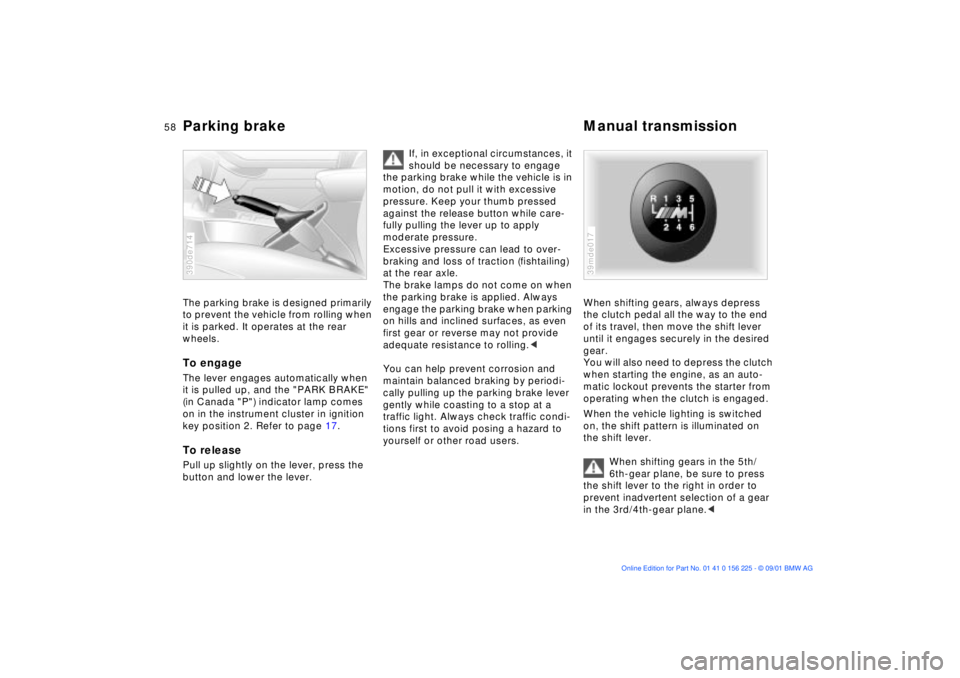
wheels.To engageThe lever engages automatically when
it is pulled up, and the "PARK BRAKE"
(in Canada "P") indicator lamp comes
on in the instrument cluster in ignition
key position 2. Refer to page 17. To releasePull up slightly on the lever, press the
button and lower the lever.390de714
If, in exceptional circumstances, it
should be necessary to engage
the parking brake while the vehicle is in
motion, do not pull it with excessive
pressure. Keep your thumb pressed
against the release button while care-
fully pulling the lever up to apply
moderate pressure.
Excessive pressure can lead to over-
braking and loss of traction (fishtailing)
at the rear axle.
The brake lamps do not come on when
the parking brake is applied. Always
engage the parking brake when parking
on hills and inclined surfaces, as even
first gear or reverse may not provide
adequate resistance to rolling.<
You can help prevent corrosion and
maintain balanced braking by periodi-
cally pulling up the parking brake lever
gently while coasting to a stop at a
traffic light. Always check traffic condi-
tions first to avoid posing a hazard to
yourself or other road users.
When shifting gears, always depress
the clutch pedal all the way to the end
of its travel, then move the shift lever
until it engages securely in the desired
gear.
You will also need to depress the clutch
when starting the engine, as an auto-
matic lockout prevents the starter from
operating when the clutch is engaged.
When the vehicle lighting is switched
on, the shift pattern is illuminated on
the shift lever.
When shifting gears in the 5th/
6th-gear plane, be sure to press
the shift lever to the right in order to
prevent inadvertent selection of a gear
in the 3rd/4th-gear plane.<39mde017
Page 68 of 154
68n
Check ControlDisplays after completion of a tripAll of the malfunctions registered during
the trip appear consecutively when the
key is turned to position 0.
The following displays will appear when
appropriate:
>"LIGHTS ON"
This display appears when you open
the driver's door after parking the
vehicle
>"KEY IN IGNITION LOCK"
>"CHECK ENGINE OIL LEV"
Check the engine oil at the earliest
opportunity (next stop for fuel). Refer
to page 115.
Status messages remain available for a
period of approx. three minutes after
the display goes out and the key is
removed from the ignition. Press the
CHECK button 3 to display these
messages. If there were multiple
messages, press the CHECK button
repeatedly to view them all in
sequence.
To check the Check ControlPress the CHECK button 3 with the
ignition key in position 2:
CHECK CONTROL OK appears in the
display.
There are no faults in the monitored
systems.ComputerYou can find descriptions of the
computer starting on page 73 and in
the "Onboard Computer Owner's
Manual."
You can have the Check Control
and computer messages
displayed in a different language.<
Page 71 of 154
71n
OverviewControlsMaintenanceRepairsDataIndex
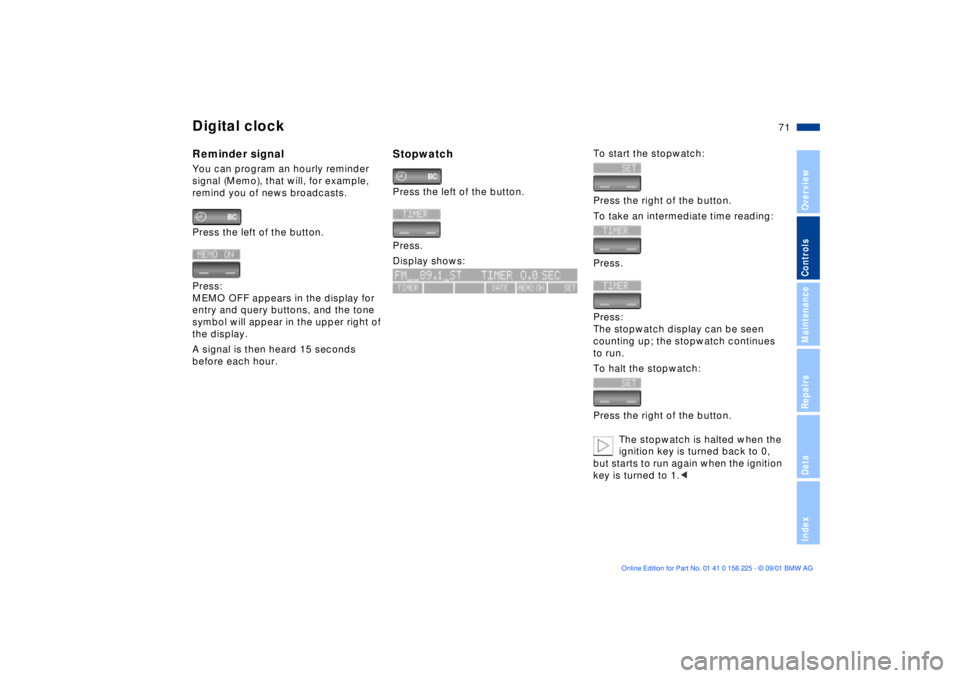
Digital clockReminder signalYou can program an hourly reminder
signal (Memo), that will, for example,
remind you of news broadcasts.
Press the left of the button.
Press:
MEMO OFF appears in the display for
entry and query buttons, and the tone
symbol will appear in the upper right of
the display.
A signal is then heard 15 seconds
before each hour.
StopwatchPress the left of the button.
Press.
Display shows:
To start the stopwatch:
Press the right of the button.
To take an intermediate time reading:
Press.
Press:
The stopwatch display can be seen
counting up; the stopwatch continues
to run.
To halt the stopwatch:
Press the right of the button.
The stopwatch is halted when the
ignition key is turned back to 0,
but starts to run again when the ignition
key is turned to 1.<
Page 80 of 154
80n
Dynamic Stability Control (DSC)DSC maintains vehicle stability, even in
critical driving situations.
The system optimizes vehicle stability
during acceleration and when starting
from a full stop, as well as enhancing
traction. In addition, the system recog-
nizes unstable vehicle conditions
(understeering or oversteering, for
example) and holds the vehicle on a
sure course by intervening via the
engine and by braking at the individual
wheels.
The system starts up automatically
each time you start the engine.Indicator lamp
The indicator lamp in the instru-
ment cluster goes out shortly
after you switch on the ignition.
Refer to page 17.
Indicator lamp flashes:
The system is active and governs drive
and braking force.
If the indicator lamp fails to go out after
the engine is started, or if it comes on
during normal driving and stays on:
There is a system malfunction or the
system was deactivated with the button.
You can continue to drive the vehicle
normally, but without DSC. Please
consult your BMW center for repairs.
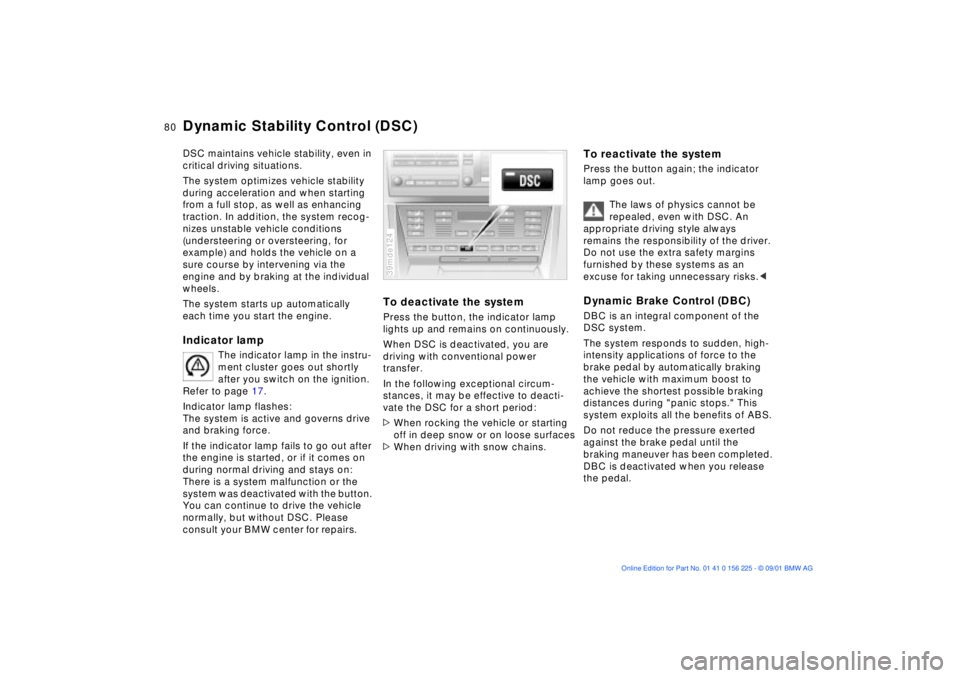
To deactivate the systemPress the button, the indicator lamp
lights up and remains on continuously.
When DSC is deactivated, you are
driving with conventional power
transfer.
In the following exceptional circum-
stances, it may be effective to deacti-
vate the DSC for a short period:
>When rocking the vehicle or starting
off in deep snow or on loose surfaces
>When driving with snow chains.39mde124
To reactivate the systemPress the button again; the indicator
lamp goes out.
The laws of physics cannot be
repealed, even with DSC. An
appropriate driving style always
remains the responsibility of the driver.
Do not use the extra safety margins
furnished by these systems as an
excuse for taking unnecessary risks.
The system responds to sudden, high-
intensity applications of force to the
brake pedal by automatically braking
the vehicle with maximum boost to
achieve the shortest possible braking
distances during "panic stops." This
system exploits all the benefits of ABS.
Do not reduce the pressure exerted
against the brake pedal until the
braking maneuver has been completed.
DBC is deactivated when you release
the pedal.
Page 148 of 154

Everything from A to ZEngine oil
checking level115
consumption115
dipstick115
disposal116
grades117
level16
pressure16
temperature gauge64
Engine performance140
Estimated time of arrival75
Exterior mirrors48
automatic dimming48
electrical heating48 F
Failure messages66
Filling capacities143
First-aid kit20
Fittings, tow starting and
towing135t
Flashlight96
Flat tire109
Flat Tire Monitor82
Fog lamps85
bulb replacement126t
Folding rear backrest99
Follow me home lamps84 Frost protection,
radiator118
Fuel consumption75
average75
Fuel filler door20
manual operation20t
Fuel gauge64
Fuel quality22
Fuel specifications22
Fuel tank capacity143
Fuse replacement132t
G
Gasoline gauge64
Gasoline quality22
Glove compartment96
Gross vehicle weight142 H
Handbrake17, 58
Hands-free system97
Hazard warning triangle20
Head protection airbags49
Head restraints43
adjusting43
Headlamp cover,
care125t
Headlamp flasher59
Headlamp washer
system115 Headlamp washers61
Headrests43
Heating with vehicle
stopped90
Heavy cargo102
Height141
Height adjustment
seats41
steering wheel47
High beams18, 59, 85
High Performance Synthetic
Oil117
High-mount brake lamp127
Holder for canned
beverages97
Hood113
release113t
Horn14
Hydraulic Braking Assistant,
refer to DBC17, 80
I
Ice warning63
Identification, tires111
Ignition key26
Ignition lock56
Imprint4
Indicator lamps16 Inflation
pressure22t, 109
INSPECTION65
Instrument cluster15
Instrument lighting85
Instrument panel15
Intensive cleaning
system115
Interface socket for Onboard
Diagnostics (OBD)121
Interior lamps86
Interior mirrors48
Interior motion sensor36
deactivate29
J
Jump-starting133t K
Key Memory55
Key with remote control26
Keys26 L
Lamps and bulbs124
Leather care, refer to the
"Caring for your vehicle"
manual
Page 150 of 154

Everything from A to ZRear window defroster90
Rearseat backrest,
folding99
Rearview mirrors48
Recirculated-air mode90
Refueling20
Releasing the fuel filler door
after an electrical
malfunction20t
Reminder signal (Memo)71
Remote control28, 77
Remote control key26
Removing condensation
from windows89t
Replace lamps and
bulbs124t
Replace windshield wiper
blades124t
Replacement key26t
Reporting safety defects11
Reservoir, washer
system115t
Residual heat90
Roller sun blinds92
Roof load capacity142
Roof-mounted luggage
rack103
S
Safety buttons31
Safety switch for power
windows37
Seats40
adjusting40
position adjustment
memory45
Securing cargo34, 102
Service and Warranty Infor-
mation Booklet (US
models)119
Service Interval
Display65, 119
Setting alarm in an
emergency77
Side airbags49
Side Impact Head Protection
System49
Side lamps84
Ski bag100
Sliding/tilt sunroof38
closing after an electrical
malfunction39t
convenience operation27
power loss or
malfunction39t
Snow chains112
Socket for attaching power
supplies98
Spare key26 Speakers97
Special characteristics of
winter tires112
Special oils117
Specified engine oils117
Speed76
average76
Speed limit73
Speedometer15
Sport seat41
Standing lamps14, 85
Starting the engine56
assistance133t
problems57, 133t
Starting, vehicle56
Steering wheel47
automatic adjustment47
lock56
position adjustment
memory45
Steering wheel with multi-
function buttons19
Stopwatch71
refer also to the "Onboard
Computer Owner's
Manual"
Storage areas96
Storage facilities96
Summer tires111
Switching off the engine57
Symbols8
T
Tachometer64
Tail lamps126
bulb replacement126t
Tank capacity143
Technical
modifications120
Telephone hookup97
Temperature display
engine coolant65
engine oil64
outside temperature63
Temperature gauge
coolant65
engine oil64
Temperature layering91
Thigh support
adjustment41
Third brake light127
Through-loading system99
Tilt alarm sensor36
deactivate29
Tilt function, passenger-side
mirror46
Time
calling up70
changing70
refer also to the "Onboard
Computer Owner's
Manual"