reset BMW M6 CONVERTIBLE 2012 User Guide
[x] Cancel search | Manufacturer: BMW, Model Year: 2012, Model line: M6 CONVERTIBLE, Model: BMW M6 CONVERTIBLE 2012Pages: 297, PDF Size: 12.09 MB
Page 129 of 297
Parked-car ventilation
The concept
The parked-car ventilation ventilates the vehicle
interior and lowers its temperature, if necessary.
The system can be switched on and off directly
or by using two preset switch-on times. It re‐
mains switched on for 30 minutes.
Operation can be performed via iDrive.
Parked-car ventilation
Using the preset switch-on time or when oper‐
ated directly: any external temperature.
Open the vents to allow air to flow out.
Switching on/off directly1."Settings"2."Climate"3."Activate parked-car vent."
The symbol on the automatic climate control
flashes if the system is switched on.
The system continues to run for some time after
being switched off.
Preselecting the switch-on time
1."Settings"2."Climate"3."Timer 1:" or "Timer 2:"4.Set the desired time.
Activating the switch-on time
1."Settings"2."Climate"3."Activate Timer 1" or "Activate Timer 2"
The symbol on the automatic climate control
lights up when the switch-on time is activated.
The symbol on the automatic climate control
flashes when the system has been switched on.
The system will only be switched on within the
next 24 hours. After that, it needs to reactivated.
Seite 129Climate controlControls129
Online Edition for Part no. 01 40 2 900 735 - 03 12 490
Page 174 of 297
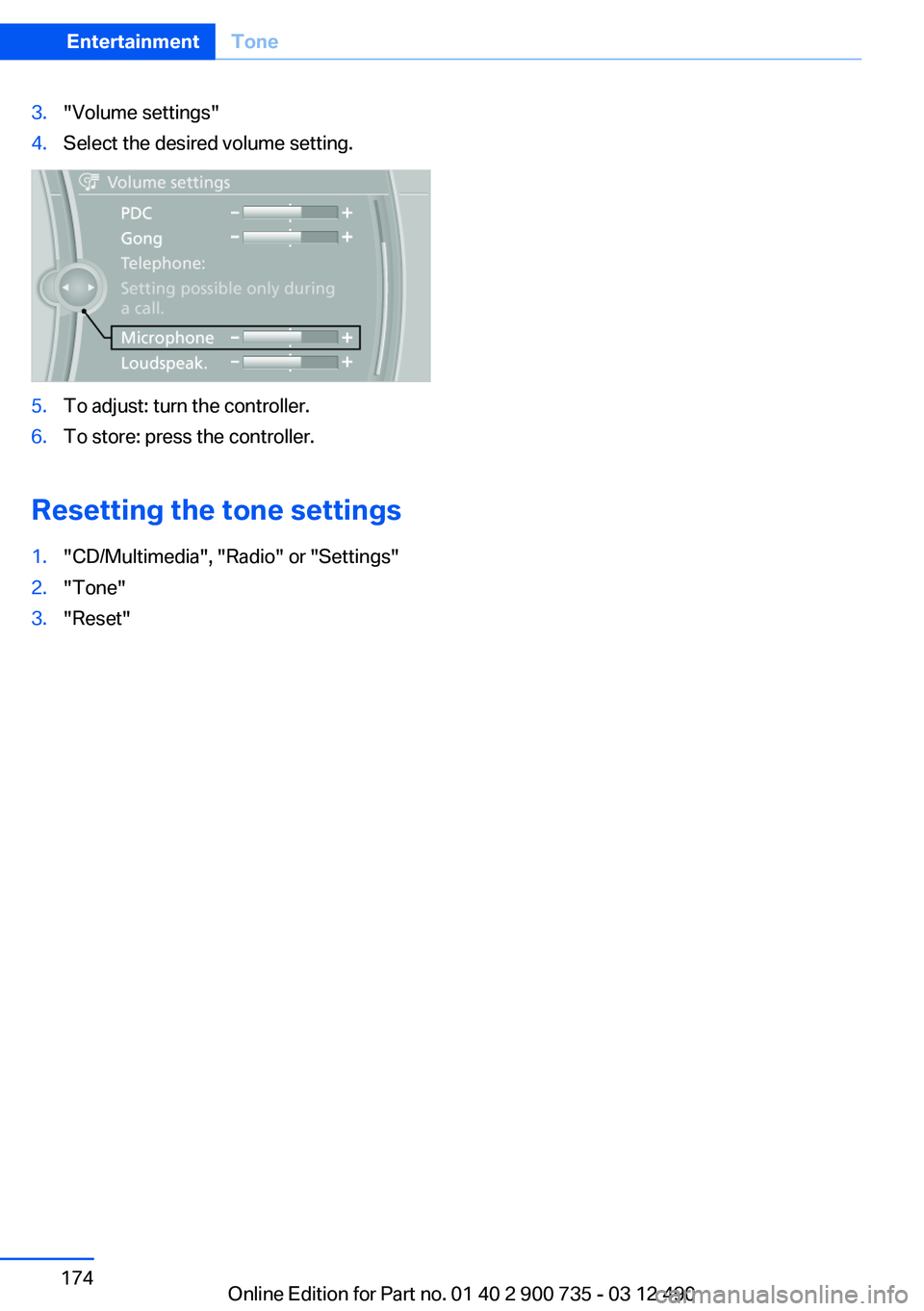
3."Volume settings"4.Select the desired volume setting.5.To adjust: turn the controller.6.To store: press the controller.
Resetting the tone settings
1."CD/Multimedia", "Radio" or "Settings"2."Tone"3."Reset"Seite 174EntertainmentTone174
Online Edition for Part no. 01 40 2 900 735 - 03 12 490
Page 181 of 297
Managing the favorites
Activating/deactivating the favorites
Favorites can be activated and deactivated
globally and individually.1."Satellite radio"2. "Manage favorites"3.Select "Activate alert" or the desired favor‐
ites.
The setting is stored for the remote control cur‐
rently in use.
Deleting favorites
1."Satellite radio"2. "Manage favorites"3.Highlight the desired favorite.4.Open "Options".5."Delete entry"
Traffic Jump
Traffic and weather information for a selected
region is broadcast every few minutes.
Selecting a region
1."Radio"2."Satellite radio"3.Open "Options".4."Set jump"5.Select the desired region.
The region is stored for the remote control cur‐
rently in use.
Activating/deactivating the jump
1."Radio"2."Satellite radio"3. "Jump to:"
Information for the selected region is broadcast
as soon as it is available.
A new panel opens.
Canceling the Traffic Jump: "Cancel".
SymbolMeaning Information will be broadcast shortly. Information is currently being broad‐
cast.
Select one of the symbols to deactivate Traffic
Jump.
Automatic update
About twice a year, Sirius performs an update of
the channel names and positions. The update
takes place automatically and may take several
minutes.
Notes
▷Reception may not be available in some sit‐
uations, such as under certain environmen‐
tal or topographic conditions. The satellite
radio has no influence on this.▷The signal may not be available in tunnels or
underground garages next to tall buildings
or near trees, mountains or other powerful
sources of radio interference.
Stored stations
General information
It is possible to store up to 40 stations.
Calling up a station
1."Radio"2."Presets"3.Select the desired station.
Storing a station
The station currently selected is stored.
1."Radio"2."Presets"Seite 181RadioEntertainment181
Online Edition for Part no. 01 40 2 900 735 - 03 12 490
Page 182 of 297
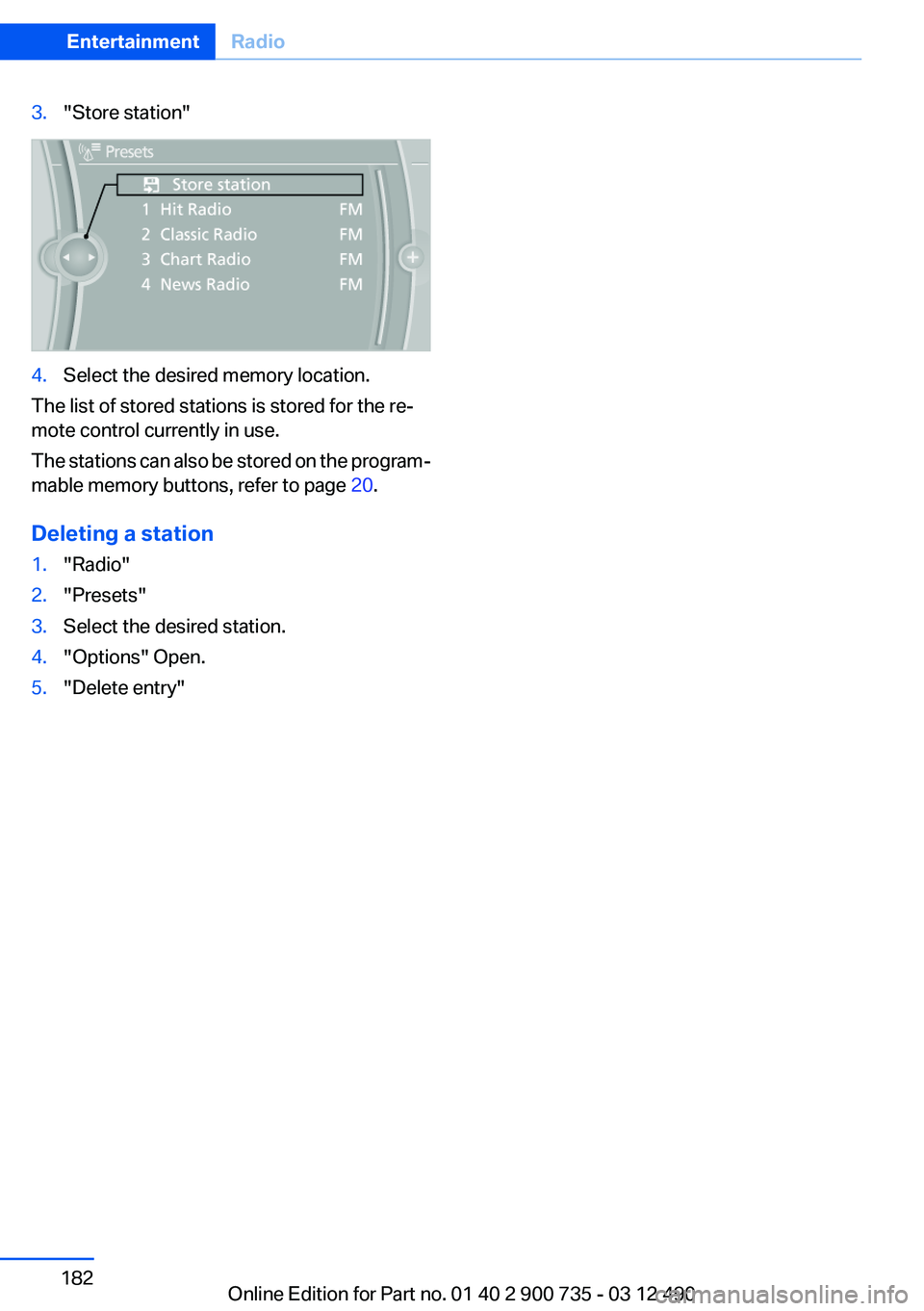
3."Store station"4.Select the desired memory location.
The list of stored stations is stored for the re‐
mote control currently in use.
The stations can also be stored on the program‐
mable memory buttons, refer to page 20.
Deleting a station
1."Radio"2."Presets"3.Select the desired station.4."Options" Open.5."Delete entry"Seite 182EntertainmentRadio182
Online Edition for Part no. 01 40 2 900 735 - 03 12 490
Page 199 of 297
▷The volume of the sound output is depend‐
ent on the device. If necessary, adjust the
volume on the device.▷Up to four external devices can be paired
with the vehicle.
Requirements
▷The device is suitable. Information under
www.bmwusa.com/bluetooth.▷The device is ready for operation.▷The ignition is switched on.▷Bluetooth is activated on the vehicle, refer to
page 207, and on the device.▷Bluetooth presettings must be made on the
device, such as for a connection without
confirmation or visibility; refer to the device
operating instructions.▷A number with at least four and a maximum
of 16 digits is defined as the Bluetooth pass‐
key. It is only required once for pairing.
Pairing and connecting
Pairing a device
To avoid becoming distracted and posing
an unnecessary hazard both to your own vehi‐
cle's occupants and to other road users, only
pair the device while the vehicle is stationary.◀
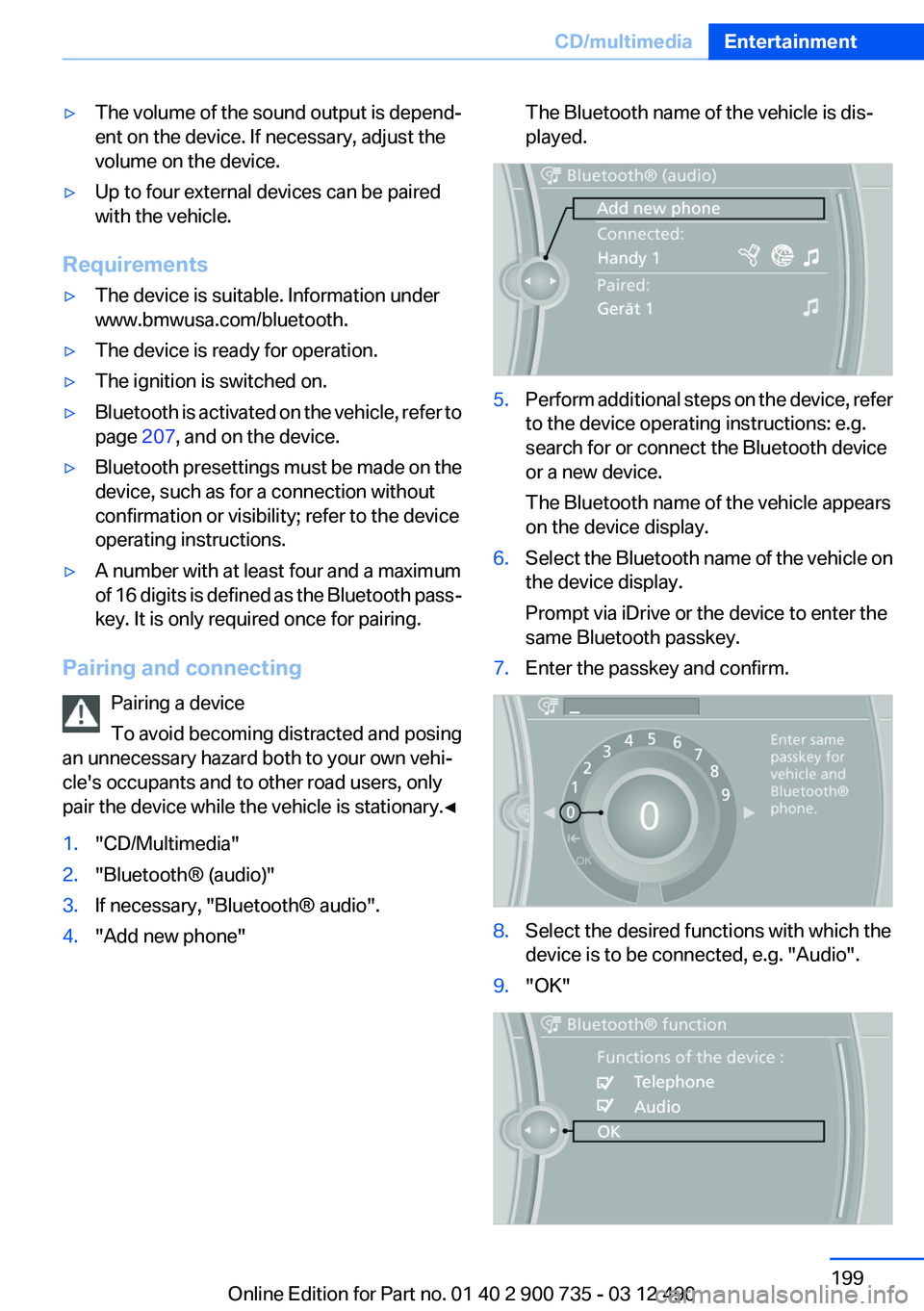
1."CD/Multimedia"2."Bluetooth® (audio)"3.If necessary, "Bluetooth® audio".4."Add new phone"The Bluetooth name of the vehicle is dis‐
played.5.Perform additional steps on the device, refer
to the device operating instructions: e.g.
search for or connect the Bluetooth device
or a new device.
The Bluetooth name of the vehicle appears
on the device display.6.Select the Bluetooth name of the vehicle on
the device display.
Prompt via iDrive or the device to enter the
same Bluetooth passkey.7.Enter the passkey and confirm.8.Select the desired functions with which the
device is to be connected, e.g. "Audio".9."OK"Seite 199CD/multimediaEntertainment199
Online Edition for Part no. 01 40 2 900 735 - 03 12 490
Page 207 of 297
When the mobile phone is used via the vehicle,
heed the operating manual of the mobile phone.
Pairing/unpairing the mobile
phone
General information
The following functions are available:▷Use of a mobile phone as a telephone.▷Use of a mobile phone as an additional tele‐
phone.▷Use of a mobile phone as an audio source.▷Use of an audio device as an audio source.
Requirements
▷The mobile phone is suitable.▷The mobile phone is ready for operation.▷Bluetooth is activated in the vehicle and on
the mobile phone.▷Bluetooth presettings may need to be made
on the mobile phone, e.g., for a connection
without confirmation or visibility, refer to the
mobile phone operating instructions.▷Deactivate Bluetooth audio if necessary.▷A number with at least four and a maximum
of 16 digits was defined as the Bluetooth
passkey. It is only required once for pairing.▷The ignition is switched on.
Activating/deactivating Bluetooth
Bluetooth is not permitted everywhere. Comply
with all safety guidelines and regulations.
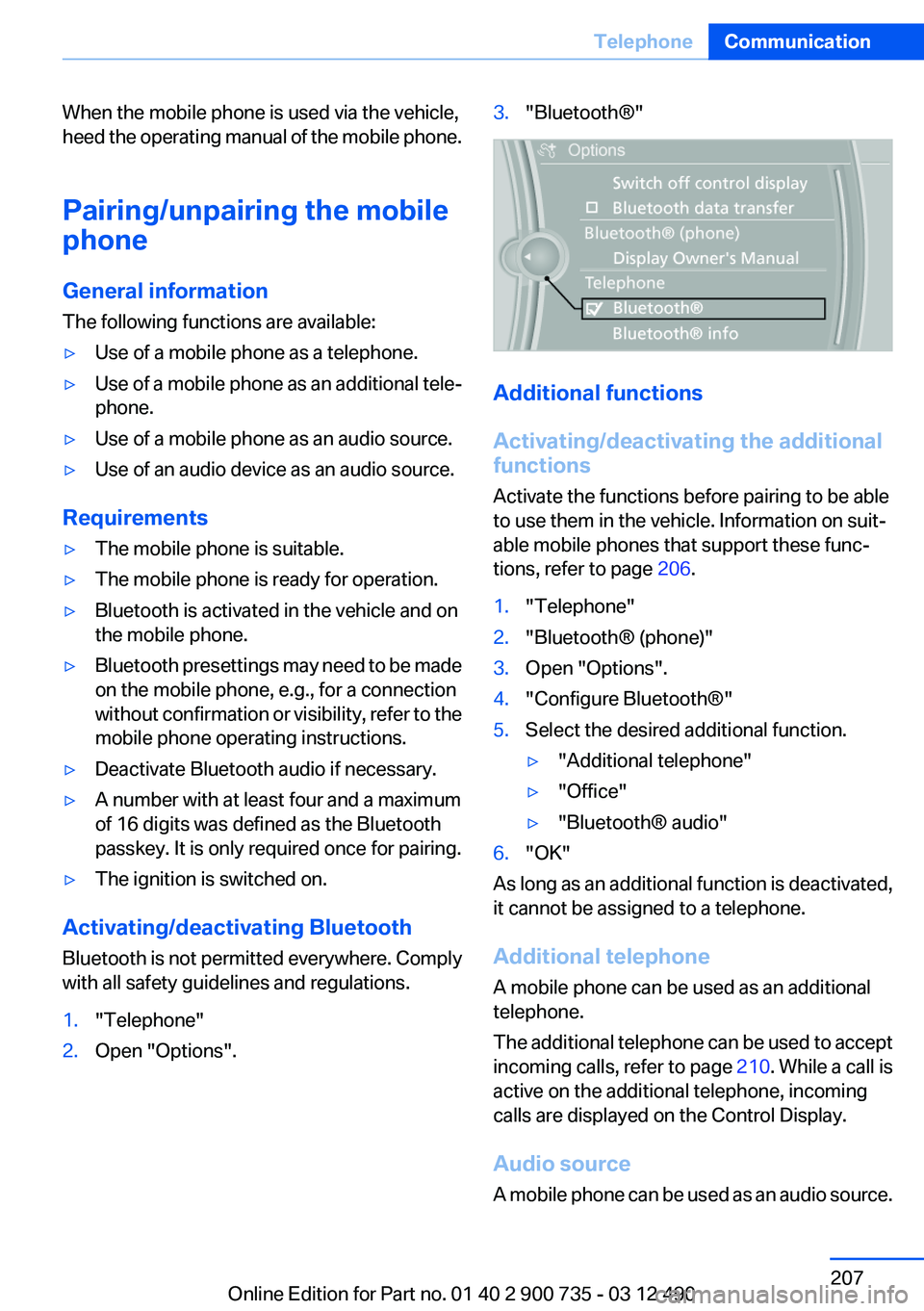
1."Telephone"2.Open "Options".3."Bluetooth®"
Additional functions
Activating/deactivating the additional
functions
Activate the functions before pairing to be able
to use them in the vehicle. Information on suit‐
able mobile phones that support these func‐
tions, refer to page 206.
1."Telephone"2."Bluetooth® (phone)"3.Open "Options".4."Configure Bluetooth®"5.Select the desired additional function.▷"Additional telephone"▷"Office"▷"Bluetooth® audio"6."OK"
As long as an additional function is deactivated,
it cannot be assigned to a telephone.
Additional telephone
A mobile phone can be used as an additional
telephone.
The additional telephone can be used to accept
incoming calls, refer to page 210. While a call is
active on the additional telephone, incoming
calls are displayed on the Control Display.
Audio source
A mobile phone can be used as an audio source.
Seite 207TelephoneCommunication207
Online Edition for Part no. 01 40 2 900 735 - 03 12 490
Page 216 of 297
Deleting all entries1.›Delete phonebook‹
The dialog for deleting the phone book is
opened.2.Confirm the query with ›Yes‹.3.Confirm the query again with ›Yes‹.
Reading and selecting entries
1.›Read phonebook‹
The dialog for reading the phone book is
opened.2.Say ›Dial number‹ when the desired entry is
read.
Selecting an entry
1.›Dial name‹2.Say the name after being prompted to do so.3.Confirm the query with ›Yes‹.
Adjusting the volume
Turn the knob during an announcement.
▷The volume remains constant even if the
volume of other audio sources is changed.▷The volume is stored for the remote control
currently in use.
Notes
Do not use the voice operation to initiate an
Emergency Request. In stressful situations, the
voice and vocal pitch can change. This can un‐
necessarily delay the establishment of a tele‐
phone connection.
Instead, use the SOS button, refer to
page 263, in the vicinity of the interior mirror.
Environmental conditions
▷Say the commands, numbers, and letters
smoothly and with normal volume, empha‐
sis, and speed.▷Always say commands in the language of
the system. The language for the mobilephone voice operation is preset and cannot
be changed in the Control Display.▷Keep the doors, windows, and convertible
top closed to prevent noise interference.▷Avoid making other noise in the vehicle
while speaking.
Snap-in adapter
General information
Detailed information about snap-in adapters,
which support the functions of the mobile
phone, is available from the service center.
Notes
At high temperatures, the charge functions of
the mobile phone can be limited under certain
circumstances, and the functions are no longer
executed.
When the mobile phone is used via the vehicle,
heed the operating manual of the mobile phone.
Installation position
In the center armrest.
Inserting the snap-in adapter
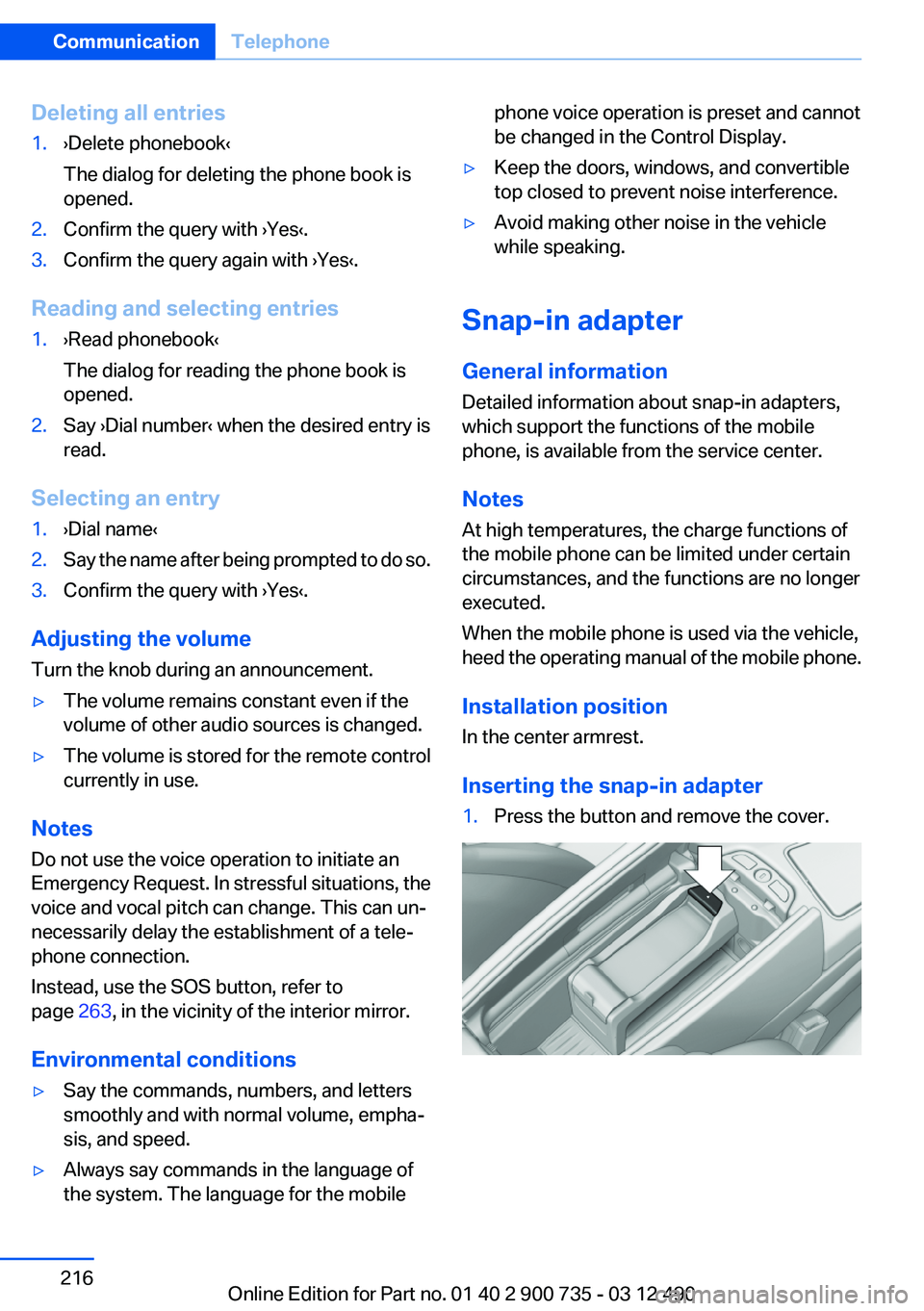
1.Press the button and remove the cover.Seite 216CommunicationTelephone216
Online Edition for Part no. 01 40 2 900 735 - 03 12 490
Page 282 of 297
Weather Band
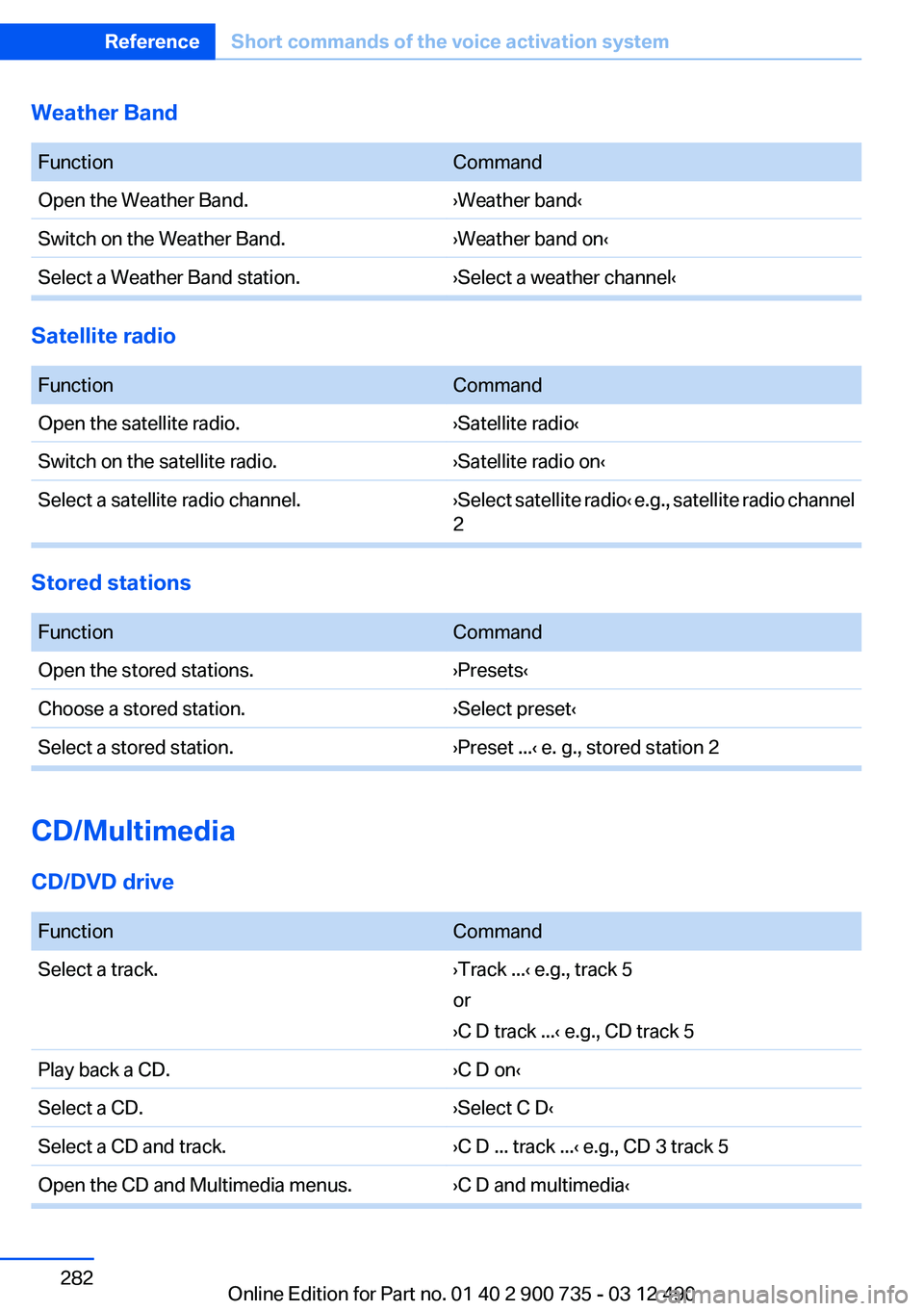
FunctionCommandOpen the Weather Band.›Weather band‹Switch on the Weather Band.›Weather band on‹Select a Weather Band station.›Select a weather channel‹
Satellite radio
FunctionCommandOpen the satellite radio.›Satellite radio‹Switch on the satellite radio.›Satellite radio on‹Select a satellite radio channel.› Select satellite radio ‹ e.g., satellite radio channel
2
Stored stations
FunctionCommandOpen the stored stations.›Presets‹Choose a stored station.›Select preset‹Select a stored station.›Preset ...‹ e. g., stored station 2
CD/Multimedia
CD/DVD drive
FunctionCommandSelect a track.›Track ...‹ e.g., track 5
or
›C D track ...‹ e.g., CD track 5Play back a CD.›C D on‹Select a CD.›Select C D‹Select a CD and track.›C D ... track ...‹ e.g., CD 3 track 5Open the CD and Multimedia menus.›C D and multimedia‹Seite 282ReferenceShort commands of the voice activation system282
Online Edition for Part no. 01 40 2 900 735 - 03 12 490
Page 292 of 297
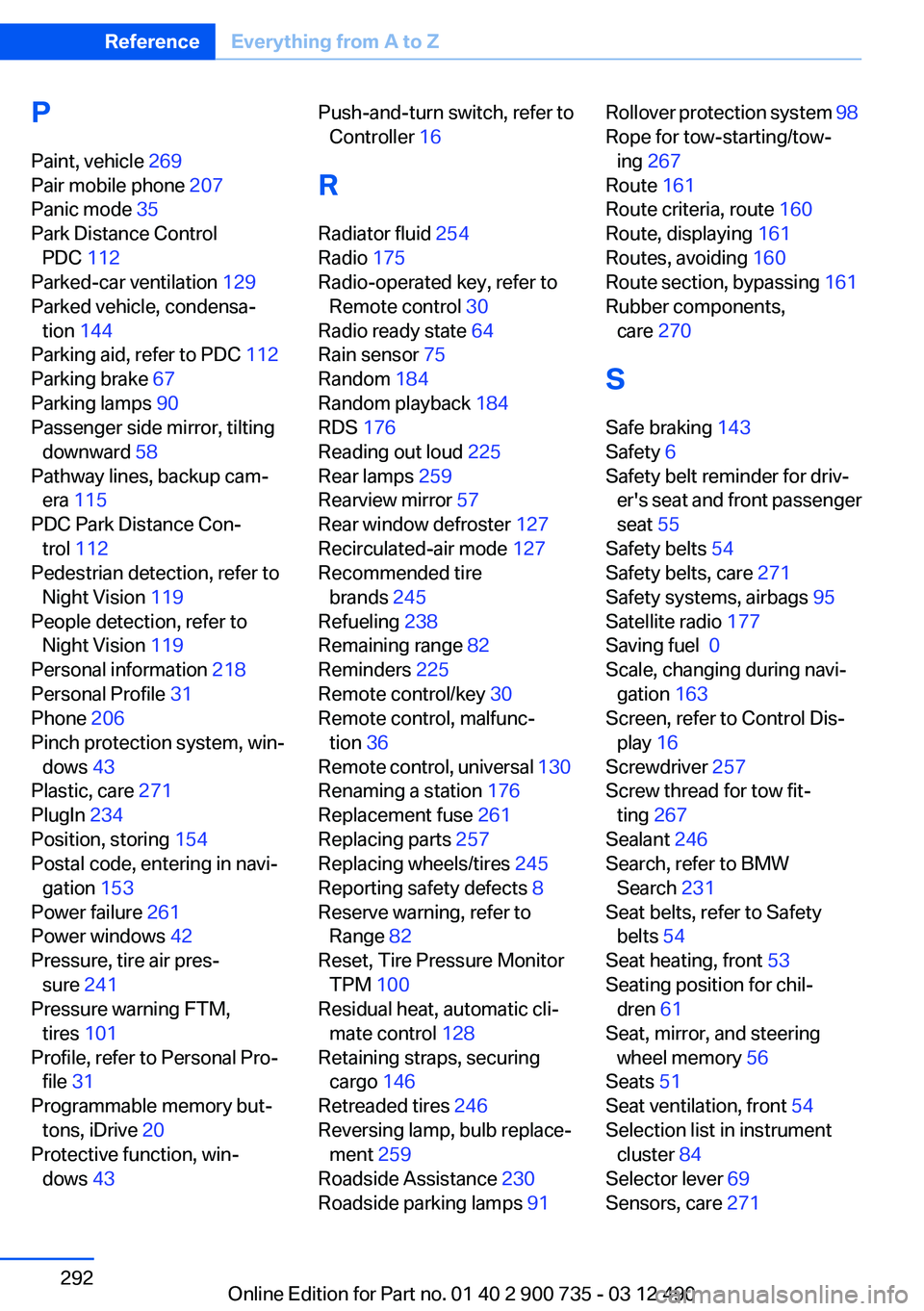
P
Paint, vehicle 269
Pair mobile phone 207
Panic mode 35
Park Distance Control PDC 112
Parked-car ventilation 129
Parked vehicle, condensa‐ tion 144
Parking aid, refer to PDC 112
Parking brake 67
Parking lamps 90
Passenger side mirror, tilting downward 58
Pathway lines, backup cam‐ era 115
PDC Park Distance Con‐ trol 112
Pedestrian detection, refer to Night Vision 119
People detection, refer to Night Vision 119
Personal information 218
Personal Profile 31
Phone 206
Pinch protection system, win‐ dows 43
Plastic, care 271
PlugIn 234
Position, storing 154
Postal code, entering in navi‐ gation 153
Power failure 261
Power windows 42
Pressure, tire air pres‐ sure 241
Pressure warning FTM, tires 101
Profile, refer to Personal Pro‐ file 31
Programmable memory but‐ tons, iDrive 20
Protective function, win‐ dows 43 Push-and-turn switch, refer to
Controller 16
R
Radiator fluid 254
Radio 175
Radio-operated key, refer to Remote control 30
Radio ready state 64
Rain sensor 75
Random 184
Random playback 184
RDS 176
Reading out loud 225
Rear lamps 259
Rearview mirror 57
Rear window defroster 127
Recirculated-air mode 127
Recommended tire brands 245
Refueling 238
Remaining range 82
Reminders 225
Remote control/key 30
Remote control, malfunc‐ tion 36
Remote control, universal 130
Renaming a station 176
Replacement fuse 261
Replacing parts 257
Replacing wheels/tires 245
Reporting safety defects 8
Reserve warning, refer to Range 82
Reset, Tire Pressure Monitor TPM 100
Residual heat, automatic cli‐ mate control 128
Retaining straps, securing cargo 146
Retreaded tires 246
Reversing lamp, bulb replace‐ ment 259
Roadside Assistance 230
Roadside parking lamps 91 Rollover protection system 98
Rope for tow-starting/tow‐ ing 267
Route 161
Route criteria, route 160
Route, displaying 161
Routes, avoiding 160
Route section, bypassing 161
Rubber components, care 270
S
Safe braking 143
Safety 6
Safety belt reminder for driv‐ er's seat and front passenger
seat 55
Safety belts 54
Safety belts, care 271
Safety systems, airbags 95
Satellite radio 177
Saving fuel 0
Scale, changing during navi‐ gation 163
Screen, refer to Control Dis‐ play 16
Screwdriver 257
Screw thread for tow fit‐ ting 267
Sealant 246
Search, refer to BMW Search 231
Seat belts, refer to Safety belts 54
Seat heating, front 53
Seating position for chil‐ dren 61
Seat, mirror, and steering wheel memory 56
Seats 51
Seat ventilation, front 54
Selection list in instrument cluster 84
Selector lever 69
Sensors, care 271 Seite 292ReferenceEverything from A to Z292
Online Edition for Part no. 01 40 2 900 735 - 03 12 490