mirror BMW M6 CONVERTIBLE 2012 Owner's Manual
[x] Cancel search | Manufacturer: BMW, Model Year: 2012, Model line: M6 CONVERTIBLE, Model: BMW M6 CONVERTIBLE 2012Pages: 297, PDF Size: 12.09 MB
Page 216 of 297
Deleting all entries1.›Delete phonebook‹
The dialog for deleting the phone book is
opened.2.Confirm the query with ›Yes‹.3.Confirm the query again with ›Yes‹.
Reading and selecting entries
1.›Read phonebook‹
The dialog for reading the phone book is
opened.2.Say ›Dial number‹ when the desired entry is
read.
Selecting an entry
1.›Dial name‹2.Say the name after being prompted to do so.3.Confirm the query with ›Yes‹.
Adjusting the volume
Turn the knob during an announcement.
▷The volume remains constant even if the
volume of other audio sources is changed.▷The volume is stored for the remote control
currently in use.
Notes
Do not use the voice operation to initiate an
Emergency Request. In stressful situations, the
voice and vocal pitch can change. This can un‐
necessarily delay the establishment of a tele‐
phone connection.
Instead, use the SOS button, refer to
page 263, in the vicinity of the interior mirror.
Environmental conditions
▷Say the commands, numbers, and letters
smoothly and with normal volume, empha‐
sis, and speed.▷Always say commands in the language of
the system. The language for the mobilephone voice operation is preset and cannot
be changed in the Control Display.▷Keep the doors, windows, and convertible
top closed to prevent noise interference.▷Avoid making other noise in the vehicle
while speaking.
Snap-in adapter
General information
Detailed information about snap-in adapters,
which support the functions of the mobile
phone, is available from the service center.
Notes
At high temperatures, the charge functions of
the mobile phone can be limited under certain
circumstances, and the functions are no longer
executed.
When the mobile phone is used via the vehicle,
heed the operating manual of the mobile phone.
Installation position
In the center armrest.
Inserting the snap-in adapter
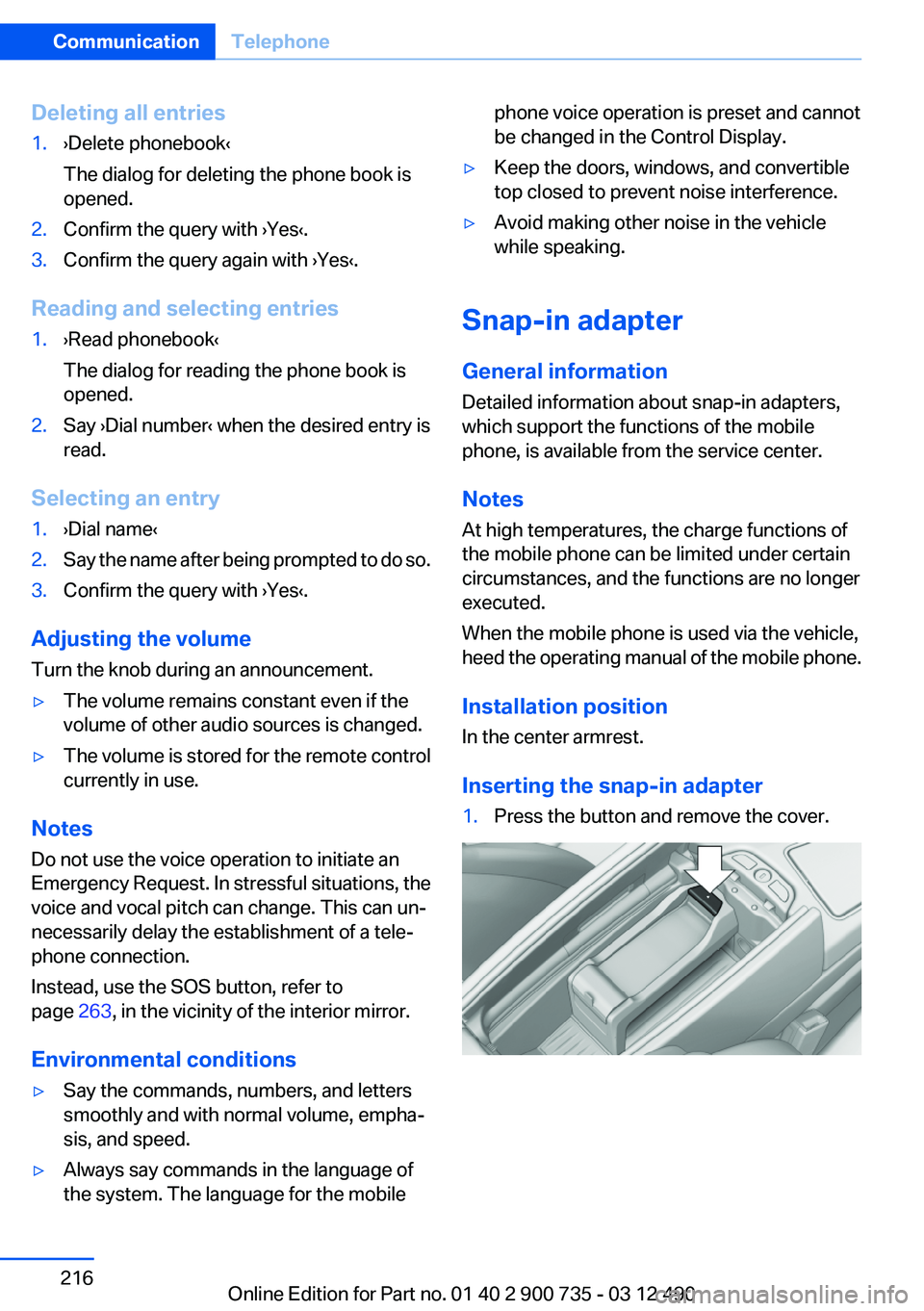
1.Press the button and remove the cover.Seite 216CommunicationTelephone216
Online Edition for Part no. 01 40 2 900 735 - 03 12 490
Page 261 of 297
2.Unscrew the lug bolt.
Remove the adapter after screwing the lug bolt
back on.
Vehicle battery
Maintenance
The battery is maintenance-free, i.e., the elec‐
trolyte will last for the life of the battery.
Your service center will be glad to advise you on
questions regarding the battery.
Battery replacement Use approved vehicle batteries only
Only use vehicle batteries that have been
approved for your vehicle by the manufacturer;
otherwise, the vehicle could be damaged and
systems or functions may not be fully availa‐
ble.◀
After a battery replacement, have the battery
registered on the vehicle by your service center
to ensure that all comfort functions are fully
available and that any Check Control messages
are no longer displayed.
Charging the battery
Note Do not plug the charger into the socket
Do not connect battery chargers to the
factory-installed sockets in the vehicle. Doing so
may result in damage to the vehicle.◀
Starting aid terminals
In the vehicle, only charge the battery via the
starting aid terminals, refer to page 265, in the
engine compartment with the engine off.
Power failure
After a temporary power loss, some equipment
needs to be reinitialized.
Individual settings need to be reprogrammed:▷Seat, mirror, and steering wheel memory:
store the positions again.▷Time: update.▷Date: update.▷Radio station: save again.▷Navigation system: wait for the operability of
the navigation.
Disposing of old batteries
Have old batteries disposed of by your
service center or bring them to a recy‐
cling center.
Maintain the battery in an upright position for
transport and storage. Secure the battery so
that it does not tip over during transport.
Fuses
Notes Replacing fuses
Never attempt to repair a blown fuse and
do not replace a defective fuse with a substitute
of another color or amperage rating; this could
lead to a circuit overload, ultimately resulting in
a fire in the vehicle.◀
Plastic tweezers and information on the fuse
types and locations are stored in the fuse box in
the cargo area.
Seite 261Replacing componentsMobility261
Online Edition for Part no. 01 40 2 900 735 - 03 12 490
Page 268 of 297
CareVehicle equipment
All standard, country-specific and optional
equipment that is offered in the model series is
described in this chapter. Therefore, equipment
is also described that is not available in a vehicle,
e. g., because of the selected optional equip‐
ment or country variant. This also applies for
safety-related functions and systems.
Car washes
Notes Steam jets or high-pressure washers
When using steam jets or high-pressure
washers, hold them a sufficient distance away
and use a maximum temperature of
140 ℉/60 ℃.
Holding them too close or using excessively
high pressures or temperatures can cause dam‐
age or preliminary damage that may then lead to
long-term damage.
Follow the operating instructions for the high-
pressure washer.◀
Cleaning sensors/cameras with high-
pressure washers
When using high-pressure washers, do not
spray the exterior sensors and cameras, e.g.,
Park Distance Control, for extended periods of
time and only from a distance of at least
12 in/30 cm.◀
Wash your vehicle frequently, particularly in win‐
ter.
Intense soiling and road salt can damage the ve‐
hicle.Automatic car washes
Notes Do not use high pressure washing sys‐
tems
With washing systems operating at high pres‐
sures and nozzle positions close to the windows,
drops of water can penetrate.◀
Note the following:▷Give preference to cloth car washes or those
that use soft brushes in order to avoid paint
damage.▷Make sure that the wheels and tires are not
damaged by the transport mechanisms.▷Fold in the exterior mirrors; otherwise, they
may be damaged, depending on the width of
the vehicle.▷Deactivate the rain sensor, refer to page 75,
to avoid unintentional wiper activation.▷Do not treat the convertible top with wax.
Ensure that a cycle without wax or a special
cycle for convertibles is available.▷In some cases, an unintentional alarm can be
triggered by the interior motion sensor of the
alarm system. Follow the instructions on
avoiding an unintentional alarm, refer to
page 42.
Guide rails in car washes
Avoid car washes with guide rails higher
than 4 in/10 cm; otherwise, the vehicle body
could be damaged.◀
Before driving into a car wash
In order to ensure that the vehicle can roll in a car
wash, take the following steps:
Double-clutch transmission:
1.Release the parking brake, refer to page 67.2.Drive into the car wash.Seite 268MobilityCare268
Online Edition for Part no. 01 40 2 900 735 - 03 12 490
Page 274 of 297
Technical dataVehicle equipment
All standard, country-specific and optional
equipment that is offered in the model series is
described in this chapter. Therefore, equipmentis also described that is not available in a vehicle,
e. g., because of the selected optional equip‐
ment or country variant. This also applies for
safety-related functions and systems.
Dimensions
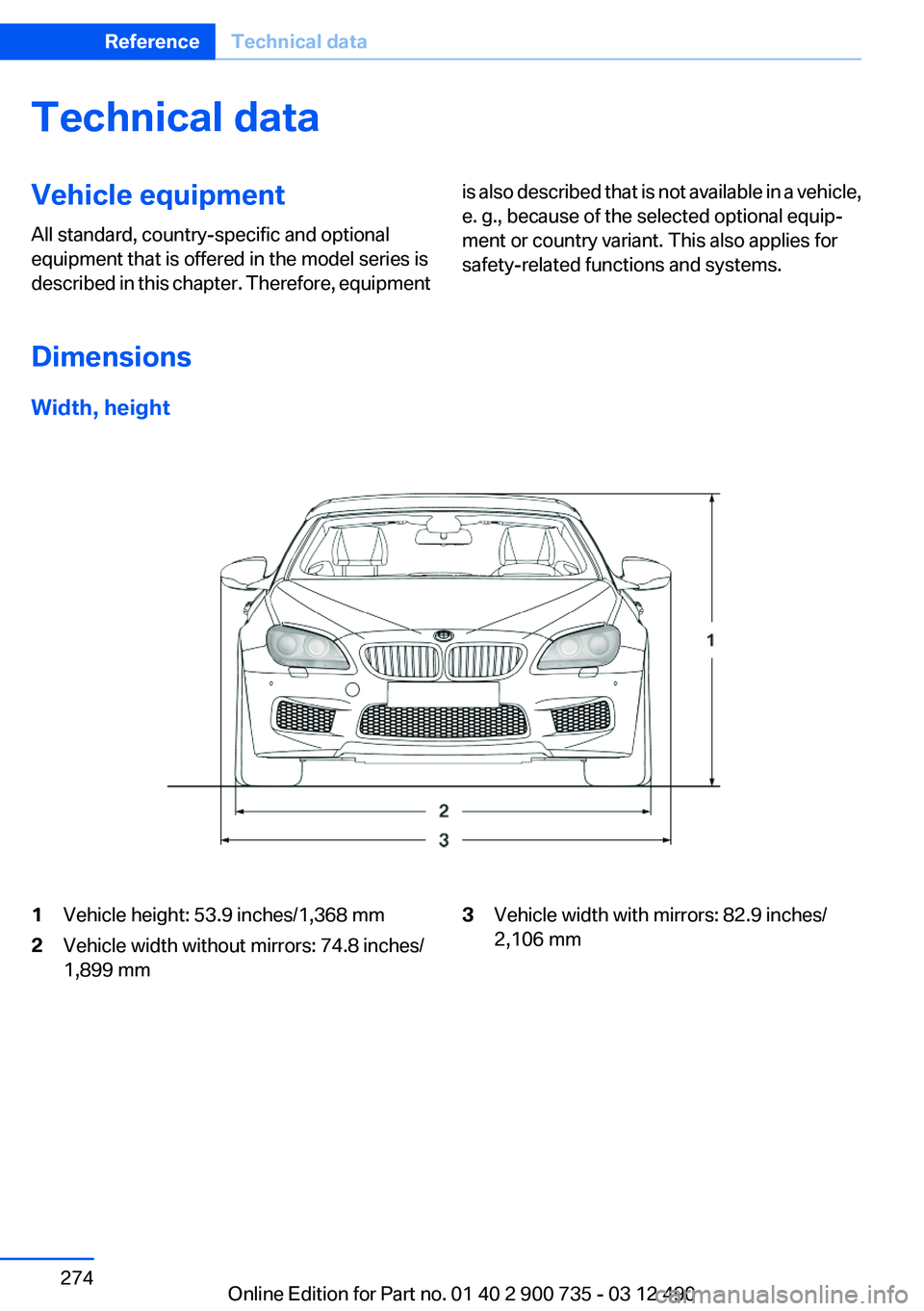
Width, height
1Vehicle height: 53.9 inches/1,368 mm2Vehicle width without mirrors: 74.8 inches/
1,899 mm3Vehicle width with mirrors: 82.9 inches/
2,106 mmSeite 274ReferenceTechnical data274
Online Edition for Part no. 01 40 2 900 735 - 03 12 490
Page 286 of 297
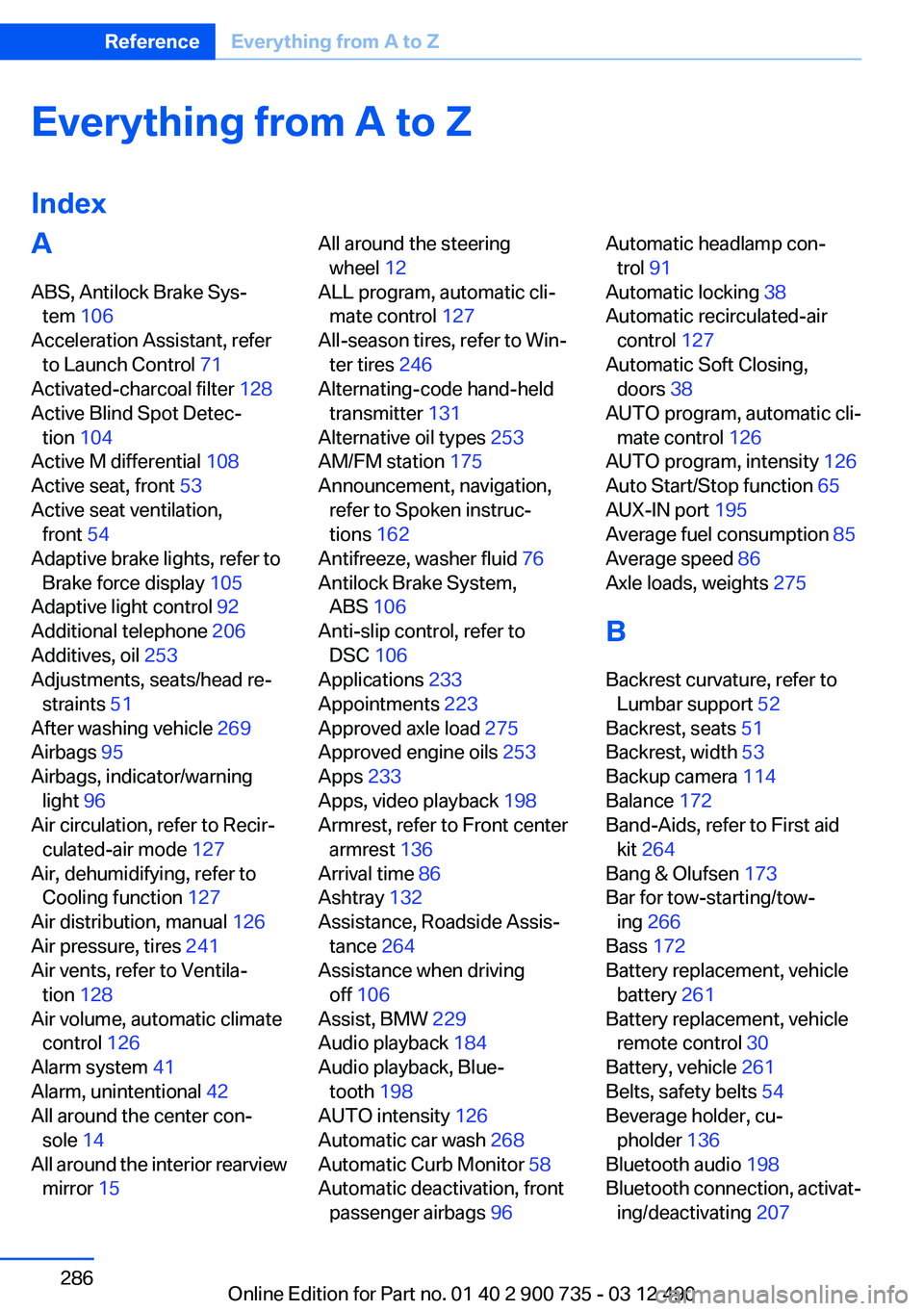
Everything from A to Z
IndexA
ABS, Antilock Brake Sys‐ tem 106
Acceleration Assistant, refer to Launch Control 71
Activated-charcoal filter 128
Active Blind Spot Detec‐ tion 104
Active M differential 108
Active seat, front 53
Active seat ventilation, front 54
Adaptive brake lights, refer to Brake force display 105
Adaptive light control 92
Additional telephone 206
Additives, oil 253
Adjustments, seats/head re‐ straints 51
After washing vehicle 269
Airbags 95
Airbags, indicator/warning light 96
Air circulation, refer to Recir‐ culated-air mode 127
Air, dehumidifying, refer to Cooling function 127
Air distribution, manual 126
Air pressure, tires 241
Air vents, refer to Ventila‐ tion 128
Air volume, automatic climate control 126
Alarm system 41
Alarm, unintentional 42
All around the center con‐ sole 14
All around the interior rearview mirror 15 All around the steering
wheel 12
ALL program, automatic cli‐ mate control 127
All-season tires, refer to Win‐ ter tires 246
Alternating-code hand-held transmitter 131
Alternative oil types 253
AM/FM station 175
Announcement, navigation, refer to Spoken instruc‐
tions 162
Antifreeze, washer fluid 76
Antilock Brake System, ABS 106
Anti-slip control, refer to DSC 106
Applications 233
Appointments 223
Approved axle load 275
Approved engine oils 253
Apps 233
Apps, video playback 198
Armrest, refer to Front center armrest 136
Arrival time 86
Ashtray 132
Assistance, Roadside Assis‐ tance 264
Assistance when driving off 106
Assist, BMW 229
Audio playback 184
Audio playback, Blue‐ tooth 198
AUTO intensity 126
Automatic car wash 268
Automatic Curb Monitor 58
Automatic deactivation, front passenger airbags 96 Automatic headlamp con‐
trol 91
Automatic locking 38
Automatic recirculated-air control 127
Automatic Soft Closing, doors 38
AUTO program, automatic cli‐ mate control 126
AUTO program, intensity 126
Auto Start/Stop function 65
AUX-IN port 195
Average fuel consumption 85
Average speed 86
Axle loads, weights 275
B
Backrest curvature, refer to Lumbar support 52
Backrest, seats 51
Backrest, width 53
Backup camera 114
Balance 172
Band-Aids, refer to First aid kit 264
Bang & Olufsen 173
Bar for tow-starting/tow‐ ing 266
Bass 172
Battery replacement, vehicle battery 261
Battery replacement, vehicle remote control 30
Battery, vehicle 261
Belts, safety belts 54
Beverage holder, cu‐ pholder 136
Bluetooth audio 198
Bluetooth connection, activat‐ ing/deactivating 207 Seite 286ReferenceEverything from A to Z286
Online Edition for Part no. 01 40 2 900 735 - 03 12 490
Page 288 of 297
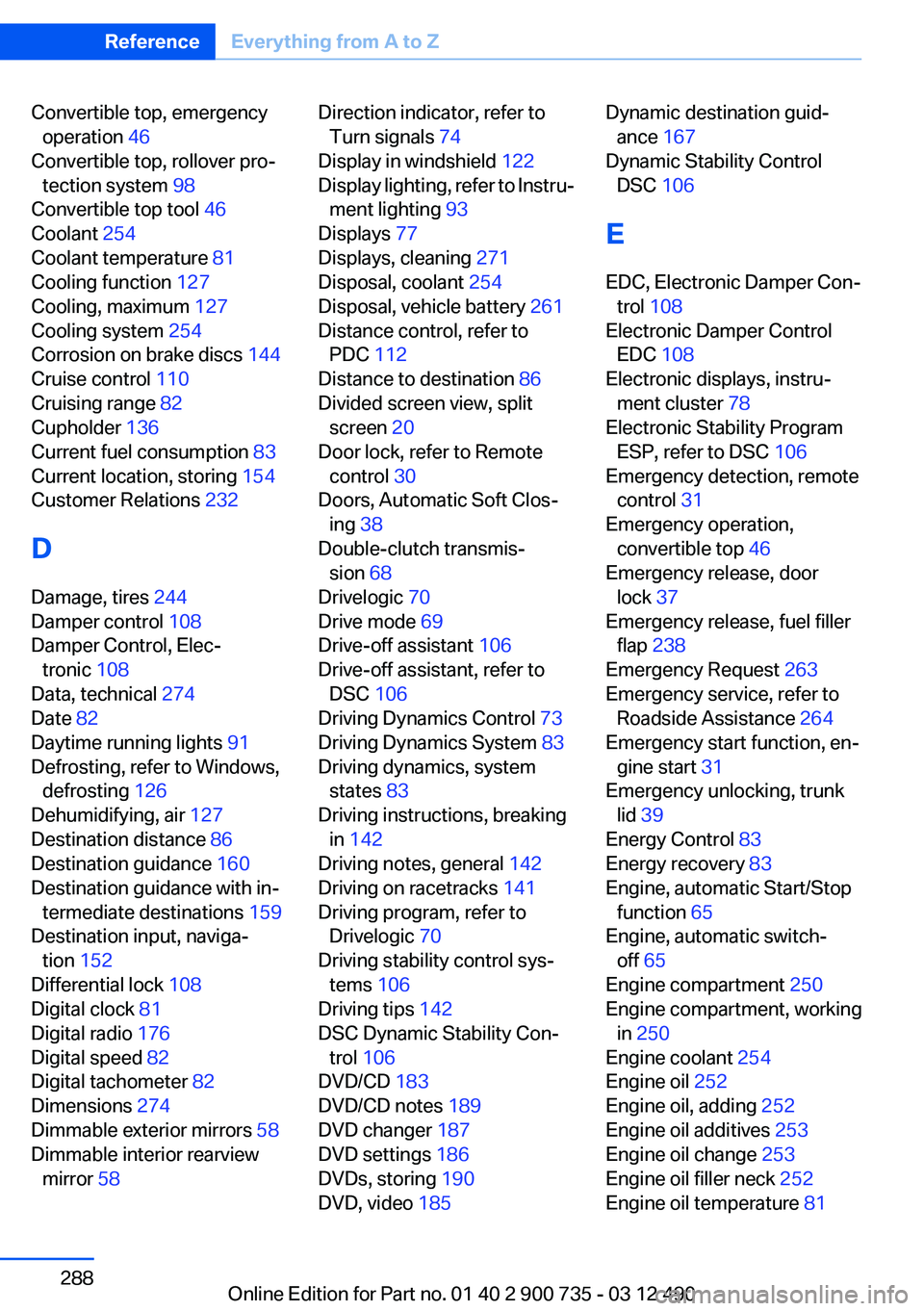
Convertible top, emergencyoperation 46
Convertible top, rollover pro‐ tection system 98
Convertible top tool 46
Coolant 254
Coolant temperature 81
Cooling function 127
Cooling, maximum 127
Cooling system 254
Corrosion on brake discs 144
Cruise control 110
Cruising range 82
Cupholder 136
Current fuel consumption 83
Current location, storing 154
Customer Relations 232
D
Damage, tires 244
Damper control 108
Damper Control, Elec‐ tronic 108
Data, technical 274
Date 82
Daytime running lights 91
Defrosting, refer to Windows, defrosting 126
Dehumidifying, air 127
Destination distance 86
Destination guidance 160
Destination guidance with in‐ termediate destinations 159
Destination input, naviga‐ tion 152
Differential lock 108
Digital clock 81
Digital radio 176
Digital speed 82
Digital tachometer 82
Dimensions 274
Dimmable exterior mirrors 58
Dimmable interior rearview mirror 58 Direction indicator, refer to
Turn signals 74
Display in windshield 122
Display lighting, refer to Instru‐ ment lighting 93
Displays 77
Displays, cleaning 271
Disposal, coolant 254
Disposal, vehicle battery 261
Distance control, refer to PDC 112
Distance to destination 86
Divided screen view, split screen 20
Door lock, refer to Remote control 30
Doors, Automatic Soft Clos‐ ing 38
Double-clutch transmis‐ sion 68
Drivelogic 70
Drive mode 69
Drive-off assistant 106
Drive-off assistant, refer to DSC 106
Driving Dynamics Control 73
Driving Dynamics System 83
Driving dynamics, system states 83
Driving instructions, breaking in 142
Driving notes, general 142
Driving on racetracks 141
Driving program, refer to Drivelogic 70
Driving stability control sys‐ tems 106
Driving tips 142
DSC Dynamic Stability Con‐ trol 106
DVD/CD 183
DVD/CD notes 189
DVD changer 187
DVD settings 186
DVDs, storing 190
DVD, video 185 Dynamic destination guid‐
ance 167
Dynamic Stability Control DSC 106
E
EDC, Electronic Damper Con‐ trol 108
Electronic Damper Control EDC 108
Electronic displays, instru‐ ment cluster 78
Electronic Stability Program ESP, refer to DSC 106
Emergency detection, remote control 31
Emergency operation, convertible top 46
Emergency release, door lock 37
Emergency release, fuel filler flap 238
Emergency Request 263
Emergency service, refer to Roadside Assistance 264
Emergency start function, en‐ gine start 31
Emergency unlocking, trunk lid 39
Energy Control 83
Energy recovery 83
Engine, automatic Start/Stop function 65
Engine, automatic switch- off 65
Engine compartment 250
Engine compartment, working in 250
Engine coolant 254
Engine oil 252
Engine oil, adding 252
Engine oil additives 253
Engine oil change 253
Engine oil filler neck 252
Engine oil temperature 81 Seite 288ReferenceEverything from A to Z288
Online Edition for Part no. 01 40 2 900 735 - 03 12 490
Page 289 of 297
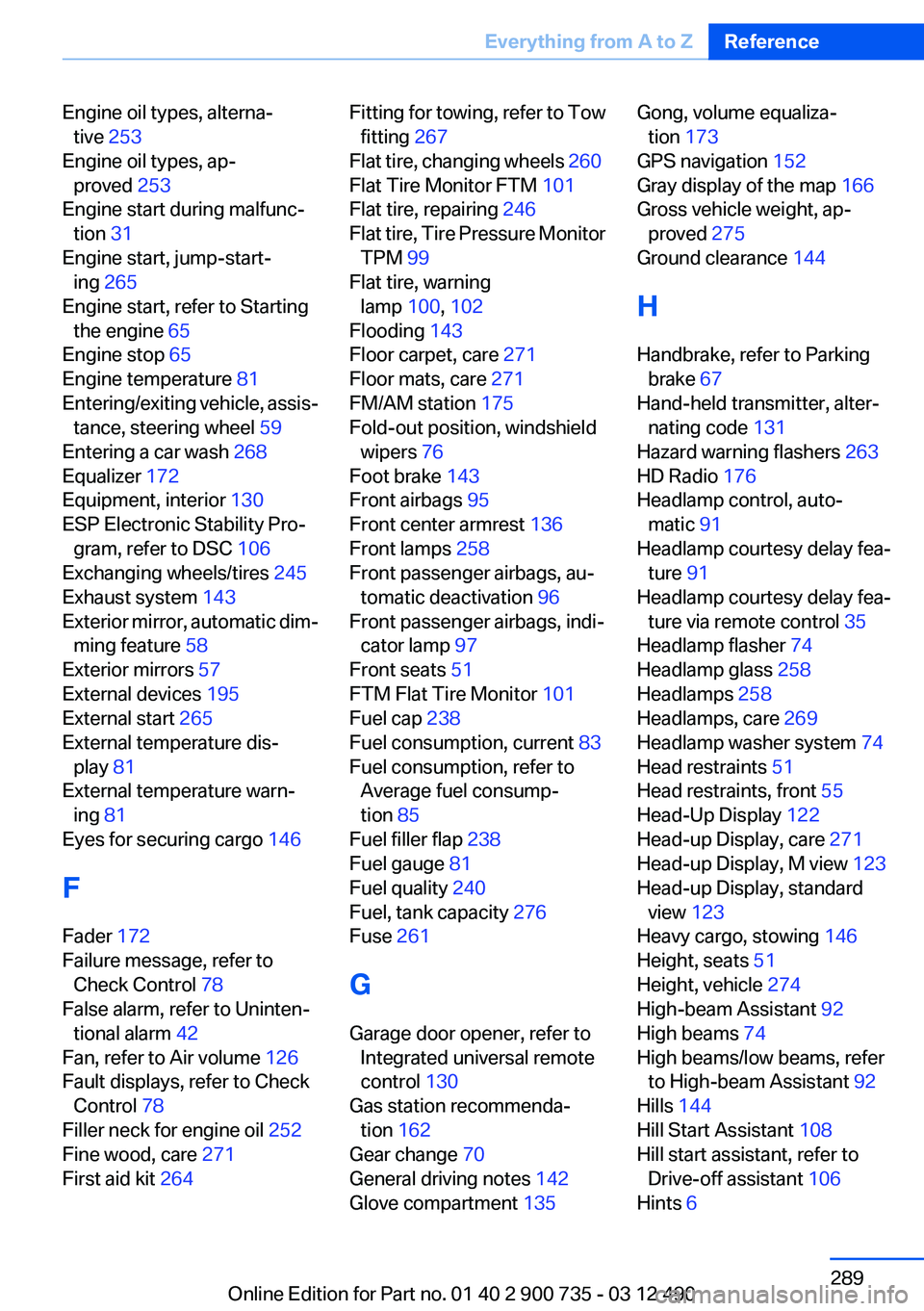
Engine oil types, alterna‐tive 253
Engine oil types, ap‐ proved 253
Engine start during malfunc‐ tion 31
Engine start, jump-start‐ ing 265
Engine start, refer to Starting the engine 65
Engine stop 65
Engine temperature 81
Entering/exiting vehicle, assis‐ tance, steering wheel 59
Entering a car wash 268
Equalizer 172
Equipment, interior 130
ESP Electronic Stability Pro‐ gram, refer to DSC 106
Exchanging wheels/tires 245
Exhaust system 143
Exterior mirror, automatic dim‐ ming feature 58
Exterior mirrors 57
External devices 195
External start 265
External temperature dis‐ play 81
External temperature warn‐ ing 81
Eyes for securing cargo 146
F
Fader 172
Failure message, refer to Check Control 78
False alarm, refer to Uninten‐ tional alarm 42
Fan, refer to Air volume 126
Fault displays, refer to Check Control 78
Filler neck for engine oil 252
Fine wood, care 271
First aid kit 264 Fitting for towing, refer to Tow
fitting 267
Flat tire, changing wheels 260
Flat Tire Monitor FTM 101
Flat tire, repairing 246
Flat tire, Tire Pressure Monitor TPM 99
Flat tire, warning lamp 100, 102
Flooding 143
Floor carpet, care 271
Floor mats, care 271
FM/AM station 175
Fold-out position, windshield wipers 76
Foot brake 143
Front airbags 95
Front center armrest 136
Front lamps 258
Front passenger airbags, au‐ tomatic deactivation 96
Front passenger airbags, indi‐ cator lamp 97
Front seats 51
FTM Flat Tire Monitor 101
Fuel cap 238
Fuel consumption, current 83
Fuel consumption, refer to Average fuel consump‐
tion 85
Fuel filler flap 238
Fuel gauge 81
Fuel quality 240
Fuel, tank capacity 276
Fuse 261
G
Garage door opener, refer to Integrated universal remote
control 130
Gas station recommenda‐ tion 162
Gear change 70
General driving notes 142
Glove compartment 135 Gong, volume equaliza‐
tion 173
GPS navigation 152
Gray display of the map 166
Gross vehicle weight, ap‐ proved 275
Ground clearance 144
H
Handbrake, refer to Parking brake 67
Hand-held transmitter, alter‐ nating code 131
Hazard warning flashers 263
HD Radio 176
Headlamp control, auto‐ matic 91
Headlamp courtesy delay fea‐ ture 91
Headlamp courtesy delay fea‐ ture via remote control 35
Headlamp flasher 74
Headlamp glass 258
Headlamps 258
Headlamps, care 269
Headlamp washer system 74
Head restraints 51
Head restraints, front 55
Head-Up Display 122
Head-up Display, care 271
Head-up Display, M view 123
Head-up Display, standard view 123
Heavy cargo, stowing 146
Height, seats 51
Height, vehicle 274
High-beam Assistant 92
High beams 74
High beams/low beams, refer to High-beam Assistant 92
Hills 144
Hill Start Assistant 108
Hill start assistant, refer to Drive-off assistant 106
Hints 6 Seite 289Everything from A to ZReference289
Online Edition for Part no. 01 40 2 900 735 - 03 12 490
Page 290 of 297
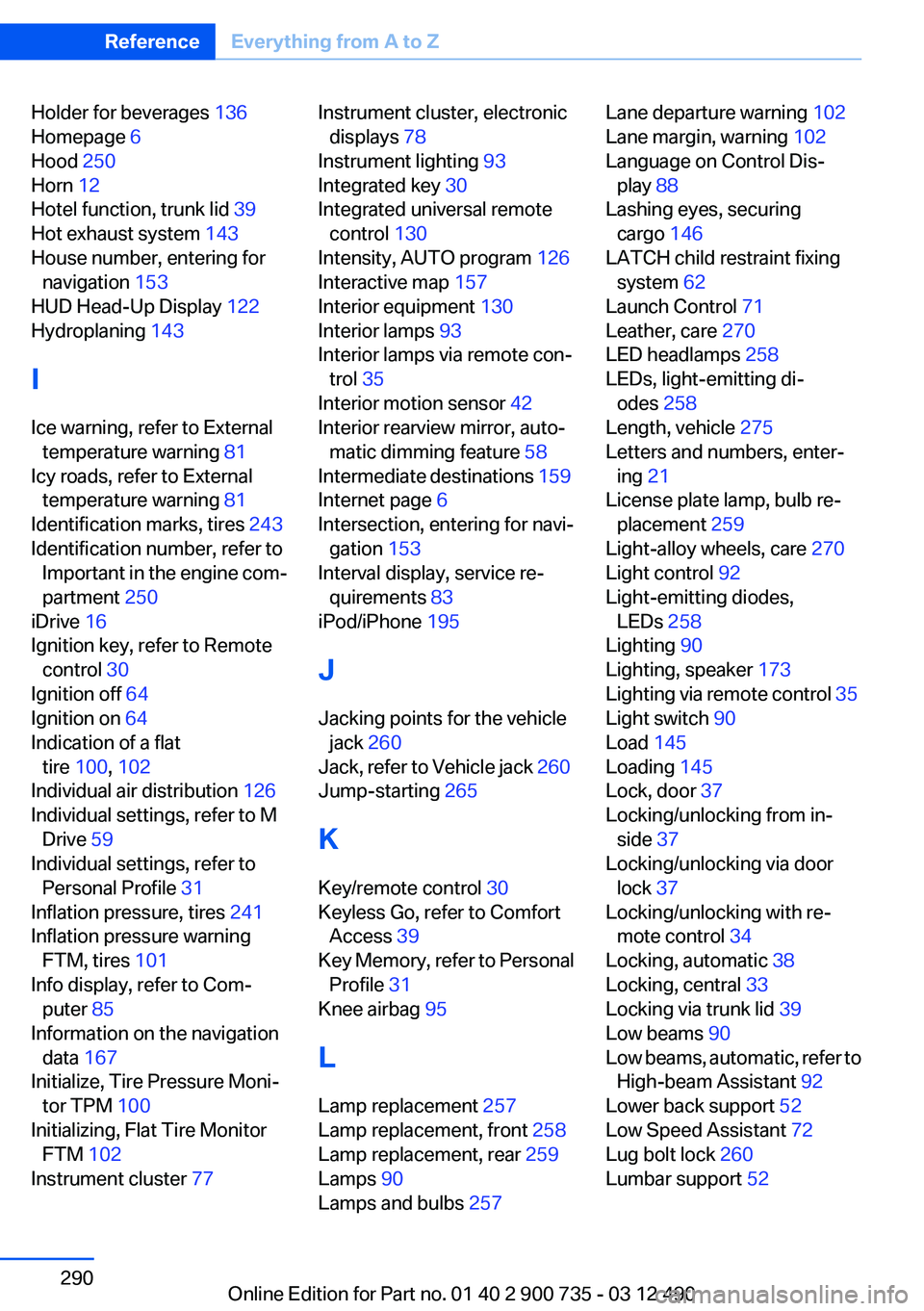
Holder for beverages 136
Homepage 6
Hood 250
Horn 12
Hotel function, trunk lid 39
Hot exhaust system 143
House number, entering for navigation 153
HUD Head-Up Display 122
Hydroplaning 143
I
Ice warning, refer to External temperature warning 81
Icy roads, refer to External temperature warning 81
Identification marks, tires 243
Identification number, refer to Important in the engine com‐
partment 250
iDrive 16
Ignition key, refer to Remote control 30
Ignition off 64
Ignition on 64
Indication of a flat tire 100 , 102
Individual air distribution 126
Individual settings, refer to M Drive 59
Individual settings, refer to Personal Profile 31
Inflation pressure, tires 241
Inflation pressure warning FTM, tires 101
Info display, refer to Com‐ puter 85
Information on the navigation data 167
Initialize, Tire Pressure Moni‐ tor TPM 100
Initializing, Flat Tire Monitor FTM 102
Instrument cluster 77 Instrument cluster, electronic
displays 78
Instrument lighting 93
Integrated key 30
Integrated universal remote control 130
Intensity, AUTO program 126
Interactive map 157
Interior equipment 130
Interior lamps 93
Interior lamps via remote con‐ trol 35
Interior motion sensor 42
Interior rearview mirror, auto‐ matic dimming feature 58
Intermediate destinations 159
Internet page 6
Intersection, entering for navi‐ gation 153
Interval display, service re‐ quirements 83
iPod/iPhone 195
J
Jacking points for the vehicle jack 260
Jack, refer to Vehicle jack 260
Jump-starting 265
K
Key/remote control 30
Keyless Go, refer to Comfort Access 39
Key Memory, refer to Personal Profile 31
Knee airbag 95
L
Lamp replacement 257
Lamp replacement, front 258
Lamp replacement, rear 259
Lamps 90
Lamps and bulbs 257 Lane departure warning 102
Lane margin, warning 102
Language on Control Dis‐ play 88
Lashing eyes, securing cargo 146
LATCH child restraint fixing system 62
Launch Control 71
Leather, care 270
LED headlamps 258
LEDs, light-emitting di‐ odes 258
Length, vehicle 275
Letters and numbers, enter‐ ing 21
License plate lamp, bulb re‐ placement 259
Light-alloy wheels, care 270
Light control 92
Light-emitting diodes, LEDs 258
Lighting 90
Lighting, speaker 173
Lighting via remote control 35
Light switch 90
Load 145
Loading 145
Lock, door 37
Locking/unlocking from in‐ side 37
Locking/unlocking via door lock 37
Locking/unlocking with re‐ mote control 34
Locking, automatic 38
Locking, central 33
Locking via trunk lid 39
Low beams 90
Low beams, automatic, refer to High-beam Assistant 92
Lower back support 52
Low Speed Assistant 72
Lug bolt lock 260
Lumbar support 52 Seite 290ReferenceEverything from A to Z290
Online Edition for Part no. 01 40 2 900 735 - 03 12 490
Page 291 of 297
M
Maintenance 255
Maintenance require‐ ments 255
Maintenance, service require‐ ments 83
Maintenance system, BMW 255
Malfunction displays, refer to Check Control 78
Manual air distribution 126
Manual air volume 126
Manual brake, refer to Parking brake 67
Manual operation, backup camera 115
Manual operation, door lock 37
Manual operation, exterior mir‐ rors 58
Manual operation, fuel filler flap 238
Manual operation, Park Dis‐ tance Control PDC 113
Manual operation, Side View 119
Manual operation, Top View 117
Map, destination entry 157
Map in split screen 164
Map view 162
Marking on approved tires 245
Massage seat, front 53
Master key, refer to Remote control 30
Maximum cooling 127
Maximum speed, winter tires 246
M differential, active 108
MDM, M Dynamic Mode 107
M double-clutch transmis‐ sion 68
M Drive 59 M Driving Dynamics Con‐
trol 73
M Dynamic Mode MDM 107
Measure, units of 88
Medical kit 264
Memory for seat, mirrors, steering wheel 56
Menu in instrument cluster 84
Menus, operating, iDrive 16
Menus, refer to iDrive operat‐ ing concept 17
Message list, traffic bulle‐ tins 164
Messages 221
Messages, refer to Check Control 78
Microfilter 128
Minimum tread, tires 244
Mirror 57
Mirror memory 56
Mobile communication devi‐ ces in the vehicle 143
Mobile phone 206
Mobility System 246
Modifications, technical, refer to Safety 6
Moisture in headlamp 258
Monitor, refer to Control Dis‐ play 16
Mounting of child restraint fix‐ ing systems 61
MP3 player 195
M technology 0
Multifunction steering wheel, buttons 12
Multimedia 183
Music collection 190
Music search 191
Music, storing 190
M view, Head-up Display 123
N
Navigation 152
Navigation data 167 Neck restraints, front, refer to
Head restraints 55
New wheels and tires 245
Night Vision with pedestrian detection 119
Notes 224
Nylon rope for tow-starting/ towing 267
O
OBD Onboard Diagnos‐ tics 256
Obstacle marking, backup camera 116
Odometer 81
Office 218
Oil 252
Oil, adding 252
Oil additives 253
Oil change 253
Oil change interval, service re‐ quirements 83
Oil filler neck 252
Oil types, alternative 253
Oil types, approved 253
Old batteries, disposal 261
Onboard Diagnostics OBD 256
Onboard monitor, refer to Control Display 16
Onboard vehicle tool kit 257
Opening/closing from in‐ side 37
Opening/closing via door lock 37
Opening/closing with remote control 34
Operating concept, iDrive 16
Optional equipment, standard equipment 6
Outside air, refer to Automatic recirculated-air control 127
Overheating of engine, refer to Coolant temperature 81 Seite 291Everything from A to ZReference291
Online Edition for Part no. 01 40 2 900 735 - 03 12 490
Page 292 of 297
P
Paint, vehicle 269
Pair mobile phone 207
Panic mode 35
Park Distance Control PDC 112
Parked-car ventilation 129
Parked vehicle, condensa‐ tion 144
Parking aid, refer to PDC 112
Parking brake 67
Parking lamps 90
Passenger side mirror, tilting downward 58
Pathway lines, backup cam‐ era 115
PDC Park Distance Con‐ trol 112
Pedestrian detection, refer to Night Vision 119
People detection, refer to Night Vision 119
Personal information 218
Personal Profile 31
Phone 206
Pinch protection system, win‐ dows 43
Plastic, care 271
PlugIn 234
Position, storing 154
Postal code, entering in navi‐ gation 153
Power failure 261
Power windows 42
Pressure, tire air pres‐ sure 241
Pressure warning FTM, tires 101
Profile, refer to Personal Pro‐ file 31
Programmable memory but‐ tons, iDrive 20
Protective function, win‐ dows 43 Push-and-turn switch, refer to
Controller 16
R
Radiator fluid 254
Radio 175
Radio-operated key, refer to Remote control 30
Radio ready state 64
Rain sensor 75
Random 184
Random playback 184
RDS 176
Reading out loud 225
Rear lamps 259
Rearview mirror 57
Rear window defroster 127
Recirculated-air mode 127
Recommended tire brands 245
Refueling 238
Remaining range 82
Reminders 225
Remote control/key 30
Remote control, malfunc‐ tion 36
Remote control, universal 130
Renaming a station 176
Replacement fuse 261
Replacing parts 257
Replacing wheels/tires 245
Reporting safety defects 8
Reserve warning, refer to Range 82
Reset, Tire Pressure Monitor TPM 100
Residual heat, automatic cli‐ mate control 128
Retaining straps, securing cargo 146
Retreaded tires 246
Reversing lamp, bulb replace‐ ment 259
Roadside Assistance 230
Roadside parking lamps 91 Rollover protection system 98
Rope for tow-starting/tow‐ ing 267
Route 161
Route criteria, route 160
Route, displaying 161
Routes, avoiding 160
Route section, bypassing 161
Rubber components, care 270
S
Safe braking 143
Safety 6
Safety belt reminder for driv‐ er's seat and front passenger
seat 55
Safety belts 54
Safety belts, care 271
Safety systems, airbags 95
Satellite radio 177
Saving fuel 0
Scale, changing during navi‐ gation 163
Screen, refer to Control Dis‐ play 16
Screwdriver 257
Screw thread for tow fit‐ ting 267
Sealant 246
Search, refer to BMW Search 231
Seat belts, refer to Safety belts 54
Seat heating, front 53
Seating position for chil‐ dren 61
Seat, mirror, and steering wheel memory 56
Seats 51
Seat ventilation, front 54
Selection list in instrument cluster 84
Selector lever 69
Sensors, care 271 Seite 292ReferenceEverything from A to Z292
Online Edition for Part no. 01 40 2 900 735 - 03 12 490