engine BMW M6 CONVERTIBLE 2012 Repair Manual
[x] Cancel search | Manufacturer: BMW, Model Year: 2012, Model line: M6 CONVERTIBLE, Model: BMW M6 CONVERTIBLE 2012Pages: 297, PDF Size: 12.09 MB
Page 256 of 297
Socket for OBD Onboard
Diagnosis
Position
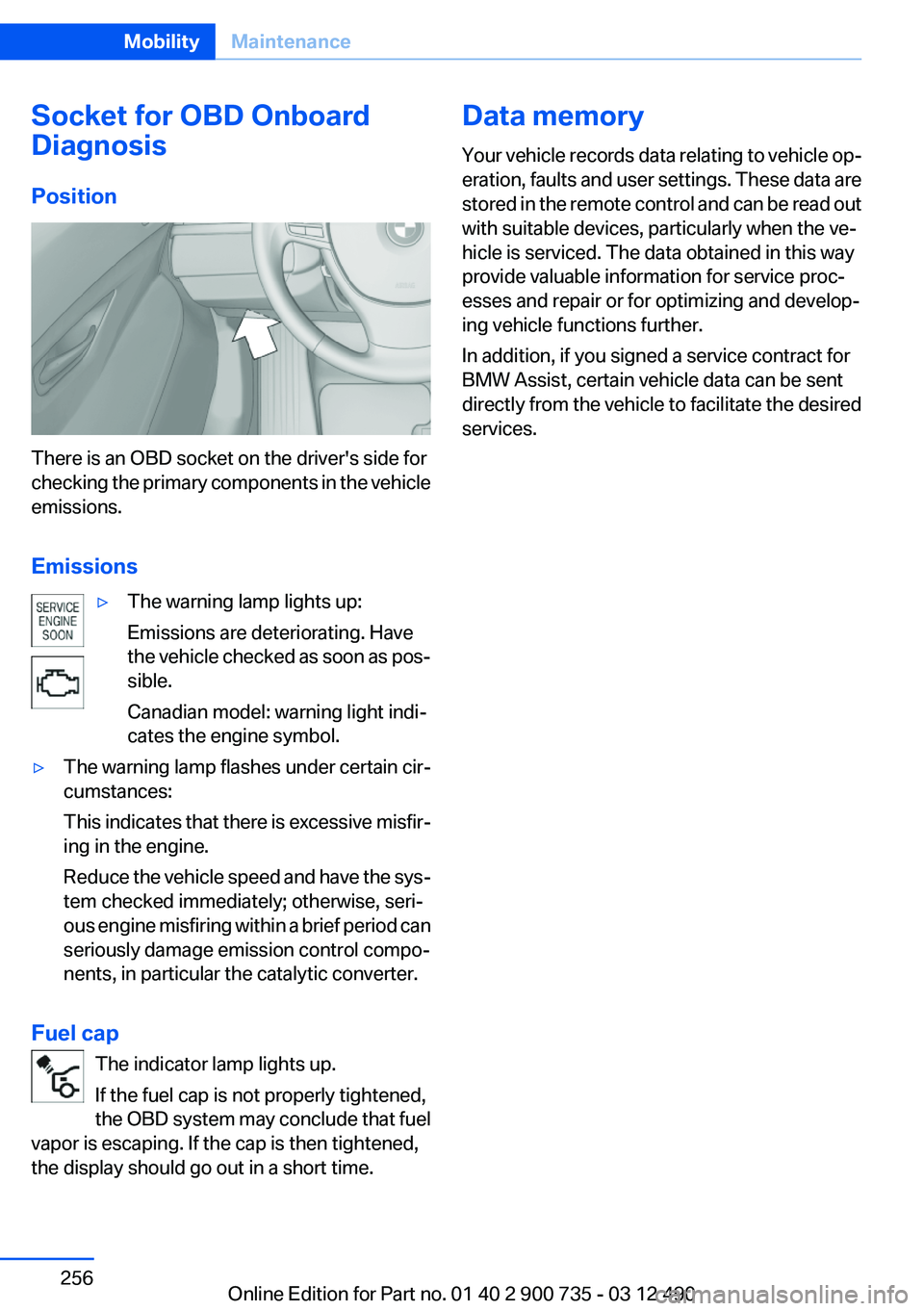
There is an OBD socket on the driver's side for
checking the primary components in the vehicle
emissions.
Emissions
▷The warning lamp lights up:
Emissions are deteriorating. Have
the vehicle checked as soon as pos‐
sible.
Canadian model: warning light indi‐
cates the engine symbol.▷The warning lamp flashes under certain cir‐
cumstances:
This indicates that there is excessive misfir‐
ing in the engine.
Reduce the vehicle speed and have the sys‐
tem checked immediately; otherwise, seri‐
ous engine misfiring within a brief period can
seriously damage emission control compo‐
nents, in particular the catalytic converter.
Fuel cap
The indicator lamp lights up.
If the fuel cap is not properly tightened,
the OBD system may conclude that fuel
vapor is escaping. If the cap is then tightened,
the display should go out in a short time.
Data memory
Your vehicle records data relating to vehicle op‐
eration, faults and user settings. These data are
stored in the remote control and can be read out
with suitable devices, particularly when the ve‐
hicle is serviced. The data obtained in this way
provide valuable information for service proc‐
esses and repair or for optimizing and develop‐
ing vehicle functions further.
In addition, if you signed a service contract for
BMW Assist, certain vehicle data can be sent
directly from the vehicle to facilitate the desired
services.Seite 256MobilityMaintenance256
Online Edition for Part no. 01 40 2 900 735 - 03 12 490
Page 259 of 297
Follow the General instructions on lamps and
bulbs., refer to page 257
Turning lamp on the Xenon headlamp
Follow the General instructions on lamps and
bulbs., refer to page 257
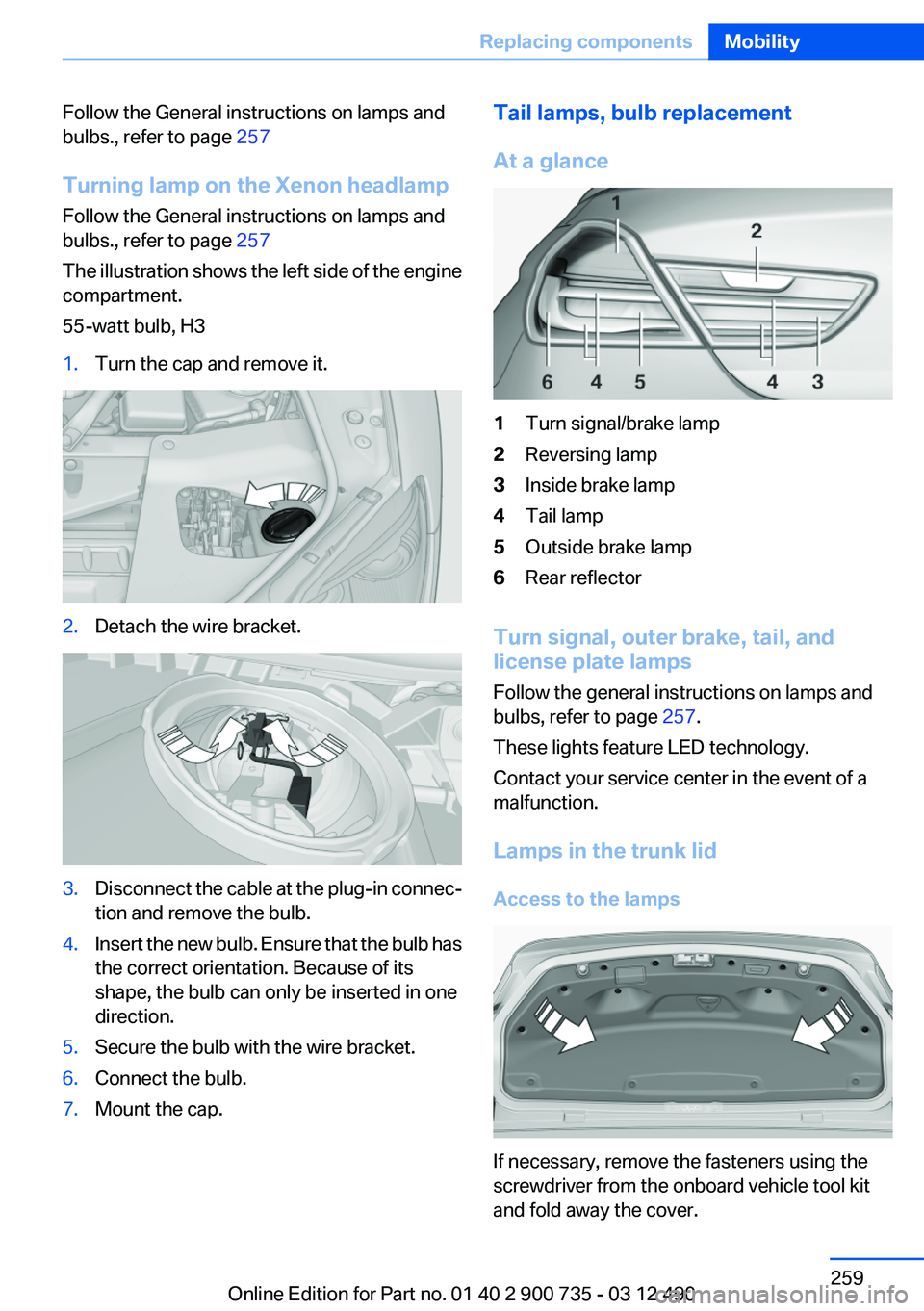
The illustration shows the left side of the engine
compartment.
55-watt bulb, H31.Turn the cap and remove it.2.Detach the wire bracket.3.Disconnect the cable at the plug-in connec‐
tion and remove the bulb.4.Insert the new bulb. Ensure that the bulb has
the correct orientation. Because of its
shape, the bulb can only be inserted in one
direction.5.Secure the bulb with the wire bracket.6.Connect the bulb.7.Mount the cap.Tail lamps, bulb replacement
At a glance1Turn signal/brake lamp2Reversing lamp3Inside brake lamp4Tail lamp5Outside brake lamp6Rear reflector
Turn signal, outer brake, tail, and
license plate lamps
Follow the general instructions on lamps and
bulbs, refer to page 257.
These lights feature LED technology.
Contact your service center in the event of a
malfunction.
Lamps in the trunk lid
Access to the lamps
If necessary, remove the fasteners using the
screwdriver from the onboard vehicle tool kit
and fold away the cover.
Seite 259Replacing componentsMobility259
Online Edition for Part no. 01 40 2 900 735 - 03 12 490
Page 261 of 297
2.Unscrew the lug bolt.
Remove the adapter after screwing the lug bolt
back on.
Vehicle battery
Maintenance
The battery is maintenance-free, i.e., the elec‐
trolyte will last for the life of the battery.
Your service center will be glad to advise you on
questions regarding the battery.
Battery replacement Use approved vehicle batteries only
Only use vehicle batteries that have been
approved for your vehicle by the manufacturer;
otherwise, the vehicle could be damaged and
systems or functions may not be fully availa‐
ble.◀
After a battery replacement, have the battery
registered on the vehicle by your service center
to ensure that all comfort functions are fully
available and that any Check Control messages
are no longer displayed.
Charging the battery
Note Do not plug the charger into the socket
Do not connect battery chargers to the
factory-installed sockets in the vehicle. Doing so
may result in damage to the vehicle.◀
Starting aid terminals
In the vehicle, only charge the battery via the
starting aid terminals, refer to page 265, in the
engine compartment with the engine off.
Power failure
After a temporary power loss, some equipment
needs to be reinitialized.
Individual settings need to be reprogrammed:▷Seat, mirror, and steering wheel memory:
store the positions again.▷Time: update.▷Date: update.▷Radio station: save again.▷Navigation system: wait for the operability of
the navigation.
Disposing of old batteries
Have old batteries disposed of by your
service center or bring them to a recy‐
cling center.
Maintain the battery in an upright position for
transport and storage. Secure the battery so
that it does not tip over during transport.
Fuses
Notes Replacing fuses
Never attempt to repair a blown fuse and
do not replace a defective fuse with a substitute
of another color or amperage rating; this could
lead to a circuit overload, ultimately resulting in
a fire in the vehicle.◀
Plastic tweezers and information on the fuse
types and locations are stored in the fuse box in
the cargo area.
Seite 261Replacing componentsMobility261
Online Edition for Part no. 01 40 2 900 735 - 03 12 490
Page 265 of 297
Roadside Assistance
The Roadside Assistance, refer to page 230,
phone number can be viewed on the iDrive or a
connection to Roadside Assistance can be es‐
tablished directly.
Jump-starting
Notes
If the battery is discharged, an engine can be
started using the battery of another vehicle and
two jumper cables. Only use jumper cables with
fully insulated clamp handles.
To prevent personal injury or damage to both
vehicles, adhere strictly to the following proce‐
dure.
Do not touch live parts
To avoid the risk of potentially fatal injury,
always avoid all contact with electrical compo‐
nents while the engine is running.◀
Preparation1.Check whether the battery of the other ve‐
hicle has a voltage of 12 volts. This informa‐
tion can be found on the battery.2.Switch off the engine of the assisting vehi‐
cle.3.Switch off any electronic systems/power
consumers in both vehicles.
Bodywork contact between vehicles
Make sure that there is no contact be‐
tween the bodywork of the two vehicles; other‐
wise, there is the danger of short circuits.◀
Starting aid terminals Connecting order
Connect the jumper cables in the correct
order; otherwise, there is the danger of injury
from sparking.◀
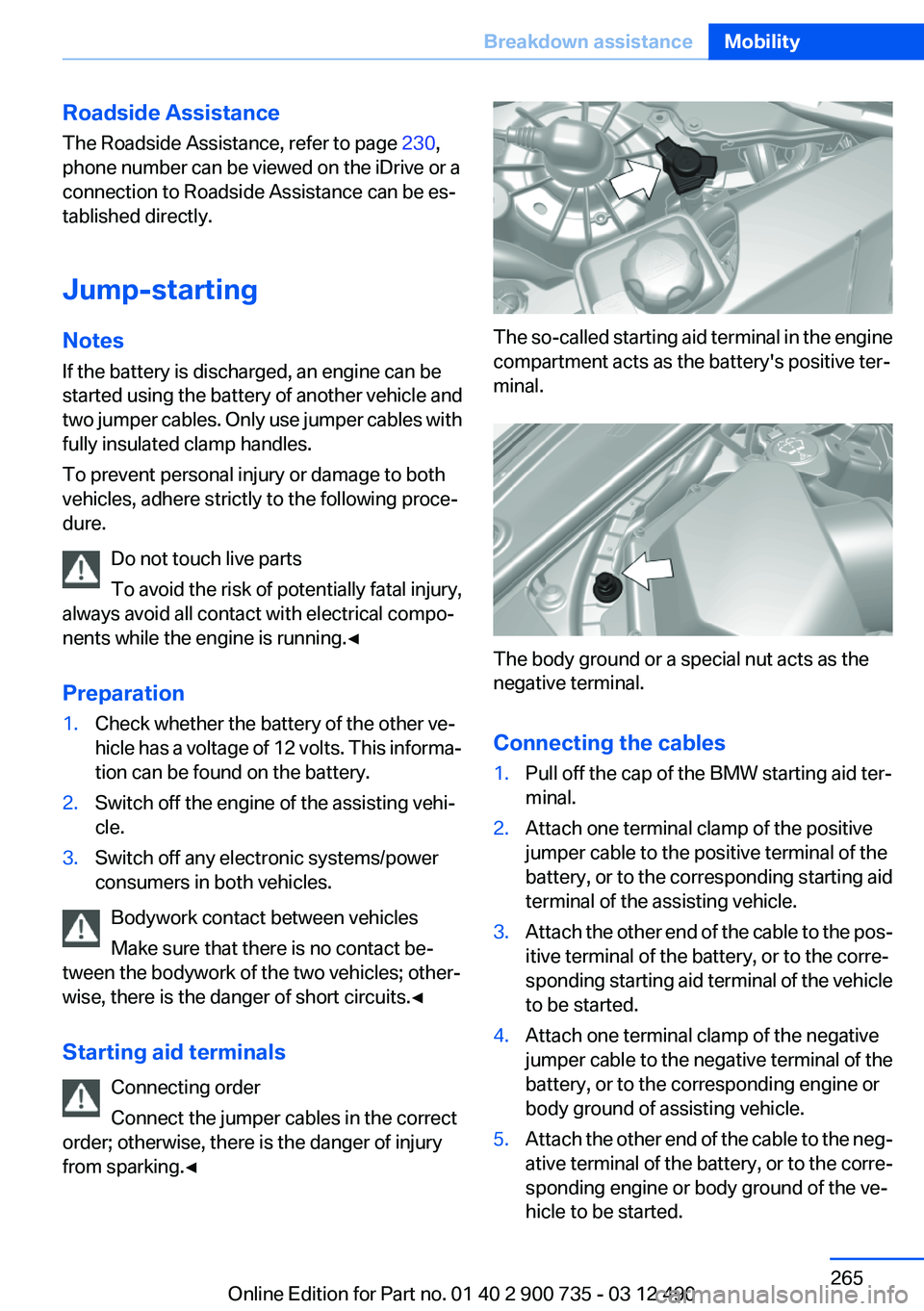
The so-called starting aid terminal in the engine
compartment acts as the battery's positive ter‐
minal.
The body ground or a special nut acts as the
negative terminal.
Connecting the cables
1.Pull off the cap of the BMW starting aid ter‐
minal.2.Attach one terminal clamp of the positive
jumper cable to the positive terminal of the
battery, or to the corresponding starting aid
terminal of the assisting vehicle.3.Attach the other end of the cable to the pos‐
itive terminal of the battery, or to the corre‐
sponding starting aid terminal of the vehicle
to be started.4.Attach one terminal clamp of the negative
jumper cable to the negative terminal of the
battery, or to the corresponding engine or
body ground of assisting vehicle.5.Attach the other end of the cable to the neg‐
ative terminal of the battery, or to the corre‐
sponding engine or body ground of the ve‐
hicle to be started.Seite 265Breakdown assistanceMobility265
Online Edition for Part no. 01 40 2 900 735 - 03 12 490
Page 266 of 297
Starting the engine
Never use spray fluids to start the engine.1.Start the engine of the assisting vehicle and
let it run for several minutes at an increased
idle speed.2.Start the engine of the vehicle being started
in the usual way.
If the first starting attempt is not successful,
wait a few minutes before making another
attempt in order to allow the discharged bat‐
tery to recharge.3.Let both engines run for several minutes.4.Disconnect the jumper cables in the reverse
order.
Check the battery and recharge if necessary.
Tow-starting and towing
Note
Your vehicle is not permitted to be towed.
Therefore, contact a service center in the event
of a breakdown.
Do not have the vehicle towed
Have your vehicle transported on a loading
platform only; otherwise, damage may occur.◀
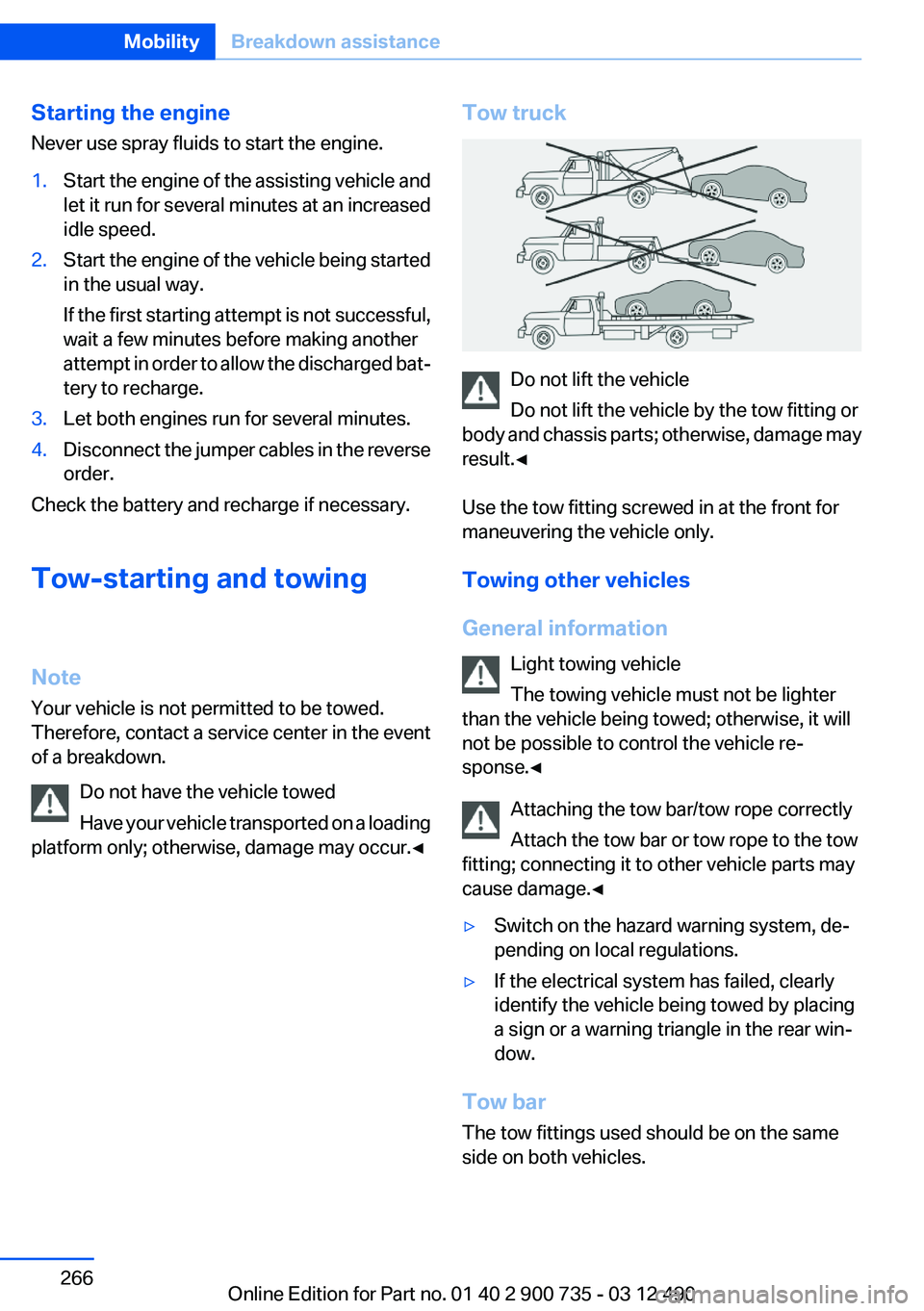
Tow truck
Do not lift the vehicle
Do not lift the vehicle by the tow fitting or
body and chassis parts; otherwise, damage may
result.◀
Use the tow fitting screwed in at the front for
maneuvering the vehicle only.
Towing other vehicles
General information Light towing vehicle
The towing vehicle must not be lighter
than the vehicle being towed; otherwise, it will
not be possible to control the vehicle re‐
sponse.◀
Attaching the tow bar/tow rope correctly
Attach the tow bar or tow rope to the tow
fitting; connecting it to other vehicle parts may
cause damage.◀
▷Switch on the hazard warning system, de‐
pending on local regulations.▷If the electrical system has failed, clearly
identify the vehicle being towed by placing
a sign or a warning triangle in the rear win‐
dow.
Tow bar
The tow fittings used should be on the same
side on both vehicles.
Seite 266MobilityBreakdown assistance266
Online Edition for Part no. 01 40 2 900 735 - 03 12 490
Page 269 of 297
3.Depress the brake pedal as needed.4.Engage transmission position N.5.Switch the engine off. In this way, the igni‐
tion remains switched on, and a Check-Con‐
trol message is displayed.
Transmission position P with the igni‐
tion off
When the ignition is switched off, position P
is engaged automatically. When in an auto‐
matic car wash, for example, ensure that the
ignition is not switched off accidentally.◀
The vehicle cannot be locked from the outside
when in transmission position N. A signal is
sounded when an attempt is made to lock the
vehicle.
Transmission position
Transmission position P is engaged automati‐
cally:
▷When the ignition is switched off.▷After approx. 15 minutes.
Headlamps
▷Do not rub dry and do not use abrasive or
caustic cleansers.▷Soak areas that have been soiled e.g. due to
insects, with shampoo and wash off with
water.▷Thaw ice with deicing spray; do not use an
ice scraper.
After washing the vehicle
After washing the vehicle, apply the brakes
briefly to dry them; otherwise, braking action can
be reduced and corrosion of the brake discs can
occur.
Vehicle care
Car care products
BMW recommends using cleaning and care
products from BMW, since these have been
tested and approved.
Car care and cleaning products
Follow the instructions on the container.
When cleaning the interior, open the doors or
windows.
Only use products intended for cleaning vehi‐
cles.
Cleansers can contain substances that are dan‐
gerous and harmful to your health.◀
Vehicle paint
Regular care contributes to driving safety and
value retention.
Environmental influences can act on the vehicle
paint. Tailor the frequency and extent of your car
care to these influences.
Caring for the convertible top
The appearance and life of the convertible top
depend on correct care and operation.
Note the following instructions:▷To prevent water stains, mildew spots, and
chafe marks, do not enclose the convertible
top in the convertible top well for a long pe‐
riod and do not fold and stow the convertible
top in the convertible top well while the top
is wet or frozen.▷Remove water stains that may nevertheless
have appeared on the headliner using a mi‐
crofiber cloth and an interior cleaner.▷When the vehicle is parked in enclosed
areas for lengthy periods, ensure that the
area is well ventilated.▷If possible, park the vehicle in the shade to
protect it from intensive solar radiation so
that color, rubber and fabric are not affected.Seite 269CareMobility269
Online Edition for Part no. 01 40 2 900 735 - 03 12 490
Page 286 of 297
Everything from A to Z
IndexA
ABS, Antilock Brake Sys‐ tem 106
Acceleration Assistant, refer to Launch Control 71
Activated-charcoal filter 128
Active Blind Spot Detec‐ tion 104
Active M differential 108
Active seat, front 53
Active seat ventilation, front 54
Adaptive brake lights, refer to Brake force display 105
Adaptive light control 92
Additional telephone 206
Additives, oil 253
Adjustments, seats/head re‐ straints 51
After washing vehicle 269
Airbags 95
Airbags, indicator/warning light 96
Air circulation, refer to Recir‐ culated-air mode 127
Air, dehumidifying, refer to Cooling function 127
Air distribution, manual 126
Air pressure, tires 241
Air vents, refer to Ventila‐ tion 128
Air volume, automatic climate control 126
Alarm system 41
Alarm, unintentional 42
All around the center con‐ sole 14
All around the interior rearview mirror 15 All around the steering
wheel 12
ALL program, automatic cli‐ mate control 127
All-season tires, refer to Win‐ ter tires 246
Alternating-code hand-held transmitter 131
Alternative oil types 253
AM/FM station 175
Announcement, navigation, refer to Spoken instruc‐
tions 162
Antifreeze, washer fluid 76
Antilock Brake System, ABS 106
Anti-slip control, refer to DSC 106
Applications 233
Appointments 223
Approved axle load 275
Approved engine oils 253
Apps 233
Apps, video playback 198
Armrest, refer to Front center armrest 136
Arrival time 86
Ashtray 132
Assistance, Roadside Assis‐ tance 264
Assistance when driving off 106
Assist, BMW 229
Audio playback 184
Audio playback, Blue‐ tooth 198
AUTO intensity 126
Automatic car wash 268
Automatic Curb Monitor 58
Automatic deactivation, front passenger airbags 96 Automatic headlamp con‐
trol 91
Automatic locking 38
Automatic recirculated-air control 127
Automatic Soft Closing, doors 38
AUTO program, automatic cli‐ mate control 126
AUTO program, intensity 126
Auto Start/Stop function 65
AUX-IN port 195
Average fuel consumption 85
Average speed 86
Axle loads, weights 275
B
Backrest curvature, refer to Lumbar support 52
Backrest, seats 51
Backrest, width 53
Backup camera 114
Balance 172
Band-Aids, refer to First aid kit 264
Bang & Olufsen 173
Bar for tow-starting/tow‐ ing 266
Bass 172
Battery replacement, vehicle battery 261
Battery replacement, vehicle remote control 30
Battery, vehicle 261
Belts, safety belts 54
Beverage holder, cu‐ pholder 136
Bluetooth audio 198
Bluetooth connection, activat‐ ing/deactivating 207 Seite 286ReferenceEverything from A to Z286
Online Edition for Part no. 01 40 2 900 735 - 03 12 490
Page 288 of 297
Convertible top, emergencyoperation 46
Convertible top, rollover pro‐ tection system 98
Convertible top tool 46
Coolant 254
Coolant temperature 81
Cooling function 127
Cooling, maximum 127
Cooling system 254
Corrosion on brake discs 144
Cruise control 110
Cruising range 82
Cupholder 136
Current fuel consumption 83
Current location, storing 154
Customer Relations 232
D
Damage, tires 244
Damper control 108
Damper Control, Elec‐ tronic 108
Data, technical 274
Date 82
Daytime running lights 91
Defrosting, refer to Windows, defrosting 126
Dehumidifying, air 127
Destination distance 86
Destination guidance 160
Destination guidance with in‐ termediate destinations 159
Destination input, naviga‐ tion 152
Differential lock 108
Digital clock 81
Digital radio 176
Digital speed 82
Digital tachometer 82
Dimensions 274
Dimmable exterior mirrors 58
Dimmable interior rearview mirror 58 Direction indicator, refer to
Turn signals 74
Display in windshield 122
Display lighting, refer to Instru‐ ment lighting 93
Displays 77
Displays, cleaning 271
Disposal, coolant 254
Disposal, vehicle battery 261
Distance control, refer to PDC 112
Distance to destination 86
Divided screen view, split screen 20
Door lock, refer to Remote control 30
Doors, Automatic Soft Clos‐ ing 38
Double-clutch transmis‐ sion 68
Drivelogic 70
Drive mode 69
Drive-off assistant 106
Drive-off assistant, refer to DSC 106
Driving Dynamics Control 73
Driving Dynamics System 83
Driving dynamics, system states 83
Driving instructions, breaking in 142
Driving notes, general 142
Driving on racetracks 141
Driving program, refer to Drivelogic 70
Driving stability control sys‐ tems 106
Driving tips 142
DSC Dynamic Stability Con‐ trol 106
DVD/CD 183
DVD/CD notes 189
DVD changer 187
DVD settings 186
DVDs, storing 190
DVD, video 185 Dynamic destination guid‐
ance 167
Dynamic Stability Control DSC 106
E
EDC, Electronic Damper Con‐ trol 108
Electronic Damper Control EDC 108
Electronic displays, instru‐ ment cluster 78
Electronic Stability Program ESP, refer to DSC 106
Emergency detection, remote control 31
Emergency operation, convertible top 46
Emergency release, door lock 37
Emergency release, fuel filler flap 238
Emergency Request 263
Emergency service, refer to Roadside Assistance 264
Emergency start function, en‐ gine start 31
Emergency unlocking, trunk lid 39
Energy Control 83
Energy recovery 83
Engine, automatic Start/Stop function 65
Engine, automatic switch- off 65
Engine compartment 250
Engine compartment, working in 250
Engine coolant 254
Engine oil 252
Engine oil, adding 252
Engine oil additives 253
Engine oil change 253
Engine oil filler neck 252
Engine oil temperature 81 Seite 288ReferenceEverything from A to Z288
Online Edition for Part no. 01 40 2 900 735 - 03 12 490
Page 289 of 297
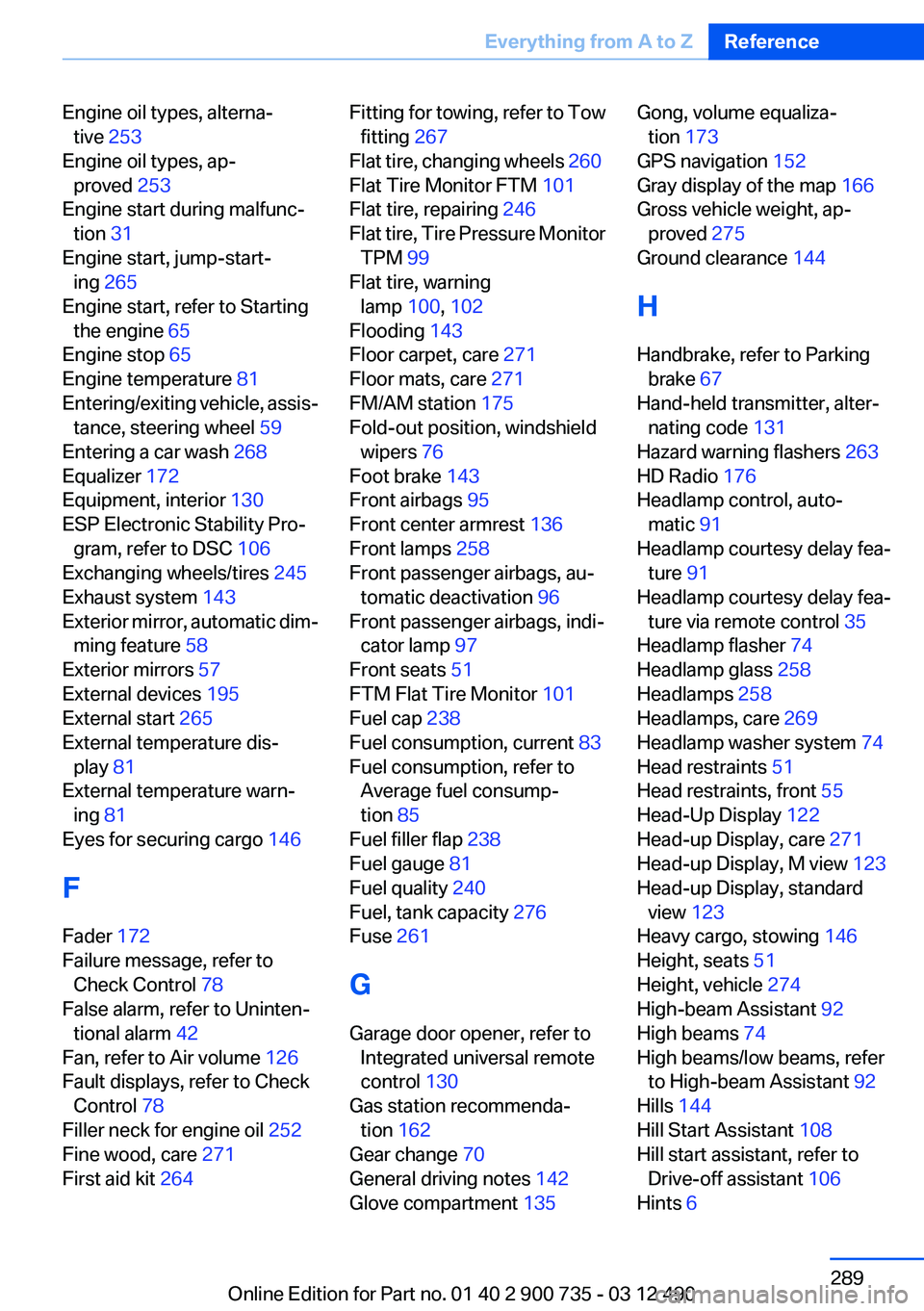
Engine oil types, alterna‐tive 253
Engine oil types, ap‐ proved 253
Engine start during malfunc‐ tion 31
Engine start, jump-start‐ ing 265
Engine start, refer to Starting the engine 65
Engine stop 65
Engine temperature 81
Entering/exiting vehicle, assis‐ tance, steering wheel 59
Entering a car wash 268
Equalizer 172
Equipment, interior 130
ESP Electronic Stability Pro‐ gram, refer to DSC 106
Exchanging wheels/tires 245
Exhaust system 143
Exterior mirror, automatic dim‐ ming feature 58
Exterior mirrors 57
External devices 195
External start 265
External temperature dis‐ play 81
External temperature warn‐ ing 81
Eyes for securing cargo 146
F
Fader 172
Failure message, refer to Check Control 78
False alarm, refer to Uninten‐ tional alarm 42
Fan, refer to Air volume 126
Fault displays, refer to Check Control 78
Filler neck for engine oil 252
Fine wood, care 271
First aid kit 264 Fitting for towing, refer to Tow
fitting 267
Flat tire, changing wheels 260
Flat Tire Monitor FTM 101
Flat tire, repairing 246
Flat tire, Tire Pressure Monitor TPM 99
Flat tire, warning lamp 100, 102
Flooding 143
Floor carpet, care 271
Floor mats, care 271
FM/AM station 175
Fold-out position, windshield wipers 76
Foot brake 143
Front airbags 95
Front center armrest 136
Front lamps 258
Front passenger airbags, au‐ tomatic deactivation 96
Front passenger airbags, indi‐ cator lamp 97
Front seats 51
FTM Flat Tire Monitor 101
Fuel cap 238
Fuel consumption, current 83
Fuel consumption, refer to Average fuel consump‐
tion 85
Fuel filler flap 238
Fuel gauge 81
Fuel quality 240
Fuel, tank capacity 276
Fuse 261
G
Garage door opener, refer to Integrated universal remote
control 130
Gas station recommenda‐ tion 162
Gear change 70
General driving notes 142
Glove compartment 135 Gong, volume equaliza‐
tion 173
GPS navigation 152
Gray display of the map 166
Gross vehicle weight, ap‐ proved 275
Ground clearance 144
H
Handbrake, refer to Parking brake 67
Hand-held transmitter, alter‐ nating code 131
Hazard warning flashers 263
HD Radio 176
Headlamp control, auto‐ matic 91
Headlamp courtesy delay fea‐ ture 91
Headlamp courtesy delay fea‐ ture via remote control 35
Headlamp flasher 74
Headlamp glass 258
Headlamps 258
Headlamps, care 269
Headlamp washer system 74
Head restraints 51
Head restraints, front 55
Head-Up Display 122
Head-up Display, care 271
Head-up Display, M view 123
Head-up Display, standard view 123
Heavy cargo, stowing 146
Height, seats 51
Height, vehicle 274
High-beam Assistant 92
High beams 74
High beams/low beams, refer to High-beam Assistant 92
Hills 144
Hill Start Assistant 108
Hill start assistant, refer to Drive-off assistant 106
Hints 6 Seite 289Everything from A to ZReference289
Online Edition for Part no. 01 40 2 900 735 - 03 12 490
Page 290 of 297
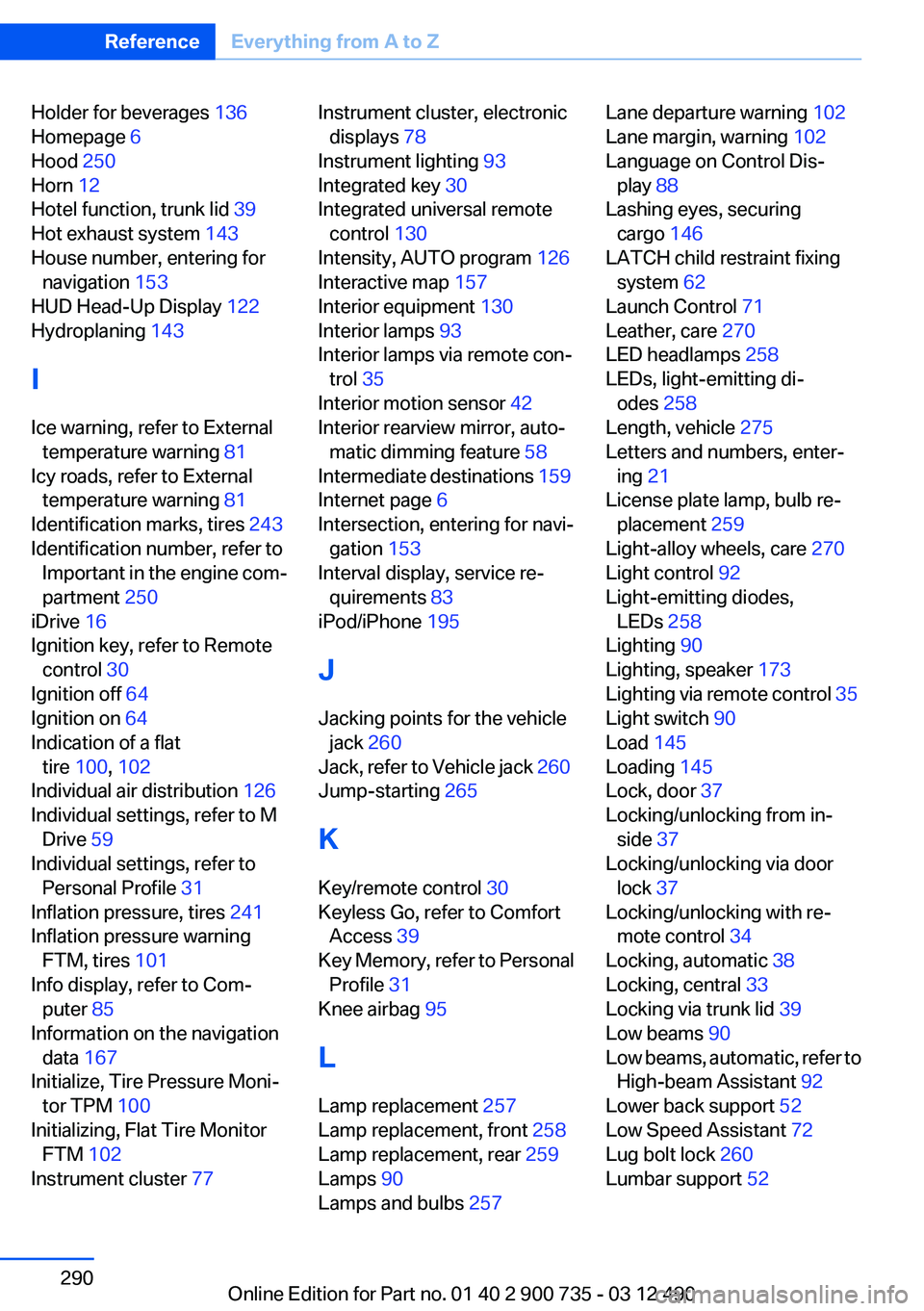
Holder for beverages 136
Homepage 6
Hood 250
Horn 12
Hotel function, trunk lid 39
Hot exhaust system 143
House number, entering for navigation 153
HUD Head-Up Display 122
Hydroplaning 143
I
Ice warning, refer to External temperature warning 81
Icy roads, refer to External temperature warning 81
Identification marks, tires 243
Identification number, refer to Important in the engine com‐
partment 250
iDrive 16
Ignition key, refer to Remote control 30
Ignition off 64
Ignition on 64
Indication of a flat tire 100 , 102
Individual air distribution 126
Individual settings, refer to M Drive 59
Individual settings, refer to Personal Profile 31
Inflation pressure, tires 241
Inflation pressure warning FTM, tires 101
Info display, refer to Com‐ puter 85
Information on the navigation data 167
Initialize, Tire Pressure Moni‐ tor TPM 100
Initializing, Flat Tire Monitor FTM 102
Instrument cluster 77 Instrument cluster, electronic
displays 78
Instrument lighting 93
Integrated key 30
Integrated universal remote control 130
Intensity, AUTO program 126
Interactive map 157
Interior equipment 130
Interior lamps 93
Interior lamps via remote con‐ trol 35
Interior motion sensor 42
Interior rearview mirror, auto‐ matic dimming feature 58
Intermediate destinations 159
Internet page 6
Intersection, entering for navi‐ gation 153
Interval display, service re‐ quirements 83
iPod/iPhone 195
J
Jacking points for the vehicle jack 260
Jack, refer to Vehicle jack 260
Jump-starting 265
K
Key/remote control 30
Keyless Go, refer to Comfort Access 39
Key Memory, refer to Personal Profile 31
Knee airbag 95
L
Lamp replacement 257
Lamp replacement, front 258
Lamp replacement, rear 259
Lamps 90
Lamps and bulbs 257 Lane departure warning 102
Lane margin, warning 102
Language on Control Dis‐ play 88
Lashing eyes, securing cargo 146
LATCH child restraint fixing system 62
Launch Control 71
Leather, care 270
LED headlamps 258
LEDs, light-emitting di‐ odes 258
Length, vehicle 275
Letters and numbers, enter‐ ing 21
License plate lamp, bulb re‐ placement 259
Light-alloy wheels, care 270
Light control 92
Light-emitting diodes, LEDs 258
Lighting 90
Lighting, speaker 173
Lighting via remote control 35
Light switch 90
Load 145
Loading 145
Lock, door 37
Locking/unlocking from in‐ side 37
Locking/unlocking via door lock 37
Locking/unlocking with re‐ mote control 34
Locking, automatic 38
Locking, central 33
Locking via trunk lid 39
Low beams 90
Low beams, automatic, refer to High-beam Assistant 92
Lower back support 52
Low Speed Assistant 72
Lug bolt lock 260
Lumbar support 52 Seite 290ReferenceEverything from A to Z290
Online Edition for Part no. 01 40 2 900 735 - 03 12 490