fuel BMW M6 COUPE 2006 E63 User Guide
[x] Cancel search | Manufacturer: BMW, Model Year: 2006, Model line: M6 COUPE, Model: BMW M6 COUPE 2006 E63Pages: 227, PDF Size: 8.32 MB
Page 64 of 227
Everything under control
62
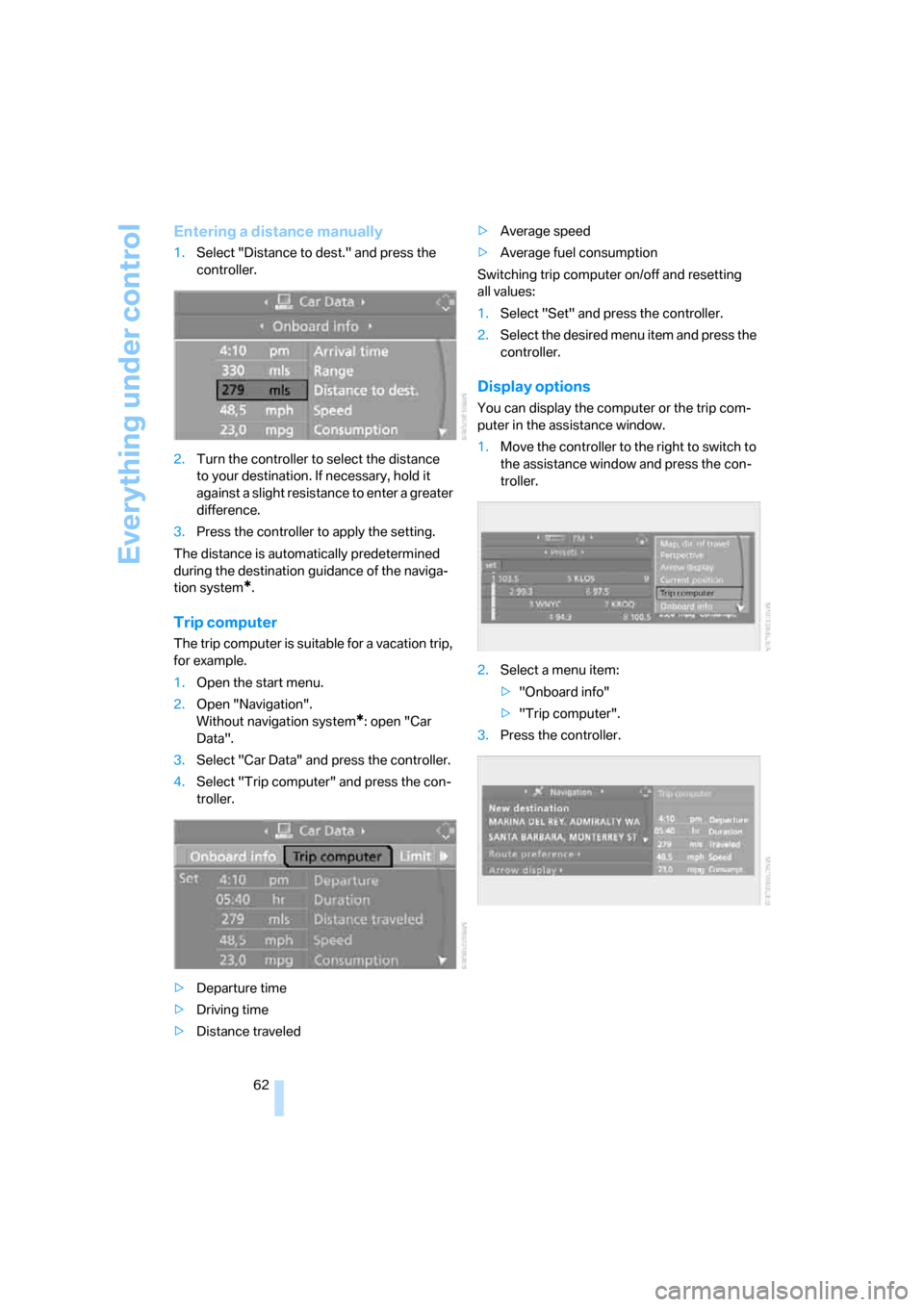
Entering a distance manually
1.Select "Distance to dest." and press the
controller.
2.Turn the controller to select the distance
to your destination. If necessary, hold it
against a slight resistance to enter a greater
difference.
3.Press the controller to apply the setting.
The distance is automatically predetermined
during the destination guidance of the naviga-
tion system
*.
Trip computer
The trip computer is suitable for a vacation trip,
for example.
1.Open the start menu.
2.Open "Navigation".
Without navigation system
*: open "Car
Data".
3.Select "Car Data" and press the controller.
4.Select "Trip computer" and press the con-
troller.
>Departure time
>Driving time
>Distance traveled>Average speed
>Average fuel consumption
Switching trip computer on/off and resetting
all values:
1.Select "Set" and press the controller.
2.Select the desired menu item and press the
controller.
Display options
You can display the computer or the trip com-
puter in the assistance window.
1.Move the controller to the right to switch to
the assistance window and press the con-
troller.
2.Select a menu item:
>"Onboard info"
>"Trip computer".
3.Press the controller.
Page 71 of 227
Controls
69Reference
At a glance
Driving tips
Communications
Navigation
Entertainment
Mobility
2.Select "Set date" and press the controller.
The first section of the date display is high-
lighted, in this case the month
3.Turn the controller to make the adjustment.
4.Press the controller to apply the setting.
The next adjustment is highlighted.
5.Make the remaining adjustments. After the
last adjustment, the date is stored.
Changing date format
1.Select "Date format" and press the control-
ler.
2.Select the desired format and press the
controller.
The setting is stored for the remote control cur-
rently in use.
Brightness of Control Display
The brightness is automatically adapted to the
ambient lighting conditions. However, you can
change the base setting.
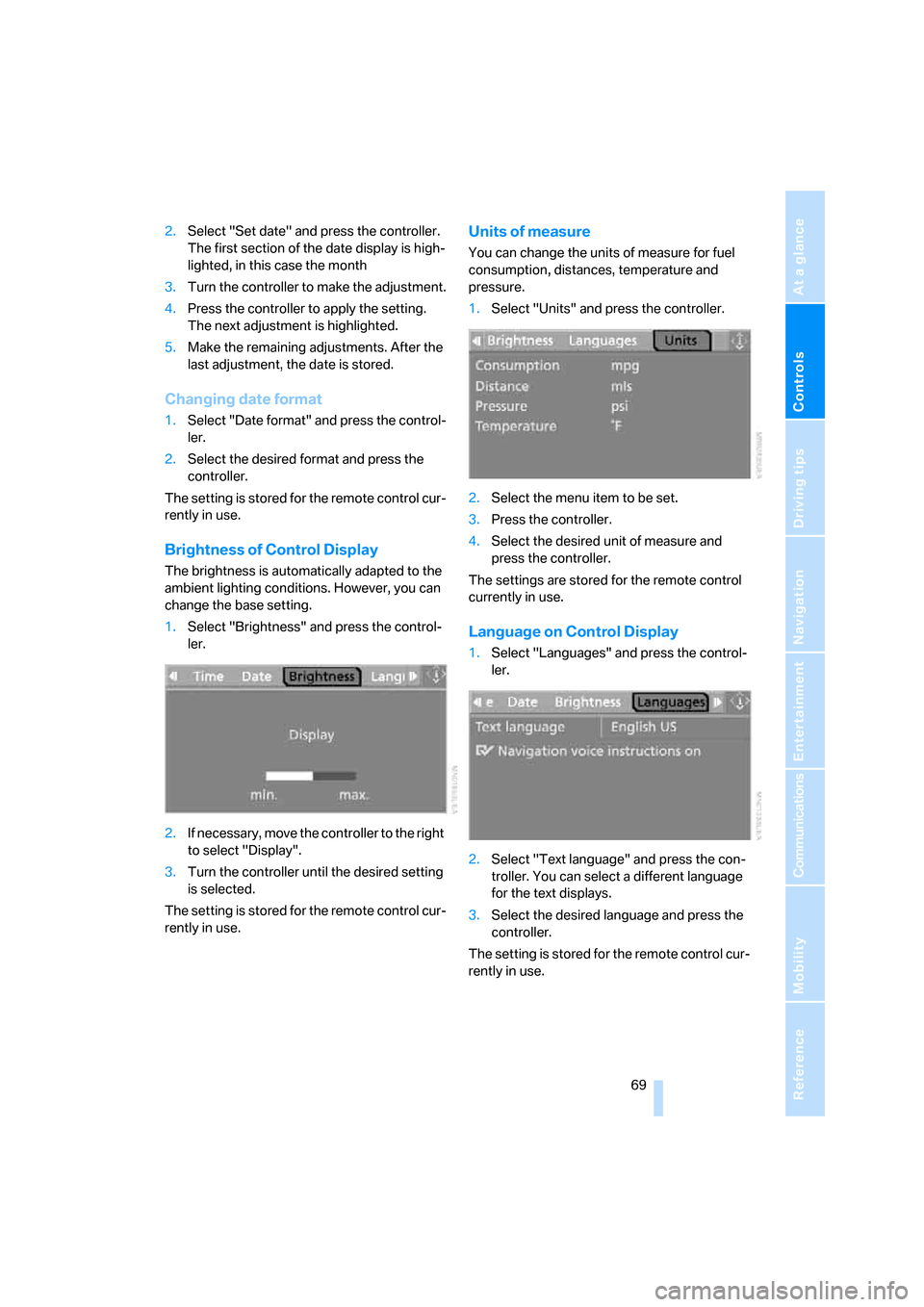
1.Select "Brightness" and press the control-
ler.
2.If necessary, move the controller to the right
to select "Display".
3.Turn the controller until the desired setting
is selected.
The setting is stored for the remote control cur-
rently in use.
Units of measure
You can change the units of measure for fuel
consumption, distances, temperature and
pressure.
1.Select "Units" and press the controller.
2.Select the menu item to be set.
3.Press the controller.
4.Select the desired unit of measure and
press the controller.
The settings are stored for the remote control
currently in use.
Language on Control Display
1.Select "Languages" and press the control-
ler.
2.Select "Text language" and press the con-
troller. You can select a different language
for the text displays.
3.Select the desired language and press the
controller.
The setting is stored for the remote control cur-
rently in use.
Page 169 of 227
Mobility
This section helps you maintain your
mobility by supplying important information
on vital topics including fuels and lubricants,
wheels and tires, service, maintenance
and breakdown assistance.
Mobility
Page 170 of 227
Refueling
168
Refueling
Always switch off the engine before refu-
eling, otherwise no fuel can be filled into
the tank and a message is displayed.<
When handling fuel, always observe all
applicable precautionary measures and
regulations. Never transport reserve fuel con-
tainers in the vehicle. They can leak and cause
an explosion or a fire in an accident.<
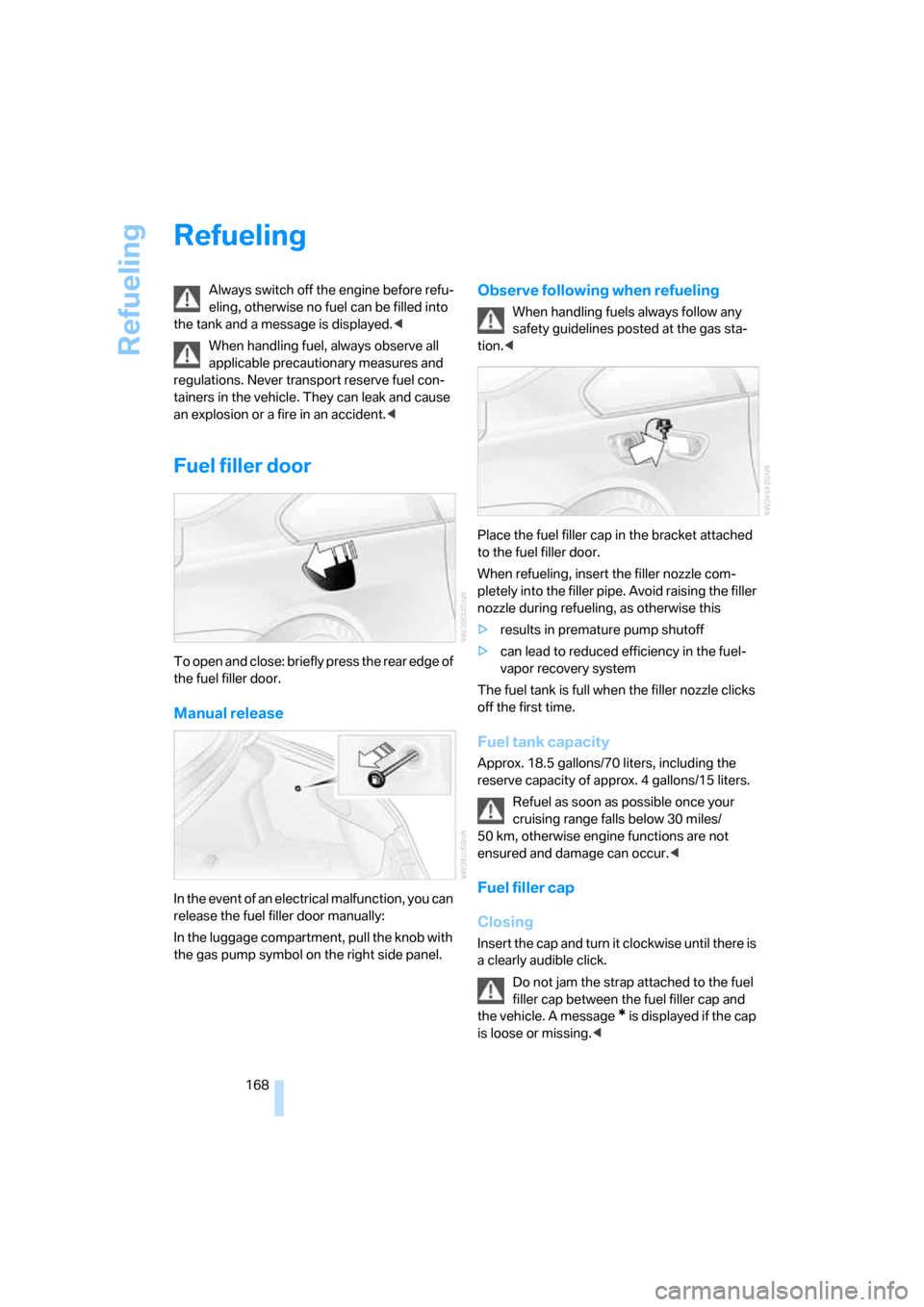
Fuel filler door
To open and close: briefly press the rear edge of
the fuel filler door.
Manual release
In the event of an electrical malfunction, you can
release the fuel filler door manually:
In the luggage compartment, pull the knob with
the gas pump symbol on the right side panel.
Observe following when refueling
When handling fuels always follow any
safety guidelines posted at the gas sta-
tion.<
Place the fuel filler cap in the bracket attached
to the fuel filler door.
When refueling, insert the filler nozzle com-
pletely into the filler pipe. Avoid raising the filler
nozzle during refueling, as otherwise this
>results in premature pump shutoff
>can lead to reduced efficiency in the fuel-
vapor recovery system
The fuel tank is full when the filler nozzle clicks
off the first time.
Fuel tank capacity
Approx. 18.5 gallons/70 liters, including the
reserve capacity of approx. 4 gallons/15 liters.
Refuel as soon as possible once your
cruising range falls below 30 miles/
50 km, otherwise engine functions are not
ensured and damage can occur.<
Fuel filler cap
Closing
Insert the cap and turn it clockwise until there is
a clearly audible click.
Do not jam the strap attached to the fuel
filler cap between the fuel filler cap and
the vehicle. A message
* is displayed if the cap
is loose or missing.<
Page 171 of 227
Mobility
169Reference
At a glance
Controls
Driving tips
Communications
Navigation
Entertainment
Fuel specifications
Never used leaded gasoline; it will perma-
nently damage the catalytic converter.<
Required fuel
Super Premium Gasoline/AKI 93
Always use this premium grade fuel to obtain
maximum fuel economy and performance.
The minimum approved fuel grade is AKI 91.
Do not use gasoline below the specified
minimum quality, as otherwise engine
damage can result.<
Use high-quality brands
Field experience has demonstrated significant
differences in fuel quality: volatility, composi-
tion, additives, etc., among gasolines offered for
sale in the United States and Canada. Fuels
containing up to and including 10 % ethanol or
other oxygenates with up to 2.8 % oxygen by
weight, that is, 15 % MTBE or 3 % methanol
plus an equivalent amount of co-solvent, will
not void the applicable warranties with respect
to defects in materials or workmanship.
The use of poor-quality fuels may result in
problems relating to drivability and start-
ing, and to a tendency to stall, especially under
certain environmental conditions such as high
ambient temperature and high altitude.
Should you encounter drivability problems
which you suspect could be related to the fuel
you are using, we recommend that you respond
by switching to a recognized high-quality brand
such as gasoline that is advertised as Top Tier
Detergent Gasoline.
Failure to comply with these recommendations
may also result in unscheduled maintenance.<
Page 176 of 227
Wheels and tires
174
Recommended tire brands
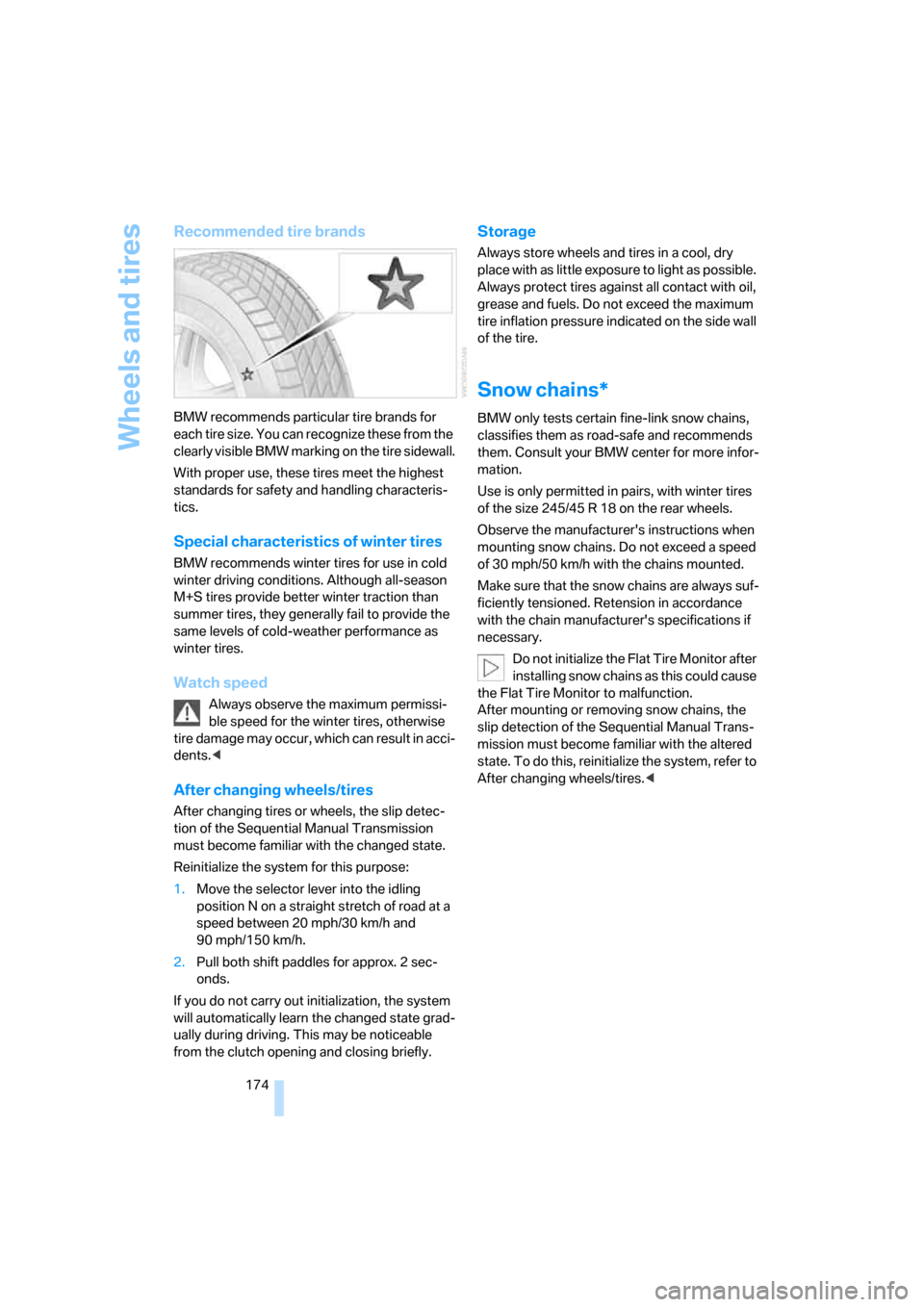
BMW recommends particular tire brands for
each tire size. You can recognize these from the
clearly visible BMW marking on the tire sidewall.
With proper use, these tires meet the highest
standards for safety and handling characteris-
tics.
Special characteristics of winter tires
BMW recommends winter tires for use in cold
winter driving conditions. Although all-season
M+S tires provide better winter traction than
summer tires, they generally fail to provide the
same levels of cold-weather performance as
winter tires.
Watch speed
Always observe the maximum permissi-
ble speed for the winter tires, otherwise
tire damage may occur, which can result in acci-
dents.<
After changing wheels/tires
After changing tires or wheels, the slip detec-
tion of the Sequential Manual Transmission
must become familiar with the changed state.
Reinitialize the system for this purpose:
1.Move the selector lever into the idling
position N on a straight stretch of road at a
speed between 20 mph/30 km/h and
90 mph/150 km/h.
2.Pull both shift paddles for approx. 2 sec-
onds.
If you do not carry out initialization, the system
will automatically learn the changed state grad-
ually during driving. This may be noticeable
from the clutch opening and closing briefly.
Storage
Always store wheels and tires in a cool, dry
place with as little exposure to light as possible.
Always protect tires against all contact with oil,
grease and fuels. Do not exceed the maximum
tire inflation pressure indicated on the side wall
of the tire.
Snow chains*
BMW only tests certain fine-link snow chains,
classifies them as road-safe and recommends
them. Consult your BMW center for more infor-
mation.
Use is only permitted in pairs, with winter tires
of the size 245/45 R 18 on the rear wheels.
Observe the manufacturer's instructions when
mounting snow chains. Do not exceed a speed
of 30 mph/50 km/h with the chains mounted.
Make sure that the snow chains are always suf-
ficiently tensioned. Retension in accordance
with the chain manufacturer's specifications if
necessary.
Do not initialize the Flat Tire Monitor after
installing snow chains as this could cause
the Flat Tire Monitor to malfunction.
After mounting or removing snow chains, the
slip detection of the Sequential Manual Trans-
mission must become familiar with the altered
state. To do this, reinitialize the system, refer to
After changing wheels/tires.<
Page 183 of 227
Mobility
181Reference
At a glance
Controls
Driving tips
Communications
Navigation
Entertainment
Socket for OBD Onboard
Diagnostics interface
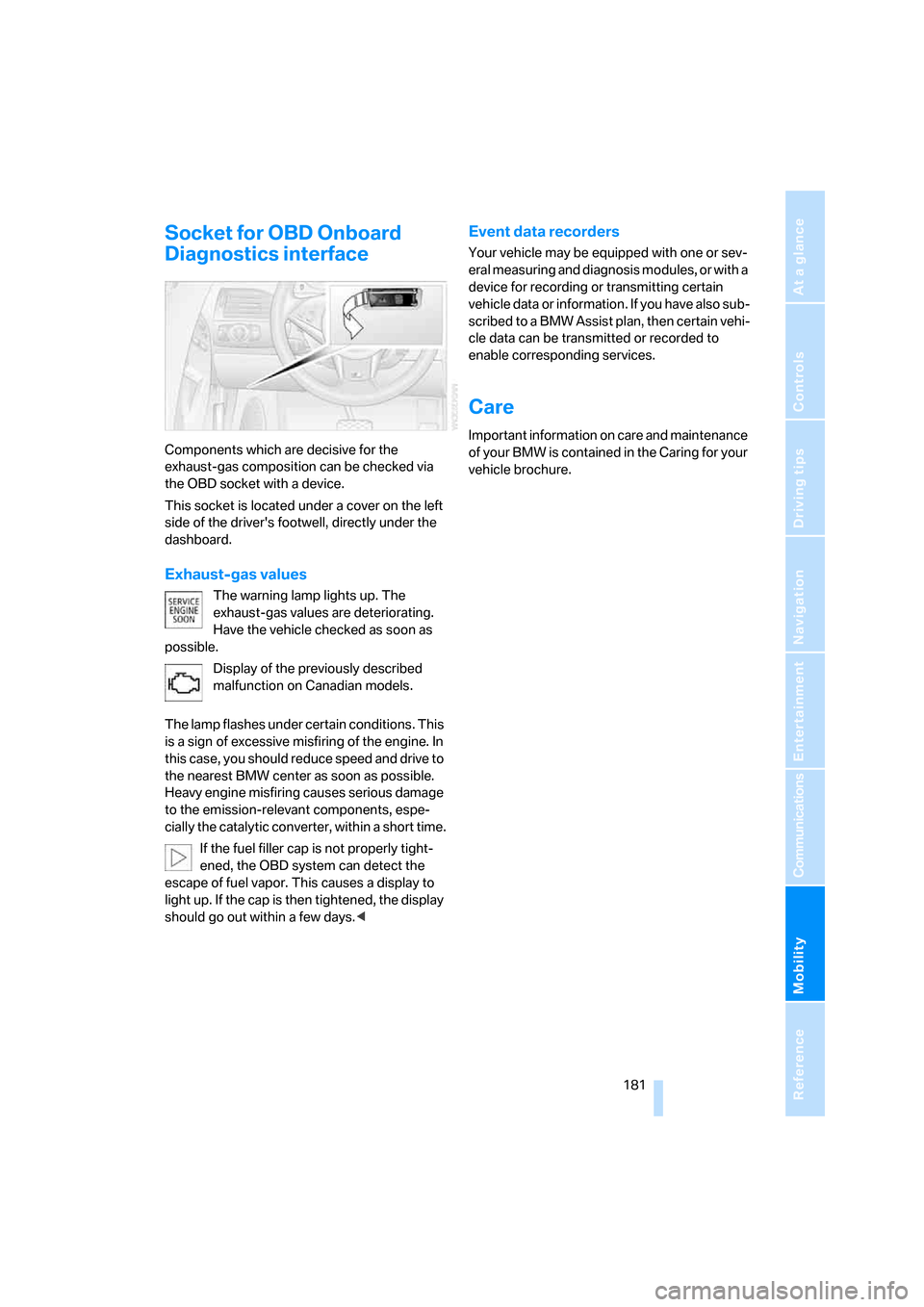
Components which are decisive for the
exhaust-gas composition can be checked via
the OBD socket with a device.
This socket is located under a cover on the left
side of the driver's footwell, directly under the
dashboard.
Exhaust-gas values
The warning lamp lights up. The
exhaust-gas values are deteriorating.
Have the vehicle checked as soon as
possible.
Display of the previously described
malfunction on Canadian models.
The lamp flashes under certain conditions. This
is a sign of excessive misfiring of the engine. In
this case, you should reduce speed and drive to
the nearest BMW center as soon as possible.
Heavy engine misfiring causes serious damage
to the emission-relevant components, espe-
cially the catalytic converter, within a short time.
If the fuel filler cap is not properly tight-
ened, the OBD system can detect the
escape of fuel vapor. This causes a display to
light up. If the cap is then tightened, the display
should go out within a few days.<
Event data recorders
Your vehicle may be equipped with one or sev-
eral measuring and diagnosis modules, or with a
device for recording or transmitting certain
vehicle data or information. If you have also sub-
scribed to a BMW Assist plan, then certain vehi-
cle data can be transmitted or recorded to
enable corresponding services.
Care
Important information on care and maintenance
of your BMW is contained in the Caring for your
vehicle brochure.
Page 202 of 227
Technical data
200
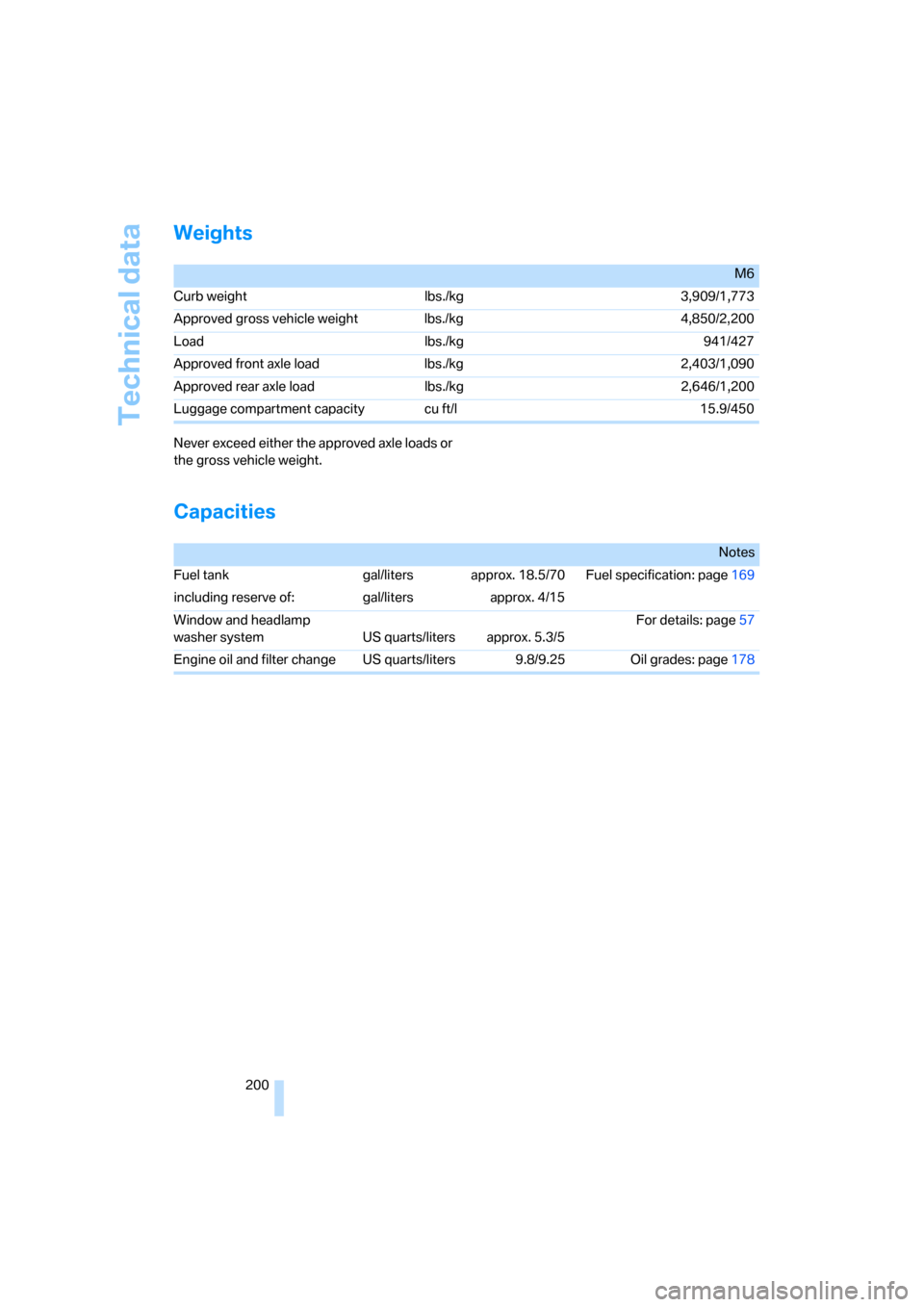
Weights
Never exceed either the approved axle loads or
the gross vehicle weight.
Capacities
M6
Curb weight lbs./kg 3,909/1,773
Approved gross vehicle weight lbs./kg 4,850/2,200
Load lbs./kg 941/427
Approved front axle load lbs./kg 2,403/1,090
Approved rear axle load lbs./kg 2,646/1,200
Luggage compartment capacity cu ft/l 15.9/450
Notes
Fuel tank gal/liters approx. 18.5/70 Fuel specification: page169
including reserve of: gal/liters approx. 4/15
Window and headlamp
washer system US quarts/liters approx. 5.3/5For details: page57
Engine oil and filter change US quarts/liters 9.8/9.25 Oil grades: page178
Page 208 of 227
Everything from A to Z
206
Everything from A to Z
Index
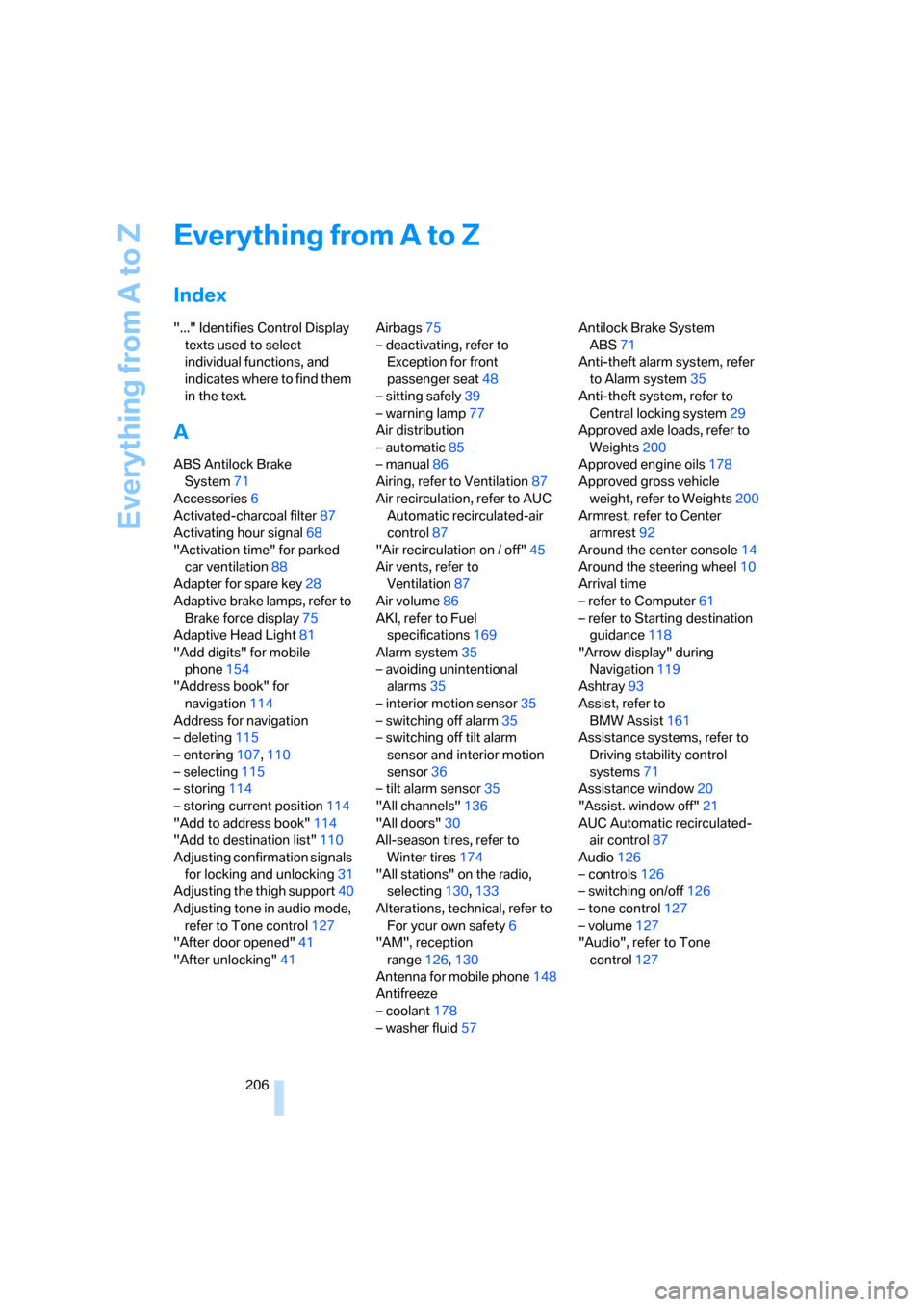
"..." Identifies Control Display
texts used to select
individual functions, and
indicates where to find them
in the text.
A
ABS Antilock Brake
System71
Accessories6
Activated-charcoal filter87
Activating hour signal68
"Activation time" for parked
car ventilation88
Adapter for spare key28
Adaptive brake lamps, refer to
Brake force display75
Adaptive Head Light81
"Add digits" for mobile
phone154
"Address book" for
navigation114
Address for navigation
– deleting115
– entering107,110
– selecting115
– storing114
– storing current position114
"Add to address book"114
"Add to destination list"110
Adjusting confirmation signals
for locking and unlocking31
Adjusting the thigh support40
Adjusting tone in audio mode,
refer to Tone control127
"After door opened"41
"After unlocking"41Airbags75
– deactivating, refer to
Exception for front
passenger seat48
– sitting safely39
– warning lamp77
Air distribution
– automatic85
– manual86
Airing, refer to Ventilation87
Air recirculation, refer to AUC
Automatic recirculated-air
control87
"Air recirculation on / off"45
Air vents, refer to
Ventilation87
Air volume86
AKI, refer to Fuel
specifications169
Alarm system35
– avoiding unintentional
alarms35
– interior motion sensor35
– switching off alarm35
– switching off tilt alarm
sensor and interior motion
sensor36
– tilt alarm sensor35
"All channels"136
"All doors"30
All-season tires, refer to
Winter tires174
"All stations" on the radio,
selecting130,133
Alterations, technical, refer to
For your own safety6
"AM", reception
range126,130
Antenna for mobile phone148
Antifreeze
– coolant178
– washer fluid57Antilock Brake System
ABS71
Anti-theft alarm system, refer
to Alarm system35
Anti-theft system, refer to
Central locking system29
Approved axle loads, refer to
Weights200
Approved engine oils178
Approved gross vehicle
weight, refer to Weights200
Armrest, refer to Center
armrest92
Around the center console14
Around the steering wheel10
Arrival time
– refer to Computer61
– refer to Starting destination
guidance118
"Arrow display" during
Navigation119
Ashtray93
Assist, refer to
BMW Assist161
Assistance systems, refer to
Driving stability control
systems71
Assistance window20
"Assist. window off"21
AUC Automatic recirculated-
air control87
Audio126
– controls126
– switching on/off126
– tone control127
– volume127
"Audio", refer to Tone
control127
Page 209 of 227
Reference 207
At a glance
Controls
Driving tips
Communications
Navigation
Entertainment
Mobility
Automatic
– air distribution85
– air volume85
– headlamp control80
– service notification162
– steering wheel adjustment,
refer to Easy entry/exit45
– storing stations131
Automatically switching
between high beams and
low beams, refer to High-
beam assistant81
Automatic car washes100
– also refer to the Caring for
your vehicle brochure
Automatic climate control84
– automatic air distribution85
– switching off87
Automatic closing of doors,
see Automatic soft
closing33
Automatic curb monitor44
Automatic lighting
– refer to Automatic headlamp
control80
– refer to Daytime running
lamps81
– refer to High-beam
assistant81
– refer to Interior lamps83
– refer to Pathway lighting80
"Automatic programs"85
Automatic recirculated-air
control AUC87
Automatic soft closing33
Automatic station search131
"Automatic ventilation"88
AUTO program with
automatic climate control85
"Autostore" on the
radio130,132
Average fuel consumption61
– setting units69
"Avoid ferries" for
navigation117
"Avoid highways" for
navigation117Avoiding freeways for
navigation116
Avoiding unintentional
alarms35
"Avoid tollroads" for
navigation117
Axle loads, refer to
Weights200
"A - Z"153,154
B
Backrest contour, refer to
Lumbar support40
Backrests, refer to Seats39
Backrest width adjustment40
Backup lamps, replacing
bulbs, refer to Tail
lamps184
"Balance", refer to Tone
control128
Balance, refer to Tone
control128
Balance adjustment in audio
mode, right/left128
Band-aids, refer to First-aid
kit192
Bass, refer to Tone
control127
"Bass", tone control127
Battery
– disposal37
– jump starting192
– refer to Vehicle battery189
Battery change37
Being towed194
Belts, refer to Safety belts42
Beverage holder, refer to Cup
holders93
Blower, refer to Air volume86
"BMW Assist"163
BMW Assist161
– enabling161
– services offered162
"BMW Contact"155
"BMW Contact
Numbers"155BMW homepage4
BMW Maintenance
System180
"BMW Service"163
"BMW Service settings"162
BMW website4
Bottle holder, refer to Cup
holders93
Brake Assistant, refer to DBC
Dynamic Brake Control71
Brake fluid179
– level179
– warning lamp179
Brake force display75
Brake hydraulic system179
Brake lamps
– brake force display75
– replacing bulbs, refer to Tail
lamps184
Brake pads179
– breaking-in98
Brakes
– ABS Antilock Brake
System71
– brake fluid
179
– brake force display75
– brake pads179
– breaking-in98
– CBC Cornering Brake
Control71
– handbrake51
Brake system98
– brake fluid level179
– brake pads98,179
– brake rotors100
– breaking-in98
– warning lamp13,179
Brake wear warning
– brake pads179
– warning lamp179
Braking
– electronic brake-force
distribution71
– refer to Braking safely99
Braking safely99
Breakdown, M Mobility
System185