change time BMW M6 COUPE 2010 E63 Owner's Guide
[x] Cancel search | Manufacturer: BMW, Model Year: 2010, Model line: M6 COUPE, Model: BMW M6 COUPE 2010 E63Pages: 250, PDF Size: 8.4 MB
Page 148 of 250
CD/DVD player and CD changer
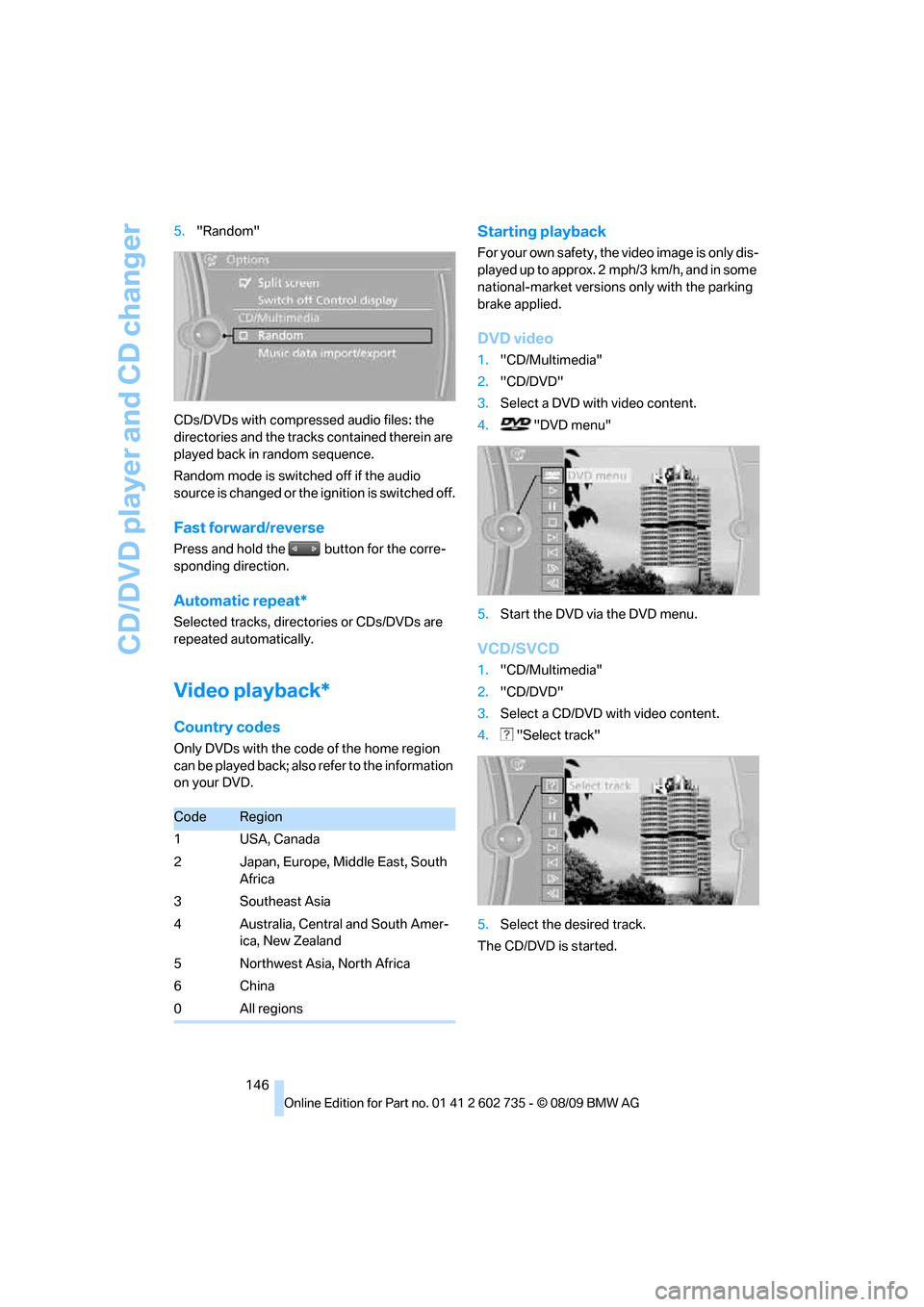
146 5."Random"
CDs/DVDs with compressed audio files: the
directories and the tracks contained therein are
played back in random sequence.
Random mode is switched off if the audio
source is changed or the ignition is switched off.
Fast forward/reverse
Press and hold the button for the corre-
sponding direction.
Automatic repeat*
Selected tracks, directories or CDs/DVDs are
repeated automatically.
Video playback*
Country codes
Only DVDs with the code of the home region
can be played back; also refer to the information
on your DVD.
Starting playback
For your own safety, the video image is only dis-
played up to approx. 2 mph/3 km/h, and in some
national-market versions only with the parking
brake applied.
DVD video
1."CD/Multimedia"
2."CD/DVD"
3.Select a DVD with video content.
4. "DVD menu"
5.Start the DVD via the DVD menu.
VCD/SVCD
1."CD/Multimedia"
2."CD/DVD"
3.Select a CD/DVD with video content.
4. "Select track"
5.Select the desired track.
The CD/DVD is started.
CodeRegion
1USA, Canada
2 Japan, Europe, Middle East, South
Africa
3Southeast Asia
4 Australia, Central and South Amer-
ica, New Zealand
5 Northwest Asia, North Africa
6China
0All regions
Page 149 of 250
Navigation
Entertainment
Driving tips
147Reference
At a glance
Controls
Communications
Mobility
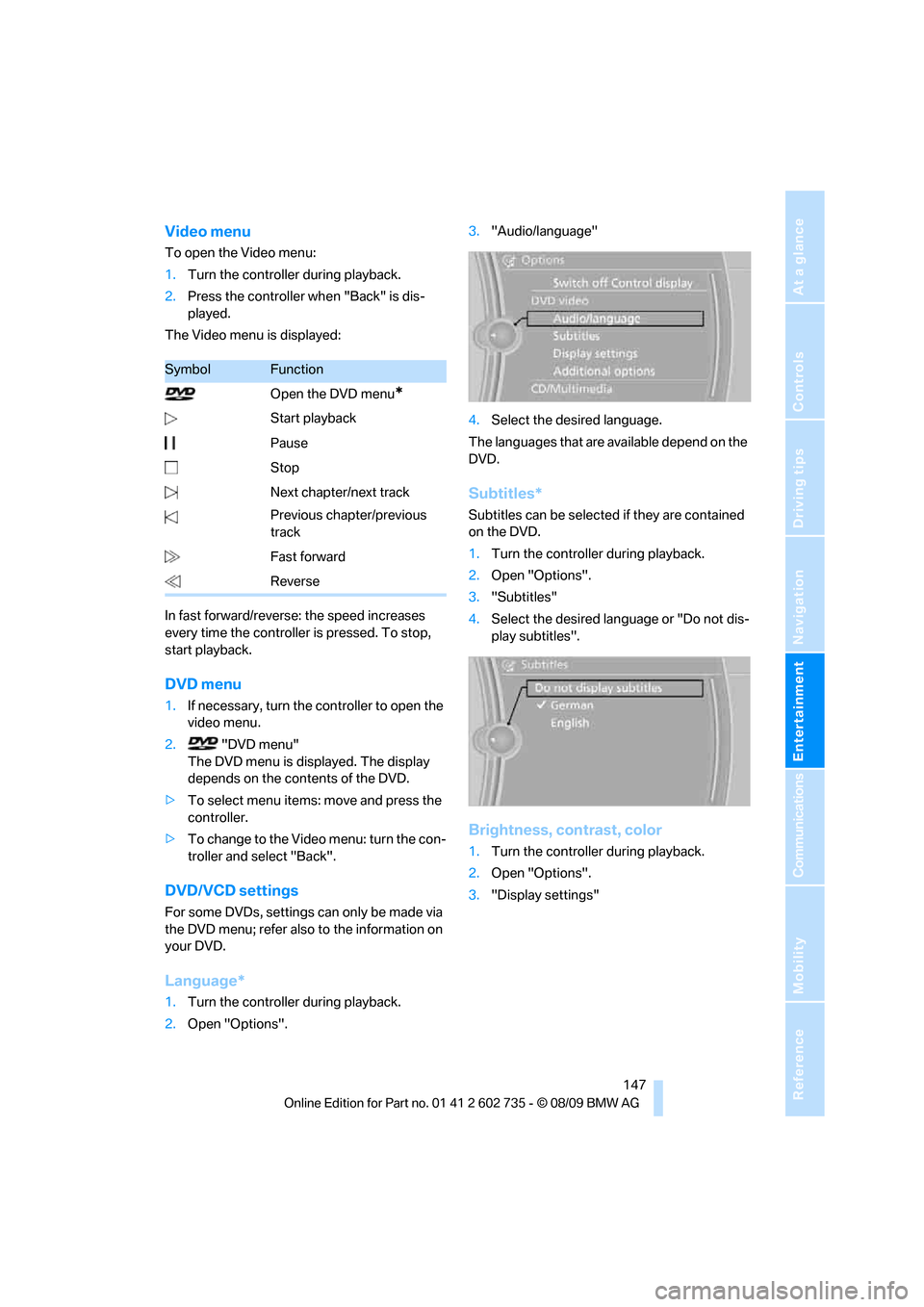
Video menu
To open the Video menu:
1.Turn the controller during playback.
2.Press the controller when "Back" is dis-
played.
The Video menu is displayed:
In fast forward/reverse: the speed increases
every time the controller is pressed. To stop,
start playback.
DVD menu
1.If necessary, turn the controller to open the
video menu.
2. "DVD menu"
The DVD menu is displayed. The display
depends on the contents of the DVD.
>To select menu items: move and press the
controller.
>To change to the Video menu: turn the con-
troller and select "Back".
DVD/VCD settings
For some DVDs, settings can only be made via
the DVD menu; refer also to the information on
your DVD.
Language*
1.Turn the controller during playback.
2.Open "Options".3."Audio/language"
4.Select the desired language.
The languages that are available depend on the
DVD.
Subtitles*
Subtitles can be selected if they are contained
on the DVD.
1.Turn the controller during playback.
2.Open "Options".
3."Subtitles"
4.Select the desired language or "Do not dis-
play subtitles".
Brightness, contrast, color
1.Turn the controller during playback.
2.Open "Options".
3."Display settings"
SymbolFunction
Open the DVD menu
*
Start playback
Pause
Stop
Next chapter/next track
Previous chapter/previous
track
Fast forward
Reverse
Page 156 of 250
Music collection
154 Depending on the album, the tracks or the
subdirectories of the album are displayed.
The first track is played automatically, if
possible.
4.To select tracks, change directories if
needed. To go up one level in the directory,
move the controller to the left.
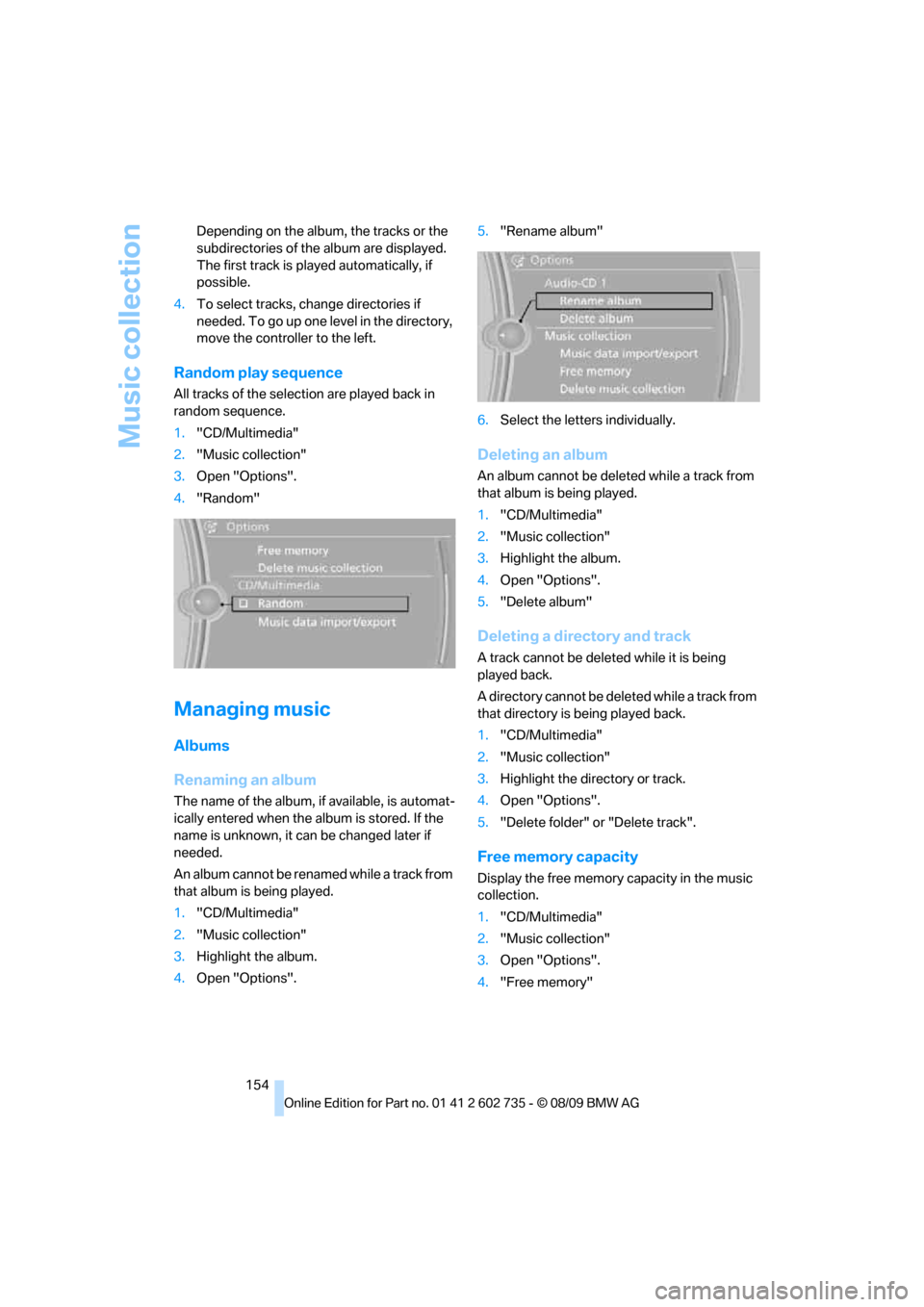
Random play sequence
All tracks of the selection are played back in
random sequence.
1."CD/Multimedia"
2."Music collection"
3.Open "Options".
4."Random"
Managing music
Albums
Renaming an album
The name of the album, if available, is automat-
ically entered when the album is stored. If the
name is unknown, it can be changed later if
needed.
An album cannot be renamed while a track from
that album is being played.
1."CD/Multimedia"
2."Music collection"
3.Highlight the album.
4.Open "Options".5."Rename album"
6.Select the letters individually.
Deleting an album
An album cannot be deleted while a track from
that album is being played.
1."CD/Multimedia"
2."Music collection"
3.Highlight the album.
4.Open "Options".
5."Delete album"
Deleting a directory and track
A track cannot be deleted while it is being
played back.
A directory cannot be deleted while a track from
that directory is being played back.
1."CD/Multimedia"
2."Music collection"
3.Highlight the directory or track.
4.Open "Options".
5."Delete folder" or "Delete track".
Free memory capacity
Display the free memory capacity in the music
collection.
1."CD/Multimedia"
2."Music collection"
3.Open "Options".
4."Free memory"
Page 197 of 250
Mobility
195Reference
At a glance
Controls
Driving tips
Communications
Navigation
Entertainment
>"Measurement not possible at this time."
>"Measuring engine oil level...":
This can take about 3 minutes if the car is at
a standstill on a level surface and the engine
is running, and about 5 minutes while the
car is moving.
If the engine oil has been topped off, the
measurement of the oil level can take up to
30 minutes.
>"Engine oil level below minimum. Add 1
quart!":
Add a maximum of 1 US quart/1 liter of
engine oil at the next opportunity, refer also
to Adding engine oil below. If the oil level
displayed is below minimum, add engine oil
immediately. Failure to do so may lead to
engine damage.
>"Engine oil level too high! Have this
checked.":
Too much oil will harm the engine.
Have the vehicle checked without
delay.<
>"Measurement inactive. Have this
checked.":
Do not add engine oil. You can continue
your journey. Note the newly calculated dis-
tance remaining to the next oil service, refer
to Service requirements on page68. Have
the system checked as soon as possible.
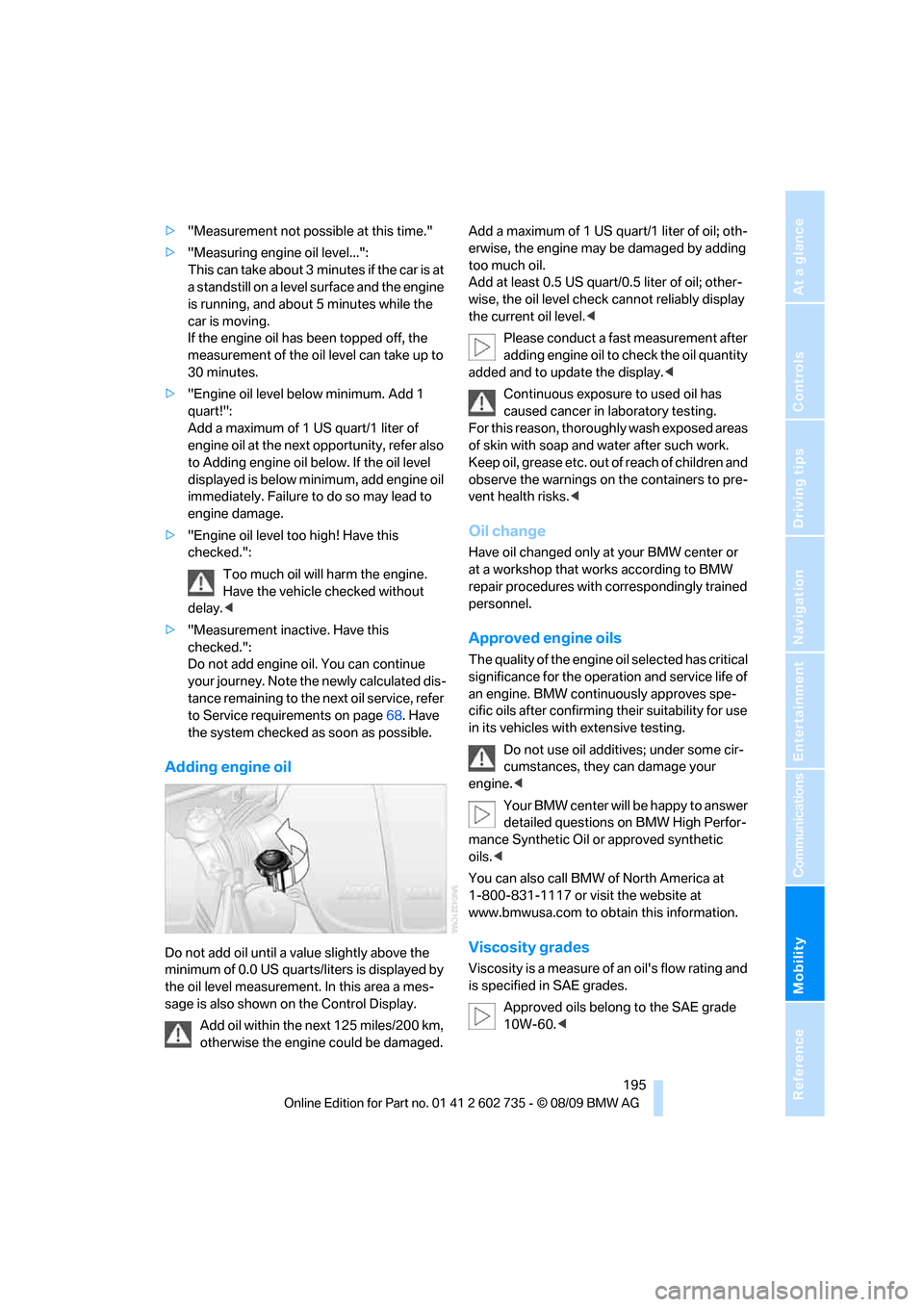
Adding engine oil
Do not add oil until a value slightly above the
minimum of 0.0 US quarts/liters is displayed by
the oil level measurement. In this area a mes-
sage is also shown on the Control Display.
Add oil within the next 125 miles/200 km,
otherwise the engine could be damaged.Add a maximum of 1 US quart/1 liter of oil; oth-
erwise, the engine may be damaged by adding
too much oil.
Add at least 0.5 US quart/0.5 liter of oil; other-
wise, the oil level check cannot reliably display
the current oil level.<
Please conduct a fast measurement after
adding engine oil to check the oil quantity
added and to update the display.<
Continuous exposure to used oil has
caused cancer in laboratory testing.
For this reason, thoroughly wash exposed areas
of skin with soap and water after such work.
Keep oil, grease etc. out of reach of children and
observe the warnings on the containers to pre-
vent health risks.<
Oil change
Have oil changed only at your BMW center or
at a workshop that works according to BMW
repair procedures with correspondingly trained
personnel.
Approved engine oils
The quality of the engine oil selected has critical
significance for the operation and service life of
an engine. BMW continuously approves spe-
cific oils after confirming their suitability for use
in its vehicles with extensive testing.
Do not use oil additives; under some cir-
cumstances, they can damage your
engine.<
Your BMW center will be happy to answer
detailed questions on BMW High Perfor-
mance Synthetic Oil or approved synthetic
oils.<
You can also call BMW of North America at
1-800-831-1117 or visit the website at
www.bmwusa.com to obtain this information.
Viscosity grades
Viscosity is a measure of an oil's flow rating and
is specified in SAE grades.
Approved oils belong to the SAE grade
10W-60.<
Page 234 of 250
Everything from A to Z
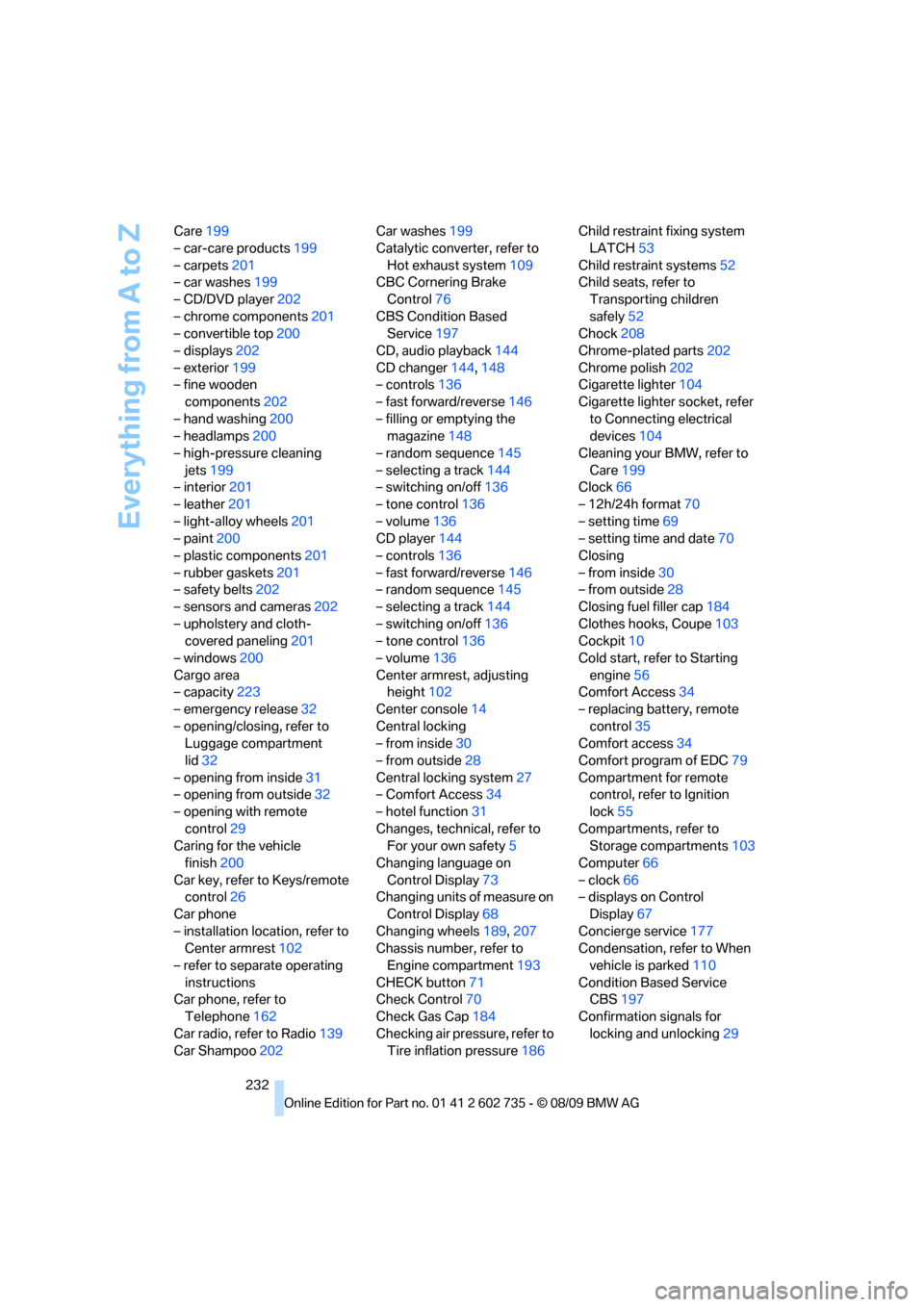
232 Care199
– car-care products199
– carpets201
– car washes199
– CD/DVD player202
– chrome components201
– convertible top200
– displays202
– exterior199
– fine wooden
components202
– hand washing200
– headlamps200
– high-pressure cleaning
jets199
– interior201
– leather201
– light-alloy wheels201
– paint200
– plastic components201
– rubber gaskets201
– safety belts202
– sensors and cameras202
– upholstery and cloth-
covered paneling201
– windows200
Cargo area
– capacity223
– emergency release32
– opening/closing, refer to
Luggage compartment
lid32
– opening from inside31
– opening from outside32
– opening with remote
control29
Caring for the vehicle
finish200
Car key, refer to Keys/remote
control26
Car phone
– installation location, refer to
Center armrest102
– refer to separate operating
instructions
Car phone, refer to
Telephone162
Car radio, refer to Radio139
Car Shampoo202Car washes199
Catalytic converter, refer to
Hot exhaust system109
CBC Cornering Brake
Control76
CBS Condition Based
Service197
CD, audio playback144
CD changer144,148
– controls136
– fast forward/reverse146
– filling or emptying the
magazine148
– random sequence145
– selecting a track144
– switching on/off136
– tone control136
– volume136
CD player144
– controls136
– fast forward/reverse146
– random sequence145
– selecting a track144
– switching on/off136
– tone control136
– volume136
Center armrest, adjusting
height102
Center console14
Central locking
– from inside30
– from outside28
Central locking system27
– Comfort Access34
– hotel function31
Changes, technical, refer to
For your own safety5
Changing language on
Control Display73
Changing units of measure on
Control Display68
Changing wheels189,207
Chassis number, refer to
Engine compartment193
CHECK button71
Check Control70
Check Gas Cap184
Checking air pressure, refer to
Tire inflation pressure186Child restraint fixing system
LATCH53
Child restraint systems52
Child seats, refer to
Transporting children
safely52
Chock208
Chrome-plated parts202
Chrome polish202
Cigarette lighter104
Cigarette lighter socket, refer
to Connecting electrical
devices104
Cleaning your BMW, refer to
Care199
Clock66
– 12h/24h format70
– setting time69
– setting time and date70
Closing
– from inside30
– from outside28
Closing fuel filler cap184
Clothes hooks, Coupe103
Cockpit10
Cold start, refer to Starting
engine56
Comfort Access34
– replacing battery, remote
control35
Comfort access34
Comfort program of EDC79
Compartment for remote
control, refer to Ignition
lock55
Compartments, refer to
Storage compartments103
Computer66
– clock66
– displays on Control
Display67
Concierge service177
Condensation, refer to When
vehicle is parked110
Condition Based Service
CBS197
Confirmation signals for
locking and unlocking29
Page 243 of 250
Reference 241
At a glance
Controls
Driving tips
Communications
Navigation
Entertainment
Mobility
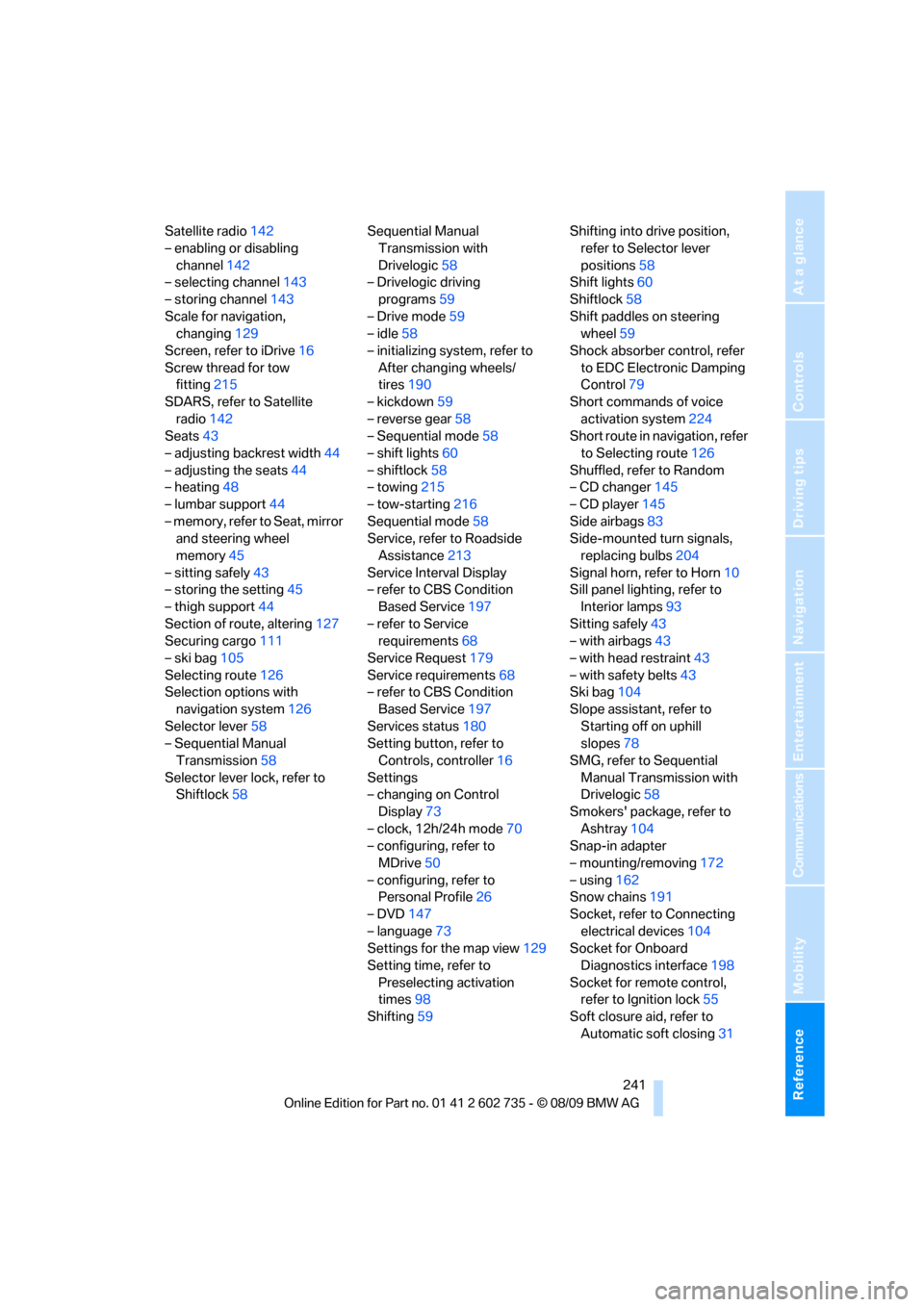
Satellite radio142
– enabling or disabling
channel142
– selecting channel143
– storing channel143
Scale for navigation,
changing129
Screen, refer to iDrive16
Screw thread for tow
fitting215
SDARS, refer to Satellite
radio142
Seats43
– adjusting backrest width44
– adjusting the seats44
– heating48
– lumbar support44
– memory, refer to Seat, mirror
and steering wheel
memory45
– sitting safely43
– storing the setting45
– thigh support44
Section of route, altering127
Securing cargo111
– ski bag105
Selecting route126
Selection options with
navigation system126
Selector lever58
– Sequential Manual
Transmission58
Selector lever lock, refer to
Shiftlock58Sequential Manual
Transmission with
Drivelogic58
– Drivelogic driving
programs59
– Drive mode59
– idle58
– initializing system, refer to
After changing wheels/
tires190
– kickdown59
– reverse gear58
– Sequential mode58
– shift lights60
– shiftlock58
– towing215
– tow-starting216
Sequential mode58
Service, refer to Roadside
Assistance213
Service Interval Display
– refer to CBS Condition
Based Service197
– refer to Service
requirements68
Service Request179
Service requirements68
– refer to CBS Condition
Based Service197
Services status180
Setting button, refer to
Controls, controller16
Settings
– changing on Control
Display73
– clock, 12h/24h mode70
– configuring, refer to
MDrive50
– configuring, refer to
Personal Profile26
– DVD147
– language73
Settings for the map view129
Setting time, refer to
Preselecting activation
times98
Shifting59Shifting into drive position,
refer to Selector lever
positions58
Shift lights60
Shiftlock58
Shift paddles on steering
wheel59
Shock absorber control, refer
to EDC Electronic Damping
Control79
Short commands of voice
activation system224
Short route in navigation, refer
to Selecting route126
Shuffled, refer to Random
– CD changer145
– CD player145
Side airbags83
Side-mounted turn signals,
replacing bulbs204
Signal horn, refer to Horn10
Sill panel lighting, refer to
Interior lamps93
Sitting safely43
– with airbags43
– with head restraint43
– with safety belts43
Ski bag104
Slope assistant, refer to
Starting off on uphill
slopes78
SMG, refer to Sequential
Manual Transmission with
Drivelogic58
Smokers' package, refer to
Ashtray104
Snap-in adapter
– mounting/removing172
– using162
Snow chains191
Socket, refer to Connecting
electrical devices104
Socket for Onboard
Diagnostics interface198
Socket for remote control,
refer to Ignition lock55
Soft closure aid, refer to
Automatic soft closing31
Page 244 of 250
Everything from A to Z
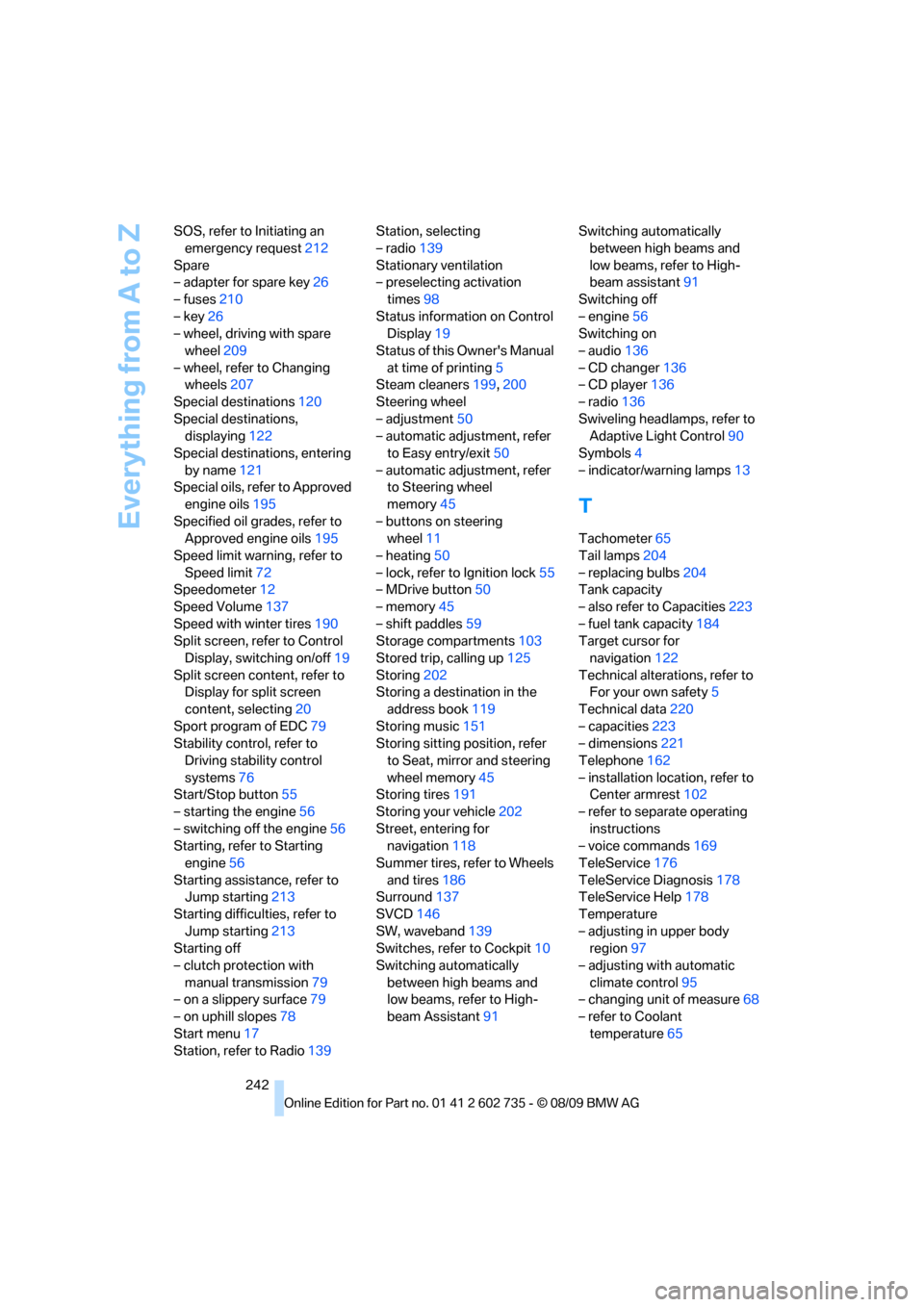
242 SOS, refer to Initiating an
emergency request212
Spare
– adapter for spare key26
– fuses210
– key26
– wheel, driving with spare
wheel209
– wheel, refer to Changing
wheels207
Special destinations120
Special destinations,
displaying122
Special destinations, entering
by name121
Special oils, refer to Approved
engine oils195
Specified oil grades, refer to
Approved engine oils195
Speed limit warning, refer to
Speed limit72
Speedometer12
Speed Volume137
Speed with winter tires190
Split screen, refer to Control
Display, switching on/off19
Split screen content, refer to
Display for split screen
content, selecting20
Sport program of EDC79
Stability control, refer to
Driving stability control
systems76
Start/Stop button55
– starting the engine56
– switching off the engine56
Starting, refer to Starting
engine56
Starting assistance, refer to
Jump starting213
Starting difficulties, refer to
Jump starting213
Starting off
– clutch protection with
manual transmission79
– on a slippery surface79
– on uphill slopes78
Start menu17
Station, refer to Radio139Station, selecting
– radio139
Stationary ventilation
– preselecting activation
times98
Status information on Control
Display19
Status of this Owner's Manual
at time of printing5
Steam cleaners199,200
Steering wheel
– adjustment50
– automatic adjustment, refer
to Easy entry/exit50
– automatic adjustment, refer
to Steering wheel
memory45
– buttons on steering
wheel11
– heating50
– lock, refer to Ignition lock55
– MDrive button50
– memory45
– shift paddles59
Storage compartments103
Stored trip, calling up125
Storing202
Storing a destination in the
address book119
Storing music151
Storing sitting position, refer
to Seat, mirror and steering
wheel memory45
Storing tires191
Storing your vehicle202
Street, entering for
navigation118
Summer tires, refer to Wheels
and tires186
Surround137
SVCD146
SW, waveband139
Switches, refer to Cockpit10
Switching automatically
between high beams and
low beams, refer to High-
beam Assistant91Switching automatically
between high beams and
low beams, refer to High-
beam assistant91
Switching off
– engine56
Switching on
– audio136
– CD changer136
– CD player136
– radio136
Swiveling headlamps, refer to
Adaptive Light Control90
Symbols4
– indicator/warning lamps13
T
Tachometer65
Tail lamps204
– replacing bulbs204
Tank capacity
– also refer to Capacities223
– fuel tank capacity184
Target cursor for
navigation122
Technical alterations, refer to
For your own safety5
Technical data220
– capacities223
– dimensions221
Telephone162
– installation location, refer to
Center armrest102
– refer to separate operating
instructions
– voice commands169
TeleService176
TeleService Diagnosis178
TeleService Help178
Temperature
– adjusting in upper body
region97
– adjusting with automatic
climate control95
– changing unit of measure68
– refer to Coolant
temperature65