climate control BMW M6 COUPE 2015 F13M User Guide
[x] Cancel search | Manufacturer: BMW, Model Year: 2015, Model line: M6 COUPE, Model: BMW M6 COUPE 2015 F13MPages: 222, PDF Size: 4.66 MB
Page 145 of 222
Ice and condensation are quickly removed
from the windshield and the front side win‐
dows.
For this purpose, point the side vents onto the
side windows as needed.
Adjust air flow with the program active.
If the windows are fogged over, you can also
switch on the cooling function or press the
AUTO button to utilize the condensation sen‐
sor.
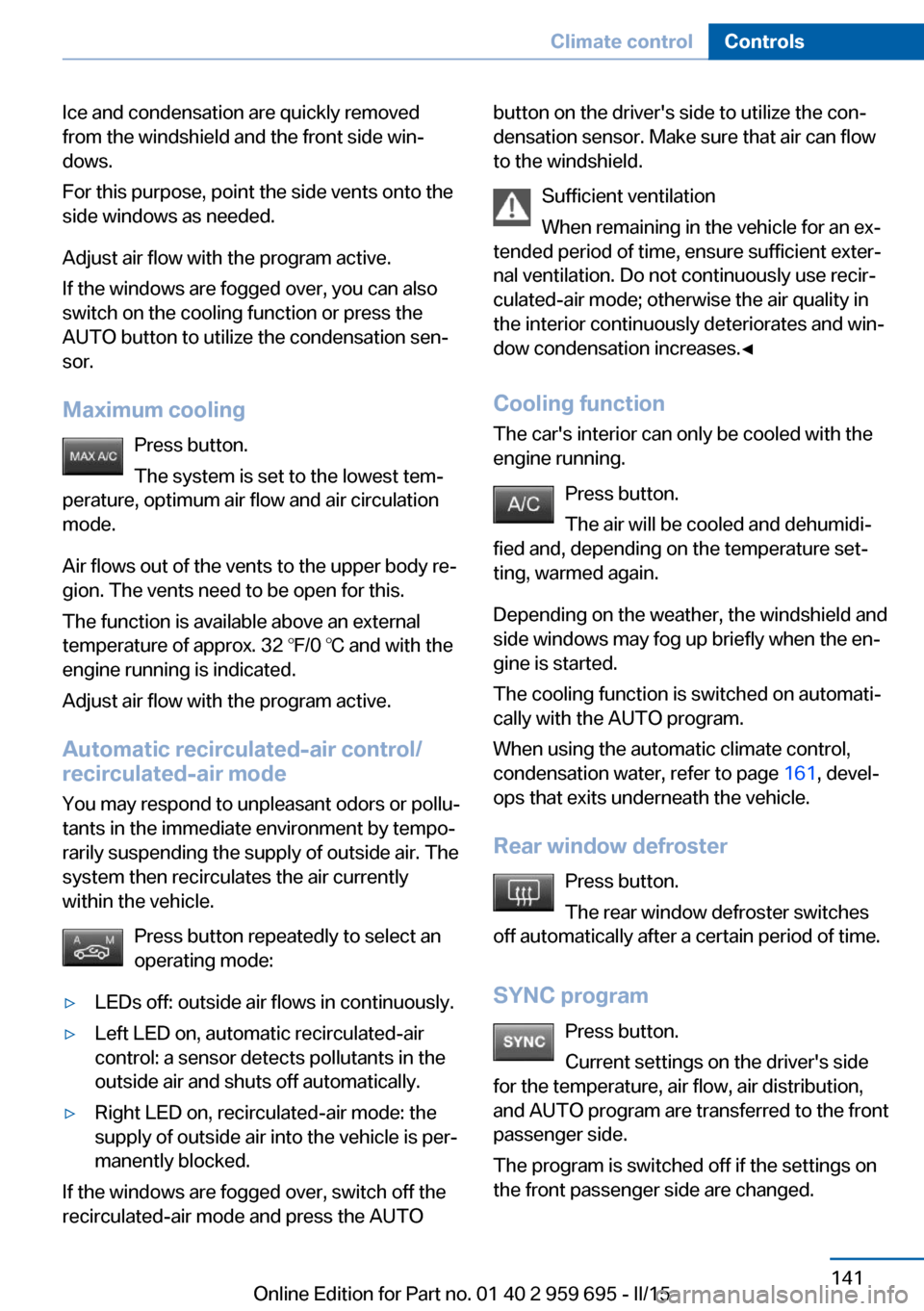
Maximum cooling Press button.
The system is set to the lowest tem‐
perature, optimum air flow and air circulation mode.
Air flows out of the vents to the upper body re‐
gion. The vents need to be open for this.
The function is available above an external
temperature of approx. 32 ℉/0 ℃ and with the
engine running is indicated.
Adjust air flow with the program active.
Automatic recirculated-air control/
recirculated-air mode
You may respond to unpleasant odors or pollu‐
tants in the immediate environment by tempo‐
rarily suspending the supply of outside air. The
system then recirculates the air currently
within the vehicle.
Press button repeatedly to select an
operating mode:▷LEDs off: outside air flows in continuously.▷Left LED on, automatic recirculated-air
control: a sensor detects pollutants in the
outside air and shuts off automatically.▷Right LED on, recirculated-air mode: the
supply of outside air into the vehicle is per‐
manently blocked.
If the windows are fogged over, switch off the
recirculated-air mode and press the AUTO
button on the driver's side to utilize the con‐
densation sensor. Make sure that air can flow
to the windshield.
Sufficient ventilation
When remaining in the vehicle for an ex‐
tended period of time, ensure sufficient exter‐
nal ventilation. Do not continuously use recir‐
culated-air mode; otherwise the air quality in
the interior continuously deteriorates and win‐
dow condensation increases.◀
Cooling function The car's interior can only be cooled with the
engine running.
Press button.
The air will be cooled and dehumidi‐
fied and, depending on the temperature set‐
ting, warmed again.
Depending on the weather, the windshield and
side windows may fog up briefly when the en‐
gine is started.
The cooling function is switched on automati‐
cally with the AUTO program.
When using the automatic climate control,
condensation water, refer to page 161, devel‐
ops that exits underneath the vehicle.
Rear window defroster Press button.
The rear window defroster switches
off automatically after a certain period of time.
SYNC program Press button.
Current settings on the driver's side
for the temperature, air flow, air distribution,
and AUTO program are transferred to the front
passenger side.
The program is switched off if the settings on
the front passenger side are changed.Seite 141Climate controlControls141
Online Edition for Part no. 01 40 2 959 695 - II/15
Page 146 of 222
Residual heat
The heat stored in the engine is used to heat
the interior.
Functional requirement▷Up to 15 minutes after switching off the
engine.▷Warm engine.▷The battery is sufficiently charged.▷External temperature below 77 ℉/25 ℃.
The availability of the function is shown on the
display of the automatic climate control.
Switching on
1.Switch off the ignition.2. Press the right side of the button
on the driver's side.
The symbol appears on the automatic cli‐
mate Control Display.
The interior temperature, air volume and air
distribution can be adjusted with the ignition
switched on.
Switch off
At the lowest fan speed, press the left side of
the button on the driver's side.
The symbol on the display of the automatic
climate control flashes.
Switching the system on/off Switch off
▷Complete system: Press and hold the left button on
the driver's side until the control
clicks off.▷On the front passenger side:
Press and hold the left button on
the front passenger side.Switching on
Press any button except:▷Rear window defroster.▷Left side of Air volume button.▷Seat heating.▷Seat ventilation.▷If necessary, SYNC program.
Microfilter/activated-charcoal filter
The microfilter removes dust and pollen from
the incoming air.
The activated-charcoal filter removes gaseous
pollutants from the outside air that enters the
vehicle.
This combined filter should be replaced during
scheduled maintenance, refer to page 187, of
your vehicle.
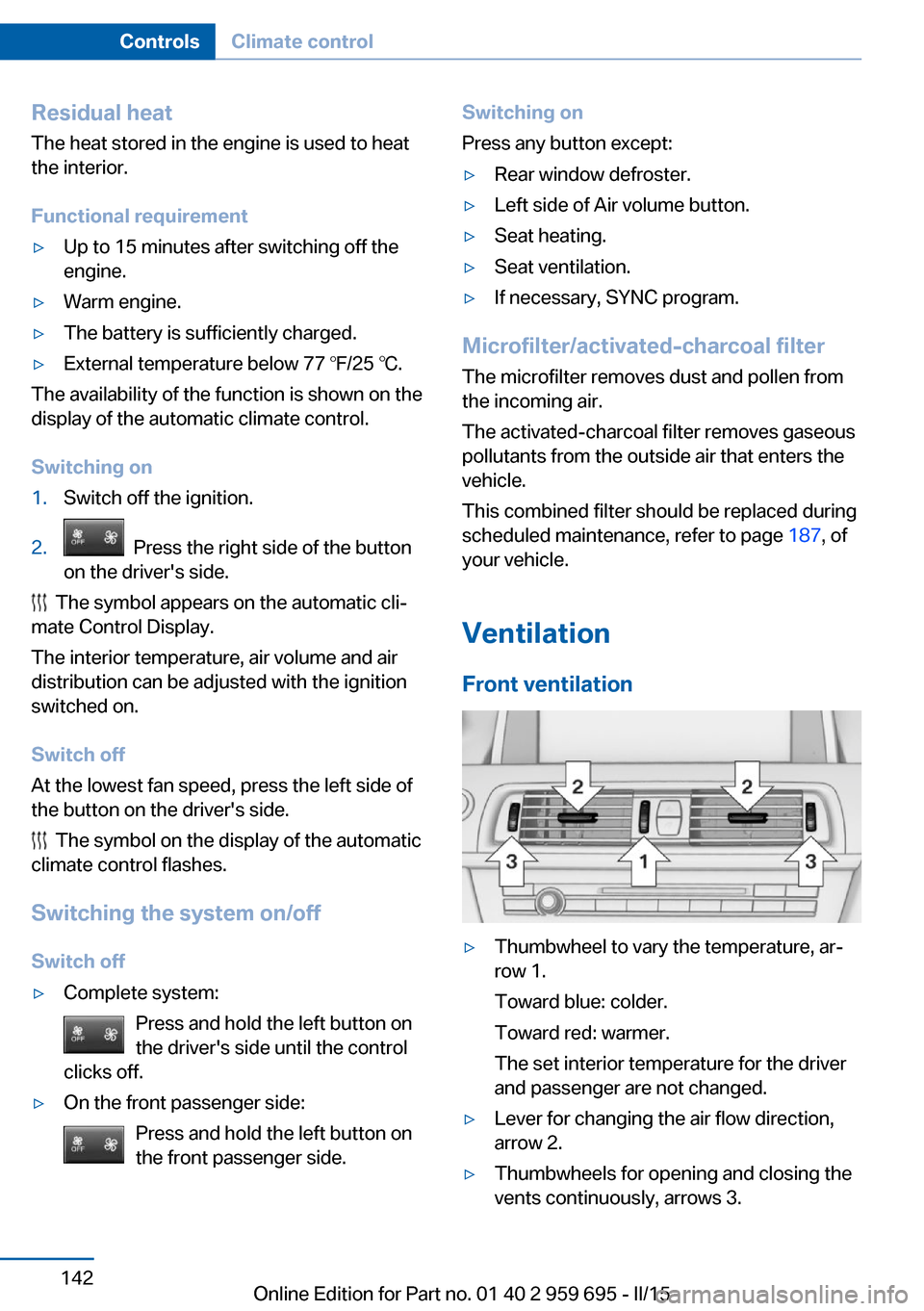
Ventilation Front ventilation
▷Thumbwheel to vary the temperature, ar‐
row 1.
Toward blue: colder.
Toward red: warmer.
The set interior temperature for the driver
and passenger are not changed.▷Lever for changing the air flow direction,
arrow 2.▷Thumbwheels for opening and closing the
vents continuously, arrows 3.Seite 142ControlsClimate control142
Online Edition for Part no. 01 40 2 959 695 - II/15
Page 147 of 222
Adjusting the ventilation▷Ventilation for cooling:
Direct vent in your direction when vehicle's
interior is too hot.▷Draft-free ventilation:
Adjust the vent to let the air flow past you.
Parked-car ventilation
The concept The parked-car ventilation ventilates the vehi‐
cle interior and lowers its temperature, if
needed.
Operation can be performed via iDrive.
Functional requirements
Parked-car ventilation
▷Using the preset reel-on time or when op‐
erated directly: any external temperature.
Open the vents to allow air to flow out.
Switching on/off directly
On the Control Display:
1."Settings"2."Climate"3."Activate comf. ventilation"
The symbol on the automatic climate con‐
trol flashes if the system is switched on.
The system continues to run for some time af‐
ter being switched off.
Preselecting the reel-on time On the Control Display:
1."Settings"2."Climate"3."Timer 1:" or "Timer 2:"4.Set the desired time.Activating the reel-on time
On the Control Display:1."Settings"2."Climate"3."Activate timer 1" or "Activate timer 2"
The symbol on the automatic climate con‐
trol lights up when the reel-on time is acti‐
vated.
The symbol on the automatic climate con‐
trol flashes when the system has been
switched on.
The system will only be switched on within the
next 24 hours. After that, it needs to be reacti‐
vated.
Seite 143Climate controlControls143
Online Edition for Part no. 01 40 2 959 695 - II/15
Page 163 of 222
General driving notes
Closing the trunk lid Drive with the trunk lid closed
Only drive with the tailgate closed; other‐
wise, in the event of an accident or braking and
evasive maneuvers, passengers and other traf‐
fic may be injured, and the vehicle may be
damaged. In addition, exhaust fumes may en‐
ter the vehicle interior.◀
If driving with the tailgate open cannot be avoided:▷Close all windows and the glass sunroof.▷Greatly increase the air flow from the vents.▷Drive moderately.
Hot exhaust system
Hot exhaust system
High temperatures are generated in the
exhaust system.
Do not remove the heat shields installed and
never apply undercoating to them. Make sure
that flammable materials, e. g. hay, leaves,
grass, etc. do not come in contact with the hot
exhaust system while driving, while in idle po‐
sition mode, or when parked. Such contact
could lead to a fire, resulting in an increased
risk of serious personal injury as well as prop‐
erty damage.
Do not touch hot exhaust pipes; otherwise,
there is a danger of getting burned.◀
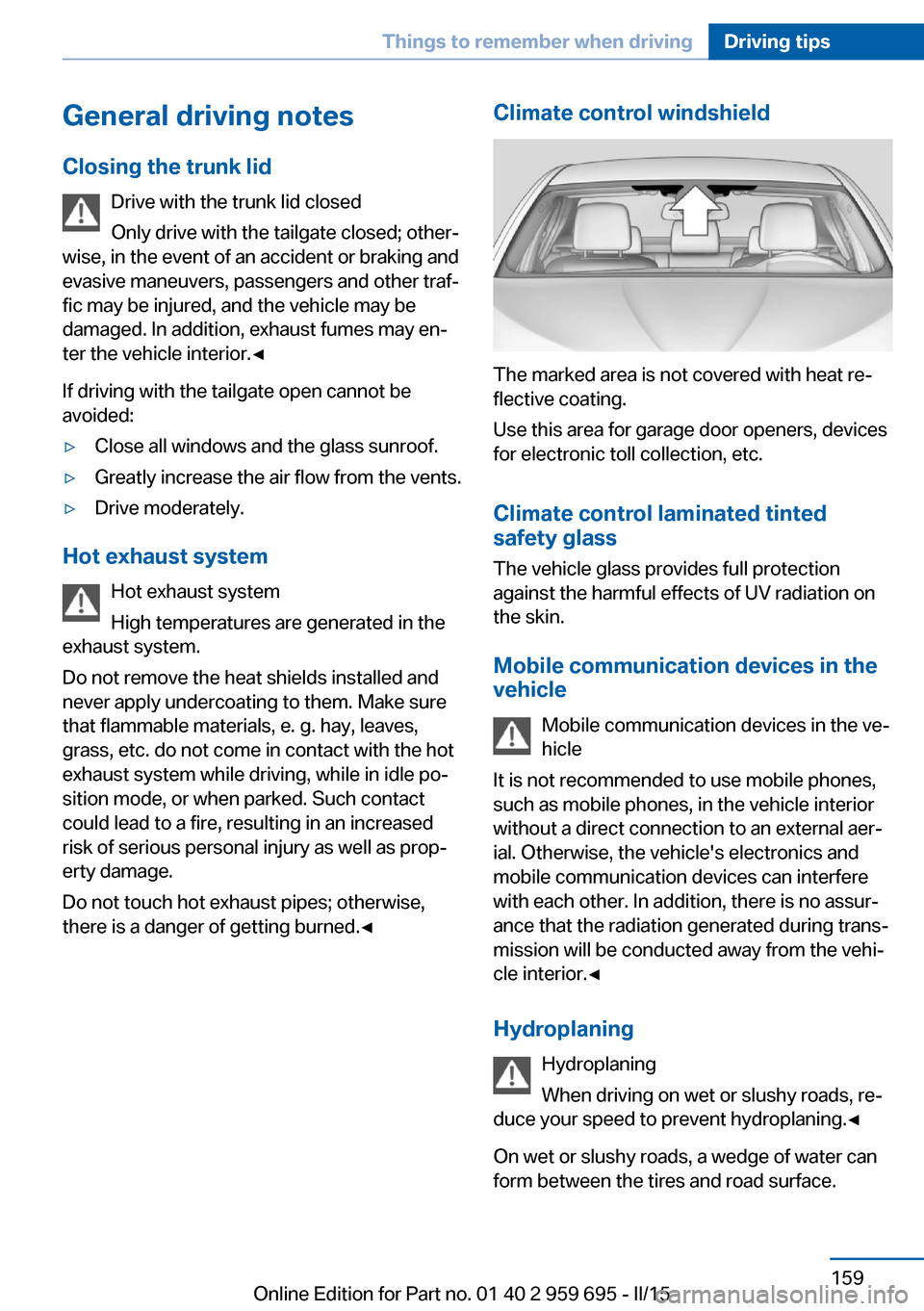
Climate control windshield
The marked area is not covered with heat re‐
flective coating.
Use this area for garage door openers, devices
for electronic toll collection, etc.
Climate control laminated tinted
safety glass
The vehicle glass provides full protection
against the harmful effects of UV radiation on
the skin.
Mobile communication devices in thevehicle
Mobile communication devices in the ve‐
hicle
It is not recommended to use mobile phones,
such as mobile phones, in the vehicle interior
without a direct connection to an external aer‐
ial. Otherwise, the vehicle's electronics and
mobile communication devices can interfere
with each other. In addition, there is no assur‐
ance that the radiation generated during trans‐
mission will be conducted away from the vehi‐
cle interior.◀
Hydroplaning Hydroplaning
When driving on wet or slushy roads, re‐
duce your speed to prevent hydroplaning.◀
On wet or slushy roads, a wedge of water can
form between the tires and road surface.
Seite 159Things to remember when drivingDriving tips159
Online Edition for Part no. 01 40 2 959 695 - II/15
Page 165 of 222
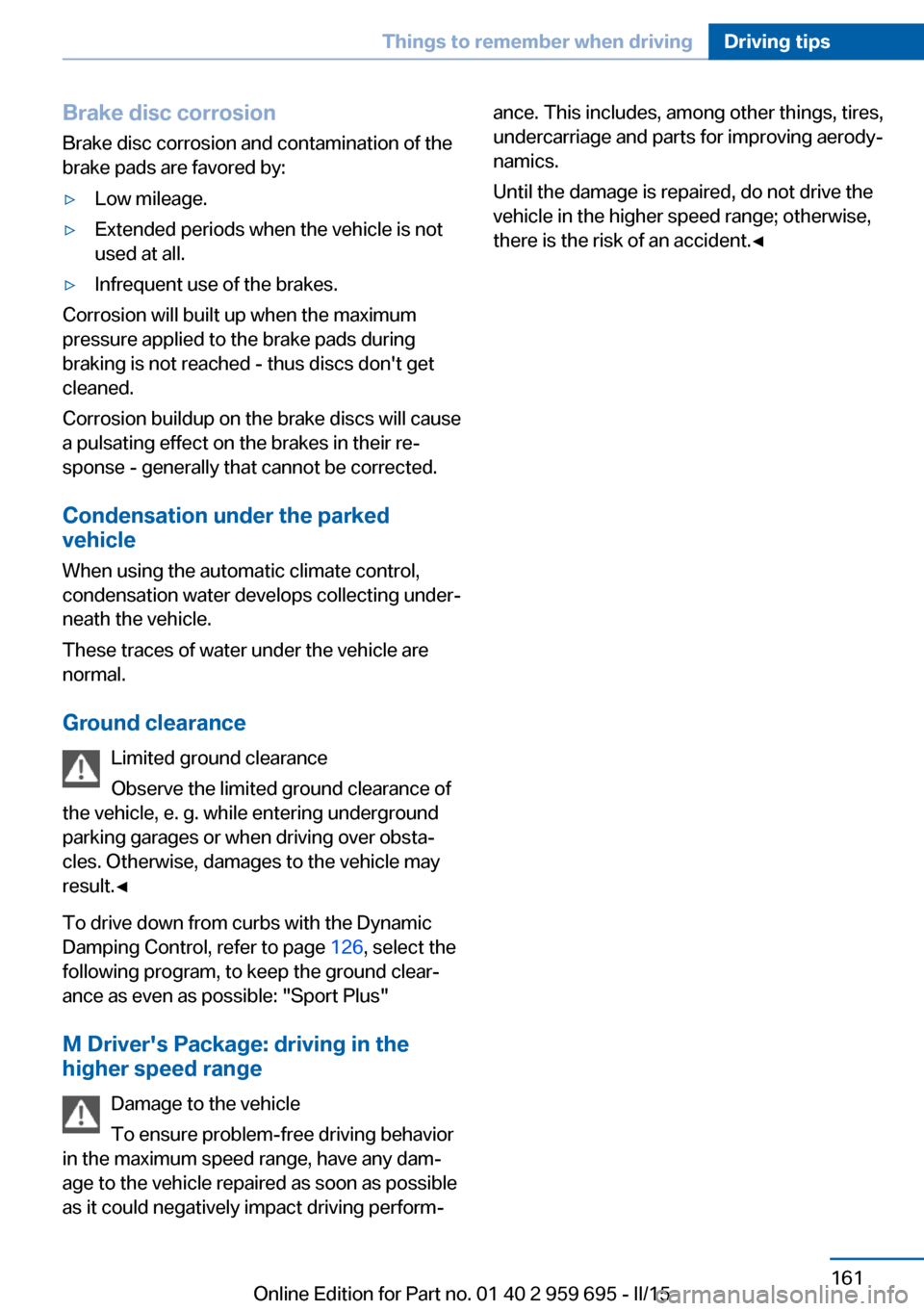
Brake disc corrosion
Brake disc corrosion and contamination of the
brake pads are favored by:▷Low mileage.▷Extended periods when the vehicle is not
used at all.▷Infrequent use of the brakes.
Corrosion will built up when the maximum
pressure applied to the brake pads during
braking is not reached - thus discs don't get
cleaned.
Corrosion buildup on the brake discs will cause
a pulsating effect on the brakes in their re‐
sponse - generally that cannot be corrected.
Condensation under the parked
vehicle
When using the automatic climate control,
condensation water develops collecting under‐
neath the vehicle.
These traces of water under the vehicle are
normal.
Ground clearance Limited ground clearance
Observe the limited ground clearance of
the vehicle, e. g. while entering underground
parking garages or when driving over obsta‐
cles. Otherwise, damages to the vehicle may
result.◀
To drive down from curbs with the Dynamic
Damping Control, refer to page 126, select the
following program, to keep the ground clear‐
ance as even as possible: "Sport Plus"
M Driver's Package: driving in thehigher speed range
Damage to the vehicle
To ensure problem-free driving behavior
in the maximum speed range, have any dam‐
age to the vehicle repaired as soon as possible
as it could negatively impact driving perform‐
ance. This includes, among other things, tires,
undercarriage and parts for improving aerody‐
namics.
Until the damage is repaired, do not drive the
vehicle in the higher speed range; otherwise,
there is the risk of an accident.◀Seite 161Things to remember when drivingDriving tips161
Online Edition for Part no. 01 40 2 959 695 - II/15
Page 178 of 222
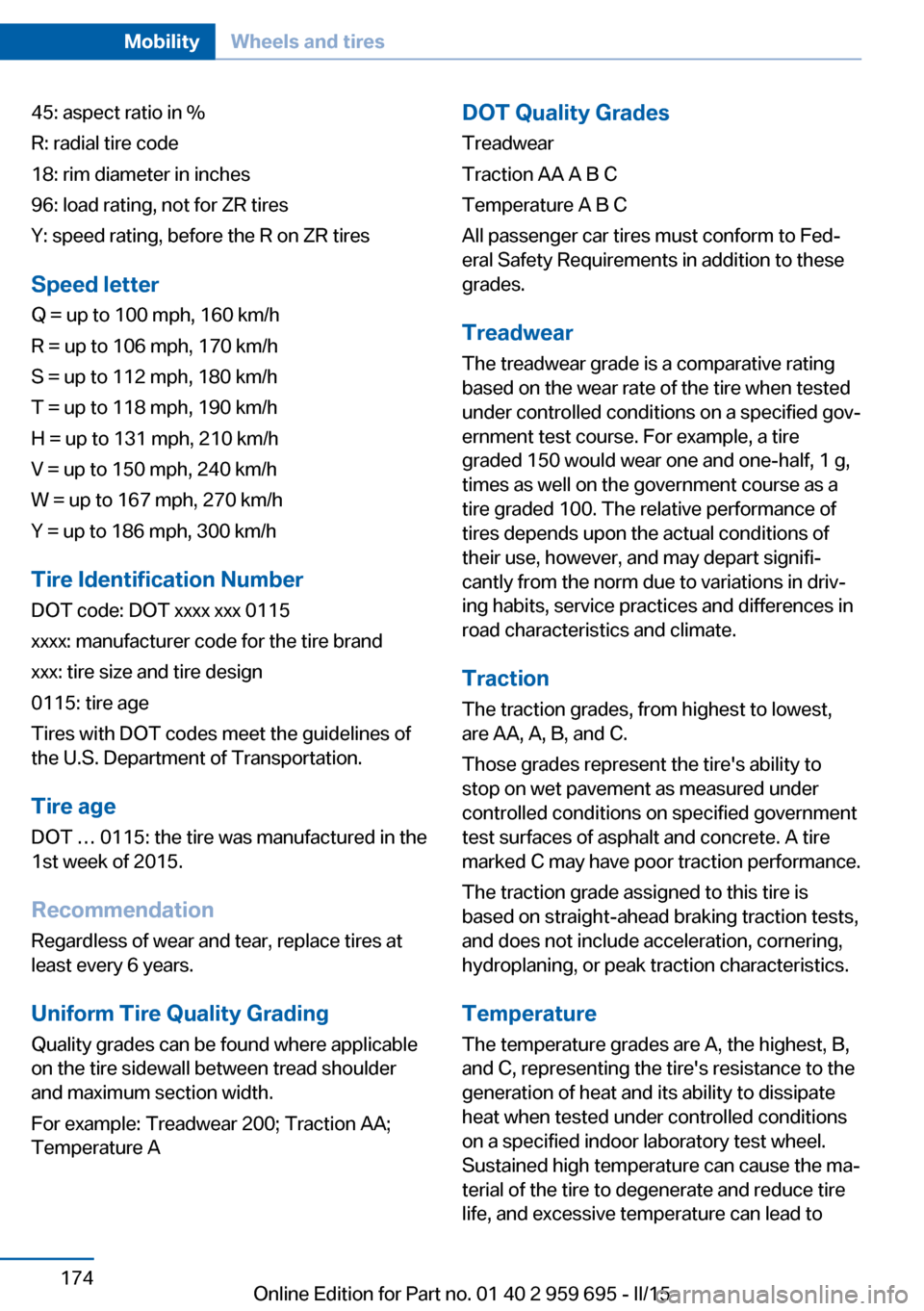
45: aspect ratio in %
R: radial tire code
18: rim diameter in inches
96: load rating, not for ZR tires
Y: speed rating, before the R on ZR tires
Speed letter
Q = up to 100 mph, 160 km/h
R = up to 106 mph, 170 km/h
S = up to 112 mph, 180 km/h
T = up to 118 mph, 190 km/h
H = up to 131 mph, 210 km/h
V = up to 150 mph, 240 km/h
W = up to 167 mph, 270 km/h
Y = up to 186 mph, 300 km/h
Tire Identification NumberDOT code: DOT xxxx xxx 0115
xxxx: manufacturer code for the tire brand
xxx: tire size and tire design
0115: tire age
Tires with DOT codes meet the guidelines of
the U.S. Department of Transportation.
Tire age DOT … 0115: the tire was manufactured in the
1st week of 2015.
Recommendation
Regardless of wear and tear, replace tires at
least every 6 years.
Uniform Tire Quality Grading Quality grades can be found where applicable
on the tire sidewall between tread shoulder
and maximum section width.
For example: Treadwear 200; Traction AA;
Temperature ADOT Quality Grades
Treadwear
Traction AA A B C
Temperature A B C
All passenger car tires must conform to Fed‐
eral Safety Requirements in addition to these
grades.
Treadwear The treadwear grade is a comparative rating
based on the wear rate of the tire when tested
under controlled conditions on a specified gov‐
ernment test course. For example, a tire
graded 150 would wear one and one-half, 1 g,
times as well on the government course as a
tire graded 100. The relative performance of
tires depends upon the actual conditions of
their use, however, and may depart signifi‐
cantly from the norm due to variations in driv‐
ing habits, service practices and differences in
road characteristics and climate.
Traction
The traction grades, from highest to lowest,
are AA, A, B, and C.
Those grades represent the tire's ability to
stop on wet pavement as measured under
controlled conditions on specified government
test surfaces of asphalt and concrete. A tire
marked C may have poor traction performance.
The traction grade assigned to this tire is
based on straight-ahead braking traction tests,
and does not include acceleration, cornering,
hydroplaning, or peak traction characteristics.
Temperature The temperature grades are A, the highest, B,
and C, representing the tire's resistance to the
generation of heat and its ability to dissipate
heat when tested under controlled conditions
on a specified indoor laboratory test wheel.
Sustained high temperature can cause the ma‐
terial of the tire to degenerate and reduce tire
life, and excessive temperature can lead toSeite 174MobilityWheels and tires174
Online Edition for Part no. 01 40 2 959 695 - II/15
Page 212 of 222
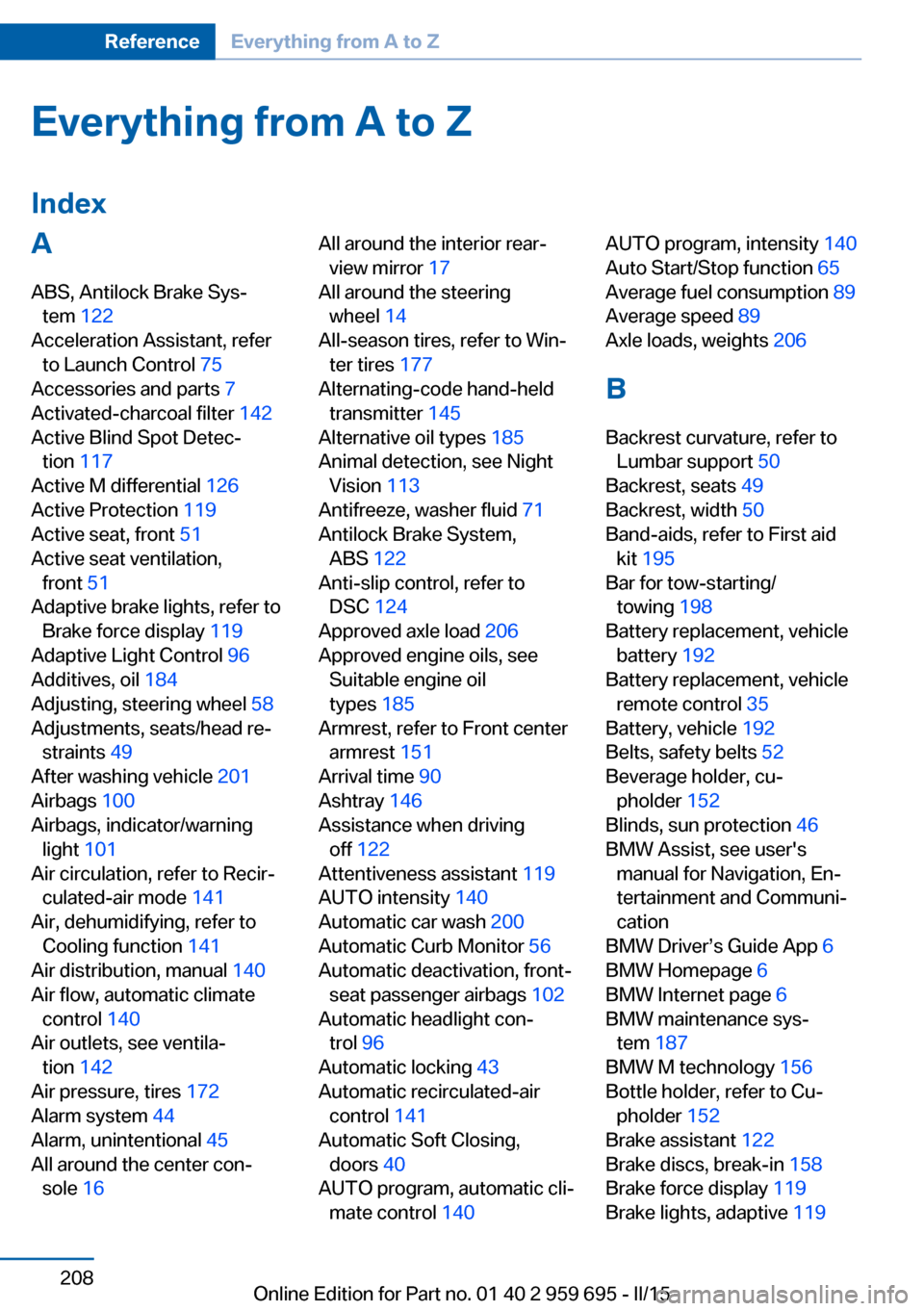
Everything from A to Z
IndexA ABS, Antilock Brake Sys‐ tem 122
Acceleration Assistant, refer to Launch Control 75
Accessories and parts 7
Activated-charcoal filter 142
Active Blind Spot Detec‐ tion 117
Active M differential 126
Active Protection 119
Active seat, front 51
Active seat ventilation, front 51
Adaptive brake lights, refer to Brake force display 119
Adaptive Light Control 96
Additives, oil 184
Adjusting, steering wheel 58
Adjustments, seats/head re‐ straints 49
After washing vehicle 201
Airbags 100
Airbags, indicator/warning light 101
Air circulation, refer to Recir‐ culated-air mode 141
Air, dehumidifying, refer to Cooling function 141
Air distribution, manual 140
Air flow, automatic climate control 140
Air outlets, see ventila‐ tion 142
Air pressure, tires 172
Alarm system 44
Alarm, unintentional 45
All around the center con‐ sole 16 All around the interior rear‐
view mirror 17
All around the steering wheel 14
All-season tires, refer to Win‐ ter tires 177
Alternating-code hand-held transmitter 145
Alternative oil types 185
Animal detection, see Night Vision 113
Antifreeze, washer fluid 71
Antilock Brake System, ABS 122
Anti-slip control, refer to DSC 124
Approved axle load 206
Approved engine oils, see Suitable engine oil
types 185
Armrest, refer to Front center armrest 151
Arrival time 90
Ashtray 146
Assistance when driving off 122
Attentiveness assistant 119
AUTO intensity 140
Automatic car wash 200
Automatic Curb Monitor 56
Automatic deactivation, front- seat passenger airbags 102
Automatic headlight con‐ trol 96
Automatic locking 43
Automatic recirculated-air control 141
Automatic Soft Closing, doors 40
AUTO program, automatic cli‐ mate control 140 AUTO program, intensity 140
Auto Start/Stop function 65
Average fuel consumption 89
Average speed 89
Axle loads, weights 206
B Backrest curvature, refer to Lumbar support 50
Backrest, seats 49
Backrest, width 50
Band-aids, refer to First aid kit 195
Bar for tow-starting/ towing 198
Battery replacement, vehicle battery 192
Battery replacement, vehicle remote control 35
Battery, vehicle 192
Belts, safety belts 52
Beverage holder, cu‐ pholder 152
Blinds, sun protection 46
BMW Assist, see user's manual for Navigation, En‐
tertainment and Communi‐
cation
BMW Driver’s Guide App 6
BMW Homepage 6
BMW Internet page 6
BMW maintenance sys‐ tem 187
BMW M technology 156
Bottle holder, refer to Cu‐ pholder 152
Brake assistant 122
Brake discs, break-in 158
Brake force display 119
Brake lights, adaptive 119 Seite 208ReferenceEverything from A to Z208
Online Edition for Part no. 01 40 2 959 695 - II/15
Page 213 of 222
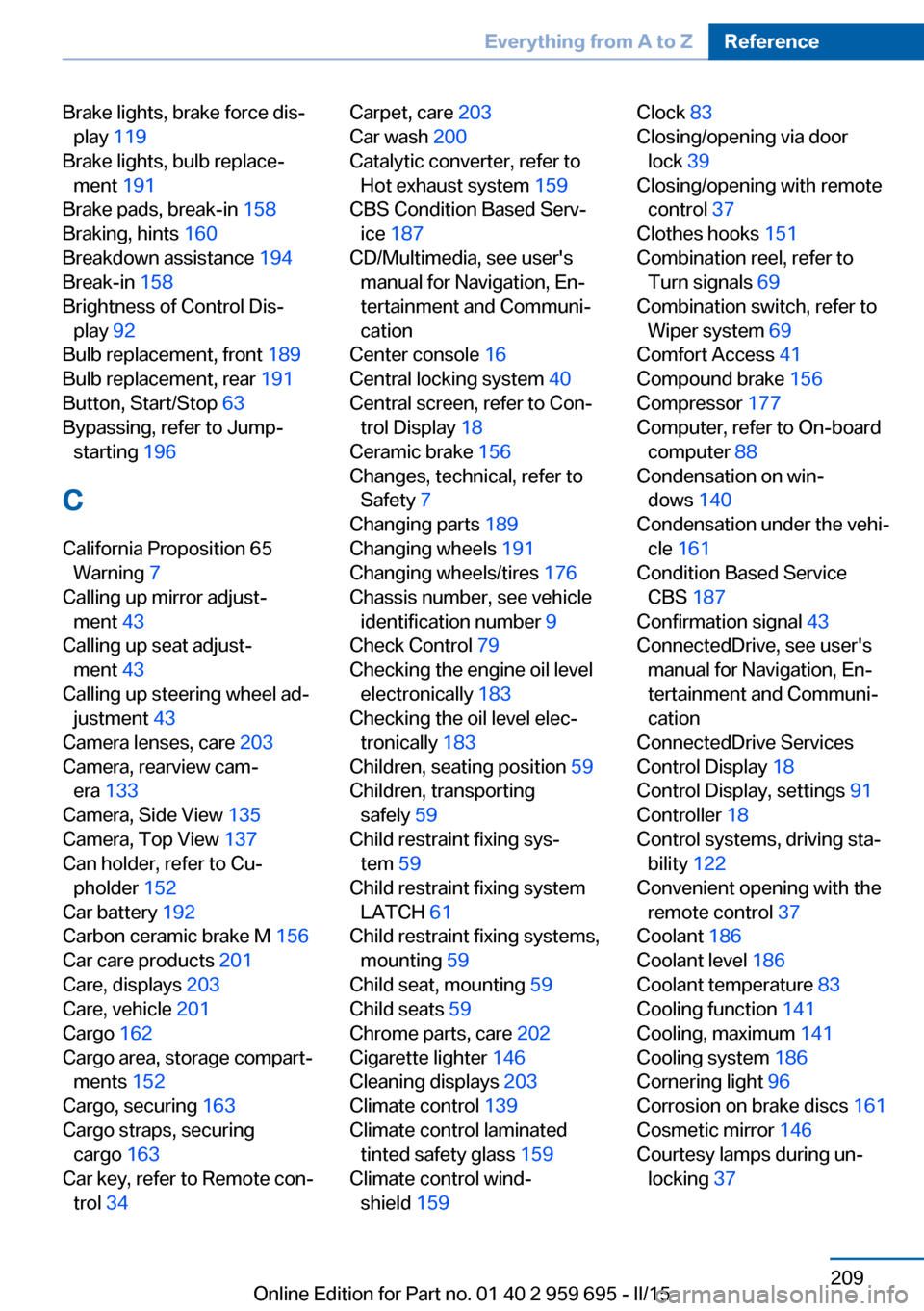
Brake lights, brake force dis‐play 119
Brake lights, bulb replace‐ ment 191
Brake pads, break-in 158
Braking, hints 160
Breakdown assistance 194
Break-in 158
Brightness of Control Dis‐ play 92
Bulb replacement, front 189
Bulb replacement, rear 191
Button, Start/Stop 63
Bypassing, refer to Jump- starting 196
C
California Proposition 65 Warning 7
Calling up mirror adjust‐ ment 43
Calling up seat adjust‐ ment 43
Calling up steering wheel ad‐ justment 43
Camera lenses, care 203
Camera, rearview cam‐ era 133
Camera, Side View 135
Camera, Top View 137
Can holder, refer to Cu‐ pholder 152
Car battery 192
Carbon ceramic brake M 156
Car care products 201
Care, displays 203
Care, vehicle 201
Cargo 162
Cargo area, storage compart‐ ments 152
Cargo, securing 163
Cargo straps, securing cargo 163
Car key, refer to Remote con‐ trol 34 Carpet, care 203
Car wash 200
Catalytic converter, refer to Hot exhaust system 159
CBS Condition Based Serv‐ ice 187
CD/Multimedia, see user's manual for Navigation, En‐
tertainment and Communi‐
cation
Center console 16
Central locking system 40
Central screen, refer to Con‐ trol Display 18
Ceramic brake 156
Changes, technical, refer to Safety 7
Changing parts 189
Changing wheels 191
Changing wheels/tires 176
Chassis number, see vehicle identification number 9
Check Control 79
Checking the engine oil level electronically 183
Checking the oil level elec‐ tronically 183
Children, seating position 59
Children, transporting safely 59
Child restraint fixing sys‐ tem 59
Child restraint fixing system LATCH 61
Child restraint fixing systems, mounting 59
Child seat, mounting 59
Child seats 59
Chrome parts, care 202
Cigarette lighter 146
Cleaning displays 203
Climate control 139
Climate control laminated tinted safety glass 159
Climate control wind‐ shield 159 Clock 83
Closing/opening via door lock 39
Closing/opening with remote control 37
Clothes hooks 151
Combination reel, refer to Turn signals 69
Combination switch, refer to Wiper system 69
Comfort Access 41
Compound brake 156
Compressor 177
Computer, refer to On-board computer 88
Condensation on win‐ dows 140
Condensation under the vehi‐ cle 161
Condition Based Service CBS 187
Confirmation signal 43
ConnectedDrive, see user's manual for Navigation, En‐
tertainment and Communi‐
cation
ConnectedDrive Services
Control Display 18
Control Display, settings 91
Controller 18
Control systems, driving sta‐ bility 122
Convenient opening with the remote control 37
Coolant 186
Coolant level 186
Coolant temperature 83
Cooling function 141
Cooling, maximum 141
Cooling system 186
Cornering light 96
Corrosion on brake discs 161
Cosmetic mirror 146
Courtesy lamps during un‐ locking 37 Seite 209Everything from A to ZReference209
Online Edition for Part no. 01 40 2 959 695 - II/15
Page 220 of 222
Transmission, manual trans‐mission 77
Transporting children safely 59
Tread, tires 175
Trip computer 90
Triple turn signal activa‐ tion 69
Trip odometer 83
Truck for tow-starting/ towing 197
Trunk lid closing 40
Trunk lid, emergency unlock‐ ing 41
Trunk lid, hotel function 41
Trunk lid opening 40
Trunk lid via remote con‐ trol 38
Turning circle 206
Turning circle lines, rearview camera 134
Turn signals, operation 69
Turn signals, rear, bulb re‐ placement 191
U
Unintentional alarm 45
Units of measure 92
Universal remote control 144
Unlocking/locking via door lock 39
Unlocking/locking with re‐ mote control 37
Unlocking, settings 42
Updates made after the edito‐ rial deadline 7
Upholstery care 202
USB interface 150
V
V8 high-performance engine, High-performance engine
V8 156
Vanity mirror 146 Vehicle battery 192
Vehicle battery, replac‐ ing 192
Vehicle, break-in 158
Vehicle care 201
Vehicle features and op‐ tions 6
Vehicle identification num‐ ber 9
Vehicle jack 192
Vehicle paint 201
Vehicle storage 203
Vehicle wash 200
Ventilation 142
Ventilation, refer to Parked- car ventilation 143
Venting, see ventilation 142
Vent, see ventilation 142
VIN, see vehicle identification number 9
Voice activation system 26
W Warning and indicator lamps, see Check Control 79
Warning displays, see Check Control 79
Warning messages, see Check Control 79
Warning triangle 195
Warranty 7
Washer fluid 71
Washer nozzles, wind‐ shield 71
Washer system 69
Washing, vehicle 200
Water on roads 160
Weights 206
Welcome lamps during un‐ locking 37
Welcome lights 95
Wheel base, vehicle 206
Wheel cleaner 202
Wheels, changing 176 Wheels, everything on wheels
and tires 172
Wheels, Flat Tire Monitor FTM 106
Wheels, Tire Pressure Moni‐ tor TPM 103
Width, vehicle 206
Window defroster, rear 141
Windows, powered 45
Windshield, climate con‐ trol 159
Windshield washer fluid 71
Windshield washer noz‐ zles 71
Windshield washer sys‐ tem 69
Windshield wiper 69
Winter storage, care 203
Winter tires, suitable tires 177
Winter tires, tread 175
Wiper 69
Wiper blades, replacing 189
Wiper fluid 71
Wiper, fold-out position 71
Wiper system 69
Wood, care 202
Word match concept, naviga‐ tion 24
Wrench, see Onboard vehicle tool kit 189 Seite 216ReferenceEverything from A to Z216
Online Edition for Part no. 01 40 2 959 695 - II/15