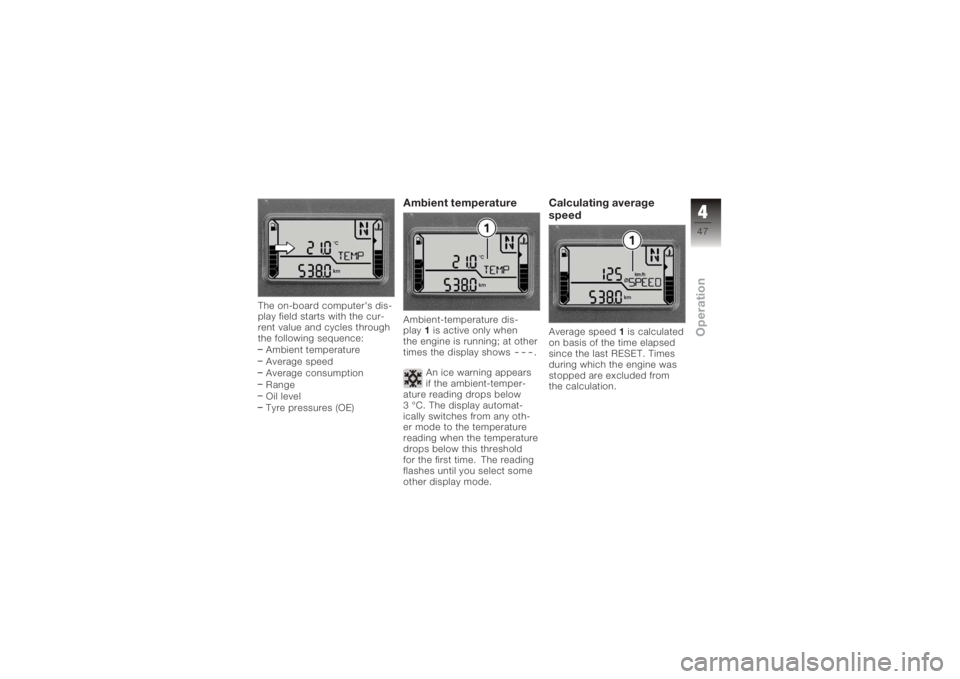
The on-board computer's dis-
play field starts with the cur-
rent value and cycles through
the following sequence:Ambient temperature
Average speed
Average consumption
Range
Oil level
Tyre pressures (OE)
Ambient temperatureAmbient-temperature dis-
play 1is active only when
the engine is running; at other
times the display shows
---
.
An ice warning appears
if the ambient-temper-
ature reading drops below
3 °C. The display automat-
ically switches from any oth-
er mode to the temperature
reading when the temperature
drops below this threshold
for the first time. The reading
flashes until you select some
other display mode.
Calculating average
speedAverage speed 1is calculated
on basis of the time elapsed
since the last RESET. Times
during which the engine was
stopped are excluded from
the calculation.
447zOperation
ImmobiliserWarning, 26
Instrument cluster Overview, 18
Sensor for lighting, 18
J
Jump start, 114
L
Laying up, 124
Lights Switch on the high-beam
headlight, 52
Switching off parking
lights, 53
Switching on parking
lights, 53
Switching on the low-beam
headlight, 52
Switching on the side
lights, 52 M
Maintenance
General instructions, 86
Intervals, 143
Mirrors Adjusting, 57, 58
Multifunction display, 18, 22
O
Odometer and tripmeters, 22 Operation, 43
Pushbutton, 16
Resetting tripmeter, 44
Selecting readings, 43
On-board computer Ambient temperature, 47
Average consumption, 48
Average speed, 47
Oil level, 49
Pushbutton, 16
Range, 49
Reset average consump-
tion, 48 Resetting average
speed, 48
Selecting readings, 46
P
Power socket, 11
Pre-ride check, 67
R
Rear-wheel stand Installing, 106
Refuelling, 71
Reserve Warning, 26
Residual range, 44
Restoring to use, 125
Rev. counter, 18
Running gear Technical data, 135
11154zIndex