display BMW MOTORRAD K 1200 R 2007 Rider's Manual (in English)
[x] Cancel search | Manufacturer: BMW MOTORRAD, Model Year: 2007, Model line: K 1200 R, Model: BMW MOTORRAD K 1200 R 2007Pages: 168, PDF Size: 2.85 MB
Page 41 of 168

The motorcycle has not yet ac-
celerated past the threshold of
approximately 30 km/h. The
RDC sensors do not start trans-
mitting signals until the motor-
cycle reaches a speed above this
threshold ( 86).Increase speed above this
threshold and observe the RDC
readings. Assume that a per-
manent fault has not occurred
unless the 'General' warning
light comes on to accompany
the symptoms. Under these
circumstances:
Have the fault rectified by a
specialist workshop, preferably
an authorised BMW Motorrad
dealer.
Wireless communication with the
RDC sensors has been disrupted.
Possible causes include radio-
communication systems operat-
ing in the vicinity and interfering with the link between the RDC
control unit and the sensors.
Move to another location and
observe the RDC readings. As-
sume that a permanent fault
has not occurred unless the
'General' warning light comes
on to accompany the symp-
toms. Under these circum-
stances:
Have the fault rectified by a
specialist workshop, preferably
an authorised BMW Motorrad
dealer.
Sensor defective or system
error General warning light shows
yellow.
Tyre symbol appears on
the display.
"
--
"or"
-- --
" appears on
the display. Motorcycle is fitted with wheels
not equipped with RDC sensors.
Fit wheels and tyres equipped
with RDC sensors.
One or two RDC sensors have
failed. Have the fault rectified by a
specialist workshop, preferably
an authorised BMW Motorrad
dealer.
A system error has occurred. Have the fault rectified by a
specialist workshop, preferably
an authorised BMW Motorrad
dealer.
Battery of tyre-pressure
sensor weak General warning light shows
yellow.
RDC!
appears on the display.
This error message appears
only briefly after the pre-
ride check completes.
339zStatus indicators
Page 43 of 168
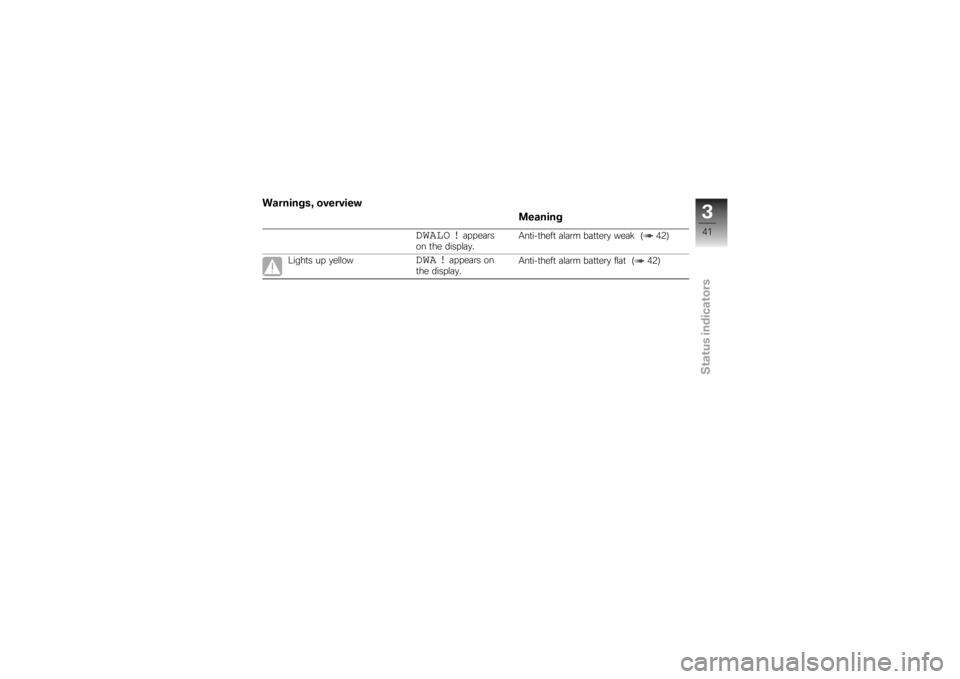
Warnings, overviewMeaning
DWALO !
appears
on the display. Anti-theft alarm battery weak ( 42)
Lights up yellow
DWA !
appears on
the display. Anti-theft alarm battery flat ( 42)
341zStatus indicators
Page 44 of 168
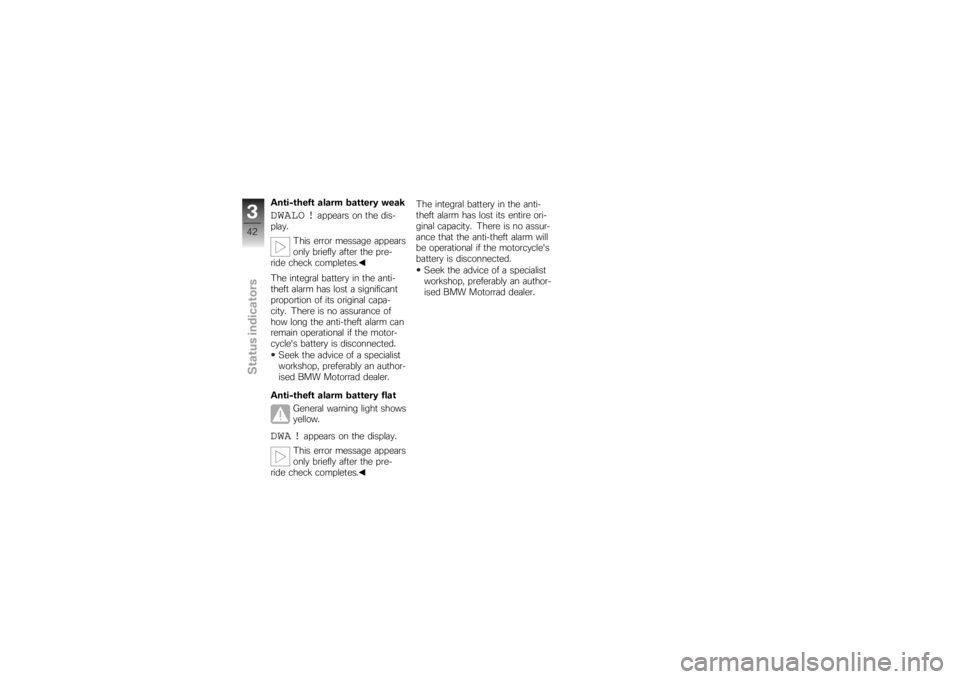
Anti-theft alarm battery weakDWALO !
appears on the dis-
play.
This error message appears
only briefly after the pre-
ride check completes.
The integral battery in the anti-
theft alarm has lost a significant
proportion of its original capa-
city. There is no assurance of
how long the anti-theft alarm can
remain operational if the motor-
cycle's battery is disconnected.
Seek the advice of a specialist
workshop, preferably an author-
ised BMW Motorrad dealer.
Anti-theft alarm battery flat General warning light shows
yellow.
DWA !
appears on the display.
This error message appears
only briefly after the pre-
ride check completes. The integral battery in the anti-
theft alarm has lost its entire ori-
ginal capacity. There is no assur-
ance that the anti-theft alarm will
be operational if the motorcycle's
battery is disconnected.
Seek the advice of a specialist
workshop, preferably an author-
ised BMW Motorrad dealer.
342zStatus indicators
Page 47 of 168
The battery can be recharged
via the on-board socket.Locking handlebars
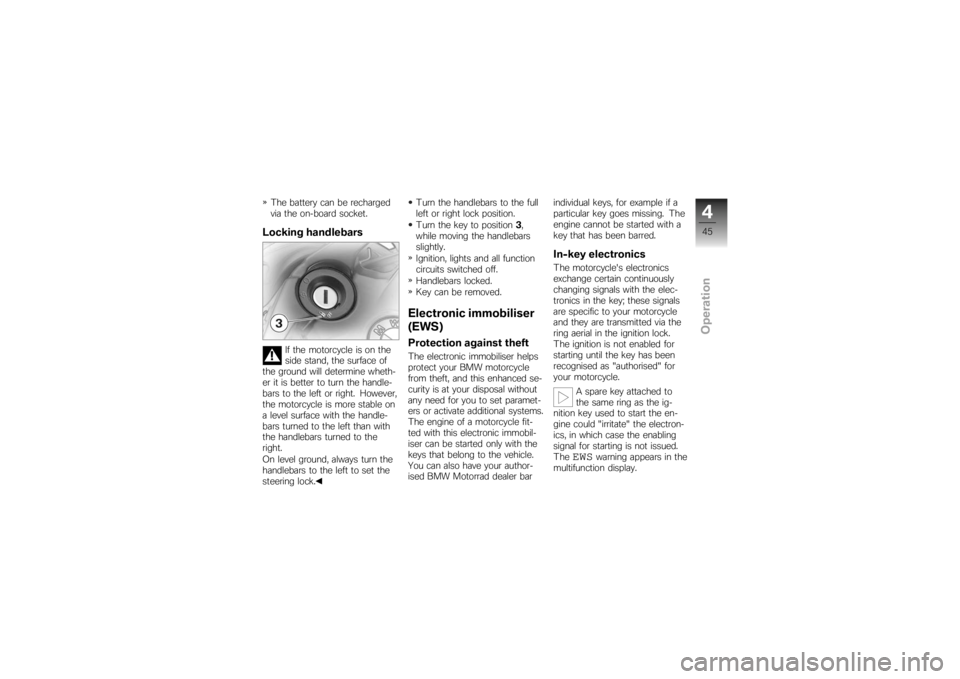
If the motorcycle is on the
side stand, the surface of
the ground will determine wheth-
er it is better to turn the handle-
bars to the left or right. However,
the motorcycle is more stable on
a level surface with the handle-
bars turned to the left than with
the handlebars turned to the
right.
On level ground, always turn the
handlebars to the left to set the
steering lock. Turn the handlebars to the full
left or right lock position.
Turn the key to position
3,
while moving the handlebars
slightly.
Ignition, lights and all function
circuits switched off.
Handlebars locked.
Key can be removed.
Electronic immobiliser
(EWS)Protection against theftThe electronic immobiliser helps
protect your BMW motorcycle
from theft, and this enhanced se-
curity is at your disposal without
any need for you to set paramet-
ers or activate additional systems.
The engine of a motorcycle fit-
ted with this electronic immobil-
iser can be started only with the
keys that belong to the vehicle.
You can also have your author-
ised BMW Motorrad dealer bar individual keys, for example if a
particular key goes missing. The
engine cannot be started with a
key that has been barred.
In-key electronicsThe motorcycle's electronics
exchange certain continuously
changing signals with the elec-
tronics in the key; these signals
are specific to your motorcycle
and they are transmitted via the
ring aerial in the ignition lock.
The ignition is not enabled for
starting until the key has been
recognised as "authorised" for
your motorcycle.
A spare key attached to
the same ring as the ig-
nition key used to start the en-
gine could "irritate" the electron-
ics, in which case the enabling
signal for starting is not issued.
The
EWS
warning appears in the
multifunction display.
445zOperation
Page 48 of 168
Always keep the spare key sep-
arately from the ignition key.Replacement and extra
keysYou can obtain replacement/extra
keys only through an authorised
BMW Motorrad dealer. The keys
are part of an integrated secur-
ity system, so the dealer is un-
der an obligation to check the
legitimacy of all applications for
replacement/extra keys. If you
want to have a lost key barred,
you have to bring with you all
the other keys that belong to
the motorcycle. A key that has
been barred can subsequently be
cleared and reactivated for use.ClockSetting clock
Attempting to set the clock
while riding the motorcycle
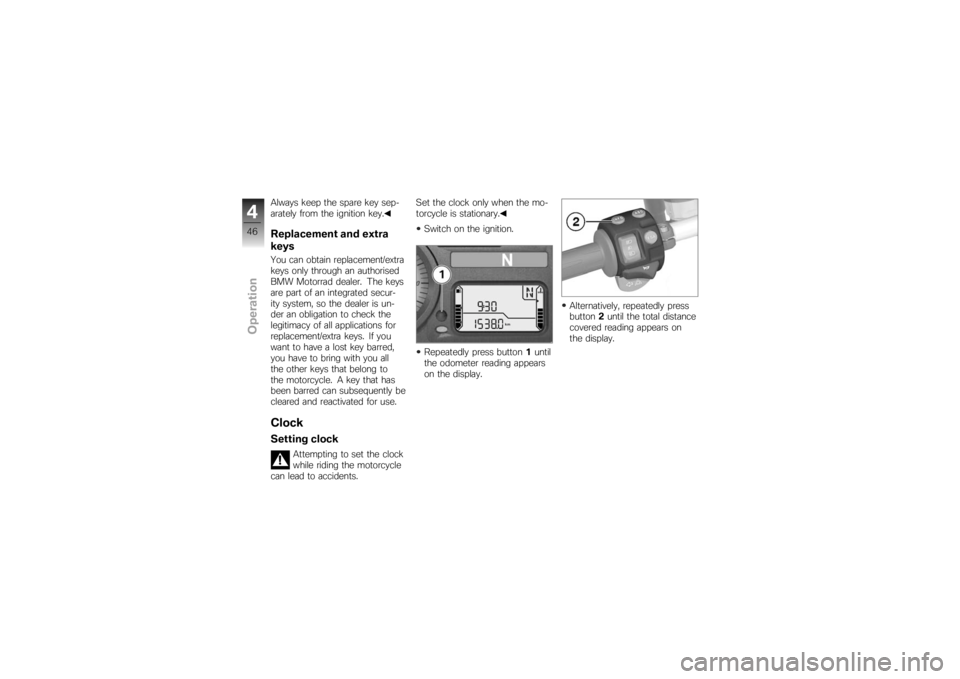
can lead to accidents. Set the clock only when the mo-
torcycle is stationary.
Switch on the ignition.
Repeatedly press button 1until
the odometer reading appears
on the display. Alternatively, repeatedly press
button
2until the total distance
covered reading appears on
the display.
446zOperation
Page 49 of 168
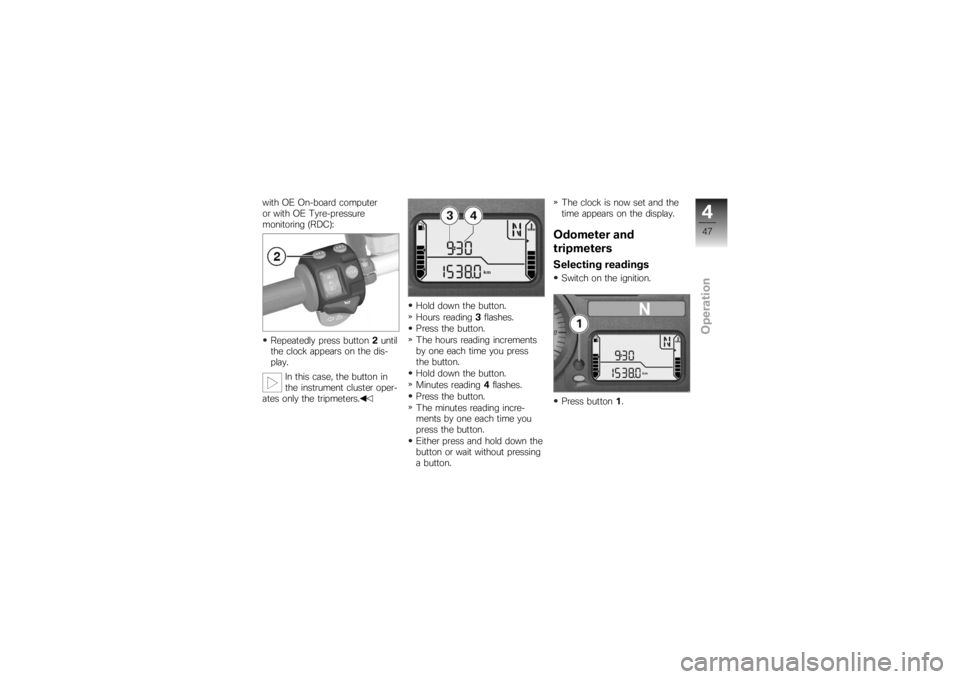
with OE On-board computer
or with OE Tyre-pressure
monitoring (RDC):Repeatedly press button 2until
the clock appears on the dis-
play.
In this case, the button in
the instrument cluster oper-
ates only the tripmeters. Hold down the button.
Hours reading
3flashes.
Press the button.
The hours reading increments
by one each time you press
the button.
Hold down the button.
Minutes reading 4flashes.
Press the button.
The minutes reading incre-
ments by one each time you
press the button.
Either press and hold down the
button or wait without pressing
a button. The clock is now set and the
time appears on the display.
Odometer and
tripmetersSelecting readingsSwitch on the ignition.
Press button
1.
447zOperation
Page 50 of 168
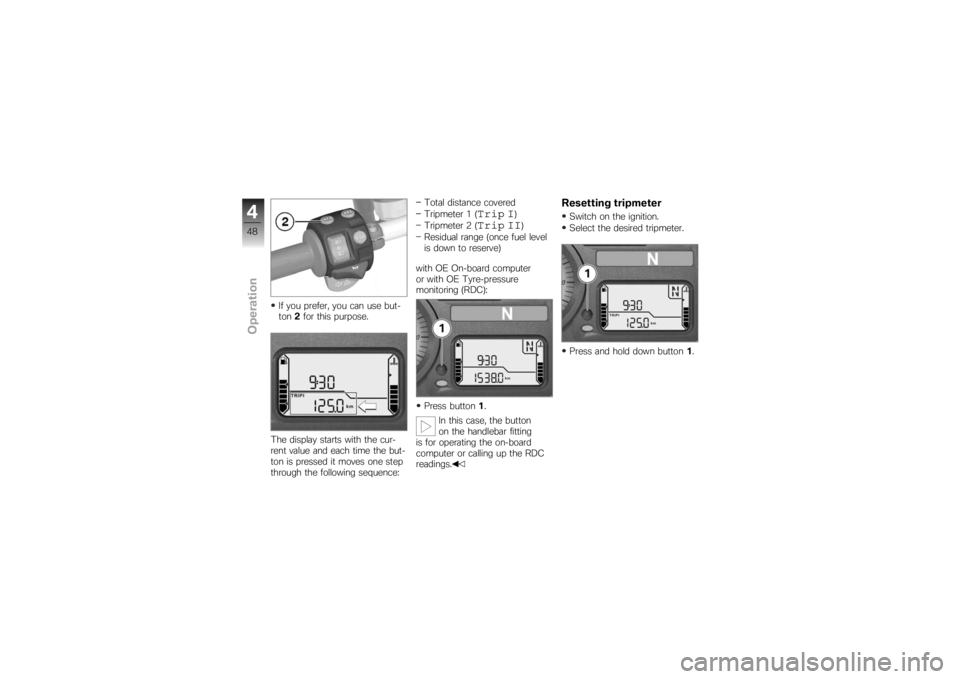
If you prefer, you can use but-
ton2for this purpose.
The display starts with the cur-
rent value and each time the but-
ton is pressed it moves one step
through the following sequence: Total distance covered
Tripmeter 1 (
Trip I
)
Tripmeter 2 (
Trip II
)
Residual range (once fuel level
is down to reserve)
with OE On-board computer
or with OE Tyre-pressure
monitoring (RDC):
Press button 1.
In this case, the button
on the handlebar fitting
is for operating the on-board
computer or calling up the RDC
readings.
Resetting tripmeterSwitch on the ignition.
Select the desired tripmeter.
Press and hold down button 1.
448zOperation
Page 51 of 168
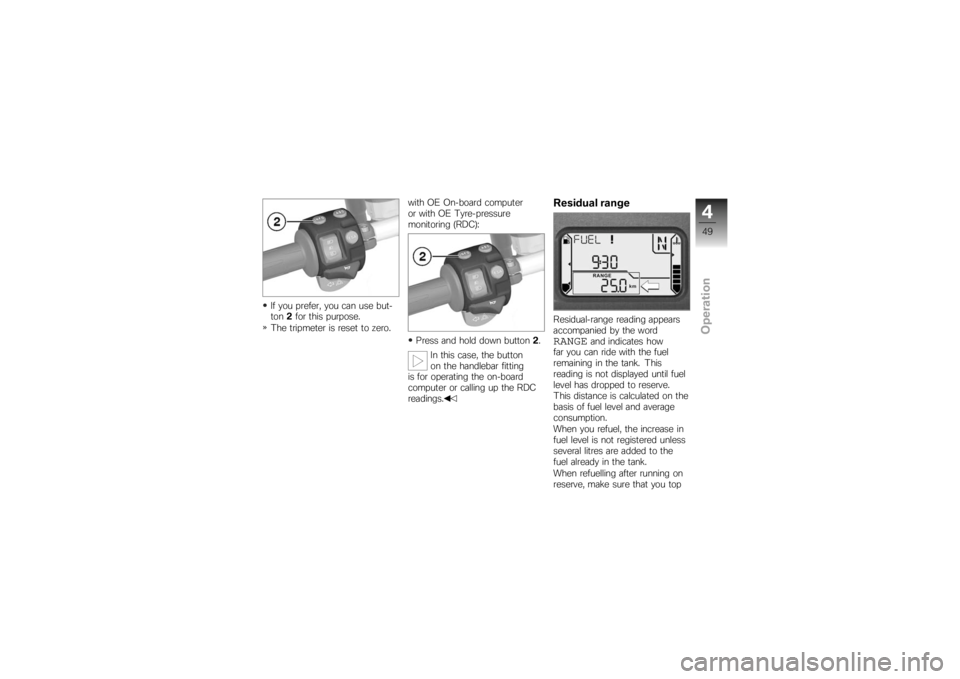
If you prefer, you can use but-
ton2for this purpose.
The tripmeter is reset to zero. with OE On-board computer
or with OE Tyre-pressure
monitoring (RDC):
Press and hold down button 2.
In this case, the button
on the handlebar fitting
is for operating the on-board
computer or calling up the RDC
readings.
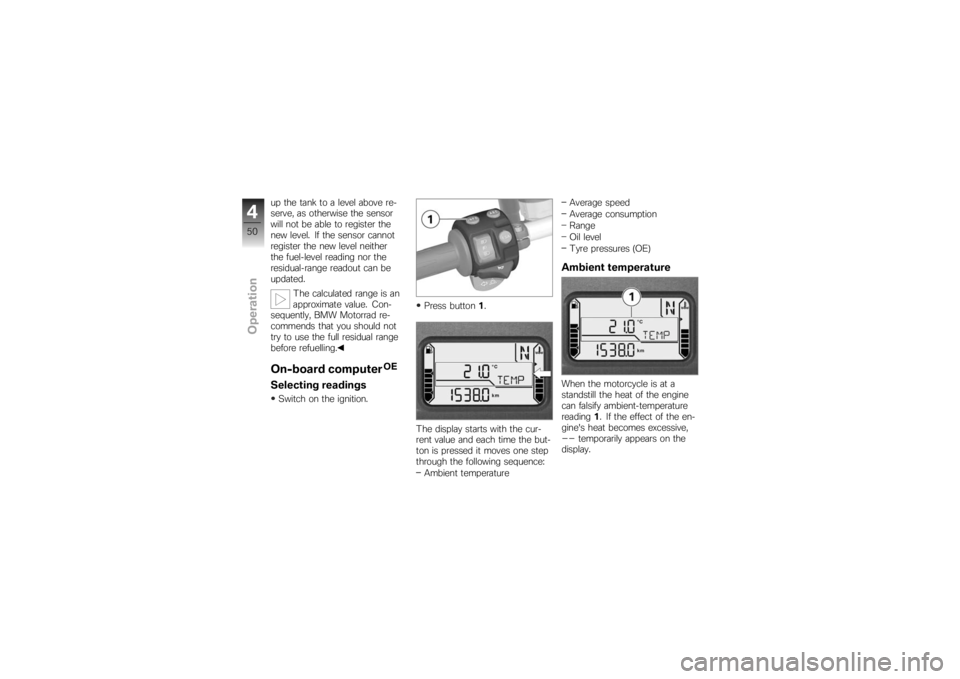
Residual rangeResidual-range reading appears
accompanied by the wordRANGE
and indicates how
far you can ride with the fuel
remaining in the tank. This
reading is not displayed until fuel
level has dropped to reserve.
This distance is calculated on the
basis of fuel level and average
consumption.
When you refuel, the increase in
fuel level is not registered unless
several litres are added to the
fuel already in the tank.
When refuelling after running on
reserve, make sure that you top
449zOperation
Page 52 of 168
up the tank to a level above re-
serve, as otherwise the sensor
will not be able to register the
new level. If the sensor cannot
register the new level neither
the fuel-level reading nor the
residual-range readout can be
updated.The calculated range is an
approximate value. Con-
sequently, BMW Motorrad re-
commends that you should not
try to use the full residual range
before refuelling.On-board computer
OE
Selecting readingsSwitch on the ignition. Press button
1.
The display starts with the cur-
rent value and each time the but-
ton is pressed it moves one step
through the following sequence: Ambient temperature Average speed
Average consumption
Range
Oil level
Tyre pressures (OE)
Ambient temperatureWhen the motorcycle is at a
standstill the heat of the engine
can falsify ambient-temperature
reading
1. If the effect of the en-
gine's heat becomes excessive,--
temporarily appears on the
display.
450zOperation
Page 53 of 168
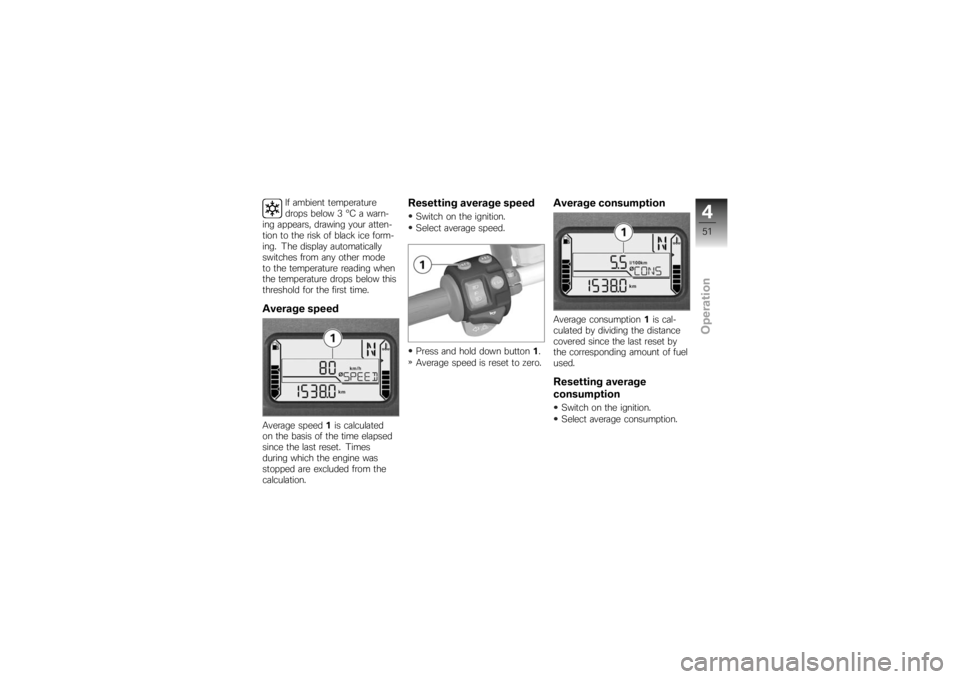
If ambient temperature
drops below 3 °C a warn-
ing appears, drawing your atten-
tion to the risk of black ice form-
ing. The display automatically
switches from any other mode
to the temperature reading when
the temperature drops below this
threshold for the first time.
Average speedAverage speed 1is calculated
on the basis of the time elapsed
since the last reset. Times
during which the engine was
stopped are excluded from the
calculation.
Resetting average speedSwitch on the ignition.
Select average speed.
Press and hold down button 1.
Average speed is reset to zero.
Average consumptionAverage consumption 1is cal-
culated by dividing the distance
covered since the last reset by
the corresponding amount of fuel
used.Resetting average
consumptionSwitch on the ignition.
Select average consumption.
451zOperation