change wheel BMW X1 2013 E84 User Guide
[x] Cancel search | Manufacturer: BMW, Model Year: 2013, Model line: X1, Model: BMW X1 2013 E84Pages: 299, PDF Size: 6.66 MB
Page 114 of 299
Air volume, manual
To be able to manually adjust the air volume,
switch off the AUTO program first.
Press the left or right side of the but‐
ton: decrease or increase air volume.
The selected air volume is shown on the dis‐ play of the automatic climate control.
The air volume of the automatic climate control
may be reduced automatically to save battery
power.
Automatic recirculated air mode/ recirculated air mode
You can respond to unpleasant odors or pollu‐
tants in the immediate environment by tempo‐
rarily suspending the supply of outside air. The
system then recirculates the air currently
within the vehicle.
Press the button repeatedly to select
an operating mode:▷LEDs off: outside air flows in continuously.▷Left LED on, automatic recirculated-air
control: a sensor detects pollutants in the
outside air and controls the shutoff auto‐
matically.▷Right LED on, recirculated air mode: the
supply of outside air into the vehicle is per‐
manently blocked.
If the windows are fogged over, switch off
the recirculated-air mode and press the
AUTO button to utilize the condensation
sensor. Make sure that air can flow onto
the windshield.
Continuous recirculated-air mode
The recirculated air mode should not be
used for an extended period of time, as the air
quality inside the vehicle deteriorates stead‐
ily.◀
Via the button on the steering wheel
A button on the steering wheel can be used to
quickly switch between recirculated air mode
and the previous setting.
ALL program Press the button.
The current temperature setting for
the driver's side is transferred to the front pas‐
senger side.
If the temperature setting is changed on the
driver's side, the temperature on the front pas‐
senger side changes as well.
The program is switched off if the setting is
changed on the front passenger side or the
button is pressed again.
Defrosting and defogging windows Press the button.
Ice and condensation are quickly re‐
moved from the windshield and the front side
windows.
For this purpose, also switch on the cooling
function.
Cooling function
The passenger compartment can only be
cooled with the engine running.
Press the button.
The air is cooled and dehumidified
and – depending on the temperature setting –
warmed again.
Depending on the weather, the windshield may
fog up briefly when the engine is started.
The cooling function is switched on automati‐
cally with the AUTO program.
When using the automatic climate control,
condensation water, refer to page 132, devel‐
ops that exits underneath the vehicle.Seite 110ControlsClimate110
Online Edition for Part no. 01 40 2 911 269 - VI/13
Page 115 of 299
Rear window defrosterPress the button.
The rear window defroster switches
off automatically after a certain period of time.
Switching the system on/off
Switching off Press and hold the left button or, with
the setting at the lowest level, press
the left button.
All displays are cleared except for the rear win‐
dow defroster if it is switched on.
When the automatic climate control is
switched off, the supply of outside air is sus‐
pended. If the air quality deteriorates or the
window fogs over, switch the system back on
and increase the air flow rate.
Switching on Press any button, except for the buttons for
the ALL program or rear window heating.
Ventilation1Use the thumbwheels to smoothly open
and close the air vents2Use the lever to change the direction of the
air flow
Ventilation for cooling
Adjust the vent to direct the air in your direc‐
tion, e.g., if the vehicle interior is hot from the
sun.
Draft-free ventilation
Adjust the vent to let the air flow past you.
Microfilter/activated-charcoal filter
The microfilter traps dust and pollen in the in‐
coming air.
The activated-charcoal filter removes gaseous
pollutants from the outside air that enters the
vehicle.
Your service center replaces this combined fil‐
ter during routine maintenance.
Parked-car ventilation The conceptThe parked-car ventilation blows air into the
passenger compartment to lower interior tem‐
peratures.
The system can be switched on and off at any
external temperature, either directly or by us‐
ing a preset switch-on time. It remains
switched on for 30 minutes.
Since the system uses a substantial amount of
electrical current, refrain from activating it
twice in succession without allowing the bat‐
tery to be recharged in normal operation be‐
tween use.
Open the vents to allow air to flow out.
They can be operated via iDrive.
Switching on/off directly1."Settings"2."Climate"Seite 111ClimateControls111
Online Edition for Part no. 01 40 2 911 269 - VI/13
Page 154 of 299
Add a destination as a further destination,
refer to page 151.▷"Exit interactive map": return to the map
view.▷"View in northern direction" or "View in driving direction"▷"Display destination": the map section
around the destination is displayed.▷"Display current location": the map section
around your current location is displayed.▷"Find points of interest": the search for
special destinations is started.
Destination entry by voice
General information
▷Instructions for voice activation system, re‐
fer to page 25.▷When making a destination entry by voice,
you can change between voice operation
and iDrive.▷To have the available spoken instructions
read out loud: ›Voice commands‹.
Saying the entries
▷The town/city, street, and house number
can be entered using a single command.▷Countries, towns and cities, streets, and
intersections can be said as whole words
or spelled in the language of the system,
refer to page 77.
Example: to enter a destination in a US
state as a whole word, the system lan‐
guage must be English.▷Spell the entry if the spoken language and
the language of the system differ.▷Say the letters smoothly, and avoid exag‐
gerating the pronunciation and inserting
lengthy pauses between the letters.▷The methods of entry depend on the navi‐
gation data in use and the country and lan‐
guage settings.
Entering the address in a command
1. Press the button on the steering
wheel.2.›Enter address‹3.Wait for a request from the system.4.Say the address in the suggested order.5.Continue making the entry as prompted by
the system.
If necessary, individually name the sepa‐
rate components of the address, e.g., the
town/city.
Entering a town/city separately
The town/city can be said as a complete word.
With the destination entry menu displayed:
1. Press the button on the steering
wheel.2.›City‹ or ›Spell city‹3.Wait for the system to prompt you for the
town/city.4.Say the name of the town/city, or name at
least the first three letters.
Depending on the entry, up to 20 towns/
cities may be suggested.5.Select a location:▷Select a recommended town/
city: ›Yes‹.▷Select a different town/city: ›New
entry‹.▷Select an entry: ›Entry ...‹, for instance,
entry 2.▷Spell an entry: ›Spell city‹.6.Continue making the entry as prompted by
the system.Seite 150NavigationDestination entry150
Online Edition for Part no. 01 40 2 911 269 - VI/13
Page 170 of 299
RadioVehicle equipment
This chapter describes all series equipment as
well as country-specific and special equipment
offered for this model series.Therefore, it also
describes equipment that may not be found in
your vehicle, for instance due to the selected
special equipment or the country version. This
also applies to safety-related functions and
systems.
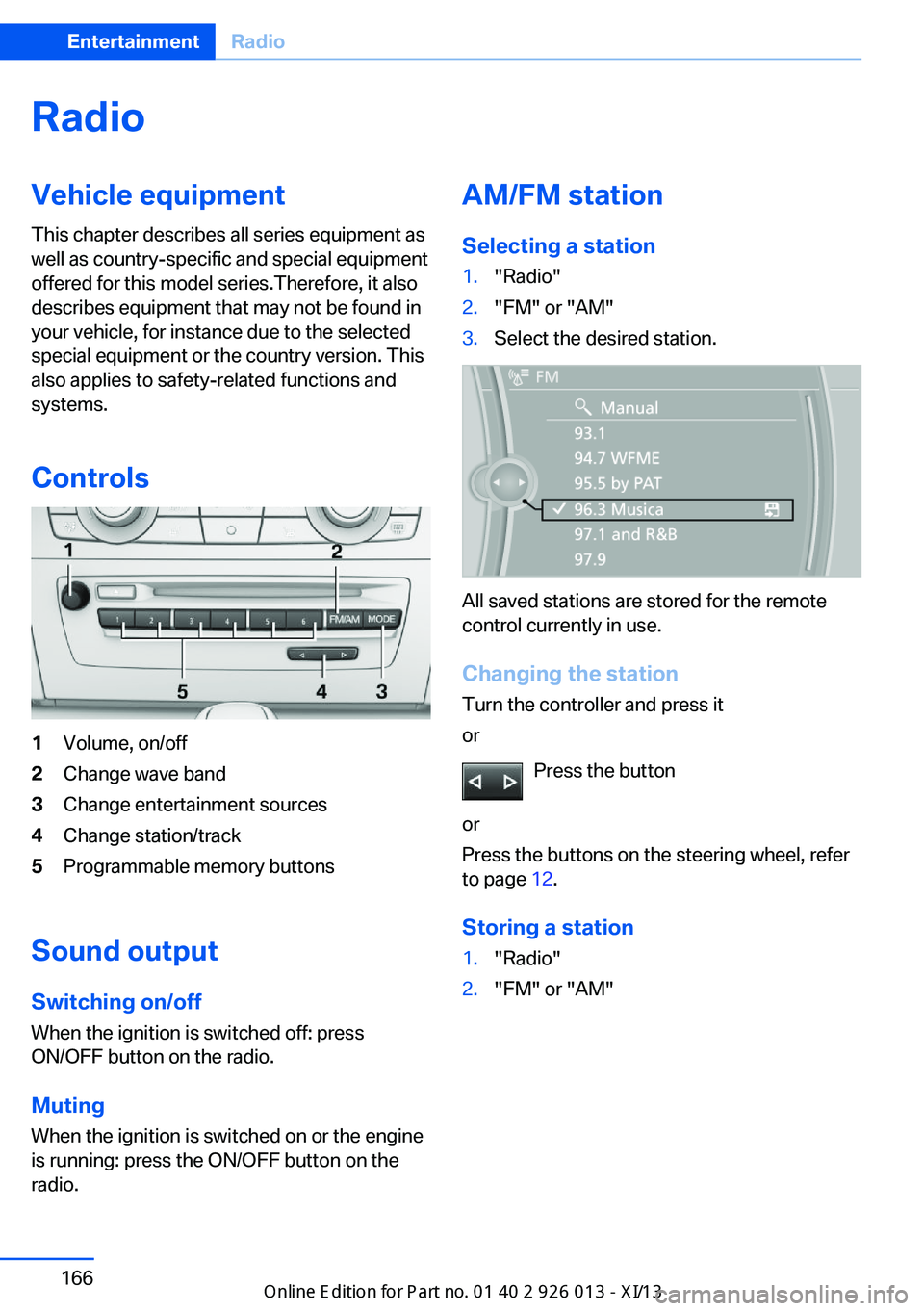
Controls1Volume, on/off2Change wave band3Change entertainment sources4Change station/track5Programmable memory buttons
Sound outputSwitching on/offWhen the ignition is switched off: press
ON/OFF button on the radio.
Muting
When the ignition is switched on or the engine
is running: press the ON/OFF button on the
radio.
AM/FM station
Selecting a station1."Radio"2."FM" or "AM"3.Select the desired station.
All saved stations are stored for the remote
control currently in use.
Changing the station
Turn the controller and press it
or
Press the button
or
Press the buttons on the steering wheel, refer
to page 12.
Storing a station
1."Radio"2."FM" or "AM"Seite 166EntertainmentRadio166
Online Edition for Part no. 01 40 2 911 269 - VI/13
Page 186 of 299
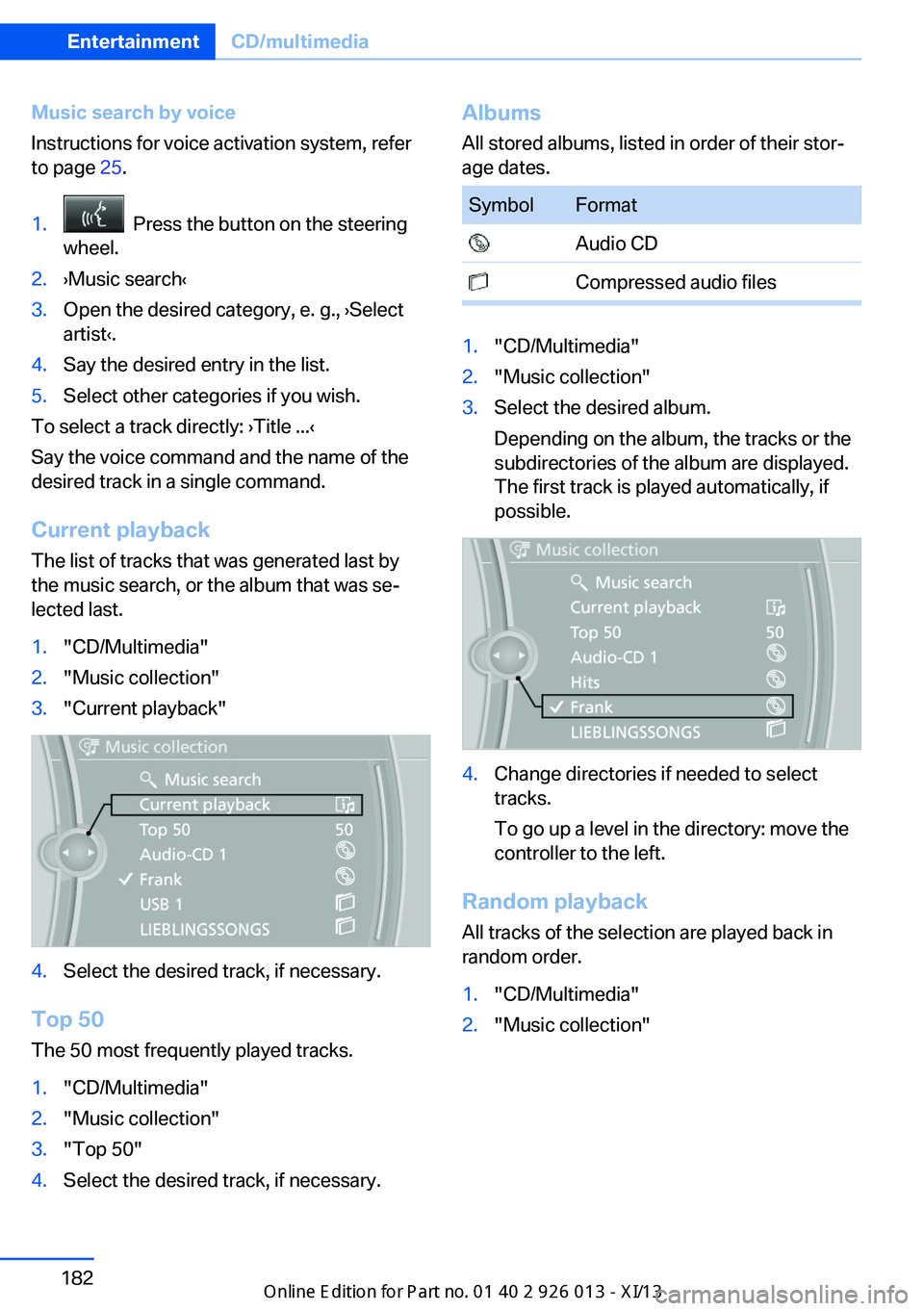
Music search by voice
Instructions for voice activation system, refer
to page 25.1. Press the button on the steering
wheel.2.›Music search‹3.Open the desired category, e. g., ›Select
artist‹.4.Say the desired entry in the list.5.Select other categories if you wish.
To select a track directly: ›Title ...‹
Say the voice command and the name of the
desired track in a single command.
Current playback The list of tracks that was generated last by
the music search, or the album that was se‐
lected last.
1."CD/Multimedia"2."Music collection"3."Current playback"4.Select the desired track, if necessary.
Top 50
The 50 most frequently played tracks.
1."CD/Multimedia"2."Music collection"3."Top 50"4.Select the desired track, if necessary.Albums All stored albums, listed in order of their stor‐
age dates.SymbolFormat Audio CD Compressed audio files1."CD/Multimedia"2."Music collection"3.Select the desired album.
Depending on the album, the tracks or the
subdirectories of the album are displayed.
The first track is played automatically, if
possible.4.Change directories if needed to select
tracks.
To go up a level in the directory: move the
controller to the left.
Random playback
All tracks of the selection are played back in
random order.
1."CD/Multimedia"2."Music collection"Seite 182EntertainmentCD/multimedia182
Online Edition for Part no. 01 40 2 911 269 - VI/13
Page 207 of 299
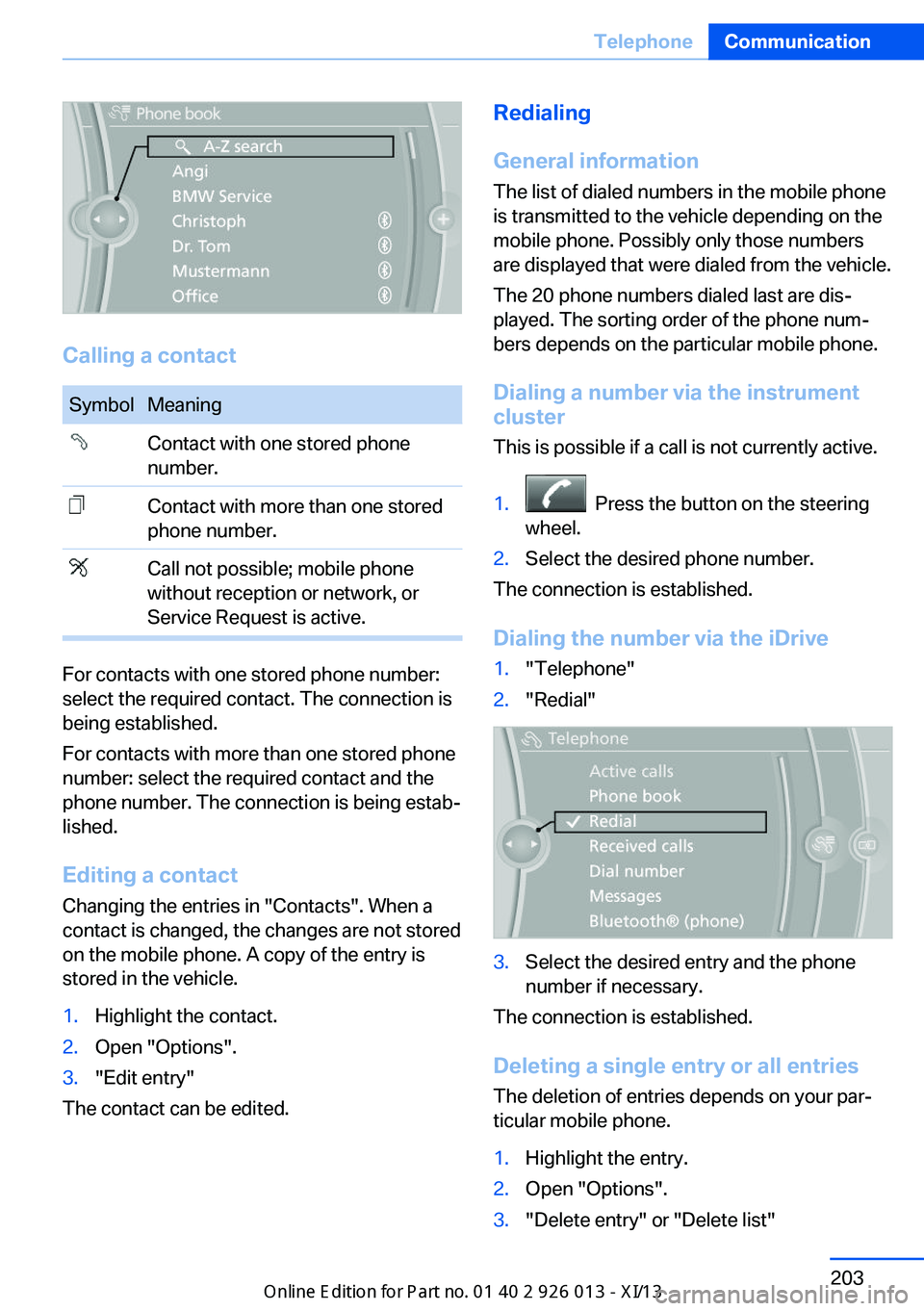
Calling a contact
SymbolMeaningContact with one stored phone
number.Contact with more than one stored
phone number.Call not possible; mobile phone
without reception or network, or
Service Request is active.
For contacts with one stored phone number:
select the required contact. The connection is
being established.
For contacts with more than one stored phone
number: select the required contact and the
phone number. The connection is being estab‐
lished.
Editing a contact Changing the entries in "Contacts". When a
contact is changed, the changes are not stored
on the mobile phone. A copy of the entry is
stored in the vehicle.
1.Highlight the contact.2.Open "Options".3."Edit entry"
The contact can be edited.
Redialing
General information
The list of dialed numbers in the mobile phone
is transmitted to the vehicle depending on the
mobile phone. Possibly only those numbers
are displayed that were dialed from the vehicle.
The 20 phone numbers dialed last are dis‐
played. The sorting order of the phone num‐
bers depends on the particular mobile phone.
Dialing a number via the instrument cluster
This is possible if a call is not currently active.1. Press the button on the steering
wheel.2.Select the desired phone number.
The connection is established.
Dialing the number via the iDrive
1."Telephone"2."Redial"3.Select the desired entry and the phone
number if necessary.
The connection is established.
Deleting a single entry or all entries The deletion of entries depends on your par‐
ticular mobile phone.
1.Highlight the entry.2.Open "Options".3."Delete entry" or "Delete list"Seite 203TelephoneCommunication203
Online Edition for Part no. 01 40 2 911 269 - VI/13
Page 256 of 299
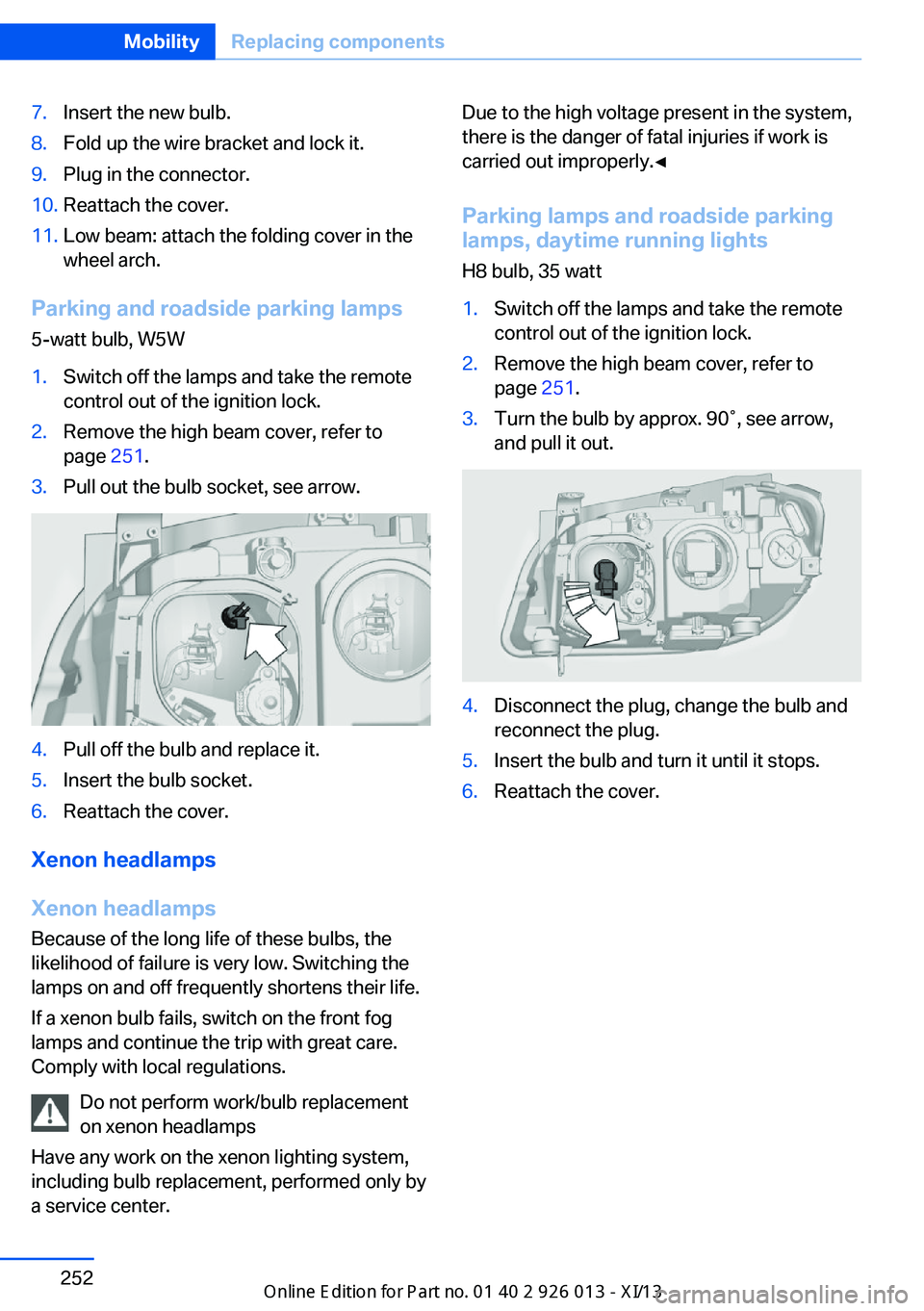
7.Insert the new bulb.8.Fold up the wire bracket and lock it.9.Plug in the connector.10.Reattach the cover.11.Low beam: attach the folding cover in the
wheel arch.
Parking and roadside parking lamps
5-watt bulb, W5W
1.Switch off the lamps and take the remote
control out of the ignition lock.2.Remove the high beam cover, refer to
page 251.3.Pull out the bulb socket, see arrow.4.Pull off the bulb and replace it.5.Insert the bulb socket.6.Reattach the cover.
Xenon headlamps
Xenon headlamps Because of the long life of these bulbs, the
likelihood of failure is very low. Switching the
lamps on and off frequently shortens their life.
If a xenon bulb fails, switch on the front fog
lamps and continue the trip with great care.
Comply with local regulations.
Do not perform work/bulb replacement
on xenon headlamps
Have any work on the xenon lighting system,
including bulb replacement, performed only by
a service center.
Due to the high voltage present in the system,
there is the danger of fatal injuries if work is
carried out improperly.◀
Parking lamps and roadside parkinglamps, daytime running lights
H8 bulb, 35 watt1.Switch off the lamps and take the remote
control out of the ignition lock.2.Remove the high beam cover, refer to
page 251.3.Turn the bulb by approx. 90˚, see arrow,
and pull it out.4.Disconnect the plug, change the bulb and
reconnect the plug.5.Insert the bulb and turn it until it stops.6.Reattach the cover.Seite 252MobilityReplacing components252
Online Edition for Part no. 01 40 2 911 269 - VI/13
Page 286 of 299
Car phone, installation loca‐tion, refer to Center arm‐
rest 124
Car phone, refer to Tele‐ phone 196
Car vacuum cleaner, connect‐ ing, refer to Connecting
electrical devices 117
Car wash 263
Catalytic converter, refer to Hot exhaust system 130
CBS Condition Based Serv‐ ice 247
CD/DVD 174
CD/DVD notes 178
CDs, storing 179
Cell phone 196
Cell phone, installation loca‐ tion, refer to Center arm‐
rest 124
Center armrest, front 124
Center armrest, rear 124
Center brake lamp, bulb re‐ placement 254
Center console, refer to Around the center con‐
sole 16
Central locking– Comfort Access 37– From the inside 35– Setting the unlocking char‐
acteristics 32
Central locking system
– From the outside 31– Principle 31
Central screen, refer to Con‐
trol Display 18
Changes, technical, refer to Safety 6
Changing wheels/tires 239
Check Control 80
Children, transporting 52
Child restraint fixing system LATCH 53
Child restraint fixing sys‐ tems 52
Child restraint fixing systems,
mounting 52
Child safety locks 55
Child seat, mounting 52
Child seats, refer to Trans‐ porting children safely 52
Chrome parts, care 265
Cigarette lighter, connecting electrical devices 117
Cigarette lighter, refer to Lighter 117
Cigarette lighter socket 117
Circulation of air, refer to Re‐ circulated air mode 110
Cleaning, displays 266
Cleaning your BMW, refer to Care 263
Clock 71
Clock– 12h/24h format 76– Setting the time and date 76
Closing
– From the inside 35– From the outside 32
Clothes hooks 125
Cockpit 12
Cold start, refer to Starting the engine 58
Combination instrument, refer to Instrument cluster 14
Combination switch, refer to Turn signal/high beams/
headlamp flasher 62
Combination switch, refer to Washer/wiper system 62
Comfort Access
– Battery replacement 38
Comfort area, refer to Around
the center console 16
Compact wheel, inflation pressure 232
Compartment for remote control, refer to Ignition
lock 57
Compartment in floor 121
Compartments, refer to Stor‐
age compart‐
ments 123, 124
Compass, digital 115
Computer 73
Computer, displaying infor‐ mation 73
Computer, displays on the Control Display 74
Concierge service 221
Condensation under the vehi‐ cle 132
Condition Based Service CBS 247
Confirmation signals for lock‐ ing/unlocking the vehicle 33
Connecting, mobile phone, refer to Pairing the mobile
phone 197
Consumption, refer to Aver‐ age fuel consumption 73
Contacts 210, 218
Control Display 18
Control Display, care 266
Control Display, settings 77
Controller 19
Controls and displays 12
Control systems, driving sta‐ bility 97
Convenient operation– Glass sunroof 32– Window 32
Coolant 246
Coolant, checking the level 246
Coolant temperature 72
Cooling function, switching on and off 110
Cooling, maximum 109
Cooling system, refer to Cool‐ ant 246
Corrosion on brake discs 132
Courtesy lamps, refer to Inte‐ rior lamps 87
Cradle for telephone or mo‐ bile phone, refer to Snap-in
adapter 207
Seite 282ReferenceEverything from A to Z282
Online Edition for Part no. 01 40 2 911 269 - VI/13
Page 288 of 299
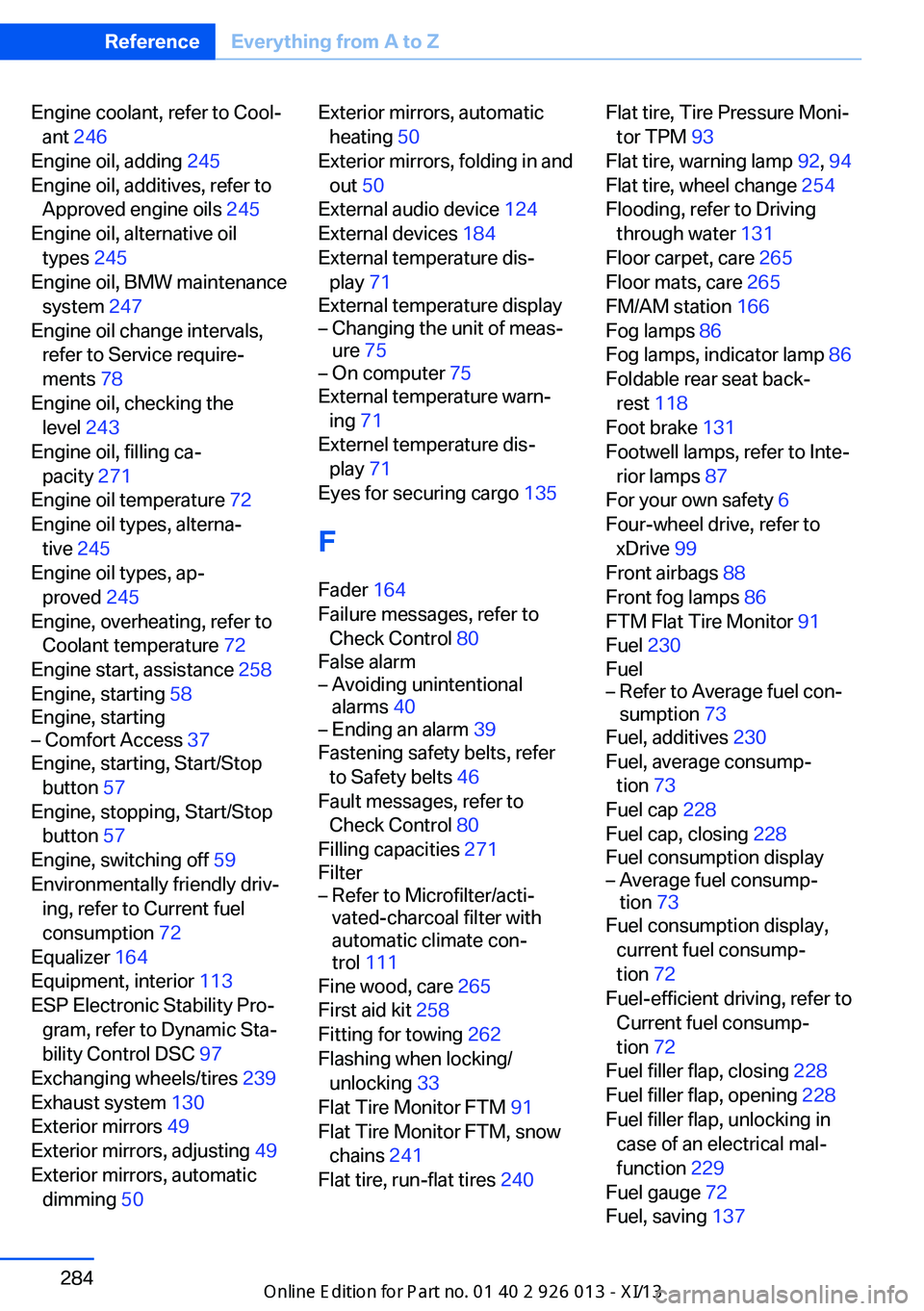
Engine coolant, refer to Cool‐ant 246
Engine oil, adding 245
Engine oil, additives, refer to Approved engine oils 245
Engine oil, alternative oil types 245
Engine oil, BMW maintenance system 247
Engine oil change intervals, refer to Service require‐
ments 78
Engine oil, checking the level 243
Engine oil, filling ca‐ pacity 271
Engine oil temperature 72
Engine oil types, alterna‐ tive 245
Engine oil types, ap‐ proved 245
Engine, overheating, refer to Coolant temperature 72
Engine start, assistance 258
Engine, starting 58
Engine, starting– Comfort Access 37
Engine, starting, Start/Stop
button 57
Engine, stopping, Start/Stop button 57
Engine, switching off 59
Environmentally friendly driv‐ ing, refer to Current fuel
consumption 72
Equalizer 164
Equipment, interior 113
ESP Electronic Stability Pro‐ gram, refer to Dynamic Sta‐
bility Control DSC 97
Exchanging wheels/tires 239
Exhaust system 130
Exterior mirrors 49
Exterior mirrors, adjusting 49
Exterior mirrors, automatic dimming 50
Exterior mirrors, automatic
heating 50
Exterior mirrors, folding in and out 50
External audio device 124
External devices 184
External temperature dis‐ play 71
External temperature display– Changing the unit of meas‐
ure 75– On computer 75
External temperature warn‐
ing 71
Externel temperature dis‐ play 71
Eyes for securing cargo 135
F
Fader 164
Failure messages, refer to Check Control 80
False alarm
– Avoiding unintentional
alarms 40– Ending an alarm 39
Fastening safety belts, refer
to Safety belts 46
Fault messages, refer to Check Control 80
Filling capacities 271
Filter
– Refer to Microfilter/acti‐
vated-charcoal filter with
automatic climate con‐
trol 111
Fine wood, care 265
First aid kit 258
Fitting for towing 262
Flashing when locking/ unlocking 33
Flat Tire Monitor FTM 91
Flat Tire Monitor FTM, snow chains 241
Flat tire, run-flat tires 240
Flat tire, Tire Pressure Moni‐
tor TPM 93
Flat tire, warning lamp 92, 94
Flat tire, wheel change 254
Flooding, refer to Driving through water 131
Floor carpet, care 265
Floor mats, care 265
FM/AM station 166
Fog lamps 86
Fog lamps, indicator lamp 86
Foldable rear seat back‐ rest 118
Foot brake 131
Footwell lamps, refer to Inte‐ rior lamps 87
For your own safety 6
Four-wheel drive, refer to xDrive 99
Front airbags 88
Front fog lamps 86
FTM Flat Tire Monitor 91
Fuel 230
Fuel– Refer to Average fuel con‐
sumption 73
Fuel, additives 230
Fuel, average consump‐ tion 73
Fuel cap 228
Fuel cap, closing 228
Fuel consumption display
– Average fuel consump‐
tion 73
Fuel consumption display,
current fuel consump‐
tion 72
Fuel-efficient driving, refer to Current fuel consump‐
tion 72
Fuel filler flap, closing 228
Fuel filler flap, opening 228
Fuel filler flap, unlocking in case of an electrical mal‐
function 229
Fuel gauge 72
Fuel, saving 137
Seite 284ReferenceEverything from A to Z284
Online Edition for Part no. 01 40 2 911 269 - VI/13
Page 296 of 299
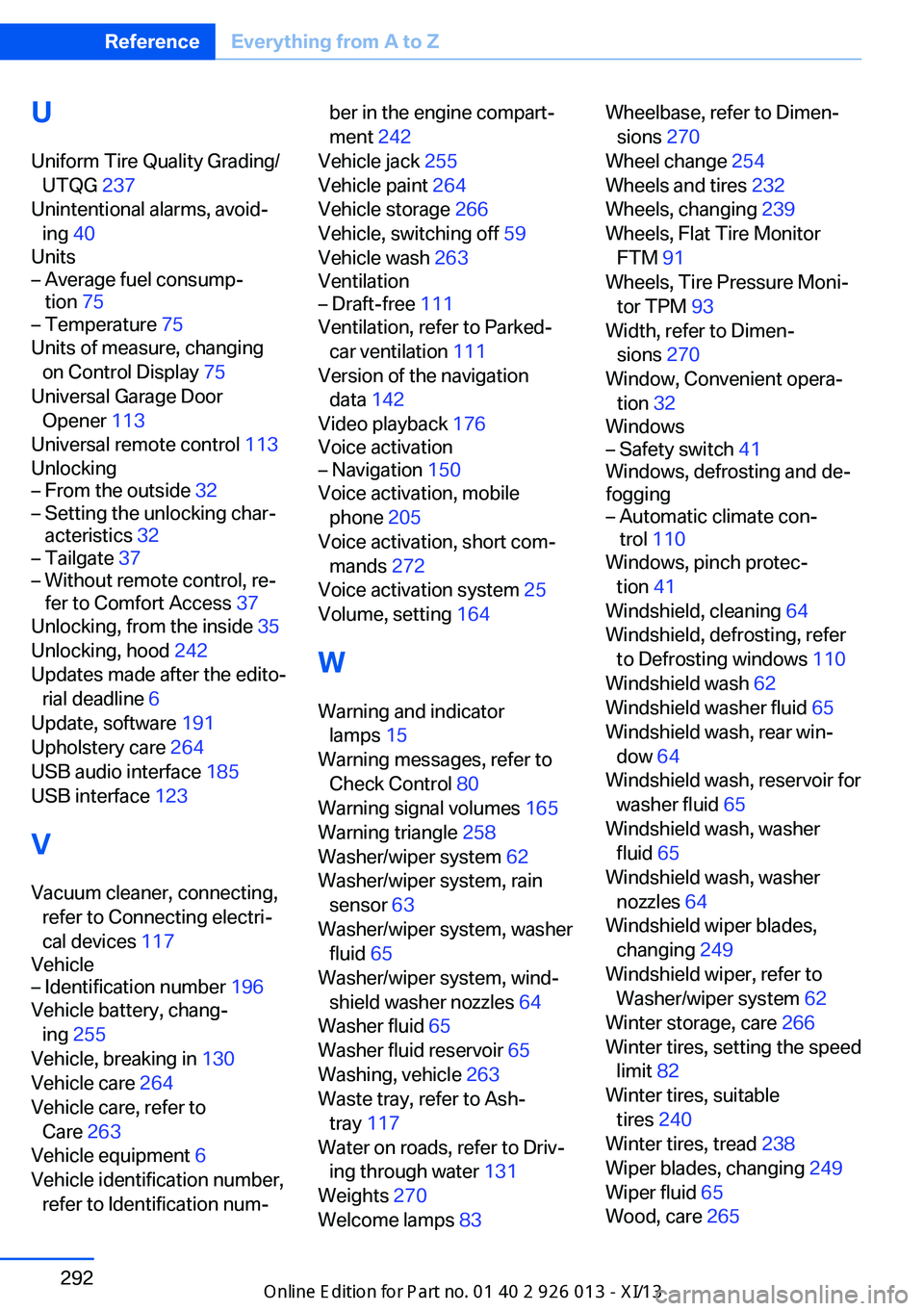
U
Uniform Tire Quality Grading/ UTQG 237
Unintentional alarms, avoid‐ ing 40
Units– Average fuel consump‐
tion 75– Temperature 75
Units of measure, changing
on Control Display 75
Universal Garage Door Opener 113
Universal remote control 113
Unlocking
– From the outside 32– Setting the unlocking char‐
acteristics 32– Tailgate 37– Without remote control, re‐
fer to Comfort Access 37
Unlocking, from the inside 35
Unlocking, hood 242
Updates made after the edito‐ rial deadline 6
Update, software 191
Upholstery care 264
USB audio interface 185
USB interface 123
V
Vacuum cleaner, connecting, refer to Connecting electri‐
cal devices 117
Vehicle
– Identification number 196
Vehicle battery, chang‐
ing 255
Vehicle, breaking in 130
Vehicle care 264
Vehicle care, refer to Care 263
Vehicle equipment 6
Vehicle identification number, refer to Identification num‐
ber in the engine compart‐
ment 242
Vehicle jack 255
Vehicle paint 264
Vehicle storage 266
Vehicle, switching off 59
Vehicle wash 263
Ventilation– Draft-free 111
Ventilation, refer to Parked-
car ventilation 111
Version of the navigation data 142
Video playback 176
Voice activation
– Navigation 150
Voice activation, mobile
phone 205
Voice activation, short com‐ mands 272
Voice activation system 25
Volume, setting 164
W Warning and indicator lamps 15
Warning messages, refer to Check Control 80
Warning signal volumes 165
Warning triangle 258
Washer/wiper system 62
Washer/wiper system, rain sensor 63
Washer/wiper system, washer fluid 65
Washer/wiper system, wind‐ shield washer nozzles 64
Washer fluid 65
Washer fluid reservoir 65
Washing, vehicle 263
Waste tray, refer to Ash‐ tray 117
Water on roads, refer to Driv‐ ing through water 131
Weights 270
Welcome lamps 83
Wheelbase, refer to Dimen‐
sions 270
Wheel change 254
Wheels and tires 232
Wheels, changing 239
Wheels, Flat Tire Monitor FTM 91
Wheels, Tire Pressure Moni‐ tor TPM 93
Width, refer to Dimen‐ sions 270
Window, Convenient opera‐ tion 32
Windows– Safety switch 41
Windows, defrosting and de‐
fogging
– Automatic climate con‐
trol 110
Windows, pinch protec‐
tion 41
Windshield, cleaning 64
Windshield, defrosting, refer to Defrosting windows 110
Windshield wash 62
Windshield washer fluid 65
Windshield wash, rear win‐ dow 64
Windshield wash, reservoir for washer fluid 65
Windshield wash, washer fluid 65
Windshield wash, washer nozzles 64
Windshield wiper blades, changing 249
Windshield wiper, refer to Washer/wiper system 62
Winter storage, care 266
Winter tires, setting the speed limit 82
Winter tires, suitable tires 240
Winter tires, tread 238
Wiper blades, changing 249
Wiper fluid 65
Wood, care 265
Seite 292ReferenceEverything from A to Z292
Online Edition for Part no. 01 40 2 911 269 - VI/13