key BMW X1 2014 E84 User Guide
[x] Cancel search | Manufacturer: BMW, Model Year: 2014, Model line: X1, Model: BMW X1 2014 E84Pages: 297, PDF Size: 7 MB
Page 202 of 297
ceived calls are displayed on the Control Dis‐
play.
Audio source
A mobile phone can be used as an audio
source.
Pairing and connecting a mobile
phone
Pairing the mobile phone
To avoid becoming distracted and pos‐
ing an unnecessary hazard both to your own
vehicle's occupants and to other road users,
only pair the mobile phone while the vehicle is
stationary.◀1."Telephone"2."Bluetooth® (phone)"3."Add new phone"
The Bluetooth name of the vehicle is dis‐
played.4.To perform additional steps on the mobile
phone, refer to the mobile phone operating
instructions: for instance, search for or
connect the Bluetooth device or a new de‐
vice.
The Bluetooth name of the vehicle appears
on the mobile phone display.5.Select the Bluetooth name of the vehicle
on the mobile phone display.6.You are prompted by the iDrive or mobile
phone to enter the same Bluetooth pass‐
key. Enter the passkey and confirm.
or
Compare the control number on the vehi‐
cle display with the control number on the
mobile phone display. Confirm the control
number on the mobile phone and in the ve‐
hicle.
"OK"7.Select the functions for which the mobile
phone is to be used.8."OK"If the pairing was successful, the mobile phone
appears at the top of the list of mobile phones.
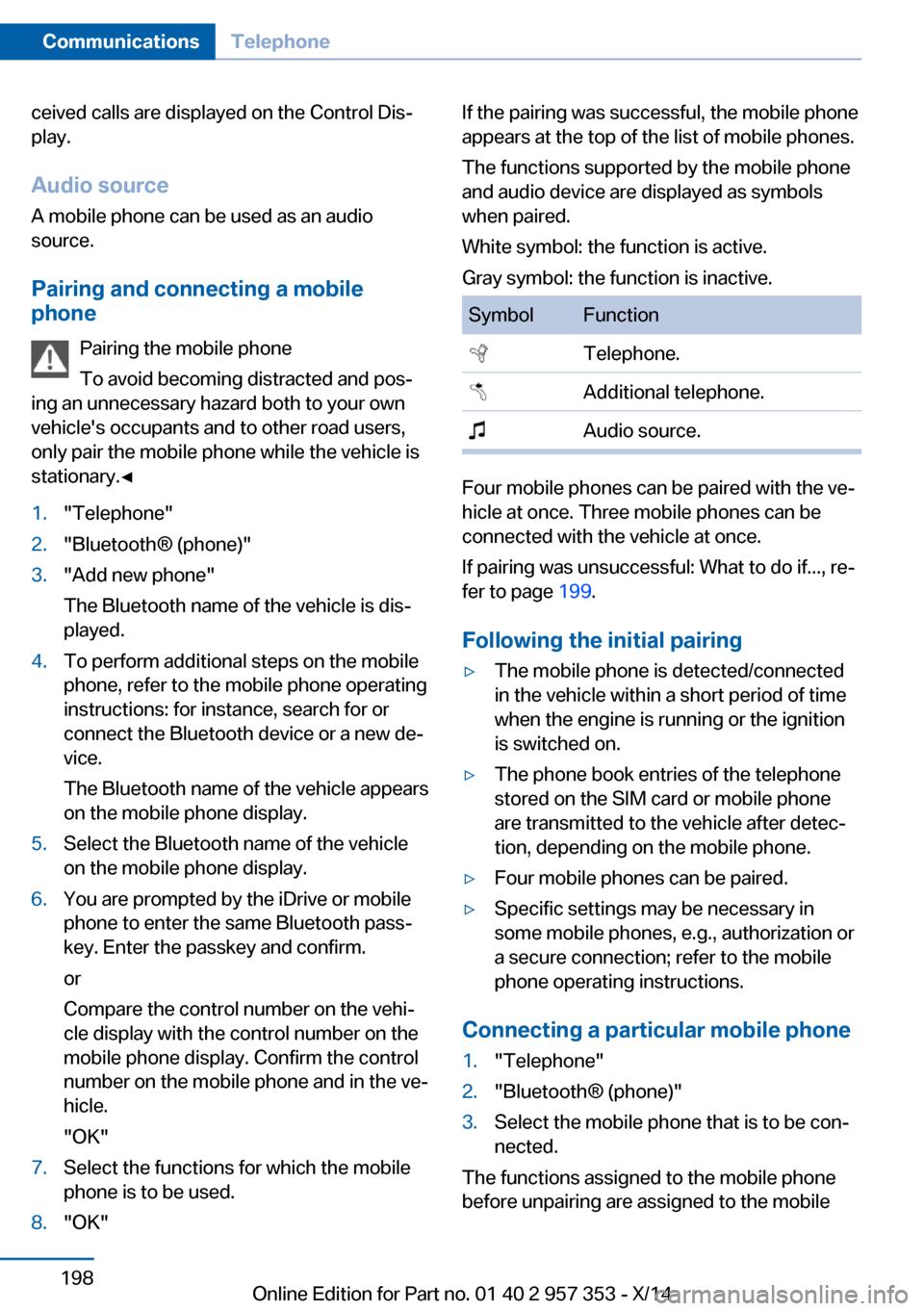
The functions supported by the mobile phone
and audio device are displayed as symbols
when paired.
White symbol: the function is active.
Gray symbol: the function is inactive.SymbolFunction Telephone. Additional telephone. Audio source.
Four mobile phones can be paired with the ve‐
hicle at once. Three mobile phones can be
connected with the vehicle at once.
If pairing was unsuccessful: What to do if..., re‐
fer to page 199.
Following the initial pairing
▷The mobile phone is detected/connected
in the vehicle within a short period of time
when the engine is running or the ignition
is switched on.▷The phone book entries of the telephone
stored on the SIM card or mobile phone
are transmitted to the vehicle after detec‐
tion, depending on the mobile phone.▷Four mobile phones can be paired.▷Specific settings may be necessary in
some mobile phones, e.g., authorization or
a secure connection; refer to the mobile
phone operating instructions.
Connecting a particular mobile phone
1."Telephone"2."Bluetooth® (phone)"3.Select the mobile phone that is to be con‐
nected.
The functions assigned to the mobile phone
before unpairing are assigned to the mobile
Seite 198CommunicationsTelephone198
Online Edition for Part no. 01 40 2 957 353 - X/14
Page 203 of 297
phone when it is reconnected. These functions
are deactivated in a mobile phone that is al‐
ready connected.
Configuring the mobile phone Additional functions can be activated or deacti‐
vated for paired and connected mobile phones.1."Telephone"2."Bluetooth® (phone)"3.Highlight the mobile phone to be config‐
ured.4.Open "Options".5."Configure phone"6.At least one function must be selected.▷"Telephone"▷"Additional telephone"▷"Audio"7."OK"
If a function has already been assigned to an‐
other connected mobile phone, the function is
deactivated in that mobile phone and the mo‐
bile phone is unpaired when the function is as‐
signed to a new mobile phone.
Swapping the telephone and
additional telephone
The function of the telephone and additional
telephone can be swapped automatically.
1."Telephone"2."Bluetooth® (phone)"3."Swap phone/addit. phone"
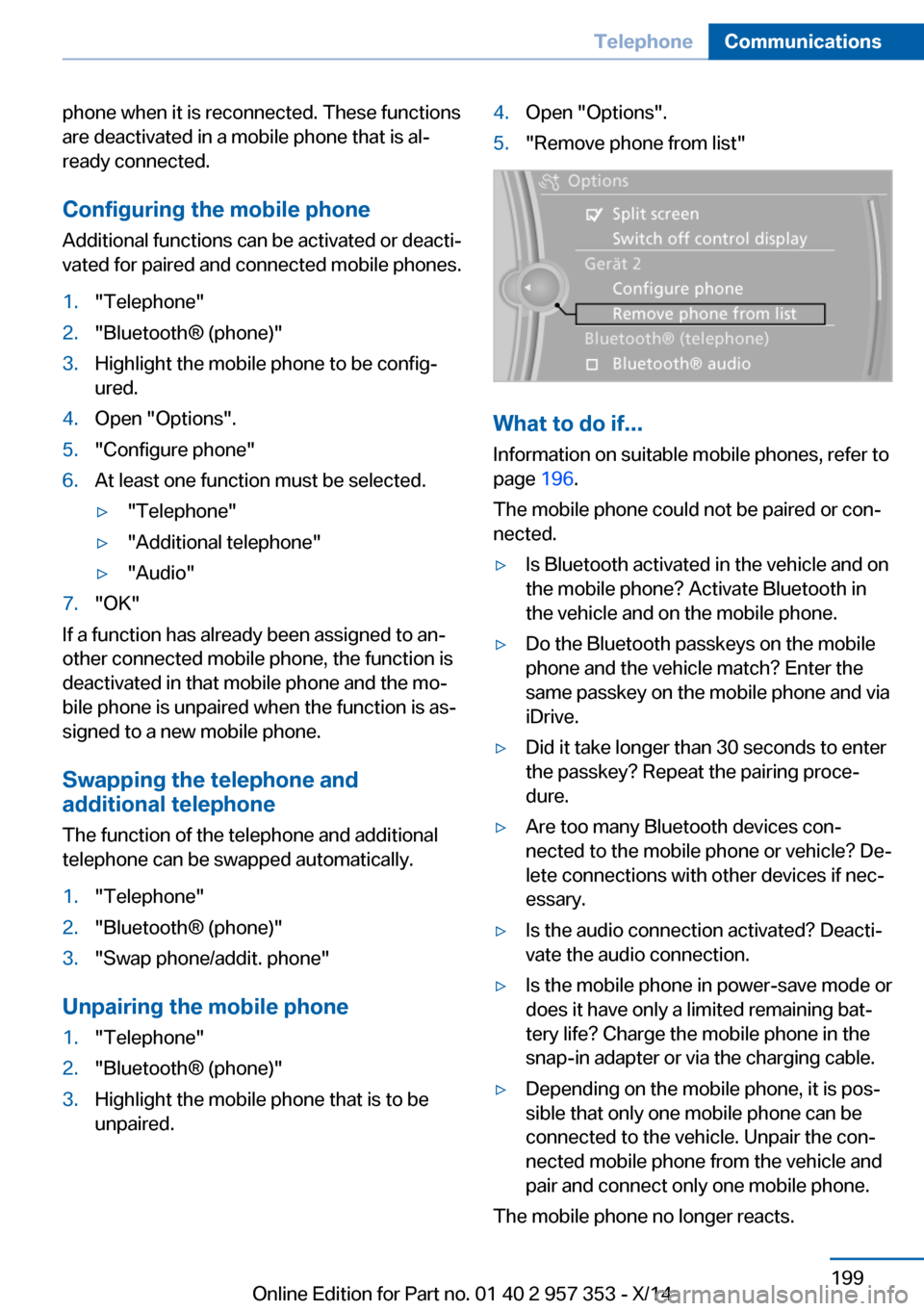
Unpairing the mobile phone
1."Telephone"2."Bluetooth® (phone)"3.Highlight the mobile phone that is to be
unpaired.4.Open "Options".5."Remove phone from list"
What to do if...
Information on suitable mobile phones, refer to
page 196.
The mobile phone could not be paired or con‐
nected.
▷Is Bluetooth activated in the vehicle and on
the mobile phone? Activate Bluetooth in
the vehicle and on the mobile phone.▷Do the Bluetooth passkeys on the mobile
phone and the vehicle match? Enter the
same passkey on the mobile phone and via
iDrive.▷Did it take longer than 30 seconds to enter
the passkey? Repeat the pairing proce‐
dure.▷Are too many Bluetooth devices con‐
nected to the mobile phone or vehicle? De‐
lete connections with other devices if nec‐
essary.▷Is the audio connection activated? Deacti‐
vate the audio connection.▷Is the mobile phone in power-save mode or
does it have only a limited remaining bat‐
tery life? Charge the mobile phone in the
snap-in adapter or via the charging cable.▷Depending on the mobile phone, it is pos‐
sible that only one mobile phone can be
connected to the vehicle. Unpair the con‐
nected mobile phone from the vehicle and
pair and connect only one mobile phone.
The mobile phone no longer reacts.
Seite 199TelephoneCommunications199
Online Edition for Part no. 01 40 2 957 353 - X/14
Page 206 of 297
If a second call comes in during an ongoing
call, a call waiting signal is sounded.
"Accept"
The call is accepted and the existing call is put
on hold.
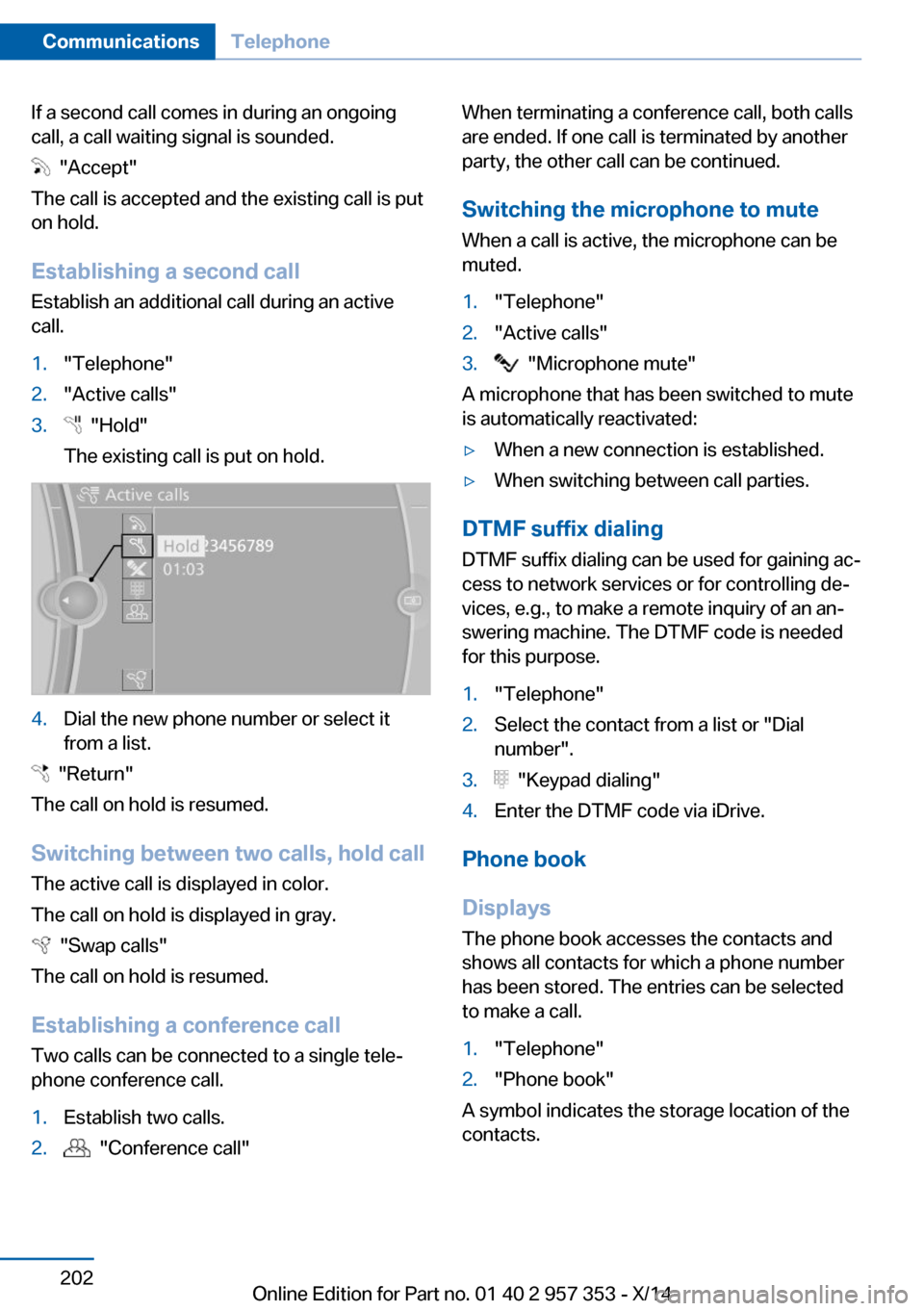
Establishing a second call
Establish an additional call during an active
call.
1."Telephone"2."Active calls"3. "Hold"
The existing call is put on hold.4.Dial the new phone number or select it
from a list.
"Return"
The call on hold is resumed.
Switching between two calls, hold call The active call is displayed in color.
The call on hold is displayed in gray.
"Swap calls"
The call on hold is resumed.
Establishing a conference call Two calls can be connected to a single tele‐
phone conference call.
1.Establish two calls.2. "Conference call"When terminating a conference call, both calls
are ended. If one call is terminated by another
party, the other call can be continued.
Switching the microphone to mute When a call is active, the microphone can be
muted.1."Telephone"2."Active calls"3. "Microphone mute"
A microphone that has been switched to mute
is automatically reactivated:
▷When a new connection is established.▷When switching between call parties.
DTMF suffix dialing
DTMF suffix dialing can be used for gaining ac‐
cess to network services or for controlling de‐
vices, e.g., to make a remote inquiry of an an‐
swering machine. The DTMF code is needed
for this purpose.
1."Telephone"2.Select the contact from a list or "Dial
number".3. "Keypad dialing"4.Enter the DTMF code via iDrive.
Phone book
Displays The phone book accesses the contacts and
shows all contacts for which a phone number
has been stored. The entries can be selected
to make a call.
1."Telephone"2."Phone book"
A symbol indicates the storage location of the
contacts.
Seite 202CommunicationsTelephone202
Online Edition for Part no. 01 40 2 957 353 - X/14
Page 283 of 297
Average speed, refer to Com‐puter 73
Axle loads, refer to Weights 268
B
Backrest curvature, refer to Lumbar support 45
Backrests, refer to Seats 44
Backrest width adjust‐ ment 46
Back seats– Adjusting the backrest
tilt 119
Backup camera 105
Backup camera, obstacle marking 107
Backup camera, pathway lines 106
Backup camera, turning lines 106
Backup lamps, bulb replace‐ ment 252
Balance 164
Band-aids, refer to First aid kit 256
Bass 164
Battery
– Remote control 30
Battery disposal 254
Battery, refer to Vehicle bat‐ tery 253
Battery replacement, remote control for vehicle 38
Before entering the car wash 261
Belts, refer to Safety belts 46
Belt tensioners, refer to Safety belts 46
Beverage holder, refer to Cu‐ pholder 125
Black and white map dis‐ play 158
Blower, refer to Air flow rate 110
Bluetooth audio 187
Bluetooth connection, acti‐
vating/deactivating 197
BMW Apps 222
BMW EfficientDynamics, re‐ fer to Saving fuel 137
BMW Homepage 6
BMW Internet page 6
BMW maintenance sys‐ tem 245
BMW Online 220
Bottle holder, refer to Cu‐ pholder 125
Brake assistant 97
Brake discs, breaking in 130
Brake fluid, refer to Service requirements 78
Brake force display 96
Brake force distribution, elec‐ tronic 97
Brake lamps– Bulb replacement 252
Brake lamps, brake force dis‐
play 96
Brake lights, adaptive 96
Brake pads, breaking in 130
Brakes
– Parking brake 61
Brakes, BMW maintenance
system 245
Brakes, service require‐ ments 78
Brake system, BMW mainte‐ nance system 245
Braking, notes 131
Breakdown assistance, refer to Roadside Assistance 219
Breakdown, transporting the vehicle 258
Breaking in 130
Brightness on the Control Display 78
Bulb replacement, refer to Lamp and bulb replace‐
ment 248
Button for starting the engine, refer to Start/Stop but‐
ton 57
C
Calendar 212
California Proposition 65 Warning 7
Camera, care 264
Camera, refer to Backup cam‐ era 105
Can holder, refer to Cu‐ pholder 125
Car battery, refer to Vehicle battery 253
Car care products 262
Care 261
Care, displays 264
Care, vehicle 262
Cargo 134
Cargo area 118
Cargo area– Comfort Access 37– Cover 118– Folding up the cargo floor
panel 121– Multi-function hook 122– Partition net 119
Cargo area, capacities 268
Cargo area, enlarging 119
Cargo area lid, refer to Tail‐ gate 35
Cargo area light, refer to Inte‐ rior lights 87
Cargo area net, refer to Parti‐ tion net 119
Cargo area, opening from the inside 36
Cargo area, opening from the outside 36
Cargo floor panel
– Folding up 121
Cargo floor panel, raising 121
Cargo straps, securing cargo 135
Car key, refer to Integrated key/remote control 30
Carpet, care 263
Seite 279Everything from A to ZReference279
Online Edition for Part no. 01 40 2 957 353 - X/14
Page 285 of 297
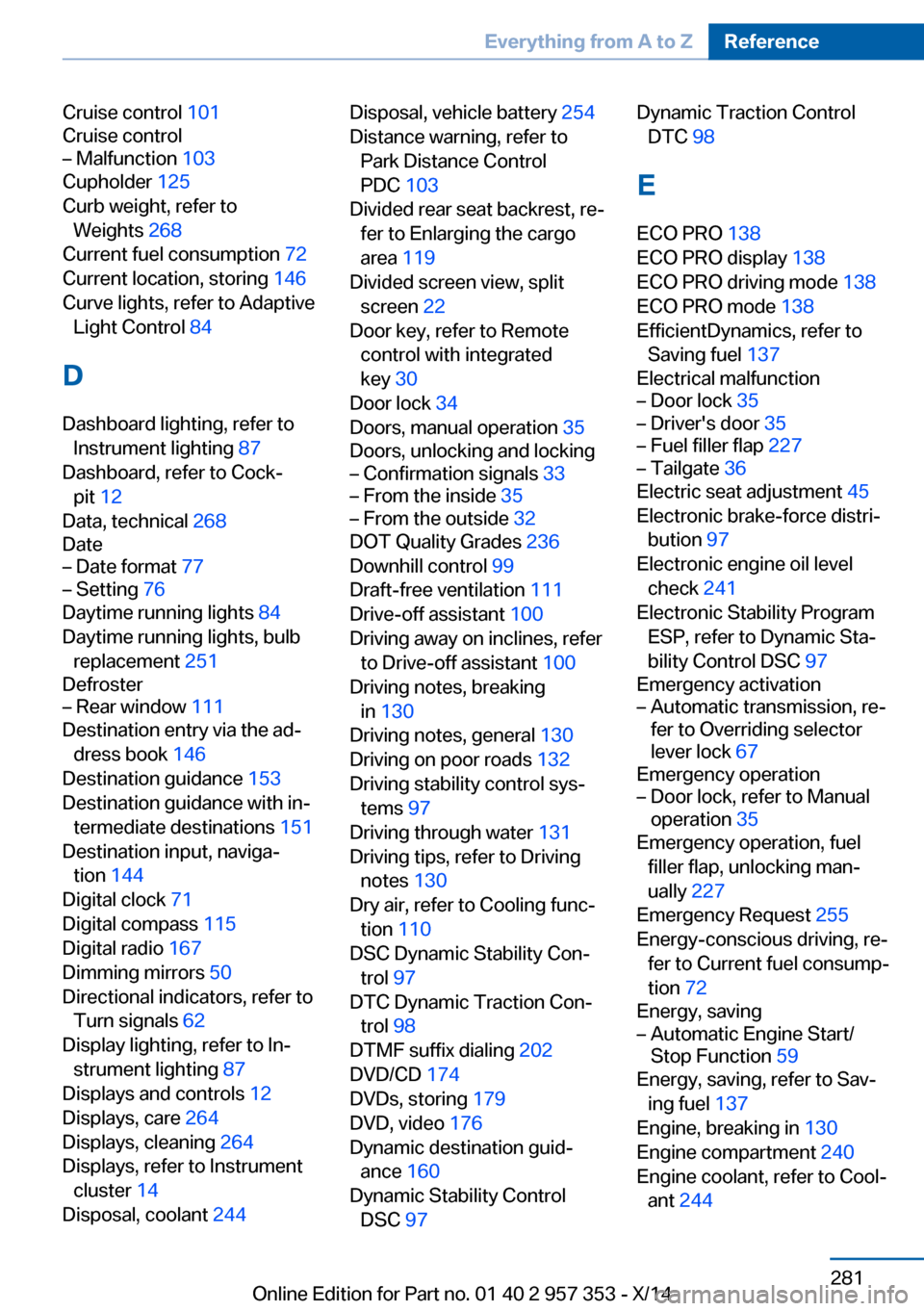
Cruise control 101
Cruise control– Malfunction 103
Cupholder 125
Curb weight, refer to Weights 268
Current fuel consumption 72
Current location, storing 146
Curve lights, refer to Adaptive Light Control 84
D
Dashboard lighting, refer to Instrument lighting 87
Dashboard, refer to Cock‐ pit 12
Data, technical 268
Date
– Date format 77– Setting 76
Daytime running lights 84
Daytime running lights, bulb replacement 251
Defroster
– Rear window 111
Destination entry via the ad‐
dress book 146
Destination guidance 153
Destination guidance with in‐ termediate destinations 151
Destination input, naviga‐ tion 144
Digital clock 71
Digital compass 115
Digital radio 167
Dimming mirrors 50
Directional indicators, refer to Turn signals 62
Display lighting, refer to In‐ strument lighting 87
Displays and controls 12
Displays, care 264
Displays, cleaning 264
Displays, refer to Instrument cluster 14
Disposal, coolant 244
Disposal, vehicle battery 254
Distance warning, refer to Park Distance Control
PDC 103
Divided rear seat backrest, re‐ fer to Enlarging the cargo
area 119
Divided screen view, split screen 22
Door key, refer to Remote control with integrated
key 30
Door lock 34
Doors, manual operation 35
Doors, unlocking and locking– Confirmation signals 33– From the inside 35– From the outside 32
DOT Quality Grades 236
Downhill control 99
Draft-free ventilation 111
Drive-off assistant 100
Driving away on inclines, refer to Drive-off assistant 100
Driving notes, breaking in 130
Driving notes, general 130
Driving on poor roads 132
Driving stability control sys‐ tems 97
Driving through water 131
Driving tips, refer to Driving notes 130
Dry air, refer to Cooling func‐ tion 110
DSC Dynamic Stability Con‐ trol 97
DTC Dynamic Traction Con‐ trol 98
DTMF suffix dialing 202
DVD/CD 174
DVDs, storing 179
DVD, video 176
Dynamic destination guid‐ ance 160
Dynamic Stability Control DSC 97
Dynamic Traction Control
DTC 98
E
ECO PRO 138
ECO PRO display 138
ECO PRO driving mode 138
ECO PRO mode 138
EfficientDynamics, refer to Saving fuel 137
Electrical malfunction– Door lock 35– Driver's door 35– Fuel filler flap 227– Tailgate 36
Electric seat adjustment 45
Electronic brake-force distri‐ bution 97
Electronic engine oil level check 241
Electronic Stability Program ESP, refer to Dynamic Sta‐
bility Control DSC 97
Emergency activation
– Automatic transmission, re‐
fer to Overriding selector
lever lock 67
Emergency operation
– Door lock, refer to Manual
operation 35
Emergency operation, fuel
filler flap, unlocking man‐
ually 227
Emergency Request 255
Energy-conscious driving, re‐ fer to Current fuel consump‐
tion 72
Energy, saving
– Automatic Engine Start/
Stop Function 59
Energy, saving, refer to Sav‐
ing fuel 137
Engine, breaking in 130
Engine compartment 240
Engine coolant, refer to Cool‐ ant 244
Seite 281Everything from A to ZReference281
Online Edition for Part no. 01 40 2 957 353 - X/14
Page 287 of 297
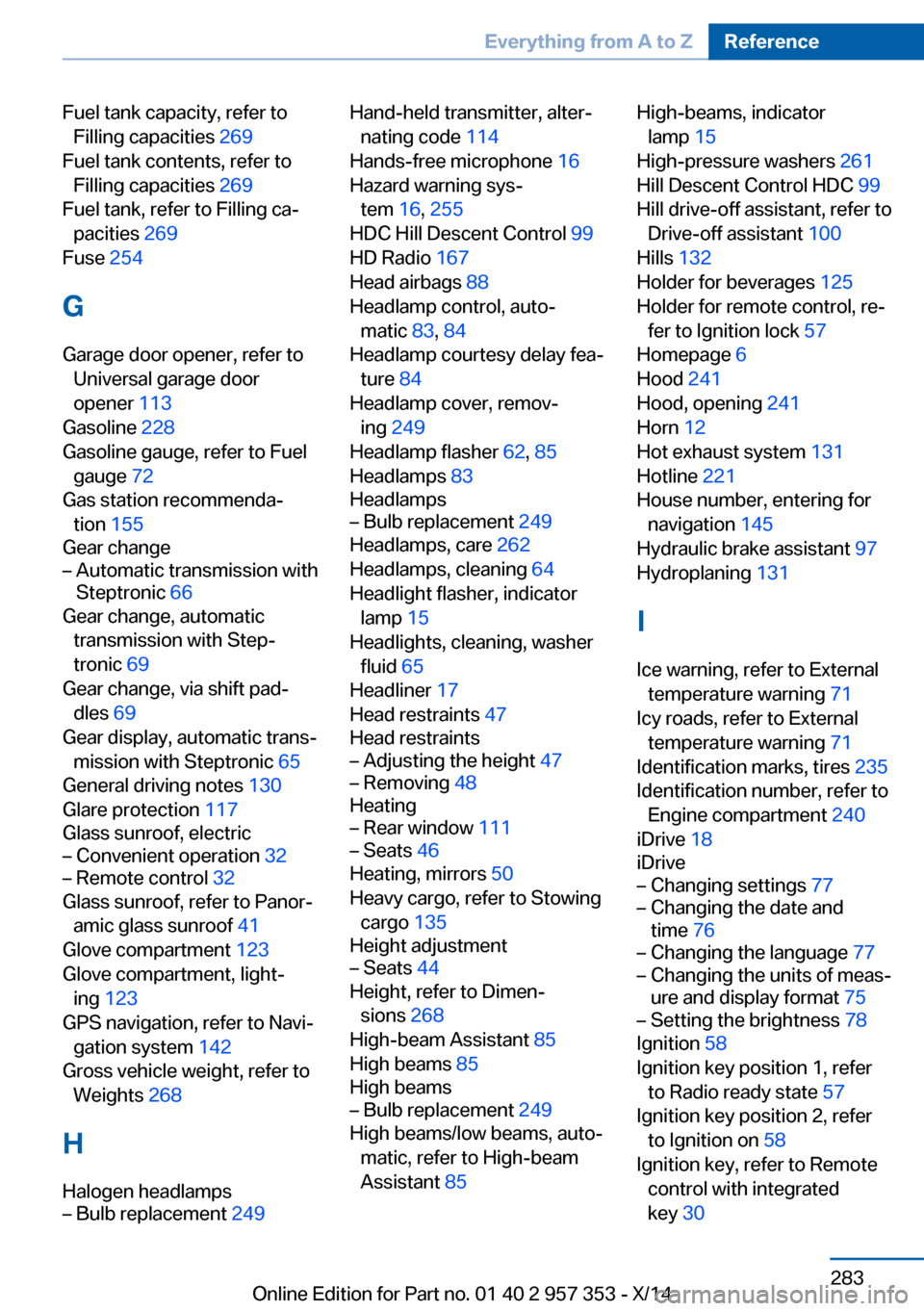
Fuel tank capacity, refer toFilling capacities 269
Fuel tank contents, refer to Filling capacities 269
Fuel tank, refer to Filling ca‐ pacities 269
Fuse 254
G
Garage door opener, refer to Universal garage door
opener 113
Gasoline 228
Gasoline gauge, refer to Fuel gauge 72
Gas station recommenda‐ tion 155
Gear change– Automatic transmission with
Steptronic 66
Gear change, automatic
transmission with Step‐
tronic 69
Gear change, via shift pad‐ dles 69
Gear display, automatic trans‐ mission with Steptronic 65
General driving notes 130
Glare protection 117
Glass sunroof, electric
– Convenient operation 32– Remote control 32
Glass sunroof, refer to Panor‐
amic glass sunroof 41
Glove compartment 123
Glove compartment, light‐ ing 123
GPS navigation, refer to Navi‐ gation system 142
Gross vehicle weight, refer to Weights 268
H
Halogen headlamps
– Bulb replacement 249Hand-held transmitter, alter‐
nating code 114
Hands-free microphone 16
Hazard warning sys‐ tem 16, 255
HDC Hill Descent Control 99
HD Radio 167
Head airbags 88
Headlamp control, auto‐ matic 83, 84
Headlamp courtesy delay fea‐ ture 84
Headlamp cover, remov‐ ing 249
Headlamp flasher 62, 85
Headlamps 83
Headlamps– Bulb replacement 249
Headlamps, care 262
Headlamps, cleaning 64
Headlight flasher, indicator lamp 15
Headlights, cleaning, washer
fluid 65
Headliner 17
Head restraints 47
Head restraints
– Adjusting the height 47– Removing 48
Heating
– Rear window 111– Seats 46
Heating, mirrors 50
Heavy cargo, refer to Stowing cargo 135
Height adjustment
– Seats 44
Height, refer to Dimen‐
sions 268
High-beam Assistant 85
High beams 85
High beams
– Bulb replacement 249
High beams/low beams, auto‐
matic, refer to High-beam
Assistant 85
High-beams, indicator
lamp 15
High-pressure washers 261
Hill Descent Control HDC 99
Hill drive-off assistant, refer to Drive-off assistant 100
Hills 132
Holder for beverages 125
Holder for remote control, re‐ fer to Ignition lock 57
Homepage 6
Hood 241
Hood, opening 241
Horn 12
Hot exhaust system 131
Hotline 221
House number, entering for navigation 145
Hydraulic brake assistant 97
Hydroplaning 131
I Ice warning, refer to External temperature warning 71
Icy roads, refer to External temperature warning 71
Identification marks, tires 235
Identification number, refer to Engine compartment 240
iDrive 18
iDrive– Changing settings 77– Changing the date and
time 76– Changing the language 77– Changing the units of meas‐
ure and display format 75– Setting the brightness 78
Ignition 58
Ignition key position 1, refer to Radio ready state 57
Ignition key position 2, refer to Ignition on 58
Ignition key, refer to Remote control with integrated
key 30
Seite 283Everything from A to ZReference283
Online Edition for Part no. 01 40 2 957 353 - X/14
Page 288 of 297
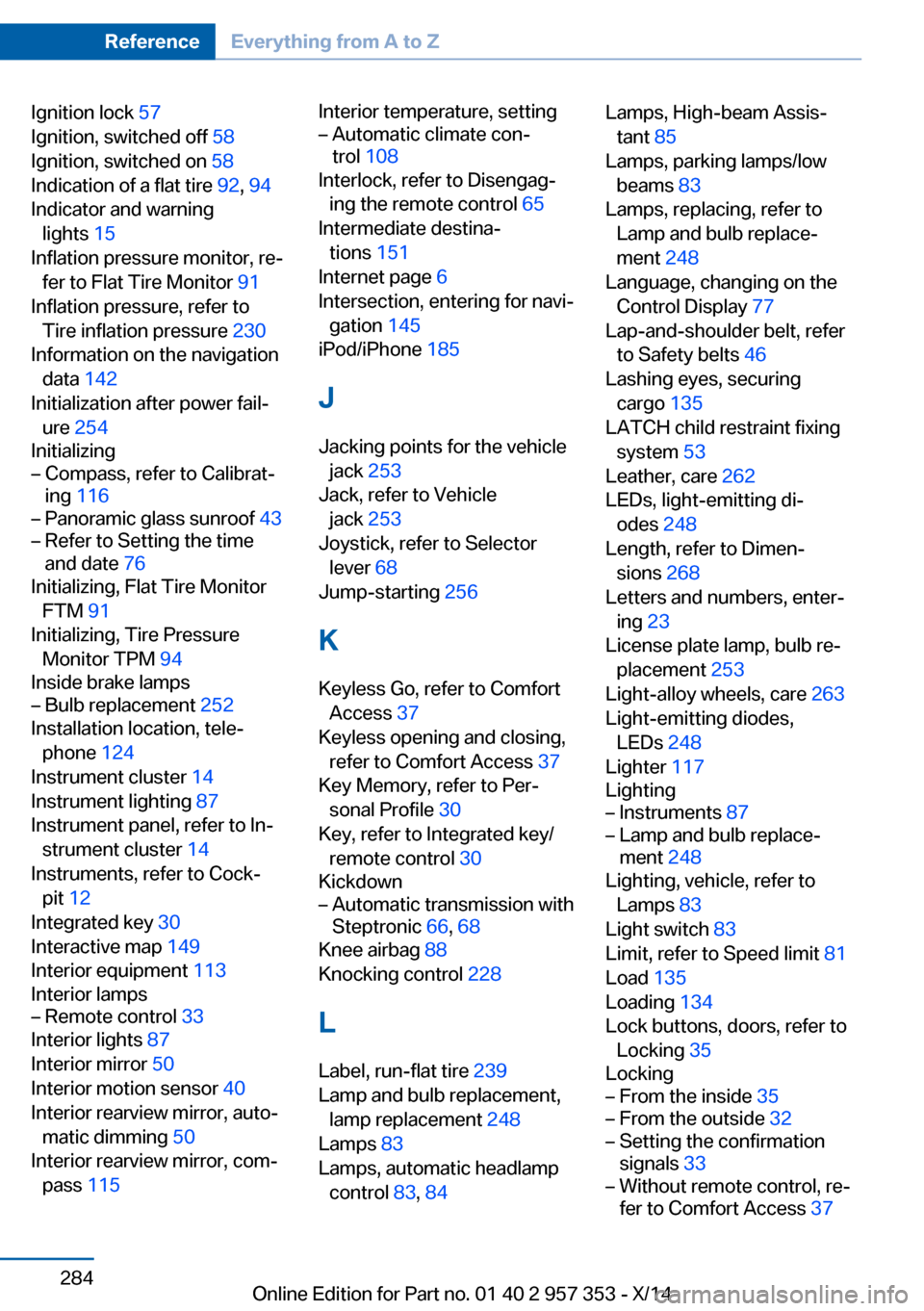
Ignition lock 57
Ignition, switched off 58
Ignition, switched on 58
Indication of a flat tire 92, 94
Indicator and warning lights 15
Inflation pressure monitor, re‐ fer to Flat Tire Monitor 91
Inflation pressure, refer to Tire inflation pressure 230
Information on the navigation data 142
Initialization after power fail‐ ure 254
Initializing– Compass, refer to Calibrat‐
ing 116– Panoramic glass sunroof 43– Refer to Setting the time
and date 76
Initializing, Flat Tire Monitor
FTM 91
Initializing, Tire Pressure Monitor TPM 94
Inside brake lamps
– Bulb replacement 252
Installation location, tele‐
phone 124
Instrument cluster 14
Instrument lighting 87
Instrument panel, refer to In‐ strument cluster 14
Instruments, refer to Cock‐ pit 12
Integrated key 30
Interactive map 149
Interior equipment 113
Interior lamps
– Remote control 33
Interior lights 87
Interior mirror 50
Interior motion sensor 40
Interior rearview mirror, auto‐ matic dimming 50
Interior rearview mirror, com‐ pass 115
Interior temperature, setting– Automatic climate con‐
trol 108
Interlock, refer to Disengag‐
ing the remote control 65
Intermediate destina‐ tions 151
Internet page 6
Intersection, entering for navi‐ gation 145
iPod/iPhone 185
J
Jacking points for the vehicle jack 253
Jack, refer to Vehicle jack 253
Joystick, refer to Selector lever 68
Jump-starting 256
K
Keyless Go, refer to Comfort Access 37
Keyless opening and closing, refer to Comfort Access 37
Key Memory, refer to Per‐ sonal Profile 30
Key, refer to Integrated key/ remote control 30
Kickdown
– Automatic transmission with
Steptronic 66, 68
Knee airbag 88
Knocking control 228
L
Label, run-flat tire 239
Lamp and bulb replacement, lamp replacement 248
Lamps 83
Lamps, automatic headlamp control 83, 84
Lamps, High-beam Assis‐
tant 85
Lamps, parking lamps/low beams 83
Lamps, replacing, refer to Lamp and bulb replace‐
ment 248
Language, changing on the Control Display 77
Lap-and-shoulder belt, refer to Safety belts 46
Lashing eyes, securing cargo 135
LATCH child restraint fixing system 53
Leather, care 262
LEDs, light-emitting di‐ odes 248
Length, refer to Dimen‐ sions 268
Letters and numbers, enter‐ ing 23
License plate lamp, bulb re‐ placement 253
Light-alloy wheels, care 263
Light-emitting diodes, LEDs 248
Lighter 117
Lighting– Instruments 87– Lamp and bulb replace‐
ment 248
Lighting, vehicle, refer to
Lamps 83
Light switch 83
Limit, refer to Speed limit 81
Load 135
Loading 134
Lock buttons, doors, refer to Locking 35
Locking
– From the inside 35– From the outside 32– Setting the confirmation
signals 33– Without remote control, re‐
fer to Comfort Access 37Seite 284ReferenceEverything from A to Z284
Online Edition for Part no. 01 40 2 957 353 - X/14
Page 289 of 297
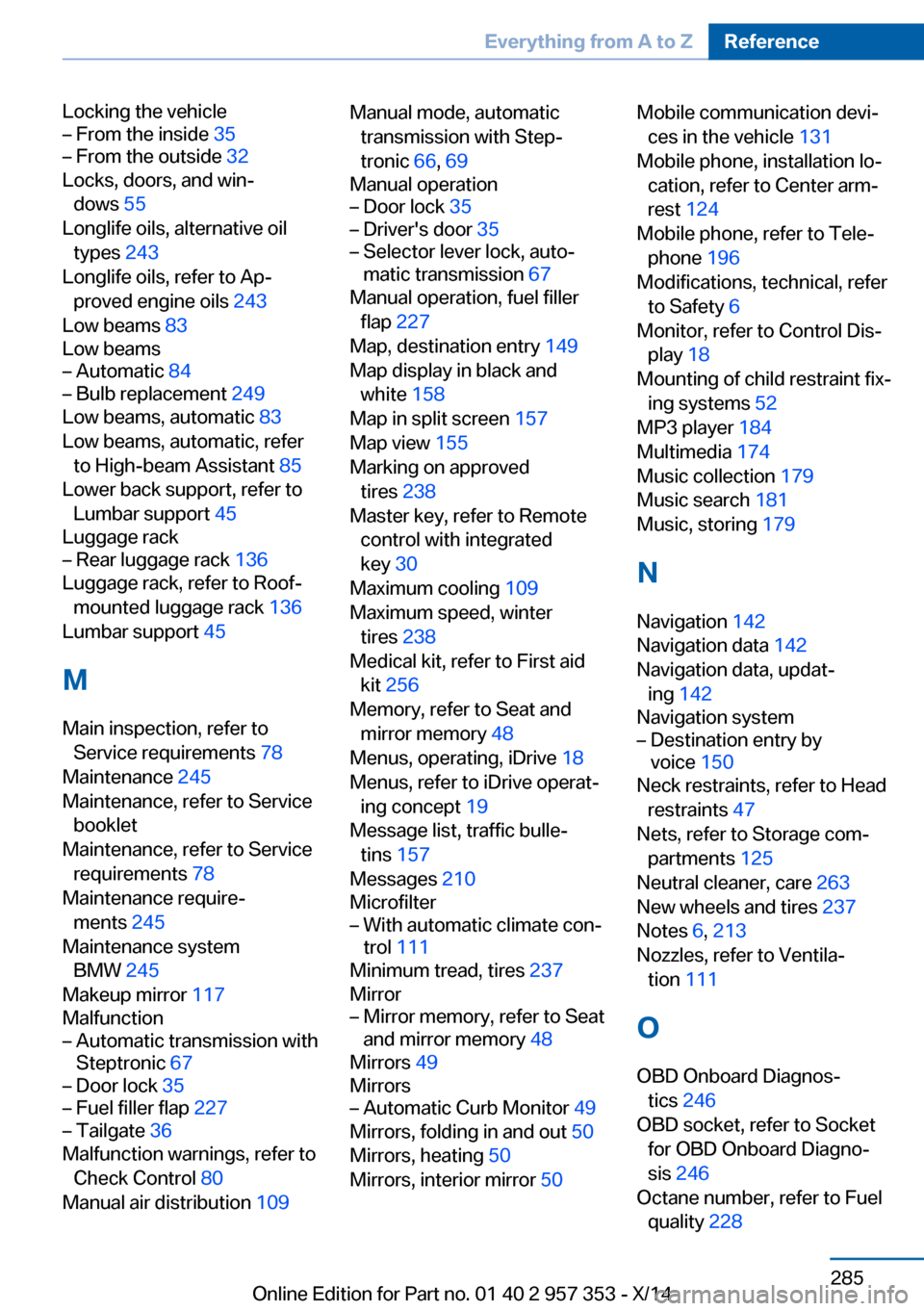
Locking the vehicle– From the inside 35– From the outside 32
Locks, doors, and win‐
dows 55
Longlife oils, alternative oil types 243
Longlife oils, refer to Ap‐ proved engine oils 243
Low beams 83
Low beams
– Automatic 84– Bulb replacement 249
Low beams, automatic 83
Low beams, automatic, refer to High-beam Assistant 85
Lower back support, refer to Lumbar support 45
Luggage rack
– Rear luggage rack 136
Luggage rack, refer to Roof-
mounted luggage rack 136
Lumbar support 45
M
Main inspection, refer to Service requirements 78
Maintenance 245
Maintenance, refer to Service booklet
Maintenance, refer to Service requirements 78
Maintenance require‐ ments 245
Maintenance system BMW 245
Makeup mirror 117
Malfunction
– Automatic transmission with
Steptronic 67– Door lock 35– Fuel filler flap 227– Tailgate 36
Malfunction warnings, refer to
Check Control 80
Manual air distribution 109
Manual mode, automatic
transmission with Step‐
tronic 66, 69
Manual operation– Door lock 35– Driver's door 35– Selector lever lock, auto‐
matic transmission 67
Manual operation, fuel filler
flap 227
Map, destination entry 149
Map display in black and white 158
Map in split screen 157
Map view 155
Marking on approved tires 238
Master key, refer to Remote control with integrated
key 30
Maximum cooling 109
Maximum speed, winter tires 238
Medical kit, refer to First aid kit 256
Memory, refer to Seat and mirror memory 48
Menus, operating, iDrive 18
Menus, refer to iDrive operat‐ ing concept 19
Message list, traffic bulle‐ tins 157
Messages 210
Microfilter
– With automatic climate con‐
trol 111
Minimum tread, tires 237
Mirror
– Mirror memory, refer to Seat
and mirror memory 48
Mirrors 49
Mirrors
– Automatic Curb Monitor 49
Mirrors, folding in and out 50
Mirrors, heating 50
Mirrors, interior mirror 50
Mobile communication devi‐
ces in the vehicle 131
Mobile phone, installation lo‐ cation, refer to Center arm‐
rest 124
Mobile phone, refer to Tele‐ phone 196
Modifications, technical, refer to Safety 6
Monitor, refer to Control Dis‐ play 18
Mounting of child restraint fix‐ ing systems 52
MP3 player 184
Multimedia 174
Music collection 179
Music search 181
Music, storing 179
N
Navigation 142
Navigation data 142
Navigation data, updat‐ ing 142
Navigation system– Destination entry by
voice 150
Neck restraints, refer to Head
restraints 47
Nets, refer to Storage com‐ partments 125
Neutral cleaner, care 263
New wheels and tires 237
Notes 6, 213
Nozzles, refer to Ventila‐ tion 111
O OBD Onboard Diagnos‐ tics 246
OBD socket, refer to Socket for OBD Onboard Diagno‐
sis 246
Octane number, refer to Fuel quality 228
Seite 285Everything from A to ZReference285
Online Edition for Part no. 01 40 2 957 353 - X/14
Page 290 of 297
Octane rating, refer to Rec‐ommended fuel grade 228
Odometer 71
Office 207
Oil additives 243
Oil consumption 241
Oil level 241
Oil, refer to Engine oil 241
Oil types, alternative 243
Oil types, approved 243
Old batteries, disposal 254
Onboard Diagnostics OBD 246
Onboard monitor, refer to Control Display 18
Onboard vehicle tool kit 247
Opening and closing– Comfort Access 37– From the inside 35– From the outside 32– Using the door lock 34– Using the remote control 32
Operating concept, iDrive 18
Outside-air mode
– Automatic climate con‐
trol 110
Outside air, refer to Recircu‐
lated air mode 110
Overheating of engine, refer to Coolant temperature 72
P Paint, vehicle 262
Pairing, mobile phone 197
Panic mode 33
Panoramic glass sunroof 41
Panoramic glass sunroof
– Convenient operation 32– Initializing 43– Opening, closing 42– Pinch protection 42– Power failure 43– Remote control 32– Tilting 42
Park Distance Control
PDC 103
Parked-car ventilation 111
Parked vehicle, condensa‐
tion 132
Parking aid, refer to Park Dis‐ tance Control PDC 103
Parking assistant, refer to Park Distance Control
PDC 103
Parking brake 61
Parking brake, refer to Park‐ ing brake 61
Parking lamps 83
Parking lamps/low beams 83
Parking lamps, bulb replace‐ ment 250, 251
Partition net 119
Passenger airbags, deactivat‐ ing 89
Passenger side mirror, tilt‐ ing 49
PDC Park Distance Con‐ trol 103
Performance Control 99
Personal information 207
Personal Profile 30
Pinch protection– Panoramic glass sunroof 42– Windows 41
Plastic, care 263
Pollen
– Refer to Microfilter/acti‐
vated-charcoal filter with
automatic climate con‐
trol 111
Poor road operation 132
Position, storing 146
Postal code, entering in navi‐ gation 145
Power failure 254
Power windows
– Safety switch 41
Power windows, opening and
closing 40
Power windows, refer to Win‐ dows 40
Prescribed engine oils, refer to Approved engine oils 243
Pressure, tires 230
Pressure warning, tires 91
Profile depth, refer to Mini‐ mum tread depth 237
Profile, tires 236
Programmable memory but‐ tons, iDrive 22
Protection function, refer to
Pinch protection– Panoramic glass sunroof 42
Protective function, refer to
Pinch protection
– Windows 41
Push-and-turn switch, refer to
Controller 19
R Radiator fluid, refer to Cool‐ ant 244
Radio-operated key, refer to Remote control with
integrated key 30
Radio ready state 57
Radio ready state, switched off 58
Radio ready state, switched on 57
Radio setting, refer to Radio ready state 57
Rain sensor 63
Random 175
Random playback 175
Range 73
RDS 167
Reading lights 87
Reading out loud 214
Rear lamps, refer to Tail lamps 251
Rear luggage rack 136
Rear seat backrest
– Foldable 119Seite 286ReferenceEverything from A to Z286
Online Edition for Part no. 01 40 2 957 353 - X/14