Control lamps BMW X1 2014 E84 Owner's Guide
[x] Cancel search | Manufacturer: BMW, Model Year: 2014, Model line: X1, Model: BMW X1 2014 E84Pages: 297, PDF Size: 7 MB
Page 100 of 297
pressure label, you should determine the
proper tire inflation pressure for those tires.).
As an added safety feature, your vehicle has
been equipped with a tire pressure monitoring
system (TPMS) that illuminates a low tire pres‐
sure telltale when one or more of your tires is
significantly under-inflated. Accordingly, when
the low tire pressure telltale illuminates, you
should stop and check your tires as soon as
possible, and inflate them to the proper pres‐
sure. Driving on a significantly under-inflated
tire causes the tire to overheat and can lead to
tire failure. Under-inflation also reduces fuel ef‐
ficiency and tire tread life, and may affect the
vehicle's handling and stopping ability.
Please note that the TPMS is not a substitute
for proper tire maintenance, and it is the driv‐
er's responsibility to maintain correct tire pres‐
sure, even if under-inflation has not reached
the level to trigger illumination of the TPMS
low tire pressure telltale.
Your vehicle has also been equipped with a
TPMS malfunction indicator to indicate when
the system is not operating properly. The
TPMS malfunction indicator is combined with
the low tire pressure telltale. When the system
detects a malfunction, the telltale will flash for
approximately one minute and then remain
continuously illuminated. This sequence will
continue upon subsequent vehicle startups as
long as the malfunction exists. When the mal‐
function indicator is illuminated, the system
may not be able to detect or signal low tire
pressure as intended. TPMS malfunctions may
occur for a variety of reasons, including the in‐
stallation of replacement or alternate tires or
wheels on the vehicle that prevent the TPMS
from functioning properly. Always check the
TPMS malfunction telltale after replacing one
or more tires or wheels on your vehicle to en‐
sure that the replacement or alternate tires and
wheels allow the TPMS to continue to function
properly.Brake force display
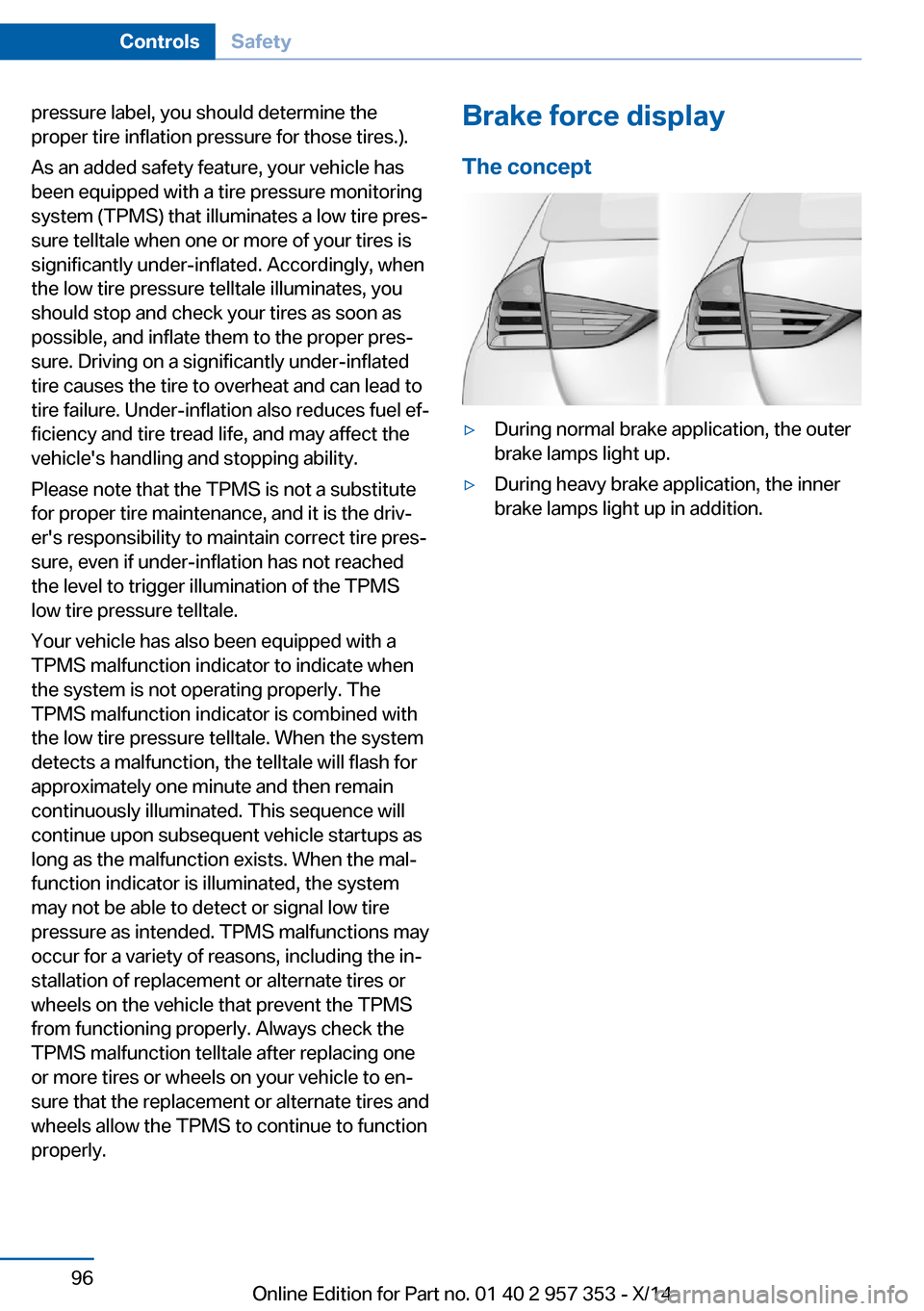
The concept▷During normal brake application, the outer
brake lamps light up.▷During heavy brake application, the inner
brake lamps light up in addition.Seite 96ControlsSafety96
Online Edition for Part no. 01 40 2 957 353 - X/14
Page 128 of 297
▷Do not use force when plugging the con‐
nector into the USB interface.▷Do not connect devices such as fans or
lamps to the USB interface.▷Do not connect a USB hard drive.▷Do not use the USB interface to recharge
external devices.
Center armrest front
Storage compartment The center armrest between the front seats
contains a compartment with cupholders or
the cover for the snap-in adapter, depending
on the version.
Details on this mobile phone cradle, refer to
page 205.
Opening
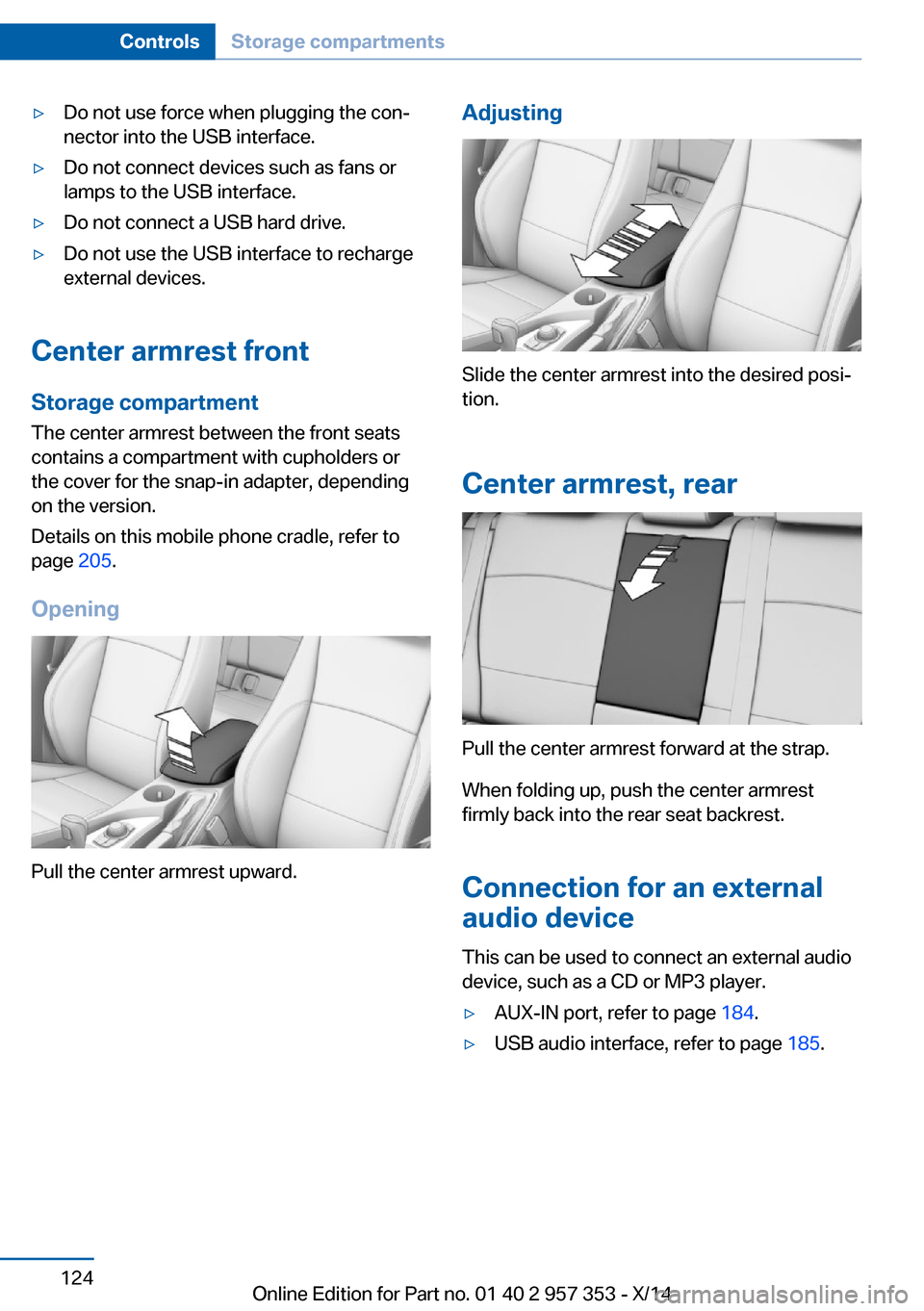
Pull the center armrest upward.
Adjusting
Slide the center armrest into the desired posi‐
tion.
Center armrest, rear
Pull the center armrest forward at the strap.
When folding up, push the center armrest
firmly back into the rear seat backrest.
Connection for an external
audio device
This can be used to connect an external audio
device, such as a CD or MP3 player.
▷AUX-IN port, refer to page 184.▷USB audio interface, refer to page 185.Seite 124ControlsStorage compartments124
Online Edition for Part no. 01 40 2 957 353 - X/14
Page 252 of 297
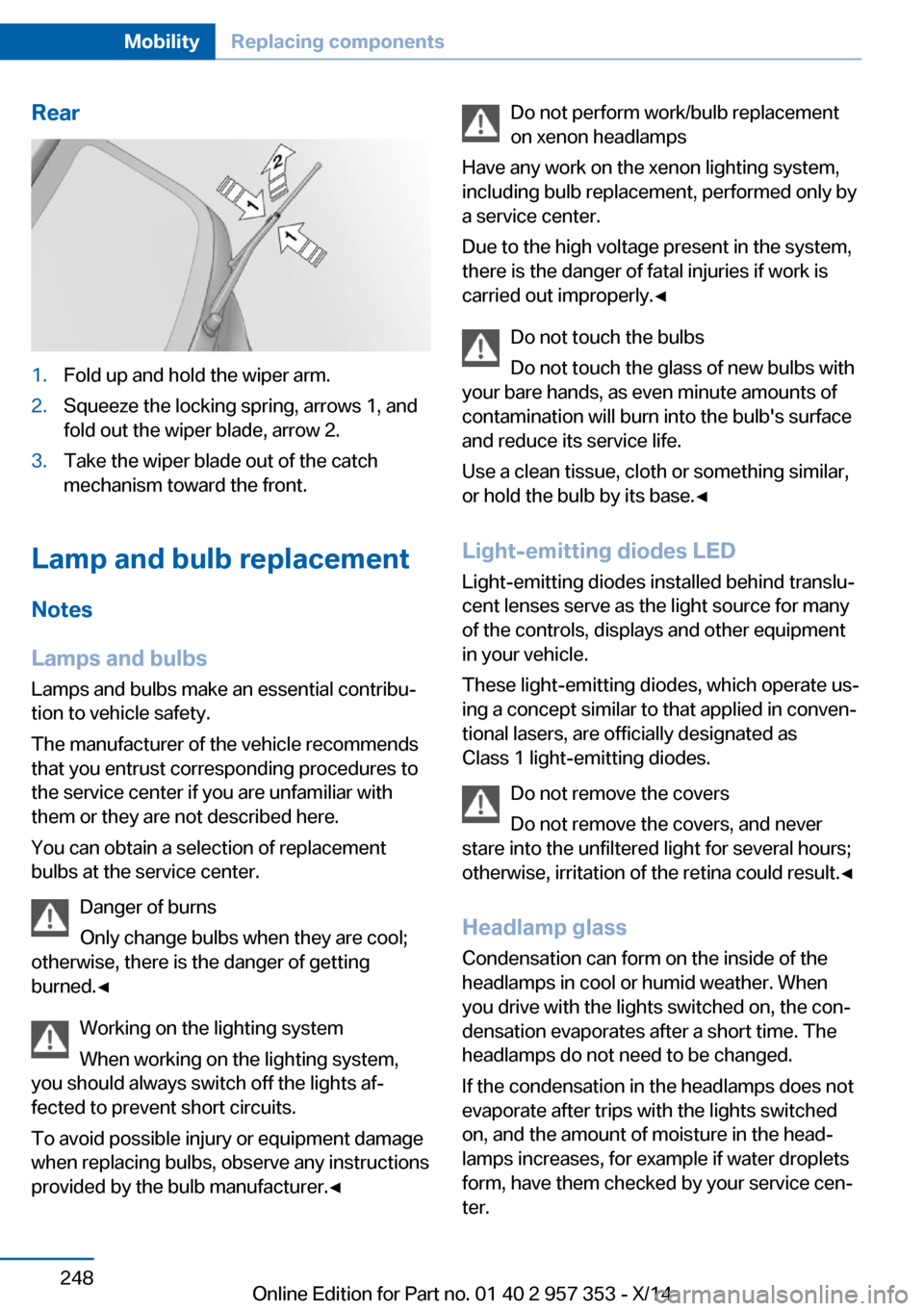
Rear1.Fold up and hold the wiper arm.2.Squeeze the locking spring, arrows 1, and
fold out the wiper blade, arrow 2.3.Take the wiper blade out of the catch
mechanism toward the front.
Lamp and bulb replacement
Notes
Lamps and bulbs
Lamps and bulbs make an essential contribu‐
tion to vehicle safety.
The manufacturer of the vehicle recommends
that you entrust corresponding procedures to
the service center if you are unfamiliar with them or they are not described here.
You can obtain a selection of replacement
bulbs at the service center.
Danger of burns
Only change bulbs when they are cool;
otherwise, there is the danger of getting
burned.◀
Working on the lighting system
When working on the lighting system,
you should always switch off the lights af‐
fected to prevent short circuits.
To avoid possible injury or equipment damage
when replacing bulbs, observe any instructions
provided by the bulb manufacturer.◀
Do not perform work/bulb replacement
on xenon headlamps
Have any work on the xenon lighting system,
including bulb replacement, performed only by
a service center.
Due to the high voltage present in the system,
there is the danger of fatal injuries if work is
carried out improperly.◀
Do not touch the bulbs
Do not touch the glass of new bulbs with
your bare hands, as even minute amounts of
contamination will burn into the bulb's surface
and reduce its service life.
Use a clean tissue, cloth or something similar,
or hold the bulb by its base.◀
Light-emitting diodes LED
Light-emitting diodes installed behind translu‐
cent lenses serve as the light source for many
of the controls, displays and other equipment
in your vehicle.
These light-emitting diodes, which operate us‐
ing a concept similar to that applied in conven‐
tional lasers, are officially designated as
Class 1 light-emitting diodes.
Do not remove the covers
Do not remove the covers, and never
stare into the unfiltered light for several hours; otherwise, irritation of the retina could result.◀
Headlamp glass
Condensation can form on the inside of the
headlamps in cool or humid weather. When
you drive with the lights switched on, the con‐
densation evaporates after a short time. The
headlamps do not need to be changed.
If the condensation in the headlamps does not
evaporate after trips with the lights switched
on, and the amount of moisture in the head‐
lamps increases, for example if water droplets
form, have them checked by your service cen‐
ter.Seite 248MobilityReplacing components248
Online Edition for Part no. 01 40 2 957 353 - X/14
Page 254 of 297
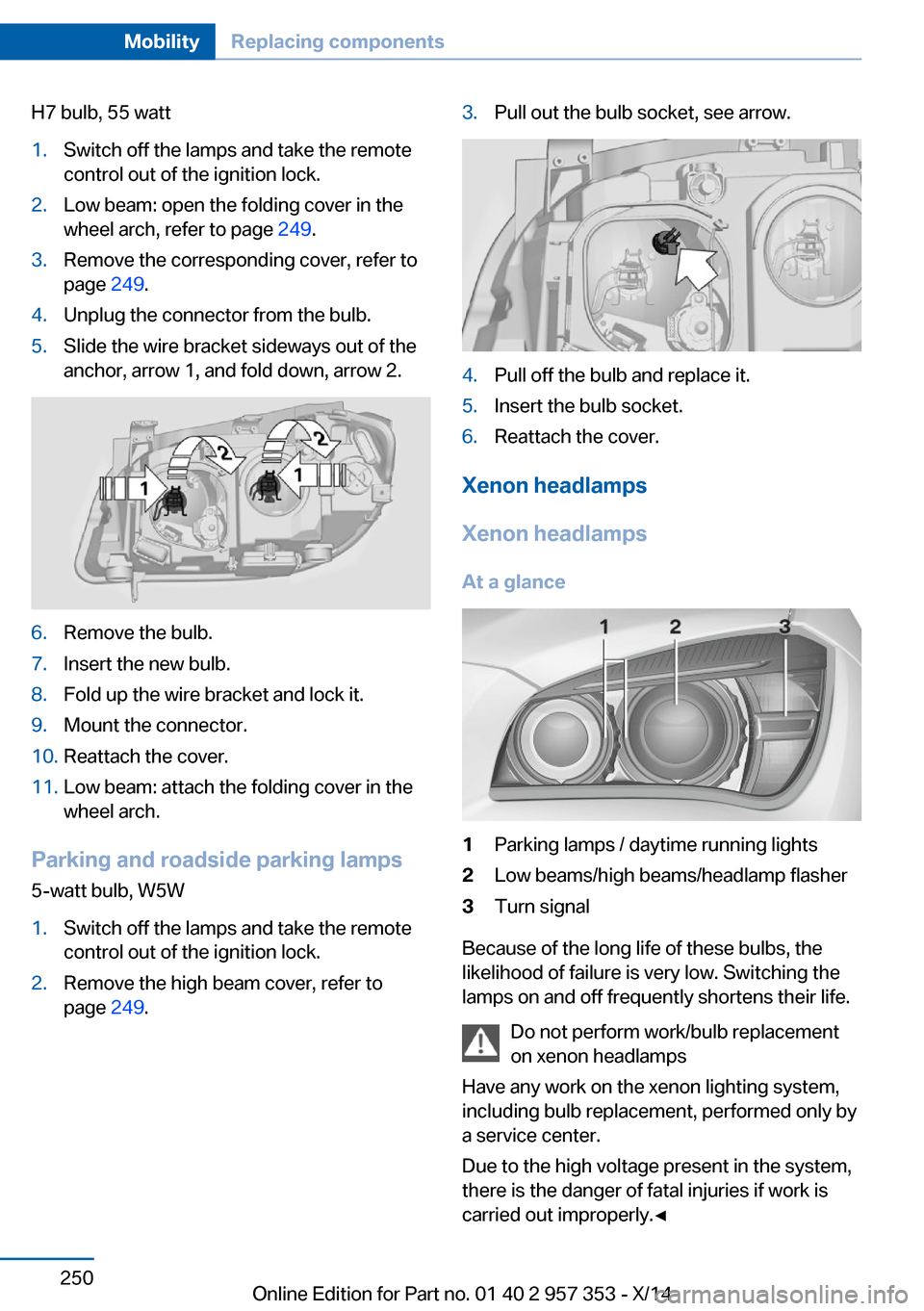
H7 bulb, 55 watt1.Switch off the lamps and take the remote
control out of the ignition lock.2.Low beam: open the folding cover in the
wheel arch, refer to page 249.3.Remove the corresponding cover, refer to
page 249.4.Unplug the connector from the bulb.5.Slide the wire bracket sideways out of the
anchor, arrow 1, and fold down, arrow 2.6.Remove the bulb.7.Insert the new bulb.8.Fold up the wire bracket and lock it.9.Mount the connector.10.Reattach the cover.11.Low beam: attach the folding cover in the
wheel arch.
Parking and roadside parking lamps
5-watt bulb, W5W
1.Switch off the lamps and take the remote
control out of the ignition lock.2.Remove the high beam cover, refer to
page 249.3.Pull out the bulb socket, see arrow.4.Pull off the bulb and replace it.5.Insert the bulb socket.6.Reattach the cover.
Xenon headlamps
Xenon headlamps At a glance
1Parking lamps / daytime running lights2Low beams/high beams/headlamp flasher3Turn signal
Because of the long life of these bulbs, the
likelihood of failure is very low. Switching the
lamps on and off frequently shortens their life.
Do not perform work/bulb replacement
on xenon headlamps
Have any work on the xenon lighting system,
including bulb replacement, performed only by
a service center.
Due to the high voltage present in the system,
there is the danger of fatal injuries if work is
carried out improperly.◀
Seite 250MobilityReplacing components250
Online Edition for Part no. 01 40 2 957 353 - X/14
Page 255 of 297
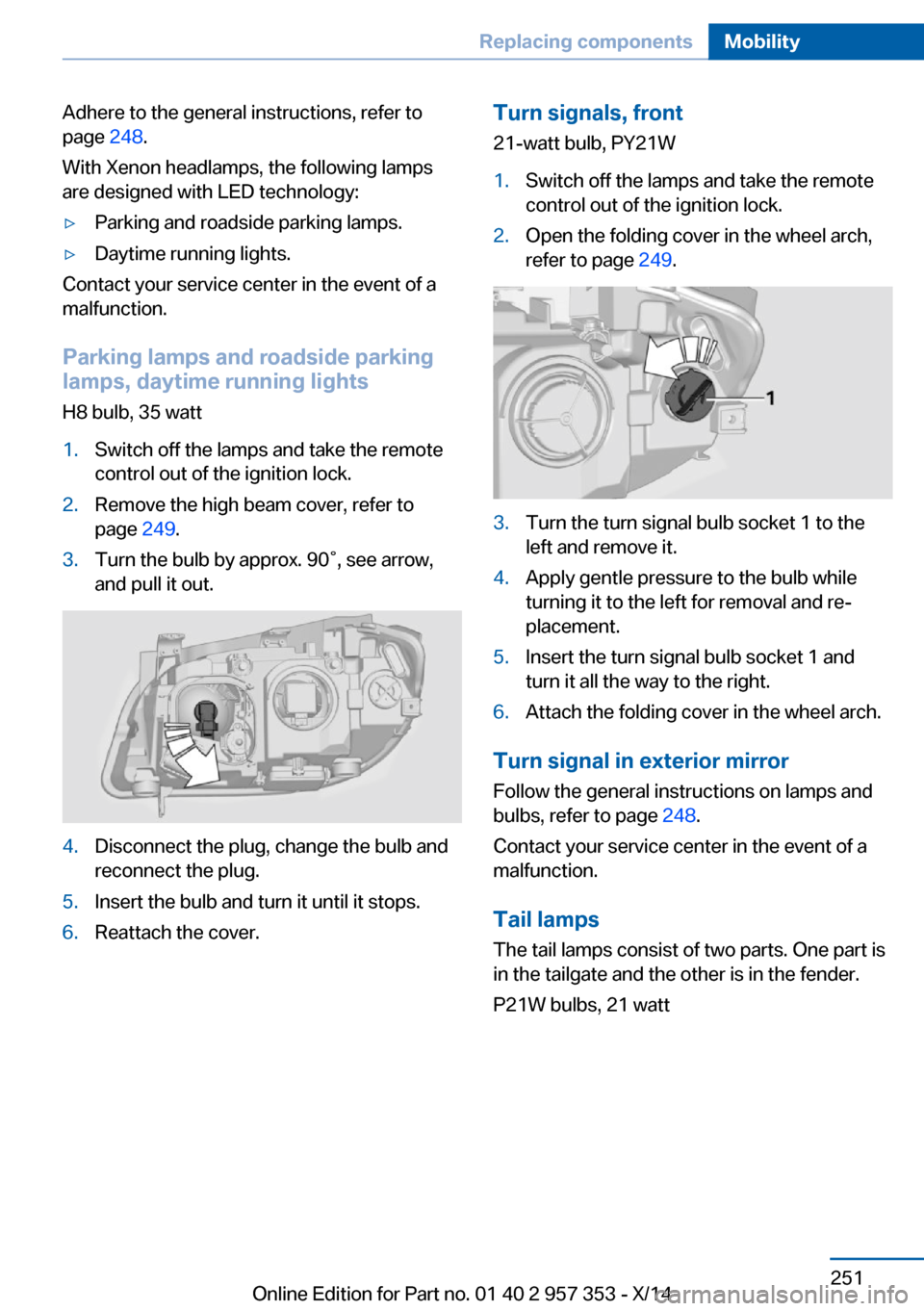
Adhere to the general instructions, refer to
page 248.
With Xenon headlamps, the following lamps
are designed with LED technology:▷Parking and roadside parking lamps.▷Daytime running lights.
Contact your service center in the event of a
malfunction.
Parking lamps and roadside parking
lamps, daytime running lights
H8 bulb, 35 watt
1.Switch off the lamps and take the remote
control out of the ignition lock.2.Remove the high beam cover, refer to
page 249.3.Turn the bulb by approx. 90˚, see arrow,
and pull it out.4.Disconnect the plug, change the bulb and
reconnect the plug.5.Insert the bulb and turn it until it stops.6.Reattach the cover.Turn signals, front
21-watt bulb, PY21W1.Switch off the lamps and take the remote
control out of the ignition lock.2.Open the folding cover in the wheel arch,
refer to page 249.3.Turn the turn signal bulb socket 1 to the
left and remove it.4.Apply gentle pressure to the bulb while
turning it to the left for removal and re‐
placement.5.Insert the turn signal bulb socket 1 and
turn it all the way to the right.6.Attach the folding cover in the wheel arch.
Turn signal in exterior mirror
Follow the general instructions on lamps and
bulbs, refer to page 248.
Contact your service center in the event of a
malfunction.
Tail lamps
The tail lamps consist of two parts. One part is
in the tailgate and the other is in the fender.
P21W bulbs, 21 watt
Seite 251Replacing componentsMobility251
Online Edition for Part no. 01 40 2 957 353 - X/14
Page 256 of 297
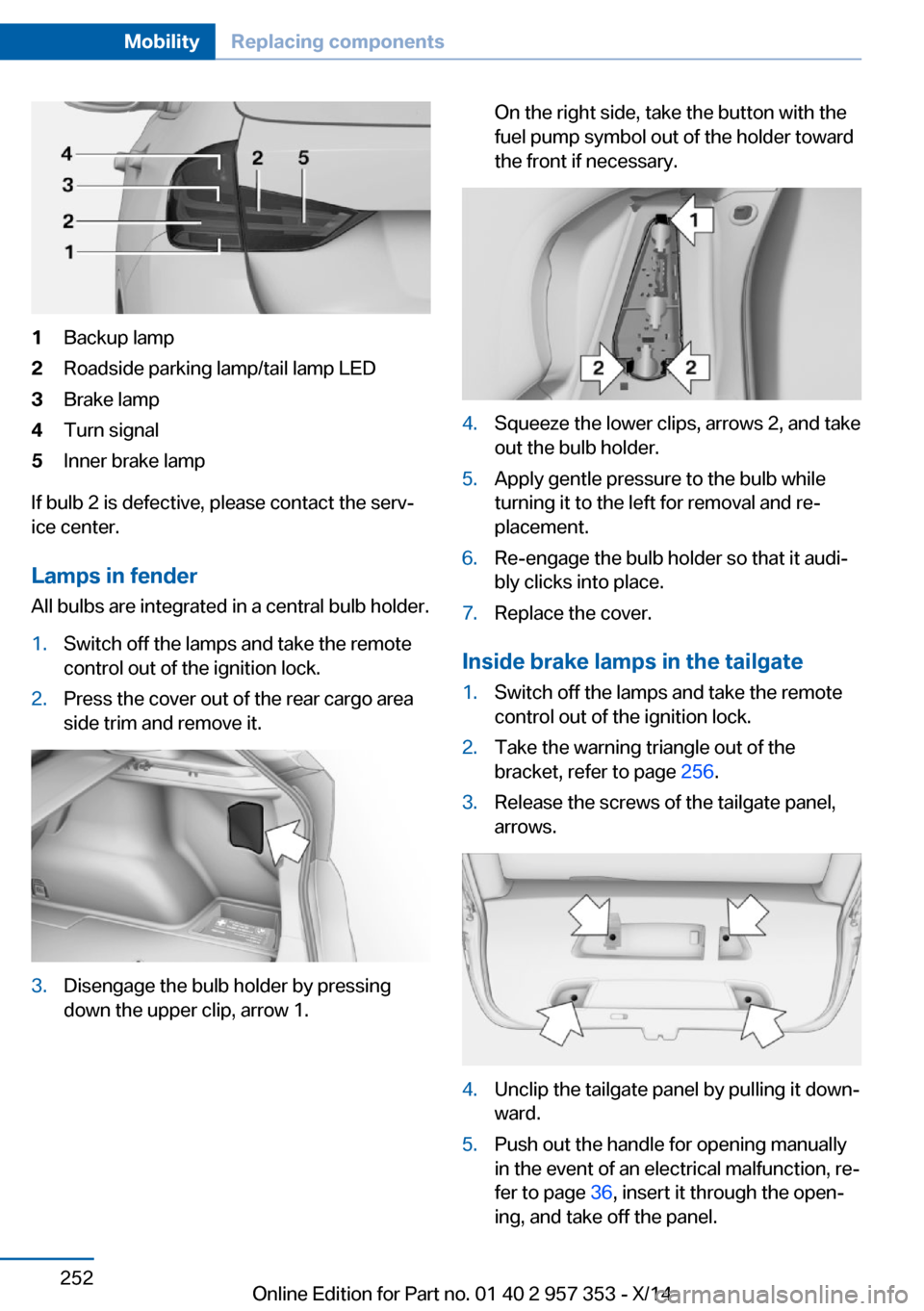
1Backup lamp2Roadside parking lamp/tail lamp LED3Brake lamp4Turn signal5Inner brake lamp
If bulb 2 is defective, please contact the serv‐
ice center.
Lamps in fender
All bulbs are integrated in a central bulb holder.
1.Switch off the lamps and take the remote
control out of the ignition lock.2.Press the cover out of the rear cargo area
side trim and remove it.3.Disengage the bulb holder by pressing
down the upper clip, arrow 1.On the right side, take the button with the
fuel pump symbol out of the holder toward
the front if necessary.4.Squeeze the lower clips, arrows 2, and take
out the bulb holder.5.Apply gentle pressure to the bulb while
turning it to the left for removal and re‐
placement.6.Re-engage the bulb holder so that it audi‐
bly clicks into place.7.Replace the cover.
Inside brake lamps in the tailgate
1.Switch off the lamps and take the remote
control out of the ignition lock.2.Take the warning triangle out of the
bracket, refer to page 256.3.Release the screws of the tailgate panel,
arrows.4.Unclip the tailgate panel by pulling it down‐
ward.5.Push out the handle for opening manually
in the event of an electrical malfunction, re‐
fer to page 36, insert it through the open‐
ing, and take off the panel.Seite 252MobilityReplacing components252
Online Edition for Part no. 01 40 2 957 353 - X/14
Page 262 of 297
Automatic transmission, 8-gear:
transporting your vehicle
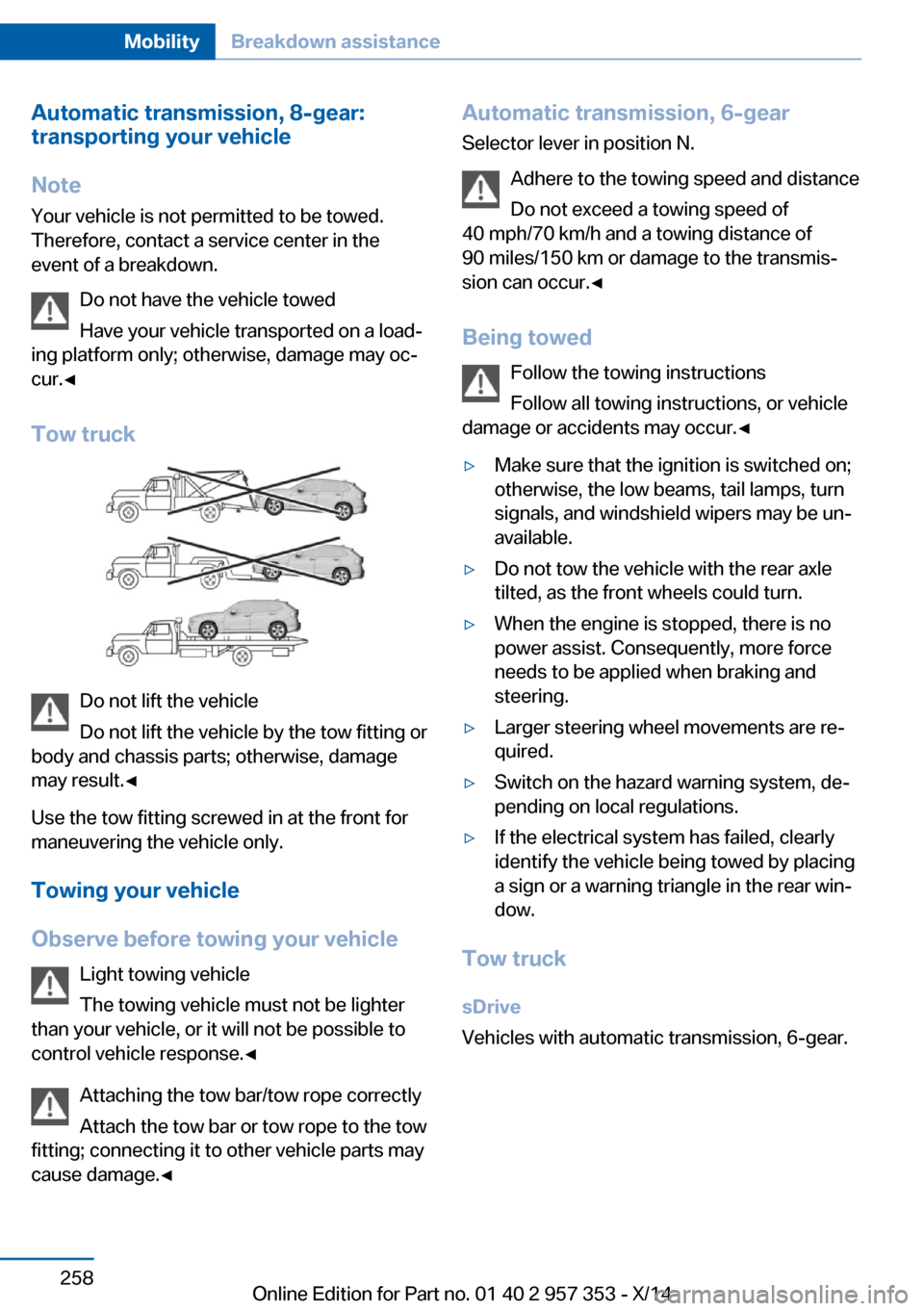
Note Your vehicle is not permitted to be towed.
Therefore, contact a service center in the
event of a breakdown.
Do not have the vehicle towed
Have your vehicle transported on a load‐
ing platform only; otherwise, damage may oc‐
cur.◀
Tow truck
Do not lift the vehicle
Do not lift the vehicle by the tow fitting or
body and chassis parts; otherwise, damage
may result.◀
Use the tow fitting screwed in at the front for
maneuvering the vehicle only.
Towing your vehicle
Observe before towing your vehicle Light towing vehicle
The towing vehicle must not be lighter
than your vehicle, or it will not be possible to
control vehicle response.◀
Attaching the tow bar/tow rope correctly
Attach the tow bar or tow rope to the tow
fitting; connecting it to other vehicle parts may
cause damage.◀
Automatic transmission, 6-gear
Selector lever in position N.
Adhere to the towing speed and distance
Do not exceed a towing speed of
40 mph/70 km/h and a towing distance of
90 miles/150 km or damage to the transmis‐
sion can occur.◀
Being towed Follow the towing instructions
Follow all towing instructions, or vehicle
damage or accidents may occur.◀▷Make sure that the ignition is switched on;
otherwise, the low beams, tail lamps, turn
signals, and windshield wipers may be un‐
available.▷Do not tow the vehicle with the rear axle
tilted, as the front wheels could turn.▷When the engine is stopped, there is no
power assist. Consequently, more force
needs to be applied when braking and
steering.▷Larger steering wheel movements are re‐
quired.▷Switch on the hazard warning system, de‐
pending on local regulations.▷If the electrical system has failed, clearly
identify the vehicle being towed by placing
a sign or a warning triangle in the rear win‐
dow.
Tow truck
sDrive
Vehicles with automatic transmission, 6-gear.
Seite 258MobilityBreakdown assistance258
Online Edition for Part no. 01 40 2 957 353 - X/14
Page 283 of 297
Average speed, refer to Com‐puter 73
Axle loads, refer to Weights 268
B
Backrest curvature, refer to Lumbar support 45
Backrests, refer to Seats 44
Backrest width adjust‐ ment 46
Back seats– Adjusting the backrest
tilt 119
Backup camera 105
Backup camera, obstacle marking 107
Backup camera, pathway lines 106
Backup camera, turning lines 106
Backup lamps, bulb replace‐ ment 252
Balance 164
Band-aids, refer to First aid kit 256
Bass 164
Battery
– Remote control 30
Battery disposal 254
Battery, refer to Vehicle bat‐ tery 253
Battery replacement, remote control for vehicle 38
Before entering the car wash 261
Belts, refer to Safety belts 46
Belt tensioners, refer to Safety belts 46
Beverage holder, refer to Cu‐ pholder 125
Black and white map dis‐ play 158
Blower, refer to Air flow rate 110
Bluetooth audio 187
Bluetooth connection, acti‐
vating/deactivating 197
BMW Apps 222
BMW EfficientDynamics, re‐ fer to Saving fuel 137
BMW Homepage 6
BMW Internet page 6
BMW maintenance sys‐ tem 245
BMW Online 220
Bottle holder, refer to Cu‐ pholder 125
Brake assistant 97
Brake discs, breaking in 130
Brake fluid, refer to Service requirements 78
Brake force display 96
Brake force distribution, elec‐ tronic 97
Brake lamps– Bulb replacement 252
Brake lamps, brake force dis‐
play 96
Brake lights, adaptive 96
Brake pads, breaking in 130
Brakes
– Parking brake 61
Brakes, BMW maintenance
system 245
Brakes, service require‐ ments 78
Brake system, BMW mainte‐ nance system 245
Braking, notes 131
Breakdown assistance, refer to Roadside Assistance 219
Breakdown, transporting the vehicle 258
Breaking in 130
Brightness on the Control Display 78
Bulb replacement, refer to Lamp and bulb replace‐
ment 248
Button for starting the engine, refer to Start/Stop but‐
ton 57
C
Calendar 212
California Proposition 65 Warning 7
Camera, care 264
Camera, refer to Backup cam‐ era 105
Can holder, refer to Cu‐ pholder 125
Car battery, refer to Vehicle battery 253
Car care products 262
Care 261
Care, displays 264
Care, vehicle 262
Cargo 134
Cargo area 118
Cargo area– Comfort Access 37– Cover 118– Folding up the cargo floor
panel 121– Multi-function hook 122– Partition net 119
Cargo area, capacities 268
Cargo area, enlarging 119
Cargo area lid, refer to Tail‐ gate 35
Cargo area light, refer to Inte‐ rior lights 87
Cargo area net, refer to Parti‐ tion net 119
Cargo area, opening from the inside 36
Cargo area, opening from the outside 36
Cargo floor panel
– Folding up 121
Cargo floor panel, raising 121
Cargo straps, securing cargo 135
Car key, refer to Integrated key/remote control 30
Carpet, care 263
Seite 279Everything from A to ZReference279
Online Edition for Part no. 01 40 2 957 353 - X/14
Page 286 of 297
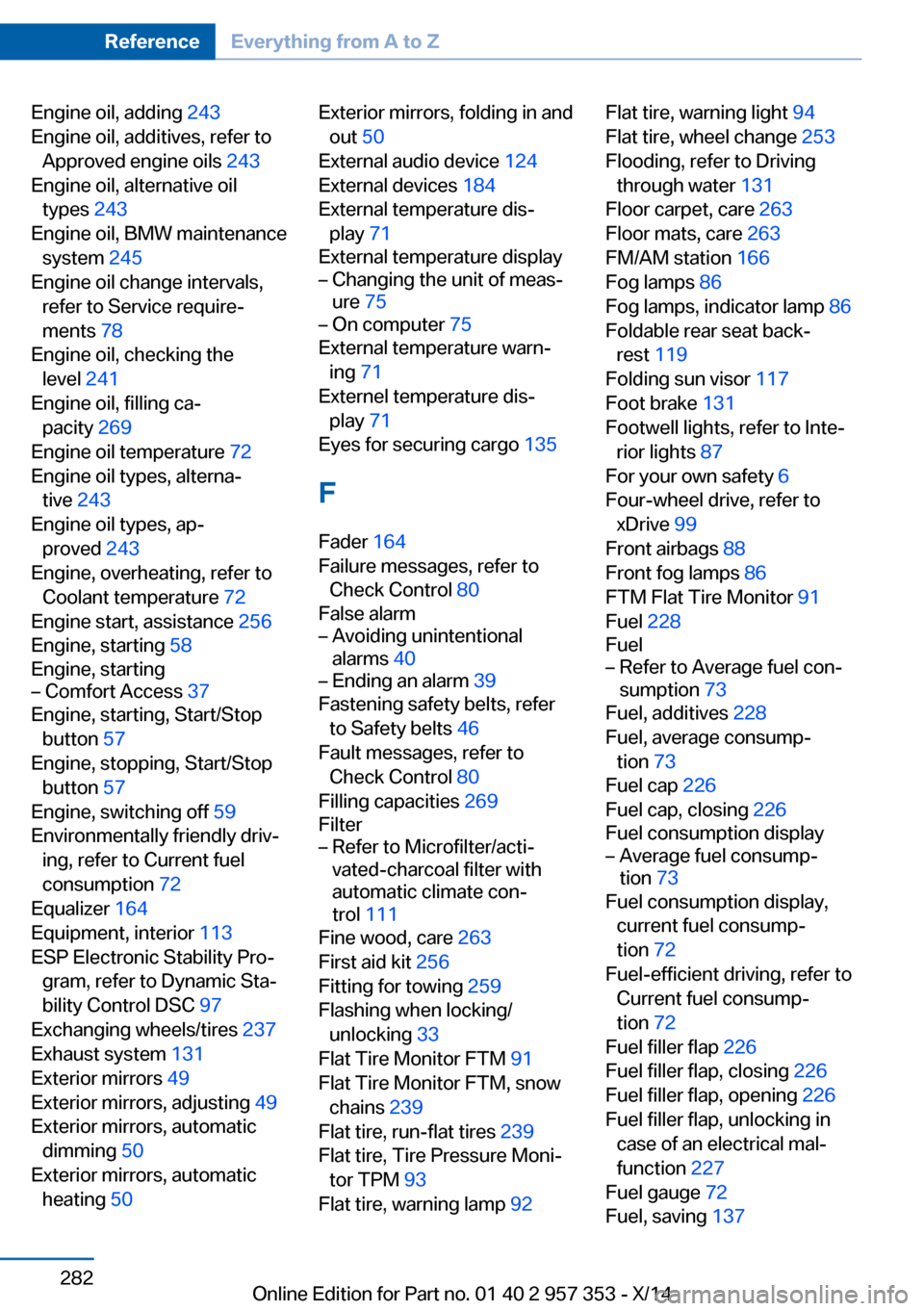
Engine oil, adding 243
Engine oil, additives, refer to Approved engine oils 243
Engine oil, alternative oil types 243
Engine oil, BMW maintenance system 245
Engine oil change intervals, refer to Service require‐
ments 78
Engine oil, checking the level 241
Engine oil, filling ca‐ pacity 269
Engine oil temperature 72
Engine oil types, alterna‐ tive 243
Engine oil types, ap‐ proved 243
Engine, overheating, refer to Coolant temperature 72
Engine start, assistance 256
Engine, starting 58
Engine, starting– Comfort Access 37
Engine, starting, Start/Stop
button 57
Engine, stopping, Start/Stop button 57
Engine, switching off 59
Environmentally friendly driv‐ ing, refer to Current fuel
consumption 72
Equalizer 164
Equipment, interior 113
ESP Electronic Stability Pro‐ gram, refer to Dynamic Sta‐
bility Control DSC 97
Exchanging wheels/tires 237
Exhaust system 131
Exterior mirrors 49
Exterior mirrors, adjusting 49
Exterior mirrors, automatic dimming 50
Exterior mirrors, automatic heating 50
Exterior mirrors, folding in and
out 50
External audio device 124
External devices 184
External temperature dis‐ play 71
External temperature display– Changing the unit of meas‐
ure 75– On computer 75
External temperature warn‐
ing 71
Externel temperature dis‐ play 71
Eyes for securing cargo 135
F
Fader 164
Failure messages, refer to Check Control 80
False alarm
– Avoiding unintentional
alarms 40– Ending an alarm 39
Fastening safety belts, refer
to Safety belts 46
Fault messages, refer to Check Control 80
Filling capacities 269
Filter
– Refer to Microfilter/acti‐
vated-charcoal filter with
automatic climate con‐
trol 111
Fine wood, care 263
First aid kit 256
Fitting for towing 259
Flashing when locking/ unlocking 33
Flat Tire Monitor FTM 91
Flat Tire Monitor FTM, snow chains 239
Flat tire, run-flat tires 239
Flat tire, Tire Pressure Moni‐ tor TPM 93
Flat tire, warning lamp 92
Flat tire, warning light 94
Flat tire, wheel change 253
Flooding, refer to Driving through water 131
Floor carpet, care 263
Floor mats, care 263
FM/AM station 166
Fog lamps 86
Fog lamps, indicator lamp 86
Foldable rear seat back‐ rest 119
Folding sun visor 117
Foot brake 131
Footwell lights, refer to Inte‐ rior lights 87
For your own safety 6
Four-wheel drive, refer to xDrive 99
Front airbags 88
Front fog lamps 86
FTM Flat Tire Monitor 91
Fuel 228
Fuel– Refer to Average fuel con‐
sumption 73
Fuel, additives 228
Fuel, average consump‐ tion 73
Fuel cap 226
Fuel cap, closing 226
Fuel consumption display
– Average fuel consump‐
tion 73
Fuel consumption display,
current fuel consump‐
tion 72
Fuel-efficient driving, refer to Current fuel consump‐
tion 72
Fuel filler flap 226
Fuel filler flap, closing 226
Fuel filler flap, opening 226
Fuel filler flap, unlocking in case of an electrical mal‐
function 227
Fuel gauge 72
Fuel, saving 137
Seite 282ReferenceEverything from A to Z282
Online Edition for Part no. 01 40 2 957 353 - X/14
Page 287 of 297
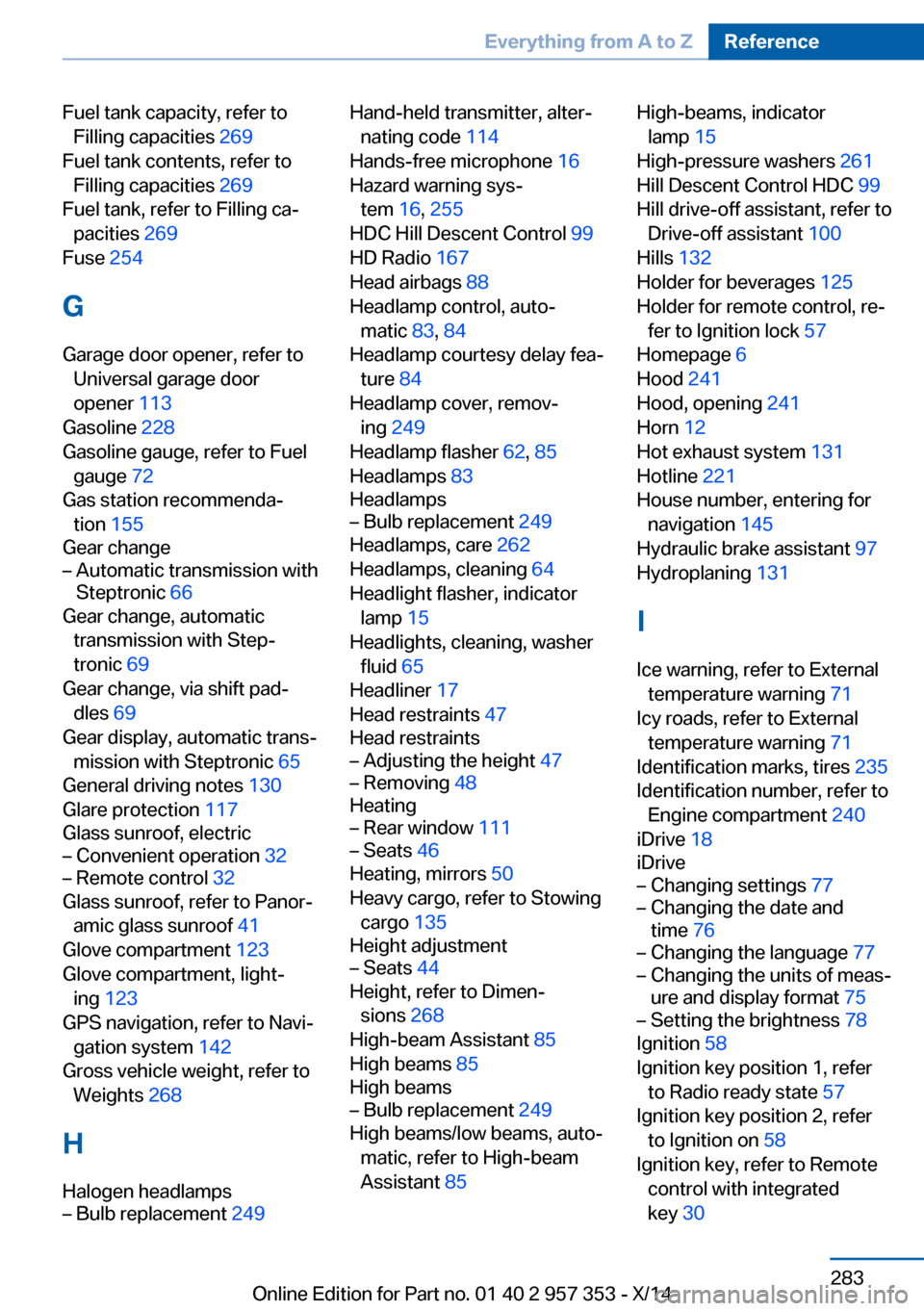
Fuel tank capacity, refer toFilling capacities 269
Fuel tank contents, refer to Filling capacities 269
Fuel tank, refer to Filling ca‐ pacities 269
Fuse 254
G
Garage door opener, refer to Universal garage door
opener 113
Gasoline 228
Gasoline gauge, refer to Fuel gauge 72
Gas station recommenda‐ tion 155
Gear change– Automatic transmission with
Steptronic 66
Gear change, automatic
transmission with Step‐
tronic 69
Gear change, via shift pad‐ dles 69
Gear display, automatic trans‐ mission with Steptronic 65
General driving notes 130
Glare protection 117
Glass sunroof, electric
– Convenient operation 32– Remote control 32
Glass sunroof, refer to Panor‐
amic glass sunroof 41
Glove compartment 123
Glove compartment, light‐ ing 123
GPS navigation, refer to Navi‐ gation system 142
Gross vehicle weight, refer to Weights 268
H
Halogen headlamps
– Bulb replacement 249Hand-held transmitter, alter‐
nating code 114
Hands-free microphone 16
Hazard warning sys‐ tem 16, 255
HDC Hill Descent Control 99
HD Radio 167
Head airbags 88
Headlamp control, auto‐ matic 83, 84
Headlamp courtesy delay fea‐ ture 84
Headlamp cover, remov‐ ing 249
Headlamp flasher 62, 85
Headlamps 83
Headlamps– Bulb replacement 249
Headlamps, care 262
Headlamps, cleaning 64
Headlight flasher, indicator lamp 15
Headlights, cleaning, washer
fluid 65
Headliner 17
Head restraints 47
Head restraints
– Adjusting the height 47– Removing 48
Heating
– Rear window 111– Seats 46
Heating, mirrors 50
Heavy cargo, refer to Stowing cargo 135
Height adjustment
– Seats 44
Height, refer to Dimen‐
sions 268
High-beam Assistant 85
High beams 85
High beams
– Bulb replacement 249
High beams/low beams, auto‐
matic, refer to High-beam
Assistant 85
High-beams, indicator
lamp 15
High-pressure washers 261
Hill Descent Control HDC 99
Hill drive-off assistant, refer to Drive-off assistant 100
Hills 132
Holder for beverages 125
Holder for remote control, re‐ fer to Ignition lock 57
Homepage 6
Hood 241
Hood, opening 241
Horn 12
Hot exhaust system 131
Hotline 221
House number, entering for navigation 145
Hydraulic brake assistant 97
Hydroplaning 131
I Ice warning, refer to External temperature warning 71
Icy roads, refer to External temperature warning 71
Identification marks, tires 235
Identification number, refer to Engine compartment 240
iDrive 18
iDrive– Changing settings 77– Changing the date and
time 76– Changing the language 77– Changing the units of meas‐
ure and display format 75– Setting the brightness 78
Ignition 58
Ignition key position 1, refer to Radio ready state 57
Ignition key position 2, refer to Ignition on 58
Ignition key, refer to Remote control with integrated
key 30
Seite 283Everything from A to ZReference283
Online Edition for Part no. 01 40 2 957 353 - X/14