belt BMW X1 2015 E84 User Guide
[x] Cancel search | Manufacturer: BMW, Model Year: 2015, Model line: X1, Model: BMW X1 2015 E84Pages: 297, PDF Size: 7.01 MB
Page 72 of 297
Automatic transmission with
Steptronic, 8-gear
Transmission positions
D Drive, automatic position Position for normal vehicle operation. All for‐
ward gears are available.
Under normal operating conditions, fuel con‐
sumption is lowest when you are driving in po‐
sition D.
Kickdown
Kickdown is used to achieve maximum driving
performance. Press on the accelerator beyond
the resistance point at the full throttle position.
R is Reverse
Select only when the vehicle is stationary.
N is Neutral
The vehicle can roll.
N remains engaged after the engine is
switched off if the remote control remains in
the ignition lock. This function can be used in
an automatic car wash, refer to page 263, for
example. P is automatically engaged after ap‐
prox. 30 minutes.
P ParkThe drive wheels are blocked.
P is engaged automatically when the following
conditions are met:▷The driver's door is opened while the en‐
gine is running, the safety belt is not fas‐
tened and neither the brake pedal nor the
accelerator is activated.▷The engine is switched off unless N is en‐
gaged and the remote control is in the igni‐
tion lock.▷The remote control is removed from the ig‐
nition lock.Before leaving the vehicle, ensure that the
transmission position P is engaged; otherwise,
the vehicle may begin to roll.
Engaging transmission position▷Transmission position P can only be disen‐
gaged if the engine is running and the
brake pedal is pressed.▷With the vehicle stationary, press on the
brake pedal before shifting out of P or N;
otherwise, the shift command will not be
executed: shift lock.
Press on the brake pedal until you start
driving
To prevent the vehicle from creeping after you
select a driving position, maintain pressure on
the brake pedal until you are ready to start.◀
Engaging transmission positions D, R,
N
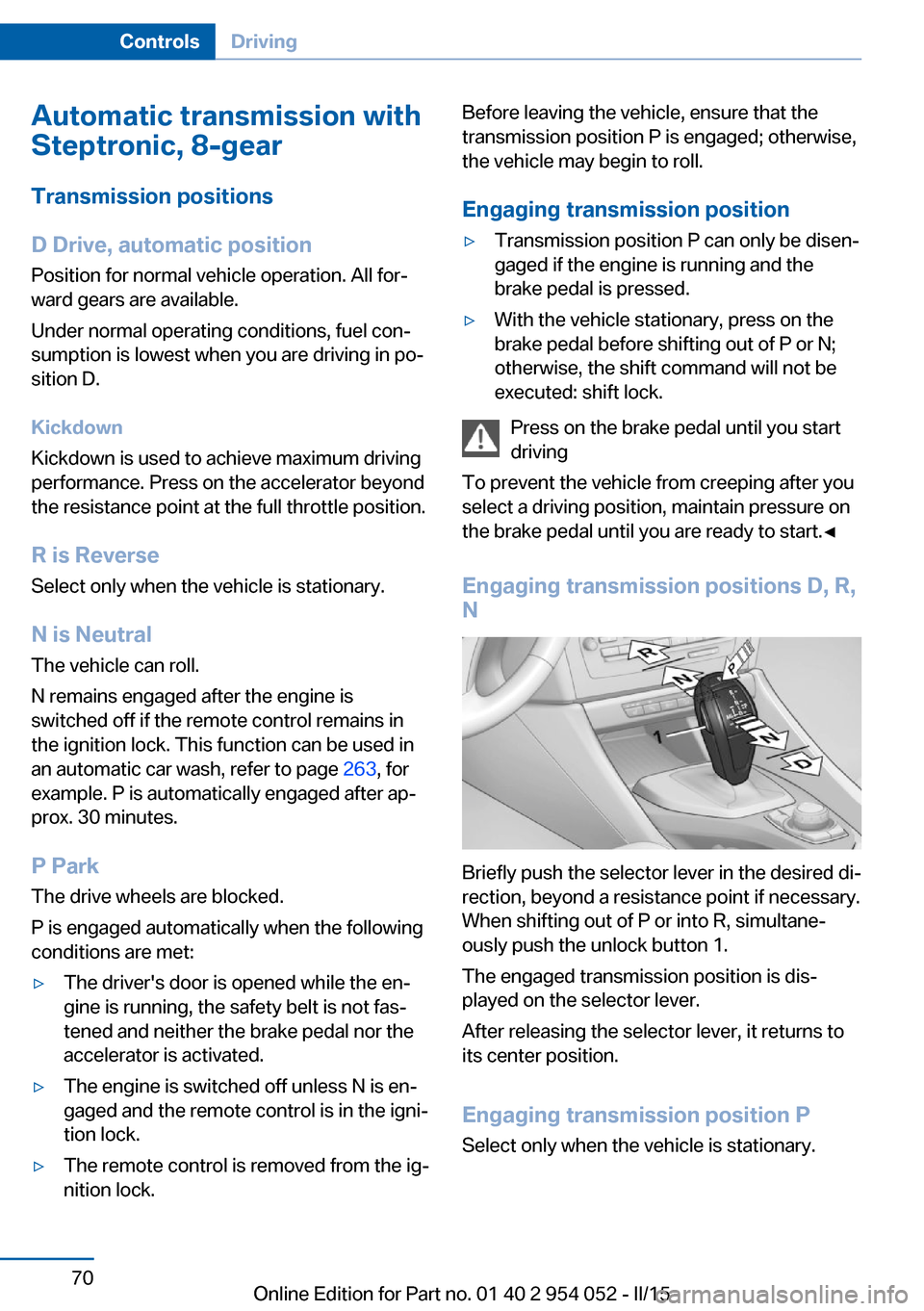
Briefly push the selector lever in the desired di‐
rection, beyond a resistance point if necessary.
When shifting out of P or into R, simultane‐
ously push the unlock button 1.
The engaged transmission position is dis‐
played on the selector lever.
After releasing the selector lever, it returns to
its center position.
Engaging transmission position P Select only when the vehicle is stationary.
Seite 70ControlsDriving70
Online Edition for Part no. 01 40 2 954 052 - II/15
Page 92 of 297
SafetyVehicle equipment
This chapter describes all series equipment as
well as country-specific and special equipment
offered for this model series. Therefore, it also
describes equipment that may not be found in
your vehicle, for instance due to the selectedspecial equipment or the country version. This
also applies to safety-related functions and
systems.
When using the features and systems descri‐
bed here, adhere to local regulations.
Airbags
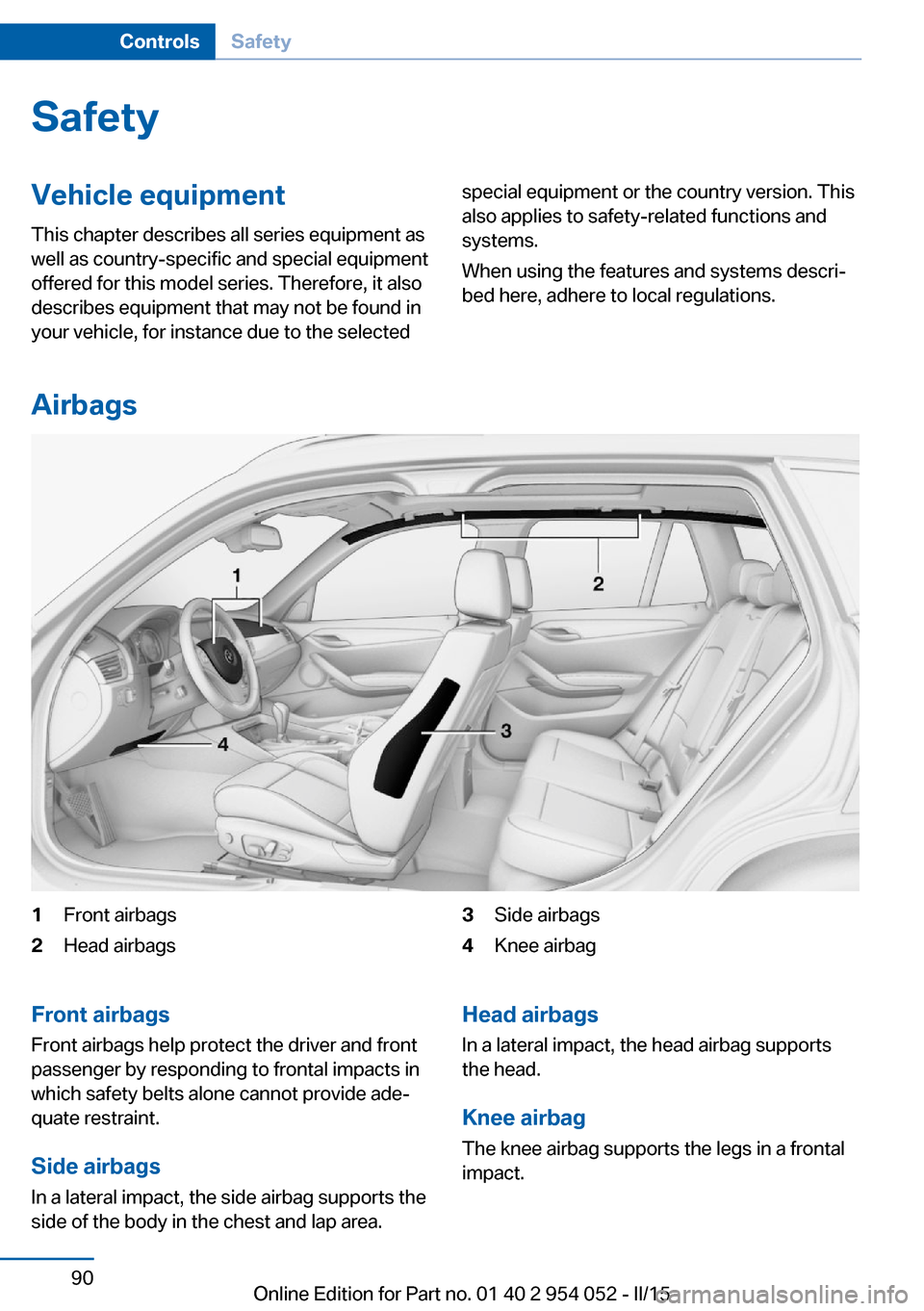
1Front airbags2Head airbags3Side airbags4Knee airbagFront airbags
Front airbags help protect the driver and front
passenger by responding to frontal impacts in
which safety belts alone cannot provide ade‐
quate restraint.
Side airbags
In a lateral impact, the side airbag supports the
side of the body in the chest and lap area.Head airbags
In a lateral impact, the head airbag supports
the head.
Knee airbagThe knee airbag supports the legs in a frontal
impact.Seite 90ControlsSafety90
Online Edition for Part no. 01 40 2 954 052 - II/15
Page 95 of 297
Operational readiness of airbag
system
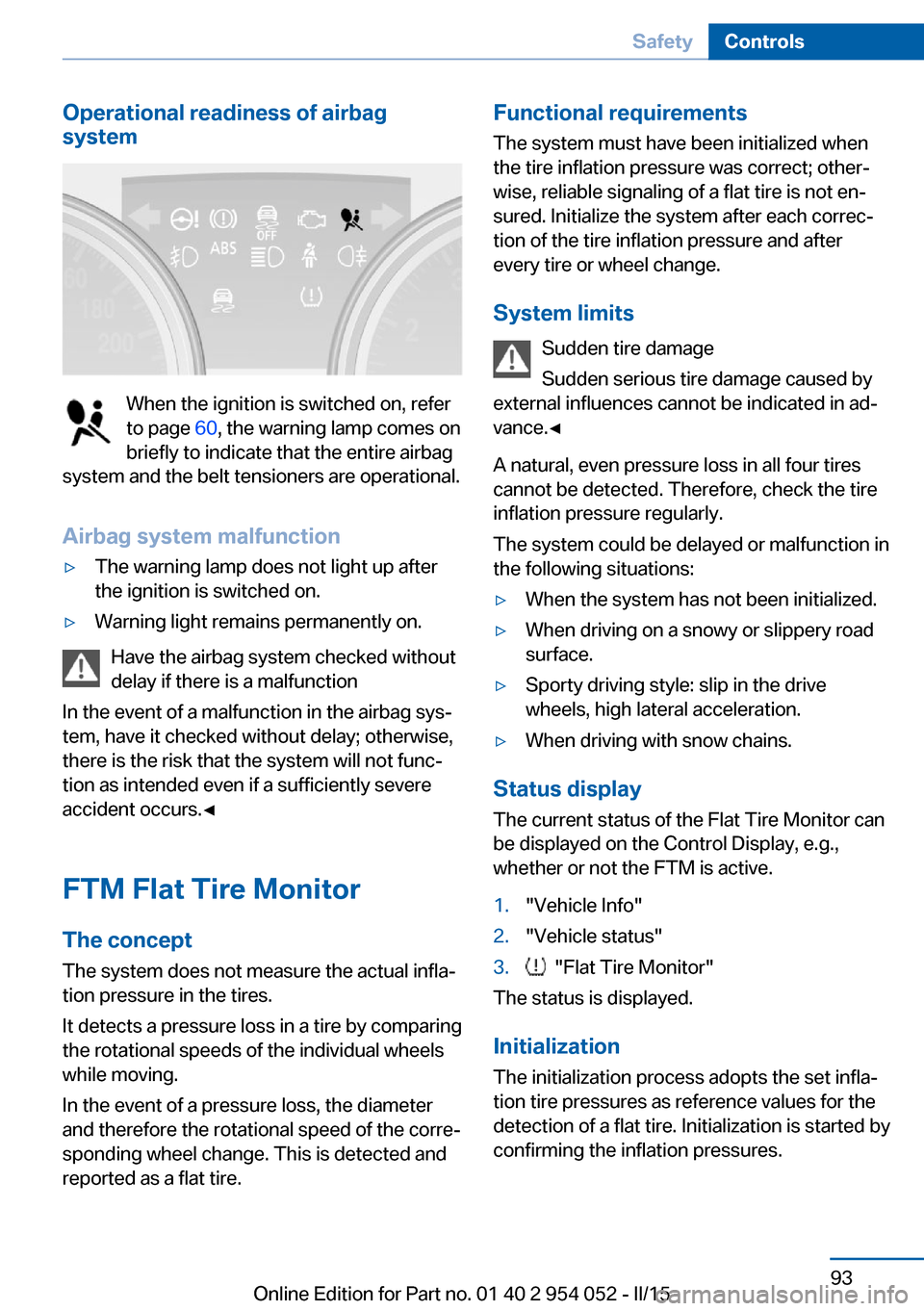
When the ignition is switched on, refer
to page 60, the warning lamp comes on
briefly to indicate that the entire airbag
system and the belt tensioners are operational.
Airbag system malfunction
▷The warning lamp does not light up after
the ignition is switched on.▷Warning light remains permanently on.
Have the airbag system checked without
delay if there is a malfunction
In the event of a malfunction in the airbag sys‐
tem, have it checked without delay; otherwise,
there is the risk that the system will not func‐
tion as intended even if a sufficiently severe
accident occurs.◀
FTM Flat Tire Monitor The conceptThe system does not measure the actual infla‐
tion pressure in the tires.
It detects a pressure loss in a tire by comparing
the rotational speeds of the individual wheels
while moving.
In the event of a pressure loss, the diameter
and therefore the rotational speed of the corre‐
sponding wheel change. This is detected and
reported as a flat tire.
Functional requirements
The system must have been initialized when
the tire inflation pressure was correct; other‐
wise, reliable signaling of a flat tire is not en‐
sured. Initialize the system after each correc‐
tion of the tire inflation pressure and after
every tire or wheel change.
System limits Sudden tire damage
Sudden serious tire damage caused by
external influences cannot be indicated in ad‐
vance.◀
A natural, even pressure loss in all four tires
cannot be detected. Therefore, check the tire
inflation pressure regularly.
The system could be delayed or malfunction in
the following situations:▷When the system has not been initialized.▷When driving on a snowy or slippery road
surface.▷Sporty driving style: slip in the drive
wheels, high lateral acceleration.▷When driving with snow chains.
Status display
The current status of the Flat Tire Monitor can
be displayed on the Control Display, e.g.,
whether or not the FTM is active.
1."Vehicle Info"2."Vehicle status"3. "Flat Tire Monitor"
The status is displayed.
Initialization
The initialization process adopts the set infla‐
tion tire pressures as reference values for the
detection of a flat tire. Initialization is started by
confirming the inflation pressures.
Seite 93SafetyControls93
Online Edition for Part no. 01 40 2 954 052 - II/15
Page 123 of 297
Enlarging the cargo area
General information
The cargo area can be enlarged by folding
down the rear seat backrests.
The rear seat backrest is divided at a ratio of
40-20-40.
The backrests can be adjusted to 10 different
positions between the comfort and transport
positions and they can be folded down.
In the comfort position, the backrests are tilted
back to the greatest possible angle and in the
transport position they are nearly vertical.
Before mounting a child restraint fixing system,
note the instructions, refer to page 54.
Danger of pinching
Before folding down the rear seat back‐
rests, ensure that path of movement of the
backrests is clear. Especially when the middle
section is folded down, ensure that no one is
located in or reaches into the path of move‐
ment of the rear seat backrests. Otherwise, in‐
juries or damage may result.◀
Observe the instructions concerning the
safety belt
Observe the instructions concerning the safety
belt, refer to page 48. Otherwise, personal pro‐
tection may be compromised.◀
Adjusting the outer backrests1.Reach into the recess and pull the lever to‐
ward the front.2.Engage the backrest in the desired posi‐
tion or fold it down.
On the left side, the outer and center backrests
are adjusted jointly toward the front if both
backrests are engaged in the same lock-in po‐
sition.
The backrests can be adjusted separately to‐
ward the rear. Note that the center backrest
cannot be tilted farther down than the left
backrest.
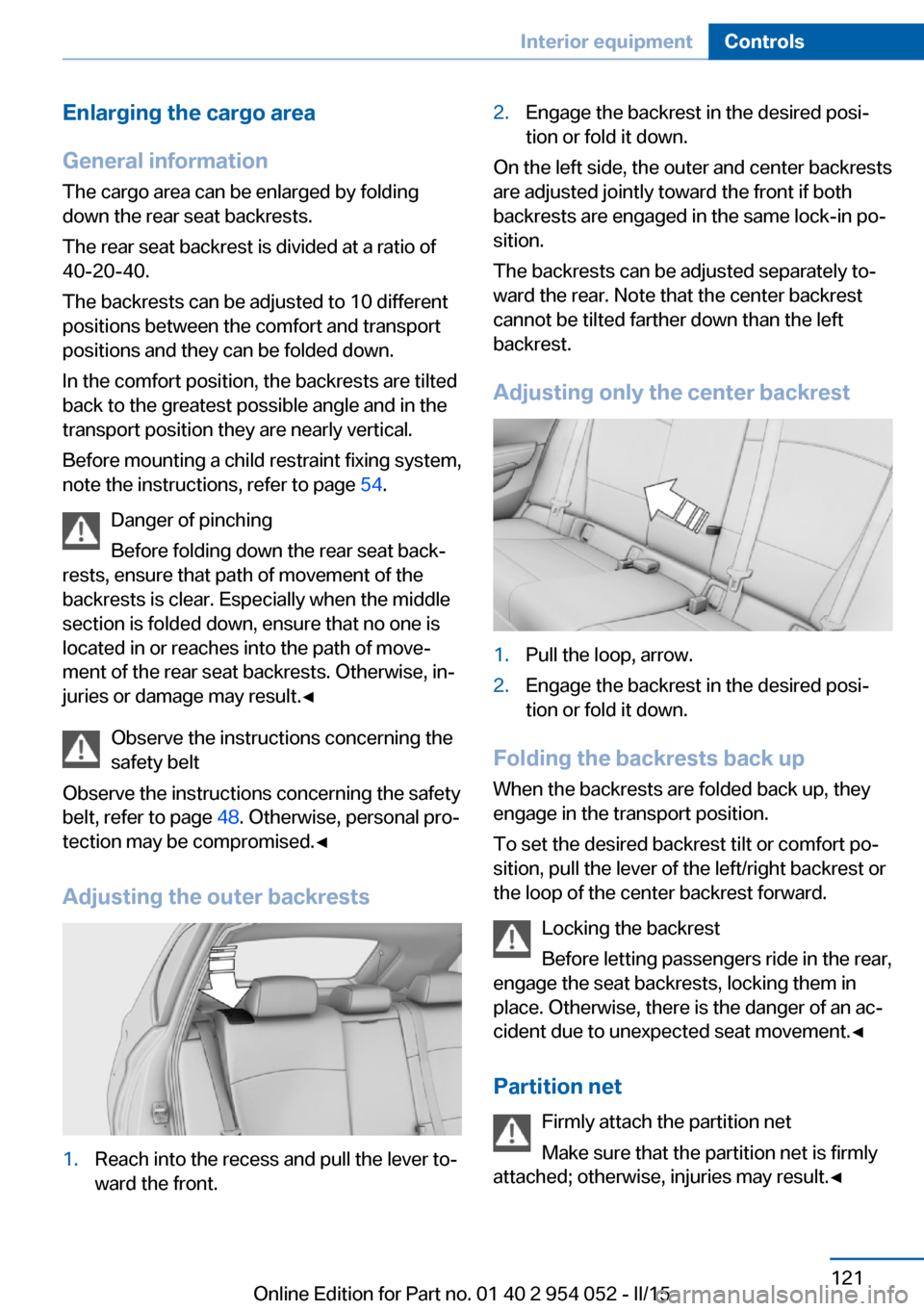
Adjusting only the center backrest
1.Pull the loop, arrow.2.Engage the backrest in the desired posi‐
tion or fold it down.
Folding the backrests back up
When the backrests are folded back up, they
engage in the transport position.
To set the desired backrest tilt or comfort po‐
sition, pull the lever of the left/right backrest or
the loop of the center backrest forward.
Locking the backrest
Before letting passengers ride in the rear,
engage the seat backrests, locking them in
place. Otherwise, there is the danger of an ac‐
cident due to unexpected seat movement.◀
Partition net Firmly attach the partition net
Make sure that the partition net is firmly
attached; otherwise, injuries may result.◀
Seite 121Interior equipmentControls121
Online Edition for Part no. 01 40 2 954 052 - II/15
Page 139 of 297
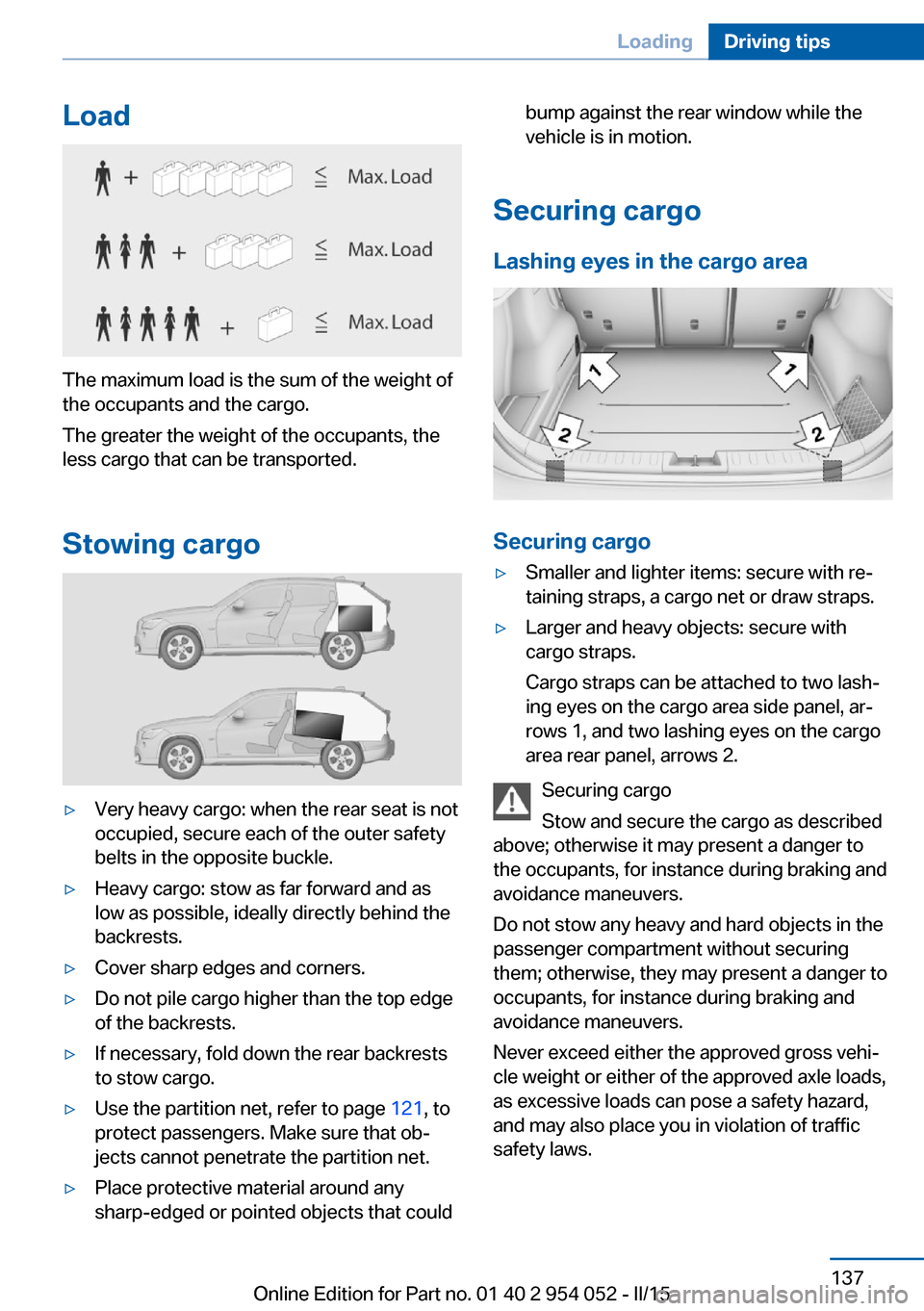
Load
The maximum load is the sum of the weight of
the occupants and the cargo.
The greater the weight of the occupants, the
less cargo that can be transported.
Stowing cargo
▷Very heavy cargo: when the rear seat is not
occupied, secure each of the outer safety
belts in the opposite buckle.▷Heavy cargo: stow as far forward and as
low as possible, ideally directly behind the
backrests.▷Cover sharp edges and corners.▷Do not pile cargo higher than the top edge
of the backrests.▷If necessary, fold down the rear backrests
to stow cargo.▷Use the partition net, refer to page 121, to
protect passengers. Make sure that ob‐
jects cannot penetrate the partition net.▷Place protective material around any
sharp-edged or pointed objects that couldbump against the rear window while the
vehicle is in motion.
Securing cargo
Lashing eyes in the cargo area
Securing cargo
▷Smaller and lighter items: secure with re‐
taining straps, a cargo net or draw straps.▷Larger and heavy objects: secure with
cargo straps.
Cargo straps can be attached to two lash‐
ing eyes on the cargo area side panel, ar‐
rows 1, and two lashing eyes on the cargo
area rear panel, arrows 2.
Securing cargo
Stow and secure the cargo as described
above; otherwise it may present a danger to
the occupants, for instance during braking and
avoidance maneuvers.
Do not stow any heavy and hard objects in the
passenger compartment without securing
them; otherwise, they may present a danger to
occupants, for instance during braking and
avoidance maneuvers.
Never exceed either the approved gross vehi‐
cle weight or either of the approved axle loads,
as excessive loads can pose a safety hazard,
and may also place you in violation of traffic
safety laws.
Seite 137LoadingDriving tips137
Online Edition for Part no. 01 40 2 954 052 - II/15
Page 169 of 297
Multi-channel playback,
surround
Choose between stereo and multi-channel
playback, surround.
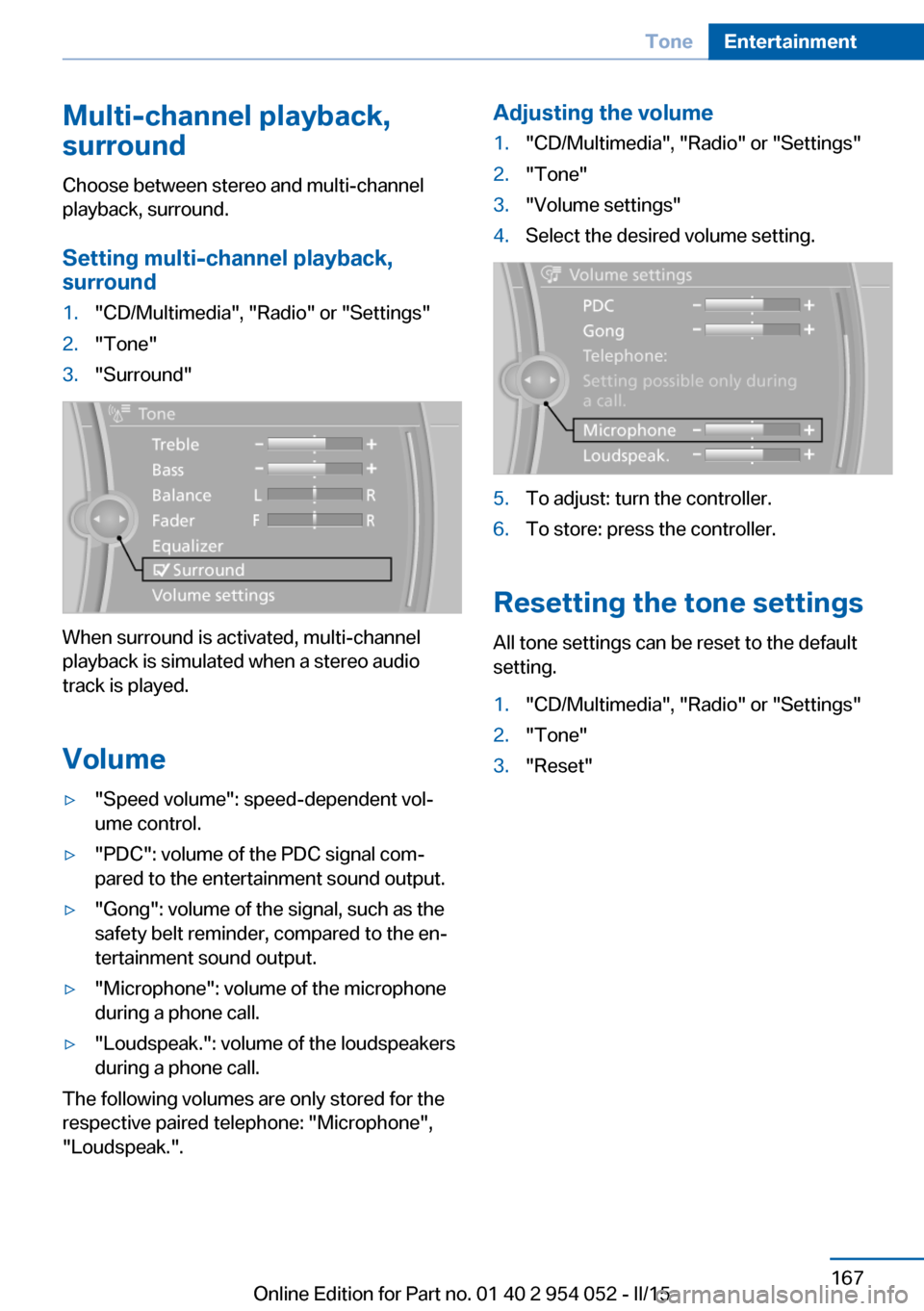
Setting multi-channel playback,
surround1."CD/Multimedia", "Radio" or "Settings"2."Tone"3."Surround"
When surround is activated, multi-channel
playback is simulated when a stereo audio
track is played.
Volume
▷"Speed volume": speed-dependent vol‐
ume control.▷"PDC": volume of the PDC signal com‐
pared to the entertainment sound output.▷"Gong": volume of the signal, such as the
safety belt reminder, compared to the en‐
tertainment sound output.▷"Microphone": volume of the microphone
during a phone call.▷"Loudspeak.": volume of the loudspeakers
during a phone call.
The following volumes are only stored for the
respective paired telephone: "Microphone",
"Loudspeak.".
Adjusting the volume1."CD/Multimedia", "Radio" or "Settings"2."Tone"3."Volume settings"4.Select the desired volume setting.5.To adjust: turn the controller.6.To store: press the controller.
Resetting the tone settings
All tone settings can be reset to the default
setting.
1."CD/Multimedia", "Radio" or "Settings"2."Tone"3."Reset"Seite 167ToneEntertainment167
Online Edition for Part no. 01 40 2 954 052 - II/15
Page 267 of 297
If they are very dirty, e.g., beverage stains, use
a soft sponge or microfiber cloth with a suita‐
ble interior cleaner.
Clean the upholstery down to the seams using
large sweeping motions. Avoid rubbing the
material vigorously.
Damage from Velcro® fasteners
Open Velcro® fasteners on pants or
other articles of clothing can damage the seat
covers. Ensure that any Velcro® fasteners are
closed.◀
Caring for special components
Light-alloy wheels When cleaning the wheels on the vehicle, only
use a neutral wheel rim cleaner with a pH value
of 5 to 9. Do not use abrasive cleaners or a
steam jet hotter than 140 ℉/60 ℃; otherwise,
damage may result. Adhere to the manufac‐
turer instructions.
Aggressive, acidic, or alkaline cleaners may
destroy the protective coating of neighboring
components such as the brake disc.
Chrome surfaces
Carefully clean components such as the radia‐
tor grille or door handles with an ample supply
of water, possibly with shampoo added, partic‐
ularly when they have been exposed to road
salt.
Rubber components
Aside from water, treat only with rubber
cleansers.
When cleaning rubber seals, do not use any
silicon-containing car care products in order to
avoid damage or reduced noise damping.
Fine wood parts Clean fine wood facing and fine wood compo‐
nents only with a moist rag. Then dry with a
soft cloth.Plastic components
These include:▷Imitation leather surfaces.▷Headliner.▷Lamp lenses.▷Instrument cluster cover.▷Matte black spray-coated components.▷Painted parts in the interior.
Clean with a microfiber cloth.
Moisten the cloth lightly with water if neces‐
sary.
Do not soak the headliner.
Do not use cleansers that contain alcohol
or solvents
Do not use cleansers that contain alcohol or
solvents, such as lacquer thinners, heavy-duty
grease removers, fuel, or such; this could lead
to surface damage.◀
Safety belts
Dirty belt straps impede the reeling action and
thus have a negative impact on safety.
No chemical cleaning
Do not clean chemically; this can destroy
the webbing.◀
Use only a mild soapy solution, with the safety
belts clipped into their buckles.
Do not allow the reels to retract the safety
belts until they are dry.
Carpets and floor mats No objects in the area around the pedals
Keep floor mats, carpets, and any other
objects out of the area of motion of the pedals;
otherwise, the function of the pedals could be
impeded while driving
Do not place additional floor mats over existing
mats or other objects.
Seite 265CareMobility265
Online Edition for Part no. 01 40 2 954 052 - II/15
Page 283 of 297
AUX-IN port 186
Average fuel consumption 75
Average fuel consumption, setting the unit 77
Average speed 75
Average speed, refer to Com‐ puter 75
Axle loads, refer to Weights 270
B
Backrest curvature, refer to Lumbar support 47
Backrests, refer to Seats 46
Backrest width adjust‐ ment 48
Back seats, adjusting the backrest tilt 121
Backup camera 107
Backup camera, obstacle marking 108
Backup camera, pathway lines 108
Backup camera, turning lines 108
Backup lamps, bulb replace‐ ment 254
Balance 166
Band-aids, refer to First aid kit 258
Bass 166
Battery disposal 256
Battery, refer to Vehicle bat‐ tery 255
Battery, remote control 32
Battery replacement, remote control for vehicle 41
Before entering the car wash 263
Being towed 260
Belts, refer to Safety belts 48
Belt tensioners, refer to Safety belts 48
Beverage holder, refer to Cu‐ pholder 127 Black and white map dis‐
play 160
Blower, refer to Air flow rate 112
Bluetooth audio 189
Bluetooth connection, acti‐ vating/deactivating 199
BMW Apps 224
BMW Driver's Guide App 6
BMW EfficientDynamics, re‐ fer to Saving fuel 139
BMW Homepage 6
BMW Internet page 6
BMW maintenance sys‐ tem 247
BMW Online 222
Bottle holder, refer to Cu‐ pholder 127
Brake assistant 99
Brake discs, breaking in 132
Brake fluid, refer to Service requirements 80
Brake force display 98
Brake force distribution, elec‐ tronic 99
Brake lamps, brake force dis‐ play 98
Brake lamps, bulb replace‐ ment 254
Brake lights, adaptive 98
Brake pads, breaking in 132
Brake, refer to Parking brake 63
Brakes, BMW maintenance system 247
Brakes, service require‐ ments 80
Brake system, BMW mainte‐ nance system 247
Braking, notes 133
Braking, parking brake 63
Breakdown assistance, refer to Roadside Assistance 221
Breakdown, transporting the vehicle 260
Breaking in 132 Brightness on the Control
Display 80
Bulb replacement, refer to Lamp and bulb replace‐
ment 250
Button for starting the engine, refer to Start/Stop but‐
ton 59
C
Calendar 214
California Proposition 65 Warning 7
Camera, care 266
Camera, refer to Backup cam‐ era 107
Can holder, refer to Cu‐ pholder 127
Car battery, refer to Vehicle battery 255
Car care products 264
Care 263
Care, displays 266
Care, vehicle 264
Cargo 136
Cargo area 120
Cargo area, capacities 270
Cargo area, Comfort Ac‐ cess 40
Cargo area, cover 120
Cargo area, enlarging 121
Cargo area, folding up the cargo floor panel 123
Cargo area lid, refer to Tail‐ gate 38
Cargo area light, refer to Inte‐ rior lights 89
Cargo area, multi-function hook 124
Cargo area, opening from the inside 38
Cargo area, opening from the outside 38
Cargo area, partition net 121 Seite 281Everything from A to ZReference281
Online Edition for Part no. 01 40 2 954 052 - II/15
Page 286 of 297
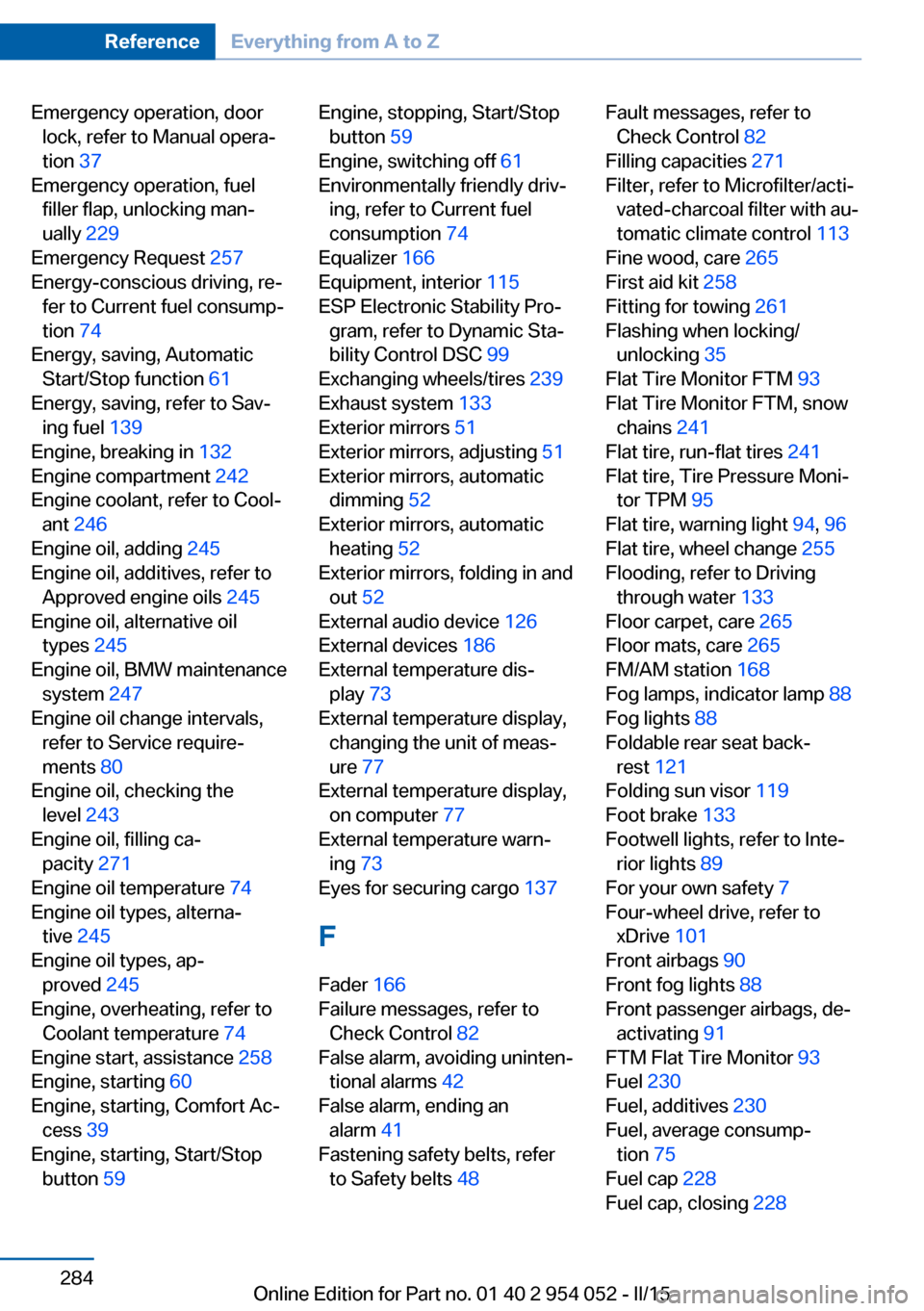
Emergency operation, doorlock, refer to Manual opera‐
tion 37
Emergency operation, fuel filler flap, unlocking man‐
ually 229
Emergency Request 257
Energy-conscious driving, re‐ fer to Current fuel consump‐
tion 74
Energy, saving, Automatic Start/Stop function 61
Energy, saving, refer to Sav‐ ing fuel 139
Engine, breaking in 132
Engine compartment 242
Engine coolant, refer to Cool‐ ant 246
Engine oil, adding 245
Engine oil, additives, refer to Approved engine oils 245
Engine oil, alternative oil types 245
Engine oil, BMW maintenance system 247
Engine oil change intervals, refer to Service require‐
ments 80
Engine oil, checking the level 243
Engine oil, filling ca‐ pacity 271
Engine oil temperature 74
Engine oil types, alterna‐ tive 245
Engine oil types, ap‐ proved 245
Engine, overheating, refer to Coolant temperature 74
Engine start, assistance 258
Engine, starting 60
Engine, starting, Comfort Ac‐ cess 39
Engine, starting, Start/Stop button 59 Engine, stopping, Start/Stop
button 59
Engine, switching off 61
Environmentally friendly driv‐ ing, refer to Current fuel
consumption 74
Equalizer 166
Equipment, interior 115
ESP Electronic Stability Pro‐ gram, refer to Dynamic Sta‐
bility Control DSC 99
Exchanging wheels/tires 239
Exhaust system 133
Exterior mirrors 51
Exterior mirrors, adjusting 51
Exterior mirrors, automatic dimming 52
Exterior mirrors, automatic heating 52
Exterior mirrors, folding in and out 52
External audio device 126
External devices 186
External temperature dis‐ play 73
External temperature display, changing the unit of meas‐
ure 77
External temperature display, on computer 77
External temperature warn‐ ing 73
Eyes for securing cargo 137
F
Fader 166
Failure messages, refer to Check Control 82
False alarm, avoiding uninten‐ tional alarms 42
False alarm, ending an alarm 41
Fastening safety belts, refer to Safety belts 48 Fault messages, refer to
Check Control 82
Filling capacities 271
Filter, refer to Microfilter/acti‐ vated-charcoal filter with au‐
tomatic climate control 113
Fine wood, care 265
First aid kit 258
Fitting for towing 261
Flashing when locking/ unlocking 35
Flat Tire Monitor FTM 93
Flat Tire Monitor FTM, snow chains 241
Flat tire, run-flat tires 241
Flat tire, Tire Pressure Moni‐ tor TPM 95
Flat tire, warning light 94, 96
Flat tire, wheel change 255
Flooding, refer to Driving through water 133
Floor carpet, care 265
Floor mats, care 265
FM/AM station 168
Fog lamps, indicator lamp 88
Fog lights 88
Foldable rear seat back‐ rest 121
Folding sun visor 119
Foot brake 133
Footwell lights, refer to Inte‐ rior lights 89
For your own safety 7
Four-wheel drive, refer to xDrive 101
Front airbags 90
Front fog lights 88
Front passenger airbags, de‐ activating 91
FTM Flat Tire Monitor 93
Fuel 230
Fuel, additives 230
Fuel, average consump‐ tion 75
Fuel cap 228
Fuel cap, closing 228 Seite 284ReferenceEverything from A to Z284
Online Edition for Part no. 01 40 2 954 052 - II/15
Page 288 of 297
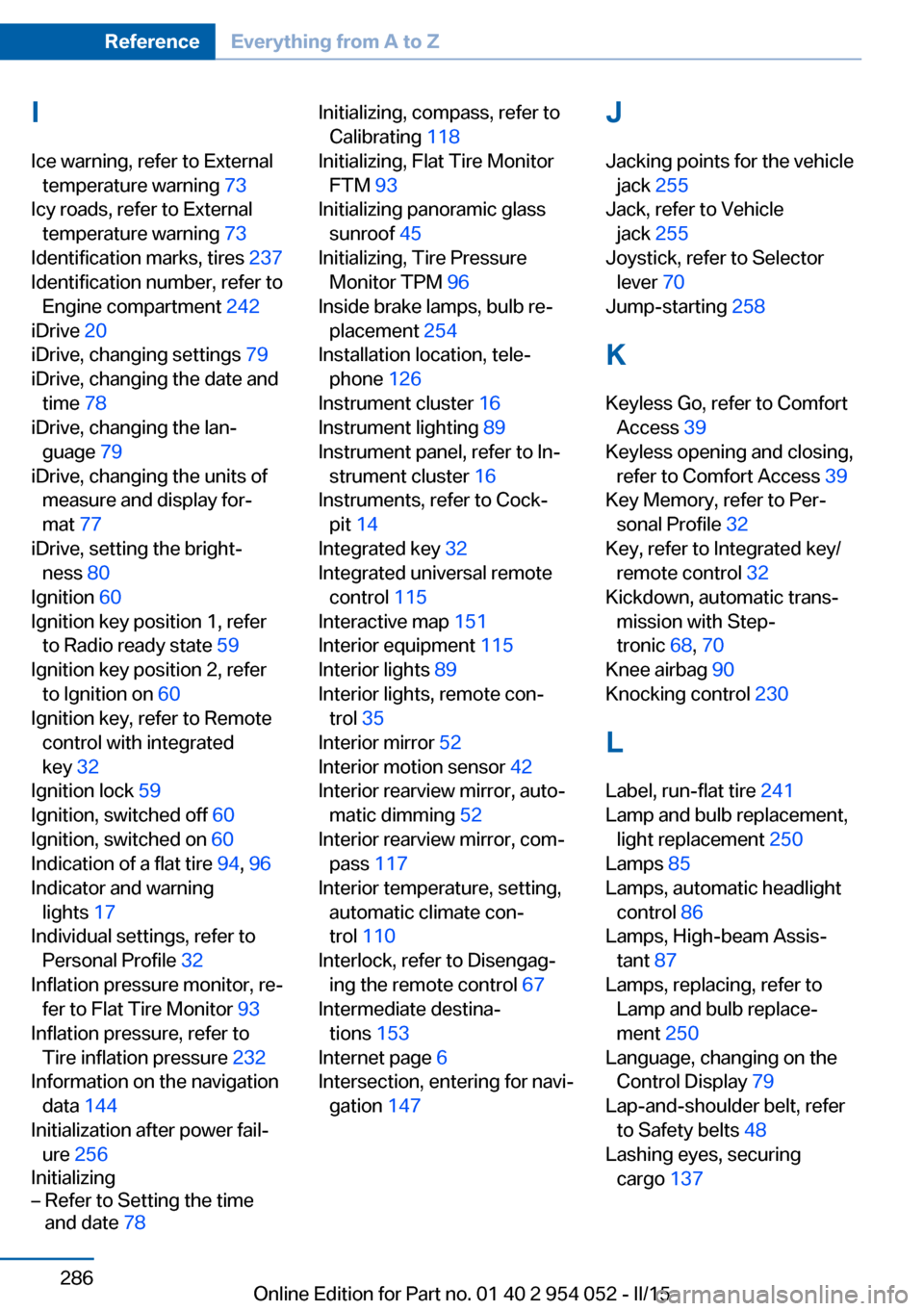
IIce warning, refer to External temperature warning 73
Icy roads, refer to External temperature warning 73
Identification marks, tires 237
Identification number, refer to Engine compartment 242
iDrive 20
iDrive, changing settings 79
iDrive, changing the date and time 78
iDrive, changing the lan‐ guage 79
iDrive, changing the units of measure and display for‐
mat 77
iDrive, setting the bright‐ ness 80
Ignition 60
Ignition key position 1, refer to Radio ready state 59
Ignition key position 2, refer to Ignition on 60
Ignition key, refer to Remote control with integrated
key 32
Ignition lock 59
Ignition, switched off 60
Ignition, switched on 60
Indication of a flat tire 94, 96
Indicator and warning lights 17
Individual settings, refer to Personal Profile 32
Inflation pressure monitor, re‐ fer to Flat Tire Monitor 93
Inflation pressure, refer to Tire inflation pressure 232
Information on the navigation data 144
Initialization after power fail‐ ure 256
Initializing– Refer to Setting the time
and date 78Initializing, compass, refer to
Calibrating 118
Initializing, Flat Tire Monitor FTM 93
Initializing panoramic glass sunroof 45
Initializing, Tire Pressure Monitor TPM 96
Inside brake lamps, bulb re‐ placement 254
Installation location, tele‐ phone 126
Instrument cluster 16
Instrument lighting 89
Instrument panel, refer to In‐ strument cluster 16
Instruments, refer to Cock‐ pit 14
Integrated key 32
Integrated universal remote control 115
Interactive map 151
Interior equipment 115
Interior lights 89
Interior lights, remote con‐ trol 35
Interior mirror 52
Interior motion sensor 42
Interior rearview mirror, auto‐ matic dimming 52
Interior rearview mirror, com‐ pass 117
Interior temperature, setting, automatic climate con‐
trol 110
Interlock, refer to Disengag‐ ing the remote control 67
Intermediate destina‐ tions 153
Internet page 6
Intersection, entering for navi‐ gation 147 J
Jacking points for the vehicle jack 255
Jack, refer to Vehicle jack 255
Joystick, refer to Selector lever 70
Jump-starting 258
K
Keyless Go, refer to Comfort Access 39
Keyless opening and closing, refer to Comfort Access 39
Key Memory, refer to Per‐ sonal Profile 32
Key, refer to Integrated key/ remote control 32
Kickdown, automatic trans‐ mission with Step‐
tronic 68, 70
Knee airbag 90
Knocking control 230
L Label, run-flat tire 241
Lamp and bulb replacement, light replacement 250
Lamps 85
Lamps, automatic headlight control 86
Lamps, High-beam Assis‐ tant 87
Lamps, replacing, refer to Lamp and bulb replace‐
ment 250
Language, changing on the Control Display 79
Lap-and-shoulder belt, refer to Safety belts 48
Lashing eyes, securing cargo 137 Seite 286ReferenceEverything from A to Z286
Online Edition for Part no. 01 40 2 954 052 - II/15